On October 14, 2025, David sat at his desk in Toowoomba, watching a spinning icon for the tenth time that morning. He faced a common dilemma: should he spend A$1,500 on a new machine or try to save his five-year-old PC? Many Australians find themselves asking, is it worth repairing an old computer when the hardware starts to lag? It’s a stressful choice because nobody wants to throw good money after bad, especially when you’re worried about losing personal files or expensive software licenses during the transition.

We understand that feeling of uncertainty. If your screen has gone dark or your system is crawling, don’t panic! You’re right to be cautious; technology moves fast, and sometimes a “quick fix” is just a temporary bandage on a terminal problem. Our mission is to keep you connected and protected without the headache of unnecessary downtime. This guide provides the exact framework we use at Aspire Computing to decide if your PC needs a simple hardware upgrade or a trip to the recycling centre. You’ll discover how to achieve a fast, reliable computer while potentially saving over A$800 compared to a full replacement. We’ll break down the “50% rule” for repair costs and identify the specific components that can give an older machine a new lease on life in 2026.

Key Takeaways

  • Learn to apply the “50% Rule” to calmly determine if your repair costs justify the investment or if it is time to retire your machine.
  • Discover why upgrading components in a 5-year-old high-end PC often delivers better performance than a brand-new A$600 budget laptop.
  • Uncover the hidden “Setup Tax” and data migration risks that retailers often ignore when pushing you toward a new purchase.
  • Use our methodical framework to finally decide is it worth repairing an old computer or if a “Fatal Flaw” like motherboard failure makes replacement the only option.
  • Find out how professional diagnostics can protect your digital life and ensure your technology keeps you connected without unnecessary spending.

The Repair vs. Replace Dilemma: Is Your Old Computer Still Viable?

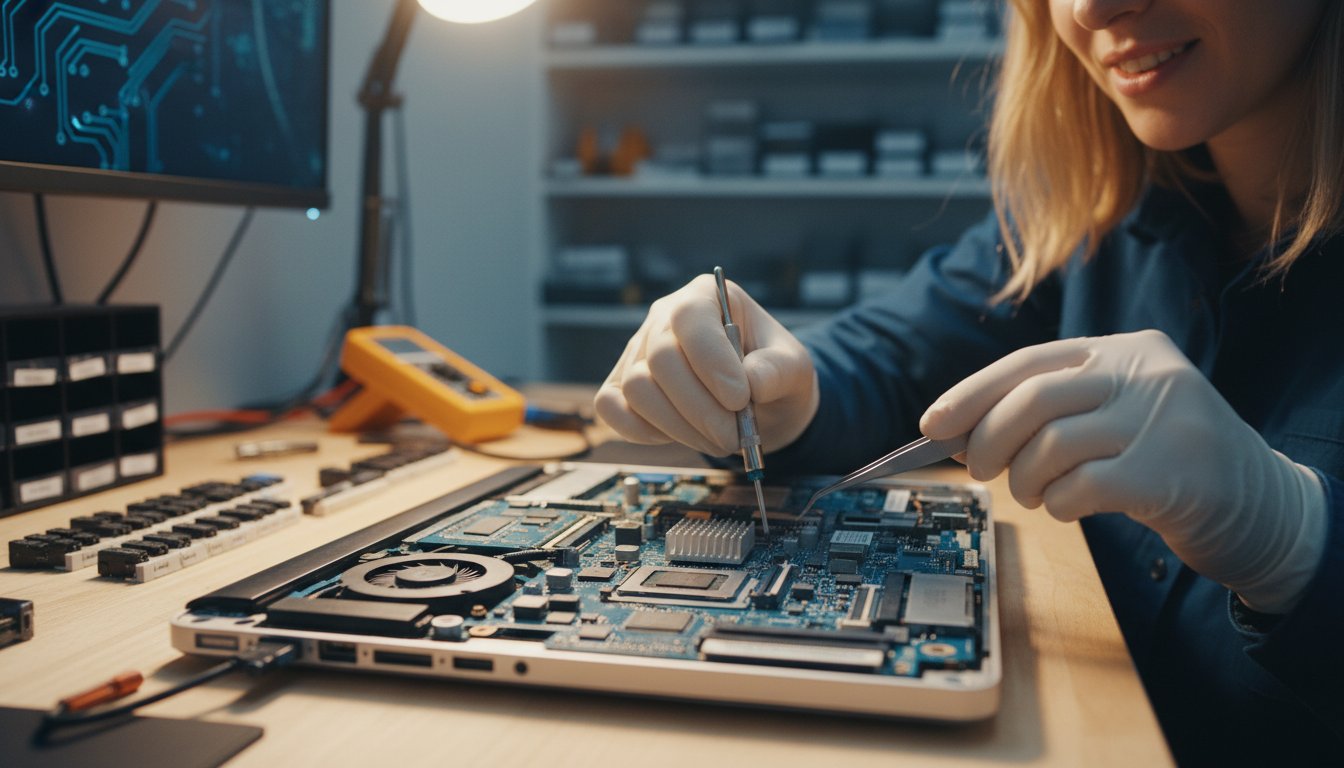
When your screen stays black or the cooling fans start making a sound like a jet engine, your first instinct might be a sense of panic. It’s a frustrating moment that disrupts your work and personal life. Before you rush to the nearest big-box retailer, take a breath. A methodical assessment often reveals that your machine has plenty of life left. The core question you need to answer is: is it worth repairing an old computer or should you start fresh?

At Aspire Computing, we’ve helped Toowoomba residents navigate this choice since 1999. We focus on “Solid Bones.” This concept refers to high-quality components like power supplies, sturdy cases, and mid-to-high-end processors that remain relevant for 7 years or longer. However, 2026 brings new challenges. Software demands and security requirements for modern operating systems mean hardware diagnostics are more critical now than they were even three years ago. We look at your specific hardware to see if it can handle the next wave of digital demands.

Understanding the 50% Rule of Thumb

The 50% Rule is a simple financial benchmark. If the cost of parts and labour exceeds half the price of a comparable new machine, replacement is usually the better path. You must include “hidden” costs in this math. A new A$900 laptop isn’t just A$900; you also have to factor in 2 to 3 hours of setup time and data migration. If a repair costs A$350, it’s often the smarter investment. Budget laptops under A$700 frequently fail this rule because their build quality is lower. Aspire Computing provides transparent, fixed-fee quotes so you can make this calculation with total certainty.

Laptop vs. Desktop Lifespans in 2026

Laptops and desktops age differently. By 2026, most portable 14-inch laptops hit a “fork in the road” around the 4 or 5-year mark. Heat builds up in small spaces, and battery health typically drops below 60% capacity. Desktops are different. A 7 or 8-year-old tower is often a prime candidate for a “quick fix” upgrade. Because towers are modular, we can replace a single failing component for a fraction of the cost of a new system. Build quality matters too. A business-grade machine from 2021 will likely outlast a cheap consumer model bought in 2024. When deciding if is it worth repairing an old computer, always check the chassis material and cooling efficiency first.

  • Laptops: Expect 4-5 years of peak performance.
  • Desktops: Often viable for 8+ years with minor hardware refreshes.
  • Business Grade: Built with higher-tolerance capacitors and better thermal management.

Evaluating the Bones: When Hardware Upgrades Outperform New PCs

Deciding is it worth repairing an old computer often comes down to three specific “bones”: the Processor (CPU), the Memory (RAM), and the Storage. If these core parts are solid, a few affordable swaps can make a five-year-old machine feel brand new. Many Australians walk into big-box retailers and buy a “budget” laptop for A$500, only to find it performs worse than their old one. This happens because a 2019 Intel i7 processor still carries more “muscle” for multitasking than a 2024 entry-level Celeron or Pentium chip found in cheap new models. Don’t be fooled by a shiny new chassis; the raw power inside an older high-end machine is frequently superior to modern entry-level hardware.

The SSD Revolution: Why Speed Isn’t Just About the CPU

The single biggest reason old computers feel slow isn’t actually a “tired” processor; it’s the mechanical hard drive (HDD). These old drives use spinning platters that physically cannot keep up with modern software demands. Replacing an HDD with a Solid State Drive (SSD) or an NVMe drive removes the primary performance bottleneck that plagues older systems. You will see a massive shift from five-minute boot sequences to a crisp 30-second startup. An SSD is the single most impactful upgrade for any PC over three years old. For a modest investment of roughly A$80 to A$150, you can achieve a 10x increase in data access speeds, making the system feel more responsive than the day you bought it.

RAM and Windows Compatibility in 2026

As we head toward 2026, 16GB of RAM has become the essential minimum for a smooth Windows experience. If your computer “freezes” when you have ten browser tabs and a Word document open, it’s likely running out of memory, not dying. Extra RAM allows your PC to handle more tasks simultaneously without swapping data to the slower hard drive. Most motherboards from the last six years can easily accommodate a 16GB or 32GB kit. If you aren’t sure what your specific machine can handle, a quick hardware assessment from a local expert can clarify your upgrade path. Adding RAM is often the cheapest way to extend a computer’s functional life by another three years, keeping your system snappy and stable for daily use. When considering if is it worth repairing an old computer, remember that a RAM boost costs a fraction of a new machine but solves 90% of common lag issues.

The Hidden Costs of Buying New: What Retailers Don’t Tell You

A shiny new box on a retail shelf looks like a simple solution, but the price tag on the sticker is rarely the final cost. When people ask is it worth repairing an old computer, they often forget the “Setup Tax” that comes with a fresh purchase. Moving your digital life from one machine to another isn’t always a “plug and play” experience. It involves significant time, potential data loss, and the frustration of re-configuring every setting you’ve spent years perfecting.

The Setup Tax: Time, Data, and Software

Most Australian home users and small business owners spend between 4 and 8 hours personalising a new machine. This includes installing Windows updates, removing “bloatware” apps that come pre-installed, and setting up peripheral devices. If you aren’t tech-savvy, a professional data transfer service can add A$150 to A$300 to your total bill.

The risks are higher if your current machine is already failing. Photos, emails, and important tax records can be trapped on a hard drive that refuses to spin. If your device won’t boot, Aspire Computing offers specialized data recovery to ensure your history isn’t erased during the transition. Beyond files, you must also consider software licenses. Re-installing Microsoft 365, accounting packages like Xero or MYOB, and printer drivers often requires hunting for lost product keys and passwords, which adds layers of stress to your week.

Toowoomba Environmental Factors: Heat and Dust

Living in the Darling Downs presents unique challenges for hardware. The fine dust common in regional Queensland is a silent killer for electronics. It settles inside cases, coats cooling fans, and leads to overheating. This often causes “fake” hardware failure where a computer slows down to a crawl to protect itself from heat damage.

Before you commit to a new purchase, consider that a professional internal clean and a thermal paste refresh can often “repair” a slow computer for a small fraction of the replacement cost. Keeping your current machine running also helps manage the local e-waste crisis. With Queensland producing thousands of tonnes of electronic waste annually, extending the life of your hardware by even two years keeps functional components out of Toowoomba landfills. When you weigh these factors, you’ll find that is it worth repairing an old computer often comes down to simple maintenance rather than total replacement.

Signs Your Computer is Truly End of Life (EOL)

Every piece of technology has a limit. While our team at Aspire Computing loves to extend the life of your gear, there comes a point where a machine becomes a “money pit.” Identifying these fatal flaws early helps you avoid wasting hundreds of dollars on a device that will never perform to modern standards. When you’re weighing up is it worth repairing an old computer, you need to look at the hardware’s physical and digital foundation.

Motherboard and CPU Bottlenecks

A dead motherboard in a laptop older than 6 years is usually the end of the road. In these older units, the cost of the part combined with the labour to strip the machine down often exceeds the total resale value of the computer. Many “big brand” manufacturers use proprietary parts that aren’t interchangeable with standard components. This makes sourcing a replacement board for an older Dell or HP both difficult and expensive in the Australian market. If repair parts are no longer manufactured, replacement is the only logical path forward for your productivity and peace of mind.

Physical Integrity and Screen Damage

The physical build of your device often dictates its lifespan. Modern ultrabooks have moved toward “glued-in” batteries and fused components, which significantly changes the repair equation. If you’re looking at a cracked 4K laptop screen, the replacement cost can easily soar above A$550. When you compare that to a brand-new entry-level laptop at A$800, the repair makes little sense.

This calculation can change, however, if you can find affordable replacement parts. Specialist online retailers for IT equipment, such as Computech-Solutions, often carry a wide range of components like LCD panels that can make a screen replacement more economical.

You should also pay close attention to your laptop hinges. To check for trouble, feel for any resistance or listen for “clicking” sounds when opening the lid. If the plastic chassis is bulging near the hinges, it indicates a structural failure that could eventually snap internal display cables.

  • Obsolete Architecture: Systems using 32-bit processors or DDR2 RAM are now considered museum pieces. They lack the instructions needed to run modern security software.
  • Storage Standards: If your motherboard doesn’t support NVMe or at least SATA SSDs, it’s time to move on.
  • Windows 11 Compatibility: Many PCs from 2017 or earlier don’t meet the strict TPM 2.0 requirements for the latest operating systems.

Don’t risk your data on a failing system. If your device is showing these terminal signs, contact Aspire Computing today for a professional assessment of your best upgrade options.

How Aspire Computing Helps You Decide (and Save)

Deciding if your tech has reached the end of the road shouldn’t feel like a gamble. At Aspire Computing, we remove the guesswork with professional diagnostics. We tell you exactly what’s wrong before you spend a single cent on replacement parts. Our “Protect and Connect” approach ensures we focus on your productivity, not just selling you the latest shiny box on the shelf. Determining is it worth repairing an old computer depends on your specific needs, and we provide the data you need to make that call.

  • Professional diagnostics: We identify the bottleneck, whether it’s a failing hard drive or a cluttered operating system.
  • Local Toowoomba service: You won’t have to send your PC to a capital city for weeks. We handle everything right here in town.
  • Productivity first: If a A$180 component can give you two more years of high-speed use, we’ll recommend that over a A$1,200 new purchase.
  • Repairable alternatives: If you must replace your machine, we build custom PCs designed to be repaired and upgraded, preventing future e-waste.

Personal Service from Chaim Lee and the Team

Chaim Lee and the team have supported the Toowoomba region since 1999. With over 25 years of local experience, we’ve seen every hardware trend and common failure point imaginable. A generic retail salesperson is often trained to hit sales quotas, but a local expert is motivated by community trust. We want your computer to work perfectly so you’ll come back to us for years to come. If your device just feels sluggish, our Computer & Laptop Repair services can often provide a quick tune-up that restores original speeds for a fraction of the cost of a new machine.

Our Methodical Repair Process

We believe in transparency and speed. Our team helps you answer the question: is it worth repairing an old computer or is it time to move your data to a more reliable system? We follow a clear, four-step process to ensure you aren’t left in the dark:

  1. Identification: We run stress tests to find the exact hardware or software fault.
  2. Transparent Quoting: You receive a fixed price for the repair so there are no surprises.
  3. Fast Execution: We aim for a 24 to 48 hour return on most standard repairs.
  4. Remote Support: For minor software “repairs” and glitches, we can often log in remotely to fix the issue instantly.

Don’t let a slow computer disrupt your day any longer. Contact Aspire Computing today for a professional opinion on your old computer and discover the most cost-effective way to stay connected.

Make the Right Call for Your Technology

Deciding if is it worth repairing an old computer often comes down to a simple cost comparison between a A$150 component upgrade and a A$1,200 new laptop. Most hardware manufactured after 2021 remains viable for modern software if the “bones” of the system are healthy. If your device isn’t suffering from physical motherboard damage or total screen failure, a strategic upgrade can extend its lifespan by another three years.

Since 1999, Aspire Computing has served the Toowoomba community with a focus on our “Protect and Connect” mission. Owner Chaim Lee provides personal, professional service that cuts through the marketing noise of big-box retailers. We help you identify when a machine is truly at its end of life and when it just needs an expert touch to run like new again. Don’t let a slow startup screen force you into an unnecessary purchase.

Talk to the Toowoomba Computer Experts today for reliable local IT support that keeps you moving forward.

Frequently Asked Questions

Is a 5-year-old laptop worth fixing in 2026?

Yes, a 5-year-old laptop is often worth fixing in 2026 if the screen and keyboard remain in good condition. You can expect to pay around A$250 for a professional refresh compared to A$1,300 for a comparable new machine. We see many 2021 models that still perform excellently with a simple SSD upgrade or a fresh battery. This saves you 80% of the cost of buying new.

How much does it typically cost to speed up an old computer?

Speeding up an older system typically costs between A$180 and A$400 depending on the parts required. A standard 500GB SSD upgrade costs roughly A$140 plus labour, while adding 8GB of RAM usually sits around A$75. When clients ask is it worth repairing an old computer, we point to these upgrades. They often make a machine 5 times faster for a fraction of the price of a replacement.

Can I upgrade my old computer to run the latest Windows?

You can upgrade to the latest Windows if your processor was manufactured after 2018 and includes a TPM 2.0 chip. Microsoft requires at least an 8th Generation Intel CPU or an AMD Ryzen 2000 series for Windows 11. If your machine is older, it won’t receive official security updates. We check your specific hardware ID to ensure 100% compatibility before starting any software installation or upgrade process.

What happens to my data if I decide to buy a new computer instead of repairing?

Your data remains on your old hard drive and can be migrated to your new device using professional cloning tools. We offer a complete data transfer service that moves your photos, documents, and emails for a flat fee, usually starting at A$120. If the old computer doesn’t turn on, we use specialized recovery hardware to extract files. You don’t lose anything during the transition to a new system.

How long should a desktop computer last before it needs replacing?

A well-maintained desktop computer should last between 6 and 9 years before it becomes obsolete. While business environments often replace hardware every 3 years, home users can extend the lifespan by performing a professional tune-up every 24 months. Replacing a power supply for A$150 or a CMOS battery for A$15 can prevent major failures. This proactive approach keeps your machine running reliably for nearly a decade.

Is it better to buy a cheap new laptop or repair a high-end old one?

It’s almost always better to repair a high-end old laptop than to buy a cheap A$500 model from a big-box retailer. Entry-level laptops often use low-grade plastic and slower components that struggle with basic tasks. When deciding is it worth repairing an old computer, consider that a A$350 repair on a premium device provides better screen quality and faster processing than a budget new unit.

What are the signs that my hard drive is failing?

Common signs of hard drive failure include loud clicking noises, frequent system crashes, and files taking 3 times longer to open than usual. Around 15% of traditional mechanical drives show signs of wear after 3 years of heavy use. If you see a “Disk Boot Failure” message, shut the power off immediately. We use diagnostic software to check your drive’s health and can often catch failures before your data is lost.

Does Aspire Computing offer on-site repairs in Toowoomba?

Aspire Computing provides on-site repair services throughout Toowoomba and surrounding suburbs like Highfields and Cambooya. Since 1999, Chaim Lee has helped locals solve tech issues at their homes or offices to ensure total continuity. We arrive with the right tools to fix your PC, laptop, or printer without you needing to unplug a single cable. It’s our way to protect and connect the local community.

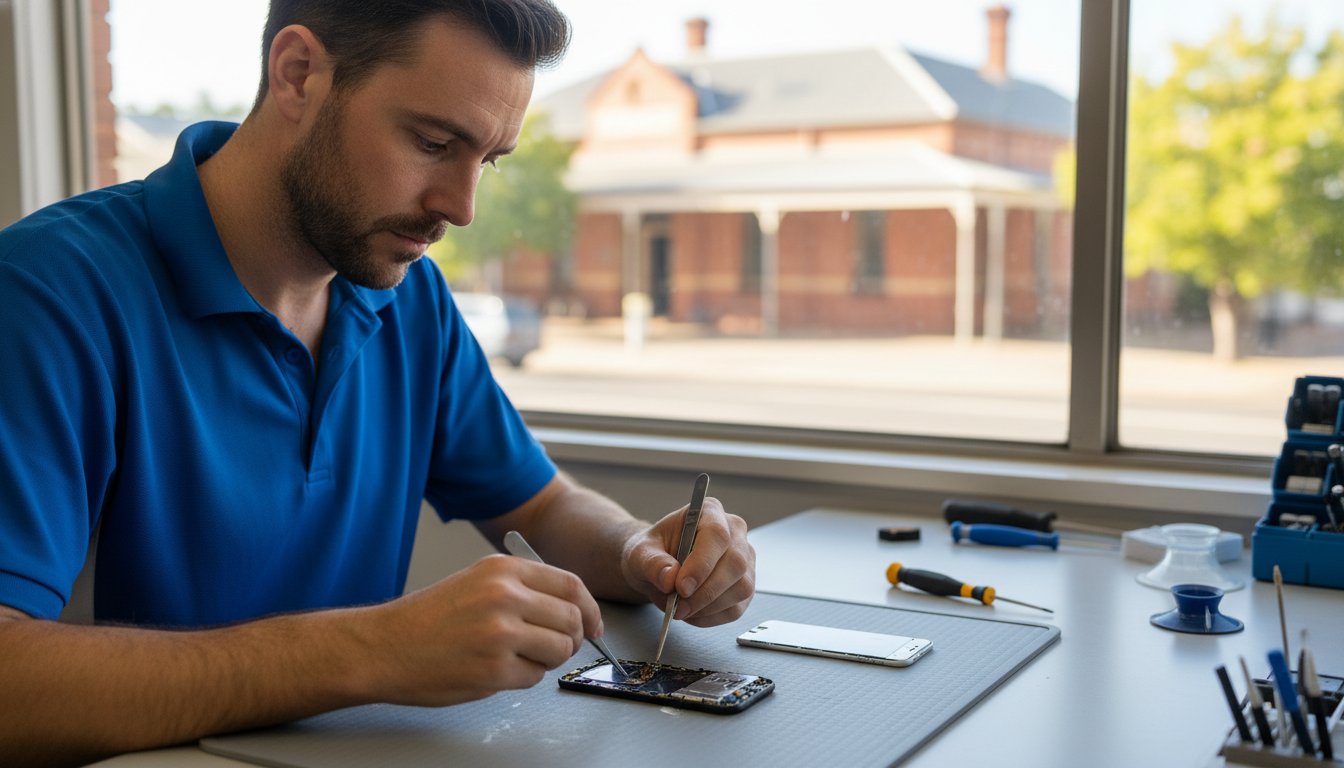
Last Tuesday, a local teacher in Middle Ridge watched their smartphone slip onto the pavement, turning a vital connection to their classroom into a jagged web of glass. It’s a moment of instant panic that we’ve seen hundreds of times since we started serving the Darling Downs in 1999. You’re likely feeling that same anxiety right now. It isn’t just the cracked glass that hurts; it’s the fear of losing 5,000 family photos or the frustration of being quoted wildly different prices for phone screen repairs toowoomba. You want a fix that lasts, not a cheap aftermarket part that loses touch sensitivity after two days.

We’ll help you understand your local repair options, explaining the technical difference between factory-grade OLEDs and budget LCDs so you can protect your investment. You’ll discover how professional expertise ensures your data stays private and your phone functions like it just came out of the box. From understanding warranty protections to comparing local service speeds, this guide provides the clarity you need to get back online safely. We believe in providing the quality and assurance you deserve to keep your digital life running smoothly.

Key Takeaways

  • Don’t panic after a drop; learn the essential steps to take in the first 10 minutes to protect your data and assess the damage.
  • Understand the complex “three-layer sandwich” of modern displays to see why professional phone screen repairs toowoomba are vital for your device’s long-term health.
  • Compare the benefits of specialized technical workshops versus mall kiosks, focusing on parts quality and the importance of a comprehensive warranty.
  • Identify the real factors driving repair costs in A$ for the latest flagship models and how to ensure you are paying for quality labour.
  • Explore expert solutions for laptop and tablet display issues, from flickering screens to backlight failures, that require a different technical approach than mobile fixes.

Just Dropped Your Device? The “Don’t Panic” Guide to Toowoomba Repairs

You just heard that sickening “thud” on the pavement outside Grand Central or on your kitchen tiles. It’s a moment of pure dread. Take a deep breath and don’t panic. The actions you take in the first 10 minutes after a fall determine whether your device is salvageable or destined for the bin. First, check if the phone still responds to touch. If the display is completely black or showing “ink bleeds,” the internal panel is likely compromised. Understanding how AMOLED screens work helps explain why even a small impact can kill the entire display; these layers are incredibly thin and sensitive to pressure.

This type of sudden tech-related stress is common, from a broken screen to lost car keys. While this guide will walk you through the phone repair process, for automotive key emergencies it can be helpful to discover Prestige Mobile Locksmith, who offer specialized mobile services.

Before you rush into a shop, try to perform a quick data backup. If the screen still flickers to life, plug it into your computer immediately. Statistics show that 78% of users who seek phone screen repairs toowoomba wide haven’t backed up their photos or contacts in the last six months. Securing your data is the single most important step before handing your device over to any technician. It ensures your digital life remains intact even if the hardware requires a complex teardown.

To better understand the components involved in modern device maintenance, watch this helpful video:

First Aid for Your Cracked Screen

If your glass is shattered, apply a layer of clear packing tape over the front. This prevents tiny glass splinters from piercing your fingers or falling into the internal components. Avoid the temptation to plug the phone into a charger if the screen is severely damaged. A cracked digitizer can sometimes cause a short circuit, and adding 5V of power can escalate a simple screen fix into a motherboard failure. Always check your insurance papers or AppleCare+ status first. If you have a high-end device, your A$200 excess might be cheaper than a full out-of-pocket replacement for a flagship model.

The Toowoomba Local Advantage

Choosing a local expert in Newtown or the wider Darling Downs region offers benefits that mail-in services simply can’t match. When you use phone screen repairs toowoomba services, you get face-to-face accountability. You aren’t just a ticket number in a massive Sydney or Brisbane warehouse. Local technicians, like the team at Aspire Computing which has been established since 1999, understand the urgency of getting you back online. Most local repairs are completed within 2 to 4 hours, whereas mail-in options often leave you without a phone for 5 to 7 business days. Supporting local businesses also keeps your money within the Toowoomba economy, helping maintain the vibrant community we all enjoy. You save roughly A$30 to A$50 on insured shipping costs alone by walking into a local shop. The peace of mind that comes from knowing exactly who is handling your private data is worth the short drive across town.

Understanding Screen Technology: What Are You Actually Fixing?

When you drop your device on a hard Toowoomba footpath, the damage often goes deeper than the visible cracks. Modern smartphones and laptops utilize a sophisticated three layer sandwich design. The top layer is the protective glass, followed by the digitiser, and finally the display panel itself. Since 2017, approximately 92% of flagship smartphones have moved to a fused or laminated display assembly. This means the layers are bonded together with industrial strength adhesive to make devices thinner and more vibrant.

A crack in the top glass compromises the structural integrity of the entire stack. In the Lockyer Valley, where humidity levels frequently exceed 65% during the summer months, an exposed screen is a ticking time bomb. Moisture and fine dust particles can seep through the tiniest fractures. Once these contaminants reach the internal connectors, they cause oxidation. This process can destroy a phone’s motherboard within 72 hours of the initial drop. If you are dealing with a broken device, seeking professional phone screen repairs toowoomba quickly is the best way to prevent total hardware failure.

Understanding your consumer protections is also vital when hardware fails. If a repairer uses sub-par components or fails to perform the service with due care, you are protected under Australian law. You can learn more about your consumer rights for repairs through the ACCC website to ensure you get the quality service you deserve.

LCD vs. OLED: Why the Difference Matters

LCD (Liquid Crystal Display) technology relies on a backlight to illuminate pixels. It is common in budget-friendly models and older iPhones like the XR or 11. These screens are thicker and more prone to “backlight bleed” if the frame is bent. OLED (Organic Light Emitting Diode) screens are different because each pixel produces its own light. This results in perfect blacks and more vibrant colours, but it also makes the parts significantly more expensive. An OLED replacement for a premium Samsung or iPhone can cost between A$250 and A$500, whereas an LCD might only be A$120 to A$180. You can tell you have an OLED if your screen stays perfectly black in dark areas while watching a video.

The Role of the Digitiser

The digitiser is the invisible hero of your phone. It is a touch-sensitive layer that translates the electrical pulse from your fingertip into a command the software understands. When this layer fails, you will experience “ghost touching,” where apps open on their own, or “dead zones” where the screen won’t respond to your input. While some cheap repair kits suggest you can replace just the top glass, we don’t recommend this. In 2026, the risk of damaging the digitiser during a glass-only separation is nearly 85%. A professional phone screen repairs toowoomba service will almost always replace the entire fused assembly to ensure your touch response remains factory-perfect.

If your touch screen is acting up or the display has gone dark, don’t panic. Our team can help you identify the exact part you need to get your digital life back on track quickly and reliably.

Choosing a Repairer in Toowoomba: Kiosks vs. Professional Techs

When your device breaks, don’t panic. You’ll find plenty of options for phone screen repairs toowoomba, but they aren’t all equal. Mall kiosks rely on high foot traffic and high-speed turnover. They often complete a screen swap in under 20 minutes. This sounds convenient, but it frequently involves skipping critical steps like internal cleaning or reapplying specialized adhesive seals. A professional technician at a dedicated workshop takes the time to ensure every internal bracket is replaced and every screw is torqued correctly. Speed is helpful, but precision is what keeps your phone working for another two years.

Warranty terms reveal a lot about a repairer’s confidence. Always ask if the guarantee covers both parts and labour. Some budget shops only offer a 30-day warranty on the screen itself. If the touch sensitivity fails on day 31, you’re out of pocket again. A professional service usually provides a much longer window, often 6 to 12 months, because they use higher-quality components. Beyond the hardware, data privacy is your biggest concern. A reputable shop will have a clear policy on how they handle your device. They won’t ask for your passcode unless it’s absolutely necessary for testing, and they’ll never browse your private data.

Choosing a specialist ensures your phone stays in your pocket and out of a landfill. High-quality repairs extend the life of your device, which helps reduce the environmental impact of e-waste. In 2019 alone, the world generated 53.6 million metric tonnes of electronic waste. By opting for a durable fix rather than a cheap, temporary solution, you’re making a better choice for both your wallet and the environment.

Questions to Ask Your Toowoomba Repairer

Before handing over your A$1,200 smartphone, ask these three things. First, do they use OEM-grade or generic aftermarket parts? Generic screens often have 25% lower brightness and poorer colour saturation. Second, ask what their policy is if the Touch ID or Face ID stops working after the repair. Rushed technicians can easily tear the delicate ribbon cables responsible for biometric security. Finally, ask if they offer a guarantee on the water-resistance seal. Most “while-you-wait” services skip this entirely, leaving your phone vulnerable to the next Toowoomba storm.

The Specialist Difference

At Aspire Computing, we’ve been helping the local community since 1999. Our workshop is designed for precision, not just speed. We use specialized Electrostatic Discharge (ESD) protection, including grounded mats and wrist straps, to prevent invisible electrical surges from damaging your phone’s motherboard. A clean, dust-free environment is essential; even a single speck of grit trapped under a new screen can cause a pressure spot or a hairline crack within weeks. Chaim Lee and the team prioritize a methodical approach to phone screen repairs toowoomba, ensuring your device is returned in a condition that meets or exceeds original manufacturer standards.

The Real Cost of Screen Repairs in Toowoomba

When your phone hits the pavement, the first thing you think about is the price tag. It’s a stressful moment, but don’t panic. At Aspire Computing, we believe in being upfront about what you’re paying for. Most phone screen repairs toowoomba costs are split between the physical part and the specialised labour required to install it safely. High-quality OLED panels for modern devices can make up 70 percent of the total bill. The remaining 30 percent covers the technician’s time, precision tools, and the warranty that protects your investment.

The latest flagship models always command a premium. For instance, parts for the iPhone 16 Pro or the upcoming iPhone 17 and Samsung S26 series are initially scarce in the Australian market. This scarcity drives prices up for early adopters. We’ve seen screen assembly costs drop by 25 percent once a model has been on the market for 18 months. If you’re holding a brand new device, expect the repair to reflect that cutting-edge technology. Manufacturers often integrate the digitiser and the glass into a single unit, which means even a small crack requires a full component swap.

Calculating whether to repair or replace is simple math. We suggest the 50 percent rule. If the repair cost exceeds half the current resale value of the phone, it might be time for an upgrade. For a three-year-old Samsung with a cracked screen, a A$250 repair might not make sense if the phone is only worth A$400. However, for a newer device, spending A$380 to save a A$1,600 investment is a smart move. Always ask about diagnostic fees. Some shops charge A$50 just to look at the device. We prefer transparency; you should know the total cost before the first screw is turned.

Factors Influencing Repair Pricing

Supply chains in Australia impact what you pay. Shipping parts to regional hubs like Toowoomba involves logistics costs that metropolitan shops might avoid. Device design also plays a role. Modern phones use heavy industrial adhesives rather than screws. This makes the teardown process longer and riskier. A technician might spend 45 minutes just safely prying a glass back off without cracking it. To avoid urgency surcharges, which can add A$40 to A$70 to your bill, try to book your phone screen repairs toowoomba during mid-week windows rather than Saturday mornings.

Is an Aftermarket Screen Worth It?

You’ll often face a choice between a genuine part and an aftermarket alternative. Budget screens can save you A$80 to A$150. However, they often come with trade-offs like lower brightness, less responsive touch, and higher battery drain. At Aspire Computing, we “Aspire to Protect and Connect” by recommending high-grade components. A cheap screen can lower your phone’s resale value by up to 35 percent. It can also cause stability issues with FaceID or fingerprint sensors. We focus on quality because a repair should last as long as the phone does. If you need a reliable fix that won’t fail you in a month, talk to the experts at Aspire Computing for a detailed quote.

Beyond the Phone: Professional Laptop and Tablet Screen Solutions

Repairing a laptop display involves much more than just swapping glass. While many residents initially search for phone screen repairs toowoomba when a mobile drops, the technical requirements for laptops are significantly more complex. A laptop screen is integrated into a system of hinges, high-voltage backlights, and delicate data ribbons that carry signals from the motherboard. Since 1999, Chaim Lee and the team have managed these intricacies to ensure local professionals don’t lose days of work to a hardware mishap.

Common display issues often go beyond a simple crack. You might notice flickering when you move the laptop lid, which usually indicates a fraying EDP cable. Dead pixels can appear as tiny, annoying dots that never change colour, often caused by manufacturing defects or localized pressure. Backlight failure is another frequent culprit; if your screen looks black but you can see a faint image when holding a torch to it, the inverter or LED strip has likely failed. These problems require diagnostic tools that most DIY kits simply don’t include.

Tablet screens present their own set of challenges, particularly for iPads and Surface Pros. These devices use strong adhesives to maintain their slim profiles. Opening an iPad without the correct heat-management tools can easily damage the internal Wi-Fi antenna or the home button ribbon. Surface Pros are notoriously difficult to service because the glass is exceptionally thin. Professional technicians use specialized suction and separation equipment to ensure the digitizer remains intact during the process.

Laptop Screen Specialists in Toowoomba

Modern MacBooks, Dells, and HPs use high-resolution panels that require precise calibration. If you’ve cracked your Retina display or an XPS InfinityEdge screen, you need a fix that maintains colour accuracy. Many on-site IT support sessions actually begin with a hardware health check to ensure the video card isn’t the root cause of the visual glitch. For reliable, expert hardware service, you can trust Aspire Computing to restore your device to factory standards quickly.

Protecting Your Tech Investment

Prevention is always more affordable than a full replacement. Investing in a professional-grade tempered glass screen protector for your tablet or a ruggedised sleeve for your laptop can reduce the risk of breakage by roughly 60%. While phone screen repairs toowoomba are a frequent necessity for locals on the move, maintaining your larger devices is just as vital. Regular “Windows tune-ups” and internal dust cleaning can extend a device’s functional life by up to 15% by preventing heat-related component stress.

This is especially true for those who enjoy the outdoors, where a dropped device is a common mishap. For example, before you head out on your next trip planned with an adventure travel agent Scarborough QLD, ensuring your phone has a rugged case could save you from a costly repair bill upon your return.

Toowoomba businesses rely on hardware continuity to stay profitable. A broken screen shouldn’t mean a week of downtime. Aspire Computing focuses on getting your gear back in your hands with minimal fuss. Whether it’s a cracked MacBook or a flickering Dell, the goal is always a fast return to service. You can contact Chaim Lee today for a comprehensive tech audit to identify vulnerabilities in your hardware before they turn into expensive emergencies. Aspire to protect and connect your business with local expertise you can actually talk to.

Restore Your Technology with Confidence Today

A smashed screen doesn’t have to be the end of your digital life. By choosing professional quality over a quick kiosk fix, you ensure your mobile or laptop lasts much longer. It’s important to remember that quality components protect your device’s internal health, while cheap alternatives often lead to touch issues or display failures within weeks. Whether you’re managing a single smartphone or a fleet of business laptops, making an informed choice about phone screen repairs toowoomba saves you time and money in the long run.

Aspire Computing has served the local community since 1999, providing the stability and expertise you need for reliable tech solutions. Local expert Chaim Lee and his team bring over 24 years of experience to every job, specializing in laptop screen replacements and comprehensive business IT support. You don’t have to navigate technical failures alone when you have a trusted partner nearby. We’re here to protect your hardware and connect you back to what matters most with speed and precision. Your tech is in safe hands, so take a deep breath and let the professionals handle the hard work.

Talk to the Experts at Aspire Computing for Professional Tech Support

Frequently Asked Questions

How much does a phone screen repair cost in Toowoomba?

Phone screen repairs in Toowoomba typically cost between A$120 and A$650 depending on your specific device model. For example, a standard iPhone 11 screen replacement usually sits around A$145, while a premium Samsung Galaxy S24 Ultra panel can exceed A$580. These prices cover the high-quality replacement parts and the expert labour required to seal the device correctly. We always provide a fixed quote before starting any work.

How long does a professional screen replacement take?

A professional screen replacement usually takes between 30 and 90 minutes for most popular smartphone models. If we have the specific part in stock at our workshop, you can often drop it off and pick it up after a quick coffee. More complex repairs or certain tablet screens might require 24 hours to allow specialized adhesives to cure properly. This ensures your device stays together and maintains its structural integrity.

Can I still use my phone if the screen is just slightly cracked?

You can technically use a phone with a minor crack, but you risk causing permanent internal damage or injury to your fingers. Even a single hairline fracture compromises the glass’s structural integrity, making it 80% more likely to shatter completely on the next minor impact. Moisture and dust can also seep through the cracks, potentially damaging the logic board. It’s best to address phone screen repairs toowoomba early to avoid more expensive repairs later.

Will a screen repair void my manufacturer warranty?

Yes, having your screen replaced by an independent repairer will generally void your manufacturer’s 12 or 24 month warranty. However, Australian Consumer Law provides certain protections, and most reputable local shops offer their own 6 to 12 month warranty on the replacement part and labour. Since 1999, we’ve found that the cost savings of local repairs often outweigh the remaining value of a manufacturer’s limited warranty for older devices.

Does replacing the screen delete any of my photos or data?

Replacing a physical screen does not delete your photos, contacts, or personal data. The repair involves disconnecting the old display and attaching a new one, which doesn’t affect the storage chips on the motherboard. We still recommend a full backup to iCloud or Google Drive before any service. About 99% of our screen repairs are completed without any data loss, ensuring your digital life remains exactly as you left it.

Are mall kiosks safe for high-end phone repairs?

Mall kiosks offer convenience, but dedicated workshops provide a more controlled environment for high-end phone screen repairs toowoomba. Kiosks often lack the dust-free settings required for precision assembly, and their open nature can pose privacy risks for your data. A professional lab uses specialized heat platforms and calibrated torque drivers. These tools ensure your A$1,500 flagship phone is handled with the technical care it deserves.

Can I buy a kit and fix the screen myself?

You can buy DIY kits online for A$40 to A$110, but we don’t recommend them for modern, water-resistant devices. Most DIY attempts result in a 40% failure rate due to torn ribbon cables or stripped internal screws. Modern phones use strong adhesives that require specific heat levels to soften. Without professional tools, you’re likely to damage the FaceID sensors or the battery, turning a simple screen swap into a total device loss.

What should I do if my screen goes black after a drop?

If your screen goes black after a drop, the internal OLED or LCD panel has likely suffered a total failure even if the glass isn’t shattered. Don’t panic! This usually means the display assembly needs a full replacement. Occasionally, the internal display connector simply pops loose from the motherboard. A quick professional inspection can determine if it’s a simple reconnection or if you need a new screen to restore your phone’s functionality.

Last Tuesday, a local business owner stared at a flickering screen, fearing that 12 years of family photos and their entire 2026 client database had vanished. It is a gut-wrenching moment that makes your heart sink. When technology fails, the immediate instinct is to panic. However, finding reliable help shouldn’t add to your stress. Many people feel anxious about visiting local computer repair shops because they fear being judged for their technical questions or waiting weeks for a big-box retailer to return their device.

We agree that your digital life is too important to leave to chance or impersonal service. You deserve clear communication without the confusing jargon and a fast return to productivity. This article teaches you how to vet a technician, protect your private files, and choose the right expert for your laptop or business IT needs. We are covering the essential steps to ensure your hardware is always protected and connected, so you can stop worrying and get back to what matters most.

Key Takeaways

  • Discover why staying calm during a tech crash is your first step toward a successful fix and how to define a true local expert in today’s digital landscape.
  • Learn to identify five critical red flags, such as vague A$ pricing or lack of a physical address, when vetting local computer repair shops for your home or business.
  • Compare the benefits of independent technicians versus national franchises and understand the fine print behind “No Fix No Fee” guarantees.
  • Master the essential protocols for protecting your personal files and sensitive business data during the repair and recovery process.
  • See how a community-focused approach helps Toowoomba residents “Protect and Connect” with reliable IT support that spans from Newtown to the Lockyer Valley.

Finding a Local Computer Repair Shop: Why Trust is the Most Important Component

The 2026 tech environment has redefined what we expect from local computer repair shops. It’s no longer just about a physical storefront with a neon sign. A true local shop now functions as a hybrid service hub. This means they offer a combination of on-site visits across Toowoomba and secure, encrypted remote support for software issues. When you choose a local provider, you’re choosing someone who understands the specific power grid fluctuations in the Darling Downs or the local internet service provider quirks that affect your connectivity.

Our “Don’t Panic” philosophy is the foundation of every interaction. When your screen stays black or a hard drive starts clicking, your first reaction dictates the survival of your data. Panic leads to “quick fixes” found on unverified forums that can permanently wipe your files. We’ve seen cases where a simple A$150 software correction turned into a A$1,200 forensic data recovery job because a user tried to force a reboot during a critical update. Staying calm and calling a professional protects your hardware and your budget.

Local accountability is a powerful safeguard in regional areas. In a city like Toowoomba, a business’s reputation is its most valuable asset. Unlike anonymous national call centres, a local computer repair technician relies on community trust and word-of-mouth referrals. This creates a natural incentive for high-quality work. If a technician does a poor job, the local community knows about it quickly. This transparency ensures that service standards remain high and pricing stays fair for every customer.

This commitment to quality and local reputation is a key marker of a trustworthy business in any field. Whether it’s protecting your digital files in Toowoomba or seeking premier garment care, the value of an established expert is universal. For a prime example of a specialist service built on this principle in another major Australian city, see bancrofts.com.au.

Choosing a “cheap” repair often results in the most expensive outcome. We’ve seen a 22% increase since 2024 in “rescue” jobs where we had to fix damage caused by uncertified hobbyists. These individuals often lack the proper static-controlled environments or diagnostic tools required for modern motherboards. A A$50 “cash-only” fix might seem attractive, but it lacks the insurance and service guarantees that a professional shop provides. At Aspire Computing, we’ve been established since 1999, providing the stability and experience needed to get the job done right the first time.

The Psychology of Tech Failure

Technology failure triggers a genuine vulnerability response. Most users feel a loss of control because their entire lives, from banking to family photos, are stored on these devices. We focus on a methodical diagnostic approach to lower this stress. Identifying whether a problem is a simple software glitch or a total hardware failure takes 15 minutes of professional testing, which can save you days of unnecessary worry.

Home Office vs. Small Business Needs

A home user typically prioritises photo preservation and social connectivity. A small business in the Darling Downs needs “Active Protection” to maintain continuity and meet Australian data privacy regulations. We provide a safety net for both. While a home user might need a one-off malware removal, a business requires a structured backup plan to prevent downtime that can cost upwards of A$400 per hour in lost productivity.

How to Vet a Computer Technician: 5 Red Flags to Avoid

Finding reliable local computer repair shops shouldn’t feel like a gamble. When your screen goes black or your hard drive starts clicking, don’t panic. The first step is to look for a physical business address. If a technician only provides a mobile number and suggests meeting in a public car park, it’s a major red flag. Legitimate businesses maintain a local presence and hold a valid Australian Business Number (ABN). This physical footprint ensures you know exactly where your expensive hardware is at all times.

Pricing transparency is another critical factor. A professional technician will provide a clear diagnostic quote before they ever pick up a screwdriver. Avoid shops that use vague language about “hourly rates” without giving you a cap or an estimate. You don’t want to receive a bill for A$350 to fix a laptop that’s only worth A$200. If they refuse to put a price range in writing, take your business elsewhere.

Data security is non-negotiable. At least 30% of hardware failures can lead to data loss during the repair process if handled incorrectly. If a technician doesn’t ask you about your current backup status before starting work, they aren’t following industry best practices. Your photos, tax documents, and business files are often worth more than the computer itself. A trustworthy shop will offer to back up your data as the very first step of any major intervention.

Watch out for the “jargon trap.” Some technicians use overly complex technical terms to hide their lack of actual expertise or to justify inflated prices. If they can’t explain the problem in plain English, they might not understand it well enough themselves. Finally, look for a long-term business history. A shop established in 1999 has survived the shift from dial-up to NBN and the transition from bulky towers to sleek tablets. This longevity distinguishes established local computer repair shops from fly-by-night operations that might disappear before your 90-day warranty expires.

The Importance of Experience

Experience isn’t just a marketing slogan; it’s a track record of trust. A technician who has been in business for 25 years has seen the entire evolution of personal computing. They’ve moved from troubleshooting Windows 98 driver conflicts to defending systems against 2024-era ransomware threats. This deep background allows an expert to spot “ghost issues.” These are intermittent faults, such as a failing capacitor or a fluctuating power supply, that a beginner might miss while only looking at software errors. If you’re dealing with a recurring glitch, you can talk to the experts to get a definitive answer.

Diagnostic Transparency

A professional “Windows Tune-up” is much more than just clearing your browser history. It should include a comprehensive 15-point check that covers registry optimization, startup program management, and thermal paste inspection. Don’t settle for a “quick fix” that only masks the symptoms of a deeper problem. A permanent solution requires a full hardware health report. This report uses S.M.A.R.T. data to analyze the physical state of your storage drives and memory. Knowing your hard drive has 95% health remaining provides peace of mind that a simple software patch never could.

Independent Shops vs. National Franchises: Which is Right for You?

Choosing between a big-name franchise and one of the many local computer repair shops often comes down to how much you value consistency over personal accountability. National chains operate on a volume-based model. They need to process hundreds of units weekly to cover high overheads and marketing budgets. In contrast, an independent shop focuses on the individual. When you walk into a local store, you often speak directly to the expert who will perform the work, such as Chaim Lee. This direct line of communication eliminates the “lost in translation” errors that happen when a front-desk clerk takes notes for a technician working in a restricted back room.

Many franchises heavily market “No Fix No Fee” policies to build trust. You should read the fine print carefully. In Australia, some national providers still charge a “call-out fee” or a “minimum diagnostic fee” ranging from A$80 to A$120, even if the device is deemed unrepairable. A truly local expert usually provides a clearer assessment. They rely on their reputation in the community rather than a corporate legal team to manage customer expectations. If your hardware is beyond saving, a local tech will tell you straight away rather than keeping it for a week to justify a service charge.

Turn-around times differ significantly between these two models. Large franchises often send complex repairs, like motherboard soldering or advanced data recovery, to a central depot in a different city. This can leave you without a computer for 14 to 21 days. Local shops perform the majority of repairs on-site. At Aspire Computing, the goal is a fast return because we know your business or home life depends on that device. Most independent technicians aim for a 24 to 48-hour window for common hardware replacements like SSD upgrades or screen repairs.

The Franchise Reality

Franchise owners typically pay between 7% and 12% of their gross turnover in royalty fees to their head office. These costs are inevitably passed down to you through higher hourly rates. You also face the “technician lottery.” National chains often hire junior staff or “Tier 1” techs who follow a rigid script. If your problem doesn’t fit the manual, they struggle. Local shops are 40% more likely to offer flexible on-site or remote support because they aren’t restricted by rigid corporate territories or pre-defined service packages.

The Independent Advantage

Building a relationship with a local technician means they understand your specific digital ecosystem. They know your printer quirks, your backup habits, and your software needs. Instead of selling you an “off-the-shelf” PC that might be bloated with unnecessary software, an independent expert provides customized hardware tailored to your budget. For personalized service that puts your needs first, visit the Aspire Computing homepage to see how we help our clients stay productive. We focus on quality and assurance to keep you connected without the corporate red tape.

Protecting Your Privacy: Data Security During the Repair Process

The number one fear most people have when their PC dies isn’t the cost of the hardware. It’s the question of who might be looking at their private files. Whether it’s family photos, tax returns, or sensitive work documents, your digital life is stored on that hard drive. When you visit local computer repair shops, you’re placing a massive amount of trust in a stranger. A professional technician understands this weight and treats your data with the same level of confidentiality as a doctor treats a medical record.

Professional shops don’t just “browse” through your folders to see if things are working. They use specialized diagnostic software that monitors drive health and file structure at a system level. According to the Australian Cyber Security Centre (ACSC), cybercrime reports increased by 13 percent in the 2022-23 financial year, which means security is no longer an optional extra. Modern computer maintenance now involves checking for hidden malware or backdoors that could compromise your identity long after the physical repair is finished. We treat cyber security as a foundational part of every service call.

If your drive has physically failed, the protocol changes. We use bit-level cloning tools to create a mirror image of your data. This process allows us to work on a copy of your files without risking further damage to the original hardware. It’s a methodical approach that ensures your privacy while maximizing the chances of a successful recovery.

Data Recovery in Toowoomba

The moment you realize files are missing or your drive is making a clicking sound, stop what you’re doing. Shut the machine down immediately. Every minute a failing drive stays powered on, the risk of permanent data loss increases by approximately 15 to 20 percent. You should never use “free” recovery software found online on a failing drive. These programs often stress the hardware or overwrite the very sectors you’re trying to save. At Aspire Computing, we’ve handled Data Recovery Toowoomba cases since 1999. We approach every drive with sensitivity, knowing these files are often irreplaceable memories or critical business assets.

Preparing Your Device

You can take several steps to protect your privacy before you even walk through the door of a repair shop. Taking ten minutes to prepare can save hours of worry later.

  • Step 1: Back up critical files. If the machine still boots, copy your most essential documents to a USB drive or a cloud service like OneDrive. Don’t worry about the whole system; just grab the “must-haves.”
  • Step 2: Log out of sensitive accounts. You don’t need to stay logged into your bank, social media, or email. Logging out ensures that even if a technician needs to test your browser, your personal sessions are closed.
  • Step 3: Document the symptoms. Write down exactly what happened. Did the screen flicker at 2:00 PM? Did it happen after a specific update? Clear notes help the technician find the fault faster, which reduces the time they spend inside your system.

If you’re worried about your files or need a secure way to get back online, we can help. Our team provides professional data recovery services that prioritize your privacy and get your digital life back on track without the stress.

Trust is built on transparency and experience. Chaim Lee and the team at Aspire Computing have spent over two decades building a reputation for integrity in the Toowoomba community. We don’t just fix machines; we protect the people who use them. Whether it’s a simple tune-up or a complex recovery, your data stays your data.

Aspire Computing: Toowoomba’s Local Choice Since 1999

Since its founding in 1999, Aspire Computing has stood as a reliable pillar for technology users in the Toowoomba region. Chaim Lee, the owner and lead technician, built the business on a simple mission: to “Protect and Connect.” Chaim brings over 25 years of hands-on technical experience to every client interaction, ensuring that residents and business owners don’t feel overwhelmed when a device fails. Choosing between local computer repair shops can feel daunting, but Aspire simplifies the process by prioritizing personal accountability and professional expertise. You aren’t just another ticket number here; you’re a neighbor who needs their digital life restored.

The reach of Aspire Computing extends far beyond a single storefront. From the quiet streets of Newtown to the broader expanses of the Lockyer Valley and the Darling Downs, Chaim and his team provide a safety net for those who rely on their devices for work and play. Their service catalog is designed to address the most common and complex tech hurdles, including:

  • PC and Laptop Repair: Fixing hardware failures, screen cracks, and sluggish performance to extend the life of your investment.
  • Data Recovery: Using advanced tools to retrieve precious family photos or critical business documents from failing hard drives.
  • Managed IT Support: Providing proactive monitoring to stop problems before they cause a system crash.

Local businesses trust Aspire because they understand that a 4-hour window of downtime can lead to thousands of dollars in lost productivity. By focusing on business continuity and robust security protocols, Chaim ensures that Toowoomba’s small business community remains resilient against malware and hardware fatigue. This commitment to “Active Protection” is why many clients have remained loyal for over two decades.

For local business owners whose work extends to the state capital, finding reliable short-term accommodation is another part of maintaining productivity. When planning a trip to Brisbane, you can discover Swasproperties for a selection of holiday and corporate rentals.

On-Site and Remote Support

Convenience is the hallmark of a great service provider. Aspire offers on-site support, meaning a technician can come directly to your Toowoomba home or office to troubleshoot networking issues or printer errors. If you have a minor software glitch, remote support allows Chaim to log in securely and provide a “quick fix” without the need for a call-out fee. This flexibility ensures the Darling Downs region stays connected regardless of the distance or the complexity of the tech issue.

Beyond Repairs: Total IT Care

Aspire serves as a full-service technology partner rather than just a repair hub. They supply and configure quality hardware from trusted brands like Canon, Samsung, and Epson, ensuring your home office is equipped with reliable gear. A significant part of their work involves helping Toowoomba seniors and small businesses navigate the NBN, ensuring their connection is stable and secure. If your technology is causing more stress than solutions, Contact Aspire Computing for a fast, local fix that gets you back to what matters most. Whether you need a hardware upgrade or a total system overhaul, their team delivers professional results with a personal touch that other local computer repair shops simply cannot match.

Secure Your Digital Life with Toowoomba’s Trusted Experts

Finding a technician shouldn’t feel like a gamble. You’ve learned that vetting for red flags and prioritizing data security are the most effective ways to protect your hardware. While national franchises offer brand recognition, local computer repair shops provide the accountability and personal service that keeps your data safe.

Aspire Computing has been the reliable choice for Toowoomba residents since 1999, offering a level of stability that’s rare in the tech industry. We specialize in complex data recovery and business continuity, ensuring your systems stay online when it matters most. Whether you require on-site assistance at your home or prefer the speed of remote support, our team handles every repair with professional care. Don’t wait for a total system failure to seek help. With 27 years of local experience, we’re here to help you protect and connect your world with confidence.

Talk to the Toowoomba experts at Aspire Computing today

Frequently Asked Questions

How much does a typical computer repair cost in Toowoomba?

A typical computer repair in Toowoomba generally costs between A$120 and A$250 depending on the complexity of the issue. Basic software fixes often fall on the lower end of this scale, while hardware replacements like a new screen or motherboard involve additional parts costs. Most reputable local computer repair shops provide a fixed quote after a diagnostic fee of roughly A$60 to ensure you know the total price before work begins.

Is it worth repairing a 5-year-old laptop or should I buy a new one?

It’s usually better to buy a new laptop if the repair cost exceeds 50% of the original price for a machine older than five years. Most laptops from 2019 struggle with modern Windows 11 requirements or have batteries that have reached their 500-cycle limit. If the issue is a slow hard drive, a A$150 SSD upgrade can extend its life for two more years. However, for major motherboard failures, a new A$900 investment is often the smarter choice.

How long does a computer repair usually take?

Most standard repairs take between 24 and 48 hours to complete. Software clean-ups and virus removals are typically finished within one business day at professional local computer repair shops. If we need to order specific hardware, such as a unique laptop keyboard or a high-end graphics card, the process might take three to five business days for shipping. We prioritize quick fixes to ensure your business continuity isn’t disrupted for long.

Do I need to bring my own cables and monitor to the repair shop?

You only need to bring the computer tower or the laptop and its specific power adapter. We have all the necessary monitors, keyboards, and testing cables in our workshop to diagnose your system thoroughly. If you’re experiencing a specific issue with a peripheral, like a flickering external monitor or a faulty printer cable, please bring those specific items. This helps us test the entire connection chain to find the exact fault.

Can a technician fix my computer remotely if it won’t turn on?

No, a technician cannot fix a computer remotely if the device doesn’t turn on or lacks an internet connection. Remote support software requires your operating system to be active and connected to the web to function. If your screen is black or the power light won’t engage, you’ll need to visit our workshop for a physical hardware inspection. We can then test the power supply unit or internal components directly to get you back online.

What is the difference between a hardware upgrade and a software tune-up?

A hardware upgrade involves physical changes like adding 8GB of RAM, while a software tune-up focuses on optimizing your existing operating system. Think of a tune-up as a digital oil change where we remove temporary files and startup bloat to increase speed by up to 30%. A hardware upgrade actually increases the machine’s ceiling of potential. This allows it to handle more demanding tasks or store larger volumes of files without slowing down.

How do I know if my hard drive is failing and needs data recovery?

You’ll often notice clicking sounds, frequent “Blue Screen of Death” errors, or file corruption if your hard drive is failing. If your computer takes 10 minutes to boot or files disappear, stop using it immediately to prevent total data loss. Since 1999, we’ve seen that early detection saves 95% of user data. Professional recovery is much more successful when the drive hasn’t been repeatedly forced to restart after a mechanical failure occurs.

Does Aspire Computing offer on-site repairs for small businesses in Newtown?

Yes, Aspire Computing provides dedicated on-site support for small businesses throughout Newtown and the wider Toowoomba region. Chaim Lee and the team can visit your office to handle networking issues, printer setups, or server maintenance. We aim to protect and connect your business infrastructure with minimal downtime. Just call us to book a specific time slot that fits your operating hours and we’ll be there to help.

IT Support for Home Office: The 2026 Guide to a Secure, Productive Workspace

That frozen screen during a crucial client video call, thanks to an unreliable NBN connection. The slow, lagging computer costing you billable hours. And the nagging worry: is my data truly secure? If this sounds familiar, you understand that reliable IT support for home office setups is no longer a luxury. For dedicated professionals across Australia, it’s the foundation of productivity and peace of mind.

This is especially true for modern, mobile-first industries. For instance, leading real estate agencies like Century 21 Aspire Group rely on robust IT infrastructure to manage client data, coordinate virtual viewings, and secure digital contracts, making professional-grade support a cornerstone of their operations.

Don’t panic. You don’t need to be a tech expert to achieve a professional-grade workspace. This guide is designed to give you the assurance you need to protect your business and connect with clients without interruption. We’ll provide the insights to transform your technology from a source of daily stress into a seamless tool for success.

In this comprehensive 2026 guide, we will walk you through everything you need to master your home office. You’ll learn how to create a ‘set and forget’ secure network, choose hardware that keeps pace with your demanding workload, and find a reliable local expert you can call when things go wrong. It’s time to build a workspace that works for you.

Key Takeaways

  • Protect your remote workspace by identifying security needs that go beyond simple antivirus software to counter modern threats.
  • Learn to diagnose the root cause of slow NBN speeds and discover how to optimise your connection for flawless video conferencing.
  • Discover how to evaluate the ROI of hardware upgrades, helping you decide when to repair your computer versus when to replace it.
  • Understand how professional IT support for home office provides a holistic plan for your technology, security, and long-term productivity.

Understanding Professional IT Support for Home Office in 2026

As remote work becomes a permanent fixture in our professional lives, the technology powering our home offices must evolve. Professional IT support for home office setups is no longer about just fixing a broken computer; it’s a holistic approach that ensures your hardware, software, and crucial data are secure, efficient, and always connected. The ad-hoc, reactive approach of the past is giving way to a proactive strategy focused on protection and continuity, especially as 2026 brings new challenges like AI-integrated software that demand more from your local network and devices.

To see what a day in the life of an IT support specialist looks like, check out this helpful video:

Residential vs. Professional IT: The Critical Difference

The tech you use for personal browsing often falls short of business demands. A standard home router, for instance, can be a major security bottleneck, leaving sensitive client or company data vulnerable. When your livelihood depends on your technology, even a “slow” computer has a direct financial impact. An hour of troubleshooting is an hour of lost income, which can quickly add up to hundreds of dollars. True professional IT support ensures your technology works for you, not against you.

In short, professional IT support for your home office is a business continuity necessity, not a luxury.

Common Tech Hurdles for Toowoomba Remote Workers

Working from home in our beautiful region presents unique challenges. Many professionals across the Darling Downs and Lockyer Valley grapple with inconsistent internet connectivity that can disrupt video calls and cloud access. Beyond the connection, managing business-grade equipment like multi-function printers and scanners without on-site help can be a major source of frustration. This is where local expertise makes all the difference. When you have a problem, you need someone who understands the local infrastructure and can provide fast, effective solutions-not a generic script from a national call centre.

Securing Your Workspace: Cyber Security for the Remote Professional

As we look towards 2026, the home office has become a primary target for cybercriminals. Targeted malware and sophisticated scams are no longer just a problem for large corporations; they are a significant threat to home-based business owners. Your home network is the new corporate perimeter, and relying on simple antivirus software is like locking the front door but leaving all the windows open. True security requires a multi-layered approach to protect your business assets and, most importantly, your clients’ confidential information.

This is where the principle of “Active Protection” becomes essential. It’s a proactive strategy that goes beyond just reacting to threats. It involves continuous monitoring, managed security updates, and a robust defence system designed to prevent breaches before they happen. For remote professionals handling sensitive data, this level of assurance is non-negotiable. Securing your home Wi-Fi with a strong, unique password and enabling WPA3 encryption is a critical first step, but professional IT support for your home office provides the comprehensive protection you need for complete peace of mind.

The Remote Worker Security Checklist

To fortify your home office, we recommend implementing these essential security measures. They form the foundation of a safe and productive remote work environment.

  • Implement Multi-Factor Authentication (MFA): Activate MFA on all your professional accounts, especially email and cloud storage. It adds a crucial second layer of security, requiring a code from your phone in addition to your password to grant access.
  • Use a Managed Firewall: A firewall acts as a digital gatekeeper for your network, controlling incoming and outgoing traffic. A managed solution ensures it is always properly configured and updated to block emerging threats, something off-the-shelf routers can’t guarantee.
  • Identify Phishing Scams: Be vigilant against common phishing attacks targeting Australian small businesses. These often appear as fake invoices, urgent requests from the ATO, or delivery notifications from Australia Post designed to steal your credentials.

Data Backup and Business Continuity

A strong defence is vital, but a reliable recovery plan is your ultimate safety net. We apply the industry-standard “3-2-1” backup rule to the home office: keep at least three copies of your data, on two different types of media, with one copy stored securely off-site (like in the cloud).

Finding the right balance between convenient cloud file sharing and secure local storage is key to an effective strategy. While proactive backups are your first line of defence against data loss, professional Data Recovery Services should be considered the last resort for when a comprehensive backup plan was not in place.

Troubleshooting Connectivity: NBN Speed and Remote Access

A slow or unreliable internet connection can bring your entire workday to a grinding halt. From lagging video calls to frustratingly slow file downloads, your NBN connection is the backbone of a productive home office. Understanding how to diagnose speed issues and secure your remote access is crucial for maintaining business continuity and protecting sensitive data.

The first step in fixing “slow internet” is an accurate diagnosis. A professional-grade speed test involves more than just a website; it means connecting a computer directly to your NBN modem with an ethernet cable. This bypasses any internal Wi-Fi issues and gives a true baseline of the speed you’re receiving. Often, the bottleneck isn’t your NBN plan itself, but your router, cabling, or local network congestion.

For seamless video conferencing and accessing office servers, a stable, low-latency connection is vital. More importantly, this connection must be secure. A Virtual Private Network (VPN) is non-negotiable for any professional working from home, as it creates an encrypted tunnel to protect company data from interception. For a deeper understanding of digital safety, resources like the official CISA Cybersecurity Guides offer expert-backed information to help secure your workspace.

Solving the Wi-Fi Dead Zone Problem

Wi-Fi dead zones are common but entirely fixable. A modern Mesh Wi-Fi system is an excellent solution for most homes, using multiple nodes to create a single, seamless network. For ultimate speed and reliability, especially in a multi-story home, professional data cabling remains the gold standard. Positioning your primary router centrally and away from appliances like microwaves can also significantly improve signal strength and coverage.

Remote Support: The Quick Fix Solution

When software glitches or configuration errors strike, you need a fast solution. Professional remote IT support for home office environments allows a technician to securely access your computer with your permission. Using encrypted, industry-standard software, we can diagnose and resolve many issues in minutes. While perfect for software problems, a remote fix isn’t enough for hardware failures like a faulty modem or a dead hard drive, which require on-site assistance.

IT Support for Home Office: The 2026 Guide to a Secure, Productive Workspace

Hardware Longevity: When to Upgrade vs. When to Repair

In a busy home office, your technology is your lifeline. But with software becoming more demanding, a computer that works fine today might struggle by 2026. Deciding whether to repair, upgrade, or replace your equipment is a critical financial and productivity decision. The right choice ensures you have the power you need without overspending.

Often, a strategic upgrade offers the best return on investment. For a fraction of the cost of a new machine (which can be A$1,500 or more), you can dramatically boost performance. Installing a Solid-State Drive (SSD) and increasing RAM for around A$250-A$400 can make a four-year-old laptop feel faster than when it was new. This is a core part of effective IT support for your home office-making smart, cost-effective improvements. The same logic applies to peripherals; a well-maintained printer or a correctly configured docking station prevents workflow interruptions when you can least afford them.

The Windows Tune-Up: Extending Device Life

Before you consider a replacement, ask if your computer just needs a professional tune-up. Key signs include:

  • Extremely slow startup and shutdown times
  • Frequent freezing or application crashes
  • Constant error messages or pop-ups

We can clear out system bloatware, optimise startup processes, and perform a vital internal clean. Dust buildup in laptops is a primary cause of overheating and premature component failure, and addressing it is essential for longevity.

Beyond internal maintenance, managing your physical office environment is also key to productivity and hardware protection. Excessive heat and glare from windows can not only cause discomfort but also contribute to devices overheating. Investing in proper window treatments is a smart move for any home office. A great online resource for custom-made blinds delivered across Australia is aussieonlineblinds.com.au.

Supply and Setup of Quality Hardware

When it is time to buy new, quality matters. Business-grade laptops from brands like Dell, HP, and Lenovo are built with superior components and designed for durability, far outlasting consumer models from big-box retailers. For printing, a reliable laser printer for monochrome documents or an ink-tank model for low-cost colour offers better long-term value than cheap cartridge-based printers. At Aspire Computing, we don’t just supply hardware; we ensure it is fully configured, secured, and ready for work, so you are “connected and protected” from day one.

Why Local Expertise Matters: Professional IT Support in Toowoomba

When your home office technology fails, you need more than just a helpline-you need a solution that understands your local context. A generic, remote-only service can’t account for Toowoomba’s specific internet providers or common regional connectivity issues. This is where local expertise becomes invaluable. At Aspire Computing, we offer a personal, accountable service rooted in deep community knowledge. This isn’t about anonymous technicians; it’s the “Chaim Lee” approach, where a trusted local expert with a name and a face stands behind every repair and recommendation.

With a legacy of serving the Darling Downs since 1999, we’ve built our reputation on providing reliable, professional IT support for home office setups just like yours. We understand the technology that powers our community because we are a part of it.

The first step to a more secure and efficient setup is a comprehensive IT health check. We can assess your current system for vulnerabilities, performance bottlenecks, and opportunities for improvement, ensuring your technology works for you, not against you.

On-Site Support in Toowoomba and Surrounds

From a faulty printer in Newtown to a complex network issue in Middle Ridge, our on-site service brings the solution directly to your door. A face-to-face consultation allows us to diagnose tricky problems like Wi-Fi dead zones or hardware conflicts with an accuracy that remote support can’t match. By choosing a Toowoomba-owned expert, you’re not just getting a quick fix; you’re investing in the local economy and building a relationship with a tech partner who is just around the corner.

Aspire to Protect and Connect

Our mission is simple: to keep your home office protected and connected. We tailor our services specifically for the needs of home-based professionals, focusing on security, data integrity, and seamless connectivity. When a tech emergency strikes, our “Don’t Panic” philosophy means you have a calm, experienced professional ready to help restore your peace of mind and productivity.

Don’t let technical issues disrupt your workflow. Talk to the experts at Aspire Computing for reliable, local support tailored to your home office needs.

Protect and Connect Your Home Office for 2026 and Beyond

As we look towards 2026, your home office is no longer a temporary fix but a critical professional asset. Maintaining this workspace means mastering key areas: implementing robust cybersecurity to protect your data, ensuring stable NBN connectivity for seamless access, and making smart decisions about your hardware to guarantee performance. Juggling these technical demands while staying productive can be a significant challenge.

This is where dedicated IT support for home office setups provides true value. For professionals in Toowoomba, local expertise makes all the difference. Since 1999, Aspire Computing and owner Chaim Lee have been committed to our mission of “Protecting and Connecting” local businesses. We provide the assurance and technical skill you need to eliminate IT-related stress and focus on what you do best.

Don’t let technical glitches dictate your day. Get Professional Home Office IT Support from Aspire Computing and build a workspace that’s truly secure, efficient, and ready for the future.

Frequently Asked Questions

How much does IT support for a home office typically cost in Toowoomba?

The cost for professional IT support in Toowoomba varies depending on the complexity of the issue. A standard hourly rate for on-site or remote support typically ranges from A$120 to A$180. For straightforward tasks like software installation or a system tune-up, we can often provide a fixed-price quote. We believe in transparent pricing, so we always discuss the potential costs with you before commencing any work, ensuring there are no surprises and you receive quality, affordable service.

Can you fix my slow home internet connection if it is an NBN issue?

While we cannot fix infrastructure problems that originate with NBN Co, we can perform a comprehensive diagnosis to pinpoint the true cause of your slow internet. Often, the issue lies with your internal network, such as a poorly configured router, Wi-Fi signal interference, or malware on your computer. We can resolve these local issues to ensure you are getting the best possible speed from your NBN connection and can advise you on the next steps if the fault is external.

Do I need a separate IT support plan if I am a freelancer?

Not necessarily. Our services are flexible to suit your specific needs. Many freelancers and sole traders in Toowoomba use our on-demand support, paying only for the help they need, when they need it. However, if you rely heavily on your technology for business continuity, a managed support plan can provide peace of mind with proactive monitoring and priority service. We can discuss your workflow and help you choose the most cost-effective option.

Is remote IT support secure enough for my confidential business data?

Absolutely. We prioritise your data security above all else. Our remote support sessions use industry-standard, fully encrypted software to establish a secure connection to your computer. Access is granted only with your explicit permission for each session and you can see everything we do on your screen in real-time. This method is trusted by businesses worldwide and ensures your confidential information remains protected while we efficiently resolve your technical issues.

What is the fastest way to get a laptop repaired in Toowoomba?

The fastest way to begin your laptop repair is to call us directly. An initial phone consultation allows us to quickly diagnose the potential problem and determine the best course of action. We can then schedule a priority on-site visit to your home office or arrange for you to drop the device at our workshop. This direct approach avoids delays and is the first step toward a fast and efficient repair, getting you back to work as soon as possible.

Do you provide IT support for home offices on weekends or after hours?

We understand that technology problems don’t always happen during standard business hours. While our regular operating hours are Monday to Friday, we offer scheduled after-hours and weekend appointments for urgent matters. We are committed to providing flexible and responsive IT support for home office setups to ensure you experience minimal downtime. Please contact us to discuss your specific needs, and we will do our best to accommodate your schedule.

Can you help set up a secure VPN for my home office?

Yes, setting up a Virtual Private Network (VPN) is a critical step in securing your home office, and it’s a service we regularly provide. A VPN encrypts your internet connection, protecting your sensitive business data from potential threats, especially when using public Wi-Fi. We can recommend, install, and configure the right VPN software for your needs, ensuring you have a secure and private connection to protect your business and your clients’ information.

What hardware upgrades will make my old computer run like new?

For a significant performance boost on an older computer, two hardware upgrades deliver the best results. The single most effective upgrade is replacing an old mechanical hard drive with a Solid-State Drive (SSD), which dramatically speeds up boot times and program loading. Secondly, increasing the RAM (memory) allows your computer to handle more tasks simultaneously without slowing down. These two upgrades are a cost-effective way to extend the life and improve the performance of your machine.

Is Repairing Your Computer Worth It? A Quick Guide

That sinking feeling is all too familiar: your computer suddenly slows to a crawl, freezes, or simply refuses to turn on. Immediately, your mind starts racing with questions. Is this going to cost a fortune? Will I lose all my precious photos and documents? Is the hassle of repairing your computer even worth it, or should I just buy a new one?

This uncertainty is frustrating, but don’t panic. Making a smart, cost-effective decision is simpler than you think when you know what to look for. This straightforward guide is designed to give you clarity and confidence, helping you navigate the choice between repair and replacement without the guesswork.

We’ll walk you through the key factors to consider-from the age and performance of your machine to typical repair costs here in Australia. By the end, you’ll have a clear understanding of your options and be able to choose the best path forward to protect your data and get you connected again.

Key Takeaways

  • Use the ‘50% Rule’ to quickly determine if repairing computer components is more cost-effective than buying a new one.
  • For recent computers with specific issues like a failed hard drive or a cracked screen, a professional fix is often the smartest financial move.
  • Recognise the key warning signs-such as an inability to run essential software-that mean a replacement is a better long-term investment.
  • Understand why a professional diagnosis is crucial to avoid common DIY mistakes that can turn a simple fix into a costly disaster.

The Core Question: A Checklist for Repair vs. Replace

Staring at a loading screen on a slow computer is one of modern life’s biggest frustrations. It leaves you with a tough question: is it time to invest in a repair, or should you cut your losses and buy a new machine? There’s no single right answer, but don’t worry. This simple checklist, based on four key factors, will help you make a confident and cost-effective decision for your situation.

To help you weigh your options, this video offers a great overview:

Factor 1: The Age of Your Computer

Most desktops and laptops have a practical lifespan of about 4-5 years. Beyond this point, you’ll find that older hardware often struggles to run the latest software and may no longer receive critical security updates. An ageing machine is also more prone to multiple component failures-fixing one part today might just lead to another problem tomorrow. While high-end custom PCs or beloved vintage models can be exceptions, age is a critical first consideration.

Factor 2: The Estimated Cost of Repair

A helpful guideline is the ‘50% Rule’. If the estimated cost of the repair is more than half the price of a comparable new computer, replacement is usually the smarter financial choice. For example, spending A$700 to fix a laptop you could replace for A$1,200 is rarely a good investment. To get an accurate estimate for repairing computer components, it’s essential to get a professional diagnosis first.

Factor 3: The Nature of the Problem

The type of fault is crucial. Problems can be broadly split into two categories: software and hardware. Software issues like viruses, malware, or a slow operating system are almost always worth fixing. Similarly, minor hardware upgrades like adding more RAM or replacing a battery are cost-effective. However, major hardware failures-such as a dead motherboard or a failed CPU-are often expensive. A qualified computer repair technician can accurately diagnose whether the issue is a simple software fix or a more serious hardware problem that may lean towards replacement.

When Repairing Your Computer is the Smartest Move

When your computer starts to lag, it’s easy to think the only solution is an expensive new model. But in many situations, that’s simply not the case. Before you start shopping, it’s worth considering the significant financial, practical, and environmental benefits of a targeted repair. Often, a strategic fix is all you need to restore your computer’s performance and save you hundreds, if not thousands, of dollars.

Cost-Effective Fixes for Common Issues

A sluggish computer doesn’t automatically signal the end of its life. Many of the most common performance bottlenecks can be resolved with straightforward and highly cost-effective repairs that breathe new life into your existing machine. These professional fixes can deliver a ‘like-new’ experience for a fraction of the cost of a replacement.

  • Virus and Malware Removal: Malicious software can cripple your system’s speed and compromise your security. A thorough clean-up restores performance and peace of mind.
  • Operating System Re-installation: Over time, software clutter and corruption can slow things down. A fresh OS installation gives you a clean slate without the need for new hardware.
  • Upgrading to a Solid State Drive (SSD): Swapping an old mechanical hard drive for a modern SSD is the single most effective upgrade for boosting boot times and application speed.
  • Adding More RAM: If you find your computer struggles when multitasking, a simple RAM upgrade allows it to handle more applications at once without slowing to a crawl.

Keeping Your Data, Settings, and Software

Perhaps the biggest overlooked advantage of repair is convenience. Setting up a new computer is a time-consuming project. You have to locate, transfer, and organise all your important documents, photos, and personal files. Then comes the tedious task of reinstalling all your programs-some of which you may have to repurchase. A professional repair preserves your familiar digital workspace, keeping all your data, software, and settings exactly where you left them. Our experts prioritise protecting your data during any repair.

The Environmental and Sustainable Choice

In Australia, electronic waste (e-waste) is one of the fastest-growing waste streams. Choosing to fix your device is a powerful, responsible decision. This principle of extending the life of essential equipment is a growing trend, with specialists like Mobility and You helping people service and maintain vital mobility aids. By extending the functional life of your machine, you directly help reduce the amount of complex and potentially hazardous materials heading to landfill. Furthermore, the process of repairing your computer has a much smaller carbon footprint than manufacturing a new one, saving the significant energy and raw materials involved in production and shipping. It’s a smart choice for your budget and a kinder choice for our environment.

Warning Signs: When It’s Time to Buy a New Computer

At Aspire Computing, our goal is to provide effective, long-lasting solutions. While we excel at fixing technology, our commitment to you includes providing honest advice. Sometimes, the most sensible and cost-effective solution isn’t a repair, but a replacement. Recognising when to retire an old machine can save you money, time, and a lot of frustration. Here are the key signs that it’s time to invest in a new computer.

The Repair Bill Exceeds 50% of Replacement Cost

A good rule of thumb is the 50% rule. If the cost of a repair is more than half the price of a comparable new computer, it’s usually not a wise investment. For example, spending A$600 on a major component failure for a machine you could replace with a faster, more reliable A$1000 model means you’re putting good money after bad. That A$600 is better invested in new technology that comes with a warranty, modern security features, and significantly better performance. It’s important to note that essential data recovery can be a separate, necessary cost to retrieve your files before decommissioning the old device.

Your Computer Can’t Run Necessary Software

Technology evolves quickly, and eventually, older hardware can’t keep up with the demands of modern software. You might find your computer no longer supports the latest operating system updates, leaving you vulnerable to security threats. Or perhaps it struggles to run essential programs for your work or hobbies, like video editing software or new games. No amount of hardware repair can fix this fundamental incompatibility. Upgrading ensures you can stay productive, secure, and get the most out of your software for years to come.

You’re Facing Frequent and Multiple Failures

Is your computer suffering from ‘death by a thousand cuts’? This happens when you fix one problem, only for another to appear a few weeks or months later. First, the power supply fails, then the hard drive starts making strange noises, and then it begins to overheat. This pattern indicates that the entire system is reaching the end of its operational life. The cumulative cost of repeatedly repairing computer components, not to mention the downtime and stress, can easily exceed the price of a new machine. It’s a clear sign that the system’s reliability is gone.

Is Repairing Your Computer Worth It? A Quick Guide

Understanding Repair Costs: A Realistic Breakdown

When your computer slows to a crawl, one of the first questions is, “How much will this cost to fix?” At Aspire Computing, we believe in transparency. The costs for repairing computer issues can vary, but we want to give you a realistic overview of what you might expect here in Toowoomba. Please remember, these are estimates; an accurate quote always requires a proper diagnosis to pinpoint the exact problem.

Software-Related Repairs

Often, a slow computer is suffering from a software problem, not a hardware failure. The good news is that these fixes don’t require expensive new parts. A professional virus or malware removal is typically a set service fee, often between A$100 and A$200. If your system is cluttered and slow, a complete Windows OS reinstall can restore it to factory-fresh speed for around A$150 to A$250. Services like data backup and transfer are also available, usually priced based on the time involved or the amount of data.

Common Hardware Replacements

If a physical component has failed or needs an upgrade, the cost will include the part itself plus the labour for installation. Here are a few common hardware jobs:

  • Hard Drive to SSD Upgrade: The single most effective speed boost for an older machine. Expect to pay between A$200 – A$400, which covers a quality solid-state drive and professional installation.
  • Laptop Screen Replacement: Costs vary widely depending on the screen size, type (e.g., touchscreen), and model, generally ranging from A$250 to A$500+.
  • RAM (Memory) Upgrade: A quick and affordable way to improve multitasking performance, often costing between A$100 – A$200.
  • Laptop Battery Replacement: The price depends heavily on whether the battery is external (cheaper) or internal (requires more labour to install).

The Importance of a Diagnostic Fee

To avoid guesswork, we start with a thorough diagnostic assessment. This fee covers our technician’s time and expertise to run tests and accurately identify the root cause of the slowdown. It ensures you only pay for the repair you actually need. In most cases, this diagnostic fee is waived if you decide to proceed with the recommended repair. It’s the first step in providing an honest and effective service.

Ready to find out exactly what’s slowing you down? Book a no-obligation assessment with Aspire Computing.

DIY vs. Professional Repair: Why an Expert Matters

With countless video tutorials and guides online, the temptation to fix a slow computer yourself is understandable. While a DIY approach can seem like a great way to save a few dollars, it often comes with hidden risks that can lead to bigger, more expensive problems. When it comes to the complex task of repairing computer hardware and software, entrusting your device to an expert is the safest, most reliable, and often more affordable long-term solution.

The Hidden Risks of DIY Computer Repair

Attempting a complex repair without experience can quickly go wrong. The most common pitfalls we see include:

  • Misdiagnosing the problem: You might spend A$150 on a new solid-state drive, only to discover the real issue was a faulty memory stick. An expert diagnosis prevents wasting money on the wrong parts.
  • Causing further damage: A single zap of static electricity can fry a motherboard, or a misplaced screw can short-circuit a component. These simple mistakes can turn a repairable issue into a terminal one.
  • Permanent data loss: Without professional backup procedures, one wrong click or a failed part replacement can mean losing your precious photos, documents, and files forever.
  • Lacking the right tools: Professionals use specialised diagnostic software and precision tools to safely open devices and identify the root cause of an issue, something a standard home toolkit cannot do.

Benefits of a Professional Technician

Choosing an experienced local technician provides more than just a fix; it delivers peace of mind. You gain the assurance of an accurate diagnosis that saves you time and money. Professionals have access to networks of quality part suppliers and provide warranties on their work, so you are protected if anything goes wrong. Most importantly, you can relax knowing your valuable device and irreplaceable data are in safe, experienced hands.

When to Call for Help in Toowoomba

While simple software updates are often manageable, you should always call for professional help if:

  • Your computer won’t turn on at all.
  • You suspect a hardware failure due to strange noises, a blank screen, or constant crashes.
  • You are not 100% confident in your technical skills to solve the problem safely.

Don’t risk your data or your device. Trust Toowoomba’s local experts since 1999. Contact Aspire Computing.

Your Next Step: Making a Smart Choice for Your PC

The decision between repair and replacement ultimately hinges on value. As we’ve explored, factors like your computer’s age, the specific problem, and the potential repair cost all play a crucial role. A newer machine with a faulty component is often a prime candidate for a fix, while the high cost of repairing computer hardware on an outdated model may not be a wise investment. The key is to weigh the short-term expense against the long-term performance and continuity you’ll receive.

You don’t have to navigate this complex choice on your own. Before you make a final decision, getting a professional diagnosis can provide the clarity you need. At Aspire Computing, we pride ourselves on offering personal, trustworthy service from local experts who have been serving Toowoomba and surrounds since 1999. We believe in providing honest advice to help you protect your investment and make the right call.

We stand behind our work with a full warranty on all parts and labour, giving you complete assurance. Don’t guess, get an expert opinion. Contact Aspire Computing today! Let us help you find the most practical and cost-effective solution to get you back up and running with confidence.

Frequently Asked Questions About Computer Repairs

How long do most computer repairs take?

Most software-related issues, such as virus removal or a system tune-up, are typically resolved within 1-2 business days. Hardware repairs, like a screen or hard drive replacement, may take 3-5 business days if we need to source a specific part. We always provide a clear and accurate timeline after our initial diagnosis and focus on a fast return, so you can get back to your work and life with minimal disruption.

Will my personal data be safe during the repair process?

Protecting your personal data is our highest priority. We follow strict privacy protocols and always recommend a full backup before any work begins, which we are happy to assist with. For most repairs, your data is not accessed or affected. In situations that require a system reset or hard drive replacement, we will discuss data backup and recovery options with you beforehand to ensure your important files, photos, and documents are completely safe.

Do you offer a warranty on your computer repairs?

Yes, absolutely. We stand by the quality of our work with a comprehensive warranty for your peace of mind. This includes a 3-month warranty on our labour and a 12-month warranty on any new hardware parts we install. This assurance means that if you experience the same issue within the warranty period, we will resolve it promptly at no additional cost to you. Quality and reliability are central to our service.

What’s the difference between repairing my computer and upgrading it?

Repairing a computer means fixing a specific fault to restore its original functionality-for example, replacing a broken keyboard or removing malware. An upgrade, however, enhances your computer’s performance beyond its original specifications. Common upgrades include installing a faster Solid-State Drive (SSD) to replace an old hard drive or adding more RAM to improve multitasking. We can help you decide which solution best fits your needs and budget.

Can you repair all brands of PCs and laptops, like Dell, HP, and Apple?

With over two decades of experience, we have the expertise to service and repair an extensive range of computer brands. We regularly work on popular PC manufacturers including Dell, HP, Lenovo, Acer, and ASUS, as well as Apple products like MacBooks and iMacs. Our technicians are skilled in diagnosing and fixing issues across different hardware and operating systems, from Windows to macOS, providing a reliable solution no matter your device.

Is it worth repairing a computer with water damage?

This depends on the extent of the damage. A minor spill might only require a keyboard replacement, which is often a cost-effective fix. However, significant liquid exposure that affects the main logic board can be expensive. We provide a thorough diagnostic service to assess the damage accurately. We will then give you an honest quote and a professional recommendation, helping you make an informed decision on whether the repair is a worthwhile investment.

My computer is just slow. Is that worth fixing?

Absolutely. A slow computer is one of the most common problems we address, and it is almost always worth fixing. The cause is often software-related, such as too many startup programs, malware, or a nearly full hard drive. A professional tune-up service or a simple hardware upgrade, like moving to a Solid-State Drive (SSD), can make your machine feel faster than new for a fraction of the cost of buying a replacement.

7 Hard Drive Failure Signs You Can't Ignore (& What to Do Now)

That strange clicking sound. The sudden, frustrating slowdowns. The dreaded error message that appears out of nowhere. These aren’t just minor glitches your computer will ‘get over’-they are often critical hard drive failure signs warning you that something is seriously wrong. It’s a sinking feeling, one that brings an immediate rush of anxiety about all your irreplaceable photos, important documents, and business files stored inside.

But before you panic, take a deep breath. Recognising these warnings early is the key to protecting your data and preventing a catastrophe. In this guide, we’ll give you a clear checklist of the seven most common symptoms of a failing hard drive. More importantly, we’ll provide simple, actionable steps you can take right now to safeguard your files and understand your next move. It’s time to move from worry to a position of control.

Key Takeaways

  • Unusual slowdowns, frequent freezing, or strange noises are more than just annoyances; they are critical early warnings from your drive.
  • Learning to recognise common hard drive failure signs, such as corrupted files or folders suddenly disappearing, is the first step to preventing catastrophic data loss.
  • If you suspect your drive is failing, your immediate actions are crucial. Stop using the computer right away to maximise your chances of a successful data recovery.
  • Discover the proactive steps you can take to monitor your drive’s health and implement a reliable backup strategy, safeguarding your data from future disasters.

The Critical Signs: Is Your Hard Drive Trying to Tell You Something?

Your computer’s hard drive is its long-term memory, the place where your precious photos, important documents, and the entire operating system live. Whether you have a traditional Hard Disk Drive (HDD) with its spinning platters or a modern, silent Solid-State Drive (SSD), this component is critical for your computer’s continuity. The good news is that a drive rarely fails without warning. Learning to spot the early hard drive failure signs can give you the crucial time you need to protect your data before it’s too late.

To see what a physical failure can sound and look like, this short video provides a helpful explanation of a common issue.

A failing hard drive will often try to tell you something is wrong in three distinct ways: through physical sounds, a drop in performance, and errors with your data. Don’t panic, but do pay close attention to these warnings.

Physical Signs: The Audible and Sensory Warnings

These are often the most alarming warnings. Unusual noises like loud clicking, whirring, or grinding-often called the ‘Click of Death’-are a clear signal that the mechanical parts inside your HDD are failing. These sounds are a classic symptom of internal damage, a common cause of Hard disk drive failure. Remember, SSDs have no moving parts and are completely silent, so a lack of noise doesn’t guarantee good health.

Performance Signs: When Your Computer Slows to a Crawl

Is your computer suddenly taking ages to boot up? Does it frequently freeze or crash, perhaps showing you the dreaded Blue Screen of Death (BSOD)? These performance issues are common hard drive failure signs. They happen because your operating system is struggling to read or write data from the failing drive, causing system-wide instability and frustrating delays when opening simple files or applications.

Data Signs: The Digital Cries for Help

The most direct warnings come from your data itself. You might notice that files or even entire folders have vanished without a trace, or you receive an error message saying a file is ‘corrupted’ when you try to open it. Another critical sign is when your computer suddenly refuses to save new files, indicating the drive can no longer write data correctly. These are digital cries for help that should never be ignored.

A Deeper Dive into Performance-Based Red Flags

Beyond strange noises, some of the most telling hard drive failure signs are related to your computer’s performance. It’s easy to dismiss a slow-running machine as just being “old,” but a sudden or progressive decline in speed often points to a deeper mechanical issue. Understanding these red flags helps you distinguish between a minor software glitch and a critical hardware problem that requires immediate attention to protect your data.

The Slowdown: Why Basic Tasks Take Forever

One of the earliest symptoms is a dramatic slowdown. Opening a file, saving a document, or even booting up your computer takes far longer than it used to. This is often caused by ‘bad sectors’-tiny, damaged areas on the drive’s platters where data can no longer be reliably read. Think of it like a scratched CD; your computer’s read head repeatedly tries to access the data on these damaged spots, getting stuck in a loop before finally giving up. This constant ‘retry’ process is what grinds your system to a halt.

Frequent Crashing and the Blue Screen of Death (BSOD)

While many issues can trigger a system crash or the infamous Blue Screen of Death, a failing hard drive is a prime suspect. Your operating system’s most critical files are stored on the drive. If these files happen to reside on newly developed bad sectors, your computer can’t access its own instructions and will crash. If you experience a BSOD, try to note down the error code (like “UNMOUNTABLE_BOOT_VOLUME”). This information can provide valuable clues during diagnosis and is one of the more urgent Top Signs of Hard Drive Failure.

Failure to Boot: The Ultimate Sign of Trouble

This is the most critical performance-based warning. You turn on your computer, but instead of loading Windows or macOS, you’re met with a stark message like “No bootable device found.” This means your computer’s motherboard can’t locate the operating system on the hard drive. The connection might be lost, or the part of the drive containing the startup files may be completely unreadable. If you see this error, your window for data recovery is closing fast. It is crucial to stop trying to boot and seek professional help to preserve your files.

Understanding Data Corruption and File Errors

Strange things happening to your files can be one of the most unsettling computer problems. One moment a critical document is there, the next it’s gone or refuses to open. While it’s easy to assume a virus or software glitch, these issues are often direct symptoms of a physically failing hard drive. These tangible errors are some of the most serious hard drive failure signs, often appearing just before the drive stops working entirely. The good news? If you act quickly, seeing these warnings doesn’t mean your data is lost forever.

The Mystery of the Disappearing Files

Have you ever gone to open a folder only to find it empty, or searched for a file you know you saved, but it’s nowhere to be found? This happens when the drive’s file directory-the ‘map’ your computer uses to locate data-becomes damaged. The file itself may still exist on the drive, but the instructions to find it are broken. It’s crucial that you stop trying to save new files immediately. Doing so could overwrite the ‘lost’ data, making professional recovery much more difficult.

Decoding ‘File is Corrupt’ Messages

Seeing an error message like ‘The file is corrupt and cannot be opened’ is a clear red flag. Think of your hard drive as a book. This error is like trying to read a page where the ink has been smudged and smeared, making the words unreadable. It indicates that the physical surface of the drive’s platters, where your data is stored, is degrading. The drive is struggling to read the information from that specific spot, resulting in a corrupted file.

Bad Sectors: The Unseen Enemy

Behind many file errors are ‘bad sectors’-tiny, permanently damaged areas on your hard drive’s magnetic surface. Modern drives are designed to handle a few of these by automatically marking them as unusable. However, a sudden and rapid increase in bad sectors is one of the most definitive signs of drive failure. While software tools can scan for bad sectors, running these intensive scans can put extreme stress on an already failing drive, potentially causing a complete crash. It’s often safer to power down the device and seek expert advice to protect your data.

7 Hard Drive Failure Signs You Can't Ignore (& What to Do Now)

What to Do IMMEDIATELY if You Suspect Hard Drive Failure

If you’ve noticed any of the common hard drive failure signs, your next few actions are critical. Don’t panic, but it is absolutely essential to act fast. The steps you take right now will directly impact the chances of successfully recovering your precious files. What you don’t do is just as important as what you do.

Follow this three-step emergency procedure to protect your data and give it the best chance of survival.

Step 1: Power Down and Stop Using the Drive

This is the single most important thing you can do. Shut down your computer immediately. Every second a failing drive remains powered on, it risks further, often irreversible, damage. For traditional Hard Disk Drives (HDDs), the delicate read/write heads can crash into the magnetic platters, permanently scratching away your data. Powering it down stops this mechanical damage in its tracks and is the first step toward data preservation.

Step 2: Do NOT Run DIY Recovery Software or Repair Utilities

It’s tempting to download a “quick fix” utility, but this is often the worst mistake you can make. These programs can attempt to “repair” bad sectors by writing new information to the drive, potentially overwriting the very files you need to recover. Furthermore, running software forces a physically failing drive to work harder, which can accelerate its decline and lead to total failure. Using these tools can make professional recovery much harder, or even impossible.

Step 3: Contact a Professional Data Recovery Service

When your data is irreplaceable, you need an expert. Professional data recovery services use specialised hardware, software, and cleanroom environments to safely access and retrieve data from failing drives without causing more harm. They have the tools to diagnose the specific problem-be it mechanical, electronic, or logical-and apply the correct recovery technique. If your photos, documents, or business files are important, don’t risk them. Get an expert assessment from Aspire Computing. We have the experience and technology to provide the quality assurance you need.

HDD vs. SSD: Are the Failure Signs Different?

In modern computers, the type of storage drive you have significantly changes what you need to watch for. Many users are familiar with the classic signs of a failing hard drive, but these often don’t apply to newer technology. The key difference lies in how they are built: a traditional Hard Disk Drive (HDD) is mechanical with spinning platters, while a Solid-State Drive (SSD) uses flash memory with no moving parts. This difference is why the hard drive failure signs are not universal.

Understanding which type of drive you have is the first step in knowing what to look for. While both can fail, their warning symptoms are worlds apart.

Classic HDD Failure Signs to Watch For

Because HDDs rely on moving components, their failures are often physical and audible. The tell-tale clicking or grinding sounds we discussed earlier are the most obvious signs of a mechanical problem. You may also notice a gradual decline in performance, frequent system freezes, or an increasing number of corrupted files as the drive struggles to read and write data to failing sectors on its magnetic platters.

Modern SSD Failure Signs to Look For

SSDs fail silently. With no moving parts, you will never hear an SSD click, grind, or whir. Instead, the failure signs are electronic. A common symptom is your drive suddenly becoming “read-only,” preventing you from saving any new files. You might also experience files that disappear after a reboot or receive error messages related to the drive’s controller. Unfortunately, one of the most common SSD failure modes is sudden death-working perfectly one moment and completely inaccessible the next.

Here is a simple breakdown of the most common differences:

SymptomHard Disk Drive (HDD)Solid-State Drive (SSD)
Audible NoiseClicking, grinding, or whirring sounds.None. Failure is silent.
Data Access IssuesCorrupted files, bad sectors, slow access times.Files become read-only; data vanishes.
Failure TypeOften gradual, with performance degrading over time.Often sudden and complete, with little warning.

Whether you have an older HDD or a modern SSD, recognising these distinct hard drive failure signs is crucial for data protection. If your computer is exhibiting any of these behaviours, don’t wait for a complete failure. We recommend getting a professional diagnosis to ensure your valuable files are safe. For expert help with data recovery and drive replacement, feel free to contact the team at Aspire Computing.

Proactive Protection: How to Prevent a Future Data Disaster

Recognising the early hard drive failure signs is crucial, but the best strategy is to prevent a data disaster before it even begins. While we are always here to help with data recovery, we believe in empowering our clients with proactive habits. A few simple, consistent practices can provide peace of mind and ensure your valuable files are always safe. The best data recovery plan is, and always will be, a reliable backup.

The Unbreakable Rule: Regular, Automated Backups

Don’t leave your data’s safety to chance or memory. We strongly recommend the industry-standard 3-2-1 backup strategy. It’s a simple and robust way to protect your digital life.

  • 3 Copies of Your Data: Your original files plus at least two backups.
  • 2 Different Media Types: Keep your copies on two separate types of storage, like your computer’s internal drive and an external hard drive.
  • 1 Offsite Location: At least one copy should be stored in a different physical location. Cloud services like Google Drive or OneDrive are perfect for this.

The key is automation. Set your backup software to run automatically on a schedule so you never have to think about it again.

Monitor Your Drive’s Health with S.M.A.R.T.

Modern hard drives have a built-in diagnostic system called S.M.A.R.T. (Self-Monitoring, Analysis, and Reporting Technology). This technology constantly monitors various health indicators of your drive. You can use free tools to read this data, giving you an early warning system. If a S.M.A.R.T. check returns a ‘Caution’ or ‘Warning’ status, treat it as a clear signal to back up all your data immediately and plan for a replacement.

General Computer Health and Maintenance

A healthy computer is less prone to hardware failure. Ensure your PC or laptop has good airflow and that its cooling vents are not blocked by dust, as overheating is a common enemy of hard drives. Just like a car, your computer benefits from periodic professional servicing. Regular health checks, like our computer repair services in Toowoomba, can spot potential issues with your drive and other components long before they become critical problems.

At Aspire Computing, we aim to be your long-term IT partner, not just an emergency service. By adopting these proactive steps, you can protect your data and ensure business continuity. If you have any concerns about your computer’s health, don’t hesitate to talk to the experts.

Protect Your Data: Act on Hard Drive Failure Signs Today

Recognising the key hard drive failure signs-from strange clicking sounds and sluggish performance to corrupted files that suddenly won’t open-is the first critical step in preventing a total data disaster. Ignoring these warnings can mean the difference between a simple recovery and permanent data loss. The most crucial takeaway is to stop using the drive immediately to prevent further damage and seek professional advice.

When your valuable data is on the line, you need expert help you can trust. Since 1999, Aspire Computing has provided reassuring and professional IT support to the Toowoomba community. As your expert, local data recovery specialists, we have the tools and experience to diagnose the problem accurately and safely retrieve your files for both home and business systems.

Don’t wait for a potential failure to become a definite crisis. Suspect your hard drive is failing? Don’t risk your data. Contact our Toowoomba experts for a professional diagnosis. Let us help you protect what’s important and give you the peace of mind you deserve.

Frequently Asked Questions

Can a failing hard drive be repaired, or does it always need to be replaced?

In most cases, a physically failing hard drive cannot be repaired. The internal components are incredibly delicate and manufactured in a sterile environment. Attempting repairs is rarely cost-effective or successful. The best and safest course of action is to focus on recovering your important data and then replacing the failing drive with a new, reliable one. This ensures the long-term safety of your files and the performance of your computer.

How long does a typical hard drive or SSD last?

The lifespan of a drive varies. A traditional hard disk drive (HDD) typically lasts between three to five years under normal use. Solid-state drives (SSDs), which have no moving parts, generally last longer, often from five to ten years or more, depending on usage. However, factors like heat, usage intensity, and physical shock can shorten this lifespan considerably. Regular backups are your best protection against any unexpected failure, regardless of the drive’s age.

My external hard drive is clicking. What should I do?

A clicking sound is a serious warning of mechanical failure. The first and most important step is to immediately and safely disconnect the drive from your computer. Do not attempt to power it on again. Continuing to run a clicking drive can cause catastrophic damage to the internal platters, making data recovery much more difficult or even impossible. Please contact a professional data recovery expert right away to give you the best chance of saving your files.

Is data recovery from a failed hard drive always possible?

Unfortunately, data recovery is not always guaranteed. Success largely depends on the type of failure. Data from logical errors, like accidental deletion or formatting, is often highly recoverable. However, severe physical damage, such as a head crash or platter damage, can make recovery impossible. The key is to stop using the drive immediately when you suspect a problem and avoid DIY recovery software, as this can often make the situation worse. Professional assessment is crucial.

Will a computer tune-up or virus scan fix a slow, failing hard drive?

A computer tune-up or virus scan can resolve slowness caused by software issues, but it cannot fix a physically failing hard drive. If your computer is slow due to one of the physical hard drive failure signs, such as developing bad sectors or a degrading read/write head, software tools will be ineffective. The only reliable solution is to back up your data immediately and replace the hardware. We can help diagnose the true cause.

How can I tell if my computer is slow because of the hard drive or something else?

You can look for specific clues. Slowness from a failing hard drive often includes very long boot times, files taking ages to open, or programs freezing frequently. If you also hear unusual noises like clicking or grinding, the drive is the likely culprit. Slowness from other issues, like low RAM, typically appears when you have many applications open at once. A professional diagnostic test is the most accurate way to pinpoint the exact cause of the problem.

Your Guide to Choosing the Best Computer Shop in Toowoomba

That sinking feeling when your computer slows to a crawl or refuses to turn on is all too familiar. The search for a reliable computer shop in Toowoomba can feel just as stressful, with questions flooding your mind: Who can I trust with my precious data? Will I be hit with confusing jargon and a massive bill? And how long will I have to wait for a repair?

You deserve clear advice, transparent pricing, and the assurance that your tech is in safe, experienced hands. This guide is here to help you find just that. We’ll walk you through the essential qualities to look for in a local IT partner, from expert diagnostic skills and quality hardware to a commitment to genuine customer support. By the end, you’ll have the confidence to choose a trusted technician who can solve your problems quickly and effectively, protecting your digital life and connecting you back to what matters most.

Key Takeaways

  • A great local computer shop Toowoomba provides more than just sales; it offers expert diagnostics and repairs that can save you from buying a new machine unnecessarily.
  • Many common computer frustrations have simple fixes; a reliable computer shop Toowoomba can provide an expert diagnosis to save you time and money.
  • Learn to spot the key signs of a trustworthy provider, from their range of services and transparent pricing to genuine customer testimonials.
  • Understand when to visit a big box store for a simple purchase and when to rely on a local specialist for expert advice, custom builds, and complex repairs.

What to Expect From a Top-Tier Toowoomba Computer Shop

A great computer shop is more than just a place to buy a new laptop off the shelf. It should be a central hub for expert advice, professional repairs, and custom-built solutions tailored to your specific needs. When searching for a reliable computer shop Toowoomba residents can trust, it’s important to look for a partner who focuses on comprehensive service and long-term support, not just quick, impersonal sales. The goal is to find a team that can support your technology throughout its entire lifecycle, from purchase and setup to repairs and eventual upgrades.

To see what a dedicated local shop looks like in action, take a look at this short video:

Comprehensive Repair Services for PC & Laptop

When your device fails, you need fast, dependable help. A top-tier shop offers expert diagnosis for all major brands and models, ensuring they get to the root of the problem quickly. This goes far beyond just simple fixes; it’s a deep understanding of what a computer technician does, from complex hardware failures to frustrating software glitches.

  • Hardware Repairs: Cracked screens, faulty batteries, broken keyboards, and component failure.
  • Software Troubleshooting: System crashes, virus and malware removal, and operating system errors.
  • Data Recovery: Secure services to retrieve lost or inaccessible files.

Expert Advice and Custom Solutions

The right advice can save you time, money, and frustration. Instead of a high-pressure sales environment, expect a team that listens to your needs-whether you’re a student, a professional, or a gamer. We focus on finding the perfect fit for your budget and use case, providing clear, honest guidance on new purchases and helping you get everything set up correctly so you can be productive from day one.

Quality Parts and Hardware Upgrades

Is your computer running slower than it used to? Often, a strategic upgrade is a much more cost-effective solution than buying a new machine. We provide access to high-quality, reliable components to boost your computer’s performance and extend its lifespan. Our professional installation ensures everything works together seamlessly.

  • Solid-State Drive (SSD) Upgrades: Dramatically improve boot times and overall system speed.
  • RAM Upgrades: Enhance multitasking capabilities and run demanding applications smoothly.
  • Graphics Card Installations: Boost performance for gaming, video editing, and graphic design.

Common Problems a Local Computer Shop Can Fix

A slow, crashing, or unresponsive computer can bring your productivity to a grinding halt. While it’s tempting to assume the worst, don’t rush out to buy a new machine just yet. Many frustrating technology issues have straightforward solutions when handled by an expert. Before you give up, let a professional diagnose the problem-it could save you time, stress, and hundreds of dollars.

At our computer shop in Toowoomba, we provide fast, reliable solutions to get you back up and running. From minor annoyances to critical failures, we have the experience to fix it right.

Frustratingly Slow Performance and System Freezes

Is your computer taking forever to boot up or freezing mid-task? The cause could be anything from software bloat and viruses to failing hardware. Our PC tune-up service is designed to restore your computer’s speed and responsiveness. We’ll diagnose the root cause by optimising startup programs, cleaning out unnecessary files, and ensuring your system is running at its peak potential.

Virus, Malware, and Security Threats

Malicious software doesn’t just slow your computer down; it puts your personal data at serious risk. We provide thorough virus and malware removal to completely clean your system and protect your sensitive information. Afterwards, we’ll advise you on best practices for staying secure online and can install quality antivirus software to provide ongoing protection and peace of mind.

Hardware Failures and Physical Damage

Sometimes the problem is physical. We are equipped to handle a wide range of hardware issues for both desktops and laptops. Common repairs include:

  • Replacing failed components like hard drives, power supplies, and RAM.
  • Laptop-specific repairs such as broken screens, faulty keyboards, and battery replacement.
  • Troubleshooting and fixing unresponsive printers for home and office use.

Data Recovery for Seemingly Lost Files

The thought of losing precious photos, work documents, or financial records is terrifying. If your hard drive has failed or you’ve accidentally deleted files, stop using the device immediately to prevent the data from being overwritten. Attempting a DIY recovery can often make things worse. Knowing how to choose a technician with proven experience is crucial, as professional data recovery gives you the best chance of getting your valuable files back safely.

How to Choose the Right Computer Shop in Toowoomba

When your technology fails, finding a trustworthy expert can feel overwhelming. Not all computer repair services offer the same level of expertise, quality, or customer care. To ensure your devices are in safe hands, it’s essential to look for a provider with a proven track record of reliability and professionalism. Using a simple checklist can help you identify a dependable computer shop Toowoomba residents and businesses can rely on for quality service and peace of mind.

Check for Local Roots and Long-Standing Experience

A computer shop with deep roots in the Toowoomba community is more than just a business; it’s a neighbour. Decades of local operation demonstrate stability and a history of earning trust. A locally owned business is accountable to its community and understands the specific tech challenges faced by local homes and businesses. They are invested in building long-term relationships, not just making a quick fix.

Read Genuine Customer Reviews and Testimonials

Before committing to a service, take a few minutes to read what other customers have to say. Look for consistent, positive feedback on platforms like Google. Pay close attention to comments that mention:

  • Communication: Was the technician easy to understand and helpful?
  • Speed: Was the repair completed in a timely manner?
  • Pricing: Were the costs fair and transparent?

Genuine testimonials often reveal a shop’s core strengths and its commitment to customer satisfaction.

Evaluate Their Support Options: On-Site, In-Store & Remote

Flexibility is a key sign of a customer-focused service. A great computer shop offers multiple ways to get help. Can they provide on-site support for complex network issues at your home or office? Is there a physical storefront where you can drop off your device? Do they offer remote support for quick software fixes? The right provider offers a solution that fits your schedule and problem, ensuring convenience and efficiency.

Demand Clear Communication and Transparent Pricing

You should never feel confused or in the dark about your computer repairs. A professional technician will explain the problem in plain English, free from confusing jargon. They will provide a clear, upfront quote before any work begins, so you know exactly what to expect. Be cautious of any shop that is vague about costs or processes. Understanding the red flags is a key part of avoiding computer repair scams and ensuring you partner with a truly trustworthy expert.

Your Guide to Choosing the Best Computer Shop in Toowoomba

Big Box Retailer vs. Local Specialist: Which is Better?

When you need tech support or a new device in Toowoomba, you face a choice: head to a large retail chain or visit a local expert. While both have their place, the best option depends entirely on your needs. Are you making a simple, off-the-shelf purchase, or do you require a reliable solution, expert advice, and ongoing support? Understanding the difference is key to getting the best long-term value.

The Big Box Experience: Convenience vs. Expertise

Large retail stores offer the convenience of a wide selection of pre-packaged products and frequent sales. This can be great if you know exactly what you want and don’t need guidance. However, the staff are often trained in sales, not complex technical diagnostics. When it comes to repairs, your device is typically sent to a centralised, off-site service centre, leading to long wait times and a lack of direct communication with the technician.

The Local Specialist Advantage: Personalised Service and Trust

Visiting a local computer shop in Toowoomba provides a fundamentally different experience. You get direct access to the experienced technicians who will actually work on your machine. Our advice is tailored to your specific situation and budget, not driven by sales quotas. Over time, you build a relationship with a tech partner who understands your setup and your needs. As Toowoomba’s local experts, we pride ourselves on offering genuine, personalised IT support you can rely on.

When to Always Choose a Specialist

While a big box store might be fine for a new mouse, certain situations demand the skill and accountability of a true expert. We strongly recommend choosing a specialist for:

  • All Computer Repairs: From virus removal to fixing hardware failures, a specialist provides a more accurate diagnosis and a faster, more reliable fix.
  • Custom PC Builds & Upgrades: Get a machine built specifically for your needs-whether for gaming, business, or creative work-using quality, hand-picked components.
  • Critical Data Recovery: When precious photos or vital business documents are at risk, you need a trusted expert with the tools and experience to retrieve them safely.
  • Ongoing Business IT Support: A local partner provides the consistent, responsive support small businesses need to maintain productivity and security.

For a quick purchase, convenience can win. But for quality service, expert advice, and peace of mind, a local specialist is the clear choice. If you need a solution, not just a product, talk to the experts at Aspire Computing.

Why Aspire Computing is Toowoomba’s Trusted Choice Since 1999

When you need technical help, you want more than just a retail store; you need genuine, reliable expertise. At Aspire Computing, we bridge that gap. Unlike big box stores, we combine the comprehensive product range of a retail outlet with the dedicated, problem-solving skills of a professional IT firm. Led by owner Chaim Lee, our team brings decades of hands-on experience to every task. Our focus has always been on providing professional, reassuring service, making us the most trusted computer shop in Toowoomba for repairs, support, and quality hardware.

Decades of Proven Local Experience

Since 1999, Aspire Computing has been a cornerstone of the local tech community, proudly serving homes and businesses throughout Toowoomba, the Darling Downs, and the Lockyer Valley. This long-standing presence gives us a deep, practical understanding of the challenges our clients face-from optimising internet in regional areas to supporting the specific software used by local industries. Our longevity isn’t an accident; it’s built on a foundation of trust and consistent results that our community depends on.

A Full Suite of Services Under One Roof

We simplify your tech life by offering a complete range of solutions, so you only need to make one call. This integrated approach ensures every part of your system works together seamlessly. Our services include:

  • Urgent PC and laptop repairs for all major brands.
  • Advanced data recovery and thorough malware and virus removal.
  • Sourcing and professional installation of quality hardware and software.
  • Convenient on-site, remote, and in-store support to suit your schedule.

Our Simple, Reassuring Process

We know computer problems are stressful, so our process is designed for your peace of mind. It begins with us listening carefully to understand the issue from your perspective-no technical jargon required. We then perform a thorough diagnosis and provide a clear, transparent quote with no hidden fees. Our primary goal is a fast, effective turnaround to minimise your downtime and get you back up and running. Explore our full range of computer services in Toowoomba or visit us for a friendly consultation.

Your Trusted Partner for Tech Peace of Mind in Toowoomba

Choosing where to turn for computer help doesn’t have to be complicated. The key is to look beyond the big-box stores and find a local specialist who offers proven expertise and personalised service. When you select a partner with a long-standing reputation for quality work and customer care, you’re not just getting a quick fix-you’re gaining peace of mind. For a computer shop toowoomba residents have trusted for decades, that partner is Aspire Computing.

As a local, owner-operated business, we have proudly served our community since 1999. We understand the frustration that tech problems cause, which is why we offer flexible, professional support designed around you-whether it’s on-site, remote, or in-store. Our goal is to protect your data, connect your devices, and get you back up and running smoothly.

So when technology lets you down, remember there’s a local expert ready to help. Don’t panic! Talk to our Toowoomba computer experts today.

Frequently Asked Questions About Our Toowoomba Computer Services

Do you sell new computers and laptops at your Toowoomba shop?

Yes, we do. We offer a curated selection of high-quality new desktop computers and laptops from leading brands. Rather than just selling you a box, our expert team takes the time to understand your specific needs-whether for study, business, or gaming. We provide professional advice to ensure you purchase a device that offers the best performance and value for your budget, and we can even help with setup and data transfer from your old machine.

How long do most computer repairs take with Aspire Computing?

We pride ourselves on providing efficient and timely service. For common issues like virus removal, software troubleshooting, or standard hardware replacements (like RAM or hard drives), we typically aim for a turnaround of 1 to 2 business days. More complex jobs, such as data recovery or sourcing rare parts, may take longer. We always provide a clear time estimate after our initial diagnosis, so you know exactly what to expect from our computer shop in Toowoomba.

Is it more cost-effective to repair my old computer or buy a new one?

This is a great question, and the answer depends on the age of your computer and the cost of the repair. A simple, affordable upgrade like a Solid State Drive (SSD) for around A$150-A$250 can dramatically speed up a 3-5 year old machine, making it highly cost-effective. However, if a major component like the motherboard fails on an older device, a repair costing over A$500 may not be worthwhile. We provide honest, transparent advice to help you decide.

Can you provide IT support for my small business, not just my home computer?

Absolutely. We offer comprehensive and scalable IT support services specifically designed for small to medium-sized businesses in the Toowoomba region. Our expertise extends beyond simple repairs to include network setup and security, server maintenance, cloud integration, data backup solutions, and ongoing managed IT services. We work to ensure your business technology runs smoothly, securely, and efficiently, allowing you to focus on growth and continuity.

What areas in and around Toowoomba do you offer on-site service to?

Our team provides convenient on-site IT support and computer repairs across the entire Toowoomba area and its surrounding communities. This includes suburbs like Highfields, Westbrook, Wyreema, Cambooya, and Hodgson Vale, among others. If you’re unsure whether you fall within our service area, please don’t hesitate to give us a call. We are committed to delivering expert technical help directly to your home or office for maximum convenience.

Do you repair Apple Mac computers as well as Windows PCs?

Yes, we certainly do. Our technicians are highly experienced in servicing and repairing the full range of Apple products, including iMacs, MacBooks, MacBook Pros, and Mac Minis. Whether you’re dealing with a cracked screen, a failing battery, software problems, or need a hardware upgrade, we have the skills to get your Mac running perfectly again. We provide the same level of expert care for Apple devices as we do for all Windows-based PCs and laptops.

5 Common PC Problems and How We Fix Them Fast

It’s a feeling every computer user dreads: the sudden slowdown that grinds your productivity to a halt, or the moment of sheer panic when you press the power button and nothing happens. Your mind immediately races to your precious photos, important documents, and urgent deadlines, all while the fear of a costly and confusing repair process looms. Finding a trustworthy expert who speaks your language can feel just as stressful as the problem itself. But you don’t have to navigate it alone. Understanding the issue is the first step toward a fast solution, and that’s where a professional computer shop repair service provides genuine peace of mind.

In this guide, we will break down the five most common PC problems we see every day. We’ll explain them in simple, clear terms-no confusing tech-speak. You’ll learn to identify what might be wrong and understand how our experienced technicians provide quality, reliable solutions to get you reconnected quickly. Our goal is to protect your valuable data and get your computer back to peak performance without the hassle, ensuring a fast return to your digital life.

Key Takeaways

  • Learn to identify the early warning signs of common PC problems, from gradual slowdowns to sudden crashes, before they lead to serious issues.
  • Understand what symptoms like the ‘Blue Screen of Death’ or constant pop-ups actually mean and what’s causing them.
  • Discover which issues, such as strange hardware noises or suspected malware, require immediate professional computer shop repair to protect your data.
  • Get a clear guide on which simple fixes are safe to try yourself and when it’s essential to call an expert to prevent costly damage.

Problem 1: The Frustratingly Slow Computer

It’s one of the most common and frustrating technology issues we face: the computer that was once lightning-fast now takes ages to start up and struggles to open a simple web browser. This gradual slowdown isn’t just in your head. Over time, without proper computer maintenance, every machine accumulates digital clutter and its hardware begins to show its age. A slow PC is more than a minor annoyance; it’s a productivity killer that can waste hours of your valuable time each week. The key is to identify whether the problem is rooted in software or failing hardware.

Common Causes of Slowness

A computer’s performance can be hampered by several factors, but we often see the same culprits. An expert can quickly diagnose the specific cause, which typically falls into one of these categories:

  • Software Bloat: Too many applications launching at startup and unnecessary programs running in the background consume your computer’s processing power and memory.
  • Malware or Viruses: Malicious software often runs silently, stealing system resources to perform its tasks, which dramatically slows down your legitimate activities.
  • A Nearly Full or Failing Hard Drive: Traditional spinning hard disk drives (HDDs) slow down significantly as they fill up. If the drive is old or failing, performance can drop off a cliff.
  • Not Enough RAM: Modern software and multitasking with many browser tabs open at once require a good amount of memory (RAM). If you don’t have enough, your computer will constantly struggle to keep up.

How a Professional Repair Shop Fixes It

Instead of guessing at the solution, a professional computer shop repair service provides a targeted fix. After a thorough diagnosis, we tackle the root cause of the slowdown to restore your PC’s speed and responsiveness. Our quality solutions include:

  • Software Tune-Up: We perform a comprehensive clean-up, removing bloatware and optimising startup processes to ensure your computer’s resources are used efficiently.
  • Virus and Malware Removal: Our technicians use advanced tools to scan for and eliminate all traces of malicious software, securing your system and restoring its performance.
  • SSD Upgrade: For a massive speed boost, we often recommend upgrading an old HDD to a modern Solid-State Drive (SSD). This is the single most effective hardware upgrade for improving speed.
  • RAM Assessment and Upgrade: We can assess your typical workload and recommend a RAM upgrade that will deliver a smoother, more responsive multitasking experience.

Problem 2: The Computer Won’t Start or Crashes

There’s a unique sense of dread when you press the power button on your computer and nothing happens. Whether it’s a completely dead machine or one that crashes to the infamous ‘Blue Screen of Death’ (BSOD), a startup failure can bring your productivity to a sudden halt. The BSOD is simply your computer’s way of saying it has encountered a critical error it cannot recover from on its own.

Startup issues generally fall into two categories: no power at all (no lights, no fan sounds) or power with no successful boot-up (fans spin, but Windows never loads). In either case, it’s important to resist the urge to repeatedly force a restart. This can cause further damage, especially to your hard drive and the data stored on it.

Identifying the Source of Startup Failure

A computer that won’t start can be suffering from a wide range of issues, from simple to severe. Our experience shows the most common culprits include:

  • Power Supply Unit (PSU) Failure: The component that provides power to your entire system is often the first to fail.
  • Corrupted Operating System: Essential Windows files can become damaged, preventing the system from loading correctly.
  • Major Component Failure: A faulty motherboard, CPU, or graphics card can stop the boot process entirely.
  • Loose Connections: Sometimes, the fix is as simple as a dislodged RAM module or a loose internal cable.

Our Diagnostic and Repair Process

When you bring your device to a professional computer shop repair service like ours, we don’t guess. We follow a methodical process to protect your data and provide a reliable fix. We will:

  • Systematically test the PSU and other core hardware components to isolate the fault.
  • Use advanced diagnostic tools to check for and repair Windows boot loader errors.
  • Prioritise the safety of your files, performing data recovery before attempting major repairs whenever necessary.
  • Provide you with a clear, easy-to-understand report detailing the problem and your available repair options.

A non-starting PC feels like a disaster, but with an expert diagnosis, it’s often a very solvable problem. Finding a computer shop repair team that is thorough and transparent is key to getting back up and running quickly and safely.

Problem 3: Virus, Malware, and Suspicious Pop-ups

In today’s digital world, malicious software is often more subtle than you might expect. Gone are the days of obvious, flashing warnings; modern threats can hide deep within your system, quietly compromising your security. You might notice constant pop-up ads, your web browser redirecting to strange sites, or fake security alerts trying to trick you into paying for a solution. These aren’t just annoyances-they can be gateways for identity theft and serious data breaches.

While good antivirus software is a crucial first line of defence, it may not be enough to remove a deep or persistent infection. When you suspect a problem, getting help from a professional computer shop repair service is the most reliable way to fully clean your system and protect your personal information.

Signs You Have a Malware Infection

If your computer is acting strangely, don’t ignore it. Look out for these common warning signs that indicate your device may be compromised:

  • Your computer suddenly runs very slowly, and you can hear the fan working overtime even when you aren’t doing much.
  • New, unwanted toolbars have appeared in your web browser, or your homepage has changed without your permission.
  • Friends or colleagues tell you they are receiving spam emails that appear to come from your account.
  • Your antivirus or other security software has been disabled and you are unable to turn it back on.

How We Provide a Deep Clean and Secure Your PC

At Aspire Computing, we go beyond a simple scan to ensure your computer is truly secure. Our methodical approach is designed to eliminate threats and prevent them from returning. We will:

  • Use multiple professional-grade scanning and removal tools to find and delete every trace of malicious files.
  • Repair any damage that the infection has caused to your Windows operating system, system files, and web browsers.
  • Provide you with clear, practical advice on security best practices to help you avoid future infections.
  • Offer comprehensive virus removal services to give you complete peace of mind and protect your valuable data.

5 Common PC Problems and How We Fix Them Fast

Problem 4: Strange Noises and Overheating

Your computer should operate quietly. When it starts making strange grinding, clicking, or whirring noises, or feels unusually hot to the touch, it’s not just an annoyance-it’s a critical warning sign. These symptoms often point to imminent hardware failure, which can put your valuable data at risk. If you notice these issues, the safest first step is to shut down your computer immediately to prevent further damage and secure your files.

What Do Those Noises Mean?

Different sounds can point to specific problems. A professional technician can diagnose them accurately, but here are the most common culprits:

  • Clicking or Grinding: This is the most urgent sound. It almost always signals a mechanical failure within your hard drive. Continuing to use the computer can cause permanent data loss.
  • Loud Whirring or Rattling: This usually indicates a failing fan. It could be the fan for your CPU, graphics card, or the main case fan, leading directly to dangerous overheating.
  • High-Pitched Whine: A persistent electronic whine often comes from the power supply unit (PSU) or graphics card, suggesting a component is under severe strain and may fail soon.

Our Approach to Hardware Failure

When you bring a device with these symptoms to a quality computer shop repair service, the focus should be on both a quick fix and long-term protection. At Aspire Computing, we follow a methodical process to ensure your machine is returned in optimal health. Our commitment is to provide assurance and restore continuity with a fast, professional service.

Our expert approach includes:

  • Prioritising Your Data: Our first action for a clicking hard drive is to attempt a secure backup of your irreplaceable files.
  • Accurate Diagnosis: We pinpoint the exact failing component, whether it’s a fan, hard drive, or power supply.
  • Quality Component Replacement: We replace faulty parts with high-quality components and perform a thorough internal clean to remove dust and improve airflow, preventing future overheating.
  • Rigorous Testing: After any repair, we test the entire system to ensure it runs cool, quiet, and stable.

Don’t ignore the warning signs of hardware failure. If your computer is overheating or making strange noises, it’s time to seek professional help. Contact the experts at Aspire Computing for a thorough diagnosis and reliable computer shop repair.

When to DIY vs. Calling a Professional Computer Shop

When your computer starts acting up, the temptation to search for a quick online tutorial and fix it yourself is strong. For minor glitches, a little DIY troubleshooting is a great first step. However, it’s crucial to know where to draw the line to avoid turning a small problem into a costly disaster. This guide will help you decide when to try a simple fix and when it’s time to call in the professionals.

Safe DIY Troubleshooting Steps

Before you panic, some of the most common computer issues can be solved with a few simple checks. These steps are perfectly safe for you to try at home and often do the trick:

  • Restart Your Computer: It’s a classic for a reason. A simple reboot can clear temporary glitches and get things running smoothly again.
  • Check Your Cables: Ensure everything-power, monitor, keyboard, and internet cables-is securely plugged in at both ends.
  • Run a Virus Scan: Use your existing antivirus software to run a full system scan to check for any obvious threats.
  • Update Your Software: Make sure your operating system (like Windows or macOS) and key applications are up to date, as updates often include important security and performance fixes.

When You Absolutely Need an Expert

If the simple steps above don’t work, or if you encounter any of the following signs, it’s time to stop and seek professional help. Attempting to fix these issues without experience can lead to permanent data loss or hardware damage.

  • You need to open the computer case: Internal components are sensitive to static electricity and mishandling. If the problem requires opening the case, you need an expert.
  • You suspect a hardware failure: Strange grinding or clicking noises, a screen displaying odd colours, or a computer that won’t turn on at all point to hardware failure. This is when a professional computer shop repair service is essential.
  • A virus or malware won’t go away: If your antivirus scan can’t remove a threat, or pop-ups and strange behaviour persist, you’re likely dealing with a deep-rooted infection.
  • You need to recover data: If a hard drive has failed and you need to retrieve important files, do not try to fix it yourself. Professional data recovery offers the best chance of success.

Don’t Risk It – Get Professional Help

A botched DIY attempt can be far more expensive to fix than the original problem. We have the specialised diagnostic tools and experience to pinpoint the exact cause of the issue quickly and accurately, saving you time and stress. Most importantly, a professional repair protects your valuable data.

Plus, a quality computer shop repair comes with a warranty on parts and labour-an assurance and peace of mind you simply don’t get when you go it alone. When in doubt, it’s always safer and more cost-effective to talk to the experts at Aspire Computing.

Your Local Solution for Stress-Free PC Repairs

From a frustratingly slow system to sudden crashes or suspicious pop-ups, PC problems can quickly disrupt your day. While a simple restart can sometimes work wonders, many issues-especially those involving strange noises or potential hardware failure-require a professional touch to diagnose and fix correctly without risking your data. Knowing when to call in an expert is the key to a fast and effective solution.

For a dependable computer shop repair service in Toowoomba, look no further. Aspire Computing has been a trusted local name since 1999, offering quality assurance and peace of mind. We provide both convenient on-site and remote support to get your technology protected and connected again with minimal fuss.

Experiencing one of these problems? Don’t panic. Contact our Toowoomba computer experts today! Let us handle the technical stress so you can get back to what’s important.

Frequently Asked Questions About Computer Repair

How much does a typical computer repair cost?

The cost of a computer shop repair in Australia varies depending on the problem. A simple software fix or virus removal might cost between A$90 and A$180. For hardware issues, you can expect a diagnostic fee of around A$50-A$100, plus the cost of parts and labour. For example, replacing a laptop screen can range from A$250 to A$500+. Always ask for a detailed quote upfront to avoid surprises and ensure transparency.

How long will it take to fix my computer?

Turnaround times depend on the complexity of the issue and parts availability. Common software repairs, such as system tune-ups or virus removal, can often be completed the same day or within 24 hours. Hardware repairs that require ordering specific components, like a motherboard or a unique screen, might take 3-5 business days. A professional technician will give you a reliable time estimate after diagnosing the problem, ensuring you have a clear timeline for the fix.

Is it worth repairing an older computer, or should I just buy a new one?

This is a common dilemma. A good rule of thumb is to consider replacing your computer if the repair cost exceeds 50% of the price of a new, comparable model. Also, if your computer is more than five to seven years old and can no longer run the software you need efficiently, a new purchase is often the more practical long-term solution. We can help you assess the performance and cost-effectiveness to make an informed decision.

Will my personal data be safe during the repair process?

Your data privacy is a top priority. A trustworthy repair shop will have strict policies to protect your personal information. While we take every precaution to safeguard your files, we always recommend you perform a full backup before any repair work begins. We will only access your data when it is absolutely necessary for the repair and with your explicit permission. This ensures your files and privacy are always protected.

Do you offer a warranty on your repair work?

Yes, any reputable computer shop repair service should stand by its work with a warranty. This provides you with assurance and peace of mind. Typically, we offer a warranty on both parts and labour, which can range from 30 days to 12 months, depending on the nature of the repair. New hardware components also come with their own manufacturer’s warranty. Be sure to ask about the specific warranty terms before authorising any work on your device.

Can you help me set up a new computer and transfer my old files?

Absolutely. We understand that moving to a new computer can be a daunting task. We offer a comprehensive setup service to make the transition seamless. This includes transferring all your important files, photos, and documents from your old machine to your new one. We can also install essential software, set up your email accounts, and ensure your new computer is secure and connected to your network, so it’s ready to use right away.

PC Hardware Upgrades: A Complete Guide to a Faster Computer

Is that spinning loading icon becoming a familiar, frustrating sight? When your once-speedy PC or laptop starts to lag, it can feel like you’re stuck in the digital slow lane. You know it needs a fix, but the world of computer components can be confusing. You might be wondering if it’s time for a costly new machine, or if a few smart hardware upgrades could bring it back to life. The good news is that a targeted upgrade is often the most cost-effective way to get a significant performance boost.

But where do you start? And how do you avoid buying an incompatible part? Don’t panic. In this complete guide, we’ll demystify the process. We’ll walk you through the most impactful upgrades-from speedy solid-state drives (SSDs) to extra RAM-that deliver the biggest bang for your buck. You will learn how to identify the real bottleneck in your system and make an informed, confident decision, revitalising your computer’s performance without the hefty price tag of a brand-new machine.

Key Takeaways

  • Understand when it’s more cost-effective to upgrade your existing PC rather than buying a new one, potentially saving you hundreds of dollars.
  • Identify the three key hardware upgrades that provide the most significant performance boost, solving common slowdown issues for most users.
  • Recognise the signs that indicate you need more advanced upgrades and why supporting components are vital for long-term system stability.
  • Learn how a professional assessment takes the guesswork out of upgrading, ensuring you get the right parts for your needs and budget in Toowoomba.

Is It Worth Upgrading Your Computer in 2026?

As your PC starts to feel sluggish, the big question arises: should you upgrade it or replace it entirely? For many people in Australia, targeted hardware upgrades are the most cost-effective way to get a significant performance boost. Instead of spending over A$1,000 on a new machine, a strategic A$200-$400 investment in the right component can make your old computer feel new again. The key is to identify the “bottleneck”-the specific piece of your computer hardware that is slowing everything else down. Think of it like a traffic jam; clearing the one blockage gets everything moving smoothly again.

To help you visualise the process, this video from PC Builder provides a great overview of common upgrades:

Key Signs It’s Time for an Upgrade

If your computer is showing its age, don’t panic! You may not need a whole new system. If you’re experiencing any of the following frustrations, a component upgrade is likely the most direct and affordable solution to improve performance.

  • Slow startup and loading: Your computer takes several minutes to boot up, and applications open at a snail’s pace. This often points to an old hard drive.
  • Difficulty multitasking: Switching between browser tabs, a document, and another app causes freezing or stuttering. This is a classic sign you need more RAM.
  • Poor performance in demanding tasks: You notice low frame rates in modern games or long rendering times when editing videos, suggesting your graphics card or CPU is struggling.
  • Running out of storage: You constantly see “low disk space” warnings and can’t install new programs. A larger, faster storage drive is an easy fix.

When Buying a New PC Makes More Sense

While strategic hardware upgrades offer great value, sometimes a fresh start is the more practical choice. A new machine is a smarter long-term investment if your situation matches one of these points:

  • Your technology is obsolete: If your PC uses very old standards, like DDR2 or DDR3 RAM, finding compatible parts is difficult and not cost-effective. The performance gains will be minimal.
  • The costs add up: If you need a new processor, motherboard, and RAM, the total cost could easily exceed A$800. At that point, a modern pre-built PC offers better value and a full warranty.
  • You need modern features: Your current motherboard may lack support for faster storage (like NVMe SSDs), Wi-Fi 6, or the latest USB ports that you need for new peripherals.
  • Repairs are too extensive: If the computer has multiple failing components, a faulty power supply, or significant physical damage, a full replacement is often safer and more reliable.

Once you’ve decided to replace your old machine, the next question is what to do with it. Proper disposal is crucial for both data security and environmental responsibility. For a comprehensive overview of how to handle old equipment, the guide on IT asset disposition at surplustechnologysolution.com offers valuable insights for businesses and individuals alike.

The 3 Most Impactful Hardware Upgrades for a Slow PC

If your computer is grinding to a halt, don’t panic. You often don’t need a brand-new machine. For most slow PCs, a targeted component replacement can make it feel fast and responsive again. These three hardware upgrades deliver the most noticeable performance boost, and chances are, one of them is the perfect solution for you.

Upgrade 1: Solid State Drive (SSD) – The Single Best Speed Boost

This is, without a doubt, the most effective upgrade for almost any slow computer. A traditional Hard Disk Drive (HDD) is like a record player, with a physical arm that moves to find your data. An SSD, on the other hand, is all-digital, like a bank of light switches, accessing data instantly. The real-world benefits are dramatic:

  • Lightning-Fast Boot Times: Your PC will start up in seconds, not minutes.
  • Instant Application Loading: Programs like your web browser, Microsoft Office, or photo software will open almost immediately.

Even a basic SATA SSD will transform your user experience. For newer systems, an even faster NVMe SSD can offer another leap in performance.

Upgrade 2: More RAM – For a Smooth Multitasking Experience

Think of RAM (Random Access Memory) as your computer’s desk space. The more RAM you have, the more programs and browser tabs you can have open at once without everything slowing down. If your PC struggles when you multitask, you’re likely running out of “desk space.” Here are some simple guidelines:

  • 8GB: Suitable for light, everyday use like browsing and email.
  • 16GB: The “sweet spot” for most people, allowing for smooth multitasking with many tabs and applications open.
  • 32GB: Recommended for serious gamers, video editors, and professionals running memory-intensive software.

It’s crucial to ensure the new RAM is compatible with your computer’s motherboard.

Upgrade 3: Graphics Card (GPU) – Essential for Gaming and Creative Work

This upgrade isn’t for everyone. If you use your computer for web browsing, office tasks, and watching videos, your PC’s built-in graphics are likely sufficient. However, a dedicated Graphics Card (GPU) is a game-changer for:

  • Gamers: A better GPU means smoother gameplay at higher resolutions and visual quality settings.
  • Creative Professionals: Video editors, graphic designers, and 3D artists will experience much faster rendering and processing times.

Keep in mind that powerful GPUs can draw a lot of power, so this upgrade may also require a check of your Power Supply Unit (PSU).

PC Hardware Upgrades: A Complete Guide to a Faster Computer

Deeper Upgrades: When to Consider a New CPU or Motherboard

If you’ve already upgraded your RAM and storage but your PC still feels sluggish, it might be time for a deeper dive into its core components. Think of the Central Processing Unit (CPU) as the ‘brain’ and the motherboard as the ‘nervous system’ of your computer. They work hand-in-hand to manage every task you perform. Tackling these more advanced hardware upgrades provides a fundamental performance uplift that can make an old PC feel brand new. However, this is a significant step up in complexity from simpler installs, and they are often performed together.

Upgrading Your CPU (The Brain)

Your CPU is the engine of your PC, processing millions of calculations every second to run your operating system and applications. A faster, more powerful CPU means everything from opening programs to editing videos and browsing the web happens more quickly and smoothly. This upgrade is ideal when you feel a general slowness across your entire system, not just in one specific task. It’s important to know that a CPU upgrade is limited by your motherboard’s ‘socket type’-you can’t just fit any new processor into an older board. Navigating compatibility can be tricky, so if you’re unsure, it’s always best to get professional advice to ensure a worthwhile investment.

Upgrading Your Motherboard (The Foundation)

A motherboard upgrade is usually necessary to support a new generation of CPU, but its benefits go much further. As the foundation of your PC, a modern motherboard unlocks access to the latest technology, future-proofing your machine and improving overall system responsiveness. Key advantages include:

  • Support for faster and more efficient RAM (e.g., DDR5)
  • Newer connection standards for graphics cards and ultra-fast SSDs (e.g., PCIe 5.0)
  • More high-speed USB ports and improved onboard Wi-Fi and audio.

Replacing a motherboard is one of the most involved hardware upgrades you can perform, as it requires a near-complete disassembly and rebuild of your computer. This complex task requires expert hands to ensure every component is compatible and correctly installed for stable, long-term performance.

Essential Supporting Upgrades: Power Supply and Cooling

When planning to speed up your PC, it’s easy to focus on the flashy components like a new processor or graphics card. However, the unsung heroes of any stable, high-performance computer are its power supply and cooling system. These crucial parts ensure your new investments run correctly and safely.

Ignoring them after major hardware upgrades can lead to frustrating instability, random crashes, and even permanent damage to your components. A small investment in a quality power supply and effective cooling is a smart move that protects your PC and guarantees its long-term reliability.

Power Supply Unit (PSU): The Heart of Your PC

The Power Supply Unit, or PSU, is the heart of your PC. It draws power from your wall outlet and delivers the precise voltage needed for every single component to function. When you install a more powerful graphics card or CPU, you also increase your system’s power demand.

An old or underpowered PSU can’t keep up, leading to system crashes, especially under heavy load. A quality PSU not only provides enough wattage but also delivers clean, stable power that protects your sensitive electronics from damaging fluctuations. If you’re unsure what your system needs, our experts can help you choose the right unit to power your machine safely.

Cooling Systems: Keeping Your Components from Overheating

High-performance parts generate more heat-it’s a simple fact. If that heat isn’t efficiently removed from the case, your components will automatically slow down (a process called “thermal throttling”) to protect themselves, which defeats the purpose of your upgrade. Proper cooling is crucial for maintaining peak performance.

Watch for these common signs of poor cooling:

  • Your PC’s fans are constantly spinning loudly.
  • The computer case feels unusually hot to the touch.
  • Your system suddenly shuts down during intensive tasks like gaming.
  • Performance seems to drop after the PC has been on for a while.

Solutions can be as simple as installing better case fans for improved airflow or upgrading to a more capable CPU cooler. These supporting hardware upgrades ensure your components run at their best, stay reliable, and last longer.

Our Professional Hardware Upgrade Process in Toowoomba

Understanding which components to upgrade is one thing, but installing them correctly is another. While a DIY approach can be tempting, professional hardware upgrades take the guesswork and risk out of the equation, guaranteeing compatibility and performance. At Aspire Computing, we’ve refined a straightforward process to give your PC the speed boost it needs with complete peace of mind, right here in Toowoomba.

Step 1: Diagnosis and Consultation

Every great upgrade starts with a clear understanding of the problem. We don’t just sell you parts; we find the right solution. Our process begins by listening to the issues you’re facing and what you want to achieve with your computer.

  • Our experts perform a full diagnostic check to pinpoint the exact performance bottleneck.
  • We assess your system’s architecture to determine which upgrades are possible and will be most effective.
  • This ensures our recommendations are tailored to give you the best performance boost for your budget.

Step 2: Clear Recommendations and Quoting

We believe in total transparency. Once we’ve identified the ideal upgrade path, we explain our findings in simple, jargon-free language so you know exactly what’s needed and why. You’ll receive a detailed, no-obligation quote covering both quality parts and labour.

  • We only recommend and source reliable components from trusted brands like Kingston, Samsung, and Western Digital.
  • Your quote will be clear and transparent, with no hidden fees.
  • The friendly team at Aspire Computing is always here to answer any questions you have.

Step 3: Professional Installation and Testing

This is where our experience makes all the difference. Our technicians handle the physical installation with meticulous care, ensuring every component is seated, connected, and configured correctly within your system. We treat your computer as if it were our own.

  • All work is carried out by experienced technicians in a static-safe environment.
  • After installation, we run a series of stress tests to ensure system stability and performance gains.
  • You get your computer back faster, more reliable, and ready to handle your tasks with ease.

Don’t let a slow computer frustrate you. If you’re ready to unlock your PC’s true potential, talk to our Toowoomba experts for a professional hardware upgrade service you can trust.

Unlock Your PC’s True Potential with Expert Guidance

Breathing new life into a slow computer doesn’t always mean buying a brand new one. As we’ve explored, strategic upgrades can deliver a massive performance boost for a fraction of the cost. Focusing on high-impact components like a Solid-State Drive (SSD) and additional RAM can solve most common slowdowns, while more complex changes to your CPU and motherboard unlock even greater potential.

Navigating the world of PC hardware upgrades can feel complex, but you don’t have to do it alone. At Aspire Computing, our local, trusted Toowoomba technicians have been helping people speed up their computers since 1999. We take the guesswork out of the process, providing expert advice and professional installation, with both on-site and remote support available to ensure a seamless experience.

Ready to experience a faster, more responsive computer? Talk to our Toowoomba experts about a hardware upgrade today! Let us help you unlock the performance you deserve.

Hardware Upgrades: Your Questions Answered

How much do typical hardware upgrades cost?

The cost of hardware upgrades in Australia can vary depending on the component. For example, a RAM upgrade to improve multitasking might range from A$100 to A$250, including the part and our professional installation. Upgrading to a much faster Solid-State Drive (SSD) typically costs between A$150 and A$400. At Aspire Computing, we provide a clear, upfront quote to help you make an informed decision for your computer’s performance.

Can my laptop be upgraded, or just desktop PCs?

While desktop PCs offer the most flexibility, many laptops can also receive significant performance boosts. The most common and effective laptop upgrades are increasing the RAM (memory) and replacing an old hard drive with a modern Solid-State Drive (SSD). Components like the processor or graphics card are often permanent, but we can assess your specific model to see what quality improvements are possible to speed it up.

How long will a hardware upgrade take?

We pride ourselves on a fast and efficient service. A straightforward upgrade like installing new RAM can often be completed in under an hour. A more involved process, such as upgrading to an SSD which includes cloning your data, typically takes a few hours to complete thoroughly. Our goal is to ensure a smooth transition and get your improved computer back to you with minimal downtime.

Will upgrading void my computer’s warranty?

This is a common concern. Generally, under Australian Consumer Law, user-serviceable upgrades like adding RAM or a new storage drive should not void your entire warranty. However, any damage caused during the installation would not be covered. Using an experienced professional provides assurance that the job is done correctly, protecting your investment and minimising any risk to your warranty coverage.

Do I need to back up my data before an upgrade?

Absolutely, yes. While we take the utmost care with your device, backing up your data is a critical safety step before any hardware is changed. Think of it as essential insurance for your photos, documents, and important files. As part of our mission to “Aspire to Protect and Connect,” we can assist with a secure data backup as part of the upgrade service, giving you complete peace of mind.

What’s the difference between upgrading hardware and just tuning up my software?

A software tune-up optimises your current system by cleaning out unnecessary files and adjusting settings for better efficiency. In contrast, hardware upgrades involve physically replacing components like your RAM or hard drive with newer, faster parts. While a tune-up can help, a hardware upgrade provides a much more significant and lasting boost to your PC’s overall speed, power, and capability for modern tasks.

How to Speed Up a Slow Computer: 10 Proven Tips for a Faster PC

Is there anything more frustrating than a computer that moves at a snail’s pace? The endless startup time, the spinning wheel when you open a program, and the productivity lost while you wait. Before you start worrying about the A$1,000+ cost of a new machine, take a deep breath. Learning how to speed up a slow computer is often simpler than you think, and you don’t need to be a tech expert to make a real, noticeable difference.

This straightforward guide is here to help. We’ll walk you through 10 proven tips to diagnose and fix the lag, from easy software tweaks you can safely do yourself to simple hardware advice. You’ll gain a faster, more responsive PC and understand how to prevent it from slowing down again. We’ll also give you the assurance to know when a DIY fix is the answer and when it’s time to call a local expert for a professional tune-up, getting you back to work, frustration-free.

Key Takeaways

  • Start with simple, no-cost software adjustments that can make an immediate and noticeable difference to your PC’s responsiveness.
  • Learn the essential maintenance steps for how to speed up a slow computer, addressing the common underlying causes of sluggish performance.
  • Discover when software tweaks aren’t enough and which two hardware upgrades provide the most powerful performance boost for an ageing PC.
  • Recognise the clear warning signs that point to a deeper issue, helping you decide when it’s best to contact a trusted expert for professional help.

Quick Software Fixes: Your First Steps to a Faster PC

When your computer slows to a crawl, it’s easy to feel frustrated. Before you worry about complex issues, the best first step is some simple digital housekeeping. These quick software fixes are free, safe, and can make a significant difference by reducing the unnecessary load on your system. Think of it as decluttering your computer’s digital workspace to improve its efficiency. By clearing out the junk, you directly improve key computer performance metrics and get back to working smoothly.

For a visual guide on some of these quick fixes, watch this helpful video:

Tame Your Startup Programs

One of the most common reasons for a slow boot-up is the sheer number of applications trying to launch at once. Many programs configure themselves to start with Windows, consuming memory and processing power before you’ve even opened a file. Here’s how to take back control:

  • Press Ctrl+Shift+Esc to open the Task Manager.
  • Navigate to the ‘Startup’ tab (or ‘Startup Apps’ in Windows 11).
  • Review the list of programs. You can sort by ‘Startup impact’ to see the worst offenders.
  • Right-click on any non-essential application (like chat clients, music apps, or software updaters) and select ‘Disable’.

Uninstall Unused Software (Bloatware)

Over time, your computer accumulates programs you no longer use, along with pre-installed ‘bloatware’ from the manufacturer. These applications take up valuable disk space and can run background processes that slow you down. Go to the Windows ‘Add or remove programs’ feature and sort the list by ‘Install date’ to find old software you’ve forgotten about. Be ruthless with programs you haven’t used in months, but be cautious-if you don’t recognise something, it’s best to leave it alone.

Clean Up Your Web Browser

Your web browser is often the most resource-hungry application on your PC. To lighten its load, regularly clear your browsing data, including the cache and cookies. More importantly, review your browser extensions or add-ons. Disable or remove any you don’t actively use, as many run in the background. Finally, try to limit the number of tabs you have open simultaneously; each one consumes memory. This is a simple but effective part of how to speed up a slow computer.

Essential System Maintenance for Peak Performance

To truly fix a slow computer, we need to move beyond a simple cleanup and establish a routine of proactive system health checks. These essential maintenance tasks address the common underlying causes of poor performance, from cluttered hard drives to hidden security threats. By keeping your system healthy, you not only boost its current speed but also help prevent future slowdowns. Think of it as a regular tune-up that’s crucial for both performance and your digital security.

Free Up Critical Disk Space

Your computer’s hard drive needs “breathing room” to operate efficiently. When your main drive has less than 15% free space, Windows struggles to manage temporary files and virtual memory, causing a significant performance drop. A great first step is using the built-in Disk Cleanup tool. To run it, simply search for “Disk Cleanup” in your Start Menu.

You can safely delete:

  • Temporary Internet Files
  • Files in your Recycle Bin
  • Windows Update Cleanup files
  • Thumbnails

For a bigger impact, consider moving large personal files like photos, videos, and documents to an external hard drive or a secure cloud storage service.

Scan for Viruses and Malware

One of the most common culprits behind a suddenly sluggish PC is malicious software. Viruses, spyware, and other malware can run silently in the background, consuming your computer’s memory, CPU power, and network bandwidth. If you’re wondering how to speed up a slow computer that was recently fast, a malware infection is a strong possibility. We recommend running a full system scan using Windows Security or your trusted third-party antivirus software. While many threats can be removed automatically, some persistent infections may require professional tools to eradicate completely.

Keep Windows and Drivers Updated

Software updates are not just about adding new features; they are vital for system health. Microsoft regularly releases Windows updates that include critical security patches, bug fixes, and performance improvements that keep your system running smoothly and securely. You can check for updates by going to Settings > Update & Security > Windows Update.

Equally important are your hardware drivers. Drivers are small pieces of software that allow Windows to communicate correctly with your hardware (like your graphics card or printer). Following a guide with detailed performance boosting tips is always useful, and ensuring drivers are current is a key part of that process. Outdated drivers can lead to instability, crashes, and performance bottlenecks, so it’s important to keep them up-to-date through Windows Update or the manufacturer’s official website.

How to Speed Up a Slow Computer: 10 Proven Tips for a Faster PC

The Ultimate Speed Boosts: Hardware Upgrades Explained

You’ve cleaned up your files and tweaked your settings, but your computer still feels sluggish. When software fixes aren’t enough, it’s often a sign that your machine’s physical components are the bottleneck. Before you consider the high cost of a brand-new computer, a couple of targeted hardware upgrades can provide a massive performance boost for a fraction of the price. This is the most effective long-term solution for how to speed up a slow computer that’s a few years old.

Focusing on the right parts is key. For the vast majority of PCs and laptops, two upgrades deliver the most dramatic and noticeable improvements in day-to-day speed.

The SSD vs. HDD Difference: A Game-Changer

Think of your old Hard Disk Drive (HDD) as a large filing cabinet. To find a file, a mechanical arm has to physically move and locate it. A modern Solid-State Drive (SSD), on the other hand, is like a digital library with an instant search function. It has no moving parts, allowing it to access data almost instantly. As detailed in Intel’s guide to speeding up your PC, your storage drive is a critical performance component. Upgrading to an SSD is the single best investment you can make, resulting in dramatically faster boot times, quicker program loading, and a much more responsive feel overall.

Why More RAM (Memory) Matters

If your storage drive is the library, then RAM (Random Access Memory) is your workshop bench. The more bench space you have, the more projects you can work on at the same time without everything becoming cluttered and slow. RAM allows your computer to run multiple applications-like your web browser, email, and music player-simultaneously without lagging. If you find your computer stutters when you have many tabs or programs open, a RAM upgrade is the answer. For most users, 8GB is a good minimum, but upgrading to 16GB is ideal for smooth multitasking.

Choosing and installing the right parts can be daunting, but you don’t have to do it alone. A professional PC tune-up service can assess your system, recommend the best value-for-money components, and handle the installation for you, ensuring a seamless and effective upgrade.

When to Call a Professional: Signs You Need Expert Help

You’ve worked through the software tweaks and hardware checks, but what if your computer is still lagging? While many performance issues can be resolved with the tips in this guide, some problems signal a deeper fault that requires an expert touch. Knowing when to stop troubleshooting and call a professional can save you hours of frustration, protect your valuable data, and provide a lasting solution.

If you’re still wondering how to speed up a slow computer after trying everything, look for these critical warning signs. They indicate it’s time to let an expert take over.

Persistent Slowness After Trying Everything

When you’ve cleaned up your files, optimised your startup, and scanned for malware but see no improvement, the problem is likely not superficial. This persistent sluggishness can point to a failing hardware component, such as your hard drive or RAM, or a deeply corrupted operating system. A professional can run advanced diagnostic tools to pinpoint the root cause quickly, getting you back up and running without the guesswork.

Strange Noises or Overheating

Your computer’s physical symptoms are often the most urgent warnings. Pay close attention to these red flags:

  • Clicking or grinding noises: These sounds almost always indicate that your hard drive is physically failing. Continued use risks complete data loss. Power down your computer and seek immediate help.
  • Excessive heat or a constantly running fan: While computers get warm, excessive heat can force your system to “throttle” or slow itself down to prevent damage. This could be caused by a failing fan or blocked vents.

Ignoring these signs can lead to permanent hardware failure. An expert can safely diagnose the issue and replace the failing parts.

Frequent Crashes or Error Messages

Is your computer randomly shutting down or displaying the infamous ‘Blue Screen of Death’ (BSOD)? These events are clear signs of system instability. They can be triggered by software conflicts, driver issues, or failing hardware that can be difficult to diagnose. If your computer is unreliable and prone to crashing, it’s no longer just a matter of speed-it’s about stability and protecting your work. Don’t struggle alone. For fast, reliable computer repairs in Toowoomba, our team is ready to help.

Your Path to a Faster, Frustration-Free PC

You’ve now explored a range of powerful solutions, from quick software fixes and essential system maintenance to the significant impact of hardware upgrades. These steps can breathe new life into a sluggish machine, restoring the speed you depend on for work and play.

While these tips provide a great roadmap for how to speed up a slow computer, sometimes a persistent issue requires an expert eye. If you’ve tried everything and are still facing delays, or you simply want a guaranteed solution from a trusted professional, we’re here to help.

Aspire Computing has been the go-to local Toowoomba service for PC performance since 1999. We offer professional on-site and remote support to diagnose and resolve issues quickly, saving you time and frustration. Tired of the lag? Talk to our Toowoomba experts for a fast fix! Let us help you get back to a seamless, responsive computing experience.

Frequently Asked Questions

How often should I perform these maintenance tasks on my computer?

A good rule of thumb is to perform software-based tasks monthly. This includes running disk cleanup, checking for system updates, and clearing your browser cache to keep things running smoothly. For physical maintenance, like cleaning dust from internal fans and vents, an annual check-up is usually sufficient. Regular, simple maintenance is one of the best ways to ensure your computer remains fast and reliable, preventing small issues from becoming bigger problems.

Will speeding up my old computer make it last longer?

Yes, it often can. When you optimise your computer, you reduce the workload on its processor (CPU) and storage drive. This efficiency means components run cooler and with less strain, which can help prevent overheating and premature failure. While it won’t reverse natural ageing, reducing this daily operational stress is a practical way to extend the useful life of your machine and get the most from your investment.

Is it cheaper to upgrade my PC or just buy a new one?

This depends on your computer’s age and what needs upgrading. For many machines, a targeted upgrade like installing a Solid-State Drive (SSD) or adding more RAM is a highly cost-effective solution, often costing between A$150 and A$300. However, if core components like the processor or motherboard are outdated, the combined cost can approach that of a new budget-friendly PC. We can help you assess which option provides the best value.

Can a virus make my computer slow even if my antivirus scan comes back clean?

Absolutely. Not all malicious software is a “virus” in the traditional sense. Spyware, adware, and other potentially unwanted programs (PUPs) can run in the background, consuming system resources without being detected by standard antivirus software. These programs are a common cause of mysterious slowdowns. If your computer is slow despite a clean scan, a professional deep-dive diagnostic is often required to find and remove these hidden culprits.

What is the single most effective way to speed up an old computer?

Without a doubt, the most impactful upgrade is replacing an old mechanical hard disk drive (HDD) with a modern Solid-State Drive (SSD). This one change provides a massive boost, dramatically reducing the time it takes for your computer to start up and for applications to load. For anyone wondering how to speed up a slow computer with a single, high-value upgrade, switching to an SSD is our number one recommendation.

Can you speed up a computer that has run out of storage space?

Yes, and it’s a critical fix. Your operating system requires free space on your primary drive to use as “virtual memory” and for temporary files. When a drive is more than 85% full, the system can’t operate efficiently, resulting in significant slowdowns. Freeing up space by deleting unnecessary files or moving data to an external drive is an essential first step. Upgrading to a larger drive is another excellent long-term solution.