SSD Upgrade Toowoomba: The Ultimate 2026 Guide to a Faster Computer

Buying a brand new computer in 2026 might actually be the most expensive mistake you make this year. With hardware prices from major vendors climbing by 20% due to global component shortages, that sluggish laptop sitting on your desk is more valuable than you think. You’re likely tired of waiting minutes for Windows to load or feeling the anxiety of a system freeze right before a deadline. It’s a common frustration for many of my clients here in the Garden City, but a professional SSD upgrade Toowoomba service can solve these issues without the hefty price tag of a replacement.

I’ve helped locals since 1999, and I’ve seen how a simple hardware swap can make a 2020-era machine outperform many entry-level models sold today. By moving to the latest NVMe technology, you’ll enjoy instant boot times and smooth application performance while adding three to four years of life to your hardware. This guide explains the current 2026 market trends, how we protect your precious files during the transition, and why a professional upgrade is the highest-ROI investment you can make for your technology this year.

Key Takeaways

  • Learn how switching from a mechanical hard drive to an SSD can deliver speeds up to 50 times faster, making your computer feel brand new.
  • Understand the differences between SATA and NVMe drives to ensure you select the correct hardware for your specific laptop or desktop model.
  • Discover why a professional SSD upgrade Toowoomba service is a much more cost-effective choice than buying a new PC in today’s high-price market.
  • Find out how to protect your important files using professional cloning or clean install techniques that prevent data loss during the upgrade.
  • See how an expert hardware installation and Windows tune-up can add up to four years of extra life to your existing computer.

What is an SSD and Why is it Essential in 2026?

A Solid-state drive (SSD) is a modern storage device that uses integrated circuit assemblies to store data persistently. Unlike the traditional hard disk drives (HDDs) found in older computers, an SSD has no moving parts. This lack of mechanical components is exactly why an SSD upgrade Toowoomba service is the single most effective way to breathe life into a frustratingly slow machine. It’s a huge shift from the clicking, whirring drives of the past to the silent, instant technology we use today.

To better understand how this hardware change can transform your daily computing experience, watch this helpful video:

Traditional hard drives rely on a spinning magnetic platter and a read/write head that physically moves across the surface. It’s a bit like an old record player; if you bump it or if the motor wears out, the music stops. In a computer, this mechanical process creates a massive bottleneck. Every time you open a file or start Windows, you’re waiting for a physical arm to find data. In 2026, SSDs use advanced flash memory to access information at the speed of light. This means your boot times drop from minutes to mere seconds, and file searches become nearly instantaneous.

The Evolution of Computer Storage

Storage technology has evolved rapidly since I started helping Toowoomba residents with their tech in 1999. We’ve moved from bulky, clicking hard drives to sleek M.2 NVMe sticks that are smaller than a stick of chewing gum. By 2026, modern software and operating systems are designed with high-speed storage in mind, performing thousands of small “read” and “write” operations every minute. On an old mechanical drive, these tasks pile up, causing the “100% disk usage” error and those annoying freezes during multitasking. This makes a professional SSD upgrade Toowoomba a system requirement rather than a luxury.

How an SSD Works (Without the Tech Jargon)

Think of your computer’s storage like a library. Using an old HDD is like having a librarian who has to run through a giant building to find one book at a time. An SSD is like having a robot that can see every book on every shelf simultaneously and retrieve them instantly. Flash memory is a type of non-volatile storage medium that retains data even when the power is turned off. Because there are no spinning disks, SSDs offer several practical benefits for your home office:

  • Silent Operation: No more distracting clicking or whirring sounds while you work.
  • Heat Reduction: Less friction means a cooler system and a more comfortable laptop.
  • Better Battery Life: Your laptop doesn’t waste energy spinning a physical motor, extending your unplugged time.

SSD vs HDD: The Best Upgrade for a Slow Computer

When you look at the raw numbers, the difference between an old-fashioned hard drive and a modern solid-state drive is staggering. A standard mechanical hard drive (HDD) typically transfers data at around 100MB/s. In contrast, a basic SATA SSD reaches 500MB/s, while the latest NVMe drives can exceed 5000MB/s. This isn’t just a technical detail; it’s the difference between your computer feeling like a relic or a rocket ship. Many people assume they need a new PC when things get slow, but hardware upgrades are actually the most effective way to boost PC speed without the waste.

Choosing an SSD upgrade Toowoomba service offers a massive return on investment. In 2026, a high-quality drive installation and system optimization might cost you between A$200 and A$300. Compare that to the A$1,200 or more you’d spend on a comparable new machine. By “rescuing” your 2020-era laptop, you’re not just saving money; you’re choosing a sustainable path that keeps perfectly good hardware out of the landfill while gaining modern performance that rivals brand-new systems.

Performance in Daily Tasks

The real-world impact shows up in the small moments of your day. We’ve all experienced the frustration of opening Chrome, Outlook, or Microsoft Teams only to see the “Not Responding” message for thirty seconds. With an SSD, these resource-heavy applications open almost instantly. Windows Updates, which often cripple older machines for hours, become significantly faster and less painful because the drive can handle thousands of small file changes simultaneously. If you do any photo editing or gaming, you’ll notice that load screens which used to take minutes now disappear in a heartbeat, allowing you to stay focused on your work or play.

Reliability and Longevity

Mechanical drives are prone to the infamous “Click of Death,” where the physical arm fails and your data becomes inaccessible. SSDs avoid this physical wear entirely because they have no moving parts. This makes them incredibly durable and reduces the anxiety of sudden data loss. If you’re a mobile worker driving across the Darling Downs, an SSD is much more likely to survive the bumps and vibrations of travel than a traditional drive. While some worry about the lifespan of flash memory, modern 2026 drives have high TBW (Total Bytes Written) ratings. Most home users would need decades of heavy use to actually “wear out” a modern drive. If your current system is feeling sluggish, you might find that professional hardware support is the safest way to ensure your tech remains reliable for years to come.

Choosing the Right SSD: SATA, NVMe, and Capacities

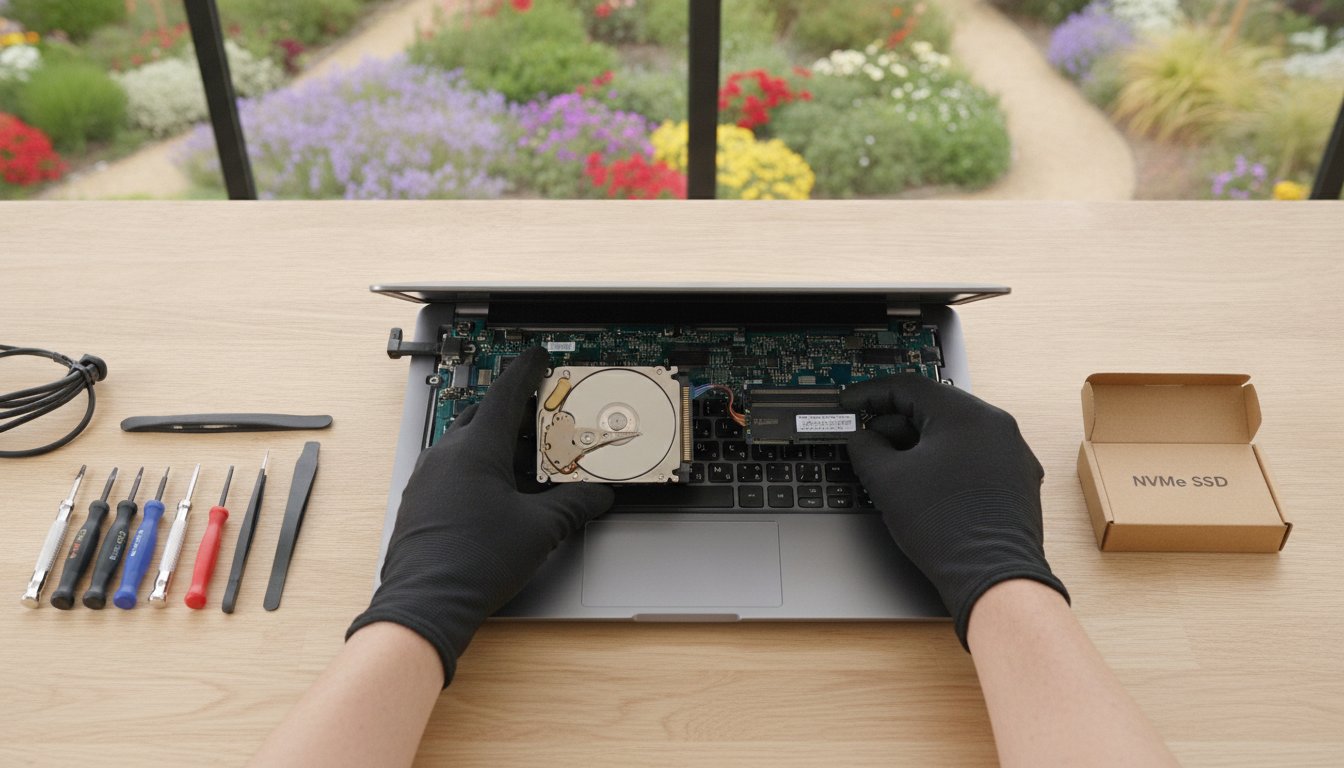
Selecting the correct hardware is the most technical part of an SSD upgrade Toowoomba residents need to consider. Not every drive fits every computer. If you have an older laptop or a desktop from several years ago, you’ll likely need a 2.5-inch SATA SSD. These are designed to be a universal fit, sliding right into the same physical bay where your old mechanical drive used to sit. They are reliable, affordable, and provide a massive speed jump over any traditional hard drive.

For newer systems and ultrabooks, we typically use NVMe M.2 drives. These look more like a stick of chewing gum than a traditional drive. They plug directly into a dedicated slot on the motherboard, which allows for the lightning-fast data transfer speeds required by 2026 software. At Aspire Computing, I always recommend sticking to proven brands like Samsung, Crucial, and Kingston. These manufacturers offer the best reliability and warranty support in the Australian market, ensuring your data stays safe long after the installation is finished.

Understanding Form Factors

Before purchasing a drive, you must know exactly what your machine supports. Most desktop motherboards built in the last few years have at least one M.2 slot, but older laptops are often limited to the 2.5-inch SATA standard. Checking your motherboard specifications or running a system scan is essential to avoid buying incompatible parts. If your internal storage is already full and you don’t want to open your computer case, an external SSD connected via USB-C is a great alternative for high-speed portable storage.

How Much Storage Do You Really Need?

Capacity is about more than just how many photos you can save; it also affects the drive’s health and speed. I always suggest following the 80% Rule, which means you should never completely fill an SSD. When these drives reach their limit, they struggle to manage data efficiently, and you’ll notice a drop in performance. To calculate your needs, remember that a modern Windows installation and basic apps will take up at least 60GB of space before you even add your first personal file.

  • 500GB: This is perfect for basic office work, school assignments, and general web browsing.
  • 1TB: In 2026, 1TB is the “sweet spot” for value and longevity, offering plenty of room for family photos, videos, and software updates.
  • 2TB or more: This capacity is essential for content creators, serious gamers, or small businesses with large local databases.

Choosing a slightly larger drive than you think you need today is a smart way to future-proof your computer. It’s much easier to buy extra capacity now than to perform another upgrade in twelve months. If you’re unsure which path to take, I can assess your current usage and recommend the most cost-effective option for your specific machine.

SSD Upgrade Toowoomba: The Ultimate 2026 Guide to a Faster Computer

Practical Guide: How to Upgrade Safely

Safety is the most important part of any hardware change. While the physical swap is relatively quick, your preparation determines whether your files stay safe or disappear. Before you even touch a screwdriver, you must perform a full backup of your existing data to an external drive or a secure cloud service. A successful SSD upgrade Toowoomba project depends entirely on this “safety first” mindset. If your current drive has already failed or is making strange clicking noises, you should read our Data Recovery guide before attempting any hardware changes.

Cloning vs. Fresh Installation

You have two main paths for moving your data to the new drive. Cloning involves making an exact bit-for-bit copy of your current hard drive. This includes your operating system, programs, and all your personal settings. It’s the most convenient option because your desktop looks exactly the same when you finish. However, DIY cloning often leads to boot errors or partition misalignments. These technical glitches can actually slow down your new SSD and prevent it from reaching its full potential.

A fresh installation is what I call the “spring clean” approach. You install a clean version of Windows and then manually move your important files back. This ensures maximum speed and stability by removing years of digital clutter and hidden registry errors. While it takes longer to set up your apps again, it’s the best way to get that “brand new” feeling from your upgraded machine. It’s often the better choice if your current system feels buggy or unstable.

Physical Installation Tips

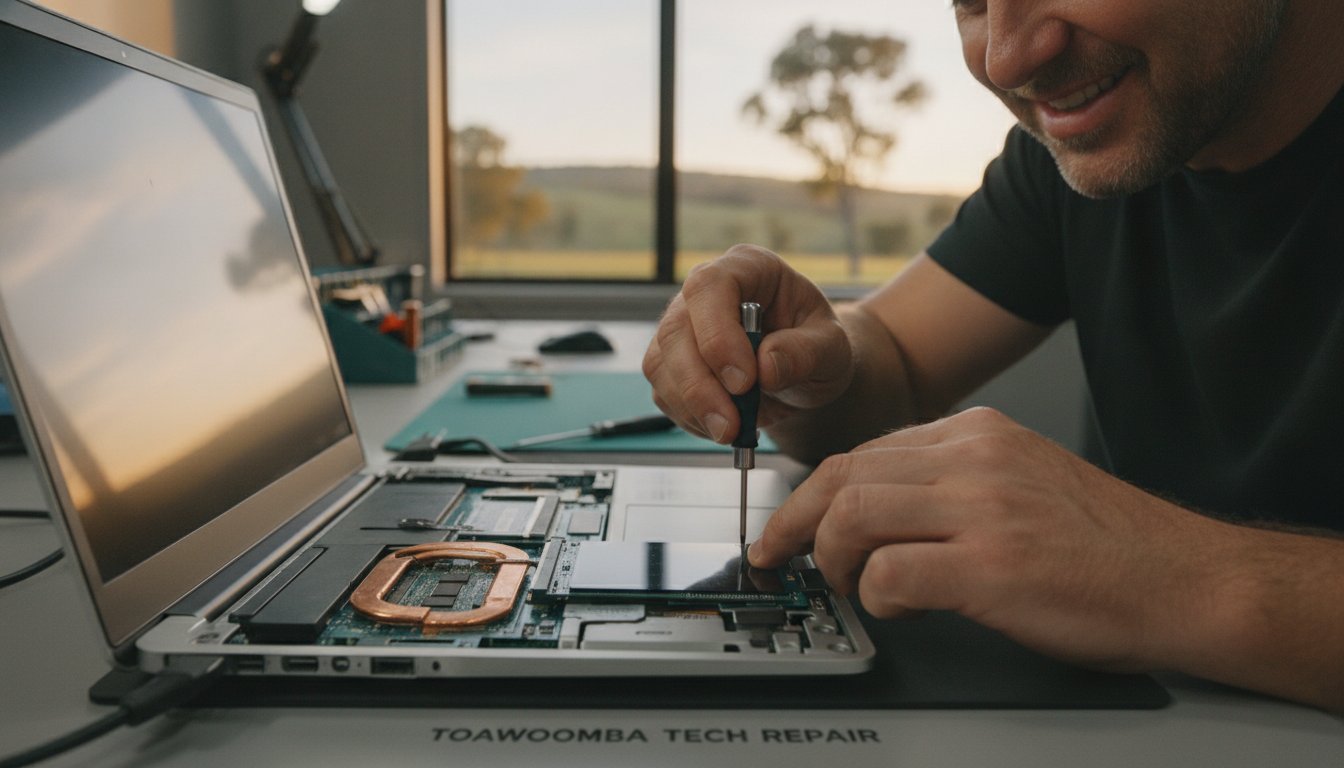
The physical process requires a few basic tools, usually just a small Phillips head screwdriver. However, static electricity is a silent killer for delicate computer parts. You must ground yourself by touching a metal part of the computer case or using an anti-static wrist strap. Laptops require extra care; you often need to disconnect the internal battery first to prevent short-circuits. Be extremely gentle with the fragile ribbon cables that connect the keyboard or trackpad to the motherboard.

Once the drive is physically installed, Windows needs a few specific tweaks to stay healthy. Modern versions of Windows usually handle this automatically, but you should verify that the TRIM command is active. TRIM helps the SSD manage its flash memory efficiently over time. You should also ensure that traditional “defragmentation” is disabled for the SSD, as this causes unnecessary wear on the drive. If you’d rather skip the stress and technical risks, you can book a professional upgrade with me to ensure every setting is optimized perfectly for your machine.

Professional SSD Upgrades in Toowoomba with Aspire Computing

Toowoomba locals choose Aspire Computing because I offer something big national retailers can’t: personal accountability. While shipping a drive from a warehouse is fast, it doesn’t help you with the technical migration or the BIOS settings required to make that drive actually work. My SSD upgrade Toowoomba service is designed to be completely stress-free. I handle the hardware supply, the physical installation, and the complex data migration so you don’t have to worry about losing a single photo or document.

Every installation includes the “Aspire Tune-Up.” I don’t just plug in the drive and leave. I optimize your entire Windows environment, checking for startup bottlenecks and ensuring your system is fully patched. This comprehensive approach means your computer doesn’t just feel faster; it stays stable and secure for the long term. With over 25 years of local experience, I’ve developed a methodical process that prioritizes your data safety above everything else. I provide on-site service across Newtown and the surrounding suburbs, bringing professional IT support directly to your front door or office.

Personalized Service from a Local Expert

I’m Chaim Lee, and I’ve been serving the Darling Downs and Lockyer Valley regions since 1999. When you call for tech help, you’re speaking directly to the person who will be working on your machine. This personal connection is why so many residents trust me with their most important devices. Whether you need a simple speed boost or comprehensive Computer Repairs Toowoomba, I provide reliable assistance that focuses on your specific needs. I understand that your computer is essential for your daily life, and I treat every hardware change with the expert care it deserves.

Ready for a Faster Computer?

Upgrading your technology shouldn’t be a source of anxiety. My goal is to provide a transparent, jargon-free process that gets you back to work as quickly as possible. Most professional hardware upgrades are completed with a rapid turnaround, ensuring you aren’t without your PC for longer than necessary. You’ll know exactly what to expect from the moment we first speak. If you’re tired of waiting for your computer to catch up with your workload, you can Contact Aspire Computing today for a speed assessment and a professional quote.

Ready to Experience a Faster, More Reliable Computer?

You don’t need to spend thousands on a new laptop to get modern performance. By choosing an SSD upgrade Toowoomba, you can bypass the rising costs of 2026 hardware while enjoying boot times and application speeds that feel brand new. We’ve explored how the right drive capacity and a professional tune-up can add years of life to your current system. Most importantly, you can avoid the risks of DIY errors by trusting a local expert with your data.

Aspire Computing has been a trusted local business since 1999. I provide expert data migration with every upgrade to ensure you don’t lose a single file. Whether you’re working from home or running a small business, my on-site service is available across Toowoomba and the Darling Downs to make the process completely stress-free. Your computer has plenty of life left in it. Let’s make it work for you again.

Book Your SSD Speed Upgrade in Toowoomba Today

Frequently Asked Questions

Will an SSD make my 5-year-old laptop faster?

An SSD is the single best way to rejuvenate a 5-year-old machine. Even if your laptop was top-of-the-line in 2021, its original storage is likely the biggest bottleneck today. By choosing a professional SSD upgrade Toowoomba, you’ll see a dramatic improvement in how quickly Windows loads and how fast your applications respond. It’s a practical way to extend your computer’s life by several years without the high cost of a total replacement.

How much does a professional SSD upgrade cost in Toowoomba?

The total cost for an SSD upgrade Toowoomba service depends on the drive’s capacity and the complexity of your data migration. Hardware prices for components like NAND flash have seen some increases in 2026, but the investment is still much lower than purchasing a new laptop. I offer a transparent process where I assess your hardware first. This ensures you get a solution that fits your budget while providing the best performance boost possible.

Do I lose my photos and programs if I switch to an SSD?

You won’t lose your files or programs when you choose a professional installation. I use specialized cloning software to create an exact copy of your current system, including your photos, documents, and settings. If your old drive is healthy, everything will be exactly where you left it, just much faster. For systems with software issues, I can perform a clean install and manually migrate your precious personal data to ensure a stable result.

How long does an SSD upgrade take to complete?

Most professional hardware upgrades in the Darling Downs region are completed within 24 to 48 hours. This timeframe allows for a full data backup, the physical installation, and a thorough Windows optimization. I understand that being without your computer is difficult, so I prioritize a rapid turnaround. Once the work is finished, your machine is ready for immediate use with all your files safely in place and the performance significantly boosted.

Is a 500GB SSD enough for home office use in 2026?

A 500GB drive is usually plenty for standard home office tasks like word processing, emails, and web browsing. Modern operating systems like Windows 11 or the newer 2026 standards require a fair amount of space, but 500GB still leaves room for thousands of documents and basic software. If you plan to store many high-resolution videos or large databases, you might consider stepping up to a 1TB model for better long-term value and flexibility.

Can I use an SSD and my old hard drive at the same time?

You can often use both drives simultaneously if you have a desktop computer or a laptop with multiple drive bays. I typically set up the new SSD as your primary drive for Windows and your programs to ensure maximum speed. Your old mechanical hard drive can then be repurposed as a secondary storage area for large files like movies or old archives. This hybrid setup gives you the best of both worlds: speed and high capacity.

What is the difference between NVMe and SATA SSDs?

The main difference lies in speed and how they connect to your motherboard. SATA SSDs are a universal fit for older machines and reach speeds of around 500MB/s. NVMe drives are much smaller, looking like a stick of gum, and can reach speeds over 5000MB/s in 2026. While NVMe is significantly faster, it requires a specific M.2 slot on your motherboard. I can check your hardware to see which standard your computer supports.

Does an SSD help with my NBN internet speed?

An SSD doesn’t increase your raw NBN connection speed, but it makes your internet experience feel much faster. When you download a file or load a complex webpage, your computer has to write that data to the disk. A slow mechanical drive creates a bottleneck that makes your fast NBN feel sluggish. With an SSD, your computer can process and display that data instantly, allowing you to actually utilize the full speed of your internet plan.

Motherboard Upgrade Guide 2026: Is It Worth It for Your PC?

Is your home office PC starting to feel like it’s stuck in the past while software demands keep moving forward? It’s a common frustration when your system lags during a critical meeting or refuses to install the latest security updates. You might be considering a motherboard upgrade to breathe new life into your hardware, but the fear of losing important business files or making a costly technical mistake often stands in the way.

We understand that your computer is the backbone of your professional life here in Toowoomba. You want a machine that works as hard as you do without the constant threat of a system crash. In this guide, you’ll discover whether a motherboard upgrade is the right strategic move for your specific setup or if investing in a new system is the smarter financial choice for 2026. Since 1999, we’ve helped locals navigate these technical crossroads with confidence and ease.

We’ll explore the vital role this component plays in your PC’s stability and provide a clear framework to help you make a confident decision. From understanding modern connectivity to finding local expert support in Newtown, you’ll gain the clarity needed to ensure your technology supports your business goals rather than hindering them.

Key Takeaways

  • Learn why a motherboard upgrade is the essential first step for accessing the latest high-speed processors and DDR5 memory in 2026.
  • Use the “50% Rule” to determine if upgrading your current system is a sound investment or if a full replacement offers better value for your home office.
  • Understand the technical complexities of CPU socket compatibility and RAM types to avoid purchasing incompatible hardware.
  • Discover how to protect your business data and manage Windows licensing issues that often arise during major hardware changes.
  • See how local on-site support across Toowoomba and Newtown can eliminate the risks of a DIY installation and keep your system stable.

What is a Motherboard Upgrade and Why Consider it in 2026?

Think of your computer as a house. The motherboard is both the foundation and the electrical wiring. To understand what a motherboard is, you should view it as the central nervous system that allows your processor, memory, and storage to talk to each other. In 2026, a motherboard upgrade isn’t just about chasing speed. It’s often a necessity to meet the strict security standards of modern operating systems like Windows 11 or the newer Windows 12.

Modern boards include integrated security features and firmware that older hardware lacks. Without these, your system might be blocked from receiving critical updates, which puts your business data at risk. Beyond security, a foundation refresh allows you to use the latest PCIe 6.0 standards and USB 4.0 ports. These technologies move data at speeds that were impossible a few years ago. If you’re managing a home office in Newtown or anywhere in Toowoomba, these efficiencies can save you hours of frustration every week.

The Core Benefits of a Foundation Refresh

A motherboard upgrade serves as the gateway to better performance across your entire system. By installing a modern board, you unlock support for the latest CPU generations that offer more cores and better power efficiency. This shift leads to improved system stability and a significant reduction in “Blue Screen of Death” errors that plague ageing hardware. You also gain access to next-generation connectivity like Wi-Fi 7 and high-speed Ethernet, ensuring your internet connection actually reaches the speeds you pay for.

Signs Your Current Motherboard is Obsolete

It’s often hard to tell if your hardware has reached its limit, but certain red flags are hard to ignore. At Aspire Computing, we’ve helped Toowoomba residents identify these issues since 1999. Watch for these common signs:

  • Your system is blocked from installing Windows 11 or 12 because of TPM 2.0 or CPU requirements.
  • Physical components like USB ports, audio jacks, or Ethernet ports are working intermittently.
  • You cannot add more RAM because your board has reached its maximum capacity or doesn’t support modern DDR5 modules.
  • Your PC frequently crashes or freezes during standard multitasking.

If you’re experiencing these symptoms, your hardware is likely struggling to keep up with modern software demands. Upgrading this core component can often be more cost-effective than replacing the entire machine, provided your other parts are still in good health.

Understanding Compatibility: The “Big Three” Technical Hurdles

The most stressful part of a motherboard upgrade is the fear that your new parts won’t actually fit together. It’s a valid concern because hardware standards change rapidly. If you buy a board that doesn’t match your existing components, you face extra costs and frustrating delays. We often see local Toowoomba residents struggle with these technical mismatches, but these hurdles are manageable with the right roadmap.

RAM compatibility is a frequent sticking point in 2026. You cannot put DDR5 memory into a DDR4 motherboard because the physical notches are in different positions. If your current PC uses DDR4, you’ll likely need to buy new RAM modules alongside your board. Additionally, you must consider the “Form Factor.” This refers to the physical size of the board. An ATX board offers more expansion slots but won’t fit inside a smaller Micro-ATX case. Always check your case dimensions before committing to a purchase.

CPU Sockets and Chipsets Explained

A CPU socket is the physical interface on the board that must match your processor’s pin layout exactly. In 2026, we primarily work with AMD’s AM5 socket and Intel’s LGA 1700 or the newer LGA 1851 interfaces. If the pins don’t line up, the system simply won’t work. Chipsets act as the traffic controller for your data. They determine how many high-speed NVMe drives or external peripherals you can connect at once. Choosing a modern chipset is vital for “future-proofing” your system, ensuring it remains stable and compatible with new software for the next five years.

Power Supply and Thermal Considerations

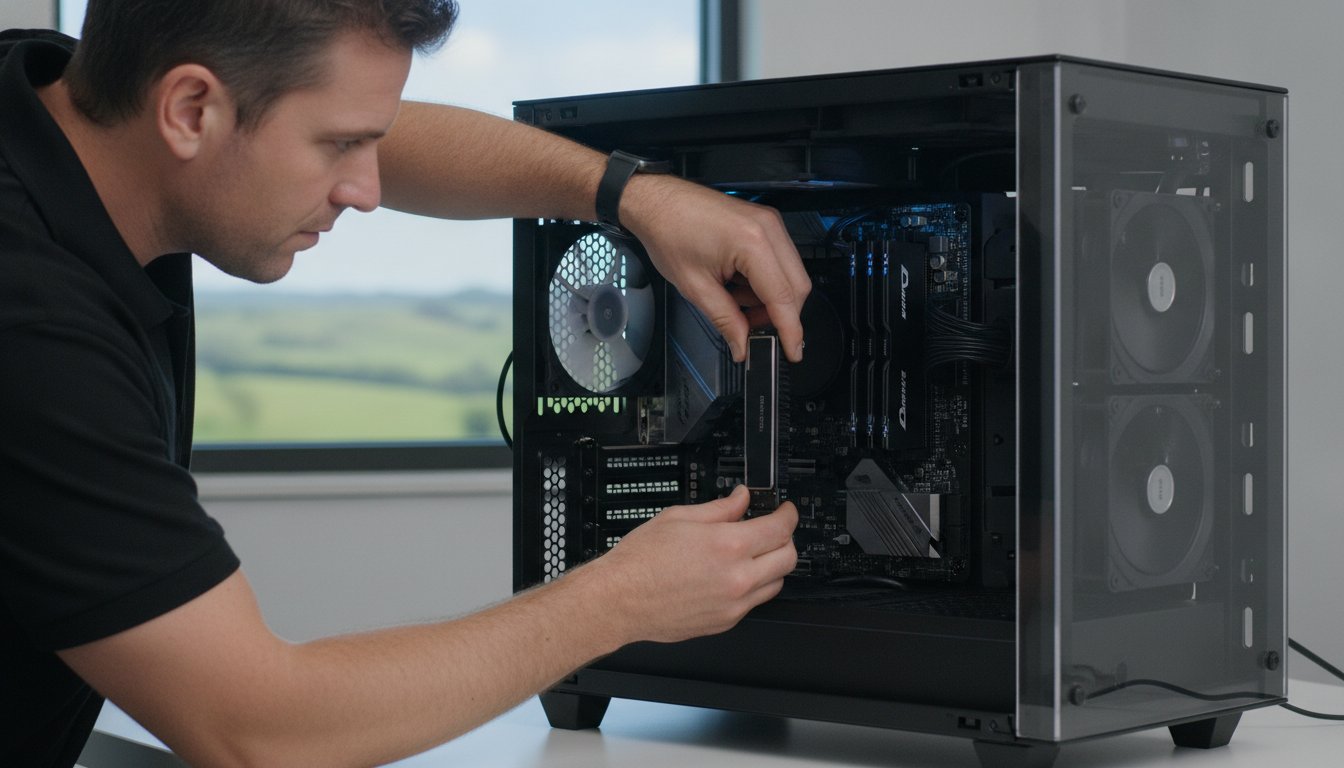
Modern motherboards often require more power than older models. You need to check if your current Power Supply Unit (PSU) has the correct 8-pin or 12-pin connectors required for a 2026-era board. Heat management is another critical factor. Newer chipsets run hotter, so modern boards feature larger integrated heatsinks to maintain stability. Don’t forget your CPU cooler. The mounting hardware that worked on your old board might not fit the height or hole pattern of a new socket. If these technical details feel daunting, our team can handle the hardware upgrade process for you at your Newtown home or office to ensure total compatibility.

The Upgrade vs. Replace Dilemma: Making a Smart Investment

Deciding between a motherboard upgrade and a full system replacement is often a financial calculation rather than a technical one. We suggest applying the “50% Rule” to your decision. If the combined cost of the new board, any required parts like RAM or a CPU, and the professional labour exceeds half the price of a brand new, equivalent PC, it’s usually wiser to replace the entire unit. This framework helps you avoid “throwing good money after bad” on a system that might still have ageing components ready to fail.

Evaluating the “bones” of your current setup is the next step. If you own a high-quality case, a reliable power supply, and modern storage drives, keeping them makes sense. Not only does this save you money, but it also significantly reduces e-waste across the Darling Downs region. However, you must account for hidden costs. A new PC often includes a Windows license and a warranty, whereas a component swap might lead to licensing reactivation hurdles or data migration time that you hadn’t budgeted for.

When a Motherboard Upgrade Makes Sense

A motherboard upgrade is a brilliant move if your current processor is still powerful enough for your daily tasks but lacks modern features. Perhaps you need extra M.2 slots for faster business data storage or a Thunderbolt port for high-speed peripherals. If you’ve previously invested in premium parts like a high-end graphics card or a silent cooling system, a foundation refresh allows you to keep those assets while gaining modern connectivity. It’s a targeted way to boost performance without the expense of a whole new tower.

When It is Time to Buy a New PC

If your computer is more than six years old, it likely uses obsolete RAM standards and older power architectures. In these cases, the cost of a new CPU, compatible memory, and the motherboard itself often approaches the price of a modern pre-built system. When the gap in price is small, the benefit of a full system warranty and a “fresh start” with software usually outweighs the savings of an upgrade. For more help with this choice, you can read our guide on Is Repairing Your Computer Worth It? to see how we weigh these factors for our clients at Aspire Computing.

Motherboard Upgrade Guide 2026: Is It Worth It for Your PC?

Common Upgrade Pitfalls and How to Avoid Them

A motherboard upgrade is essentially open-heart surgery for your PC. While it’s an exciting way to modernise your tech, several traps can turn a weekend project into a costly nightmare. One major issue is the “bottleneck” effect. Installing a high-speed 2026 chipset won’t magically fix the slowness of an old mechanical hard drive. If your storage can’t keep up with the new board’s data lanes, you won’t see the performance gains you expect.

Software licensing is another frequent headache. Windows usually ties its activation to your specific motherboard ID. When you perform a motherboard upgrade, the operating system often assumes it’s on a completely new machine and deactivates itself. You’ll need to ensure your license is linked to a Microsoft account or have your product key ready to avoid being locked out of your own system.

Physical risks are just as significant. Static electricity is a silent killer that can fry delicate circuits before you even press the power button. Even more dangerous is the risk of bent pins in the CPU socket. Modern Intel and AMD sockets have hundreds of tiny, fragile pins. A single slip during installation can ruin an A$400 motherboard instantly, leaving you with an expensive paperweight.

Data Safety and Software Prep

Adopting a professional data recovery mindset is essential before you even pick up a screwdriver. Always back up your business files to an external drive or cloud service first. You should also check for BIOS or UEFI updates for your new board and have your hardware drivers downloaded on a USB stick. This prevents boot loops and ensures your system recognises the new hardware immediately.

Physical Installation Risks

Standoffs are the small brass spacers that prevent your motherboard from short-circuiting against the metal case. Forgetting even one of these can lead to a total hardware failure the moment you turn it on. Use anti-static wrist straps and work on a non-conductive surface to stay safe. Finally, don’t ignore cable clutter. Managing your wires ensures proper airflow, which is critical for keeping modern, high-performance components cool during long workdays in Newtown. If these risks sound overwhelming, our team at Aspire Computing can handle your hardware installation on-site, giving you total peace of mind.

Professional Motherboard Upgrades in Toowoomba

Attempting a motherboard upgrade on your own can be a daunting prospect, especially when your livelihood depends on your computer’s stability. Since 1999, Aspire Computing has been the trusted name for hardware solutions in the local region. We provide a calm, professional alternative to the anxiety of DIY technical failures. Our team understands that you don’t just need new parts; you need a system that works reliably from the moment you turn it on. With over 25 years of experience, we’ve seen every generation of hardware and know exactly how to handle the latest 2026 standards.

Our “No-Stress” process is designed to take the technical weight off your shoulders. We don’t just tell you what to buy. We source the high-quality components your specific system requires, handle the intricate physical installation, and meticulously verify your data to ensure nothing is lost during the transition. Once the hardware is in place, we perform essential post-upgrade tuning. This includes optimizing your security settings and performing a thorough virus and malware removal check to ensure your refreshed PC is as clean and secure as it is fast.

Why Toowoomba Residents Trust Aspire Computing

Choosing a local expert means you get personal accountability that a “Big Box” retailer simply cannot offer. You won’t have to deal with generic advice or long wait times at a distant service desk. We provide on-site service in Newtown and across the wider Toowoomba area, coming directly to your home or office to minimize your downtime. This personal approach is the core of our business. Our expertise isn’t limited to just the tower either. We offer comprehensive support for your printers, scanners, and networking gear to ensure your entire home office ecosystem remains stable and productive.

Get a Performance Health Check Today

We proudly serve the Darling Downs and Lockyer Valley, helping small business owners make informed decisions about their technology investments. Before you commit to a motherboard upgrade, a professional diagnostic can often reveal if a simpler, more cost-effective fix might solve your lag issues. This health check can save you hundreds of dollars in unnecessary part purchases by identifying the true source of your system’s performance bottlenecks. We believe in functional utility and security above all else. If you’re ready to unlock your computer’s potential without the risk of a DIY disaster, Contact Aspire Computing today for a professional hardware consultation.

Secure Your PC’s Future with the Right Foundation

A motherboard upgrade is more than just a part swap; it’s a strategic investment in your computer’s longevity and security. By now, you understand how this core component unlocks modern speeds and ensures your home office remains compatible with the latest software updates. Whether you choose to refresh your current system or invest in a new machine, making an informed decision today prevents costly technical failures tomorrow. We’ve helped Toowoomba residents navigate these complex hardware choices since 1999. Our team specializes in providing on-site support for small businesses and home offices in Newtown and across the Darling Downs.

We take the stress out of hardware changes by handling the technical details and verifying your data safety every step of the way. If you’re unsure which path is right for your budget, we’re here to help you find the most reliable solution. Book a Hardware Upgrade Consultation in Toowoomba to get expert advice tailored to your specific needs. Let’s make sure your technology works as hard as you do.

Frequently Asked Questions

Will a motherboard upgrade make my internet faster?

A new board can improve your connection speeds if your current hardware is outdated. Modern motherboards often feature Wi-Fi 7 and 2.5Gbps or 10Gbps Ethernet ports, which handle high-speed data much better than older standards. While this won’t change the speed provided by your NBN plan, it ensures your PC isn’t the bottleneck. You’ll experience more stable connections and faster file transfers across your local home office network.

Do I need to reinstall Windows after a motherboard upgrade?

It’s highly recommended to perform a clean Windows installation. While your system might boot with the old installation, hidden driver conflicts can lead to “Blue Screen” errors and general instability. Since Windows licenses are often tied to the motherboard’s unique ID, you may also need to reactivate your software. Linking your license to a Microsoft account before the motherboard upgrade makes this transition much smoother and less stressful.

Can I upgrade the motherboard in my laptop?

No, you generally cannot upgrade a laptop’s motherboard. Laptop boards are custom-engineered to fit a specific chassis and often have the processor and memory soldered directly to the circuits. If your laptop is struggling with modern software or lacks essential ports, a full system replacement is the only practical solution. We can help you select a new machine and migrate your business data so you don’t lose any important files.

How long does a professional motherboard installation take?

A professional installation usually takes between two to four hours. This time allows for the physical component swap, meticulous cable management, and a BIOS update to the latest stable version. We also verify that your operating system boots correctly and that all hardware drivers are functioning. Our on-site service in Newtown ensures your computer is back in action quickly, allowing you to focus on your work without technical distractions.

Will a new motherboard improve my gaming performance?

A motherboard upgrade provides minimal direct gains in frame rates, but it enables the use of faster supporting hardware. By moving to a modern board, you gain support for powerful new CPUs and high-speed DDR5 memory. It also offers PCIe 5.0 or 6.0 slots, which provide the maximum possible bandwidth for your graphics card. These improvements combined create a much smoother and more responsive experience during high-demand tasks or gaming.

How do I know which motherboard is compatible with my CPU?

You must match the CPU’s socket type with the motherboard’s physical socket. For example, AMD Ryzen 9000 series chips require an AM5 socket, while recent Intel processors use LGA 1700 or LGA 1851. You also need to confirm the chipset supports your specific processor generation. Checking the manufacturer’s “CPU Support List” is the only way to be certain. If you’re unsure, our Toowoomba experts can verify compatibility for you before you buy.

Is it cheaper to upgrade my motherboard or buy a new PC?

Upgrading is often more affordable if your existing case, power supply, and storage are still in good condition. However, the costs can add up if you also need a new CPU and RAM to match the board. We suggest the “50% Rule” mentioned earlier in this guide. If the total cost of parts and labour exceeds half the price of a new system, investing in a fresh PC is usually the smarter financial move.

What happens to my files when I change the motherboard?

Your files remain safe on your storage drive, but they might be difficult to access if the system doesn’t boot properly. A motherboard upgrade doesn’t delete your data, but driver mismatches can prevent the operating system from loading. We always perform a full backup before starting any hardware work. Our team ensures your business documents and personal photos are verified and accessible once the new board is installed and configured.

CPU Upgrade Toowoomba: 2026 Guide to a Faster PC

Last week, a local resident in Newtown sat staring at a frozen screen while their computer struggled to process a simple Windows update. It’s a common frustration in 2026, as modern software demands more power than many older systems can provide. You might feel your PC is reaching its limit, yet the thought of a CPU upgrade Toowoomba feels daunting because of confusing jargon or the fear of bending delicate processor pins. It’s completely normal to feel anxious about complex hardware changes when all you really want is a computer that responds instantly to your commands.

We agree that you shouldn’t have to be an IT expert to enjoy a fast, reliable machine. This guide will show you how a professional hardware refresh can revitalise your system’s speed and prepare you for the latest software demands. You’ll discover the specific components needed for 2026, such as the Intel LGA1851 or AMD AM5 platforms, and learn why local expert installation is the safest path to a better PC. We’ll walk through the latest processor trends and how to achieve snappy performance in Windows 11 or 12 without the DIY stress.

Key Takeaways

  • Identify performance bottlenecks like micro-stuttering and high CPU usage that signal it’s time for a hardware refresh.
  • Navigate the complexities of a CPU upgrade Toowoomba by understanding motherboard socket compatibility for the latest 2026 processor generations.
  • Compare the current Intel and AMD offerings to find the ideal balance of speed and efficiency for your specific home or business goals.
  • Learn the essential safety steps for installation, from managing thermal paste to protecting delicate components from static damage.
  • Explore the benefits of professional local support to ensure your system is correctly configured and fully optimised for Windows 11 or 12.

Signs You Need a CPU Upgrade in 2026

Identifying a slow computer is usually easy, but pinpointing the cause requires a closer look under the hood. If you notice micro-stuttering or brief freezes when switching between professional applications, your Central Processing Unit (CPU) might be the culprit. You can verify this by opening the Task Manager with Ctrl+Shift+Esc. If the CPU usage graph consistently sits above 90% while you perform standard tasks, you have found a hardware bottleneck. For residents considering a CPU upgrade Toowoomba, this data provides the evidence needed to move forward with a hardware refresh.

The software environment in 2026 has changed significantly. Modern applications now use AI-enhanced features for everything from noise cancellation in video calls to real-time data analysis in spreadsheets. These features place a heavy burden on older silicon. While a professional Windows tune-up from our Newtown office can often clear out software clutter, it cannot add physical processing cores. If your hardware is more than four or five years old, it may simply lack the raw power required for today’s digital workload.

We see many clients in the Darling Downs region who feel frustrated by a computer that was fast only a few years ago. Our team at Aspire Computing takes a diagnostic-first approach to ensure an upgrade is actually the right path for you. We provide a “No Fix, No Fee” reassurance, so you can feel confident that we are focused on real performance results rather than just selling parts. Whether you are working from a home office in Middle Ridge or running a business in Wilsonton, your hardware should support your productivity, not hinder it.

Performance Bottlenecks in Modern Apps

Outdated processors struggle with the high-resolution demands of 2026. If 4K video conferencing feels choppy or your creative suite takes minutes to load, the CPU is likely struggling to keep up. This “choppy” feeling often persists even if you have plenty of RAM because the processor cannot move data fast enough. Large spreadsheets with complex formulas also rely heavily on single-core speed, which has improved drastically in the latest processor generations.

Software and Operating System Requirements

Security is a major driver for hardware changes this year. Newer versions of Windows require specific hardware-based encryption and privacy features to keep your data safe from modern threats. Upgrading your processor ensures you stay compatible with the latest security patches and operating system updates. Modern software applications often require specific hardware instructions like AVX-512 or dedicated AI acceleration blocks that older processors simply do not possess.

The Compatibility Checklist: Sockets, Chipsets, and Power

A successful CPU upgrade Toowoomba residents can rely on starts with a single word: compatibility. It isn’t enough to buy the fastest chip on the shelf. The processor must physically fit your motherboard’s socket and be supported by its chipset. For instance, Intel’s latest Core Ultra series uses the LGA1851 socket, while AMD has committed to the AM5 platform through at least 2027. If your current board uses an older socket like LGA1200 or AM4, you’ll likely need a new motherboard to move forward.

Your Power Supply Unit (PSU) also plays a critical role in this process. High-performance processors in 2026 often require more wattage than older models. If your PSU is underpowered, you might experience random shutdowns or system instability when the computer is working hard. We always check your power overhead before recommending a specific chip to ensure your system remains stable and safe. It’s about building a balanced system where every part supports the other.

Understanding Socket and Chipset Limits

You don’t need to open your computer case to find your motherboard model. Simply type ‘System Information’ into your Windows search bar and look for ‘BaseBoard Product’. This tells us exactly what we’re working with. Sometimes, a socket will physically match a new CPU, but the motherboard requires a BIOS update to recognise the new hardware. This is a delicate software process. If the socket doesn’t match at all, we can help you transition to a new board that supports modern features like DDR5 memory and faster storage.

  • Check Socket Type: Ensure the physical pins match (e.g., AM5 or LGA1851).
  • Verify Chipset: Confirm the motherboard software supports the specific CPU generation.
  • BIOS Preparation: Update the system firmware before removing the old processor.

Thermal and Cooling Requirements

Faster chips generate more heat, and Toowoomba’s summer temperatures can push a cooling system to its limit. Many entry-level processors come with ‘stock’ coolers, but high-performance models usually require a dedicated air cooler or liquid cooling loop. We often find that older PCs suffer from dried-out thermal paste, which stops heat from moving efficiently away from the chip. Replacing this paste is a standard part of our hardware upgrade service to ensure your new processor stays cool and performs at its peak. Proper airflow through your case is also essential to prevent heat buildup that can slow down your new, faster CPU.

Choosing the Right Processor for Your Goals

Selecting a new processor is the most critical decision in your hardware journey. In 2026, the rivalry between Intel and AMD is tighter than ever. Intel’s Core Ultra 200S series focuses on efficiency and integrated AI, while AMD’s Ryzen 9000 series offers incredible raw speed and platform longevity. If you are planning a CPU upgrade Toowoomba, our team helps you weigh these options based on your specific daily tasks. For many users, modern integrated graphics have become so advanced that a separate video card is no longer a strict requirement for basic photo editing or 4K streaming.

Future-proofing is another essential consideration. AMD has committed to supporting the AM5 socket through at least 2027, which provides a clear path for future improvements without replacing your entire system. Intel’s hybrid architecture, which mixes performance and efficiency cores, is ideal for users who want a quiet, power-efficient machine that can still handle heavy workloads when needed. We’ll help you navigate these technical choices to find the perfect fit for your Newtown home office or business.

Productivity vs Gaming Performance

For a reliable home office ‘daily driver’, a mid-range chip like the Ryzen 5 9600X or an Intel Core Ultra 5 provides seamless multitasking. These processors handle dozens of browser tabs and video calls without breaking a sweat. If your goals involve 3D rendering or professional video editing, you’ll need the high thread counts found in a Ryzen 9 9950X or Core Ultra 9. These ‘heavy lifters’ reduce export times from hours to minutes. Balancing your budget means buying enough power for your most demanding task without overspending on performance you’ll never use.

  • Home Office: Focus on 6 to 8 cores for smooth multitasking and web browsing.
  • Gaming: Prioritise high clock speeds and cache, such as the Ryzen 7 9800X3D.
  • Creative Work: Seek high thread counts (16+) to speed up rendering and encoding tasks.

The Rise of the AI PC

The biggest shift in 2026 is the inclusion of a Neural Processing Unit (NPU) in modern CPUs. An NPU is a specialised part of the chip designed specifically for artificial intelligence tasks. It handles background blur in video calls, real-time noise cancellation, and local AI assistants without draining your main processor’s power. Buying an ‘AI-ready’ CPU is no longer just for enthusiasts; it’s becoming the standard for anyone who wants their computer to remain relevant. Choosing a processor without an NPU today might leave your system struggling with essential software updates by next year.

CPU Upgrade Toowoomba: 2026 Guide to a Faster PC

How to Upgrade Your CPU: A Step-by-Step Overview

A successful installation begins long before you touch the hardware. You need a clean, well-lit workspace and a set of precision tools. Static electricity is a silent threat to modern electronics, so we recommend using an anti-static wrist strap or frequently touching a grounded metal object. For a professional CPU upgrade Toowoomba residents often prefer the peace of mind that comes with our expert service, but understanding the process helps you appreciate the care required for these delicate components. Having a small container of 99% isopropyl alcohol and lint-free wipes ready is essential for cleaning the old thermal interface material.

Our team at Aspire Computing follows a methodical approach to ensure every system we touch remains stable and reliable. We’ve served the Darling Downs for over 25 years, and we’ve seen how a single mistake during installation can lead to a costly repair. Whether you are in Wilsonton or Middle Ridge, we treat every hardware swap with the same personal accountability. If you ever feel unsure about the physical risks, we can handle the CPU upgrade Toowoomba service for you at our Newtown workshop.

Physical Installation Safety

Handling a processor requires a steady hand and focus. Always hold the chip by its plastic edges and never touch the gold contacts or the delicate pins on the underside. Once you’ve removed the old processor, you must clean the base of your cooler thoroughly to ensure no old paste remains. Applying the ‘perfect’ amount of thermal paste is a skill; a small pea-sized drop in the centre is usually sufficient to provide optimal cooling without overflowing onto the motherboard. Forcing a CPU into a slot is the #1 cause of hardware failure. The chip should drop into place with zero resistance if it is aligned correctly with the socket markers.

Post-Installation Software Setup

The job isn’t finished once the case is closed. You will likely need to update your BIOS to ensure the motherboard fully recognises the new processor’s features and instruction sets. After the first successful boot, we recommend monitoring your system temperatures while running a stress test. This confirms that your cooling solution is seated correctly and can handle the heat output of a faster chip. You can read more about balancing your system components in our guide on PC Hardware Upgrades. Ensuring your drivers are current is the final step to achieving the snappy performance you expect from a 2026 machine.

Professional CPU Upgrade Services in Toowoomba

While the steps for a processor swap might seem straightforward on paper, the physical reality is often high-pressure. One slipped screwdriver or a tiny discharge of static can turn a simple hardware refresh into a total system failure. Choosing a professional CPU upgrade Toowoomba service means you aren’t just paying for the installation. You are investing in decades of experience and the safety of your valuable data. Since 1999, we’ve helped thousands of residents navigate technical transitions with confidence and ease. We take the stress out of the process so you can focus on your work or hobbies.

We understand the anxiety that comes with opening a computer. Our diagnostic-first approach ensures that we don’t just swap parts; we verify that the new processor is the exact right fit for your motherboard and power supply. This methodical process eliminates the guesswork and technical frustration often found in DIY attempts. Whether you are running a small business from a home office or need a faster machine for creative projects, we provide the reliable local support you deserve. It’s about getting it right the first time.

Local Expertise You Can Trust

Our workshop is located at 46 Brigalow St, Newtown, making it easy for you to drop in for a fast hardware assessment. We take personal accountability for every machine we service. This isn’t a distant corporate call centre; it’s a local business that has served the Darling Downs for over 25 years. We provide on-site support for those who can’t easily transport their systems, covering areas from Highfields to Glenvale and everywhere in between. Our ‘No Fix, No Fee’ promise gives you total reassurance that we are focused on delivering a working solution for your specific needs.

Beyond the Processor: A Full System Health Check

A faster CPU is only one part of the performance puzzle. During every installation, we perform a specialised health check on your RAM and SSD to ensure there are no hidden bottlenecks. We also take the time to optimise your Windows settings to match your new hardware’s capabilities. This holistic view ensures you get the full value from your investment. If you are worried that an upgrade might put your personal files at risk, we can also discuss our Data Recovery Services to ensure your photos and documents are backed up safely before we begin. We aim to make your CPU upgrade Toowoomba experience as smooth and stress-free as possible.

Take the Next Step Toward a Faster PC

Upgrading your processor is the most effective way to extend your computer’s life and meet the demands of 2026 software. By identifying performance bottlenecks and carefully matching your motherboard socket to modern chips like the AMD AM5 or Intel LGA1851 series, you can achieve the snappy performance you deserve. Whether you are seeking better productivity for your home office or a seamless gaming experience, the right hardware choices make all the difference.

You don’t have to tackle these technical challenges alone. Aspire Computing has served the local community since 1999, providing expert hardware diagnostics and reliable on-site or remote IT support. Our team ensures your CPU upgrade Toowoomba is handled with personal accountability and professional care. We’ll verify your system health and optimise every setting to give your PC a fresh start.

Book Your Professional CPU Upgrade in Toowoomba today and rediscover what your computer can really do. We look forward to helping you get back up to speed.

Frequently Asked Questions

Do I need a new motherboard for a CPU upgrade?

You will need a new motherboard if your chosen processor uses a different physical socket than your current one. For example, moving to the latest Intel LGA1851 or AMD AM5 platforms usually requires a board swap for older systems. If the socket does match, a BIOS update is often necessary to ensure the hardware is recognised. We can assess your current components at our Newtown office to determine the most cost-effective path forward.

Will a new CPU make my internet faster in Toowoomba?

A new CPU won’t increase your raw NBN connection speed, but it will make your browsing experience feel much faster. Modern web pages and streaming services require significant processing power to render content. While your local connection might be capable of high speeds, an outdated processor can create a bottleneck that makes the internet feel sluggish. Upgrading ensures your hardware can actually keep up with your available bandwidth and browser demands.

Can I upgrade the processor in my laptop?

Most modern laptops have processors that are soldered directly onto the motherboard, making a CPU upgrade impossible. This is a standard design choice to keep devices thin and light. If your laptop is feeling slow, we usually recommend looking at RAM or SSD improvements instead. For desktop users, a CPU upgrade Toowoomba is a much more straightforward process because the components are designed to be modular and easily replaceable by a professional.

What is a ‘bottleneck’ and how do I know if I have one?

A bottleneck occurs when one component, such as an old CPU, limits the performance of the rest of your system. You can identify this by opening the Windows Task Manager while running your most demanding applications. If your CPU usage is constantly at 90% or higher while your graphics card or RAM stays low, you have a processing bottleneck. This imbalance prevents you from getting the full value out of your other modern hardware.

Is it better to buy a new PC or just upgrade the CPU?

Upgrading is often the better choice if your current motherboard supports a significantly faster processor. This saves you the cost of a full system replacement and the hassle of moving all your data. However, if your PC is more than five years old, you might need a new motherboard and RAM to support a modern chip. In those cases, a new build might offer better long-term value and improved operational stability.

How long does a professional CPU installation take?

A professional installation typically takes between two and four hours at our Newtown workshop. This timeframe includes the physical hardware swap, cleaning and applying new thermal paste, and performing a BIOS update. We also conduct stability stress tests to ensure the system handles heat correctly under load. We aim for a rapid turnaround so you can get back to work or gaming with minimal disruption to your daily schedule.

Will upgrading my CPU void my computer’s warranty?

Upgrading the CPU in a pre-built system from a major manufacturer will often void the overall system warranty. However, if you have a custom-built PC, your individual component warranties usually remain valid as long as the parts aren’t physically damaged during the process. We recommend checking your specific documentation before proceeding. Our professional installation service provides an extra layer of safety to ensure your hardware is handled with expert care and accountability.

What happens if I bend a pin on the CPU during installation?

Bending a pin is a serious issue that can cause permanent hardware failure or prevent your computer from booting. While some pins can be carefully straightened with specialised tools, there is a high risk of the pin snapping off entirely. This is the main reason many residents choose a professional CPU upgrade Toowoomba service. We have the correct tools and experience to seat the processor safely without risking your expensive investment.

RAM Upgrade Guide 2026: The Fastest Way to Boost Your PC Performance

What if the reason your computer feels like it’s wading through treacle isn’t a virus or a dying processor, but simply a lack of “thinking space” for modern AI and web apps? It’s a common frustration for many of my clients here in Toowoomba. You’re trying to work, but every new tab causes a lag, and startup feels like it takes an eternity. You might even hesitate to fix it yourself, fearing that one wrong move inside the case could break everything.

I understand that anxiety completely. The good news is that a professional ram upgrade is often the fastest and most affordable way to restore that “new computer” feel to your current PC or laptop. By giving your system the memory it needs to handle 2026 software demands, you can eliminate those irritating pauses and get back to a smooth, lag-free experience.

In this guide, I’ll explain how to tell if your device is a candidate for more memory and help you understand the technical shift from DDR4 to DDR5. We will also look at why having a local expert handle the hardware installation can save you time and prevent costly mistakes, ensuring your machine stays stable and secure.

Key Takeaways

  • Understand the “desk analogy” to see why more memory directly translates to faster multitasking and smoother app performance.
  • Identify the specific warning signs that your computer is starving for memory rather than suffering from a virus or malware.
  • Learn how to check compatibility between DDR4 and DDR5 modules to ensure you purchase the correct hardware for your specific PC or laptop.
  • Discover why a professional ram upgrade is the safest way to avoid static electricity damage and ensure your new hardware is configured correctly.
  • Find out how local experts in Toowoomba and the Darling Downs provide convenient, on-site installation to get your system running at peak speed.

What is a RAM Upgrade and Why Does Your Computer Need It?

Random Access Memory, or RAM, is your computer’s high-speed workspace. It holds the data your processor needs to access immediately. Imagine your computer is a home office. Your RAM is the size of the desk you’re sitting at, while your hard drive is the filing cabinet in the corner. If you have a tiny desk, you can only work on one document at a time. Every time you need to look at something else, you have to put the first document back in the cabinet and fetch a new one. This constant back-and-forth is what makes your computer feel sluggish. A ram upgrade simply gives you a much larger desk. You can have your email, twenty browser tabs, and your accounting software all spread out and ready to use at the same moment.

It’s helpful to distinguish this from other hardware upgrades. While a new SSD makes your “filing cabinet” faster to open, adding memory ensures you don’t have to visit that cabinet nearly as often. For many of the systems I see in Toowoomba, the bottleneck isn’t the storage speed; it’s the fact that the “desk” is simply too small for modern work.

The Role of RAM in 2026 Computing

By 2026, the demands on our hardware have shifted. Modern operating systems now integrate local AI features that run in the background to help with everything from search to image editing. These tools are incredibly useful, but they’re also memory-hungry. Browser “bloat” is another factor. Every website you visit today is more complex than it was five years ago. If you’re the type of person who keeps multiple tabs open while you work, your system is likely gasping for air. In the current climate, 8GB of memory has become the new “unusable” for professional use. I now recommend 16GB as the absolute minimum, with 32GB being the sweet spot for anyone doing more than just basic typing.

Benefits of Increasing Your Memory

The benefits of adding memory go beyond just speed. You’ll notice an immediate reduction in system freezes and the “spinning blue wheel of death” that occurs when your PC runs out of room to think. Multitasking becomes seamless. You can jump from a heavy Excel spreadsheet to a video call without the computer stuttering. For many of my clients, the biggest win is the financial one. A professional ram upgrade can delay the need for a A$1,500 laptop replacement by several years. It’s a sustainable way to keep your existing hardware fast, reliable, and capable of handling whatever software comes next.

Signs Your PC or Laptop is Starving for More Memory

It’s a frustrating feeling when your computer stops keeping up with your thoughts. You click a button and wait. You type a sentence and watch the letters trickle onto the screen seconds later. These performance hiccups often lead people to fear the worst. Many of my clients in Toowoomba initially worry their machine has been infected with a virus. While keeping your security software up to date is vital, these specific slowdowns are frequently caused by a simple hardware limitation. A professional diagnosis from Aspire Computing can provide peace of mind by identifying whether you need a deep malware cleanup or a ram upgrade to handle your daily workload.

Common Symptoms of Low RAM

Your computer will usually tell you when it’s struggling. You just need to know what to look for. One of the most telling signs is “delayed typing.” This happens when the communication between your keyboard and the processor gets stuck in a queue because the memory is full. Another classic symptom is the need for frequent restarts. If your PC feels fast at 9:00 AM but becomes unusable by lunchtime, it’s likely that your open apps have consumed all the available “workspace” we discussed earlier. You might also notice that switching between programs, like moving from a web browser to a Word document, takes several seconds of waiting while the screen flickers or stays white.

Using Task Manager to Diagnose the Bottleneck

You don’t need to be a technician to see how your memory is performing. Windows provides a built-in tool that shows you exactly what’s happening under the hood. To access it, press Ctrl+Shift+Esc on your keyboard. Once the window opens, click on the Performance tab and select Memory. This screen displays a graph of your usage in real time.

  • In Use: This is the amount of memory currently occupied by your open apps and the Windows operating system.
  • Available: This is your remaining headroom. If this number is consistently below 1GB or 2GB, your system is starving.
  • Compressed: You might see a value here if Windows is trying to “shrink” data to fit it into your limited RAM. This is a clear sign that your hardware is working overtime just to stay functional.

If you see that your memory usage is constantly sitting above 80%, your productivity is being held back. In these cases, a ram upgrade is the most effective way to eliminate those annoying pauses. If you’re unsure about what these numbers mean for your specific device, feel free to reach out for a quick hardware health check to see if your memory is truly the bottleneck.

Understanding RAM Compatibility: DDR4, DDR5, and Beyond

Choosing the right parts for your ram upgrade can feel like solving a puzzle where the pieces all look identical but don’t actually fit together. Memory is not a one-size-fits-all component. Your computer’s motherboard dictates exactly what type of memory it can accept. If you buy a module that isn’t compatible, it physically won’t fit into the slot, or worse, it could cause your system to fail to boot. Beyond the generation of the memory, we also have to consider voltage and latency. These terms simply refer to how much power the stick draws and how quickly it responds to requests. While these details are vital for stability, the most important thing to know is that your hardware must be a perfect match for your system’s specifications.

DDR5 is the 2026 standard for high-speed data transfer. Most new computers sold in Australia today utilize this technology to handle the heavy data loads required by modern software. However, many reliable machines built just a few years ago still rely on DDR4. Knowing which one you have is the first step in any successful performance boost.

DDR4 vs. DDR5: Can You Mix Them?

The short answer is no. You cannot mix different generations of memory in the same computer. Each stick of RAM has a small physical “notch” on the bottom edge. The position of this notch changes with every generation. This design feature prevents you from accidentally forcing a DDR4 stick into a DDR5 slot, which would cause electrical damage. Your motherboard is designed for one specific type. For a standard home office in Toowoomba, DDR4 is often still quite capable. However, if you are building a new system or looking for the best possible future-proofing, DDR5 offers a significant performance gap that justifies its place in modern setups.

Laptop vs. Desktop Upgrades

The physical size of the memory stick depends on the type of computer you own. Desktop towers use DIMM sticks, which are long and slender. Laptops use SO-DIMM sticks, which are much shorter to fit into compact cases. Be aware that some modern “ultra-thin” laptops have moved away from removable sticks entirely. In these devices, the memory is soldered directly to the motherboard, meaning a ram upgrade is unfortunately impossible.

For systems that can be upgraded, I always recommend using “matching pairs.” This means installing two identical sticks of the same capacity and speed. Most modern processors use a feature called dual-channel memory. When you use matching pairs, the computer can talk to both sticks at once, effectively doubling the speed at which data moves. This small detail can make a noticeable difference in how snappy your computer feels during a busy workday.

RAM Upgrade Guide 2026: The Fastest Way to Boost Your PC Performance

The RAM Upgrade Process: DIY vs. Professional Installation

Opening your computer case for the first time is often a daunting experience. You might fear touching the wrong thing or snapping a delicate component. While online tutorials make a ram upgrade look like a five-minute task, modern hardware is often quite fragile. Choosing between a DIY approach and professional installation comes down to your comfort level and the value of your time.

How a Professional Installs RAM

When I handle an installation at Aspire Computing, it’s never just about popping in a new stick of memory. Every service includes a comprehensive computer repair health check to ensure your entire system is running at its peak. I want you to leave with a machine that feels completely refreshed, not just slightly faster.

I start by performing a complete system backup. While memory upgrades are generally safe, protecting your personal data and photos is always my top priority. It’s a safety net that many home users forget to set up before they begin tinkering with internal parts.

The next step involves a thorough internal dust cleaning. Over time, fans and heat sinks in Toowoomba homes can collect significant debris. This causes overheating and can shorten the life of your new hardware. By clearing this out, I help your computer stay cool and quiet.

Once the RAM is seated, I verify the BIOS settings. This technical step ensures the computer recognizes the new capacity and is running it at the correct speed. Without this check, you might not even be getting the full performance you paid for.

Why DIY Can Be Risky for Modern Devices

Modern laptops in 2026 are thinner and more complex than ever. Many manufacturers now use hidden adhesive or very tight plastic clips instead of standard screws. If you aren’t careful, you can easily crack the chassis or snap a ribbon cable. These small mistakes can turn a simple boost into a very expensive repair bill.

Another hidden danger is Electrostatic Discharge (ESD). You might not even feel the spark, but a tiny bit of static from your carpet can permanently fry a motherboard. I use specialized anti-static mats and wrist straps to keep your hardware safe from these invisible threats. It’s a level of protection that’s hard to replicate at a kitchen table.

Finally, consider your warranty. Some brands will void your protection if they see evidence of an unauthorized entry. If you’d rather have the peace of mind that comes with 25 years of industry experience, you can book a professional hardware upgrade to ensure the job is done right the first time.

Professional Hardware Upgrades in Toowoomba

When your computer starts failing, it’s easy to feel a sense of panic. You might worry about losing your work or the high cost of a brand-new machine. At Aspire Computing, I’ve spent over 25 years providing a calm, professional alternative to that stress. Since 1999, I’ve been the local face of technical support for residents and business owners throughout Toowoomba. Whether you need a simple performance boost or a complex ram upgrade, my goal is to provide a service that is both competent and convenient. You don’t have to navigate a distant corporate helpdesk. Instead, you can speak directly with an expert who understands the local community and takes personal accountability for every job.

On-Site Service for Toowoomba Small Businesses

For many small businesses in the region, taking a computer “into the shop” simply isn’t an option. Downtime means lost revenue. I provide on-site hardware services that bring the solution directly to your office or home. I regularly serve a wide range of locations, including:

  • Newtown and all inner Toowoomba suburbs
  • The Darling Downs regional area
  • The Lockyer Valley and surrounding townships

Often, a ram upgrade is just one part of a wider IT support session. While I’m there, I can perform a Windows tune-up, check your security settings, and ensure your backup systems are functional. This methodical approach ensures your technology serves your business goals rather than hindering them. My “No Panic” philosophy means I focus on finding the most efficient, cost-effective path to getting your system back to peak performance.

The Aspire Computing Guarantee

When you choose Aspire Computing, you’re getting a personal commitment to quality. I, Cam, lead every service and personally handle your hardware. I only supply memory modules from trusted, industry-standard brands to ensure your machine remains stable for years to come. My mission is to provide a dual focus on security and functional utility. This means that during any upgrade, your data safety is my primary concern. I follow strict protocols to protect your files and personal information while the case is open. It’s this blend of technical specificity and approachable, local service that has made me a trusted partner for Toowoomba’s computing needs for over two decades. You can expect a rapid turnaround and a process designed to get you back to work without the headache.

Ready for a Faster, More Reliable Computer?

A simple ram upgrade is often the difference between a frustratingly slow machine and a system that keeps up with your busiest work days. By expanding your digital workspace, you can handle the heavy demands of 2026 software and background AI features without the constant lag. We’ve seen how identifying the right hardware and ensuring compatibility is the first step toward a stable, long-lasting device. Whether you are using a reliable older desktop or a newer laptop, professional installation takes the guesswork and the physical risk out of the equation.

I’ve been helping the Toowoomba community with dependable hardware solutions since 1999. At Aspire Computing, I provide the personal expert service you need to ensure your data is safe and your hardware is configured perfectly. Whether you prefer on-site assistance at your home or office or remote support, I’m here to help you get the most out of your technology. My focus is always on providing a smooth, stress-free experience that gets you back to work quickly.

Don’t let a slow PC hold you back any longer. Contact Aspire Computing for a Fast Hardware Upgrade today. Let’s get your computer running like new again.

Frequently Asked Questions

How much RAM do I really need for Windows 11 in 2026?

You should aim for at least 16GB of memory for a smooth experience with Windows 11 today. While 8GB was once the standard, modern background features and web browser demands now consume most of that space before you even open your own apps. If you handle large spreadsheets or use creative software, 32GB is the ideal sweet spot to ensure your system remains snappy and responsive for years to come.

Will a RAM upgrade fix a computer that is freezing?

Yes, it will fix the issue if the freezing is caused by your system running out of “thinking space.” When your PC hits its memory limit, it starts swapping data to the much slower hard drive, which causes those frustrating pauses and hangs. If your computer freezes specifically when you have multiple tabs or programs open, a memory boost is likely the solution. I can run a quick diagnostic to confirm this before we proceed.

Can I add more RAM to my laptop myself?

You can certainly try, but modern laptops are increasingly difficult to open without specialized tools. Many newer models use hidden plastic clips or adhesive that can snap if handled incorrectly. There is also the risk of static electricity damaging the delicate internal circuitry. For most people, having a professional handle the installation is a safer way to protect their investment. Experienced providers like Flashy Bee Computers also advocate for professional handling to ensure the new hardware is recognized correctly by the system without risking permanent damage.

What is the difference between RAM and a Hard Drive?

RAM is your computer’s short-term workspace, while a hard drive or SSD is the long-term storage for your files. Think of RAM as the surface of your desk where you keep things you’re currently working on. The hard drive is the filing cabinet where you store things away. A ram upgrade makes your “desk” larger so you can have more documents open at once without having to constantly go back to the cabinet.

How much does a professional RAM upgrade cost in Toowoomba?

The total cost depends entirely on the type of memory your computer requires and the current market price for those specific modules. Different machines use different generations of technology, such as DDR4 or DDR5, which vary in price. I provide a transparent quote that includes the high-quality hardware and my professional installation service. Contact me directly with your computer’s model number, and I can give you an accurate price for your specific device.

Will adding more RAM delete my files?

No, adding memory will not affect your photos, documents, or personal data in any way. RAM is temporary storage that clears itself every time you turn the computer off. Your permanent files live on your hard drive or SSD, which remains untouched during the physical installation process. It’s a hardware improvement that changes how fast your computer thinks, not what it remembers long-term, though I always perform a safety backup as part of my professional service.

How do I know if my computer is compatible with DDR5?

You can check this by looking at your system information or opening the Windows Task Manager. Most computers manufactured before 2022 use the older DDR4 standard. DDR5 is a newer, faster technology that requires a specific type of motherboard. Because the two types are physically different and have notches in different places, they aren’t interchangeable. If you aren’t sure which one your machine needs, I can quickly identify the correct parts for you.

Is it better to upgrade RAM or buy a new computer?

It is often much more cost-effective to perform a ram upgrade if your current processor is still performing well. If your only complaint is that the computer feels sluggish during multitasking, a memory boost can extend your machine’s life by several years. This saves you the significant expense of a new A$1,500 laptop and the hassle of moving all your data to a new system. I always give honest advice on whether an upgrade is a smart investment for your specific PC.

Slow Computer Fix Toowoomba: The 2026 Local Troubleshooting Guide

You’re sitting in your home office in Newtown, watching a loading circle spin while your deadline looms closer. It’s more than just a minor annoyance. It’s a drain on your productivity and a source of genuine anxiety when you start wondering if your hard drive is about to give up for good. If you’ve been searching for a reliable slow computer fix Toowoomba locals can trust, you aren’t alone. Many people feel overwhelmed by technical jargon or the sheer hassle of unplugging a heavy desktop just to get it looked at.

We understand how frustrating it is when your technology stops working for you. Since 1999, we’ve helped our community overcome these digital hurdles with personal, jargon-free support that puts you at ease. This guide will show you exactly why your PC is lagging and provide the best local solutions to get your machine running like new again. We’ll walk through simple troubleshooting steps, explain when a hardware upgrade makes sense, and show you how to get expert help right at your doorstep without the stress.

Key Takeaways

  • Learn how regional factors like Darling Downs dust and pollen impact your PC’s internal cooling and overall performance.
  • Discover why a professional slow computer fix Toowoomba service can save you time and stress by coming directly to your home or office.
  • Apply the “5-year rule” to decide if a cost-effective A$200 hardware upgrade is a smarter investment than a full A$1200 replacement.
  • Master simple DIY troubleshooting steps like the Cold Boot method to resolve minor software glitches before calling for expert help.
  • Understand the critical difference between system bloat and hardware failure to protect your data and restore your daily productivity.

Why Tech Troubles Hit Hard in Toowoomba: Local Factors

Toowoomba’s unique environment presents challenges that standard online troubleshooting guides often miss. Living on the edge of the Great Dividing Range means your PC faces specific regional stressors, from the fine red dust of the Darling Downs to the sudden voltage drops during a summer storm. Finding a permanent slow computer fix Toowoomba residents can rely on often requires looking at these regional factors first. Whether you’re working from a home office in Newtown or running a business in the CBD, local expertise is vital for on-site troubleshooting that accounts for our specific climate and infrastructure.

To better understand how these issues manifest, watch this helpful video:

Environmental Stress on Darling Downs Hardware

The fertile soil of our region is great for gardens but challenging for laptop fans. Dust and pollen from the Darling Downs accumulate inside your computer’s casing over time, creating a thick blanket over sensitive components. This leads to thermal throttling, where your processor intentionally slows down to prevent permanent damage. If your fan sounds like a jet engine during a humid Queensland afternoon, your system is likely struggling to breathe. To maintain what computer performance means for your specific setup, try keeping your desktop off the carpet and using a can of compressed air to clear vents every few months. This is especially vital in older, high-set homes where dust circulation is often higher.

Maintaining a healthy home environment in regional Queensland goes beyond just your electronics; for those relying on tanks or bore systems, it is also wise to visit AWARE Water Testing for professional laboratory analysis of your drinking water.

Connectivity Quirks in the Lockyer Valley

Slow performance isn’t always a hardware fault. Many residents in the Lockyer Valley and surrounding ridges experience NBN dropouts caused by aging copper lines or regional infrastructure limits. In many traditional Toowoomba brick houses, Wi-Fi signals struggle to penetrate thick walls, leading to lag that feels like a computer problem but is actually a networking issue. Before assuming your hard drive is failing, check if the slowness only happens while browsing the web. We often find that placing your router in a central, elevated position can resolve these symptoms without needing a full system rebuild. At Aspire Computing, we help locals distinguish between a genuine hardware failure and a simple connectivity quirk.

Identifying the ‘Big Five’ Causes of a Slow Computer

Identifying the root cause is the first step toward the permanent slow computer fix Toowoomba residents need to get back to work. It’s rarely just one issue. Often, your system is battling a combination of digital bloat and physical wear. Understanding these signs helps you decide whether you need a simple software tune-up or a more significant hardware intervention. If you’re seeing the Blue Screen of Death (BSOD), your system is sounding a serious alarm. These errors usually point to deep-seated driver conflicts or failing memory modules that require professional attention.

Startup times are another major indicator. If your PC takes several minutes to reach the desktop, you might be dealing with a bloated startup list or an aging hard drive that’s struggling to read data. While you can follow official Microsoft performance tips to manage which apps open at boot, persistent lag often suggests a hardware bottleneck. Physical warning signs like grinding noises or fans that spin constantly shouldn’t be ignored either. These sounds often precede a total component failure. For Toowoomba home offices, printer connectivity remains a common nightmare, usually caused by corrupted drivers or network handshake failures rather than the printer hardware itself.

Software Glitches vs. Physical Hardware Failure

A recent Windows update might be the culprit if your lag started overnight. These updates can sometimes clash with existing software, leading to sudden performance drops. Corrupted drivers are also a frequent cause of peripheral and Wi-Fi failures in regional setups. Hardware failure is the physical breakdown of components like the motherboard or SSD. If you aren’t sure whether your problem is digital or physical, an on-site diagnostic can save you hours of guesswork.

Cyber Security Threats for Toowoomba in 2026

In 2026, regional Queensland businesses and home professionals are frequent targets for sophisticated phishing and modern malware. These threats don’t just put your data at risk; they also consume massive amounts of system resources, making your machine feel incredibly sluggish. Basic antivirus is no longer enough for professionals who handle sensitive client information from home. You need a multi-layered defence to stay secure. For a deeper look at protecting your system, read our guide on Virus and Malware Removal: Your Complete Guide to a Secure PC.

Slow Performance vs. Total Failure: Should You Repair or Replace?

Deciding whether to invest in a slow computer fix Toowoomba service or replace your machine entirely is a common dilemma. We generally recommend the “5-year rule” as a starting point. If your laptop or desktop was purchased before 2021, its internal architecture might struggle with the heavy processing demands of 2026 software. However, age isn’t the only factor. We often see machines that are sluggish simply because of a single bottleneck. Before you spend A$1200 on a new unit, consider that a targeted A$200 upgrade can often deliver comparable speed for everyday tasks. Repairing your current device is also the more sustainable choice for the Toowoomba environment, as it keeps functional electronics out of regional landfills.

Sometimes, the priority shifts from the machine to the information inside it. If your computer won’t turn on at all, our focus moves toward data recovery to ensure your family photos or business records aren’t lost. Following expert troubleshooting tips for slow performance can help you identify if the issue is a simple software glitch or something more terminal. If the hardware is healthy but slow, a few strategic changes can give your PC a second life.

The Power of Strategic Hardware Upgrades

You don’t always need a new computer to get modern speeds. Replacing an old spinning hard drive with a Solid State Drive (SSD) is the single most effective way to boost performance. This change can make a 2020 laptop feel as responsive as a 2026 model. Additionally, increasing your RAM is essential for small business multitasking and smooth video conferencing. If you want to explore your options further, check out our guide on PC Hardware Upgrades: A Complete Guide to a Faster Computer. These professional improvements provide a high-speed experience without the high-end price tag of a new device.

Signs Your Computer is Beyond Economical Repair

There are times when a replacement is the only logical path. Motherboard failure is a major red flag; symptoms include a computer that fails to power on or frequent, random system crashes that software fixes can’t resolve. For laptops, a cracked screen or liquid damage can often result in repair costs that exceed the device’s remaining value. At Aspire Computing, we provide an honest assessment for local seniors and businesses. We won’t suggest an expensive repair if we believe your money is better spent on a new system. Our goal is to ensure you have a reliable, fast machine that meets your needs for years to come.

Slow Computer Fix Toowoomba: The 2026 Local Troubleshooting Guide

Quick DIY Troubleshooting Steps to Try Before You Call a Pro

Before reaching for the phone to book a professional slow computer fix Toowoomba residents can try a few safe DIY methods to resolve minor issues. The most effective starting point is a “Cold Boot”. Unlike a standard restart, which often saves the current state of the kernel to speed up the next boot, a cold boot clears the system memory entirely. Turn your machine off, unplug it from the wall for at least 30 seconds, and then power it back on. This simple act frequently resolves temporary software glitches and resets hardware controllers that may have stopped responding correctly.

Connectivity issues are another area where a quick check can save you hours of frustration. In our region, NBN dropouts or internal wiring faults in older Toowoomba homes can mimic the symptoms of a slow computer. If your lag only occurs while browsing the web or using cloud-based apps, check your physical cables first. A loose ethernet cord or a dusty wall socket can cause significant packet loss. If the slowness persists across all tasks, try booting into Safe Mode. This loads Windows with only essential drivers, allowing you to see if a recently installed program is the culprit. You can also use built-in Windows diagnostic tools like the Resource Monitor to identify which apps are hogging your CPU or disk usage.

Isolating the Performance Culprit

Start by disconnecting all non-essential peripherals. Printers, external drives, and even webcams can cause hardware conflicts if their drivers are outdated or corrupt. If your computer fails to boot, listen closely for startup beep codes. These pulses are specific diagnostic signals from your motherboard that indicate exactly which component is failing. For local home offices, stalled printer jobs are a frequent but hidden productivity killer. Clearing these “ghost” jobs from the print spooler can immediately free up system resources and restore your machine’s responsiveness.

The Golden Rule of Data Safety

Your personal data is far more valuable than the hardware it lives on. You should never run automated “PC Booster” or “Registry Cleaner” software without a current backup. These tools often delete critical system files or corrupt user profiles, leading to more severe instability. If you suspect your hard drive is physically failing, especially if you hear a clicking or grinding sound, shut the system down and do not turn it back on. Continued use can cause permanent platter damage, making professional retrieval impossible. If you have already lost access to important files, our Data Recovery Services: Your Complete Guide to Getting Lost Files Back explains the safest next steps to take.

If these DIY steps don’t resolve the lag, don’t risk your hardware or your data. Contact us for a professional on-site diagnostic and get your system running properly again.

Professional Computer Repairs in Toowoomba: The Aspire Advantage

When you need a slow computer fix Toowoomba residents can rely on, you deserve more than a ticket number at a big-box retail tech bar. Aspire Computing was established in 1999 to provide a more personal, professional alternative. For over 25 years, we’ve served the Darling Downs community with a focus on trust and accountability. Whether you’re a home user in Newtown or a local business owner, you’re dealing directly with an expert who values your time and security. This personal approach ensures that your specific concerns are heard and addressed without the distant feel of a corporate help desk.

Choosing between on-site and remote support depends on your specific situation. Remote support is excellent for quick software tune-ups or malware removals where a physical presence isn’t required. However, physical issues like failing hard drives or overheating require an on-site visit. Our process is methodical and user-friendly. We start with a detailed diagnostic to find the real culprit. Then, we provide a clear quote before any work begins. Once the repair is complete, we secure your system to ensure it stays functional and safe long after we leave.

Convenient On-Site Support for Home & Office

We know how inconvenient it is to unplug a heavy desktop and lug it across town. That’s why we bring the repair shop to you. Our on-site service covers Newtown and the wider Toowoomba region, allowing us to see your setup in its natural environment. This is the best way to handle complex network issues or printer connectivity nightmares that remote sessions can’t always solve. We offer flexible scheduling to ensure your daily productivity isn’t derailed by tech failures. You don’t have to worry about the hassle; just let us handle the technical details at your doorstep.

Trusted Local Expertise and Transparent Service

Experience matters when it comes to your digital life. With 25+ years in the industry, we’ve seen technology evolve from basic desktops to the complex systems used in 2026. This history allows us to provide jargon-free explanations that actually make sense to non-tech users. You won’t feel confused by technical terms or pressured into services you don’t need. We believe in transparent service where you know exactly what you’re paying for and why it’s necessary. If you’re looking for dependable assistance that puts your needs first, check out our dedicated page for Computer Repairs Toowoomba: Fast, Local Fixes for PC & Laptops. We’re here to help you get back to work with a machine that runs like new.

Restore Your Productivity and Speed

Since 1999, we’ve helped our community overcome technical hurdles with personal, owner-operated service. We provide convenient on-site and remote support for PCs, laptops, and printers, ensuring you never have to unplug your life just to fix your tech. Our goal is to provide jargon-free, dependable assistance that gets you back online quickly and securely.

Ready to stop the spinning circles? Get Your Slow Computer Fixed Fast – Contact Aspire Computing Toowoomba. Your computer can run like new again, and we’re here to make it happen.

Frequently Asked Questions

Why is my computer running so slowly all of a sudden?

Sudden slowness often results from a major Windows update, a background malware infection, or a failing hard drive. In our region, environmental factors like dust buildup from the Darling Downs can also cause overheating, which forces the processor to slow down. If the lag happened overnight, checking for recent software installations or hardware conflicts is the best first step to identifying the problem.

Can you fix a laptop screen in Toowoomba?

We provide expert laptop repair services, though we always recommend checking if the screen replacement is economically viable compared to the device’s age. For many modern laptops, the cost of the panel and labour makes repair a great way to extend the life of your machine. We can assess the damage on-site to help you decide on the most cost-effective path forward.

Is it worth repairing a 6-year-old computer?

It depends on the specific hardware and your daily needs. While a 6-year-old machine is past our recommended 5-year rule, a strategic hardware upgrade like an SSD can often make it feel new again. We provide an honest assessment for local seniors and businesses to ensure you don’t spend money on a machine that’s genuinely beyond economical repair.

Do you offer on-site computer repairs in Newtown?

Yes, we provide convenient on-site support across Newtown and all surrounding Toowoomba suburbs. This service is ideal because it saves you the hassle of unplugging your desktop or printer. We come directly to your home or office to provide a professional slow computer fix Toowoomba residents have trusted since 1999, ensuring your technology works exactly where you need it.

What should I do if I think I have a virus?

Disconnect your computer from the internet immediately to prevent the malware from spreading or communicating with a remote server. Avoid logging into bank accounts or sensitive websites until the system is professionally cleaned. We specialise in thorough virus and malware removal, ensuring your data is secure and your system’s performance is fully restored with a focus on long-term stability.

Can you recover files from a hard drive that won’t turn on?

We offer dedicated data recovery services for drives that have suffered logical or minor physical failures. If your hard drive is clicking or completely silent, it’s vital to stop using the device immediately to prevent further platter damage. We use specialist tools to retrieve your family photos and business records as safely as possible, even when the machine itself won’t boot.

Do you help with printer setup for small offices?

We provide comprehensive printer supply and repair services, including network integration for small businesses. Setting up a printer in a Toowoomba office can be tricky due to local connectivity quirks or driver conflicts. We ensure your devices are configured correctly so you can print reliably from any computer on your network, keeping your home or small office running smoothly.

How much does a typical computer repair cost in Toowoomba?

Costs vary significantly depending on whether the issue is a simple software glitch or a complex hardware failure. We follow a methodical process involving a diagnostic and a clear quote before any work begins. This transparency ensures you understand the value of the slow computer fix Toowoomba service you’re receiving without any hidden surprises or confusing technical jargon.

Computer Repairs Toowoomba: The Complete 2026 Guide to PC & Laptop Fixes

Imagine you are finishing a critical business report or scrolling through photos of a family holiday when your screen suddenly goes black. That sinking feeling in your stomach isn’t just about the hardware. It’s the fear that years of memories or weeks of hard work have vanished in an instant. When you need reliable computer repairs in Toowoomba, the last thing you want is a generic service that treats you like a number or risks your private information.

We understand that a slow or broken PC is more than an inconvenience; it’s a barrier to your daily life. You deserve a fast, functional machine and the peace of mind that comes with expert care. This guide shows you how to get your tech back on track with local advice on repairs, hardware upgrades, and data security. Drawing on over 25 years of experience serving the community since 1999, we’ll explore the latest 2026 standards for Windows 11 performance, proven data recovery methods, and the steps you can take to keep your system running smoothly for years to come.

Key Takeaways

  • Understand why professional computer repairs are essential in 2026 to prevent permanent data loss and hardware damage from DIY mistakes.
  • Learn how to apply the “50% Rule” to decide whether repairing your current laptop or upgrading its hardware is the smartest financial choice.
  • Discover how to secure your digital identity and restore speed to your PC through professional malware removal and system tune-ups.
  • Identify the essential preparation steps, such as backing up your files and documenting symptoms, to ensure a smooth and efficient repair process.
  • Gain peace of mind by choosing a local Toowoomba expert with over 25 years of experience over anonymous, generic tech support.

Understanding Computer Repairs: Why Professional Help Matters in 2026

By 2026, the technology inside your home office or small business has become incredibly sophisticated. Traditional computer repairs used to involve simple part-swapping, but modern systems require a much deeper level of technical insight. Today’s devices are essentially tightly packed puzzles where a single mistake can lead to a total system failure. It’s easy to think a quick video tutorial can replace years of experience, but modern hardware is unforgiving. A professional computer repair technician brings the specialized diagnostic tools and anti-static environments necessary to handle these delicate components safely.

Choosing a local expert in Toowoomba provides a level of accountability you won’t find with anonymous online support. At Aspire Computing, we’ve seen the industry transform since we started in 1999. We know that for many Darling Downs residents, a computer isn’t just a tool; it’s a vault for family memories and a hub for business continuity. Attempting a DIY fix often leads to unintended consequences like static discharge, which can fry a motherboard instantly, or accidental data deletion during a botched operating system reload. Professional intervention ensures your warranty remains intact and your data stays secure.

The Evolution of PC and Laptop Repairs

The transition to Windows 11 as the primary standard in 2026 has shifted the focus of many repairs. Modern laptops often feature integrated CPUs and soldered memory, meaning hardware failures require precision work rather than just plugging in a new stick of RAM. We’ve also seen a massive shift from physical hardware failures to complex software conflicts. While “turning it off and on again” might clear a temporary glitch, it rarely solves the underlying registry errors or driver incompatibilities that plague modern high-speed SSDs and multi-core processors.

Hardware vs. Software: Identifying the Culprit

Determining whether your problem is physical or digital is the first step in any successful repair. Hardware issues often present with clear physical symptoms, while software issues tend to be more erratic. Consider these common signs:

  • Hardware Failure: You might hear grinding or clicking sounds; the machine might feel excessively hot to the touch; or you may experience the “Blue Screen of Death” during basic tasks.
  • Software Issues: These typically manifest as slow boot times, frequent pop-up windows, or specific applications that crash every time you open them.

A professional diagnostic report takes the guesswork out of the equation. Instead of spending money on parts you don’t need, an expert assessment identifies exactly what’s wrong, saving you time and frustration in the long run.

Common Computer Problems and Expert Solutions

Identifying a technical glitch is only half the battle. Knowing the most effective way to resolve it ensures your device remains reliable for years. In 2026, the most frequent complaint we hear in Toowoomba involves sluggish performance on Windows 11 systems. Many users assume their machine is simply “too old,” but a professional Windows Tune-up often reveals that background processes, registry errors, or outdated drivers are the true culprits. Professional computer repairs focus on stripping away these digital bottlenecks to restore that “out-of-the-box” speed.

Digital security has also become a primary concern for home users and small businesses alike. Malware in 2026 is no longer just about annoying pop-ups; it’s designed to silently compromise your digital identity and financial data. Our approach to virus and malware removal involves deep system cleaning and the implementation of robust security protocols. Under Australian Law, you have specific consumer guarantees for repairs that protect you when a service doesn’t meet professional standards, which is why choosing an established local expert is so vital for your peace of mind.

Laptops and office peripherals present their own unique challenges. We frequently assist clients with the following hardware and connectivity issues:

  • Laptop Screen Replacements: Modern high-resolution displays are fragile. Replacing a cracked panel is almost always more cost-effective than buying a new laptop.
  • Battery Health: If your laptop dies the moment you unplug it, a calibrated battery replacement can give your device a second life.
  • Printer Troubleshooting: Connection drops and driver conflicts are common in home offices. We specialize in getting your printer back online and synchronized with your network.

Boosting Speed with Hardware Upgrades

If software optimization isn’t enough, hardware upgrades provide a tangible performance leap. Upgrading from a traditional hard drive to a Solid State Drive (SSD) is the single most effective way to save an older PC from the scrap heap. Additionally, increasing your RAM to at least 16GB or 32GB is becoming essential for the resource-heavy applications used in 2026. Learn more about hardware upgrades to see which components will best serve your specific needs. If you’re unsure if your hardware is the bottleneck, we can provide a thorough assessment of your system at Aspire Computing.

Data Recovery: Saving Your Important Files

The moment you realize your files are missing or your drive has stopped spinning, the most important thing you can do is stop using the device. Continued attempts to “fix” a failing drive can cause permanent physical damage. Logic recovery involves fixing corrupted file systems, while physical drive repair requires specialized clean-room environments to address mechanical failures. Check out our guide to data recovery services for a step-by-step breakdown of how we retrieve your precious family photos and critical business documents.

Repair vs. Replace: Making the Smart Financial Choice

Facing a broken device often brings up a difficult question: should you spend money on computer repairs or just buy a new one? We recommend using the “50% Rule” as your primary benchmark. If the cost of the repair exceeds half the price of a comparable new machine, replacement might be the logical path. However, don’t just look at the sticker price of a budget laptop at the shops. A high-quality older machine with a professional repair often outperforms a “cheap” new model that lacks the build quality or processing power you’re used to.

The principle of investing in quality components to extend the life of high-value machinery is common across many sectors; for example, many businesses turn to Storm Parts Australia for specialized engine parts to keep their Volvo or Caterpillar construction equipment running efficiently.

Sustainability is another factor gaining importance in 2026. Extending the life of your hardware reduces e-waste and lessens the environmental impact of manufacturing new components. Before making a decision, it’s also wise to learn how to avoid tech support scams that might push you toward unnecessary replacements or overpriced “protection” plans. Genuine local advice ensures you only spend what is necessary to keep your digital life running without being “ripped off” by generic support services.

Assessing the Lifespan of Your Tech

In a busy Toowoomba business environment, laptops generally have a reliable lifespan of three to five years, while desktops can often stretch to seven. The shift to Windows 11 as the 2026 standard has created a strict hardware baseline, particularly regarding TPM 2.0 security requirements. Modern CPUs reach the point of obsolescence when their architecture can no longer execute the security instructions or multi-threaded tasks required by current operating system updates. If your machine can still run these updates safely, a repair is usually a sound investment.

Hidden Costs of Buying New

Buying a new computer isn’t just about the initial payment. You must consider the time cost of migrating your data and re-installing all your specialized software. You might also find that your older printer or other office peripherals aren’t compatible with the latest ports or drivers on a new machine. At Aspire Computing, we help you weigh these factors so you don’t end up with a “cheap” new laptop that is actually slower than your repaired one. Sometimes, the most efficient path is simply restoring the machine you already know and trust.

Computer Repairs Toowoomba: The Complete 2026 Guide to PC & Laptop Fixes

Preparing for Your Repair: Data Safety and Service Options

Handing over your device for computer repairs can feel like a leap of faith. You’re trusting a technician with your business files, personal photos, and sensitive login details. Since 1999, we’ve assisted over 8,500 local clients in Toowoomba, so we know that a structured approach helps reduce this anxiety. Before you book a service, taking a few simple steps ensures your data remains safe and the repair process stays efficient. Proper preparation doesn’t just protect your files; it also helps your technician get your machine back to you much faster.

We recommend following this straightforward four-step checklist before your technician arrives or you drop off your machine:

  • Step 1: Back up your data. If your computer still boots, copy your photos and documents to an external drive or a cloud service. While we always prioritize data integrity, hardware can be unpredictable during intensive repairs.
  • Step 2: Document the symptoms. Write down exactly what happens and when. Take a photo of any error messages or blue screens. Note any unusual sounds, like clicking or loud fans.
  • Step 3: Choose your service method. Decide whether you need an on-site visit for hardware and networking issues or if a remote session would be faster for software glitches.
  • Step 4: Verify credentials. Look for a provider with deep roots in the Toowoomba community. Local accountability is your best protection against being “ripped off” by generic support.

On-Site vs. Remote Support: Which is Right for You?

On-site support is the best choice for physical hardware fixes, printer setup, or Wi-Fi troubleshooting. It’s often easier for us to see your physical workspace to identify environmental factors like overheating or faulty cables. Remote support is a fast and convenient option for software issues, email configuration, or virus removal. At Aspire Computing, we offer both services to Toowoomba and Newtown residents, allowing us to resolve many software problems without you even leaving your desk.

Protecting Your Privacy During Repairs

Privacy is a primary concern when your device contains your digital life. This is why hiring a local, trusted expert is safer than using a random contractor from a national platform. When you deal with the owner of the business directly, you have a clear point of accountability. Always ask your technician about their data security protocols and how they handle sensitive business information. We treat your data with the same care we would our own, ensuring your private files remain exactly that; private.

If you’re ready to get your tech back on track with a team that values your privacy, you can book your Toowoomba computer repair here for expert, local assistance.

Aspire Computing: Toowoomba’s Local Tech Experts Since 1999

Trust is a hard-earned asset in the technology industry. Since 1999, Aspire Computing has been a steady presence for residents and businesses across the Darling Downs. We didn’t start as a large corporation; we began as a local service dedicated to solving technical frustrations one machine at a time. Based in Newtown, we’ve spent more than 25 years refining our approach to computer repairs, ensuring that every client receives the benefit of decades of hands-on experience. It’s a legacy of stability that national call centers simply can’t match.

When you contact us, you aren’t speaking to a script-reading operator in another city. You’re dealing directly with the owner and lead expert. This personal accountability is the cornerstone of our business. We understand the specific needs of the Toowoomba community, from the home offices in the Lockyer Valley to the small businesses operating in the heart of the city. We believe that professional tech support should be approachable and transparent, removing the “tech-speak” so you understand exactly what’s happening with your equipment.

Our commitment to the region goes beyond just fixing hardware. We specialize in supporting the unique workflows of small business owners who rely on their technology to stay competitive in 2026. Whether you’re dealing with a sudden system crash or planning a long-term strategy for business continuity, we provide the stability you need. We’re proud to be a local partner for our neighbors, offering the kind of dependable assistance that builds lifelong professional relationships.

Comprehensive IT Services for Toowoomba

Our service menu is designed to cover every digital need for the modern home and office. We handle everything from physical laptop screen replacements to complex small business networking and data backup solutions. As cyber security threats become more sophisticated, local businesses trust us to implement the robust protections necessary to safeguard their operations. If you’re looking for Computer Repairs Toowoomba, you can rely on us for rapid response times and expert diagnostics that get to the root of the problem quickly.

Contact Aspire Computing Today

Getting your technology back in order shouldn’t be a stressful process. We offer flexible on-site visits throughout Toowoomba and its surrounding suburbs, bringing the workshop directly to your door. We also provide remote support for software issues that require an immediate fix. Our “No Fix, No Fee” philosophy and transparent pricing mean you’ll never face unexpected costs or hidden charges. We’re here to help you regain your productivity and peace of mind. Get your computer fixed today by a local expert and experience the difference that 25 years of local experience makes.

Restore Your Digital Confidence with Local Expertise

Navigating technical failures doesn’t have to be a source of constant anxiety. By understanding the balance between repairing and replacing your hardware, you can make a financial choice that protects both your budget and the environment. It’s essential to remember that modern systems in 2026 require specialized tools and a dedicated focus on data integrity to ensure your private photos and business files stay secure. Whether you’re dealing with a slow Windows 11 system, a cracked laptop screen, or a frustrating printer glitch, professional intervention is the key to a long-lasting and reliable solution.

Aspire Computing has been a trusted name for computer repairs in Toowoomba since 1999. We take personal accountability for every job, offering convenient on-site service across the Darling Downs and expert fixes for PCs, laptops, and printers. You don’t have to struggle with tech issues alone when an experienced local expert is ready to help. Book Your Local Toowoomba Computer Repair Now and get your digital life back on track today. We look forward to helping you achieve a fast, functional, and secure computer setup.

Frequently Asked Questions

How much do computer repairs typically cost in Toowoomba?

The cost for technical support depends on the specific nature of the problem and whether replacement parts are required. We maintain a transparent approach to pricing and operate with a “No Fix, No Fee” philosophy to ensure you feel confident in the value of our service. A professional diagnostic assessment is the most reliable way to receive an accurate estimate tailored to your unique hardware or software situation.

How long does a standard laptop repair take?

Most standard repairs are completed within one to three business days, though this can vary based on the availability of specific components. Software troubleshooting and virus removals are often much faster and can frequently be resolved during an on-site visit or a remote session. We focus on a streamlined process to ensure you’re back to work or personal tasks with as little downtime as possible.

Can you fix my computer remotely if I am in the Lockyer Valley?

We provide remote IT support to clients throughout the Lockyer Valley and all surrounding regional areas. Provided you have a functional internet connection, we can securely log into your system to resolve email issues, software conflicts, or performance lags. This digital service offers a convenient and immediate solution for many common problems without the need for a physical appointment.

Will I lose my files if my hard drive is repaired?

Maintaining the safety of your data is our primary mission during all computer repairs and system maintenance. While we always suggest that clients back up their files whenever possible, we use careful protocols to protect your information throughout the repair process. If your drive has already suffered a failure, we utilize specialized data recovery techniques to retrieve your precious photos and critical business documents.

Do you repair Apple Macs as well as Windows PCs?

Our specialized expertise is centered on Windows-based PCs and laptops, which has been our core focus since 1999. This allows us to provide highly competent and efficient support for the latest Windows 11 environments and common business software. By specializing in the Windows ecosystem, we ensure that our diagnostic tools and repair strategies are perfectly tuned for the systems most frequently used by local small businesses.

Is it worth upgrading my old laptop or should I buy a new one?

Determining if an upgrade is worthwhile depends on the overall health of your current machine and its ability to run 2026 software standards. If your laptop has a high-quality build but feels sluggish, simple hardware upgrades like more RAM or a faster SSD can often extend its life for several years. We help you evaluate your current tech against the cost of a new machine to find the most sensible path.

What areas around Toowoomba do you provide on-site service to?

We deliver on-site computer repairs to a wide range of locations including Newtown, Wilsonton, Rangeville, and Highfields. Our service reach extends across the Darling Downs and the Lockyer Valley to ensure that home offices and small businesses have access to expert help. This hyper-local focus allows us to provide a level of personal accountability and community-minded service that larger, anonymous corporations cannot match.

Do you offer emergency computer repairs for small businesses?

We provide prioritized assistance for small businesses to help minimize the impact of sudden technical failures on your daily operations. Our services include business continuity and rapid remote support to address urgent issues as they arise. We recognize that functional technology is vital for your livelihood, so we work methodically to restore your systems and secure your data as quickly as our schedule allows.

Slow Computer Repair Toowoomba: The 2026 Guide to Hardware Upgrades

Dropping A$1,500 on a brand-new laptop in 2026 might actually be the most expensive mistake you make this year. With hardware prices from major vendors like Dell and HP climbing by up to 20% in the second half of 2026 due to AI-driven component shortages, buying new isn’t always the smartest move. If you are searching for slow computer repair Toowoomba, you’ve likely realized that your current machine just isn’t keeping up with your daily workload anymore.

It’s incredibly draining to start your morning staring at a loading circle while your productivity slips away. You shouldn’t have to worry about the high cost of a replacement or the anxiety of losing your precious data during a fix. At Aspire Computing, I’ve spent over 25 years helping locals transform frustratingly sluggish devices into snappy, responsive tools. This guide will show you how strategic hardware upgrades, like SSD installations and RAM boosts, offer a sustainable and cost-effective alternative to the “replace everything” cycle. You’ll learn exactly which components will give you the biggest performance jump so you can get back to work without the lag.

Key Takeaways

  • Identify how modern software demands create hardware bottlenecks that throttle your system’s daily performance.
  • Discover how professional slow computer repair Toowoomba can breathe new life into older machines through targeted SSD and RAM upgrades.
  • Apply the “50% Rule” to determine if a strategic hardware repair is a smarter financial choice than purchasing a new A$1,500 laptop.
  • Learn the essential steps for a smooth repair process, including how to secure your data and document specific lagging symptoms.
  • Leverage over 25 years of local expertise to find sustainable, eco-friendly hardware solutions that avoid unnecessary e-waste.

Why is My Computer So Slow? Understanding Technical Bottlenecks

It is a common frustration for many residents in the Darling Downs. You turn on your PC, expect to get straight to work, but instead, you are greeted by a spinning circle and a system that feels like it is wading through treacle. When looking for slow computer repair Toowoomba, it’s helpful to start by understanding computer performance and the concept of a hardware bottleneck. This happens when one aging component, like a mechanical hard drive, prevents your high-speed processor from working at its full potential. Even a high-end CPU will feel sluggish if it is constantly waiting for data from a slow storage drive.

By 2026, the software we use daily has become significantly more demanding. Applications like Microsoft Teams, Google Chrome, and Zoom now consume vast amounts of memory and processing power to handle AI-integrated features and complex background tasks. If your hardware hasn’t been updated recently, these modern apps will quickly overwhelm your system. Local conditions also play a role; the dust and heat common in Toowoomba can lead to thermal throttling. This is where your computer intentionally slows down its own processor to prevent physical damage from overheating.

To better understand this concept, watch this helpful video:

Software vs. Hardware: When a Clean-up Isn’t Enough

Sometimes, a simple Windows tune-up or virus removal is all you need to clear out digital clutter. If your PC only slows down when you open a specific program, it might be a software glitch. However, if you are seeing “Not Enough Memory” warnings or your system freezes during basic multitasking, you are likely facing a physical hardware limitation. When you seek professional slow computer repair Toowoomba, an expert can help you see that while software maintenance provides a temporary boost, only a physical hardware upgrade offers a permanent solution to a system outpaced by modern requirements.

The Impact of Aging Components on Daily Productivity

For a small business owner, a lagging computer is more than just an annoyance; it is a direct drain on your bottom line. Waiting just five minutes for your PC to boot and settle every morning adds up to nearly 20 hours of lost productivity over a year. The psychological toll of constant delays often leads to unnecessary tech-anxiety and frustration. In 2026, 8GB of RAM is no longer the standard for professional multitasking. Upgrading to 16GB or more ensures your machine feels snappy, allowing you to focus on your work rather than your hardware. If you need a hand assessing your system, Aspire Computing provides the local expertise to identify these productivity killers.

The Big Three: Hardware Upgrades That Actually Fix Slowness

Many people try software cleaning first, often following Microsoft’s official performance tips, but they often find the results are only temporary. For a permanent solution, we have to look at the physical components. This is the core of effective slow computer repair Toowoomba. Most performance issues stem from three key areas: storage, memory, and the processor. By addressing these physical bottlenecks, you can often double the usable life of your current machine.

SSD Upgrades: Replacing the “Spinning” Hard Drive

Traditional Hard Disk Drives (HDDs) use a physical arm to read data from a spinning platter. This mechanical process is the slowest part of any modern computer. Modern Solid State Drives (SSDs), especially NVMe versions, use flash memory with no moving parts. This upgrade can slash your boot times from two minutes down to less than twenty seconds. For mobile workers in the Darling Downs, SSDs also offer better durability. Because there are no moving parts, a small bump to your laptop won’t result in a catastrophic head crash or data loss. Transitioning to an SSD is the single most impactful repair you can perform on a computer older than three years.

RAM: The Secret to Smooth Multitasking

RAM is your computer’s short-term workspace. If you find your browser tabs crashing or your system lagging when switching between Outlook and Excel, you likely need more memory. While 8GB was once enough, 16GB or 32GB has become the new sweet spot for Toowoomba home offices in 2026. Modern apps like Microsoft Teams and high-resolution video calls quickly consume smaller memory pools, forcing the computer to use slower virtual memory. Before buying parts, it’s vital to check if your laptop has “slotted” memory that can be swapped, or “soldered” memory which is permanently attached to the motherboard. You can find more detail on this in our PC Hardware Upgrades: A Complete Guide to a Faster Computer.

The CPU is the brain of your PC. While desktop processors can often be swapped for faster models, laptop CPUs are almost always permanently attached to the motherboard. If your processor is the bottleneck, an upgrade might involve a more complex component swap or a new motherboard. We always provide an honest assessment of whether an upgrade is possible or if it’s time for a different machine. If you’re unsure which path to take, getting a professional hardware assessment is the best way to avoid wasting money on the wrong parts. Choosing the right upgrade for slow computer repair Toowoomba ensures your machine stays productive for years to come.

Upgrade vs. Replace: Is Your Slow PC Worth Saving?

Deciding whether to invest in slow computer repair Toowoomba or buy a new machine is a common dilemma for many locals. Many people assume a lagging computer is “dead,” but often it just needs a specific component refreshed. We use the “50% Rule” to guide our customers. If the cost of the repair or upgrade exceeds 50% of the price of a comparable new machine, replacement might be the better financial path. In 2026, with new laptop prices rising by up to 20% due to global chip demands, that 50% threshold often makes a targeted upgrade the more attractive option.

Don’t forget the hidden costs of buying new. A A$1,200 laptop isn’t just A$1,200. You have to factor in data migration, re-installing specialised software, and the hours spent setting up your digital environment. For many small business owners in the Darling Downs, this “downtime cost” can add hundreds of dollars to the actual price of a new machine. Choosing to upgrade is also a win for our local environment. By extending the life of your hardware, you reduce e-waste and the carbon footprint associated with manufacturing new electronics. You can read more about this decision in our article on Is Repairing Your Computer Worth It?

When Upgrading is the Superior Financial Choice

High-quality, business-grade machines like Dell Latitudes or HP EliteBooks are built with durable chassis and premium cooling systems. These are excellent candidates for a refresh. If you have legacy software that is difficult to move to a fresh Windows 11 setup, a A$250 SSD and RAM boost is often far more efficient than a A$600 “budget” laptop. Those cheaper new models often feature low-end processors that will likely feel slow within twelve months anyway. A repaired premium machine will almost always outperform a brand-new budget one.

When it is Time to Retire Your Old Machine

There are times when slow computer repair Toowoomba isn’t the right answer. If your system lacks modern security hardware like TPM 2.0, it won’t be able to run the latest operating systems safely. Physical damage to the screen or a cracked chassis can also make repairs unfeasible if replacement parts are no longer manufactured. Generally, if your computer is over 7 or 8 years old, the motherboard architecture itself becomes a bottleneck that even a new SSD cannot fully overcome. In these cases, we’ll always provide an honest recommendation to help you find a reliable replacement.

Slow Computer Repair Toowoomba: The 2026 Guide to Hardware Upgrades

Preparing for Your Repair: A Step-by-Step Checklist

Organising slow computer repair Toowoomba is the first step toward a more productive day, but a small amount of preparation ensures the process is stress-free. Before a technician arrives at your home or office, or before you drop your machine off, taking these steps protects your information and helps us work more efficiently. Your data is your most valuable asset, so ensuring it is safe remains our top priority. A little groundwork now prevents headaches later.

  • Back up your data: Even though hardware upgrades are generally safe, it’s essential to have a fresh backup on an external drive or a cloud service like OneDrive or Google Drive.
  • Document your symptoms: Note exactly when the slowness occurs. Does it happen right at boot-up, or only after you’ve opened ten tabs in Chrome?
  • Check your warranty: If your computer is less than two years old, check if a third-party upgrade might affect your manufacturer’s warranty. Remember that Australian Consumer Law often provides protections regardless of brand policies.
  • Clear your workspace: If you’ve booked an on-site visit in the Darling Downs, having a clean, well-lit desk ready allows the technician to get straight to work.

The Risks of DIY Hardware Upgrades

It’s tempting to try a DIY fix after watching a quick video online. However, modern computers are incredibly sensitive. Static electricity, or Electrostatic Discharge (ESD), can “fry” a motherboard or RAM stick before you even turn the power on. You won’t see a spark, but the damage is permanent. Modern “thin and light” laptops are also notoriously difficult to open. They often use hidden plastic clips and fragile ribbons that are easily snapped if you don’t have the specific pry tools and experience. Often, installing new parts also requires a BIOS update to ensure the motherboard recognises the new hardware, which can be a risky process for the uninitiated.

Why Professional Installation is Safer

Choosing professional slow computer repair Toowoomba means your machine is handled with expert care. We don’t just “plug and play.” We focus on internal cable management and ensuring optimal airflow, which is vital given the dust and heat we experience in Toowoomba. After the physical installation, we perform professional stress-testing to confirm the new components are stable under load. This methodical approach gives you the peace of mind that comes with guaranteed workmanship. If you’re ready to stop the lag and start working faster, book your professional hardware upgrade today and let a local expert handle the heavy lifting.

Local Slow Computer Repair in Toowoomba: The Aspire Advantage

Aspire Computing has been a Toowoomba staple since 1999. This long-standing history means I’ve seen every type of technical failure and system slow-down imaginable over the last 25 years. When you search for slow computer repair Toowoomba, you aren’t just looking for a quick fix; you’re looking for someone who understands your specific setup and needs. Unlike larger franchises where you might deal with a rotating door of junior staff or an anonymous call centre, I provide a personalised, owner-operated service. You speak directly to the expert who will be working on your machine. This direct accountability builds the trust necessary for a long-term professional relationship.

My focus is on providing utility and security for home offices and small businesses. I understand that your computer is your livelihood. A system that lags or crashes isn’t just a nuisance; it’s a threat to your business continuity. By offering on-site convenience, I save you the trouble of disconnecting cables and lugging heavy hardware across town. Whether you’re located in Newtown, Wilsonton, or Middle Ridge, I bring the expertise to your door. This approach allows me to see your computer in its natural environment, often identifying local issues like poor ventilation or peripheral interference that a workshop repair might miss.

Serving the Darling Downs and Lockyer Valley

My service area extends well beyond the city centre. I regularly support clients in Highfields, Glenvale, and throughout the wider Lockyer Valley. With the rise of remote work, more people than ever rely on high-performing home offices to stay competitive. I provide rapid on-site responses to ensure these remote workers stay connected and productive without long periods of downtime. If you aren’t sure where your system’s bottleneck is, a professional assessment is the best place to start. You can Contact Aspire Computing for a Free IT Health Check to get a clear picture of your system’s current state and security.

Ready to Get Your Speed Back?

Choosing a professional hardware upgrade is a smart, sustainable way to reclaim your productivity without the massive price tag of a new 2026-model laptop. We have explored the benefits of SSDs, the necessity of modern RAM, and the financial logic of repairing over replacing. Now, it’s time to act. Booking an on-site consultation is the fastest way to stop the daily frustration of a lagging PC. I’m here to provide the reassuring and professional local support you need to get your machine running like new again. Don’t let a slow computer hold you back when a simple, expert intervention is just a phone call away.

Reclaim Your Productivity and Peace of Mind

A lagging PC doesn’t have to be the end of your machine’s useful life. We have explored how targeted upgrades like SSDs and RAM boosts can often double the speed of an older system for a fraction of the cost of a new A$1,500 laptop. By applying the 50% rule and preparing your data properly, you can make an informed choice that is both financially smart and environmentally sustainable. When you are ready for professional slow computer repair Toowoomba, you deserve a technician who understands the local landscape and your specific technical needs.

Since 1999, I’ve been helping residents and small businesses across the Darling Downs stay connected with reliable, owner-operated service. Whether you need on-site help in Highfields or remote assistance from your home office, you can count on expert advice that prioritises your security and system utility. Don’t let another morning slip away while you wait for your computer to catch up with your workload. Revive your slow computer today with Aspire Computing and get back to working with a machine that finally keeps pace with you.

Frequently Asked Questions

Is it better to upgrade my RAM or my SSD first for speed?

An SSD upgrade is usually the best first step for a dramatic speed increase. While RAM helps with multitasking, an SSD transforms how quickly Windows boots and how fast programs open. If you’re on a budget, replacing a mechanical hard drive with an SSD offers the best return on investment. Most users notice an immediate, significant difference in responsiveness after this single change.

Can any laptop be upgraded, or are some “locked”?

Not every laptop can be upgraded because some manufacturers solder components directly to the motherboard. This is common in very thin laptops or certain “budget” models where cost-saving measures are used. I can check your specific model to see if it has open slots for RAM or a replaceable storage drive. Knowing your hardware’s limits helps you decide if a repair or a replacement is the better path.

How long does a typical hardware upgrade take in Toowoomba?

Most professional hardware upgrades for slow computer repair Toowoomba are completed within 24 to 48 hours. The actual physical installation is quick, but cloning your data to a new drive takes time to ensure every file is moved safely. I aim for a rapid turnaround so you aren’t without your machine for long. Complex repairs might take more time if specific parts need to be ordered from Australian suppliers.

Will upgrading my hardware delete my files and photos?

Your files and photos are not deleted during a professional hardware upgrade. When I install a new SSD, I use specialised software to “clone” your old drive onto the new one. This means your desktop, icons, and personal files stay exactly where you left them. I always recommend a fresh backup before any work begins just to be completely safe with your data.

Can a hardware upgrade help with slow NBN internet speeds?

A hardware upgrade won’t increase the raw speed of your NBN connection, but it will make your computer handle web content much faster. Modern websites are heavy and require significant processing power to load. If your PC is slow, even a fast internet connection will feel sluggish. Upgrading your RAM or processor helps your browser render pages and stream video without the frustrating lag.

How do I know if my slow computer has a virus or needs new parts?

Identifying the difference between a virus and a hardware issue requires a methodical diagnostic. Viruses typically cause specific symptoms like unexpected pop-up windows, changed browser settings, or files that won’t open. Hardware bottlenecks usually cause a general, consistent slow-down across every task you perform. I can run a full system scan and hardware health check to identify the true culprit behind your computer’s performance issues.

Is it worth upgrading a computer that is 5 years old?

Upgrading a 5-year-old computer is often a very smart financial move. Most machines from that era still have capable processors but are held back by slow mechanical hard drives or limited RAM. By investing a small amount in new parts, you can often get another three to four years of productive life out of the machine. This is a much cheaper alternative than buying a brand-new laptop for A$1,500.

Do you provide on-site computer repair in Highfields and Westbrook?

I provide convenient on-site slow computer repair Toowoomba to Highfields, Westbrook, and all surrounding suburbs. You don’t have to worry about packing up your desktop or finding a parking spot in town. I come directly to your home or office to assess the system in its usual environment. This allows me to check your local network and peripherals while I’m there to ensure everything is working perfectly.

Repair vs Upgrade Computer Toowoomba: The 2026 Performance Guide

Spending A$1,500 on a brand-new laptop might actually be the slowest way to solve your tech frustrations in 2026. If you’re currently staring at a frozen screen or waiting minutes for Windows 11 to load, you aren’t alone. Many Toowoomba residents feel trapped between a sluggish computer and the high cost of new hardware. When weighing up a repair vs upgrade computer Toowoomba service, the smartest choice often involves revitalising the machine you already own. It’s frustrating when technical jargon like DDR5 or NVMe makes a simple decision feel like a complex engineering project.

I understand how vital a reliable computer is for your home office or small business. You deserve honest advice that focuses on value rather than just selling you the latest expensive model. In this guide, I’ll show you how a targeted hardware upgrade can deliver 90% of a new computer’s performance for a fraction of the price. You’ll learn how to navigate rising component costs, secure your data during the process, and finally achieve the speed you need to work without interruption. We’ll look at the latest 2026 performance benchmarks to help you make an informed, cost-effective decision.

Key Takeaways

  • Understand how a strategic repair vs upgrade computer Toowoomba plan can deliver modern performance for a fraction of the cost of a new device.
  • Learn why 32GB of RAM is the new standard for 2026 and how it prevents your system from freezing during critical tasks.
  • Master the “50% Rule” to quickly decide if your current hardware is worth fixing or if it’s time for a replacement.
  • Discover the speed benefits of NVMe SSDs and how they can make an older computer boot up in seconds.
  • Gain peace of mind by working with a local expert who prioritises your data security and provides honest, anti-inflation tech solutions.

The Great Tech Dilemma: Repair vs Upgrade Computer Toowoomba

Choosing between a repair vs upgrade computer Toowoomba service starts with understanding your specific goals. A repair focuses on fixing a fault, like a battery that won’t charge or a broken keyboard. An upgrade, however, is about boosting the machine’s capability, making it faster or more powerful than the day you bought it. In 2026, many locals are moving away from the “throwaway” culture. We’re seeing a shift in Toowoomba toward a repairability movement because it saves money and makes sense for our local environment.

Keeping your device longer directly reduces the e-waste ending up in Darling Downs landfills. This is a practical way to push back against Planned obsolescence, where manufacturers design tech to fail or become outdated quickly. Often, what feels like a dead computer is simply a single part that needs attention. A professional assessment is the first step to find out if your slow PC is suffering from a hardware failure or just needs a software tune-up to run like new again.

To better understand this concept, watch this helpful video:

When a Repair is the Only Logical Step

Some issues are clearly “critical failures” that stop you from working entirely. If you’ve had a liquid spill, a cracked screen, or a power supply that has given up, a repair is your only path forward. Professional laptop repairs can save a premium device from being junked prematurely. It’s often much smarter to replace a A$150 component than to spend A$1,500 on a brand-new machine that might not even offer a noticeable speed boost for your daily tasks.

The Power of the Strategic Upgrade

Upgrading is about future-proofing your existing investment. By 2026, AI-integrated software and newer versions of Windows demand more processing power than older systems can provide. You don’t always need a whole new computer to run these tools smoothly; often, just adding more memory or a faster drive is enough. The sweet spot for a strategic upgrade is usually a computer between 3 and 5 years old where the core processor is still strong but the memory and storage are lagging behind.

Why a RAM Upgrade is the Best Performance Boost in 2026

Think of RAM (Random Access Memory) as the physical workspace on your desk. The more space you have, the more documents you can keep open and work on at the same time. When you are weighing up a repair vs upgrade computer Toowoomba plan, increasing your RAM is often the most cost-effective way to eliminate lag. In 2026, many older systems struggle because their “workspace” is simply too small for modern software. Upgrading your memory conserves our natural resources by keeping your current machine out of the bin while giving it the power to handle today’s demanding applications.

Back in 2021, 8GB of RAM was plenty for most people. By 2026, it’s the absolute bare minimum. Modern web browsers and AI-enhanced tools consume huge amounts of memory. If your computer freezes when you have more than five tabs open, it’s likely a RAM bottleneck rather than a broken processor. Moving to DDR5, which is now the standard for performance, provides a massive jump in speed compared to older DDR4 modules. This upgrade can make your entire system feel snappier for a fraction of the cost of a new PC.

How Much RAM Do You Actually Need?

  • 8GB: This is barely enough for basic web browsing and email in 2026. You’ll likely experience slowdowns during multitasking.
  • 16GB: The sweet spot for students and home office users. It ensures Windows runs smoothly and handles multiple apps without a hitch.
  • 32GB+: Essential for Toowoomba’s small business owners, video editors, and gamers who need peak performance without interruptions.

The Risks of DIY Hardware Changes

It’s tempting to buy a stick of RAM online and try to install it yourself, but modern hardware is incredibly sensitive. A single spark of static discharge from your fingertips can permanently kill a motherboard. Many newer “thin and light” laptops are also notoriously difficult to open. Without the right tools, it’s easy to snap the tiny plastic clips that hold the casing together or tear delicate ribbon cables hidden inside.

Professional hardware upgrades provide more than just the part; they include a comprehensive system health check to ensure your new memory is fully compatible and running at its rated speed. If your machine is starting to feel its age, I can help you identify the exact memory kit needed to get you back up to speed safely. This professional touch ensures your data remains secure and your hardware stays protected throughout the process.

Beyond Memory: SSDs and Windows Tune-ups

If RAM is your workspace, then your storage drive is the filing cabinet where everything lives. Upgrading to a Solid State Drive (SSD) is the single most effective way to slash your boot times from minutes to seconds. Many people struggle to know when to upgrade your PC, but if you are still using a mechanical hard drive, the answer is almost always “now.” Modern NVMe drives are significantly faster than the older SATA models that were common just a few years ago.

However, fast hardware is only half the battle. When considering a repair vs upgrade computer Toowoomba service, it’s vital to pair new parts with a professional Windows tune-up. Over time, your operating system collects digital clutter, background apps, and registry errors that act like a weight on your processor. I make sure to optimize your software settings to match your new hardware, ensuring that bloatware doesn’t steal the performance you just paid for.

Is Your Hard Drive About to Fail?

Sometimes the decision is forced by a failing component. You should look out for these specific warning signs that your drive is on its last legs:

  • Strange clicking or grinding noises coming from the laptop or desktop case.
  • Files taking an unusually long time to open or save.
  • Frequent “Blue Screen of Death” errors or sudden system crashes.
  • Disappearing files or folders that were there yesterday.

An upgrade provides the perfect opportunity to secure your digital life. Before swapping drives, I prioritize a solid data recovery and backup plan. Professionally cloning your data ensures that your precious photos and important business documents move safely to the new, faster drive without anything getting lost in transition.

The Role of Thermal Maintenance

Toowoomba’s summer heat and dust are silent killers for electronics. When dust builds up inside your computer, it traps heat and forces the processor to slow down to protect itself. This is called thermal throttling. It can make a powerful computer feel like a 10-year-old machine because the hardware is literally gasping for air.

Cleaning the fans and internal components is a standard part of my upgrade process. I also apply fresh, high-quality thermal paste between your processor and its cooling system. This simple maintenance step improves longevity and ensures your upgraded machine stays quiet and cool even during the hottest Queensland afternoons. It’s a small detail that makes a massive difference in long-term reliability.

Repair vs Upgrade Computer Toowoomba: The 2026 Performance Guide

Decision Framework: Should You Repair, Upgrade, or Replace?

Deciding on a repair vs upgrade computer Toowoomba service doesn’t have to be guesswork. I use a simple logic called the “50% Rule” to help my clients save money. If a repair or upgrade quote exceeds half the price of a comparable new machine, it is often time to consider a replacement. This logic holds true for vehicles as well; if your car is no longer worth the repair costs, Shine Car Removal offers a practical way to trade it for cash and clear your driveway. However, age is the biggest factor in this equation. If your PC is more than seven years old, the internal components are likely reaching the end of their natural life cycle. Upgrading a machine that old is often a poor investment because other parts are likely to fail shortly after.

Software compatibility is another hurdle you can’t ignore in 2026. Security is now the top priority for both home users and small businesses. If your current hardware cannot run the latest version of Windows securely, it leaves your banking details and personal files vulnerable to modern threats. Your daily usage goals also dictate the path forward. A computer used only for occasional emails has very different requirements than a system used for running a full-time business from a home office in Newtown or Rangeville.

The Cost of “Doing Nothing”

Many people delay the decision to fix a slow PC, but there is a hidden “Time Tax” involved. If your computer takes several minutes to boot and stutters while opening basic documents, you could be losing hours of productivity every month. This cumulative frustration often outweighs the cost of a quick professional intervention. Furthermore, waiting until a total system crash occurs makes the process much more stressful. A proactive upgrade is always cheaper and safer than an emergency data recovery session after a hard drive has physically failed.

Toowoomba Local Buying vs Repairing

It is often tempting to grab a “cheap” laptop from a big-box retailer in Toowoomba for A$500 or A$600. However, these entry-level machines usually have flimsy plastic hinges and weak processors that struggle with multitasking. In many cases, an upgraded three-year-old professional-grade laptop will easily outperform a brand-new budget model. Professional machines are built to last, making them much better candidates for a strategic hardware boost.

Choosing local support also means you won’t have to deal with the hassle of mailing your computer away to a national service centre for weeks at a time. Before you decide to replace your system, it’s worth checking my guide on Virus and Malware Removal. Sometimes a deep software clean is all that’s needed to reveal the true potential of your existing hardware. If you are unsure which path is right for your budget, book a professional assessment with me today to get an honest, expert opinion on your best move.

Professional Computer Support in Toowoomba: The Aspire Advantage

When you are caught in the middle of a repair vs upgrade computer Toowoomba dilemma, you need more than just a list of parts. You need a local partner who understands your history and your specific tech needs. Aspire Computing has been a staple of the Toowoomba community since 1999. Unlike national franchises that often send out rotating contractors, you deal directly with me, the owner-operator. This personal accountability ensures you receive honest, expert advice that prioritises your budget over a quick sale.

I provide the convenience of on-site service across Newtown, the wider Darling Downs, and the Lockyer Valley. Whether you are running a small business from home or just need your family PC to stop freezing, I bring the solutions to your door. My pricing is completely transparent. I don’t hide behind technical jargon or surprise fees. Instead, I focus on providing clear solutions that make your technology work for you, not against you.

Our Process: From Diagnostic to Delivery

Every successful intervention begins with a Performance Audit. I don’t just swap parts and hope for the best. I look deep into your system to see exactly what is slowing you down. This might reveal that a simple software adjustment is better than a costly hardware change. If we decide an upgrade is the best path, my Newtown workshop is equipped for rapid turnarounds. Most RAM and SSD upgrades are completed quickly so you aren’t without your machine for long.

Data safety is my absolute priority. During every repair vs upgrade computer Toowoomba project, I follow strict protocols to protect your privacy and your files. I treat your family photos and business spreadsheets with the same care I would my own. You can rest easy knowing your digital life is in experienced, trustworthy hands from start to finish.

Get Your Computer Running Like New Today

You don’t have to struggle with a slow or broken computer anymore. Technology should be a tool that helps you succeed, not a source of daily stress. If you are unsure whether your current machine has another three years of life in it, let’s have a quick chat. A short phone consultation can often clear up the confusion and help you decide on the next steps.

For those who prefer to drop off their hardware, my workshop is conveniently located at 46 Brigalow St in Newtown. I’m here to help you navigate the high costs of 2026 tech with “anti-inflation” solutions that actually work. You might not need to spend thousands on a new computer; you might just need a professional touch from Aspire Computing to make your current one run like new again. Contact me today to book your performance assessment.

Take Control of Your Digital Performance

Deciding on a repair vs upgrade computer Toowoomba plan doesn’t have to be a stressful choice. You’ve seen how a simple RAM boost or a move to NVMe storage can transform a lagging machine into a productive tool. By applying the “50% rule” and considering the age of your hardware, you can avoid the high cost of new technology while still enjoying modern speeds. It is about making your current investment work harder for you without the A$1,500 price tag of a brand-new laptop.

I’ve been serving the Toowoomba community since 1999, providing expert on-site hardware installation and honest, jargon-free advice. As a 100% locally owned business in Newtown, Aspire Computing is dedicated to helping you achieve a fast, reliable system. You don’t have to settle for a frustratingly slow PC or deal with generic national call centres. Expert help is available right here in your own backyard.

Book Your Computer Performance Audit in Toowoomba Today and let’s get your system running at its absolute best. Your data is safe, your hardware is in expert hands, and your computer’s second life starts now. I look forward to helping you get back up to speed.

Frequently Asked Questions

Is it cheaper to repair or buy a new laptop in 2026?

It is almost always more affordable to repair or upgrade a premium laptop than to replace it with a budget model. In 2026, entry-level laptops often underperform compared to a professionally refurbished three-year-old machine. If your current device has a high-quality screen and keyboard, a strategic repair vs upgrade computer Toowoomba service can extend its life by several years for a fraction of the cost of a new A$1,500 replacement.

How much does a RAM upgrade cost in Toowoomba?

The cost of a RAM upgrade depends on your computer’s generation and the amount of memory you need. In early 2026, DDR5 memory kits have seen price increases due to global demand from the AI sector. While I don’t provide a fixed price without seeing your machine, the investment is significantly lower than a new PC. I provide a clear, transparent quote after assessing your hardware to ensure you get the best value for your needs.

Will upgrading my RAM delete my photos and files?

No, upgrading your RAM will not delete your photos, documents, or personal files. RAM is “volatile” memory that only stores data while the computer is turned on to help it multitask. Your actual files live on your storage drive, such as an SSD or Hard Drive. While hardware changes are generally safe, I always recommend having a current backup before any service as a standard safety precaution for your digital life.

Can every computer be upgraded, or are some too old?

Most desktop computers are highly upgradeable, but some modern “thin and light” laptops have soldered components that cannot be changed. Generally, machines older than seven years aren’t ideal candidates for major upgrades because other aging parts are likely to fail soon. I perform a performance audit to check for soldered RAM or proprietary parts before recommending an upgrade path to ensure your money isn’t wasted on incompatible hardware.

How long does a professional SSD upgrade take?

A professional SSD upgrade typically offers a very fast turnaround at my Newtown workshop. The physical installation is quick, but the process also includes meticulously cloning your data to ensure everything stays exactly where you left it. Most clients find their machines are ready to go within a business day. This streamlined process focuses on getting you back to work with a computer that feels brand new without the long wait.

Is it worth fixing a cracked laptop screen?

Fixing a cracked screen is usually worth it for high-end or professional-grade laptops where the replacement cost is significantly higher than the repair. If the laptop is a budget model or more than five years old, the cost of the panel and labour might approach the machine’s total value. I can help you evaluate the specific model to see if it meets the “50% rule” before you commit to the repair process.

Will more RAM make my NBN internet speed faster?

More RAM won’t increase your NBN connection speed, but it will make your web browser feel much faster. When you have multiple tabs open, your computer uses RAM to keep them active. If you don’t have enough memory, your browser will stutter and lag even if you have a lightning-fast internet connection. Upgrading your memory ensures your hardware can actually keep up with the high-speed data your NBN provider delivers.

How do I know if my computer has a virus or just needs an upgrade?

A virus often causes sudden, erratic behaviour like pop-ups or disappearing files, while a need for an upgrade usually shows as a consistent, slow “chugging” during normal tasks. If your computer has always been slow, it’s likely a hardware bottleneck. If it was fast yesterday but is acting strange today, it might be a security issue. My performance audit identifies exactly which problem is affecting your machine so we don’t guess with your money.

PC Upgrade Service Toowoomba: Revitalise Your Computer for 2026

Why spend thousands on a new laptop when your current machine is just one or two components away from feeling brand new? If you need a professional PC upgrade service Toowoomba experts can provide, you’ve likely noticed that buying a new computer in 2026 is becoming a massive investment. With major vendors warning of price hikes up to 20% due to global memory shortages, a strategic hardware upgrade is now the smartest way to stay productive.

It’s incredibly frustrating when your computer takes forever to start up or crashes in the middle of an important project. You might worry about losing your data during a hardware swap or feel overwhelmed by technical terms like NVMe and DDR5. We agree that you shouldn’t have to be an IT expert just to have a reliable machine for work or study. In this guide, you’ll discover how professional hardware upgrades can double your computer’s performance and lifespan without the cost of a new machine. I will provide clear advice on which parts actually matter for your specific needs, ensuring you get the fast, reliable results and local support you can depend on.

Key Takeaways

  • Learn why a strategic hardware investment can deliver 90% of a new computer’s performance at a fraction of the retail cost.
  • Discover the “SSD first” rule and why this single component change is the most effective way to eliminate system lag.
  • See how a professional PC upgrade service Toowoomba residents trust can extend your machine’s lifespan well into 2026 and beyond.
  • Identify specific hardware requirements tailored for gaming, home offices, and the evolving needs of local small businesses.
  • Understand the technical risks of DIY attempts and why professional installation ensures your data remains safe and your system stable.

Is Your Computer Slow? Why a PC Upgrade Service in Toowoomba is Better Than Buying New

Many people think a slow computer belongs in the bin. That’s rarely the case. A professional PC upgrade service Toowoomba residents can access involves a deep dive into your system’s current computer hardware. Instead of replacing the whole unit, we swap out the specific parts holding you back. It’s a focused approach that treats the cause of the lag rather than just the symptoms.

Think about the math. A new mid-range laptop in 2026 can easily set you back $1,200 or more. Conversely, a $300 investment in a high-speed drive and more memory can often make an older machine feel snappier than a brand-new budget model. It’s like the “Ship of Theseus” paradox; if you replace the sails and the mast, it’s still your ship, just faster. Your current screen, case, and keyboard are likely in great shape, so why pay for them twice?

By choosing to revitalise your tech, you’re also making a sustainable choice for the Darling Downs region. Keeping hardware out of our local landfills reduces e-waste and lessens the demand for new manufacturing. It’s a practical way to support our community while saving your hard-earned money and keeping perfectly good equipment in service.

To better understand how a few simple changes can transform a machine, watch this helpful video:

The 5-Year Rule: When to Upgrade vs. When to Replace

Most computers have a “sweet spot” for upgrades between three and five years of age. During this window, the rest of the system is usually modern enough to support the latest components. If your machine is approaching the decade mark, components like the motherboard or power supply might be too old to guarantee reliability. Aspire Computing starts every project with a thorough diagnostic. This ensures you don’t spend money on an upgrade that won’t deliver the results you expect.

Performance Bottlenecks: Why Your “Fast” PC Feels Slow

You might have a powerful processor, but if it’s paired with a mechanical hard drive, your PC will still feel sluggish. One old component can throttle the entire system’s speed. Sometimes the issue is “Windows clutter,” which is a build-up of background apps and temporary files. Other times, it’s a genuine hardware limitation. A professional PC upgrade service Toowoomba experts provide will distinguish between the two. We often find that a hardware boost combined with a clean Windows tune-up provides the most reliable long-term performance.

Essential Hardware Upgrades to Boost Your Computer Performance

Not all upgrades are created equal. To get the best value for your money, you should prioritise components based on how much they actually impact your daily speed. Our PC upgrade service Toowoomba team follows a strict hierarchy of performance. We usually recommend starting with your storage, moving to your memory, and only then considering the processor or graphics card. There are many valid reasons to upgrade your PC, but the goal is always to eliminate the most significant bottleneck first.

While most people think a faster CPU is the answer, the real hero is often the Power Supply Unit (PSU). It’s the unsung hero that ensures every other part gets stable, clean energy. If you’re adding powerful new parts, your old PSU might not keep up. A professional assessment ensures your system remains stable and won’t crash when you’re in the middle of an important task.

SSD vs HDD: The Best Upgrade for a Slow Computer

If your computer still uses a traditional mechanical hard drive (HDD), you’re essentially driving a sports car with a speed limiter. A modern Solid State Drive (SSD) or an NVMe drive can be up to 30 times faster than an old HDD. This change alone can reduce your boot time from minutes to mere seconds. We treat hardware upgrades as a precise science, using data cloning to move your entire operating system and all your files to the new drive. This means your computer feels brand new, but everything is exactly where you left it.

RAM Upgrades: Multitasking Without the Lag

In 2026, 8GB of RAM is no longer the standard; it’s the bare minimum. Modern web browsers and office applications are hungrier for memory than ever before. For a smooth home office experience, 16GB is now the sweet spot. If you’re a creative professional working with video or high-res photos, you’ll likely need 32GB or more. It’s not just about the amount of RAM, though. We ensure we match your existing RAM speeds and types, whether it’s DDR4 or the newer DDR5, to prevent system instability. Don’t fall for the old internet jokes about downloading more memory. Physical RAM chips are the only way to genuinely stop the lag when you have twenty tabs open at once.

If you’re unsure which parts are slowing you down, it’s a good idea to chat with a local expert who can look at your specific system specs.

Tailoring Your Upgrade: Gaming, Home Office, or Small Business?

Not every computer user has the same goals. A professional PC upgrade service Toowoomba businesses and residents rely on will look at your specific daily tasks before suggesting parts. For example, a home office setup prioritises silent operation and fast storage so you can work without distraction. Conversely, a small business might focus on longevity and cyber security, ensuring every machine has the necessary TPM modules to run modern, secure operating systems like Windows 11 and beyond.

Choosing to upgrade rather than replace also reduces e-waste, which is a growing concern for environmentally conscious locals in the Darling Downs. It’s about finding the right balance between performance and practicality. By targeting the specific needs of your role, you avoid paying for high-end features you’ll never use while ensuring your machine won’t let you down when deadlines loom.

Small Business IT Support: Scaling Your Tech

Local businesses often face a choice between replacing an entire fleet of laptops or extending their life through smart components. Bulk upgrades can save a company thousands of dollars compared to the high cost of fleet replacement. By standardising hardware across the office, ongoing maintenance becomes much simpler and more predictable. We often integrate these hardware refreshes with our broader IT support for business plans. This proactive approach ensures your team stays productive without the frustrating downtime associated with aging, unreliable equipment.

Creative and Gaming Needs in Toowoomba

Gamers and video editors have the highest demands for graphics processing. A GPU upgrade can breathe new life into a system, allowing it to handle 4K video editing or the latest 2026 gaming titles. However, more power always means more heat. Toowoomba’s summer temperatures can be brutal on high-performance PCs tucked under a desk. We focus heavily on thermal management, often upgrading fans or heat sinks to ensure your system doesn’t throttle when the room gets warm. It’s also vital to ensure your monitor and peripherals can actually keep up with the increased power of your new internals.

PC Upgrade Service Toowoomba: Revitalise Your Computer for 2026

Professional Installation vs. DIY: Why Local Expertise Matters

YouTube tutorials make hardware swaps look easy, but the reality of working inside a computer involves significant risks. One spark of static electricity can instantly kill a motherboard. If you’re looking for a PC upgrade service Toowoomba residents can trust, you’re choosing safety over guesswork. Amateurs on social media might offer to help for a small fee, but they don’t carry insurance or offer warranties if your data vanishes. Professional service means your investment is protected from the moment we open the case.

A professional computer repairs Toowoomba expert understands local conditions and has the right tools to prevent bent CPU pins or incompatible BIOS versions. We also offer a “Local Advantage” that big-box retailers simply can’t match. Instead of waiting weeks for parts to ship or for a distant service centre to respond, you can get your PC back in 24 to 48 hours. If a new part fails, you don’t have to deal with a call centre; you just talk to us directly.

On-Site vs. Workshop Upgrades

Sometimes you don’t want the hassle of unplugging every cable and hauling your tower into a shop. For residents in Newtown or Wilsonton, our mobile computer repair service brings the expertise to your doorstep. This is perfect for simpler RAM upgrades or printer setups where we can test everything in your actual workspace. However, for complex component swaps that require a sterile environment or deep diagnostics, our workshop provides the controlled space needed for high-precision work.

Data Protection During Upgrades

The biggest fear during any hardware change is losing years of family photos or business documents. We never open a case without ensuring a full backup is in place. While we specialise in data recovery services, our goal is to ensure you never need them. We also manage the technical side of Windows licensing. Swapping a motherboard or a primary drive can sometimes deactivate your software. We handle the reactivation and driver updates so you can get back to work immediately with a system that is fully functional.

Ready to revitalise your tech without the risk of a DIY disaster? Contact us today for a reliable PC upgrade service Toowoomba experts provide.

Revitalise Your Tech with Aspire Computing’s Toowoomba PC Upgrade Service

Since 1999, Aspire Computing has provided a reliable PC upgrade service Toowoomba residents trust for honest and expert advice. When you call us, you don’t get a script from a distant call centre or a junior technician. You speak directly to the owner. This personal accountability is the foundation of our business. It means you get expert recommendations based on decades of industry experience rather than a generic sales pitch. We understand that your computer is essential for your daily life, and we treat every machine with the care it deserves.

Our methodical process ensures nothing is left to chance. Every project begins with a comprehensive health check to identify the true cause of your system’s sluggishness. Once we’ve installed the new components, we perform rigorous performance tests to ensure everything is stable and running at peak speed. This structured approach takes the guesswork out of technology, giving you a fast, reliable computer that’s ready for the demands of 2026. We don’t just swap parts; we ensure your entire system is optimised for your specific workload.

Our Commitment to the Darling Downs

We take pride in serving Toowoomba, the Lockyer Valley, and the surrounding regions with dependable IT support. Whether you’re a home user in Rangeville or running a small business office in the CBD, we provide the same high level of dedicated service. To ensure long-term reliability, we only use high-quality, reputable parts from industry leaders like Samsung and Kingston. We won’t cut corners with generic components because we know that operational stability depends on the quality of the hardware inside your case. Supporting our local community with durable tech solutions is our primary mission.

Book Your PC Health Check

Don’t wait for your computer to fail completely before seeking professional help. A proactive check-up can identify small issues before they become expensive problems. We encourage you to book a health check before committing to any hardware purchases. This ensures you only spend money on the parts that will actually make a difference. Whether you prefer on-site assistance at your location or remote support for software-related speed boosts, we’re ready to assist. Our “Fast, Local Fix” promise means you’ll spend less time staring at a loading screen and more time being productive. Contact us today to see how a professional PC upgrade service Toowoomba experts provide can give your existing tech a second life.

Get Your Computer Ready for 2026 and Beyond

Choosing a strategic hardware refresh is the most cost-effective way to ensure your technology keeps up with your needs. You’ve seen how moving to an SSD or increasing your RAM can double your machine’s performance for a fraction of the price of a new laptop. By opting for a professional PC upgrade service Toowoomba residents have relied on since 1999, you gain the peace of mind that your data is safe and your hardware is installed to the highest standards.

We specialise in high-performance hardware upgrades and offer expert on-site and remote IT support to make the process as easy as possible. Whether you’re a gamer needing more power or a small business owner standardising your office fleet, we provide the local support you can trust. Don’t let a slow computer hold you back from being productive or enjoying your tech.

Book Your Toowoomba PC Upgrade or Health Check Today

I look forward to helping you revitalise your tech and making your computer feel brand new again. Your reliable, fast machine is just a phone call or click away.

Frequently Asked Questions

How much does a typical PC upgrade cost in Toowoomba?

The total investment for an upgrade depends entirely on the specific components your system needs and the complexity of the installation. A simple memory increase is naturally more affordable than a comprehensive overhaul involving a high-end graphics card and a new power supply. We provide a detailed quote after our initial health check so you understand the costs before any work begins on your machine.

Will an SSD upgrade really make my old computer feel like new?

Yes, replacing an old mechanical hard drive with a Solid State Drive is the single most effective way to revitalise a slow computer. It eliminates the physical bottleneck that causes long boot times and frozen applications. You’ll notice that Windows starts in seconds rather than minutes and your everyday programs respond almost instantly to your commands.

Is it worth upgrading a laptop, or should I just buy a new one?

It’s usually worth upgrading if your laptop is less than five years old and the physical chassis, screen, and keyboard are still in good condition. Most laptops from the last few years have plenty of life left but are simply held back by low memory or slow storage. We’ll help you compare the cost of a targeted upgrade against the high retail price of a new 2026 model.

Do I need to backup my files before a hardware upgrade?

While we take every precaution to protect your information, we always recommend having a current backup of your important files. As part of our professional PC upgrade service Toowoomba process, we perform our own data protection steps to ensure your photos and documents stay safe. This careful approach gives you peace of mind while we work inside your system.

How long does a PC upgrade take at Aspire Computing?

Most standard hardware upgrades are completed within 24 to 48 hours once we have the necessary parts in our workshop. We keep a range of common components in stock to ensure the fastest possible turnaround for our local clients. If your upgrade requires a specialised or high-end part, we’ll give you a clear timeline so you can plan around the brief downtime.

Can you upgrade my computer on-site at my home or office?

Yes, we offer mobile support for many types of hardware installations throughout Toowoomba and the surrounding regions. Many tasks, such as adding RAM or installing new peripherals, can be handled conveniently at your desk. For more intensive work like data cloning or complex cooling modifications, we may suggest a workshop visit to ensure the highest level of precision.

What is the most important part to upgrade for a slow PC?

The storage drive is almost always the first priority for a slow machine. If your computer is still running on a traditional hard drive, it will feel sluggish regardless of how fast your processor is. After installing an SSD, the next most impactful choice for a PC upgrade service Toowoomba residents often need is increasing the RAM to handle modern multitasking demands.

Do you provide a warranty on the new parts installed?

We only use high-quality components from trusted brands like Samsung and Kingston which come with their own manufacturer warranties. We also stand behind our professional installation work to ensure your system remains stable and reliable. If you have any questions or concerns after an upgrade, you can talk to us directly for local support instead of waiting on a call centre queue.

Why spend thousands on a brand-new computer when your current machine is likely just a few strategic parts away from being twice as fast? You don’t need a new PC. It’s incredibly frustrating to sit through long boot times or watch your applications lag while you’re trying to get work done. If you’re looking for PC upgrade services Toowoomba residents trust, you’ve probably wondered if it’s better to just start over. While DRAM prices saw a steep increase of up to 90% in early 2026, a targeted hardware refresh remains a much more cost-effective choice than buying a new machine from a big-box retailer.

Most laptops can be upgraded, though they are more limited than desktop systems. We can typically replace the storage with a faster SSD and increase the RAM in many models to improve speed and multitasking. Desktop towers offer even more flexibility for Desktop Repairs and hardware modularity, making them ideal for long-term use. Some modern ultra-thin laptops have components soldered to the motherboard, which prevents certain hardware changes. I can assess your specific laptop model to determine which improvements are possible and cost-effective for your situation.

I understand the worry that comes with changing hardware, especially the fear of losing your precious photos or important files. That’s why I focus on a methodical, secure approach to revitalising your technology. In this guide, you’ll discover how we can breathe new life into your existing setup, ensuring it handles modern software with ease. We’ll look at which parts offer the best value in the current market and how local, expert advice can help you avoid compatibility headaches while extending your computer’s lifespan for years to come.

Key Takeaways

  • Identify common signs of an ageing computer, such as loud fans and slow boot times, to determine if it’s time for a professional refresh.
  • Learn how specific hardware changes, particularly switching to Solid State Drives (SSDs), can significantly boost your machine’s speed and reliability.
  • Discover how PC upgrade services Toowoomba can be tailored to meet the unique digital demands of local small businesses and home office users.
  • Understand our straightforward two-step diagnostic and proposal process designed to give you a clear, budget-friendly path to a faster computer.
  • Gain peace of mind by working with a local technician who brings over 25 years of industry experience to every hardware project.

Is Your PC Struggling? Understanding PC Upgrade Services in Toowoomba

Dealing with a sluggish computer is a common headache, but it doesn’t always mean you need a new one. A PC upgrade service is the process of replacing specific internal components to improve speed, reliability, and capability. By understanding PC upgrades, you can see that targeted changes often fix the exact issues causing your frustration. You might notice your computer takes forever to start, the fans sound like a jet engine, or applications simply crash without warning. These are clear signs that your hardware is struggling to keep up with modern demands.

Toowoomba residents often choose local expertise over the generic advice found in big-box retail stores. Dealing with a local technician means you get personal accountability and advice tailored to your specific situation. It’s also a win for the environment and your wallet. Extending the life of your current machine reduces e-waste and keeps more money in your pocket, especially given the rising costs of technology in 2026. Choosing PC upgrade services Toowoomba ensures you aren’t just buying a box, but a solution backed by someone who understands our local community.

To see what a professional hardware refresh looks like in practice, watch this helpful video:

The “Repair vs. Replace” Framework

Many people ask when it’s time to let go of an old machine. I suggest using the 50% rule: if the cost of the upgrade exceeds half the price of a comparable new computer, it might be time to replace it. However, most machines between three and five years old sit in the perfect window for a refresh. This “sweet spot” occurs when the base components are still viable but are being held back by older storage or insufficient memory. Upgrading a PC within this age range offers the most significant performance boost for every dollar spent.

Performance Bottlenecks Explained

Think of your computer like a workspace. The CPU is the engine or the worker’s brain. The RAM is the desk space where active tasks sit. The storage is the filing cabinet where everything is kept long-term. If your desk is too small or your filing cabinet is rusty and slow, the worker can’t do their job efficiently. Modern software like Windows 11 requires a much larger desk and faster filing than older versions. This is where professional hardware upgrades make the difference. We identify which specific part is creating the bottleneck and replace it, allowing the rest of your system to perform at its true potential.

The Most Effective Hardware Upgrades for Speed and Longevity

Finding the right balance between cost and performance is essential for any Toowoomba home office. You don’t always need the most expensive parts on the shelf to see a massive difference in how your computer feels. For most users, the goal is a system that responds instantly and remains stable throughout a long workday. Professional PC upgrade services Toowoomba focus on identifying the specific components that act as bottlenecks so you get the best return on your investment.

SSD Upgrades: The #1 Performance Booster

If your computer still uses a traditional hard disk drive (HDD), it’s being held back by mechanical limitations. These old drives rely on spinning platters and moving heads to find data; it’s a slow, physical process. Upgrading to a Solid State Drive (SSD) is the single most transformative change you can make. You can see boot times drop from a frustrating three minutes down to just 15 seconds. Applications open almost instantly, and the entire system feels snappier. You can read more about the technical differences in our guide on SSD vs HDD.

RAM and CPU: When to Push for More Power

Multitasking is where many older computers fail. In 2026, operating systems like Windows 11 and web browsers like Google Chrome demand significant memory. While 8GB of RAM was once standard, we now recommend at least 16GB for basic office work. If you frequently handle large spreadsheets or video conferencing, 32GB is the safer choice to prevent lagging. CPU upgrades are a bit more complex. While a new processor can provide a speed boost, it must be compatible with your existing motherboard. If your current chip is several generations old, we’ll help you decide if a swap is cost-effective or if your budget is better spent elsewhere. If you’re unsure what your machine needs, you can request a professional hardware assessment to find the right path forward.

System stability also relies on parts you might not think about, such as the Power Supply Unit (PSU) and your cooling system. As parts age, they can draw more power or run hotter. A high-quality PSU ensures your components receive steady, clean energy, while proper cooling prevents the system from throttling its speed to protect itself from heat damage. Keeping these secondary components in good health is a key part of our PC upgrade services Toowoomba, ensuring your revitalised computer lasts for years to come.

Tailoring Upgrades to Your Needs: Home Office vs. Small Business

Not every computer user has the same goals. A freelance graphic designer working from a home office in Middle Ridge needs different hardware than a local retail shop in the CBD managing inventory. Our PC upgrade services Toowoomba are designed to account for these differences. We don’t just swap parts; we look at how you use your machine every day to ensure the investment makes sense for your specific workflow. It’s about finding the right balance between power and practicality.

Optimising for Small Business Productivity

For a Toowoomba small business, a slow computer isn’t just annoying; it’s a drain on the bottom line. When your accounting software lags or your CRM takes minutes to load a client profile, you’re losing billable hours. Strategic hardware cycles are a core part of effective it support for business. By upgrading components before they fail, you avoid the high cost of emergency downtime. Scheduled maintenance is always cheaper than a crisis. Standardising your team’s hardware also makes troubleshooting much simpler for everyone involved. We also ensure that your new hardware supports the latest security features. This is vital for effective virus and malware removal and overall system protection. Modern CPUs often include hardware-level security that older chips lack, keeping your business data much safer from evolving threats.

The Home Office Setup

If you’re working from a home office, your needs likely revolve around seamless communication and efficient file management. Video conferencing on platforms like Zoom or Microsoft Teams is surprisingly resource-intensive. If your PC stutters or the audio desyncs during a call, it’s often a sign that your memory or integrated graphics are overwhelmed. We can help you configure your system for multi-monitor setups to boost your productivity. We also look at your entire workspace ecosystem. This includes ensuring your printer supply and repair needs are integrated correctly with your updated system. Every hardware installation we perform includes a thorough “Windows Tune-up.” We clear out the software clutter, registry errors, and background bloatware that hardware alone can’t fix. This holistic approach is why the PC upgrade services Toowoomba residents rely on provide a lasting improvement, not just a temporary fix.

The Aspire Computing Process: Your Local PC Upgrade in Toowoomba

Our process for PC upgrade services Toowoomba is built on transparency and technical precision. We don’t believe in guesswork or generic solutions. Instead, we follow a methodical five-step journey to ensure your computer returns to you faster and more reliable than ever. This structured approach helps reduce the anxiety often associated with technical changes, providing a clear path from a slow machine to a high-performance tool.

We begin with a thorough performance diagnostic. We look at your system’s error logs and resource usage to see exactly why it’s lagging. This isn’t a simple scan; it’s a deep dive into your hardware’s health. Once we identify the bottlenecks, we provide a customised upgrade proposal. This plan respects your budget while targeting the parts that offer the most impact. Before any hardware is touched, we perform a full data backup. This is the most critical step for your peace of mind. After the professional installation, we perform software optimisation and rigorous post-upgrade testing to ensure every component works perfectly with your existing setup.

On-Site vs. Remote Assistance

Choosing between on-site and remote support depends on your specific needs. On-site service is ideal for physical hardware installations and networking issues where we need to be physically present. We’re proud to serve Newtown, the wider Toowoomba area, and the surrounding Darling Downs region. For software-based performance tweaks or minor troubleshooting, our remote support offers a convenient and rapid solution. You won’t need to disconnect your cables or leave your desk. We simply log in securely and resolve the issue while you watch.

Data Safety During Upgrades

The biggest fear many people have is losing their files during a hardware change. Because we also specialise in data recovery services, we treat your information with extreme care. We often use a process called “cloning” to move your entire system to a new drive exactly as it is. In some cases, a “clean install” is better to remove years of software bloat that slows you down. Regardless of the method, Aspire Computing operates with a strict “no data loss” philosophy to ensure your photos, documents, and emails remain exactly where they belong. If you’re ready to start your machine’s transformation, you can book your performance diagnostic today for a clearer view of your options.

Why Aspire Computing is Toowoomba’s Trusted Upgrade Partner

Trust is a commodity that’s earned through decades of consistent, reliable service. Since 1999, I’ve helped our local community navigate the complex shifts in technology with a steady hand. When you search for PC upgrade services Toowoomba, you’ll find plenty of options, but few offer the personal accountability of a local owner-operator. I take pride in being the face of the business. My reputation is built on every successful hardware refresh and every saved file. You aren’t dealing with a nameless call centre; you’re working with a technician who’s deeply invested in the success of our local residents and businesses.

Experience You Can Count On

The tech market is flooded with “cheap” components that promise high performance for a fraction of the price. In my 25 years of experience, I’ve seen these parts fail prematurely, often taking valuable data with them. Using inferior hardware is a risk that eventually costs more in downtime and emergency repairs. I understand the Toowoomba business landscape and the specific challenges our home office users face. Whether you need a simple memory boost or comprehensive Computer Repairs Toowoomba, I focus on longevity. This is why I only use and recommend quality parts from industry leaders like Samsung for storage and Canon or Epson for reliable printer integration. High-quality components ensure your system remains stable for years, not just months.

Get Started with a Faster PC Today

Revitalising your slow computer provides immediate, tangible benefits. You’ll notice the speed every time you boot up, the reliability when you’re under a tight deadline, and the enhanced security that modern hardware provides. Technology should be a tool that empowers you, not a source of daily stress. I’ve spent my career making sure technology works exactly the way it’s supposed to for my clients. It’s about giving you back your time and reducing the friction in your digital life.

You don’t have to settle for a frustrating, lagging machine or the high cost of a total replacement. I’m here to provide an honest, professional assessment of what your current PC actually needs to perform at its best. Let’s work together to extend the life of your technology and get your productivity back on track. If you’re ready to see what your computer is truly capable of, contact me for a local consultation and we’ll find the most cost-effective path to a faster PC.

Take the Next Step Toward a Faster Computer

You don’t have to tolerate a computer that slows you down every single day. Strategic hardware changes, such as SSD and RAM refreshes, can effectively double your system’s performance for a fraction of the cost of a new machine. By choosing professional PC upgrade services Toowoomba residents have relied on for over two decades, you ensure your data stays safe while your technology catches up with modern software demands. We specialise in tailoring these solutions for both home office users and local small businesses across the Darling Downs region.

Since 1999, I’ve focused on providing expert on-site and remote IT support that puts personal accountability first. Whether you need a quick performance boost or a comprehensive system overhaul, I’m here to guide you through the best hardware choices for your specific goals. It’s time to stop fighting with your technology and start enjoying a fast, reliable workspace again. Don’t let another day of lagging applications hold you back. Contact Aspire Computing for a Professional PC Assessment today and let’s get your computer running like new. I look forward to helping you revitalise your technology and your productivity.

Frequently Asked Questions

How much does a typical PC upgrade cost in Toowoomba?

The cost of an upgrade depends entirely on the specific components being replaced and the current market rates for hardware. While parts like SSDs and RAM have seen price fluctuations in early 2026, a targeted upgrade remains much cheaper than buying a new machine. I provide a customised proposal after a diagnostic so you know exactly what the investment will be for your specific goals. This ensures you only pay for the performance you actually need.

Will upgrading my RAM make my internet faster?

Upgrading your RAM won’t increase your raw internet connection speed, but it will make your browsing experience feel much faster. More memory allows your computer to handle multiple browser tabs and data-heavy websites without lagging or freezing. If your PC stutters while loading pages, it’s often a memory bottleneck rather than a slow connection. This is a common part of the PC upgrade services Toowoomba residents request to improve their daily digital workflow.

Can you upgrade a laptop, or just desktop PCs?

Most laptops can be upgraded, though they are more limited than desktop systems. We can typically replace the storage with a faster SSD and increase the RAM in many models to improve speed and multitasking. Some modern ultra-thin laptops have components soldered to the motherboard, which prevents certain hardware changes. I can assess your specific laptop model to determine which improvements are possible and cost-effective for your situation.

How long does a hardware upgrade usually take?

Most standard hardware upgrades are completed within one to two business days. The exact timeframe depends on whether we need to order specific parts and the amount of data being moved during a drive clone. We aim for a rapid turnaround to minimise your downtime. If you’re a business owner, we can schedule the work to ensure your productivity isn’t interrupted for longer than necessary. I’ll always give you a clear timeline before we begin.

Is my old computer too old to be upgraded?

Computers between three and five years old are usually the best candidates for a high-impact refresh. If a machine is significantly older, the cost of compatible parts might outweigh the benefits of the speed boost. We use a “Repair vs. Replace” framework to help you decide. If the upgrade costs more than half the price of a new machine, I’ll honestly tell you that a replacement is the better long-term choice for your budget.

Do I need to backup my data before bringing my PC in for an upgrade?

It’s always a good practice to have a current backup, but we perform a full data backup as the first step of our process. Your files and photos are treated with extreme care to ensure nothing is lost during the transition. We focus on a “no data loss” philosophy. If you haven’t backed up your files recently, don’t worry. We make sure everything is secure before we touch any internal hardware.

Can you perform PC upgrades on-site at my Toowoomba business?

Yes, I provide on-site PC upgrade services Toowoomba wide for local businesses. Some complex hardware installations are best handled in a controlled workshop environment, but many can be managed right at your office to save you the trip. If an on-site visit isn’t practical, we also offer remote support for software-based optimisations. This flexibility ensures your business stays operational while we modernise your technology with minimal disruption to your team.

What is the difference between a hardware upgrade and a Windows tune-up?

A hardware upgrade involves physically replacing parts like your drive or memory to increase the machine’s performance ceiling. A Windows tune-up is a software-based service that removes “bloatware,” fixes registry errors, and optimises settings to help your current hardware run as efficiently as possible. We usually perform a tune-up alongside every hardware install. This dual approach ensures your new parts aren’t being held back by messy software or background processes.