
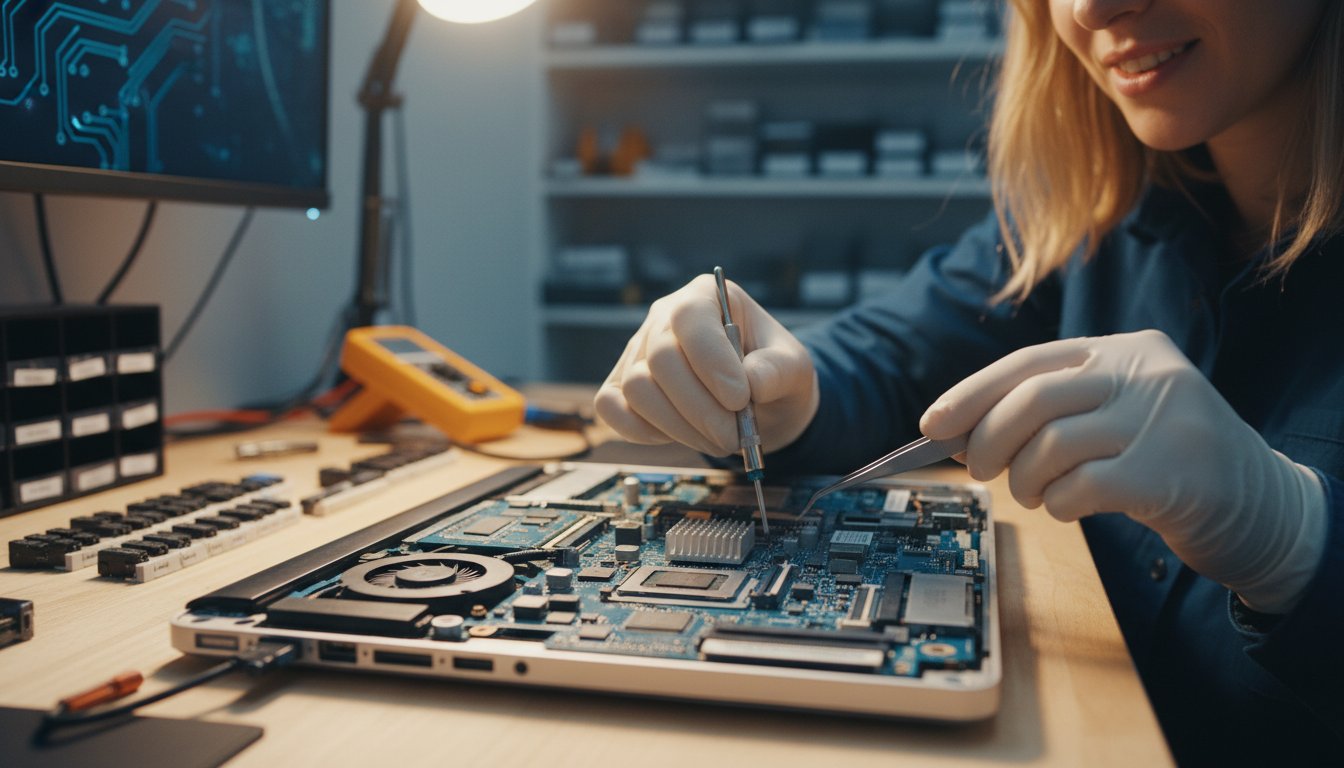
It’s a feeling every computer user dreads: the sudden slowdown that grinds your productivity to a halt, or the moment of sheer panic when you press the power button and nothing happens. Your mind immediately races to your precious photos, important documents, and urgent deadlines, all while the fear of a costly and confusing repair process looms. Finding a trustworthy expert who speaks your language can feel just as stressful as the problem itself. But you don’t have to navigate it alone. Understanding the issue is the first step toward a fast solution, and that’s where a professional computer shop repair service provides genuine peace of mind.
In this guide, we will break down the five most common PC problems we see every day. We’ll explain them in simple, clear terms-no confusing tech-speak. You’ll learn to identify what might be wrong and understand how our experienced technicians provide quality, reliable solutions to get you reconnected quickly. Our goal is to protect your valuable data and get your computer back to peak performance without the hassle, ensuring a fast return to your digital life.
Key Takeaways
- Learn to identify the early warning signs of common PC problems, from gradual slowdowns to sudden crashes, before they lead to serious issues.
- Understand what symptoms like the ‘Blue Screen of Death’ or constant pop-ups actually mean and what’s causing them.
- Discover which issues, such as strange hardware noises or suspected malware, require immediate professional computer shop repair to protect your data.
- Get a clear guide on which simple fixes are safe to try yourself and when it’s essential to call an expert to prevent costly damage.
Problem 1: The Frustratingly Slow Computer
It’s one of the most common and frustrating technology issues we face: the computer that was once lightning-fast now takes ages to start up and struggles to open a simple web browser. This gradual slowdown isn’t just in your head. Over time, without proper computer maintenance, every machine accumulates digital clutter and its hardware begins to show its age. A slow PC is more than a minor annoyance; it’s a productivity killer that can waste hours of your valuable time each week. The key is to identify whether the problem is rooted in software or failing hardware.
Common Causes of Slowness
A computer’s performance can be hampered by several factors, but we often see the same culprits. An expert can quickly diagnose the specific cause, which typically falls into one of these categories:
- Software Bloat: Too many applications launching at startup and unnecessary programs running in the background consume your computer’s processing power and memory.
- Malware or Viruses: Malicious software often runs silently, stealing system resources to perform its tasks, which dramatically slows down your legitimate activities.
- A Nearly Full or Failing Hard Drive: Traditional spinning hard disk drives (HDDs) slow down significantly as they fill up. If the drive is old or failing, performance can drop off a cliff.
- Not Enough RAM: Modern software and multitasking with many browser tabs open at once require a good amount of memory (RAM). If you don’t have enough, your computer will constantly struggle to keep up.
How a Professional Repair Shop Fixes It
Instead of guessing at the solution, a professional computer shop repair service provides a targeted fix. After a thorough diagnosis, we tackle the root cause of the slowdown to restore your PC’s speed and responsiveness. Our quality solutions include:
- Software Tune-Up: We perform a comprehensive clean-up, removing bloatware and optimising startup processes to ensure your computer’s resources are used efficiently.
- Virus and Malware Removal: Our technicians use advanced tools to scan for and eliminate all traces of malicious software, securing your system and restoring its performance.
- SSD Upgrade: For a massive speed boost, we often recommend upgrading an old HDD to a modern Solid-State Drive (SSD). This is the single most effective hardware upgrade for improving speed.
- RAM Assessment and Upgrade: We can assess your typical workload and recommend a RAM upgrade that will deliver a smoother, more responsive multitasking experience.
Problem 2: The Computer Won’t Start or Crashes
There’s a unique sense of dread when you press the power button on your computer and nothing happens. Whether it’s a completely dead machine or one that crashes to the infamous ‘Blue Screen of Death’ (BSOD), a startup failure can bring your productivity to a sudden halt. The BSOD is simply your computer’s way of saying it has encountered a critical error it cannot recover from on its own.
Startup issues generally fall into two categories: no power at all (no lights, no fan sounds) or power with no successful boot-up (fans spin, but Windows never loads). In either case, it’s important to resist the urge to repeatedly force a restart. This can cause further damage, especially to your hard drive and the data stored on it.
Identifying the Source of Startup Failure
A computer that won’t start can be suffering from a wide range of issues, from simple to severe. Our experience shows the most common culprits include:
- Power Supply Unit (PSU) Failure: The component that provides power to your entire system is often the first to fail.
- Corrupted Operating System: Essential Windows files can become damaged, preventing the system from loading correctly.
- Major Component Failure: A faulty motherboard, CPU, or graphics card can stop the boot process entirely.
- Loose Connections: Sometimes, the fix is as simple as a dislodged RAM module or a loose internal cable.
Our Diagnostic and Repair Process
When you bring your device to a professional computer shop repair service like ours, we don’t guess. We follow a methodical process to protect your data and provide a reliable fix. We will:
- Systematically test the PSU and other core hardware components to isolate the fault.
- Use advanced diagnostic tools to check for and repair Windows boot loader errors.
- Prioritise the safety of your files, performing data recovery before attempting major repairs whenever necessary.
- Provide you with a clear, easy-to-understand report detailing the problem and your available repair options.
A non-starting PC feels like a disaster, but with an expert diagnosis, it’s often a very solvable problem. Finding a computer shop repair team that is thorough and transparent is key to getting back up and running quickly and safely.
Problem 3: Virus, Malware, and Suspicious Pop-ups
In today’s digital world, malicious software is often more subtle than you might expect. Gone are the days of obvious, flashing warnings; modern threats can hide deep within your system, quietly compromising your security. You might notice constant pop-up ads, your web browser redirecting to strange sites, or fake security alerts trying to trick you into paying for a solution. These aren’t just annoyances-they can be gateways for identity theft and serious data breaches.
While good antivirus software is a crucial first line of defence, it may not be enough to remove a deep or persistent infection. When you suspect a problem, getting help from a professional computer shop repair service is the most reliable way to fully clean your system and protect your personal information.
Signs You Have a Malware Infection
If your computer is acting strangely, don’t ignore it. Look out for these common warning signs that indicate your device may be compromised:
- Your computer suddenly runs very slowly, and you can hear the fan working overtime even when you aren’t doing much.
- New, unwanted toolbars have appeared in your web browser, or your homepage has changed without your permission.
- Friends or colleagues tell you they are receiving spam emails that appear to come from your account.
- Your antivirus or other security software has been disabled and you are unable to turn it back on.
How We Provide a Deep Clean and Secure Your PC
At Aspire Computing, we go beyond a simple scan to ensure your computer is truly secure. Our methodical approach is designed to eliminate threats and prevent them from returning. We will:
- Use multiple professional-grade scanning and removal tools to find and delete every trace of malicious files.
- Repair any damage that the infection has caused to your Windows operating system, system files, and web browsers.
- Provide you with clear, practical advice on security best practices to help you avoid future infections.
- Offer comprehensive virus removal services to give you complete peace of mind and protect your valuable data.

Problem 4: Strange Noises and Overheating
Your computer should operate quietly. When it starts making strange grinding, clicking, or whirring noises, or feels unusually hot to the touch, it’s not just an annoyance-it’s a critical warning sign. These symptoms often point to imminent hardware failure, which can put your valuable data at risk. If you notice these issues, the safest first step is to shut down your computer immediately to prevent further damage and secure your files.
What Do Those Noises Mean?
Different sounds can point to specific problems. A professional technician can diagnose them accurately, but here are the most common culprits:
- Clicking or Grinding: This is the most urgent sound. It almost always signals a mechanical failure within your hard drive. Continuing to use the computer can cause permanent data loss.
- Loud Whirring or Rattling: This usually indicates a failing fan. It could be the fan for your CPU, graphics card, or the main case fan, leading directly to dangerous overheating.
- High-Pitched Whine: A persistent electronic whine often comes from the power supply unit (PSU) or graphics card, suggesting a component is under severe strain and may fail soon.
Our Approach to Hardware Failure
When you bring a device with these symptoms to a quality computer shop repair service, the focus should be on both a quick fix and long-term protection. At Aspire Computing, we follow a methodical process to ensure your machine is returned in optimal health. Our commitment is to provide assurance and restore continuity with a fast, professional service.
Our expert approach includes:
- Prioritising Your Data: Our first action for a clicking hard drive is to attempt a secure backup of your irreplaceable files.
- Accurate Diagnosis: We pinpoint the exact failing component, whether it’s a fan, hard drive, or power supply.
- Quality Component Replacement: We replace faulty parts with high-quality components and perform a thorough internal clean to remove dust and improve airflow, preventing future overheating.
- Rigorous Testing: After any repair, we test the entire system to ensure it runs cool, quiet, and stable.
Don’t ignore the warning signs of hardware failure. If your computer is overheating or making strange noises, it’s time to seek professional help. Contact the experts at Aspire Computing for a thorough diagnosis and reliable computer shop repair.
When to DIY vs. Calling a Professional Computer Shop
When your computer starts acting up, the temptation to search for a quick online tutorial and fix it yourself is strong. For minor glitches, a little DIY troubleshooting is a great first step. However, it’s crucial to know where to draw the line to avoid turning a small problem into a costly disaster. This guide will help you decide when to try a simple fix and when it’s time to call in the professionals.
Safe DIY Troubleshooting Steps
Before you panic, some of the most common computer issues can be solved with a few simple checks. These steps are perfectly safe for you to try at home and often do the trick:
- Restart Your Computer: It’s a classic for a reason. A simple reboot can clear temporary glitches and get things running smoothly again.
- Check Your Cables: Ensure everything-power, monitor, keyboard, and internet cables-is securely plugged in at both ends.
- Run a Virus Scan: Use your existing antivirus software to run a full system scan to check for any obvious threats.
- Update Your Software: Make sure your operating system (like Windows or macOS) and key applications are up to date, as updates often include important security and performance fixes.
When You Absolutely Need an Expert
If the simple steps above don’t work, or if you encounter any of the following signs, it’s time to stop and seek professional help. Attempting to fix these issues without experience can lead to permanent data loss or hardware damage.
- You need to open the computer case: Internal components are sensitive to static electricity and mishandling. If the problem requires opening the case, you need an expert.
- You suspect a hardware failure: Strange grinding or clicking noises, a screen displaying odd colours, or a computer that won’t turn on at all point to hardware failure. This is when a professional computer shop repair service is essential.
- A virus or malware won’t go away: If your antivirus scan can’t remove a threat, or pop-ups and strange behaviour persist, you’re likely dealing with a deep-rooted infection.
- You need to recover data: If a hard drive has failed and you need to retrieve important files, do not try to fix it yourself. Professional data recovery offers the best chance of success.
Don’t Risk It – Get Professional Help
A botched DIY attempt can be far more expensive to fix than the original problem. We have the specialised diagnostic tools and experience to pinpoint the exact cause of the issue quickly and accurately, saving you time and stress. Most importantly, a professional repair protects your valuable data.
Plus, a quality computer shop repair comes with a warranty on parts and labour-an assurance and peace of mind you simply don’t get when you go it alone. When in doubt, it’s always safer and more cost-effective to talk to the experts at Aspire Computing.
Your Local Solution for Stress-Free PC Repairs
From a frustratingly slow system to sudden crashes or suspicious pop-ups, PC problems can quickly disrupt your day. While a simple restart can sometimes work wonders, many issues-especially those involving strange noises or potential hardware failure-require a professional touch to diagnose and fix correctly without risking your data. Knowing when to call in an expert is the key to a fast and effective solution.
For a dependable computer shop repair service in Toowoomba, look no further. Aspire Computing has been a trusted local name since 1999, offering quality assurance and peace of mind. We provide both convenient on-site and remote support to get your technology protected and connected again with minimal fuss.
Experiencing one of these problems? Don’t panic. Contact our Toowoomba computer experts today! Let us handle the technical stress so you can get back to what’s important.
Frequently Asked Questions About Computer Repair
How much does a typical computer repair cost?
The cost of a computer shop repair in Australia varies depending on the problem. A simple software fix or virus removal might cost between A$90 and A$180. For hardware issues, you can expect a diagnostic fee of around A$50-A$100, plus the cost of parts and labour. For example, replacing a laptop screen can range from A$250 to A$500+. Always ask for a detailed quote upfront to avoid surprises and ensure transparency.
How long will it take to fix my computer?
Turnaround times depend on the complexity of the issue and parts availability. Common software repairs, such as system tune-ups or virus removal, can often be completed the same day or within 24 hours. Hardware repairs that require ordering specific components, like a motherboard or a unique screen, might take 3-5 business days. A professional technician will give you a reliable time estimate after diagnosing the problem, ensuring you have a clear timeline for the fix.
Is it worth repairing an older computer, or should I just buy a new one?
This is a common dilemma. A good rule of thumb is to consider replacing your computer if the repair cost exceeds 50% of the price of a new, comparable model. Also, if your computer is more than five to seven years old and can no longer run the software you need efficiently, a new purchase is often the more practical long-term solution. We can help you assess the performance and cost-effectiveness to make an informed decision.
Will my personal data be safe during the repair process?
Your data privacy is a top priority. A trustworthy repair shop will have strict policies to protect your personal information. While we take every precaution to safeguard your files, we always recommend you perform a full backup before any repair work begins. We will only access your data when it is absolutely necessary for the repair and with your explicit permission. This ensures your files and privacy are always protected.
Do you offer a warranty on your repair work?
Yes, any reputable computer shop repair service should stand by its work with a warranty. This provides you with assurance and peace of mind. Typically, we offer a warranty on both parts and labour, which can range from 30 days to 12 months, depending on the nature of the repair. New hardware components also come with their own manufacturer’s warranty. Be sure to ask about the specific warranty terms before authorising any work on your device.
Can you help me set up a new computer and transfer my old files?
Absolutely. We understand that moving to a new computer can be a daunting task. We offer a comprehensive setup service to make the transition seamless. This includes transferring all your important files, photos, and documents from your old machine to your new one. We can also install essential software, set up your email accounts, and ensure your new computer is secure and connected to your network, so it’s ready to use right away.

B.App.Sc., Cert. Computer Engineering PC Service and Repair
As the owner of Aspire Computing founded in 1999, Chaim Lee has been working for over 20 years as the Leading Computer Technician.
He has a life long interest in electronics, computing, science and technology. He has completed studies and gained qualifications in Applied Science, Computer Repair and Service, Microsoft Installation and Maintenance, Technical Writing, Workplace Training, and Technical Sales Training.

Write a Comment