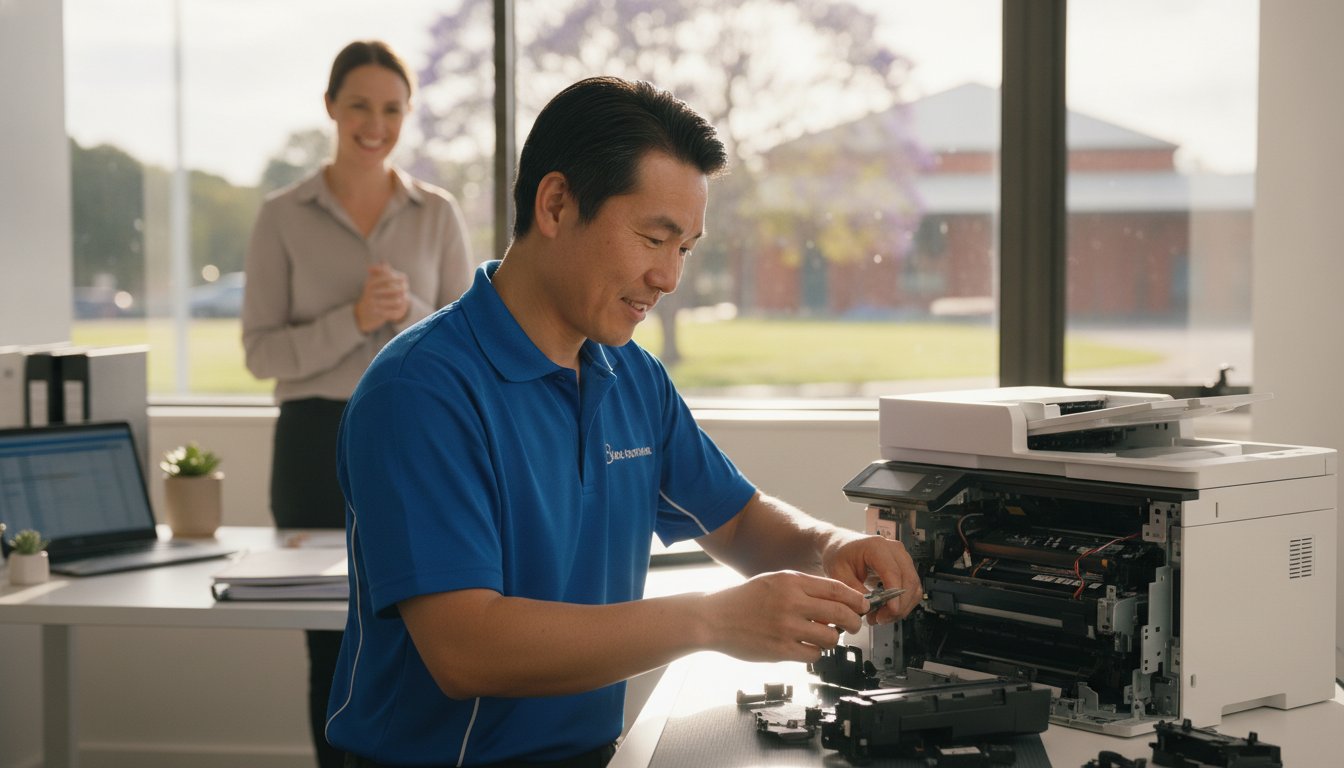
Printer Repair Toowoomba: Reliable Solutions for Home & Small Business

Imagine you have just spent a small fortune on fresh toner, only for your machine to flash a cryptic error code minutes before a major deadline. It’s a frustrating scenario many local professionals face, and it often leads to the same stressful question: is it time to give up, or is there a way to save your investment? Finding reliable printer repair Toowoomba doesn’t have to be a gamble, especially when you need a fast turnaround to keep your home office or small business running smoothly.

We agree that your time and money are too valuable to waste on “throwaway” technology that isn’t actually broken. This guide promises to demystify those stubborn wireless issues and provide the honest “repair versus replace” advice you need to make a smart decision. You’ll learn about common troubleshooting fixes, the long term benefits of maintaining laser printers, and how personalized service from a local expert like Chaim Lee can get your equipment back in top shape without the usual retail headache.

Key Takeaways

  • Discover how Toowoomba’s local humidity affects paper storage and learn simple ways to prevent persistent paper jams.
  • Master a 5-step troubleshooting checklist to resolve wireless connectivity issues and software errors before calling for help.
  • Apply the “50% Rule” and ink cost analysis to decide whether repairing or replacing your printer is the better financial choice.
  • Access professional printer repair Toowoomba services for fast on-site business support and preventative maintenance.
  • Understand how over 25 years of local technical experience ensures you receive honest, expert advice tailored to your needs.

Common Printer Problems Toowoomba Residents Face

When your printer stops working, it’s rarely at a convenient time. In our region, we see a specific set of issues that often stem from local climate factors and typical wear. If you are searching for printer repair Toowoomba, you’ve likely encountered one of these four common headaches. Persistent paper jams are a frequent complaint; Toowoomba’s humidity can cause paper to absorb moisture, making it swell and stick together. This leads to the rollers grabbing multiple sheets at once, causing a backup in the paper path.

To better understand how these mechanical issues look in practice, watch this helpful video:

Faded or streaky prints usually signal clogged print heads, especially in older inkjet models that sit idle for too long between jobs. Then there is the “offline” nightmare where your computer suddenly can’t find the device. This is often a breakdown in the wireless handshake or a print spooler error in Windows. We see this frequently after a router change or a major system update. Finally, pay attention to strange noises. Grinding or clicking sounds are early warnings that gears or rollers are failing and need professional attention before the machine stops entirely.

Environmental Impacts on Printing in the Darling Downs

Managing printer repair Toowoomba needs often involves addressing the unique environmental challenges of the Darling Downs. Fine dust from the surrounding areas can settle on laser printer drums, creating repetitive spots or lines on every page. Humidity doesn’t just affect paper; it can also cause toner powder to clump inside the cartridge. To protect your investment, follow these simple storage tips:

  • Keep paper in its original wrapper or a sealed container until you’re ready to load it.
  • Store ink and toner in a cool, dark cupboard to prevent the liquid from drying or the powder from clumping.
  • Always use a high-quality surge protector, as local power surges during storm season can easily damage sensitive printer circuit boards.

While protecting your hardware from electrical issues is vital, don’t forget that the physical safety of your workspace is just as important during the local storm season; specialists like Hop To It Roof Repairs can help ensure your roof remains leak-free and secure against the elements.

Brand-Specific Issues: Canon, Epson, and HP

Different brands have their own quirks that require specific expertise. Canon and HP models in 2026 often display specific error codes that can be confusing for home users, such as “B200” or various “0x” hardware faults. While it’s tempting to hit “update” on every prompt, firmware updates can sometimes cause more harm than good by introducing connectivity bugs or rejecting third-party cartridges. For those using Epson eco-tank models, the most common mechanical failure involves air bubbles or dried ink blockages forming within the long internal supply tubes. If you need help diagnosing these specific faults, Aspire Computing offers expert local support to get you back online quickly.

5 Steps to Troubleshoot Your Printer Before Calling a Pro

Before you commit to a professional service call, there are several reliable steps you can take to rule out simple software glitches or minor blockages. These methods often resolve the most common frustrations without needing a toolkit. If you find these steps don’t solve the problem, reaching out for expert printer repair Toowoomba ensures you aren’t stuck offline for long.

1. The Power Cycle Plus: This is more than just turning it off and on. You should turn off the printer, unplug it from the wall, and wait at least 30 seconds. This duration allows the internal capacitors to drain completely, which clears the temporary memory and resets the internal logic board. It’s a simple way to fix “frozen” screens or unresponsive buttons.

2. Clearing the Print Spooler: If you are using Windows 11 or 12, your computer might have a “stuck” print job blocking the queue. Open the “Services” app, find “Print Spooler,” right-click it, and select “Restart.” This often clears the digital logjam that prevents new documents from printing.

3. Wireless Reset: Modern Wi-Fi 6 routers provide incredible speeds, but they sometimes struggle to maintain a handshake with older printer hardware. Try re-joining your Wi-Fi network directly from the printer’s control panel. This forces the router and printer to establish a fresh connection.

4. Physical Inspection: Use a bright flashlight to look inside the paper trays and access doors. Even a tiny scrap of paper or a stray staple can trip a sensor. Gently remove any debris you find, but avoid using sharp objects that could scratch the delicate rollers.

5. Driver Refresh: Ensure your printer software matches your current operating system. Manufacturers frequently release updates to fix bugs. Downloading the latest 2026 driver from the official brand website can resolve many “Printer Not Found” errors.

Fixing Connectivity and “Printer Offline” Errors

To prevent your printer from disappearing on your network, try assigning it a static IP address through your router settings. This ensures the computer always knows exactly where to find the device. For remote workers using cloud print services, check that your account is still authenticated. If wireless troubleshooting fails, connecting a USB cable is the best diagnostic tool left. It tells you immediately if the hardware is functional or if the issue is strictly network-related. If you’re still hitting a wall, Aspire Computing can help diagnose these complex connectivity issues remotely or on-site.

Mechanical Quick Fixes for Paper Jams

When clearing a jam, always pull the paper in the direction of the natural paper path. Pulling it backwards can tear the sheet or misalign the internal sensors. If your machine frequently misfeeds, you can safely clean the pick-up rollers using a lint-free cloth lightly dampened with water or a tiny amount of isopropyl alcohol. This removes the “paper dust” that makes rollers slippery. If the printer reports a jam but you can’t find any paper, it’s likely a sensor failure or a broken gear that requires a professional eye.

Repair or Replace? Making the Right Choice for Your Printer

Deciding whether to book a printer repair Toowoomba service or head to the shops for a new machine is a common dilemma. Many residents feel pressured to replace their hardware at the first sign of trouble, but this isn’t always the most cost-effective move. A smart way to decide is by using the “50% Rule.” If the cost of a professional repair approaches half the price of a comparable new unit, replacement might be the logical path. However, this rule only works if you look at the total cost of ownership, not just the sticker price of a new box.

The trap many fall into involves “cheap” inkjet printers. These units are often sold at a loss, with manufacturers making their profit on expensive proprietary ink cartridges. When you factor in that a budget printer might cost twice as much to run per page as a mid-range laser model, repairing your existing high-quality machine becomes much more attractive. Sustainability is also a growing concern in 2026. Australia generates over 521,000 tonnes of e-waste annually, which is roughly 20.4kg per person. Choosing to maintain your current device directly reduces the environmental impact on our local Toowoomba landfill sites.

Evaluating the Age and Usage of Your Device

Lifespan varies significantly between technology types. A standard home inkjet printer typically lasts around three years under regular use, while a business-class laser printer can easily serve an office for five to ten years. Every printer has a “duty cycle,” which is the maximum number of pages it can reliably print per month. If your machine is reaching this limit, internal components like fuser units and transfer belts may begin to fail. Chaim Lee often recommends repairing older business-grade hardware because these machines were built with sturdier parts than modern, entry-level consumer models. A simple roller replacement can often give a robust older machine another three years of life.

The Hidden Costs of New Printers

Don’t be fooled by the low price tag on a new machine. Most new printers come with “starter cartridges” that contain only a fraction of the ink found in a standard replacement. You might find yourself spending another $100 on ink just weeks after your purchase. Additionally, many modern brands push subscription-based ink models that charge you a monthly fee just to keep your printer functional. If you prefer to own your supplies and avoid recurring costs, keeping your current machine running is usually the better financial move. For an honest, professional assessment of your hardware, you can contact Aspire Computing to see if a repair is viable for your specific model.

Printer Repair Toowoomba: Reliable Solutions for Home & Small Business

Professional Printer Service for Toowoomba Small Businesses

Small businesses in the Darling Downs often rely on a few high-performance desktop printers rather than massive floor-standing photocopiers. When these machines fail, your entire workflow can grind to a halt. Professional printer repair Toowoomba services for small businesses provide a bridge between basic DIY fixes and expensive enterprise contracts. We offer both on-site and remote support to get your office back to work without the need for you to travel or wait days for a technician.

Regular maintenance is the best way to prevent unexpected downtime. A professional “tune-up” includes cleaning internal sensors, lubricating moving parts, and checking for firmware stability. It’s also a critical time to review your supply solutions. We help you source the right ink and toner locally, ensuring you don’t end up with incompatible or low-quality third-party supplies that could damage your machine’s delicate print heads.

Security is another vital factor that many small business owners overlook. A networked printer is a computer in its own right. If it isn’t secured, it can become a backdoor for malware to enter your office network. We ensure your printer’s security settings are configured correctly to protect your client data and internal documents from unauthorized access.

Managed Print Solutions for Small Teams

For offices with multiple users, tracking printing costs can be difficult. We implement simple solutions to monitor usage and reduce waste across your team. You can also set up secure “Follow Me” printing, which ensures a document only prints when the user is physically at the machine. This is a great way to handle sensitive information in shared office spaces. For a complete look at optimizing your workplace technology, check out our guide on IT support for business for full office integration.

Emergency Printer Repair in Toowoomba

Deadlines don’t wait for hardware failures. We offer priority service for local businesses facing critical projects. If a specific part needs to be ordered, we can often discuss temporary loaner options to keep your team productive while your main unit is being serviced. This level of personal care is why local expertise beats waiting for a national chain technician who might be traveling from hours away. Dealing directly with Chaim Lee means you get a technician who understands your history and your specific business needs. Ready to secure your office hardware? Contact Aspire Computing for a professional maintenance check today.

Why Aspire Computing is Toowoomba’s Trusted Printer Specialist

Choosing a technician for printer repair Toowoomba requires more than just technical skill; it requires trust. Aspire Computing has served our local community for over 25 years. When you call for assistance, you deal directly with the owner, Chaim Lee. You won’t be redirected to a distant call centre or forced to navigate an automated phone menu. This personal accountability ensures that every piece of advice you receive is honest, professional, and tailored specifically to your home or small business needs.

Our deep expertise spans major brands including Canon, Epson, and Samsung. We understand the specific mechanical quirks and software requirements of these machines. This knowledge allows us to provide a rapid turnaround and reliable solutions. We maintain a strict commitment to transparent pricing and dependable advice. You’ll always receive a clear explanation of the fault and a professional recommendation on whether a repair is the most economical choice. This straightforward approach has built a strong sense of stability and expertise across the Darling Downs since we first established our presence.

Serving Newtown and the Surrounding Suburbs

We’ve been a permanent fixture in the Newtown community since 1999. Our mobile service coverage is extensive, reaching from the heights of Highfields down to the Lockyer Valley and across the various suburbs of Toowoomba. Choosing a local technician means you benefit from someone who understands the specific environmental challenges of our region. We know how local dust and humidity levels can impact your hardware because we live and work here too. This hyper-local focus distinguishes our service from anonymous national providers who lack a personal connection to the community.

More Than Just Printer Repairs

A printer problem is often just one piece of a larger technical puzzle. What looks like a mechanical failure could actually be a networking conflict or an outdated driver issue. We provide a holistic approach by integrating your printer service with professional computer repairs and network troubleshooting. This ensures your entire office ecosystem functions as it should, preventing future downtime.

We also help protect your home office through expert virus and malware removal. If a malicious program has compromised your system or redirected your print jobs, we can clean your device and restore your security. Booking a local service call today with Aspire Computing gives you the peace of mind that comes from dealing with an established expert who stands by his work. Whether you need a quick fix or a complete system overhaul, we are here to help.

Get Your Printer Back Online with Confidence

Your printer is a vital part of your daily workflow, and a sudden failure shouldn’t derail your entire week. We have explored how local conditions impact your hardware and provided a framework for deciding whether to fix or replace your machine. When troubleshooting steps fail, professional printer repair Toowoomba becomes the most efficient way to restore your productivity without the risk of further damaging your device through trial and error.

Choosing a local specialist means you benefit from over two decades of technical experience. Aspire Computing has been serving the community since 1999, offering a level of personal accountability that national call centres simply cannot provide. Dealing directly with Chaim Lee for your printer repair Toowoomba ensures you receive honest, transparent advice tailored to the unique needs of your home office or small business. We understand the value of your time and the importance of a machine that works when you need it most.

Don’t let technical glitches slow you down any longer. Contact Chaim at Aspire Computing for Expert printer repair Toowoomba and get your equipment running smoothly again. We are here to help you get back to work with minimal stress and total peace of mind.

Frequently Asked Questions

How much does printer repair typically cost in Toowoomba?

Costs for a professional service vary based on the complexity of the fault and the specific parts needed for the fix. While common software resets or minor mechanical adjustments might involve a standard fee, hardware failures requiring new components will be quoted individually. We focus on transparent communication, so you’ll always know the expected investment before we proceed. This ensures you can make an informed decision on whether the repair is the right financial choice.

Is it better to repair a laser printer or buy a new inkjet?

Repairing a laser printer is usually the smarter choice because these machines are built for longevity and offer a much lower cost per page. Many budget inkjet printers are designed for short lifespans, and their high ink costs can quickly exceed the price of the machine itself. If you have a sturdy laser model, a professional service can keep it running for many more years, saving you money on both hardware and supplies.

Do you offer on-site printer repair for home offices in Highfields?

Yes, we offer on-site service calls for home offices and small businesses in Highfields and across the Toowoomba region. We bring the tools and expertise to your location to save you the hassle of transporting your equipment. This mobile support is a key part of our printer repair Toowoomba service, ensuring that residents in surrounding suburbs get the same high-quality technical assistance as those in the city centre.

Can you fix a printer that is no longer under warranty?

We can definitely repair printers that are no longer covered by a manufacturer’s warranty. In fact, many of the machines we service are older, business-grade models that are well worth maintaining due to their robust construction. Whether your machine is three years old or ten, we can often find the necessary parts and provide the technical expertise to keep it functioning perfectly, helping you avoid the cost of a brand-new unit.

Why does my printer keep saying it is out of ink when I just replaced it?

This error typically happens when the printer fails to recognize the cartridge’s electronic chip or if the internal sensors are dirty. You can often fix this by carefully cleaning the contacts on both the cartridge and the printer with a dry, lint-free cloth. If the problem persists after a hardware reset, it might indicate a sensor fault or a firmware conflict that requires a professional to bypass or recalibrate for proper operation.

Do you supply genuine toner for Canon and Brother printers?

We supply a wide range of genuine toner and ink for brands like Canon and Brother to ensure your machine operates at peak performance. Using original supplies helps protect your print heads and ensures the highest possible print quality for your business documents. If you’re looking for ways to reduce costs, we can also advise on reliable compatible options that won’t compromise the safety or operational stability of your specific printer model.

Can a printer be repaired if it has a “Fatal Error” code?

Many “Fatal Error” messages are actually caused by minor mechanical issues like a paper scrap blocking a sensor or a carriage being unable to move freely. While the name sounds final, these codes are often just the printer’s way of stopping before further damage occurs. We can diagnose the root cause of the error and, in many cases, perform a manual reset or adjustment that brings the machine back to life.

How long does a typical printer service take at Aspire Computing?

The duration of a service depends on the nature of the problem, but we always aim for a rapid turnaround to minimize your downtime. Most common repairs are completed within two to four business days, provided that any necessary replacement parts are readily available. We understand that printer repair Toowoomba services need to be efficient for local businesses, so we keep you updated on our progress throughout the entire diagnostic and repair process.

Last Tuesday, a local consultant realized their entire project history was gone after a single power surge during a Toowoomba storm. It is a heartbreaking scenario, but with ransomware accounting for 44% of Australian data breaches in 2025, the risk is higher than ever. You likely feel the constant pressure to protect your work, yet you might be held back by slow NBN upload speeds or the confusing sea of cloud storage options. Finding the best backup strategy for home office success shouldn’t feel like a second job.

I understand that you need a system that works silently in the background without requiring daily manual checks. This guide will show you how to implement the 3-2-1-0 backup rule. You’ll learn how to build a fail-safe system that protects your business from hardware failure and cyber threats. We will cover everything from local high-speed hardware to immutable cloud copies. This ensures your data is always recoverable and your peace of mind is restored with a strategy tailored for Australian conditions.

Key Takeaways

  • Learn the crucial difference between cloud syncing and a true backup to ensure your files aren’t lost to accidental deletion or ransomware.
  • Discover how the 3-2-1-0 rule creates the best backup strategy for home office security by removing the need for manual daily tasks.
  • Compare high speed SSDs and NAS devices to choose the most reliable hardware for your specific storage needs in 2026.
  • Identify the local environmental threats in Toowoomba, such as brownouts and surges, that can silently destroy your hard drives during storm season.
  • Follow a practical implementation guide to audit your mission critical data and build a fail-safe recovery system from scratch.

Why Your Current Home Office Backup Might Be a Ticking Time Bomb

Many home office professionals believe they have a solid safety net in place. They might drag files to a thumb drive once a week or trust a syncing service to do the heavy lifting. However, these habits often create a false sense of security. Without a professional approach, you are essentially waiting for a disaster to happen. Implementing the best backup strategy for home office data means moving away from manual tasks that fail when life gets busy. Relying on your memory to protect your livelihood is a risk you don’t need to take.

Manual backups are notoriously unreliable. Industry experts frequently observe that manual routines fail up to 90% of the time simply because humans forget to perform them or skip a day when they’re tired. Beyond human error, your data faces silent killers like bit rot, where files slowly corrupt over time on a hard drive without any warning. Then there is the 2025 reality: ransomware accounted for 44% of all Australian data breaches last year. If your only backup is a drive permanently plugged into your computer, a virus will likely encrypt those files too.

To better understand this concept, watch this helpful video:

Syncing vs. Backing Up: The Great Misconception

Services like Dropbox and OneDrive are excellent for productivity, but they aren’t true backups. If you accidentally delete a folder or a virus corrupts your files, that change syncs instantly across all your devices. A professional system follows the 3-2-1 backup rule, keeping separate versions of your history. This allows you to roll back to a time before the error occurred. Modern professional systems also offer immutable backups, which are locked copies that ransomware cannot modify or delete even if it gains access to your network.

The Real Cost of Data Recovery in Toowoomba

When a drive starts clicking or a file system vanishes, the panic sets in quickly. While I offer professional data recovery services to help you get lost files back, the process is complex and can be expensive. It is far more cost effective to be proactive with your security. Consider the downtime factor. If you lost access to your billing or project files today, how many days could your business survive? Since 60% of small businesses close within six months of a major hack, the stakes are incredibly high for local operators. Working with a local expert ensures your hardware stays in safe hands rather than being mailed to an anonymous lab interstate.

The 3-2-1-0 Rule: The Best Backup Strategy for Home Office in 2026

The 3-2-1 rule has been the industry standard for years. However, in 2026, we have added a crucial fourth digit to the formula. The best backup strategy for home office professionals is now the 3-2-1-0 rule. This framework ensures that your data is redundant, geographically dispersed, and, most importantly, managed without your daily intervention. Following this method eliminates the single point of failure that ruins most home businesses: human forgetfulness. It moves your security from a “to-do” list item to a background process that never sleeps.

Breaking Down the 3-2-1 Framework

To achieve total data redundancy, you must follow the core pillars of the framework. This isn’t just about making copies; it’s about where those copies live and how they are stored. Consider these three requirements:

  • Three Copies: You need your original production data plus two distinct backups. If one copy fails, you still have two others to rely on.
  • Two Media Types: Use different storage technologies. Don’t just use two external hard drives from the same brand. If a specific batch of drives has a manufacturing flaw, both could fail at the same time. A better approach combines local hardware with cloud-based storage.
  • One Offsite: At least one copy must live outside your home. Keeping all your backups in your Toowoomba office won’t help if a fire or a severe storm damages the entire building. Geographic separation is non-negotiable for true disaster recovery.

The Power of Zero: Why Automation is Your Best Friend

The “zero” in the 3-2-1-0 rule stands for zero manual steps. This is where most home office setups fall apart. You might start with good intentions, but work deadlines and family life eventually get in the way. Manual systems are prone to failure because they rely on you remembering to plug in a drive or click “upload” every evening. Automation removes the stress of wondering if your files are safe.

A professional data backup system should run on a schedule while you aren’t even at your desk. Modern software can also send you a simple email notification every morning. This lets you know at a glance if the process succeeded or if a glitch needs attention. This “set and forget” mentality allows you to focus on your clients while the system handles the heavy lifting. If you find the technical setup daunting, getting a local expert to configure these automated tasks can save you hours of frustration and ensure your system is truly fail-safe.

Choosing Your Hardware: NAS, External Drives, and Cloud

Selecting the right gear is the next step in building the best backup strategy for home office reliability. In 2026, you generally choose between Direct Attached Storage (DAS) and Network Attached Storage (NAS). A DAS is a simple external drive, like the Samsung T7 2TB SSD priced at $165, which plugs directly into your computer via USB. It’s fast and easy to use. A NAS, however, acts as a dedicated mini-server that connects to your router. This allows every device in your home to back up to one central location simultaneously. While DAS is great for speed, a NAS offers the robust, multi-layered protection required for a growing business.

Solid State Drives (SSDs) have become the standard for local backups due to their incredible speed and lack of moving parts. Modern options like the Lexar Armor 700 4TB for $449 provide the durability needed for a busy professional. However, for massive amounts of data, traditional mechanical hard drives still offer better value per gigabyte. The key is to use SSDs for your daily “hot” data and larger drives for long term “cold” storage. This hybrid approach balances performance with budget constraints.

Network Attached Storage (NAS) for the Professional Home Office

A NAS device provides more than just storage; it gives you a private cloud. Entry-level 2-bay models, such as the Synology DiskStation DS223 for $285, are perfect for home offices. They allow for a RAID setup, where data is mirrored across two drives. If one drive fails, your data remains safe on the other. For those running more intensive tasks, certain hardware upgrades like adding extra RAM to your NAS can significantly improve file transfer speeds and app performance. You don’t need a complex server rack to get enterprise-grade security at home.

Cloud Storage and the NBN Bottleneck

Cloud providers like Backblaze and IDrive offer excellent offsite protection. Backblaze is particularly popular for its unlimited storage at approximately $70 per computer annually. However, your experience will depend heavily on your NBN connection. Australian upload speeds are often much slower than download speeds. If you have a 1TB project library, it could take weeks to complete the first upload. It’s helpful to run an internet speed test to see exactly what your connection can handle before committing to a provider.

This “Initial Seed” problem is a major hurdle for many locals. If your upload speed is too slow for that first big backup, don’t struggle alone. A local IT professional can often help by performing a “seeded” backup, where your data is loaded onto a drive and sent directly to the data center. This bypasses the NBN bottleneck and gets your best backup strategy for home office safety up and running in hours instead of months.

Toowoomba-Specific Risks: Protecting Your Data Locally

While global cyber threats are a serious concern, home office workers in regional Queensland face a different set of physical challenges. The Darling Downs is famous for its dramatic weather, but these conditions are a nightmare for sensitive electronics. A best backup strategy for home office success in our region must account for more than just hackers. It needs to protect against the environmental and infrastructure realities of living in Toowoomba. From sudden power fluctuations to the physical risks of regional life, your data requires a localized shield.

Power surges and brownouts are the silent killers of hard drives and NAS devices. Even a momentary dip in voltage can cause a drive head to crash, leading to immediate data loss. Many people rely on standard power boards, but these rarely offer enough protection for a professional setup. If you’ve lived through a Toowoomba summer, you know how quickly a storm can roll over the range. Physical security matters too. While we enjoy a great community, the risk of theft or fire means that having a copy of your data stored away from your home office is a vital safety net.

Storm Season and Power Protection

Investing in an Uninterruptible Power Supply (UPS) is one of the smartest moves you can make. A UPS acts as a battery bridge, giving your equipment clean power and enough time to shut down safely during an outage. Never trust a cheap power board to protect your business livelihood. These basic strips often fail to catch the high-voltage spikes common during electrical storms. As a simple pro-tip, if you hear thunder, the safest option is to physically unplug your NAS and primary backup drives from the wall until the front passes.

The Benefit of a Local IT Partner

Working with a local expert provides a level of accountability that a distant call center cannot match. Aspire Computing offers on-site setup and support throughout Newtown and the surrounding suburbs. This local presence is especially helpful when dealing with the “Sneakernet” advantage. If you have a massive amount of data to back up and your NBN connection is struggling, I can physically move your data sets to get your system synchronized faster.

Having someone who knows your specific setup means you aren’t just a ticket number. If a drive fails or a backup report shows an error, you have a neighbor you can call for immediate assistance. This personal touch ensures your best backup strategy for home office data stays functional year-round. If you are worried about your current setup, I can help you build a resilient system. Contact me today for professional data backup services tailored to our local Toowoomba conditions.

Implementation Guide: Setting Up Your Fail-Safe Strategy

Moving from a high-level plan to a working system is where your data security becomes real. Building the best backup strategy for home office use requires a methodical approach to ensure no files are left behind. You don’t need to be a systems administrator to get this right, but you do need to be thorough. Following a structured checklist prevents the gaps that ransomware or hardware failure can exploit. By the end of this guide, you’ll have a system that protects your business livelihood while you focus on your work.

  • Step 1: Audit your data. Don’t waste storage space or bandwidth on “junk” files. Identify your mission critical data, such as client contracts, financial records, and active project files. Knowing what you can’t afford to lose helps you prioritize your backup window.
  • Step 2: Install your local hardware. Connect your primary local backup, whether it’s a high-speed external SSD or a 2-bay NAS. This device provides the rapid recovery speeds you need if your computer’s internal drive fails.
  • Step 3: Configure automation. Use professional backup software to schedule your tasks. Aim for a “set and forget” configuration where your local and cloud backups run every night. This fulfills the “Zero manual steps” requirement of the 3-2-1-0 rule.
  • Step 4: Perform a test restore. A backup is only a theory until you prove it works. Try to recover a random folder from both your local drive and your cloud provider to ensure the data is intact and accessible.
  • Step 5: Schedule a quarterly health check. Technology changes and software updates can sometimes break automated tasks. Mark your calendar every three months to review your backup logs and check the physical health of your drives.

Testing Your Backups: The Step Everyone Skips

A backup is only as good as its last successful restore. Many home office workers discover their backups are corrupted only when they actually need them. To avoid this, you should perform a “fire drill” for your data twice a year. Pick a non-essential folder and restore it to a different location on your computer. Compare the restored files to the originals to check for any signs of corruption. This simple habit ensures that when a real disaster strikes, your recovery process will be smooth and stress-free.

Getting Professional Help to Get It Right

While a DIY approach is better than nothing, it can lead to a sense of “false security” if settings are configured incorrectly. A misconfigured cloud sync or a failing local drive can go unnoticed for months without professional monitoring. If you want total peace of mind, I offer customized IT support for business and home office operators across Toowoomba. I can visit your office to perform a professional backup audit, ensuring your best backup strategy for home office data is truly fail-safe. Contact Aspire Computing today to secure your digital future with a system that never sleeps.

Protect Your Business Livelihood for the Long Term

Building a resilient data system is the most important investment you can make for your home office. By moving away from manual habits and embracing the 3-2-1-0 rule, you eliminate the risk of human error. You now understand that the best backup strategy for home office security combines high speed local hardware with automated cloud copies. This layered approach ensures that even a severe Toowoomba storm or a targeted ransomware attack won’t stop your business in its tracks. Testing your restores regularly keeps your safety net strong and your anxiety low.

If you feel overwhelmed by the technical setup, don’t leave your data to chance. I have been serving the Toowoomba community since 1999 as an expert in data recovery and security. I provide local, on-site assistance across the Darling Downs to help you build a fail-safe system. Secure your home office today with a professional backup audit from Aspire Computing. Taking this step now means you can work with total confidence, knowing your project history and client files are always safe.

Frequently Asked Questions

What is the 3-2-1 backup rule for home offices?

The 3-2-1 rule requires you to keep three copies of your data, stored on two different types of media, with one copy kept offsite. This ensures that a single event, like a fire or hardware failure, cannot destroy all your records at once. For the best backup strategy for home office professionals, adding a “0” for zero manual steps is also recommended to ensure the process never relies on your memory.

Is Google Drive or OneDrive a sufficient backup strategy?

No, syncing services like Google Drive are not true backups because they mirror every action, including accidental deletions and file corruption. If a virus encrypts your local files, those encrypted versions will instantly sync to the cloud, replacing your clean data. A dedicated backup system keeps historical versions of your files, allowing you to roll back to a specific point in time before the damage occurred.

How much does a professional home office backup system cost?

The total investment depends on your data volume, but basic hardware like a 2-bay NAS typically starts around $200 to $285 for the device itself. You also need to account for the cost of drives, such as a 2TB SSD for roughly $165, and annual cloud storage fees which can range from $70 to $120. These hardware and software costs are a small price to pay compared to the thousands of dollars often required for professional data recovery.

How often should I back up my home office computer?

You should back up your data at least once every 24 hours, ideally using an automated schedule that runs overnight. For highly active businesses, continuous data protection is even better as it saves changes as they happen. The best backup strategy for home office success is one that happens without you needing to click a button, ensuring you never lose more than a few hours of work if a crash occurs.

What happens to my cloud backup if my internet goes down?

If your internet connection drops, your cloud backup will simply pause and resume once the connection is restored. Most professional software is designed to handle NBN dropouts or unstable connections without corrupting the files already uploaded. While the offsite copy will be slightly behind until the sync finishes, your local backup drive will continue to provide immediate protection for your files in the meantime.

Do I need an external hard drive if I use cloud storage?

Yes, having a local external hard drive is essential for fast recovery and redundant protection. While cloud storage is great for disaster recovery, downloading several terabytes of data over an average NBN connection can take days or even weeks. A local drive allows you to restore your entire system in a matter of hours, keeping your business downtime to an absolute minimum while your cloud copy remains a secondary safety net.

Can a virus or ransomware infect my backups?

Ransomware can infect any drive that is physically connected to your computer or accessible over your local network. This is why immutable backups and offsite cloud copies are so important. Immutable storage prevents data from being changed or deleted for a set period, ensuring that even if a virus reaches your backup software, it cannot encrypt the protected archive files.

How do I know if my hard drive is starting to fail?

You should watch for warning signs like unusual clicking or grinding noises, frequent system crashes, and files that suddenly won’t open. If your computer becomes extremely slow when saving or opening documents, the drive might be struggling to read data. If you notice these symptoms, stop using the drive immediately and seek professional help to clone your data before the hardware fails completely.

IT Support for Home Office: The 2026 Guide to a Secure, Productive Workspace

That frozen screen during a crucial client video call, thanks to an unreliable NBN connection. The slow, lagging computer costing you billable hours. And the nagging worry: is my data truly secure? If this sounds familiar, you understand that reliable IT support for home office setups is no longer a luxury. For dedicated professionals across Australia, it’s the foundation of productivity and peace of mind.

This is especially true for modern, mobile-first industries. For instance, leading real estate agencies like Century 21 Aspire Group rely on robust IT infrastructure to manage client data, coordinate virtual viewings, and secure digital contracts, making professional-grade support a cornerstone of their operations.

Don’t panic. You don’t need to be a tech expert to achieve a professional-grade workspace. This guide is designed to give you the assurance you need to protect your business and connect with clients without interruption. We’ll provide the insights to transform your technology from a source of daily stress into a seamless tool for success.

In this comprehensive 2026 guide, we will walk you through everything you need to master your home office. You’ll learn how to create a ‘set and forget’ secure network, choose hardware that keeps pace with your demanding workload, and find a reliable local expert you can call when things go wrong. It’s time to build a workspace that works for you.

Key Takeaways

  • Protect your remote workspace by identifying security needs that go beyond simple antivirus software to counter modern threats.
  • Learn to diagnose the root cause of slow NBN speeds and discover how to optimise your connection for flawless video conferencing.
  • Discover how to evaluate the ROI of hardware upgrades, helping you decide when to repair your computer versus when to replace it.
  • Understand how professional IT support for home office provides a holistic plan for your technology, security, and long-term productivity.

Understanding Professional IT Support for Home Office in 2026

As remote work becomes a permanent fixture in our professional lives, the technology powering our home offices must evolve. Professional IT support for home office setups is no longer about just fixing a broken computer; it’s a holistic approach that ensures your hardware, software, and crucial data are secure, efficient, and always connected. The ad-hoc, reactive approach of the past is giving way to a proactive strategy focused on protection and continuity, especially as 2026 brings new challenges like AI-integrated software that demand more from your local network and devices.

To see what a day in the life of an IT support specialist looks like, check out this helpful video:

Residential vs. Professional IT: The Critical Difference

The tech you use for personal browsing often falls short of business demands. A standard home router, for instance, can be a major security bottleneck, leaving sensitive client or company data vulnerable. When your livelihood depends on your technology, even a “slow” computer has a direct financial impact. An hour of troubleshooting is an hour of lost income, which can quickly add up to hundreds of dollars. True professional IT support ensures your technology works for you, not against you.

In short, professional IT support for your home office is a business continuity necessity, not a luxury.

Common Tech Hurdles for Toowoomba Remote Workers

Working from home in our beautiful region presents unique challenges. Many professionals across the Darling Downs and Lockyer Valley grapple with inconsistent internet connectivity that can disrupt video calls and cloud access. Beyond the connection, managing business-grade equipment like multi-function printers and scanners without on-site help can be a major source of frustration. This is where local expertise makes all the difference. When you have a problem, you need someone who understands the local infrastructure and can provide fast, effective solutions-not a generic script from a national call centre.

Securing Your Workspace: Cyber Security for the Remote Professional

As we look towards 2026, the home office has become a primary target for cybercriminals. Targeted malware and sophisticated scams are no longer just a problem for large corporations; they are a significant threat to home-based business owners. Your home network is the new corporate perimeter, and relying on simple antivirus software is like locking the front door but leaving all the windows open. True security requires a multi-layered approach to protect your business assets and, most importantly, your clients’ confidential information.

This is where the principle of “Active Protection” becomes essential. It’s a proactive strategy that goes beyond just reacting to threats. It involves continuous monitoring, managed security updates, and a robust defence system designed to prevent breaches before they happen. For remote professionals handling sensitive data, this level of assurance is non-negotiable. Securing your home Wi-Fi with a strong, unique password and enabling WPA3 encryption is a critical first step, but professional IT support for your home office provides the comprehensive protection you need for complete peace of mind.

The Remote Worker Security Checklist

To fortify your home office, we recommend implementing these essential security measures. They form the foundation of a safe and productive remote work environment.

  • Implement Multi-Factor Authentication (MFA): Activate MFA on all your professional accounts, especially email and cloud storage. It adds a crucial second layer of security, requiring a code from your phone in addition to your password to grant access.
  • Use a Managed Firewall: A firewall acts as a digital gatekeeper for your network, controlling incoming and outgoing traffic. A managed solution ensures it is always properly configured and updated to block emerging threats, something off-the-shelf routers can’t guarantee.
  • Identify Phishing Scams: Be vigilant against common phishing attacks targeting Australian small businesses. These often appear as fake invoices, urgent requests from the ATO, or delivery notifications from Australia Post designed to steal your credentials.

Data Backup and Business Continuity

A strong defence is vital, but a reliable recovery plan is your ultimate safety net. We apply the industry-standard “3-2-1” backup rule to the home office: keep at least three copies of your data, on two different types of media, with one copy stored securely off-site (like in the cloud).

Finding the right balance between convenient cloud file sharing and secure local storage is key to an effective strategy. While proactive backups are your first line of defence against data loss, professional Data Recovery Services should be considered the last resort for when a comprehensive backup plan was not in place.

Troubleshooting Connectivity: NBN Speed and Remote Access

A slow or unreliable internet connection can bring your entire workday to a grinding halt. From lagging video calls to frustratingly slow file downloads, your NBN connection is the backbone of a productive home office. Understanding how to diagnose speed issues and secure your remote access is crucial for maintaining business continuity and protecting sensitive data.

The first step in fixing “slow internet” is an accurate diagnosis. A professional-grade speed test involves more than just a website; it means connecting a computer directly to your NBN modem with an ethernet cable. This bypasses any internal Wi-Fi issues and gives a true baseline of the speed you’re receiving. Often, the bottleneck isn’t your NBN plan itself, but your router, cabling, or local network congestion.

For seamless video conferencing and accessing office servers, a stable, low-latency connection is vital. More importantly, this connection must be secure. A Virtual Private Network (VPN) is non-negotiable for any professional working from home, as it creates an encrypted tunnel to protect company data from interception. For a deeper understanding of digital safety, resources like the official CISA Cybersecurity Guides offer expert-backed information to help secure your workspace.

Solving the Wi-Fi Dead Zone Problem

Wi-Fi dead zones are common but entirely fixable. A modern Mesh Wi-Fi system is an excellent solution for most homes, using multiple nodes to create a single, seamless network. For ultimate speed and reliability, especially in a multi-story home, professional data cabling remains the gold standard. Positioning your primary router centrally and away from appliances like microwaves can also significantly improve signal strength and coverage.

Remote Support: The Quick Fix Solution

When software glitches or configuration errors strike, you need a fast solution. Professional remote IT support for home office environments allows a technician to securely access your computer with your permission. Using encrypted, industry-standard software, we can diagnose and resolve many issues in minutes. While perfect for software problems, a remote fix isn’t enough for hardware failures like a faulty modem or a dead hard drive, which require on-site assistance.

IT Support for Home Office: The 2026 Guide to a Secure, Productive Workspace

Hardware Longevity: When to Upgrade vs. When to Repair

In a busy home office, your technology is your lifeline. But with software becoming more demanding, a computer that works fine today might struggle by 2026. Deciding whether to repair, upgrade, or replace your equipment is a critical financial and productivity decision. The right choice ensures you have the power you need without overspending.

Often, a strategic upgrade offers the best return on investment. For a fraction of the cost of a new machine (which can be A$1,500 or more), you can dramatically boost performance. Installing a Solid-State Drive (SSD) and increasing RAM for around A$250-A$400 can make a four-year-old laptop feel faster than when it was new. This is a core part of effective IT support for your home office-making smart, cost-effective improvements. The same logic applies to peripherals; a well-maintained printer or a correctly configured docking station prevents workflow interruptions when you can least afford them.

The Windows Tune-Up: Extending Device Life

Before you consider a replacement, ask if your computer just needs a professional tune-up. Key signs include:

  • Extremely slow startup and shutdown times
  • Frequent freezing or application crashes
  • Constant error messages or pop-ups

We can clear out system bloatware, optimise startup processes, and perform a vital internal clean. Dust buildup in laptops is a primary cause of overheating and premature component failure, and addressing it is essential for longevity.

Beyond internal maintenance, managing your physical office environment is also key to productivity and hardware protection. Excessive heat and glare from windows can not only cause discomfort but also contribute to devices overheating. Investing in proper window treatments is a smart move for any home office. A great online resource for custom-made blinds delivered across Australia is aussieonlineblinds.com.au.

Supply and Setup of Quality Hardware

When it is time to buy new, quality matters. Business-grade laptops from brands like Dell, HP, and Lenovo are built with superior components and designed for durability, far outlasting consumer models from big-box retailers. For printing, a reliable laser printer for monochrome documents or an ink-tank model for low-cost colour offers better long-term value than cheap cartridge-based printers. At Aspire Computing, we don’t just supply hardware; we ensure it is fully configured, secured, and ready for work, so you are “connected and protected” from day one.

Why Local Expertise Matters: Professional IT Support in Toowoomba

When your home office technology fails, you need more than just a helpline-you need a solution that understands your local context. A generic, remote-only service can’t account for Toowoomba’s specific internet providers or common regional connectivity issues. This is where local expertise becomes invaluable. At Aspire Computing, we offer a personal, accountable service rooted in deep community knowledge. This isn’t about anonymous technicians; it’s the “Chaim Lee” approach, where a trusted local expert with a name and a face stands behind every repair and recommendation.

With a legacy of serving the Darling Downs since 1999, we’ve built our reputation on providing reliable, professional IT support for home office setups just like yours. We understand the technology that powers our community because we are a part of it.

The first step to a more secure and efficient setup is a comprehensive IT health check. We can assess your current system for vulnerabilities, performance bottlenecks, and opportunities for improvement, ensuring your technology works for you, not against you.

On-Site Support in Toowoomba and Surrounds

From a faulty printer in Newtown to a complex network issue in Middle Ridge, our on-site service brings the solution directly to your door. A face-to-face consultation allows us to diagnose tricky problems like Wi-Fi dead zones or hardware conflicts with an accuracy that remote support can’t match. By choosing a Toowoomba-owned expert, you’re not just getting a quick fix; you’re investing in the local economy and building a relationship with a tech partner who is just around the corner.

Aspire to Protect and Connect

Our mission is simple: to keep your home office protected and connected. We tailor our services specifically for the needs of home-based professionals, focusing on security, data integrity, and seamless connectivity. When a tech emergency strikes, our “Don’t Panic” philosophy means you have a calm, experienced professional ready to help restore your peace of mind and productivity.

Don’t let technical issues disrupt your workflow. Talk to the experts at Aspire Computing for reliable, local support tailored to your home office needs.

Protect and Connect Your Home Office for 2026 and Beyond

As we look towards 2026, your home office is no longer a temporary fix but a critical professional asset. Maintaining this workspace means mastering key areas: implementing robust cybersecurity to protect your data, ensuring stable NBN connectivity for seamless access, and making smart decisions about your hardware to guarantee performance. Juggling these technical demands while staying productive can be a significant challenge.

This is where dedicated IT support for home office setups provides true value. For professionals in Toowoomba, local expertise makes all the difference. Since 1999, Aspire Computing and owner Chaim Lee have been committed to our mission of “Protecting and Connecting” local businesses. We provide the assurance and technical skill you need to eliminate IT-related stress and focus on what you do best.

Don’t let technical glitches dictate your day. Get Professional Home Office IT Support from Aspire Computing and build a workspace that’s truly secure, efficient, and ready for the future.

Frequently Asked Questions

How much does IT support for a home office typically cost in Toowoomba?

The cost for professional IT support in Toowoomba varies depending on the complexity of the issue. A standard hourly rate for on-site or remote support typically ranges from A$120 to A$180. For straightforward tasks like software installation or a system tune-up, we can often provide a fixed-price quote. We believe in transparent pricing, so we always discuss the potential costs with you before commencing any work, ensuring there are no surprises and you receive quality, affordable service.

Can you fix my slow home internet connection if it is an NBN issue?

While we cannot fix infrastructure problems that originate with NBN Co, we can perform a comprehensive diagnosis to pinpoint the true cause of your slow internet. Often, the issue lies with your internal network, such as a poorly configured router, Wi-Fi signal interference, or malware on your computer. We can resolve these local issues to ensure you are getting the best possible speed from your NBN connection and can advise you on the next steps if the fault is external.

Do I need a separate IT support plan if I am a freelancer?

Not necessarily. Our services are flexible to suit your specific needs. Many freelancers and sole traders in Toowoomba use our on-demand support, paying only for the help they need, when they need it. However, if you rely heavily on your technology for business continuity, a managed support plan can provide peace of mind with proactive monitoring and priority service. We can discuss your workflow and help you choose the most cost-effective option.

Is remote IT support secure enough for my confidential business data?

Absolutely. We prioritise your data security above all else. Our remote support sessions use industry-standard, fully encrypted software to establish a secure connection to your computer. Access is granted only with your explicit permission for each session and you can see everything we do on your screen in real-time. This method is trusted by businesses worldwide and ensures your confidential information remains protected while we efficiently resolve your technical issues.

What is the fastest way to get a laptop repaired in Toowoomba?

The fastest way to begin your laptop repair is to call us directly. An initial phone consultation allows us to quickly diagnose the potential problem and determine the best course of action. We can then schedule a priority on-site visit to your home office or arrange for you to drop the device at our workshop. This direct approach avoids delays and is the first step toward a fast and efficient repair, getting you back to work as soon as possible.

Do you provide IT support for home offices on weekends or after hours?

We understand that technology problems don’t always happen during standard business hours. While our regular operating hours are Monday to Friday, we offer scheduled after-hours and weekend appointments for urgent matters. We are committed to providing flexible and responsive IT support for home office setups to ensure you experience minimal downtime. Please contact us to discuss your specific needs, and we will do our best to accommodate your schedule.

Can you help set up a secure VPN for my home office?

Yes, setting up a Virtual Private Network (VPN) is a critical step in securing your home office, and it’s a service we regularly provide. A VPN encrypts your internet connection, protecting your sensitive business data from potential threats, especially when using public Wi-Fi. We can recommend, install, and configure the right VPN software for your needs, ensuring you have a secure and private connection to protect your business and your clients’ information.

What hardware upgrades will make my old computer run like new?

For a significant performance boost on an older computer, two hardware upgrades deliver the best results. The single most effective upgrade is replacing an old mechanical hard drive with a Solid-State Drive (SSD), which dramatically speeds up boot times and program loading. Secondly, increasing the RAM (memory) allows your computer to handle more tasks simultaneously without slowing down. These two upgrades are a cost-effective way to extend the life and improve the performance of your machine.