
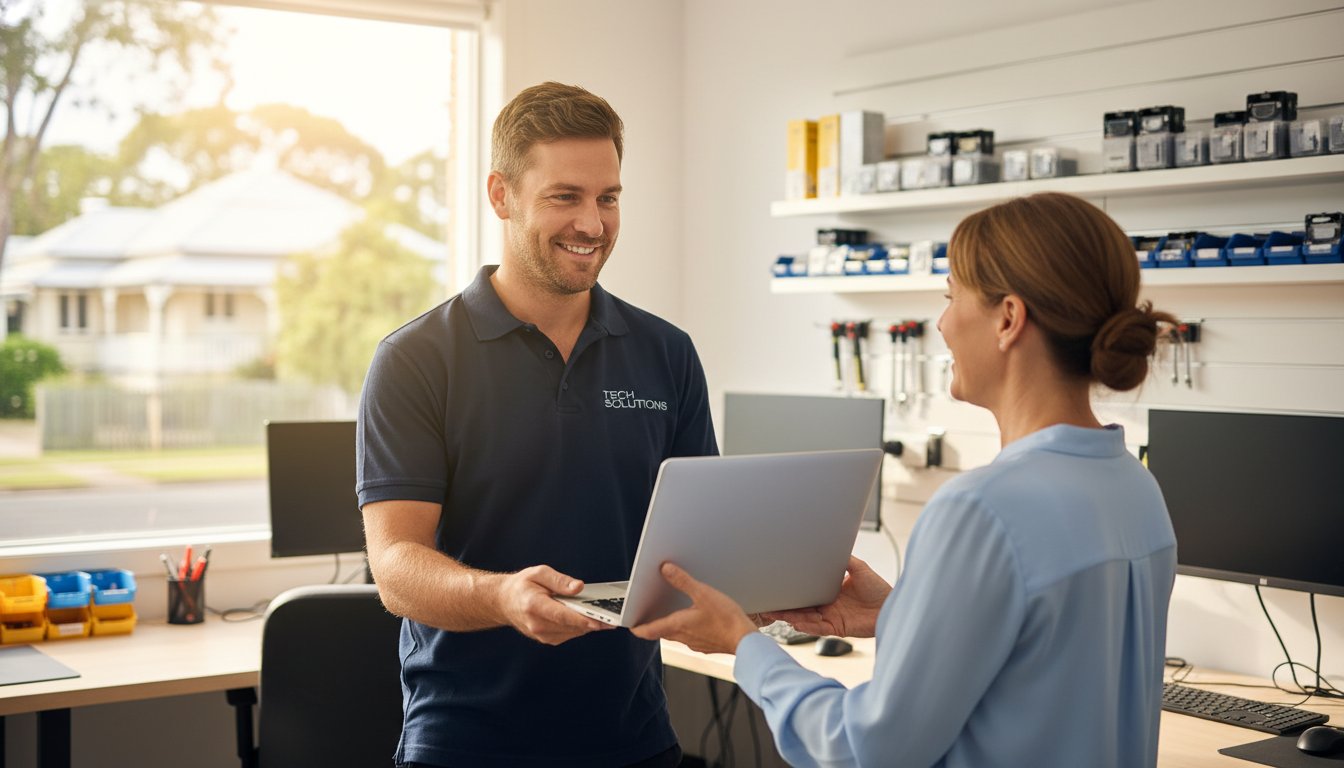
Last Tuesday, a local business owner stared at a flickering screen, fearing that 12 years of family photos and their entire 2026 client database had vanished. It is a gut-wrenching moment that makes your heart sink. When technology fails, the immediate instinct is to panic. However, finding reliable help shouldn’t add to your stress. Many people feel anxious about visiting local computer repair shops because they fear being judged for their technical questions or waiting weeks for a big-box retailer to return their device.
We agree that your digital life is too important to leave to chance or impersonal service. You deserve clear communication without the confusing jargon and a fast return to productivity. This article teaches you how to vet a technician, protect your private files, and choose the right expert for your laptop or business IT needs. We are covering the essential steps to ensure your hardware is always protected and connected, so you can stop worrying and get back to what matters most.
Key Takeaways
- Discover why staying calm during a tech crash is your first step toward a successful fix and how to define a true local expert in today’s digital landscape.
- Learn to identify five critical red flags, such as vague A$ pricing or lack of a physical address, when vetting local computer repair shops for your home or business.
- Compare the benefits of independent technicians versus national franchises and understand the fine print behind “No Fix No Fee” guarantees.
- Master the essential protocols for protecting your personal files and sensitive business data during the repair and recovery process.
- See how a community-focused approach helps Toowoomba residents “Protect and Connect” with reliable IT support that spans from Newtown to the Lockyer Valley.
Finding a Local Computer Repair Shop: Why Trust is the Most Important Component
The 2026 tech environment has redefined what we expect from local computer repair shops. It’s no longer just about a physical storefront with a neon sign. A true local shop now functions as a hybrid service hub. This means they offer a combination of on-site visits across Toowoomba and secure, encrypted remote support for software issues. When you choose a local provider, you’re choosing someone who understands the specific power grid fluctuations in the Darling Downs or the local internet service provider quirks that affect your connectivity.
Our “Don’t Panic” philosophy is the foundation of every interaction. When your screen stays black or a hard drive starts clicking, your first reaction dictates the survival of your data. Panic leads to “quick fixes” found on unverified forums that can permanently wipe your files. We’ve seen cases where a simple A$150 software correction turned into a A$1,200 forensic data recovery job because a user tried to force a reboot during a critical update. Staying calm and calling a professional protects your hardware and your budget.
Local accountability is a powerful safeguard in regional areas. In a city like Toowoomba, a business’s reputation is its most valuable asset. Unlike anonymous national call centres, a local computer repair technician relies on community trust and word-of-mouth referrals. This creates a natural incentive for high-quality work. If a technician does a poor job, the local community knows about it quickly. This transparency ensures that service standards remain high and pricing stays fair for every customer.
This commitment to quality and local reputation is a key marker of a trustworthy business in any field. Whether it’s protecting your digital files in Toowoomba or seeking premier garment care, the value of an established expert is universal. For a prime example of a specialist service built on this principle in another major Australian city, see bancrofts.com.au.
Choosing a “cheap” repair often results in the most expensive outcome. We’ve seen a 22% increase since 2024 in “rescue” jobs where we had to fix damage caused by uncertified hobbyists. These individuals often lack the proper static-controlled environments or diagnostic tools required for modern motherboards. A A$50 “cash-only” fix might seem attractive, but it lacks the insurance and service guarantees that a professional shop provides. At Aspire Computing, we’ve been established since 1999, providing the stability and experience needed to get the job done right the first time.
The Psychology of Tech Failure
Technology failure triggers a genuine vulnerability response. Most users feel a loss of control because their entire lives, from banking to family photos, are stored on these devices. We focus on a methodical diagnostic approach to lower this stress. Identifying whether a problem is a simple software glitch or a total hardware failure takes 15 minutes of professional testing, which can save you days of unnecessary worry.
Home Office vs. Small Business Needs
A home user typically prioritises photo preservation and social connectivity. A small business in the Darling Downs needs “Active Protection” to maintain continuity and meet Australian data privacy regulations. We provide a safety net for both. While a home user might need a one-off malware removal, a business requires a structured backup plan to prevent downtime that can cost upwards of A$400 per hour in lost productivity.
How to Vet a Computer Technician: 5 Red Flags to Avoid
Finding reliable local computer repair shops shouldn’t feel like a gamble. When your screen goes black or your hard drive starts clicking, don’t panic. The first step is to look for a physical business address. If a technician only provides a mobile number and suggests meeting in a public car park, it’s a major red flag. Legitimate businesses maintain a local presence and hold a valid Australian Business Number (ABN). This physical footprint ensures you know exactly where your expensive hardware is at all times.
Pricing transparency is another critical factor. A professional technician will provide a clear diagnostic quote before they ever pick up a screwdriver. Avoid shops that use vague language about “hourly rates” without giving you a cap or an estimate. You don’t want to receive a bill for A$350 to fix a laptop that’s only worth A$200. If they refuse to put a price range in writing, take your business elsewhere.
Data security is non-negotiable. At least 30% of hardware failures can lead to data loss during the repair process if handled incorrectly. If a technician doesn’t ask you about your current backup status before starting work, they aren’t following industry best practices. Your photos, tax documents, and business files are often worth more than the computer itself. A trustworthy shop will offer to back up your data as the very first step of any major intervention.
Watch out for the “jargon trap.” Some technicians use overly complex technical terms to hide their lack of actual expertise or to justify inflated prices. If they can’t explain the problem in plain English, they might not understand it well enough themselves. Finally, look for a long-term business history. A shop established in 1999 has survived the shift from dial-up to NBN and the transition from bulky towers to sleek tablets. This longevity distinguishes established local computer repair shops from fly-by-night operations that might disappear before your 90-day warranty expires.
The Importance of Experience
Experience isn’t just a marketing slogan; it’s a track record of trust. A technician who has been in business for 25 years has seen the entire evolution of personal computing. They’ve moved from troubleshooting Windows 98 driver conflicts to defending systems against 2024-era ransomware threats. This deep background allows an expert to spot “ghost issues.” These are intermittent faults, such as a failing capacitor or a fluctuating power supply, that a beginner might miss while only looking at software errors. If you’re dealing with a recurring glitch, you can talk to the experts to get a definitive answer.
Diagnostic Transparency
A professional “Windows Tune-up” is much more than just clearing your browser history. It should include a comprehensive 15-point check that covers registry optimization, startup program management, and thermal paste inspection. Don’t settle for a “quick fix” that only masks the symptoms of a deeper problem. A permanent solution requires a full hardware health report. This report uses S.M.A.R.T. data to analyze the physical state of your storage drives and memory. Knowing your hard drive has 95% health remaining provides peace of mind that a simple software patch never could.
Independent Shops vs. National Franchises: Which is Right for You?
Choosing between a big-name franchise and one of the many local computer repair shops often comes down to how much you value consistency over personal accountability. National chains operate on a volume-based model. They need to process hundreds of units weekly to cover high overheads and marketing budgets. In contrast, an independent shop focuses on the individual. When you walk into a local store, you often speak directly to the expert who will perform the work, such as Chaim Lee. This direct line of communication eliminates the “lost in translation” errors that happen when a front-desk clerk takes notes for a technician working in a restricted back room.
Many franchises heavily market “No Fix No Fee” policies to build trust. You should read the fine print carefully. In Australia, some national providers still charge a “call-out fee” or a “minimum diagnostic fee” ranging from A$80 to A$120, even if the device is deemed unrepairable. A truly local expert usually provides a clearer assessment. They rely on their reputation in the community rather than a corporate legal team to manage customer expectations. If your hardware is beyond saving, a local tech will tell you straight away rather than keeping it for a week to justify a service charge.
Turn-around times differ significantly between these two models. Large franchises often send complex repairs, like motherboard soldering or advanced data recovery, to a central depot in a different city. This can leave you without a computer for 14 to 21 days. Local shops perform the majority of repairs on-site. At Aspire Computing, the goal is a fast return because we know your business or home life depends on that device. Most independent technicians aim for a 24 to 48-hour window for common hardware replacements like SSD upgrades or screen repairs.
The Franchise Reality
Franchise owners typically pay between 7% and 12% of their gross turnover in royalty fees to their head office. These costs are inevitably passed down to you through higher hourly rates. You also face the “technician lottery.” National chains often hire junior staff or “Tier 1” techs who follow a rigid script. If your problem doesn’t fit the manual, they struggle. Local shops are 40% more likely to offer flexible on-site or remote support because they aren’t restricted by rigid corporate territories or pre-defined service packages.
The Independent Advantage
Building a relationship with a local technician means they understand your specific digital ecosystem. They know your printer quirks, your backup habits, and your software needs. Instead of selling you an “off-the-shelf” PC that might be bloated with unnecessary software, an independent expert provides customized hardware tailored to your budget. For personalized service that puts your needs first, visit the Aspire Computing homepage to see how we help our clients stay productive. We focus on quality and assurance to keep you connected without the corporate red tape.

Protecting Your Privacy: Data Security During the Repair Process
The number one fear most people have when their PC dies isn’t the cost of the hardware. It’s the question of who might be looking at their private files. Whether it’s family photos, tax returns, or sensitive work documents, your digital life is stored on that hard drive. When you visit local computer repair shops, you’re placing a massive amount of trust in a stranger. A professional technician understands this weight and treats your data with the same level of confidentiality as a doctor treats a medical record.
Professional shops don’t just “browse” through your folders to see if things are working. They use specialized diagnostic software that monitors drive health and file structure at a system level. According to the Australian Cyber Security Centre (ACSC), cybercrime reports increased by 13 percent in the 2022-23 financial year, which means security is no longer an optional extra. Modern computer maintenance now involves checking for hidden malware or backdoors that could compromise your identity long after the physical repair is finished. We treat cyber security as a foundational part of every service call.
If your drive has physically failed, the protocol changes. We use bit-level cloning tools to create a mirror image of your data. This process allows us to work on a copy of your files without risking further damage to the original hardware. It’s a methodical approach that ensures your privacy while maximizing the chances of a successful recovery.
Data Recovery in Toowoomba
The moment you realize files are missing or your drive is making a clicking sound, stop what you’re doing. Shut the machine down immediately. Every minute a failing drive stays powered on, the risk of permanent data loss increases by approximately 15 to 20 percent. You should never use “free” recovery software found online on a failing drive. These programs often stress the hardware or overwrite the very sectors you’re trying to save. At Aspire Computing, we’ve handled Data Recovery Toowoomba cases since 1999. We approach every drive with sensitivity, knowing these files are often irreplaceable memories or critical business assets.
Preparing Your Device
You can take several steps to protect your privacy before you even walk through the door of a repair shop. Taking ten minutes to prepare can save hours of worry later.
- Step 1: Back up critical files. If the machine still boots, copy your most essential documents to a USB drive or a cloud service like OneDrive. Don’t worry about the whole system; just grab the “must-haves.”
- Step 2: Log out of sensitive accounts. You don’t need to stay logged into your bank, social media, or email. Logging out ensures that even if a technician needs to test your browser, your personal sessions are closed.
- Step 3: Document the symptoms. Write down exactly what happened. Did the screen flicker at 2:00 PM? Did it happen after a specific update? Clear notes help the technician find the fault faster, which reduces the time they spend inside your system.
If you’re worried about your files or need a secure way to get back online, we can help. Our team provides professional data recovery services that prioritize your privacy and get your digital life back on track without the stress.
Trust is built on transparency and experience. Chaim Lee and the team at Aspire Computing have spent over two decades building a reputation for integrity in the Toowoomba community. We don’t just fix machines; we protect the people who use them. Whether it’s a simple tune-up or a complex recovery, your data stays your data.
Aspire Computing: Toowoomba’s Local Choice Since 1999
Since its founding in 1999, Aspire Computing has stood as a reliable pillar for technology users in the Toowoomba region. Chaim Lee, the owner and lead technician, built the business on a simple mission: to “Protect and Connect.” Chaim brings over 25 years of hands-on technical experience to every client interaction, ensuring that residents and business owners don’t feel overwhelmed when a device fails. Choosing between local computer repair shops can feel daunting, but Aspire simplifies the process by prioritizing personal accountability and professional expertise. You aren’t just another ticket number here; you’re a neighbor who needs their digital life restored.
The reach of Aspire Computing extends far beyond a single storefront. From the quiet streets of Newtown to the broader expanses of the Lockyer Valley and the Darling Downs, Chaim and his team provide a safety net for those who rely on their devices for work and play. Their service catalog is designed to address the most common and complex tech hurdles, including:
- PC and Laptop Repair: Fixing hardware failures, screen cracks, and sluggish performance to extend the life of your investment.
- Data Recovery: Using advanced tools to retrieve precious family photos or critical business documents from failing hard drives.
- Managed IT Support: Providing proactive monitoring to stop problems before they cause a system crash.
Local businesses trust Aspire because they understand that a 4-hour window of downtime can lead to thousands of dollars in lost productivity. By focusing on business continuity and robust security protocols, Chaim ensures that Toowoomba’s small business community remains resilient against malware and hardware fatigue. This commitment to “Active Protection” is why many clients have remained loyal for over two decades.
For local business owners whose work extends to the state capital, finding reliable short-term accommodation is another part of maintaining productivity. When planning a trip to Brisbane, you can discover Swasproperties for a selection of holiday and corporate rentals.
On-Site and Remote Support
Convenience is the hallmark of a great service provider. Aspire offers on-site support, meaning a technician can come directly to your Toowoomba home or office to troubleshoot networking issues or printer errors. If you have a minor software glitch, remote support allows Chaim to log in securely and provide a “quick fix” without the need for a call-out fee. This flexibility ensures the Darling Downs region stays connected regardless of the distance or the complexity of the tech issue.
Beyond Repairs: Total IT Care
Aspire serves as a full-service technology partner rather than just a repair hub. They supply and configure quality hardware from trusted brands like Canon, Samsung, and Epson, ensuring your home office is equipped with reliable gear. A significant part of their work involves helping Toowoomba seniors and small businesses navigate the NBN, ensuring their connection is stable and secure. If your technology is causing more stress than solutions, Contact Aspire Computing for a fast, local fix that gets you back to what matters most. Whether you need a hardware upgrade or a total system overhaul, their team delivers professional results with a personal touch that other local computer repair shops simply cannot match.
Secure Your Digital Life with Toowoomba’s Trusted Experts
Finding a technician shouldn’t feel like a gamble. You’ve learned that vetting for red flags and prioritizing data security are the most effective ways to protect your hardware. While national franchises offer brand recognition, local computer repair shops provide the accountability and personal service that keeps your data safe.
Aspire Computing has been the reliable choice for Toowoomba residents since 1999, offering a level of stability that’s rare in the tech industry. We specialize in complex data recovery and business continuity, ensuring your systems stay online when it matters most. Whether you require on-site assistance at your home or prefer the speed of remote support, our team handles every repair with professional care. Don’t wait for a total system failure to seek help. With 27 years of local experience, we’re here to help you protect and connect your world with confidence.
Talk to the Toowoomba experts at Aspire Computing today
Frequently Asked Questions
How much does a typical computer repair cost in Toowoomba?
A typical computer repair in Toowoomba generally costs between A$120 and A$250 depending on the complexity of the issue. Basic software fixes often fall on the lower end of this scale, while hardware replacements like a new screen or motherboard involve additional parts costs. Most reputable local computer repair shops provide a fixed quote after a diagnostic fee of roughly A$60 to ensure you know the total price before work begins.
Is it worth repairing a 5-year-old laptop or should I buy a new one?
It’s usually better to buy a new laptop if the repair cost exceeds 50% of the original price for a machine older than five years. Most laptops from 2019 struggle with modern Windows 11 requirements or have batteries that have reached their 500-cycle limit. If the issue is a slow hard drive, a A$150 SSD upgrade can extend its life for two more years. However, for major motherboard failures, a new A$900 investment is often the smarter choice.
How long does a computer repair usually take?
Most standard repairs take between 24 and 48 hours to complete. Software clean-ups and virus removals are typically finished within one business day at professional local computer repair shops. If we need to order specific hardware, such as a unique laptop keyboard or a high-end graphics card, the process might take three to five business days for shipping. We prioritize quick fixes to ensure your business continuity isn’t disrupted for long.
Do I need to bring my own cables and monitor to the repair shop?
You only need to bring the computer tower or the laptop and its specific power adapter. We have all the necessary monitors, keyboards, and testing cables in our workshop to diagnose your system thoroughly. If you’re experiencing a specific issue with a peripheral, like a flickering external monitor or a faulty printer cable, please bring those specific items. This helps us test the entire connection chain to find the exact fault.
Can a technician fix my computer remotely if it won’t turn on?
No, a technician cannot fix a computer remotely if the device doesn’t turn on or lacks an internet connection. Remote support software requires your operating system to be active and connected to the web to function. If your screen is black or the power light won’t engage, you’ll need to visit our workshop for a physical hardware inspection. We can then test the power supply unit or internal components directly to get you back online.
What is the difference between a hardware upgrade and a software tune-up?
A hardware upgrade involves physical changes like adding 8GB of RAM, while a software tune-up focuses on optimizing your existing operating system. Think of a tune-up as a digital oil change where we remove temporary files and startup bloat to increase speed by up to 30%. A hardware upgrade actually increases the machine’s ceiling of potential. This allows it to handle more demanding tasks or store larger volumes of files without slowing down.
How do I know if my hard drive is failing and needs data recovery?
You’ll often notice clicking sounds, frequent “Blue Screen of Death” errors, or file corruption if your hard drive is failing. If your computer takes 10 minutes to boot or files disappear, stop using it immediately to prevent total data loss. Since 1999, we’ve seen that early detection saves 95% of user data. Professional recovery is much more successful when the drive hasn’t been repeatedly forced to restart after a mechanical failure occurs.
Does Aspire Computing offer on-site repairs for small businesses in Newtown?
Yes, Aspire Computing provides dedicated on-site support for small businesses throughout Newtown and the wider Toowoomba region. Chaim Lee and the team can visit your office to handle networking issues, printer setups, or server maintenance. We aim to protect and connect your business infrastructure with minimal downtime. Just call us to book a specific time slot that fits your operating hours and we’ll be there to help.

B.App.Sc., Cert. Computer Engineering PC Service and Repair
As the owner of Aspire Computing founded in 1999, Chaim Lee has been working for over 20 years as the Leading Computer Technician.
He has a life long interest in electronics, computing, science and technology. He has completed studies and gained qualifications in Applied Science, Computer Repair and Service, Microsoft Installation and Maintenance, Technical Writing, Workplace Training, and Technical Sales Training.

Write a Comment