Cost of Printer Repair vs New in Toowoomba: The 2026 Decision Guide

You are staring at a “Printer Offline” message while a critical deadline looms, and you’ve already wasted a fortune in toner on pages that look like a Rorschach test. It’s a moment of pure frustration that every Toowoomba professional has faced. When calculating the cost of printer repair vs new Toowoomba residents often feel pressured to buy a cheap replacement immediately. However, that “bargain” often turns into a financial trap once you factor in the cost of initial cartridges and the short lifespan of entry-level machines.

At Aspire Computing, we agree that you shouldn’t have to guess whether your hardware is worth saving or if it’s truly reached its end of life. This 2026 guide promises to give you our expert repair-or-replace framework, built on over 25 years of local experience serving the Darling Downs. We will preview the 50% rule for repairs, compare the longevity of professional-grade hardware against disposable models, and help you ensure minimal downtime for your business operations. Discover how to make a clear financial decision that keeps your office running smoothly without overcharging for parts you don’t need.

Key Takeaways

  • Learn to identify the specific mechanical noises and print quality issues that signal your hardware needs professional attention before a total failure occurs.
  • Use our 2026 framework to compare the cost of printer repair vs new Toowoomba hardware, helping you avoid the hidden “ink trap” of cheap retail models.
  • Discover how a comprehensive internal service and lubrication can extend the life of your business-grade printer and preserve its manufacturer warranty.
  • Understand why on-site support from a local expert who knows Toowoomba’s climate and network conditions is often more efficient than shipping your device away.
  • Find out how to prepare for a diagnostic call to ensure a transparent quote and minimal downtime for your home office or small business.

Common Warning Signs Your Printer Needs a Professional Service

Most office equipment gives subtle hints before a complete breakdown. Ignoring these signs often increases the eventual cost of printer repair vs new Toowoomba hardware investments. If you notice persistent streaks, faded text, or recurring spots on your documents, your device is calling for help. These aren’t just cosmetic annoyances; they’re symptoms of internal wear that can lead to permanent damage. At Aspire Computing, we’ve spent over 25 years helping local businesses identify these red flags before they turn into expensive disasters.

Identifying Print Quality Degradation

Many users assume a faded page simply means the toner is low. However, if the fade is patchy or occurs in specific bands, you might be looking at a failing drum unit or fuser rather than an empty cartridge. Vertical lines are a major red flag. They usually point to physical hardware damage, such as a scratched drum or a dirty scanner glass, rather than a simple software glitch. Maintaining professional document output also relies on precise print head alignment. When these components drift, your business documents look unprofessional. Understanding what is a printer and its core mechanical functions helps in spotting whether the issue is a simple consumable or a deeper mechanical failure.

Mechanical Red Flags You Should Not Ignore

Your printer should operate with a rhythmic hum, not a symphony of grinding, clicking, or high-pitched squealing. Grinding noises often indicate that internal gear assemblies are slipping or that pickup rollers have lost their grip. One of the most common mistakes we see in Toowoomba offices is people “forcing” a paper jam. Yanking paper out can snap delicate internal sensors or tear the fuser film. If you see “ghosting” where a faint image of the previous page appears on the current one, your fuser unit is likely reaching the end of its life cycle. These mechanical warnings are your cue to seek a professional opinion before the machine stops entirely.

Frequent paper jams occurring in the same internal location usually mean a specific roller needs cleaning or replacement. It’s rarely just “bad paper.” Similarly, connectivity errors where the device remains “offline” despite you rebooting the NBN router suggest a deeper network configuration issue. These technical hurdles can bring a busy Darling Downs office to a standstill. Before you assume the hardware is dead, a professional diagnostic can often reveal a simple, cost-effective fix that saves you from the unnecessary expense of a replacement.

Cost of Printer Repair vs New: Making the Smart Choice

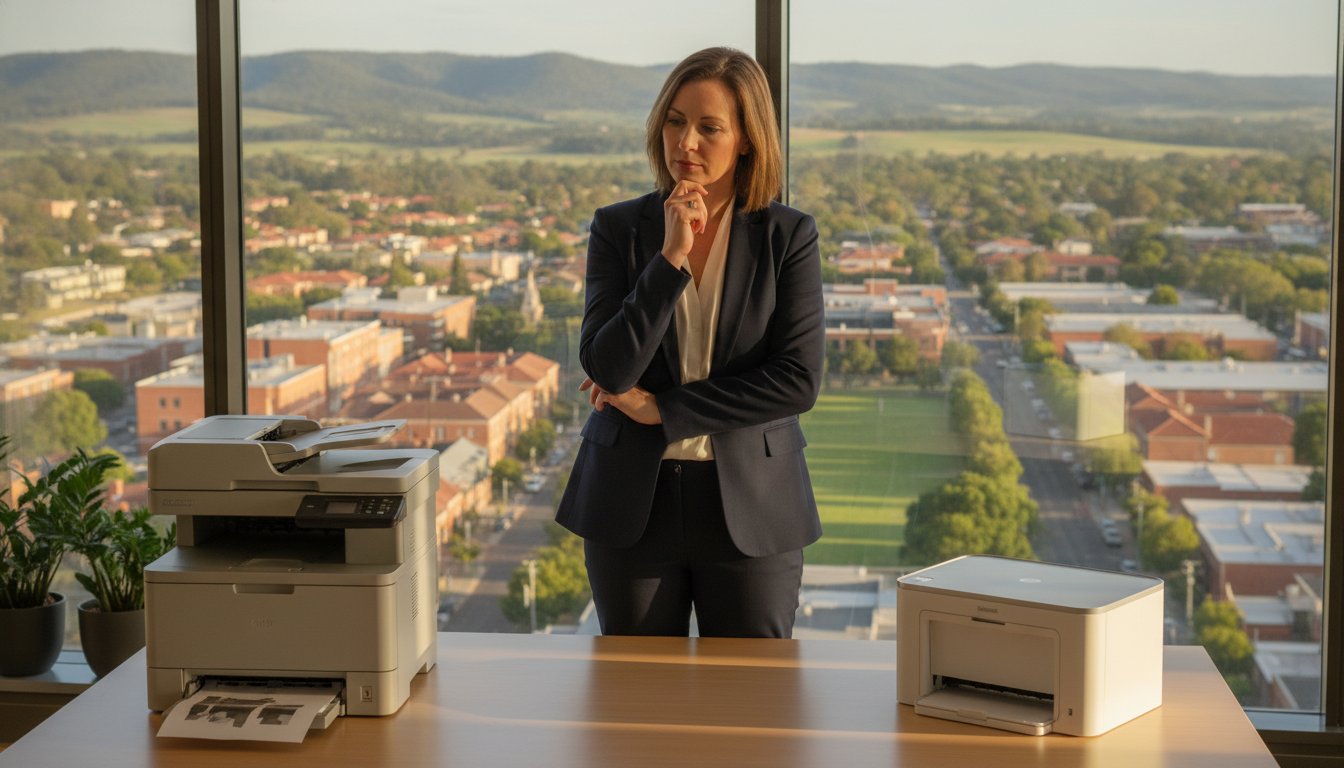
Walking into a big-box retailer in Toowoomba and seeing a sleek new printer for under A$100 is tempting. However, the true cost of printer repair vs new Toowoomba business owners face often hides in the long-term consumables. These budget machines frequently use “starter” cartridges with minimal ink, forcing you into an expensive replacement cycle within weeks. Repairing a robust, business-grade machine usually results in a much lower cost per page over its lifetime. Repairing a quality machine also reduces the environmental impact of e-waste, keeping hazardous materials out of our local Darling Downs landfills.

Professional servicing does more than just fix a current fault. It preserves your manufacturer warranty by ensuring all work meets specific technical standards. We often find that a specialised repair on a high-quality Samsung or Canon laser printer is far more economical than buying a “disposable” inkjet. If you’re unsure about your machine’s health, our printer repair and supply experts provide a clear diagnostic before you spend a cent on parts. This transparent approach ensures you don’t overinvest in a machine that’s truly reached its end of life.

Safe DIY Fixes for Toowoomba Home Offices

Before calling for a technician, you can try several safe troubleshooting steps. Most modern printers include automated cleaning cycles and alignment tools within the Windows settings. Running these can often clear minor nozzle clogs or fix blurry text. It’s also vital to keep your firmware updated. Manufacturers release these updates to resolve software handshake issues with new laptops or NBN routers. For physical maintenance, use a dry, lint-free cloth to gently wipe down external scanner glass and paper trays to prevent dust buildup from entering the internal mechanisms.

When DIY Becomes Dangerous for Your Hardware

While external cleaning is safe, opening the housing of a laser printer carries significant risks. Many people reach for compressed air to clear dust, but this often blows toner deeper into sensitive gear assemblies or onto optical sensors. Internal sensor cleaning requires specialised, non-abrasive tools and specific solvents that won’t melt plastic components. Most importantly, laser printers contain high-voltage power supplies and fuser units that reach extreme temperatures. These are strict “no-go” zones for anyone without professional training. Trying to fix these yourself can lead to permanent hardware failure or personal injury.

The Ultimate Professional Printer Service Checklist for 2026

When you’re weighing up the cost of printer repair vs new Toowoomba small business owners need to know exactly what happens during a professional service call. A simple “dusting” isn’t enough to protect your investment. Our 2026 service protocol focuses on deep restoration to prevent the sudden failures that disrupt your workflow. At Aspire Computing, we treat every machine with the precision gained from 25 years of local experience, ensuring your hardware remains a reliable asset rather than a source of stress.

The process begins with a comprehensive internal cleaning. Toner dust is microscopic and highly abrasive; if left to accumulate, it acts like sandpaper on delicate plastic gears. We remove this debris along with paper lint that often clogs internal sensors. Once clean, we perform an inspection and lubrication of all moving mechanical parts. Using high-temperature, manufacturer-specific lubricants on gear trains ensures silent operation and prevents the friction that leads to snapped components. We also test and calibrate paper feed rollers, using professional-grade rejuvenators to restore the “tack” needed to pull paper through without misfeeds.

Hardware and Mechanical Inspection

We look closely at the integrity of the fuser assembly and transfer belt, as these components are responsible for bonding toner to the page. If these show signs of pitting or wear, we can often replace them for a fraction of the cost of a new machine. The duty cycle represents the maximum number of pages a printer can reliably output per month; a professional service resets this expectation by ensuring all components are operating within their original specifications. This proactive approach is a key factor when calculating the cost of printer repair vs new Toowoomba professionals use to justify keeping their high-end hardware.

Software, Connectivity, and Security Audit

Modern printers are sophisticated networked computers, making them potential weak points in your home office cyber security. Our 2026 audit includes a full software and firmware update to patch vulnerabilities and improve network compatibility. We optimise print driver settings specifically for Windows 10 and 11 environments to eliminate “handshake” errors. For businesses across the Darling Downs, we also verify remote printing capabilities. This ensures your hybrid work setup remains seamless, allowing you to send documents to the office printer from your laptop anywhere in Newtown or the surrounding suburbs without connectivity dropouts.

Cost of Printer Repair vs New in Toowoomba: The 2026 Decision Guide

Why Local Toowoomba Expertise Matters for Your IT Support

Choosing between fixing an old machine or buying a new one isn’t just about the receipt. It’s about who stands behind the work. When evaluating the cost of printer repair vs new Toowoomba professionals should consider the unique environmental factors of the Darling Downs. Our region is known for its fine dust and fluctuating humidity. These are silent killers for laser printer gear assemblies and paper feed systems. A technician from a national call centre won’t understand how local conditions affect your pickup rollers, but a local expert does. We’ve seen how the QLD climate impacts hardware over the long term, and we know how to mitigate those risks during a service.

On-Site Service Across the Darling Downs

We provide on-site assistance from Newtown to the Lockyer Valley, ensuring you don’t face the “big city” wait times common with national retailers. There’s no need to lug a heavy office printer to a shop and wait weeks for a diagnostic. We come to your home office or business premises, saving you valuable travel time and keeping your operations moving. This convenience is a core part of our IT support for business. We treat your printer as a vital link in your professional ecosystem rather than an isolated peripheral. Our goal is to ensure your hardware works seamlessly with your existing network and NBN setup.

25+ Years of Local Reliability

Aspire Computing has been a fixture in the Toowoomba community since 1999. Over these two and a half decades, we’ve built our reputation on personal accountability and deep technical knowledge. Unlike anonymous support lines, we know the specific nuances of the local infrastructure. When you work with a computer repairs Toowoomba specialist, you’re building a relationship with someone who understands your specific office history. This personal touch means we can troubleshoot recurring “Printer Offline” issues that often stem from local network quirks rather than the hardware itself.

Supporting local businesses also ensures a more rapid turnaround for parts and supplies. We maintain strong ties with regional suppliers to get your Samsung, Canon, or Epson machine back online quickly. This local network is why we can often resolve issues that leave national providers scratching their heads. If you’re weighing up the cost of printer repair vs new Toowoomba residents can trust our honest, local advice. If your equipment is struggling, book a local on-site service to get a professional diagnostic without the hassle of shipping your machine away.

Booking Your Printer Service with Aspire Computing

When you’re ready to finalise the cost of printer repair vs new Toowoomba decision, we want to make the process as efficient as possible. To maximise our time during a diagnostic call, it helps to have a few things ready. If your machine is still printing, keep a few samples of the streaky or faded pages. Note down any specific error codes or “Printer Offline” messages you’ve seen. This preparation allows us to dive straight into the technical solution, reducing the time spent on-site and getting your office back to full capacity faster.

We pride ourselves on a transparent approach to the cost of printer repair vs new Toowoomba businesses encounter. You’ll always receive honest advice from me. If a machine is truly beyond its economic life or if parts are no longer available for an older model, I’ll tell you straight. We specialise in supporting Canon, Epson, and Samsung hardware, ensuring that any replacement parts meet original manufacturer standards. Sometimes, a printer issue is a symptom of an ageing PC. If your whole system feels sluggish, you might consider a hardware upgrade to improve overall office performance alongside your printer service.

Our Professional Diagnostic Process

During an on-site visit in Newtown or the surrounding suburbs, we perform a methodical check of both hardware and software. We don’t just look at the broken part; we examine the entire paper path and connectivity setup. For minor software handshake errors or driver conflicts, we can often provide remote support to save you a call-out fee. However, for physical repairs, our commitment to quality is absolute. We only use reliable components for all printer supply and repair tasks. This ensures that once your machine is fixed, it stays fixed, providing you with the operational stability your business deserves.

Get Your Office Back to Full Speed

Downtime is expensive for any Toowoomba small business. Proactive maintenance is the best way to avoid the stress of a sudden hardware failure during a deadline. By scheduling a regular service, you can extend the life of your professional-grade printer and keep your per-page costs low. If you’re currently facing a technical hurdle, don’t let the frustration build up. We’ve been helping the Darling Downs community with dependable IT assistance since 1999, and we’re ready to help you too. Contact Aspire Computing today to book your diagnostic service and get your office running at full speed again.

Restore Your Workflow with Confidence

Deciding on the cost of printer repair vs new Toowoomba residents face doesn’t have to be a gamble. By looking past the initial retail price tag and considering long-term running costs, you can make a choice that supports both your budget and the environment. Professional-grade hardware is built to last; a comprehensive service often provides years of additional life for a fraction of a replacement’s price. This approach avoids the “ink trap” of cheap models while ensuring your business documents maintain a professional standard.

Since 1999, we’ve provided dependable on-site support throughout Newtown and the broader Darling Downs. Whether you’re struggling with a Canon, Epson, or Samsung model, our local expertise ensures you get a transparent diagnostic without the stress of shipping your equipment away. We understand the specific needs of our community and the impact of our local climate on your technology. Book your professional printer service with Toowoomba’s local experts at Aspire Computing and keep your home office running at its peak performance. We look forward to helping you get back to work with minimal downtime.

Frequently Asked Questions

How often should a home office printer be professionally serviced in Toowoomba?

Most home office printers benefit from a professional service every 12 to 18 months. High-volume business environments should consider annual maintenance to remove Darling Downs dust and accumulated toner debris. Regular checks prevent mechanical friction in gear trains and rollers. This proactive approach helps you manage the long-term cost of printer repair vs new Toowoomba investments by significantly extending the operational life of your current hardware.

Is it worth repairing a printer that is more than five years old?

It depends on the original quality of the machine and current part availability. High-end business laser printers are often worth fixing because they are built for longevity and offer much lower per-page running costs than new budget models. If your device was an entry-level retail unit, a replacement might be more economical. We provide an honest assessment during our diagnostic to ensure you don’t overinvest in an obsolete machine.

Can Aspire Computing fix my printer on-site in Newtown or the Lockyer Valley?

Yes, we provide convenient on-site service throughout Toowoomba, Newtown, and the broader Darling Downs, including the Lockyer Valley. Our technician comes directly to your premises to diagnose and repair your hardware in its actual operating environment. This saves you the time and effort of transporting heavy equipment. We also offer remote support for software-based issues and network connectivity problems to get your office back online quickly.

What is the difference between a printer repair and a professional printer service?

A repair fixes a specific broken component, while a service is a comprehensive preventative health check. Repairs address immediate failures like a snapped gear or a dead sensor. A professional service includes deep internal cleaning, mechanical lubrication, and firmware updates to stop future breakdowns before they happen. Choosing a regular service can lower the eventual cost of printer repair vs new Toowoomba business owners face by catching minor wear early.

Do you provide ink and toner supplies for brands like Canon and Epson?

We supply quality consumables and replacement parts for major brands including Canon, Epson, and Samsung. Using the correct toner and ink is vital for maintaining the health of your internal fuser and print heads. We help you source the right supplies to ensure your machine operates at its original manufacturer specifications. This support is a core part of our comprehensive printer supply and repair service for local professionals.

Why does my printer keep saying it is offline when it’s plugged in?

This is frequently a software or network “handshake” issue rather than a physical hardware fault. It can be caused by IP address conflicts, outdated drivers, or NBN router settings. Our diagnostic process checks your entire network ecosystem to find the root cause. We ensure your PC and printer are communicating correctly, often resolving these frustrating errors through remote support or a quick on-site visit to your Toowoomba office.

Can a faulty or unpatched printer compromise my office network security?

Modern printers are sophisticated networked computers and can be vulnerable to cyber attacks if their firmware is outdated. An unpatched device provides a potential entry point for malware into your broader business network. As part of our professional service, we perform security audits and firmware updates. This protects your sensitive data and ensures your printer isn’t a weak link in your home office or small business cyber security setup.

What brands of printers does Aspire Computing specialise in repairing?

We specialise in diagnosing and repairing hardware from Canon, Epson, and Samsung. These brands are popular in Toowoomba home offices due to their reliability and performance. Our technician has extensive experience with the specific mechanical and software requirements of these models. Whether you need a simple part replacement or a complex network configuration, we provide the local expertise needed to keep these specific brands running at peak performance.

Small Business Continuity Plan: 2026 Resilience Guide

Imagine arriving at your Toowoomba office on a Monday morning only to find your server has failed or a local power surge has wiped your latest customer files. For many local owners, this isn’t just a bad day; it’s a direct threat to their livelihood. You likely already feel that a basic data backup isn’t enough to keep your doors open during a major crisis. It’s natural to worry about technical failures or the high cost of complex security systems. Creating a reliable business continuity plan for small business operations doesn’t have to be an expensive or confusing task.

I’ve helped local businesses stay operational since 1999, so I know you need practical solutions that fit a realistic budget. This 2026 resilience guide shows you how to protect your assets from unexpected disruptions using a clear, IT-focused approach designed for Australian SMEs. You’ll learn the vital differences between simple backups and true continuity, receive a checklist of essential IT requirements, and gain the peace of mind that comes from knowing you can recover quickly. We’ll walk through the core components of a modern BCP so you can focus on your work instead of worrying about the next disaster.

Key Takeaways

  • Understand the vital difference between a simple data backup and a full business continuity plan for small business to ensure your doors stay open during a crisis.
  • Identify your most critical business functions and establish clear communication protocols so your team knows exactly how to respond when technology fails.
  • Implement the 3-2-1 backup rule and proactive cyber security measures to protect your data, which remains your most vulnerable and valuable asset in 2026.
  • Begin your resilience journey today by auditing your current hardware and documenting an emergency contact list that includes your trusted local IT partner.
  • Leverage local Toowoomba expertise to move beyond generic templates and create a customized IT strategy that fits your specific budget and operational needs.

What is a Business Continuity Plan and Why Does Your Small Business Need One?

A business continuity plan for small business is essentially a “how-to” manual for staying open during a crisis. Many owners think it’s just a fancy term for data backup, but it’s actually much broader. A backup is a copy of your files; a continuity plan is the strategy that tells you how to use those files, where your staff will work, and how you’ll communicate with clients when your systems are down. It’s the difference between having a spare tyre in the boot and knowing how to change it safely on a busy highway.

The stakes for getting this right are high. According to the U.S. Small Business Administration, approximately 40% of businesses never reopen after a disaster, and another 25% fail within a year. For Toowoomba SMEs, these risks are often closer to home than a global cyberattack. We face unique local challenges, from severe summer storms that knock out power to regional connectivity issues that can leave an office digitally stranded. Without a plan, these local disruptions can turn a minor inconvenience into a permanent closure.

BCP vs. Disaster Recovery: Understanding the Difference

It’s easy to confuse these two terms, but they serve different roles in your resilience strategy. Disaster Recovery (DR) focuses specifically on the technical side. It’s the process of getting your servers back online, removing a virus, or restoring a crashed hard drive. In contrast, Business Continuity (BC) is the bigger picture. It’s about keeping the business serving customers while that tech is still being fixed. You need both to be truly resilient. DR fixes the problem, while BC ensures you still have a business left to run once the repairs are finished.

The Cost of Inaction for Toowoomba SMEs

Downtime is expensive. In 2026, the cost of IT downtime for a small business can range from $1,000 to $10,000 per hour. Beyond the immediate loss of sales, there’s the long-term reputational damage. If you can’t answer client emails or process orders for three days, your customers will naturally look elsewhere. A business continuity plan for small business acts as a safety net for your livelihood, not just your laptops. It ensures that even if your main PC hits the “blue screen of death,” your professional reputation remains intact and your income stays protected.

The 4 Core Pillars of a Small Business Continuity Plan

Building a business continuity plan for small business requires focusing on four foundational areas. These pillars ensure you aren’t just reacting to a crisis but following a pre-set roadmap. By breaking down your resilience strategy into manageable sections, the process becomes much less overwhelming for a small team.

First, you must identify your critical business functions. These are the tasks that, if stopped, would cause immediate financial or legal damage. For a small office, this might be processing invoices or accessing client medical records. Second, your team needs to know who does what when the “blue screen of death” hits the main PC. Clear communication channels, such as a group chat on a platform independent of your main server, prevent panic and confusion. Third, consider your physical location and assets. If your Newtown office is inaccessible due to a local incident, can you work from home? Finally, technology and data serve as the foundation of modern operations. This pillar ensures your hardware and software are resilient enough to withstand a failure without losing your history.

Conducting a Business Impact Analysis (BIA)

While large corporations use complex BIAs, a small business version is much simpler. Start by listing your “must-have” processes and identifying dependencies. If your invoicing relies on one specific old printer or a single laptop, that’s a high-risk point. You also need to set a Recovery Time Objective (RTO). This is the maximum time you can afford to be offline before the situation becomes critical. Some businesses can last a day; others lose significant revenue after just one hour of downtime. Understanding these limits helps you decide which systems need the most protection.

Risk Assessment: Toowoomba and Darling Downs Edition

We face specific environmental risks in our region that require a tailored approach. Summer storms often cause power surges that can fry unprotected hardware. Floods or fires can block access to physical premises entirely. Beyond the weather, technical risks like regional NBN outages or malware are constant threats. Don’t forget human risks. Accidental file deletion or a sudden staff illness can be just as disruptive as a server crash. Evaluating these risks helps you prioritize your budget toward the most likely scenarios. If you’re unsure where your biggest vulnerabilities lie, a personalized IT audit can help identify the gaps in your current setup before a problem occurs.

IT & Data Security: The Technical Backbone of Your Resilience

Your technology is the engine room of your daily operations. Without it, even the best-laid plans for staff and premises will falter. A robust business continuity plan for small business must prioritize the 3-2-1 backup rule as a non-negotiable standard in 2026. This means having three copies of your data, on two different media types, with one copy kept off-site. For Toowoomba businesses, this off-site copy is vital if a local event like a severe storm damages your physical hardware. It ensures your history is safe even if your office is not.

Prevention is always more efficient than recovery. Regular virus and malware removal isn’t just about computer speed; it’s a critical preventative step in your resilience strategy. A single ransomware attack can halt your business for days. Similarly, maintaining hardware health through timely PC hardware upgrades prevents the most common cause of sudden downtime: hardware failure. An ageing hard drive or a struggling power supply is a ticking clock that you can manage before it stops your work entirely.

Finding the right balance between cloud and local storage is also essential, especially given our specific Toowoomba internet speeds. While the cloud offers great off-site security, local backups provide much faster recovery times for large files. Balancing these two ensures you aren’t waiting days for a download to finish while your customers are waiting for answers. For more foundational steps on setting up these systems, you can check the SBA’s guide to business continuity to see how these technical pieces fit into the broader puzzle.

The Role of Data Recovery in Your Plan

Even with the best precautions, technology can still fail. When backups are corrupted or hardware is physically damaged, professional data recovery services become your final hope. Handling a failing hard drive requires immediate action. If you hear clicking or grinding sounds, turn the device off instantly to prevent further damage. Recovery is the last line of defense in any business continuity plan for small business, used only when all other preventative layers have been breached.

Remote IT Support: Your Emergency Response Team

During a technical crisis, speed is your best friend. Having access to reliable on-site and remote IT support can mean the difference between an hour of downtime and a lost week. Remote tools allow a technician to fix about 80% of software disruptions instantly. This means you don’t have to wait for a service vehicle to arrive at your door. Beyond the technical fix, this support reduces anxiety. Knowing there is a real person to call who understands your Toowoomba business, rather than just submitting a ticket to an anonymous help-desk, provides the confidence you need to lead your team through the disruption.

Small Business Continuity Plan: 2026 Resilience Guide

5 Actionable Steps to Build Your BCP Today

Moving from theory to practice is where many owners get stuck. You don’t need a hundred-page document to protect your livelihood. A functional business continuity plan for small business can start with five clear, manageable steps that you can begin today. These actions focus on immediate vulnerabilities and provide a structured way to handle the unexpected without the usual panic.

  • Step 1: Audit your assets. Create a simple list of all hardware and software. You need to know exactly what you own, its age, and what’s installed on it to replace it quickly.
  • Step 2: Document contacts. Write down an emergency list. Include staff, insurance, and your IT partner. Keep this list in multiple places, not just on your main computer.
  • Step 3: Establish remote protocols. Decide exactly how you’ll work if your physical office is inaccessible. Ensure everyone has the necessary remote access tools configured before you need them.
  • Step 4: Secure your data. Implement encrypted backups and active malware protection. This creates a secure perimeter around your most valuable digital assets.
  • Step 5: Set a review date. Technology and staff change. Commit to reviewing and updating your plan every six months to keep it relevant.

Testing Your Plan Without Breaking Your Business

A plan is only a theory until it’s tested. You don’t have to shut down your office to see if your strategy works. A “Tabletop Exercise” is a great way to start; simply sit with your team over coffee and walk through a scenario, like a total server failure. Ask “who does what first?” to find gaps in your logic. Next, perform a real test on your backups by trying to restore a single folder to a different machine. Finally, check your Uninterruptible Power Supply (UPS) batteries. These often fail silently, leaving you unprotected during a Toowoomba summer storm.

Creating a “Crisis Comms” Cheat Sheet

When technology fails, communication is your most powerful tool. Prepare simple templates for notifying customers of potential delays so you aren’t writing them under pressure. Learn how to redirect your business phone line to a mobile so you never miss a lead during an outage. Most importantly, keep a physical copy of your business continuity plan for small business in a desk drawer. You won’t be able to read a digital PDF if your server is down or your internet is offline. If you need help setting up these technical safeguards, you can book an on-site IT consultation to ensure your foundations are solid.

How Aspire Computing Secures Your Business Future in Toowoomba

While following the actionable steps mentioned earlier is a great start, the most effective business continuity plan for small business is one that is professionally audited and maintained. Aspire Computing moves you away from generic online templates and toward custom solutions that reflect your specific workflows. We take a “vCIO” approach, acting as your virtual Chief Information Officer to provide strategic advice that grows as your company does. Whether you need immediate computer repairs in Toowoomba or emergency data recovery, we ensure your technical backbone remains solid and reliable.

Our focus is on proactive management rather than just fixing things when they break. By identifying vulnerabilities in your network and hardware before they lead to downtime, we reduce the overall anxiety of running a digital-first business. We understand that for an Australian SME, technology should be an invisible tool that supports your goals, not a source of constant stress. This strategic partnership ensures that your business is prepared for the challenges of 2026 and beyond.

Why a Local IT Partner is Your Best BCP Asset

There is a massive advantage to having an IT partner who can be at your Newtown or Brigalow St office in minutes. When a server fails or a virus strikes, you don’t want to wait in a long queue for a remote call center. You want to speak directly to an expert who knows your history and your setup. With over 25 years of experience in the Toowoomba and Darling Downs region, I’ve seen almost every technical challenge a local business can face. This local accountability builds a level of trust that anonymous, national service providers simply cannot match. You’re dealing with a fellow local business owner who is personally committed to your success.

Next Steps: Get Your Free IT Health Check

Transitioning from constant worry about data loss to a state of complete preparedness is easier than you think. It starts with a professional assessment of your current risks and recovery capabilities. We’ll look at your backups, your security layers, and your hardware health to give you a clear picture of where you stand. Start your resilience journey with a simple conversation. By securing a professional IT health check, you gain a clear roadmap for your business continuity plan for small business. This ensures you can focus on serving your customers while we handle the technical heavy lifting. Contact us today for on-site and remote IT support that keeps your business moving forward.

Secure Your Toowoomba Business for the Long Term

Creating a resilient business continuity plan for small business operations is one of the most significant investments you can make in your company’s future. By identifying your critical functions and moving beyond simple backups to a true continuity strategy, you ensure that unexpected disruptions don’t become permanent closures. Remember that technology is your strongest ally when it’s managed proactively, especially in a regional environment like the Darling Downs where local risks are unique.

I’ve been helping Toowoomba business owners since 1999, specializing in data recovery and cyber security to keep local offices running smoothly. You don’t have to manage these technical complexities alone. Our team provides the on-site support and local expertise needed to build a custom safety net for your livelihood. Contact Aspire Computing for a Small Business IT Health Check today to start your journey toward total peace of mind. It’s never too early to prepare, and a simple conversation is all it takes to protect what you’ve built.

Frequently Asked Questions

Do I really need a business continuity plan if I am a sole trader?

Yes, because as a sole trader, you are the business. If your primary laptop fails or you lose access to your digital files, your income stops immediately. A plan for a sole trader focuses on rapid hardware replacement and secure off-site data access. This ensures you can keep working from a different device or location without losing your professional reputation or your livelihood.

What is the most common cause of business disruption for small businesses?

Hardware failure is the most frequent cause of sudden downtime. While cyber-attacks are a growing threat, an ageing hard drive or a power surge often causes more regular disruptions. In Toowoomba, summer storms contribute significantly to these hardware issues. Having a plan that includes immediate hardware upgrades or replacements is essential for keeping your doors open when your main equipment fails unexpectedly.

How much does it cost to implement a basic business continuity plan?

The cost depends on the complexity of your setup and the amount of data you need to protect. A basic approach typically includes the cost of encrypted backup software and a professional IT audit to identify risks. Most local owners find that the investment is significantly lower than the thousands of dollars lost during just one hour of total operational downtime or a permanent data loss event.

Is a cloud backup enough for business continuity?

Cloud backup is a vital part of a business continuity plan for small business, but it isn’t a complete solution on its own. Backups only store your data; they don’t provide the hardware or the instructions for using that data during a crisis. If your internet is down or your main PC is broken, you need a plan that covers alternative hardware and offline access protocols.

How often should I update my small business BCP?

You should review and update your plan at least every six months. Small businesses often change their software tools, upgrade their hardware, or move to new digital platforms more frequently than larger companies. A bi-annual check ensures your emergency contact list is current and your backup systems are still functioning correctly. Regular testing is also essential to ensure your recovery steps still work as expected.

What should I do first if my business suffers a cyber-attack?

Disconnect the affected device from the internet and your local network immediately to stop the threat from spreading. Don’t shut the computer down, as this can sometimes delete the technical evidence needed for data recovery. Your next step is to call your trusted IT partner. Quick action can often contain the damage and allow for a faster restoration of your critical files from a secure backup.

Can Aspire Computing help me write my business continuity plan?

I specialize in the technical and security foundations of your business continuity plan for small business. This includes auditing your current hardware, setting up secure 3-2-1 backups, and providing the remote support needed during a crisis. While I focus on the IT infrastructure, these are the most critical components for keeping a modern small office running when your primary technology fails or your data is compromised.

What is the difference between a BCP and an Emergency Management Plan?

An Emergency Management Plan focuses on the immediate physical safety of people during an event like a fire or flood. It covers evacuation routes and medical protocols. A Business Continuity Plan is focused on your operations and technical systems. It outlines exactly how you will continue serving your customers and accessing your data once the immediate physical danger has passed and the recovery phase begins.

Notebook Repairs Near Me: Expert Laptop Fixes in Toowoomba

Imagine sitting down at your desk in Newtown, ready to tackle a busy workday, only to find your laptop won’t boot past a flickering logo. It is a gut-wrenching moment when you realize your business files, family photos, and daily schedule are trapped behind a hardware failure. If you’ve been searching for notebook repairs near me, you know the immediate stress isn’t just about the broken machine. It’s the nagging fear of losing data and the anxiety over how much a professional fix might actually cost.

We believe that tech support should be transparent and reassuring, not a source of more frustration. You deserve to know exactly what’s wrong with your device and whether a repair is a smarter investment than a total replacement. This article will help you find the most reliable notebook repair services in Toowoomba so you can get your laptop running like new again. We’ll walk through the essentials of hardware diagnostics, the peace of mind offered by expert data recovery, and how a professional Windows tune-up can breathe fresh life into a sluggish system.

Key Takeaways

  • Learn why choosing a local Toowoomba expert provides better accountability and faster service than a national franchise.
  • Discover how professional hardware diagnostics identify the true root cause of your laptop’s failure rather than just treating the symptoms.
  • Understand the economic framework and the “three-year rule” to help you decide if repairing your device or upgrading is the better financial choice.
  • Find out how to ensure your personal data and business files remain secure while looking for notebook repairs near me.
  • See how a specialist Windows tune-up can restore your computer’s speed and reliability as a cost-effective alternative to a full replacement.

Finding Reliable Notebook Repairs Near Me in Toowoomba

When your device fails, searching for notebook repairs near me often leads to a choice between large, faceless franchises and local specialists. Professional notebook repair is more than just swapping out parts. It involves a systematic approach to hardware integrity and software stability, ensuring your machine handles the specific demands of your home office or business. For residents in Toowoomba, Newtown, and the wider Darling Downs, this service is best delivered by someone who understands the local environment and has a stake in the community.

The Advantage of Local On-Site Support

Choosing on-site support means you don’t have to pack up your workstation and drive across town. A technician visiting your office in the Lockyer Valley or your home in Newtown saves you valuable time. You get to see the repair process happen in real-time, which builds trust and allows you to ask questions as they arise. Local experts also bring specific knowledge of regional connectivity issues. They understand the nuances of the NBN rollout in our area and can troubleshoot setup problems that a remote call center might miss.

Identifying a Trustworthy Repair Shop

A reliable computer repair technician should have a clear, documented history. Aspire Computing has been serving the region since 1999, providing a level of stability that’s rare in the tech industry. When you look at a professional biography, you’re looking for personal accountability. You want to know who is handling your data. Transparency in diagnostics and quoting is essential; you should never feel pressured into a repair without a clear understanding of the costs involved.

At its core, professional local repair is a combination of high-level technical skill and deep community accountability. It’s about building a relationship where the technician cares as much about your uptime as you do. By visiting Aspire Computing, you’re engaging with a service that has spent over two decades refining its approach to local IT needs. This long-standing reputation ensures that when you need notebook repairs near me, you’re getting help from someone who will be here tomorrow to stand by their work today.

Diagnosing Common Laptop and Notebook Hardware Issues

Searching for notebook repairs near me often starts when a device behaves unpredictably. You might notice a slow startup or a screen that occasionally flickers. These are just symptoms. They don’t always reveal the underlying problem. Professional diagnostics are essential because they pinpoint whether a failure is caused by a dying battery, a corrupted driver, or a physical hardware fault. In our Toowoomba climate, heat and dust are the two biggest silent killers of portable tech. Dust builds up in the small cooling vents, causing the internal temperature to spike. This thermal stress eventually degrades sensitive components and shortens the lifespan of your machine.

Modern laptops are incredibly compact. Most components are integrated into the motherboard, which makes DIY fixes risky without professional tools. A technician uses specialized equipment to test voltage and signal paths without causing further damage. This precision is vital when weighing the costs of Repair vs. Replacement, as an accurate diagnosis prevents you from wasting money on parts you don’t actually need. Professional tools allow us to see exactly what’s happening inside the chassis before we even pick up a screwdriver.

Screen, Battery, and Power Problems

Battery issues are common but often misunderstood. If your laptop only works while plugged in, it’s likely a dead cell. However, if it won’t charge even when connected, the problem might be a damaged charging port or a failing power brick. We always recommend using genuine power supplies. Non-genuine chargers often lack the correct voltage regulation, which can fry high-end laptop circuitry. If your screen goes black or flickers, it could be a loose internal cable or a failing LCD panel. Testing these requires opening the chassis, a task best left to an expert who understands the delicate ribbon cables involved.

Performance Bottlenecks and Overheating

Slow performance doesn’t always mean you need a new computer. A professional Windows tune-up can often clear out software bloat and registry errors that drag down speed. If you hear your fan spinning loudly or feel excessive heat on the bottom of the case, your cooling system is struggling. This physical sign shouldn’t be ignored, as overheating can lead to permanent data loss. Upgrading to a Solid State Drive (SSD) is often the most effective way to breathe life back into an older machine. It provides a massive speed boost that far exceeds the performance of traditional hard drives. If your device is struggling to keep up, you can book a hardware assessment to see which upgrades will offer the best value for your specific model.

Notebook Repair vs. Replacement: Making the Economical Choice

Choosing between fixing a broken device and buying a new one is a common headache for Toowoomba residents. When searching for notebook repairs near me, you need a clear framework to decide if your machine is worth the investment. Generally, if a laptop is less than three years old, a repair is almost always the better financial choice. High-quality hardware is built to last. It often just needs a specific component replaced or a professional cleaning to return to peak performance. This “three-year rule” helps you avoid the trap of the premature replacement cycle that many big-box retailers encourage.

Repairing your current device also has significant environmental benefits. Australia generated 588,000 tonnes of e-waste in 2023. Extending the life of your hardware directly helps reduce this growing environmental impact. Strategic hardware upgrades, such as adding more RAM or a faster drive, can often extend a notebook’s functional life by several years. This approach keeps your familiar keyboard and screen intact while providing the internal speed required for modern applications. It’s a practical way to maintain operational resilience without the high cost of a new purchase.

Calculating the ROI of Your Repair

It’s helpful to look at the return on investment when your laptop starts to fail. A quality repair often costs less than 25% of a new machine. When you compare this to the price of a new mid-range laptop, the savings are immediate and substantial. You also avoid the hidden costs that come with starting over. These include the time spent on complex data transfers, the hassle of re-installing specialized business software, and the hours required to set up your desktop preferences. A professional repair keeps your workflow moving without these interruptions.

When Replacement is the Better Option

There are certain scenarios where repair isn’t the most logical path. Catastrophic failures, such as extensive liquid damage to the motherboard or a cracked chassis that compromises structural integrity, can sometimes exceed the value of the device. If your central processor is so old that it can no longer run current security updates, an upgrade becomes a necessity for your safety. If we find that your machine has reached this point during our diagnostic process, Aspire Computing can help you source quality new hardware. We provide honest advice to ensure your new system is perfectly suited to your specific needs in Toowoomba or the Darling Downs.

Notebook Repairs Near Me: Expert Laptop Fixes in Toowoomba

The Importance of Data Security During the Repair Process

Handing over your personal or business laptop can feel like giving someone the keys to your entire life. It’s a common fear; you might wonder if a technician will look at your private files while your device is in the shop. When you’re searching for notebook repairs near me, data security should be your primary concern. We operate with strict protocols to ensure your privacy is never compromised. Our diagnostics focus on system health and hardware signal paths, not the contents of your personal folders. This professional boundary is a cornerstone of our service in Toowoomba, backed by over two decades of local accountability.

Data integrity is also about protecting your files from external threats. A hardware failure often happens at the same time a system is vulnerable to software corruption. We follow best practices in line with Australian privacy standards to ensure that your information remains yours alone. Whether we’re working on a machine from Newtown or a business setup in the Darling Downs, our goal is to return a device that’s both physically functional and digitally secure.

Virus and Malware Removal Protocols

Malware can do more than just slow down your computer; it can act as a gateway for data theft. Our approach involves a methodical scan of system directories to identify malicious code without opening your personal documents. These deep scans ensure that no hidden threats remain to re-infect your notebook once the hardware is fixed. Securing your system after a hardware repair is vital for long-term stability. You can find more detailed information on protecting your device in our Virus and Malware Removal Guide.

Data Recovery and Backup Strategies

It is a gut-wrenching moment when a notebook won’t boot, but your files are still trapped on the drive. In many cases, the data is perfectly intact; it’s just the operating system or a power component that has failed. We specialize in retrieving these files and implementing a “Business Continuity” plan for home office users. This ensures you never face the same panic again. If you’re dealing with a drive that seems unresponsive while looking for notebook repairs near me, our Data Recovery Services can help you get those lost files back safely. You can contact us today to discuss a secure data backup plan for your home or business.

Professional Laptop Services with Aspire Computing

Aspire Computing represents a different approach to technology support. Since 1999, we’ve provided a stable and reliable presence in the Toowoomba region. While national chains often rotate staff or use remote call centers, our business is built on personal accountability. When you search for notebook repairs near me, you aren’t just looking for a technician; you’re looking for a partner who understands your history and your specific setup. We combine this decades-long experience with a modern focus on efficiency and security.

Our service extends beyond the laptop itself. We supply and repair quality peripherals, ensuring your entire office ecosystem works together. Whether you need printer supplies for your Canon or Epson devices or a complete hardware overhaul, we use parts that meet high industry standards. This commitment to quality ensures that once your notebook is fixed, it stays fixed. We focus on tangible improvements that you can feel the moment you turn your machine back on.

Personalised Tech Support for Toowoomba

The owner-led model at Aspire Computing means you always speak directly to the person performing the work. There’s no middleman and no corporate jargon. This direct line of communication allows for a much deeper understanding of your technical issues. Every repair we undertake includes a focus on “Cyber Security” to ensure your machine isn’t just fast, but also protected against modern threats. For a broader look at our local expertise, you can visit our Pillar Page for Computer Repairs Toowoomba.

Getting Started with Your Notebook Repair

Initiating your repair is a straightforward process. You can contact us to book an on-site visit or a remote diagnostic session depending on the nature of the fault. When you call, describing your symptoms accurately helps us prepare the right tools and parts. If you’ve noticed specific error messages or unusual sounds, jot them down before the session starts.

Before our technician arrives at your Newtown or Toowoomba location, ensure you have your power cables and any relevant passwords ready. This preparation helps us get straight to work, reducing your downtime. If you’re searching for notebook repairs near me because of a sudden failure, don’t panic. We’ve spent over 25 years helping Toowoomba residents restore their digital lives quickly and safely. We’re here to ensure your technology serves you, rather than the other way around.

Get Your Notebook Back in Top Shape

Your laptop is the hub of your digital life. Understanding when to repair rather than replace can save you significant money while keeping your valuable data secure. We have explored how professional diagnostics pinpoint the root cause of hardware failures and why local, owner-led support offers a level of accountability you won’t find at a national franchise. Whether you are dealing with a flickering screen or a system that won’t boot, finding reliable notebook repairs near me is about choosing a partner you can trust with your privacy and your productivity.

Aspire Computing has been serving the Toowoomba community since 1999. We offer expert on-site and remote support, specializing in complex data recovery and robust cyber security. You don’t have to struggle with a slow or broken machine any longer. Contact Aspire Computing for Reliable Notebook Repairs in Toowoomba and let us handle the technical details for you. We are ready to help you get back to work with a fast, secure, and reliable device.

Frequently Asked Questions

How long does a typical notebook repair take in Toowoomba?

Most software fixes or virus removals are completed within one to two hours of starting the work. Hardware repairs depend on the availability of specific parts, but we always aim for a rapid turnaround to minimize your downtime. Since we offer both on-site and remote assistance, we can often begin the diagnostic process quickly. We understand that your notebook is essential for daily life, so we prioritize efficient and reliable service.

Can you fix my laptop screen if it is cracked?

Yes, we provide professional laptop screen replacement services for most major brands. A cracked or flickering screen usually requires a full panel replacement to restore clarity and touch functionality. We source high-quality replacement parts to ensure your display looks like new again. Because modern screens are integrated with delicate cables, we handle the installation with precision to prevent damage to the internal camera or the Wi-Fi antennas housed in the lid.

Will I lose my files during a notebook repair?

We prioritize data integrity and take every precaution to protect your files during the repair process. For many hardware fixes, your data remains completely untouched on the drive. However, if we identify a failing storage device, we specialize in data recovery and secure backups to save your information. When you search for notebook repairs near me, choosing a technician who emphasizes cyber security ensures your personal and business files are handled with professional care.

Do you offer on-site laptop repairs for small businesses?

We specialize in on-site IT support for small businesses and home offices throughout Toowoomba and the Darling Downs. Our technician can visit your location in Newtown or surrounding suburbs to troubleshoot hardware issues or network connectivity problems. This service saves you the hassle of disconnecting equipment. It also allows us to see how your devices interact with your local environment, including printers, scanners, and network storage solutions.

Is it worth upgrading the RAM or SSD in an older notebook?

Upgrading your hardware is often the most cost-effective way to extend the life of a laptop that is several years old. Replacing a traditional hard drive with a Solid State Drive (SSD) provides a massive boost in startup speed and application responsiveness. Adding more RAM allows your system to handle multiple tasks without slowing down. These upgrades frequently cost significantly less than purchasing a new machine and provide immediate, tangible improvements.

What brands of laptops and notebooks do you service?

We service all major PC laptop brands, including Dell, HP, Lenovo, ASUS, and Acer. Our expertise covers a wide range of hardware configurations and operating system versions. Whether you have a high-end business workstation or a student notebook, we use professional diagnostic tools to identify specific faults. We also supply quality parts and peripherals from trusted brands like Canon and Epson to ensure your entire office setup remains stable and reliable.

How much does a laptop diagnostic cost?

We provide clear, upfront quotes for all repairs after a thorough assessment of your device’s symptoms. Our diagnostic process identifies the root cause of the failure, whether it’s a hardware fault or a software conflict. We believe in transparency, so you’ll have a full understanding of the costs before any work begins. When searching for notebook repairs near me, this clear communication helps you make an informed decision about your technology investment.

Can you help with printer setup alongside my notebook repair?

Yes, we offer comprehensive printer supply and repair services as part of our IT support. We can assist with the initial setup, driver installation, and wireless configuration for brands such as Canon, Samsung, and Epson. Ensuring your notebook communicates correctly with your printer is essential for a smooth workflow. We can handle these tasks during an on-site visit to your home or office to ensure your entire system functions perfectly.

Slow Internet in Toowoomba? A Local 2026 Troubleshooting Guide

Imagine you’re in the middle of an important business call from your home office in Rangeville, but your screen freezes just as you’re about to close a deal. It’s 2026, you’re paying for a premium NBN plan, yet you’re still battling slow internet in Toowoomba while the rest of the world seems to be moving at light speed. It’s incredibly frustrating when your connection fails to live up to the promise of modern technology, especially when you’re trying to work or stay connected with family. You shouldn’t have to tolerate constant buffering or dropouts in suburbs like Newtown or Glenvale.

This guide will help you identify exactly what’s throttling your speeds and provide the clear steps needed to restore a stable, high-speed connection to your home or business. We’ll explore whether your hardware needs a professional upgrade, check the latest FTTP rollout status for your specific street, and determine if your router is actually the bottleneck holding you back. Whether you’re dealing with aging copper lines or outdated equipment, you’ll find the answers you need to get back online with confidence.

Key Takeaways

  • Learn how to distinguish between bandwidth and latency to pinpoint whether your slow internet in Toowoomba is an infrastructure issue or a local network bottleneck.
  • Discover how Toowoomba’s unique heritage architecture impacts Wi-Fi signals and how to optimize your NBN Connection Box for better performance.
  • Identify “bandwidth parasites” like hidden malware or aggressive cloud syncing that may be silently draining your connection speeds.
  • Get a clear update on the 2026 FTTP rollout and learn how to check if your specific address is eligible for a free fibre upgrade.
  • Understand when to transition from DIY fixes to a professional on-site network audit to ensure your home or business remains connected.

Why Is My Internet Slow in Toowoomba? Identifying the Root Cause

Dealing with slow internet Toowoomba can feel like driving through the Range in thick fog. You know where you want to go, but everything is moving at a crawl. I’m Chaim Lee, and since 1999, I’ve been helping local residents at Aspire Computing navigate these technical hurdles. To fix the problem, we first need to identify if the issue is bandwidth or latency. Bandwidth is the total amount of data your connection can handle at once. Latency is the delay in that data traveling. High latency is usually why your Zoom calls freeze or lag, even if your speed test results look acceptable on paper.

Most of our local infrastructure relies on the National Broadband Network (NBN). In 2026, wholesale changes have shifted the focus toward much higher speed tiers, but many older suburbs still rely on aging copper lines. If you’re in a high-density area like Newtown, you might notice “peak hour congestion” between 7 pm and 11 pm. This happens when too many neighbors are streaming 4K video at once, saturating the local node. When you run a speed test to check this, always select a local server in Toowoomba or Brisbane. Choosing a server in Sydney or Melbourne adds unnecessary distance, which can skew your latency results and give you an inaccurate reading of your local performance.

To better understand how to manage your connection during these slow periods, watch this helpful video:

Is It an NBN Outage or Your Local Network?

Before assuming your hardware is broken, check the official NBN status map for the Darling Downs region. It’s also helpful to look at Downdetector to see if other Toowoomba residents are reporting similar drops in your specific suburb. If the network is reported as “up,” try an isolation test. Plug a laptop directly into your NBN connection box using an ethernet cable, bypassing your Wi-Fi router entirely. If the speed improves instantly, your router or your home’s internal wiring is likely the culprit rather than the NBN itself.

The 2026 Internet Landscape in the Garden City

Our digital habits have changed rapidly. With 4K and 8K streaming becoming the standard, the average Australian household now uses about 470 GB of data every month. This massive demand taxes older Fibre to the Node (FTTN) connections. As of May 2026, while fixed-line connections generally deliver 99.4% of plan speeds, FTTN lags behind at 93.6%. Additionally, the rise of remote work in Toowoomba has made upload speeds critical. If your upload is saturated by cloud backups or outgoing video streams, your entire download speed will feel sluggish. This is a common bottleneck for small businesses operating out of residential areas.

Optimizing Your Local Hardware for Better Wi-Fi Performance

Toowoomba is famous for its beautiful heritage homes, but those thick double-brick walls and lath-and-plaster ceilings are natural enemies of a strong Wi-Fi signal. If you’re struggling with slow internet Toowoomba, the architecture of your house might be the primary suspect. Wireless signals degrade quickly when passing through dense materials. If your router is tucked away in a back corner or inside a wooden cabinet, it’s working twice as hard to reach your devices. In multi-story East Toowoomba residences, placing your router on the top floor in a central, open area allows the signal to radiate downward and outward more effectively than if it’s trapped on the ground floor.

Before you blame your service provider, look at your NBN Connection Box, also known as the NTD. This device acts as the bridge between the street and your home. Like any computer, it can occasionally hang or experience internal errors. A simple power cycle, which involves turning it off at the wall for 30 seconds, can often clear out cached errors and restore your expected speeds. It’s a basic step that solves a surprising number of connectivity complaints.

Wi-Fi 6 and Wi-Fi 7: Is It Time to Upgrade Your Router?

A router from 2021 was designed for a different digital world. In 2026, with the proliferation of smart home devices and high-definition streaming, older hardware simply can’t manage the traffic. Upgrading to Wi-Fi 6 or the newer Wi-Fi 7 standard allows your router to communicate with multiple devices simultaneously without queuing data. For larger Darling Downs properties, a Mesh Wi-Fi system is often the best solution. These systems use multiple nodes to blanket your home in a seamless signal, effectively eliminating “dead zones” caused by those stubborn brick walls. While ISP-provided routers are fine for basic use, they often lack the processing power found in the high-quality hardware we provide at Aspire Computing.

Cabling vs. Wireless: The Reliability Debate

While Wi-Fi is convenient, an Ethernet cable remains the gold standard for reliability. If you run a home office, a physical connection bypasses interference from common household appliances like microwaves and baby monitors. These devices often operate on the same 2.4GHz frequency as older Wi-Fi bands, causing intermittent dropouts. Powerline Adapters act as a bridge for your network by using your home’s internal electrical wiring to carry data signals to rooms where Wi-Fi cannot reach. For complex setups where wireless just won’t cut it, you can consult the Regional Tech Hub for independent advice on regional connectivity. If you’re still hitting a wall with your setup, a professional hardware upgrade can often resolve these bottlenecks more effectively than any software fix.

Software and Security: The Hidden Bandwidth Killers

Sometimes, slow internet Toowoomba isn’t a problem with the cables in your street or the signal from the tower. It’s often caused by what I call “bandwidth parasites” living inside your computer. Many residents don’t realize that background software can consume their entire connection before they even open a web browser. Cloud syncing services like OneDrive, Dropbox, or Google Drive are frequent culprits. These programs often default to using your maximum upload speed to sync photos or documents. Because most residential NBN plans have significantly lower upload speeds than download speeds, a single large sync can saturate your connection, making every other task feel like it’s stuck in mud.

According to ACCC broadband performance data, most fixed-line connections in Australia now deliver near-maximum plan speeds during the day. If your speed test shows a healthy 50Mbps or 100Mbps but your browser still takes ages to load, the bottleneck is likely local. Background Windows updates are another silent drain. By default, Windows may use your bandwidth to share updates with other PCs across the internet. Disabling “Delivery Optimization” in your settings can often provide an immediate boost to your usable speed without costing a cent.

Malware Removal and Network Security

Viruses and malware can do more than just steal your data; they can “hijack” your connection to perform background tasks. If you notice your internet activity light flashing rapidly when you aren’t using your devices, or if your computer fans are spinning loudly while idle, you might have an infection. These parasites might be using your connection to send thousands of spam emails or mine cryptocurrency. Our professional virus and malware removal service restores your system’s performance by clearing out these hidden drains. A clean system is the only way to get an accurate reading of your true internet speed.

Hardware Upgrades for a “Faster” Internet Experience

A fast NBN connection is like a high-pressure fire hose, but if your computer is an old, narrow pipe, the data simply can’t flow through fast enough. This is the “bottleneck effect” where a fast network meets an old CPU or a mechanical hard drive. One of the most effective fixes we offer is an SSD upgrade, which allows your computer to process and save incoming data almost instantly. Similarly, insufficient RAM causes “browser lag” that users often mistake for network issues. When you have multiple tabs open, your PC struggles to manage the memory, leading to stuttering and freezes that have nothing to do with your service provider.

Slow Internet in Toowoomba? A Local 2026 Troubleshooting Guide

Your street address is the single biggest factor in your connection quality. If you’re struggling with slow internet Toowoomba, you might be sitting on an old copper connection while a fibre upgrade is waiting for you. To check your eligibility, visit the official NBN website and enter your address. As of 12 August 2026, the rules for upgrades have changed significantly. If your home uses Fibre to the Curb (FTTC), you can now request a free upgrade to Fibre to the Premises (FTTP) on any plan. For those on Fibre to the Node (FTTN), you generally need to order an NBN 100 plan or higher to trigger the free installation.

Once you place the order through your provider, an NBN technician will install new equipment inside and outside your property. This process typically takes between 19 to 29 business days in the Darling Downs region. On the outskirts of town where fixed line isn’t available, the 2026 Fixed Wireless upgrades have significantly improved stability for rural properties. However, if your speed is still poor, it might be local ISP congestion rather than an NBN fault. It’s often a matter of knowing which questions to ask your provider to get the truth about your connection.

Toowoomba Suburb Spotlight: Who Gets the Best Speeds?

Rapidly growing areas like Glenvale and Highfields often have modern infrastructure, but the sheer volume of new residents can tax local nodes during peak hours. In contrast, the Toowoomba CBD and heritage-listed areas face unique challenges. Installing new fibre in these older zones requires careful navigation of heritage regulations and aging conduits. The 2026 technology focus means older copper-only services are being phased out in favor of fibre, so if you haven’t upgraded yet, your connection will likely continue to degrade as maintenance on old lines decreases.

Choosing the Right ISP for the Darling Downs

Large national telcos often have long wait times and generic support scripts. When your internet drops out, having a provider with local knowledge makes a massive difference because they understand the specific quirks of our local network nodes. When you call to report slow internet Toowoomba, ask if they are seeing high CVC congestion in your specific suburb. If you’re tired of being just another number on a support ticket, we can help you navigate these technical hurdles. You can contact Aspire Computing for a professional on-site audit to prove exactly where the fault lies before you spend another hour on hold with your ISP.

Professional IT Support: Getting Your Toowoomba Connection Back Online

DIY troubleshooting is a great first step, but there comes a point where the time spent on hold with your ISP outweighs the cost of professional help. If you’ve already performed an isolation test and verified that your suburb isn’t experiencing a wider outage, yet you’re still battling slow internet Toowoomba, the problem is likely buried deep within your local configuration. For many home users and small businesses, the frustration of a lagging connection causes genuine anxiety. My goal at Aspire Computing is to remove that stress by providing clear, actionable solutions that your service provider simply cannot see from their remote dashboard.

When it comes to business operations, a stable connection is a non-negotiable asset. A single hour of downtime during a critical client meeting can have lasting financial impacts. Our specialized IT support for business is designed to prevent these failures before they happen. We look beyond the basic NBN speeds to ensure your entire network ecosystem is optimized. While remote support is excellent for clearing out software bottlenecks or “bandwidth parasites,” physical connectivity issues often require an on-site visit to inspect the cabling and hardware that keeps your office running.

On-Site Network Diagnostics in Toowoomba

Since 1999, I’ve visited hundreds of homes and offices across Newtown, Rangeville, and Highfields. During a professional on-site visit, I don’t just run a standard speed test. I use specialized tools to map Wi-Fi signal strength throughout your property and identify sources of electromagnetic interference that standard routers can’t detect. I also check the physical health of your networking gear. A router that’s running too hot or a network switch with a failing port can mimic the symptoms of a network outage. By identifying these specific hardware faults, we can implement customized solutions that ensure your home office or storefront remains consistently fast and reliable.

Take Control of Your Connection Today

Restoring your speed doesn’t always require a complete network overhaul. Often, a combination of a targeted hardware upgrade and a professional system clean-up is all that’s needed to future-proof your setup. Before you consider switching providers or paying for a more expensive plan, run through this final checklist: reboot your NBN box, check for background cloud syncing, and ensure your PC isn’t struggling with an old mechanical drive. If those steps don’t resolve the lag, it’s time to bring in an expert. You can Contact Aspire Computing today to book a comprehensive tech health check and finally put an end to slow internet Toowoomba for good.

Restore Your High-Speed Connection Today

Fixing the lag in your home or office often comes down to identifying local hardware bottlenecks or clearing out software “parasites” that silently drain your bandwidth. Whether it’s upgrading to a modern Wi-Fi 7 router to penetrate thick heritage walls or securing a free fibre upgrade from the NBN, you have more control over your digital life than you might realize. Addressing slow internet Toowoomba requires a methodical approach that looks past the generic scripts provided by national call centers.

Aspire Computing has been serving the Toowoomba and Darling Downs regions since 1999. I provide the expert local knowledge of NBN infrastructure and the dedicated on-site support that big ISPs often lack. We can diagnose exactly what’s happening within your four walls to ensure your technology works for you, not against you.

Get your Toowoomba internet back up to speed; Contact Aspire Computing now.

You don’t have to settle for buffering screens or dropped business calls. With the right local expertise and a few strategic adjustments, a stable and fast connection is well within your reach.

Frequently Asked Questions

Why is my internet slow in Toowoomba but my speed test looks fine?

Latency or local hardware bottlenecks are usually the cause when you experience slow internet Toowoomba despite a good speed test result. While your raw download speed might be high, a slow PC or high “ping” makes browsing feel sluggish. This often happens if:

  • Your browser is struggling with low RAM.
  • You are using an old mechanical hard drive.
  • You are testing to a server in Sydney rather than a local one.

An on-site audit can help identify the true bottleneck.

Does the NBN FTTP upgrade cost anything for Toowoomba residents in 2026?

No, the installation cost for an NBN FTTP upgrade is generally free for eligible addresses as of August 2026. From 12 August 2026, those on an FTTC connection can upgrade on any plan. For FTTN users, you typically need to commit to a higher speed tier like NBN 100 or faster. The technician installs new equipment inside and outside your premises at no upfront cost. This process generally takes between 19 and 29 business days to complete.

How do I know if my slow internet is actually a virus?

Look for unusual network activity, such as your router lights flashing rapidly when you aren’t actively using your devices. Malware often hijacks your connection to send spam or mine cryptocurrency in the background. If your computer is running hot or the fans are loud while idle, it’s a strong sign of an infection. Professional virus removal can clear these “bandwidth parasites” and restore your expected speeds. Regular security scans are essential for maintaining a fast network.

Can a new router really fix my slow Wi-Fi in an old brick house?

Yes, upgrading to a Wi-Fi 6 or Wi-Fi 7 router can significantly improve coverage in Toowoomba’s double-brick heritage homes. These newer standards use advanced technologies like beamforming to push signals through dense materials more effectively. For larger properties in areas like Rangeville, a Mesh Wi-Fi system is often better than a single router. It uses multiple nodes to blanket your entire home in a stable, seamless wireless signal. This eliminates dead zones and provides a more consistent experience.

What is the best NBN speed tier for a home office in Toowoomba?

An NBN 100 plan is the recommended baseline for a productive home office in 2026. This tier provides enough overhead for simultaneous 4K video calls and large file uploads to cloud services like OneDrive. If your work involves heavy data transfers or multiple users are streaming at once, you might consider an NBN 250 or 500 plan. These superfast tiers ensure your business operations remain smooth regardless of household activity. It’s the best way to handle modern bandwidth demands.

Is there a current NBN outage in Toowoomba right now?

You can check for real-time outages by visiting the official NBN status map or using third-party sites like Downdetector. These tools show if there are localized faults in suburbs like Newtown or Glenvale. If the map shows your area is “up” but you still have no connection, try an isolation test:

  • Unplug your router from the NBN box.
  • Connect a laptop directly using an ethernet cable.

This confirms if the issue is internal or a network fault.

How can I improve my internet speed without changing my NBN plan?

You can often boost your usable speed by optimizing your local hardware and software settings. Start with these steps:

  • Move your router to a central, elevated position.
  • Switch to a 5GHz Wi-Fi band for less interference.
  • Disable background Windows updates and cloud syncing during work hours.

A simple hardware upgrade like adding an SSD can also make your internet feel much faster. This bypasses the need for an expensive plan change.

Why does my internet get slower in the evening in Toowoomba?

Evening slowdowns between 7 pm and 11 pm are usually caused by network congestion. This is when the majority of residents in high-density suburbs are online streaming movies or gaming. This peak-hour demand taxes the local NBN node, especially for those on older FTTN connections. If your slow internet Toowoomba persists only during these hours, it’s a sign that your ISP’s capacity is being stretched by local demand. Choosing a provider with better evening speed ratings can help.

SSD Upgrade Toowoomba: The Ultimate 2026 Guide to a Faster Computer

Buying a brand new computer in 2026 might actually be the most expensive mistake you make this year. With hardware prices from major vendors climbing by 20% due to global component shortages, that sluggish laptop sitting on your desk is more valuable than you think. You’re likely tired of waiting minutes for Windows to load or feeling the anxiety of a system freeze right before a deadline. It’s a common frustration for many of my clients here in the Garden City, but a professional SSD upgrade Toowoomba service can solve these issues without the hefty price tag of a replacement.

I’ve helped locals since 1999, and I’ve seen how a simple hardware swap can make a 2020-era machine outperform many entry-level models sold today. By moving to the latest NVMe technology, you’ll enjoy instant boot times and smooth application performance while adding three to four years of life to your hardware. This guide explains the current 2026 market trends, how we protect your precious files during the transition, and why a professional upgrade is the highest-ROI investment you can make for your technology this year.

Key Takeaways

  • Learn how switching from a mechanical hard drive to an SSD can deliver speeds up to 50 times faster, making your computer feel brand new.
  • Understand the differences between SATA and NVMe drives to ensure you select the correct hardware for your specific laptop or desktop model.
  • Discover why a professional SSD upgrade Toowoomba service is a much more cost-effective choice than buying a new PC in today’s high-price market.
  • Find out how to protect your important files using professional cloning or clean install techniques that prevent data loss during the upgrade.
  • See how an expert hardware installation and Windows tune-up can add up to four years of extra life to your existing computer.

What is an SSD and Why is it Essential in 2026?

A Solid-state drive (SSD) is a modern storage device that uses integrated circuit assemblies to store data persistently. Unlike the traditional hard disk drives (HDDs) found in older computers, an SSD has no moving parts. This lack of mechanical components is exactly why an SSD upgrade Toowoomba service is the single most effective way to breathe life into a frustratingly slow machine. It’s a huge shift from the clicking, whirring drives of the past to the silent, instant technology we use today.

To better understand how this hardware change can transform your daily computing experience, watch this helpful video:

Traditional hard drives rely on a spinning magnetic platter and a read/write head that physically moves across the surface. It’s a bit like an old record player; if you bump it or if the motor wears out, the music stops. In a computer, this mechanical process creates a massive bottleneck. Every time you open a file or start Windows, you’re waiting for a physical arm to find data. In 2026, SSDs use advanced flash memory to access information at the speed of light. This means your boot times drop from minutes to mere seconds, and file searches become nearly instantaneous.

The Evolution of Computer Storage

Storage technology has evolved rapidly since I started helping Toowoomba residents with their tech in 1999. We’ve moved from bulky, clicking hard drives to sleek M.2 NVMe sticks that are smaller than a stick of chewing gum. By 2026, modern software and operating systems are designed with high-speed storage in mind, performing thousands of small “read” and “write” operations every minute. On an old mechanical drive, these tasks pile up, causing the “100% disk usage” error and those annoying freezes during multitasking. This makes a professional SSD upgrade Toowoomba a system requirement rather than a luxury.

How an SSD Works (Without the Tech Jargon)

Think of your computer’s storage like a library. Using an old HDD is like having a librarian who has to run through a giant building to find one book at a time. An SSD is like having a robot that can see every book on every shelf simultaneously and retrieve them instantly. Flash memory is a type of non-volatile storage medium that retains data even when the power is turned off. Because there are no spinning disks, SSDs offer several practical benefits for your home office:

  • Silent Operation: No more distracting clicking or whirring sounds while you work.
  • Heat Reduction: Less friction means a cooler system and a more comfortable laptop.
  • Better Battery Life: Your laptop doesn’t waste energy spinning a physical motor, extending your unplugged time.

SSD vs HDD: The Best Upgrade for a Slow Computer

When you look at the raw numbers, the difference between an old-fashioned hard drive and a modern solid-state drive is staggering. A standard mechanical hard drive (HDD) typically transfers data at around 100MB/s. In contrast, a basic SATA SSD reaches 500MB/s, while the latest NVMe drives can exceed 5000MB/s. This isn’t just a technical detail; it’s the difference between your computer feeling like a relic or a rocket ship. Many people assume they need a new PC when things get slow, but hardware upgrades are actually the most effective way to boost PC speed without the waste.

Choosing an SSD upgrade Toowoomba service offers a massive return on investment. In 2026, a high-quality drive installation and system optimization might cost you between A$200 and A$300. Compare that to the A$1,200 or more you’d spend on a comparable new machine. By “rescuing” your 2020-era laptop, you’re not just saving money; you’re choosing a sustainable path that keeps perfectly good hardware out of the landfill while gaining modern performance that rivals brand-new systems.

Performance in Daily Tasks

The real-world impact shows up in the small moments of your day. We’ve all experienced the frustration of opening Chrome, Outlook, or Microsoft Teams only to see the “Not Responding” message for thirty seconds. With an SSD, these resource-heavy applications open almost instantly. Windows Updates, which often cripple older machines for hours, become significantly faster and less painful because the drive can handle thousands of small file changes simultaneously. If you do any photo editing or gaming, you’ll notice that load screens which used to take minutes now disappear in a heartbeat, allowing you to stay focused on your work or play.

Reliability and Longevity

Mechanical drives are prone to the infamous “Click of Death,” where the physical arm fails and your data becomes inaccessible. SSDs avoid this physical wear entirely because they have no moving parts. This makes them incredibly durable and reduces the anxiety of sudden data loss. If you’re a mobile worker driving across the Darling Downs, an SSD is much more likely to survive the bumps and vibrations of travel than a traditional drive. While some worry about the lifespan of flash memory, modern 2026 drives have high TBW (Total Bytes Written) ratings. Most home users would need decades of heavy use to actually “wear out” a modern drive. If your current system is feeling sluggish, you might find that professional hardware support is the safest way to ensure your tech remains reliable for years to come.

Choosing the Right SSD: SATA, NVMe, and Capacities

Selecting the correct hardware is the most technical part of an SSD upgrade Toowoomba residents need to consider. Not every drive fits every computer. If you have an older laptop or a desktop from several years ago, you’ll likely need a 2.5-inch SATA SSD. These are designed to be a universal fit, sliding right into the same physical bay where your old mechanical drive used to sit. They are reliable, affordable, and provide a massive speed jump over any traditional hard drive.

For newer systems and ultrabooks, we typically use NVMe M.2 drives. These look more like a stick of chewing gum than a traditional drive. They plug directly into a dedicated slot on the motherboard, which allows for the lightning-fast data transfer speeds required by 2026 software. At Aspire Computing, I always recommend sticking to proven brands like Samsung, Crucial, and Kingston. These manufacturers offer the best reliability and warranty support in the Australian market, ensuring your data stays safe long after the installation is finished.

Understanding Form Factors

Before purchasing a drive, you must know exactly what your machine supports. Most desktop motherboards built in the last few years have at least one M.2 slot, but older laptops are often limited to the 2.5-inch SATA standard. Checking your motherboard specifications or running a system scan is essential to avoid buying incompatible parts. If your internal storage is already full and you don’t want to open your computer case, an external SSD connected via USB-C is a great alternative for high-speed portable storage.

How Much Storage Do You Really Need?

Capacity is about more than just how many photos you can save; it also affects the drive’s health and speed. I always suggest following the 80% Rule, which means you should never completely fill an SSD. When these drives reach their limit, they struggle to manage data efficiently, and you’ll notice a drop in performance. To calculate your needs, remember that a modern Windows installation and basic apps will take up at least 60GB of space before you even add your first personal file.

  • 500GB: This is perfect for basic office work, school assignments, and general web browsing.
  • 1TB: In 2026, 1TB is the “sweet spot” for value and longevity, offering plenty of room for family photos, videos, and software updates.
  • 2TB or more: This capacity is essential for content creators, serious gamers, or small businesses with large local databases.

Choosing a slightly larger drive than you think you need today is a smart way to future-proof your computer. It’s much easier to buy extra capacity now than to perform another upgrade in twelve months. If you’re unsure which path to take, I can assess your current usage and recommend the most cost-effective option for your specific machine.

SSD Upgrade Toowoomba: The Ultimate 2026 Guide to a Faster Computer

Practical Guide: How to Upgrade Safely

Safety is the most important part of any hardware change. While the physical swap is relatively quick, your preparation determines whether your files stay safe or disappear. Before you even touch a screwdriver, you must perform a full backup of your existing data to an external drive or a secure cloud service. A successful SSD upgrade Toowoomba project depends entirely on this “safety first” mindset. If your current drive has already failed or is making strange clicking noises, you should read our Data Recovery guide before attempting any hardware changes.

Cloning vs. Fresh Installation

You have two main paths for moving your data to the new drive. Cloning involves making an exact bit-for-bit copy of your current hard drive. This includes your operating system, programs, and all your personal settings. It’s the most convenient option because your desktop looks exactly the same when you finish. However, DIY cloning often leads to boot errors or partition misalignments. These technical glitches can actually slow down your new SSD and prevent it from reaching its full potential.

A fresh installation is what I call the “spring clean” approach. You install a clean version of Windows and then manually move your important files back. This ensures maximum speed and stability by removing years of digital clutter and hidden registry errors. While it takes longer to set up your apps again, it’s the best way to get that “brand new” feeling from your upgraded machine. It’s often the better choice if your current system feels buggy or unstable.

Physical Installation Tips

The physical process requires a few basic tools, usually just a small Phillips head screwdriver. However, static electricity is a silent killer for delicate computer parts. You must ground yourself by touching a metal part of the computer case or using an anti-static wrist strap. Laptops require extra care; you often need to disconnect the internal battery first to prevent short-circuits. Be extremely gentle with the fragile ribbon cables that connect the keyboard or trackpad to the motherboard.

Once the drive is physically installed, Windows needs a few specific tweaks to stay healthy. Modern versions of Windows usually handle this automatically, but you should verify that the TRIM command is active. TRIM helps the SSD manage its flash memory efficiently over time. You should also ensure that traditional “defragmentation” is disabled for the SSD, as this causes unnecessary wear on the drive. If you’d rather skip the stress and technical risks, you can book a professional upgrade with me to ensure every setting is optimized perfectly for your machine.

Professional SSD Upgrades in Toowoomba with Aspire Computing

Toowoomba locals choose Aspire Computing because I offer something big national retailers can’t: personal accountability. While shipping a drive from a warehouse is fast, it doesn’t help you with the technical migration or the BIOS settings required to make that drive actually work. My SSD upgrade Toowoomba service is designed to be completely stress-free. I handle the hardware supply, the physical installation, and the complex data migration so you don’t have to worry about losing a single photo or document.

Every installation includes the “Aspire Tune-Up.” I don’t just plug in the drive and leave. I optimize your entire Windows environment, checking for startup bottlenecks and ensuring your system is fully patched. This comprehensive approach means your computer doesn’t just feel faster; it stays stable and secure for the long term. With over 25 years of local experience, I’ve developed a methodical process that prioritizes your data safety above everything else. I provide on-site service across Newtown and the surrounding suburbs, bringing professional IT support directly to your front door or office.

Personalized Service from a Local Expert

I’m Chaim Lee, and I’ve been serving the Darling Downs and Lockyer Valley regions since 1999. When you call for tech help, you’re speaking directly to the person who will be working on your machine. This personal connection is why so many residents trust me with their most important devices. Whether you need a simple speed boost or comprehensive Computer Repairs Toowoomba, I provide reliable assistance that focuses on your specific needs. I understand that your computer is essential for your daily life, and I treat every hardware change with the expert care it deserves.

Ready for a Faster Computer?

Upgrading your technology shouldn’t be a source of anxiety. My goal is to provide a transparent, jargon-free process that gets you back to work as quickly as possible. Most professional hardware upgrades are completed with a rapid turnaround, ensuring you aren’t without your PC for longer than necessary. You’ll know exactly what to expect from the moment we first speak. If you’re tired of waiting for your computer to catch up with your workload, you can Contact Aspire Computing today for a speed assessment and a professional quote.

Ready to Experience a Faster, More Reliable Computer?

You don’t need to spend thousands on a new laptop to get modern performance. By choosing an SSD upgrade Toowoomba, you can bypass the rising costs of 2026 hardware while enjoying boot times and application speeds that feel brand new. We’ve explored how the right drive capacity and a professional tune-up can add years of life to your current system. Most importantly, you can avoid the risks of DIY errors by trusting a local expert with your data.

Aspire Computing has been a trusted local business since 1999. I provide expert data migration with every upgrade to ensure you don’t lose a single file. Whether you’re working from home or running a small business, my on-site service is available across Toowoomba and the Darling Downs to make the process completely stress-free. Your computer has plenty of life left in it. Let’s make it work for you again.

Book Your SSD Speed Upgrade in Toowoomba Today

Frequently Asked Questions

Will an SSD make my 5-year-old laptop faster?

An SSD is the single best way to rejuvenate a 5-year-old machine. Even if your laptop was top-of-the-line in 2021, its original storage is likely the biggest bottleneck today. By choosing a professional SSD upgrade Toowoomba, you’ll see a dramatic improvement in how quickly Windows loads and how fast your applications respond. It’s a practical way to extend your computer’s life by several years without the high cost of a total replacement.

How much does a professional SSD upgrade cost in Toowoomba?

The total cost for an SSD upgrade Toowoomba service depends on the drive’s capacity and the complexity of your data migration. Hardware prices for components like NAND flash have seen some increases in 2026, but the investment is still much lower than purchasing a new laptop. I offer a transparent process where I assess your hardware first. This ensures you get a solution that fits your budget while providing the best performance boost possible.

Do I lose my photos and programs if I switch to an SSD?

You won’t lose your files or programs when you choose a professional installation. I use specialized cloning software to create an exact copy of your current system, including your photos, documents, and settings. If your old drive is healthy, everything will be exactly where you left it, just much faster. For systems with software issues, I can perform a clean install and manually migrate your precious personal data to ensure a stable result.

How long does an SSD upgrade take to complete?

Most professional hardware upgrades in the Darling Downs region are completed within 24 to 48 hours. This timeframe allows for a full data backup, the physical installation, and a thorough Windows optimization. I understand that being without your computer is difficult, so I prioritize a rapid turnaround. Once the work is finished, your machine is ready for immediate use with all your files safely in place and the performance significantly boosted.

Is a 500GB SSD enough for home office use in 2026?

A 500GB drive is usually plenty for standard home office tasks like word processing, emails, and web browsing. Modern operating systems like Windows 11 or the newer 2026 standards require a fair amount of space, but 500GB still leaves room for thousands of documents and basic software. If you plan to store many high-resolution videos or large databases, you might consider stepping up to a 1TB model for better long-term value and flexibility.

Can I use an SSD and my old hard drive at the same time?

You can often use both drives simultaneously if you have a desktop computer or a laptop with multiple drive bays. I typically set up the new SSD as your primary drive for Windows and your programs to ensure maximum speed. Your old mechanical hard drive can then be repurposed as a secondary storage area for large files like movies or old archives. This hybrid setup gives you the best of both worlds: speed and high capacity.

What is the difference between NVMe and SATA SSDs?

The main difference lies in speed and how they connect to your motherboard. SATA SSDs are a universal fit for older machines and reach speeds of around 500MB/s. NVMe drives are much smaller, looking like a stick of gum, and can reach speeds over 5000MB/s in 2026. While NVMe is significantly faster, it requires a specific M.2 slot on your motherboard. I can check your hardware to see which standard your computer supports.

Does an SSD help with my NBN internet speed?

An SSD doesn’t increase your raw NBN connection speed, but it makes your internet experience feel much faster. When you download a file or load a complex webpage, your computer has to write that data to the disk. A slow mechanical drive creates a bottleneck that makes your fast NBN feel sluggish. With an SSD, your computer can process and display that data instantly, allowing you to actually utilize the full speed of your internet plan.

Hard Drive Data Recovery Toowoomba: Expert Help to Get Your Files Back

Did you know that nearly 50% of hard drives fail within their very first year of operation? It’s a terrifying moment when your screen goes blank and you realize you need professional hard drive data recovery Toowoomba to save your files. You’re likely worried about losing years of family photos, critical business documents, or your entire digital history. It’s completely normal to feel a sense of panic and wonder if your data is gone forever.

The good news is that most data is recoverable when handled by the right hands. At Aspire Computing, I help you stop the panic by providing a safe and local way to get your files back. You don’t have to worry about the security risks of shipping your drive away or the uncertainty of anonymous corporate services. I handle your recovery right here in Newtown with the personal accountability and professional care that only a local expert can provide.

This article explains how professional recovery works, what steps you must take immediately to prevent further damage, and how our process ensures a fast turnaround for your most critical files.

Key Takeaways

  • Learn why powering down your device immediately is the single most important step to prevent permanent data loss.
  • Understand the critical differences between logical file errors and physical mechanical failure to choose the safest recovery path.
  • Discover why common DIY recovery software can actually overwrite your files and why professional hard drive data recovery Toowoomba is the safer choice.
  • Explore the security benefits of working with a local Newtown expert face-to-face instead of risking your sensitive data in the mail.
  • Find out how Aspire Computing’s decades of experience help recover data from failing PCs, laptops, and external drives securely.

Immediate Steps for Hard Drive Data Recovery in Toowoomba

You’ve just realized your files are missing. Maybe your drive is making a strange clicking sound, or perhaps your computer simply won’t boot. The first few minutes after a failure are the most critical. The “Golden Rule” of hard drive data recovery Toowoomba is simple: stop using the drive immediately. Every second the drive remains powered on increases the risk of permanent data loss. If the drive is physically failing, the mechanical parts inside could be scratching the delicate storage platters. If it’s a software issue, your computer might be overwriting your deleted files with temporary system data.

Never attempt to open the drive or shake it. Hard drives are assembled in sterile cleanrooms because even a single speck of dust can cause a “head crash,” making recovery nearly impossible. Likewise, avoid the temptation to download “free” recovery software. These tools often force the drive to work harder than it should. Installing them onto the same drive you’re trying to save is a common way to overwrite the very data you need. Instead, stay calm and document what happened. Did the power go out? Did you hear a grinding noise? These details are vital for a successful data recovery process.

The ‘Stop and Save’ Triage Checklist

  • Power down the system or safely eject the external drive.
  • Unplug the device from the wall to prevent background updates.
  • Note any specific error messages or unusual sounds like beeping or clicking.
  • Store the drive in a cool, dry place at room temperature.
  • Ignore myths about putting hard drives in the freezer; this causes condensation and internal corrosion.

Why Time is Critical for Successful Recovery

Modern operating systems are incredibly active. Even when you aren’t clicking on anything, your computer is performing background updates, indexing files, and managing “empty” space. These processes can destroy lost data in minutes. By acting quickly and consulting professional data recovery services, you significantly increase the chances of a full retrieval. At Aspire Computing, I see many cases where immediate intervention made the difference between a total recovery and permanent loss. Getting expert hard drive data recovery Toowoomba early saves time, money, and stress. I’m here to help you through the process step-by-step.

Understanding Why Hard Drives Fail: Logical vs. Physical Damage

Identifying the root cause of a storage failure is the first step in successful hard drive data recovery Toowoomba. I generally categorize these failures into two groups: logical and physical. Logical failures occur when your drive’s hardware is healthy, but the file system is damaged. This might happen due to a botched system update, accidental formatting, or a sudden power cut that interrupts a write process. Physical failures are more serious. These involve mechanical breakdowns like motor seizures or head crashes. A head crash occurs when the read/write head makes contact with the spinning platter, which can cause permanent circular scratches on the data surface.

Firmware issues are a third, trickier category. These often act like physical failures because the drive won’t initialize or show up in your BIOS, but the problem actually lies in the corrupted microcode on the drive’s controller chip. SSD recovery is a different beast entirely. Since there are no moving parts, you won’t hear clicking. Instead, SSDs fail due to electronic surges or controller failure. The “TRIM” function in modern SSDs makes recovery harder because the drive actively wipes deleted data to maintain its speed. This is why you should seek professional data recovery services immediately if your SSD suddenly disappears from your system.

Common Symptoms of Hard Drive Failure

The “Click of Death” is the most famous physical symptom. It’s the rhythmic sound of the drive’s actuator arm hitting a physical stop because it can’t find the data track. Other signs are more subtle. You might notice your computer slowing down significantly or getting “File Not Found” errors when trying to open photos or documents. If your drive spins but isn’t detected by Windows or macOS, the internal electronics may have failed. If you’re noticing these warning signs, you can contact me for a local assessment in Newtown before the drive dies completely.

Logical Corruption and Accidental Deletion

Accidental deletion is the most common logical issue I see. When you delete a file, your computer doesn’t actually erase the data. It just removes the “pointer” and marks that space as available for new information. If you stop using the drive immediately, I can often perform hard drive data recovery Toowoomba to get those files back in full. Virus or malware infections can also scramble your file structures or lock you out of your data. In these cases, professional virus and malware removal is usually the first step to regaining access to your files.

The Risks of DIY Recovery Software vs. Professional Services

When you lose important files, the first instinct is often to search for a quick fix. You’ll find dozens of “free” or cheap data recovery programs promising a one-click solution. However, using software without a proper diagnosis is a massive risk. If your device has certain types of hard drive failure, such as a mechanical head crash, running a scan is the worst thing you can do. The software forces the drive to spin at high speeds for hours, which can grind away the magnetic coating where your data lives. This often turns a recoverable situation into a permanent loss. Beyond the physical risk, many “free” tools are bundled with malware or have questionable privacy policies, which is a major concern if you’re handling sensitive business or personal files.

There is also the “Read/Write” problem to consider. To install recovery software, your computer needs to write new data to the drive. If those new bits of information land on the sectors where your lost files were stored, those files are gone forever. Professional hard drive data recovery Toowoomba avoids this risk entirely. I never work directly on your original drive during the recovery phase. Instead, I use specialized hardware to create a bit-for-bit clone first. This ensures your original data remains untouched while I perform the intensive retrieval work on a copy.

When Software is Appropriate (and When It’s Not)

Software is only safe if the drive is physically healthy. If you accidentally deleted a folder but the drive isn’t making noise, clicking, or slowing down, software might work. But how can you be sure? A professional assessment is always safer than a $50 download. Repeatedly scanning a weak drive “stresses” the components. I’ve seen many drives that were “dying” become “dead” because a user tried five different free tools before calling for help. If you’re in Newtown or the wider Darling Downs area, a quick local check-up is much more reliable than guessing with a download.

What Professionals Do Differently

My approach at Aspire Computing involves tools that bypass standard Windows or macOS limitations. When an operating system sees a bad sector, it often freezes or gives up. Professional hardware interfaces ignore these errors and keep reading. I can also access the “Service Area” of the drive. This is a hidden part of the disk containing the firmware that controls the drive’s operations. Standard software can’t see this area, but it’s often where the key to a successful hard drive data recovery Toowoomba is hidden. Using these advanced methods, I can often retrieve files that commercial software wouldn’t even detect.

Hard Drive Data Recovery Toowoomba: Expert Help to Get Your Files Back

Why Local Toowoomba Support Matters for Your Data Security

When your hard drive fails, the last thing you want is to hand it over to a courier. Many large data recovery firms require you to mail your device to Brisbane or Sydney. This adds unnecessary risk. A drive that is already physically fragile shouldn’t be subjected to the bumps and drops of a delivery truck. By choosing hard drive data recovery Toowoomba, you eliminate the risk of your life’s work being lost in the post. You can bring your device directly to a professional who will handle it with the care it deserves right here in our community.

There is a significant benefit to face-to-face consultations. When you visit Aspire Computing, you talk directly to the person performing the work. You don’t have to navigate a call center or wait for an automated email update. I can explain the technical details in plain English and provide a realistic assessment of what can be recovered. This transparency builds trust and reduces the anxiety that comes with technical failures. Since I’ve been serving the Darling Downs since 1999, I understand the specific needs of our local residents. This local presence also means faster turnaround times. While a national lab might take weeks to even log your drive, I can often begin the recovery process the same day you drop it off.

Serving Toowoomba, Newtown, and the Darling Downs

I am based in Newtown, making it easy for residents and small businesses across Toowoomba to get help quickly. You don’t have to drive for hours or deal with heavy city traffic. For local businesses, I can even offer on-site assessments to determine the best path forward for your systems. My reputation is built on over 25 years of consistent, reliable service. When you choose a local expert, you’re supporting a business that is deeply invested in the success of our region. My experience with home office setups and small business continuity means I know how to prioritize the files that matter most to your daily operations.

Data Privacy: Keeping Your Files in Toowoomba

Privacy is a major concern when your drive contains bank statements, family photos, or proprietary business data. When you use hard drive data recovery Toowoomba through an owner-operated business, your sensitive information never leaves our region. I don’t outsource my recovery work to third-party labs in other states. This personal accountability ensures your data is handled with the highest level of confidentiality and security. I treat your data with the same care I’d treat my own.

If you’re worried about your files and want to speak with an expert in person, you can book a local data recovery assessment today at my Newtown workshop.

Aspire Computing: Your Toowoomba Data Recovery Experts

Choosing the right professional can be the difference between getting your files back and losing them forever. Since 1999, I’ve built a reputation for reliable computer repairs Toowoomba and expert data retrieval. My approach at Aspire Computing is built on transparency and personal accountability. When you bring your device to my Newtown workshop, you aren’t just another ticket number in a corporate system. You’re a neighbor who needs help, and I take that responsibility seriously. I provide comprehensive hard drive data recovery Toowoomba for desktop PCs, laptops, and all types of external storage devices.

I believe in keeping things simple. I won’t hide behind technical jargon or confusing industry terms. Instead, I offer clear solutions and honest advice about the state of your data. Whether your drive has suffered a physical drop or a logical software crash, I use my 25 plus years of experience to find the safest path to recovery. My goal is to reduce your anxiety by providing a structured, dependable process that prioritizes the security of your sensitive information.

The Aspire Recovery Process

  • Step 1: Initial Assessment: I perform a detailed diagnostic to determine the exact cause of the failure. This identifies whether the problem is mechanical, electronic, or logical.
  • Step 2: Transparent Quote: Once the diagnostic is complete, I provide a clear explanation of the recovery chances and a firm quote. You’ll know exactly where you stand before any intensive work begins.
  • Step 3: Secure Retrieval: After your approval, I use specialized tools to retrieve your files. These are then transferred to a new, healthy drive to ensure they are safe and ready for you to use.

Preventing Future Loss: The Best Defense

While I’m always here to help with hard drive data recovery Toowoomba, the best outcome is avoiding a crisis altogether. A robust defense starts with automated backup systems. I help local home offices and small businesses set up “set and forget” backups that keep your data in two places at once. We can also discuss hardware upgrades to replace aging equipment. Moving from a traditional mechanical hard drive (HDD) to a solid-state drive (SSD) can significantly improve reliability, as SSDs have no moving parts to fail during a bump or drop.

Don’t let a technical failure turn into a permanent loss. If you’re currently facing a drive that won’t boot or is making strange noises, stop using it immediately. You can contact Aspire Computing today for a local, reassuring solution to your data crisis. I’m ready to help you get your digital life back on track.

Take the First Step Toward Saving Your Data

Losing access to your digital life is stressful, but it doesn’t have to be permanent. By powering down your device and avoiding risky DIY software, you’ve already taken the most important step toward a successful retrieval. Whether you’re dealing with a clicking mechanical drive or a silent SSD failure, professional hard drive data recovery Toowoomba provides the safest path to getting your critical files back in your hands.

I’ve been serving the Toowoomba community since 1999, offering a personalized, owner-operated service that understands the unique needs of both home users and small business IT setups. You don’t have to worry about your sensitive data being shipped away or handled by an anonymous corporate lab; I’m right here in Newtown to help you in person. Take a deep breath and let an experienced local expert handle the technical work for you.

Contact Aspire Computing for Expert Data Recovery in Toowoomba

Your photos, documents, and business records are incredibly valuable. I’m ready to help you restore them safely and securely today.

Frequently Asked Questions

How much does hard drive data recovery cost in Toowoomba?

Costs vary significantly based on the type of failure and the storage capacity of your device. Logical recoveries involving simple file deletion are generally less expensive than physical repairs that require mechanical intervention. I provide a transparent assessment to determine the complexity before starting any work. This ensures you have a clear understanding of the investment needed to retrieve your critical files without any unexpected fees or hidden charges.

Can you recover data from a clicking or beeping hard drive?

Yes, I can often recover data from drives making these sounds, provided you stop using them immediately. Clicking or beeping usually indicates a mechanical failure where the read/write heads are struggling or physically stuck. Every time the drive spins while clicking, it risks scratching the internal platters and causing permanent loss. Professional hardware tools are required to stabilize the drive and safely clone the data before the hardware fails completely.

What is the success rate for recovering deleted files?

The success rate is very high if the drive hasn’t been used after the deletion occurred. When you delete a file, the data remains on the disk until it’s overwritten by new information. If you continue to use the computer or install new software, those sectors are recycled, making recovery impossible. For the best results in hard drive data recovery Toowoomba, power down your device the moment you realize a file is missing.

Do I need to send my drive away to Brisbane for recovery?

No, you don’t need to risk sending your drive away in the mail. I perform all data recovery services locally at my workshop in Newtown. This eliminates the chance of your device being lost or damaged by couriers during transit. It also means you can speak with me directly about your specific situation. Keeping your sensitive data within the Toowoomba region provides an extra layer of security and privacy.

How long does the data recovery process usually take?

Most recoveries are completed within a few business days, depending on the drive’s condition and the volume of data. Simple logical recoveries are often faster, while physically damaged drives require a slower, more careful cloning process to ensure every possible bit of information is saved. I prioritize efficiency to minimize your downtime. I’ll provide a specific timeframe once I’ve completed the initial diagnostic of your device’s health and stability.

Can you recover data from a water-damaged laptop or external drive?

Recovery is often possible if the drive is handled correctly after exposure. Do not attempt to dry the drive with a hairdryer or power it on, as this can cause short circuits or internal corrosion. If the drive was submerged, the situation is more urgent. Bring the device to me as soon as possible. I use specialized cleaning and drying techniques to stabilize the electronics before attempting any hard drive data recovery Toowoomba.

Is it possible to recover data from an SSD that won’t turn on?

Yes, although SSD recovery is technically complex because they lack moving parts. When an SSD fails to turn on, the issue is usually with the controller chip or the power circuitry. I use professional tools to bypass these failed components and communicate directly with the NAND flash memory chips. Because SSDs use complex data encryption and wear-leveling algorithms, this requires specialized hardware and expertise that standard repair shops don’t typically have.

What should I bring with me for a data recovery appointment?

Please bring the failed hard drive or the entire laptop if the drive is internal. If you’re using an external drive, remember to bring the original power cable and USB lead. It’s also helpful to have a secondary “target” drive where I can save your recovered files. If you don’t have a spare drive, I can provide a new one as part of the service to ensure your data is returned safely.

Small Business IT Support Toowoomba: Reliable Tech Help for Local Growth

Did you know the average self-reported loss from a single cybercrime incident for an Australian small business is now approximately $56,600? For a local office in Newtown or a trade business in the Darling Downs, that isn’t just a statistic; it’s a potential catastrophe. Securing reliable small business IT support Toowoomba is the most effective way to move from tech anxiety to total confidence. You’ve likely experienced the daily frustration of crawling internet speeds or the underlying fear that your data isn’t quite as safe as it should be.

It’s hard to focus on your customers when you’re constantly fighting with slow computers or printer errors. You deserve a stable network and the peace of mind that comes from knowing a local expert has your back. This guide shows you how tailored IT solutions secure your operations and keep your technology running without the typical stress. We’ll explore how personal, professional support turns your biggest tech headaches into a streamlined system that actually helps your business thrive.

Key Takeaways

  • Learn why regional NBN and connectivity challenges require a local provider who understands the unique Toowoomba landscape.
  • Discover how regular PC tune-ups and hardware maintenance can prevent slow performance and unexpected system failures.
  • Understand the vital role of small business IT support Toowoomba in securing your data against increasing cyber threats and malware.
  • Identify the key criteria for evaluating tech partners, focusing on on-site availability and a proven history with local small businesses.
  • See how a personalized, owner-led approach provides a more reliable and accountable alternative to large, anonymous IT franchises.

Running a business in regional Queensland brings a specific set of hurdles that city-based firms rarely encounter. From the rolling hills of the Darling Downs to the busy streets of Toowoomba, local companies face unique connectivity gaps and hardware challenges. Since 1999, the way we use technology has shifted from simple offline spreadsheets to complex cloud-based operations. This evolution means even a minor glitch in your internet connection or a printer error can halt your entire workflow. Reliable small business IT support Toowoomba is no longer a luxury; it’s the backbone of your daily growth.

Many businesses are moving away from reactive “break-fix” models toward Managed services to ensure their systems stay online. When your NBN drops out or your server fails, you don’t want to explain your business model to a stranger in a distant call centre. You need someone who knows the local infrastructure and the specific quirks of our regional network. To better understand this concept, watch this helpful video:

Why Local IT Support Matters in the Darling Downs

If you’re operating out of Newtown or the Lockyer Valley, having a technician who can physically visit your site is a game-changer. Local support isn’t just about fixing a broken laptop; it’s about building a relationship with an expert who knows your name and your specific office setup. National franchises often rely on scripted responses that don’t account for our local conditions. A dedicated local contact ensures that when a hardware failure happens, the solution is fast and tailored to your actual environment. This personal accountability reduces the anxiety that usually follows a technical failure.

Common Tech Hurdles for Toowoomba Home Offices

The rise of the home-based professional in Toowoomba has blurred the lines between residential and business tech needs. Many locals struggle to balance high-demand professional software with standard residential internet speeds. Managing hardware lifespan for PCs, laptops, and printers becomes critical when your home office is your primary source of income. Small business IT support Toowoomba helps you bridge the gap between “making do” with home tech and having a professional, secure office environment. This includes setting up secure remote access so you can work from anywhere in the Darling Downs without risking a data breach.

Essential IT Support Services to Keep Your Business Running

Every small firm depends on a handful of critical tools to stay operational. When your laptop won’t boot or your network slows to a crawl, your productivity stops instantly. Effective small business IT support Toowoomba focuses on keeping these core systems healthy through expert care. We provide comprehensive hardware diagnostics to find the root cause of failures quickly, whether it’s a failing hard drive or a faulty power supply. It’s about getting you back to work with as little stress as possible.

It isn’t always a hardware problem that slows you down. Over time, Windows systems accumulate digital clutter that drains performance. Regular software troubleshooting and Windows tune-ups can significantly improve speed without the cost of a new machine. If you’re facing software conflicts or configuration errors, remote IT support allows for rapid resolution. This means many issues can be fixed without waiting for a technician to arrive on-site, keeping your workflow moving.

Printers are another vital piece of the puzzle that often causes the most frustration. We handle printer supply and repair to ensure your office hardware never lets you down during a deadline. By focusing on reliable brands and proper maintenance, you can avoid the common headaches of paper jams and connectivity drops. If your current equipment is showing its age, a professional hardware upgrade can often restore the speed you need for local growth.

Proactive vs. Reactive IT: What’s Best for Your Business?

Many owners only call for help when something breaks. This “break-fix” model is fine for occasional computer repairs, but it often leads to higher costs and more downtime in the long run. Proactive maintenance involves regular checks and updates to catch problems before they crash your system. At Aspire Computing, we tailor these services to your specific business size. You don’t need a massive enterprise plan to benefit from professional oversight that prevents major system failures.

Hardware and Software Supply: Getting the Right Tools

Sourcing the right tools is just as important as fixing them when they fail. We recommend quality brands like Canon and Epson because they offer the reliability small businesses need. Sourcing hardware through a local expert ensures you get parts that are compatible and easy to service. Whether you need a Windows 11 upgrade or a hardware upgrade to extend a device’s lifespan, professional installation is key. Proper setup ensures your new tools integrate perfectly with your existing network from day one.

Protecting Your Business with Modern Cybersecurity & Data Recovery

Cybersecurity is no longer a luxury reserved for big corporations. For a local firm, a single digital breach can be devastating. Effective small business IT support Toowoomba must prioritize defense as much as it does daily maintenance. We focus on building a shield around your operations so you can grow without the constant fear of a technical disaster. This starts with a clear understanding of your specific risks and the tools needed to mitigate them.

If you suspect an infection, immediate virus and malware removal is critical to stop the spread. We don’t just clean the system; we identify how the threat entered your network to prevent a repeat incident. This proactive stance keeps your computers stable and your staff productive. Alongside cleanup, we implement robust data backup solutions. These systems protect your critical business files automatically, ensuring you always have a safe copy of your work stored away from potential threats.

Business continuity is the final piece of the security puzzle. It’s the plan that keeps you running even when the unexpected happens. Whether it’s a hardware failure or a malicious attack, having a recovery strategy ensures you have a clear path to get back online. We help you move from a state of tech anxiety to one of total confidence in your digital resilience.

Why Cybersecurity is a Business Risk, Not Just a Tech Issue

A data breach costs more than just money; it damages the hard-earned trust you’ve built with your Toowoomba clients. According to recent industry data, the average self-reported loss from cybercrime for an Australian small business is approximately $56,600. This is a significant blow for any local firm. Securing your home office network is a simple but vital step in preventing these losses. Our security audits identify vulnerabilities before attackers do, protecting your professional reputation and your bottom line.

Data Recovery Services in Toowoomba: When the Worst Happens

Sometimes, hardware fails despite the best precautions. Common causes of data loss in small business environments include mechanical drive failure, accidental deletion, or power surges during intense Queensland storms. When the worst happens, our specialized Data Recovery Services provide a methodical way to retrieve lost or corrupted files. We use a precise process to recover your information safely, treating your data with the highest level of confidentiality. Our goal is to minimize your downtime and restore your files as quickly as possible.

Small Business IT Support Toowoomba: Reliable Tech Help for Local Growth

How to Evaluate IT Support Providers in the Toowoomba Region

Picking a technology partner shouldn’t feel like a gamble. For a local firm, the right choice determines how quickly you bounce back from a system crash or a network outage. Finding the right small business IT support Toowoomba means looking beyond a glossy website. You need a partner who understands the regional landscape and the specific infrastructure of the Darling Downs. A provider with a physical presence in the area can offer on-site assistance when remote fixes simply aren’t enough.

A reliable provider must demonstrate deep experience with small business hardware. Large franchises often prioritize enterprise-level clients, leaving smaller offices waiting for days. You deserve personalized service rather than a generic helpdesk experience where you’re just another ticket number. Look for a technician who knows your business by name and understands your specific office setup. This personal accountability is what distinguishes a local expert from a distant corporate service.

History matters when it involves your data and hardware. Verify the provider’s credentials and their long-term history in the Toowoomba region. A business that has operated since 1999, like Aspire Computing, offers a level of stability that newer startups can’t match. Ensure they provide a hybrid model of both remote and on-site assistance. This flexibility allows for rapid resolution of software issues while maintaining the ability to fix physical hardware on-site in suburbs like Newtown.

Key Questions to Ask a Potential IT Partner

Before signing any agreement, ask direct questions about their service delivery. Do they offer on-site support for your specific suburb or regional area? Inquire about their specific experience with Hardware Upgrades and repairs for your particular brand of laptop or PC. It’s also vital to know how they handle urgent data recovery or immediate security threats. Clear answers here will show if they truly understand the pressures of running a local small business.

Assessing Reliability and Response Times

Reliability is built over decades, not months. A 25-year history in Toowoomba is a strong marker that a technician has seen every type of tech shift and regional challenge. This includes understanding local NBN nuances and how regional connectivity affects your daily operations. You need to balance a fast turnaround with thorough, professional repair work. If you’re tired of waiting for callbacks from national providers, it’s time to contact a local expert today for support that actually shows up.

Aspire Computing: Your Trusted Local IT Partner Since 1999

Aspire Computing has been a fixture in the local community since 1999. While technology has changed drastically since then, our commitment to providing reliable small business IT support Toowoomba hasn’t wavered. We understand that for a local firm, technology isn’t just about bits and bytes; it’s about the ability to serve your customers and grow your livelihood. Dealing with a large, anonymous franchise often feels like being a number in a queue. We offer a different experience by putting a face to the name and providing a direct line to an expert who knows your business history.

Our service area covers Toowoomba, the Darling Downs, and the Lockyer Valley. We aim to reduce the anxiety that naturally follows a technical failure. Whether it’s a server that won’t boot or a network that keeps dropping out, we provide professional, reassuring help that gets you back on track. We bridge the gap between simple home computer repair and complex business systems. This ensures that even home-based professionals in suburbs like Newtown have access to high-quality security and reliability without the enterprise-level price tag. Our mission is to keep your technology running smoothly so you can focus on what you do best.

We take pride in being more than just a repair shop. We’re a partner in your growth. By offering specialized small business IT support Toowoomba, including PC and laptop repair, data recovery, and hardware upgrades, we ensure your tools are always ready for the job. Our long-standing history in the industry means we’ve seen every tech trend come and go, allowing us to provide stability and expertise that newer providers simply can’t match. You can trust that our advice is always grounded in practical experience and a deep understanding of local small business needs.

The Advantage of Personalized, Owner-Led Support

When you call Aspire Computing, you’re dealing directly with a local expert. This owner-led approach ensures a level of personal accountability that you won’t find with national helpdesks. We provide trustworthy advice based on over two decades of industry experience. Our focus is on creating tailored solutions that fit small business budgets perfectly. You won’t find hidden fees or complex contracts here; just straightforward, honest assistance designed to keep your technology running smoothly. We believe in building long-term relationships based on transparency and results.

Ready to Secure Your Business Technology?

If you’re tired of fighting with your computers, it’s time to partner with someone who truly understands your needs. We provide on-site help across Toowoomba and surrounding suburbs, ensuring your hardware is always in peak condition. You can explore our full range of IT Support for Business to see how we can help you scale safely. Call Aspire Computing today for a reliable, local solution to your tech problems. Let’s work together to secure your business and keep your local growth on track.

Secure Your Business Future with Expert Tech Care

Technology should be a tool that drives your local growth, not a source of constant frustration. By shifting from reactive fixes to proactive maintenance and prioritizing robust cybersecurity, you protect both your professional reputation and your bottom line. We’ve looked at how tailored small business IT support Toowoomba can transform your daily operations from a series of tech headaches into a streamlined, secure workflow. You deserve a system that works as hard as you do.

Aspire Computing has been a steady partner for local firms since 1999. We provide both on-site and remote assistance, bringing expert local knowledge of the Darling Downs and Lockyer Valley directly to your doorstep. You don’t have to navigate complex technical failures alone when a trusted, experienced expert is just a phone call away. It’s time to move past tech anxiety and focus on what you do best.

Take the first step toward a more stable and secure digital environment today. Get Reliable Local IT Support from Aspire Computing and rediscover the confidence of knowing your technology is in expert hands. We’re ready to help your business thrive.

Frequently Asked Questions

What is included in small business IT support?

Small business IT support Toowoomba includes a range of services designed to keep your technology reliable and secure. At Aspire Computing, this covers PC and laptop repairs, hardware upgrades, and printer supply. We also focus heavily on cybersecurity, providing virus removal, data backup, and business continuity planning. Whether you need on-site help or remote troubleshooting, the goal is to ensure your network and devices support your daily growth without unexpected failures.

Do you provide on-site IT support in the Darling Downs?

Yes, we provide comprehensive on-site assistance throughout the Darling Downs and Lockyer Valley. Our service area includes Toowoomba and surrounding suburbs like Newtown, ensuring you have a local expert available when hardware issues require a physical visit. Having a technician who can come to your office or home workspace reduces the downtime associated with transporting equipment. We combine this local presence with remote support for faster resolution of software related problems.

How much does IT support for a small business in Toowoomba cost?

The cost of small business IT support Toowoomba varies based on your specific needs, such as the number of devices or the complexity of your network. Some businesses prefer a break-fix model for occasional repairs, while others benefit from proactive maintenance plans. Since we specialize in supporting smaller firms and home offices, we focus on providing cost-effective solutions without the high overheads or hidden fees often found with larger national franchises.

Can you fix my business printer and office network?

We certainly can. Printer supply and repair is a core part of our service offering, ensuring your office hardware remains dependable. Beyond physical repairs, we troubleshoot office network issues to improve connectivity and speed. This includes configuring routers, securing your Wi-Fi, and ensuring your devices communicate properly with each other. A stable network is vital for productivity, and we work to eliminate the common hurdles that slow your team down.

Is remote IT support secure for my small business data?

Remote support is highly secure when handled by a professional using industry standard tools. We use encrypted connections to access your system only with your explicit permission. This allows us to resolve software glitches, perform Windows tune-ups, and update security settings quickly without needing an on-site visit. It’s a convenient way to get expert help while maintaining the confidentiality of your business data and ensuring your systems remain protected from external threats.

What should I do if my business computer has a virus?

If you suspect a virus, disconnect the computer from your network immediately to prevent the infection from spreading. Don’t enter any passwords or access sensitive files until the system is cleaned. Contact us for professional virus and malware removal. We don’t just delete the threat; we identify the entry point and strengthen your defenses. This methodical approach ensures your professional reputation stays intact and your data remains secure from future attacks.

Do you support both PCs and laptops for business use?

Yes, we provide expert support for both desktop PCs and laptops. This includes hardware repairs, such as replacing faulty components, and performance boosting hardware upgrades like adding more memory or faster storage. We understand that many Toowoomba professionals rely on laptops for flexibility, so we focus on ensuring these portable devices are as secure and reliable as a traditional office workstation. Our goal is to extend the lifespan of your existing technology.

Can you help with NBN connection issues in Toowoomba?

We specialize in helping local firms navigate regional connectivity challenges. While we aren’t an internet service provider, we can troubleshoot the hardware and configuration issues that often cause slow NBN speeds. This includes checking your internal wiring, optimizing router settings, and ensuring your office network isn’t the bottleneck. Having a local expert who understands Toowoomba’s digital landscape helps you get the best possible performance from your business connection.

Mobile Computer Repair Near Me: Your Guide to On-Site Tech Support in Toowoomba

Imagine it’s Tuesday morning in Middle Ridge and your home office setup suddenly goes dark right before a critical meeting. Instead of wrestling with tangled cables and lugging a heavy desktop tower across town, you simply stay put and wait for a knock at the door. It’s a common scenario for many locals who find that traditional shop repairs just don’t fit into a busy schedule. Choosing on-site computer repair Toowoomba services means your workday stays on track while a local expert handles the technical troubleshooting right at your desk.

We know how stressful a tech failure can be, especially when you’re worried about data privacy in a public shop or getting stuck with a bill full of confusing jargon. You deserve a solution that’s fast, transparent, and keeps your private files exactly where they belong. This guide will show you why on-site support is the most effective way to fix your home office tech and how to choose a reliable technician who offers clear, upfront pricing without the headache.

We’ll explore how professional on-site care can get your system fully functional within just a few hours. You’ll also learn how to get expert advice on preventing future failures and maintaining your digital security so you can get back to work with total peace of mind.

Key Takeaways

  • Learn why testing your PC within its own environment is the most effective way to resolve complex NBN connectivity and peripheral printer issues.
  • Discover the step-by-step process of a professional on-site computer repair Toowoomba visit, including the importance of a pre-arrival consultation.
  • Understand the critical differences between mobile, remote, and shop repairs to ensure you choose the most cost-effective method for your specific tech problem.
  • Get a checklist of how to prepare your passwords and data backups to minimise billable time and keep your service visit running efficiently.
  • Find out how to identify a reliable local technician by looking for industry longevity and deep knowledge of the Darling Downs digital landscape.

The Benefits of Mobile Computer Repair: Why On-Site Service Wins

Mobile computer repair involves a qualified technician travelling directly to your home or office to perform diagnostics and fixes on-site. It’s a specialised form of technical support that prioritises your specific digital environment over a generic workshop bench. While many people think it’s just about saving a trip to the shop, the real value lies in the accuracy and safety of the repair process.

Testing a PC in its natural setup is far more effective than testing it in isolation. Your computer relies on a unique ecosystem of NBN connections, specific Wi-Fi routers, and local peripherals. By choosing on-site computer repair Toowoomba, you ensure that the technician sees exactly how your hardware behaves under your real-world conditions. This approach eliminates the guesswork often found in remote or shop-based services.

To better understand common tech issues that might require a visit, watch this helpful video:

Beyond diagnostic accuracy, on-site service mitigates the risk of physical damage. Transporting delicate components like All-in-One (AIO) screens or heavy liquid-cooled desktops in a car can lead to cracked panels, loose fittings, or coolant leaks. Staying put keeps your equipment safe. You also get the chance to learn in real-time. You can ask questions and see the repair process firsthand, which helps you manage your tech more confidently in the future.

On-Site Diagnostic Accuracy for Networks and Printers

It’s incredibly frustrating when a computer “works perfectly in the shop” but fails the moment you plug it back in at home. This usually happens because the issue isn’t the PC itself; it’s the environment. A technician on-site can test for wireless interference or NBN signal drops at the source. This is especially critical for printer supply and repair. Connectivity issues often stem from the local network or specific cable configurations rather than the printer hardware, making on-site verification essential.

Time Efficiency for Toowoomba Small Business Owners

For a local business, time is a finite resource. Unplugging every cable, driving through Toowoomba traffic, and waiting days for a retail turnaround can cost several hours of billable productivity. On-site service aims for a “zero-downtime” goal. The technician works in the background while you continue managing your operations. This streamlined approach is a core part of effective IT Support for Business, ensuring on-site computer repair Toowoomba keeps your local enterprise running without interruption.

What to Expect During a Mobile Tech Support Visit

A professional service visit follows a methodical structure designed to reduce your downtime. The process begins with an initial phone consultation. During this call, we identify specific symptoms to ensure the technician arrives with the correct hardware, such as replacement SSDs or power supplies. This preparation is a key part of on-site computer repair Toowoomba, as it prevents unnecessary delays and helps resolve the issue during the first visit.

Once on-site, the technician performs a professional hardware and software diagnostic scan. This step uncovers the root cause of the failure, whether it’s a corrupted driver or a failing physical component. You receive a transparent explanation of the problem without any “geek-speak” or confusing jargon. Being clear and upfront is essential for avoiding tech support scams and building a foundation of trust. After you approve the solution, the technician implements the fix and finishes with comprehensive post-repair testing to ensure your device communicates perfectly with your local NBN and printers.

Standard Repairs Handled at Your Desk

Most common technical hurdles are resolved right at your workstation. Professional-grade tools allow for thorough virus and malware removal without needing a shop environment. We also frequently perform hardware upgrades, such as installing high-speed SSDs and upgrading systems to Windows 11 to breathe new life into older, sluggish laptops. If you’re plagued by “blue screen” errors or boot failures, these are often diagnosed and fixed while you watch, providing immediate relief and professional advice on preventing a recurrence.

When a Workshop Repair is Necessary

Some technical failures are too complex for a home office environment. Complex motherboard failures or issues requiring specialised soldering and clean-room environments must be handled in a controlled workshop. In these cases, we manage the secure transport of your device from your Newtown or Toowoomba address and return it once it’s fully tested. If the technician identifies a failing mechanical drive, data recovery becomes the absolute priority to ensure your critical business files and personal memories are preserved before any hardware replacement begins.

If your system is currently unresponsive or showing signs of failure, a professional PC and Laptop Repair diagnostic can pinpoint the exact cause before it leads to permanent data loss.

Mobile vs. Remote vs. Shop Repair: Which is Right for You?

Choosing the right repair method often comes down to balancing your budget with the urgency of your small business operations. While a workshop repair might seem like the standard choice, it often comes with hidden wait times. Many retail “tech teams” operate on a queue system where your device might sit on a shelf for days before a technician even looks at it. There’s also the “no-fault-found” risk. This happens when a technician tests your PC in a shop and finds no errors because the specific cause, like a faulty power board or a damaged monitor cable, is still sitting back at your office. Opting for on-site computer repair Toowoomba eliminates these risks by diagnosing the system exactly where it lives.

The Remote Support Option

Remote support is an excellent, cost-effective solution for software glitches that don’t involve hardware failure. If your PC can still boot and access the internet, a secure remote link to Aspire Computing allows a technician to jump into your system almost immediately. This is perfect for minor Windows errors, email configuration issues, or installing new software. It’s fast and avoids travel fees, but it’s useless if your NBN connection is the problem or if your computer won’t turn on. When the internet is down or the hardware is making strange noises, a physical visit is the only way forward.

The Case for On-Site Hardware Upgrades

Installing new components like RAM or a high-speed SSD at your own desk is much safer for your data privacy. You don’t have to worry about your private files leaving your sight or being stored in a public workshop. An on-site technician can also verify that everything works with your existing setup immediately. They’ll check that your dual-monitor configuration and docking stations are perfectly compatible before they leave. If you’re looking to boost your system’s speed, you can check our PC Hardware Upgrades guide for performance benchmarks. Having these upgrades performed via on-site computer repair Toowoomba ensures your machine is tuned specifically for your unique home office workflow.

Mobile Computer Repair Near Me: Your Guide to On-Site Tech Support in Toowoomba

How to Prepare for Your On-Site Computer Technician

Preparation is the key to a smooth and cost-effective tech visit. If your computer is still functional, run a quick backup of your most important files to an external drive or cloud storage. While a professional takes every precaution, having a current backup ensures you stay in control of your digital assets. You should also gather your Windows login, email, and NBN router passwords before the technician arrives. Hunting for a lost password during a visit leads to unnecessary billable delays that are easily avoided.

Your physical environment also plays a role in speed. Try to provide a clear, well-lit workspace with a stable chair and easy access to power outlets. It’s helpful to maintain a brief issue log before the visit. Note down specific triggers, like “the screen flickers only when I use Zoom,” to help the technician narrow down the root cause. This level of detail makes on-site computer repair Toowoomba significantly more efficient.

Cyber Security and Privacy Considerations

A reputable technician prioritises your data privacy by working directly in front of you. To ensure your information is safe, choose a provider with a proven local history and owner-led accountability. A business established in 1999 offers a level of stability that anonymous platforms often lack. For ongoing safety, our Virus and Malware Removal guide provides essential tips for long-term system hardening.

Small Business IT Checklists

For Toowoomba business owners, a mobile visit is an opportunity to resolve multiple small headaches at once. Inform your staff about the scheduled visit to minimise workplace disruption. Encourage them to report any minor issues, such as slow Wi-Fi in the breakroom or recurring printer jams, so they can be fixed in one session. Many local enterprises use these visits for a comprehensive “IT Health Check” to catch failing components before they cause a total shutdown.

If you haven’t reviewed your safety net recently, a professional Data Backup strategy is the best way to guarantee your business continuity.

Finding the Best Mobile Computer Repair in Toowoomba

When you’re looking for a technician, longevity is a major trust factor. A business established in 1999 has survived decades of technical shifts, from the early days of dial-up to modern fibre connections. This stability is a far cry from the “gig economy” contractors who might be here today and gone tomorrow. With 25+ years of experience, a local expert understands the specific NBN challenges unique to Toowoomba and the Lockyer Valley. They know the local infrastructure and the common issues that plague our region during storm seasons or peak usage times.

Choosing on-site computer repair Toowoomba also means you get personal accountability. You aren’t dealing with a national call centre where you’re just a ticket number. Instead, you’re working with a local business owner who takes personal responsibility for every fix. This accountability is vital when you need a wide service range, covering everything from standard PC maintenance to specialised Data Recovery Services. You deserve a technician who treats your equipment with the same care they’d use for their own.

Serving Toowoomba and Surrounding Regions

We provide comprehensive coverage across Newtown, the Darling Downs, and the Lockyer Valley. Being hyper-local allows us to respond faster than national franchises, especially when local conditions like summer storms cause widespread network drops or power surges. Our 25+ years of local history serves as a marker of trust, proving we’ve been a reliable part of the community since well before the digital age became our daily reality. This deep connection to the region means we don’t just fix computers; we understand the specific digital landscape our neighbours work in every day.

The Aspire Computing Difference

Our core values focus on small business continuity and home office security. We believe that professional tech support shouldn’t feel like a distant corporate transaction. You have direct access to the business owner, ensuring unmatched service accountability and a personal touch that anonymous platforms can’t replicate. Whether you’re a local enterprise or a home-based professional, we’re committed to keeping your technology stable and secure. We handle the technical heavy lifting so you can focus on what you do best.

If you’re ready for a stress-free tech solution, Contact Aspire Computing for Toowoomba Computer Repairs to get your system back in peak condition today.

Secure Your Digital Workspace with Expert Local Support

Technology should be a tool that helps you work, not a source of constant frustration. By choosing a service that comes to you, you ensure your PC is tested within its actual network environment, avoiding the “no-fault-found” errors common in retail shops. Whether you’re upgrading to a faster SSD or need urgent malware removal, keeping your device on-site protects your data privacy and saves hours of transport time.

Aspire Computing has provided local personal service you can trust since 1999. Our owner-led approach ensures expert on-site diagnostics for both home offices and small businesses throughout the Darling Downs. When you need a reliable on-site computer repair Toowoomba specialist, we provide clear solutions without the technical jargon. Book Your On-Site Computer Repair in Toowoomba Today and experience the difference that 25+ years of local experience makes. You don’t have to struggle with tech failures alone; professional help is just a phone call away.

Frequently Asked Questions

How much does mobile computer repair cost in Toowoomba?

Pricing for mobile tech support usually depends on the complexity of the issue and the duration of the visit. Most local providers charge an hourly rate plus a call-out fee for travel. It’s best to request a quote based on your specific symptoms, such as a slow startup or a hardware noise. We focus on clear, upfront communication so you understand the value of the service before the work begins.

Can a mobile technician fix a cracked laptop screen on-site?

While some basic hardware swaps happen at your desk, cracked screens often require a workshop environment. This ensures the delicate internal cables and bezel clips are handled with precision tools under optimal lighting. If your screen needs replacing, we can securely transport your laptop to our workshop and return it to your Newtown or Toowoomba address once the new panel is installed and tested.

Do I need to stay with the technician while they work?

You don’t need to hover, but we recommend being available at the start and end of the session. An initial chat helps us confirm the symptoms you’ve noticed. At the end, we’ll show you the fix and ensure everything connects to your local network. Many home office users appreciate seeing the process firsthand, as it’s a great chance to ask questions and get professional advice on system maintenance.

What happens if my computer cannot be fixed on-site?

If a problem involves complex motherboard soldering or extensive data recovery, we may need to move the device to a controlled workshop environment. We handle the secure transport and return of your equipment ourselves. This ensures that even the most difficult hardware failures are resolved with the right tools while maintaining the personal accountability you expect from a local expert serving the Darling Downs since 1999.

Does mobile repair include help with my printer or Wi-Fi?

Yes, resolving connectivity issues is a core part of on-site computer repair Toowoomba. We specialise in troubleshooting NBN signal strength, Wi-Fi dead zones, and printer configuration within your specific office workflow. Testing these devices in their natural setup is the only way to ensure they communicate perfectly. We can also assist with printer supply and repair to keep your home office running without interruption.

Is my data safe during an on-site computer repair visit?

Your data is significantly safer during an on-site visit because the device never leaves your sight. You can monitor the technician as they work on your files or system settings. We prioritise cyber security and data privacy in every session. For added peace of mind, we always suggest running a quick backup of critical files before we arrive, provided the computer is still able to boot into Windows.

How quickly can a mobile computer technician arrive in the Darling Downs?

Response times vary based on current demand, but we aim to assist our local community as quickly as possible. Because we are based locally, we can often reach clients in Toowoomba, Highfields, or the Lockyer Valley faster than national franchises. Scheduling an on-site computer repair Toowoomba session early in the day is the best way to secure a prompt visit and minimise disruption to your scheduled workday.

Do you provide mobile computer repair for MacBooks as well as PCs?

We provide comprehensive repair services for both Windows PCs and various laptop models. Whether you’re dealing with a slow-running MacBook or a desktop PC that won’t turn on, we have the tools to perform a thorough diagnostic scan. Our focus is on restoring functional utility and security to your device, regardless of the brand. We also handle hardware upgrades like SSD installations for most major laptop manufacturers.

Remote IT Support: Fast, Secure Tech Help for Toowoomba Home Offices & Businesses

What if you could fix that frozen screen or stubborn printer error right now, without waiting for a technician to drive to your Newtown driveway or paying a hefty call-out fee? It’s incredibly frustrating when your technology fails right in the middle of a deadline. You’ve likely felt that spike of anxiety when a software glitch halts your productivity, leaving you wondering how much the downtime will cost your business. When you’re searching for home office IT support Toowoomba residents can rely on, you need a solution that’s as fast as it is secure.

We understand that inviting someone into your digital space can feel daunting. You deserve tech help that respects your privacy and your budget. This article will show you how remote IT support provides an instant, cost-effective alternative to traditional on-site visits. You’ll discover how Aspire Computing uses over 25 years of local experience to resolve your computer woes safely. We’ll walk through the process of getting immediate help for software and printer issues, ensuring you get back to work with total peace of mind.

Key Takeaways

  • Eliminate wait times and call-out fees by using secure internet-based tools to fix your computer problems instantly.
  • See how one-time access rules and end-to-end encryption ensure that your private files stay protected throughout the repair process.
  • Identify which common glitches, like slow performance or email errors, can be resolved without a technician ever stepping foot in your house.
  • Learn why local home office IT support Toowoomba businesses rely on offers more accountability and faster results than a distant call centre.
  • Understand the specific scenarios where a physical visit is mandatory, such as hardware failures or power issues, so you’re always prepared.

What is Remote IT Support and How Does it Save You Time?

Remote IT support functions as a digital house call for modern offices. It is a secure method where a technician accesses your computer through the internet to diagnose and fix problems. By using Remote desktop software, a professional can see exactly what you see on your screen. This technology allows for a level of precision that a simple phone call cannot provide. It’s the most efficient way to handle software errors, email issues, or configuration troubles without needing a physical presence in your workspace.

When you’re looking for home office IT support Toowoomba services, the biggest hurdle is often the wait. Traditional on-site help requires a technician to navigate traffic across town or travel from Newtown, which adds hours to your downtime. Remote support eliminates this travel wait time completely. Because there is no driving involved, you also avoid the standard call-out fees that often make small fixes feel expensive. It’s a cost-effective alternative that prioritises your time and your budget.

How the Remote Connection Process Works

Getting help is a straightforward, three-step process designed to keep you in total control of your privacy. We make sure the experience is transparent and easy to follow.

  • Step 1: You download a small, secure connection module directly from the Aspire Computing website. This file is temporary and doesn’t clutter your system.
  • Step 2: You provide a unique, one-time access code to your technician. This code changes every session, meaning no one can reconnect later without your explicit permission.
  • Step 3: You watch the technician work on your screen in real-time. You can see every mouse movement and setting change as it happens, and you can end the session at any time.

The Immediate Benefits for Home Offices

For those running a business from home in the Darling Downs, every minute of downtime is lost revenue. Professional home office IT support Toowoomba providers offer minimal disruption to your workday. You don’t have to stop what you’re doing to tidy up your workspace for a visitor or spend twenty minutes unhooking cables to take your PC to a repair shop. It stays exactly where it is.

This service provides instant answers for annoying software glitches or how-to questions that don’t justify a full day’s wait. Whether it’s a printer that won’t sync or an email account that refuses to log in, the resolution is often just a few clicks away. You get the expertise of a local professional with over 25 years of experience without the logistical headache of an on-site visit.

Is Remote IT Support Safe? Understanding Security and Privacy

Security is the number one concern for anyone seeking home office IT support Toowoomba. It’s natural to feel a bit anxious about letting a technician access your personal or business computer. However, modern remote tools are built with layers of protection that often make them safer than leaving your PC in a public repair shop. The foundation of this safety is the One-Time Access Rule. Once a session ends, the connection is severed completely. A technician cannot get back into your PC without you generating a brand-new code and giving them permission again.

While the technician is working, you aren’t just a passive observer. You see everything they see and do on your desktop in real-time. If they open a folder or change a setting, it happens right before your eyes. You retain Master Control throughout the entire process and can end the session instantly with a single click. To maintain the highest standards, we follow cybersecurity best practices that include end-to-end encryption. This ensures that the data moving between your screen and the technician’s remains private and unreadable to any outside parties.

Vetting Your Remote Support Provider

Trust is the most important part of the equation. You should never grant access to your computer following an unsolicited phone call. Scammers often pretend to be from Microsoft or the NBN to gain entry to systems. A legitimate provider will never call you out of the blue demanding access. Choosing a local Toowoomba expert provides a layer of accountability that distant call centres simply can’t match. Aspire Computing has been owner-operated in Newtown, QLD, since 1999. This 25-year history in the local community means you’re dealing with a neighbour, not an anonymous voice from overseas.

Privacy Protocols for Sensitive Data

We take your privacy seriously, especially when handling sensitive business or personal information. If you have windows open containing banking details or private medical records, we encourage you to close them before the session begins. Our local approach to home office IT support Toowoomba ensures that your files never leave the hands of a trusted expert. During a data recovery assessment, any file transfers are conducted through encrypted channels to prevent leaks. We are committed to Australian privacy standards, ensuring your data is handled with the same care we’d use for our own. If you’re worried about a specific file or program, feel free to contact us for a quick chat before we start.

Remote vs. On-Site Tech Support: Which Do You Need?

Choosing the right type of help can be the difference between a ten-minute fix and a three-day delay. Remote support is the first responder of IT. It acts as the initial triage to determine if a problem is purely digital or requires a physical repair. For most home office IT support Toowoomba residents need, the issue is often software-related, making a remote session the most logical and efficient starting point.

Software glitches, email configuration, and system tune-ups are all perfect candidates for remote assistance. If your internet is functioning and your computer powers on, we can usually resolve the issue from our base in Newtown. However, physical visits are mandatory when the hardware itself fails. You can’t fix a fried power supply, a failed hard drive, or a shattered laptop screen through a screen-share. In these cases, a hands-on approach is the only way to get your system back to operational stability.

We often recommend a hybrid approach for complex problems. By starting with a remote diagnostic, we can confirm exactly which component is failing. This ensures that if a call-out is eventually needed, the technician arrives with the correct replacement parts already in hand. It’s a methodical way to save you both time and money on unnecessary travel or multiple visits.

When Remote Support Wins

Remote assistance excels at cleaning up deep-seated system clutter and resolving configuration errors. It’s the most effective way to handle removing viruses or malware that hasn’t completely disabled your internet access. We can also help with configuring new software or installing printer drivers to get your home office running smoothly. Optimising Windows for better speed and performance is another task that is often faster to complete remotely than waiting for an on-site appointment.

When You Need a Toowoomba Call-Out

Sometimes, a digital connection isn’t enough to solve the problem. If your computer refuses to turn on at all or displays the dreaded Blue Screen of Death, you likely need a physical inspection. Physical damage from liquid spills or cracked screens requires a hands-on repair at our Newtown facility. Additionally, complex network or Wi-Fi hardware installations in regional Queensland often need a technician on the ground to run cables or position routers for the best possible signal strength. When searching for home office IT support Toowoomba businesses can trust, it’s vital to choose a provider who offers this flexibility between digital speed and physical expertise.

Remote IT Support: Fast, Secure Tech Help for Toowoomba Home Offices & Businesses

7 Common Computer Problems We Solve via Remote Assistance

Many technical issues that seem catastrophic are actually simple software or configuration errors. When you use home office IT support Toowoomba, you gain access to a technician who can diagnose these problems in minutes. We’ve spent over 25 years helping local residents overcome the digital hurdles that slow them down. Here are the most frequent issues we resolve through a secure remote connection.

  • Slow PC Performance: Every computer eventually slows down as it accumulates digital junk and unnecessary registry entries. We perform a comprehensive remote Windows tune-up to clear temporary files and disable background apps. This process optimises your startup sequence, making your machine feel significantly faster.
  • Email Configuration: Synchronisation errors can stop your workday in its tracks. Whether you use Outlook, Gmail, or a custom business domain, we verify your server settings and repair corrupted profiles to get your mail flowing again.
  • Software Installation: Setting up the latest version of Microsoft 365 or specialised accounting tools shouldn’t be a headache. We manage the entire download and activation process through our secure connection.
  • Virus and Malware Removal: If your computer is behaving strangely, it might be infected. We use professional-grade tools to scan for and delete malicious code, protecting your identity and your data.

Printer and Peripheral Troubleshooting

Printers are notoriously temperamental, especially in a busy home office. If your device suddenly shows an “offline” status or refuses to acknowledge a print job, the problem is usually a driver conflict. We can remotely reset these drivers and clear out stuck print queues that prevent you from finishing your paperwork. We also assist with the initial setup of scanners and webcams, ensuring your productivity remains high during video calls. If your peripherals aren’t playing fair, contact us for a remote fix to save yourself the frustration.

Cybersecurity and Data Protection

Protecting your digital assets is a core part of the home office IT support Toowoomba residents rely on. We help you implement automated backups to secure cloud storage. This means your work is protected even if your physical hard drive fails. We also perform detailed Security Health Checks to identify weak points in your network. By configuring your firewall and installing reputable antivirus software, we build a multi-layered defence against online threats. This proactive approach ensures that your home office remains a safe and stable environment for your business operations.

Why Toowoomba Businesses Choose Aspire Computing for Remote Help

When looking for home office IT support Toowoomba residents often worry about who is actually on the other end of the line. At Aspire Computing, you aren’t dealing with a faceless call centre or a rotating cast of anonymous technicians. We are based right here in Newtown, QLD. This local presence provides a level of personal accountability that national brands simply cannot match. When you call us, you speak directly to the expert who will be accessing your system, ensuring your concerns are heard and understood from the very first minute.

Our history in the region dates back to 1999. With over 25 years of experience, we’ve navigated every major shift in technology, from the early days of dial-up to the modern complexities of cloud computing. This deep knowledge allows us to provide home office IT support Toowoomba businesses can trust to be both accurate and efficient. We don’t just follow a script; we use our decades of expertise to find the most practical solution for your specific setup. We understand the value of your time and work hard to get you back to productivity without unnecessary delays.

One of the biggest advantages of choosing a local partner is the seamless transition we offer. While we aim to resolve most issues through our secure remote portal, some problems eventually reveal themselves as hardware failures. If a software fix isn’t enough, we don’t leave you stranded. Because we are local, we can easily transition from a remote session to an on-site visit or a repair at our Newtown workshop. You won’t have to start the process over with a new company or explain your problem to a different person.

Supporting the Darling Downs Community

We take pride in serving our neighbours across the entire region. Whether you are running a small business in Highfields or managing a home office in Cambooya, we understand your environment. This includes a thorough knowledge of the regional NBN infrastructure and the specific connectivity challenges faced by Darling Downs residents. Our mission is to ensure that every local business has access to high-quality cybersecurity and operational stability. We’re committed to helping our community stay secure and productive in an increasingly digital world.

How to Get Started Today

Resolving your tech headaches is a straightforward process. First, contact us via our website or phone to describe the issue you’re facing. We will determine if remote support is the right fit for your situation. If it is, we’ll send you a secure link to download our connection module. Once you provide the one-time access code, we’ll get to work immediately. You can sit back and watch the repair happen in real-time, knowing your technology is in the hands of a trusted Toowoomba professional.

Get Your Home Office Running Smoothly Today

Technology should be a tool that helps you succeed, not a source of constant frustration. We’ve explored how remote support offers a fast, secure, and cost-effective way to resolve software glitches and printer errors without the wait of a traditional call-out. By choosing a local expert with over 25 years of experience, you ensure that your data stays private and your system remains stable.

Aspire Computing has been serving the community since 1999. We specialise in providing the high-quality home office IT support Toowoomba businesses need to stay productive. You speak directly to a local technician based in Newtown, ensuring personal accountability and expert care for every session. Whether it’s a simple email fix or a complete security health check, we are here to help you navigate your tech challenges with ease.

Book Your Remote IT Support Session with Aspire Computing

Don’t let a technical hurdle slow your momentum. Reach out today and experience how simple and stress-free professional tech support can be.

Frequently Asked Questions

How much does remote IT support cost compared to an on-site visit?

Remote support is generally more cost-effective because it eliminates the travel expenses and call-out fees associated with traditional on-site visits. Since the technician doesn’t need to drive to your location, you only pay for the time spent resolving the issue. This makes it an ideal choice for the home office IT support Toowoomba residents need for software glitches or quick configuration tasks that don’t justify the overhead of a physical appointment.

What happens if my internet connection drops during a remote session?

If your internet connection drops, the remote session will disconnect immediately for security reasons. Our software is designed to terminate the link the moment the signal is lost. Once your internet is stable again, you will need to generate a new, unique access code to restart the session. This ensures that no one can maintain a connection to your computer without your active participation and explicit permission at every stage.

Do I need to stay at my computer while the technician is working?

We recommend staying nearby so you can observe the work in real-time and answer any specific questions about the problem. Since you can see every mouse movement, it’s a great opportunity to learn how to prevent the issue from recurring. However, for longer tasks like deep malware scans or system optimisations, you don’t need to sit staring at the screen. You can step away once the session is securely established and the technician has the necessary details.

Can you fix hardware problems, like a broken fan, via remote support?

No, physical hardware failures like a broken fan, a cracked screen, or a faulty power supply cannot be repaired through a remote connection. These issues require a hands-on approach to replace the damaged components. If we identify a hardware fault during a remote diagnostic session, we will advise you on the next steps. This usually involves bringing the machine to our Newtown workshop or scheduling an on-site visit for a physical repair by a local expert.

Is remote IT support safe for my banking and personal files?

Yes, it is very safe when provided by a trusted local professional. We use end-to-end encryption to protect the data stream and a one-time access code system to ensure we only enter with your permission. To provide the best home office IT support Toowoomba residents can trust, we suggest closing any windows containing sensitive banking or personal data before the session begins. You maintain total visibility and can end the connection instantly.

What software do I need to install for remote assistance?

You don’t need to install a permanent, heavy software suite. Instead, you’ll download a small, secure connection module directly from our website. This file is specifically designed for one-time or on-demand support and doesn’t run in the background after the session ends. It is a lightweight tool that allows our technician to view your screen and control your mouse once you provide the unique ID and password generated by the program.

Can you provide remote help for Apple Macs as well as Windows PCs?

Yes, we provide comprehensive remote assistance for both Apple Macs and Windows PCs. Whether you’re struggling with macOS updates or Windows 11 performance issues, our remote tools work seamlessly across both platforms. We can help with email setup, software installation, and system optimisations regardless of the operating system you prefer. Our 25 years of experience ensures we are comfortable navigating the specific settings and troubleshooting protocols for both major computer types.

How long does a typical remote IT support session take?

Most remote support sessions are resolved within 30 to 60 minutes, depending on the complexity of the problem. Simple tasks like clearing a printer queue or resetting an email password often take less time. More involved issues, such as removing a stubborn virus or performing a full system tune-up, might take a bit longer. We work efficiently to minimise your downtime, ensuring you get back to your business operations in the Darling Downs as quickly as possible.

Best Printer for Small Business Toowoomba: 2026 Expert Guide

Why is it that the “bargain” printer you bought at a big-box retailer always seems to run out of ink right before a major deadline, or worse, disconnects from your NBN just when you need it most? We’ve all felt the frustration of a machine that costs more to refill than it did to buy. Finding the best printer for small business Toowoomba shouldn’t feel like a gamble with your office budget or your daily sanity. You need equipment that stays online and doesn’t require a degree in IT just to print a simple invoice.

I’ve spent over 25 years helping local businesses across the Darling Downs avoid these common pitfalls. In this 2026 guide, you’ll learn how to choose a reliable, cost-effective printer that survives the quirks of modern connectivity and avoids high toner costs. We’ll explore the latest technology standards like Wi-Fi 7 and explain how to use the permanent A$20,000 instant asset write-off to your advantage. From ensuring predictable running costs to selecting machines that actually last more than two years, here is everything you need to know to keep your office running smoothly.

Key Takeaways

  • Understand the long-term savings of continuous ink tank systems versus traditional cartridges to significantly slash your daily operating costs.
  • Identify the best printer for small business Toowoomba by evaluating Total Cost of Ownership (TCO) and local serviceability rather than just the initial sticker price.
  • Discover why wired Ethernet remains the gold standard for office stability and how to troubleshoot common NBN-related wireless dropouts.
  • Learn how to leverage the permanent A$20,000 instant asset write-off to upgrade your office equipment effectively before the next financial year.
  • Realise why professional on-site setup is a strategic investment that prevents security vulnerabilities and frustrating network errors in your daily workflow.

Choosing the Right Printer Technology for Your Toowoomba Office

The Toowoomba business landscape in 2026 has shifted away from disposable hardware. Local offices now prioritise machines that can handle the unique Darling Downs climate. High humidity in the summer and dry, dusty winds in winter can play havoc with various printer technologies. Choosing the best printer for small business Toowoomba requires looking past the glossy brochures at big-box retailers. Those “bargain” units are often a financial trap; they rely on tiny, expensive cartridges that cost more than the machine itself after just two or three replacements.

Laser Printers: The Reliable Office Workhorse

Monochrome laser printers remain the standard for text-heavy workflows because they are incredibly efficient. Toner is a dry powder, so it doesn’t dry out or clog like liquid ink does. This is a major advantage for Toowoomba businesses that might not print every single day. While the initial purchase price is higher, the high toner yields mean you aren’t constantly shopping for supplies. In 2026, colour laser multifunction units have become more compact, making them a great choice for professional reports and presentations. Consider these benefits for a busy team:

  • High-speed output: Perfect for printing long contracts or multi-page reports quickly.
  • Long-shelf-life: Consumables won’t expire or degrade if the printer sits idle.
  • Professional finish: Crisp, smudge-proof text that handles highlighters without blurring.

You should also factor in the cost of drum replacements. These are secondary components that eventually need swapping and can surprise an unprepared budget if you haven’t calculated the total cost of ownership.

Continuous Ink Tank: The Game-Changer for Running Costs

Continuous ink tank models, such as the Epson EcoTank Pro or Canon MegaTank series, have revolutionised office printing by replacing cartridges with large, refillable reservoirs. This technology has slashed the cost per page to a fraction of traditional inkjet levels. A common concern in our regional Queensland climate is ink drying out in the print heads during a heatwave. However, modern 2026 designs include automated maintenance cycles to prevent this issue. While these machines offer excellent colour for marketing materials, they may not always match the “razor-sharp” text of a high-end laser. If you need a mix of high-volume colour and the lowest possible running costs, a tank system is often the best printer for small business Toowoomba.

At Aspire Computing, we’ve seen how the wrong technology leads to unnecessary downtime. We help you match the hardware to your specific print volume and office environment to ensure your workflow stays uninterrupted.

The 4 Pillars of a High-Performance Business Printer

Finding the best printer for small business Toowoomba involves more than just picking a brand name from a shelf. It requires a balance between raw performance and long-term reliability. While a high pages-per-minute (PPM) count looks good on a box, it’s only one part of the story. A machine that prints 40 pages a minute but breaks down every month is a liability, not an asset. You need to consider how the hardware fits into your actual daily routine.

To ensure your office stays productive, focus on these four essential criteria:

  • Print Speed (PPM): For a small team of three to five people, a speed of 25 to 35 PPM is generally the sweet spot. It’s fast enough to prevent queues at the machine without the massive price tag of enterprise-level units.
  • Duty Cycle: This is the maximum number of pages a printer can handle in a month. Always choose a machine where your expected volume is about 10% to 20% of its maximum duty cycle to prevent premature wear.
  • Paper Handling: Automatic duplex (double-sided) printing is a non-negotiable for modern businesses. It reduces paper waste by 50% and makes multi-page reports look far more professional.
  • Total Cost of Ownership (TCO): This accounts for the purchase price plus three years of ink, toner, and maintenance.

Calculating TCO in the Australian Market

Don’t let a low sticker price fool you. In the Australian market, the real cost of a printer is hidden in the consumables. A cheap A$150 inkjet often uses cartridges that only print 200 pages, leading to a massive cost per page. Opting for high-yield “XL” cartridges or continuous ink systems can save you thousands over the life of the machine. While subscription ink models are popular in 2026, they often require constant NBN compatibility to monitor your usage. Buying supplies through a local expert ensures you get the right parts without the restrictive contracts or connectivity headaches.

Multifunction Features (AIO) That Improve Workflow

A modern All-in-One (AIO) should do more than just copy documents. Single-pass duplex scanning is a major time-saver for digital filing. It uses two scanning elements to capture both sides of a page simultaneously, which is twice as fast as traditional feeders. When combined with Optical Character Recognition (OCR) software, your scans become searchable PDFs. This makes finding an old invoice or contract as simple as a quick keyword search. If your current equipment is slowing you down, we can help you find the right hardware upgrade to streamline your office processes.

Top Printer Categories for Small Businesses in 2026

Not every office needs a massive floor-standing unit. The best printer for small business Toowoomba depends on your specific output volume and physical space. For those starting out, this expert guide on the best printers for small businesses highlights how to weigh features against long-term costs. In 2026, the market has split into specialised categories that serve everyone from home-based consultants to high-output legal firms.

The Continuous Ink Tank Advantage for 2026

Epson EcoTank Pro and Canon MegaTank models now dominate the Australian small business market. These machines are ideal for home offices and small teams because they use large ink reservoirs instead of tiny, expensive cartridges. While they are incredibly cost-effective, Toowoomba’s dry heat can sometimes lead to nozzle clogs if the machine sits idle for too long. Running a weekly test print or using the built-in maintenance cycles is essential to keep the print heads clear. These models provide a massive volume of colour prints for a fraction of the usual price, making them a smart choice for marketing-heavy businesses.

Enterprise-Lite Laser Solutions

For high-volume teams that prioritise speed and security, “Enterprise-Lite” lasers from Brother and HP are the gold standard. These models include features like Secure Print, which requires a PIN at the device before a document is released. This protects sensitive client data in shared office spaces. If you’re unsure which hardware fits your security needs, we provide expert Printer Supply and Repair to help you make an informed choice. These robust machines often feature large paper trays and high-yield toners that minimise daily interruptions.

Creative professionals should look for wide-format options that handle A3 or even A1-A0 sizes for blueprints and posters. Meanwhile, mobile services and tradies across the Darling Downs benefit from rugged, portable printers that connect via Wi-Fi 7 or Bluetooth for on-site invoicing. Selecting the best printer for small business Toowoomba means matching these specific categories to your daily workflow, ensuring you don’t overpay for features you won’t use. We focus on finding a machine that fits your desk and your budget.

Best Printer for Small Business Toowoomba: 2026 Expert Guide

Connectivity, Security, and NBN Compatibility

Nothing halts a productive Tuesday morning faster than a “Printer Offline” error message appearing on every screen in the office. While wireless connectivity is convenient, it’s often the weakest link in a professional environment. In Toowoomba, many small businesses rely on standard NBN routers that aren’t always designed to manage multiple wireless office peripherals simultaneously. For the best printer for small business Toowoomba, we always recommend a wired Ethernet connection where possible. It provides a dedicated, stable path for data that isn’t affected by microwave interference or thick office walls.

If you must use Wi-Fi, modern standards like AirPrint for Apple devices and Mopria for Android ensure your team can print directly from their phones without installing complex drivers. However, convenience shouldn’t come at the cost of safety. A network-connected printer is essentially a small computer with its own storage. If left unsecured, it can become a back-door for cyber threats to enter your network. Changing default passwords and disabling unused protocols are essential steps in protecting your business data.

Optimising Your Printer for the Local Toowoomba Network

Setting a static IP address is the single most effective way to eliminate “Printer Offline” errors on an NBN connection. Most routers “lease” an address to your printer, and when that lease expires, your computers can lose track of where the printer is. By assigning a permanent address, you ensure every device on your network knows exactly where to send jobs. We also see many local businesses struggle with scan-to-email after switching NBN providers. This usually requires updating the SMTP settings to match your specific Australian ISP requirements. If your office is in a busy building with multiple overlapping signals, upgrading to hardware that supports Wi-Fi 6 or Wi-Fi 7 can significantly reduce interference and improve print speeds.

Cloud Integration for the Hybrid Workforce

The rise of hybrid work means your printer needs to talk to more than just the PC sitting next to it. Modern business units allow you to scan documents directly to Google Drive, Dropbox, or OneDrive, making them immediately available to staff working from home. As a business owner, you can also use remote management tools to check ink levels or clear print queues from your own house. Cloud Print security in 2026 relies on end-to-end encryption and multi-factor authentication to ensure that documents remain private from the moment you hit print until they reach the physical tray. If your current network setup is causing daily frustrations, contact us for expert remote IT support to get your office connectivity back on track.

Why Professional Setup and Local Support is a Strategic Investment

Setting up a new office printer seems simple until the first network error halts your workflow. DIY “box-drop” installations often ignore crucial configuration steps that lead to long-term frustration. Professional integration ensures the best printer for small business Toowoomba works as a seamless part of your team. It’s not just about the hardware; it’s about making sure the machine communicates perfectly with your server, laptops, and cloud storage from day one. We look at your entire IT environment to prevent the common NBN dropouts mentioned earlier.

During a professional setup, we customise default settings to maximise your cost savings. Forcing “Draft Mode” for internal memos and “Auto-Duplex” for all print jobs can cut your consumable expenses by up to 30% over a single year. These small adjustments add up to significant savings for a growing business. We also address the “repair vs. replace” dilemma. While big-box retailers want you to buy a new machine every two years, many professional-grade units only need a minor part replacement or a thorough service to return to peak performance. This sustainable approach saves you money and keeps electronic waste out of our local landfill.

Personalised Service from a Toowoomba Local

Since 1999, Aspire Computing has provided a face to technical support in our region. Having a single point of contact for both your hardware and your broader IT needs means you’ll never get stuck between two different help desks. We provide on-site assistance across the Darling Downs and Lockyer Valley, ensuring help is always just a phone call away. If your technical issues extend beyond the printer tray, our experienced team also provides Computer Repairs Toowoomba to keep your entire office productive and secure.

Future-Proofing Your Office Technology

A business printer is a long-term investment that requires ongoing care. Regular maintenance schedules prevent the dust build-up that causes 80% of common paper jams. We also manage critical firmware updates that patch security vulnerabilities and improve the machine’s efficiency. This proactive care extends the life of your hardware well beyond the typical consumer lifecycle. Don’t leave your office productivity to chance. Contact Aspire Computing for expert printer advice and setup to ensure you get the best printer for small business Toowoomba with the local support to match.

Streamline Your Office Output Today

Choosing the best printer for small business Toowoomba is about more than just the initial purchase price. It’s about finding a machine that handles our local climate, integrates smoothly with your NBN connection, and offers a low total cost of ownership over its lifespan. Whether you opt for a high-efficiency laser workhorse or a high-volume continuous ink tank system, the right choice will save your team hours of frustration and hundreds of dollars in unnecessary consumable costs.

Since 1999, we’ve helped businesses across the Darling Downs and Lockyer Valley navigate these technical decisions. Aspire Computing specialises in seamless hardware integration and reliable repairs, ensuring your office technology supports your growth rather than hindering it. From Newtown to the furthest reaches of the valley, we provide the on-site assistance you need to keep your workflows moving. Don’t let a “cheap” retail printer drain your budget or your patience. Get Expert Printer Advice and Local Support Today and enjoy a more reliable office environment. Your business deserves technology that just works; we’re here to make that happen.

Frequently Asked Questions

What is the most reliable printer brand for small businesses in Australia?

Canon and Epson consistently lead the Australian market for reliability and ease of service. These brands offer robust hardware that handles diverse office environments well. We specialise in both brands because they provide excellent driver support and long-term parts availability. This ensures your investment is protected. Choosing a brand with a strong local presence means you aren’t waiting weeks for components to arrive from overseas when you need a quick fix.

Is it cheaper to use a laser printer or an ink tank printer in 2026?

Continuous ink tank printers are generally cheaper for high-volume colour printing due to their low cost-per-page. However, monochrome laser printers remain the most economical choice for text-heavy businesses that prioritise speed and crisp document quality. The best printer for small business Toowoomba depends on your specific monthly output. We recommend calculating the total cost of ownership over three years to see which technology actually saves your office more money in the long run.

How do I fix my printer always going offline on my NBN connection?

The most effective fix is assigning a static IP address to your printer through your router settings. This prevents the NBN router from changing the printer’s address and losing the connection to your computers. Additionally, switching from Wi-Fi to a wired Ethernet cable provides a stable, interference-free path for your data. These simple networking adjustments eliminate the “offline” errors that frequently interrupt daily workflows in busy Toowoomba office buildings.

Can I still get my printer repaired in Toowoomba if it is out of warranty?

Yes, you can certainly access out-of-warranty repairs locally. We have provided specialised printer repair services in Toowoomba since 1999, helping businesses extend the life of their hardware. Many common issues like paper feed failures or sensor errors are much cheaper to fix than replacing the entire unit. We assess the machine’s condition and provide honest advice on whether a repair is a sustainable and cost-effective path for your business.

What is the best printer for scanning large volumes of documents to the cloud?

Look for a multifunction printer equipped with a single-pass duplex Automatic Document Feeder (ADF). This technology scans both sides of a page simultaneously, which significantly increases speed and reduces mechanical wear. Modern units from Canon and Epson integrate directly with services like OneDrive and Google Drive. This allows your team to digitise archives and share files with remote staff instantly without needing a dedicated computer for the scanning process.

Does Aspire Computing supply ink and toner for the printers they sell?

We provide a comprehensive range of genuine ink and toner supplies for the machines we sell and service. Using authentic consumables ensures your print heads remain clear and your warranty stays intact. Because we are a local provider, you don’t have to worry about shipping delays or receiving the wrong regional cartridges. We help you manage your supplies so you never run out right before an important deadline or client presentation.

Is it worth buying a refurbished business printer for a home office?

A refurbished professional-grade printer is often a better investment than a brand-new “entry-level” retail model. Business-class machines are built with more durable components designed to last for hundreds of thousands of pages. When professionally serviced, these units provide enterprise-level features like high-speed scanning and large paper trays at a much lower price point. It’s an excellent way to get a high-performance machine while staying within a tighter home office budget.

How often should a small business printer be serviced to prevent jams?

Most small business printers benefit from a professional service once every 12 months. If your office prints more than 2,000 pages per month, we recommend a bi-annual check-up. The best printer for small business Toowoomba is one that is consistently maintained. Regular maintenance involves cleaning the internal rollers and clearing paper dust that causes most jams. This proactive care prevents unexpected downtime and ensures your machine continues to produce clean, professional documents.