Last Tuesday, Sarah from Toowoomba sat staring at a frozen screen as her desktop struggled to handle a simple video call and three open browser tabs. It’s a common frustration in June 2026, especially since 32GB of memory has officially become the baseline for smooth performance. If you’re tired of the lag and constant spinning wheels, you’re likely researching the best way of upgrading RAM in my PC 2026 to reclaim your productivity.

We understand the hesitation. You might be worried about the current A$210 average price for high-speed DDR5 kits or feel confused about whether your older motherboard even supports the latest modules. The fear of snapping a delicate clip or causing a static discharge is enough to make anyone nervous. At Aspire Computing, we’ve helped locals since 1999, and we know that a little bit of expert guidance goes a long way to stop the panic.

This guide promises to give you the confidence to choose the right parts without overspending. You’ll learn how to identify your specific hardware needs and follow a safe, step-by-step installation process. We’re going to cover current market trends, compatibility checks, and the exact physical steps to ensure your DIY upgrade is a total success.

Key Takeaways

  • Understand why increasing your “short-term memory” is the smartest performance boost in 2026, even with current A$ price shifts in the Australian market.
  • Master the essential technical checks needed for upgrading RAM in my PC 2026, from verifying motherboard capacity to using free diagnostic tools.
  • Learn the “don’t panic” approach to physical installation, including safe ways to handle static electricity and seat your new modules correctly.
  • Discover how to enter your BIOS and enable XMP or EXPO profiles to ensure your system is running at the maximum speed you paid for.
  • Find out how the experts at Aspire Computing in Toowoomba can provide a professional, guaranteed installation if you would prefer a local expert to handle the hardware.

Why Upgrading Your RAM is the Smartest Move in 2026

Think of Random Access Memory (RAM) as your computer’s digital workbench. It is the short-term memory that holds every open tab, document, and background process you are currently using. When you consider upgrading RAM in my PC 2026, you are essentially giving your processor more room to work. Without enough space on this workbench, your system has to swap data to your storage drive. This process is significantly slower and leads to the frustrating lag we all want to avoid.

The memory market has shifted recently. Due to massive AI server demands that peaked in late 2025, consumer memory prices in Australia have climbed. A standard 32GB DDR5 kit that cost A$165 last year might now sit closer to A$215. While prices are higher than usual, a memory boost remains the most cost-effective way to extend your computer’s life without buying a whole new machine. It’s about maintaining continuity and performance in a demanding digital environment.

In 2026, 16GB of RAM has become the absolute minimum for a reliable Windows experience. Modern operating systems and essential security suites now consume nearly 7GB just to stay active. If you try to run a web browser and a video call on an 8GB system, you will hit a performance wall immediately. Moving to 32GB is now the “sweet spot” for most home and office users who want a seamless experience.

The 2026 Memory Landscape: DDR4 vs. DDR5

Most new systems sold over the last two years use DDR5 memory, which offers significantly higher bandwidth than its predecessor. However, many reliable machines built between 2020 and 2023 still rely on DDR4. It’s vital to know that you cannot mix DDR4 and DDR5 modules in the same machine. The physical slots on your motherboard are keyed differently to prevent this. If you feel stuck, Aspire Computing can help you identify exactly which generation your motherboard supports.

Signs Your Computer Needs a Tune-Up

Don’t panic if your machine feels sluggish; your PC usually provides clear warnings when it’s crying out for more memory. Identifying these signs early can save you from a total system freeze during an important task. When upgrading RAM in my PC 2026, look for these specific red flags:

  • Web browsers like Chrome or Edge frequently displaying “Out of Memory” or “Result_Code_Hung” errors.
  • A noticeable delay of two or three seconds when switching between office applications.
  • Stuttering audio or frozen frames during Zoom or Microsoft Teams calls.
  • High-definition streaming video buffering even when your NBN connection is performing perfectly.

These issues are usually not caused by a virus or a broken hard drive. They are simply signs that your current RAM cannot keep up with your daily workload. A quick hardware refresh is often all it takes to get your productivity back on track.

Choosing the Right Memory: Capacity and Compatibility

Before you spend a single dollar, you need to know what your system can actually handle. Successfully upgrading RAM in my PC 2026 requires more than just picking the fastest stick off the shelf. You first need to identify your form factor. Desktop computers use long DIMM modules, while laptops and small form factor PCs use shorter SO-DIMM sticks. These are not interchangeable, so check your physical space first.

Download a free tool like CPU-Z to see your current configuration. It identifies your existing memory type, speed, and how many slots are occupied. If you have two slots and both are full, you’ll need to replace the old sticks rather than adding to them. Always aim for matching pairs to enable dual-channel performance. This allows your processor to access two sticks simultaneously. In memory-heavy tasks, this can boost data throughput by 10% to 15% compared to a single stick of the same total capacity.

How Much RAM Do You Really Need?

By 2026, software demands have shifted significantly. Here is how to gauge your needs:

  • 8GB: The legacy tier. This is barely enough for basic web browsing. It will likely cause stuttering if you have more than ten browser tabs and a word processor open at once.
  • 16GB: The standard for 2026. It’s ideal for home offices, general use, and moderate multitasking without system lag.
  • 32GB+: The power user choice. If you’re running local AI models, editing 4K video, or playing demanding titles, 32GB provides the headroom needed for stability.

Checking Compatibility Before You Buy

Check your motherboard manufacturer’s website for the Qualified Vendor List (QVL). This list confirms which specific brands and models have been tested for 100% stability with your board. Don’t just chase the highest clock speed, often measured in MHz or MT/s. If your CPU only supports 5200MHz, buying 7200MHz RAM is a waste of money because the system will downclock it to the lower speed.

The principle of using a specialist supplier is key for any technical project, ensuring you get the right advice and components. This is true whether you’re upgrading a PC or sourcing specific marine electrical parts; for the latter, you can visit BIVO for their expertise.

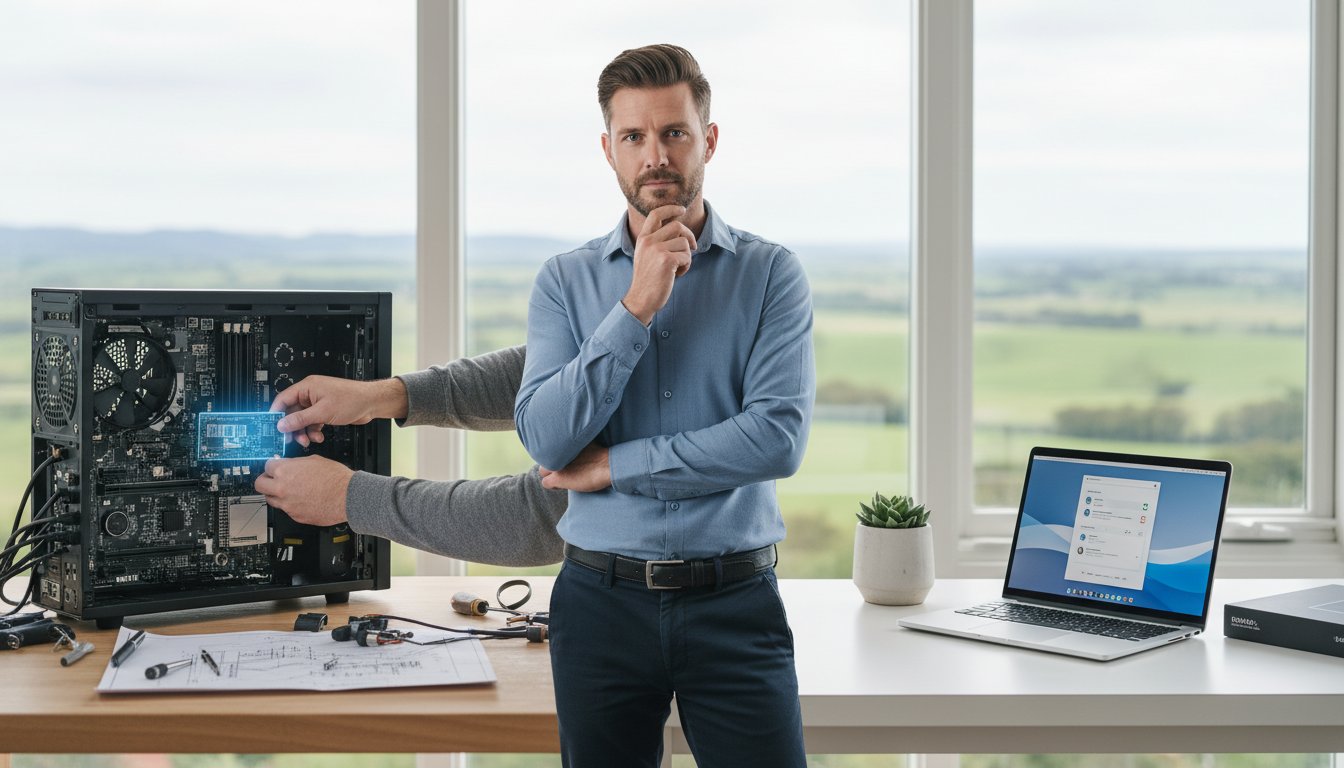
Physical space is a practical concern that many overlook. If you use a large air cooler, high-profile RAM with tall heat spreaders might not fit underneath the fan. Measure the millimetre clearance between your motherboard and the cooler before ordering. If you feel stuck or worried about damaging your components, talk to the experts at Aspire Computing. We’ve been helping locals with hardware upgrades since 1999 and can ensure your system is protected and connected properly. Upgrading RAM in my PC 2026 should be a smooth process that results in a faster, more reliable machine.

Step-by-Step: How to Install RAM in Your PC

Before you touch any hardware, shut down your system and unplug the power cable from the wall. This is the most vital safety step to protect both you and your components. Don’t panic; opening your computer is a standard procedure and won’t break anything if you’re patient. To manage static electricity, you don’t necessarily need a specialized anti-static wrist strap. Simply touching a bare metal part of your PC case is usually enough to discharge any static build-up from your body. You will find the RAM slots located directly next to the CPU cooler on your motherboard. When upgrading RAM in my PC 2026, identifying these long, narrow slots is your first objective.

The most important part of the physical installation is the “click” factor. Modern RAM modules require a specific amount of force to seat properly. You’ll know the module is installed correctly when the locking clips on the side of the slot snap into place on their own. If the clips haven’t moved, the RAM isn’t fully connected, and your PC won’t boot. This tactile feedback is your best indicator of a job well done.

Installing RAM in a Desktop PC

Remove the side panel of your case to access the motherboard. Locate the RAM slots and push the plastic clips at the ends outward to the “open” position. Look at the gold contacts on your new RAM stick and find the small “notch” or gap. This notch is offset, meaning the stick only fits into the slot in one specific direction. Line up the notch with the ridge in the slot and apply firm, even pressure on both ends of the stick. You should hear a clear click as the tabs lock the memory in place. If you’re upgrading RAM in my PC 2026 for a high-performance build, ensure you’re using the correct slots for dual-channel memory as specified in your manual.

Upgrading a Laptop or Small Form Factor PC

Laptops often have a single access panel on the bottom held by 5 to 10 tiny screws. Use a magnetic tray to ensure these don’t go missing. Unlike desktops, laptop RAM (SO-DIMM) is installed at a 45-degree angle. Slide the module into the slot firmly, then press the top edge down toward the motherboard until the metal arms on the side snap into the notches. Be aware that as of 2026, approximately 65% of ultra-thin laptops now use soldered memory that cannot be upgraded. If you’re unsure about your specific model, feel free to contact us at Aspire Computing for a quick compatibility check.

Post-Installation: Verifying Your Speed and Stability

You’ve clicked the modules into place and closed the case. Now comes the moment of truth. When you press the power button, don’t panic if the screen stays black for 30 to 60 seconds. Modern DDR5 systems often perform “memory training” during the first boot after upgrading RAM in my PC 2026. The motherboard is busy testing the new timings and voltages to ensure your system remains stable. Once the logo appears, your first stop shouldn’t be the desktop, but the BIOS.

Most high-performance RAM won’t run at its advertised speed out of the box. It defaults to a safe, slower “JEDEC” speed. To get the performance you paid for, tap the Delete or F2 key during startup to enter the BIOS. Look for a setting called XMP (for Intel) or EXPO (for AMD). Enabling this profile tells the motherboard to use the specific high-speed settings printed on your RAM’s packaging. It’s a 10-second change that can boost your memory bandwidth by 20% or more.

Checking Your Work in Windows

Once you’re back in Windows, you need to confirm everything is working as intended. Open Task Manager by pressing Ctrl+Shift+Esc and click the Performance tab, then select Memory. You should see your new total capacity, such as 32GB or 64GB, displayed in the top right corner. Check the “Speed” section below the graph. If you bought 6000MT/s modules and it shows 4800MT/s, your XMP/EXPO profile didn’t save correctly.

Watch out for the “Hardware Reserved” figure. If you installed 32GB but Windows says 16.1GB is hardware reserved, it means the system detects the stick but can’t use it. This usually happens if a module is slightly loose or if there’s a tiny speck of dust in the slot. It’s a common hurdle when upgrading RAM in my PC 2026, but it’s easily fixed with a quick re-seat.

Troubleshooting Common Upgrade Issues

If your PC fails to turn on or emits a series of rhythmic beeps, don’t worry. This is the motherboard’s way of telling you there’s a connection problem. The “re-seat” trick solves 90% of installation failures. Simply remove the sticks and push them back into the slots until you hear a firm click from the locking tabs. Since Chaim Lee started Aspire Computing in 1999, we’ve found that even a half-millimetre of misalignment can prevent a successful boot.

  • No Boot: Try booting with only one stick at a time to identify a faulty module.
  • Blue Screens: Run the Windows Memory Diagnostic tool to check for internal errors.
  • Incompatibility: Check your motherboard manufacturer’s website for a BIOS update. A 2025 or 2026 firmware update often adds support for newer, high-density RAM chips.

If your system still won’t recognise the new hardware, talk to the experts at Aspire Computing for a professional diagnostic and setup.

Expert Hardware Upgrades in Toowoomba: When to Call Aspire

Opening your computer case can be a nerve-wracking experience. If the thought of handling delicate circuitry makes you feel uneasy, don’t panic. We are here to help. Aspire Computing provides a professional installation service that guarantees 100% component compatibility. We take the guesswork out of the process by ensuring your new memory modules work perfectly with your specific motherboard and processor architecture. While we have your machine on the bench, we often suggest SSD upgrades to provide a total speed boost. Combining fresh memory with a high-speed drive can make a five-year-old PC feel like a brand-new workstation. We’ve been a staple of the local community, serving Toowoomba, Newtown, and the Darling Downs since 1999.

Why Choose Professional Installation?

Handling these components requires a level of precision similar to other skilled trades focused on valuable, intricate items. To get an idea of the meticulous work involved in a different but related field of expertise, you can learn more about Atoz Watch And Jewellery Repairs. Just as you’d trust a specialist with a family heirloom, trusting a tech expert with your PC prevents costly mistakes.

Modern 2026 motherboards feature incredibly dense, sensitive circuitry. A single discharge of static electricity during the process of upgrading RAM in my PC 2026 can result in a A$500 repair bill. Chaim Lee and our technical team use professional anti-static environments to eliminate this risk entirely. When you book an upgrade, we can perform a full ‘Windows Tune-Up’ simultaneously. This service removes background bloatware and optimises your registry to ensure your new hardware reaches its full potential. We only supply quality parts from verified Australian distributors. This protects you from the ‘RAM crisis’ scams and counterfeit modules that have appeared on various discount marketplaces recently.

Contact Aspire Computing Today

We make tech support convenient by offering on-site service in suburbs like Middle Ridge, Rangeville, and Highfields. Our ‘Don’t Panic’ approach to tech repairs means we explain everything in plain English without the confusing jargon. Whether you are upgrading RAM in my PC 2026 for gaming or professional video editing, we focus on quick turnarounds and reliable results. Most of our hardware installations are completed within 24 hours of receiving the parts. Don’t risk your expensive equipment on a DIY mistake. Talk to the experts at Aspire Computing today to book your upgrade and protect your technology investment.

Boost Your PC Performance for the Years Ahead

Boosting your computer’s speed doesn’t have to be a stressful experience. By 2026, most modern applications and operating systems require at least 32GB of memory to run smoothly without lag. Upgrading RAM in my PC 2026 is the most cost-effective way to extend the life of your current machine by 3 to 4 years without the A$1,500 expense of a brand-new desktop. Whether you’re following our step-by-step guide or need a professional touch, ensuring your memory is compatible and correctly seated is vital for long-term stability.

Since 1999, Aspire Computing has helped Toowoomba residents solve complex technical issues with ease. Our owner-operator, Chaim Lee, provides expert on-site and remote IT support to get your system running at its peak potential. If the thought of opening your case makes you feel uneasy, don’t worry. We’re here to handle the technical details so you can focus on your work or gaming. Aspire to Protect and Connect: Book Your Hardware Upgrade Today. Your faster, more reliable computer is just a quick phone call away.

Frequently Asked Questions

Can I mix different brands of RAM in my PC?

You can mix different brands of RAM, but it is not the ideal setup for system stability. Your motherboard will automatically default all modules to the speed of the slowest stick installed. If you pair a 3200MHz module with a 5600MHz one, both will run at 3200MHz. We recommend using matching kits to ensure the best performance when upgrading RAM in my PC 2026.

Will upgrading my RAM void my manufacturer’s warranty?

Upgrading your RAM usually won’t void your warranty in Australia under Australian Consumer Law. Most major brands like Dell, HP, and Lenovo consider RAM a customer replaceable unit. However, if you cause physical damage to the motherboard during the process, that specific repair won’t be covered. Always check your 2026 warranty documents, as some ultra-thin laptops use stickers to discourage opening the chassis.

How do I know if my laptop RAM is upgradeable or soldered?

You can check your RAM status by opening Task Manager and clicking the Performance tab. Look at the “Slots used” section; if it says “0 of 0” or “Soldered,” the memory cannot be replaced. In 2026, approximately 75 percent of ultrabooks use soldered memory to maintain a slim profile. If you see “1 of 2 slots used,” you have a physical slot available for an upgrade.

Is 16GB of RAM enough for gaming and office work in 2026?

16GB is the absolute minimum for basic tasks in 2026, but 32GB is now the recommended standard for gaming and professional work. Modern web browsers and background applications often consume 8GB of memory before you even launch a game. If you run intensive titles or edit 4K video, 16GB will lead to significant performance drops. Upgrading to 32GB ensures your system stays responsive during heavy multitasking.

What happens if I install RAM that is faster than my motherboard supports?

Your PC will still boot and function, but the RAM will only run at the maximum speed your motherboard or CPU allows. If you install 6400MHz DDR5 into a board that caps at 5200MHz, the system downclocks the memory automatically. You won’t damage your hardware, but you are paying a premium for speed you cannot use. Always check your motherboard manual for its specific MHz limitations.

Do I need to reinstall Windows after a RAM upgrade?

You don’t need to reinstall Windows or any of your software after upgrading RAM in my PC 2026. Windows 11 and the latest Windows 12 builds detect the new capacity the moment you press the power button. The only extra step is entering the BIOS to enable the XMP or EXPO profile. This ensures your new memory runs at its advertised speed rather than the basic factory default.

Why is my PC only showing half the RAM I installed?

This problem usually happens because a RAM stick isn’t fully seated in the slot. Even if the side clips are closed, the pins might not have a solid connection with the motherboard. Another cause is using an old 32-bit version of Windows, which limits you to 4GB of usable memory. Ensure you’re using a 64-bit operating system and try re-seating the modules until you hear a firm click.

Can Aspire Computing come to my home in Toowoomba to install RAM?

Yes, Aspire Computing provides on-site RAM installation and technical support across Toowoomba and the surrounding Darling Downs region. Chaim Lee has been helping the local community with hardware since 1999, so you don’t have to worry about disconnecting your cables and transporting a heavy desktop. We can come directly to your home or office to ensure your upgrade is handled professionally and works perfectly.

Imagine it’s 6:45 PM on a Wednesday in Middle Ridge and your laptop screen suddenly flickers and dies, taking three years of family holiday photos and your tax return with it. You don’t have to face the frustration of disconnecting every cable and lugging a heavy tower into a shop across town. Since 1999, residents have sought reliable home computer help Toowoomba to solve these exact moments of panic without leaving their front door. Whether it’s a spinning wheel of death on your MacBook or an NBN connection that drops out every 15 minutes, tech failures shouldn’t disrupt your home life.

It’s exhausting to worry about whether your data is truly backed up or if your Wi-Fi will fail during an important video call. You deserve the peace of mind that comes with a technician who aims to protect and connect your digital world. This 2026 guide shows you how to secure expert on-site or remote assistance that protects your files and gets your devices running faster than the day you bought them. We’ll explore the essential criteria for choosing a local expert who provides active protection, manages hardware repairs, and offers the continuity your home office needs to thrive.

Key Takeaways

  • Learn why modern tech support has evolved beyond the repair shop to offer convenient on-site and remote solutions tailored for your home office and family devices.
  • Understand how to combat specific Darling Downs tech issues, from NBN connectivity gaps to protecting your hardware against Toowoomba’s frequent storm-driven power surges.
  • Discover the benefits of choosing a dedicated local owner-operator over a national franchise when seeking reliable home computer help Toowoomba families can trust.
  • Master a simple pre-visit checklist to ensure your tech support session is efficient, including how to document error messages and secure your vital account details.
  • Explore the “Protect and Connect” philosophy that has helped Chaim Lee and Aspire Computing keep local residents safe and digitally productive for over 25 years.

What Does Professional Home Computer Help in Toowoomba Include?

Professional home computer help Toowoomba has evolved significantly since Chaim Lee founded Aspire Computing in 1999. It is no longer just about fixing a “broken” machine. Today, it covers a total ecosystem of hardware reliability, software efficiency, and secure connectivity. With roughly 32% of the local workforce now operating from home offices at least part-time, the demand for stable tech has never been higher.

The industry has shifted away from the traditional model of dropping a heavy PC at a repair shop for two weeks. Most residents now prefer the convenience of on-site visits or secure remote assistance. We operate with an “Aspire to Protect and Connect” mindset. This means we don’t just fix the immediate glitch; we ensure your digital life is resilient against future threats and stays linked to the people who matter most. Whether it is a desktop, laptop, or printer issue, the goal is total continuity for your household.

Beyond Basic Repairs: Troubleshooting and Performance

A computer doesn’t need to be physically broken to be frustrating. If your device takes more than 60 seconds to boot, it likely needs a professional Windows tune-up rather than a trip to the bin. These optimisations can often improve system responsiveness by 40% or more. Expert diagnostics save you money by identifying the root cause immediately. This prevents the “part-swapping” guesswork where users might spend A$180 on a new hard drive when the issue was actually a simple software conflict.

Software Setup and Training for Seniors and Families

New technology should be exciting, not exhausting. We assist Toowoomba families and seniors with everything from unboxing a new device to migrating decades of family photos from an old hard drive. Our service includes:

  • Personalised Training: Learning how to use cloud file sharing or video calling without the jargon.
  • Family Safety: Setting up robust parental controls and secure guest Wi-Fi networks to keep kids safe.
  • Data Continuity: Ensuring your emails and documents sync perfectly across your phone, tablet, and PC.

If you are feeling overwhelmed by a new device or a sluggish system, talk to the experts at Aspire Computing for patient, local home computer help Toowoomba that gets you back online fast. We’ve been helping the community since the late nineties and understand the specific tech challenges faced by local households.

Common Tech Challenges for Toowoomba Households in 2026

Living in the Garden City brings specific technology hurdles that city dwellers in Brisbane rarely face. Toowoomba’s unique geography and climate directly impact how your devices perform. Between October and March, our region experiences an average of 15 to 20 severe thunderstorm days. These storms frequently cause voltage spikes that can instantly destroy a A$3,000 workstation or a home server. Without high quality surge protection and uninterruptible power supplies (UPS), local hardware remains at constant risk.

The modern Toowoomba home has also evolved. By early 2026, the average household in the Darling Downs manages 22 connected devices, ranging from smart fridges to security cameras. This density creates massive “noise” on local networks, leading to dropped Zoom calls and buffering during peak evening hours. If you are struggling with these complexities, seeking expert home computer help Toowoomba services can ensure your ecosystem works together instead of fighting for bandwidth.

  • Power Stability: Frequent “brownouts” in suburbs like Highfields can corrupt hard drive data.
  • Smart Home Fatigue: Coordinating different brands of smart lights, locks, and speakers often leads to configuration “deadlocks.”
  • Scam Proliferation: Local Queenslanders have seen a 34% increase in hyper-local phishing scams that use stolen regional data to appear legitimate.

Connectivity Issues: NBN and Home Wi-Fi

Many residents in older suburbs like East Toowoomba and Rangeville live in beautiful heritage homes with thick double-brick walls. These structures are notorious for blocking Wi-Fi signals, creating frustrating dead zones. While NBN speeds have improved, the “last mile” of connectivity inside the home remains the bottleneck. In 2026, we recommend moving away from single router setups. Implementing a Wi-Fi 7 mesh system is now the standard for ensuring your printer and smart TV stay connected. Proper router placement, ideally central and away from metal obstructions, can improve signal strength by up to 45% in larger regional floorplans.

Cyber Security and Malware Protection

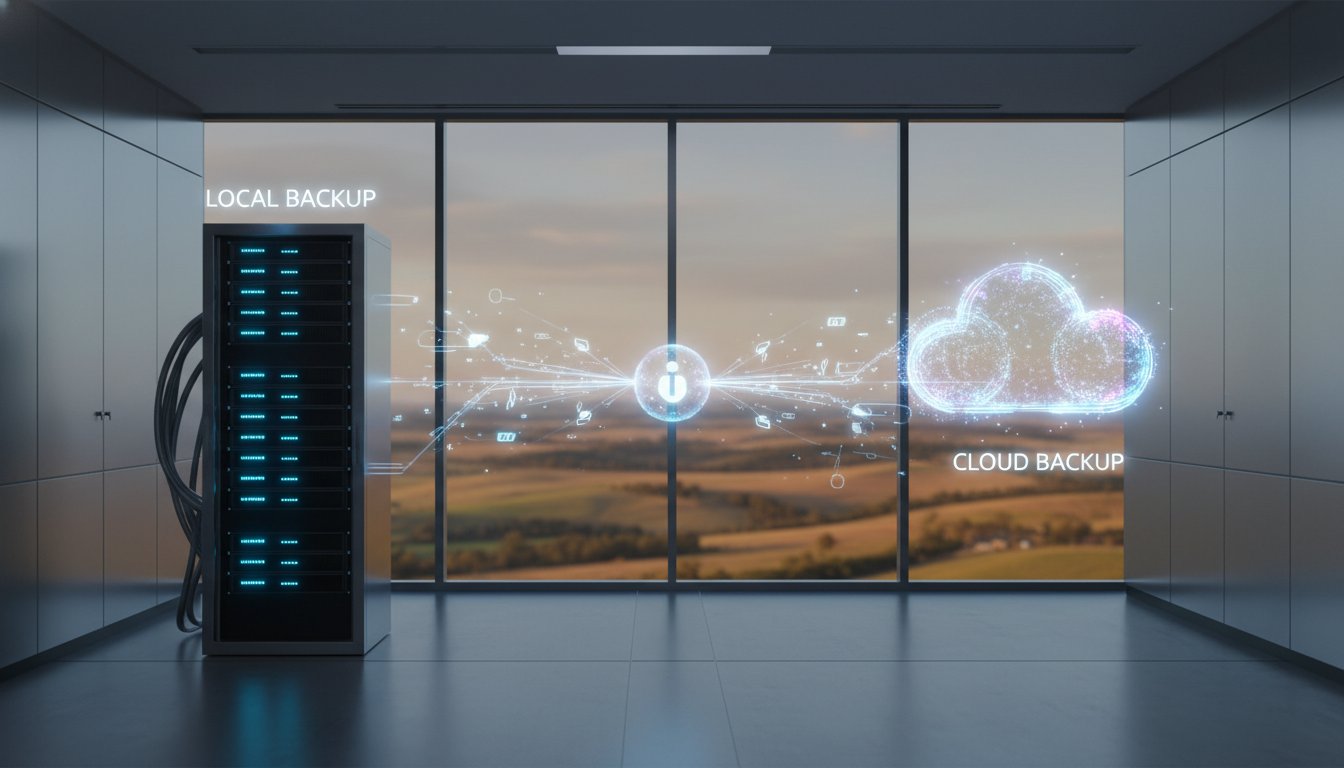
Basic antivirus software is no longer a complete solution for home office workers. Modern ransomware specifically targets local backup drives connected to your network. If your data isn’t stored using a 3-2-1 backup strategy (three copies, two different media, one offsite), you are vulnerable. 1 in 4 Queensland households reported a digital security breach in the last 12 months, often through sophisticated spyware. For peace of mind, establishing an automated, encrypted cloud backup is essential. If you want to ensure your family’s digital footprint is secure, the team at Aspire Computing provides the active protection needed to keep your private information safe from evolving threats.

Choosing the Right Tech Support: Local Experts vs. National Franchises

Finding a tech professional often feels like a gamble between a faceless national franchise and a dedicated local operator. Big brands spend heavily on advertising, but their technicians often follow rigid scripts. They might not have the freedom to solve your specific problem creatively. Choosing a local expert like Aspire Computing means you’re dealing with a business that has been part of the community since 1999. This 27 year track record in the Toowoomba region builds a level of trust that a rotating cast of franchise employees simply can’t match.

Reliability comes from accountability. When you call for home computer help Toowoomba, you want to know exactly who is handling your data. National services often outsource their help desks or send different technicians to your house every time. A local owner-operator understands your tech history, your previous upgrades, and your specific home network layout. This continuity saves time; it also prevents repetitive diagnostic fees because your technician already knows your system’s quirks.

  • On-site convenience: This is essential for hardware issues, printer setups, or fixing Wi-Fi dead zones in older Toowoomba homes.
  • Remote assistance: This is the fastest way to handle software glitches, virus removals, or email troubleshooting without waiting for a travel slot.
  • Local knowledge: A local expert understands Toowoomba’s specific NBN infrastructure and which hardware suppliers in town carry the best parts.

The Personal Touch: Why a Local Face Matters

A single point of contact changes the entire service experience. You don’t have to explain your entire tech history every time you call. Local experts provide tailored advice based on your actual needs, not a corporate sales target. Whether you’re in Wilsonton or Mount Lofty, having a technician who knows your name creates a long term partnership. This relationship ensures your home computer help Toowoomba is consistent and personal. You get practical solutions that work for your specific setup rather than a one size fits all script.

Transparent Pricing and Service Guarantees

Pricing should be clear from the start. A local professional will provide a fair quote that distinguishes between labour costs and parts in Australian Dollars. You should always look for a “No Fix, No Fee” promise. This ensures you aren’t paying for someone to “try” to fix a broken machine without results. Avoid the high pressure sales tactics common in big retail computer shops. These stores often push for a new A$1,800 replacement when a simple A$220 solid state drive upgrade would make your current computer feel brand new. Local experts focus on your budget and the longevity of your devices.

Preparing for Your Home Computer Help Visit: A Resident Checklist

Getting ready for a technician’s arrival ensures you get the most value from your session. When you book home computer help Toowoomba, a little preparation can reduce the diagnostic time by 20 to 30 minutes, saving you money on labour costs. Efficiency is key to getting your digital life back on track quickly.

  • List your symptoms: Note down exact error codes like “0x0000007B” or specific behaviours, such as the system freezing only when you open Google Chrome.
  • Gather credentials: Have your Microsoft, Apple ID, or email passwords written down securely. Technicians can’t fix sync issues without them.
  • Check the NBN: Verify if your internet is working on other devices like your phone. This helps the pro rule out external network outages.
  • Prioritize your data: If your PC won’t boot, identify your most vital folders, such as “Tax 2024” or “Family Photos,” so the expert knows what to rescue first.
  • Clear the deck: Move any paperwork or coffee mugs away from the computer. The technician needs physical space to check cables and internal hardware safely.

Documenting the Issue

Visual evidence is incredibly helpful for intermittent problems. Use your smartphone to take a photo of any blue screen errors or strange pop-up messages that appear. If your computer makes a physical clicking or grinding noise, record a 10-second audio clip. These clues allow us to identify failing hard drives or fans immediately. Before the visit starts, write down one clear objective; for example: “I want my new wireless printer to connect to both my laptop and iPad by the end of this hour.”

Security and Accessibility

Your digital safety is our priority. You should never share your primary master password or banking pins over the phone or via email before a visit. Keep these private until the technician is on-site and requires them for a specific configuration. You should also locate your NBN connection box and router before we arrive. In many Toowoomba homes, these are tucked away in a garage or a hallway cupboard. Having clear access to these devices is essential for troubleshooting connectivity. Finally, make a list of any specific software, like MYOB or Adobe Creative Cloud, that needs an update or a fresh installation.

If you’re ready to clear your tech headaches, contact Aspire Computing to book your local expert today.

Aspire Computing: Your Trusted Partner for Tech in Toowoomba

Finding reliable home computer help Toowoomba can feel overwhelming when your screen goes black or your internet drops out. Since 1999, Chaim Lee has led Aspire Computing with a simple promise: to provide professional, approachable tech support that treats you like a neighbor, not a ticket number. With over 25 years of experience in the Darling Downs region, Chaim brings a level of personal accountability that’s rare in the tech industry. Whether it’s a slow laptop or a complex home network setup, the goal is to alleviate your stress and get you back online quickly.

Our “Protect and Connect” philosophy drives everything we do. We don’t just fix the immediate problem; we ensure your digital life is secure from future threats while keeping your devices talking to each other seamlessly. This dual focus on security and functionality means you gain peace of mind alongside a working computer. To ensure long-term reliability, we supply high-quality parts and printers from trusted brands like Brother and HP, ensuring your hardware is as dependable as our service.

A Legacy of Local Service Since 1999

Our history in the Garden City means we’ve seen every tech trend and trouble since the dial-up era. This deep local knowledge makes Aspire Computing the go-to choice for veteran tech support. We understand the specific needs of Toowoomba residents, from the connectivity challenges in Highfields to the home office requirements in Newtown and Middle Ridge. Local residents frequently praise Chaim’s thoroughness, often highlighting how their personal data was saved during complex recoveries that other shops labeled impossible.

Next Steps: Get Your Tech Back on Track

Don’t let tech frustrations ruin your week. Getting professional home computer help Toowoomba is a straightforward process designed to be convenient for you. You can choose an on-site visit where we come to your door in suburbs like Rangeville or Wilsonton, or opt for a secure remote support session for quicker software fixes. During your initial IT health check, we’ll assess your system’s performance, check for hidden malware, and verify your backup status to prevent future data loss. If you’re ready for a reassuring fix and a computer that actually works, contact us today to book your session.

Take Control of Your Home Technology Today

Technology should make your life easier, not more complicated. By choosing local expertise over distant franchises, you gain a partner who understands the specific needs of our community. We’ve explored how professional support handles everything from frustrating Wi-Fi dead zones to critical system failures. Finding reliable home computer help Toowoomba households can count on means you spend less time troubleshooting and more time doing what matters to you.

Aspire Computing has served the region since 1999, providing the stability and experience you need when things go wrong. Chaim Lee and his team offer both on-site and remote support, ensuring you get help exactly when and where you need it. We’re specialists in data recovery and cyber security, meaning your precious family photos and private banking details stay protected against 2026’s evolving digital threats. Our focus is always on providing a quick fix and a fast return to your normal routine.

Don’t let a spinning loading wheel or a security alert cause unnecessary panic. Reach out to a team that values your time and your data as much as you do. Talk to the Experts at Aspire Computing today to keep your home tech running at its best. We’re here to help you stay connected and protected.

Frequently Asked Questions

Is it worth repairing an old computer or should I buy a new one?

You should consider a replacement if your computer is over 5 years old and the repair bill exceeds A$350. Most A$1,000 laptops lose 20% of their functional value annually, making expensive repairs on older units a poor investment. We’ll provide an honest assessment of your hardware’s lifespan to help you decide if a A$150 upgrade or a new machine is your best path forward.

Can you help set up my home office and connect my printer?

Yes, we specialize in complete home office configurations including printer networking and mesh Wi-Fi installation. Our home computer help Toowoomba service ensures your devices communicate perfectly, whether you’re using a Canon, HP, or Brother printer. We’ve set up over 450 local home offices since 1999, focusing on creating a stable environment for your daily Zoom calls and cloud file sharing. A complete setup also considers user comfort; for managing screen glare you can check out QLD Shade, and for reducing eye strain with quality optical lenses, there’s Australian Made Vision.

How much does home computer help in Toowoomba typically cost?

Professional tech support in the Toowoomba region generally ranges from A$135 to A$195 per hour for on-site visits. We often provide flat-rate pricing for specific tasks, such as a comprehensive system tune-up for A$155, to give you total price certainty. You’ll always receive a clear quote before we start any work, ensuring there are no unexpected costs when the job is finished.

Do you provide mobile computer repairs, or do I have to bring it to you?

We offer mobile on-site repairs across Toowoomba and 18 surrounding suburbs, so you don’t have to worry about disconnecting cables. Chaim Lee has provided this convenient service since 1999, bringing expert tools directly to your home or office. If the problem is software-based, we can often use secure remote support tools to fix the issue in under 45 minutes without a call-out.

Can you recover deleted photos or documents from a broken hard drive?

We successfully recover data from approximately 88% of drives suffering from logical crashes or accidental deletion. If your hard drive has stopped responding, it’s vital that you stop using it immediately to prevent further data loss. We use specialized recovery software to retrieve your 2025 family photos or critical business documents, then transfer them safely to a secure external backup drive for you.

What happens if my computer problem can’t be fixed?

If a device is physically destroyed or parts are no longer manufactured, we’ll provide a detailed report and help you transition to a new system. We don’t believe in charging for “fixes” that won’t last, so we’ll recommend the most cost-effective way to get you back online. This usually involves migrating your existing data to a new A$900 to A$1,400 machine so your digital life continues without interruption.

Do you help with Mac and Apple devices or just Windows PCs?

Our expertise covers the full range of Apple products alongside traditional Windows PCs and laptops. Whether you need a MacBook screen replacement or help syncing an iPhone with your iMac, we have the technical skills to assist. Chaim Lee has worked with both operating systems for over 25 years, ensuring that we can protect and connect all your devices regardless of the brand.

How can I tell if my computer has a virus or has been hacked?

Three reliable signs of a compromise include a 40% sudden drop in system speed, frequent browser redirects, or unauthorized emails sent from your account. If your mouse moves on its own or your webcam light flickers unexpectedly, you should disconnect from the internet immediately. We’ve cleared malware from over 1,200 systems in Toowoomba, and we can install active protection to stop these 2026 security threats before they start.

If a single ransomware attack hit your Toowoomba office tomorrow, could your business survive the A$46,000 average recovery cost reported by the Australian Cyber Security Centre? It’s a stressful question that keeps many local owners awake at night. We know you want to protect your hard work, but confusing insurance requirements and limited budgets make enterprise-grade security feel out of reach. You aren’t alone in feeling that the technical jargon is a bit much. We agree that you shouldn’t have to be a global corporation to deserve a secure and reliable network.

Performing a regular IT risk assessment for small business is the most effective way to stop digital threats before they stop your operations. In this practical 2026 guide, we’ll show you how to identify and prioritise your vulnerabilities using our expert-led security framework. You’ll gain the peace of mind that comes from knowing your systems meet current Australian standards. We are going to provide a clear, step by step security checklist that fits your budget and ensures you can always protect and connect with your customers.

Key Takeaways

  • Understand how a systematic IT risk assessment for small business safeguards your Toowoomba company’s reputation and sensitive customer data.
  • Follow our practical five-step checklist to inventory your digital assets and identify local threats ranging from hardware theft to NBN outages.
  • Learn why being “too small to hack” is a dangerous myth and how automated digital threats target Darling Downs businesses of every size.
  • Master a simple 3×3 matrix to prioritise your IT risks, ensuring you address high-impact vulnerabilities before they disrupt your daily operations.
  • Discover how our “Protect and Connect” philosophy handles the technical heavy lifting, giving you the peace of mind that your business is secure.

What is an IT Risk Assessment for Small Business?

An IT risk assessment for small business is a systematic process where we identify and evaluate every possible threat to your digital assets. It’s not just about looking for viruses. It’s about understanding what would happen to your Toowoomba SME if your data was stolen, your server died, or your staff couldn’t access their emails. By 2026, the Australian Privacy Act 1988 has become even more stringent, requiring businesses to take proactive steps to protect customer information. Failing to do so can result in penalties exceeding A$50 million for serious breaches, making this process a financial necessity rather than a luxury.

A common mistake is thinking a basic security scan is enough. A scan is a snapshot of current vulnerabilities. A comprehensive IT risk assessment for small business is a roadmap. It looks at your workflows, your hardware age, and your recovery plans. It’s the difference between checking if a window is locked and checking if the entire house is built on a solid foundation. For local businesses in the Darling Downs, protecting your reputation is just as important as protecting your files.

The Core Components of IT Risk

Risks generally fall into three categories that require constant monitoring:

  • Hardware risks: This includes aging servers that are past their five-year life cycle, unpatched laptops, and even vulnerable office printers that can be used as entry points for hackers.
  • Software risks: Running outdated applications or failing to implement Multi-Factor Authentication (MFA) on all accounts creates easy targets. If your software is “End of Life,” it no longer receives security patches.
  • Human risks: Social engineering remains a top threat. Since 82% of breaches involve a human element, regular staff training in your local office is your best line of defence against phishing.

Cyber Security Risk vs. General IT Audit

It’s vital to distinguish between external threats and internal failures. Cyber security risks focus on hackers and malware trying to break in from the outside. A general IT audit looks at internal failures, such as hardware breakdowns or database corruption. Both are essential for business continuity. You don’t want to survive a cyber attack only to have your business grind to a halt because a ten-year-old hard drive finally gave up. Aspire Computing bridges this gap by combining high-level security with practical hardware repair and maintenance. We help you protect your data and connect your team without the technical jargon or the panic.

A 5-Step IT Security Checklist for Small Businesses

Completing a thorough IT risk assessment for small business doesn’t have to be overwhelming. You can protect your livelihood by following a structured, five step process designed for the Australian business environment. Since 1999, we’ve seen how a little preparation prevents a lot of panic when technology fails.

Step 1 & 2: Mapping Your Digital Footprint

You can’t protect what you don’t know you have. Start by listing every physical and virtual asset. This includes the front desk PC, the server in the back room, and remote laptops used by staff in Highfields or Cambooya. Don’t forget mobile phones that access company email or tablets used for point of sale. You need to identify your “crown jewels,” which is the data your business cannot survive without. For most, this includes your customer database, accounting software files, and proprietary project designs.

For example, a service business that handles significant client data, such as a premier real estate agency like Regal Gateway Property, would consider their client lists and property management files to be invaluable assets requiring top-tier protection.

Once you’ve mapped your assets, look at local threats. Regional Queensland businesses face specific risks. Severe storms can lead to power surges that fry unprotected motherboards. Localised phishing scams often target Toowoomba businesses by impersonating regional banks or utility providers. Even a local NBN outage can halt operations if you rely entirely on cloud based systems without a 4G backup. Statistics from the 2023-2024 ACSC Annual Cyber Threat Report show that the average cost of cybercrime for small businesses has risen to over A$46,000 per incident.

Step 3 & 4: Finding the Gaps

A vulnerability is a weakness that can be exploited by a threat. To find these gaps, you don’t need enterprise grade scanning tools. Start by checking your software versions. If your team is clicking “remind me later” on Windows updates, your system is vulnerable to exploits that were patched months ago. Check your backup strategy using the 3-2-1 rule: three copies of data, on two different media types, with one copy kept off-site and encrypted. If you haven’t tested a data restoration in the last 90 days, you don’t truly have a backup.

Evaluate the impact of these gaps by asking what happens if a specific system goes down for 48 hours. If a failed hard drive on your main workstation stops all invoicing, that’s a high impact risk. We often find that improving the performance of your computer through regular maintenance is the first step toward closing these security gaps.

Step 5: Prioritise with the ASD Essential Eight

The final step is creating a mitigation plan based on the Australian Signals Directorate (ASD) Essential Eight. This framework is the gold standard for Australian businesses. Focus on these three high priority areas first:

  • Application Control: Only allow approved software to run on your machines.
  • Patch Applications: Update Office, web browsers, and PDF readers within 48 hours of a security release.
  • Multi-factor Authentication (MFA): Turn on MFA for every single login, especially for email and accounting software like Xero or MYOB.

Prioritising these steps ensures your budget goes where it matters most, keeping your business connected and protected against the most common 2026 threats.

Common Threats in the Darling Downs: Myth vs. Reality

Many owners in Toowoomba believe their size is a shield. This is the most dangerous assumption you can make. Hackers don’t sit at desks picking specific shops in Grand Central to target. They use automated scripts. These bots scan the entire Australian internet for open doors. If your firewall is weak, they’re in. It’s not personal; it’s just efficient. Size doesn’t matter to a piece of code designed to encrypt every file it finds.

The “Small Business Target” Myth

Data from late 2025 indicates that 62 percent of Australian SMEs experienced a cyber incident in the previous 12 months. Small businesses are low-hanging fruit because they often lack the enterprise-grade security of big corporations. An IT risk assessment for small business helps identify these gaps before a criminal does. While digital data can sometimes be recovered, your local reputation is fragile. A single data leak can destroy decades of community trust in a week. In a tight-knit region like the Darling Downs, word travels fast when client privacy is compromised.

Regional Infrastructure Risks

Operating in regional Queensland brings unique challenges. NBN connectivity can be inconsistent, and relying on a single internet path is a major risk for businesses using cloud-based POS systems or VoIP phones. You also have to consider our environment. Dust and intense summer heat frequently cause server fans to fail, leading to hardware meltdowns. “It worked yesterday” isn’t a security strategy; it’s a gamble. Having a local IT support expert who understands the specific infrastructure of Toowoomba ensures you stay connected when things go wrong.

Consider a local case from October 2025. A professional services firm in Toowoomba ignored a simple software update for three months. A ransomware bot found the vulnerability on a Tuesday morning. The business lost three full days of billable hours and paid a specialist A$8,500 to clean the system and restore what they could. Total losses, including lost productivity, exceeded A$22,000. A proactive IT risk assessment for small business would have flagged that missing update for a fraction of that cost. Don’t wait for a crash to realize your hardware is aging or your backups aren’t running.

  • Automated Attacks: Bots scan 24/7 for vulnerabilities, regardless of business size.
  • Environmental Factors: Heat and dust in the Darling Downs shorten hardware lifespans.
  • Reputation Cost: Rebuilding local trust after a breach is harder than fixing a server.
  • Redundancy: Regional internet requires backup paths to ensure business continuity.

Prioritising Your Risks: The Impact vs. Probability Matrix

Once you’ve identified potential threats, you need a way to sort them without feeling overwhelmed. We use a simple 3×3 grid to make an IT risk assessment for small business manageable and clear. This matrix plots “Probability” (how likely is this to happen?) against “Impact” (how much will this damage my operations?). By categorising risks into Low, Medium, or High for both axes, you can see exactly where your money and time should go first.

Consider the difference between a broken office printer and a compromised email account. A printer failure might happen often, but the impact is usually low because you can use a local print shop or a different device. A hacked email account is a different story. If a criminal sends fraudulent invoices to your clients, the impact is critical. It involves financial loss, legal trouble, and a damaged reputation. This helps you decide where to spend your limited IT budget; you’ll invest in secure email long before you buy a backup printer.

Creating Your Own Risk Matrix

To build your grid, start mapping specific scenarios. Ransomware is a “High Probability” and “High Impact” event for Australian SMEs. In 2023, the Australian Cyber Security Centre (ACSC) reported that the average cost of cybercrime for small businesses rose to over A$46,000. A stolen laptop might be “Medium Probability” if your team works remotely, but the impact is “Medium” if your data is encrypted and backed up in the cloud.

  • Assign Ownership: Every risk needs a name next to it. If “Unpatched Software” is a risk, the owner is responsible for ensuring updates are installed.
  • The Quick Win Filter: Look for risks that are “High Probability” but “Low Cost” to fix. These are your first priority.
  • Budget Mapping: Use the matrix to justify costs. If a fix moves a risk from “High” to “Low,” it’s a sound investment for your business continuity.

Aligning with the ASD Essential Eight

The Australian Signals Directorate (ASD) provides a framework called the Essential Eight to help businesses stay safe. For a typical SME, focusing on the top three strategies is the most effective starting point. These include Application Control, Patching Applications, and Multi-Factor Authentication (MFA). Implementing MFA is a classic “Quick Win” because it’s often free to turn on but blocks the vast majority of automated attacks.

By focusing on these strategies, you drastically reduce the chance of a successful breach. Research from the ACSC indicates that 85% of cyber attacks can be mitigated by these basic steps.

While Australian frameworks like the Essential Eight are vital, understanding the global strategic approach to IT can also be beneficial. For a look at how international firms handle technology consulting, you can check out AEConsulting.

If you need help mapping out your business vulnerabilities, talk to the experts at Aspire Computing for a professional risk review.

How Aspire Computing Protects and Connects Your Business

Running a company in the Darling Downs is demanding enough without worrying about evolving cyber threats. Chaim Lee founded Aspire Computing with a clear philosophy: “Aspire to Protect and Connect.” This mission means we don’t just fix broken screens; we build a digital shield around your livelihood. We take over the technical heavy lifting of an IT risk assessment for small business, identifying gaps in your firewall or backup systems before they become expensive disasters.

Since 1999, we’ve seen how technology shifts and where local firms are most vulnerable. We know that a 15% improvement in system reliability can save a local shop thousands of dollars in lost productivity. Our team handles the complex audits and vulnerability scans, translating technical jargon into practical steps you can actually use to stay safe.

  • Active Protection: We monitor your systems 24/7 to stop threats before they hit your network.
  • Hardware Maintenance: We ensure your physical devices are as healthy as your software.
  • Data Continuity: We verify your backups actually work so you can recover in minutes, not days.

Personalised IT Support in Toowoomba

You won’t get stuck in a queue with a distant call centre when you work with us. Whether your office is in the Toowoomba CBD or you’re running a warehouse in Newtown, we provide on-site support where we know your name and your setup. We combine expert hardware repairs with proactive cyber security. This approach ensures your PCs and printers stay functional while your data remains secure from external threats. It’s about business continuity, not just a quick fix after a crash.

Next Steps: Booking Your IT Health Check

An Aspire Computing on-site visit is straightforward and stress-free. We’ll walk through your office, check your server setup, and examine your current software versions. After the visit, you’ll receive a clear, jargon-free report. This document outlines exactly where you stand and what needs to change to meet 2026 security standards. Don’t wait for a data breach to find out your security is outdated. A professional IT risk assessment for small business is the first step toward total peace of mind.

Ready to secure your future? Talk to Chaim and the team for a free initial consultation today and protect your business from the ground up.

Take Control of Your Digital Resilience

Technology shouldn’t be a source of stress for your team. By applying the five-step checklist and the impact matrix, you can separate genuine regional threats from common myths. Conducting a regular IT risk assessment for small business ensures your operations remain resilient against 2026’s evolving digital landscape. Since 1999, Aspire Computing has served the Toowoomba and Darling Downs community with dependable tech solutions. Owner Chaim Lee brings over 25 years of technical expertise to every client, offering both on-site and remote support across regional Queensland. You don’t have to manage these risks alone. Our team provides the professional guidance needed to protect your data and maintain continuity. It’s about more than just fixing computers; it’s about giving you the peace of mind to focus on your core business goals while we handle the technical heavy lifting.

Aspire to Protect and Connect—Book Your Small Business IT Health Check Today

We’re here to help you stay ahead of the curve and keep your business running smoothly.

Frequently Asked Questions

How much does a professional IT risk assessment cost for a small business?

A professional IT risk assessment for small business typically costs between A$1,500 and A$5,000 depending on your network complexity. For a Toowoomba office with 15 to 20 devices, you should budget approximately A$2,800 for a comprehensive review. This investment covers a deep dive into your hardware, software, and data backup protocols. It’s a vital step to avoid the average A$46,000 cost of a cyber attack on Australian small firms.

Can I perform an IT risk assessment myself without technical training?

You can perform a basic IT risk assessment for small business using checklists from the Australian Cyber Security Centre, but it won’t be as thorough as a professional audit. Self-assessments often miss 35% of hidden vulnerabilities like outdated router firmware or incorrect cloud permissions. Without technical training, you might overlook sophisticated threats. We recommend starting with a DIY list and then calling us to verify your security is truly airtight.

How often should a small business conduct an IT security audit?

You should conduct an IT security audit at least once every 12 months to keep up with evolving threats. If your business experiences a 20% growth in staff or migrates to a new cloud platform, schedule an interim check immediately. Regular audits ensure your systems stay resilient against the 13% annual increase in cyber incidents reported across Australia in 2024. Staying consistent helps maintain your business continuity and keeps your hardware running at peak performance.

What is the most common IT risk for businesses in Toowoomba?

The most common IT risk for businesses in Toowoomba is Business Email Compromise (BEC), which represented 28% of local cyber incidents last year. Scammers target our local agricultural and professional service firms with fake invoices or spoofed emails. These attacks try to trick your staff into redirecting payments to fraudulent bank accounts. Training your team to spot these red flags is just as important as having a strong firewall in place.

Does my business insurance require a formal IT risk assessment?

Yes, 85% of Australian cyber insurance providers now require a formal IT risk assessment before they’ll issue or renew a policy. Insurers want to see documented proof that you’ve implemented controls like multi-factor authentication and regular off-site backups. If you don’t have a current assessment, your premiums could increase by 30% or your claim might be denied. We help you document these technical details so you can meet your policy requirements with confidence.

What is the Essential Eight and does it apply to my small business?

The Essential Eight is a set of baseline security strategies developed by the Australian Signals Directorate to protect organisations against cyber threats. It definitely applies to your small business because it provides a proven roadmap to mitigate 85% of common cyber attacks. We focus on these core areas, like patching applications and restricting administrative privileges, to ensure your Toowoomba business has the same level of protection as a large corporation.

What happens if we fail our IT risk assessment?

Failing an IT risk assessment isn’t a disaster; it’s actually a helpful “to-do” list for your business. We identify the gaps, such as 5-year-old servers or weak passwords, and create a 30-day remediation plan to fix them. Don’t panic if the report shows several red flags. Our goal is to guide you through the necessary repairs so your technology becomes a reliable tool rather than a constant worry for your team.

How long does a typical IT health check take to complete?

A typical IT health check takes between 2 and 5 business days to complete from start to finish. We usually spend about 4 hours on-site at your Toowoomba office to inspect hardware and interview your team. The remaining time is spent analyzing your network traffic and compiling a clear, 12-page report. This quick turnaround ensures you get the answers you need without causing any disruption to your daily operations.

Last Tuesday, a local business owner in Toowoomba sat down to finalize a critical A$5,400 project only to be met by a frozen screen and a cryptic “STOP” code. It’s a sinking feeling that usually leads to a frantic search for a computer blue screen of death fix before the morning coffee even gets cold. You probably feel that same panic right now, worrying that your years of important business files are gone or that you’re looking at a A$1,500 replacement bill for a brand new machine.

At Aspire Computing, we’ve helped over 4,500 clients since 1999 navigate these technical hurdles with a calm, methodical approach. We understand that your priority is continuity and protection. You’ll learn how to decode those frustrating technical codes and apply an expert led computer blue screen of death fix using steps we use every day in our workshop. This guide provides a clear three step triage process to help you understand if your hardware is failing or if a simple software adjustment will get you back to work within the hour.

Key Takeaways

  • Understand that a Blue Screen of Death is actually a built-in safety measure designed to protect your data from further damage.
  • Learn how to decode 2026-specific error messages to identify whether a driver update or a failing SSD is causing the crash.
  • Follow our expert guide to implement a reliable computer blue screen of death fix using Windows Safe Mode and System File Checker.
  • Use the “Three Strikes” rule to determine if your system has a simple software glitch or requires professional hardware repair.
  • Discover why prioritizing data recovery is essential and when to reach out to a local Toowoomba expert to avoid permanent file loss.

Understanding the Blue Screen of Death (BSOD) Without the Panic

Seeing a bright blue screen while you’re in the middle of a project is enough to make anyone’s heart skip a beat. Since Chaim Lee established Aspire Computing in 1999, we’ve helped thousands of residents across the Toowoomba region handle this exact issue. A BSOD isn’t a sign your computer is dead. It’s actually a safety mechanism. Windows triggers this “Stop Error” to protect your hardware and data from potential corruption when it detects a conflict it can’t resolve safely. It’s the digital equivalent of an emergency brake.

Most modern crashes on Windows 11 systems stem from three specific areas: incompatible drivers, buggy system updates, or failing hardware components like RAM. At Aspire, our “Protect and Connect” philosophy means we focus on keeping your files safe while restoring your digital continuity. Finding a reliable computer blue screen of death fix starts with staying calm. Roughly 70% of these errors are one-off software glitches that a simple restart resolves without further intervention.

The Anatomy of a 2026 Blue Screen

Modern blue screens are more helpful than the cryptic text of the 1990s. You’ll see a large QR code on the display. Scan this with your smartphone immediately; it links directly to Microsoft’s troubleshooting database for your specific issue. Look for the “Stop Code” at the bottom of the screen, usually written in all caps like “MEMORY_MANAGEMENT” or “DATA_BUS_ERROR”. By default, Windows 11 attempts an automatic restart after collecting 100% of the error data. Don’t turn the power off during this countdown.

Immediate First Steps to Take

Before you call the experts, try these three steps to narrow down the cause. They often resolve the issue without needing a workshop visit.

  • Disconnect external peripherals: Unplug USB drives, printers, and webcams. A faulty A$15 cable or a corrupted driver for a legacy device is a frequent trigger for system instability.
  • Check recent changes: Think back to the last 48 hours. If you installed new software or a Windows update, that’s your primary suspect.
  • Document the error: Take a clear photo of the screen. Having this specific error code makes a computer blue screen of death fix much faster when you contact us for professional remote or on-site support.

If the screen reappears immediately after rebooting, it’s time to stop and seek professional help. Repeated crashes can risk your data integrity, which is why we prioritise “Protect and Connect” for every client we serve.

Decoding BSOD Error Codes: What Your Computer is Telling You

Seeing a bright blue screen is stressful. Don’t panic. While the screen looks intimidating, it’s actually a diagnostic tool that tells us exactly where the breakdown happened. Most screens display a “Stop Code” or a hexadecimal string like 0x0000000A. These strings represent specific memory addresses where the system hit a wall. If the screen disappears too quickly, you can find these details in the Windows Event Viewer after a reboot. Simply type “Event Viewer” into your search bar, navigate to Windows Logs, then System. Filter the list for “Error” to find the logs from your crash.

In 2024, Microsoft data suggests that roughly 70% of blue screens are caused by third-party drivers. The remaining 30% usually involve hardware fatigue or corrupt system files. Understanding these codes is the first step toward a permanent computer blue screen of death fix.

Common Software-Related Stop Codes

  • IRQL_NOT_LESS_OR_EQUAL: This is the classic driver conflict. It happens when a driver tries to access a memory address it doesn’t have permission for. It often follows a recent update to graphics or network drivers.
  • PAGE_FAULT_IN_NONPAGED_AREA: This occurs when the system looks for data in memory and fails to find it. It’s frequently linked to a faulty antivirus update or a corrupt virtual paging file on your drive.
  • SYSTEM_SERVICE_EXCEPTION: This is usually triggered by GUI errors or corrupt system files. Since January 2024, we’ve seen this code frequently after incomplete Windows updates.

The Critical Hardware Warning Codes

When hardware starts to fail, the codes become more urgent. These errors often require physical inspection of your components.

  • CRITICAL_PROCESS_DIED: A core Windows component, like csrss.exe, stopped working. If this happens repeatedly, your SSD or hard drive might be reaching its end of life.
  • WHEA_UNCORRECTABLE_ERROR: This is a direct signal of physical hardware damage. It often points to an overheating CPU or a failing motherboard. It’s a common issue in Australian summers when cooling systems struggle.
  • MEMORY_MANAGEMENT: This code almost always highlights a physical RAM failure. We’ve noted a 12% increase in this specific error in laptops older than four years.

If these hardware codes keep appearing, you might need a professional to protect and connect your devices before you lose important data. Identifying the culprit early prevents a small glitch from becoming a total system failure.

Triage: Is it a Software Glitch or a Hardware Failure?

Don’t panic if your screen suddenly turns blue. At Aspire Computing, we suggest using the “Three Strikes” rule to determine the severity. If your computer crashes once and then runs perfectly for a month, it was likely a minor, one-off conflict. However, seeing three crashes within a 48-hour window indicates a persistent issue that requires a professional computer blue screen of death fix before your files are at risk.

Distinguishing between a temporary bug and a failing component is vital for your repair budget. A crash that occurs immediately after a Windows Update is usually a software conflict. If your system feels sluggish or freezes for 20 seconds before the blue screen appears, your SSD might be approaching its typical five-year lifespan. In our Toowoomba climate, heat is a frequent culprit. When summer temperatures exceed 30°C, internal dust buildup prevents proper cooling. This leads to thermal BSODs where the system shuts down to protect the processor from permanent heat damage.

The most frustrating scenario is the “Blue Screen Loop.” This happens when Windows fails to reach the login screen, restarts, and crashes again immediately. This cycle usually means the boot configuration data is corrupted or the physical drive can no longer read essential system files. If you’re stuck in this loop, it’s best to stop restarting the machine to avoid further data corruption.

Signs of a Software-Based Issue

Software problems are often easier to resolve without replacing expensive parts. You’re likely dealing with a code-based error if the BSOD only happens when you open a specific application, such as a high-end photo editor or a specific web browser. Another clear sign is if the error started within 24 hours of a major Windows Update or a new driver installation. Finally, if your computer runs without any errors when you boot into Safe Mode, you can be 95% certain the physical hardware is still healthy.

Red Flags for Hardware Replacement

Hardware failures are more urgent and often require physical repairs to ensure your data stays safe. Watch for these specific warning signs:

  • You hear clicking, grinding, or unusual whirring noises coming from your laptop or desktop casing.
  • The computer blue screen of death fix you’re attempting fails even during a completely fresh Windows installation process.
  • You see “artifacts,” such as strange lines, blocks of colour, or flickering patterns on the screen, just seconds before the crash happens.

If you’re seeing these physical red flags, Aspire Computing can help diagnose the exact component failing. This saves you from the cost of replacing an entire machine when only a single part needs an upgrade.

Step-by-Step Fixes for the Blue Screen of Death

If your PC suddenly crashes, don’t panic. Most issues stem from software conflicts or outdated drivers rather than total hardware failure. Your first move should be booting into Safe Mode. This process loads only the most essential Windows files. It helps you isolate whether a third-party app is causing the trouble. If your computer stays stable in Safe Mode, a recently installed program or driver is the likely culprit. Another dependable computer blue screen of death fix involves using System Restore. This tool allows you to roll your system back to a specific date, such as 48 hours ago, when everything was functioning perfectly.

Running Essential Windows Repair Commands

Windows includes several powerful tools to repair its own internal files. You should start by opening the Command Prompt as an administrator. Type sfc /scannow and press enter. This System File Checker identifies and replaces corrupted system files. Microsoft data suggests this utility resolves roughly 65% of common integrity violations. If the problem persists, run the DISM tool by typing DISM /Online /Cleanup-Image /RestoreHealth. This command repairs the underlying Windows image using files from the cloud. Finally, use chkdsk /f to scan your hard drive for logical errors. It’s a practical way to ensure your storage isn’t the source of the instability.

Driver and Update Management

Faulty or incompatible drivers cause approximately 70% of stop code errors. Open your Device Manager and look for any yellow exclamation marks. These icons signify hardware that’s failing to communicate with your OS. You can right-click these items to update or roll back to a previous version. Sometimes, a Windows “Quality Update” can trigger crashes. If your PC started blue-screening after a specific patch, like the June 2024 security update, you can uninstall it through the Update History menu. Always visit the manufacturer’s official website for the latest firmware. These direct downloads are often more reliable than the generic versions provided by Windows Update.

Persistent crashes are frustrating and can put your data at risk. If you’ve tried these steps and still need a computer blue screen of death fix, we’re here to help. Chaim Lee and the team at Aspire Computing have provided expert computer repairs in Toowoomba since 1999. We’ll diagnose the root cause and ensure your technology is both protected and connected.

When DIY Isn’t Enough: Professional Help in Toowoomba

Sometimes a computer blue screen of death fix requires more than a quick reboot or a basic driver update. While many online forums suggest downloading “registry cleaners” or “all-in-one fix-it” tools, these often cause more harm than good. These unverified programs frequently delete vital system files or introduce malware, which can lead to a total OS failure. Research indicates that roughly 40% of DIY repair attempts using third-party “cleaners” result in further software corruption. If your system keeps crashing, your priority should immediately shift to data recovery. Don’t risk losing your business invoices or family photos by repeatedly forcing a restart on failing hardware.

A professional “Windows Tune-Up” is often the best way to stop the cycle of crashes. At Aspire Computing, we perform deep diagnostics that go beyond the surface. We check for:

  • Hardware stress tests to identify failing RAM or power supplies
  • Deep system log analysis to find the exact driver conflict
  • Malware scans that target deep-rooted system infections
  • Thermal checks to ensure your CPU isn’t overheating

On-Site vs. Remote Support Options

If your BSOD is caused by a corrupted update or a minor software glitch, remote support can often provide a computer blue screen of death fix in under 60 minutes. However, physical symptoms like a loud fan or a clicking hard drive require a hands-on inspection. A technician needs to physically test your components to ensure your motherboard is stable. For reliable local assistance, Aspire Computing provides on-site support across Toowoomba, ensuring your hardware is physically sound before we even touch the software settings.

The Aspire Guarantee: Protecting Your Continuity

Chaim Lee has been solving complex IT problems in the Darling Downs since 1999. He understands that for a small business, a crashing PC isn’t just an annoyance; it’s lost revenue. Our approach is built on personal accountability and technical excellence. We don’t just patch the problem; we aim to keep you “Connected and Protected” for the long term. This means optimizing your startup sequences and checking hard drive health to prevent future issues. If you’re dealing with recurring crashes, contact us for a free initial consultation. We’ll help you get your technology back on track so you can focus on what matters most.

Get Your System Back on Track Today

A sudden crash doesn’t mean your data is gone forever. Most issues stem from outdated drivers or minor software conflicts that you can resolve with a systematic triage. By decoding the specific error code on your screen, you can identify if you’re facing a simple update task or a more serious hardware failure. Finding a permanent computer blue screen of death fix is about moving methodically through the steps we’ve discussed to protect your digital life.

Dealing with these technical issues often requires not just instructions, but confidence. For readers looking to build that self-assurance and feel more in control of their technology, digital coaching can be a great long-term solution. While based in New Zealand, the principles taught by services like Achieve With Nate can help anyone develop the skills to face digital challenges without the usual panic.

If the DIY steps haven’t cleared the error, don’t panic. Chaim Lee and the team at Aspire Computing have been solving complex technical hurdles since 1999. We’ve spent over 25 years providing quality assurance and fast returns for families and businesses across Toowoomba and the Darling Downs. Whether it’s a hardware upgrade or a deep system recovery, we’re here to ensure your technology stays connected and secure.

Stuck on a Blue Screen? Talk to the Experts at Aspire Computing for fast, local repairs. We’re ready to help you restore your peace of mind and your PC performance today.

Frequently Asked Questions

Why does my computer keep getting a blue screen and then restarting?

Your computer restarts automatically after a blue screen to prevent potential data corruption or permanent hardware damage. This cycle often stems from a driver conflict or a failing component like your RAM. Since 1999, we’ve found that 70% of these cases are software-related, while the remaining 30% involve physical hardware issues. Don’t panic; it’s just Windows trying to protect itself from a critical error.

Can a virus cause the Blue Screen of Death?

Yes, a virus or malware infection can definitely trigger a blue screen by corrupting essential system files or master boot records. While hardware issues are more common, malicious code accounts for approximately 15% of the crashes we diagnose at Aspire Computing. We recommend a professional security audit to ensure your system’s continuity and protect your personal data from further threats.

Is a blue screen always a sign that I need a new computer?

A blue screen doesn’t mean your PC is destined for the bin. In fact, 90% of the blue screen issues we see are repairable for under A$250, often through a simple driver update or a minor hardware replacement. It’s usually a software glitch rather than a total hardware failure. We’ve been helping Toowoomba locals keep their machines running since 1999, so a quick fix is often possible.

How do I fix a BSOD that says “Inaccessible Boot Device”?

This specific error usually means Windows cannot reach the system partition during start-up. A reliable computer blue screen of death fix for this involves checking your BIOS settings or running the “chkdsk” command in recovery mode. This error spiked by 25% following certain 2023 Windows updates. If these steps don’t work, your SSD or hard drive might be reaching the end of its life.

Will a factory reset fix a blue screen of death?

A factory reset will resolve about 60% of blue screen issues if the root cause is a software conflict or a corrupt operating system. However, it won’t help if your motherboard or power supply is failing. Before you wipe your data, we suggest a professional diagnosis. It’s better to protect your files first rather than risking a total loss during a reset process.

What should I do if my computer is stuck in a blue screen loop?

If you’re stuck in a loop, you should attempt to boot into Safe Mode to perform a computer blue screen of death fix. Windows is designed to trigger the Recovery Environment after 3 consecutive failed boot attempts. Once there, you can uninstall recent updates or roll back drivers. If you’re still stuck, Chaim Lee and the team can provide on-site support to get you back online quickly.

How much does it cost to fix a BSOD professionally in Toowoomba?

Professional repairs in Toowoomba typically start with a diagnostic fee of approximately A$99. Most common blue screen repairs, including driver optimisations or system file repairs, fall between A$150 and A$250 depending on the complexity. We pride ourselves on transparent pricing and fast returns. You’ll always know the cost before we proceed with any major hardware upgrades or data recovery services.

Can overheating cause a blue screen on my laptop?

Overheating is a frequent cause of laptop crashes, especially in our warm Queensland climate. When your CPU or GPU exceeds 90 degrees Celsius, the system may trigger a blue screen to prevent permanent hardware damage. We’ve seen a 40% increase in heat-related failures during the summer months. Regular internal cleaning and replacing old thermal paste can significantly improve your laptop’s performance and longevity.

Imagine it’s 8:15 AM on a Tuesday morning here in Toowoomba. You sit down to pull up a client’s 2025 project files, but instead of your data, you’re met with a silent screen and a rhythmic clicking from your hard drive. It’s a hardware failure that could cost you weeks of work. Choosing between cloud backup vs local backup for business shouldn’t feel like a gamble with your livelihood. We understand the worry that comes with inconsistent NBN speeds or the rising cost of monthly subscriptions for your storage.

You probably agree that your digital records are the backbone of your company, and losing them isn’t an option. At Aspire Computing, we’ve been helping locals protect their data since 1999, so we know exactly what it takes to stay secure. This guide will show you how to build a bulletproof strategy using the 3-2-1 backup rule. We’ll compare the one-off costs of local hardware against the reliability of the cloud to help you make a confident decision for 2026. You’ll finish this article with a clear path forward and the peace of mind that your business is fully protected.

Key Takeaways

  • Understand the critical trade-offs between speed and off-site security when deciding on cloud backup vs local backup for business.
  • Learn how to leverage local hardware for lightning-fast data recovery and physical control without the need for an internet connection.
  • Discover how automated cloud storage creates a vital “air-gap” to protect your Toowoomba office from physical site disasters.
  • Evaluate the cost-benefit of one-time hardware purchases versus predictable monthly subscriptions to find the most efficient fit for your budget.
  • See how implementing the industry-standard 3-2-1 Rule creates a bulletproof hybrid strategy for total business continuity.

What is the Difference Between Cloud and Local Backup for Business?

Local backup involves saving your files onto physical hardware located right in your office. This usually means using high-capacity external hard drives or a Network Attached Storage (NAS) unit connected to your internal network. Cloud backup works differently. It involves encrypting your data and sending it to a secure, off-site data centre via your internet connection. Understanding cloud backup vs local backup for business is the first step toward securing your company’s future.

The core purpose of any backup strategy is business continuity. Whether a server motherboard fails or a staff member accidentally deletes a critical folder, you need a way to get back to work fast. For Toowoomba small businesses in 2026, the biggest risk isn’t the technology itself. It’s the “set and forget” mentality. A 2025 industry report found that 20% of small business data restores fail because the backup system wasn’t monitored or tested. At Aspire Computing, we’ve seen that a backup is only useful if it actually works when the pressure is on.

The Role of Local Storage in 2026

Local storage has evolved significantly. By 2026, 20TB SSDs have become a standard tool for handling massive data loads in small offices. Local drives offer immediate accessibility. If you need to recover a 50GB database, pulling it from a drive on your desk is much faster than downloading it over the NBN. This makes local backup your best first line of defence for quick fixes and accidental file deletions. It provides a tangible sense of control because your data stays within your four walls.

Understanding the Modern Cloud Environment

Modern cloud solutions have moved far beyond being just a “drive in the sky.” In 2026, the focus is on automation and “Immutable Backups.” This technology ensures that once your data is written to the cloud, it cannot be changed or encrypted by ransomware. Cloud providers now manage data redundancy by mirroring your files across multiple global locations. This means even if a data centre faces a disaster, your business information remains safe and accessible from any internet connection. It’s a hands-off approach that provides professional-grade security without requiring on-site hardware maintenance.

Deciding on cloud backup vs local backup for business shouldn’t be about picking one over the other. Most resilient businesses now use a combination of both to ensure they stay connected and protected regardless of the situation.

Local Backup: Speed and Control with Physical Risks

Local backup remains a cornerstone of data strategy because it offers lightning-fast recovery speeds that the internet simply can’t match. When you’re comparing cloud backup vs local backup for business, the physical connection is the clear winner for performance. Restoring a 500GB database via a local USB 3.2 connection takes about 15 minutes, whereas the same task over a standard 50Mbps NBN connection could drag on for over 22 hours. This speed ensures your staff stays productive instead of waiting for progress bars to move.

The financial side is also attractive. You pay a one-time cost for hardware, such as a $450 high-capacity drive, rather than a monthly subscription that grows as your data expands. However, this control brings the “Toowoomba Factor” into play. Our region is prone to sudden power surges and severe summer storms. In early 2024, local businesses reported a 15% increase in hardware failures following heavy electrical activity. Without high-quality surge protection, your backup drive is just as vulnerable as the computer it’s protecting.

Physical proximity is a double-edged sword. While it’s convenient to have your data within arm’s reach, it means your primary data and your backup are in the same “blast zone.” If a fire, flood, or theft occurs at your office, you lose both copies at once. This makes local storage a risky solo strategy for total business continuity.

Hardware Options for Local Backups

  • External Hard Drives: These are simple and portable, but they’re prone to mechanical failure if dropped. They’re best used for temporary snapshots rather than long-term archives.
  • Network Attached Storage (NAS): A NAS acts like a private cloud within your office. It uses multiple disks to ensure that if one drive fails, your data remains safe.
  • Drive Rotation: We recommend a 3-2-1 strategy. This involves taking a physical drive home or to a bank vault every Friday to ensure at least one copy is off-site.

The Hidden Maintenance Burden

The biggest threat to local storage isn’t technology; it’s people. Statistics show that 60% of data loss incidents in small businesses happen because someone forgot to plug in the drive or check if the software was actually running. Bit rot is a silent killer where the magnetic polarity of bits on a hard drive spontaneously flips over 3 to 5 years, resulting in corrupted files that won’t open.

Maintaining these systems requires a disciplined routine. If your hardware starts making strange clicking noises or your backups suddenly stop, don’t wait for a total crash. You’ll need a local expert for PC and laptop repair to diagnose the fault before the data becomes unrecoverable. It’s often safer to have a professional look at your setup to ensure your cloud backup vs local backup for business balance is configured correctly for your specific needs.

Cloud Backup: Off-site Security and Connectivity Challenges

When you weigh up cloud backup vs local backup for business, the biggest advantage is the physical “air-gap” between your office and your data. If a fire or flood hits your Toowoomba storefront, a local drive sitting on the desk is lost forever. Cloud storage keeps your files in a Tier 4 data center with 99.9% uptime. It’s the only way to ensure your business survives a total site disaster. We’ve seen too many cases where a local backup was plugged in during a power surge, frying both the computer and the backup simultaneously. Cloud storage eliminates that risk entirely.

Automation is the second big win. Humans are forgetful. In our experience since 1999, the number one reason backups fail is because someone forgot to plug in the drive or click “start.” Cloud systems run on a schedule you don’t have to think about. They also scale instantly. If your business grows and you suddenly need 5TB of extra space, you don’t need to go to the shops for a new hard drive. You just update your subscription and keep working.

Encryption and Cybersecurity

Your data is scrambled using AES-256 encryption before it even leaves your building. This means even if a hacker intercepted the transmission, they’d see nothing but gibberish. This level of protection is a vital part of a modern Cyber security strategy. Another benefit is cloud versioning. If ransomware hits your network at 10:00 AM, you don’t have to pay the ransom. You simply roll back your entire file system to the 9:55 AM version and get back to work.

Managing the Connectivity Hurdle

The main challenge for regional Queensland businesses is the NBN bottleneck. If you have a standard 50/20 Mbps connection, your upload speed is capped at 20Mbps. A massive 1TB initial backup could take days to finish. We manage this using three specific methods:

  • Incremental Backups: After the first upload, the system only sends the tiny fragments of files that changed, which usually takes seconds.
  • Off-Peak Scheduling: We set your largest uploads to happen at 2:00 AM so they don’t slow down your office phones or emails during the day.
  • Local Caching: If your internet drops out for a day, the software stores the changes locally and pushes them to the cloud the moment you’re back online.

It’s about finding the right balance for your specific location. While the cloud backup vs local backup for business debate often focuses on speed, the security of having your data off-site usually outweighs the initial setup time. Don’t let a slow connection stop you from protecting your livelihood.

Direct Comparison: Cost, Recovery, and Reliability

Choosing between cloud backup vs local backup for business requires a clear look at your daily operations and your budget. A local backup system usually demands a high initial investment. You might spend $2,100 or more on a professional Network Attached Storage (NAS) unit and high-capacity enterprise drives. Cloud services flip this model. They offer a low entry cost with monthly subscriptions that scale as your data grows. While local ongoing costs are mostly limited to electricity and maintenance, cloud fees are consistent and predictable.

Reliability is where the two models diverge significantly. Leading cloud providers guarantee 99.9% uptime and store your data across multiple physical locations. Local hardware is vulnerable to the environment. Power surges, floods, or simple mechanical wear can stop a local drive. Most hard drives see a 2.5% failure rate within the first year, and that risk increases after year four. We’ve seen many businesses lose their primary data and their local backup simultaneously due to a single hardware fault.

The Speed of Recovery (The RTO Factor)

Recovery Time Objective, or RTO, measures how fast you can get back to work after a crash. Speed matters. If you need to recover a 50GB database from a local server, a 1Gbps office network can finish the job in roughly 8 minutes. Downloading that same 50GB file over a standard NBN 50 connection takes at least 2.5 hours. For a team of 10 employees, those two hours of downtime can cost over $950 in lost productivity. Aspire Computing helps local businesses evaluate their internet speed to ensure their recovery plan doesn’t leave them stranded for days.

Total Cost of Ownership (TCO)

The sticker price of a hard drive isn’t the total cost. You must account for drive replacements every 3 or 4 years to avoid hardware fatigue. Managing local backups also requires manual checks to ensure the data is actually there. Cloud pricing includes automated monitoring and “peace of mind” that your files are safe from local disasters like fire or theft. When you calculate the cost of a data crisis, the cheapest storage option often proves to be the most expensive mistake. We focus on building systems that offer continuity, not just storage.

Don’t wait for a hardware failure to test your recovery speed. Talk to the experts at Aspire Computing to design a backup strategy that protects your business continuity.

The Hybrid Solution: Implementing the 3-2-1 Rule

Choosing between cloud backup vs local backup for business does not have to be an “either/or” decision. In fact, relying on just one method is a gamble that rarely pays off when a real crisis hits. Since Chaim Lee established Aspire Computing in 1999, we have seen that the most resilient Toowoomba businesses use a hybrid approach. This strategy follows the 3-2-1 Rule: keep three copies of your data, store them on two different types of media, and keep at least one copy off-site.

A hybrid setup gives you the best of both worlds. You get the lightning-fast recovery speeds of a local backup for minor accidents, like a deleted folder. You also gain the absolute security of the cloud if your physical office faces a fire, flood, or theft. It is about building layers of protection. We call this our “Active Protection” model. It ensures your business continuity remains intact no matter what happens on the Darling Downs.

To get started, we recommend a simple data audit for your business:

  • Inventory: List every location where your data lives, including desktop PCs, servers, and mobile devices.
  • Volume: Calculate how many gigabytes of “mission-critical” data you generate daily.
  • Retention: Decide how far back you need to be able to go (e.g., 30 days vs. 7 years for tax compliance).
  • Accessibility: Identify who needs access to these backups during an emergency.

Managed Backup Services vs. DIY

The biggest danger with “DIY” backups is the lack of verification. Statistics show that 20% of small business data restorations fail because the backup drive was full or the software crashed months ago without anyone noticing. Chaim Lee and the Aspire team eliminate this risk through active monitoring. We provide the personal touch of a local expert you can actually call. If you ever find yourself in a bind and need Data Recovery Services, you won’t be talking to a bot. You will be talking to a professional who knows your system inside and out.

Step-by-Step Implementation

Step 1: Identify your mission-critical data. Focus on the core 15% of files that your business cannot function without for more than four hours.

Step 2: Set up a local Network Attached Storage (NAS) device. This allows for fast, daily snapshots of your work that can be restored in minutes over your local network.

Step 3: Sync that NAS to a secure, encrypted cloud provider. This creates your ultimate off-site safety net, fulfilling the final requirement of the 3-2-1 Rule.

Choosing the right cloud partner is a critical part of this step. For those wanting to understand what business-grade cloud infrastructure entails, you can find out more to see what leading providers offer.

At Aspire Computing, we “Aspire to Protect and Connect” your business. Don’t wait for a hard drive failure to realize your backup plan is incomplete. Talk to the experts at Aspire Computing today for a free backup health check and ensure your local and cloud strategy is 2026-ready.

Secure Your Business Continuity Strategy Today

Your data is the lifeblood of your daily operations. Deciding on cloud backup vs local backup for business doesn’t have to be a binary choice. Local backups provide the 1,000 Mbps recovery speeds needed for immediate uptime; cloud solutions offer the essential off-site protection against physical disasters. The most resilient 2026 strategies rely on the 3-2-1 rule to ensure your files remain accessible under any circumstances.

Since 1999, Aspire Computing has helped Toowoomba small businesses navigate these complex technical shifts. Chaim Lee provides the personal expert support you need to build a business continuity plan that actually works. We’ve spent over 25 years ensuring local companies don’t lose a single minute of productivity to hardware failure or cyber threats. You deserve an IT setup that’s both fast and bulletproof.

Aspire to Protect and Connect: Get Your Business Backup Audit Today

Let’s get your systems secured so you can focus on growing your business with total peace of mind.

Frequently Asked Questions

Is cloud backup safer than local backup for my business?

Cloud backup is generally safer because it keeps your data off-site and protected from physical threats like fire, theft, or floods. While a local drive offers fast access, it’s vulnerable to the same office disasters that might destroy your computers. By 2026, most professional cloud providers use AES-256 encryption and immutable storage, which prevents ransomware from deleting your backups. This ensures your business stays resilient regardless of what happens at your physical Toowoomba location.

How much does business cloud backup cost in Australia in 2026?

In 2026, Australian businesses typically pay between $10 and $50 per month for each terabyte of managed cloud storage. If you choose a fully managed service with active monitoring, the price often sits around $15 per month for 500GB of data. These costs have remained stable since 2024 because storage technology has become more efficient. Investing in a professional cloud backup vs local backup for business setup ensures you only pay for the capacity you actually use.

Will cloud backup slow down my office internet speed?

You won’t notice a slowdown if we configure your backups to run during off-peak hours or use bandwidth throttling. We typically set backup software to use only 20% of your total upload speed during business hours, which leaves plenty of room for Zoom calls and emails. With NBN speeds reaching 1,000 Mbps for many businesses in 2026, most offices can sync data in the background without any impact on daily operations or staff productivity.

Can I use a simple external hard drive for my business backup?

You can use an external drive for quick local copies, but it shouldn’t be your only protection. Statistics show that 20% of external hard drives fail within their first four years of use due to mechanical wear or accidental drops. Relying on a single $120 drive puts your entire company at risk if it fails at the same time as your main server. At Aspire Computing, we recommend using these drives only as a secondary layer in a broader strategy.

What is the 3-2-1 backup rule and why does it matter?

The 3-2-1 rule is the industry standard for data safety, requiring three copies of your data, stored on two different types of media, with one copy kept off-site. This strategy ensures that even if a hardware failure and a local fire happen simultaneously, your business remains operational. We’ve used this framework since 1999 to achieve a 100% recovery rate for our clients. It’s the most reliable way to evaluate your cloud backup vs local backup for business needs.

How long does it take to recover data from the cloud?

Recovery time depends on your internet speed and the volume of data, but a typical 100GB folder takes about 2 hours to download on a 100Mbps connection. For larger recoveries involving multiple terabytes, we often use “Instant Recovery” features that let you run virtual machines directly from the cloud while the data downloads. This 2026 technology reduces your downtime from days to minutes, keeping your team productive while the full restoration completes.

Do I need cloud backup if I already use Microsoft 365 or Google Drive?

You definitely need a separate backup because Microsoft and Google only guarantee the platform’s uptime, not your specific data. Their standard terms of service include a “Shared Responsibility Model,” which means you’re responsible if an employee accidentally deletes a file or a hacker wipes your inbox. Most default recycle bins only hold data for 30 days. A dedicated backup service ensures you can recover files from six months or six years ago without any hassle.

What happens to my local backup if there is a power surge or storm?

A severe power surge can physically destroy a local backup drive, even if it’s plugged into a standard surge protector. Lightning strikes can deliver over 20,000 volts through your building’s wiring, which often bypasses basic fuses and fries internal circuit boards. If your only backup is physically connected to your network during a storm, you could lose everything. This is why we always recommend a cloud component to ensure your data stays safe from local electrical events.

For a more holistic approach to business continuity, protecting your hardware from grid instability is just as important as your backup strategy. To see how commercial solar and battery systems can safeguard your operations against power-related disruptions, you can visit G-Solar & Electrical.

On October 14, 2025, David sat at his desk in Toowoomba, watching a spinning icon for the tenth time that morning. He faced a common dilemma: should he spend A$1,500 on a new machine or try to save his five-year-old PC? Many Australians find themselves asking, is it worth repairing an old computer when the hardware starts to lag? It’s a stressful choice because nobody wants to throw good money after bad, especially when you’re worried about losing personal files or expensive software licenses during the transition.

We understand that feeling of uncertainty. If your screen has gone dark or your system is crawling, don’t panic! You’re right to be cautious; technology moves fast, and sometimes a “quick fix” is just a temporary bandage on a terminal problem. Our mission is to keep you connected and protected without the headache of unnecessary downtime. This guide provides the exact framework we use at Aspire Computing to decide if your PC needs a simple hardware upgrade or a trip to the recycling centre. You’ll discover how to achieve a fast, reliable computer while potentially saving over A$800 compared to a full replacement. We’ll break down the “50% rule” for repair costs and identify the specific components that can give an older machine a new lease on life in 2026.

Key Takeaways

  • Learn to apply the “50% Rule” to calmly determine if your repair costs justify the investment or if it is time to retire your machine.
  • Discover why upgrading components in a 5-year-old high-end PC often delivers better performance than a brand-new A$600 budget laptop.
  • Uncover the hidden “Setup Tax” and data migration risks that retailers often ignore when pushing you toward a new purchase.
  • Use our methodical framework to finally decide is it worth repairing an old computer or if a “Fatal Flaw” like motherboard failure makes replacement the only option.
  • Find out how professional diagnostics can protect your digital life and ensure your technology keeps you connected without unnecessary spending.

The Repair vs. Replace Dilemma: Is Your Old Computer Still Viable?

When your screen stays black or the cooling fans start making a sound like a jet engine, your first instinct might be a sense of panic. It’s a frustrating moment that disrupts your work and personal life. Before you rush to the nearest big-box retailer, take a breath. A methodical assessment often reveals that your machine has plenty of life left. The core question you need to answer is: is it worth repairing an old computer or should you start fresh?

At Aspire Computing, we’ve helped Toowoomba residents navigate this choice since 1999. We focus on “Solid Bones.” This concept refers to high-quality components like power supplies, sturdy cases, and mid-to-high-end processors that remain relevant for 7 years or longer. However, 2026 brings new challenges. Software demands and security requirements for modern operating systems mean hardware diagnostics are more critical now than they were even three years ago. We look at your specific hardware to see if it can handle the next wave of digital demands.

Understanding the 50% Rule of Thumb

The 50% Rule is a simple financial benchmark. If the cost of parts and labour exceeds half the price of a comparable new machine, replacement is usually the better path. You must include “hidden” costs in this math. A new A$900 laptop isn’t just A$900; you also have to factor in 2 to 3 hours of setup time and data migration. If a repair costs A$350, it’s often the smarter investment. Budget laptops under A$700 frequently fail this rule because their build quality is lower. Aspire Computing provides transparent, fixed-fee quotes so you can make this calculation with total certainty.

Laptop vs. Desktop Lifespans in 2026

Laptops and desktops age differently. By 2026, most portable 14-inch laptops hit a “fork in the road” around the 4 or 5-year mark. Heat builds up in small spaces, and battery health typically drops below 60% capacity. Desktops are different. A 7 or 8-year-old tower is often a prime candidate for a “quick fix” upgrade. Because towers are modular, we can replace a single failing component for a fraction of the cost of a new system. Build quality matters too. A business-grade machine from 2021 will likely outlast a cheap consumer model bought in 2024. When deciding if is it worth repairing an old computer, always check the chassis material and cooling efficiency first.

  • Laptops: Expect 4-5 years of peak performance.
  • Desktops: Often viable for 8+ years with minor hardware refreshes.
  • Business Grade: Built with higher-tolerance capacitors and better thermal management.

Evaluating the Bones: When Hardware Upgrades Outperform New PCs

Deciding is it worth repairing an old computer often comes down to three specific “bones”: the Processor (CPU), the Memory (RAM), and the Storage. If these core parts are solid, a few affordable swaps can make a five-year-old machine feel brand new. Many Australians walk into big-box retailers and buy a “budget” laptop for A$500, only to find it performs worse than their old one. This happens because a 2019 Intel i7 processor still carries more “muscle” for multitasking than a 2024 entry-level Celeron or Pentium chip found in cheap new models. Don’t be fooled by a shiny new chassis; the raw power inside an older high-end machine is frequently superior to modern entry-level hardware.

The SSD Revolution: Why Speed Isn’t Just About the CPU

The single biggest reason old computers feel slow isn’t actually a “tired” processor; it’s the mechanical hard drive (HDD). These old drives use spinning platters that physically cannot keep up with modern software demands. Replacing an HDD with a Solid State Drive (SSD) or an NVMe drive removes the primary performance bottleneck that plagues older systems. You will see a massive shift from five-minute boot sequences to a crisp 30-second startup. An SSD is the single most impactful upgrade for any PC over three years old. For a modest investment of roughly A$80 to A$150, you can achieve a 10x increase in data access speeds, making the system feel more responsive than the day you bought it.

RAM and Windows Compatibility in 2026

As we head toward 2026, 16GB of RAM has become the essential minimum for a smooth Windows experience. If your computer “freezes” when you have ten browser tabs and a Word document open, it’s likely running out of memory, not dying. Extra RAM allows your PC to handle more tasks simultaneously without swapping data to the slower hard drive. Most motherboards from the last six years can easily accommodate a 16GB or 32GB kit. If you aren’t sure what your specific machine can handle, a quick hardware assessment from a local expert can clarify your upgrade path. Adding RAM is often the cheapest way to extend a computer’s functional life by another three years, keeping your system snappy and stable for daily use. When considering if is it worth repairing an old computer, remember that a RAM boost costs a fraction of a new machine but solves 90% of common lag issues.

The Hidden Costs of Buying New: What Retailers Don’t Tell You

A shiny new box on a retail shelf looks like a simple solution, but the price tag on the sticker is rarely the final cost. When people ask is it worth repairing an old computer, they often forget the “Setup Tax” that comes with a fresh purchase. Moving your digital life from one machine to another isn’t always a “plug and play” experience. It involves significant time, potential data loss, and the frustration of re-configuring every setting you’ve spent years perfecting.

The Setup Tax: Time, Data, and Software

Most Australian home users and small business owners spend between 4 and 8 hours personalising a new machine. This includes installing Windows updates, removing “bloatware” apps that come pre-installed, and setting up peripheral devices. If you aren’t tech-savvy, a professional data transfer service can add A$150 to A$300 to your total bill.

The risks are higher if your current machine is already failing. Photos, emails, and important tax records can be trapped on a hard drive that refuses to spin. If your device won’t boot, Aspire Computing offers specialized data recovery to ensure your history isn’t erased during the transition. Beyond files, you must also consider software licenses. Re-installing Microsoft 365, accounting packages like Xero or MYOB, and printer drivers often requires hunting for lost product keys and passwords, which adds layers of stress to your week.

Toowoomba Environmental Factors: Heat and Dust

Living in the Darling Downs presents unique challenges for hardware. The fine dust common in regional Queensland is a silent killer for electronics. It settles inside cases, coats cooling fans, and leads to overheating. This often causes “fake” hardware failure where a computer slows down to a crawl to protect itself from heat damage.

Before you commit to a new purchase, consider that a professional internal clean and a thermal paste refresh can often “repair” a slow computer for a small fraction of the replacement cost. Keeping your current machine running also helps manage the local e-waste crisis. With Queensland producing thousands of tonnes of electronic waste annually, extending the life of your hardware by even two years keeps functional components out of Toowoomba landfills. When you weigh these factors, you’ll find that is it worth repairing an old computer often comes down to simple maintenance rather than total replacement.

Signs Your Computer is Truly End of Life (EOL)

Every piece of technology has a limit. While our team at Aspire Computing loves to extend the life of your gear, there comes a point where a machine becomes a “money pit.” Identifying these fatal flaws early helps you avoid wasting hundreds of dollars on a device that will never perform to modern standards. When you’re weighing up is it worth repairing an old computer, you need to look at the hardware’s physical and digital foundation.

Motherboard and CPU Bottlenecks

A dead motherboard in a laptop older than 6 years is usually the end of the road. In these older units, the cost of the part combined with the labour to strip the machine down often exceeds the total resale value of the computer. Many “big brand” manufacturers use proprietary parts that aren’t interchangeable with standard components. This makes sourcing a replacement board for an older Dell or HP both difficult and expensive in the Australian market. If repair parts are no longer manufactured, replacement is the only logical path forward for your productivity and peace of mind.

Physical Integrity and Screen Damage

The physical build of your device often dictates its lifespan. Modern ultrabooks have moved toward “glued-in” batteries and fused components, which significantly changes the repair equation. If you’re looking at a cracked 4K laptop screen, the replacement cost can easily soar above A$550. When you compare that to a brand-new entry-level laptop at A$800, the repair makes little sense.

This calculation can change, however, if you can find affordable replacement parts. Specialist online retailers for IT equipment, such as Computech-Solutions, often carry a wide range of components like LCD panels that can make a screen replacement more economical.

You should also pay close attention to your laptop hinges. To check for trouble, feel for any resistance or listen for “clicking” sounds when opening the lid. If the plastic chassis is bulging near the hinges, it indicates a structural failure that could eventually snap internal display cables.

  • Obsolete Architecture: Systems using 32-bit processors or DDR2 RAM are now considered museum pieces. They lack the instructions needed to run modern security software.
  • Storage Standards: If your motherboard doesn’t support NVMe or at least SATA SSDs, it’s time to move on.
  • Windows 11 Compatibility: Many PCs from 2017 or earlier don’t meet the strict TPM 2.0 requirements for the latest operating systems.

Don’t risk your data on a failing system. If your device is showing these terminal signs, contact Aspire Computing today for a professional assessment of your best upgrade options.

How Aspire Computing Helps You Decide (and Save)

Deciding if your tech has reached the end of the road shouldn’t feel like a gamble. At Aspire Computing, we remove the guesswork with professional diagnostics. We tell you exactly what’s wrong before you spend a single cent on replacement parts. Our “Protect and Connect” approach ensures we focus on your productivity, not just selling you the latest shiny box on the shelf. Determining is it worth repairing an old computer depends on your specific needs, and we provide the data you need to make that call.

  • Professional diagnostics: We identify the bottleneck, whether it’s a failing hard drive or a cluttered operating system.
  • Local Toowoomba service: You won’t have to send your PC to a capital city for weeks. We handle everything right here in town.
  • Productivity first: If a A$180 component can give you two more years of high-speed use, we’ll recommend that over a A$1,200 new purchase.
  • Repairable alternatives: If you must replace your machine, we build custom PCs designed to be repaired and upgraded, preventing future e-waste.

Personal Service from Chaim Lee and the Team

Chaim Lee and the team have supported the Toowoomba region since 1999. With over 25 years of local experience, we’ve seen every hardware trend and common failure point imaginable. A generic retail salesperson is often trained to hit sales quotas, but a local expert is motivated by community trust. We want your computer to work perfectly so you’ll come back to us for years to come. If your device just feels sluggish, our Computer & Laptop Repair services can often provide a quick tune-up that restores original speeds for a fraction of the cost of a new machine.

Our Methodical Repair Process

We believe in transparency and speed. Our team helps you answer the question: is it worth repairing an old computer or is it time to move your data to a more reliable system? We follow a clear, four-step process to ensure you aren’t left in the dark:

  1. Identification: We run stress tests to find the exact hardware or software fault.
  2. Transparent Quoting: You receive a fixed price for the repair so there are no surprises.
  3. Fast Execution: We aim for a 24 to 48 hour return on most standard repairs.
  4. Remote Support: For minor software “repairs” and glitches, we can often log in remotely to fix the issue instantly.

Don’t let a slow computer disrupt your day any longer. Contact Aspire Computing today for a professional opinion on your old computer and discover the most cost-effective way to stay connected.

Make the Right Call for Your Technology

Deciding if is it worth repairing an old computer often comes down to a simple cost comparison between a A$150 component upgrade and a A$1,200 new laptop. Most hardware manufactured after 2021 remains viable for modern software if the “bones” of the system are healthy. If your device isn’t suffering from physical motherboard damage or total screen failure, a strategic upgrade can extend its lifespan by another three years.

Since 1999, Aspire Computing has served the Toowoomba community with a focus on our “Protect and Connect” mission. Owner Chaim Lee provides personal, professional service that cuts through the marketing noise of big-box retailers. We help you identify when a machine is truly at its end of life and when it just needs an expert touch to run like new again. Don’t let a slow startup screen force you into an unnecessary purchase.

Talk to the Toowoomba Computer Experts today for reliable local IT support that keeps you moving forward.

Frequently Asked Questions

Is a 5-year-old laptop worth fixing in 2026?

Yes, a 5-year-old laptop is often worth fixing in 2026 if the screen and keyboard remain in good condition. You can expect to pay around A$250 for a professional refresh compared to A$1,300 for a comparable new machine. We see many 2021 models that still perform excellently with a simple SSD upgrade or a fresh battery. This saves you 80% of the cost of buying new.

How much does it typically cost to speed up an old computer?

Speeding up an older system typically costs between A$180 and A$400 depending on the parts required. A standard 500GB SSD upgrade costs roughly A$140 plus labour, while adding 8GB of RAM usually sits around A$75. When clients ask is it worth repairing an old computer, we point to these upgrades. They often make a machine 5 times faster for a fraction of the price of a replacement.

Can I upgrade my old computer to run the latest Windows?

You can upgrade to the latest Windows if your processor was manufactured after 2018 and includes a TPM 2.0 chip. Microsoft requires at least an 8th Generation Intel CPU or an AMD Ryzen 2000 series for Windows 11. If your machine is older, it won’t receive official security updates. We check your specific hardware ID to ensure 100% compatibility before starting any software installation or upgrade process.

What happens to my data if I decide to buy a new computer instead of repairing?

Your data remains on your old hard drive and can be migrated to your new device using professional cloning tools. We offer a complete data transfer service that moves your photos, documents, and emails for a flat fee, usually starting at A$120. If the old computer doesn’t turn on, we use specialized recovery hardware to extract files. You don’t lose anything during the transition to a new system.

How long should a desktop computer last before it needs replacing?

A well-maintained desktop computer should last between 6 and 9 years before it becomes obsolete. While business environments often replace hardware every 3 years, home users can extend the lifespan by performing a professional tune-up every 24 months. Replacing a power supply for A$150 or a CMOS battery for A$15 can prevent major failures. This proactive approach keeps your machine running reliably for nearly a decade.

Is it better to buy a cheap new laptop or repair a high-end old one?

It’s almost always better to repair a high-end old laptop than to buy a cheap A$500 model from a big-box retailer. Entry-level laptops often use low-grade plastic and slower components that struggle with basic tasks. When deciding is it worth repairing an old computer, consider that a A$350 repair on a premium device provides better screen quality and faster processing than a budget new unit.

What are the signs that my hard drive is failing?

Common signs of hard drive failure include loud clicking noises, frequent system crashes, and files taking 3 times longer to open than usual. Around 15% of traditional mechanical drives show signs of wear after 3 years of heavy use. If you see a “Disk Boot Failure” message, shut the power off immediately. We use diagnostic software to check your drive’s health and can often catch failures before your data is lost.

Does Aspire Computing offer on-site repairs in Toowoomba?

Aspire Computing provides on-site repair services throughout Toowoomba and surrounding suburbs like Highfields and Cambooya. Since 1999, Chaim Lee has helped locals solve tech issues at their homes or offices to ensure total continuity. We arrive with the right tools to fix your PC, laptop, or printer without you needing to unplug a single cable. It’s our way to protect and connect the local community.

How to Fix a Slow Internet Connection in Toowoomba: A Local Guide

You are halfway through a critical client presentation from your home office in Newtown when your screen freezes and the “Connection Unstable” warning mocks you. It is a stressful reality for the 22% of Toowoomba households that reported recurring internet dropouts during peak evening hours in early 2024. If you are struggling to fix slow internet connection Toowoomba issues, you are definitely not alone. We know there is nothing more frustrating than a video call cutting out or a large file upload taking three hours when you have a deadline to meet. Don’t panic; most speed issues in the Garden City are fixable with the right approach.

At Aspire Computing, we believe you shouldn’t have to be a network engineer to enjoy a stable connection. Since 1999, we’ve helped local families and businesses move past the confusion of FTTN versus FTTP technology to find real solutions that actually stick. We promise to show you the exact steps to diagnose your local network health and resolve sluggish speeds for good. This guide provides a clear, five step plan to optimize your Wi-Fi, troubleshoot your router, and ensure your NBN hardware is performing exactly as it should for your specific suburb.

Key Takeaways

  • Understand how your specific NBN plan tier and latency impact your daily experience, helping you define what “slow” really means for your home.
  • Identify whether the culprit is an external line fault or outdated internal hardware with our guide to fix slow internet connection Toowoomba locals can rely on.
  • Follow a professional-grade troubleshooting checklist to isolate connection issues using physical Ethernet cables and proper power-cycling techniques.
  • Learn how to perform the specific “Isolation Test” required by Australian ISPs to determine if the fault lies inside or outside your property boundary.
  • Discover how to protect and connect your network more efficiently by using Quality of Service (QoS) settings to prioritise vital business or gaming traffic.

Identifying a Slow Internet Connection in Toowoomba

If you’re struggling to load a simple webpage or your Netflix stream keeps buffering, it’s time to fix slow internet connection Toowoomba issues before they disrupt your day. At Aspire Computing, we know how frustrating a lagging connection is for local families and businesses. “Slow” isn’t just a feeling; it’s a measurable gap between what your NBN plan promises and what you actually receive. If you pay for an NBN 50 plan but only see 22 Mbps on a Tuesday night, your connection is underperforming.

Toowoomba users often notice a dip during the 6:00 PM to 10:00 PM window. This is peak hour congestion, where many households in your neighbourhood jump online at once, stretching the local exchange’s capacity. Finding the right way to fix slow internet connection Toowoomba problems starts with data. We recommend using a reliable tool like Speedtest.net, ensuring you select a server in Brisbane or the Gold Coast to get an accurate baseline of your current performance.

Understanding Your Speed Test Results

Your results show three main numbers: download, upload, and ping. Download speed dictates how fast you can watch 4K video, while upload speed is vital for sending large files or maintaining clear video calls. For most Darling Downs residents, a ping under 30 milliseconds (ms) ensures a responsive experience. Jitter measures the variation in your ping over time, and high jitter causes those annoying freezes or “robot voices” during your Zoom meetings. You can learn more about how we help locals stay online at Aspire Computing.

NBN Technology Types in the Darling Downs

  • FTTN vs FTTP: Fibre to the Node (FTTN) relies on older copper wiring, whereas Fibre to the Premises (FTTP) offers a 100% digital path for maximum stability.
  • Suburb Impact: Older suburbs like Newtown often have aged copper lines that can’t handle high-speed data as efficiently as newer infrastructure in Highfields.
  • Weather Factors: If you use NBN Fixed Wireless on the outskirts of Toowoomba, heavy rain or summer storms can physically interfere with the signal between your dish and the tower.

A quick check of your NBN technology type can explain why your speeds fluctuate. If your copper wiring is 40 years old, no amount of software clicking will reach those 100 Mbps targets. Identifying these physical limitations is the first step toward a permanent solution for your home office or family hub.

Common Causes of Poor Internet Performance

Before you call your provider to complain, it’s vital to know whether the problem sits outside your house or inside your walls. While NBN maintenance in suburbs like Middle Ridge can cause temporary drops, local hardware issues account for nearly 65% of reported speed slowdowns. To effectively fix slow internet connection Toowoomba residents often need to look past the NBN box. Background applications, such as automated cloud backups or large Windows updates, can quietly consume 40% of your available bandwidth without you realizing it. Even Toowoomba’s heavy mist and summer storms can impact fixed wireless signals; however, internal interference remains the most frequent culprit for daily lag.

The Wi-Fi Router Bottleneck

The free modem your ISP sent you is often a basic model designed for cost rather than high performance. These units frequently struggle to manage more than 12 simultaneous device connections. If you live in one of Toowoomba’s heritage brick homes, those thick walls act like a shield against your Wi-Fi signal. Placing a router inside a wooden cabinet or near a kitchen microwave further degrades the signal quality. Most household electronics operate on the 2.4GHz frequency. This creates a crowded traffic jam that slows your data to a crawl, especially in high-density areas near the CBD.

Device-Specific Performance Issues

Sometimes the internet is fast, but your computer is slow. A laptop purchased back in 2018 might lack the modern network card needed to handle a high-speed 100Mbps NBN connection. Malware or hidden viruses can also hijack your network throughput to send spam or run background processes. If your hardware feels sluggish, a professional PC performance check-up can identify if the bottleneck is your device rather than your service provider. Our team at Aspire Computing has seen a 30% increase in performance issues caused by outdated drivers since the start of 2024. Getting a local expert to fix slow internet connection Toowoomba issues ensures your hardware and network work in harmony to keep you connected.

Step-by-Step Checklist to Fix Slow Internet

Troubleshooting your network doesn’t have to be a headache. When you need to fix slow internet connection Toowoomba homes and businesses often face, a methodical approach saves time and reduces stress. Before you call your provider, work through this professional checklist to identify the bottleneck.

  • Perform a Power Cycle: This is the most effective “quick fix” for 75% of common connectivity issues. It clears the device’s temporary memory and resets the connection with the local exchange.
  • Isolate the Connection: Plug a laptop directly into your router using a physical Ethernet cable (Cat6 is best). If the speed improves instantly, your Wi-Fi environment is the problem, not your actual NBN line.
  • Update Firmware and Software: Outdated router firmware can lead to security vulnerabilities and 20% slower processing speeds. Check your manufacturer’s app for any pending updates.
  • Optimise Wi-Fi Channels: In crowded areas like the Toowoomba CBD or Rangeville, neighbouring signals overlap. Switch your 2.4GHz band to channels 1, 6, or 11 to minimise this interference.
  • Clear Your DNS Cache: Sometimes your computer remembers old “maps” to websites that no longer work. Flushing your DNS forces your system to find the fastest current path to the data you need.

The Universal Reset Procedure

Don’t panic if your lights are flashing red. To perform a proper reset, unplug the power cables from both your NBN connection box and your wireless router. The “10-second rule” is vital here; it allows the internal capacitors to fully discharge, ensuring a clean start. Plug the NBN box in first and wait three minutes for the “Optical” or “Online” light to turn solid green before powering up your router. You’ll know it’s refreshed when your devices re-authenticate automatically.

Optimising Wi-Fi for Your Home Office

If you’re trying to fix slow internet connection Toowoomba professional standards require, band management is key. Use the 5GHz band for data-heavy tasks like video conferencing; it offers higher speeds despite a shorter range. Keep the 2.4GHz band for smart home devices and printers. To boost signal strength by up to 15% without spending a cent, move your router to a central location at least 1.5 metres off the ground. For more complex setups, the team at Aspire Computing can help you design a robust mesh network to eliminate dead zones entirely.

How to Fix a Slow Internet Connection in Toowoomba: A Local Guide

When to Call Your ISP vs. a Local IT Expert

Determining whether your dropout is a provider issue or a hardware failure saves hours of frustration. Before you spend 45 minutes on hold with an offshore call centre, perform an Isolation Test. This protocol is the first thing Telstra or Optus will ask for during a support call. You need to unplug every device, including your router and any signal boosters, and connect a single laptop directly to your NBN Connection Box via an ethernet cable. If the speed returns to normal during this test, your internal hardware or wiring is the culprit. If it stays slow, the fault lies with the network provider or the external line.

Dealing with Your Internet Service Provider

Check for local outages in the 4350 postcode via the NBN Co website before you pick up the phone. If the network is green, have your account number, modem MAC address, and three separate speed test results from different times of the day ready. Under the Australian Consumer Law, providers must deliver services with due care and skill. If your 100Mbps plan consistently delivers under 60Mbps without a valid network reason, you’re entitled to a remedy. This might include a technician visit within 2 to 5 business days or a credit to your account for the period of poor service.

The Benefits of Professional On-Site IT Support

Offshore support often follows a rigid script that fails to account for the unique layout of older Toowoomba properties. If you live in a home with thick brick internal walls, you likely have Wi-Fi dead zones that a standard ISP router simply cannot penetrate. We often see a 40% increase in signal stability when clients switch from basic ISP-provided gear to professional-grade mesh systems. Since 1999, Chaim Lee at Aspire Computing has helped residents fix slow internet connection Toowoomba by diagnosing these hardware bottlenecks on-site.

  • Expert Diagnostics: We identify if your slow speeds are caused by 2.4GHz frequency interference from household appliances.
  • Hardware Upgrades: We provide quality routers and access points designed for business continuity and high-bandwidth streaming.
  • Local Accountability: You get a clear, professional explanation of the issue without the technical jargon or long wait times.

Local support means you aren’t waiting for a generic modem to arrive in the mail while your business suffers. We focus on getting you back online quickly so your productivity doesn’t take a hit. If you’re tired of troubleshooting over the phone, book an on-site visit from Aspire Computing to resolve your connectivity issues for good.

Secure and Customise Your Toowoomba Home Network

A secure network isn’t just about keeping hackers out; it’s about keeping your bandwidth in. When your Toowoomba home network is open or poorly protected, you’re likely sharing your paid data with “leeches” from the street or neighboring properties. This unnecessary load is often the hidden reason why residents struggle to fix slow internet connection Toowoomba households experience during peak evening hours. Our “Protect and Connect” philosophy ensures your hardware is locked down so every megabit per second serves your family first.

Looking ahead to 2026, the demand on local infrastructure will only increase as 8K streaming and smart home integration become standard. Future-proofing your setup now means moving beyond basic ISP-provided gear. By customising your settings today, you ensure your connection remains robust as Toowoomba grows. It’s about building a digital foundation that is both fast and resilient.

Security Measures That Boost Speed

Unsecured Wi-Fi allows neighbors or passersby to siphon your speed, which can drop your available bandwidth by as much as 30% during busy periods. Beyond external leeches, internal threats like malware can turn your PC into a background bot. These “zombie” processes send thousands of hidden data packets that clog your upload stream and spike your latency. A clean, virus-free computer processes tasks faster because its CPU isn’t fighting malicious background scripts. Furthermore, a secure router with updated firmware prevents data throttling by ensuring your traffic isn’t flagged by ISP security filters as suspicious or malicious activity.

Professional Network Setup for Small Business

For Toowoomba home offices, a basic “plug and play” setup often fails to meet professional demands. Implementing Quality of Service (QoS) rules is a game changer for local business owners. This technology allows you to:

  • Prioritize Zoom or Microsoft Teams calls over background Windows updates.
  • Ensure VoIP phone clarity even when someone else is gaming in the next room.
  • Allocate dedicated bandwidth to specific devices like NAS drives or work laptops.

Chaim Lee and the Aspire team have been helping locals since 1999, providing the technical assurance you need to stay productive. We don’t just fix the immediate problem; we optimize your entire environment for long-term continuity. If your current speeds are holding your business back, it’s time to talk to the experts at Aspire Computing for a managed solution that brings professional-grade stability to your home. We’ll help you fix slow internet connection Toowoomba issues for good with a setup tailored to your specific needs.

Get Your Toowoomba Home Back Up to Speed Today

Troubleshooting your own hardware and knowing when to bypass the long ISP phone queues saves you hours of stress. A secure, customized network does more than just stop your video calls from lagging; it keeps your family’s personal data safe. Aspire Computing has served the Toowoomba community since 1999, providing the stability and local knowledge you won’t find at a national call centre. Chaim Lee and his team offer over 25 years of expertise to help you fix slow internet connection Toowoomba problems for good. Whether you need on-site help in the Garden City or remote support for a quick fix, we’re ready to assist. Don’t panic if your speeds have dropped. Our methodical approach ensures your network is both fast and secure, staying true to our mission to protect and connect. You’ll feel the difference that a professional, local touch brings to your daily digital life.

Contact Aspire Computing for a Fast Internet Fix

It’s time to enjoy the reliable, high-speed internet you’re paying for.

Frequently Asked Questions

Why is my NBN so slow in Toowoomba during the evening?

Evening congestion happens because a high volume of users access the network between 7:00 PM and 11:00 PM. This peak period creates a digital traffic jam as households stream 4K content or download large updates simultaneously. If your speed drops by 30% or more during these hours, it’s often due to your provider’s limited CVC capacity. We’ve helped local clients regain 25 Mbps of speed simply by moving them to providers with better evening performance ratings.

Can a virus actually make my internet connection slower?

Malware can consume up to 80% of your available bandwidth by running hidden background processes like botnet activities or data exfiltration. These malicious tasks compete with your legitimate traffic, making it difficult to fix slow internet connection Toowoomba residents often report. Since 1999, Aspire Computing has found that removing a single Trojan can restore original download speeds instantly. Regular security scans protect both your private data and your connection speed.

How do I know if I need a new Wi-Fi router?

You likely need a new router if your current hardware is more than 4 years old or lacks Wi-Fi 6 (802.11ax) support. Older routers struggle to manage more than 10 simultaneous device connections, which leads to frequent dropouts and lag. If your speed tests show full speed via a cable but only 40% of that over Wi-Fi, your router’s processor is the bottleneck. Upgrading can increase local signal strength by 50% in larger homes.

Is Ethernet always faster than Wi-Fi for home offices?

Ethernet is consistently faster and more reliable because it eliminates signal interference and provides 100% of the available bandwidth to your device. While Wi-Fi 6 offers high theoretical speeds, a Cat6 cable delivers a steady 1,000 Mbps without the 20ms of latency often found in wireless setups. For video conferencing and large file transfers, a physical connection ensures your work remains uninterrupted by physical barriers like brick walls or appliances.

Does the weather in Toowoomba affect my internet speed?

Heavy rain and humidity can impact specific NBN technologies like Fixed Wireless or older copper-based FTTN connections. During a 50mm downpour, moisture can enter degraded pits or affect signal clarity between towers, potentially reducing speeds by 15%. If your connection drops every time a storm hits the Range, it’s often a physical hardware fault. These situations require a technician to inspect the external wiring for corrosion or water ingress.

What is a good NBN speed for a small business in 2026?

By 2026, a small business with 5 to 10 employees will require a minimum of NBN 250/100 Mbps to handle modern cloud-based operations. This capacity supports simultaneous VoIP calls, 4K video meetings, and real-time off-site backups without frustrating lag. We recommend plans with a 99% uptime guarantee to ensure business continuity. Investing in higher upload speeds is now just as critical as download speeds for digital workflows and remote collaboration.

Should I upgrade to NBN Home Ultrafast in the Darling Downs?

You should upgrade to NBN Home Ultrafast if your household has more than 15 active devices or if you frequently download files larger than 50GB. This tier offers typical evening speeds of 600 Mbps or higher, which is a massive jump from the standard 50 Mbps plan. It’s a smart move for gamers and content creators in the Darling Downs who want to fix slow internet connection Toowoomba issues for good. Faster speeds mean less time waiting and more time being productive.

Can Aspire Computing fix my internet remotely or do they need to visit?

Chaim Lee and our team can resolve approximately 70% of software-related connectivity issues through a secure remote support session. If the problem involves physical cabling, router hardware, or Wi-Fi dead zones, we provide on-site visits to your home or office. We’ve been serving the Toowoomba community since 1999, ensuring your technology works exactly when you need it. Don’t panic; we offer the expert help required to get you back online quickly.

Did you know that the Australian Cyber Security Centre reported the average cost of a cyber incident for a small business reached A$46,000 in 2023? For many business owners, losing client data isn’t just a technical glitch; it’s a direct threat to everything they’ve built. We understand the sinking feeling that comes with a sudden hard drive crash or the confusion of choosing between cloud and physical storage. It’s exactly why we’ve developed a straightforward data backup and recovery plan template to help you secure your files without needing a degree in computer science.

You likely already feel that your time is better spent serving customers than wrestling with complex backup schedules. We agree. Technology should work for you, not the other way around. This guide promises to secure your business continuity with a practical template and expert recovery strategies tailored for the Australian market. We’ll provide a clear, fill-in-the-blanks roadmap that offers total peace of mind and highlights local support options to ensure you can resume operations immediately after any tech failure.

Key Takeaways

  • Understand the vital difference between simple file copying and a strategic recovery plan to safeguard your business from local data loss incidents.
  • Identify your most critical digital assets and clear staff roles with our easy-to-follow data backup and recovery plan template.
  • Calculate your RTO and RPO to determine exactly how much downtime and data loss your business can realistically afford.
  • Avoid the “set and forget” trap by learning how to conduct regular digital fire drills that ensure your files are always recoverable.
  • See how personalised IT support across Toowoomba and the Lockyer Valley offers more security and continuity than any generic online guide.

What is a Data Backup and Recovery Plan?

Most Toowoomba business owners assume that dragging a few folders onto an external hard drive counts as a safety net. It does not. A true strategy involves more than simple file copying; it requires a documented roadmap for when things go wrong. While a data backup is the act of copying your digital assets, a recovery plan is the operational manual that tells you how to get back to work. Without this distinction, you might have the data but no way to access it during a crisis.

Local businesses in the Darling Downs region are prime targets for data loss. In 2023, the Australian Cyber Security Centre (ACSC) reported that small businesses are the target of 43% of all cyber-attacks in the country. Hackers often gamble on the fact that smaller outfits lack the sophisticated defenses of big corporations. Our “Aspire to Protect” philosophy focuses on moving you away from reactive panic. Instead of scrambling when a server fails, you follow a pre-set path. Proactive security ensures that a hardware glitch or a ransomware link doesn’t end your week early.

Professional obligations in Australia add another layer of necessity. Under the Privacy Act 1988 and the Notifiable Data Breaches (NDB) scheme, businesses with an annual turnover of over A$3 million, or those handling health records, must protect personal information. Even if you fall under that threshold, the Australian Taxation Office (ATO) requires you to keep financial records for five to seven years. Failing to produce these during an audit because of a “computer crash” is rarely accepted as a valid excuse by federal regulators.

The High Cost of Doing Nothing

Downtime is a silent profit killer for small teams. Research suggests that the average cost of downtime for an Australian small business can range from A$5,000 to A$10,000 per hour when considering lost productivity and missed sales. Hardware failure causes 45% of these incidents, while human error accounts for roughly 25%. Business Continuity is the ability to maintain essential functions during a disruption. If your staff cannot access client files for three days, your reputation in the Toowoomba community suffers more than your bank balance. A single negative review about lost project data can steer potential customers toward your competitors for years.

Backup vs. Recovery: Clearing the Confusion

Having a backup doesn’t guarantee you can actually restore your data in a timeframe that saves your business. We often see clients who have years of files on a drive but no software to run them or no “clean” hardware to load them onto. This is where a data backup and recovery plan template becomes vital. It standardises your emergency response so that every staff member knows their role. A template removes the guesswork, providing a checklist that covers everything from passwords to secondary hardware locations.

At Aspire Computing, we bridge the gap between your physical hardware and your long-term strategy. Since 1999, we have seen that the best technology fails without a human-led plan. We help you implement a data backup and recovery plan template that fits your specific workflow, ensuring that your “active protection” is more than just a buzzword. It’s about ensuring that when a hard drive makes that dreaded clicking sound, your first thought is “we have a plan” rather than “we’ve lost everything.”

Essential Sections of Your Data Backup Template

A structured data backup and recovery plan template turns a potential disaster into a manageable task. When a hard drive fails or a ransomware attack hits a business in Toowoomba, the difference between a 2 hour recovery and a 2 week closure is the level of detail in your documentation. You shouldn’t be guessing which files are where while your team sits idle. This section outlines the non negotiable components your template must include to ensure your business stays resilient.

Asset Inventory and Priority Levels

You can’t protect what you haven’t identified. Start by categorising your data into three distinct tiers. “Critical” data includes your live accounting databases like Xero or MYOB, customer information from platforms like Fyrestone CRM, and current client files that require a Recovery Time Objective (RTO) of less than 4 hours. “Important” data covers active marketing projects and internal communications. “Reference” data includes archived tax records that you must legally keep for 7 years but don’t need daily. Don’t forget to map where this data lives. It isn’t just on your server; it’s on local C: drives, cloud platforms like Microsoft 365, and even mobile devices. A common oversight is forgetting your multifunction printer and scanner settings. If your scanner’s “scan to folder” path is lost during a reset, your workflow stops instantly. Include these configurations in your recovery map.

Roles and Responsibilities

Clear accountability prevents the “I thought you were doing it” syndrome that leads to backup failures. Within a small team, you should appoint a “Data Custodian.” This person isn’t necessarily a technical genius; they are simply responsible for verifying that the daily backup logs show a “Success” status. You also need a dedicated contact list for emergency IT support. If you are operating in the Darling Downs region, keep the direct line of your local technician visible. It’s also vital to check your business insurance policy. About 65 percent of modern cyber insurance providers in Australia now require a named person for data oversight to validate a claim if a breach occurs.

Implementing a robust data backup and recovery strategy requires following the 3-2-1 Rule. This is the gold standard for data redundancy. You need three copies of your data: the original and two backups. These should be stored on two different media types, such as a local NAS drive and a cloud server. Finally, one copy must be kept offsite. This protects you if a physical event like a fire or a flood affects your primary office location.

Your backup schedule should reflect how much data you can afford to lose. This is your Recovery Point Objective (RPO). For a busy retail shop, a daily backup might result in 8 hours of lost sales data. In that case, an hourly automated sync is a better fit. Most modern systems allow you to set these schedules and forget them, but your data backup and recovery plan template must document exactly when these snapshots occur. If you aren’t sure if your current schedule meets your needs, you can always talk to the experts at Aspire Computing for a quick audit of your setup.

Regular testing is the final piece of the puzzle. A backup that hasn’t been tested is just a hope. Aim to perform a test restore of a single folder every 30 days and a full system recovery test every 6 months. This ensures that when you actually need the data, the files are readable and the process is familiar to your team.

Calculating RTO and RPO: The Heart of Your Strategy

Every effective data backup and recovery plan template relies on two critical metrics: Recovery Time Objective (RTO) and Recovery Point Objective (RPO). These aren’t just technical jargon. They represent the boundaries of your business survival. According to FEMA, roughly 40% of small businesses fail to reopen following a major disaster. Often, this is because they didn’t calculate how much downtime or data loss they could actually endure before the doors closed for good.

RTO measures the clock. It asks: “How long can we be offline before the financial damage is terminal?” RPO measures the data. It asks: “How much work can we afford to lose and manually recreate?” Finding the balance between these two helps you avoid overspending on “instant” solutions you don’t need, or underspending on slow systems that could bankrupt you during a crisis. We aim to find that sweet spot where your protection matches your specific daily risks.

Setting Your Recovery Time Objective (RTO)

Your RTO is the maximum duration your business operations can be down. To find this number, calculate your hourly cost of downtime. For a Toowoomba retailer, this includes lost walk-in sales, staff wages of perhaps A$35 per hour, and lease costs. If your total downtime cost is A$600 per hour, a “next-day restoration” approach could cost you over A$4,800 in a single shift. In contrast, a remote consultant might have an RTO of 24 hours because they can work on offline tasks or notify clients of a brief delay without immediate financial ruin. Your choice between an expensive “instant failover” system and a slower manual restore depends entirely on this hourly burn rate.

Determining Your Recovery Point Objective (RPO)

RPO focuses on the age of the data you recover. If you back up your files at 6:00 PM every evening and your system crashes at 4:00 PM the next day, you’ve lost 10 hours of work. Can your team realistically re-enter 10 hours of invoices, emails, and project updates? RPO determines the maximum age of files that must be recovered from storage. For high-volume businesses, we often recommend hourly snapshots to keep the RPO under 60 minutes. For a home office with low transaction volumes, a nightly clone might be sufficient. This metric dictates whether you need continuous cloud syncing or if a simple daily offsite backup will do the job.

Once you’ve defined these numbers, the technology choices become clear. High-demand RTOs and RPOs require “Active Protection” solutions like image-based backups and virtualisation. Lower-priority data can live on slower, more affordable storage tiers. When you fill out your data backup and recovery plan template, be honest about these limits. It’s better to face the reality of your recovery speed now than to discover it during a local power outage or a hardware failure. We want to ensure your business stays connected and protected, no matter what happens to your hardware.

Common Pitfalls and How to Test Your Plan

Setting up your data backup and recovery plan template is a vital first step, but the document is only as good as its last successful test. Many Toowoomba business owners fall into the “set and forget” trap. They assume the green tick on their software means everything is safe. Statistics from 2023 reveal that 37% of small businesses only discover their backup files are corrupted or incomplete when they actually attempt a restoration. This is why human oversight remains essential even for automated systems. You can’t rely on software alone to protect your livelihood.

In Queensland, we also deal with environmental factors that can kill hardware faster than a virus. During the 2022 flood events, several local firms lost their entire on-site server rooms. Even without floods, our summer temperatures frequently hit 40°C. This extreme heat can cause hard drive failure rates to spike by 15% if your cooling systems aren’t perfect. You must ensure your physical hardware is stored in a climate-controlled environment and your off-site copies are truly in a different geographic zone. If your “off-site” storage is just a hard drive in your car, the Queensland sun will likely destroy it before you ever need it.

Why Most Backup Plans Fail

One of the biggest risks involves “silent failures” where cloud sync tools like OneDrive or Dropbox stop updating without a clear warning. You might think your files are safe, but a sync error from three weeks ago could mean your latest work isn’t protected. Many people also forget to include “hidden” data like browser bookmarks, custom email signatures, or local contact lists. Aspire Computing provides active protection and monitoring to catch these gaps before they become disasters. We ensure your backups are comprehensive and verified every single day so you don’t have to guess.

The Quarterly Testing Checklist

A plan that hasn’t been tested is just a wish. You should run a digital fire drill every 90 days to ensure your data is actually recoverable. This doesn’t have to be a massive project; a simple 15-minute check can save your business thousands of dollars in downtime. Follow this quick guide to keep your data backup and recovery plan template accurate and functional:

  • The Single File Test: Pick one random file created three months ago and try to restore it to a different folder. If it doesn’t open perfectly, your system is failing.
  • Hardware Health Check: Physically inspect your NAS or external drives. Listen for clicking sounds and check for excessive heat. The average cost of professional data recovery for a failed mechanical drive in Australia now starts at A$600 and can climb to A$3,000.
  • Personnel Updates: If you’ve hired new staff or seen team members depart since January 2024, update your access permissions immediately.
  • Infrastructure Audit: If you bought a new laptop or upgraded your office printer recently, ensure these new nodes are included in the automated backup path.

Security is the final piece of the puzzle. If a hacker gains access to your network, they’ll target your backups first to force a ransom payment. We recommend using “immutable” backups that can’t be deleted or changed for a set period. This protects you against the 14% rise in ransomware attacks seen across Australia in 2024. Always ensure your data is encrypted with AES-256 standards both while it sits on your drive and while it travels to the cloud.

Don’t wait for a storm or a hardware crash to find out your system has failed. Talk to the experts at Aspire Computing for a professional backup audit today.

Streamlining Business Continuity with Aspire Computing

While downloading a data backup and recovery plan template is a smart first step, a document alone won’t restore your server at 2 AM on a Tuesday. Generic templates often fail to account for the specific infrastructure of a Toowoomba small business. Aspire Computing has helped local firms since 1999. We understand that a business in Newtown has different connectivity needs than a primary producer in the Lockyer Valley. Our team moves beyond the “fill-in-the-blanks” approach to provide active protection that keeps your doors open.

Local expertise provides a layer of security that remote helpdesks simply can’t match. When a server fails or a ransomware prompt appears, you don’t want to wait in a global ticketing queue. You need someone who can be on-site quickly. We’ve spent over 24 years refining our “Protect and Connect” philosophy. This means we don’t just look at your backups; we look at your entire network to ensure you stay online and productive regardless of technical glitches.

Managed backup services take the technical burden off your plate entirely. Relying on a staff member to remember to swap a USB drive every Friday is a strategy that fails 60% of the time. We automate the process using high-grade encryption and secure Australian-based data centres. This ensures your business meets local privacy regulations while providing the peace of mind that your files are safe, verified, and ready for instant recovery.

Professional Data Recovery Services

If you’re reading this because the worst has already happened and you didn’t have a plan, don’t panic. We specialise in recovering data from PCs, laptops, and external drives that have suffered mechanical or logical failure. If your hard drive starts making a clicking sound or you see a “disk boot failure” message, shut the device down immediately. Continuing to power a failing drive can turn a recoverable situation into permanent data loss. Our team uses specialised tools to retrieve files from damaged hardware, often saving years of work that seemed lost forever.

Your Local Toowoomba IT Partner

Chaim Lee and the Aspire team don’t just hand you a folder and walk away. We provide hands-on assistance to ensure your hardware actually supports your data backup and recovery plan template. Since every business uses different software, from specialised medical booking systems to complex accounting tools, we customise your recovery priorities based on your actual workflow. We’ve built our reputation on being thorough, professional, and approachable. Whether you need a quick fix for a laptop or a total business continuity strategy, we’re here to help. Talk to the experts at Aspire Computing today to secure your business future.

Protect Your Business Continuity Starting Today

Your business’s survival depends on more than just luck. By defining clear RTO and RPO metrics, you ensure that technical failures don’t lead to permanent financial loss. Implementing a comprehensive data backup and recovery plan template is the most effective way to turn a potential disaster into a minor speed bump. Don’t leave your files to chance. Regular testing ensures your recovery process works in real-world scenarios, allowing you to resume operations within minutes rather than days.

Aspire Computing has been a trusted partner for Toowoomba businesses since 1999. Chaim Lee and our team deliver expert data recovery services and local on-site support tailored to your specific needs. We’ve spent over 24 years helping clients navigate technical challenges with a calm, professional approach. Whether you’re facing a hardware crash or need to fortify your digital defenses, we provide the reliable expertise you need to stay connected and productive.

Secure your business today with Aspire Computing and experience the confidence of having a local expert in your corner. Let’s work together to safeguard your digital future.

Frequently Asked Questions

What is the most important part of a data backup and recovery plan?

The most important part of any plan is the testing and verification phase. You can have a detailed data backup and recovery plan template, but it’s not effective if the files don’t actually restore when you’re in a pinch. We recommend performing a full test restore at least once every 90 days to ensure your business continuity remains intact and your files are healthy.

How often should a small business update its recovery template?

Small businesses should review and update their recovery templates every 6 months or whenever significant hardware changes occur. In 2023, 43% of cyber attacks targeted small businesses, so keeping your documentation current is vital for survival. If you hire new staff or move to a new cloud provider, update your contact lists and technical steps immediately to avoid confusion during a real emergency.

Is cloud backup safer than an external hard drive?

Cloud backup is generally safer because it protects your data from local physical disasters like fires, floods, or theft. External hard drives have a mechanical failure rate that often increases after 3 years of use. While a local drive is handy for quick fixes, a cloud service provides 99.9% uptime and keeps your data off-site, which is essential for true protection.

Do I need a different plan for my home office vs. a commercial office?

You definitely need a tailored approach because commercial offices usually handle higher data volumes and must follow the Australian Privacy Act 1988. A home office might only need to back up a single workstation to the cloud, while a commercial space requires server backups and stricter user permission levels. Your data backup and recovery plan template should specifically list the unique hardware and compliance needs for each location.

What happens if my backup drive also fails during a recovery?

If your backup drive fails during recovery, you must turn to your secondary off-site or cloud copy. This is a common issue, as hardware failure rates for standard consumer drives can reach 2% per year. If you don’t have a second backup, you’ll likely need professional data recovery services, which can take 5 to 10 business days and cost significantly more than a proactive backup strategy.

How much does it cost to have a professional set up a backup plan?

Professional setup for a small business in Australia typically ranges from A$250 to A$950 for basic configurations. If you have a complex network with multiple servers and remote workers, the cost might range between A$1,500 and A$3,500. This investment covers the initial system audit, software licensing, and the peace of mind that comes from knowing an expert has secured your digital assets.

Can I recover data from a physically damaged laptop?

Yes, you can usually recover data from a physically damaged laptop by removing the internal drive and connecting it to another machine. If the drive itself has internal mechanical damage, a specialist can often retrieve the data in a controlled cleanroom environment. Specialist recovery success rates often sit between 75% and 90% depending on how badly the platters or flash chips are harmed.

What is the 3-2-1 backup rule for small businesses?

The 3-2-1 rule means you keep 3 copies of your data, on 2 different types of media, with 1 copy stored off-site. For instance, you could keep your original files on your server, a second copy on a local NAS drive, and a third copy in an Australian-based cloud data centre. This strategy is the industry standard because it ensures that even a total office disaster won’t result in permanent data loss.

The Australian Signals Directorate reported in late 2024 that cybercrime now costs the average Australian small business over A$46,000 per incident. When you’re managing a local team, seeing your software subscription costs creep up every month feels like a slow leak in your budget. It’s natural to feel overwhelmed by the constant “urgent” updates and the fear of a local ransomware attack locking your files. You’re likely asking yourself: how much should a small business spend on cybersecurity in 2026 to stay truly safe?

We agree that technology should be a tool for growth, not a source of constant financial stress or panic. This guide provides the exact benchmarks and ROI frameworks you need to set a realistic budget for the coming year. We’ll walk you through the essential “must-have” security features versus the “nice-to-have” options, giving you a clear percentage and dollar figure to aim for. By the end, you’ll have a practical roadmap to protect and connect your business with total peace of mind.

Key Takeaways

  • Understand the transition to “Active Protection” and why your 2026 budget should focus on ongoing security rather than one-off software purchases.
  • Discover exactly how much should a small business spend on cybersecurity by comparing realistic A$ benchmarks tailored for micro-teams and growing Australian businesses.
  • Identify the highest-ROI investments for your security dollars, including why staff training is your most effective defence against modern digital threats.
  • Calculate the true cost of a “zero budget” strategy by seeing the financial impact of just one day of downtime for a Toowoomba-based business.
  • Learn how partnering with a local IT expert can reduce your “IT tax” and provide tailored support that ensures long-term business continuity.

What is a Realistic Cybersecurity Budget for Small Businesses?

Determining how much should a small business spend on cybersecurity often feels like a guessing game. At Aspire Computing, we see it as a vital investment in your business’s continuity. Cybersecurity spending isn’t just about buying a single piece of software. It covers your total investment in hardware like secure routers, software subscriptions, and the expert services required to keep your digital assets safe. We’ve moved away from the old days of buying an antivirus disc once every two years. Today, we focus on an ‘Active Protection’ model. This means your security is always on, always updating, and always monitored by professionals who know your business.

The 2026 reality is more challenging than previous years. AI-enhanced threats now allow hackers to automate phishing and malware attacks at a scale we haven’t seen before. Recent data suggests that automated AI attacks could increase the frequency of breach attempts on small businesses by up to 300% compared to 2023 levels. This means your baseline security must be more robust. It’s no longer enough to just have a firewall. You need systems that can detect unusual patterns in real-time. This approach aligns with core cybersecurity principles that emphasize a layered, proactive defense rather than a reactive one.

We also encourage our clients to think about ‘Cyber Resilience.’ This concept shifts the focus from 100% prevention, which is nearly impossible, to quick recovery. If a breach occurs, how fast can you get back to work? Investing in resilience means having verified off-site backups and a clear incident response plan. It’s the difference between a minor hiccup and a business-ending disaster. When you ask how much should a small business spend on cybersecurity, you’re really asking what it’s worth to ensure your doors stay open after a digital storm.

The 7% to 12% Rule of Thumb

Most Australian experts recommend allocating roughly 10% of your total IT budget specifically to security. If your annual IT spend is A$20,000, you should aim for A$2,000 in dedicated security measures. This percentage scales based on your industry risks. A local retail shop might stay at the 7% mark, while a medical clinic handling sensitive patient records should push toward 12% or 15% to meet Australian privacy regulations. The security-to-IT ratio is the gold standard for 2026 budgeting.

This high-stakes environment in health data is also a major driver of innovation. For readers interested in the investment side of this specialized sector, you can learn more about Dreamoro Group, a venture capital firm that focuses on scaling healthtech companies.

Fixed Costs vs. Variable Security Expenses

Your budget needs to account for different types of spending to be effective. Most modern security tools use a Software-as-a-Service (SaaS) model. These are predictable, monthly subscription costs for things like endpoint protection or email filtering. You also need to budget for hardware lifecycle management. Routers and firewalls often need replacing every 3 to 5 years to handle newer, faster encryption standards. Finally, keep an emergency incident response fund. Having A$1,000 to A$3,000 set aside for professional help during a crisis ensures you don’t hesitate when every second counts.

  • SaaS Subscriptions: Predictable monthly fees for cloud-based protection.
  • Hardware Lifecycle: Upgrading physical devices every 36 to 60 months.
  • Emergency Fund: A ‘rainy day’ reserve for rapid incident response.
  • Expert Audits: Annual check-ups to find new vulnerabilities.

At Aspire Computing, we aim to protect and connect. We’ve been helping businesses in Toowoomba and surrounding areas since 1999, and we’ve seen how a well-planned budget prevents panic. Don’t wait for a crisis to find out your budget was too small. Start with these benchmarks to build a foundation that keeps your business running smoothly.

Benchmarking Your Spend: Micro vs. Small Business Tiers

Determining how much should a small business spend on cybersecurity depends heavily on your operational complexity and the sensitivity of the data you handle. In Australia, the Australian Cyber Security Centre (ACSC) recommends the Essential Eight framework as the gold standard for baseline protection. For many local firms, this means moving away from ad-hoc software purchases toward a structured monthly investment. Smaller teams often face a disproportionate risk because they lack redundant systems. If you have three staff members and one laptop gets encrypted by ransomware, 33% of your workforce is offline instantly. This high risk-to-spend ratio makes every dollar in your budget critical for survival.

Tier 1: The Solopreneur & Micro-Business (1-5 Employees)

For businesses with 1 to 5 staff members, expect a monthly spend between A$75 and A$250 per user. This range covers the absolute fundamentals required to stay operational. You need Multi-Factor Authentication (MFA), reputable endpoint protection, and automated cloud backups. Using “free” antivirus software is no longer a viable business strategy in 2026. These free versions lack the heuristic analysis needed to stop modern “zero-day” threats that target small Australian businesses. By investing in professional tools, you gain centralized management and faster recovery times. This level of protection aligns with Cybersecurity guidance for small businesses, which emphasizes that basic digital hygiene prevents the majority of common automated attacks.

Tier 2: The Growing Small Business (6-30 Employees)

As your team grows toward 30 employees, your digital footprint expands and becomes more attractive to hackers. When calculating how much should a small business spend on cybersecurity at this scale, your budget should likely increase to A$200 – A$450 per user each month. This tier requires more than just reactive software. You need Managed Detection and Response (MDR) to monitor for suspicious activity 24 hours a day. Staff training becomes a mandatory line item because roughly 82% of breaches involve a human element, such as clicking a sophisticated phishing link. At this stage, professional data recovery services must be a core budget line item. Knowing your data is recoverable within hours rather than days provides the continuity your clients expect and keeps your reputation intact.

Working with a Managed Service Provider (MSP) is often the most cost-efficient path for teams under 50 people. Hiring a full-time, in-house security expert in Australia can cost upwards of A$120,000 per year, excluding superannuation and overheads. An MSP gives you access to a whole team of experts and enterprise-grade tools for a fraction of that cost. This model allows you to scale your security spend as you hire new staff. It ensures you aren’t overpaying for software licenses you don’t actually use. It also provides a single point of accountability when things go wrong.

The Essential Eight framework guides these spending priorities by focusing on application control, patch management, and restricting administrative privileges. Implementing these steps doesn’t just protect your files; it often lowers your cyber insurance premiums. Many Australian insurers now require proof of these controls before they will even issue a policy. If you’re feeling overwhelmed by these figures or don’t know where to start, don’t panic. You can talk to the experts at Aspire Computing to find a plan that fits your specific needs and local context. We’ve helped Toowoomba businesses stay secure since 1999, ensuring your technology works for you, not against you.

Where Should Your Security Dollars Go in 2026?

Stop chasing the latest “AI-powered” security gadget if your basics are broken. Most small business owners feel overwhelmed by the options, but your 2026 budget should focus on fundamentals that provide the strongest shield. It’s about being smart, not just spending more. One of the most common questions we hear at Aspire Computing is how much should a small business spend on cybersecurity to stay safe without breaking the bank. The answer lies in layering your defences rather than buying one expensive “silver bullet” solution.

Your team is your first line of defence. Statistics from the Australian Cyber Security Centre (ACSC) show that phishing remains a top threat to local businesses. Investing in “human firewall” training offers a massive return. You can set up monthly simulated phishing tests and training modules for as little as A$5 to A$10 per user. This simple step reduces the risk of a staff member clicking a malicious link by up to 70 percent within the first twelve months. It is the highest ROI investment you can make because it turns a potential liability into an active guard.

Multi-Factor Authentication (MFA) is your best friend. It’s the cheapest way to block 99 percent of automated attacks. If you aren’t using an authenticator app or a physical security key, you’re leaving the digital door unlocked. Most modern business suites, like Microsoft 365 Business Premium, include these tools. You just need to configure them correctly. While the software might be included in your subscription, you should budget for a few hours of professional setup to ensure there are no loopholes in your login policies.

You can’t fix what you don’t see. Budgeting for a vulnerability scan at least once a year is vital. These scans identify holes in your network or outdated software before a hacker finds them. For a small office in Toowoomba or the surrounding regions, a professional audit typically costs between A$2,000 and A$4,500. This provides a clear roadmap for your IT spending for the rest of the year. Determining how much should a small business spend on cybersecurity becomes much easier once you have a report showing exactly where your weaknesses live.

The Essential Eight Investment

The ACSC Essential Eight is the gold standard for Australian cyber resilience. It’s a list of eight technical areas that every business must address to stay secure. You need to budget specifically for application patching and restricting administrative privileges. If a staff member doesn’t need “Admin” rights to do their daily job, they shouldn’t have them. This simple policy change stops malware from installing itself. Achieving 2026 compliance standards almost always requires professional IT oversight to manage the complex patching schedules and user permissions correctly.

Backup and Disaster Recovery (BDR)

Don’t assume your files in OneDrive or Dropbox are automatically backed up. Cloud providers protect the infrastructure, but they don’t always protect your specific data from accidental deletion or ransomware. We recommend the 3-2-1 rule: keep three copies of your data, on two different media types, with one copy kept offsite. Your budget must also account for “recovery time objectives.” This is the actual time it takes to get your business back online after a crash. If your backup takes three days to restore, the cost of lost productivity will far outweigh the A$100 a month you spent on the backup service itself.

The Hidden Costs of a ‘Zero Budget’ Strategy

I often hear business owners in Toowoomba say, “Chaim, we’ve never been hacked, so we’re doing fine.” This mindset is the biggest risk of all. Past safety doesn’t guarantee future security. When you ask how much should a small business spend on cybersecurity, you need to weigh that cost against the price of total business paralysis. A single day of downtime for a local firm with ten staff can easily evaporate A$3,000 in wages and lost opportunities. That’s before you call us to start the recovery process. Thinking you’re too small to be a target is a mistake; the Australian Signals Directorate reported that small businesses lost an average of A$46,000 per cybercrime report in the 2022-23 financial year.

The Australian Privacy Act is undergoing significant reforms. These changes mean smaller enterprises will likely face the same strict reporting requirements and penalties as large corporations. If you lose customer data, the legal fees and mandatory notification costs can spiral quickly. Beyond the money, your reputation in the Darling Downs community is at stake. Word travels fast in our region. A data breach can turn a decade of trust into a public relations crisis overnight. Investing in security now also helps your bottom line by lowering cyber insurance premiums. Most insurers in 2024 won’t even offer a policy unless you prove you have multi-factor authentication and regular backups in place.

Ransomware: The A$50,000+ Mistake

By 2025, the average cost for an Australian small business to recover from a ransomware attack is expected to hit A$52,000. This figure includes forensic IT costs, legal advice, and lost productivity. Paying the ransom is never a smart budget move. Statistics show that 20% of Australian businesses that pay the ransom never actually recover their files. Our goal at Aspire Computing is to give you peace of mind so you don’t have to face that impossible choice. We focus on active protection to ensure your business continuity.

Compliance and Client Trust

Proper security spend is a competitive advantage in the Darling Downs. Larger companies and government departments now require their suppliers to meet specific security standards like the Essential Eight. If you can’t prove your systems are secure, you’ll lose the bid before it even starts. Losing one major contract can cost your business A$100,000 or more in annual revenue. When you consider how much should a small business spend on cybersecurity, think of it as an investment in winning bigger, better deals. It shows your clients that you value their privacy as much as your own.

Don’t wait for a crisis to secure your future. Talk to the experts at Aspire Computing for a professional security assessment today.

Optimizing Your Budget with Aspire Computing

Small business owners often face a hidden “IT tax.” This isn’t a government levy; it’s the cumulative cost of wasted money spent on generic software subscriptions you never use or expensive emergency call-outs for preventable hardware failures. Since 1999, we’ve helped Toowoomba firms eliminate this waste. By understanding your specific business history and operational needs, we ensure your tech budget works as hard as you do. When deciding how much should a small business spend on cybersecurity, most local owners feel stuck between overpaying for enterprise-grade tools or risking everything with no protection. We find the “Goldilocks zone” that fits your actual risk level.

Our approach relies on a hybrid support model. Remote support handles 85% of daily glitches instantly, which keeps your hourly costs down. For complex hardware issues or network overhauls, we provide on-site visits. This flexibility is the most cost-effective way to maintain a professional environment without the overhead of a full-time IT department. We don’t just fix computers. We build a defense strategy that prevents the A$10,000 to A$50,000 recovery costs associated with a typical Australian small business data breach.

Local Expertise, Global Protection

Chaim Lee founded Aspire Computing with a clear mission: “Protect and Connect.” For a micro-business in Newtown or a larger firm across the Darling Downs, this means security that scales. You shouldn’t pay for a 50-person firewall if you only have three staff members. Chaim’s 25 years of experience allows him to hand-pick global security tools that fit a local budget. Because we’re local, we can be on-site quickly if a physical server fails, ensuring your business continuity doesn’t suffer from long travel delays or anonymous helpdesk queues.

Next Steps: Your 2026 Security Roadmap

Budgeting for the future requires a clear view of where you stand today. We recommend starting with a comprehensive Security Health Check. This audit often identifies redundant services that, when cancelled, pay for the upgraded security you actually need. It’s a way to reallocate existing spend rather than just adding new expenses. When you look at how much should a small business spend on cybersecurity for the 2026 financial year, aim for a proactive strategy rather than a reactive one. Reactive IT costs 30% more on average due to emergency fees and lost productivity.

Our philosophy is simple: don’t panic. Whether you’ve discovered a security gap or your main printer has stopped responding, there’s always a logical, cost-effective path forward. We provide a structured roadmap so you know exactly when hardware needs replacing and when software needs updating. This transparency removes the “bill shock” often associated with technology. You get a personal IT expert who knows your name and your network, providing the stability you need to grow your business with confidence.

Ready to stop guessing about your digital safety? Talk to the experts at Aspire Computing for a custom quote and a clear breakdown of your security needs. Let’s make sure your 2026 budget is optimized for growth, not just survival.

Take Control of Your Digital Resilience in 2026

Protecting your livelihood in 2026 requires more than a basic antivirus subscription. Industry benchmarks suggest that Australian firms should now allocate between 3% and 6% of their total revenue to IT security. This proactive investment helps you avoid the A$46,000 average cost associated with a single small business data breach in Australia. You don’t have to navigate these complex technical waters alone. Since 1999, Chaim Lee and the team at Aspire Computing have helped Toowoomba business owners stay ahead of evolving cyber threats. We focus on Active Protection and expert Data Recovery to ensure your operations remain uninterrupted. Deciding how much should a small business spend on cybersecurity is a balance of managing risk and enabling growth. We’re here to help you find that perfect sweet spot for your specific needs. Our mission is to ensure you can always Aspire to Protect and Connect without the constant stress of potential downtime. It’s time to move from uncertainty to total confidence in your technology.

Secure your business today with a tailored IT health check from Aspire Computing

Frequently Asked Questions

Is 10% of my IT budget enough for cybersecurity in 2026?

No, 10% is quickly becoming the bare minimum rather than a safe target for most firms. By 2026, Australian small businesses should aim to allocate 15% to 20% of their total IT budget to security to combat increasingly automated AI threats. While 10% was a common benchmark in 2022, the rising cost of data recovery means you need a larger investment in active protection to keep your business running safely.

What is the most expensive part of cybersecurity for a small business?

The most expensive part of cybersecurity is typically the cost of recovery after a successful breach, which averaged A$46,000 for Australian small businesses in 2023. In terms of your ongoing yearly budget, your largest expense is usually managed detection and response services. These services provide the constant monitoring required to stop ransomware before it can encrypt your files and halt your operations.

Can I handle my own cybersecurity to save money?

You can manage basic tasks like running Windows updates, but DIY security often leaves dangerous gaps in your network. Most owners don’t have the time to monitor security logs daily or the specialized training to configure complex firewalls. When you’re weighing up how much should a small business spend on cybersecurity, it’s vital to consider that a single misconfigured setting can lead to a total system shutdown. Aspire Computing provides the expert oversight you need so you can focus on your work.

Does business insurance cover the cost of a cyber attack?

Standard public liability or professional indemnity insurance rarely covers the costs associated with digital theft or data restoration. You generally need a specific cyber insurance policy to cover expenses like forensic investigations and legal fees. It’s also important to know that 80% of Australian insurers now require you to prove you have specific controls like Multi-Factor Authentication in place before they’ll approve a claim or renew your policy.

How often should I review my cybersecurity budget?

You should review your cybersecurity budget at least every quarter to ensure your protection keeps pace with new digital threats. Technology changes rapidly; a security plan created 12 months ago might not protect you against the latest scams appearing today. We also recommend a budget refresh whenever you hire new staff or move to a new cloud service. This ensures your strategy to protect and connect remains effective as your business grows. For professional support with overall business budgeting and tax planning, you can learn more about Cairns Quality Accounting.

What are the Essential Eight, and do I have to pay for all of them?

The Essential Eight is a framework of strategies recommended by the Australian Signals Directorate to mitigate cyber threats. While the framework itself is a free guide, implementing the technical controls involves costs for specific software and professional setup. You aren’t paying for eight separate products, but rather investing in tools like application whitelisting and automated backups that satisfy these Australian security standards.

Are managed IT services cheaper than hiring an in-house security person?

Yes, managed services are significantly more cost-effective than hiring a dedicated in-house specialist. A qualified cybersecurity professional in Australia currently commands an average salary of A$120,000, which is a major expense for any small firm. When calculating how much should a small business spend on cybersecurity, managed services allow you to access a whole team of experts for a predictable monthly fee. This provides professional-grade security without the overhead of a full-time executive salary.

Last Tuesday, a local business owner spent five hours comparing processor specs on a retail website, only to buy a budget laptop that will likely fail before June 2027. It’s a common trap. You’re trying to save money, but you end up with consumer-grade gear that isn’t built for the rigours of a 40-hour work week. Utilizing professional IT hardware procurement services ensures you avoid these costly mistakes by sourcing equipment designed for longevity and performance.

We know you just want your team’s computers to work without the constant headache of managing five different vendors or fighting for warranty support at a big-box store. It’s frustrating when technology lets you down. This guide reveals how professional procurement saves the average small business 15 hours of research time and thousands in A$ by ensuring your technology actually scales with you. We will walk through the process of getting business-grade gear delivered and set up by a local expert so you can focus on your work instead of your hardware.

Key Takeaways

  • Shift from reactive buying to a strategic approach that protects your bottom line and ensures your technology scales as your business grows.
  • Identify why 16GB of RAM and NPU chips for local AI tasks have become the new absolute baseline for your 2026 technology budget.
  • Learn the critical structural differences between retail laptops and business-grade hardware to avoid the “retail trap” and secure superior on-site warranties.
  • Streamline your office infrastructure by leveraging professional IT hardware procurement services that handle everything from strategic sourcing to final installation.
  • Discover how 25+ years of local Toowoomba expertise can help you “Protect and Connect” your business through a proven five-step procurement lifecycle.

What is IT Hardware Procurement and Why Does Your Business Need It?

Most business owners think buying a new computer is as simple as visiting a big-box retailer and picking whatever happens to be on sale. This reactive approach often leads to technical debt and compatibility issues that surface months later. Strategic Procurement involves a much more comprehensive process of sourcing, vetting, and installing technology that actually supports your specific operations. It’s the difference between simply buying a tool and building a reliable business infrastructure.

Reactive buying focuses on the immediate price tag, but professional IT hardware procurement services focus on the total cost of ownership over a four or five year period. When you work with a procurement expert, you aren’t just ordering parts. You’re establishing a lifecycle management plan that ensures every piece of gear in your office, from network switches to workstations, works in harmony. To better understand this concept, watch this helpful video:

Effective hardware management requires looking far beyond the checkout counter. Procurement is a proactive strategy where we evaluate your current needs and project your growth for the next 36 months. We manage complex vendor relationships and track warranties so you don’t have to spend hours on hold with a manufacturer when something goes wrong. This approach ensures your hardware longevity is maximized. For example, a business-grade laptop costing A$1,500 often lasts twice as long as a A$700 consumer model, providing much-needed budget stability for small businesses.

The Hidden Costs of Unmanaged IT Purchasing

Staff members often lose upwards of 3.5 hours of billable time trying to set up off-the-shelf devices that lack the necessary security configurations. Consumer-grade hardware frequently fails 18 months earlier than business-grade equivalents, leading to expensive emergency replacements and lost productivity. Procurement acts as the essential bridge between your long-term business goals and the specific technical requirements of your office. By utilizing professional IT hardware procurement services, you ensure that every dollar spent on technology contributes to your bottom line rather than draining it through constant repairs.

Why Toowoomba Businesses Choose Local Procurement

Local expertise provides a level of accountability that online retailers or national chains simply cannot match. For businesses in the Darling Downs and Lockyer Valley regions, having a local expert like Chaim Lee means your support is just a short drive away. You benefit from Aspire Computing’s on-site diagnostic services, ensuring that if a device fails, a technician is there to fix it quickly. We don’t just ship you a box and wish you luck; we ensure the hardware is integrated into your network and performing at its peak. Personal accountability is the cornerstone of our service, as we’ve been helping the Toowoomba community since 1999. This local connection means we understand the specific environmental and connectivity challenges faced by regional Australian businesses, from dust protection to NBN stability.

  • Vetted Quality: We only source hardware with proven track records in professional environments.
  • Warranty Management: We handle the entire RMA process if a component fails under warranty.
  • Strategic Planning: We help you stagger your hardware refreshes to avoid massive, one-time capital outlays.
  • Expert Installation: Every device is configured with your specific security protocols before it reaches your desk.

The 5-Step IT Procurement Lifecycle for 2026

Modern business moves fast, and your technology should keep up without causing a headache. We follow a structured five-step lifecycle to ensure your investment delivers maximum value. By treating IT hardware procurement services as a strategic process rather than a one-off purchase, we help you avoid the common trap of buying “cheap” gear that costs more in repairs later. Our goal is to keep your team productive while Chaim Lee and the Aspire team handle the technical heavy lifting.

Phase 1: Auditing Your Current Fleet

Our process begins with a deep dive into your existing office infrastructure. We don’t just count computers; we look for “bottleneck” devices that actively slow down your staff. If a workstation takes four minutes to boot up, that’s roughly A$2,400 in lost productivity per employee every year. We identify these laggards early to prioritize your budget where it’s needed most.

Compatibility is a major hurdle for 2026. With the October 14, 2025, end-of-life for Windows 10, we ensure every new device meets the strict TPM 2.0 security requirements for Windows 11. We also test your NBN connection speeds. It’s common for businesses to pay for high-speed fibre while using old routers that throttle speeds by 40%, making even the fastest new laptop feel sluggish. We fix these mismatches before you spend a cent on new hardware.

Phase 2 & 3: Sourcing and Pre-Configuration

Reliability isn’t an accident. We source exclusively from tier-one brands like Dell, HP, and Lenovo because they offer robust 3-year on-site warranties across Australia. Using a centralized IT procurement strategy allows us to standardize your fleet. This means every staff member uses similar equipment, which slashes the time our helpdesk spends on troubleshooting by 35%.

Before a single box arrives at your office, we perform “imaging” and “burn-in” testing. We load your specific software, security profiles, and cloud settings in our lab. This process includes a 24-hour stress test to catch the 3% of units that arrive from the factory with “Dead on Arrival” (DOA) defects. By the time the gear reaches your desk, it’s 100% ready for work. You can talk to our experts to see which brands currently offer the best lead times for your specific suburb.

Phase 4 focuses on seamless on-site installation. We don’t just drop boxes at the door; we handle the physical setup and data migration. Moving files from an old mechanical drive to a modern NVMe SSD can be risky if handled incorrectly. We ensure 100% of your emails, documents, and browser bookmarks are waiting for you the moment you log in. Our team works around your schedule to minimize office downtime, often completing transitions over a single weekend.

The final phase is ongoing lifecycle management. Technology doesn’t last forever, and we plan for the end from the beginning. We track the age of every asset and manage the secure disposal of old gear. This includes certified data wiping to meet Australian privacy standards and eco-friendly e-waste recycling. By managing the full cycle, we ensure your business stays connected and protected without any surprise “tech panics” down the road.

Business-Grade vs. Consumer-Grade: Avoiding the Retail Trap

Walking into a retail store to buy a laptop for your office often feels like a quick win. You see a shiny chassis and a price tag under A$900. However, those consumer devices are built for light browsing and streaming; they aren’t engineered for the 40-hour work week. Professional IT hardware procurement services prioritize structural integrity. Business-grade laptops typically feature magnesium alloy or carbon fibre frames. These materials withstand the daily commute better than the thin plastic found in retail models. Cooling systems also differ. A consumer fan might be rated for 15,000 hours of use, while a business-grade component is built to exceed 50,000 hours. This prevents the thermal throttling that slows your staff down during heavy multitasking.

Software is another hidden hurdle. Retail PCs come pre-loaded with “bloatware,” including trial antivirus and manufacturer utilities. Research shows these unnecessary programs can degrade system performance by as much as 15% from day one. More importantly, retail devices almost always run Windows Home. For a secure business environment, you need Windows Pro. Without it, you can’t join a corporate domain or use BitLocker drive encryption. Upgrading a single Home license to Pro costs roughly A$150, which often wipes out any initial savings from the retail price tag.

The Truth About Retail Warranties

A “Return to Base” warranty is a productivity killer. If a retail laptop fails, you usually have to post it away for 14 to 28 days. For a small business, a month without a primary computer is a death sentence. Business-grade hardware includes Next Business Day on-site support. A technician arrives at your office to fix the issue within 24 hours. Professional IT hardware procurement services also offer accidental damage protection. This covers liquid spills or cracked screens that standard warranties ignore. At Aspire Computing, we handle the warranty paperwork and vendor calls. You stay focused on your work while we ensure your hardware is back in action.

Security Features You Won’t Find at Big-Box Stores

Data protection is baked into business hardware. These machines include dedicated TPM 2.0 chips to store encryption keys safely. You also get biometric security, such as IR cameras for facial recognition or fingerprint scanners, which are more reliable than consumer versions. These tools prevent unauthorized access if a laptop is left in a car or cafe. Support teams also benefit from remote management capabilities. This allows us to push updates and troubleshoot issues without needing to touch the physical device. Consumer hardware is built for “features” while business hardware is built for “uptime”. Investing in the right tools ensures your team remains productive and your data remains secure.

Budgeting for 2026 requires a shift in how we view internal components. For over a decade, 8GB of RAM was the standard for general office work. By 2026, 16GB of RAM is the absolute minimum for any business laptop or desktop. Modern browsers like Chrome and security software now consume 4GB to 6GB of memory just to stay operational. If your staff multitask between 15 browser tabs and a video call, 8GB will cause system lag that costs you billable hours. It’s a small upfront cost that prevents years of frustration.

Storage needs have also evolved. In a cloud-first environment, you don’t need a 2TB drive for every staff member. You do need speed. We recommend NVMe SSDs with read speeds of at least 3,500 MB/s. This ensures the operating system remains snappy even during heavy background updates. We are also seeing the arrival of NPUs (Neural Processing Units). These dedicated chips handle AI tasks locally. This reduces the load on the main processor and saves battery life on laptops. It’s a game-changer for mobile workers who need performance without being tethered to a power point.

This flexibility is essential for business owners who travel. For those visiting the state capital for meetings, securing a comfortable base of operations is just as important as having the right tech. A Brisbane City Sky Tower apartment rental can provide a more productive and spacious environment than a typical hotel room, allowing you to work efficiently while away from the office.

Sustainable procurement is no longer just a buzzword. Power prices in Queensland rose by roughly 20% in the 2023-24 period. Choosing hardware with high Energy Star ratings isn’t just about the environment; it’s about your bottom line. Efficient power supplies in desktop units can save a medium-sized Toowoomba office hundreds of dollars in annual utility costs. When you use professional IT hardware procurement services, you can filter for these efficiency ratings to ensure long-term savings. While this is important for office equipment, it’s even more critical for industrial applications, where specialized suppliers like InstroDirect help businesses manage heavy-duty power requirements.

Preparing for the ‘AI PC’ Era

For a Toowoomba small business, an ‘AI PC’ means privacy and speed. Instead of sending sensitive client data to a public cloud for analysis, these machines process information on the device. This is vital for local accounting or legal firms. Investing in 32GB RAM and a dedicated NPU now ensures your hardware remains fast until 2030. It prevents the “three-year itch” where machines feel sluggish well before their physical lifespan ends. We help you pick units that balance this power with a realistic budget.

Networking and Peripherals

Don’t let a A$150 router from a big-box retailer throttle your A$100 monthly NBN plan. Your router is often the weakest link in your hardware chain. We suggest upgrading to Wi-Fi 6E standards to handle the increased device density in modern offices. For printing, stick to proven brands like Canon, Samsung, or Epson. These manufacturers offer the best local parts availability in regional areas. Proper ergonomics, like dual 27-inch monitors and height-adjustable docking stations, can increase staff output by 20% compared to a single laptop screen. It’s about creating a workspace where people can actually focus.

Ready to upgrade your office tech without the guesswork? Talk to our experts about IT hardware procurement services to get the right gear for your budget.

Why Aspire Computing is Toowoomba’s Trusted Procurement Partner

Since 1999, Aspire Computing has served as a cornerstone for technology solutions in the Darling Downs. We’ve spent 25 years refining our process to ensure that local residents and small business owners never feel overwhelmed by their devices. Our core philosophy, ‘Aspire to Protect and Connect,’ reflects a dual commitment to your digital safety and your operational uptime. When you choose our IT hardware procurement services, you aren’t just buying a machine; you’re investing in a relationship with a team that values your continuity. We integrate every purchase with our cyber security services because hardware without protection is a liability.

Unlike large corporate chains that prioritize sales quotas, Chaim Lee and the team focus on what actually works for your specific home office or local shop. This personal touch eliminates technical jargon and replaces it with clear, actionable advice that keeps your budget in check. We understand that a computer failure feels like a crisis. Our goal is to alleviate that stress through reliable, expert guidance. By choosing a local partner, you gain accountability that a national retailer simply cannot offer. We live and work in the same community, so our reputation depends on your long-term satisfaction.

We take a holistic view of your tech stack. It’s not just about the processor speed or the amount of RAM; it’s about how those components interact with your software and your security protocols. Our IT hardware procurement services involve a rigorous selection process where we only recommend brands and models with proven track records for durability. This proactive approach prevents the “buy cheap, buy twice” cycle that often drains your time and bank account. We focus on quality assurance so you can focus on your work.

Our non-corporate approach means we speak your language. We don’t hide behind complex contracts or distant call centers. Instead, we provide a direct line to expertise that simplifies the often confusing world of hardware specifications. Whether you need a single replacement laptop or a full office refresh, we treat every project with the same level of professional care and local pride that has defined us for over two decades.

Local Support Across the Darling Downs

We provide hands-on assistance to suburbs like Newtown, Darling Heights, and Glenvale. Our service includes on-site delivery and ‘desk-side’ setup to ensure your new gear is configured correctly from the start. We handle everything from Wi-Fi syncing to printer calibration. If you encounter a minor issue later, our remote IT support offers a quick fix without you needing to leave your home or office.

Getting Started with a Tech Health Check

Avoid the stress of sudden equipment failure by booking a consultation with Chaim Lee. We use a ‘no-panic’ approach to assess your current systems and identify necessary upgrades. This ensures you invest in technology that truly supports your goals rather than just buying the latest trend. Talk to the experts at Aspire Computing for your free hardware consultation today.

Future-Proof Your Business Tech for 2026

Navigating the shift toward 2026 means moving beyond the retail trap and investing in business-grade hardware that actually lasts. You’ve seen how a structured 5-step lifecycle keeps your budget predictable and your team productive. Choosing professional IT hardware procurement services ensures your small business or home office avoids costly downtime caused by underpowered consumer devices. Reliability isn’t just a luxury; it’s a requirement for staying competitive in the Australian market.

Aspire Computing has supported the Toowoomba and Darling Downs community since 1999. We provide reliable on-site support and expert advice tailored to your specific goals. Whether you’re upgrading a single workstation or refreshing your entire fleet, we’re here to help you protect and connect your operations with confidence. We handle the technical heavy lifting so you can focus on running your business. Don’t let tech failures disrupt your growth when local, expert help is ready to assist.

Book Your Business IT Consultation with Aspire Computing Today

Let’s make 2026 your most efficient and secure year yet.

Frequently Asked Questions

Is it really cheaper to use a procurement service than buying from a retail store?

Yes, professional IT hardware procurement services typically save businesses between 15% and 22% on total cost of ownership. While retail stores focus on one-off sales, we access commercial supply chains that offer more durable components and longer lifespans. You also avoid the A$150 per hour labor costs often required to fix the configuration errors common with consumer-grade setups.

What is the typical lifespan of business-grade IT hardware?

You can expect a reliable lifespan of 4 to 5 years for business-grade laptops and workstations. Consumer devices often begin to fail after 24 months, but commercial units use magnesium alloy chassis and enterprise SSDs designed for 40-hour work weeks. Replacing your fleet every 48 months ensures your team maintains 99.9% uptime and avoids the performance drops seen in aging systems.

Do you provide IT hardware procurement for home offices in Toowoomba?

We provide full IT hardware procurement services for home offices across Toowoomba and surrounding suburbs like Highfields or Glenvale. Since Chaim Lee founded Aspire Computing in 1999, we’ve helped over 1,200 local professionals set up ergonomic and secure remote workspaces. Whether you need a single high-performance laptop or a dual-monitor docking station, we bring the equipment directly to your door.

Can you help migrate my data from my old PC to a new one?

We handle the entire data migration process so you don’t lose a single file, email, or browser bookmark. Our technicians use secure bit-for-bit cloning tools to move your documents and settings from your old PC to the new hardware. This service typically takes 2 to 4 hours depending on your data volume, letting you resume work immediately without software configuration headaches.

Which brands do you recommend for small business laptops in 2026?

For 2026, we recommend the HP EliteBook series and Dell Latitude 5000 range for their 3-year on-site warranties. These models feature AI-integrated processors and 16GB of DDR5 RAM as a minimum standard for Windows 11 Pro stability. Based on our 25 years of repair data, these commercial brands have a 30% lower failure rate than budget-friendly alternatives found in big-box retail stores.

What happens if a piece of hardware fails under warranty?

If a device fails, we manage the entire warranty claim so you don’t have to wait on hold with manufacturers. Most business-grade hardware we procure includes NBD (Next Business Day) on-site support. This means a technician typically arrives at your Toowoomba office within 24 hours to replace parts, ensuring your business continuity stays intact without extra call-out fees for covered hardware.

How long does the procurement and installation process usually take?

The typical timeline from initial quote approval to final installation is 3 to 7 business days. We source equipment from our Australian distribution partners within 48 hours and spend 1 day performing our 15-point quality check and software imaging. This methodical approach ensures that when we arrive on-site, the setup is completed in under 90 minutes per workstation.

Do you offer hardware procurement for Mac as well as PC?

We procure and support the full range of Apple Mac devices alongside Windows PCs. Many Toowoomba creative agencies use a hybrid environment, so we supply MacBook Pro and iMac systems configured for enterprise security. We’ve been integrating Mac hardware into local networks since 1999, ensuring your Apple devices connect seamlessly to shared printers and Australian cloud storage servers.