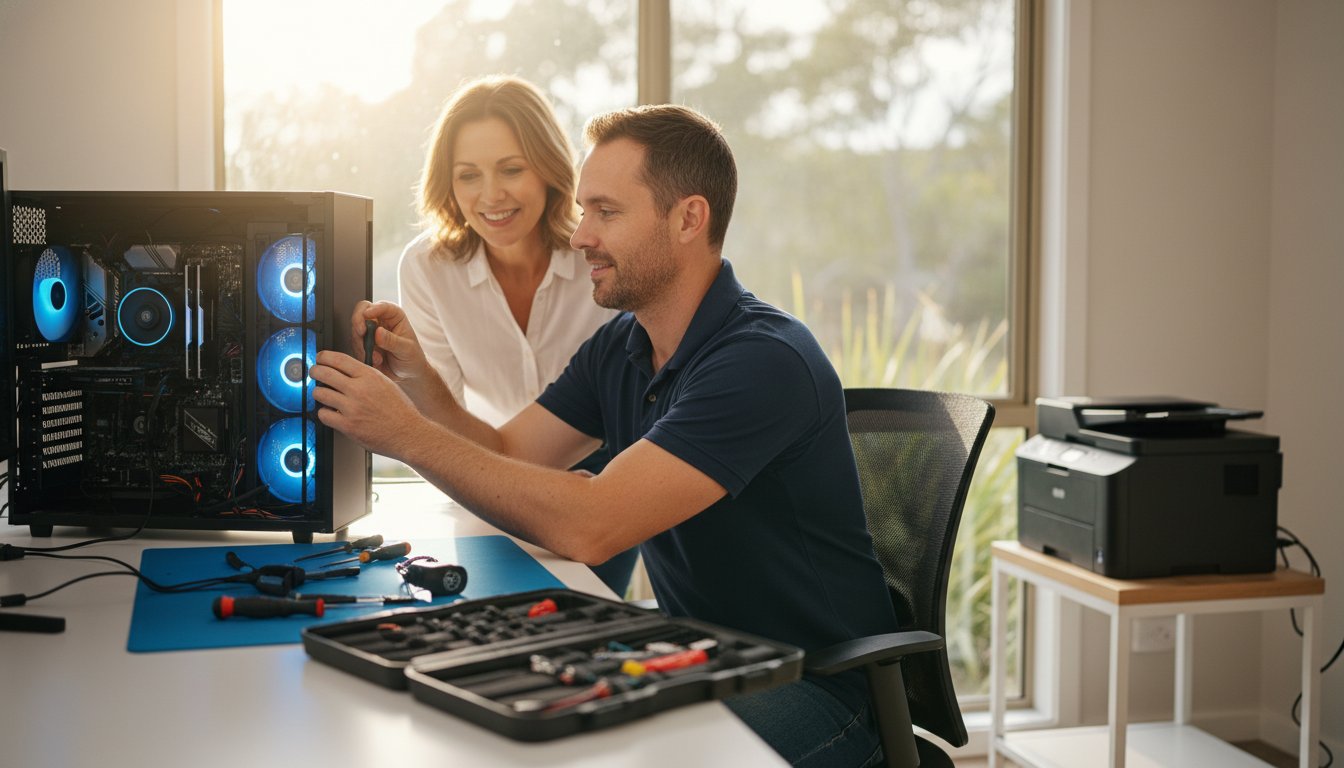
That sinking feeling is all too familiar: your computer suddenly slows to a crawl, freezes, or simply refuses to turn on. Immediately, your mind starts racing with questions. Is this going to cost a fortune? Will I lose all my precious photos and documents? Is the hassle of repairing your computer even worth it, or should I just buy a new one?
This uncertainty is frustrating, but don’t panic. Making a smart, cost-effective decision is simpler than you think when you know what to look for. This straightforward guide is designed to give you clarity and confidence, helping you navigate the choice between repair and replacement without the guesswork.
We’ll walk you through the key factors to consider-from the age and performance of your machine to typical repair costs here in Australia. By the end, you’ll have a clear understanding of your options and be able to choose the best path forward to protect your data and get you connected again.
Key Takeaways
- Use the ‘50% Rule’ to quickly determine if repairing computer components is more cost-effective than buying a new one.
- For recent computers with specific issues like a failed hard drive or a cracked screen, a professional fix is often the smartest financial move.
- Recognise the key warning signs-such as an inability to run essential software-that mean a replacement is a better long-term investment.
- Understand why a professional diagnosis is crucial to avoid common DIY mistakes that can turn a simple fix into a costly disaster.
The Core Question: A Checklist for Repair vs. Replace
Staring at a loading screen on a slow computer is one of modern life’s biggest frustrations. It leaves you with a tough question: is it time to invest in a repair, or should you cut your losses and buy a new machine? There’s no single right answer, but don’t worry. This simple checklist, based on four key factors, will help you make a confident and cost-effective decision for your situation.
To help you weigh your options, this video offers a great overview:
Factor 1: The Age of Your Computer
Most desktops and laptops have a practical lifespan of about 4-5 years. Beyond this point, you’ll find that older hardware often struggles to run the latest software and may no longer receive critical security updates. An ageing machine is also more prone to multiple component failures-fixing one part today might just lead to another problem tomorrow. While high-end custom PCs or beloved vintage models can be exceptions, age is a critical first consideration.
Factor 2: The Estimated Cost of Repair
A helpful guideline is the ‘50% Rule’. If the estimated cost of the repair is more than half the price of a comparable new computer, replacement is usually the smarter financial choice. For example, spending A$700 to fix a laptop you could replace for A$1,200 is rarely a good investment. To get an accurate estimate for repairing computer components, it’s essential to get a professional diagnosis first.
Factor 3: The Nature of the Problem
The type of fault is crucial. Problems can be broadly split into two categories: software and hardware. Software issues like viruses, malware, or a slow operating system are almost always worth fixing. Similarly, minor hardware upgrades like adding more RAM or replacing a battery are cost-effective. However, major hardware failures-such as a dead motherboard or a failed CPU-are often expensive. A qualified computer repair technician can accurately diagnose whether the issue is a simple software fix or a more serious hardware problem that may lean towards replacement.
When Repairing Your Computer is the Smartest Move
When your computer starts to lag, it’s easy to think the only solution is an expensive new model. But in many situations, that’s simply not the case. Before you start shopping, it’s worth considering the significant financial, practical, and environmental benefits of a targeted repair. Often, a strategic fix is all you need to restore your computer’s performance and save you hundreds, if not thousands, of dollars.
Cost-Effective Fixes for Common Issues
A sluggish computer doesn’t automatically signal the end of its life. Many of the most common performance bottlenecks can be resolved with straightforward and highly cost-effective repairs that breathe new life into your existing machine. These professional fixes can deliver a ‘like-new’ experience for a fraction of the cost of a replacement.
- Virus and Malware Removal: Malicious software can cripple your system’s speed and compromise your security. A thorough clean-up restores performance and peace of mind.
- Operating System Re-installation: Over time, software clutter and corruption can slow things down. A fresh OS installation gives you a clean slate without the need for new hardware.
- Upgrading to a Solid State Drive (SSD): Swapping an old mechanical hard drive for a modern SSD is the single most effective upgrade for boosting boot times and application speed.
- Adding More RAM: If you find your computer struggles when multitasking, a simple RAM upgrade allows it to handle more applications at once without slowing to a crawl.
Keeping Your Data, Settings, and Software
Perhaps the biggest overlooked advantage of repair is convenience. Setting up a new computer is a time-consuming project. You have to locate, transfer, and organise all your important documents, photos, and personal files. Then comes the tedious task of reinstalling all your programs-some of which you may have to repurchase. A professional repair preserves your familiar digital workspace, keeping all your data, software, and settings exactly where you left them. Our experts prioritise protecting your data during any repair.
The Environmental and Sustainable Choice
In Australia, electronic waste (e-waste) is one of the fastest-growing waste streams. Choosing to fix your device is a powerful, responsible decision. This principle of extending the life of essential equipment is a growing trend, with specialists like Mobility and You helping people service and maintain vital mobility aids. By extending the functional life of your machine, you directly help reduce the amount of complex and potentially hazardous materials heading to landfill. Furthermore, the process of repairing your computer has a much smaller carbon footprint than manufacturing a new one, saving the significant energy and raw materials involved in production and shipping. It’s a smart choice for your budget and a kinder choice for our environment.
Warning Signs: When It’s Time to Buy a New Computer
At Aspire Computing, our goal is to provide effective, long-lasting solutions. While we excel at fixing technology, our commitment to you includes providing honest advice. Sometimes, the most sensible and cost-effective solution isn’t a repair, but a replacement. Recognising when to retire an old machine can save you money, time, and a lot of frustration. Here are the key signs that it’s time to invest in a new computer.
The Repair Bill Exceeds 50% of Replacement Cost
A good rule of thumb is the 50% rule. If the cost of a repair is more than half the price of a comparable new computer, it’s usually not a wise investment. For example, spending A$600 on a major component failure for a machine you could replace with a faster, more reliable A$1000 model means you’re putting good money after bad. That A$600 is better invested in new technology that comes with a warranty, modern security features, and significantly better performance. It’s important to note that essential data recovery can be a separate, necessary cost to retrieve your files before decommissioning the old device.
Your Computer Can’t Run Necessary Software
Technology evolves quickly, and eventually, older hardware can’t keep up with the demands of modern software. You might find your computer no longer supports the latest operating system updates, leaving you vulnerable to security threats. Or perhaps it struggles to run essential programs for your work or hobbies, like video editing software or new games. No amount of hardware repair can fix this fundamental incompatibility. Upgrading ensures you can stay productive, secure, and get the most out of your software for years to come.
You’re Facing Frequent and Multiple Failures
Is your computer suffering from ‘death by a thousand cuts’? This happens when you fix one problem, only for another to appear a few weeks or months later. First, the power supply fails, then the hard drive starts making strange noises, and then it begins to overheat. This pattern indicates that the entire system is reaching the end of its operational life. The cumulative cost of repeatedly repairing computer components, not to mention the downtime and stress, can easily exceed the price of a new machine. It’s a clear sign that the system’s reliability is gone.

Understanding Repair Costs: A Realistic Breakdown
When your computer slows to a crawl, one of the first questions is, “How much will this cost to fix?” At Aspire Computing, we believe in transparency. The costs for repairing computer issues can vary, but we want to give you a realistic overview of what you might expect here in Toowoomba. Please remember, these are estimates; an accurate quote always requires a proper diagnosis to pinpoint the exact problem.
Software-Related Repairs
Often, a slow computer is suffering from a software problem, not a hardware failure. The good news is that these fixes don’t require expensive new parts. A professional virus or malware removal is typically a set service fee, often between A$100 and A$200. If your system is cluttered and slow, a complete Windows OS reinstall can restore it to factory-fresh speed for around A$150 to A$250. Services like data backup and transfer are also available, usually priced based on the time involved or the amount of data.
Common Hardware Replacements
If a physical component has failed or needs an upgrade, the cost will include the part itself plus the labour for installation. Here are a few common hardware jobs:
- Hard Drive to SSD Upgrade: The single most effective speed boost for an older machine. Expect to pay between A$200 – A$400, which covers a quality solid-state drive and professional installation.
- Laptop Screen Replacement: Costs vary widely depending on the screen size, type (e.g., touchscreen), and model, generally ranging from A$250 to A$500+.
- RAM (Memory) Upgrade: A quick and affordable way to improve multitasking performance, often costing between A$100 – A$200.
- Laptop Battery Replacement: The price depends heavily on whether the battery is external (cheaper) or internal (requires more labour to install).
The Importance of a Diagnostic Fee
To avoid guesswork, we start with a thorough diagnostic assessment. This fee covers our technician’s time and expertise to run tests and accurately identify the root cause of the slowdown. It ensures you only pay for the repair you actually need. In most cases, this diagnostic fee is waived if you decide to proceed with the recommended repair. It’s the first step in providing an honest and effective service.
Ready to find out exactly what’s slowing you down? Book a no-obligation assessment with Aspire Computing.
DIY vs. Professional Repair: Why an Expert Matters
With countless video tutorials and guides online, the temptation to fix a slow computer yourself is understandable. While a DIY approach can seem like a great way to save a few dollars, it often comes with hidden risks that can lead to bigger, more expensive problems. When it comes to the complex task of repairing computer hardware and software, entrusting your device to an expert is the safest, most reliable, and often more affordable long-term solution.
The Hidden Risks of DIY Computer Repair
Attempting a complex repair without experience can quickly go wrong. The most common pitfalls we see include:
- Misdiagnosing the problem: You might spend A$150 on a new solid-state drive, only to discover the real issue was a faulty memory stick. An expert diagnosis prevents wasting money on the wrong parts.
- Causing further damage: A single zap of static electricity can fry a motherboard, or a misplaced screw can short-circuit a component. These simple mistakes can turn a repairable issue into a terminal one.
- Permanent data loss: Without professional backup procedures, one wrong click or a failed part replacement can mean losing your precious photos, documents, and files forever.
- Lacking the right tools: Professionals use specialised diagnostic software and precision tools to safely open devices and identify the root cause of an issue, something a standard home toolkit cannot do.
Benefits of a Professional Technician
Choosing an experienced local technician provides more than just a fix; it delivers peace of mind. You gain the assurance of an accurate diagnosis that saves you time and money. Professionals have access to networks of quality part suppliers and provide warranties on their work, so you are protected if anything goes wrong. Most importantly, you can relax knowing your valuable device and irreplaceable data are in safe, experienced hands.
When to Call for Help in Toowoomba
While simple software updates are often manageable, you should always call for professional help if:
- Your computer won’t turn on at all.
- You suspect a hardware failure due to strange noises, a blank screen, or constant crashes.
- You are not 100% confident in your technical skills to solve the problem safely.
Don’t risk your data or your device. Trust Toowoomba’s local experts since 1999. Contact Aspire Computing.
Your Next Step: Making a Smart Choice for Your PC
The decision between repair and replacement ultimately hinges on value. As we’ve explored, factors like your computer’s age, the specific problem, and the potential repair cost all play a crucial role. A newer machine with a faulty component is often a prime candidate for a fix, while the high cost of repairing computer hardware on an outdated model may not be a wise investment. The key is to weigh the short-term expense against the long-term performance and continuity you’ll receive.
You don’t have to navigate this complex choice on your own. Before you make a final decision, getting a professional diagnosis can provide the clarity you need. At Aspire Computing, we pride ourselves on offering personal, trustworthy service from local experts who have been serving Toowoomba and surrounds since 1999. We believe in providing honest advice to help you protect your investment and make the right call.
We stand behind our work with a full warranty on all parts and labour, giving you complete assurance. Don’t guess, get an expert opinion. Contact Aspire Computing today! Let us help you find the most practical and cost-effective solution to get you back up and running with confidence.
Frequently Asked Questions About Computer Repairs
How long do most computer repairs take?
Most software-related issues, such as virus removal or a system tune-up, are typically resolved within 1-2 business days. Hardware repairs, like a screen or hard drive replacement, may take 3-5 business days if we need to source a specific part. We always provide a clear and accurate timeline after our initial diagnosis and focus on a fast return, so you can get back to your work and life with minimal disruption.
Will my personal data be safe during the repair process?
Protecting your personal data is our highest priority. We follow strict privacy protocols and always recommend a full backup before any work begins, which we are happy to assist with. For most repairs, your data is not accessed or affected. In situations that require a system reset or hard drive replacement, we will discuss data backup and recovery options with you beforehand to ensure your important files, photos, and documents are completely safe.
Do you offer a warranty on your computer repairs?
Yes, absolutely. We stand by the quality of our work with a comprehensive warranty for your peace of mind. This includes a 3-month warranty on our labour and a 12-month warranty on any new hardware parts we install. This assurance means that if you experience the same issue within the warranty period, we will resolve it promptly at no additional cost to you. Quality and reliability are central to our service.
What’s the difference between repairing my computer and upgrading it?
Repairing a computer means fixing a specific fault to restore its original functionality-for example, replacing a broken keyboard or removing malware. An upgrade, however, enhances your computer’s performance beyond its original specifications. Common upgrades include installing a faster Solid-State Drive (SSD) to replace an old hard drive or adding more RAM to improve multitasking. We can help you decide which solution best fits your needs and budget.
Can you repair all brands of PCs and laptops, like Dell, HP, and Apple?
With over two decades of experience, we have the expertise to service and repair an extensive range of computer brands. We regularly work on popular PC manufacturers including Dell, HP, Lenovo, Acer, and ASUS, as well as Apple products like MacBooks and iMacs. Our technicians are skilled in diagnosing and fixing issues across different hardware and operating systems, from Windows to macOS, providing a reliable solution no matter your device.
Is it worth repairing a computer with water damage?
This depends on the extent of the damage. A minor spill might only require a keyboard replacement, which is often a cost-effective fix. However, significant liquid exposure that affects the main logic board can be expensive. We provide a thorough diagnostic service to assess the damage accurately. We will then give you an honest quote and a professional recommendation, helping you make an informed decision on whether the repair is a worthwhile investment.
My computer is just slow. Is that worth fixing?
Absolutely. A slow computer is one of the most common problems we address, and it is almost always worth fixing. The cause is often software-related, such as too many startup programs, malware, or a nearly full hard drive. A professional tune-up service or a simple hardware upgrade, like moving to a Solid-State Drive (SSD), can make your machine feel faster than new for a fraction of the cost of buying a replacement.

B.App.Sc., Cert. Computer Engineering PC Service and Repair
As the owner of Aspire Computing founded in 1999, Chaim Lee has been working for over 20 years as the Leading Computer Technician.
He has a life long interest in electronics, computing, science and technology. He has completed studies and gained qualifications in Applied Science, Computer Repair and Service, Microsoft Installation and Maintenance, Technical Writing, Workplace Training, and Technical Sales Training.