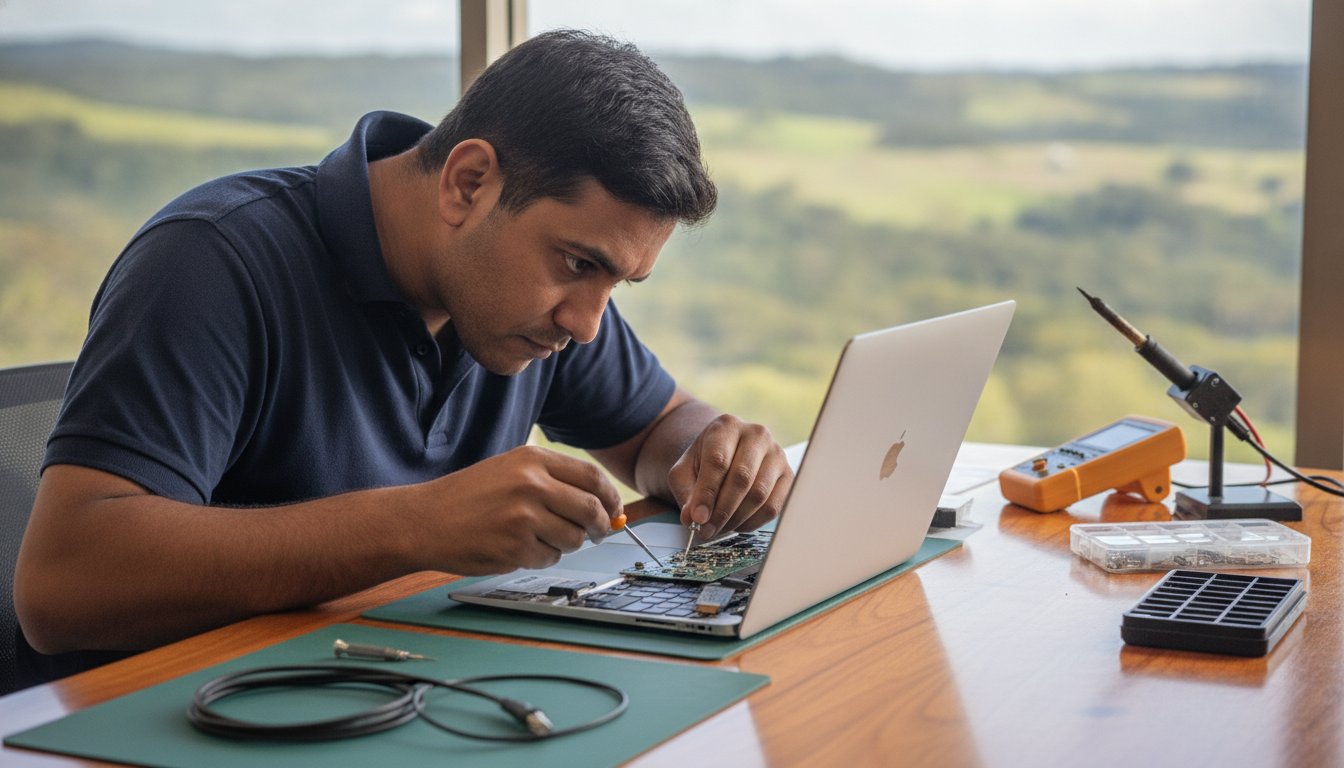
Notebook Repairs Near Me: Expert Laptop Fixes in Toowoomba

Imagine sitting down at your desk in Newtown, ready to tackle a busy workday, only to find your laptop won’t boot past a flickering logo. It is a gut-wrenching moment when you realize your business files, family photos, and daily schedule are trapped behind a hardware failure. If you’ve been searching for notebook repairs near me, you know the immediate stress isn’t just about the broken machine. It’s the nagging fear of losing data and the anxiety over how much a professional fix might actually cost.

We believe that tech support should be transparent and reassuring, not a source of more frustration. You deserve to know exactly what’s wrong with your device and whether a repair is a smarter investment than a total replacement. This article will help you find the most reliable notebook repair services in Toowoomba so you can get your laptop running like new again. We’ll walk through the essentials of hardware diagnostics, the peace of mind offered by expert data recovery, and how a professional Windows tune-up can breathe fresh life into a sluggish system.

Key Takeaways

  • Learn why choosing a local Toowoomba expert provides better accountability and faster service than a national franchise.
  • Discover how professional hardware diagnostics identify the true root cause of your laptop’s failure rather than just treating the symptoms.
  • Understand the economic framework and the “three-year rule” to help you decide if repairing your device or upgrading is the better financial choice.
  • Find out how to ensure your personal data and business files remain secure while looking for notebook repairs near me.
  • See how a specialist Windows tune-up can restore your computer’s speed and reliability as a cost-effective alternative to a full replacement.

Finding Reliable Notebook Repairs Near Me in Toowoomba

When your device fails, searching for notebook repairs near me often leads to a choice between large, faceless franchises and local specialists. Professional notebook repair is more than just swapping out parts. It involves a systematic approach to hardware integrity and software stability, ensuring your machine handles the specific demands of your home office or business. For residents in Toowoomba, Newtown, and the wider Darling Downs, this service is best delivered by someone who understands the local environment and has a stake in the community.

The Advantage of Local On-Site Support

Choosing on-site support means you don’t have to pack up your workstation and drive across town. A technician visiting your office in the Lockyer Valley or your home in Newtown saves you valuable time. You get to see the repair process happen in real-time, which builds trust and allows you to ask questions as they arise. Local experts also bring specific knowledge of regional connectivity issues. They understand the nuances of the NBN rollout in our area and can troubleshoot setup problems that a remote call center might miss.

Identifying a Trustworthy Repair Shop

A reliable computer repair technician should have a clear, documented history. Aspire Computing has been serving the region since 1999, providing a level of stability that’s rare in the tech industry. When you look at a professional biography, you’re looking for personal accountability. You want to know who is handling your data. Transparency in diagnostics and quoting is essential; you should never feel pressured into a repair without a clear understanding of the costs involved.

At its core, professional local repair is a combination of high-level technical skill and deep community accountability. It’s about building a relationship where the technician cares as much about your uptime as you do. By visiting Aspire Computing, you’re engaging with a service that has spent over two decades refining its approach to local IT needs. This long-standing reputation ensures that when you need notebook repairs near me, you’re getting help from someone who will be here tomorrow to stand by their work today.

Diagnosing Common Laptop and Notebook Hardware Issues

Searching for notebook repairs near me often starts when a device behaves unpredictably. You might notice a slow startup or a screen that occasionally flickers. These are just symptoms. They don’t always reveal the underlying problem. Professional diagnostics are essential because they pinpoint whether a failure is caused by a dying battery, a corrupted driver, or a physical hardware fault. In our Toowoomba climate, heat and dust are the two biggest silent killers of portable tech. Dust builds up in the small cooling vents, causing the internal temperature to spike. This thermal stress eventually degrades sensitive components and shortens the lifespan of your machine.

Modern laptops are incredibly compact. Most components are integrated into the motherboard, which makes DIY fixes risky without professional tools. A technician uses specialized equipment to test voltage and signal paths without causing further damage. This precision is vital when weighing the costs of Repair vs. Replacement, as an accurate diagnosis prevents you from wasting money on parts you don’t actually need. Professional tools allow us to see exactly what’s happening inside the chassis before we even pick up a screwdriver.

Screen, Battery, and Power Problems

Battery issues are common but often misunderstood. If your laptop only works while plugged in, it’s likely a dead cell. However, if it won’t charge even when connected, the problem might be a damaged charging port or a failing power brick. We always recommend using genuine power supplies. Non-genuine chargers often lack the correct voltage regulation, which can fry high-end laptop circuitry. If your screen goes black or flickers, it could be a loose internal cable or a failing LCD panel. Testing these requires opening the chassis, a task best left to an expert who understands the delicate ribbon cables involved.

Performance Bottlenecks and Overheating

Slow performance doesn’t always mean you need a new computer. A professional Windows tune-up can often clear out software bloat and registry errors that drag down speed. If you hear your fan spinning loudly or feel excessive heat on the bottom of the case, your cooling system is struggling. This physical sign shouldn’t be ignored, as overheating can lead to permanent data loss. Upgrading to a Solid State Drive (SSD) is often the most effective way to breathe life back into an older machine. It provides a massive speed boost that far exceeds the performance of traditional hard drives. If your device is struggling to keep up, you can book a hardware assessment to see which upgrades will offer the best value for your specific model.

Notebook Repair vs. Replacement: Making the Economical Choice

Choosing between fixing a broken device and buying a new one is a common headache for Toowoomba residents. When searching for notebook repairs near me, you need a clear framework to decide if your machine is worth the investment. Generally, if a laptop is less than three years old, a repair is almost always the better financial choice. High-quality hardware is built to last. It often just needs a specific component replaced or a professional cleaning to return to peak performance. This “three-year rule” helps you avoid the trap of the premature replacement cycle that many big-box retailers encourage.

Repairing your current device also has significant environmental benefits. Australia generated 588,000 tonnes of e-waste in 2023. Extending the life of your hardware directly helps reduce this growing environmental impact. Strategic hardware upgrades, such as adding more RAM or a faster drive, can often extend a notebook’s functional life by several years. This approach keeps your familiar keyboard and screen intact while providing the internal speed required for modern applications. It’s a practical way to maintain operational resilience without the high cost of a new purchase.

Calculating the ROI of Your Repair

It’s helpful to look at the return on investment when your laptop starts to fail. A quality repair often costs less than 25% of a new machine. When you compare this to the price of a new mid-range laptop, the savings are immediate and substantial. You also avoid the hidden costs that come with starting over. These include the time spent on complex data transfers, the hassle of re-installing specialized business software, and the hours required to set up your desktop preferences. A professional repair keeps your workflow moving without these interruptions.

When Replacement is the Better Option

There are certain scenarios where repair isn’t the most logical path. Catastrophic failures, such as extensive liquid damage to the motherboard or a cracked chassis that compromises structural integrity, can sometimes exceed the value of the device. If your central processor is so old that it can no longer run current security updates, an upgrade becomes a necessity for your safety. If we find that your machine has reached this point during our diagnostic process, Aspire Computing can help you source quality new hardware. We provide honest advice to ensure your new system is perfectly suited to your specific needs in Toowoomba or the Darling Downs.

Notebook Repairs Near Me: Expert Laptop Fixes in Toowoomba

The Importance of Data Security During the Repair Process

Handing over your personal or business laptop can feel like giving someone the keys to your entire life. It’s a common fear; you might wonder if a technician will look at your private files while your device is in the shop. When you’re searching for notebook repairs near me, data security should be your primary concern. We operate with strict protocols to ensure your privacy is never compromised. Our diagnostics focus on system health and hardware signal paths, not the contents of your personal folders. This professional boundary is a cornerstone of our service in Toowoomba, backed by over two decades of local accountability.

Data integrity is also about protecting your files from external threats. A hardware failure often happens at the same time a system is vulnerable to software corruption. We follow best practices in line with Australian privacy standards to ensure that your information remains yours alone. Whether we’re working on a machine from Newtown or a business setup in the Darling Downs, our goal is to return a device that’s both physically functional and digitally secure.

Virus and Malware Removal Protocols

Malware can do more than just slow down your computer; it can act as a gateway for data theft. Our approach involves a methodical scan of system directories to identify malicious code without opening your personal documents. These deep scans ensure that no hidden threats remain to re-infect your notebook once the hardware is fixed. Securing your system after a hardware repair is vital for long-term stability. You can find more detailed information on protecting your device in our Virus and Malware Removal Guide.

Data Recovery and Backup Strategies

It is a gut-wrenching moment when a notebook won’t boot, but your files are still trapped on the drive. In many cases, the data is perfectly intact; it’s just the operating system or a power component that has failed. We specialize in retrieving these files and implementing a “Business Continuity” plan for home office users. This ensures you never face the same panic again. If you’re dealing with a drive that seems unresponsive while looking for notebook repairs near me, our Data Recovery Services can help you get those lost files back safely. You can contact us today to discuss a secure data backup plan for your home or business.

Professional Laptop Services with Aspire Computing

Aspire Computing represents a different approach to technology support. Since 1999, we’ve provided a stable and reliable presence in the Toowoomba region. While national chains often rotate staff or use remote call centers, our business is built on personal accountability. When you search for notebook repairs near me, you aren’t just looking for a technician; you’re looking for a partner who understands your history and your specific setup. We combine this decades-long experience with a modern focus on efficiency and security.

Our service extends beyond the laptop itself. We supply and repair quality peripherals, ensuring your entire office ecosystem works together. Whether you need printer supplies for your Canon or Epson devices or a complete hardware overhaul, we use parts that meet high industry standards. This commitment to quality ensures that once your notebook is fixed, it stays fixed. We focus on tangible improvements that you can feel the moment you turn your machine back on.

Personalised Tech Support for Toowoomba

The owner-led model at Aspire Computing means you always speak directly to the person performing the work. There’s no middleman and no corporate jargon. This direct line of communication allows for a much deeper understanding of your technical issues. Every repair we undertake includes a focus on “Cyber Security” to ensure your machine isn’t just fast, but also protected against modern threats. For a broader look at our local expertise, you can visit our Pillar Page for Computer Repairs Toowoomba.

Getting Started with Your Notebook Repair

Initiating your repair is a straightforward process. You can contact us to book an on-site visit or a remote diagnostic session depending on the nature of the fault. When you call, describing your symptoms accurately helps us prepare the right tools and parts. If you’ve noticed specific error messages or unusual sounds, jot them down before the session starts.

Before our technician arrives at your Newtown or Toowoomba location, ensure you have your power cables and any relevant passwords ready. This preparation helps us get straight to work, reducing your downtime. If you’re searching for notebook repairs near me because of a sudden failure, don’t panic. We’ve spent over 25 years helping Toowoomba residents restore their digital lives quickly and safely. We’re here to ensure your technology serves you, rather than the other way around.

Get Your Notebook Back in Top Shape

Your laptop is the hub of your digital life. Understanding when to repair rather than replace can save you significant money while keeping your valuable data secure. We have explored how professional diagnostics pinpoint the root cause of hardware failures and why local, owner-led support offers a level of accountability you won’t find at a national franchise. Whether you are dealing with a flickering screen or a system that won’t boot, finding reliable notebook repairs near me is about choosing a partner you can trust with your privacy and your productivity.

Aspire Computing has been serving the Toowoomba community since 1999. We offer expert on-site and remote support, specializing in complex data recovery and robust cyber security. You don’t have to struggle with a slow or broken machine any longer. Contact Aspire Computing for Reliable Notebook Repairs in Toowoomba and let us handle the technical details for you. We are ready to help you get back to work with a fast, secure, and reliable device.

Frequently Asked Questions

How long does a typical notebook repair take in Toowoomba?

Most software fixes or virus removals are completed within one to two hours of starting the work. Hardware repairs depend on the availability of specific parts, but we always aim for a rapid turnaround to minimize your downtime. Since we offer both on-site and remote assistance, we can often begin the diagnostic process quickly. We understand that your notebook is essential for daily life, so we prioritize efficient and reliable service.

Can you fix my laptop screen if it is cracked?

Yes, we provide professional laptop screen replacement services for most major brands. A cracked or flickering screen usually requires a full panel replacement to restore clarity and touch functionality. We source high-quality replacement parts to ensure your display looks like new again. Because modern screens are integrated with delicate cables, we handle the installation with precision to prevent damage to the internal camera or the Wi-Fi antennas housed in the lid.

Will I lose my files during a notebook repair?

We prioritize data integrity and take every precaution to protect your files during the repair process. For many hardware fixes, your data remains completely untouched on the drive. However, if we identify a failing storage device, we specialize in data recovery and secure backups to save your information. When you search for notebook repairs near me, choosing a technician who emphasizes cyber security ensures your personal and business files are handled with professional care.

Do you offer on-site laptop repairs for small businesses?

We specialize in on-site IT support for small businesses and home offices throughout Toowoomba and the Darling Downs. Our technician can visit your location in Newtown or surrounding suburbs to troubleshoot hardware issues or network connectivity problems. This service saves you the hassle of disconnecting equipment. It also allows us to see how your devices interact with your local environment, including printers, scanners, and network storage solutions.

Is it worth upgrading the RAM or SSD in an older notebook?

Upgrading your hardware is often the most cost-effective way to extend the life of a laptop that is several years old. Replacing a traditional hard drive with a Solid State Drive (SSD) provides a massive boost in startup speed and application responsiveness. Adding more RAM allows your system to handle multiple tasks without slowing down. These upgrades frequently cost significantly less than purchasing a new machine and provide immediate, tangible improvements.

What brands of laptops and notebooks do you service?

We service all major PC laptop brands, including Dell, HP, Lenovo, ASUS, and Acer. Our expertise covers a wide range of hardware configurations and operating system versions. Whether you have a high-end business workstation or a student notebook, we use professional diagnostic tools to identify specific faults. We also supply quality parts and peripherals from trusted brands like Canon and Epson to ensure your entire office setup remains stable and reliable.

How much does a laptop diagnostic cost?

We provide clear, upfront quotes for all repairs after a thorough assessment of your device’s symptoms. Our diagnostic process identifies the root cause of the failure, whether it’s a hardware fault or a software conflict. We believe in transparency, so you’ll have a full understanding of the costs before any work begins. When searching for notebook repairs near me, this clear communication helps you make an informed decision about your technology investment.

Can you help with printer setup alongside my notebook repair?

Yes, we offer comprehensive printer supply and repair services as part of our IT support. We can assist with the initial setup, driver installation, and wireless configuration for brands such as Canon, Samsung, and Epson. Ensuring your notebook communicates correctly with your printer is essential for a smooth workflow. We can handle these tasks during an on-site visit to your home or office to ensure your entire system functions perfectly.

Printer Repair Toowoomba: Reliable Solutions for Home & Small Business

Imagine you have just spent a small fortune on fresh toner, only for your machine to flash a cryptic error code minutes before a major deadline. It’s a frustrating scenario many local professionals face, and it often leads to the same stressful question: is it time to give up, or is there a way to save your investment? Finding reliable printer repair Toowoomba doesn’t have to be a gamble, especially when you need a fast turnaround to keep your home office or small business running smoothly.

We agree that your time and money are too valuable to waste on “throwaway” technology that isn’t actually broken. This guide promises to demystify those stubborn wireless issues and provide the honest “repair versus replace” advice you need to make a smart decision. You’ll learn about common troubleshooting fixes, the long term benefits of maintaining laser printers, and how personalized service from a local expert like Chaim Lee can get your equipment back in top shape without the usual retail headache.

Key Takeaways

  • Discover how Toowoomba’s local humidity affects paper storage and learn simple ways to prevent persistent paper jams.
  • Master a 5-step troubleshooting checklist to resolve wireless connectivity issues and software errors before calling for help.
  • Apply the “50% Rule” and ink cost analysis to decide whether repairing or replacing your printer is the better financial choice.
  • Access professional printer repair Toowoomba services for fast on-site business support and preventative maintenance.
  • Understand how over 25 years of local technical experience ensures you receive honest, expert advice tailored to your needs.

Common Printer Problems Toowoomba Residents Face

When your printer stops working, it’s rarely at a convenient time. In our region, we see a specific set of issues that often stem from local climate factors and typical wear. If you are searching for printer repair Toowoomba, you’ve likely encountered one of these four common headaches. Persistent paper jams are a frequent complaint; Toowoomba’s humidity can cause paper to absorb moisture, making it swell and stick together. This leads to the rollers grabbing multiple sheets at once, causing a backup in the paper path.

To better understand how these mechanical issues look in practice, watch this helpful video:

Faded or streaky prints usually signal clogged print heads, especially in older inkjet models that sit idle for too long between jobs. Then there is the “offline” nightmare where your computer suddenly can’t find the device. This is often a breakdown in the wireless handshake or a print spooler error in Windows. We see this frequently after a router change or a major system update. Finally, pay attention to strange noises. Grinding or clicking sounds are early warnings that gears or rollers are failing and need professional attention before the machine stops entirely.

Environmental Impacts on Printing in the Darling Downs

Managing printer repair Toowoomba needs often involves addressing the unique environmental challenges of the Darling Downs. Fine dust from the surrounding areas can settle on laser printer drums, creating repetitive spots or lines on every page. Humidity doesn’t just affect paper; it can also cause toner powder to clump inside the cartridge. To protect your investment, follow these simple storage tips:

  • Keep paper in its original wrapper or a sealed container until you’re ready to load it.
  • Store ink and toner in a cool, dark cupboard to prevent the liquid from drying or the powder from clumping.
  • Always use a high-quality surge protector, as local power surges during storm season can easily damage sensitive printer circuit boards.

While protecting your hardware from electrical issues is vital, don’t forget that the physical safety of your workspace is just as important during the local storm season; specialists like Hop To It Roof Repairs can help ensure your roof remains leak-free and secure against the elements.

Brand-Specific Issues: Canon, Epson, and HP

Different brands have their own quirks that require specific expertise. Canon and HP models in 2026 often display specific error codes that can be confusing for home users, such as “B200” or various “0x” hardware faults. While it’s tempting to hit “update” on every prompt, firmware updates can sometimes cause more harm than good by introducing connectivity bugs or rejecting third-party cartridges. For those using Epson eco-tank models, the most common mechanical failure involves air bubbles or dried ink blockages forming within the long internal supply tubes. If you need help diagnosing these specific faults, Aspire Computing offers expert local support to get you back online quickly.

5 Steps to Troubleshoot Your Printer Before Calling a Pro

Before you commit to a professional service call, there are several reliable steps you can take to rule out simple software glitches or minor blockages. These methods often resolve the most common frustrations without needing a toolkit. If you find these steps don’t solve the problem, reaching out for expert printer repair Toowoomba ensures you aren’t stuck offline for long.

1. The Power Cycle Plus: This is more than just turning it off and on. You should turn off the printer, unplug it from the wall, and wait at least 30 seconds. This duration allows the internal capacitors to drain completely, which clears the temporary memory and resets the internal logic board. It’s a simple way to fix “frozen” screens or unresponsive buttons.

2. Clearing the Print Spooler: If you are using Windows 11 or 12, your computer might have a “stuck” print job blocking the queue. Open the “Services” app, find “Print Spooler,” right-click it, and select “Restart.” This often clears the digital logjam that prevents new documents from printing.

3. Wireless Reset: Modern Wi-Fi 6 routers provide incredible speeds, but they sometimes struggle to maintain a handshake with older printer hardware. Try re-joining your Wi-Fi network directly from the printer’s control panel. This forces the router and printer to establish a fresh connection.

4. Physical Inspection: Use a bright flashlight to look inside the paper trays and access doors. Even a tiny scrap of paper or a stray staple can trip a sensor. Gently remove any debris you find, but avoid using sharp objects that could scratch the delicate rollers.

5. Driver Refresh: Ensure your printer software matches your current operating system. Manufacturers frequently release updates to fix bugs. Downloading the latest 2026 driver from the official brand website can resolve many “Printer Not Found” errors.

Fixing Connectivity and “Printer Offline” Errors

To prevent your printer from disappearing on your network, try assigning it a static IP address through your router settings. This ensures the computer always knows exactly where to find the device. For remote workers using cloud print services, check that your account is still authenticated. If wireless troubleshooting fails, connecting a USB cable is the best diagnostic tool left. It tells you immediately if the hardware is functional or if the issue is strictly network-related. If you’re still hitting a wall, Aspire Computing can help diagnose these complex connectivity issues remotely or on-site.

Mechanical Quick Fixes for Paper Jams

When clearing a jam, always pull the paper in the direction of the natural paper path. Pulling it backwards can tear the sheet or misalign the internal sensors. If your machine frequently misfeeds, you can safely clean the pick-up rollers using a lint-free cloth lightly dampened with water or a tiny amount of isopropyl alcohol. This removes the “paper dust” that makes rollers slippery. If the printer reports a jam but you can’t find any paper, it’s likely a sensor failure or a broken gear that requires a professional eye.

Repair or Replace? Making the Right Choice for Your Printer

Deciding whether to book a printer repair Toowoomba service or head to the shops for a new machine is a common dilemma. Many residents feel pressured to replace their hardware at the first sign of trouble, but this isn’t always the most cost-effective move. A smart way to decide is by using the “50% Rule.” If the cost of a professional repair approaches half the price of a comparable new unit, replacement might be the logical path. However, this rule only works if you look at the total cost of ownership, not just the sticker price of a new box.

The trap many fall into involves “cheap” inkjet printers. These units are often sold at a loss, with manufacturers making their profit on expensive proprietary ink cartridges. When you factor in that a budget printer might cost twice as much to run per page as a mid-range laser model, repairing your existing high-quality machine becomes much more attractive. Sustainability is also a growing concern in 2026. Australia generates over 521,000 tonnes of e-waste annually, which is roughly 20.4kg per person. Choosing to maintain your current device directly reduces the environmental impact on our local Toowoomba landfill sites.

Evaluating the Age and Usage of Your Device

Lifespan varies significantly between technology types. A standard home inkjet printer typically lasts around three years under regular use, while a business-class laser printer can easily serve an office for five to ten years. Every printer has a “duty cycle,” which is the maximum number of pages it can reliably print per month. If your machine is reaching this limit, internal components like fuser units and transfer belts may begin to fail. Chaim Lee often recommends repairing older business-grade hardware because these machines were built with sturdier parts than modern, entry-level consumer models. A simple roller replacement can often give a robust older machine another three years of life.

The Hidden Costs of New Printers

Don’t be fooled by the low price tag on a new machine. Most new printers come with “starter cartridges” that contain only a fraction of the ink found in a standard replacement. You might find yourself spending another $100 on ink just weeks after your purchase. Additionally, many modern brands push subscription-based ink models that charge you a monthly fee just to keep your printer functional. If you prefer to own your supplies and avoid recurring costs, keeping your current machine running is usually the better financial move. For an honest, professional assessment of your hardware, you can contact Aspire Computing to see if a repair is viable for your specific model.

Printer Repair Toowoomba: Reliable Solutions for Home & Small Business

Professional Printer Service for Toowoomba Small Businesses

Small businesses in the Darling Downs often rely on a few high-performance desktop printers rather than massive floor-standing photocopiers. When these machines fail, your entire workflow can grind to a halt. Professional printer repair Toowoomba services for small businesses provide a bridge between basic DIY fixes and expensive enterprise contracts. We offer both on-site and remote support to get your office back to work without the need for you to travel or wait days for a technician.

Regular maintenance is the best way to prevent unexpected downtime. A professional “tune-up” includes cleaning internal sensors, lubricating moving parts, and checking for firmware stability. It’s also a critical time to review your supply solutions. We help you source the right ink and toner locally, ensuring you don’t end up with incompatible or low-quality third-party supplies that could damage your machine’s delicate print heads.

Security is another vital factor that many small business owners overlook. A networked printer is a computer in its own right. If it isn’t secured, it can become a backdoor for malware to enter your office network. We ensure your printer’s security settings are configured correctly to protect your client data and internal documents from unauthorized access.

Managed Print Solutions for Small Teams

For offices with multiple users, tracking printing costs can be difficult. We implement simple solutions to monitor usage and reduce waste across your team. You can also set up secure “Follow Me” printing, which ensures a document only prints when the user is physically at the machine. This is a great way to handle sensitive information in shared office spaces. For a complete look at optimizing your workplace technology, check out our guide on IT support for business for full office integration.

Emergency Printer Repair in Toowoomba

Deadlines don’t wait for hardware failures. We offer priority service for local businesses facing critical projects. If a specific part needs to be ordered, we can often discuss temporary loaner options to keep your team productive while your main unit is being serviced. This level of personal care is why local expertise beats waiting for a national chain technician who might be traveling from hours away. Dealing directly with Chaim Lee means you get a technician who understands your history and your specific business needs. Ready to secure your office hardware? Contact Aspire Computing for a professional maintenance check today.

Why Aspire Computing is Toowoomba’s Trusted Printer Specialist

Choosing a technician for printer repair Toowoomba requires more than just technical skill; it requires trust. Aspire Computing has served our local community for over 25 years. When you call for assistance, you deal directly with the owner, Chaim Lee. You won’t be redirected to a distant call centre or forced to navigate an automated phone menu. This personal accountability ensures that every piece of advice you receive is honest, professional, and tailored specifically to your home or small business needs.

Our deep expertise spans major brands including Canon, Epson, and Samsung. We understand the specific mechanical quirks and software requirements of these machines. This knowledge allows us to provide a rapid turnaround and reliable solutions. We maintain a strict commitment to transparent pricing and dependable advice. You’ll always receive a clear explanation of the fault and a professional recommendation on whether a repair is the most economical choice. This straightforward approach has built a strong sense of stability and expertise across the Darling Downs since we first established our presence.

Serving Newtown and the Surrounding Suburbs

We’ve been a permanent fixture in the Newtown community since 1999. Our mobile service coverage is extensive, reaching from the heights of Highfields down to the Lockyer Valley and across the various suburbs of Toowoomba. Choosing a local technician means you benefit from someone who understands the specific environmental challenges of our region. We know how local dust and humidity levels can impact your hardware because we live and work here too. This hyper-local focus distinguishes our service from anonymous national providers who lack a personal connection to the community.

More Than Just Printer Repairs

A printer problem is often just one piece of a larger technical puzzle. What looks like a mechanical failure could actually be a networking conflict or an outdated driver issue. We provide a holistic approach by integrating your printer service with professional computer repairs and network troubleshooting. This ensures your entire office ecosystem functions as it should, preventing future downtime.

We also help protect your home office through expert virus and malware removal. If a malicious program has compromised your system or redirected your print jobs, we can clean your device and restore your security. Booking a local service call today with Aspire Computing gives you the peace of mind that comes from dealing with an established expert who stands by his work. Whether you need a quick fix or a complete system overhaul, we are here to help.

Get Your Printer Back Online with Confidence

Your printer is a vital part of your daily workflow, and a sudden failure shouldn’t derail your entire week. We have explored how local conditions impact your hardware and provided a framework for deciding whether to fix or replace your machine. When troubleshooting steps fail, professional printer repair Toowoomba becomes the most efficient way to restore your productivity without the risk of further damaging your device through trial and error.

Choosing a local specialist means you benefit from over two decades of technical experience. Aspire Computing has been serving the community since 1999, offering a level of personal accountability that national call centres simply cannot provide. Dealing directly with Chaim Lee for your printer repair Toowoomba ensures you receive honest, transparent advice tailored to the unique needs of your home office or small business. We understand the value of your time and the importance of a machine that works when you need it most.

Don’t let technical glitches slow you down any longer. Contact Chaim at Aspire Computing for Expert printer repair Toowoomba and get your equipment running smoothly again. We are here to help you get back to work with minimal stress and total peace of mind.

Frequently Asked Questions

How much does printer repair typically cost in Toowoomba?

Costs for a professional service vary based on the complexity of the fault and the specific parts needed for the fix. While common software resets or minor mechanical adjustments might involve a standard fee, hardware failures requiring new components will be quoted individually. We focus on transparent communication, so you’ll always know the expected investment before we proceed. This ensures you can make an informed decision on whether the repair is the right financial choice.

Is it better to repair a laser printer or buy a new inkjet?

Repairing a laser printer is usually the smarter choice because these machines are built for longevity and offer a much lower cost per page. Many budget inkjet printers are designed for short lifespans, and their high ink costs can quickly exceed the price of the machine itself. If you have a sturdy laser model, a professional service can keep it running for many more years, saving you money on both hardware and supplies.

Do you offer on-site printer repair for home offices in Highfields?

Yes, we offer on-site service calls for home offices and small businesses in Highfields and across the Toowoomba region. We bring the tools and expertise to your location to save you the hassle of transporting your equipment. This mobile support is a key part of our printer repair Toowoomba service, ensuring that residents in surrounding suburbs get the same high-quality technical assistance as those in the city centre.

Can you fix a printer that is no longer under warranty?

We can definitely repair printers that are no longer covered by a manufacturer’s warranty. In fact, many of the machines we service are older, business-grade models that are well worth maintaining due to their robust construction. Whether your machine is three years old or ten, we can often find the necessary parts and provide the technical expertise to keep it functioning perfectly, helping you avoid the cost of a brand-new unit.

Why does my printer keep saying it is out of ink when I just replaced it?

This error typically happens when the printer fails to recognize the cartridge’s electronic chip or if the internal sensors are dirty. You can often fix this by carefully cleaning the contacts on both the cartridge and the printer with a dry, lint-free cloth. If the problem persists after a hardware reset, it might indicate a sensor fault or a firmware conflict that requires a professional to bypass or recalibrate for proper operation.

Do you supply genuine toner for Canon and Brother printers?

We supply a wide range of genuine toner and ink for brands like Canon and Brother to ensure your machine operates at peak performance. Using original supplies helps protect your print heads and ensures the highest possible print quality for your business documents. If you’re looking for ways to reduce costs, we can also advise on reliable compatible options that won’t compromise the safety or operational stability of your specific printer model.

Can a printer be repaired if it has a “Fatal Error” code?

Many “Fatal Error” messages are actually caused by minor mechanical issues like a paper scrap blocking a sensor or a carriage being unable to move freely. While the name sounds final, these codes are often just the printer’s way of stopping before further damage occurs. We can diagnose the root cause of the error and, in many cases, perform a manual reset or adjustment that brings the machine back to life.

How long does a typical printer service take at Aspire Computing?

The duration of a service depends on the nature of the problem, but we always aim for a rapid turnaround to minimize your downtime. Most common repairs are completed within two to four business days, provided that any necessary replacement parts are readily available. We understand that printer repair Toowoomba services need to be efficient for local businesses, so we keep you updated on our progress throughout the entire diagnostic and repair process.

Printer Repair Toowoomba: Reliable Solutions for Home & Small Business

Did you know that Australia generated 588,000 tonnes of e-waste in 2023, a staggering 20kg per person? A significant portion of this waste comes from office equipment like printers that are often discarded when a simple repair could have extended their life for years. It’s a common headache for many of us in the Darling Downs. You’ve just spent a fortune on fresh ink or toner, only for the machine to throw a cryptic driver error or lose its wireless connection right when you have a deadline looming. It’s tempting to think the only solution is a trip to the shops for a replacement.

However, you don’t have to navigate these technical failures alone or waste money on a new machine unnecessarily. This article provides the honest advice you need on printer repair Toowoomba, helping you decide whether to fix your current device or upgrade based on its age and condition. You’ll learn about the 50% repair rule, how to handle common connectivity issues, and why local, expert troubleshooting from a trusted professional like Chaim Lee can save your business time and money.

Key Takeaways

  • Master simple troubleshooting steps, such as power cycling and clearing the Windows print spooler, to resolve common software glitches on your own.
  • Apply the 50% rule to determine if a repair is cost-effective or if a new unit would save you more in long-term ink expenses.
  • Access reliable printer repair Toowoomba services that focus on a “repair, don’t replace” philosophy to help you avoid unnecessary e-waste.
  • Learn how on-site support and regular maintenance can protect your small business from the costly downtime caused by sudden equipment failure.
  • Benefit from over 25 years of local experience by working directly with a specialist who understands the specific needs of Darling Downs residents.

Common Printer Problems Toowoomba Residents Face

Toowoomba residents often find that their printers act up during the humid summer months or the dry, dusty winters characteristic of the Darling Downs. Persistent paper jams are rarely just a mechanical fluke; they’re frequently caused by paper absorbing moisture from the air, which makes the sheets stick together. If you’ve been struggling with sheets that won’t feed properly, it might be time to look at printer repair Toowoomba services to check if your internal rollers have become glazed or worn from this extra friction.

Faded or streaky prints often signal that your inkjet’s print heads are clogged, especially if the machine sits idle for weeks. For those using laser models, issues like vertical lines or ghosting images are common laser printer malfunctions that usually stem from a damaged drum or an aging fuser unit. These mechanical parts are sensitive to the fine dust found in our region, which can lead to premature wear and loud grinding noises that suggest a gear is about to fail. The “offline” nightmare is another frequent complaint. It often happens after a Windows update or a router reset, leaving your computer unable to communicate with the hardware. While it feels like a hardware death sentence, it’s often a driver or IP address conflict that a professional can resolve quickly.

To better understand how complex internal components like ink tubes and dampers can affect your machine’s performance, watch this helpful video:

Environmental Impacts on Printing in the Darling Downs

The high humidity levels in Toowoomba don’t just affect paper; they can also cause toner powder in laser cartridges to clump, leading to uneven distribution. Dust is another silent killer for local hardware. Fine particles settle on the delicate sensors and drums of laser printers, causing “offline” errors or sensor failures. Power surges are also common in the Darling Downs during summer storms. These spikes can fry the sensitive logic boards inside your printer, making it completely unresponsive. Storing your spare ink and toner in a cool, climate-controlled cupboard, rather than a garage or shed, is essential to prevent the liquid from drying out or the powder from spoiling.

Brand-Specific Issues: Canon, Epson, and HP

Each brand has its own quirks that we see regularly in our Newtown workshop. Canon and HP models often display specific error codes, such as the “B200” or “0x” series, which can indicate anything from a printhead failure to a simple firmware conflict. While manufacturers push firmware updates to your device, these can sometimes block third-party cartridges or cause connectivity drops on Windows systems. When you need professional printer repair Toowoomba residents can trust, identifying these brand-specific patterns is key to a fast fix. For those using Epson eco-tank models, the most common mechanical failure is the accumulation of dried ink within the waste ink pads which eventually triggers a total system lockout.

5 Steps to Troubleshoot Your Printer Before Calling a Pro

Before you commit to a professional printer repair Toowoomba service call, it’s worth trying a few simple diagnostic steps. Many issues that look like hardware failures are actually temporary software glitches or communication errors. There are several ways to troubleshoot your printer before seeking expert help. Start with the “Power Cycle Plus” method. It’s more than just turning it off and on. You need to unplug the power cord from the back of the machine and the wall for at least 30 seconds. This allows the internal capacitors to drain completely, which clears the volatile memory and resets the internal logic controller.

Next, check your software queue. In Windows 11 or 12, the Print Spooler can often become “stuck” with a corrupted document. Open the “Services” app on your PC, find “Print Spooler,” and click restart. If your machine is wireless, modern Wi-Fi 6 routers can sometimes lose the handshake with older printer hardware. Re-syncing your printer through its network settings menu often restores the connection. You should also perform a physical inspection. Use a torch to look deep into the paper path for tiny scraps of paper or staples. Even a small piece of debris can block a sensitive optical sensor. Finally, ensure your drivers are current. Manufacturers frequently release updates to ensure hardware remains compatible with the latest operating system patches.

Fixing Connectivity and “Printer Offline” Errors

Wireless dropouts are a major source of frustration. You can prevent many of these by assigning a static IP address to your printer through your router’s settings. This ensures your PC always knows exactly where to find the hardware on your network. For remote workers using cloud print services, ensure your printer is correctly registered to your account and that the firmware is up to date. Sometimes, a simple USB cable is the only reliable diagnostic tool left. If the printer works via USB but not Wi-Fi, you know the hardware is fine and the issue lies with your network configuration.

Mechanical Quick Fixes for Paper Jams

When a jam occurs, the way you remove the paper matters. Always pull the sheet slowly in the direction of the paper path to avoid tearing. If the paper rips, the remaining fragments can be nearly impossible to reach without dismantling the unit. You can safely clean pick-up rollers using a lint-free cloth dampened with a tiny amount of water to remove paper dust. If the machine reports a jam but you can’t see any paper, it’s likely a sensor failure. If these steps don’t resolve the issue, seeking expert printer repair Toowoomba from a local specialist is the next logical step. You can always reach out for local technical support to get your home office moving again.

Repair or Replace? Making the Right Choice for Your Printer

Deciding whether to invest in printer repair Toowoomba or simply buy a new machine is a common dilemma. The general industry standard is the 50% rule. If the quote for parts and labour exceeds half the cost of a comparable new unit, replacement is often the logical path. However, this rule is most applicable to budget inkjet printers found in big-box retail stores. High-quality business-class printers are built with more durable components. These machines are designed to be serviced and can often run for a decade with regular maintenance.

Sustainability is another major factor for Darling Downs residents in 2026. Discarding a printer adds to the growing problem of e-waste in our local landfills. Many modern “cheap” printers are essentially disposable. They are built with thin plastics and non-replaceable parts. In contrast, older models often have robust metal frames and modular components. Before you give up on your current device, you can troubleshoot common printer problems using official guides to see if the issue is purely software-based.

Evaluating the Age and Usage of Your Device

The typical lifespan of a home office inkjet is roughly three to five years. Laser printers usually last much longer, often reaching seven to ten years before critical failure. You might notice signs that internal components are reaching their duty cycle limit, such as frequent paper jams or grinding noises that persist even after cleaning. Chaim Lee often recommends repairing older, high-quality hardware because these machines were built to a higher standard than many current consumer models. A simple roller replacement or a deep clean can often restore an old workhorse to its former glory.

The Hidden Costs of New Printers

New printers often come with a “starter cartridge” trap. These cartridges contain only a fraction of the ink or toner found in standard replacements. You might find yourself spending more on a full set of ink than you did on the printer itself within the first month. Many manufacturers have also moved toward subscription-based ink models. These can be convenient but often lead to higher costs over time compared to owning your supplies outright. For a clear, honest, and professional assessment of your current machine, it’s best to consult a local expert. Choosing printer repair Toowoomba services can often save you from these recurring hidden expenses while keeping your reliable hardware in action.

Printer Repair Toowoomba: Reliable Solutions for Home & Small Business

Professional Printer Service for Toowoomba Small Businesses

Small businesses in the Darling Downs often operate with a lean setup. In these environments, a single malfunctioning desktop printer can stall an entire day’s operations. While large enterprises might have dedicated contracts for massive photocopiers, small teams need a more flexible approach to printer repair Toowoomba. Our focus is on the specific hardware that keeps your home office or local shop running, from high-speed inkjets to workhorse laser units.

We offer both on-site and remote support to ensure your office stays productive. Software conflicts or driver issues can often be resolved through a remote connection. This saves you the wait for a technician to arrive. However, when there is a mechanical failure, we come to you. Regular maintenance is the best way to prevent these interruptions. A scheduled “tune-up” involves cleaning the internal sensors, checking the fuser assembly, and ensuring the paper path is clear of dust. We also assist with supply solutions, helping you source the right ink and toner locally to avoid the long shipping delays of online retailers.

Security is another critical consideration that many small businesses overlook. Modern printers are essentially computers with hard drives and network connections. If they aren’t properly secured, they can serve as a backdoor for malware to enter your network. We help you configure your devices with the latest security protocols to protect your sensitive business data.

Managed Print Solutions for Small Teams

Even a small team of five can generate significant printing costs if usage isn’t tracked. We provide solutions that help you monitor ink and toner consumption. This allows you to identify waste and reduce overheads. For shared office spaces, we can set up secure “Follow Me” printing. This ensures that a document only prints when the user is physically present at the machine. For a more comprehensive look at how we integrate these services into your workplace, read our guide on IT support for business.

Emergency Printer Repair in Toowoomba

When a deadline is looming and your hardware fails, you can’t afford to wait days for a technician from a national chain. Local expertise means we understand the urgency of your situation and can often provide priority service. When you choose our team for printer repair Toowoomba, you get a specialist who can provide temporary loaner options for critical situations. This keeps you online while your main unit is being serviced in our Newtown workshop. If you need immediate assistance with your office hardware, you can contact us for professional printer services today.

Why Aspire Computing is Toowoomba’s Trusted Printer Specialist

Choosing a partner for printer repair Toowoomba residents can depend on often comes down to two things: experience and trust. At Aspire Computing, we’ve been part of the local landscape since 1999. This long-standing history in the Darling Downs isn’t just about time; it’s about the deep understanding of the specific technical hurdles our community faces. When you call us, you aren’t routed through an overseas call centre or a generic help desk. You deal directly with Chaim Lee. This personal accountability ensures that the advice you receive is honest, transparent, and tailored to your specific situation.

Our expertise spans across all major brands, including Canon, Samsung, and Epson. When you require professional printer repair Toowoomba, having a specialist who understands the mechanical nuances of each manufacturer is essential. We don’t just look at the hardware in isolation; we understand how these machines interact with your local network and operating systems. This brand-specific knowledge is vital when diagnosing whether an issue is a simple firmware glitch or a mechanical failure requiring parts. By providing clear, upfront advice, we empower you to make the right decision for your budget and your business.

Serving Newtown and the Surrounding Suburbs

Newtown has been our home for decades, but our mobile service extends far beyond its borders. We regularly assist clients from Highfields down to the Lockyer Valley, bringing professional technical support directly to your doorstep. There’s a distinct advantage in choosing a technician who knows the local area. We understand the environmental factors, like the dust and humidity mentioned earlier, that can plague office equipment in our region. This local insight allows us to provide more effective preventative maintenance that actually works for Toowoomba conditions.

More Than Just Printer Repairs

A printer is rarely a standalone device. It’s a critical part of your digital ecosystem. That’s why our service goes beyond just fixing paper jams. We ensure your hardware is perfectly integrated with your wider setup, offering professional computer repairs to keep your PC or laptop running at its best. Security is also at the forefront of what we do. A networked printer can be a vulnerability, so we incorporate thorough virus and malware removal as part of our holistic approach to home office health. Booking a local service call today means you’re getting more than a quick fix; you’re gaining a partner dedicated to your long-term operational stability.

Restore Your Printing Reliability Today

We’ve explored how the unique climate of the Darling Downs can impact your hardware, from humidity-induced paper jams to dust-clogged sensors. By mastering a few troubleshooting basics and applying the 50% rule, you can make informed decisions that benefit both your budget and the environment. Most technical failures don’t require a trip to the landfill; they simply need the right expertise to get back on track.

Since 1999, Aspire Computing has been the go-to choice for printer repair Toowoomba residents and small business owners trust. You deal directly with Chaim Lee, ensuring you receive personal accountability and expert local knowledge that national chains simply can’t match. Whether you’re in Newtown or the surrounding suburbs, help is always close at hand.

Contact Chaim at Aspire Computing for Expert Printer Repair in Toowoomba. Don’t let a stubborn error code stand in the way of your productivity when a reliable, local solution is ready to help you succeed.

Frequently Asked Questions

How much does printer repair typically cost in Toowoomba?

Standard service call-out fees in the region often range between A$99 and A$140, which usually covers the initial assessment and the first block of labour. The final cost depends on the complexity of the hardware failure and any required replacement parts. We always provide a clear explanation of the necessary work before proceeding, ensuring you understand the value of the repair compared to the cost of a new machine.

Is it better to repair a laser printer or buy a new inkjet?

Repairing a laser printer is almost always the more economical choice over buying a budget inkjet. Laser units are built for higher duty cycles and offer a much lower cost per page. While a new inkjet might look cheap on the shelf, the ongoing expense of small ink cartridges quickly exceeds the one-off cost of a professional laser service or part replacement.

Do you offer on-site printer repair for home offices in Highfields?

Yes, we provide on-site printer repair Toowoomba residents can access in Highfields and all surrounding suburbs. We understand that transporting a bulky printer can be difficult, so we bring the tools and expertise directly to your home office. This on-site approach allows us to see the machine in its actual working environment, which often helps in diagnosing networking or connectivity issues.

Can you fix a printer that is no longer under warranty?

Most of our work involves repairing machines that are well outside their original manufacturer’s warranty period. Once a warranty ends, big-brand service centres often become difficult to deal with or can be quite expensive. As a local specialist, we have the experience to source parts and perform repairs on older models that the original manufacturers may no longer support, effectively extending the life of your hardware.

Why does my printer keep saying it is out of ink when I just replaced it?

This is frequently caused by a communication error between the cartridge chip and the printer’s internal sensors. Sometimes, the contacts on the cartridge or the print head are simply dirty and need a gentle clean. In other cases, a recent firmware update may have changed how the machine recognises supplies. We can help reset these sensors and restore accurate ink level reporting to get you back to work.

Do you supply genuine toner for Canon and Brother printers?

We supply a full range of genuine toner and ink for major brands, including Canon and Brother. Using genuine consumables is often the best way to ensure the longevity of your machine and maintain high-quality output. If you are struggling to find the correct supplies in the Darling Downs, we can help you source the exact matches for your specific printer model to avoid compatibility issues.

Can a printer be repaired if it has a “Fatal Error” code?

A “Fatal Error” or “Service Required” message doesn’t necessarily mean your printer is destined for the landfill. These codes are often triggered when a specific component, like the waste ink pad or a cooling fan, reaches a pre-set limit or encounters a temporary blockage. Our diagnostic tools can read these codes and determine if a simple reset or a minor part replacement will bring the unit back to life.

How long does a typical printer service take at Aspire Computing?

Most printer repair Toowoomba diagnostics are performed quickly to minimize your downtime. While simple software fixes or sensor cleanings can be resolved during an initial on-site visit, more complex mechanical repairs depend on the availability of brand-specific parts. Chaim Lee focuses on a streamlined process to get your home or small business office back online as fast as possible without sacrificing the thoroughness of the repair.

On October 14, 2025, David sat at his desk in Toowoomba, watching a spinning icon for the tenth time that morning. He faced a common dilemma: should he spend A$1,500 on a new machine or try to save his five-year-old PC? Many Australians find themselves asking, is it worth repairing an old computer when the hardware starts to lag? It’s a stressful choice because nobody wants to throw good money after bad, especially when you’re worried about losing personal files or expensive software licenses during the transition.

We understand that feeling of uncertainty. If your screen has gone dark or your system is crawling, don’t panic! You’re right to be cautious; technology moves fast, and sometimes a “quick fix” is just a temporary bandage on a terminal problem. Our mission is to keep you connected and protected without the headache of unnecessary downtime. This guide provides the exact framework we use at Aspire Computing to decide if your PC needs a simple hardware upgrade or a trip to the recycling centre. You’ll discover how to achieve a fast, reliable computer while potentially saving over A$800 compared to a full replacement. We’ll break down the “50% rule” for repair costs and identify the specific components that can give an older machine a new lease on life in 2026.

Key Takeaways

  • Learn to apply the “50% Rule” to calmly determine if your repair costs justify the investment or if it is time to retire your machine.
  • Discover why upgrading components in a 5-year-old high-end PC often delivers better performance than a brand-new A$600 budget laptop.
  • Uncover the hidden “Setup Tax” and data migration risks that retailers often ignore when pushing you toward a new purchase.
  • Use our methodical framework to finally decide is it worth repairing an old computer or if a “Fatal Flaw” like motherboard failure makes replacement the only option.
  • Find out how professional diagnostics can protect your digital life and ensure your technology keeps you connected without unnecessary spending.

The Repair vs. Replace Dilemma: Is Your Old Computer Still Viable?

When your screen stays black or the cooling fans start making a sound like a jet engine, your first instinct might be a sense of panic. It’s a frustrating moment that disrupts your work and personal life. Before you rush to the nearest big-box retailer, take a breath. A methodical assessment often reveals that your machine has plenty of life left. The core question you need to answer is: is it worth repairing an old computer or should you start fresh?

At Aspire Computing, we’ve helped Toowoomba residents navigate this choice since 1999. We focus on “Solid Bones.” This concept refers to high-quality components like power supplies, sturdy cases, and mid-to-high-end processors that remain relevant for 7 years or longer. However, 2026 brings new challenges. Software demands and security requirements for modern operating systems mean hardware diagnostics are more critical now than they were even three years ago. We look at your specific hardware to see if it can handle the next wave of digital demands.

Understanding the 50% Rule of Thumb

The 50% Rule is a simple financial benchmark. If the cost of parts and labour exceeds half the price of a comparable new machine, replacement is usually the better path. You must include “hidden” costs in this math. A new A$900 laptop isn’t just A$900; you also have to factor in 2 to 3 hours of setup time and data migration. If a repair costs A$350, it’s often the smarter investment. Budget laptops under A$700 frequently fail this rule because their build quality is lower. Aspire Computing provides transparent, fixed-fee quotes so you can make this calculation with total certainty.

Laptop vs. Desktop Lifespans in 2026

Laptops and desktops age differently. By 2026, most portable 14-inch laptops hit a “fork in the road” around the 4 or 5-year mark. Heat builds up in small spaces, and battery health typically drops below 60% capacity. Desktops are different. A 7 or 8-year-old tower is often a prime candidate for a “quick fix” upgrade. Because towers are modular, we can replace a single failing component for a fraction of the cost of a new system. Build quality matters too. A business-grade machine from 2021 will likely outlast a cheap consumer model bought in 2024. When deciding if is it worth repairing an old computer, always check the chassis material and cooling efficiency first.

  • Laptops: Expect 4-5 years of peak performance.
  • Desktops: Often viable for 8+ years with minor hardware refreshes.
  • Business Grade: Built with higher-tolerance capacitors and better thermal management.

Evaluating the Bones: When Hardware Upgrades Outperform New PCs

Deciding is it worth repairing an old computer often comes down to three specific “bones”: the Processor (CPU), the Memory (RAM), and the Storage. If these core parts are solid, a few affordable swaps can make a five-year-old machine feel brand new. Many Australians walk into big-box retailers and buy a “budget” laptop for A$500, only to find it performs worse than their old one. This happens because a 2019 Intel i7 processor still carries more “muscle” for multitasking than a 2024 entry-level Celeron or Pentium chip found in cheap new models. Don’t be fooled by a shiny new chassis; the raw power inside an older high-end machine is frequently superior to modern entry-level hardware.

The SSD Revolution: Why Speed Isn’t Just About the CPU

The single biggest reason old computers feel slow isn’t actually a “tired” processor; it’s the mechanical hard drive (HDD). These old drives use spinning platters that physically cannot keep up with modern software demands. Replacing an HDD with a Solid State Drive (SSD) or an NVMe drive removes the primary performance bottleneck that plagues older systems. You will see a massive shift from five-minute boot sequences to a crisp 30-second startup. An SSD is the single most impactful upgrade for any PC over three years old. For a modest investment of roughly A$80 to A$150, you can achieve a 10x increase in data access speeds, making the system feel more responsive than the day you bought it.

RAM and Windows Compatibility in 2026

As we head toward 2026, 16GB of RAM has become the essential minimum for a smooth Windows experience. If your computer “freezes” when you have ten browser tabs and a Word document open, it’s likely running out of memory, not dying. Extra RAM allows your PC to handle more tasks simultaneously without swapping data to the slower hard drive. Most motherboards from the last six years can easily accommodate a 16GB or 32GB kit. If you aren’t sure what your specific machine can handle, a quick hardware assessment from a local expert can clarify your upgrade path. Adding RAM is often the cheapest way to extend a computer’s functional life by another three years, keeping your system snappy and stable for daily use. When considering if is it worth repairing an old computer, remember that a RAM boost costs a fraction of a new machine but solves 90% of common lag issues.

The Hidden Costs of Buying New: What Retailers Don’t Tell You

A shiny new box on a retail shelf looks like a simple solution, but the price tag on the sticker is rarely the final cost. When people ask is it worth repairing an old computer, they often forget the “Setup Tax” that comes with a fresh purchase. Moving your digital life from one machine to another isn’t always a “plug and play” experience. It involves significant time, potential data loss, and the frustration of re-configuring every setting you’ve spent years perfecting.

The Setup Tax: Time, Data, and Software

Most Australian home users and small business owners spend between 4 and 8 hours personalising a new machine. This includes installing Windows updates, removing “bloatware” apps that come pre-installed, and setting up peripheral devices. If you aren’t tech-savvy, a professional data transfer service can add A$150 to A$300 to your total bill.

The risks are higher if your current machine is already failing. Photos, emails, and important tax records can be trapped on a hard drive that refuses to spin. If your device won’t boot, Aspire Computing offers specialized data recovery to ensure your history isn’t erased during the transition. Beyond files, you must also consider software licenses. Re-installing Microsoft 365, accounting packages like Xero or MYOB, and printer drivers often requires hunting for lost product keys and passwords, which adds layers of stress to your week.

Toowoomba Environmental Factors: Heat and Dust

Living in the Darling Downs presents unique challenges for hardware. The fine dust common in regional Queensland is a silent killer for electronics. It settles inside cases, coats cooling fans, and leads to overheating. This often causes “fake” hardware failure where a computer slows down to a crawl to protect itself from heat damage.

Before you commit to a new purchase, consider that a professional internal clean and a thermal paste refresh can often “repair” a slow computer for a small fraction of the replacement cost. Keeping your current machine running also helps manage the local e-waste crisis. With Queensland producing thousands of tonnes of electronic waste annually, extending the life of your hardware by even two years keeps functional components out of Toowoomba landfills. When you weigh these factors, you’ll find that is it worth repairing an old computer often comes down to simple maintenance rather than total replacement.

Signs Your Computer is Truly End of Life (EOL)

Every piece of technology has a limit. While our team at Aspire Computing loves to extend the life of your gear, there comes a point where a machine becomes a “money pit.” Identifying these fatal flaws early helps you avoid wasting hundreds of dollars on a device that will never perform to modern standards. When you’re weighing up is it worth repairing an old computer, you need to look at the hardware’s physical and digital foundation.

Motherboard and CPU Bottlenecks

A dead motherboard in a laptop older than 6 years is usually the end of the road. In these older units, the cost of the part combined with the labour to strip the machine down often exceeds the total resale value of the computer. Many “big brand” manufacturers use proprietary parts that aren’t interchangeable with standard components. This makes sourcing a replacement board for an older Dell or HP both difficult and expensive in the Australian market. If repair parts are no longer manufactured, replacement is the only logical path forward for your productivity and peace of mind.

Physical Integrity and Screen Damage

The physical build of your device often dictates its lifespan. Modern ultrabooks have moved toward “glued-in” batteries and fused components, which significantly changes the repair equation. If you’re looking at a cracked 4K laptop screen, the replacement cost can easily soar above A$550. When you compare that to a brand-new entry-level laptop at A$800, the repair makes little sense.

This calculation can change, however, if you can find affordable replacement parts. Specialist online retailers for IT equipment, such as Computech-Solutions, often carry a wide range of components like LCD panels that can make a screen replacement more economical.

You should also pay close attention to your laptop hinges. To check for trouble, feel for any resistance or listen for “clicking” sounds when opening the lid. If the plastic chassis is bulging near the hinges, it indicates a structural failure that could eventually snap internal display cables.

  • Obsolete Architecture: Systems using 32-bit processors or DDR2 RAM are now considered museum pieces. They lack the instructions needed to run modern security software.
  • Storage Standards: If your motherboard doesn’t support NVMe or at least SATA SSDs, it’s time to move on.
  • Windows 11 Compatibility: Many PCs from 2017 or earlier don’t meet the strict TPM 2.0 requirements for the latest operating systems.

Don’t risk your data on a failing system. If your device is showing these terminal signs, contact Aspire Computing today for a professional assessment of your best upgrade options.

How Aspire Computing Helps You Decide (and Save)

Deciding if your tech has reached the end of the road shouldn’t feel like a gamble. At Aspire Computing, we remove the guesswork with professional diagnostics. We tell you exactly what’s wrong before you spend a single cent on replacement parts. Our “Protect and Connect” approach ensures we focus on your productivity, not just selling you the latest shiny box on the shelf. Determining is it worth repairing an old computer depends on your specific needs, and we provide the data you need to make that call.

  • Professional diagnostics: We identify the bottleneck, whether it’s a failing hard drive or a cluttered operating system.
  • Local Toowoomba service: You won’t have to send your PC to a capital city for weeks. We handle everything right here in town.
  • Productivity first: If a A$180 component can give you two more years of high-speed use, we’ll recommend that over a A$1,200 new purchase.
  • Repairable alternatives: If you must replace your machine, we build custom PCs designed to be repaired and upgraded, preventing future e-waste.

Personal Service from Chaim Lee and the Team

Chaim Lee and the team have supported the Toowoomba region since 1999. With over 25 years of local experience, we’ve seen every hardware trend and common failure point imaginable. A generic retail salesperson is often trained to hit sales quotas, but a local expert is motivated by community trust. We want your computer to work perfectly so you’ll come back to us for years to come. If your device just feels sluggish, our Computer & Laptop Repair services can often provide a quick tune-up that restores original speeds for a fraction of the cost of a new machine.

Our Methodical Repair Process

We believe in transparency and speed. Our team helps you answer the question: is it worth repairing an old computer or is it time to move your data to a more reliable system? We follow a clear, four-step process to ensure you aren’t left in the dark:

  1. Identification: We run stress tests to find the exact hardware or software fault.
  2. Transparent Quoting: You receive a fixed price for the repair so there are no surprises.
  3. Fast Execution: We aim for a 24 to 48 hour return on most standard repairs.
  4. Remote Support: For minor software “repairs” and glitches, we can often log in remotely to fix the issue instantly.

Don’t let a slow computer disrupt your day any longer. Contact Aspire Computing today for a professional opinion on your old computer and discover the most cost-effective way to stay connected.

Make the Right Call for Your Technology

Deciding if is it worth repairing an old computer often comes down to a simple cost comparison between a A$150 component upgrade and a A$1,200 new laptop. Most hardware manufactured after 2021 remains viable for modern software if the “bones” of the system are healthy. If your device isn’t suffering from physical motherboard damage or total screen failure, a strategic upgrade can extend its lifespan by another three years.

Since 1999, Aspire Computing has served the Toowoomba community with a focus on our “Protect and Connect” mission. Owner Chaim Lee provides personal, professional service that cuts through the marketing noise of big-box retailers. We help you identify when a machine is truly at its end of life and when it just needs an expert touch to run like new again. Don’t let a slow startup screen force you into an unnecessary purchase.

Talk to the Toowoomba Computer Experts today for reliable local IT support that keeps you moving forward.

Frequently Asked Questions

Is a 5-year-old laptop worth fixing in 2026?

Yes, a 5-year-old laptop is often worth fixing in 2026 if the screen and keyboard remain in good condition. You can expect to pay around A$250 for a professional refresh compared to A$1,300 for a comparable new machine. We see many 2021 models that still perform excellently with a simple SSD upgrade or a fresh battery. This saves you 80% of the cost of buying new.

How much does it typically cost to speed up an old computer?

Speeding up an older system typically costs between A$180 and A$400 depending on the parts required. A standard 500GB SSD upgrade costs roughly A$140 plus labour, while adding 8GB of RAM usually sits around A$75. When clients ask is it worth repairing an old computer, we point to these upgrades. They often make a machine 5 times faster for a fraction of the price of a replacement.

Can I upgrade my old computer to run the latest Windows?

You can upgrade to the latest Windows if your processor was manufactured after 2018 and includes a TPM 2.0 chip. Microsoft requires at least an 8th Generation Intel CPU or an AMD Ryzen 2000 series for Windows 11. If your machine is older, it won’t receive official security updates. We check your specific hardware ID to ensure 100% compatibility before starting any software installation or upgrade process.

What happens to my data if I decide to buy a new computer instead of repairing?

Your data remains on your old hard drive and can be migrated to your new device using professional cloning tools. We offer a complete data transfer service that moves your photos, documents, and emails for a flat fee, usually starting at A$120. If the old computer doesn’t turn on, we use specialized recovery hardware to extract files. You don’t lose anything during the transition to a new system.

How long should a desktop computer last before it needs replacing?

A well-maintained desktop computer should last between 6 and 9 years before it becomes obsolete. While business environments often replace hardware every 3 years, home users can extend the lifespan by performing a professional tune-up every 24 months. Replacing a power supply for A$150 or a CMOS battery for A$15 can prevent major failures. This proactive approach keeps your machine running reliably for nearly a decade.

Is it better to buy a cheap new laptop or repair a high-end old one?

It’s almost always better to repair a high-end old laptop than to buy a cheap A$500 model from a big-box retailer. Entry-level laptops often use low-grade plastic and slower components that struggle with basic tasks. When deciding is it worth repairing an old computer, consider that a A$350 repair on a premium device provides better screen quality and faster processing than a budget new unit.

What are the signs that my hard drive is failing?

Common signs of hard drive failure include loud clicking noises, frequent system crashes, and files taking 3 times longer to open than usual. Around 15% of traditional mechanical drives show signs of wear after 3 years of heavy use. If you see a “Disk Boot Failure” message, shut the power off immediately. We use diagnostic software to check your drive’s health and can often catch failures before your data is lost.

Does Aspire Computing offer on-site repairs in Toowoomba?

Aspire Computing provides on-site repair services throughout Toowoomba and surrounding suburbs like Highfields and Cambooya. Since 1999, Chaim Lee has helped locals solve tech issues at their homes or offices to ensure total continuity. We arrive with the right tools to fix your PC, laptop, or printer without you needing to unplug a single cable. It’s our way to protect and connect the local community.

Is Repairing Your Computer Worth It? A Quick Guide

That sinking feeling is all too familiar: your computer suddenly slows to a crawl, freezes, or simply refuses to turn on. Immediately, your mind starts racing with questions. Is this going to cost a fortune? Will I lose all my precious photos and documents? Is the hassle of repairing your computer even worth it, or should I just buy a new one?

This uncertainty is frustrating, but don’t panic. Making a smart, cost-effective decision is simpler than you think when you know what to look for. This straightforward guide is designed to give you clarity and confidence, helping you navigate the choice between repair and replacement without the guesswork.

We’ll walk you through the key factors to consider-from the age and performance of your machine to typical repair costs here in Australia. By the end, you’ll have a clear understanding of your options and be able to choose the best path forward to protect your data and get you connected again.

Key Takeaways

  • Use the ‘50% Rule’ to quickly determine if repairing computer components is more cost-effective than buying a new one.
  • For recent computers with specific issues like a failed hard drive or a cracked screen, a professional fix is often the smartest financial move.
  • Recognise the key warning signs-such as an inability to run essential software-that mean a replacement is a better long-term investment.
  • Understand why a professional diagnosis is crucial to avoid common DIY mistakes that can turn a simple fix into a costly disaster.

The Core Question: A Checklist for Repair vs. Replace

Staring at a loading screen on a slow computer is one of modern life’s biggest frustrations. It leaves you with a tough question: is it time to invest in a repair, or should you cut your losses and buy a new machine? There’s no single right answer, but don’t worry. This simple checklist, based on four key factors, will help you make a confident and cost-effective decision for your situation.

To help you weigh your options, this video offers a great overview:

Factor 1: The Age of Your Computer

Most desktops and laptops have a practical lifespan of about 4-5 years. Beyond this point, you’ll find that older hardware often struggles to run the latest software and may no longer receive critical security updates. An ageing machine is also more prone to multiple component failures-fixing one part today might just lead to another problem tomorrow. While high-end custom PCs or beloved vintage models can be exceptions, age is a critical first consideration.

Factor 2: The Estimated Cost of Repair

A helpful guideline is the ‘50% Rule’. If the estimated cost of the repair is more than half the price of a comparable new computer, replacement is usually the smarter financial choice. For example, spending A$700 to fix a laptop you could replace for A$1,200 is rarely a good investment. To get an accurate estimate for repairing computer components, it’s essential to get a professional diagnosis first.

Factor 3: The Nature of the Problem

The type of fault is crucial. Problems can be broadly split into two categories: software and hardware. Software issues like viruses, malware, or a slow operating system are almost always worth fixing. Similarly, minor hardware upgrades like adding more RAM or replacing a battery are cost-effective. However, major hardware failures-such as a dead motherboard or a failed CPU-are often expensive. A qualified computer repair technician can accurately diagnose whether the issue is a simple software fix or a more serious hardware problem that may lean towards replacement.

When Repairing Your Computer is the Smartest Move

When your computer starts to lag, it’s easy to think the only solution is an expensive new model. But in many situations, that’s simply not the case. Before you start shopping, it’s worth considering the significant financial, practical, and environmental benefits of a targeted repair. Often, a strategic fix is all you need to restore your computer’s performance and save you hundreds, if not thousands, of dollars.

Cost-Effective Fixes for Common Issues

A sluggish computer doesn’t automatically signal the end of its life. Many of the most common performance bottlenecks can be resolved with straightforward and highly cost-effective repairs that breathe new life into your existing machine. These professional fixes can deliver a ‘like-new’ experience for a fraction of the cost of a replacement.

  • Virus and Malware Removal: Malicious software can cripple your system’s speed and compromise your security. A thorough clean-up restores performance and peace of mind.
  • Operating System Re-installation: Over time, software clutter and corruption can slow things down. A fresh OS installation gives you a clean slate without the need for new hardware.
  • Upgrading to a Solid State Drive (SSD): Swapping an old mechanical hard drive for a modern SSD is the single most effective upgrade for boosting boot times and application speed.
  • Adding More RAM: If you find your computer struggles when multitasking, a simple RAM upgrade allows it to handle more applications at once without slowing to a crawl.

Keeping Your Data, Settings, and Software

Perhaps the biggest overlooked advantage of repair is convenience. Setting up a new computer is a time-consuming project. You have to locate, transfer, and organise all your important documents, photos, and personal files. Then comes the tedious task of reinstalling all your programs-some of which you may have to repurchase. A professional repair preserves your familiar digital workspace, keeping all your data, software, and settings exactly where you left them. Our experts prioritise protecting your data during any repair.

The Environmental and Sustainable Choice

In Australia, electronic waste (e-waste) is one of the fastest-growing waste streams. Choosing to fix your device is a powerful, responsible decision. This principle of extending the life of essential equipment is a growing trend, with specialists like Mobility and You helping people service and maintain vital mobility aids. By extending the functional life of your machine, you directly help reduce the amount of complex and potentially hazardous materials heading to landfill. Furthermore, the process of repairing your computer has a much smaller carbon footprint than manufacturing a new one, saving the significant energy and raw materials involved in production and shipping. It’s a smart choice for your budget and a kinder choice for our environment.

Warning Signs: When It’s Time to Buy a New Computer

At Aspire Computing, our goal is to provide effective, long-lasting solutions. While we excel at fixing technology, our commitment to you includes providing honest advice. Sometimes, the most sensible and cost-effective solution isn’t a repair, but a replacement. Recognising when to retire an old machine can save you money, time, and a lot of frustration. Here are the key signs that it’s time to invest in a new computer.

The Repair Bill Exceeds 50% of Replacement Cost

A good rule of thumb is the 50% rule. If the cost of a repair is more than half the price of a comparable new computer, it’s usually not a wise investment. For example, spending A$600 on a major component failure for a machine you could replace with a faster, more reliable A$1000 model means you’re putting good money after bad. That A$600 is better invested in new technology that comes with a warranty, modern security features, and significantly better performance. It’s important to note that essential data recovery can be a separate, necessary cost to retrieve your files before decommissioning the old device.

Your Computer Can’t Run Necessary Software

Technology evolves quickly, and eventually, older hardware can’t keep up with the demands of modern software. You might find your computer no longer supports the latest operating system updates, leaving you vulnerable to security threats. Or perhaps it struggles to run essential programs for your work or hobbies, like video editing software or new games. No amount of hardware repair can fix this fundamental incompatibility. Upgrading ensures you can stay productive, secure, and get the most out of your software for years to come.

You’re Facing Frequent and Multiple Failures

Is your computer suffering from ‘death by a thousand cuts’? This happens when you fix one problem, only for another to appear a few weeks or months later. First, the power supply fails, then the hard drive starts making strange noises, and then it begins to overheat. This pattern indicates that the entire system is reaching the end of its operational life. The cumulative cost of repeatedly repairing computer components, not to mention the downtime and stress, can easily exceed the price of a new machine. It’s a clear sign that the system’s reliability is gone.

Is Repairing Your Computer Worth It? A Quick Guide

Understanding Repair Costs: A Realistic Breakdown

When your computer slows to a crawl, one of the first questions is, “How much will this cost to fix?” At Aspire Computing, we believe in transparency. The costs for repairing computer issues can vary, but we want to give you a realistic overview of what you might expect here in Toowoomba. Please remember, these are estimates; an accurate quote always requires a proper diagnosis to pinpoint the exact problem.

Software-Related Repairs

Often, a slow computer is suffering from a software problem, not a hardware failure. The good news is that these fixes don’t require expensive new parts. A professional virus or malware removal is typically a set service fee, often between A$100 and A$200. If your system is cluttered and slow, a complete Windows OS reinstall can restore it to factory-fresh speed for around A$150 to A$250. Services like data backup and transfer are also available, usually priced based on the time involved or the amount of data.

Common Hardware Replacements

If a physical component has failed or needs an upgrade, the cost will include the part itself plus the labour for installation. Here are a few common hardware jobs:

  • Hard Drive to SSD Upgrade: The single most effective speed boost for an older machine. Expect to pay between A$200 – A$400, which covers a quality solid-state drive and professional installation.
  • Laptop Screen Replacement: Costs vary widely depending on the screen size, type (e.g., touchscreen), and model, generally ranging from A$250 to A$500+.
  • RAM (Memory) Upgrade: A quick and affordable way to improve multitasking performance, often costing between A$100 – A$200.
  • Laptop Battery Replacement: The price depends heavily on whether the battery is external (cheaper) or internal (requires more labour to install).

The Importance of a Diagnostic Fee

To avoid guesswork, we start with a thorough diagnostic assessment. This fee covers our technician’s time and expertise to run tests and accurately identify the root cause of the slowdown. It ensures you only pay for the repair you actually need. In most cases, this diagnostic fee is waived if you decide to proceed with the recommended repair. It’s the first step in providing an honest and effective service.

Ready to find out exactly what’s slowing you down? Book a no-obligation assessment with Aspire Computing.

DIY vs. Professional Repair: Why an Expert Matters

With countless video tutorials and guides online, the temptation to fix a slow computer yourself is understandable. While a DIY approach can seem like a great way to save a few dollars, it often comes with hidden risks that can lead to bigger, more expensive problems. When it comes to the complex task of repairing computer hardware and software, entrusting your device to an expert is the safest, most reliable, and often more affordable long-term solution.

The Hidden Risks of DIY Computer Repair

Attempting a complex repair without experience can quickly go wrong. The most common pitfalls we see include:

  • Misdiagnosing the problem: You might spend A$150 on a new solid-state drive, only to discover the real issue was a faulty memory stick. An expert diagnosis prevents wasting money on the wrong parts.
  • Causing further damage: A single zap of static electricity can fry a motherboard, or a misplaced screw can short-circuit a component. These simple mistakes can turn a repairable issue into a terminal one.
  • Permanent data loss: Without professional backup procedures, one wrong click or a failed part replacement can mean losing your precious photos, documents, and files forever.
  • Lacking the right tools: Professionals use specialised diagnostic software and precision tools to safely open devices and identify the root cause of an issue, something a standard home toolkit cannot do.

Benefits of a Professional Technician

Choosing an experienced local technician provides more than just a fix; it delivers peace of mind. You gain the assurance of an accurate diagnosis that saves you time and money. Professionals have access to networks of quality part suppliers and provide warranties on their work, so you are protected if anything goes wrong. Most importantly, you can relax knowing your valuable device and irreplaceable data are in safe, experienced hands.

When to Call for Help in Toowoomba

While simple software updates are often manageable, you should always call for professional help if:

  • Your computer won’t turn on at all.
  • You suspect a hardware failure due to strange noises, a blank screen, or constant crashes.
  • You are not 100% confident in your technical skills to solve the problem safely.

Don’t risk your data or your device. Trust Toowoomba’s local experts since 1999. Contact Aspire Computing.

Your Next Step: Making a Smart Choice for Your PC

The decision between repair and replacement ultimately hinges on value. As we’ve explored, factors like your computer’s age, the specific problem, and the potential repair cost all play a crucial role. A newer machine with a faulty component is often a prime candidate for a fix, while the high cost of repairing computer hardware on an outdated model may not be a wise investment. The key is to weigh the short-term expense against the long-term performance and continuity you’ll receive.

You don’t have to navigate this complex choice on your own. Before you make a final decision, getting a professional diagnosis can provide the clarity you need. At Aspire Computing, we pride ourselves on offering personal, trustworthy service from local experts who have been serving Toowoomba and surrounds since 1999. We believe in providing honest advice to help you protect your investment and make the right call.

We stand behind our work with a full warranty on all parts and labour, giving you complete assurance. Don’t guess, get an expert opinion. Contact Aspire Computing today! Let us help you find the most practical and cost-effective solution to get you back up and running with confidence.

Frequently Asked Questions About Computer Repairs

How long do most computer repairs take?

Most software-related issues, such as virus removal or a system tune-up, are typically resolved within 1-2 business days. Hardware repairs, like a screen or hard drive replacement, may take 3-5 business days if we need to source a specific part. We always provide a clear and accurate timeline after our initial diagnosis and focus on a fast return, so you can get back to your work and life with minimal disruption.

Will my personal data be safe during the repair process?

Protecting your personal data is our highest priority. We follow strict privacy protocols and always recommend a full backup before any work begins, which we are happy to assist with. For most repairs, your data is not accessed or affected. In situations that require a system reset or hard drive replacement, we will discuss data backup and recovery options with you beforehand to ensure your important files, photos, and documents are completely safe.

Do you offer a warranty on your computer repairs?

Yes, absolutely. We stand by the quality of our work with a comprehensive warranty for your peace of mind. This includes a 3-month warranty on our labour and a 12-month warranty on any new hardware parts we install. This assurance means that if you experience the same issue within the warranty period, we will resolve it promptly at no additional cost to you. Quality and reliability are central to our service.

What’s the difference between repairing my computer and upgrading it?

Repairing a computer means fixing a specific fault to restore its original functionality-for example, replacing a broken keyboard or removing malware. An upgrade, however, enhances your computer’s performance beyond its original specifications. Common upgrades include installing a faster Solid-State Drive (SSD) to replace an old hard drive or adding more RAM to improve multitasking. We can help you decide which solution best fits your needs and budget.

Can you repair all brands of PCs and laptops, like Dell, HP, and Apple?

With over two decades of experience, we have the expertise to service and repair an extensive range of computer brands. We regularly work on popular PC manufacturers including Dell, HP, Lenovo, Acer, and ASUS, as well as Apple products like MacBooks and iMacs. Our technicians are skilled in diagnosing and fixing issues across different hardware and operating systems, from Windows to macOS, providing a reliable solution no matter your device.

Is it worth repairing a computer with water damage?

This depends on the extent of the damage. A minor spill might only require a keyboard replacement, which is often a cost-effective fix. However, significant liquid exposure that affects the main logic board can be expensive. We provide a thorough diagnostic service to assess the damage accurately. We will then give you an honest quote and a professional recommendation, helping you make an informed decision on whether the repair is a worthwhile investment.

My computer is just slow. Is that worth fixing?

Absolutely. A slow computer is one of the most common problems we address, and it is almost always worth fixing. The cause is often software-related, such as too many startup programs, malware, or a nearly full hard drive. A professional tune-up service or a simple hardware upgrade, like moving to a Solid-State Drive (SSD), can make your machine feel faster than new for a fraction of the cost of buying a replacement.

Notebook Repairs Near Me: Your Local Toowoomba Guide to Fast Fixes

The sudden black screen. The dreaded error message. That sinking feeling when your notebook simply won’t turn on. In that moment of panic, your important files, precious photos, and critical work can feel lost forever, sparking a frantic search for reliable notebook repairs near me. Before you worry about your data or the potential cost, take a calm breath. Finding a fast, trustworthy, and local solution right here in Toowoomba doesn’t have to add to the stress.

This guide is your first step toward a quick fix and complete peace of mind. We are here to help you understand common notebook problems, know what to look for in a quality repair service, and feel confident that your personal data will be protected. We’ll walk you through the process so you can find an experienced local technician, get a clear, upfront quote, and get back online as quickly as possible. Let’s get your notebook working again.

Key Takeaways

  • Learn simple self-diagnosis checks you can perform at home to potentially solve minor issues and save a trip to the repair shop.
  • Searching for “notebook repairs near me” is only the first step; discover what to look for in a local Toowoomba service to ensure quality work and trust.
  • Understand the typical repair process from start to finish, so you know exactly what to expect and can feel confident in your choice.
  • Get clear criteria to help you make the smart financial decision between repairing your current notebook or investing in a new one.

Is Your Notebook Really Broken? Common Problems & Simple Checks

When your notebook starts acting up, it’s easy to feel a sense of panic. But before you start searching for professional notebook repairs near me, taking a moment to perform a few simple checks can often save you time, money, and stress. Many frustrating issues are caused by simple software glitches, not critical hardware failures. Learning to spot the difference is the first step toward a quick solution.

To see what goes into more complex repairs, this video provides a fascinating look at the process:

Software Glitches vs. Hardware Failures

Understanding the type of problem you’re facing is key. Software issues often manifest as slow performance, unexpected pop-ups, applications crashing, or your web browser acting strangely. These are problems with the code and programs running on your machine. Often, a thorough virus and malware scan can resolve these issues by removing malicious programs that are draining your system’s resources. Hardware failures are physical problems with the components themselves. Telltale signs include your notebook not turning on, a cracked screen, strange grinding noises, or keys on the keyboard not working.

5-Minute Fixes You Can Try Right Now

If you suspect a software glitch, here are a few quick troubleshooting steps that solve a surprising number of common problems:

  • The Classic Reboot: Simply turning your notebook off and on again is the most effective quick fix. It clears the system’s temporary memory (RAM) and stops any background processes that may have been causing the problem.
  • Check Power Connections: Ensure the power adapter is firmly plugged into both the wall and your notebook. A loose connection can prevent charging or cause intermittent power.
  • Free Up Disk Space: A hard drive that is more than 90% full can seriously slow down your system. Try deleting old files or uninstalling unused programs to improve responsiveness.
  • Run System Updates: Make sure your operating system (like Windows or macOS) is up to date. Updates often include crucial security patches and bug fixes that can improve stability and performance.

Red Flags: When to Stop and Call an Expert

While DIY fixes are great, some symptoms signal a serious problem that requires professional attention. Attempting to fix these yourself can often lead to more damage or permanent data loss. These are serious symptoms that require a deep understanding of what a computer repair technician does to diagnose correctly. Look out for these red flags:

  • Clicking or Grinding Noises: These sounds almost always indicate a failing mechanical hard drive. Power down immediately to prevent further data loss and seek professional help.
  • No Power at All: If your notebook is completely dead and won’t turn on even after checking the charger, it could be a failed power supply, motherboard, or other internal component.
  • Visible Physical Damage: A cracked screen, broken charging port, or significant liquid spill needs expert hands to repair safely and effectively.
  • The ‘Blue Screen of Death’ (BSOD): If your notebook constantly crashes to a blue error screen, it points to a critical hardware or driver conflict that needs expert diagnosis.

Choosing the Right Notebook Repair Service in Toowoomba

When your laptop fails, a quick search for “notebook repairs near me” can return a daunting list of options. The immediate stress of a broken device is often followed by the confusion of choosing the right technician. Making the wrong choice can lead to overpriced services, lost data, or a repair that doesn’t last. This guide will help you cut through the noise and select a trustworthy, professional service in Toowoomba that puts your needs first.

The Value of a True Local Expert

While large national chains have a presence everywhere, they often lack the personal accountability and community focus of a local business. A true local expert offers a personalised service because their reputation depends on it. They understand the needs of the Toowoomba community and are invested in providing quality, long-term solutions, not generic quick fixes. For over 20 years, Aspire Computing has been a trusted local choice, building relationships with clients based on reliability and proven results.

Essential Qualities to Look For

Before handing over your device, look for clear signs of a professional and established business. A reputable repair service will proudly display its credentials and make it easy for you to verify their track record. Key indicators include:

  • Years in Business: A long history, like Aspire Computing’s establishment in 1999, demonstrates stability and experience.
  • Positive, Genuine Reviews: Check Google and other platforms for authentic feedback from past customers.
  • Clear Contact Information: A physical address and phone number show they are a legitimate local operation you can visit and hold accountable.
  • Willingness to Explain: A good technician will take the time to explain the problem and the proposed solution in simple, understandable terms.

Questions to Ask Before You Commit

To protect yourself and ensure there are no surprises, it’s vital to ask a few key questions before agreeing to any work. This empowers you as a consumer and sets clear expectations for the repair process. Don’t hesitate to ask:

  • Do you provide a clear, itemised quote before starting any work?
  • What kind of warranty do you offer on your repairs and the parts used? Knowing this is a key part of understanding your consumer rights for repairs.
  • How do you ensure the safety and privacy of my personal data during the repair?
  • What is the estimated timeframe for the repair?

A professional service will welcome these questions and provide confident, transparent answers, giving you the assurance you need to proceed.

Our Notebook Repair Process: From Diagnosis to Done

When your notebook stops working, the last thing you need is a complicated or confusing repair process. We believe in total transparency to eliminate stress and uncertainty. Our goal is simple: to get you back up and running with minimal downtime. We understand that your device holds valuable information, which is why we handle every notebook with the utmost care, prioritising the safety of your data from start to finish. Our straightforward, professional steps ensure a hassle-free experience when you need reliable notebook repairs near me.

Step 1: Initial Consultation & Diagnosis

The process begins the moment you contact us. Simply describe the issue you’re facing with your laptop, whether it’s a cracked screen, a slow system, or a device that won’t turn on. Based on your description, we provide an initial assessment and discuss potential solutions. To pinpoint the exact problem, we then perform a thorough diagnostic check. Once we find the root cause, you receive a clear, upfront quote with no hidden fees. We operate in full compliance with Australian consumer rights for repairs, ensuring you are fully informed before any work commences.

Step 2: The Repair & Quality Parts

Once you approve the quote, our expert technicians get to work. We believe a quality repair depends on quality components, which is why we use only high-grade, reliable replacement parts to ensure longevity and optimal performance. Our entire approach is built on trust and expert service, and we make it a priority to keep you informed of our progress along the way. You’ll never be left wondering about the status of your repair.

Step 3: Data Safety & Final Testing

Throughout the repair, we take every precaution to protect your valuable data. After the physical repair is complete, we don’t just hand the device back. We conduct a series of rigorous tests to ensure full functionality has been restored. Our technicians verify that the original problem is solved and that the entire system is stable, secure, and running smoothly. You are notified as soon as your notebook has passed our final quality assurance checks and is ready for collection.

Notebook Repairs Near Me: Your Local Toowoomba Guide to Fast Fixes

Comprehensive Notebook Repair Services We Offer

When your notebook stops working, it can bring your productivity to a sudden halt. We understand the frustration, which is why we offer a complete range of services to get you back up and running quickly. From accidental drops to mysterious software bugs, our experienced technicians handle it all. We service all major brands, including Apple, Dell, HP, Lenovo, Acer, and more. No problem is too big or too small for our team, making us the reliable choice when you search for notebook repairs near me.

Physical Damage Repairs

Accidents happen, but they don’t have to mean the end of your device. Our team is skilled in meticulous physical repairs that restore both the look and function of your notebook. We provide quality, fast-return services for:

  • Cracked, flickering, or malfunctioning screen replacements.
  • Keyboard repair for sticky, unresponsive, or missing keys.
  • Fixing broken charging ports, USB ports, and headphone jacks.
  • Repairing or replacing damaged outer casings, hinges, and frames.

Performance and Software Fixes

Is your notebook running slow, freezing, or behaving strangely? Software issues can be just as disruptive as physical damage. We can diagnose and resolve complex software problems to improve the performance and security of your computer, ensuring business continuity. Our services include:

  • Thorough virus, malware, and spyware removal to protect your data.
  • Operating system tune-ups and re-installations to fix sluggishness.
  • Resolving software conflicts and updating critical drivers.
  • System security audits and essential software updates.

Hardware Upgrades and Replacements

Sometimes a repair is an opportunity for an upgrade. If your notebook is struggling to keep up, a strategic hardware replacement can give it a new lease on life for a fraction of the cost of a new machine. We specialise in upgrades that deliver real-world results, such as:

  • New battery installation to restore portability and all-day power.
  • Upgrading to a Solid State Drive (SSD) for dramatic speed improvements.
  • Increasing RAM for smoother, more efficient multitasking.
  • Replacing failing hard drives, complete with data recovery and transfer.

Whatever issue you’re facing, our goal is to provide a dependable and professional solution. If you need expert advice or a quote for your repair, don’t hesitate to contact our friendly team today.

Repair or Replace? Making the Smart Financial Decision

It’s the most common question we hear: “Is my old notebook even worth the repair cost?” When you’re facing a cracked screen or a failing battery, it can be difficult to know whether to invest in a fix or put that money towards a new device. At Aspire Computing, we believe in providing honest advice to help you make the best choice for your budget and your needs. The right answer depends on several key factors, including the notebook’s age, its overall condition, and the cost of the repair.

When Repair is the Best Option

Opting for a repair is often the most cost-effective and practical solution. It makes perfect sense if:

  • The repair cost is less than 50% of a new, comparable notebook. Spending A$200 on a new keyboard for a laptop that would cost A$1,000 to replace is a smart investment.
  • Your notebook is relatively new (less than 3-4 years old). Modern devices are built to last, and a single repair can extend its life significantly.
  • The issue is common and affordable. Problems like battery replacements, RAM upgrades, or software fixes are quick, cost-effective, and can dramatically improve performance.
  • You have critical software or data that is difficult to migrate. The time and hassle of transferring files and reinstalling specialised programs can outweigh the cost of a repair.

Signs It Might Be Time for a New Notebook

While we are experts in providing quality notebook repairs near me, we will also be the first to tell you when it’s time to upgrade. It might be time for a new device if:

  • The notebook is too old to run modern software efficiently. If it can’t handle the latest operating system or the applications you need, a repair won’t solve the core problem.
  • The repair involves a critical, expensive part. A motherboard or major screen failure on an older machine can cost almost as much as a new notebook.
  • You need more performance than the hardware can provide. No repair can make an old processor fast enough for demanding tasks like video editing or gaming.
  • Multiple components are failing at once. This often signals that the device is nearing the end of its functional life.

Get an Honest Assessment from Us

Don’t get stuck trying to decide on your own. Our process is built on trust and transparency. We will perform a thorough diagnosis of your notebook and provide a clear, straightforward quote for any potential repairs. Our experienced team offers unbiased advice based on your specific situation and budget, helping you weigh the pros and cons without any pressure. We’re not just here to fix devices; we’re here to provide lasting solutions. Talk to our experts today for a professional and honest opinion.

Your Trusted Toowoomba Partner for Notebook Repairs

A malfunctioning notebook can bring your day to a grinding halt, but it doesn’t have to be a crisis. By running a few simple checks and understanding the key differences between a minor glitch and a major problem, you’re already one step ahead. Ultimately, making the smart financial decision between repair and replacement often comes down to getting an honest assessment from a qualified expert you can trust.

When your search for notebook repairs near me leads you to seek professional help in Toowoomba, you deserve a team with a proven track record. At Aspire Computing, we’ve been the community’s trusted choice since 1999. Our experienced, local technicians are committed to providing quality service you can depend on. We believe in complete transparency, which is why we offer clear, upfront pricing with no surprises, giving you the assurance you need to move forward.

Stop the frustration and get a clear solution. Don’t panic! Contact Aspire Computing for a fast, reliable notebook repair quote. Let us take the stress out of your tech troubles and get you back to work and life, fully connected and protected.

Frequently Asked Questions About Notebook Repairs

How much do notebook repairs typically cost in Toowoomba?

The cost of notebook repairs in Toowoomba varies depending on the issue. A basic diagnostic service to identify the problem typically starts around A$90. Simpler software fixes like virus removal can range from A$120 to A$200. Hardware repairs such as a screen or keyboard replacement can cost between A$250 and A$500+, depending on the model and part cost. We always provide a clear, upfront quote for your approval before any work begins.

How long will my notebook repair take?

Our goal is to provide a fast return to minimise your downtime. Software-related issues and common hardware replacements (like batteries or RAM) can often be completed within 1-2 business days, provided we have the parts in stock. More complex repairs, such as motherboard issues or parts that need to be ordered, may take longer. We will always give you an estimated timeframe when we provide your quote so you know exactly what to expect.

Do you guarantee the safety of my personal data during a repair?

Protecting your data is our top priority. While we strongly recommend you back up your important files before any repair, our technicians handle your device with the utmost care and follow strict privacy protocols. We work diligently to ensure your personal information remains secure and untouched throughout the repair process. Our mission is to protect and connect, and that begins with safeguarding your valuable data and privacy with professional assurance.

What brands of notebooks do you service (e.g., Dell, HP, Apple, Lenovo)?

We are experienced in servicing a wide range of notebook and laptop brands. Our technicians can expertly repair devices from all major manufacturers, including Apple (MacBook, MacBook Air, MacBook Pro), Dell, HP, Lenovo, Acer, ASUS, Toshiba, and Microsoft (Surface). If you have a different brand, don’t hesitate to contact us. With over two decades of experience, chances are we can provide a quality solution for your specific device.

Do you offer a warranty on your repair work and parts?

Yes, absolutely. We stand behind the quality of our work and the parts we use. All of our notebook repairs come with a comprehensive warranty for your peace of mind. This typically includes a 12-month warranty on all new hardware components we install and a 3-month guarantee on our labour. This commitment ensures you receive a reliable, long-lasting repair that you can trust to keep you connected and productive.

Can you help with issues other than hardware, like slow performance or viruses?

Certainly. Our expertise extends far beyond just physical hardware repairs. If your notebook is running slow, freezing, or infected with viruses or malware, we can diagnose and resolve the root cause. When you are looking for notebook repairs near me that cover software health, we offer tune-up services, virus removal, and operating system optimisations to restore your device’s speed and security, ensuring it runs as efficiently as possible.

Is it better to bring my notebook to you, or do you offer on-site service?

We offer both options to provide the most convenient service for you. Bringing your notebook to our workshop is often best for hardware repairs, as we have all the necessary diagnostic tools and parts on hand. However, our on-site service is ideal for troubleshooting software issues, network problems, or setting up new equipment in your home or office. We can help you decide which option is most efficient for your specific situation.

When to Call for Professional Printer Service: A Toowoomba Guide

That blinking error light can quickly turn a productive day into a frustrating one. You’ve tried all the usual tricks, but your printer still won’t print, leaving you to wonder if it’s a simple fix or a sign you need professional printer service. The big questions start to loom: How much will a repair cost? Is it even worth fixing, or should you just start looking for a new model? It’s a common dilemma for Toowoomba homes and businesses, and the uncertainty can be stressful.

Before you spend another minute troubleshooting or browsing for new printers, this guide is here to help. We’ll walk you through the common issues you can safely fix yourself and outline the specific problems that require an expert touch. Our aim is to provide clarity, helping you make an informed decision that saves you time, money, and the headache of a printer that just won’t work. Let’s get your printing back on track with confidence.

Key Takeaways

  • Learn to identify simple issues like paper jams or Wi-Fi drops that you can fix yourself, saving an unnecessary call-out fee.
  • A quality printer service should always provide a clear diagnosis and an upfront quote, ensuring there are no surprise costs.
  • Discover a simple framework to help you decide when it’s more cost-effective to repair your printer versus buying a new one.
  • Understand the key benefits of choosing a local Toowoomba technician, from faster response times to personalised, accountable support.

DIY Fixes vs. Expert Repairs: Identifying Common Printer Problems

Nothing disrupts a workday quite like a printer that refuses to cooperate. Whether it’s a critical invoice or a school assignment, a malfunctioning printer can bring productivity to a halt. The good news is that you don’t always need to panic. Many common printer issues can be resolved with a few simple steps, saving you time and stress. Before you decide you need a professional printer service, let’s walk through what you can safely try yourself and when it’s time to call in an expert for quality assurance.

To help you understand the value of a reliable repair partner, this short video offers some excellent advice.

Try These Fixes First (The DIY Checklist)

Before picking up the phone, work through this simple checklist. These steps are safe, effective, and often solve the most frequent printer headaches. Whether you have an inkjet, laser, or one of the many other different types of printers, these first steps are always a great place to start.

  • Check Connections and Software: Is the printer properly connected via Wi-Fi or USB? Try restarting both the printer and your computer. Check for driver updates and make sure the print queue isn’t stuck on an old job.
  • Clear Simple Paper Jams: Carefully open the access panels and gently pull any jammed paper in the direction of the paper path. Avoid yanking or using sharp objects that could damage internal components.
  • Address Ink or Toner Issues: If prints are faded, you may be low on ink or toner. Replace the cartridge. For streaky or poor-quality prints, use your printer’s built-in software to run a print head cleaning cycle.

Warning Signs: When to Stop and Call a Professional

While DIY fixes are great, some problems signal a deeper mechanical or electronic failure. Attempting to fix these issues yourself can cause more damage and lead to costlier repairs. If you encounter any of the following, it’s time to stop and seek a professional printer service.

  • Loud Mechanical Noises: Grinding, clunking, or high-pitched squealing sounds often point to a failing motor, worn-out gears, or a broken internal part.
  • Persistent Error Codes: If an error code appears that doesn’t clear after a restart or following the manual’s instructions, it likely indicates a specific hardware fault that a technician needs to diagnose.
  • Physical Hardware Damage: Broken paper trays, cracked casings, or damaged rollers are not user-serviceable parts and require expert replacement to ensure the machine functions correctly.
  • Ongoing Poor Print Quality: When new cartridges and multiple cleaning cycles fail to fix streaks, blank spots, or smudges, the problem may lie with the fuser, drum unit, or other complex components.

What to Expect from a Professional Printer Service

When your printer stops working, the repair process can feel daunting and uncertain. A professional printer service is built on clarity and trust, designed to get you back up and running without the stress. We believe in a straightforward, methodical approach so you know exactly what’s happening every step of the way, from the initial call to the final test print. This process demystifies the technical work and puts you in control.

The Initial Diagnosis: Finding the Root Cause

Our process begins with a thorough diagnostic assessment to pinpoint the exact problem. For your convenience, we can perform this on-site at your home or office, or you can bring your device to our workshop. Our experienced technicians methodically check all potential culprits-from physical hardware and software drivers to network connectivity-before providing a clear, plain-English explanation of the fault.

Transparent Quoting and Approval

Transparency is key to a stress-free experience. After the diagnosis, you will receive a detailed, itemised quote covering all anticipated parts and labour costs in Australian Dollars (A$). There are no hidden fees or surprise charges. We will also provide honest advice if a replacement is more economical than a repair, helping you understand your consumer rights for repairs. Work only begins once you give us your full approval.

The Repair and Testing Process

We use high-quality, genuine or OEM-equivalent replacement parts to ensure every repair is reliable and built to last. Once the physical repair is complete, we don’t just hand the printer back; we conduct rigorous testing to confirm that full functionality has been restored. Our holistic approach ensures your printer works perfectly on its own and integrates seamlessly with your network, backed by our expert computer and printer support services.

When to Call for Professional Printer Service: A Toowoomba Guide

Repair or Replace? Making the Smart Financial Decision

When your printer stops working, the first question is always the same: is it worth fixing? An unexpected repair bill can be frustrating, but buying a new machine isn’t always the most economical choice. Making the right decision comes down to a simple cost-benefit analysis. We’re here to help you weigh the options with confidence, ensuring you make a smart investment for your home or office.

Calculating the Cost-Effectiveness

A good starting point is the ‘50% Rule’. If the estimated repair cost is more than half the price of a new, comparable printer, replacement is often the better financial choice. For example, spending A$100 to fix a printer that can be replaced for A$150 doesn’t make long-term sense. You should also consider the ongoing costs. An older printer might be expensive to run, and the savings on more efficient ink or toner in a new model could easily justify the upgrade.

When Repairing is the Best Option

In many situations, a professional repair is the most sensible and sustainable path forward. It’s usually the best choice in these cases:

  • For high-value equipment: Quality office laser printers and multifunction devices are significant investments. A repair is almost always more cost-effective than replacing a machine that cost A$500 or more.
  • If the printer is relatively new: For a newer device with a minor fault, repair is a clear winner. It’s also important to understand your consumer rights on printer repairs, as the issue may be covered under warranty or Australian Consumer Law.
  • To reduce environmental impact: Repairing your current printer prevents it from becoming e-waste and is a more environmentally conscious decision.

When It’s Time for an Upgrade

Sometimes, saying goodbye to your old printer is the right move. An upgrade is likely your best bet if:

  • You have an entry-level inkjet: For budget-friendly inkjet printers, the cost of a professional printer service can quickly exceed the machine’s value.
  • You need modern features: If your workflow could benefit from mobile printing, improved security, or faster speeds, a new model is a worthwhile investment in productivity.
  • Parts are hard to find: For older models, replacement parts can become obsolete and difficult to source, making a reliable repair impossible.

If you’re unsure which path to take, our expert team at Aspire Computing can provide an honest assessment and a clear quote to help you make the best decision for your needs and budget.

Choosing the Right Printer Service in Toowoomba

Understanding the theory behind good printer repairs is one thing, but finding a reliable expert right here in Toowoomba requires a local perspective. When your home office or small business productivity depends on a functioning printer, you need more than just technical skill-you need a prompt, trustworthy, and local solution.

Why a Local Toowoomba Technician Matters

Opting for a local technician offers significant advantages over large, distant service centres. Response times are drastically faster, with convenient on-site support often available to get you back up and running quickly. There is also a level of accountability that comes from a business that is part of your community. By choosing local, you’re not just getting a quick fix; you’re supporting the Toowoomba economy and building a valuable relationship for future IT needs.

Key Questions to Ask Before You Commit

To ensure you’re choosing a professional and transparent provider, it’s wise to ask a few key questions before committing to a repair. A trustworthy technician will be happy to provide clear answers to give you confidence in their service.

  • Do you have experience with my printer’s brand and model? Confirming they are familiar with brands like Brother, Canon, or HP for your specific device prevents wasted time.
  • What are your diagnostic fees and service call-out charges? Understanding costs upfront in Australian Dollars (A$) helps you avoid unexpected bills.
  • Do you offer a warranty on your repairs and parts? A warranty provides peace of mind and shows the technician is confident in the quality of their work.

The Aspire Computing Advantage

When looking for a printer service that ticks all these boxes, many Toowoomba residents and small businesses turn to a name they trust. At Aspire Computing, we have been proudly serving Toowoomba and the Darling Downs with reliable IT support since 1999. Our technicians are experienced with all major printer brands, ensuring we can diagnose and resolve your issue efficiently.

We believe in clear communication and dependable, on-site help without the technical jargon. If your printer is causing frustration, let us provide the solution. Contact our expert team for friendly, professional advice and service you can count on.

Your Partner for Reliable Printer Solutions in Toowoomba

Ultimately, knowing when to tackle a printer jam yourself and when to call in a professional is the key to avoiding bigger, more expensive problems down the line. Weighing the cost of a repair against a replacement and understanding what to expect from an expert can save you significant time and frustration. A reliable printer is essential for business continuity, and making the right choice ensures your workflow remains uninterrupted.

For a professional printer service that Toowoomba has trusted since 1999, look no further than Aspire Computing. As a dedicated local business, we pride ourselves on providing clear, honest advice and effective solutions. Whether you need convenient on-site support at your office or a quick diagnosis via remote assistance, our experienced team is here to help restore your equipment’s performance and reliability.

Don’t let technology troubles slow you down. Printer problems causing a headache? Talk to our friendly Toowoomba experts today!

Frequently Asked Questions About Printer Service

How much does a typical printer service cost in Toowoomba?

In Toowoomba, a standard printer service call-out fee typically ranges from A$99 to A$140, which often includes the first 30 minutes of labour. After that, hourly rates apply, but we always provide a clear quote before proceeding with any extensive repairs. This ensures there are no surprises. For a precise estimate based on your printer’s specific issue, it’s best to contact us directly so we can assess the situation and provide an accurate cost.

Do you service all major printer brands like Brother, Canon, HP, and Epson?

Yes, our technicians are highly experienced in servicing all major printer brands. We regularly work on models from Brother, Canon, HP, and Epson, as well as other leading brands like Kyocera, Lexmark, and Oki. With over two decades of experience, we have the expertise and access to parts required to diagnose and repair most common issues across this wide range of printers, ensuring a quality and reliable fix for your device.

Can you fix my printer at my home or office?

Absolutely. We offer a convenient on-site printer service for homes and businesses throughout Toowoomba and the surrounding areas. Our goal is to resolve the issue with minimal disruption to your day. In most cases, we can complete the repair right there on the spot. If the problem is more complex and requires workshop attention, we will discuss all options with you upfront before taking your printer off-site, ensuring complete transparency and your peace of mind.

My printer keeps saying it’s ‘offline’. Does it need a professional service?

An ‘offline’ error is very common and usually points to a communication problem between your computer and the printer, not necessarily a mechanical fault. You can try restarting both devices and checking the USB or network cables. However, if the issue persists, it could be a driver conflict or a network setting. A professional service can quickly diagnose and fix these software-based problems, saving you time and frustration and getting you connected and printing again.

Is it worth fixing an old or cheap inkjet printer?

This is a great question. For many budget-friendly inkjet printers, the cost of a professional repair, including parts and labour, can often be more than the price of a new replacement model. We believe in providing honest advice, and in these cases, we will typically recommend replacement. However, for higher-end inkjet models or most laser printers, repairs are almost always a cost-effective and sustainable choice. We can help you weigh the options for your specific situation.

How long will the printer repair take?

Our goal is to get you back up and running as quickly as possible. Many common issues can be resolved during our initial on-site visit, often within an hour. If your printer needs to be brought back to our workshop for more complex work, the typical turnaround time is 2-3 business days. This can vary depending on parts availability, but we will always keep you informed with a clear timeline and regular updates throughout the repair process.