Mobile Computer Repair Near Me: Your Guide to On-Site Tech Support in Toowoomba

Imagine it’s Tuesday morning in Middle Ridge and your home office setup suddenly goes dark right before a critical meeting. Instead of wrestling with tangled cables and lugging a heavy desktop tower across town, you simply stay put and wait for a knock at the door. It’s a common scenario for many locals who find that traditional shop repairs just don’t fit into a busy schedule. Choosing on-site computer repair Toowoomba services means your workday stays on track while a local expert handles the technical troubleshooting right at your desk.

We know how stressful a tech failure can be, especially when you’re worried about data privacy in a public shop or getting stuck with a bill full of confusing jargon. You deserve a solution that’s fast, transparent, and keeps your private files exactly where they belong. This guide will show you why on-site support is the most effective way to fix your home office tech and how to choose a reliable technician who offers clear, upfront pricing without the headache.

We’ll explore how professional on-site care can get your system fully functional within just a few hours. You’ll also learn how to get expert advice on preventing future failures and maintaining your digital security so you can get back to work with total peace of mind.

Key Takeaways

  • Learn why testing your PC within its own environment is the most effective way to resolve complex NBN connectivity and peripheral printer issues.
  • Discover the step-by-step process of a professional on-site computer repair Toowoomba visit, including the importance of a pre-arrival consultation.
  • Understand the critical differences between mobile, remote, and shop repairs to ensure you choose the most cost-effective method for your specific tech problem.
  • Get a checklist of how to prepare your passwords and data backups to minimise billable time and keep your service visit running efficiently.
  • Find out how to identify a reliable local technician by looking for industry longevity and deep knowledge of the Darling Downs digital landscape.

The Benefits of Mobile Computer Repair: Why On-Site Service Wins

Mobile computer repair involves a qualified technician travelling directly to your home or office to perform diagnostics and fixes on-site. It’s a specialised form of technical support that prioritises your specific digital environment over a generic workshop bench. While many people think it’s just about saving a trip to the shop, the real value lies in the accuracy and safety of the repair process.

Testing a PC in its natural setup is far more effective than testing it in isolation. Your computer relies on a unique ecosystem of NBN connections, specific Wi-Fi routers, and local peripherals. By choosing on-site computer repair Toowoomba, you ensure that the technician sees exactly how your hardware behaves under your real-world conditions. This approach eliminates the guesswork often found in remote or shop-based services.

To better understand common tech issues that might require a visit, watch this helpful video:

Beyond diagnostic accuracy, on-site service mitigates the risk of physical damage. Transporting delicate components like All-in-One (AIO) screens or heavy liquid-cooled desktops in a car can lead to cracked panels, loose fittings, or coolant leaks. Staying put keeps your equipment safe. You also get the chance to learn in real-time. You can ask questions and see the repair process firsthand, which helps you manage your tech more confidently in the future.

On-Site Diagnostic Accuracy for Networks and Printers

It’s incredibly frustrating when a computer “works perfectly in the shop” but fails the moment you plug it back in at home. This usually happens because the issue isn’t the PC itself; it’s the environment. A technician on-site can test for wireless interference or NBN signal drops at the source. This is especially critical for printer supply and repair. Connectivity issues often stem from the local network or specific cable configurations rather than the printer hardware, making on-site verification essential.

Time Efficiency for Toowoomba Small Business Owners

For a local business, time is a finite resource. Unplugging every cable, driving through Toowoomba traffic, and waiting days for a retail turnaround can cost several hours of billable productivity. On-site service aims for a “zero-downtime” goal. The technician works in the background while you continue managing your operations. This streamlined approach is a core part of effective IT Support for Business, ensuring on-site computer repair Toowoomba keeps your local enterprise running without interruption.

What to Expect During a Mobile Tech Support Visit

A professional service visit follows a methodical structure designed to reduce your downtime. The process begins with an initial phone consultation. During this call, we identify specific symptoms to ensure the technician arrives with the correct hardware, such as replacement SSDs or power supplies. This preparation is a key part of on-site computer repair Toowoomba, as it prevents unnecessary delays and helps resolve the issue during the first visit.

Once on-site, the technician performs a professional hardware and software diagnostic scan. This step uncovers the root cause of the failure, whether it’s a corrupted driver or a failing physical component. You receive a transparent explanation of the problem without any “geek-speak” or confusing jargon. Being clear and upfront is essential for avoiding tech support scams and building a foundation of trust. After you approve the solution, the technician implements the fix and finishes with comprehensive post-repair testing to ensure your device communicates perfectly with your local NBN and printers.

Standard Repairs Handled at Your Desk

Most common technical hurdles are resolved right at your workstation. Professional-grade tools allow for thorough virus and malware removal without needing a shop environment. We also frequently perform hardware upgrades, such as installing high-speed SSDs and upgrading systems to Windows 11 to breathe new life into older, sluggish laptops. If you’re plagued by “blue screen” errors or boot failures, these are often diagnosed and fixed while you watch, providing immediate relief and professional advice on preventing a recurrence.

When a Workshop Repair is Necessary

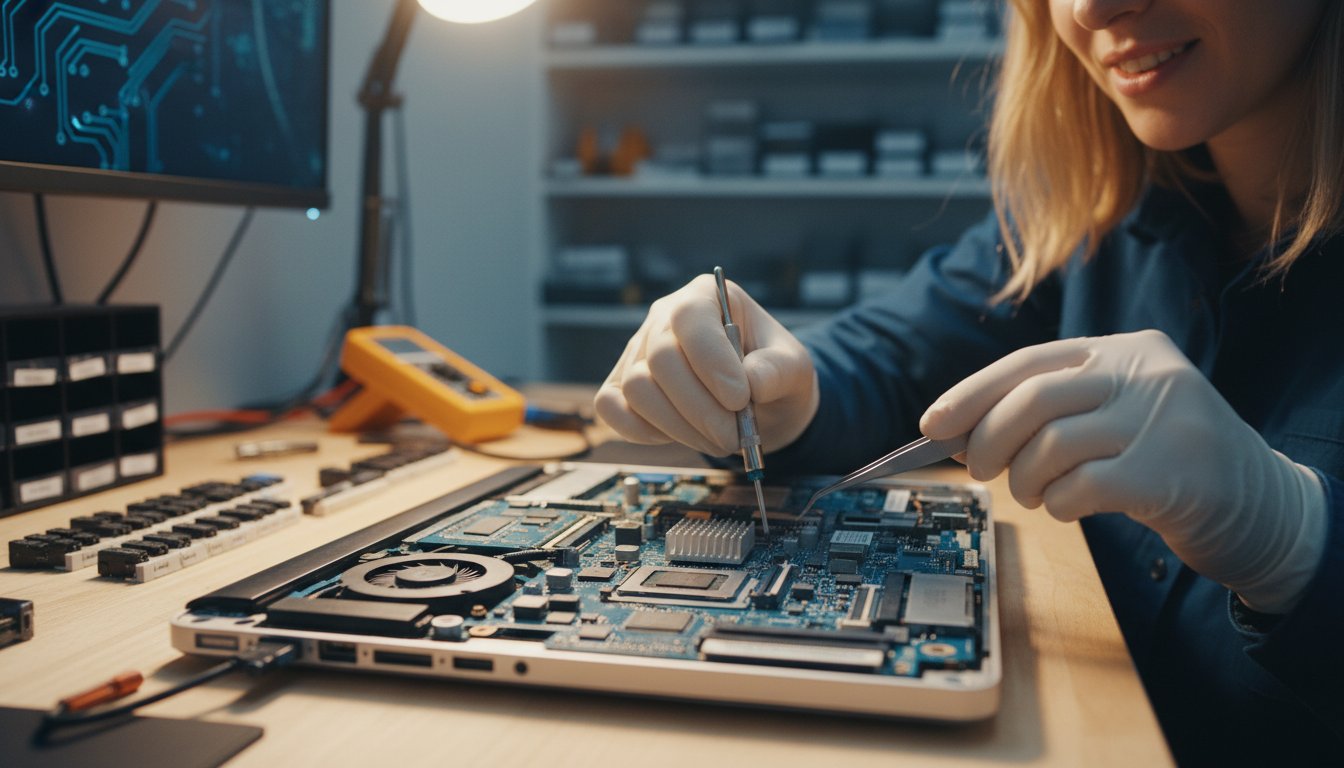
Some technical failures are too complex for a home office environment. Complex motherboard failures or issues requiring specialised soldering and clean-room environments must be handled in a controlled workshop. In these cases, we manage the secure transport of your device from your Newtown or Toowoomba address and return it once it’s fully tested. If the technician identifies a failing mechanical drive, data recovery becomes the absolute priority to ensure your critical business files and personal memories are preserved before any hardware replacement begins.

If your system is currently unresponsive or showing signs of failure, a professional PC and Laptop Repair diagnostic can pinpoint the exact cause before it leads to permanent data loss.

Mobile vs. Remote vs. Shop Repair: Which is Right for You?

Choosing the right repair method often comes down to balancing your budget with the urgency of your small business operations. While a workshop repair might seem like the standard choice, it often comes with hidden wait times. Many retail “tech teams” operate on a queue system where your device might sit on a shelf for days before a technician even looks at it. There’s also the “no-fault-found” risk. This happens when a technician tests your PC in a shop and finds no errors because the specific cause, like a faulty power board or a damaged monitor cable, is still sitting back at your office. Opting for on-site computer repair Toowoomba eliminates these risks by diagnosing the system exactly where it lives.

The Remote Support Option

Remote support is an excellent, cost-effective solution for software glitches that don’t involve hardware failure. If your PC can still boot and access the internet, a secure remote link to Aspire Computing allows a technician to jump into your system almost immediately. This is perfect for minor Windows errors, email configuration issues, or installing new software. It’s fast and avoids travel fees, but it’s useless if your NBN connection is the problem or if your computer won’t turn on. When the internet is down or the hardware is making strange noises, a physical visit is the only way forward.

The Case for On-Site Hardware Upgrades

Installing new components like RAM or a high-speed SSD at your own desk is much safer for your data privacy. You don’t have to worry about your private files leaving your sight or being stored in a public workshop. An on-site technician can also verify that everything works with your existing setup immediately. They’ll check that your dual-monitor configuration and docking stations are perfectly compatible before they leave. If you’re looking to boost your system’s speed, you can check our PC Hardware Upgrades guide for performance benchmarks. Having these upgrades performed via on-site computer repair Toowoomba ensures your machine is tuned specifically for your unique home office workflow.

Mobile Computer Repair Near Me: Your Guide to On-Site Tech Support in Toowoomba

How to Prepare for Your On-Site Computer Technician

Preparation is the key to a smooth and cost-effective tech visit. If your computer is still functional, run a quick backup of your most important files to an external drive or cloud storage. While a professional takes every precaution, having a current backup ensures you stay in control of your digital assets. You should also gather your Windows login, email, and NBN router passwords before the technician arrives. Hunting for a lost password during a visit leads to unnecessary billable delays that are easily avoided.

Your physical environment also plays a role in speed. Try to provide a clear, well-lit workspace with a stable chair and easy access to power outlets. It’s helpful to maintain a brief issue log before the visit. Note down specific triggers, like “the screen flickers only when I use Zoom,” to help the technician narrow down the root cause. This level of detail makes on-site computer repair Toowoomba significantly more efficient.

Cyber Security and Privacy Considerations

A reputable technician prioritises your data privacy by working directly in front of you. To ensure your information is safe, choose a provider with a proven local history and owner-led accountability. A business established in 1999 offers a level of stability that anonymous platforms often lack. For ongoing safety, our Virus and Malware Removal guide provides essential tips for long-term system hardening.

Small Business IT Checklists

For Toowoomba business owners, a mobile visit is an opportunity to resolve multiple small headaches at once. Inform your staff about the scheduled visit to minimise workplace disruption. Encourage them to report any minor issues, such as slow Wi-Fi in the breakroom or recurring printer jams, so they can be fixed in one session. Many local enterprises use these visits for a comprehensive “IT Health Check” to catch failing components before they cause a total shutdown.

If you haven’t reviewed your safety net recently, a professional Data Backup strategy is the best way to guarantee your business continuity.

Finding the Best Mobile Computer Repair in Toowoomba

When you’re looking for a technician, longevity is a major trust factor. A business established in 1999 has survived decades of technical shifts, from the early days of dial-up to modern fibre connections. This stability is a far cry from the “gig economy” contractors who might be here today and gone tomorrow. With 25+ years of experience, a local expert understands the specific NBN challenges unique to Toowoomba and the Lockyer Valley. They know the local infrastructure and the common issues that plague our region during storm seasons or peak usage times.

Choosing on-site computer repair Toowoomba also means you get personal accountability. You aren’t dealing with a national call centre where you’re just a ticket number. Instead, you’re working with a local business owner who takes personal responsibility for every fix. This accountability is vital when you need a wide service range, covering everything from standard PC maintenance to specialised Data Recovery Services. You deserve a technician who treats your equipment with the same care they’d use for their own.

Serving Toowoomba and Surrounding Regions

We provide comprehensive coverage across Newtown, the Darling Downs, and the Lockyer Valley. Being hyper-local allows us to respond faster than national franchises, especially when local conditions like summer storms cause widespread network drops or power surges. Our 25+ years of local history serves as a marker of trust, proving we’ve been a reliable part of the community since well before the digital age became our daily reality. This deep connection to the region means we don’t just fix computers; we understand the specific digital landscape our neighbours work in every day.

The Aspire Computing Difference

Our core values focus on small business continuity and home office security. We believe that professional tech support shouldn’t feel like a distant corporate transaction. You have direct access to the business owner, ensuring unmatched service accountability and a personal touch that anonymous platforms can’t replicate. Whether you’re a local enterprise or a home-based professional, we’re committed to keeping your technology stable and secure. We handle the technical heavy lifting so you can focus on what you do best.

If you’re ready for a stress-free tech solution, Contact Aspire Computing for Toowoomba Computer Repairs to get your system back in peak condition today.

Secure Your Digital Workspace with Expert Local Support

Technology should be a tool that helps you work, not a source of constant frustration. By choosing a service that comes to you, you ensure your PC is tested within its actual network environment, avoiding the “no-fault-found” errors common in retail shops. Whether you’re upgrading to a faster SSD or need urgent malware removal, keeping your device on-site protects your data privacy and saves hours of transport time.

Aspire Computing has provided local personal service you can trust since 1999. Our owner-led approach ensures expert on-site diagnostics for both home offices and small businesses throughout the Darling Downs. When you need a reliable on-site computer repair Toowoomba specialist, we provide clear solutions without the technical jargon. Book Your On-Site Computer Repair in Toowoomba Today and experience the difference that 25+ years of local experience makes. You don’t have to struggle with tech failures alone; professional help is just a phone call away.

Frequently Asked Questions

How much does mobile computer repair cost in Toowoomba?

Pricing for mobile tech support usually depends on the complexity of the issue and the duration of the visit. Most local providers charge an hourly rate plus a call-out fee for travel. It’s best to request a quote based on your specific symptoms, such as a slow startup or a hardware noise. We focus on clear, upfront communication so you understand the value of the service before the work begins.

Can a mobile technician fix a cracked laptop screen on-site?

While some basic hardware swaps happen at your desk, cracked screens often require a workshop environment. This ensures the delicate internal cables and bezel clips are handled with precision tools under optimal lighting. If your screen needs replacing, we can securely transport your laptop to our workshop and return it to your Newtown or Toowoomba address once the new panel is installed and tested.

Do I need to stay with the technician while they work?

You don’t need to hover, but we recommend being available at the start and end of the session. An initial chat helps us confirm the symptoms you’ve noticed. At the end, we’ll show you the fix and ensure everything connects to your local network. Many home office users appreciate seeing the process firsthand, as it’s a great chance to ask questions and get professional advice on system maintenance.

What happens if my computer cannot be fixed on-site?

If a problem involves complex motherboard soldering or extensive data recovery, we may need to move the device to a controlled workshop environment. We handle the secure transport and return of your equipment ourselves. This ensures that even the most difficult hardware failures are resolved with the right tools while maintaining the personal accountability you expect from a local expert serving the Darling Downs since 1999.

Does mobile repair include help with my printer or Wi-Fi?

Yes, resolving connectivity issues is a core part of on-site computer repair Toowoomba. We specialise in troubleshooting NBN signal strength, Wi-Fi dead zones, and printer configuration within your specific office workflow. Testing these devices in their natural setup is the only way to ensure they communicate perfectly. We can also assist with printer supply and repair to keep your home office running without interruption.

Is my data safe during an on-site computer repair visit?

Your data is significantly safer during an on-site visit because the device never leaves your sight. You can monitor the technician as they work on your files or system settings. We prioritise cyber security and data privacy in every session. For added peace of mind, we always suggest running a quick backup of critical files before we arrive, provided the computer is still able to boot into Windows.

How quickly can a mobile computer technician arrive in the Darling Downs?

Response times vary based on current demand, but we aim to assist our local community as quickly as possible. Because we are based locally, we can often reach clients in Toowoomba, Highfields, or the Lockyer Valley faster than national franchises. Scheduling an on-site computer repair Toowoomba session early in the day is the best way to secure a prompt visit and minimise disruption to your scheduled workday.

Do you provide mobile computer repair for MacBooks as well as PCs?

We provide comprehensive repair services for both Windows PCs and various laptop models. Whether you’re dealing with a slow-running MacBook or a desktop PC that won’t turn on, we have the tools to perform a thorough diagnostic scan. Our focus is on restoring functional utility and security to your device, regardless of the brand. We also handle hardware upgrades like SSD installations for most major laptop manufacturers.

Slow Computer Fix Toowoomba: The 2026 Local Troubleshooting Guide

You’re sitting in your home office in Newtown, watching a loading circle spin while your deadline looms closer. It’s more than just a minor annoyance. It’s a drain on your productivity and a source of genuine anxiety when you start wondering if your hard drive is about to give up for good. If you’ve been searching for a reliable slow computer fix Toowoomba locals can trust, you aren’t alone. Many people feel overwhelmed by technical jargon or the sheer hassle of unplugging a heavy desktop just to get it looked at.

We understand how frustrating it is when your technology stops working for you. Since 1999, we’ve helped our community overcome these digital hurdles with personal, jargon-free support that puts you at ease. This guide will show you exactly why your PC is lagging and provide the best local solutions to get your machine running like new again. We’ll walk through simple troubleshooting steps, explain when a hardware upgrade makes sense, and show you how to get expert help right at your doorstep without the stress.

Key Takeaways

  • Learn how regional factors like Darling Downs dust and pollen impact your PC’s internal cooling and overall performance.
  • Discover why a professional slow computer fix Toowoomba service can save you time and stress by coming directly to your home or office.
  • Apply the “5-year rule” to decide if a cost-effective A$200 hardware upgrade is a smarter investment than a full A$1200 replacement.
  • Master simple DIY troubleshooting steps like the Cold Boot method to resolve minor software glitches before calling for expert help.
  • Understand the critical difference between system bloat and hardware failure to protect your data and restore your daily productivity.

Why Tech Troubles Hit Hard in Toowoomba: Local Factors

Toowoomba’s unique environment presents challenges that standard online troubleshooting guides often miss. Living on the edge of the Great Dividing Range means your PC faces specific regional stressors, from the fine red dust of the Darling Downs to the sudden voltage drops during a summer storm. Finding a permanent slow computer fix Toowoomba residents can rely on often requires looking at these regional factors first. Whether you’re working from a home office in Newtown or running a business in the CBD, local expertise is vital for on-site troubleshooting that accounts for our specific climate and infrastructure.

To better understand how these issues manifest, watch this helpful video:

Environmental Stress on Darling Downs Hardware

The fertile soil of our region is great for gardens but challenging for laptop fans. Dust and pollen from the Darling Downs accumulate inside your computer’s casing over time, creating a thick blanket over sensitive components. This leads to thermal throttling, where your processor intentionally slows down to prevent permanent damage. If your fan sounds like a jet engine during a humid Queensland afternoon, your system is likely struggling to breathe. To maintain what computer performance means for your specific setup, try keeping your desktop off the carpet and using a can of compressed air to clear vents every few months. This is especially vital in older, high-set homes where dust circulation is often higher.

Maintaining a healthy home environment in regional Queensland goes beyond just your electronics; for those relying on tanks or bore systems, it is also wise to visit AWARE Water Testing for professional laboratory analysis of your drinking water.

Connectivity Quirks in the Lockyer Valley

Slow performance isn’t always a hardware fault. Many residents in the Lockyer Valley and surrounding ridges experience NBN dropouts caused by aging copper lines or regional infrastructure limits. In many traditional Toowoomba brick houses, Wi-Fi signals struggle to penetrate thick walls, leading to lag that feels like a computer problem but is actually a networking issue. Before assuming your hard drive is failing, check if the slowness only happens while browsing the web. We often find that placing your router in a central, elevated position can resolve these symptoms without needing a full system rebuild. At Aspire Computing, we help locals distinguish between a genuine hardware failure and a simple connectivity quirk.

Identifying the ‘Big Five’ Causes of a Slow Computer

Identifying the root cause is the first step toward the permanent slow computer fix Toowoomba residents need to get back to work. It’s rarely just one issue. Often, your system is battling a combination of digital bloat and physical wear. Understanding these signs helps you decide whether you need a simple software tune-up or a more significant hardware intervention. If you’re seeing the Blue Screen of Death (BSOD), your system is sounding a serious alarm. These errors usually point to deep-seated driver conflicts or failing memory modules that require professional attention.

Startup times are another major indicator. If your PC takes several minutes to reach the desktop, you might be dealing with a bloated startup list or an aging hard drive that’s struggling to read data. While you can follow official Microsoft performance tips to manage which apps open at boot, persistent lag often suggests a hardware bottleneck. Physical warning signs like grinding noises or fans that spin constantly shouldn’t be ignored either. These sounds often precede a total component failure. For Toowoomba home offices, printer connectivity remains a common nightmare, usually caused by corrupted drivers or network handshake failures rather than the printer hardware itself.

Software Glitches vs. Physical Hardware Failure

A recent Windows update might be the culprit if your lag started overnight. These updates can sometimes clash with existing software, leading to sudden performance drops. Corrupted drivers are also a frequent cause of peripheral and Wi-Fi failures in regional setups. Hardware failure is the physical breakdown of components like the motherboard or SSD. If you aren’t sure whether your problem is digital or physical, an on-site diagnostic can save you hours of guesswork.

Cyber Security Threats for Toowoomba in 2026

In 2026, regional Queensland businesses and home professionals are frequent targets for sophisticated phishing and modern malware. These threats don’t just put your data at risk; they also consume massive amounts of system resources, making your machine feel incredibly sluggish. Basic antivirus is no longer enough for professionals who handle sensitive client information from home. You need a multi-layered defence to stay secure. For a deeper look at protecting your system, read our guide on Virus and Malware Removal: Your Complete Guide to a Secure PC.

Slow Performance vs. Total Failure: Should You Repair or Replace?

Deciding whether to invest in a slow computer fix Toowoomba service or replace your machine entirely is a common dilemma. We generally recommend the “5-year rule” as a starting point. If your laptop or desktop was purchased before 2021, its internal architecture might struggle with the heavy processing demands of 2026 software. However, age isn’t the only factor. We often see machines that are sluggish simply because of a single bottleneck. Before you spend A$1200 on a new unit, consider that a targeted A$200 upgrade can often deliver comparable speed for everyday tasks. Repairing your current device is also the more sustainable choice for the Toowoomba environment, as it keeps functional electronics out of regional landfills.

Sometimes, the priority shifts from the machine to the information inside it. If your computer won’t turn on at all, our focus moves toward data recovery to ensure your family photos or business records aren’t lost. Following expert troubleshooting tips for slow performance can help you identify if the issue is a simple software glitch or something more terminal. If the hardware is healthy but slow, a few strategic changes can give your PC a second life.

The Power of Strategic Hardware Upgrades

You don’t always need a new computer to get modern speeds. Replacing an old spinning hard drive with a Solid State Drive (SSD) is the single most effective way to boost performance. This change can make a 2020 laptop feel as responsive as a 2026 model. Additionally, increasing your RAM is essential for small business multitasking and smooth video conferencing. If you want to explore your options further, check out our guide on PC Hardware Upgrades: A Complete Guide to a Faster Computer. These professional improvements provide a high-speed experience without the high-end price tag of a new device.

Signs Your Computer is Beyond Economical Repair

There are times when a replacement is the only logical path. Motherboard failure is a major red flag; symptoms include a computer that fails to power on or frequent, random system crashes that software fixes can’t resolve. For laptops, a cracked screen or liquid damage can often result in repair costs that exceed the device’s remaining value. At Aspire Computing, we provide an honest assessment for local seniors and businesses. We won’t suggest an expensive repair if we believe your money is better spent on a new system. Our goal is to ensure you have a reliable, fast machine that meets your needs for years to come.

Slow Computer Fix Toowoomba: The 2026 Local Troubleshooting Guide

Quick DIY Troubleshooting Steps to Try Before You Call a Pro

Before reaching for the phone to book a professional slow computer fix Toowoomba residents can try a few safe DIY methods to resolve minor issues. The most effective starting point is a “Cold Boot”. Unlike a standard restart, which often saves the current state of the kernel to speed up the next boot, a cold boot clears the system memory entirely. Turn your machine off, unplug it from the wall for at least 30 seconds, and then power it back on. This simple act frequently resolves temporary software glitches and resets hardware controllers that may have stopped responding correctly.

Connectivity issues are another area where a quick check can save you hours of frustration. In our region, NBN dropouts or internal wiring faults in older Toowoomba homes can mimic the symptoms of a slow computer. If your lag only occurs while browsing the web or using cloud-based apps, check your physical cables first. A loose ethernet cord or a dusty wall socket can cause significant packet loss. If the slowness persists across all tasks, try booting into Safe Mode. This loads Windows with only essential drivers, allowing you to see if a recently installed program is the culprit. You can also use built-in Windows diagnostic tools like the Resource Monitor to identify which apps are hogging your CPU or disk usage.

Isolating the Performance Culprit

Start by disconnecting all non-essential peripherals. Printers, external drives, and even webcams can cause hardware conflicts if their drivers are outdated or corrupt. If your computer fails to boot, listen closely for startup beep codes. These pulses are specific diagnostic signals from your motherboard that indicate exactly which component is failing. For local home offices, stalled printer jobs are a frequent but hidden productivity killer. Clearing these “ghost” jobs from the print spooler can immediately free up system resources and restore your machine’s responsiveness.

The Golden Rule of Data Safety

Your personal data is far more valuable than the hardware it lives on. You should never run automated “PC Booster” or “Registry Cleaner” software without a current backup. These tools often delete critical system files or corrupt user profiles, leading to more severe instability. If you suspect your hard drive is physically failing, especially if you hear a clicking or grinding sound, shut the system down and do not turn it back on. Continued use can cause permanent platter damage, making professional retrieval impossible. If you have already lost access to important files, our Data Recovery Services: Your Complete Guide to Getting Lost Files Back explains the safest next steps to take.

If these DIY steps don’t resolve the lag, don’t risk your hardware or your data. Contact us for a professional on-site diagnostic and get your system running properly again.

Professional Computer Repairs in Toowoomba: The Aspire Advantage

When you need a slow computer fix Toowoomba residents can rely on, you deserve more than a ticket number at a big-box retail tech bar. Aspire Computing was established in 1999 to provide a more personal, professional alternative. For over 25 years, we’ve served the Darling Downs community with a focus on trust and accountability. Whether you’re a home user in Newtown or a local business owner, you’re dealing directly with an expert who values your time and security. This personal approach ensures that your specific concerns are heard and addressed without the distant feel of a corporate help desk.

Choosing between on-site and remote support depends on your specific situation. Remote support is excellent for quick software tune-ups or malware removals where a physical presence isn’t required. However, physical issues like failing hard drives or overheating require an on-site visit. Our process is methodical and user-friendly. We start with a detailed diagnostic to find the real culprit. Then, we provide a clear quote before any work begins. Once the repair is complete, we secure your system to ensure it stays functional and safe long after we leave.

Convenient On-Site Support for Home & Office

We know how inconvenient it is to unplug a heavy desktop and lug it across town. That’s why we bring the repair shop to you. Our on-site service covers Newtown and the wider Toowoomba region, allowing us to see your setup in its natural environment. This is the best way to handle complex network issues or printer connectivity nightmares that remote sessions can’t always solve. We offer flexible scheduling to ensure your daily productivity isn’t derailed by tech failures. You don’t have to worry about the hassle; just let us handle the technical details at your doorstep.

Trusted Local Expertise and Transparent Service

Experience matters when it comes to your digital life. With 25+ years in the industry, we’ve seen technology evolve from basic desktops to the complex systems used in 2026. This history allows us to provide jargon-free explanations that actually make sense to non-tech users. You won’t feel confused by technical terms or pressured into services you don’t need. We believe in transparent service where you know exactly what you’re paying for and why it’s necessary. If you’re looking for dependable assistance that puts your needs first, check out our dedicated page for Computer Repairs Toowoomba: Fast, Local Fixes for PC & Laptops. We’re here to help you get back to work with a machine that runs like new.

Restore Your Productivity and Speed

Since 1999, we’ve helped our community overcome technical hurdles with personal, owner-operated service. We provide convenient on-site and remote support for PCs, laptops, and printers, ensuring you never have to unplug your life just to fix your tech. Our goal is to provide jargon-free, dependable assistance that gets you back online quickly and securely.

Ready to stop the spinning circles? Get Your Slow Computer Fixed Fast – Contact Aspire Computing Toowoomba. Your computer can run like new again, and we’re here to make it happen.

Frequently Asked Questions

Why is my computer running so slowly all of a sudden?

Sudden slowness often results from a major Windows update, a background malware infection, or a failing hard drive. In our region, environmental factors like dust buildup from the Darling Downs can also cause overheating, which forces the processor to slow down. If the lag happened overnight, checking for recent software installations or hardware conflicts is the best first step to identifying the problem.

Can you fix a laptop screen in Toowoomba?

We provide expert laptop repair services, though we always recommend checking if the screen replacement is economically viable compared to the device’s age. For many modern laptops, the cost of the panel and labour makes repair a great way to extend the life of your machine. We can assess the damage on-site to help you decide on the most cost-effective path forward.

Is it worth repairing a 6-year-old computer?

It depends on the specific hardware and your daily needs. While a 6-year-old machine is past our recommended 5-year rule, a strategic hardware upgrade like an SSD can often make it feel new again. We provide an honest assessment for local seniors and businesses to ensure you don’t spend money on a machine that’s genuinely beyond economical repair.

Do you offer on-site computer repairs in Newtown?

Yes, we provide convenient on-site support across Newtown and all surrounding Toowoomba suburbs. This service is ideal because it saves you the hassle of unplugging your desktop or printer. We come directly to your home or office to provide a professional slow computer fix Toowoomba residents have trusted since 1999, ensuring your technology works exactly where you need it.

What should I do if I think I have a virus?

Disconnect your computer from the internet immediately to prevent the malware from spreading or communicating with a remote server. Avoid logging into bank accounts or sensitive websites until the system is professionally cleaned. We specialise in thorough virus and malware removal, ensuring your data is secure and your system’s performance is fully restored with a focus on long-term stability.

Can you recover files from a hard drive that won’t turn on?

We offer dedicated data recovery services for drives that have suffered logical or minor physical failures. If your hard drive is clicking or completely silent, it’s vital to stop using the device immediately to prevent further platter damage. We use specialist tools to retrieve your family photos and business records as safely as possible, even when the machine itself won’t boot.

Do you help with printer setup for small offices?

We provide comprehensive printer supply and repair services, including network integration for small businesses. Setting up a printer in a Toowoomba office can be tricky due to local connectivity quirks or driver conflicts. We ensure your devices are configured correctly so you can print reliably from any computer on your network, keeping your home or small office running smoothly.

How much does a typical computer repair cost in Toowoomba?

Costs vary significantly depending on whether the issue is a simple software glitch or a complex hardware failure. We follow a methodical process involving a diagnostic and a clear quote before any work begins. This transparency ensures you understand the value of the slow computer fix Toowoomba service you’re receiving without any hidden surprises or confusing technical jargon.

My Computer Keeps Restarting Randomly: Causes and Fixes for 2026

Imagine you’re finally finishing a critical business report or a long email when your screen suddenly goes black. A moment later, the manufacturer’s logo flickers back to life, and you realize you’ve lost twenty minutes of unsaved work. If you’re searching for why my computer keeps restarting randomly, you’re likely feeling a specific mix of frustration and technical anxiety. It’s an exhausting way to work, and the fear of a total hardware failure or an expensive replacement bill is always at the back of your mind.

I understand how disruptive these interruptions are to your daily life and business operations. You deserve a stable computer that doesn’t crash when you need it most. This guide will help you discover the exact reasons why your PC reboots without warning and show you how to fix it before you lose valuable data. I’ll explain the latest 2026 software conflicts, common hardware culprits like the 6% failure rate currently seen in motherboards, and a step by step diagnostic process to determine if your issue is a simple software bug or a sign that you need professional help.

Key Takeaways

  • Learn to distinguish between standard system updates and “dirty” restarts to identify the severity of your PC’s issues.
  • Discover how environmental factors like heat and dust can trigger hardware failures in your power supply or motherboard.
  • Follow a simple checklist to resolve software conflicts and driver errors if my computer keeps restarting randomly after a recent update.
  • Identify the safe limits of DIY troubleshooting and understand when professional diagnostics are required to prevent permanent data loss.
  • Find out how local expert support can restore your system’s stability with on-site repairs available throughout Toowoomba.

Understanding Why Your PC Restarts Without Warning

When my computer keeps restarting randomly, it feels like the machine has a mind of its own. This isn’t the same as a scheduled Windows Update reboot, which usually gives you a warning or a progress bar. A random restart is abrupt. One second you’re typing, and the next, your screen is black. This “dirty” restart happens without the usual shutdown sequence, leaving your open files in a state of limbo. It is a frustrating experience that can stop your productivity in its tracks.

There is a big difference between a sudden black screen and a Blue Screen of Death (BSOD). A BSOD is actually your computer’s way of telling you it found a specific error it couldn’t handle. It pauses, shows a code, and then reboots. A dirty restart is more violent; the power simply cuts or the system resets instantly. Ignoring these events is risky. Every time it happens, you risk corrupting your file system or damaging sensitive internal components. We need to follow a methodical troubleshooting process to find the root cause before permanent damage occurs.

Sudden Power Loss vs. System Crashes

If your screen goes black instantly, you are likely looking at a hardware power issue. However, if the system freezes for a few seconds before the reboot, it’s often a software or driver conflict. Sometimes, your PC attempts to “self-heal” by restarting to clear a stuck process. If you check the Windows Event Viewer, you’ll often see a “Kernel-Power 41” error. This specific code doesn’t tell us the exact cause, but it confirms the system shut down unexpectedly without following the proper Windows exit procedure.

The Impact on Your Data and Hardware

Your hardware isn’t designed for sudden power cuts. While modern SSDs are resilient, mechanical hard drives can suffer physical damage if the read/write head doesn’t park correctly during a crash. The risk is even higher for your data integrity. If you are working on accounting files or a database when my computer keeps restarting randomly, a sudden crash can leave those files unreadable or corrupted. A random restart is a protective shutdown mechanism triggered by the BIOS or OS to prevent physical damage from extreme heat or electrical surges. By shutting down instantly, the system is trying to save itself from a more expensive hardware failure.

Common Hardware Culprits: Heat, Power, and Dust

Hardware failures are often the result of the environment where you keep your PC. In Toowoomba, our summer temperatures frequently push poorly ventilated systems past their physical limits. If my computer keeps restarting randomly during a hot afternoon, heat is the most likely suspect. Internal components like your CPU and motherboard generate significant warmth. When dust or pet hair clogs your cooling fans, that heat has nowhere to go. Modern systems are designed to shut down instantly to prevent permanent damage once they hit a specific thermal threshold. In fact, motherboard failure rates in 2026 remain between 4.9% and 6.0%, often exacerbated by long-term heat stress.

Your Power Supply Unit (PSU) is another common point of failure. It is responsible for converting wall power into the steady DC current your components need. If the PSU becomes unstable, it may “hiccup” and drop the voltage for a fraction of a second. This is enough to cause an immediate reboot. Faulty RAM can also be a culprit. If a specific sector of your memory is damaged, the system will crash the moment it tries to write data to that “bad” spot. These hardware issues require a careful eye to diagnose correctly.

Temperature Checks and Thermal Management

You can monitor your system’s health using free tools like HWMonitor. This software displays the real-time temperature of your CPU and graphics card. If you see numbers climbing above 80 or 90 degrees Celsius while doing basic tasks, your cooling system is failing. Over time, the thermal paste between your processor and its heatsink dries out and loses its effectiveness. This usually happens every three to five years. Improving airflow is often as simple as moving your PC out of a confined desk cupboard or ensuring there is at least ten centimetres of space behind the rear exhaust fans. If a deep clean doesn’t solve the heat, a professional hardware upgrade for your cooling system might be necessary.

Power Stability in the Darling Downs Region

The Darling Downs region can experience inconsistent power during storm seasons. Local power surges or brownouts are notorious for triggering system restarts. Even a tiny dip in power that doesn’t turn off your lights can be enough to reset a sensitive desktop computer. Using a high-quality surge protector is a minimum requirement, but a Battery Backup (UPS) is the gold standard for business continuity. When testing your PSU, remember that just because the fans are spinning doesn’t mean the unit is healthy. It takes specialized tools to confirm if the power rails are delivering the exact voltage required for a stable system.

Software and Driver Troubleshooting You Can Do at Home

While physical components like the motherboard or power supply are often to blame, software conflicts are equally capable of causing system instability. If my computer keeps restarting randomly shortly after a system update, the issue is likely rooted in the code rather than the cables. Windows is a complex ecosystem where a single mismatched driver can cause the entire environment to collapse. Before you assume your hardware is failing, it is worth performing a few digital health checks to see if the problem can be resolved through settings alone.

A common frustration is that Windows reboots so quickly during a crash that you cannot read the error message. You can stop this by changing your system failure settings. To find the “Disable automatic restart on system failure” setting, search for “View advanced system settings” in the Start menu, click Settings under the Startup and Recovery section, and uncheck the automatic restart box. This simple change allows your PC to stay on the error screen, giving you a specific code to investigate. Additionally, running a deep scan for infections is vital, as modern malware can hijack system resources and cause the processor to overload and reset. If you suspect a breach, professional virus and malware removal is the safest way to clean your system without losing your personal files.

Managing Windows Updates and System Settings

The Windows 11 July 2026 Security Update for versions 25H2 and 24H2 has recently been rolled out. While these updates are necessary for security, they can sometimes conflict with older software. If your issues started immediately after an update, you can roll it back by going to Settings, selecting Windows Update, and viewing your Update History to uninstall the most recent package. You should also check your power settings. Switching your power plan to “High Performance” in the Control Panel can prevent the system from attempting to enter low-power sleep modes that sometimes trigger a crash on older hardware.

Driver and Software Conflict Resolution

Drivers act as the translators between your software and hardware. Graphics and chipset drivers are the most frequent causes of sudden reboots because they manage high-energy tasks. Open the Device Manager and look for any yellow exclamation marks, which indicate a driver that isn’t functioning correctly. If you cannot find a specific culprit, try a “Clean Boot” to isolate the problem. By using the System Configuration tool to disable all non-Microsoft services and startup programs, you can determine if a third-party application is overtaxing your CPU and forcing a restart. This methodical approach helps you rule out simple software bugs before moving on to professional diagnostics.

My Computer Keeps Restarting Randomly: Causes and Fixes for 2026

When to Call a Professional Computer Repair Expert

Troubleshooting at home has its limits. If you have already cleared out the dust and rolled back your drivers but find that my computer keeps restarting randomly, you have likely reached the “Point of No Return.” Continuing to force a reboot when there is an underlying hardware fault can cause cascading damage to other components. Modern computers are incredibly sensitive; even the static electricity from your fingertips can destroy a motherboard if you open the case without proper ESD protection. If you notice a faint acrid smell or see bulging capacitors on the board, which look like tiny soda cans with swollen tops, it is time to step away from the screwdriver.

The danger of DIY repair increases with the complexity of the hardware. Modern laptops and compact desktops are built with fewer user-serviceable parts and run much hotter than older systems. This makes professional diagnosis critical. Attempting to fix a power issue yourself without the right testing equipment can result in an electrical short that ruins your entire system. When simple software fixes fail, the risk to your hardware and your wallet becomes too high to ignore.

The Risk of Data Loss

The most precious part of your computer isn’t the hardware; it is the photos, documents, and business files stored inside. If your PC reboots while making clicking or grinding noises, your storage drive is likely in the process of a physical failure. Every attempt to restart the machine grinds the internal components further, making it harder to retrieve your information. In these critical moments, professional data recovery services are your best chance at saving your digital life. Once your data is safe, a technician can recommend specific hardware upgrades to replace failing parts with more reliable, modern equivalents that can handle the demands of 2026 software.

Professional Diagnostics vs. Guesswork

Many people try to fix a restarting PC by “part swapping.” They buy a new power supply, then new RAM, and finally a new motherboard, only to realize the issue was a tiny short circuit in the case. This trial and error approach is far more expensive than a professional diagnostic. Experts use specialized tools to measure the exact voltage output of your PSU and run deep stress tests on your RAM that home software simply cannot match. Many local repair services in the Toowoomba area even offer “no fix, no fee” policies, which significantly reduces your financial risk. If you want to stop the cycle of crashes and save your work, contact Aspire Computing for a professional diagnostic and get your system back to peak performance.

Fast Computer Repairs in Toowoomba and Surrounding Suburbs

When you reach the stage where my computer keeps restarting randomly despite your best efforts, you need a solution that is both fast and reliable. Aspire Computing has been the trusted name for technology support in the Toowoomba community since 1999. With over 25 years of experience, we have seen every evolution of the “random reboot” problem. Our approach isn’t just about a quick fix. We focus on a dual mission of functional utility and total system security. We want your computer to be stable, but we also want to ensure your personal information is protected from the underlying vulnerabilities that often cause these crashes.

I understand how stressful a failing computer can be for your home or business. That is why we prioritize clear communication and personal accountability. You won’t be dealing with a distant corporate call centre or a revolving door of junior technicians. Instead, you get direct assistance from me, Cam. I use my decades of professional experience to diagnose the root cause of your system instability quickly. Whether the issue is a failing motherboard or a deep-seated software conflict, we provide a streamlined process to get you back to work without the headache of guesswork.

On-Site and Remote IT Support

We believe that professional computer repair should be convenient. If your desktop is too heavy to move or your business cannot afford to lose a workstation for days, our mobile service is the answer. We come directly to you in Newtown, Darling Heights, Wilsonton, and across the wider Toowoomba area. Our on-site support is perfect for small businesses that need their network and hardware checked in their actual working environment. For those dealing with software-related restart issues, we also offer remote IT support. This allows us to jump onto your system digitally and resolve driver conflicts or update errors without you ever leaving your desk. Our service area extends throughout the Darling Downs and Lockyer Valley, ensuring local help is always nearby.

Why Toowoomba Trusts Aspire Computing

Our long history in the region is built on a foundation of trust and technical excellence. We don’t just swap parts; we perform comprehensive system audits to ensure your PC is healthy from the inside out. A major part of our stability check includes professional virus and malware removal. Hidden malicious scripts are a frequent cause of system overloads that lead to reboots. By cleaning these out, we restore your PC’s speed and reliability.

If you want to prevent future failures, I highly recommend booking a “Windows Tune-up.” During this service, we check your thermal management, test your power supply stability, and ensure your operating system is optimized for the latest 2026 security standards. It’s a proactive way to ensure that “my computer keeps restarting randomly” never becomes a search term you have to use again. We are committed to your satisfaction and provide the experienced, thorough service that only a local expert can offer.

Restore Your System’s Stability Today

Dealing with a PC that crashes without warning is more than a minor annoyance; it’s a threat to your productivity and your files. We’ve seen how heat, power instability, and software conflicts are the primary drivers behind these failures in 2026. By following a methodical diagnostic process, you can often rule out simple settings before seeking expert assistance. It’s important to remember that a computer is a complex tool, and knowing when to transition from DIY fixes to professional support can save you from expensive hardware replacements.

If my computer keeps restarting randomly and home troubleshooting hasn’t resolved the issue, don’t risk your valuable data by waiting for a total breakdown. I’ve been helping the Toowoomba community with experienced PC, laptop, and printer repairs since 1999. You can rely on our convenient on-site service across the Darling Downs to get your technology back in peak condition without the stress of distant call centres or technical guesswork. Contact Aspire Computing for Fast, Local Computer Repairs in Toowoomba and enjoy the peace of mind that comes with a stable, reliable computer. Your digital workspace should support you, not stress you out, and I look forward to helping you get back to work safely.

Frequently Asked Questions

Why does my PC restart without a Blue Screen of Death?

A restart without a Blue Screen of Death usually indicates a sudden power interruption or a hardware failure so rapid that the operating system doesn’t have time to display an error code. This often points toward a failing power supply unit or a motherboard issue. While a blue screen is a controlled crash where Windows logs the problem, an instant black-screen reboot is a “dirty” shutdown that suggests the hardware is physically losing power or hitting a critical thermal limit.

Can a faulty power board cause my computer to restart randomly?

Yes, a faulty or overloaded power board is a common cause of system instability. If the power board cannot maintain a steady voltage or has loose internal connections, your PC might experience a tiny “brownout” that triggers a reset. We often find that moving the computer’s power cable directly into a wall socket or upgrading to a high-quality surge protector resolves the issue immediately without needing internal repairs.

Is it safe to keep using a computer that restarts on its own?

It is not safe to continue using a system that reboots without warning. Every time your PC restarts abruptly, you risk corrupting your operating system files and losing unsaved work. If the cause is hardware-related, such as a failing capacitor or a short circuit, repeated attempts to use the machine can cause cascading damage to other expensive components like your graphics card or processor. Professional diagnosis is the best way to prevent a total system failure.

How do I check if my computer is overheating in Toowoomba heat?

You can check your temperatures using free diagnostic software like HWMonitor or Core Temp. In Toowoomba, where summer temperatures can be quite high, your CPU should ideally stay below 80 degrees Celsius under load. If you notice your fans are constantly loud or the case feels hot to the touch, dust buildup is likely trapping heat inside. Professional cleaning is recommended if temperatures consistently exceed these safe limits during normal use.

Will a factory reset fix my random restart issue?

A factory reset will only solve the problem if the cause is purely software-based, such as a corrupted driver or a Windows Update conflict. If my computer keeps restarting randomly due to a failing power supply or dried-out thermal paste, a reset will not help and may even fail mid-process. I suggest ruling out hardware issues first before committing to a time-consuming factory reset that wipes your personal data and installed programs.

How much does it cost to fix a computer that keeps restarting?

The cost of repair depends entirely on whether the issue is software or hardware. Simple software troubleshooting or a system tune-up is generally affordable, while hardware repairs depend on the specific component that needs replacing, such as a power supply or RAM. Most local experts provide a diagnostic service first to give you an accurate quote before any major work begins. This ensures you understand the problem and the solution before spending any money on parts.

Can a virus cause my computer to reboot suddenly?

Yes, certain types of malware and viruses can cause sudden reboots by overtaxing your CPU or intentionally crashing system processes. Some malicious scripts are designed to force a restart to bypass security software or complete an unauthorized installation. If your PC reboots and then runs significantly slower, you should seek professional virus and malware removal to ensure your personal data remains secure and your system returns to a stable state.

What is the “Kernel-Power 41” error in Windows Event Viewer?

The Kernel-Power 41 error is a generic Windows log entry that simply means the computer shut down unexpectedly without following the proper sequence. It doesn’t pinpoint the exact cause, but it confirms that the power was cut or the system crashed. This error is common when my computer keeps restarting randomly and serves as a starting point for technicians to investigate power supply stability, hardware conflicts, or thermal issues.

Imagine sitting down at your desk in Toowoomba, pressing the power button, and seeing nothing but a black screen while your heart sinks because you haven’t backed up your files in months. It’s a moment of pure panic that most of us have felt, especially when you’re worried that a repair might mean losing years of family photos or critical business data. You shouldn’t have to wait weeks for a national chain or decode confusing tech jargon just to get back online.

Finding reliable computer service & support shouldn’t feel like a gamble with your data or your wallet. We agree that you deserve a fast, working computer without the fear of losing what matters most. This guide will show you how professional IT support can speed up your devices, protect you from the 43% of cybercrimes targeting small businesses, and keep your home office running smoothly. You’ll discover current May 2026 pricing for local repairs, your rights under ACCC consumer guarantees, and how to find a local contact you can call whenever your technology fails.

Key Takeaways

  • Shift your strategy from stressful “break-fix” repairs to proactive IT management that prevents problems before they start.
  • Explore the most requested computer service & support options in the Darling Downs, from cloud file sharing to hardware upgrades.
  • Compare the convenience of instant remote help with the thoroughness of on-site support to choose the best fit for your situation.
  • Use our expert checklist to evaluate local providers based on their community history, technical qualifications, and personal accountability.
  • Learn how a dedicated local partner can help you “Protect and Connect” your digital life without the stress of corporate tech jargon.

What is Comprehensive Computer Service & Support?

Many people think of IT help only when their screen stays dark or a printer stops working. However, Comprehensive Computer Service & Support is about much more than just fixing what is broken. It’s a holistic approach that looks at your hardware, software, and security as one connected system. IT support acts as the bridge between complex technology and user productivity.

To better understand the common issues that professional support can address, watch this helpful video:

In the past, most people used a “break-fix” model. You would wait for something to fail and then call a technician. This approach often leads to high stress and long wait times while you’re already in a panic. Proactive IT management is different. It focuses on finding and fixing vulnerabilities before they cause a crash. For Toowoomba residents and home office workers, this means less time worrying about your PC and more time getting things done. Having a local expert who understands the Darling Downs region ensures you get help that’s both fast and relevant to your specific needs.

The Core Pillars of Modern IT Support

A complete computer service & support plan covers three main areas to keep your digital life running. First is hardware health. This includes physical diagnostics and repairs for laptops, PCs, and printers to ensure your equipment lasts longer. Second is software stability. We focus on Windows tune-ups, OS updates, and fixing application glitches that slow you down. Finally, there is connectivity. We ensure your NBN and internal networks remain stable so you stay connected to the world without constant dropouts.

Why Home Offices Need Professional Help

The shift to remote work in regional Queensland has changed how we use technology. When your “office” is your kitchen table, you don’t have a corporate IT department down the hall. Home networks are often less secure than corporate environments, making them easier targets for hackers. Small businesses and home offices accounted for 43% of reported cybercrime incidents in Australia according to data from April 2026. This makes professional security a necessity rather than a luxury.

The cost of downtime is also much higher for individuals. If your computer stops working, your entire workday stops with it. This is why Aspire Computing follows a mission to “Protect and Connect.” We’ve been helping the local community since 1999, providing the stability you need to work without fear of technical failure. We believe that professional support should be approachable and jargon-free, giving you the confidence to use your tech every day.

Essential IT Services for Small Businesses and Households

Residents across the Darling Downs often face a difficult choice when their technology fails. Do you spend money on a repair or buy a completely new machine? Our mission at Aspire Computing is to “Protect and Connect,” helping you get the most value from your current devices. Reliable computer service & support involves more than just a temporary patch. We use high-quality parts from brands like Canon, Samsung, and Epson to ensure your hardware stays reliable for years. Virus removal and targeted hardware upgrades are often the most cost-effective ways to extend the lifespan of your tech.

PC and Laptop Repair vs. Replacement

Determining if a machine is worth the investment starts with a thorough diagnostic. We look at the physical health of the components and the overall system speed. Many common fixes, such as screen replacements, keyboard repairs, or power supply issues, are straightforward and affordable. If you are looking for Computer Repairs in Toowoomba, you might find that a simple memory upgrade makes your old laptop feel like a 2026 model. We provide clear advice so you don’t waste money on a machine that’s past its prime.

Data Recovery and Active Protection

Data loss is a primary pain point for our clients. It’s vital to understand the difference between simple file deletion and a mechanical failure. If your hard drive makes a clicking sound, it’s a mechanical issue that needs expert attention. Our Data Recovery Services are designed to retrieve your precious photos and business documents when things go wrong. We also implement active protection strategies to ensure your data is backed up automatically, giving you peace of mind.

Small Business IT Support and Continuity

Toowoomba businesses have unique needs when it comes to digital continuity. Local firms often lack the massive IT budgets of national chains, yet they face the same risks. Implementing Cybersecurity best practices is the first step in protecting your customer information from rising threats like AI-powered phishing. Our tailored IT Support for Business builds a resilient environment that prevents data loss before it happens. If your business relies on tech to stay open, contacting a local partner for a security audit can save you from a future crisis.

On-Site vs. Remote Support: Which is Right for You?

When your technology fails, the first question is usually how quickly you can get back to work. Choosing between remote and on-site help depends entirely on the nature of your tech problem. Remote help is often the fastest way to stop the “panic” when a sudden software error pops up or your email stops syncing. On the other hand, some issues require a physical touch from a qualified expert. We service a wide area including Toowoomba, the Lockyer Valley, and all surrounding regions. Whether you prefer a mobile call-out to your home or a visit to our base in Newtown, we ensure your computer service & support is tailored to your specific situation.

When to Choose Remote IT Support

Remote support is excellent for non-physical issues that don’t involve hardware damage. If you need help with new software installations, complex email configurations, or a routine Windows tune-up, we can often log in securely and fix the issue while you watch. This is a highly cost-effective way to get immediate “how-to” guidance without the wait times associated with national repair chains. It’s particularly useful for troubleshooting NBN connectivity issues or updating stubborn printer drivers that refuse to communicate with your PC. By May 2026, most software-related glitches can be resolved in under 30 minutes through a remote session, saving you both time and travel costs.

The Necessity of On-Site Repairs

Some problems simply cannot be fixed over a digital connection. Physical hardware failures like cracked screens, grinding fans, or batteries that won’t hold a charge require hands-on technical work. If your home office network infrastructure needs a complete physical setup or your office printer requires internal cleaning, an on-site visit is the only way to ensure quality results. Our Printer Supply and Repair service ensures your essential office equipment stays in top shape through physical inspections and genuine part replacements.

When Evaluating tech support options, you should consider the complexity of your home or business setup. A 20% increase in ACCC consumer guarantee reports in 2025 highlights that Australian residents are moving away from anonymous support lines in favor of local accountability. Since 1999, Aspire Computing has provided a blend of remote and on-site solutions to the Toowoomba community. This local presence means we don’t just fix a screen; we understand the local NBN challenges and environmental factors that affect your hardware. We believe in providing a service that is both competent and convenient, ensuring you never feel stuck with a broken machine.

How to Evaluate a Local Tech Support Provider in Toowoomba

When your computer fails in the middle of a busy work week, the temptation to call the first number you see is strong. However, choosing the right provider for computer service & support requires a bit more care. If you live in Newtown, Rangeville, or Middle Ridge, you need someone who understands the local environment and offers genuine accountability. Unlike anonymous national call centres where you’re just a ticket number, a local expert provides a name and a face to the service. Use this checklist to ensure your tech is in safe hands:

  • Local Longevity: Has the business been established for more than a decade? Aspire Computing has served Toowoomba since 1999.
  • Service Range: Do they cover your specific suburb and the wider Darling Downs or Lockyer Valley?
  • Communication Style: Do they use jargon, or do they explain things in plain English?
  • Accountability: Is there a lead technician or owner who stands by the work?

Experience and Qualifications

Experience is the best defense against amateur mistakes that can lead to data loss. Chaim Lee brings over 25 years of technical expertise to every job. This deep history means we’ve seen every version of Windows and macOS since the late nineties. It’s also vital to check for brand-specific knowledge. Whether you use a Canon printer, an Epson scanner, or a Samsung tablet, your provider should have the parts and the know-how to fix them correctly the first time. We pride ourselves on using layman’s terms so you understand exactly what went wrong and how we’re fixing it. This transparency builds the trust necessary for a long-term partnership.

Service Area and Response Times

A local provider based right here in Toowoomba will always beat a Brisbane-based dispatch service for speed and reliability. When you’re dealing with a network crash in the Lockyer Valley, you don’t want to wait for a technician to drive up the range. We offer rapid response times because we’re already in your neighborhood. Beyond just fixing current breaks, ask your provider about Active Protection programmes. These proactive services monitor your system health to prevent future crashes. This shift from reactive repairs to managed continuity is what keeps modern home offices running without interruption. If you want to ensure your technology is handled by a trusted local expert, talk to the experts at Aspire Computing today.

Aspire to Protect and Connect: Your Local IT Partner

Choosing a partner for computer service & support is a decision that impacts your daily peace of mind and business continuity. While big-box retailers and national chains offer anonymous help desks, they often lack the personal accountability that a local expert provides. At Aspire Computing, we believe in a different approach. We are part of the Toowoomba community, and we treat every computer as if it were our own. Our philosophy is simple: don’t panic. Whether you are dealing with a laptop that won’t boot or a network that keeps dropping out, we are here to provide calm, professional solutions that get you back to work quickly.

The benefit of a local partner is the long-term relationship. Instead of a one-off “gig-economy” fix, we focus on keeping your systems running for years. This local focus is especially important as Australian IT spending is projected to exceed $172.3 billion in 2026. You need an expert who stays ahead of these trends and understands how they affect residents in the Darling Downs. A proactive IT Health Check can identify aging hardware or outdated software versions, such as moving your system to the latest Windows 11 26H1 release from early 2026, before they cause a major failure.

The Chaim Lee Difference

When you call Aspire Computing, you aren’t talking to a remote call centre; you’re connecting with Chaim Lee and his decades of expertise. Chaim has been a trusted face in the local tech scene since 1999, bringing over 25 years of qualifications to every repair. Our “Protect and Connect” mission is more than just a tagline. It represents our commitment to securing your personal data and ensuring your devices keep you connected to what matters. You can find us at 46 Brigalow St, Newtown, where we handle everything from complex data recovery to routine printer maintenance. This physical presence means we are accountable to you, our neighbors, in a way that corporate chains simply cannot match.

Next Steps: Securing Your Tech

The best time to address a computer issue is before it becomes a crisis. Regular tune-ups are the most effective way to ensure laptop longevity and prevent the frustration of slow performance. As we move into the second half of 2026, staying updated with the latest security patches and software versions, like the upcoming Microsoft 365 updates scheduled for July 1, 2026, is essential. We offer both on-site visits and remote diagnostics to fit your busy schedule. Booking a service is straightforward and jargon-free, ensuring you feel confident in every step of the repair process. If you’re ready to secure your digital life, Contact Aspire Computing Today to schedule your professional IT health check and experience the difference of local, expert support.

Take Control of Your Technology Today

Your computer should be a tool that empowers you, not a source of constant frustration or fear of data loss. We’ve explored how moving beyond simple “break-fix” repairs to a proactive model protects your home office and small business from the 43% of cybercrimes targeting local firms. Whether you need a quick remote fix for a software glitch or a physical hardware repair at our Newtown office, the right computer service & support ensures your digital life remains uninterrupted.

Since 1999, Chaim Lee has provided the Toowoomba community with a level of personal accountability that national chains can’t match. You don’t have to navigate technical jargon or wait weeks for a Brisbane-based dispatch. With both on-site and remote assistance available, expert help is always just a phone call away. Stop worrying about your next system crash and start enjoying a faster, more secure computer experience.

Ready to protect your data and speed up your devices? Talk to the Experts at Aspire Computing and let us handle the technical details for you. Don’t panic; we’re here to help you connect with confidence.

Frequently Asked Questions

How much does professional computer service & support cost in Toowoomba?

Pricing for computer service & support in the region depends on the provider and the specific technical issue. As of May 2026, basic diagnostics in Toowoomba start from $60, while common workshop repairs typically range between $80 and $200. Some local providers offer fixed rates for malware removal at $99, while specialized business support can reach hourly rates of $165. We always provide a clear estimate before starting work so you don’t face any surprises.

Can you fix my computer remotely or do you need to visit my home?

We offer both options based on the nature of your problem. Software issues like email setup, Windows updates, or minor glitches can usually be handled via a secure remote session. Physical problems like a broken screen, battery failure, or a noisy fan require an on-site visit or a trip to our Newtown workshop. We’ll always recommend the fastest and most cost-effective method to stop the panic and get you back online.

What is the difference between a PC tune-up and a repair?

A repair fixes a specific failure, while a tune-up optimizes your system to prevent future breakdowns. If your laptop won’t turn on or has a cracked screen, that’s a repair. A tune-up involves cleaning out temporary files, updating software to the latest 2026 versions, and checking hardware health. This proactive approach ensures continuity and helps you avoid the stress of a sudden system crash during a busy workday.

Is it worth repairing a 5-year-old laptop or should I buy a new one?

The answer depends on the diagnostic results and your specific needs. A laptop from 2021 might only need a memory upgrade or a new solid-state drive to run efficiently with the latest Windows 11 updates. However, if the motherboard has failed, the repair cost might approach the price of a new machine. We provide an honest assessment so you don’t waste money on a device that’s reaching the end of its useful life.

Do you provide IT support for Mac as well as Windows PCs?

Yes, we provide comprehensive support for both macOS and Windows environments. Whether you’re running the latest macOS Tahoe version 26.4.1 or a Windows 11 PC, we have the expertise to help. Many Toowoomba home offices use a mix of both systems. We ensure they connect seamlessly with your printers, NBN, and cloud storage so your workflow stays smooth and professional.

How long does a typical data recovery service take?

Most data recovery tasks are completed within 2 to 5 business days. Simple file retrieval from a working drive is often faster, while mechanical failures requiring specialized hardware work take longer. We prioritize these jobs because we know how stressful it is to lose family photos or business records. We’ll give you a specific timeline and a clear plan after the initial diagnostic to protect your data.

Can you help with printer setup and repairs for a home office?

We certainly help with printer issues for both households and small businesses. We supply and repair quality parts for major brands like Canon, Epson, and Samsung. Whether you’re struggling with a wireless setup on your home network or need physical maintenance for an office laser printer, we ensure your hardware stays reliable. This is a core part of our mission to keep your office connected.

What areas around Toowoomba do you provide on-site support for?

We provide on-site computer service & support across Toowoomba and the surrounding Darling Downs. This includes local suburbs like Newtown, Rangeville, and Middle Ridge, as well as the Lockyer Valley and Highfields. If you’re outside these areas, our remote support options allow us to help you regardless of your physical location, provided you have a working internet connection. We’re committed to serving our local community wherever they’re located.

On a busy Tuesday morning in Toowoomba, a local business owner sat down to finish a critical project only to hear a rhythmic, metallic ticking coming from under the desk. By the next afternoon, the screen was black, and that computer making a clicking noise had signaled the end of a three year old hard drive. It is a stressful situation that triggers immediate fears of lost data and unexpected repair bills, but please, don’t panic.

We understand how unsettling it is when your technology fails. You rely on your PC for work and daily life; any interruption feels like a major setback. The good news is that a clicking sound does not always mean your data is gone forever. Our team has been helping the Toowoomba community since 1999, and we know how to handle these hardware issues with a calm, professional approach that puts your mind at ease.

In this guide, we will help you identify the source of the noise and provide clear steps to protect your files from the “click of death.” You will learn how to troubleshoot components like fans and drives to get your system back to reliable performance. We will also explain exactly when it is time to call a professional to ensure your business continuity remains intact.

Key Takeaways

  • Understand why mechanical parts fail and how to stay calm when you hear unexpected sounds coming from your PC.
  • Learn the “Ear Test” to safely determine if your computer making a clicking noise is caused by a simple fan obstruction or a more serious hardware issue.
  • Discover why a clicking hard drive is a race against time and how to protect your precious files before the “click of death” becomes permanent.
  • Follow a safe, step-by-step guide for performing an emergency data backup and checking for visible physical blocks inside your case.
  • Find out when to stop DIY repairs and seek professional help in Toowoomba to ensure your data is recovered and your system is restored quickly.

Why is My Computer Making a Clicking Noise? (The ‘Don’t Panic’ Guide)

Hearing your computer making a clicking noise is enough to make anyone feel anxious. You might imagine your family photos or important work documents vanishing in an instant. At Aspire Computing, we’ve helped clients since 1999, and we can tell you that a click isn’t always a death sentence for your machine. Most computers contain mechanical parts that move constantly. A standard hard drive platter spins at 7,200 revolutions per minute, while cooling fans can rotate 3,000 times every sixty seconds. Over time, these components experience physical wear that leads to audible changes.

To better understand this concept, watch this helpful video:

Once you notice a new sound, your first priority is protecting your data. Save any open documents immediately. After your work is secure, perform a safe shutdown through the operating system menu. Don’t just pull the power cord. This prevents further mechanical stress on the components while you investigate. Common culprits for these sounds usually include the hard drive, cooling fans, or an old optical disc drive. Our goal is to ensure your business continuity by identifying the source before a total failure occurs.

Mechanical vs. Electronic Sounds

Identifying the specific type of noise is a vital first step. A rhythmic, repetitive click usually points to a mechanical issue with a spindle or a fan blade. If the sound is a sharp electronic “pop” or a crackle, it might indicate a failing capacitor or a short circuit. Pay close attention to the frequency. A click that happens every single second is often a fan hitting a loose cable. A more irregular, grinding computer making a clicking noise often signals a hard drive head struggling to read data from the platter.

When to Worry and When to Relax

Minor issues often sound worse than they are. You can usually relax if the noise comes from a fan, as a replacement part is an affordable and quick fix. However, you should worry if the clicking accompanies slow performance or frequent system crashes. Industry data shows that hard drive failure rates increase by 12 percent after the 36-month mark of regular use. If your hardware is more than 3 years old, a new noise is a critical warning. Ignoring these signs can lead to expensive data recovery later. It’s always safer to talk to the experts to protect your digital life.

Identifying the Source: Is it a Fan, a Hard Drive, or Something Else?

Hearing a computer making a clicking noise is often the first sign that a component needs attention. Don’t panic; most clicking sounds are manageable if you catch them early. To find the source, you should perform a safe “ear test.” Open your desktop case or lean toward your laptop vents while the machine is running. Use a cardboard tube, like an empty paper towel roll, to focus the sound. Keep your face at least 10 centimeters away from any moving parts to stay safe. By moving the tube around the internal components, you can pinpoint whether the sound originates from the front, the back, or the center of the chassis.

The Cooling Fan Diagnostic

Cooling fans are the most common source of noise, accounting for roughly 75% of all clicking complaints we’ve seen since 1999. Dust buildup can weigh down blades or cause them to hit the fan housing. Sometimes, a small plastic power cable shifts and begins tapping against the spinning blades. You can safely test this by gently pressing your finger against the center hub of the fan to slow it down. If the clicking stops, you’ve found the issue. While annoying, fan clicks are the least dangerous source of noise and usually only require a quick cleaning or a cheap replacement part.

The Hard Drive ‘Click of Death’ Symptoms

If your computer making a clicking noise sounds like a rhythmic metronome, it might be the “Click of Death.” This happens when the read/write head of a traditional Hard Disk Drive (HDD) fails to find its tracking information and hits a physical stop. This is a clear sign of physical hardware failure. You might notice your system freezing for 3 or 4 seconds at a time or even see the Blue Screen of Death (BSOD) as the drive fails to load system files. If you hear this specific pattern, stop what you’re doing and back up your files immediately. For those who need help with a fast return to a working system, Aspire Computing offers expert hardware upgrades to replace failing drives with modern, silent SSDs.

Power Supply (PSU) and Optical Drive Clicks

Other components can also be the culprit. A Power Supply Unit (PSU) contains capacitors and relays that may click if they’re failing to regulate voltage properly. This is more common in units that have been in service for 5 years or more. Additionally, check your CD or DVD drive. If a disc is poorly seated or the laser is “hunting” for a signal, the drive will make a mechanical ticking sound. In some cases, the noise isn’t mechanical at all. Electrical interference in your external speakers can create a repetitive clicking that sounds like it’s coming from inside the case. Always unplug your speakers briefly to see if the sound persists.

The Hard Drive Click of Death: Why Your Data is at Risk

Hearing your computer making a clicking noise is one of the most stressful experiences for any PC owner. This sound is rarely a minor glitch; it’s usually the final warning from a failing Hard Disk Drive (HDD). These drives are mechanical marvels that rely on components moving at incredible speeds. When those components fail, your data isn’t just inaccessible; it’s physically at risk of being erased forever.

How Mechanical Drives Fail

Standard hard drives contain magnetic platters that spin at speeds between 5,400 and 7,200 RPM. An actuator arm moves a tiny read/write head across these platters to access your files. This head doesn’t actually touch the platter; it floats on a cushion of air thinner than a human hair. When the drive starts clicking, it’s often because the actuator arm can’t find the data it’s looking for or the ‘parking’ mechanism has failed. Several factors contribute to this mechanical breakdown:

  • Physical Impact: A small bump or drop while the drive is spinning can cause the head to bounce.
  • Thermal Stress: Operating in environments over 45 degrees Celsius can cause components to expand and lose alignment.
  • Component Age: Most mechanical drives have a reliable lifespan of 3 to 5 years before the motor or arm begins to degrade.
  • Head Crashes: This happens when the read/write head physically touches the platter, scraping away the magnetic coating.

Why You Must Stop Using the PC Immediately

The biggest mistake you can make when your computer making a clicking noise is to keep restarting it. Every time you power on a clicking drive, the damaged actuator arm continues to sweep across the platters. If a head crash has occurred, every second of power-on time allows the head to grind further into the disk, turning your data into fine dust. The Click of Death is a physical mechanical failure that software cannot fix.

Avoid the temptation to use software “recovery” tools found online. These programs are designed for deleted files on healthy drives, not physical hardware failures. Running them on a clicking drive forces it to work at maximum capacity, which often leads to a total and permanent data loss. This “reboot and hope” cycle is a race against time that most users lose without professional help.

Since 1999, Aspire Computing has provided expert support to the Toowoomba community. We understand how vital your photos and business documents are to your daily life. Chaim Lee and our team offer professional Data Recovery Services to help you get your lost files back safely. We focus on protecting your digital assets and ensuring continuity for your home or business. Don’t risk a DIY fix when your hardware is failing; let a local expert handle the delicate process of recovery.

Troubleshooting and Safe DIY Steps for 2026

Hearing your computer making a clicking noise can feel like a countdown to a crash, but don’t panic. Since Chaim Lee founded Aspire Computing in 1999, we’ve helped thousands of users identify these sounds before they lead to permanent data loss. Most clicking sounds are mechanical, meaning you can often find the source with a few methodical steps. Follow this checklist to safely diagnose the issue at home.

  • Step 1: Perform a full data backup. Before you touch a single screw, ensure your files are safe. Use a high-speed external SSD or a cloud service like OneDrive. If a mechanical hard drive is failing, it may only have a few minutes of life left.
  • Step 2: Open the case. Power down the machine and unplug it from the wall. If you’re using a desktop, remove the side panel. For laptops, this might require specialized tools, so only proceed if you’re comfortable.
  • Step 3: Clear the dust. Use a can of compressed air to blow out fan housings and heat sinks. Dust accumulation causes 25 percent of premature fan failures by forcing the motor to work harder.
  • Step 4: Manage your cables. Look for any loose wires near the CPU or GPU fans. Sometimes a small plastic tie or a stray power cable can sag and hit the spinning blades.
  • Step 5: Listen closely. Plug the computer back in and turn it on with the side panel off. Keep your fingers away from moving parts. Listen to see if the sound comes from the front (intake fans), the back (exhaust/power supply), or the middle (CPU/Hard drive).

Clearing Fan Obstructions

If you find a wire hitting a fan, use the “cable tie trick” to secure it to the internal chassis. This keeps the airflow path clear and stops the noise instantly. However, if the clicking persists and sounds like a grinding rattle, the bearing has likely failed. In 2026, we don’t recommend trying to oil a fan bearing. Modern fans are sealed units; trying to peel back the sticker to add lubricant is a temporary fix that often results in oil leaking onto your motherboard. Replacing a fan is a low-cost way to ensure your system stays cool and quiet.

What NOT to Do with a Clicking Computer

Avoid the “Freezer Myth” at all costs. An old internet legend suggests putting a clicking hard drive in the fridge to shrink the metal components and recover data. This is a disaster. Condensation will form inside the drive the moment you take it out, causing a short circuit or sticking the read heads to the platter. Similarly, never hit or tap the side of your case to stop a noise. If your computer making a clicking noise is due to a failing hard drive, a physical shock can cause a “head crash,” where the needle gouges the data surface. Finally, never open the silver casing of a hard drive yourself. Even a single speck of dust is massive compared to the microscopic gap between the drive head and the platter, and it will destroy your data instantly.

If these steps don’t silence the sound, it’s time to let a professional take a look. We provide expert hardware repair services to keep your technology running smoothly.

Professional Repairs and Data Recovery in Toowoomba

Hearing your computer making a clicking noise is often the first sign of a hardware emergency, but you don’t have to face it alone. Since 1999, Aspire Computing has provided reliable technical support to the local community. Chaim Lee leads our team with more than 25 years of hands-on experience, offering a level of personal accountability you won’t find at big-box retailers. We understand that your data is priceless, which is why we prioritize rapid diagnostics to identify the source of the sound before a total drive failure occurs.

Our approach is built on the philosophy to “Protect and Connect.” We don’t just fix the noise; we ensure your entire system is stable and secure. When a mechanical hard drive begins to fail, the clock is ticking. Our team uses professional-grade recovery tools to extract your files safely. By choosing a local expert, you get the benefit of immediate, on-site assistance that minimizes your downtime and prevents permanent data loss.

Upgrading to a Faster, Quieter Computer

The most effective cure for a mechanical drive failure is a modern hardware transition. Traditional hard drives rely on spinning platters and moving read heads, which are the components responsible for that dreaded clicking sound. We recommend upgrading to a Solid State Drive (SSD). Because SSDs have no moving parts, they’re completely silent and significantly more durable. An SSD upgrade can make an older machine feel new again, often increasing boot speeds by 300 percent or more.

We handle the entire transition for you. Our technicians use sector-by-sector cloning technology to move your operating system and files to the new drive. This process ensures you don’t lose your custom settings or software licenses. For more tips on improving your system’s efficiency, you can explore our Hardware Upgrades guide for professional advice on keeping your PC at peak performance.

Local IT Support You Can Trust

Aspire Computing is proud to be a staple of the Darling Downs region. We’ve spent 25 years helping residents in Toowoomba, Newtown, and surrounding suburbs maintain their technology. Our mobile computer repair service is designed for your convenience. We come to your home or place of business, saving you the hassle of transporting heavy equipment. This on-site presence allows us to see exactly how your setup functions in its natural environment.

If you notice your computer making a clicking noise, reach out immediately. Most storage issues are manageable if they’re addressed at the first sign of trouble. We provide the expert guidance and quality assurance you need to get back to work without the fear of a system crash. Trust a local professional who values your time and your data as much as you do.

Protect Your Files and Restore Your Peace of Mind

Dealing with a computer making a clicking noise is stressful, but you don’t have to face it alone. Identifying whether the sound comes from a dusty cooling fan or a failing hard drive is the vital first step. If you hear rhythmic clicking, it’s often a sign of mechanical failure. Powering down your device immediately is the best way to prevent permanent data loss. Hardware issues don’t fix themselves; addressing the noise now saves you from a total system crash later.

Aspire Computing has served the Toowoomba region since 1999, providing expert data recovery and professional hardware support. Chaim Lee and his team offer both on-site repairs and remote IT assistance to ensure your technology remains reliable. With over two decades of local experience, we focus on quick turnarounds and quality results for every client. Hear a clicking noise? Contact Aspire Computing today for a fast diagnosis and professional repair in Toowoomba. We’re ready to help you protect your data and get back to work with confidence.

Frequently Asked Questions

Is a clicking noise always a sign of a failing hard drive?

No, a clicking noise isn’t always a failing hard drive, though it’s the most common cause. Sometimes a loose power cable or a cooling fan hitting a wire creates a similar rhythm. According to 2023 industry data, about 20 percent of mechanical noises actually stem from obstructed cooling fans. If your computer making a clicking noise is accompanied by “Disk Boot Failure” errors, the drive is likely the culprit. We recommend checking your fans first to rule out simple mechanical obstructions.

How much does it cost to fix a clicking computer in Toowoomba?

The cost depends entirely on which component is failing and the specific model of your machine. A simple fan replacement is significantly cheaper than a full data recovery service or a motherboard repair. At Aspire Computing, we provide a clear assessment before starting any work. This ensures you understand the repair path for your Toowoomba home or business without any hidden surprises. We focus on providing a quick fix that returns your system to peak performance.

Can I still use my computer if it only clicks occasionally?

You should stop using your computer immediately if you hear clicking, even if it’s intermittent. Occasional clicks often signal the “click of death,” where the drive head struggles to find data. Continuing to use the machine increases the risk of permanent data loss. Back up your files to a cloud service or external drive right away while the system is still functional. Don’t wait for a total collapse, as it’s harder to protect your data once the drive fails completely.

What is the difference between a clicking sound and a grinding sound?

A clicking sound usually indicates a physical failure of the hard drive read/write head, while a grinding sound typically points to a worn-out fan bearing. Fans rotate at speeds up to 3,000 RPM, and when the bearings dry out, they produce a harsh, metallic drone. Hard drives produce a more rhythmic, ticking sound as the actuator arm resets repeatedly. Both require prompt attention to prevent overheating or data loss. Identifying the sound correctly helps us provide a faster return on your repair.

How do I know if the noise is coming from my power supply (PSU)?

You can identify PSU noise by listening closely to the rear of your computer case where the power cable connects. If the clicking coincides with power surges or the smell of ozone, the PSU internal capacitors or fan might be failing. Since the PSU handles high voltage, don’t attempt to open it yourself. Bring it to our Toowoomba workshop for a professional diagnostic to keep your system safe. We have been testing and replacing power units for local clients since 1999.

Will an SSD upgrade stop my computer from making clicking noises?

Yes, upgrading to a Solid State Drive (SSD) will eliminate clicking noises caused by your storage device. SSDs have zero moving parts, unlike traditional Hard Disk Drives (HDDs) that spin at 7,200 RPM. This upgrade not only silences your machine but also provides a speed boost of up to 10 times your current performance. It’s a reliable way to ensure your computer making a clicking noise becomes a thing of the past. We can usually clone your old data directly to the new drive.

What should I do if my laptop starts clicking while I’m travelling?

Shut the laptop down immediately and avoid turning it back on until you can have it inspected. Physical movement during travel can worsen a mechanical drive failure, especially if the laptop is bumped while the platters are spinning. If you have critical work to finish, try to copy only the most essential files to a USB stick. Keep the device powered off and stored securely in a padded bag. This precaution helps us ensure the continuity of your data when you return.

Can Aspire Computing recover data from a hard drive that is already clicking?

Yes, we can often recover data from clicking drives using specialized software and hardware tools. Chaim Lee has been helping Toowoomba residents with data recovery since 1999, bringing decades of experience to every case. The success rate depends on the extent of the physical damage to the internal platters. Please don’t try “freezer hacks” or DIY repairs, as these often make professional recovery impossible. Trust the experts to protect your precious photos and business documents.

5 Common PC Problems and How We Fix Them Fast

It’s a feeling every computer user dreads: the sudden slowdown that grinds your productivity to a halt, or the moment of sheer panic when you press the power button and nothing happens. Your mind immediately races to your precious photos, important documents, and urgent deadlines, all while the fear of a costly and confusing repair process looms. Finding a trustworthy expert who speaks your language can feel just as stressful as the problem itself. But you don’t have to navigate it alone. Understanding the issue is the first step toward a fast solution, and that’s where a professional computer shop repair service provides genuine peace of mind.

In this guide, we will break down the five most common PC problems we see every day. We’ll explain them in simple, clear terms-no confusing tech-speak. You’ll learn to identify what might be wrong and understand how our experienced technicians provide quality, reliable solutions to get you reconnected quickly. Our goal is to protect your valuable data and get your computer back to peak performance without the hassle, ensuring a fast return to your digital life.

Key Takeaways

  • Learn to identify the early warning signs of common PC problems, from gradual slowdowns to sudden crashes, before they lead to serious issues.
  • Understand what symptoms like the ‘Blue Screen of Death’ or constant pop-ups actually mean and what’s causing them.
  • Discover which issues, such as strange hardware noises or suspected malware, require immediate professional computer shop repair to protect your data.
  • Get a clear guide on which simple fixes are safe to try yourself and when it’s essential to call an expert to prevent costly damage.

Problem 1: The Frustratingly Slow Computer

It’s one of the most common and frustrating technology issues we face: the computer that was once lightning-fast now takes ages to start up and struggles to open a simple web browser. This gradual slowdown isn’t just in your head. Over time, without proper computer maintenance, every machine accumulates digital clutter and its hardware begins to show its age. A slow PC is more than a minor annoyance; it’s a productivity killer that can waste hours of your valuable time each week. The key is to identify whether the problem is rooted in software or failing hardware.

Common Causes of Slowness

A computer’s performance can be hampered by several factors, but we often see the same culprits. An expert can quickly diagnose the specific cause, which typically falls into one of these categories:

  • Software Bloat: Too many applications launching at startup and unnecessary programs running in the background consume your computer’s processing power and memory.
  • Malware or Viruses: Malicious software often runs silently, stealing system resources to perform its tasks, which dramatically slows down your legitimate activities.
  • A Nearly Full or Failing Hard Drive: Traditional spinning hard disk drives (HDDs) slow down significantly as they fill up. If the drive is old or failing, performance can drop off a cliff.
  • Not Enough RAM: Modern software and multitasking with many browser tabs open at once require a good amount of memory (RAM). If you don’t have enough, your computer will constantly struggle to keep up.

How a Professional Repair Shop Fixes It

Instead of guessing at the solution, a professional computer shop repair service provides a targeted fix. After a thorough diagnosis, we tackle the root cause of the slowdown to restore your PC’s speed and responsiveness. Our quality solutions include:

  • Software Tune-Up: We perform a comprehensive clean-up, removing bloatware and optimising startup processes to ensure your computer’s resources are used efficiently.
  • Virus and Malware Removal: Our technicians use advanced tools to scan for and eliminate all traces of malicious software, securing your system and restoring its performance.
  • SSD Upgrade: For a massive speed boost, we often recommend upgrading an old HDD to a modern Solid-State Drive (SSD). This is the single most effective hardware upgrade for improving speed.
  • RAM Assessment and Upgrade: We can assess your typical workload and recommend a RAM upgrade that will deliver a smoother, more responsive multitasking experience.

Problem 2: The Computer Won’t Start or Crashes

There’s a unique sense of dread when you press the power button on your computer and nothing happens. Whether it’s a completely dead machine or one that crashes to the infamous ‘Blue Screen of Death’ (BSOD), a startup failure can bring your productivity to a sudden halt. The BSOD is simply your computer’s way of saying it has encountered a critical error it cannot recover from on its own.

Startup issues generally fall into two categories: no power at all (no lights, no fan sounds) or power with no successful boot-up (fans spin, but Windows never loads). In either case, it’s important to resist the urge to repeatedly force a restart. This can cause further damage, especially to your hard drive and the data stored on it.

Identifying the Source of Startup Failure

A computer that won’t start can be suffering from a wide range of issues, from simple to severe. Our experience shows the most common culprits include:

  • Power Supply Unit (PSU) Failure: The component that provides power to your entire system is often the first to fail.
  • Corrupted Operating System: Essential Windows files can become damaged, preventing the system from loading correctly.
  • Major Component Failure: A faulty motherboard, CPU, or graphics card can stop the boot process entirely.
  • Loose Connections: Sometimes, the fix is as simple as a dislodged RAM module or a loose internal cable.

Our Diagnostic and Repair Process

When you bring your device to a professional computer shop repair service like ours, we don’t guess. We follow a methodical process to protect your data and provide a reliable fix. We will:

  • Systematically test the PSU and other core hardware components to isolate the fault.
  • Use advanced diagnostic tools to check for and repair Windows boot loader errors.
  • Prioritise the safety of your files, performing data recovery before attempting major repairs whenever necessary.
  • Provide you with a clear, easy-to-understand report detailing the problem and your available repair options.

A non-starting PC feels like a disaster, but with an expert diagnosis, it’s often a very solvable problem. Finding a computer shop repair team that is thorough and transparent is key to getting back up and running quickly and safely.

Problem 3: Virus, Malware, and Suspicious Pop-ups

In today’s digital world, malicious software is often more subtle than you might expect. Gone are the days of obvious, flashing warnings; modern threats can hide deep within your system, quietly compromising your security. You might notice constant pop-up ads, your web browser redirecting to strange sites, or fake security alerts trying to trick you into paying for a solution. These aren’t just annoyances-they can be gateways for identity theft and serious data breaches.

While good antivirus software is a crucial first line of defence, it may not be enough to remove a deep or persistent infection. When you suspect a problem, getting help from a professional computer shop repair service is the most reliable way to fully clean your system and protect your personal information.

Signs You Have a Malware Infection

If your computer is acting strangely, don’t ignore it. Look out for these common warning signs that indicate your device may be compromised:

  • Your computer suddenly runs very slowly, and you can hear the fan working overtime even when you aren’t doing much.
  • New, unwanted toolbars have appeared in your web browser, or your homepage has changed without your permission.
  • Friends or colleagues tell you they are receiving spam emails that appear to come from your account.
  • Your antivirus or other security software has been disabled and you are unable to turn it back on.

How We Provide a Deep Clean and Secure Your PC

At Aspire Computing, we go beyond a simple scan to ensure your computer is truly secure. Our methodical approach is designed to eliminate threats and prevent them from returning. We will:

  • Use multiple professional-grade scanning and removal tools to find and delete every trace of malicious files.
  • Repair any damage that the infection has caused to your Windows operating system, system files, and web browsers.
  • Provide you with clear, practical advice on security best practices to help you avoid future infections.
  • Offer comprehensive virus removal services to give you complete peace of mind and protect your valuable data.

5 Common PC Problems and How We Fix Them Fast

Problem 4: Strange Noises and Overheating

Your computer should operate quietly. When it starts making strange grinding, clicking, or whirring noises, or feels unusually hot to the touch, it’s not just an annoyance-it’s a critical warning sign. These symptoms often point to imminent hardware failure, which can put your valuable data at risk. If you notice these issues, the safest first step is to shut down your computer immediately to prevent further damage and secure your files.

What Do Those Noises Mean?

Different sounds can point to specific problems. A professional technician can diagnose them accurately, but here are the most common culprits:

  • Clicking or Grinding: This is the most urgent sound. It almost always signals a mechanical failure within your hard drive. Continuing to use the computer can cause permanent data loss.
  • Loud Whirring or Rattling: This usually indicates a failing fan. It could be the fan for your CPU, graphics card, or the main case fan, leading directly to dangerous overheating.
  • High-Pitched Whine: A persistent electronic whine often comes from the power supply unit (PSU) or graphics card, suggesting a component is under severe strain and may fail soon.

Our Approach to Hardware Failure

When you bring a device with these symptoms to a quality computer shop repair service, the focus should be on both a quick fix and long-term protection. At Aspire Computing, we follow a methodical process to ensure your machine is returned in optimal health. Our commitment is to provide assurance and restore continuity with a fast, professional service.

Our expert approach includes:

  • Prioritising Your Data: Our first action for a clicking hard drive is to attempt a secure backup of your irreplaceable files.
  • Accurate Diagnosis: We pinpoint the exact failing component, whether it’s a fan, hard drive, or power supply.
  • Quality Component Replacement: We replace faulty parts with high-quality components and perform a thorough internal clean to remove dust and improve airflow, preventing future overheating.
  • Rigorous Testing: After any repair, we test the entire system to ensure it runs cool, quiet, and stable.

Don’t ignore the warning signs of hardware failure. If your computer is overheating or making strange noises, it’s time to seek professional help. Contact the experts at Aspire Computing for a thorough diagnosis and reliable computer shop repair.

When to DIY vs. Calling a Professional Computer Shop

When your computer starts acting up, the temptation to search for a quick online tutorial and fix it yourself is strong. For minor glitches, a little DIY troubleshooting is a great first step. However, it’s crucial to know where to draw the line to avoid turning a small problem into a costly disaster. This guide will help you decide when to try a simple fix and when it’s time to call in the professionals.

Safe DIY Troubleshooting Steps

Before you panic, some of the most common computer issues can be solved with a few simple checks. These steps are perfectly safe for you to try at home and often do the trick:

  • Restart Your Computer: It’s a classic for a reason. A simple reboot can clear temporary glitches and get things running smoothly again.
  • Check Your Cables: Ensure everything-power, monitor, keyboard, and internet cables-is securely plugged in at both ends.
  • Run a Virus Scan: Use your existing antivirus software to run a full system scan to check for any obvious threats.
  • Update Your Software: Make sure your operating system (like Windows or macOS) and key applications are up to date, as updates often include important security and performance fixes.

When You Absolutely Need an Expert

If the simple steps above don’t work, or if you encounter any of the following signs, it’s time to stop and seek professional help. Attempting to fix these issues without experience can lead to permanent data loss or hardware damage.

  • You need to open the computer case: Internal components are sensitive to static electricity and mishandling. If the problem requires opening the case, you need an expert.
  • You suspect a hardware failure: Strange grinding or clicking noises, a screen displaying odd colours, or a computer that won’t turn on at all point to hardware failure. This is when a professional computer shop repair service is essential.
  • A virus or malware won’t go away: If your antivirus scan can’t remove a threat, or pop-ups and strange behaviour persist, you’re likely dealing with a deep-rooted infection.
  • You need to recover data: If a hard drive has failed and you need to retrieve important files, do not try to fix it yourself. Professional data recovery offers the best chance of success.

Don’t Risk It – Get Professional Help

A botched DIY attempt can be far more expensive to fix than the original problem. We have the specialised diagnostic tools and experience to pinpoint the exact cause of the issue quickly and accurately, saving you time and stress. Most importantly, a professional repair protects your valuable data.

Plus, a quality computer shop repair comes with a warranty on parts and labour-an assurance and peace of mind you simply don’t get when you go it alone. When in doubt, it’s always safer and more cost-effective to talk to the experts at Aspire Computing.

Your Local Solution for Stress-Free PC Repairs

From a frustratingly slow system to sudden crashes or suspicious pop-ups, PC problems can quickly disrupt your day. While a simple restart can sometimes work wonders, many issues-especially those involving strange noises or potential hardware failure-require a professional touch to diagnose and fix correctly without risking your data. Knowing when to call in an expert is the key to a fast and effective solution.

For a dependable computer shop repair service in Toowoomba, look no further. Aspire Computing has been a trusted local name since 1999, offering quality assurance and peace of mind. We provide both convenient on-site and remote support to get your technology protected and connected again with minimal fuss.

Experiencing one of these problems? Don’t panic. Contact our Toowoomba computer experts today! Let us handle the technical stress so you can get back to what’s important.

Frequently Asked Questions About Computer Repair

How much does a typical computer repair cost?

The cost of a computer shop repair in Australia varies depending on the problem. A simple software fix or virus removal might cost between A$90 and A$180. For hardware issues, you can expect a diagnostic fee of around A$50-A$100, plus the cost of parts and labour. For example, replacing a laptop screen can range from A$250 to A$500+. Always ask for a detailed quote upfront to avoid surprises and ensure transparency.

How long will it take to fix my computer?

Turnaround times depend on the complexity of the issue and parts availability. Common software repairs, such as system tune-ups or virus removal, can often be completed the same day or within 24 hours. Hardware repairs that require ordering specific components, like a motherboard or a unique screen, might take 3-5 business days. A professional technician will give you a reliable time estimate after diagnosing the problem, ensuring you have a clear timeline for the fix.

Is it worth repairing an older computer, or should I just buy a new one?

This is a common dilemma. A good rule of thumb is to consider replacing your computer if the repair cost exceeds 50% of the price of a new, comparable model. Also, if your computer is more than five to seven years old and can no longer run the software you need efficiently, a new purchase is often the more practical long-term solution. We can help you assess the performance and cost-effectiveness to make an informed decision.

Will my personal data be safe during the repair process?

Your data privacy is a top priority. A trustworthy repair shop will have strict policies to protect your personal information. While we take every precaution to safeguard your files, we always recommend you perform a full backup before any repair work begins. We will only access your data when it is absolutely necessary for the repair and with your explicit permission. This ensures your files and privacy are always protected.

Do you offer a warranty on your repair work?

Yes, any reputable computer shop repair service should stand by its work with a warranty. This provides you with assurance and peace of mind. Typically, we offer a warranty on both parts and labour, which can range from 30 days to 12 months, depending on the nature of the repair. New hardware components also come with their own manufacturer’s warranty. Be sure to ask about the specific warranty terms before authorising any work on your device.

Can you help me set up a new computer and transfer my old files?

Absolutely. We understand that moving to a new computer can be a daunting task. We offer a comprehensive setup service to make the transition seamless. This includes transferring all your important files, photos, and documents from your old machine to your new one. We can also install essential software, set up your email accounts, and ensure your new computer is secure and connected to your network, so it’s ready to use right away.