Did you know that nearly 50% of hard drives fail within their very first year of operation? It’s a terrifying moment when your screen goes blank and you realize you need professional hard drive data recovery Toowoomba to save your files. You’re likely worried about losing years of family photos, critical business documents, or your entire digital history. It’s completely normal to feel a sense of panic and wonder if your data is gone forever.
The good news is that most data is recoverable when handled by the right hands. At Aspire Computing, I help you stop the panic by providing a safe and local way to get your files back. You don’t have to worry about the security risks of shipping your drive away or the uncertainty of anonymous corporate services. I handle your recovery right here in Newtown with the personal accountability and professional care that only a local expert can provide.
This article explains how professional recovery works, what steps you must take immediately to prevent further damage, and how our process ensures a fast turnaround for your most critical files.
Key Takeaways
- Learn why powering down your device immediately is the single most important step to prevent permanent data loss.
- Understand the critical differences between logical file errors and physical mechanical failure to choose the safest recovery path.
- Discover why common DIY recovery software can actually overwrite your files and why professional hard drive data recovery Toowoomba is the safer choice.
- Explore the security benefits of working with a local Newtown expert face-to-face instead of risking your sensitive data in the mail.
- Find out how Aspire Computing’s decades of experience help recover data from failing PCs, laptops, and external drives securely.
Immediate Steps for Hard Drive Data Recovery in Toowoomba
You’ve just realized your files are missing. Maybe your drive is making a strange clicking sound, or perhaps your computer simply won’t boot. The first few minutes after a failure are the most critical. The “Golden Rule” of hard drive data recovery Toowoomba is simple: stop using the drive immediately. Every second the drive remains powered on increases the risk of permanent data loss. If the drive is physically failing, the mechanical parts inside could be scratching the delicate storage platters. If it’s a software issue, your computer might be overwriting your deleted files with temporary system data.
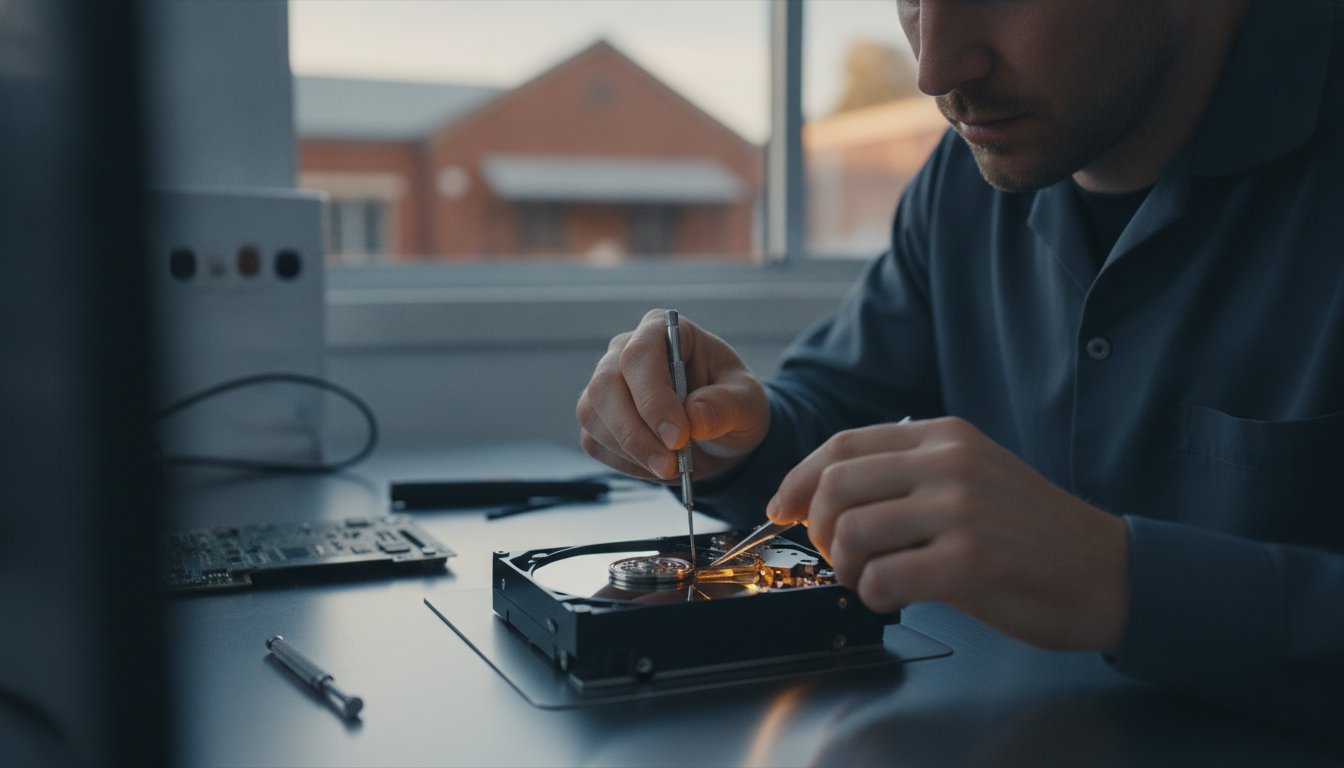
Never attempt to open the drive or shake it. Hard drives are assembled in sterile cleanrooms because even a single speck of dust can cause a “head crash,” making recovery nearly impossible. Likewise, avoid the temptation to download “free” recovery software. These tools often force the drive to work harder than it should. Installing them onto the same drive you’re trying to save is a common way to overwrite the very data you need. Instead, stay calm and document what happened. Did the power go out? Did you hear a grinding noise? These details are vital for a successful data recovery process.
The ‘Stop and Save’ Triage Checklist
- Power down the system or safely eject the external drive.
- Unplug the device from the wall to prevent background updates.
- Note any specific error messages or unusual sounds like beeping or clicking.
- Store the drive in a cool, dry place at room temperature.
- Ignore myths about putting hard drives in the freezer; this causes condensation and internal corrosion.
Why Time is Critical for Successful Recovery
Modern operating systems are incredibly active. Even when you aren’t clicking on anything, your computer is performing background updates, indexing files, and managing “empty” space. These processes can destroy lost data in minutes. By acting quickly and consulting professional data recovery services, you significantly increase the chances of a full retrieval. At Aspire Computing, I see many cases where immediate intervention made the difference between a total recovery and permanent loss. Getting expert hard drive data recovery Toowoomba early saves time, money, and stress. I’m here to help you through the process step-by-step.
Understanding Why Hard Drives Fail: Logical vs. Physical Damage
Identifying the root cause of a storage failure is the first step in successful hard drive data recovery Toowoomba. I generally categorize these failures into two groups: logical and physical. Logical failures occur when your drive’s hardware is healthy, but the file system is damaged. This might happen due to a botched system update, accidental formatting, or a sudden power cut that interrupts a write process. Physical failures are more serious. These involve mechanical breakdowns like motor seizures or head crashes. A head crash occurs when the read/write head makes contact with the spinning platter, which can cause permanent circular scratches on the data surface.
Firmware issues are a third, trickier category. These often act like physical failures because the drive won’t initialize or show up in your BIOS, but the problem actually lies in the corrupted microcode on the drive’s controller chip. SSD recovery is a different beast entirely. Since there are no moving parts, you won’t hear clicking. Instead, SSDs fail due to electronic surges or controller failure. The “TRIM” function in modern SSDs makes recovery harder because the drive actively wipes deleted data to maintain its speed. This is why you should seek professional data recovery services immediately if your SSD suddenly disappears from your system.
Common Symptoms of Hard Drive Failure
The “Click of Death” is the most famous physical symptom. It’s the rhythmic sound of the drive’s actuator arm hitting a physical stop because it can’t find the data track. Other signs are more subtle. You might notice your computer slowing down significantly or getting “File Not Found” errors when trying to open photos or documents. If your drive spins but isn’t detected by Windows or macOS, the internal electronics may have failed. If you’re noticing these warning signs, you can contact me for a local assessment in Newtown before the drive dies completely.
Logical Corruption and Accidental Deletion
Accidental deletion is the most common logical issue I see. When you delete a file, your computer doesn’t actually erase the data. It just removes the “pointer” and marks that space as available for new information. If you stop using the drive immediately, I can often perform hard drive data recovery Toowoomba to get those files back in full. Virus or malware infections can also scramble your file structures or lock you out of your data. In these cases, professional virus and malware removal is usually the first step to regaining access to your files.
The Risks of DIY Recovery Software vs. Professional Services
When you lose important files, the first instinct is often to search for a quick fix. You’ll find dozens of “free” or cheap data recovery programs promising a one-click solution. However, using software without a proper diagnosis is a massive risk. If your device has certain types of hard drive failure, such as a mechanical head crash, running a scan is the worst thing you can do. The software forces the drive to spin at high speeds for hours, which can grind away the magnetic coating where your data lives. This often turns a recoverable situation into a permanent loss. Beyond the physical risk, many “free” tools are bundled with malware or have questionable privacy policies, which is a major concern if you’re handling sensitive business or personal files.
There is also the “Read/Write” problem to consider. To install recovery software, your computer needs to write new data to the drive. If those new bits of information land on the sectors where your lost files were stored, those files are gone forever. Professional hard drive data recovery Toowoomba avoids this risk entirely. I never work directly on your original drive during the recovery phase. Instead, I use specialized hardware to create a bit-for-bit clone first. This ensures your original data remains untouched while I perform the intensive retrieval work on a copy.
When Software is Appropriate (and When It’s Not)
Software is only safe if the drive is physically healthy. If you accidentally deleted a folder but the drive isn’t making noise, clicking, or slowing down, software might work. But how can you be sure? A professional assessment is always safer than a $50 download. Repeatedly scanning a weak drive “stresses” the components. I’ve seen many drives that were “dying” become “dead” because a user tried five different free tools before calling for help. If you’re in Newtown or the wider Darling Downs area, a quick local check-up is much more reliable than guessing with a download.
What Professionals Do Differently
My approach at Aspire Computing involves tools that bypass standard Windows or macOS limitations. When an operating system sees a bad sector, it often freezes or gives up. Professional hardware interfaces ignore these errors and keep reading. I can also access the “Service Area” of the drive. This is a hidden part of the disk containing the firmware that controls the drive’s operations. Standard software can’t see this area, but it’s often where the key to a successful hard drive data recovery Toowoomba is hidden. Using these advanced methods, I can often retrieve files that commercial software wouldn’t even detect.

Why Local Toowoomba Support Matters for Your Data Security
When your hard drive fails, the last thing you want is to hand it over to a courier. Many large data recovery firms require you to mail your device to Brisbane or Sydney. This adds unnecessary risk. A drive that is already physically fragile shouldn’t be subjected to the bumps and drops of a delivery truck. By choosing hard drive data recovery Toowoomba, you eliminate the risk of your life’s work being lost in the post. You can bring your device directly to a professional who will handle it with the care it deserves right here in our community.
There is a significant benefit to face-to-face consultations. When you visit Aspire Computing, you talk directly to the person performing the work. You don’t have to navigate a call center or wait for an automated email update. I can explain the technical details in plain English and provide a realistic assessment of what can be recovered. This transparency builds trust and reduces the anxiety that comes with technical failures. Since I’ve been serving the Darling Downs since 1999, I understand the specific needs of our local residents. This local presence also means faster turnaround times. While a national lab might take weeks to even log your drive, I can often begin the recovery process the same day you drop it off.
Serving Toowoomba, Newtown, and the Darling Downs
I am based in Newtown, making it easy for residents and small businesses across Toowoomba to get help quickly. You don’t have to drive for hours or deal with heavy city traffic. For local businesses, I can even offer on-site assessments to determine the best path forward for your systems. My reputation is built on over 25 years of consistent, reliable service. When you choose a local expert, you’re supporting a business that is deeply invested in the success of our region. My experience with home office setups and small business continuity means I know how to prioritize the files that matter most to your daily operations.
Data Privacy: Keeping Your Files in Toowoomba
Privacy is a major concern when your drive contains bank statements, family photos, or proprietary business data. When you use hard drive data recovery Toowoomba through an owner-operated business, your sensitive information never leaves our region. I don’t outsource my recovery work to third-party labs in other states. This personal accountability ensures your data is handled with the highest level of confidentiality and security. I treat your data with the same care I’d treat my own.
If you’re worried about your files and want to speak with an expert in person, you can book a local data recovery assessment today at my Newtown workshop.
Aspire Computing: Your Toowoomba Data Recovery Experts
Choosing the right professional can be the difference between getting your files back and losing them forever. Since 1999, I’ve built a reputation for reliable computer repairs Toowoomba and expert data retrieval. My approach at Aspire Computing is built on transparency and personal accountability. When you bring your device to my Newtown workshop, you aren’t just another ticket number in a corporate system. You’re a neighbor who needs help, and I take that responsibility seriously. I provide comprehensive hard drive data recovery Toowoomba for desktop PCs, laptops, and all types of external storage devices.
I believe in keeping things simple. I won’t hide behind technical jargon or confusing industry terms. Instead, I offer clear solutions and honest advice about the state of your data. Whether your drive has suffered a physical drop or a logical software crash, I use my 25 plus years of experience to find the safest path to recovery. My goal is to reduce your anxiety by providing a structured, dependable process that prioritizes the security of your sensitive information.
The Aspire Recovery Process
- Step 1: Initial Assessment: I perform a detailed diagnostic to determine the exact cause of the failure. This identifies whether the problem is mechanical, electronic, or logical.
- Step 2: Transparent Quote: Once the diagnostic is complete, I provide a clear explanation of the recovery chances and a firm quote. You’ll know exactly where you stand before any intensive work begins.
- Step 3: Secure Retrieval: After your approval, I use specialized tools to retrieve your files. These are then transferred to a new, healthy drive to ensure they are safe and ready for you to use.
Preventing Future Loss: The Best Defense
While I’m always here to help with hard drive data recovery Toowoomba, the best outcome is avoiding a crisis altogether. A robust defense starts with automated backup systems. I help local home offices and small businesses set up “set and forget” backups that keep your data in two places at once. We can also discuss hardware upgrades to replace aging equipment. Moving from a traditional mechanical hard drive (HDD) to a solid-state drive (SSD) can significantly improve reliability, as SSDs have no moving parts to fail during a bump or drop.
Don’t let a technical failure turn into a permanent loss. If you’re currently facing a drive that won’t boot or is making strange noises, stop using it immediately. You can contact Aspire Computing today for a local, reassuring solution to your data crisis. I’m ready to help you get your digital life back on track.
Take the First Step Toward Saving Your Data
Losing access to your digital life is stressful, but it doesn’t have to be permanent. By powering down your device and avoiding risky DIY software, you’ve already taken the most important step toward a successful retrieval. Whether you’re dealing with a clicking mechanical drive or a silent SSD failure, professional hard drive data recovery Toowoomba provides the safest path to getting your critical files back in your hands.
I’ve been serving the Toowoomba community since 1999, offering a personalized, owner-operated service that understands the unique needs of both home users and small business IT setups. You don’t have to worry about your sensitive data being shipped away or handled by an anonymous corporate lab; I’m right here in Newtown to help you in person. Take a deep breath and let an experienced local expert handle the technical work for you.
Contact Aspire Computing for Expert Data Recovery in Toowoomba
Your photos, documents, and business records are incredibly valuable. I’m ready to help you restore them safely and securely today.
Frequently Asked Questions
How much does hard drive data recovery cost in Toowoomba?
Costs vary significantly based on the type of failure and the storage capacity of your device. Logical recoveries involving simple file deletion are generally less expensive than physical repairs that require mechanical intervention. I provide a transparent assessment to determine the complexity before starting any work. This ensures you have a clear understanding of the investment needed to retrieve your critical files without any unexpected fees or hidden charges.
Can you recover data from a clicking or beeping hard drive?
Yes, I can often recover data from drives making these sounds, provided you stop using them immediately. Clicking or beeping usually indicates a mechanical failure where the read/write heads are struggling or physically stuck. Every time the drive spins while clicking, it risks scratching the internal platters and causing permanent loss. Professional hardware tools are required to stabilize the drive and safely clone the data before the hardware fails completely.
What is the success rate for recovering deleted files?
The success rate is very high if the drive hasn’t been used after the deletion occurred. When you delete a file, the data remains on the disk until it’s overwritten by new information. If you continue to use the computer or install new software, those sectors are recycled, making recovery impossible. For the best results in hard drive data recovery Toowoomba, power down your device the moment you realize a file is missing.
Do I need to send my drive away to Brisbane for recovery?
No, you don’t need to risk sending your drive away in the mail. I perform all data recovery services locally at my workshop in Newtown. This eliminates the chance of your device being lost or damaged by couriers during transit. It also means you can speak with me directly about your specific situation. Keeping your sensitive data within the Toowoomba region provides an extra layer of security and privacy.
How long does the data recovery process usually take?
Most recoveries are completed within a few business days, depending on the drive’s condition and the volume of data. Simple logical recoveries are often faster, while physically damaged drives require a slower, more careful cloning process to ensure every possible bit of information is saved. I prioritize efficiency to minimize your downtime. I’ll provide a specific timeframe once I’ve completed the initial diagnostic of your device’s health and stability.
Can you recover data from a water-damaged laptop or external drive?
Recovery is often possible if the drive is handled correctly after exposure. Do not attempt to dry the drive with a hairdryer or power it on, as this can cause short circuits or internal corrosion. If the drive was submerged, the situation is more urgent. Bring the device to me as soon as possible. I use specialized cleaning and drying techniques to stabilize the electronics before attempting any hard drive data recovery Toowoomba.
Is it possible to recover data from an SSD that won’t turn on?
Yes, although SSD recovery is technically complex because they lack moving parts. When an SSD fails to turn on, the issue is usually with the controller chip or the power circuitry. I use professional tools to bypass these failed components and communicate directly with the NAND flash memory chips. Because SSDs use complex data encryption and wear-leveling algorithms, this requires specialized hardware and expertise that standard repair shops don’t typically have.
What should I bring with me for a data recovery appointment?
Please bring the failed hard drive or the entire laptop if the drive is internal. If you’re using an external drive, remember to bring the original power cable and USB lead. It’s also helpful to have a secondary “target” drive where I can save your recovered files. If you don’t have a spare drive, I can provide a new one as part of the service to ensure your data is returned safely.

B.App.Sc., Cert. Computer Engineering PC Service and Repair
As the owner of Aspire Computing founded in 1999, Chaim Lee has been working for over 20 years as the Leading Computer Technician.
He has a life long interest in electronics, computing, science and technology. He has completed studies and gained qualifications in Applied Science, Computer Repair and Service, Microsoft Installation and Maintenance, Technical Writing, Workplace Training, and Technical Sales Training.