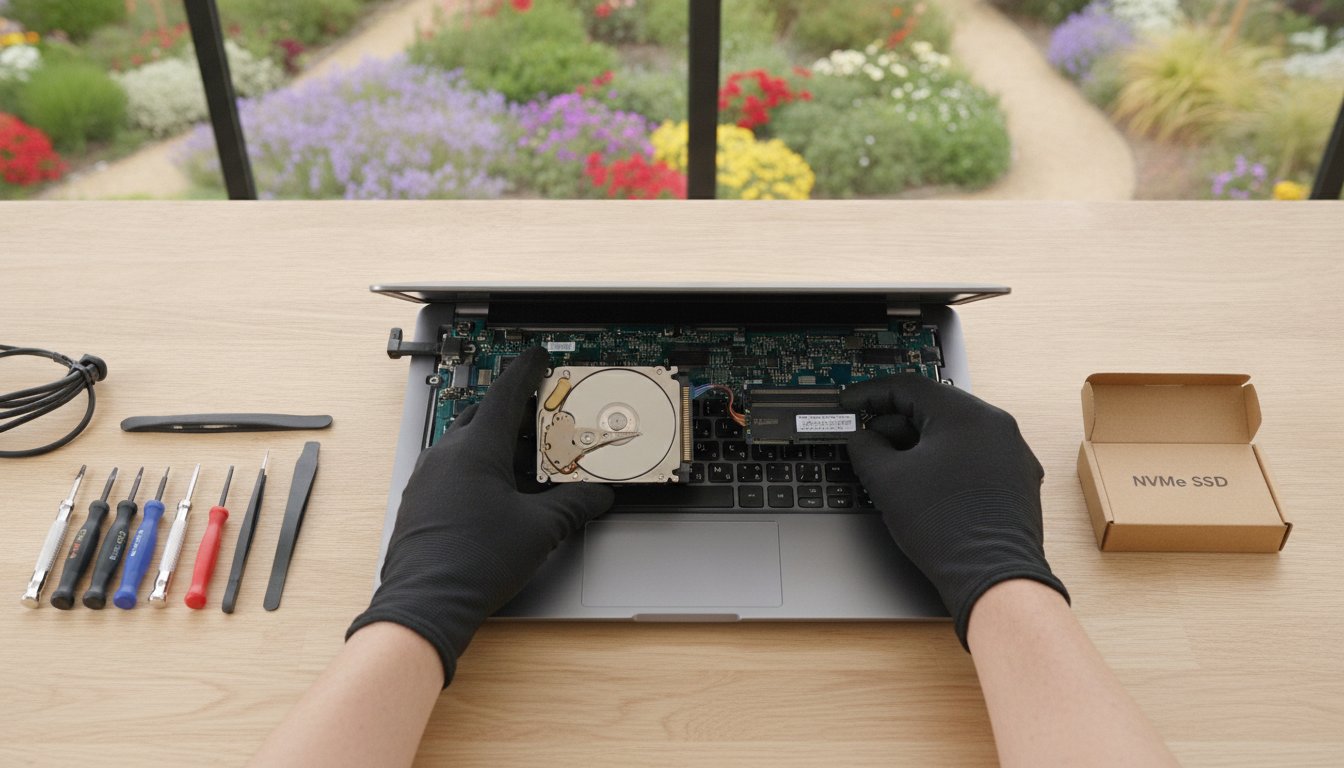
Buying a brand new computer in 2026 might actually be the most expensive mistake you make this year. With hardware prices from major vendors climbing by 20% due to global component shortages, that sluggish laptop sitting on your desk is more valuable than you think. You’re likely tired of waiting minutes for Windows to load or feeling the anxiety of a system freeze right before a deadline. It’s a common frustration for many of my clients here in the Garden City, but a professional SSD upgrade Toowoomba service can solve these issues without the hefty price tag of a replacement.
I’ve helped locals since 1999, and I’ve seen how a simple hardware swap can make a 2020-era machine outperform many entry-level models sold today. By moving to the latest NVMe technology, you’ll enjoy instant boot times and smooth application performance while adding three to four years of life to your hardware. This guide explains the current 2026 market trends, how we protect your precious files during the transition, and why a professional upgrade is the highest-ROI investment you can make for your technology this year.
Key Takeaways
- Learn how switching from a mechanical hard drive to an SSD can deliver speeds up to 50 times faster, making your computer feel brand new.
- Understand the differences between SATA and NVMe drives to ensure you select the correct hardware for your specific laptop or desktop model.
- Discover why a professional SSD upgrade Toowoomba service is a much more cost-effective choice than buying a new PC in today’s high-price market.
- Find out how to protect your important files using professional cloning or clean install techniques that prevent data loss during the upgrade.
- See how an expert hardware installation and Windows tune-up can add up to four years of extra life to your existing computer.
What is an SSD and Why is it Essential in 2026?
A Solid-state drive (SSD) is a modern storage device that uses integrated circuit assemblies to store data persistently. Unlike the traditional hard disk drives (HDDs) found in older computers, an SSD has no moving parts. This lack of mechanical components is exactly why an SSD upgrade Toowoomba service is the single most effective way to breathe life into a frustratingly slow machine. It’s a huge shift from the clicking, whirring drives of the past to the silent, instant technology we use today.
To better understand how this hardware change can transform your daily computing experience, watch this helpful video:
Traditional hard drives rely on a spinning magnetic platter and a read/write head that physically moves across the surface. It’s a bit like an old record player; if you bump it or if the motor wears out, the music stops. In a computer, this mechanical process creates a massive bottleneck. Every time you open a file or start Windows, you’re waiting for a physical arm to find data. In 2026, SSDs use advanced flash memory to access information at the speed of light. This means your boot times drop from minutes to mere seconds, and file searches become nearly instantaneous.
The Evolution of Computer Storage
Storage technology has evolved rapidly since I started helping Toowoomba residents with their tech in 1999. We’ve moved from bulky, clicking hard drives to sleek M.2 NVMe sticks that are smaller than a stick of chewing gum. By 2026, modern software and operating systems are designed with high-speed storage in mind, performing thousands of small “read” and “write” operations every minute. On an old mechanical drive, these tasks pile up, causing the “100% disk usage” error and those annoying freezes during multitasking. This makes a professional SSD upgrade Toowoomba a system requirement rather than a luxury.
How an SSD Works (Without the Tech Jargon)
Think of your computer’s storage like a library. Using an old HDD is like having a librarian who has to run through a giant building to find one book at a time. An SSD is like having a robot that can see every book on every shelf simultaneously and retrieve them instantly. Flash memory is a type of non-volatile storage medium that retains data even when the power is turned off. Because there are no spinning disks, SSDs offer several practical benefits for your home office:
- Silent Operation: No more distracting clicking or whirring sounds while you work.
- Heat Reduction: Less friction means a cooler system and a more comfortable laptop.
- Better Battery Life: Your laptop doesn’t waste energy spinning a physical motor, extending your unplugged time.
SSD vs HDD: The Best Upgrade for a Slow Computer
When you look at the raw numbers, the difference between an old-fashioned hard drive and a modern solid-state drive is staggering. A standard mechanical hard drive (HDD) typically transfers data at around 100MB/s. In contrast, a basic SATA SSD reaches 500MB/s, while the latest NVMe drives can exceed 5000MB/s. This isn’t just a technical detail; it’s the difference between your computer feeling like a relic or a rocket ship. Many people assume they need a new PC when things get slow, but hardware upgrades are actually the most effective way to boost PC speed without the waste.
Choosing an SSD upgrade Toowoomba service offers a massive return on investment. In 2026, a high-quality drive installation and system optimization might cost you between A$200 and A$300. Compare that to the A$1,200 or more you’d spend on a comparable new machine. By “rescuing” your 2020-era laptop, you’re not just saving money; you’re choosing a sustainable path that keeps perfectly good hardware out of the landfill while gaining modern performance that rivals brand-new systems.
Performance in Daily Tasks
The real-world impact shows up in the small moments of your day. We’ve all experienced the frustration of opening Chrome, Outlook, or Microsoft Teams only to see the “Not Responding” message for thirty seconds. With an SSD, these resource-heavy applications open almost instantly. Windows Updates, which often cripple older machines for hours, become significantly faster and less painful because the drive can handle thousands of small file changes simultaneously. If you do any photo editing or gaming, you’ll notice that load screens which used to take minutes now disappear in a heartbeat, allowing you to stay focused on your work or play.
Reliability and Longevity
Mechanical drives are prone to the infamous “Click of Death,” where the physical arm fails and your data becomes inaccessible. SSDs avoid this physical wear entirely because they have no moving parts. This makes them incredibly durable and reduces the anxiety of sudden data loss. If you’re a mobile worker driving across the Darling Downs, an SSD is much more likely to survive the bumps and vibrations of travel than a traditional drive. While some worry about the lifespan of flash memory, modern 2026 drives have high TBW (Total Bytes Written) ratings. Most home users would need decades of heavy use to actually “wear out” a modern drive. If your current system is feeling sluggish, you might find that professional hardware support is the safest way to ensure your tech remains reliable for years to come.
Choosing the Right SSD: SATA, NVMe, and Capacities
Selecting the correct hardware is the most technical part of an SSD upgrade Toowoomba residents need to consider. Not every drive fits every computer. If you have an older laptop or a desktop from several years ago, you’ll likely need a 2.5-inch SATA SSD. These are designed to be a universal fit, sliding right into the same physical bay where your old mechanical drive used to sit. They are reliable, affordable, and provide a massive speed jump over any traditional hard drive.
For newer systems and ultrabooks, we typically use NVMe M.2 drives. These look more like a stick of chewing gum than a traditional drive. They plug directly into a dedicated slot on the motherboard, which allows for the lightning-fast data transfer speeds required by 2026 software. At Aspire Computing, I always recommend sticking to proven brands like Samsung, Crucial, and Kingston. These manufacturers offer the best reliability and warranty support in the Australian market, ensuring your data stays safe long after the installation is finished.
Understanding Form Factors
Before purchasing a drive, you must know exactly what your machine supports. Most desktop motherboards built in the last few years have at least one M.2 slot, but older laptops are often limited to the 2.5-inch SATA standard. Checking your motherboard specifications or running a system scan is essential to avoid buying incompatible parts. If your internal storage is already full and you don’t want to open your computer case, an external SSD connected via USB-C is a great alternative for high-speed portable storage.
How Much Storage Do You Really Need?
Capacity is about more than just how many photos you can save; it also affects the drive’s health and speed. I always suggest following the 80% Rule, which means you should never completely fill an SSD. When these drives reach their limit, they struggle to manage data efficiently, and you’ll notice a drop in performance. To calculate your needs, remember that a modern Windows installation and basic apps will take up at least 60GB of space before you even add your first personal file.
- 500GB: This is perfect for basic office work, school assignments, and general web browsing.
- 1TB: In 2026, 1TB is the “sweet spot” for value and longevity, offering plenty of room for family photos, videos, and software updates.
- 2TB or more: This capacity is essential for content creators, serious gamers, or small businesses with large local databases.
Choosing a slightly larger drive than you think you need today is a smart way to future-proof your computer. It’s much easier to buy extra capacity now than to perform another upgrade in twelve months. If you’re unsure which path to take, I can assess your current usage and recommend the most cost-effective option for your specific machine.

Practical Guide: How to Upgrade Safely
Safety is the most important part of any hardware change. While the physical swap is relatively quick, your preparation determines whether your files stay safe or disappear. Before you even touch a screwdriver, you must perform a full backup of your existing data to an external drive or a secure cloud service. A successful SSD upgrade Toowoomba project depends entirely on this “safety first” mindset. If your current drive has already failed or is making strange clicking noises, you should read our Data Recovery guide before attempting any hardware changes.
Cloning vs. Fresh Installation
You have two main paths for moving your data to the new drive. Cloning involves making an exact bit-for-bit copy of your current hard drive. This includes your operating system, programs, and all your personal settings. It’s the most convenient option because your desktop looks exactly the same when you finish. However, DIY cloning often leads to boot errors or partition misalignments. These technical glitches can actually slow down your new SSD and prevent it from reaching its full potential.
A fresh installation is what I call the “spring clean” approach. You install a clean version of Windows and then manually move your important files back. This ensures maximum speed and stability by removing years of digital clutter and hidden registry errors. While it takes longer to set up your apps again, it’s the best way to get that “brand new” feeling from your upgraded machine. It’s often the better choice if your current system feels buggy or unstable.
Physical Installation Tips
The physical process requires a few basic tools, usually just a small Phillips head screwdriver. However, static electricity is a silent killer for delicate computer parts. You must ground yourself by touching a metal part of the computer case or using an anti-static wrist strap. Laptops require extra care; you often need to disconnect the internal battery first to prevent short-circuits. Be extremely gentle with the fragile ribbon cables that connect the keyboard or trackpad to the motherboard.
Once the drive is physically installed, Windows needs a few specific tweaks to stay healthy. Modern versions of Windows usually handle this automatically, but you should verify that the TRIM command is active. TRIM helps the SSD manage its flash memory efficiently over time. You should also ensure that traditional “defragmentation” is disabled for the SSD, as this causes unnecessary wear on the drive. If you’d rather skip the stress and technical risks, you can book a professional upgrade with me to ensure every setting is optimized perfectly for your machine.
Professional SSD Upgrades in Toowoomba with Aspire Computing
Toowoomba locals choose Aspire Computing because I offer something big national retailers can’t: personal accountability. While shipping a drive from a warehouse is fast, it doesn’t help you with the technical migration or the BIOS settings required to make that drive actually work. My SSD upgrade Toowoomba service is designed to be completely stress-free. I handle the hardware supply, the physical installation, and the complex data migration so you don’t have to worry about losing a single photo or document.
Every installation includes the “Aspire Tune-Up.” I don’t just plug in the drive and leave. I optimize your entire Windows environment, checking for startup bottlenecks and ensuring your system is fully patched. This comprehensive approach means your computer doesn’t just feel faster; it stays stable and secure for the long term. With over 25 years of local experience, I’ve developed a methodical process that prioritizes your data safety above everything else. I provide on-site service across Newtown and the surrounding suburbs, bringing professional IT support directly to your front door or office.
Personalized Service from a Local Expert
I’m Chaim Lee, and I’ve been serving the Darling Downs and Lockyer Valley regions since 1999. When you call for tech help, you’re speaking directly to the person who will be working on your machine. This personal connection is why so many residents trust me with their most important devices. Whether you need a simple speed boost or comprehensive Computer Repairs Toowoomba, I provide reliable assistance that focuses on your specific needs. I understand that your computer is essential for your daily life, and I treat every hardware change with the expert care it deserves.
Ready for a Faster Computer?
Upgrading your technology shouldn’t be a source of anxiety. My goal is to provide a transparent, jargon-free process that gets you back to work as quickly as possible. Most professional hardware upgrades are completed with a rapid turnaround, ensuring you aren’t without your PC for longer than necessary. You’ll know exactly what to expect from the moment we first speak. If you’re tired of waiting for your computer to catch up with your workload, you can Contact Aspire Computing today for a speed assessment and a professional quote.
Ready to Experience a Faster, More Reliable Computer?
You don’t need to spend thousands on a new laptop to get modern performance. By choosing an SSD upgrade Toowoomba, you can bypass the rising costs of 2026 hardware while enjoying boot times and application speeds that feel brand new. We’ve explored how the right drive capacity and a professional tune-up can add years of life to your current system. Most importantly, you can avoid the risks of DIY errors by trusting a local expert with your data.
Aspire Computing has been a trusted local business since 1999. I provide expert data migration with every upgrade to ensure you don’t lose a single file. Whether you’re working from home or running a small business, my on-site service is available across Toowoomba and the Darling Downs to make the process completely stress-free. Your computer has plenty of life left in it. Let’s make it work for you again.
Book Your SSD Speed Upgrade in Toowoomba Today
Frequently Asked Questions
Will an SSD make my 5-year-old laptop faster?
An SSD is the single best way to rejuvenate a 5-year-old machine. Even if your laptop was top-of-the-line in 2021, its original storage is likely the biggest bottleneck today. By choosing a professional SSD upgrade Toowoomba, you’ll see a dramatic improvement in how quickly Windows loads and how fast your applications respond. It’s a practical way to extend your computer’s life by several years without the high cost of a total replacement.
How much does a professional SSD upgrade cost in Toowoomba?
The total cost for an SSD upgrade Toowoomba service depends on the drive’s capacity and the complexity of your data migration. Hardware prices for components like NAND flash have seen some increases in 2026, but the investment is still much lower than purchasing a new laptop. I offer a transparent process where I assess your hardware first. This ensures you get a solution that fits your budget while providing the best performance boost possible.
Do I lose my photos and programs if I switch to an SSD?
You won’t lose your files or programs when you choose a professional installation. I use specialized cloning software to create an exact copy of your current system, including your photos, documents, and settings. If your old drive is healthy, everything will be exactly where you left it, just much faster. For systems with software issues, I can perform a clean install and manually migrate your precious personal data to ensure a stable result.
How long does an SSD upgrade take to complete?
Most professional hardware upgrades in the Darling Downs region are completed within 24 to 48 hours. This timeframe allows for a full data backup, the physical installation, and a thorough Windows optimization. I understand that being without your computer is difficult, so I prioritize a rapid turnaround. Once the work is finished, your machine is ready for immediate use with all your files safely in place and the performance significantly boosted.
Is a 500GB SSD enough for home office use in 2026?
A 500GB drive is usually plenty for standard home office tasks like word processing, emails, and web browsing. Modern operating systems like Windows 11 or the newer 2026 standards require a fair amount of space, but 500GB still leaves room for thousands of documents and basic software. If you plan to store many high-resolution videos or large databases, you might consider stepping up to a 1TB model for better long-term value and flexibility.
Can I use an SSD and my old hard drive at the same time?
You can often use both drives simultaneously if you have a desktop computer or a laptop with multiple drive bays. I typically set up the new SSD as your primary drive for Windows and your programs to ensure maximum speed. Your old mechanical hard drive can then be repurposed as a secondary storage area for large files like movies or old archives. This hybrid setup gives you the best of both worlds: speed and high capacity.
What is the difference between NVMe and SATA SSDs?
The main difference lies in speed and how they connect to your motherboard. SATA SSDs are a universal fit for older machines and reach speeds of around 500MB/s. NVMe drives are much smaller, looking like a stick of gum, and can reach speeds over 5000MB/s in 2026. While NVMe is significantly faster, it requires a specific M.2 slot on your motherboard. I can check your hardware to see which standard your computer supports.
Does an SSD help with my NBN internet speed?
An SSD doesn’t increase your raw NBN connection speed, but it makes your internet experience feel much faster. When you download a file or load a complex webpage, your computer has to write that data to the disk. A slow mechanical drive creates a bottleneck that makes your fast NBN feel sluggish. With an SSD, your computer can process and display that data instantly, allowing you to actually utilize the full speed of your internet plan.

B.App.Sc., Cert. Computer Engineering PC Service and Repair
As the owner of Aspire Computing founded in 1999, Chaim Lee has been working for over 20 years as the Leading Computer Technician.
He has a life long interest in electronics, computing, science and technology. He has completed studies and gained qualifications in Applied Science, Computer Repair and Service, Microsoft Installation and Maintenance, Technical Writing, Workplace Training, and Technical Sales Training.