
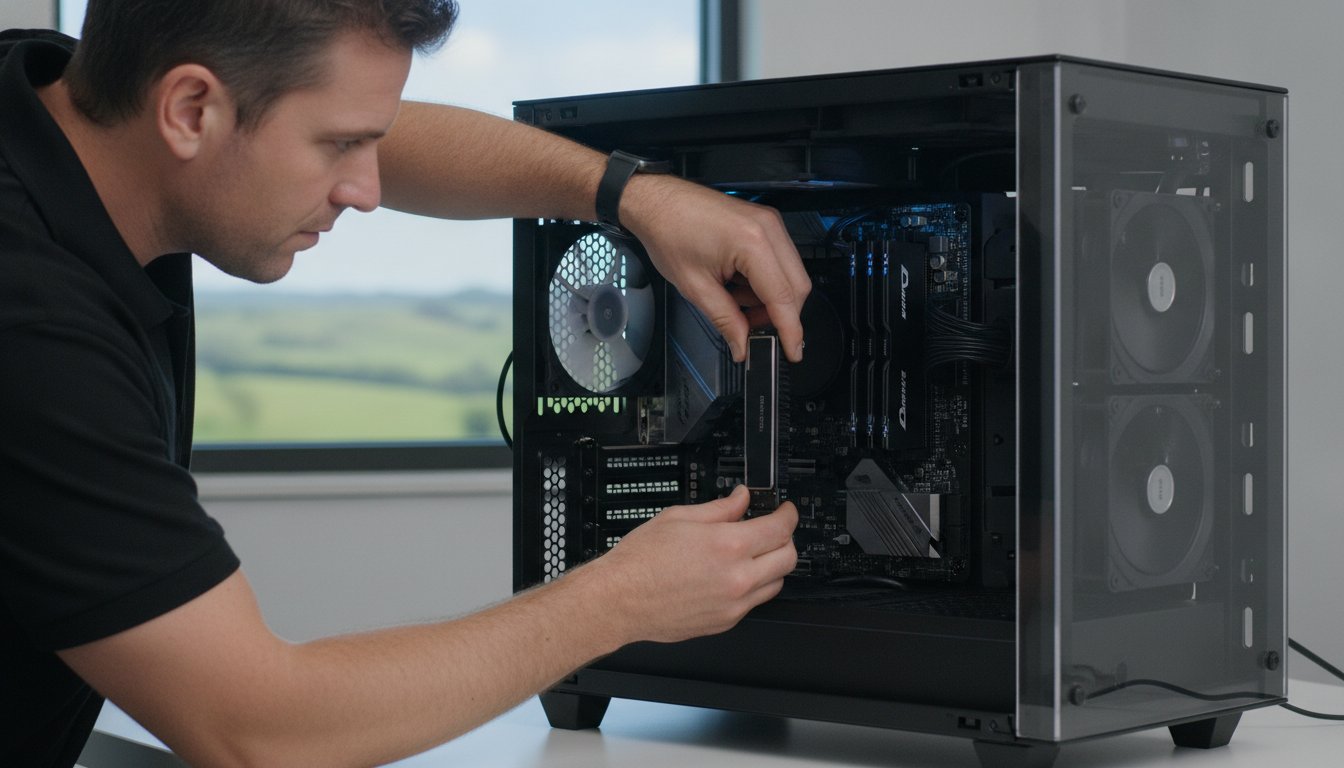
Why spend thousands on a new laptop when your current machine is just one or two components away from feeling brand new? If you need a professional PC upgrade service Toowoomba experts can provide, you’ve likely noticed that buying a new computer in 2026 is becoming a massive investment. With major vendors warning of price hikes up to 20% due to global memory shortages, a strategic hardware upgrade is now the smartest way to stay productive.
It’s incredibly frustrating when your computer takes forever to start up or crashes in the middle of an important project. You might worry about losing your data during a hardware swap or feel overwhelmed by technical terms like NVMe and DDR5. We agree that you shouldn’t have to be an IT expert just to have a reliable machine for work or study. In this guide, you’ll discover how professional hardware upgrades can double your computer’s performance and lifespan without the cost of a new machine. I will provide clear advice on which parts actually matter for your specific needs, ensuring you get the fast, reliable results and local support you can depend on.
Key Takeaways
- Learn why a strategic hardware investment can deliver 90% of a new computer’s performance at a fraction of the retail cost.
- Discover the “SSD first” rule and why this single component change is the most effective way to eliminate system lag.
- See how a professional PC upgrade service Toowoomba residents trust can extend your machine’s lifespan well into 2026 and beyond.
- Identify specific hardware requirements tailored for gaming, home offices, and the evolving needs of local small businesses.
- Understand the technical risks of DIY attempts and why professional installation ensures your data remains safe and your system stable.
Is Your Computer Slow? Why a PC Upgrade Service in Toowoomba is Better Than Buying New
Many people think a slow computer belongs in the bin. That’s rarely the case. A professional PC upgrade service Toowoomba residents can access involves a deep dive into your system’s current computer hardware. Instead of replacing the whole unit, we swap out the specific parts holding you back. It’s a focused approach that treats the cause of the lag rather than just the symptoms.
Think about the math. A new mid-range laptop in 2026 can easily set you back $1,200 or more. Conversely, a $300 investment in a high-speed drive and more memory can often make an older machine feel snappier than a brand-new budget model. It’s like the “Ship of Theseus” paradox; if you replace the sails and the mast, it’s still your ship, just faster. Your current screen, case, and keyboard are likely in great shape, so why pay for them twice?
By choosing to revitalise your tech, you’re also making a sustainable choice for the Darling Downs region. Keeping hardware out of our local landfills reduces e-waste and lessens the demand for new manufacturing. It’s a practical way to support our community while saving your hard-earned money and keeping perfectly good equipment in service.
To better understand how a few simple changes can transform a machine, watch this helpful video:
The 5-Year Rule: When to Upgrade vs. When to Replace
Most computers have a “sweet spot” for upgrades between three and five years of age. During this window, the rest of the system is usually modern enough to support the latest components. If your machine is approaching the decade mark, components like the motherboard or power supply might be too old to guarantee reliability. Aspire Computing starts every project with a thorough diagnostic. This ensures you don’t spend money on an upgrade that won’t deliver the results you expect.
Performance Bottlenecks: Why Your “Fast” PC Feels Slow
You might have a powerful processor, but if it’s paired with a mechanical hard drive, your PC will still feel sluggish. One old component can throttle the entire system’s speed. Sometimes the issue is “Windows clutter,” which is a build-up of background apps and temporary files. Other times, it’s a genuine hardware limitation. A professional PC upgrade service Toowoomba experts provide will distinguish between the two. We often find that a hardware boost combined with a clean Windows tune-up provides the most reliable long-term performance.
Essential Hardware Upgrades to Boost Your Computer Performance
Not all upgrades are created equal. To get the best value for your money, you should prioritise components based on how much they actually impact your daily speed. Our PC upgrade service Toowoomba team follows a strict hierarchy of performance. We usually recommend starting with your storage, moving to your memory, and only then considering the processor or graphics card. There are many valid reasons to upgrade your PC, but the goal is always to eliminate the most significant bottleneck first.
While most people think a faster CPU is the answer, the real hero is often the Power Supply Unit (PSU). It’s the unsung hero that ensures every other part gets stable, clean energy. If you’re adding powerful new parts, your old PSU might not keep up. A professional assessment ensures your system remains stable and won’t crash when you’re in the middle of an important task.
SSD vs HDD: The Best Upgrade for a Slow Computer
If your computer still uses a traditional mechanical hard drive (HDD), you’re essentially driving a sports car with a speed limiter. A modern Solid State Drive (SSD) or an NVMe drive can be up to 30 times faster than an old HDD. This change alone can reduce your boot time from minutes to mere seconds. We treat hardware upgrades as a precise science, using data cloning to move your entire operating system and all your files to the new drive. This means your computer feels brand new, but everything is exactly where you left it.
RAM Upgrades: Multitasking Without the Lag
In 2026, 8GB of RAM is no longer the standard; it’s the bare minimum. Modern web browsers and office applications are hungrier for memory than ever before. For a smooth home office experience, 16GB is now the sweet spot. If you’re a creative professional working with video or high-res photos, you’ll likely need 32GB or more. It’s not just about the amount of RAM, though. We ensure we match your existing RAM speeds and types, whether it’s DDR4 or the newer DDR5, to prevent system instability. Don’t fall for the old internet jokes about downloading more memory. Physical RAM chips are the only way to genuinely stop the lag when you have twenty tabs open at once.
If you’re unsure which parts are slowing you down, it’s a good idea to chat with a local expert who can look at your specific system specs.
Tailoring Your Upgrade: Gaming, Home Office, or Small Business?
Not every computer user has the same goals. A professional PC upgrade service Toowoomba businesses and residents rely on will look at your specific daily tasks before suggesting parts. For example, a home office setup prioritises silent operation and fast storage so you can work without distraction. Conversely, a small business might focus on longevity and cyber security, ensuring every machine has the necessary TPM modules to run modern, secure operating systems like Windows 11 and beyond.
Choosing to upgrade rather than replace also reduces e-waste, which is a growing concern for environmentally conscious locals in the Darling Downs. It’s about finding the right balance between performance and practicality. By targeting the specific needs of your role, you avoid paying for high-end features you’ll never use while ensuring your machine won’t let you down when deadlines loom.
Small Business IT Support: Scaling Your Tech
Local businesses often face a choice between replacing an entire fleet of laptops or extending their life through smart components. Bulk upgrades can save a company thousands of dollars compared to the high cost of fleet replacement. By standardising hardware across the office, ongoing maintenance becomes much simpler and more predictable. We often integrate these hardware refreshes with our broader IT support for business plans. This proactive approach ensures your team stays productive without the frustrating downtime associated with aging, unreliable equipment.
Creative and Gaming Needs in Toowoomba
Gamers and video editors have the highest demands for graphics processing. A GPU upgrade can breathe new life into a system, allowing it to handle 4K video editing or the latest 2026 gaming titles. However, more power always means more heat. Toowoomba’s summer temperatures can be brutal on high-performance PCs tucked under a desk. We focus heavily on thermal management, often upgrading fans or heat sinks to ensure your system doesn’t throttle when the room gets warm. It’s also vital to ensure your monitor and peripherals can actually keep up with the increased power of your new internals.

Professional Installation vs. DIY: Why Local Expertise Matters
YouTube tutorials make hardware swaps look easy, but the reality of working inside a computer involves significant risks. One spark of static electricity can instantly kill a motherboard. If you’re looking for a PC upgrade service Toowoomba residents can trust, you’re choosing safety over guesswork. Amateurs on social media might offer to help for a small fee, but they don’t carry insurance or offer warranties if your data vanishes. Professional service means your investment is protected from the moment we open the case.
A professional computer repairs Toowoomba expert understands local conditions and has the right tools to prevent bent CPU pins or incompatible BIOS versions. We also offer a “Local Advantage” that big-box retailers simply can’t match. Instead of waiting weeks for parts to ship or for a distant service centre to respond, you can get your PC back in 24 to 48 hours. If a new part fails, you don’t have to deal with a call centre; you just talk to us directly.
On-Site vs. Workshop Upgrades
Sometimes you don’t want the hassle of unplugging every cable and hauling your tower into a shop. For residents in Newtown or Wilsonton, our mobile computer repair service brings the expertise to your doorstep. This is perfect for simpler RAM upgrades or printer setups where we can test everything in your actual workspace. However, for complex component swaps that require a sterile environment or deep diagnostics, our workshop provides the controlled space needed for high-precision work.
Data Protection During Upgrades
The biggest fear during any hardware change is losing years of family photos or business documents. We never open a case without ensuring a full backup is in place. While we specialise in data recovery services, our goal is to ensure you never need them. We also manage the technical side of Windows licensing. Swapping a motherboard or a primary drive can sometimes deactivate your software. We handle the reactivation and driver updates so you can get back to work immediately with a system that is fully functional.
Ready to revitalise your tech without the risk of a DIY disaster? Contact us today for a reliable PC upgrade service Toowoomba experts provide.
Revitalise Your Tech with Aspire Computing’s Toowoomba PC Upgrade Service
Since 1999, Aspire Computing has provided a reliable PC upgrade service Toowoomba residents trust for honest and expert advice. When you call us, you don’t get a script from a distant call centre or a junior technician. You speak directly to the owner. This personal accountability is the foundation of our business. It means you get expert recommendations based on decades of industry experience rather than a generic sales pitch. We understand that your computer is essential for your daily life, and we treat every machine with the care it deserves.
Our methodical process ensures nothing is left to chance. Every project begins with a comprehensive health check to identify the true cause of your system’s sluggishness. Once we’ve installed the new components, we perform rigorous performance tests to ensure everything is stable and running at peak speed. This structured approach takes the guesswork out of technology, giving you a fast, reliable computer that’s ready for the demands of 2026. We don’t just swap parts; we ensure your entire system is optimised for your specific workload.
Our Commitment to the Darling Downs
We take pride in serving Toowoomba, the Lockyer Valley, and the surrounding regions with dependable IT support. Whether you’re a home user in Rangeville or running a small business office in the CBD, we provide the same high level of dedicated service. To ensure long-term reliability, we only use high-quality, reputable parts from industry leaders like Samsung and Kingston. We won’t cut corners with generic components because we know that operational stability depends on the quality of the hardware inside your case. Supporting our local community with durable tech solutions is our primary mission.
Book Your PC Health Check
Don’t wait for your computer to fail completely before seeking professional help. A proactive check-up can identify small issues before they become expensive problems. We encourage you to book a health check before committing to any hardware purchases. This ensures you only spend money on the parts that will actually make a difference. Whether you prefer on-site assistance at your location or remote support for software-related speed boosts, we’re ready to assist. Our “Fast, Local Fix” promise means you’ll spend less time staring at a loading screen and more time being productive. Contact us today to see how a professional PC upgrade service Toowoomba experts provide can give your existing tech a second life.
Get Your Computer Ready for 2026 and Beyond
Choosing a strategic hardware refresh is the most cost-effective way to ensure your technology keeps up with your needs. You’ve seen how moving to an SSD or increasing your RAM can double your machine’s performance for a fraction of the price of a new laptop. By opting for a professional PC upgrade service Toowoomba residents have relied on since 1999, you gain the peace of mind that your data is safe and your hardware is installed to the highest standards.
We specialise in high-performance hardware upgrades and offer expert on-site and remote IT support to make the process as easy as possible. Whether you’re a gamer needing more power or a small business owner standardising your office fleet, we provide the local support you can trust. Don’t let a slow computer hold you back from being productive or enjoying your tech.
Book Your Toowoomba PC Upgrade or Health Check Today
I look forward to helping you revitalise your tech and making your computer feel brand new again. Your reliable, fast machine is just a phone call or click away.
Frequently Asked Questions
How much does a typical PC upgrade cost in Toowoomba?
The total investment for an upgrade depends entirely on the specific components your system needs and the complexity of the installation. A simple memory increase is naturally more affordable than a comprehensive overhaul involving a high-end graphics card and a new power supply. We provide a detailed quote after our initial health check so you understand the costs before any work begins on your machine.
Will an SSD upgrade really make my old computer feel like new?
Yes, replacing an old mechanical hard drive with a Solid State Drive is the single most effective way to revitalise a slow computer. It eliminates the physical bottleneck that causes long boot times and frozen applications. You’ll notice that Windows starts in seconds rather than minutes and your everyday programs respond almost instantly to your commands.
Is it worth upgrading a laptop, or should I just buy a new one?
It’s usually worth upgrading if your laptop is less than five years old and the physical chassis, screen, and keyboard are still in good condition. Most laptops from the last few years have plenty of life left but are simply held back by low memory or slow storage. We’ll help you compare the cost of a targeted upgrade against the high retail price of a new 2026 model.
Do I need to backup my files before a hardware upgrade?
While we take every precaution to protect your information, we always recommend having a current backup of your important files. As part of our professional PC upgrade service Toowoomba process, we perform our own data protection steps to ensure your photos and documents stay safe. This careful approach gives you peace of mind while we work inside your system.
How long does a PC upgrade take at Aspire Computing?
Most standard hardware upgrades are completed within 24 to 48 hours once we have the necessary parts in our workshop. We keep a range of common components in stock to ensure the fastest possible turnaround for our local clients. If your upgrade requires a specialised or high-end part, we’ll give you a clear timeline so you can plan around the brief downtime.
Can you upgrade my computer on-site at my home or office?
Yes, we offer mobile support for many types of hardware installations throughout Toowoomba and the surrounding regions. Many tasks, such as adding RAM or installing new peripherals, can be handled conveniently at your desk. For more intensive work like data cloning or complex cooling modifications, we may suggest a workshop visit to ensure the highest level of precision.
What is the most important part to upgrade for a slow PC?
The storage drive is almost always the first priority for a slow machine. If your computer is still running on a traditional hard drive, it will feel sluggish regardless of how fast your processor is. After installing an SSD, the next most impactful choice for a PC upgrade service Toowoomba residents often need is increasing the RAM to handle modern multitasking demands.
Do you provide a warranty on the new parts installed?
We only use high-quality components from trusted brands like Samsung and Kingston which come with their own manufacturer warranties. We also stand behind our professional installation work to ensure your system remains stable and reliable. If you have any questions or concerns after an upgrade, you can talk to us directly for local support instead of waiting on a call centre queue.

B.App.Sc., Cert. Computer Engineering PC Service and Repair
As the owner of Aspire Computing founded in 1999, Chaim Lee has been working for over 20 years as the Leading Computer Technician.
He has a life long interest in electronics, computing, science and technology. He has completed studies and gained qualifications in Applied Science, Computer Repair and Service, Microsoft Installation and Maintenance, Technical Writing, Workplace Training, and Technical Sales Training.
