Remote IT Support: Fast, Secure Tech Help for Toowoomba Home Offices & Businesses

What if you could fix that frozen screen or stubborn printer error right now, without waiting for a technician to drive to your Newtown driveway or paying a hefty call-out fee? It’s incredibly frustrating when your technology fails right in the middle of a deadline. You’ve likely felt that spike of anxiety when a software glitch halts your productivity, leaving you wondering how much the downtime will cost your business. When you’re searching for home office IT support Toowoomba residents can rely on, you need a solution that’s as fast as it is secure.

We understand that inviting someone into your digital space can feel daunting. You deserve tech help that respects your privacy and your budget. This article will show you how remote IT support provides an instant, cost-effective alternative to traditional on-site visits. You’ll discover how Aspire Computing uses over 25 years of local experience to resolve your computer woes safely. We’ll walk through the process of getting immediate help for software and printer issues, ensuring you get back to work with total peace of mind.

Key Takeaways

  • Eliminate wait times and call-out fees by using secure internet-based tools to fix your computer problems instantly.
  • See how one-time access rules and end-to-end encryption ensure that your private files stay protected throughout the repair process.
  • Identify which common glitches, like slow performance or email errors, can be resolved without a technician ever stepping foot in your house.
  • Learn why local home office IT support Toowoomba businesses rely on offers more accountability and faster results than a distant call centre.
  • Understand the specific scenarios where a physical visit is mandatory, such as hardware failures or power issues, so you’re always prepared.

What is Remote IT Support and How Does it Save You Time?

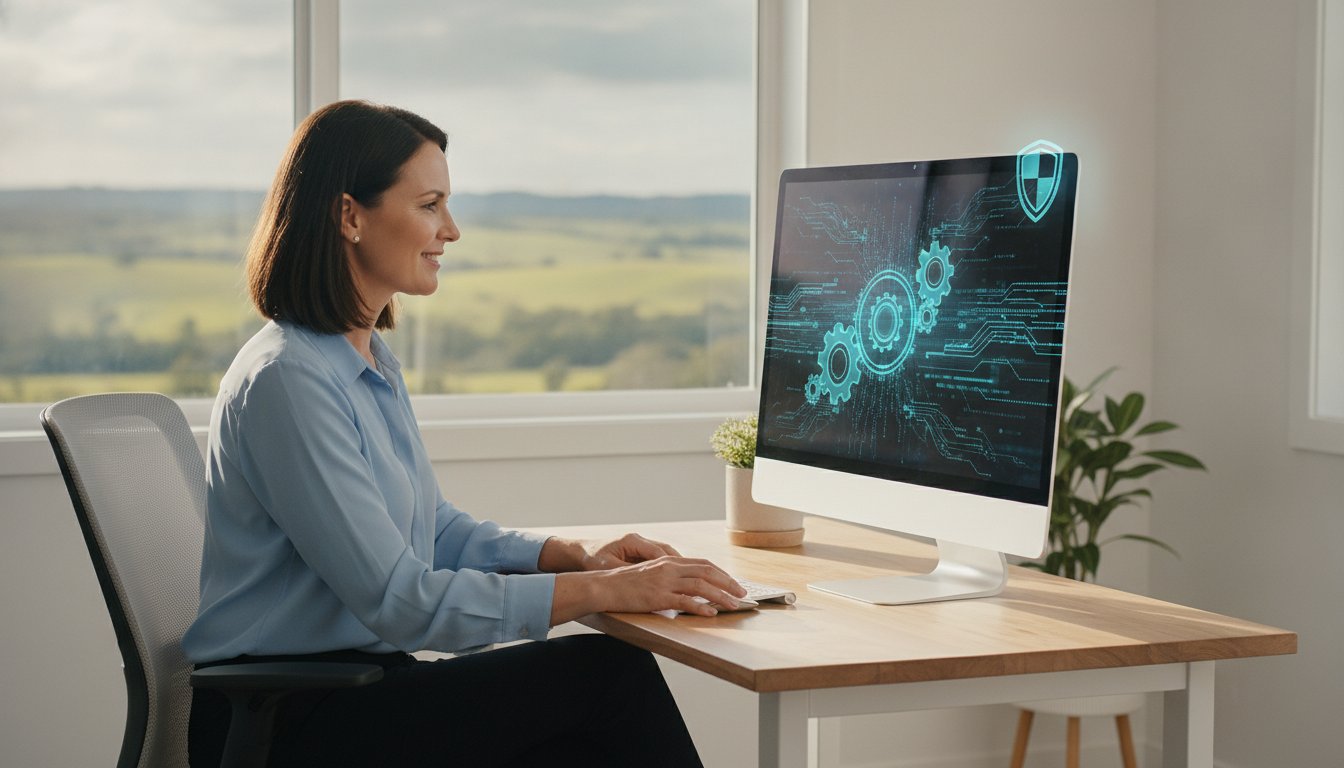
Remote IT support functions as a digital house call for modern offices. It is a secure method where a technician accesses your computer through the internet to diagnose and fix problems. By using Remote desktop software, a professional can see exactly what you see on your screen. This technology allows for a level of precision that a simple phone call cannot provide. It’s the most efficient way to handle software errors, email issues, or configuration troubles without needing a physical presence in your workspace.

When you’re looking for home office IT support Toowoomba services, the biggest hurdle is often the wait. Traditional on-site help requires a technician to navigate traffic across town or travel from Newtown, which adds hours to your downtime. Remote support eliminates this travel wait time completely. Because there is no driving involved, you also avoid the standard call-out fees that often make small fixes feel expensive. It’s a cost-effective alternative that prioritises your time and your budget.

How the Remote Connection Process Works

Getting help is a straightforward, three-step process designed to keep you in total control of your privacy. We make sure the experience is transparent and easy to follow.

  • Step 1: You download a small, secure connection module directly from the Aspire Computing website. This file is temporary and doesn’t clutter your system.
  • Step 2: You provide a unique, one-time access code to your technician. This code changes every session, meaning no one can reconnect later without your explicit permission.
  • Step 3: You watch the technician work on your screen in real-time. You can see every mouse movement and setting change as it happens, and you can end the session at any time.

The Immediate Benefits for Home Offices

For those running a business from home in the Darling Downs, every minute of downtime is lost revenue. Professional home office IT support Toowoomba providers offer minimal disruption to your workday. You don’t have to stop what you’re doing to tidy up your workspace for a visitor or spend twenty minutes unhooking cables to take your PC to a repair shop. It stays exactly where it is.

This service provides instant answers for annoying software glitches or how-to questions that don’t justify a full day’s wait. Whether it’s a printer that won’t sync or an email account that refuses to log in, the resolution is often just a few clicks away. You get the expertise of a local professional with over 25 years of experience without the logistical headache of an on-site visit.

Is Remote IT Support Safe? Understanding Security and Privacy

Security is the number one concern for anyone seeking home office IT support Toowoomba. It’s natural to feel a bit anxious about letting a technician access your personal or business computer. However, modern remote tools are built with layers of protection that often make them safer than leaving your PC in a public repair shop. The foundation of this safety is the One-Time Access Rule. Once a session ends, the connection is severed completely. A technician cannot get back into your PC without you generating a brand-new code and giving them permission again.

While the technician is working, you aren’t just a passive observer. You see everything they see and do on your desktop in real-time. If they open a folder or change a setting, it happens right before your eyes. You retain Master Control throughout the entire process and can end the session instantly with a single click. To maintain the highest standards, we follow cybersecurity best practices that include end-to-end encryption. This ensures that the data moving between your screen and the technician’s remains private and unreadable to any outside parties.

Vetting Your Remote Support Provider

Trust is the most important part of the equation. You should never grant access to your computer following an unsolicited phone call. Scammers often pretend to be from Microsoft or the NBN to gain entry to systems. A legitimate provider will never call you out of the blue demanding access. Choosing a local Toowoomba expert provides a layer of accountability that distant call centres simply can’t match. Aspire Computing has been owner-operated in Newtown, QLD, since 1999. This 25-year history in the local community means you’re dealing with a neighbour, not an anonymous voice from overseas.

Privacy Protocols for Sensitive Data

We take your privacy seriously, especially when handling sensitive business or personal information. If you have windows open containing banking details or private medical records, we encourage you to close them before the session begins. Our local approach to home office IT support Toowoomba ensures that your files never leave the hands of a trusted expert. During a data recovery assessment, any file transfers are conducted through encrypted channels to prevent leaks. We are committed to Australian privacy standards, ensuring your data is handled with the same care we’d use for our own. If you’re worried about a specific file or program, feel free to contact us for a quick chat before we start.

Remote vs. On-Site Tech Support: Which Do You Need?

Choosing the right type of help can be the difference between a ten-minute fix and a three-day delay. Remote support is the first responder of IT. It acts as the initial triage to determine if a problem is purely digital or requires a physical repair. For most home office IT support Toowoomba residents need, the issue is often software-related, making a remote session the most logical and efficient starting point.

Software glitches, email configuration, and system tune-ups are all perfect candidates for remote assistance. If your internet is functioning and your computer powers on, we can usually resolve the issue from our base in Newtown. However, physical visits are mandatory when the hardware itself fails. You can’t fix a fried power supply, a failed hard drive, or a shattered laptop screen through a screen-share. In these cases, a hands-on approach is the only way to get your system back to operational stability.

We often recommend a hybrid approach for complex problems. By starting with a remote diagnostic, we can confirm exactly which component is failing. This ensures that if a call-out is eventually needed, the technician arrives with the correct replacement parts already in hand. It’s a methodical way to save you both time and money on unnecessary travel or multiple visits.

When Remote Support Wins

Remote assistance excels at cleaning up deep-seated system clutter and resolving configuration errors. It’s the most effective way to handle removing viruses or malware that hasn’t completely disabled your internet access. We can also help with configuring new software or installing printer drivers to get your home office running smoothly. Optimising Windows for better speed and performance is another task that is often faster to complete remotely than waiting for an on-site appointment.

When You Need a Toowoomba Call-Out

Sometimes, a digital connection isn’t enough to solve the problem. If your computer refuses to turn on at all or displays the dreaded Blue Screen of Death, you likely need a physical inspection. Physical damage from liquid spills or cracked screens requires a hands-on repair at our Newtown facility. Additionally, complex network or Wi-Fi hardware installations in regional Queensland often need a technician on the ground to run cables or position routers for the best possible signal strength. When searching for home office IT support Toowoomba businesses can trust, it’s vital to choose a provider who offers this flexibility between digital speed and physical expertise.

Remote IT Support: Fast, Secure Tech Help for Toowoomba Home Offices & Businesses

7 Common Computer Problems We Solve via Remote Assistance

Many technical issues that seem catastrophic are actually simple software or configuration errors. When you use home office IT support Toowoomba, you gain access to a technician who can diagnose these problems in minutes. We’ve spent over 25 years helping local residents overcome the digital hurdles that slow them down. Here are the most frequent issues we resolve through a secure remote connection.

  • Slow PC Performance: Every computer eventually slows down as it accumulates digital junk and unnecessary registry entries. We perform a comprehensive remote Windows tune-up to clear temporary files and disable background apps. This process optimises your startup sequence, making your machine feel significantly faster.
  • Email Configuration: Synchronisation errors can stop your workday in its tracks. Whether you use Outlook, Gmail, or a custom business domain, we verify your server settings and repair corrupted profiles to get your mail flowing again.
  • Software Installation: Setting up the latest version of Microsoft 365 or specialised accounting tools shouldn’t be a headache. We manage the entire download and activation process through our secure connection.
  • Virus and Malware Removal: If your computer is behaving strangely, it might be infected. We use professional-grade tools to scan for and delete malicious code, protecting your identity and your data.

Printer and Peripheral Troubleshooting

Printers are notoriously temperamental, especially in a busy home office. If your device suddenly shows an “offline” status or refuses to acknowledge a print job, the problem is usually a driver conflict. We can remotely reset these drivers and clear out stuck print queues that prevent you from finishing your paperwork. We also assist with the initial setup of scanners and webcams, ensuring your productivity remains high during video calls. If your peripherals aren’t playing fair, contact us for a remote fix to save yourself the frustration.

Cybersecurity and Data Protection

Protecting your digital assets is a core part of the home office IT support Toowoomba residents rely on. We help you implement automated backups to secure cloud storage. This means your work is protected even if your physical hard drive fails. We also perform detailed Security Health Checks to identify weak points in your network. By configuring your firewall and installing reputable antivirus software, we build a multi-layered defence against online threats. This proactive approach ensures that your home office remains a safe and stable environment for your business operations.

Why Toowoomba Businesses Choose Aspire Computing for Remote Help

When looking for home office IT support Toowoomba residents often worry about who is actually on the other end of the line. At Aspire Computing, you aren’t dealing with a faceless call centre or a rotating cast of anonymous technicians. We are based right here in Newtown, QLD. This local presence provides a level of personal accountability that national brands simply cannot match. When you call us, you speak directly to the expert who will be accessing your system, ensuring your concerns are heard and understood from the very first minute.

Our history in the region dates back to 1999. With over 25 years of experience, we’ve navigated every major shift in technology, from the early days of dial-up to the modern complexities of cloud computing. This deep knowledge allows us to provide home office IT support Toowoomba businesses can trust to be both accurate and efficient. We don’t just follow a script; we use our decades of expertise to find the most practical solution for your specific setup. We understand the value of your time and work hard to get you back to productivity without unnecessary delays.

One of the biggest advantages of choosing a local partner is the seamless transition we offer. While we aim to resolve most issues through our secure remote portal, some problems eventually reveal themselves as hardware failures. If a software fix isn’t enough, we don’t leave you stranded. Because we are local, we can easily transition from a remote session to an on-site visit or a repair at our Newtown workshop. You won’t have to start the process over with a new company or explain your problem to a different person.

Supporting the Darling Downs Community

We take pride in serving our neighbours across the entire region. Whether you are running a small business in Highfields or managing a home office in Cambooya, we understand your environment. This includes a thorough knowledge of the regional NBN infrastructure and the specific connectivity challenges faced by Darling Downs residents. Our mission is to ensure that every local business has access to high-quality cybersecurity and operational stability. We’re committed to helping our community stay secure and productive in an increasingly digital world.

How to Get Started Today

Resolving your tech headaches is a straightforward process. First, contact us via our website or phone to describe the issue you’re facing. We will determine if remote support is the right fit for your situation. If it is, we’ll send you a secure link to download our connection module. Once you provide the one-time access code, we’ll get to work immediately. You can sit back and watch the repair happen in real-time, knowing your technology is in the hands of a trusted Toowoomba professional.

Get Your Home Office Running Smoothly Today

Technology should be a tool that helps you succeed, not a source of constant frustration. We’ve explored how remote support offers a fast, secure, and cost-effective way to resolve software glitches and printer errors without the wait of a traditional call-out. By choosing a local expert with over 25 years of experience, you ensure that your data stays private and your system remains stable.

Aspire Computing has been serving the community since 1999. We specialise in providing the high-quality home office IT support Toowoomba businesses need to stay productive. You speak directly to a local technician based in Newtown, ensuring personal accountability and expert care for every session. Whether it’s a simple email fix or a complete security health check, we are here to help you navigate your tech challenges with ease.

Book Your Remote IT Support Session with Aspire Computing

Don’t let a technical hurdle slow your momentum. Reach out today and experience how simple and stress-free professional tech support can be.

Frequently Asked Questions

How much does remote IT support cost compared to an on-site visit?

Remote support is generally more cost-effective because it eliminates the travel expenses and call-out fees associated with traditional on-site visits. Since the technician doesn’t need to drive to your location, you only pay for the time spent resolving the issue. This makes it an ideal choice for the home office IT support Toowoomba residents need for software glitches or quick configuration tasks that don’t justify the overhead of a physical appointment.

What happens if my internet connection drops during a remote session?

If your internet connection drops, the remote session will disconnect immediately for security reasons. Our software is designed to terminate the link the moment the signal is lost. Once your internet is stable again, you will need to generate a new, unique access code to restart the session. This ensures that no one can maintain a connection to your computer without your active participation and explicit permission at every stage.

Do I need to stay at my computer while the technician is working?

We recommend staying nearby so you can observe the work in real-time and answer any specific questions about the problem. Since you can see every mouse movement, it’s a great opportunity to learn how to prevent the issue from recurring. However, for longer tasks like deep malware scans or system optimisations, you don’t need to sit staring at the screen. You can step away once the session is securely established and the technician has the necessary details.

Can you fix hardware problems, like a broken fan, via remote support?

No, physical hardware failures like a broken fan, a cracked screen, or a faulty power supply cannot be repaired through a remote connection. These issues require a hands-on approach to replace the damaged components. If we identify a hardware fault during a remote diagnostic session, we will advise you on the next steps. This usually involves bringing the machine to our Newtown workshop or scheduling an on-site visit for a physical repair by a local expert.

Is remote IT support safe for my banking and personal files?

Yes, it is very safe when provided by a trusted local professional. We use end-to-end encryption to protect the data stream and a one-time access code system to ensure we only enter with your permission. To provide the best home office IT support Toowoomba residents can trust, we suggest closing any windows containing sensitive banking or personal data before the session begins. You maintain total visibility and can end the connection instantly.

What software do I need to install for remote assistance?

You don’t need to install a permanent, heavy software suite. Instead, you’ll download a small, secure connection module directly from our website. This file is specifically designed for one-time or on-demand support and doesn’t run in the background after the session ends. It is a lightweight tool that allows our technician to view your screen and control your mouse once you provide the unique ID and password generated by the program.

Can you provide remote help for Apple Macs as well as Windows PCs?

Yes, we provide comprehensive remote assistance for both Apple Macs and Windows PCs. Whether you’re struggling with macOS updates or Windows 11 performance issues, our remote tools work seamlessly across both platforms. We can help with email setup, software installation, and system optimisations regardless of the operating system you prefer. Our 25 years of experience ensures we are comfortable navigating the specific settings and troubleshooting protocols for both major computer types.

How long does a typical remote IT support session take?

Most remote support sessions are resolved within 30 to 60 minutes, depending on the complexity of the problem. Simple tasks like clearing a printer queue or resetting an email password often take less time. More involved issues, such as removing a stubborn virus or performing a full system tune-up, might take a bit longer. We work efficiently to minimise your downtime, ensuring you get back to your business operations in the Darling Downs as quickly as possible.

PC Upgrade Service Toowoomba: Revitalise Your Computer for 2026

Why spend thousands on a new laptop when your current machine is just one or two components away from feeling brand new? If you need a professional PC upgrade service Toowoomba experts can provide, you’ve likely noticed that buying a new computer in 2026 is becoming a massive investment. With major vendors warning of price hikes up to 20% due to global memory shortages, a strategic hardware upgrade is now the smartest way to stay productive.

It’s incredibly frustrating when your computer takes forever to start up or crashes in the middle of an important project. You might worry about losing your data during a hardware swap or feel overwhelmed by technical terms like NVMe and DDR5. We agree that you shouldn’t have to be an IT expert just to have a reliable machine for work or study. In this guide, you’ll discover how professional hardware upgrades can double your computer’s performance and lifespan without the cost of a new machine. I will provide clear advice on which parts actually matter for your specific needs, ensuring you get the fast, reliable results and local support you can depend on.

Key Takeaways

  • Learn why a strategic hardware investment can deliver 90% of a new computer’s performance at a fraction of the retail cost.
  • Discover the “SSD first” rule and why this single component change is the most effective way to eliminate system lag.
  • See how a professional PC upgrade service Toowoomba residents trust can extend your machine’s lifespan well into 2026 and beyond.
  • Identify specific hardware requirements tailored for gaming, home offices, and the evolving needs of local small businesses.
  • Understand the technical risks of DIY attempts and why professional installation ensures your data remains safe and your system stable.

Is Your Computer Slow? Why a PC Upgrade Service in Toowoomba is Better Than Buying New

Many people think a slow computer belongs in the bin. That’s rarely the case. A professional PC upgrade service Toowoomba residents can access involves a deep dive into your system’s current computer hardware. Instead of replacing the whole unit, we swap out the specific parts holding you back. It’s a focused approach that treats the cause of the lag rather than just the symptoms.

Think about the math. A new mid-range laptop in 2026 can easily set you back $1,200 or more. Conversely, a $300 investment in a high-speed drive and more memory can often make an older machine feel snappier than a brand-new budget model. It’s like the “Ship of Theseus” paradox; if you replace the sails and the mast, it’s still your ship, just faster. Your current screen, case, and keyboard are likely in great shape, so why pay for them twice?

By choosing to revitalise your tech, you’re also making a sustainable choice for the Darling Downs region. Keeping hardware out of our local landfills reduces e-waste and lessens the demand for new manufacturing. It’s a practical way to support our community while saving your hard-earned money and keeping perfectly good equipment in service.

To better understand how a few simple changes can transform a machine, watch this helpful video:

The 5-Year Rule: When to Upgrade vs. When to Replace

Most computers have a “sweet spot” for upgrades between three and five years of age. During this window, the rest of the system is usually modern enough to support the latest components. If your machine is approaching the decade mark, components like the motherboard or power supply might be too old to guarantee reliability. Aspire Computing starts every project with a thorough diagnostic. This ensures you don’t spend money on an upgrade that won’t deliver the results you expect.

Performance Bottlenecks: Why Your “Fast” PC Feels Slow

You might have a powerful processor, but if it’s paired with a mechanical hard drive, your PC will still feel sluggish. One old component can throttle the entire system’s speed. Sometimes the issue is “Windows clutter,” which is a build-up of background apps and temporary files. Other times, it’s a genuine hardware limitation. A professional PC upgrade service Toowoomba experts provide will distinguish between the two. We often find that a hardware boost combined with a clean Windows tune-up provides the most reliable long-term performance.

Essential Hardware Upgrades to Boost Your Computer Performance

Not all upgrades are created equal. To get the best value for your money, you should prioritise components based on how much they actually impact your daily speed. Our PC upgrade service Toowoomba team follows a strict hierarchy of performance. We usually recommend starting with your storage, moving to your memory, and only then considering the processor or graphics card. There are many valid reasons to upgrade your PC, but the goal is always to eliminate the most significant bottleneck first.

While most people think a faster CPU is the answer, the real hero is often the Power Supply Unit (PSU). It’s the unsung hero that ensures every other part gets stable, clean energy. If you’re adding powerful new parts, your old PSU might not keep up. A professional assessment ensures your system remains stable and won’t crash when you’re in the middle of an important task.

SSD vs HDD: The Best Upgrade for a Slow Computer

If your computer still uses a traditional mechanical hard drive (HDD), you’re essentially driving a sports car with a speed limiter. A modern Solid State Drive (SSD) or an NVMe drive can be up to 30 times faster than an old HDD. This change alone can reduce your boot time from minutes to mere seconds. We treat hardware upgrades as a precise science, using data cloning to move your entire operating system and all your files to the new drive. This means your computer feels brand new, but everything is exactly where you left it.

RAM Upgrades: Multitasking Without the Lag

In 2026, 8GB of RAM is no longer the standard; it’s the bare minimum. Modern web browsers and office applications are hungrier for memory than ever before. For a smooth home office experience, 16GB is now the sweet spot. If you’re a creative professional working with video or high-res photos, you’ll likely need 32GB or more. It’s not just about the amount of RAM, though. We ensure we match your existing RAM speeds and types, whether it’s DDR4 or the newer DDR5, to prevent system instability. Don’t fall for the old internet jokes about downloading more memory. Physical RAM chips are the only way to genuinely stop the lag when you have twenty tabs open at once.

If you’re unsure which parts are slowing you down, it’s a good idea to chat with a local expert who can look at your specific system specs.

Tailoring Your Upgrade: Gaming, Home Office, or Small Business?

Not every computer user has the same goals. A professional PC upgrade service Toowoomba businesses and residents rely on will look at your specific daily tasks before suggesting parts. For example, a home office setup prioritises silent operation and fast storage so you can work without distraction. Conversely, a small business might focus on longevity and cyber security, ensuring every machine has the necessary TPM modules to run modern, secure operating systems like Windows 11 and beyond.

Choosing to upgrade rather than replace also reduces e-waste, which is a growing concern for environmentally conscious locals in the Darling Downs. It’s about finding the right balance between performance and practicality. By targeting the specific needs of your role, you avoid paying for high-end features you’ll never use while ensuring your machine won’t let you down when deadlines loom.

Small Business IT Support: Scaling Your Tech

Local businesses often face a choice between replacing an entire fleet of laptops or extending their life through smart components. Bulk upgrades can save a company thousands of dollars compared to the high cost of fleet replacement. By standardising hardware across the office, ongoing maintenance becomes much simpler and more predictable. We often integrate these hardware refreshes with our broader IT support for business plans. This proactive approach ensures your team stays productive without the frustrating downtime associated with aging, unreliable equipment.

Creative and Gaming Needs in Toowoomba

Gamers and video editors have the highest demands for graphics processing. A GPU upgrade can breathe new life into a system, allowing it to handle 4K video editing or the latest 2026 gaming titles. However, more power always means more heat. Toowoomba’s summer temperatures can be brutal on high-performance PCs tucked under a desk. We focus heavily on thermal management, often upgrading fans or heat sinks to ensure your system doesn’t throttle when the room gets warm. It’s also vital to ensure your monitor and peripherals can actually keep up with the increased power of your new internals.

PC Upgrade Service Toowoomba: Revitalise Your Computer for 2026

Professional Installation vs. DIY: Why Local Expertise Matters

YouTube tutorials make hardware swaps look easy, but the reality of working inside a computer involves significant risks. One spark of static electricity can instantly kill a motherboard. If you’re looking for a PC upgrade service Toowoomba residents can trust, you’re choosing safety over guesswork. Amateurs on social media might offer to help for a small fee, but they don’t carry insurance or offer warranties if your data vanishes. Professional service means your investment is protected from the moment we open the case.

A professional computer repairs Toowoomba expert understands local conditions and has the right tools to prevent bent CPU pins or incompatible BIOS versions. We also offer a “Local Advantage” that big-box retailers simply can’t match. Instead of waiting weeks for parts to ship or for a distant service centre to respond, you can get your PC back in 24 to 48 hours. If a new part fails, you don’t have to deal with a call centre; you just talk to us directly.

On-Site vs. Workshop Upgrades

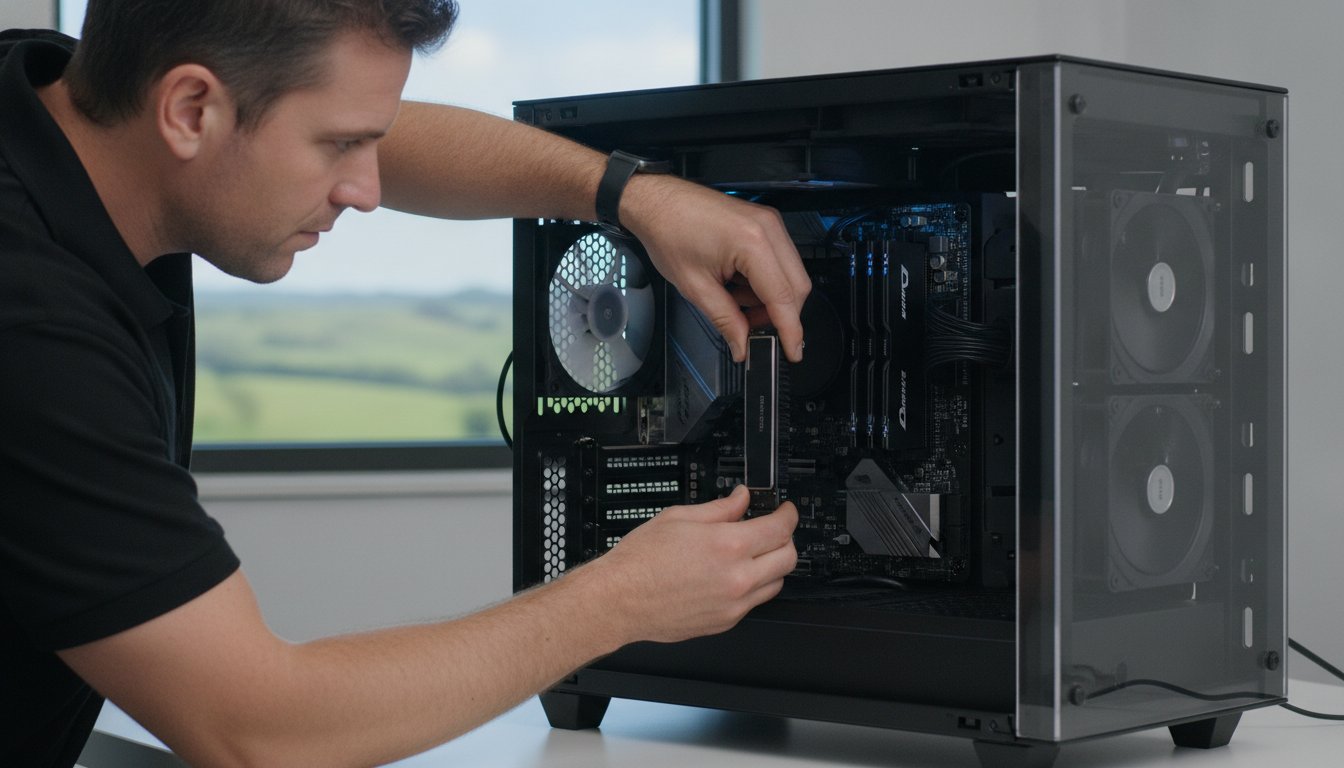
Sometimes you don’t want the hassle of unplugging every cable and hauling your tower into a shop. For residents in Newtown or Wilsonton, our mobile computer repair service brings the expertise to your doorstep. This is perfect for simpler RAM upgrades or printer setups where we can test everything in your actual workspace. However, for complex component swaps that require a sterile environment or deep diagnostics, our workshop provides the controlled space needed for high-precision work.

Data Protection During Upgrades

The biggest fear during any hardware change is losing years of family photos or business documents. We never open a case without ensuring a full backup is in place. While we specialise in data recovery services, our goal is to ensure you never need them. We also manage the technical side of Windows licensing. Swapping a motherboard or a primary drive can sometimes deactivate your software. We handle the reactivation and driver updates so you can get back to work immediately with a system that is fully functional.

Ready to revitalise your tech without the risk of a DIY disaster? Contact us today for a reliable PC upgrade service Toowoomba experts provide.

Revitalise Your Tech with Aspire Computing’s Toowoomba PC Upgrade Service

Since 1999, Aspire Computing has provided a reliable PC upgrade service Toowoomba residents trust for honest and expert advice. When you call us, you don’t get a script from a distant call centre or a junior technician. You speak directly to the owner. This personal accountability is the foundation of our business. It means you get expert recommendations based on decades of industry experience rather than a generic sales pitch. We understand that your computer is essential for your daily life, and we treat every machine with the care it deserves.

Our methodical process ensures nothing is left to chance. Every project begins with a comprehensive health check to identify the true cause of your system’s sluggishness. Once we’ve installed the new components, we perform rigorous performance tests to ensure everything is stable and running at peak speed. This structured approach takes the guesswork out of technology, giving you a fast, reliable computer that’s ready for the demands of 2026. We don’t just swap parts; we ensure your entire system is optimised for your specific workload.

Our Commitment to the Darling Downs

We take pride in serving Toowoomba, the Lockyer Valley, and the surrounding regions with dependable IT support. Whether you’re a home user in Rangeville or running a small business office in the CBD, we provide the same high level of dedicated service. To ensure long-term reliability, we only use high-quality, reputable parts from industry leaders like Samsung and Kingston. We won’t cut corners with generic components because we know that operational stability depends on the quality of the hardware inside your case. Supporting our local community with durable tech solutions is our primary mission.

Book Your PC Health Check

Don’t wait for your computer to fail completely before seeking professional help. A proactive check-up can identify small issues before they become expensive problems. We encourage you to book a health check before committing to any hardware purchases. This ensures you only spend money on the parts that will actually make a difference. Whether you prefer on-site assistance at your location or remote support for software-related speed boosts, we’re ready to assist. Our “Fast, Local Fix” promise means you’ll spend less time staring at a loading screen and more time being productive. Contact us today to see how a professional PC upgrade service Toowoomba experts provide can give your existing tech a second life.

Get Your Computer Ready for 2026 and Beyond

Choosing a strategic hardware refresh is the most cost-effective way to ensure your technology keeps up with your needs. You’ve seen how moving to an SSD or increasing your RAM can double your machine’s performance for a fraction of the price of a new laptop. By opting for a professional PC upgrade service Toowoomba residents have relied on since 1999, you gain the peace of mind that your data is safe and your hardware is installed to the highest standards.

We specialise in high-performance hardware upgrades and offer expert on-site and remote IT support to make the process as easy as possible. Whether you’re a gamer needing more power or a small business owner standardising your office fleet, we provide the local support you can trust. Don’t let a slow computer hold you back from being productive or enjoying your tech.

Book Your Toowoomba PC Upgrade or Health Check Today

I look forward to helping you revitalise your tech and making your computer feel brand new again. Your reliable, fast machine is just a phone call or click away.

Frequently Asked Questions

How much does a typical PC upgrade cost in Toowoomba?

The total investment for an upgrade depends entirely on the specific components your system needs and the complexity of the installation. A simple memory increase is naturally more affordable than a comprehensive overhaul involving a high-end graphics card and a new power supply. We provide a detailed quote after our initial health check so you understand the costs before any work begins on your machine.

Will an SSD upgrade really make my old computer feel like new?

Yes, replacing an old mechanical hard drive with a Solid State Drive is the single most effective way to revitalise a slow computer. It eliminates the physical bottleneck that causes long boot times and frozen applications. You’ll notice that Windows starts in seconds rather than minutes and your everyday programs respond almost instantly to your commands.

Is it worth upgrading a laptop, or should I just buy a new one?

It’s usually worth upgrading if your laptop is less than five years old and the physical chassis, screen, and keyboard are still in good condition. Most laptops from the last few years have plenty of life left but are simply held back by low memory or slow storage. We’ll help you compare the cost of a targeted upgrade against the high retail price of a new 2026 model.

Do I need to backup my files before a hardware upgrade?

While we take every precaution to protect your information, we always recommend having a current backup of your important files. As part of our professional PC upgrade service Toowoomba process, we perform our own data protection steps to ensure your photos and documents stay safe. This careful approach gives you peace of mind while we work inside your system.

How long does a PC upgrade take at Aspire Computing?

Most standard hardware upgrades are completed within 24 to 48 hours once we have the necessary parts in our workshop. We keep a range of common components in stock to ensure the fastest possible turnaround for our local clients. If your upgrade requires a specialised or high-end part, we’ll give you a clear timeline so you can plan around the brief downtime.

Can you upgrade my computer on-site at my home or office?

Yes, we offer mobile support for many types of hardware installations throughout Toowoomba and the surrounding regions. Many tasks, such as adding RAM or installing new peripherals, can be handled conveniently at your desk. For more intensive work like data cloning or complex cooling modifications, we may suggest a workshop visit to ensure the highest level of precision.

What is the most important part to upgrade for a slow PC?

The storage drive is almost always the first priority for a slow machine. If your computer is still running on a traditional hard drive, it will feel sluggish regardless of how fast your processor is. After installing an SSD, the next most impactful choice for a PC upgrade service Toowoomba residents often need is increasing the RAM to handle modern multitasking demands.

Do you provide a warranty on the new parts installed?

We only use high-quality components from trusted brands like Samsung and Kingston which come with their own manufacturer warranties. We also stand behind our professional installation work to ensure your system remains stable and reliable. If you have any questions or concerns after an upgrade, you can talk to us directly for local support instead of waiting on a call centre queue.

What if paying the ransom is actually the most dangerous thing you could do for your Toowoomba business’s future? When you see that terrifying message on your screen, it’s easy to feel like you’re out of options. You’ve worked hard to build your company, and the thought of losing every critical file is overwhelming. I know how stressful it is to face such a sudden threat to your livelihood. You’re likely wondering if recovering files after a ransomware attack is even possible without giving in to the hackers’ demands.

The answer is a resounding yes. I’ve helped many local businesses navigate these technical failures with a calm, methodical approach. This guide provides a professional roadmap to help you isolate your systems and assess your data recovery options. We’ll focus on sanitising your environment first to ensure that your restoration is permanent and secure. By following these steps, you’ll learn how to clean your network, restore your business operations, and establish a data backup plan that keeps you protected moving forward.

Key Takeaways

  • Learn the immediate actions you must take to isolate infected devices and protect your decryption keys from being lost during a reboot.
  • Discover how recovering files after a ransomware attack is possible using professional tools and “Sanitise and Restore” workflows that avoid paying hackers.
  • Find out how experts uncover hidden data remnants and shadow copies that cybercriminals often try to wipe during an intrusion.
  • Master the 3-2-1 backup rule and modern security strategies to build a business environment that’s resilient against future threats.
  • See why local expertise in virus removal and data recovery helps Toowoomba business owners restore their operations with confidence and speed.

Immediate Actions: What to Do the Second You Detect Ransomware

Discovering a ransom note on your desktop is a heart-stopping moment for any business owner. Your first instinct might be to panic or shut everything down, but your actions in these first few minutes are critical for recovering files after a ransomware attack. Before you do anything else, you need to understand the nature of the threat. A quick look at What is Ransomware? shows that these malicious programs are designed to lock you out of your own data until a fee is paid. To stop the damage, you must act with precision.

The very first step is to physically isolate the infected machine. Pull the Ethernet cable out of the wall and disable the Wi-Fi immediately. However, don’t turn the computer off. While it seems counterintuitive, some ransomware strains delete the encryption keys stored in the system’s temporary memory during a reboot. Keeping the power on might actually save your data. Next, disconnect any external hard drives, NAS devices, or USB sticks. If these remain connected, the virus will continue to encrypt every file it can reach. Speed is your best ally.

To better understand this concept, watch this helpful video:

Why Isolation is Your #1 Defence

Ransomware doesn’t just stay on one computer; it’s designed to spread laterally across your Toowoomba office network. It looks for “mapped drives” or shared folders that other staff members use. If one workstation is compromised, the infection can jump to your main server in minutes. It’s a race against the clock. Tools like Dropbox or OneDrive can also become accidental enemies during an attack. Their “automatic sync” feature will see the newly encrypted files and immediately upload them to the cloud, replacing your healthy versions with unreadable ones. Severing the internet connection stops this sync process in its tracks.

Evidence Gathering for Recovery Experts

Once the machine is isolated, you need to document the situation. Take a clear photo of the ransom note on the screen and any unusual file extensions you see, such as .lockbit or .crypted. This information is vital for identifying the specific strain of the attack. Don’t delete the ransom note or try to “clean” the files yourself yet. Professional Data Recovery Services begin with this digital evidence to determine if a public decryptor exists or if other restoration methods are viable. Having these details ready will significantly speed up the process of recovering files after a ransomware attack and getting your business back on its feet.

Can You Recover Files Without Paying? The Truth About Ransom

The short answer is yes, but it requires a strategic approach. Ransomware recovery is the technical process of using clean backups or specialised decryption tools to restore your data to its original state. Many people believe that paying the fee is the only way out, but this is a dangerous misconception. In fact, following official government guidelines, the first recommendation is always to avoid engaging with the attackers. There’s no guarantee they’ll hold up their end of the bargain, and your money only funds further criminal activity.

One of the most effective tools in recovering files after a ransomware attack is the “No More Ransom” project. This is a collaborative effort between law enforcement and IT security companies. They’ve developed free public decryptors for hundreds of ransomware strains. If the specific virus that hit your office has been “cracked” by researchers, we can often get your files back without you spending a cent on a ransom. It’s the first thing I check when a local business brings an infected machine to me.

However, the statistics for those who do pay are quite grim. Industry reports, such as the Sophos State of Ransomware 2023, suggest that a large majority of organisations that pay the ransom still fail to get all their data back. Some files remain corrupted, while others are simply lost forever. Beyond the data loss, paying the fee marks your Toowoomba business as a “soft target.” Once cybercriminals know you’re willing to pay, they may sell your details to other groups or target you again in a few months, knowing you’re a profitable victim.

The Risks of Negotiating with Cybercriminals

Negotiating with hackers is rarely a smooth process. Even if you receive a “decryptor” after paying, these tools are often poorly coded and buggy. They can crash halfway through the process or permanently damage your files during the decryption attempt. My approach at Aspire Computing is to conduct a thorough feasibility assessment first. We look at the encryption type to see if there’s a technical path forward that doesn’t involve trusting a criminal’s software.

When Decryption is Not Possible

Sometimes, what looks like ransomware is actually “Wiper” malware. These programs pretend to lock your files for a fee, but they actually just destroy the data immediately. In these cases, no key in the world will help. This is why professional Virus and Malware Removal is the absolute prerequisite for any recovery attempt. We have to ensure the “thief” is out of the house before we start putting the furniture back in place. If you’re unsure about the state of your network, it’s a good idea to contact a local expert to verify your system is clean.

Professional Recovery Methods: How We Get Your Data Back

Once your network is isolated and the threat is contained, the actual work of recovering files after a ransomware attack begins. This stage is about more than just clicking a restore button. It requires a careful, methodical workflow to ensure that the data you get back is clean and that the virus won’t simply trigger again. According to IBM’s guide to ransomware recovery, the restoration phase must be handled with extreme caution to avoid the cycle of reinfection that many businesses fall into.

One of the first things I look for is remnants of Volume Shadow Copies. These are automatic snapshots Windows takes of your files. While modern hackers use scripts to delete these first, they aren’t always successful. Sometimes the scripts fail or only target the primary drive, leaving snapshots on secondary disks. Finding these remnants can often save a business from total data loss without needing to touch a backup. If those are gone, we move to Backup Image Restoration. This is the fastest way for a Toowoomba small business to get back online because it restores the entire operating system, settings, and files to a point in time before the breach occurred.

Accounting and database software like MYOB or desktop versions of Xero require even more precision. We perform point-in-time recovery for these specific databases to ensure transaction integrity. It’s a delicate process, but it’s the only way to be certain your financial records aren’t corrupted or missing entries from the day of the attack.

Sanitising the Environment Before Restoration

You can’t just dump clean files back onto a system that hasn’t been properly scrubbed. If the “payload” is still hidden in your registry or temporary system folders, it’ll just re-encrypt your data the moment you finish the restore. I focus on deep-cleaning these hidden areas and verifying that any “backdoor” access points created by the attackers are permanently closed. This ensures that when we finally bring your systems back online, they stay clean and secure.

Testing and Verifying Recovered Data

Before you resume normal operations, we must verify the integrity of the files. We use “sandboxing” to open recovered documents in a safe, isolated environment. This check ensures no dormant malware is hiding inside a macro or a PDF. IT Support for Business is essential during this phase, as it provides the professional validation needed to confirm your spreadsheets and customer databases are fully functional. This final step gives you the confidence that recovering files after a ransomware attack has been a complete success.

Preventing the Next Attack: Building a Ransomware-Proof Business

Once you’ve finished the hard work of recovering files after a ransomware attack, your focus must shift to prevention. You don’t want to go through that stress again. Building a resilient network means you won’t have to face the stress of recovering files after a ransomware attack a second time. I always suggest starting with the 3-2-1 backup rule. This means keeping three copies of your data on two different types of media, with at least one copy stored off-site. It’s a simple but incredibly effective standard that ensures you always have a “clean” version of your business records ready to go.

Technology moves fast, and traditional antivirus programs are no longer enough to protect a Toowoomba business in 2026. Modern threats require endpoint protection that monitors suspicious behaviour in real-time rather than just scanning for known viruses. Your team is also a vital part of your defence. Phishing emails are the most common entry point for malware. Teaching your staff how to spot a fake login page or a suspicious attachment can stop an attack before it even starts. Finally, don’t overlook your physical equipment. Regular Hardware Upgrades ensure your computers can run the latest operating systems and security patches, which close the gaps hackers love to exploit.

The Power of Air-Gapped Backups

An air-gapped backup is a storage device that is physically disconnected from your computer and the internet. If a hacker can’t reach the drive, they can’t encrypt your files. For businesses using the cloud, I recommend “Immutable Storage.” This technology prevents files from being changed or deleted for a specific time, even if an attacker gains administrative access. At Aspire Computing, I help local business owners set up these automated, secure routines so your data remains safe regardless of what happens on your network.

Patch Management and Security Audits

Windows Update is often seen as a nuisance, but it’s actually your first line of defence. These updates fix “exploits” that hackers use to gain entry to your system. A high-quality firewall also helps by blocking the “Command and Control” servers that hackers use to send instructions to infected machines. I recommend scheduling a quarterly IT health check. These audits allow us to find and fix vulnerabilities in your network before they can be exploited by outsiders. If you want to ensure your business is truly protected, book a security audit with Aspire Computing today.

Local Ransomware Response: Why Toowoomba Trusts Aspire Computing

When a digital crisis hits, you don’t want to be just another ticket number in a global queue. You need someone who understands the local landscape and the unique pressures of running a business in our region. Aspire Computing has served the Toowoomba community for over 25 years. I’ve spent more than two decades building a reputation for reliability in data recovery and virus removal. This isn’t just about technical fixes; it’s about helping a neighbour protect their livelihood and regain peace of mind.

My approach to recovering files after a ransomware attack is built on personal accountability and trust. Whether your business is located in the CBD, Newtown, or across the wider Darling Downs, I provide a face-to-face service that large corporate IT firms simply can’t match. I take the time to listen to your concerns and understand your specific operational needs. This personalised focus ensures that the recovery process doesn’t just fix the immediate problem but also builds a foundation for long-term business continuity and technical stability.

On-Site vs. Remote Recovery Support

While remote support is helpful for minor software glitches, ransomware often requires a physical presence. It’s frequently safer for a technician to physically inspect your server and workstations on-site in Toowoomba. This allows for a deeper level of hardware analysis and ensures that every single infected device is correctly identified and isolated. You won’t have to deal with the frustration of waiting for “Tier 1” support from an overseas call centre. I work directly alongside your team to minimise downtime. We focus on getting your most critical systems back online first so you can keep serving your customers while we handle the complex restoration work in the background.

Starting Your Recovery Journey Today

I offer a “No Panic” consultation to help you clear the fog of a cyber attack. We’ll sit down, assess the current state of your network, and provide a clear, methodical roadmap for recovering files after a ransomware attack. You’ll receive honest advice on whether your data is truly recoverable and a transparent explanation of the steps we need to take. There are no hidden fees or false promises here. If you’re facing an IT emergency right now, contact Aspire Computing for immediate ransomware assistance. We’re ready to help you regain control of your digital world and secure your business’s future.

Take Control of Your Data and Your Business Future

Facing a cyber attack is one of the most stressful challenges a business owner can endure. By acting quickly to isolate your systems and seeking professional help, you can navigate this crisis without rewarding the hackers. Remember that recovering files after a ransomware attack is a technical process that requires a clean environment to be successful. From sanitising your network to implementing robust 3-2-1 backup strategies, you now have the roadmap to move from vulnerability to resilience.

I’ve been serving Toowoomba and the Darling Downs since 1999. My specialised data recovery expertise is designed to get your files back and your operations running smoothly. If you’re currently dealing with an infection or want to ensure your business is properly protected, I provide local on-site support to give you the personal attention you deserve. You don’t have to face this alone.

Get Expert Ransomware Recovery Help in Toowoomba Now

Your business is too important to leave to chance. Let’s work together to make your network secure and your data safe once again. You’ve got this, and I’m here to help.

Frequently Asked Questions

Should I pay the ransom if I have no backups?

No, you should avoid paying the ransom even if you don’t have backups. There’s no guarantee that the criminals will provide a working decryption key, and many businesses find that the provided software is buggy or incomplete. Paying also marks your company as a profitable target for future attacks. Instead, a professional assessment can determine if there are other ways of recovering files after a ransomware attack, such as using public decryption tools or finding remnants in your system snapshots.

How long does it take to recover files after a ransomware attack?

Most recovery processes take between 24 and 72 hours, though this depends on the volume of data and the severity of the infection. This timeline includes the essential step of sanitising your systems to ensure the malware is completely gone before we begin restoring your files. We prioritising your most critical business operations to get you back online as quickly as possible. A methodical approach ensures that the restoration is permanent and secure rather than a temporary fix.

Can ransomware infect my cloud storage like OneDrive or Google Drive?

Yes, ransomware can easily infect your cloud storage if you use automatic synchronisation tools. When the virus encrypts files on your local computer, the cloud software sees these as “updates” and syncs them immediately. This replaces your healthy cloud files with encrypted, unreadable versions. This is why disconnecting your internet and cloud sync tools is the first step in protecting your remaining data during an attack. We then work to roll back your cloud files to a clean version.

Is it possible for ransomware to hide in my backups?

It is possible for ransomware to be present in your backups, especially if the malware sat dormant on your network for a period before activating. Some attackers use a “dwell time” to ensure that even your older backups contain the malicious payload. This is why I never restore directly to a live environment without first scanning the backup files in a safe, isolated sandbox. We must verify they are clean to prevent the encryption process from starting all over again.

Will my insurance cover the costs of ransomware recovery?

Whether your insurance covers these costs depends entirely on your specific policy and its inclusions. Many standard business insurance packages don’t include cyber coverage by default. You should check your policy for “Cyber Liability” or “Data Breach” clauses to see if you’re protected. If you have coverage, it may assist with the costs of professional data recovery services and business continuity efforts. I recommend contacting your broker to verify your level of protection before an incident occurs.

What is the most common way ransomware enters a Toowoomba business network?

Phishing emails remain the most common entry point for ransomware in local business networks. These emails often contain malicious attachments or links that look like legitimate invoices, shipping notifications, or bank alerts. Once a staff member clicks, the payload is delivered to the system. Unpatched software and weak remote desktop passwords are also frequent vulnerabilities. Regular staff training and consistent security patches are your best defences against these common tactics used by cybercriminals.

Can a local computer repair shop really fix a ransomware infection?

Yes, a local expert with specialised experience in virus and malware removal can effectively handle a ransomware infection. At Aspire Computing, I use professional-grade tools and a “Sanitise and Restore” workflow that goes far beyond what a general repair shop might offer. This local approach ensures you get fast, on-site support from someone who is personally accountable for the success of recovering files after a ransomware attack on your business network.