
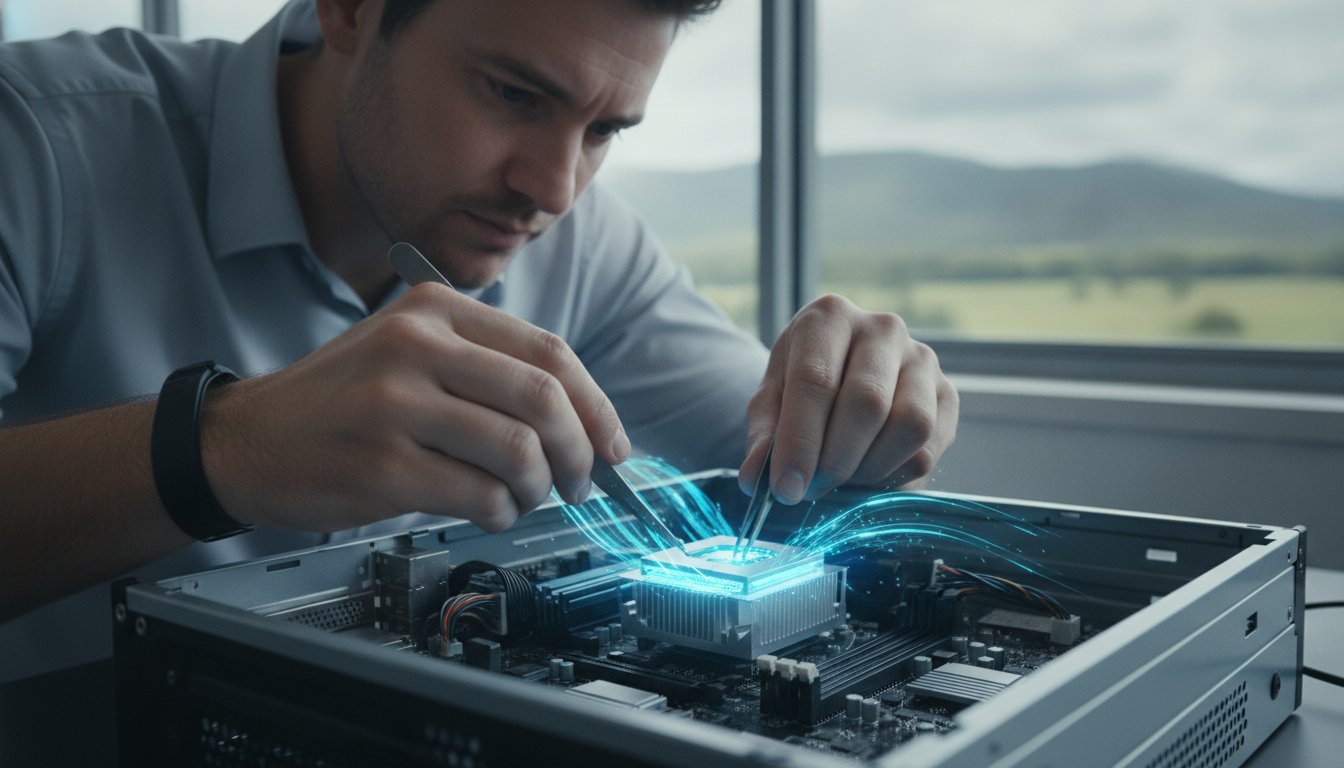
Last week, a local resident in Newtown sat staring at a frozen screen while their computer struggled to process a simple Windows update. It’s a common frustration in 2026, as modern software demands more power than many older systems can provide. You might feel your PC is reaching its limit, yet the thought of a CPU upgrade Toowoomba feels daunting because of confusing jargon or the fear of bending delicate processor pins. It’s completely normal to feel anxious about complex hardware changes when all you really want is a computer that responds instantly to your commands.
We agree that you shouldn’t have to be an IT expert to enjoy a fast, reliable machine. This guide will show you how a professional hardware refresh can revitalise your system’s speed and prepare you for the latest software demands. You’ll discover the specific components needed for 2026, such as the Intel LGA1851 or AMD AM5 platforms, and learn why local expert installation is the safest path to a better PC. We’ll walk through the latest processor trends and how to achieve snappy performance in Windows 11 or 12 without the DIY stress.
Key Takeaways
- Identify performance bottlenecks like micro-stuttering and high CPU usage that signal it’s time for a hardware refresh.
- Navigate the complexities of a CPU upgrade Toowoomba by understanding motherboard socket compatibility for the latest 2026 processor generations.
- Compare the current Intel and AMD offerings to find the ideal balance of speed and efficiency for your specific home or business goals.
- Learn the essential safety steps for installation, from managing thermal paste to protecting delicate components from static damage.
- Explore the benefits of professional local support to ensure your system is correctly configured and fully optimised for Windows 11 or 12.
Signs You Need a CPU Upgrade in 2026
Identifying a slow computer is usually easy, but pinpointing the cause requires a closer look under the hood. If you notice micro-stuttering or brief freezes when switching between professional applications, your Central Processing Unit (CPU) might be the culprit. You can verify this by opening the Task Manager with Ctrl+Shift+Esc. If the CPU usage graph consistently sits above 90% while you perform standard tasks, you have found a hardware bottleneck. For residents considering a CPU upgrade Toowoomba, this data provides the evidence needed to move forward with a hardware refresh.
The software environment in 2026 has changed significantly. Modern applications now use AI-enhanced features for everything from noise cancellation in video calls to real-time data analysis in spreadsheets. These features place a heavy burden on older silicon. While a professional Windows tune-up from our Newtown office can often clear out software clutter, it cannot add physical processing cores. If your hardware is more than four or five years old, it may simply lack the raw power required for today’s digital workload.
We see many clients in the Darling Downs region who feel frustrated by a computer that was fast only a few years ago. Our team at Aspire Computing takes a diagnostic-first approach to ensure an upgrade is actually the right path for you. We provide a “No Fix, No Fee” reassurance, so you can feel confident that we are focused on real performance results rather than just selling parts. Whether you are working from a home office in Middle Ridge or running a business in Wilsonton, your hardware should support your productivity, not hinder it.
Performance Bottlenecks in Modern Apps
Outdated processors struggle with the high-resolution demands of 2026. If 4K video conferencing feels choppy or your creative suite takes minutes to load, the CPU is likely struggling to keep up. This “choppy” feeling often persists even if you have plenty of RAM because the processor cannot move data fast enough. Large spreadsheets with complex formulas also rely heavily on single-core speed, which has improved drastically in the latest processor generations.
Software and Operating System Requirements
Security is a major driver for hardware changes this year. Newer versions of Windows require specific hardware-based encryption and privacy features to keep your data safe from modern threats. Upgrading your processor ensures you stay compatible with the latest security patches and operating system updates. Modern software applications often require specific hardware instructions like AVX-512 or dedicated AI acceleration blocks that older processors simply do not possess.
The Compatibility Checklist: Sockets, Chipsets, and Power
A successful CPU upgrade Toowoomba residents can rely on starts with a single word: compatibility. It isn’t enough to buy the fastest chip on the shelf. The processor must physically fit your motherboard’s socket and be supported by its chipset. For instance, Intel’s latest Core Ultra series uses the LGA1851 socket, while AMD has committed to the AM5 platform through at least 2027. If your current board uses an older socket like LGA1200 or AM4, you’ll likely need a new motherboard to move forward.
Your Power Supply Unit (PSU) also plays a critical role in this process. High-performance processors in 2026 often require more wattage than older models. If your PSU is underpowered, you might experience random shutdowns or system instability when the computer is working hard. We always check your power overhead before recommending a specific chip to ensure your system remains stable and safe. It’s about building a balanced system where every part supports the other.
Understanding Socket and Chipset Limits
You don’t need to open your computer case to find your motherboard model. Simply type ‘System Information’ into your Windows search bar and look for ‘BaseBoard Product’. This tells us exactly what we’re working with. Sometimes, a socket will physically match a new CPU, but the motherboard requires a BIOS update to recognise the new hardware. This is a delicate software process. If the socket doesn’t match at all, we can help you transition to a new board that supports modern features like DDR5 memory and faster storage.
- Check Socket Type: Ensure the physical pins match (e.g., AM5 or LGA1851).
- Verify Chipset: Confirm the motherboard software supports the specific CPU generation.
- BIOS Preparation: Update the system firmware before removing the old processor.
Thermal and Cooling Requirements
Faster chips generate more heat, and Toowoomba’s summer temperatures can push a cooling system to its limit. Many entry-level processors come with ‘stock’ coolers, but high-performance models usually require a dedicated air cooler or liquid cooling loop. We often find that older PCs suffer from dried-out thermal paste, which stops heat from moving efficiently away from the chip. Replacing this paste is a standard part of our hardware upgrade service to ensure your new processor stays cool and performs at its peak. Proper airflow through your case is also essential to prevent heat buildup that can slow down your new, faster CPU.
Choosing the Right Processor for Your Goals
Selecting a new processor is the most critical decision in your hardware journey. In 2026, the rivalry between Intel and AMD is tighter than ever. Intel’s Core Ultra 200S series focuses on efficiency and integrated AI, while AMD’s Ryzen 9000 series offers incredible raw speed and platform longevity. If you are planning a CPU upgrade Toowoomba, our team helps you weigh these options based on your specific daily tasks. For many users, modern integrated graphics have become so advanced that a separate video card is no longer a strict requirement for basic photo editing or 4K streaming.
Future-proofing is another essential consideration. AMD has committed to supporting the AM5 socket through at least 2027, which provides a clear path for future improvements without replacing your entire system. Intel’s hybrid architecture, which mixes performance and efficiency cores, is ideal for users who want a quiet, power-efficient machine that can still handle heavy workloads when needed. We’ll help you navigate these technical choices to find the perfect fit for your Newtown home office or business.
Productivity vs Gaming Performance
For a reliable home office ‘daily driver’, a mid-range chip like the Ryzen 5 9600X or an Intel Core Ultra 5 provides seamless multitasking. These processors handle dozens of browser tabs and video calls without breaking a sweat. If your goals involve 3D rendering or professional video editing, you’ll need the high thread counts found in a Ryzen 9 9950X or Core Ultra 9. These ‘heavy lifters’ reduce export times from hours to minutes. Balancing your budget means buying enough power for your most demanding task without overspending on performance you’ll never use.
- Home Office: Focus on 6 to 8 cores for smooth multitasking and web browsing.
- Gaming: Prioritise high clock speeds and cache, such as the Ryzen 7 9800X3D.
- Creative Work: Seek high thread counts (16+) to speed up rendering and encoding tasks.
The Rise of the AI PC
The biggest shift in 2026 is the inclusion of a Neural Processing Unit (NPU) in modern CPUs. An NPU is a specialised part of the chip designed specifically for artificial intelligence tasks. It handles background blur in video calls, real-time noise cancellation, and local AI assistants without draining your main processor’s power. Buying an ‘AI-ready’ CPU is no longer just for enthusiasts; it’s becoming the standard for anyone who wants their computer to remain relevant. Choosing a processor without an NPU today might leave your system struggling with essential software updates by next year.

How to Upgrade Your CPU: A Step-by-Step Overview
A successful installation begins long before you touch the hardware. You need a clean, well-lit workspace and a set of precision tools. Static electricity is a silent threat to modern electronics, so we recommend using an anti-static wrist strap or frequently touching a grounded metal object. For a professional CPU upgrade Toowoomba residents often prefer the peace of mind that comes with our expert service, but understanding the process helps you appreciate the care required for these delicate components. Having a small container of 99% isopropyl alcohol and lint-free wipes ready is essential for cleaning the old thermal interface material.
Our team at Aspire Computing follows a methodical approach to ensure every system we touch remains stable and reliable. We’ve served the Darling Downs for over 25 years, and we’ve seen how a single mistake during installation can lead to a costly repair. Whether you are in Wilsonton or Middle Ridge, we treat every hardware swap with the same personal accountability. If you ever feel unsure about the physical risks, we can handle the CPU upgrade Toowoomba service for you at our Newtown workshop.
Physical Installation Safety
Handling a processor requires a steady hand and focus. Always hold the chip by its plastic edges and never touch the gold contacts or the delicate pins on the underside. Once you’ve removed the old processor, you must clean the base of your cooler thoroughly to ensure no old paste remains. Applying the ‘perfect’ amount of thermal paste is a skill; a small pea-sized drop in the centre is usually sufficient to provide optimal cooling without overflowing onto the motherboard. Forcing a CPU into a slot is the #1 cause of hardware failure. The chip should drop into place with zero resistance if it is aligned correctly with the socket markers.
Post-Installation Software Setup
The job isn’t finished once the case is closed. You will likely need to update your BIOS to ensure the motherboard fully recognises the new processor’s features and instruction sets. After the first successful boot, we recommend monitoring your system temperatures while running a stress test. This confirms that your cooling solution is seated correctly and can handle the heat output of a faster chip. You can read more about balancing your system components in our guide on PC Hardware Upgrades. Ensuring your drivers are current is the final step to achieving the snappy performance you expect from a 2026 machine.
Professional CPU Upgrade Services in Toowoomba
While the steps for a processor swap might seem straightforward on paper, the physical reality is often high-pressure. One slipped screwdriver or a tiny discharge of static can turn a simple hardware refresh into a total system failure. Choosing a professional CPU upgrade Toowoomba service means you aren’t just paying for the installation. You are investing in decades of experience and the safety of your valuable data. Since 1999, we’ve helped thousands of residents navigate technical transitions with confidence and ease. We take the stress out of the process so you can focus on your work or hobbies.
We understand the anxiety that comes with opening a computer. Our diagnostic-first approach ensures that we don’t just swap parts; we verify that the new processor is the exact right fit for your motherboard and power supply. This methodical process eliminates the guesswork and technical frustration often found in DIY attempts. Whether you are running a small business from a home office or need a faster machine for creative projects, we provide the reliable local support you deserve. It’s about getting it right the first time.
Local Expertise You Can Trust
Our workshop is located at 46 Brigalow St, Newtown, making it easy for you to drop in for a fast hardware assessment. We take personal accountability for every machine we service. This isn’t a distant corporate call centre; it’s a local business that has served the Darling Downs for over 25 years. We provide on-site support for those who can’t easily transport their systems, covering areas from Highfields to Glenvale and everywhere in between. Our ‘No Fix, No Fee’ promise gives you total reassurance that we are focused on delivering a working solution for your specific needs.
Beyond the Processor: A Full System Health Check
A faster CPU is only one part of the performance puzzle. During every installation, we perform a specialised health check on your RAM and SSD to ensure there are no hidden bottlenecks. We also take the time to optimise your Windows settings to match your new hardware’s capabilities. This holistic view ensures you get the full value from your investment. If you are worried that an upgrade might put your personal files at risk, we can also discuss our Data Recovery Services to ensure your photos and documents are backed up safely before we begin. We aim to make your CPU upgrade Toowoomba experience as smooth and stress-free as possible.
Take the Next Step Toward a Faster PC
Upgrading your processor is the most effective way to extend your computer’s life and meet the demands of 2026 software. By identifying performance bottlenecks and carefully matching your motherboard socket to modern chips like the AMD AM5 or Intel LGA1851 series, you can achieve the snappy performance you deserve. Whether you are seeking better productivity for your home office or a seamless gaming experience, the right hardware choices make all the difference.
You don’t have to tackle these technical challenges alone. Aspire Computing has served the local community since 1999, providing expert hardware diagnostics and reliable on-site or remote IT support. Our team ensures your CPU upgrade Toowoomba is handled with personal accountability and professional care. We’ll verify your system health and optimise every setting to give your PC a fresh start.
Book Your Professional CPU Upgrade in Toowoomba today and rediscover what your computer can really do. We look forward to helping you get back up to speed.
Frequently Asked Questions
Do I need a new motherboard for a CPU upgrade?
You will need a new motherboard if your chosen processor uses a different physical socket than your current one. For example, moving to the latest Intel LGA1851 or AMD AM5 platforms usually requires a board swap for older systems. If the socket does match, a BIOS update is often necessary to ensure the hardware is recognised. We can assess your current components at our Newtown office to determine the most cost-effective path forward.
Will a new CPU make my internet faster in Toowoomba?
A new CPU won’t increase your raw NBN connection speed, but it will make your browsing experience feel much faster. Modern web pages and streaming services require significant processing power to render content. While your local connection might be capable of high speeds, an outdated processor can create a bottleneck that makes the internet feel sluggish. Upgrading ensures your hardware can actually keep up with your available bandwidth and browser demands.
Can I upgrade the processor in my laptop?
Most modern laptops have processors that are soldered directly onto the motherboard, making a CPU upgrade impossible. This is a standard design choice to keep devices thin and light. If your laptop is feeling slow, we usually recommend looking at RAM or SSD improvements instead. For desktop users, a CPU upgrade Toowoomba is a much more straightforward process because the components are designed to be modular and easily replaceable by a professional.
What is a ‘bottleneck’ and how do I know if I have one?
A bottleneck occurs when one component, such as an old CPU, limits the performance of the rest of your system. You can identify this by opening the Windows Task Manager while running your most demanding applications. If your CPU usage is constantly at 90% or higher while your graphics card or RAM stays low, you have a processing bottleneck. This imbalance prevents you from getting the full value out of your other modern hardware.
Is it better to buy a new PC or just upgrade the CPU?
Upgrading is often the better choice if your current motherboard supports a significantly faster processor. This saves you the cost of a full system replacement and the hassle of moving all your data. However, if your PC is more than five years old, you might need a new motherboard and RAM to support a modern chip. In those cases, a new build might offer better long-term value and improved operational stability.
How long does a professional CPU installation take?
A professional installation typically takes between two and four hours at our Newtown workshop. This timeframe includes the physical hardware swap, cleaning and applying new thermal paste, and performing a BIOS update. We also conduct stability stress tests to ensure the system handles heat correctly under load. We aim for a rapid turnaround so you can get back to work or gaming with minimal disruption to your daily schedule.
Will upgrading my CPU void my computer’s warranty?
Upgrading the CPU in a pre-built system from a major manufacturer will often void the overall system warranty. However, if you have a custom-built PC, your individual component warranties usually remain valid as long as the parts aren’t physically damaged during the process. We recommend checking your specific documentation before proceeding. Our professional installation service provides an extra layer of safety to ensure your hardware is handled with expert care and accountability.
What happens if I bend a pin on the CPU during installation?
Bending a pin is a serious issue that can cause permanent hardware failure or prevent your computer from booting. While some pins can be carefully straightened with specialised tools, there is a high risk of the pin snapping off entirely. This is the main reason many residents choose a professional CPU upgrade Toowoomba service. We have the correct tools and experience to seat the processor safely without risking your expensive investment.

B.App.Sc., Cert. Computer Engineering PC Service and Repair
As the owner of Aspire Computing founded in 1999, Chaim Lee has been working for over 20 years as the Leading Computer Technician.
He has a life long interest in electronics, computing, science and technology. He has completed studies and gained qualifications in Applied Science, Computer Repair and Service, Microsoft Installation and Maintenance, Technical Writing, Workplace Training, and Technical Sales Training.

Write a Comment