
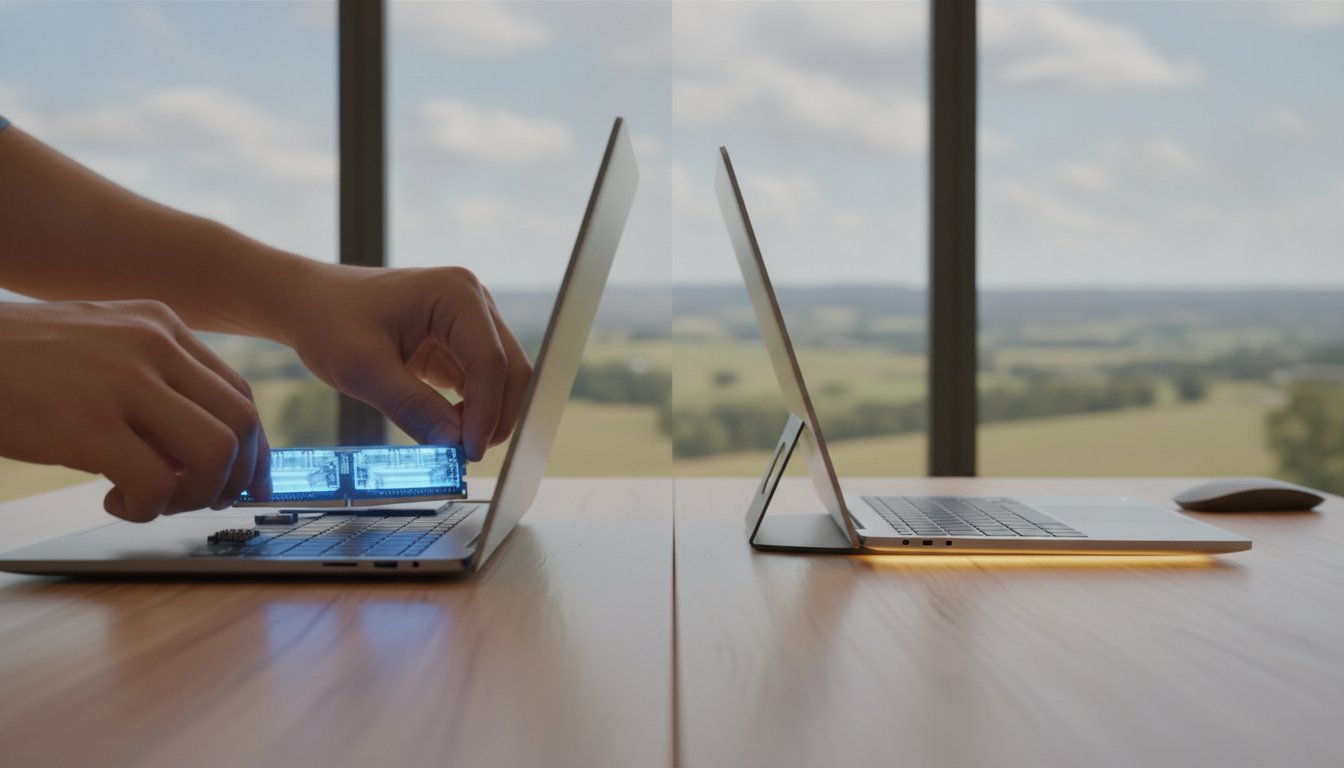
Spending A$1,500 on a brand-new laptop might actually be the slowest way to solve your tech frustrations in 2026. If you’re currently staring at a frozen screen or waiting minutes for Windows 11 to load, you aren’t alone. Many Toowoomba residents feel trapped between a sluggish computer and the high cost of new hardware. When weighing up a repair vs upgrade computer Toowoomba service, the smartest choice often involves revitalising the machine you already own. It’s frustrating when technical jargon like DDR5 or NVMe makes a simple decision feel like a complex engineering project.
I understand how vital a reliable computer is for your home office or small business. You deserve honest advice that focuses on value rather than just selling you the latest expensive model. In this guide, I’ll show you how a targeted hardware upgrade can deliver 90% of a new computer’s performance for a fraction of the price. You’ll learn how to navigate rising component costs, secure your data during the process, and finally achieve the speed you need to work without interruption. We’ll look at the latest 2026 performance benchmarks to help you make an informed, cost-effective decision.
Key Takeaways
- Understand how a strategic repair vs upgrade computer Toowoomba plan can deliver modern performance for a fraction of the cost of a new device.
- Learn why 32GB of RAM is the new standard for 2026 and how it prevents your system from freezing during critical tasks.
- Master the “50% Rule” to quickly decide if your current hardware is worth fixing or if it’s time for a replacement.
- Discover the speed benefits of NVMe SSDs and how they can make an older computer boot up in seconds.
- Gain peace of mind by working with a local expert who prioritises your data security and provides honest, anti-inflation tech solutions.
The Great Tech Dilemma: Repair vs Upgrade Computer Toowoomba
Choosing between a repair vs upgrade computer Toowoomba service starts with understanding your specific goals. A repair focuses on fixing a fault, like a battery that won’t charge or a broken keyboard. An upgrade, however, is about boosting the machine’s capability, making it faster or more powerful than the day you bought it. In 2026, many locals are moving away from the “throwaway” culture. We’re seeing a shift in Toowoomba toward a repairability movement because it saves money and makes sense for our local environment.
Keeping your device longer directly reduces the e-waste ending up in Darling Downs landfills. This is a practical way to push back against Planned obsolescence, where manufacturers design tech to fail or become outdated quickly. Often, what feels like a dead computer is simply a single part that needs attention. A professional assessment is the first step to find out if your slow PC is suffering from a hardware failure or just needs a software tune-up to run like new again.
To better understand this concept, watch this helpful video:
When a Repair is the Only Logical Step
Some issues are clearly “critical failures” that stop you from working entirely. If you’ve had a liquid spill, a cracked screen, or a power supply that has given up, a repair is your only path forward. Professional laptop repairs can save a premium device from being junked prematurely. It’s often much smarter to replace a A$150 component than to spend A$1,500 on a brand-new machine that might not even offer a noticeable speed boost for your daily tasks.
The Power of the Strategic Upgrade
Upgrading is about future-proofing your existing investment. By 2026, AI-integrated software and newer versions of Windows demand more processing power than older systems can provide. You don’t always need a whole new computer to run these tools smoothly; often, just adding more memory or a faster drive is enough. The sweet spot for a strategic upgrade is usually a computer between 3 and 5 years old where the core processor is still strong but the memory and storage are lagging behind.
Why a RAM Upgrade is the Best Performance Boost in 2026
Think of RAM (Random Access Memory) as the physical workspace on your desk. The more space you have, the more documents you can keep open and work on at the same time. When you are weighing up a repair vs upgrade computer Toowoomba plan, increasing your RAM is often the most cost-effective way to eliminate lag. In 2026, many older systems struggle because their “workspace” is simply too small for modern software. Upgrading your memory conserves our natural resources by keeping your current machine out of the bin while giving it the power to handle today’s demanding applications.
Back in 2021, 8GB of RAM was plenty for most people. By 2026, it’s the absolute bare minimum. Modern web browsers and AI-enhanced tools consume huge amounts of memory. If your computer freezes when you have more than five tabs open, it’s likely a RAM bottleneck rather than a broken processor. Moving to DDR5, which is now the standard for performance, provides a massive jump in speed compared to older DDR4 modules. This upgrade can make your entire system feel snappier for a fraction of the cost of a new PC.
How Much RAM Do You Actually Need?
- 8GB: This is barely enough for basic web browsing and email in 2026. You’ll likely experience slowdowns during multitasking.
- 16GB: The sweet spot for students and home office users. It ensures Windows runs smoothly and handles multiple apps without a hitch.
- 32GB+: Essential for Toowoomba’s small business owners, video editors, and gamers who need peak performance without interruptions.
The Risks of DIY Hardware Changes
It’s tempting to buy a stick of RAM online and try to install it yourself, but modern hardware is incredibly sensitive. A single spark of static discharge from your fingertips can permanently kill a motherboard. Many newer “thin and light” laptops are also notoriously difficult to open. Without the right tools, it’s easy to snap the tiny plastic clips that hold the casing together or tear delicate ribbon cables hidden inside.
Professional hardware upgrades provide more than just the part; they include a comprehensive system health check to ensure your new memory is fully compatible and running at its rated speed. If your machine is starting to feel its age, I can help you identify the exact memory kit needed to get you back up to speed safely. This professional touch ensures your data remains secure and your hardware stays protected throughout the process.
Beyond Memory: SSDs and Windows Tune-ups
If RAM is your workspace, then your storage drive is the filing cabinet where everything lives. Upgrading to a Solid State Drive (SSD) is the single most effective way to slash your boot times from minutes to seconds. Many people struggle to know when to upgrade your PC, but if you are still using a mechanical hard drive, the answer is almost always “now.” Modern NVMe drives are significantly faster than the older SATA models that were common just a few years ago.
However, fast hardware is only half the battle. When considering a repair vs upgrade computer Toowoomba service, it’s vital to pair new parts with a professional Windows tune-up. Over time, your operating system collects digital clutter, background apps, and registry errors that act like a weight on your processor. I make sure to optimize your software settings to match your new hardware, ensuring that bloatware doesn’t steal the performance you just paid for.
Is Your Hard Drive About to Fail?
Sometimes the decision is forced by a failing component. You should look out for these specific warning signs that your drive is on its last legs:
- Strange clicking or grinding noises coming from the laptop or desktop case.
- Files taking an unusually long time to open or save.
- Frequent “Blue Screen of Death” errors or sudden system crashes.
- Disappearing files or folders that were there yesterday.
An upgrade provides the perfect opportunity to secure your digital life. Before swapping drives, I prioritize a solid data recovery and backup plan. Professionally cloning your data ensures that your precious photos and important business documents move safely to the new, faster drive without anything getting lost in transition.
The Role of Thermal Maintenance
Toowoomba’s summer heat and dust are silent killers for electronics. When dust builds up inside your computer, it traps heat and forces the processor to slow down to protect itself. This is called thermal throttling. It can make a powerful computer feel like a 10-year-old machine because the hardware is literally gasping for air.
Cleaning the fans and internal components is a standard part of my upgrade process. I also apply fresh, high-quality thermal paste between your processor and its cooling system. This simple maintenance step improves longevity and ensures your upgraded machine stays quiet and cool even during the hottest Queensland afternoons. It’s a small detail that makes a massive difference in long-term reliability.

Decision Framework: Should You Repair, Upgrade, or Replace?
Deciding on a repair vs upgrade computer Toowoomba service doesn’t have to be guesswork. I use a simple logic called the “50% Rule” to help my clients save money. If a repair or upgrade quote exceeds half the price of a comparable new machine, it is often time to consider a replacement. This logic holds true for vehicles as well; if your car is no longer worth the repair costs, Shine Car Removal offers a practical way to trade it for cash and clear your driveway. However, age is the biggest factor in this equation. If your PC is more than seven years old, the internal components are likely reaching the end of their natural life cycle. Upgrading a machine that old is often a poor investment because other parts are likely to fail shortly after.
Software compatibility is another hurdle you can’t ignore in 2026. Security is now the top priority for both home users and small businesses. If your current hardware cannot run the latest version of Windows securely, it leaves your banking details and personal files vulnerable to modern threats. Your daily usage goals also dictate the path forward. A computer used only for occasional emails has very different requirements than a system used for running a full-time business from a home office in Newtown or Rangeville.
The Cost of “Doing Nothing”
Many people delay the decision to fix a slow PC, but there is a hidden “Time Tax” involved. If your computer takes several minutes to boot and stutters while opening basic documents, you could be losing hours of productivity every month. This cumulative frustration often outweighs the cost of a quick professional intervention. Furthermore, waiting until a total system crash occurs makes the process much more stressful. A proactive upgrade is always cheaper and safer than an emergency data recovery session after a hard drive has physically failed.
Toowoomba Local Buying vs Repairing
It is often tempting to grab a “cheap” laptop from a big-box retailer in Toowoomba for A$500 or A$600. However, these entry-level machines usually have flimsy plastic hinges and weak processors that struggle with multitasking. In many cases, an upgraded three-year-old professional-grade laptop will easily outperform a brand-new budget model. Professional machines are built to last, making them much better candidates for a strategic hardware boost.
Choosing local support also means you won’t have to deal with the hassle of mailing your computer away to a national service centre for weeks at a time. Before you decide to replace your system, it’s worth checking my guide on Virus and Malware Removal. Sometimes a deep software clean is all that’s needed to reveal the true potential of your existing hardware. If you are unsure which path is right for your budget, book a professional assessment with me today to get an honest, expert opinion on your best move.
Professional Computer Support in Toowoomba: The Aspire Advantage
When you are caught in the middle of a repair vs upgrade computer Toowoomba dilemma, you need more than just a list of parts. You need a local partner who understands your history and your specific tech needs. Aspire Computing has been a staple of the Toowoomba community since 1999. Unlike national franchises that often send out rotating contractors, you deal directly with me, the owner-operator. This personal accountability ensures you receive honest, expert advice that prioritises your budget over a quick sale.
I provide the convenience of on-site service across Newtown, the wider Darling Downs, and the Lockyer Valley. Whether you are running a small business from home or just need your family PC to stop freezing, I bring the solutions to your door. My pricing is completely transparent. I don’t hide behind technical jargon or surprise fees. Instead, I focus on providing clear solutions that make your technology work for you, not against you.
Our Process: From Diagnostic to Delivery
Every successful intervention begins with a Performance Audit. I don’t just swap parts and hope for the best. I look deep into your system to see exactly what is slowing you down. This might reveal that a simple software adjustment is better than a costly hardware change. If we decide an upgrade is the best path, my Newtown workshop is equipped for rapid turnarounds. Most RAM and SSD upgrades are completed quickly so you aren’t without your machine for long.
Data safety is my absolute priority. During every repair vs upgrade computer Toowoomba project, I follow strict protocols to protect your privacy and your files. I treat your family photos and business spreadsheets with the same care I would my own. You can rest easy knowing your digital life is in experienced, trustworthy hands from start to finish.
Get Your Computer Running Like New Today
You don’t have to struggle with a slow or broken computer anymore. Technology should be a tool that helps you succeed, not a source of daily stress. If you are unsure whether your current machine has another three years of life in it, let’s have a quick chat. A short phone consultation can often clear up the confusion and help you decide on the next steps.
For those who prefer to drop off their hardware, my workshop is conveniently located at 46 Brigalow St in Newtown. I’m here to help you navigate the high costs of 2026 tech with “anti-inflation” solutions that actually work. You might not need to spend thousands on a new computer; you might just need a professional touch from Aspire Computing to make your current one run like new again. Contact me today to book your performance assessment.
Take Control of Your Digital Performance
Deciding on a repair vs upgrade computer Toowoomba plan doesn’t have to be a stressful choice. You’ve seen how a simple RAM boost or a move to NVMe storage can transform a lagging machine into a productive tool. By applying the “50% rule” and considering the age of your hardware, you can avoid the high cost of new technology while still enjoying modern speeds. It is about making your current investment work harder for you without the A$1,500 price tag of a brand-new laptop.
I’ve been serving the Toowoomba community since 1999, providing expert on-site hardware installation and honest, jargon-free advice. As a 100% locally owned business in Newtown, Aspire Computing is dedicated to helping you achieve a fast, reliable system. You don’t have to settle for a frustratingly slow PC or deal with generic national call centres. Expert help is available right here in your own backyard.
Book Your Computer Performance Audit in Toowoomba Today and let’s get your system running at its absolute best. Your data is safe, your hardware is in expert hands, and your computer’s second life starts now. I look forward to helping you get back up to speed.
Frequently Asked Questions
Is it cheaper to repair or buy a new laptop in 2026?
It is almost always more affordable to repair or upgrade a premium laptop than to replace it with a budget model. In 2026, entry-level laptops often underperform compared to a professionally refurbished three-year-old machine. If your current device has a high-quality screen and keyboard, a strategic repair vs upgrade computer Toowoomba service can extend its life by several years for a fraction of the cost of a new A$1,500 replacement.
How much does a RAM upgrade cost in Toowoomba?
The cost of a RAM upgrade depends on your computer’s generation and the amount of memory you need. In early 2026, DDR5 memory kits have seen price increases due to global demand from the AI sector. While I don’t provide a fixed price without seeing your machine, the investment is significantly lower than a new PC. I provide a clear, transparent quote after assessing your hardware to ensure you get the best value for your needs.
Will upgrading my RAM delete my photos and files?
No, upgrading your RAM will not delete your photos, documents, or personal files. RAM is “volatile” memory that only stores data while the computer is turned on to help it multitask. Your actual files live on your storage drive, such as an SSD or Hard Drive. While hardware changes are generally safe, I always recommend having a current backup before any service as a standard safety precaution for your digital life.
Can every computer be upgraded, or are some too old?
Most desktop computers are highly upgradeable, but some modern “thin and light” laptops have soldered components that cannot be changed. Generally, machines older than seven years aren’t ideal candidates for major upgrades because other aging parts are likely to fail soon. I perform a performance audit to check for soldered RAM or proprietary parts before recommending an upgrade path to ensure your money isn’t wasted on incompatible hardware.
How long does a professional SSD upgrade take?
A professional SSD upgrade typically offers a very fast turnaround at my Newtown workshop. The physical installation is quick, but the process also includes meticulously cloning your data to ensure everything stays exactly where you left it. Most clients find their machines are ready to go within a business day. This streamlined process focuses on getting you back to work with a computer that feels brand new without the long wait.
Is it worth fixing a cracked laptop screen?
Fixing a cracked screen is usually worth it for high-end or professional-grade laptops where the replacement cost is significantly higher than the repair. If the laptop is a budget model or more than five years old, the cost of the panel and labour might approach the machine’s total value. I can help you evaluate the specific model to see if it meets the “50% rule” before you commit to the repair process.
Will more RAM make my NBN internet speed faster?
More RAM won’t increase your NBN connection speed, but it will make your web browser feel much faster. When you have multiple tabs open, your computer uses RAM to keep them active. If you don’t have enough memory, your browser will stutter and lag even if you have a lightning-fast internet connection. Upgrading your memory ensures your hardware can actually keep up with the high-speed data your NBN provider delivers.
How do I know if my computer has a virus or just needs an upgrade?
A virus often causes sudden, erratic behaviour like pop-ups or disappearing files, while a need for an upgrade usually shows as a consistent, slow “chugging” during normal tasks. If your computer has always been slow, it’s likely a hardware bottleneck. If it was fast yesterday but is acting strange today, it might be a security issue. My performance audit identifies exactly which problem is affecting your machine so we don’t guess with your money.

B.App.Sc., Cert. Computer Engineering PC Service and Repair
As the owner of Aspire Computing founded in 1999, Chaim Lee has been working for over 20 years as the Leading Computer Technician.
He has a life long interest in electronics, computing, science and technology. He has completed studies and gained qualifications in Applied Science, Computer Repair and Service, Microsoft Installation and Maintenance, Technical Writing, Workplace Training, and Technical Sales Training.

Write a Comment