
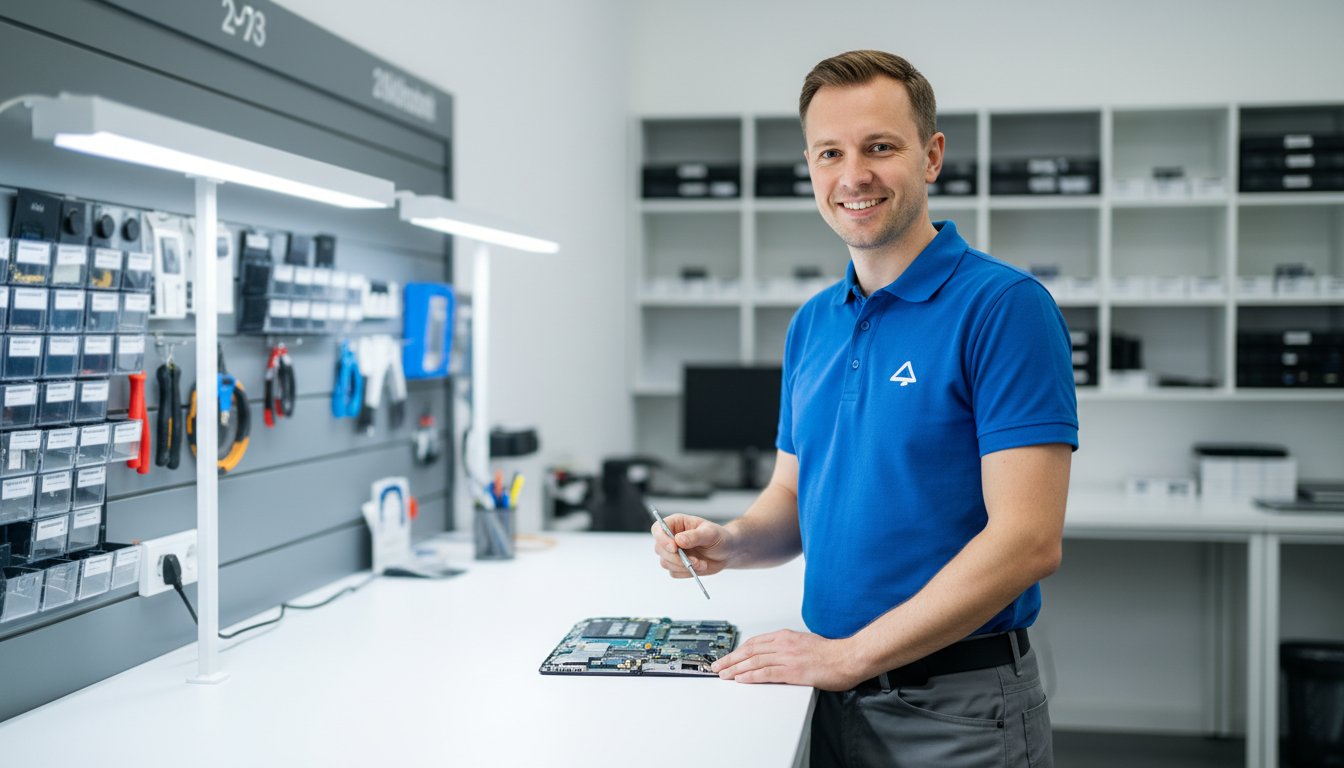
The sudden black screen. The dreaded error message. That sinking feeling when your notebook simply won’t turn on. In that moment of panic, your important files, precious photos, and critical work can feel lost forever, sparking a frantic search for reliable notebook repairs near me. Before you worry about your data or the potential cost, take a calm breath. Finding a fast, trustworthy, and local solution right here in Toowoomba doesn’t have to add to the stress.
This guide is your first step toward a quick fix and complete peace of mind. We are here to help you understand common notebook problems, know what to look for in a quality repair service, and feel confident that your personal data will be protected. We’ll walk you through the process so you can find an experienced local technician, get a clear, upfront quote, and get back online as quickly as possible. Let’s get your notebook working again.
Key Takeaways
- Learn simple self-diagnosis checks you can perform at home to potentially solve minor issues and save a trip to the repair shop.
- Searching for “notebook repairs near me” is only the first step; discover what to look for in a local Toowoomba service to ensure quality work and trust.
- Understand the typical repair process from start to finish, so you know exactly what to expect and can feel confident in your choice.
- Get clear criteria to help you make the smart financial decision between repairing your current notebook or investing in a new one.
Is Your Notebook Really Broken? Common Problems & Simple Checks
When your notebook starts acting up, it’s easy to feel a sense of panic. But before you start searching for professional notebook repairs near me, taking a moment to perform a few simple checks can often save you time, money, and stress. Many frustrating issues are caused by simple software glitches, not critical hardware failures. Learning to spot the difference is the first step toward a quick solution.
To see what goes into more complex repairs, this video provides a fascinating look at the process:
Software Glitches vs. Hardware Failures
Understanding the type of problem you’re facing is key. Software issues often manifest as slow performance, unexpected pop-ups, applications crashing, or your web browser acting strangely. These are problems with the code and programs running on your machine. Often, a thorough virus and malware scan can resolve these issues by removing malicious programs that are draining your system’s resources. Hardware failures are physical problems with the components themselves. Telltale signs include your notebook not turning on, a cracked screen, strange grinding noises, or keys on the keyboard not working.
5-Minute Fixes You Can Try Right Now
If you suspect a software glitch, here are a few quick troubleshooting steps that solve a surprising number of common problems:
- The Classic Reboot: Simply turning your notebook off and on again is the most effective quick fix. It clears the system’s temporary memory (RAM) and stops any background processes that may have been causing the problem.
- Check Power Connections: Ensure the power adapter is firmly plugged into both the wall and your notebook. A loose connection can prevent charging or cause intermittent power.
- Free Up Disk Space: A hard drive that is more than 90% full can seriously slow down your system. Try deleting old files or uninstalling unused programs to improve responsiveness.
- Run System Updates: Make sure your operating system (like Windows or macOS) is up to date. Updates often include crucial security patches and bug fixes that can improve stability and performance.
Red Flags: When to Stop and Call an Expert
While DIY fixes are great, some symptoms signal a serious problem that requires professional attention. Attempting to fix these yourself can often lead to more damage or permanent data loss. These are serious symptoms that require a deep understanding of what a computer repair technician does to diagnose correctly. Look out for these red flags:
- Clicking or Grinding Noises: These sounds almost always indicate a failing mechanical hard drive. Power down immediately to prevent further data loss and seek professional help.
- No Power at All: If your notebook is completely dead and won’t turn on even after checking the charger, it could be a failed power supply, motherboard, or other internal component.
- Visible Physical Damage: A cracked screen, broken charging port, or significant liquid spill needs expert hands to repair safely and effectively.
- The ‘Blue Screen of Death’ (BSOD): If your notebook constantly crashes to a blue error screen, it points to a critical hardware or driver conflict that needs expert diagnosis.
Choosing the Right Notebook Repair Service in Toowoomba
When your laptop fails, a quick search for “notebook repairs near me” can return a daunting list of options. The immediate stress of a broken device is often followed by the confusion of choosing the right technician. Making the wrong choice can lead to overpriced services, lost data, or a repair that doesn’t last. This guide will help you cut through the noise and select a trustworthy, professional service in Toowoomba that puts your needs first.
The Value of a True Local Expert
While large national chains have a presence everywhere, they often lack the personal accountability and community focus of a local business. A true local expert offers a personalised service because their reputation depends on it. They understand the needs of the Toowoomba community and are invested in providing quality, long-term solutions, not generic quick fixes. For over 20 years, Aspire Computing has been a trusted local choice, building relationships with clients based on reliability and proven results.
Essential Qualities to Look For
Before handing over your device, look for clear signs of a professional and established business. A reputable repair service will proudly display its credentials and make it easy for you to verify their track record. Key indicators include:
- Years in Business: A long history, like Aspire Computing’s establishment in 1999, demonstrates stability and experience.
- Positive, Genuine Reviews: Check Google and other platforms for authentic feedback from past customers.
- Clear Contact Information: A physical address and phone number show they are a legitimate local operation you can visit and hold accountable.
- Willingness to Explain: A good technician will take the time to explain the problem and the proposed solution in simple, understandable terms.
Questions to Ask Before You Commit
To protect yourself and ensure there are no surprises, it’s vital to ask a few key questions before agreeing to any work. This empowers you as a consumer and sets clear expectations for the repair process. Don’t hesitate to ask:
- Do you provide a clear, itemised quote before starting any work?
- What kind of warranty do you offer on your repairs and the parts used? Knowing this is a key part of understanding your consumer rights for repairs.
- How do you ensure the safety and privacy of my personal data during the repair?
- What is the estimated timeframe for the repair?
A professional service will welcome these questions and provide confident, transparent answers, giving you the assurance you need to proceed.
Our Notebook Repair Process: From Diagnosis to Done
When your notebook stops working, the last thing you need is a complicated or confusing repair process. We believe in total transparency to eliminate stress and uncertainty. Our goal is simple: to get you back up and running with minimal downtime. We understand that your device holds valuable information, which is why we handle every notebook with the utmost care, prioritising the safety of your data from start to finish. Our straightforward, professional steps ensure a hassle-free experience when you need reliable notebook repairs near me.
Step 1: Initial Consultation & Diagnosis
The process begins the moment you contact us. Simply describe the issue you’re facing with your laptop, whether it’s a cracked screen, a slow system, or a device that won’t turn on. Based on your description, we provide an initial assessment and discuss potential solutions. To pinpoint the exact problem, we then perform a thorough diagnostic check. Once we find the root cause, you receive a clear, upfront quote with no hidden fees. We operate in full compliance with Australian consumer rights for repairs, ensuring you are fully informed before any work commences.
Step 2: The Repair & Quality Parts
Once you approve the quote, our expert technicians get to work. We believe a quality repair depends on quality components, which is why we use only high-grade, reliable replacement parts to ensure longevity and optimal performance. Our entire approach is built on trust and expert service, and we make it a priority to keep you informed of our progress along the way. You’ll never be left wondering about the status of your repair.
Step 3: Data Safety & Final Testing
Throughout the repair, we take every precaution to protect your valuable data. After the physical repair is complete, we don’t just hand the device back. We conduct a series of rigorous tests to ensure full functionality has been restored. Our technicians verify that the original problem is solved and that the entire system is stable, secure, and running smoothly. You are notified as soon as your notebook has passed our final quality assurance checks and is ready for collection.

Comprehensive Notebook Repair Services We Offer
When your notebook stops working, it can bring your productivity to a sudden halt. We understand the frustration, which is why we offer a complete range of services to get you back up and running quickly. From accidental drops to mysterious software bugs, our experienced technicians handle it all. We service all major brands, including Apple, Dell, HP, Lenovo, Acer, and more. No problem is too big or too small for our team, making us the reliable choice when you search for notebook repairs near me.
Physical Damage Repairs
Accidents happen, but they don’t have to mean the end of your device. Our team is skilled in meticulous physical repairs that restore both the look and function of your notebook. We provide quality, fast-return services for:
- Cracked, flickering, or malfunctioning screen replacements.
- Keyboard repair for sticky, unresponsive, or missing keys.
- Fixing broken charging ports, USB ports, and headphone jacks.
- Repairing or replacing damaged outer casings, hinges, and frames.
Performance and Software Fixes
Is your notebook running slow, freezing, or behaving strangely? Software issues can be just as disruptive as physical damage. We can diagnose and resolve complex software problems to improve the performance and security of your computer, ensuring business continuity. Our services include:
- Thorough virus, malware, and spyware removal to protect your data.
- Operating system tune-ups and re-installations to fix sluggishness.
- Resolving software conflicts and updating critical drivers.
- System security audits and essential software updates.
Hardware Upgrades and Replacements
Sometimes a repair is an opportunity for an upgrade. If your notebook is struggling to keep up, a strategic hardware replacement can give it a new lease on life for a fraction of the cost of a new machine. We specialise in upgrades that deliver real-world results, such as:
- New battery installation to restore portability and all-day power.
- Upgrading to a Solid State Drive (SSD) for dramatic speed improvements.
- Increasing RAM for smoother, more efficient multitasking.
- Replacing failing hard drives, complete with data recovery and transfer.
Whatever issue you’re facing, our goal is to provide a dependable and professional solution. If you need expert advice or a quote for your repair, don’t hesitate to contact our friendly team today.
Repair or Replace? Making the Smart Financial Decision
It’s the most common question we hear: “Is my old notebook even worth the repair cost?” When you’re facing a cracked screen or a failing battery, it can be difficult to know whether to invest in a fix or put that money towards a new device. At Aspire Computing, we believe in providing honest advice to help you make the best choice for your budget and your needs. The right answer depends on several key factors, including the notebook’s age, its overall condition, and the cost of the repair.
When Repair is the Best Option
Opting for a repair is often the most cost-effective and practical solution. It makes perfect sense if:
- The repair cost is less than 50% of a new, comparable notebook. Spending A$200 on a new keyboard for a laptop that would cost A$1,000 to replace is a smart investment.
- Your notebook is relatively new (less than 3-4 years old). Modern devices are built to last, and a single repair can extend its life significantly.
- The issue is common and affordable. Problems like battery replacements, RAM upgrades, or software fixes are quick, cost-effective, and can dramatically improve performance.
- You have critical software or data that is difficult to migrate. The time and hassle of transferring files and reinstalling specialised programs can outweigh the cost of a repair.
Signs It Might Be Time for a New Notebook
While we are experts in providing quality notebook repairs near me, we will also be the first to tell you when it’s time to upgrade. It might be time for a new device if:
- The notebook is too old to run modern software efficiently. If it can’t handle the latest operating system or the applications you need, a repair won’t solve the core problem.
- The repair involves a critical, expensive part. A motherboard or major screen failure on an older machine can cost almost as much as a new notebook.
- You need more performance than the hardware can provide. No repair can make an old processor fast enough for demanding tasks like video editing or gaming.
- Multiple components are failing at once. This often signals that the device is nearing the end of its functional life.
Get an Honest Assessment from Us
Don’t get stuck trying to decide on your own. Our process is built on trust and transparency. We will perform a thorough diagnosis of your notebook and provide a clear, straightforward quote for any potential repairs. Our experienced team offers unbiased advice based on your specific situation and budget, helping you weigh the pros and cons without any pressure. We’re not just here to fix devices; we’re here to provide lasting solutions. Talk to our experts today for a professional and honest opinion.
Your Trusted Toowoomba Partner for Notebook Repairs
A malfunctioning notebook can bring your day to a grinding halt, but it doesn’t have to be a crisis. By running a few simple checks and understanding the key differences between a minor glitch and a major problem, you’re already one step ahead. Ultimately, making the smart financial decision between repair and replacement often comes down to getting an honest assessment from a qualified expert you can trust.
When your search for notebook repairs near me leads you to seek professional help in Toowoomba, you deserve a team with a proven track record. At Aspire Computing, we’ve been the community’s trusted choice since 1999. Our experienced, local technicians are committed to providing quality service you can depend on. We believe in complete transparency, which is why we offer clear, upfront pricing with no surprises, giving you the assurance you need to move forward.
Stop the frustration and get a clear solution. Don’t panic! Contact Aspire Computing for a fast, reliable notebook repair quote. Let us take the stress out of your tech troubles and get you back to work and life, fully connected and protected.
Frequently Asked Questions About Notebook Repairs
How much do notebook repairs typically cost in Toowoomba?
The cost of notebook repairs in Toowoomba varies depending on the issue. A basic diagnostic service to identify the problem typically starts around A$90. Simpler software fixes like virus removal can range from A$120 to A$200. Hardware repairs such as a screen or keyboard replacement can cost between A$250 and A$500+, depending on the model and part cost. We always provide a clear, upfront quote for your approval before any work begins.
How long will my notebook repair take?
Our goal is to provide a fast return to minimise your downtime. Software-related issues and common hardware replacements (like batteries or RAM) can often be completed within 1-2 business days, provided we have the parts in stock. More complex repairs, such as motherboard issues or parts that need to be ordered, may take longer. We will always give you an estimated timeframe when we provide your quote so you know exactly what to expect.
Do you guarantee the safety of my personal data during a repair?
Protecting your data is our top priority. While we strongly recommend you back up your important files before any repair, our technicians handle your device with the utmost care and follow strict privacy protocols. We work diligently to ensure your personal information remains secure and untouched throughout the repair process. Our mission is to protect and connect, and that begins with safeguarding your valuable data and privacy with professional assurance.
What brands of notebooks do you service (e.g., Dell, HP, Apple, Lenovo)?
We are experienced in servicing a wide range of notebook and laptop brands. Our technicians can expertly repair devices from all major manufacturers, including Apple (MacBook, MacBook Air, MacBook Pro), Dell, HP, Lenovo, Acer, ASUS, Toshiba, and Microsoft (Surface). If you have a different brand, don’t hesitate to contact us. With over two decades of experience, chances are we can provide a quality solution for your specific device.
Do you offer a warranty on your repair work and parts?
Yes, absolutely. We stand behind the quality of our work and the parts we use. All of our notebook repairs come with a comprehensive warranty for your peace of mind. This typically includes a 12-month warranty on all new hardware components we install and a 3-month guarantee on our labour. This commitment ensures you receive a reliable, long-lasting repair that you can trust to keep you connected and productive.
Can you help with issues other than hardware, like slow performance or viruses?
Certainly. Our expertise extends far beyond just physical hardware repairs. If your notebook is running slow, freezing, or infected with viruses or malware, we can diagnose and resolve the root cause. When you are looking for notebook repairs near me that cover software health, we offer tune-up services, virus removal, and operating system optimisations to restore your device’s speed and security, ensuring it runs as efficiently as possible.
Is it better to bring my notebook to you, or do you offer on-site service?
We offer both options to provide the most convenient service for you. Bringing your notebook to our workshop is often best for hardware repairs, as we have all the necessary diagnostic tools and parts on hand. However, our on-site service is ideal for troubleshooting software issues, network problems, or setting up new equipment in your home or office. We can help you decide which option is most efficient for your specific situation.

B.App.Sc., Cert. Computer Engineering PC Service and Repair
As the owner of Aspire Computing founded in 1999, Chaim Lee has been working for over 20 years as the Leading Computer Technician.
He has a life long interest in electronics, computing, science and technology. He has completed studies and gained qualifications in Applied Science, Computer Repair and Service, Microsoft Installation and Maintenance, Technical Writing, Workplace Training, and Technical Sales Training.
