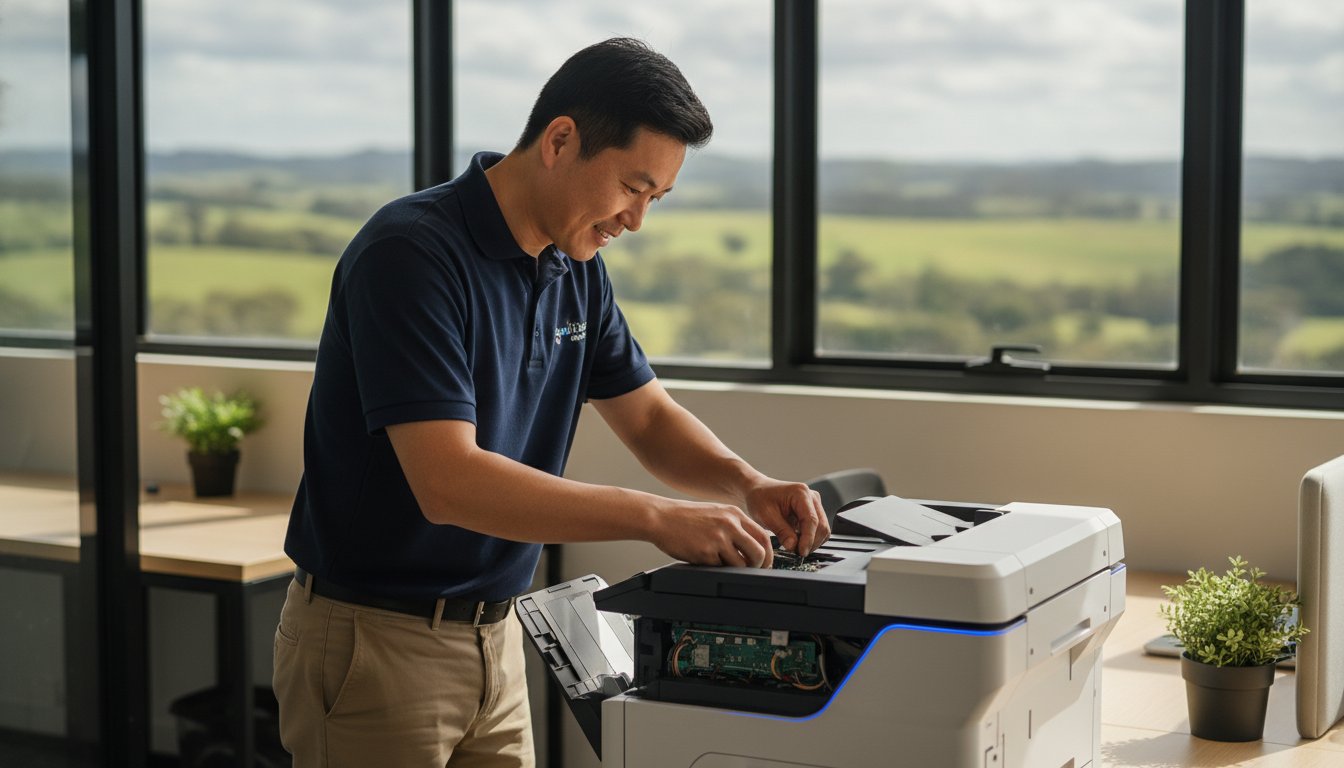
Did you know that Australia generated 588,000 tonnes of e-waste in 2023, a staggering 20kg per person? A significant portion of this waste comes from office equipment like printers that are often discarded when a simple repair could have extended their life for years. It’s a common headache for many of us in the Darling Downs. You’ve just spent a fortune on fresh ink or toner, only for the machine to throw a cryptic driver error or lose its wireless connection right when you have a deadline looming. It’s tempting to think the only solution is a trip to the shops for a replacement.
However, you don’t have to navigate these technical failures alone or waste money on a new machine unnecessarily. This article provides the honest advice you need on printer repair Toowoomba, helping you decide whether to fix your current device or upgrade based on its age and condition. You’ll learn about the 50% repair rule, how to handle common connectivity issues, and why local, expert troubleshooting from a trusted professional like Chaim Lee can save your business time and money.
Key Takeaways
- Master simple troubleshooting steps, such as power cycling and clearing the Windows print spooler, to resolve common software glitches on your own.
- Apply the 50% rule to determine if a repair is cost-effective or if a new unit would save you more in long-term ink expenses.
- Access reliable printer repair Toowoomba services that focus on a “repair, don’t replace” philosophy to help you avoid unnecessary e-waste.
- Learn how on-site support and regular maintenance can protect your small business from the costly downtime caused by sudden equipment failure.
- Benefit from over 25 years of local experience by working directly with a specialist who understands the specific needs of Darling Downs residents.
Common Printer Problems Toowoomba Residents Face
Toowoomba residents often find that their printers act up during the humid summer months or the dry, dusty winters characteristic of the Darling Downs. Persistent paper jams are rarely just a mechanical fluke; they’re frequently caused by paper absorbing moisture from the air, which makes the sheets stick together. If you’ve been struggling with sheets that won’t feed properly, it might be time to look at printer repair Toowoomba services to check if your internal rollers have become glazed or worn from this extra friction.
Faded or streaky prints often signal that your inkjet’s print heads are clogged, especially if the machine sits idle for weeks. For those using laser models, issues like vertical lines or ghosting images are common laser printer malfunctions that usually stem from a damaged drum or an aging fuser unit. These mechanical parts are sensitive to the fine dust found in our region, which can lead to premature wear and loud grinding noises that suggest a gear is about to fail. The “offline” nightmare is another frequent complaint. It often happens after a Windows update or a router reset, leaving your computer unable to communicate with the hardware. While it feels like a hardware death sentence, it’s often a driver or IP address conflict that a professional can resolve quickly.
To better understand how complex internal components like ink tubes and dampers can affect your machine’s performance, watch this helpful video:
Environmental Impacts on Printing in the Darling Downs
The high humidity levels in Toowoomba don’t just affect paper; they can also cause toner powder in laser cartridges to clump, leading to uneven distribution. Dust is another silent killer for local hardware. Fine particles settle on the delicate sensors and drums of laser printers, causing “offline” errors or sensor failures. Power surges are also common in the Darling Downs during summer storms. These spikes can fry the sensitive logic boards inside your printer, making it completely unresponsive. Storing your spare ink and toner in a cool, climate-controlled cupboard, rather than a garage or shed, is essential to prevent the liquid from drying out or the powder from spoiling.
Brand-Specific Issues: Canon, Epson, and HP
Each brand has its own quirks that we see regularly in our Newtown workshop. Canon and HP models often display specific error codes, such as the “B200” or “0x” series, which can indicate anything from a printhead failure to a simple firmware conflict. While manufacturers push firmware updates to your device, these can sometimes block third-party cartridges or cause connectivity drops on Windows systems. When you need professional printer repair Toowoomba residents can trust, identifying these brand-specific patterns is key to a fast fix. For those using Epson eco-tank models, the most common mechanical failure is the accumulation of dried ink within the waste ink pads which eventually triggers a total system lockout.
5 Steps to Troubleshoot Your Printer Before Calling a Pro
Before you commit to a professional printer repair Toowoomba service call, it’s worth trying a few simple diagnostic steps. Many issues that look like hardware failures are actually temporary software glitches or communication errors. There are several ways to troubleshoot your printer before seeking expert help. Start with the “Power Cycle Plus” method. It’s more than just turning it off and on. You need to unplug the power cord from the back of the machine and the wall for at least 30 seconds. This allows the internal capacitors to drain completely, which clears the volatile memory and resets the internal logic controller.
Next, check your software queue. In Windows 11 or 12, the Print Spooler can often become “stuck” with a corrupted document. Open the “Services” app on your PC, find “Print Spooler,” and click restart. If your machine is wireless, modern Wi-Fi 6 routers can sometimes lose the handshake with older printer hardware. Re-syncing your printer through its network settings menu often restores the connection. You should also perform a physical inspection. Use a torch to look deep into the paper path for tiny scraps of paper or staples. Even a small piece of debris can block a sensitive optical sensor. Finally, ensure your drivers are current. Manufacturers frequently release updates to ensure hardware remains compatible with the latest operating system patches.
Fixing Connectivity and “Printer Offline” Errors
Wireless dropouts are a major source of frustration. You can prevent many of these by assigning a static IP address to your printer through your router’s settings. This ensures your PC always knows exactly where to find the hardware on your network. For remote workers using cloud print services, ensure your printer is correctly registered to your account and that the firmware is up to date. Sometimes, a simple USB cable is the only reliable diagnostic tool left. If the printer works via USB but not Wi-Fi, you know the hardware is fine and the issue lies with your network configuration.
Mechanical Quick Fixes for Paper Jams
When a jam occurs, the way you remove the paper matters. Always pull the sheet slowly in the direction of the paper path to avoid tearing. If the paper rips, the remaining fragments can be nearly impossible to reach without dismantling the unit. You can safely clean pick-up rollers using a lint-free cloth dampened with a tiny amount of water to remove paper dust. If the machine reports a jam but you can’t see any paper, it’s likely a sensor failure. If these steps don’t resolve the issue, seeking expert printer repair Toowoomba from a local specialist is the next logical step. You can always reach out for local technical support to get your home office moving again.
Repair or Replace? Making the Right Choice for Your Printer
Deciding whether to invest in printer repair Toowoomba or simply buy a new machine is a common dilemma. The general industry standard is the 50% rule. If the quote for parts and labour exceeds half the cost of a comparable new unit, replacement is often the logical path. However, this rule is most applicable to budget inkjet printers found in big-box retail stores. High-quality business-class printers are built with more durable components. These machines are designed to be serviced and can often run for a decade with regular maintenance.
Sustainability is another major factor for Darling Downs residents in 2026. Discarding a printer adds to the growing problem of e-waste in our local landfills. Many modern “cheap” printers are essentially disposable. They are built with thin plastics and non-replaceable parts. In contrast, older models often have robust metal frames and modular components. Before you give up on your current device, you can troubleshoot common printer problems using official guides to see if the issue is purely software-based.
Evaluating the Age and Usage of Your Device
The typical lifespan of a home office inkjet is roughly three to five years. Laser printers usually last much longer, often reaching seven to ten years before critical failure. You might notice signs that internal components are reaching their duty cycle limit, such as frequent paper jams or grinding noises that persist even after cleaning. Chaim Lee often recommends repairing older, high-quality hardware because these machines were built to a higher standard than many current consumer models. A simple roller replacement or a deep clean can often restore an old workhorse to its former glory.
The Hidden Costs of New Printers
New printers often come with a “starter cartridge” trap. These cartridges contain only a fraction of the ink or toner found in standard replacements. You might find yourself spending more on a full set of ink than you did on the printer itself within the first month. Many manufacturers have also moved toward subscription-based ink models. These can be convenient but often lead to higher costs over time compared to owning your supplies outright. For a clear, honest, and professional assessment of your current machine, it’s best to consult a local expert. Choosing printer repair Toowoomba services can often save you from these recurring hidden expenses while keeping your reliable hardware in action.

Professional Printer Service for Toowoomba Small Businesses
Small businesses in the Darling Downs often operate with a lean setup. In these environments, a single malfunctioning desktop printer can stall an entire day’s operations. While large enterprises might have dedicated contracts for massive photocopiers, small teams need a more flexible approach to printer repair Toowoomba. Our focus is on the specific hardware that keeps your home office or local shop running, from high-speed inkjets to workhorse laser units.
We offer both on-site and remote support to ensure your office stays productive. Software conflicts or driver issues can often be resolved through a remote connection. This saves you the wait for a technician to arrive. However, when there is a mechanical failure, we come to you. Regular maintenance is the best way to prevent these interruptions. A scheduled “tune-up” involves cleaning the internal sensors, checking the fuser assembly, and ensuring the paper path is clear of dust. We also assist with supply solutions, helping you source the right ink and toner locally to avoid the long shipping delays of online retailers.
Security is another critical consideration that many small businesses overlook. Modern printers are essentially computers with hard drives and network connections. If they aren’t properly secured, they can serve as a backdoor for malware to enter your network. We help you configure your devices with the latest security protocols to protect your sensitive business data.
Managed Print Solutions for Small Teams
Even a small team of five can generate significant printing costs if usage isn’t tracked. We provide solutions that help you monitor ink and toner consumption. This allows you to identify waste and reduce overheads. For shared office spaces, we can set up secure “Follow Me” printing. This ensures that a document only prints when the user is physically present at the machine. For a more comprehensive look at how we integrate these services into your workplace, read our guide on IT support for business.
Emergency Printer Repair in Toowoomba
When a deadline is looming and your hardware fails, you can’t afford to wait days for a technician from a national chain. Local expertise means we understand the urgency of your situation and can often provide priority service. When you choose our team for printer repair Toowoomba, you get a specialist who can provide temporary loaner options for critical situations. This keeps you online while your main unit is being serviced in our Newtown workshop. If you need immediate assistance with your office hardware, you can contact us for professional printer services today.
Why Aspire Computing is Toowoomba’s Trusted Printer Specialist
Choosing a partner for printer repair Toowoomba residents can depend on often comes down to two things: experience and trust. At Aspire Computing, we’ve been part of the local landscape since 1999. This long-standing history in the Darling Downs isn’t just about time; it’s about the deep understanding of the specific technical hurdles our community faces. When you call us, you aren’t routed through an overseas call centre or a generic help desk. You deal directly with Chaim Lee. This personal accountability ensures that the advice you receive is honest, transparent, and tailored to your specific situation.
Our expertise spans across all major brands, including Canon, Samsung, and Epson. When you require professional printer repair Toowoomba, having a specialist who understands the mechanical nuances of each manufacturer is essential. We don’t just look at the hardware in isolation; we understand how these machines interact with your local network and operating systems. This brand-specific knowledge is vital when diagnosing whether an issue is a simple firmware glitch or a mechanical failure requiring parts. By providing clear, upfront advice, we empower you to make the right decision for your budget and your business.
Serving Newtown and the Surrounding Suburbs
Newtown has been our home for decades, but our mobile service extends far beyond its borders. We regularly assist clients from Highfields down to the Lockyer Valley, bringing professional technical support directly to your doorstep. There’s a distinct advantage in choosing a technician who knows the local area. We understand the environmental factors, like the dust and humidity mentioned earlier, that can plague office equipment in our region. This local insight allows us to provide more effective preventative maintenance that actually works for Toowoomba conditions.
More Than Just Printer Repairs
A printer is rarely a standalone device. It’s a critical part of your digital ecosystem. That’s why our service goes beyond just fixing paper jams. We ensure your hardware is perfectly integrated with your wider setup, offering professional computer repairs to keep your PC or laptop running at its best. Security is also at the forefront of what we do. A networked printer can be a vulnerability, so we incorporate thorough virus and malware removal as part of our holistic approach to home office health. Booking a local service call today means you’re getting more than a quick fix; you’re gaining a partner dedicated to your long-term operational stability.
Restore Your Printing Reliability Today
We’ve explored how the unique climate of the Darling Downs can impact your hardware, from humidity-induced paper jams to dust-clogged sensors. By mastering a few troubleshooting basics and applying the 50% rule, you can make informed decisions that benefit both your budget and the environment. Most technical failures don’t require a trip to the landfill; they simply need the right expertise to get back on track.
Since 1999, Aspire Computing has been the go-to choice for printer repair Toowoomba residents and small business owners trust. You deal directly with Chaim Lee, ensuring you receive personal accountability and expert local knowledge that national chains simply can’t match. Whether you’re in Newtown or the surrounding suburbs, help is always close at hand.
Contact Chaim at Aspire Computing for Expert Printer Repair in Toowoomba. Don’t let a stubborn error code stand in the way of your productivity when a reliable, local solution is ready to help you succeed.
Frequently Asked Questions
How much does printer repair typically cost in Toowoomba?
Standard service call-out fees in the region often range between A$99 and A$140, which usually covers the initial assessment and the first block of labour. The final cost depends on the complexity of the hardware failure and any required replacement parts. We always provide a clear explanation of the necessary work before proceeding, ensuring you understand the value of the repair compared to the cost of a new machine.
Is it better to repair a laser printer or buy a new inkjet?
Repairing a laser printer is almost always the more economical choice over buying a budget inkjet. Laser units are built for higher duty cycles and offer a much lower cost per page. While a new inkjet might look cheap on the shelf, the ongoing expense of small ink cartridges quickly exceeds the one-off cost of a professional laser service or part replacement.
Do you offer on-site printer repair for home offices in Highfields?
Yes, we provide on-site printer repair Toowoomba residents can access in Highfields and all surrounding suburbs. We understand that transporting a bulky printer can be difficult, so we bring the tools and expertise directly to your home office. This on-site approach allows us to see the machine in its actual working environment, which often helps in diagnosing networking or connectivity issues.
Can you fix a printer that is no longer under warranty?
Most of our work involves repairing machines that are well outside their original manufacturer’s warranty period. Once a warranty ends, big-brand service centres often become difficult to deal with or can be quite expensive. As a local specialist, we have the experience to source parts and perform repairs on older models that the original manufacturers may no longer support, effectively extending the life of your hardware.
Why does my printer keep saying it is out of ink when I just replaced it?
This is frequently caused by a communication error between the cartridge chip and the printer’s internal sensors. Sometimes, the contacts on the cartridge or the print head are simply dirty and need a gentle clean. In other cases, a recent firmware update may have changed how the machine recognises supplies. We can help reset these sensors and restore accurate ink level reporting to get you back to work.
Do you supply genuine toner for Canon and Brother printers?
We supply a full range of genuine toner and ink for major brands, including Canon and Brother. Using genuine consumables is often the best way to ensure the longevity of your machine and maintain high-quality output. If you are struggling to find the correct supplies in the Darling Downs, we can help you source the exact matches for your specific printer model to avoid compatibility issues.
Can a printer be repaired if it has a “Fatal Error” code?
A “Fatal Error” or “Service Required” message doesn’t necessarily mean your printer is destined for the landfill. These codes are often triggered when a specific component, like the waste ink pad or a cooling fan, reaches a pre-set limit or encounters a temporary blockage. Our diagnostic tools can read these codes and determine if a simple reset or a minor part replacement will bring the unit back to life.
How long does a typical printer service take at Aspire Computing?
Most printer repair Toowoomba diagnostics are performed quickly to minimize your downtime. While simple software fixes or sensor cleanings can be resolved during an initial on-site visit, more complex mechanical repairs depend on the availability of brand-specific parts. Chaim Lee focuses on a streamlined process to get your home or small business office back online as fast as possible without sacrificing the thoroughness of the repair.

B.App.Sc., Cert. Computer Engineering PC Service and Repair
As the owner of Aspire Computing founded in 1999, Chaim Lee has been working for over 20 years as the Leading Computer Technician.
He has a life long interest in electronics, computing, science and technology. He has completed studies and gained qualifications in Applied Science, Computer Repair and Service, Microsoft Installation and Maintenance, Technical Writing, Workplace Training, and Technical Sales Training.