Business Virus Removal Toowoomba: Expert Malware Recovery for Local Enterprises

A cybercrime report is filed in Australia every six minutes, and small businesses account for a staggering 43% of those attacks. When your screen freezes or client files suddenly become inaccessible, the panic is immediate and justified. You probably feel frustrated that your current antivirus failed you and worried about the potential for a serious data breach. We know that professional business virus removal Toowoomba is about more than just cleaning a hard drive; it’s about restoring the trust and continuity your local enterprise depends on every day.

It’s stressful to manage the threat of lost productivity while navigating the strict 72 hour notification rules proposed in the latest Privacy Act amendments. You need to know your data is secure and your systems are running at peak performance. This article outlines how we provide expert malware recovery that clears infections and hardens your security. We’ll preview the essential steps for immediate threat removal, the benefits of our on-site support, and how a comprehensive system tune-up prevents these digital disruptions from happening again.

Key Takeaways

  • Learn why consumer-grade software often misses persistent threats and how professional business virus removal Toowoomba restores your operational trust.
  • Identify the 2026 AI-powered phishing and ransomware tactics that are currently targeting local medical, legal, and retail businesses across the Darling Downs.
  • Understand the financial and legal impact of system downtime, especially regarding the 72-hour data breach notification requirements under the latest Privacy Act reforms.
  • Explore our systematic five-step recovery process that ensures your sensitive business data remains safe while we eliminate deep-seated malware infections.
  • Gain peace of mind by working directly with Chaim Lee, an expert with 25 years of experience providing on-site IT support for the Toowoomba community.

The Real Cost of Malware for Toowoomba Small Businesses

Many local owners think a virus is just a minor technical glitch that a quick restart might fix. In 2026, this is a dangerous assumption. Modern threats are designed to stay hidden while they harvest sensitive data or encrypt your essential files. Professional business virus removal Toowoomba is a specialized process. It isn’t just about cleaning a hard drive; it’s about commercial continuity. This ensures your business can keep operating while a threat is neutralized. To understand the stakes, it helps to look at a comprehensive overview of malware and how these programs specifically target commercial infrastructure.

Operational Downtime vs. Technical Cleanup

The repair fee for a computer is often the smallest part of the total cost. The real damage comes from downtime. If a retail shop in the CBD or a legal firm in Newtown loses access to digital records, work stops immediately. Every hour your team spends staring at a “system locked” screen is an hour of lost revenue and wasted wages. One infected laptop can create a ripple effect. If that device is connected to your office network, it can spread the infection to your server or shared drives, stalling the entire office. We define business continuity as the ability to maintain essential functions during and after a cyber incident. Our goal at Aspire Computing is to restore that continuity as quickly as possible.

Legal and Reputational Risks for Local Firms

Your reputation is your most valuable asset in the Toowoomba community. A data breach involving client names, addresses, or financial details can destroy years of built-up trust. Under the Privacy Act 1988, businesses have strict obligations to protect personal information. Proposed changes in the Privacy Amendment (Personal Data Protection) Bill 2026 suggest a fixed 72 hour notification period for breaches. Attempting a DIY cleanup can be risky because you might miss a “backdoor” that allows the hacker to return. Professional business virus removal Toowoomba provides the certification you need for insurance purposes. Many cyber insurance policies require proof that a qualified expert has remediated the threat. We ensure your systems are genuinely clean, protecting you from both legal penalties and the average $56,600 cost associated with a small business cyber incident.

Modern Cyber Threats Facing Toowoomba Businesses in 2026

Regional Queensland businesses are no longer off the radar for global cybercriminal groups. In 2026, one in four malicious breaches is AI-enabled. This means attackers use generative AI to craft phishing emails that perfectly mimic the tone of local Toowoomba suppliers. These threats are sophisticated. Expert business virus removal Toowoomba is your first line of defense against these evolving digital dangers.

Ransomware and Data Extortion

In 2025, Australia experienced a 67% increase in ransomware attacks. Local medical and legal practices are primary targets because they handle sensitive client data. Attackers now use “double extortion” tactics. They don’t just lock your files; they steal a copy first and threaten to leak it if you don’t pay. This puts you at risk of violating the Privacy Act even if you manage to restore your systems from a backup. Cybercriminals often target small businesses because they assume your security is weaker than a large corporation. They specifically look for vulnerabilities in your backup systems to ensure you have no choice but to negotiate. Following official Cybersecurity Guidance for Small Businesses is a vital step in building a resilient defense.

Phishing and Social Engineering in the Darling Downs

Business Email Compromise (BEC) has become a major issue for local supply chains. An attacker might gain access to a supplier’s email and send you a fake invoice with updated bank details. Because the email comes from a known contact, it’s easy to fall for the trap. Hybrid and home-office setups in Newtown and surrounding suburbs have also increased the “attack surface” for local firms. Home networks are rarely as secure as office environments, providing an easy entry point for malware. Mobile devices used for business tasks often lack the same level of protection as desktop PCs, making them a weak link in your security chain.

Employee training is the best way to prevent that initial malicious click. If a breach does occur, our business virus removal Toowoomba services go beyond basic scanning to find and remove deep-seated threats that standard antivirus software misses. If you’re worried about your current setup, a quick security posture check can identify these gaps before an attacker does.

Professional Removal vs. DIY Antivirus: Why Businesses Need More

Relying on a basic antivirus program for your company’s safety is a bit like putting a screen door on a bank vault. It might stop the flies, but it won’t stop a determined intruder. Professional business virus removal Toowoomba is necessary because modern malware is designed to be “persistent.” These threats don’t just sit in a folder waiting to be deleted. Instead, they embed themselves deep within your operating system, often hiding in the registry or system boot files where standard scans don’t look. A green checkmark on your security dashboard doesn’t always mean you’re safe; it often just means the software hasn’t found what it was told to look for.

The Limitations of Consumer Software

Most consumer-grade software relies on “signatures” of known viruses. If a hacker releases a “zero-day” threat, your software won’t recognize it until the next update. By then, your sensitive data could be long gone. Even worse, sophisticated malware can often detect security software and disable its core functions before the scan even begins. If the software does find a threat, its “automated fix” might simply delete the infected file. If that file happens to be a critical part of your accounting software or client database, the “fix” could cause more operational downtime than the virus itself.

The Advantage of Local On-Site Expertise

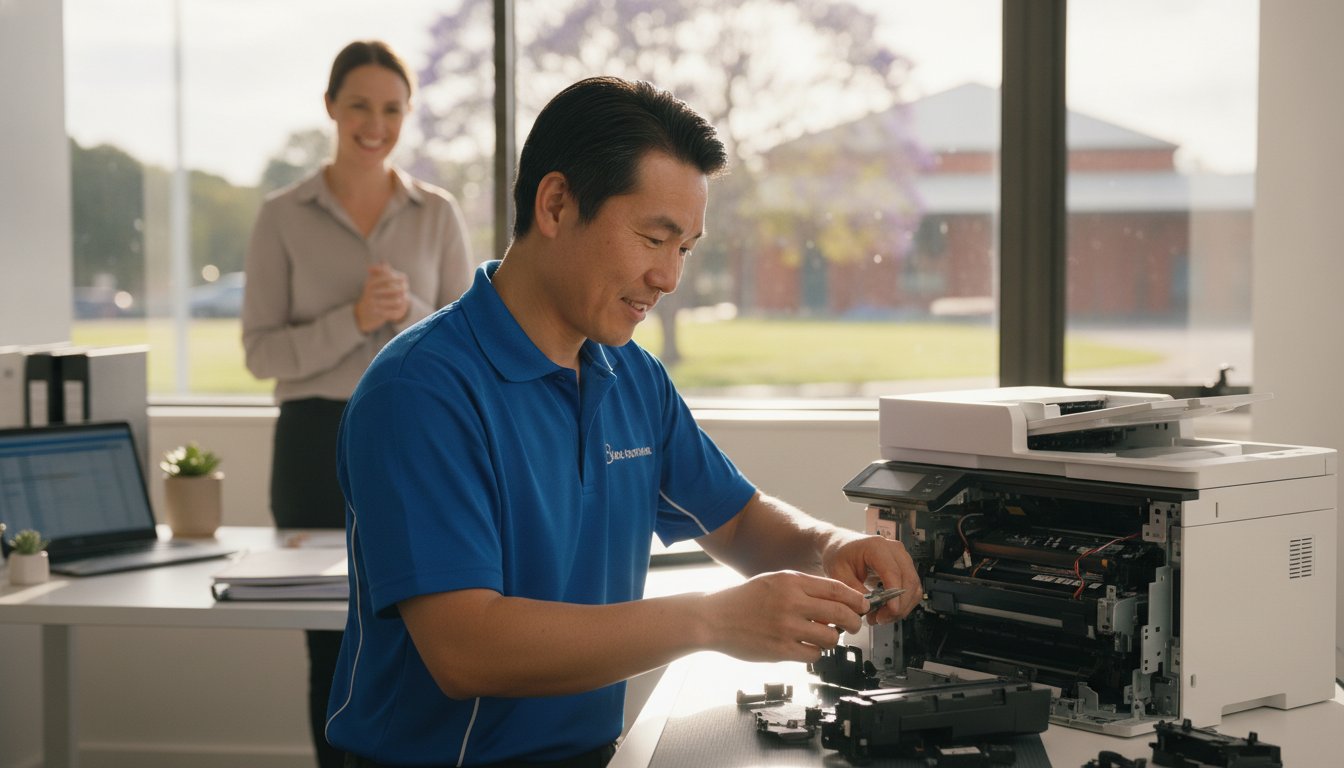
This is where a manual expert audit makes the difference. When Chaim Lee visits your office, he isn’t just running a program and walking away. With over 25 years of experience, he performs a thorough investigation into why your current defenses failed. A professional business virus removal Toowoomba service includes checking for hidden backdoors that allow hackers to return later. We look for the subtle signs of a compromised network that automated tools frequently miss, ensuring your “clean” system is actually secure.

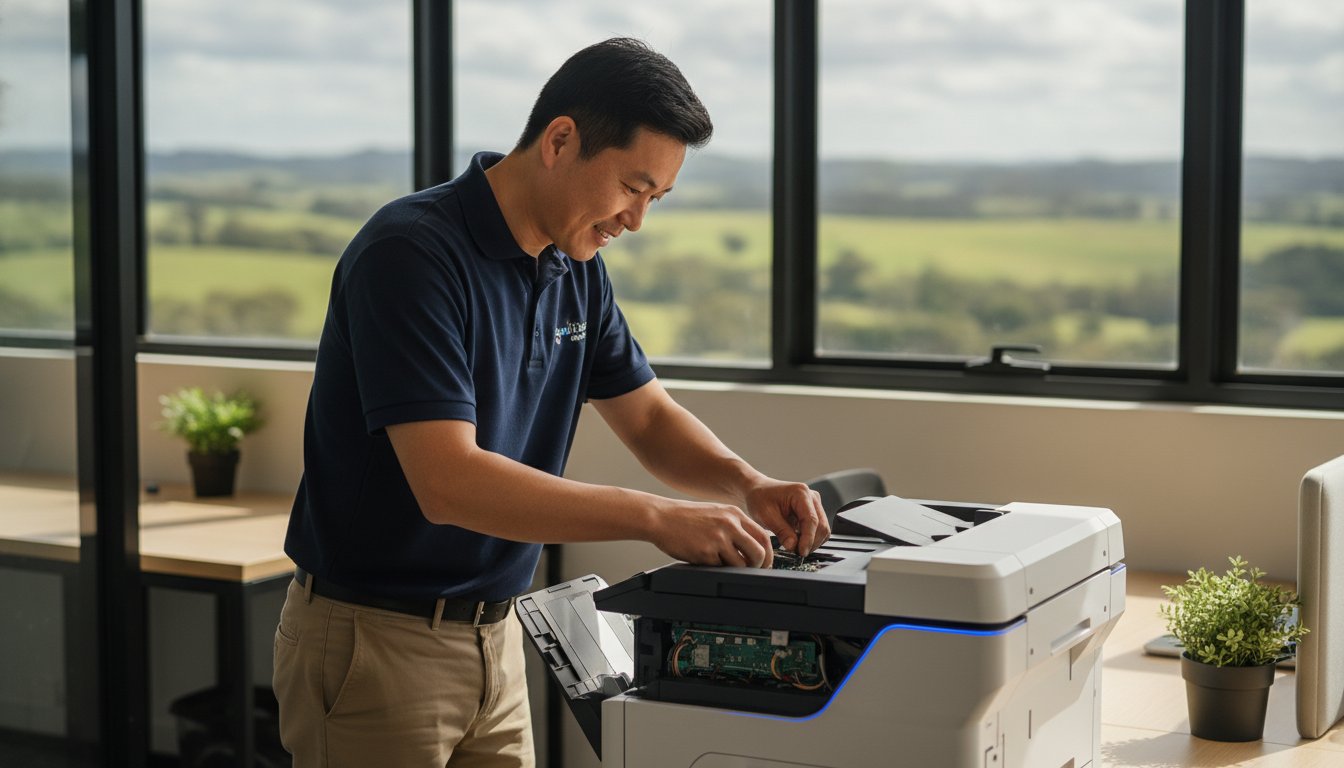
On-site support allows us to identify physical security gaps that software simply cannot see. We check if your router’s firmware is outdated or if your hardware is showing signs of failure due to the stress of a malware infection. If the virus has caused underlying damage to your operating system or hardware, you might need more than just a cleanup. In those cases, our Computer Repairs Toowoomba services provide the hardware-level fixes needed to get your PC or laptop back to peak performance. We don’t just remove the threat; we restore your peace of mind by ensuring your entire setup is resilient against future attacks.

Business Virus Removal Toowoomba: Expert Malware Recovery for Local Enterprises

Our 5-Step Protocol for Business Malware Remediation

Aspire Computing has refined its approach to cyber recovery over 25 years. Since 1999, Chaim Lee has helped local firms recover from digital breaches with a focus on personal accountability and technical precision. We prioritize the safety of your business data above all else. Professional business virus removal Toowoomba isn’t just about clicking a “scan” button; it’s a systematic forensic process designed to ensure no traces of the infection remain. We understand the anxiety a system failure causes, so we follow a methodical path to restore your peace of mind.

Isolation and Deep Diagnostics

The first priority in any breach is containment. We immediately stop the lateral spread of the infection across your office network. In a business environment, the ‘Isolate’ phase involves disconnecting compromised systems from the local network and cloud sync services to prevent further data corruption or encryption. We then use advanced forensic tools to find the root cause of the breach. This diagnostic stage helps us understand if the virus entered through a malicious email, a compromised website, or an unpatched software vulnerability. Identifying the “how” is essential for preventing a recurrence.

Removal, Repair, and Verification

Once the threat is identified, we begin the scrubbing process. We take extreme care to preserve your business databases, client records, and critical accounting files during the removal. After the malware is gone, we focus on repair. Infections often damage core Windows system files, leading to crashes or performance lags even after the virus is gone. We fix these underlying issues to restore system stability. Our business virus removal Toowoomba service always includes a thorough check of your registry and startup items to remove “persistence” mechanisms that allow malware to reinstall itself.

The final steps involve “hardening” your system. We perform a comprehensive Windows tune-up, applying the latest security patches and adjusting settings to close the gaps the virus exploited. We also verify that other office devices, like shared printers or network-attached storage, haven’t been quietly compromised. Before you go back online, we run a final verification scan to ensure your network is 100% secure. If you’re currently dealing with a suspicious or slow system, you can book an urgent on-site malware recovery to stop the damage before it spreads.

Why Toowoomba Businesses Choose Aspire Computing

Aspire Computing isn’t a distant corporate call center. Since 1999, Chaim Lee has provided a personal, expert touch to the local business community. When your livelihood is on the line due to a cyber attack, you don’t want to wait in a phone queue for a technician who doesn’t know your history. You need a trusted partner who understands your setup. We offer business virus removal Toowoomba that combines technical specificity with a deep commitment to your success. Dealing directly with Chaim means you get 25 years of experience applied to every diagnostic check and security patch.

Local Knowledge and Rapid Response

We serve Toowoomba, the Darling Downs, and the Lockyer Valley with local speed that big city firms can’t match. We understand the specific tech needs of small businesses and home offices in Newtown and surrounding suburbs. Whether you need an urgent on-site visit to stop a spreading infection or secure remote assistance for a quick fix, we adapt to your schedule. Our rapid response is designed to minimize the cost of downtime and restore your operational stability. For those looking for long-term management beyond an immediate crisis, our guide on IT Support for Business offers a roadmap for sustained system health.

Proactive Prevention and Hardening

Our work doesn’t end when the malware is gone. We move your business from a state of crisis to a state of security. This holistic approach includes a comprehensive Windows tune-up and the implementation of business-grade security software. We help you set up managed updates so your system never falls behind on critical patches. We also provide customized advice on backups to ensure you’re never held hostage by ransomware again. If the worst has already happened and you’ve lost access to important files, our Data Recovery Services can help retrieve your critical business data. Choosing us for business virus removal Toowoomba means choosing a resilient future for your enterprise. We focus on both security and functional utility, ensuring your computers aren’t just clean, but optimized for the work you do every day.

Restore Your Business Security and Peace of Mind

Dealing with a malware infection is a stressful experience that threatens your productivity and your reputation. We have discussed how modern AI-driven threats can bypass standard defenses and the importance of meeting your legal obligations under the Privacy Act. Effective business virus removal Toowoomba is about more than just deleting a malicious file; it involves a deep forensic cleanup and a comprehensive hardening of your entire network. By choosing a professional approach, you ensure that hidden backdoors are closed and your systems are optimized for the long term.

Chaim Lee has been serving the Toowoomba community since 1999, providing the specialized on-site and remote IT security that small businesses need to thrive. You don’t have to face technical failures alone. Our methodical five-step protocol is designed to get you back to work quickly while keeping your sensitive data safe from extortion. Take the proactive step to protect your livelihood and restore your operational trust today.

Secure Your Business Today – Contact Chaim at Aspire Computing

Your business deserves a secure foundation. We are here to help you build it with reliable, local expertise you can count on.

Frequently Asked Questions

How long does business virus removal usually take in Toowoomba?

Most removals take between 24 and 48 hours depending on the severity of the infection. Simple malware cleanup can often be completed faster, while deep-seated rootkits or ransomware recovery might require more time. We prioritize speed to minimize your downtime. Chaim Lee works efficiently to ensure your business operations return to normal as quickly as possible without compromising the thoroughness of the forensic cleanup or the stability of your hardware.

Can you remove a virus from my office computer remotely?

Yes, we provide secure remote IT support for many types of malware infections. If your computer still has a stable internet connection, we can often perform business virus removal Toowoomba digitally. However, if the malware has disabled your network drivers or severely corrupted your operating system, an on-site visit is usually necessary. This ensures we can access the hardware directly to bypass the malicious software and clean the system thoroughly.

Will I lose any of my business files during the malware removal process?

We prioritize data preservation and take every precaution to ensure your business files remain safe. Before starting the remediation process, we assess the state of your storage. While the virus itself may have already damaged some files, our professional removal techniques focus on scrubbing the malware while keeping your databases and documents intact. If files are already inaccessible, we can transition to our specialized data recovery services to help retrieve them.

Why did my business get a virus even though I have antivirus software?

Antivirus software often fails because modern “zero-day” threats are designed to bypass traditional signature-based detection. Hackers use AI-powered tools to create malware that changes its code frequently. Additionally, social engineering tactics like phishing can trick users into granting permissions that bypass security software entirely. A professional audit identifies these gaps and helps implement business-grade security layers that provide much stronger protection than a basic consumer-level antivirus program.

Do you provide on-site virus removal for businesses in Newtown?

We provide rapid on-site virus removal for businesses throughout Newtown and the wider Toowoomba region. Our office is located at 46 Brigalow St, Newtown, so we can often arrive at your premises quickly to handle urgent breaches. Being on-site allows us to inspect your physical network infrastructure and hardware for vulnerabilities that remote software might miss. This local presence is a key reason why Newtown enterprises trust us with their IT security.

What should I do immediately if I suspect a ransomware attack?

If you suspect a ransomware attack, disconnect the infected device from your network and the internet immediately. This stops the malware from spreading to other office computers or encrypting files in your cloud storage. Don’t restart the computer, as this can sometimes trigger further encryption. Instead, leave it powered on and contact us for professional help. We’ll guide you through the next steps to assess the damage and explore recovery options for your business.

Does Aspire Computing help with securing home offices for remote workers?

Yes, Aspire Computing specializes in securing home office environments for remote workers. Home networks are often the weakest link in a company’s security chain. We help you implement secure VPNs, managed updates, and business-grade firewalls to protect your remote connections. By hardening these setups, we prevent home-based threats from migrating to your main office network, ensuring your entire business continuity plan remains robust and effective against modern cyber threats.

How much does professional business virus removal cost?

The cost of professional business virus removal Toowoomba depends on the complexity of the infection and whether the service is performed on-site or remotely. Every business setup is unique, so we provide a specific assessment based on your hardware and the extent of the malware spread. Investing in professional remediation is a cost-effective way to avoid the average $56,600 expense associated with a small business cyber incident and the legal risks of a data breach.

Small Business Continuity Plan: 2026 Resilience Guide

Imagine arriving at your Toowoomba office on a Monday morning only to find your server has failed or a local power surge has wiped your latest customer files. For many local owners, this isn’t just a bad day; it’s a direct threat to their livelihood. You likely already feel that a basic data backup isn’t enough to keep your doors open during a major crisis. It’s natural to worry about technical failures or the high cost of complex security systems. Creating a reliable business continuity plan for small business operations doesn’t have to be an expensive or confusing task.

I’ve helped local businesses stay operational since 1999, so I know you need practical solutions that fit a realistic budget. This 2026 resilience guide shows you how to protect your assets from unexpected disruptions using a clear, IT-focused approach designed for Australian SMEs. You’ll learn the vital differences between simple backups and true continuity, receive a checklist of essential IT requirements, and gain the peace of mind that comes from knowing you can recover quickly. We’ll walk through the core components of a modern BCP so you can focus on your work instead of worrying about the next disaster.

Key Takeaways

  • Understand the vital difference between a simple data backup and a full business continuity plan for small business to ensure your doors stay open during a crisis.
  • Identify your most critical business functions and establish clear communication protocols so your team knows exactly how to respond when technology fails.
  • Implement the 3-2-1 backup rule and proactive cyber security measures to protect your data, which remains your most vulnerable and valuable asset in 2026.
  • Begin your resilience journey today by auditing your current hardware and documenting an emergency contact list that includes your trusted local IT partner.
  • Leverage local Toowoomba expertise to move beyond generic templates and create a customized IT strategy that fits your specific budget and operational needs.

What is a Business Continuity Plan and Why Does Your Small Business Need One?

A business continuity plan for small business is essentially a “how-to” manual for staying open during a crisis. Many owners think it’s just a fancy term for data backup, but it’s actually much broader. A backup is a copy of your files; a continuity plan is the strategy that tells you how to use those files, where your staff will work, and how you’ll communicate with clients when your systems are down. It’s the difference between having a spare tyre in the boot and knowing how to change it safely on a busy highway.

The stakes for getting this right are high. According to the U.S. Small Business Administration, approximately 40% of businesses never reopen after a disaster, and another 25% fail within a year. For Toowoomba SMEs, these risks are often closer to home than a global cyberattack. We face unique local challenges, from severe summer storms that knock out power to regional connectivity issues that can leave an office digitally stranded. Without a plan, these local disruptions can turn a minor inconvenience into a permanent closure.

BCP vs. Disaster Recovery: Understanding the Difference

It’s easy to confuse these two terms, but they serve different roles in your resilience strategy. Disaster Recovery (DR) focuses specifically on the technical side. It’s the process of getting your servers back online, removing a virus, or restoring a crashed hard drive. In contrast, Business Continuity (BC) is the bigger picture. It’s about keeping the business serving customers while that tech is still being fixed. You need both to be truly resilient. DR fixes the problem, while BC ensures you still have a business left to run once the repairs are finished.

The Cost of Inaction for Toowoomba SMEs

Downtime is expensive. In 2026, the cost of IT downtime for a small business can range from $1,000 to $10,000 per hour. Beyond the immediate loss of sales, there’s the long-term reputational damage. If you can’t answer client emails or process orders for three days, your customers will naturally look elsewhere. A business continuity plan for small business acts as a safety net for your livelihood, not just your laptops. It ensures that even if your main PC hits the “blue screen of death,” your professional reputation remains intact and your income stays protected.

The 4 Core Pillars of a Small Business Continuity Plan

Building a business continuity plan for small business requires focusing on four foundational areas. These pillars ensure you aren’t just reacting to a crisis but following a pre-set roadmap. By breaking down your resilience strategy into manageable sections, the process becomes much less overwhelming for a small team.

First, you must identify your critical business functions. These are the tasks that, if stopped, would cause immediate financial or legal damage. For a small office, this might be processing invoices or accessing client medical records. Second, your team needs to know who does what when the “blue screen of death” hits the main PC. Clear communication channels, such as a group chat on a platform independent of your main server, prevent panic and confusion. Third, consider your physical location and assets. If your Newtown office is inaccessible due to a local incident, can you work from home? Finally, technology and data serve as the foundation of modern operations. This pillar ensures your hardware and software are resilient enough to withstand a failure without losing your history.

Conducting a Business Impact Analysis (BIA)

While large corporations use complex BIAs, a small business version is much simpler. Start by listing your “must-have” processes and identifying dependencies. If your invoicing relies on one specific old printer or a single laptop, that’s a high-risk point. You also need to set a Recovery Time Objective (RTO). This is the maximum time you can afford to be offline before the situation becomes critical. Some businesses can last a day; others lose significant revenue after just one hour of downtime. Understanding these limits helps you decide which systems need the most protection.

Risk Assessment: Toowoomba and Darling Downs Edition

We face specific environmental risks in our region that require a tailored approach. Summer storms often cause power surges that can fry unprotected hardware. Floods or fires can block access to physical premises entirely. Beyond the weather, technical risks like regional NBN outages or malware are constant threats. Don’t forget human risks. Accidental file deletion or a sudden staff illness can be just as disruptive as a server crash. Evaluating these risks helps you prioritize your budget toward the most likely scenarios. If you’re unsure where your biggest vulnerabilities lie, a personalized IT audit can help identify the gaps in your current setup before a problem occurs.

IT & Data Security: The Technical Backbone of Your Resilience

Your technology is the engine room of your daily operations. Without it, even the best-laid plans for staff and premises will falter. A robust business continuity plan for small business must prioritize the 3-2-1 backup rule as a non-negotiable standard in 2026. This means having three copies of your data, on two different media types, with one copy kept off-site. For Toowoomba businesses, this off-site copy is vital if a local event like a severe storm damages your physical hardware. It ensures your history is safe even if your office is not.

Prevention is always more efficient than recovery. Regular virus and malware removal isn’t just about computer speed; it’s a critical preventative step in your resilience strategy. A single ransomware attack can halt your business for days. Similarly, maintaining hardware health through timely PC hardware upgrades prevents the most common cause of sudden downtime: hardware failure. An ageing hard drive or a struggling power supply is a ticking clock that you can manage before it stops your work entirely.

Finding the right balance between cloud and local storage is also essential, especially given our specific Toowoomba internet speeds. While the cloud offers great off-site security, local backups provide much faster recovery times for large files. Balancing these two ensures you aren’t waiting days for a download to finish while your customers are waiting for answers. For more foundational steps on setting up these systems, you can check the SBA’s guide to business continuity to see how these technical pieces fit into the broader puzzle.

The Role of Data Recovery in Your Plan

Even with the best precautions, technology can still fail. When backups are corrupted or hardware is physically damaged, professional data recovery services become your final hope. Handling a failing hard drive requires immediate action. If you hear clicking or grinding sounds, turn the device off instantly to prevent further damage. Recovery is the last line of defense in any business continuity plan for small business, used only when all other preventative layers have been breached.

Remote IT Support: Your Emergency Response Team

During a technical crisis, speed is your best friend. Having access to reliable on-site and remote IT support can mean the difference between an hour of downtime and a lost week. Remote tools allow a technician to fix about 80% of software disruptions instantly. This means you don’t have to wait for a service vehicle to arrive at your door. Beyond the technical fix, this support reduces anxiety. Knowing there is a real person to call who understands your Toowoomba business, rather than just submitting a ticket to an anonymous help-desk, provides the confidence you need to lead your team through the disruption.

Small Business Continuity Plan: 2026 Resilience Guide

5 Actionable Steps to Build Your BCP Today

Moving from theory to practice is where many owners get stuck. You don’t need a hundred-page document to protect your livelihood. A functional business continuity plan for small business can start with five clear, manageable steps that you can begin today. These actions focus on immediate vulnerabilities and provide a structured way to handle the unexpected without the usual panic.

  • Step 1: Audit your assets. Create a simple list of all hardware and software. You need to know exactly what you own, its age, and what’s installed on it to replace it quickly.
  • Step 2: Document contacts. Write down an emergency list. Include staff, insurance, and your IT partner. Keep this list in multiple places, not just on your main computer.
  • Step 3: Establish remote protocols. Decide exactly how you’ll work if your physical office is inaccessible. Ensure everyone has the necessary remote access tools configured before you need them.
  • Step 4: Secure your data. Implement encrypted backups and active malware protection. This creates a secure perimeter around your most valuable digital assets.
  • Step 5: Set a review date. Technology and staff change. Commit to reviewing and updating your plan every six months to keep it relevant.

Testing Your Plan Without Breaking Your Business

A plan is only a theory until it’s tested. You don’t have to shut down your office to see if your strategy works. A “Tabletop Exercise” is a great way to start; simply sit with your team over coffee and walk through a scenario, like a total server failure. Ask “who does what first?” to find gaps in your logic. Next, perform a real test on your backups by trying to restore a single folder to a different machine. Finally, check your Uninterruptible Power Supply (UPS) batteries. These often fail silently, leaving you unprotected during a Toowoomba summer storm.

Creating a “Crisis Comms” Cheat Sheet

When technology fails, communication is your most powerful tool. Prepare simple templates for notifying customers of potential delays so you aren’t writing them under pressure. Learn how to redirect your business phone line to a mobile so you never miss a lead during an outage. Most importantly, keep a physical copy of your business continuity plan for small business in a desk drawer. You won’t be able to read a digital PDF if your server is down or your internet is offline. If you need help setting up these technical safeguards, you can book an on-site IT consultation to ensure your foundations are solid.

How Aspire Computing Secures Your Business Future in Toowoomba

While following the actionable steps mentioned earlier is a great start, the most effective business continuity plan for small business is one that is professionally audited and maintained. Aspire Computing moves you away from generic online templates and toward custom solutions that reflect your specific workflows. We take a “vCIO” approach, acting as your virtual Chief Information Officer to provide strategic advice that grows as your company does. Whether you need immediate computer repairs in Toowoomba or emergency data recovery, we ensure your technical backbone remains solid and reliable.

Our focus is on proactive management rather than just fixing things when they break. By identifying vulnerabilities in your network and hardware before they lead to downtime, we reduce the overall anxiety of running a digital-first business. We understand that for an Australian SME, technology should be an invisible tool that supports your goals, not a source of constant stress. This strategic partnership ensures that your business is prepared for the challenges of 2026 and beyond.

Why a Local IT Partner is Your Best BCP Asset

There is a massive advantage to having an IT partner who can be at your Newtown or Brigalow St office in minutes. When a server fails or a virus strikes, you don’t want to wait in a long queue for a remote call center. You want to speak directly to an expert who knows your history and your setup. With over 25 years of experience in the Toowoomba and Darling Downs region, I’ve seen almost every technical challenge a local business can face. This local accountability builds a level of trust that anonymous, national service providers simply cannot match. You’re dealing with a fellow local business owner who is personally committed to your success.

Next Steps: Get Your Free IT Health Check

Transitioning from constant worry about data loss to a state of complete preparedness is easier than you think. It starts with a professional assessment of your current risks and recovery capabilities. We’ll look at your backups, your security layers, and your hardware health to give you a clear picture of where you stand. Start your resilience journey with a simple conversation. By securing a professional IT health check, you gain a clear roadmap for your business continuity plan for small business. This ensures you can focus on serving your customers while we handle the technical heavy lifting. Contact us today for on-site and remote IT support that keeps your business moving forward.

Secure Your Toowoomba Business for the Long Term

Creating a resilient business continuity plan for small business operations is one of the most significant investments you can make in your company’s future. By identifying your critical functions and moving beyond simple backups to a true continuity strategy, you ensure that unexpected disruptions don’t become permanent closures. Remember that technology is your strongest ally when it’s managed proactively, especially in a regional environment like the Darling Downs where local risks are unique.

I’ve been helping Toowoomba business owners since 1999, specializing in data recovery and cyber security to keep local offices running smoothly. You don’t have to manage these technical complexities alone. Our team provides the on-site support and local expertise needed to build a custom safety net for your livelihood. Contact Aspire Computing for a Small Business IT Health Check today to start your journey toward total peace of mind. It’s never too early to prepare, and a simple conversation is all it takes to protect what you’ve built.

Frequently Asked Questions

Do I really need a business continuity plan if I am a sole trader?

Yes, because as a sole trader, you are the business. If your primary laptop fails or you lose access to your digital files, your income stops immediately. A plan for a sole trader focuses on rapid hardware replacement and secure off-site data access. This ensures you can keep working from a different device or location without losing your professional reputation or your livelihood.

What is the most common cause of business disruption for small businesses?

Hardware failure is the most frequent cause of sudden downtime. While cyber-attacks are a growing threat, an ageing hard drive or a power surge often causes more regular disruptions. In Toowoomba, summer storms contribute significantly to these hardware issues. Having a plan that includes immediate hardware upgrades or replacements is essential for keeping your doors open when your main equipment fails unexpectedly.

How much does it cost to implement a basic business continuity plan?

The cost depends on the complexity of your setup and the amount of data you need to protect. A basic approach typically includes the cost of encrypted backup software and a professional IT audit to identify risks. Most local owners find that the investment is significantly lower than the thousands of dollars lost during just one hour of total operational downtime or a permanent data loss event.

Is a cloud backup enough for business continuity?

Cloud backup is a vital part of a business continuity plan for small business, but it isn’t a complete solution on its own. Backups only store your data; they don’t provide the hardware or the instructions for using that data during a crisis. If your internet is down or your main PC is broken, you need a plan that covers alternative hardware and offline access protocols.

How often should I update my small business BCP?

You should review and update your plan at least every six months. Small businesses often change their software tools, upgrade their hardware, or move to new digital platforms more frequently than larger companies. A bi-annual check ensures your emergency contact list is current and your backup systems are still functioning correctly. Regular testing is also essential to ensure your recovery steps still work as expected.

What should I do first if my business suffers a cyber-attack?

Disconnect the affected device from the internet and your local network immediately to stop the threat from spreading. Don’t shut the computer down, as this can sometimes delete the technical evidence needed for data recovery. Your next step is to call your trusted IT partner. Quick action can often contain the damage and allow for a faster restoration of your critical files from a secure backup.

Can Aspire Computing help me write my business continuity plan?

I specialize in the technical and security foundations of your business continuity plan for small business. This includes auditing your current hardware, setting up secure 3-2-1 backups, and providing the remote support needed during a crisis. While I focus on the IT infrastructure, these are the most critical components for keeping a modern small office running when your primary technology fails or your data is compromised.

What is the difference between a BCP and an Emergency Management Plan?

An Emergency Management Plan focuses on the immediate physical safety of people during an event like a fire or flood. It covers evacuation routes and medical protocols. A Business Continuity Plan is focused on your operations and technical systems. It outlines exactly how you will continue serving your customers and accessing your data once the immediate physical danger has passed and the recovery phase begins.

Remote IT Support: Fast, Secure Tech Help for Toowoomba Home Offices & Businesses

What if you could fix that frozen screen or stubborn printer error right now, without waiting for a technician to drive to your Newtown driveway or paying a hefty call-out fee? It’s incredibly frustrating when your technology fails right in the middle of a deadline. You’ve likely felt that spike of anxiety when a software glitch halts your productivity, leaving you wondering how much the downtime will cost your business. When you’re searching for home office IT support Toowoomba residents can rely on, you need a solution that’s as fast as it is secure.

We understand that inviting someone into your digital space can feel daunting. You deserve tech help that respects your privacy and your budget. This article will show you how remote IT support provides an instant, cost-effective alternative to traditional on-site visits. You’ll discover how Aspire Computing uses over 25 years of local experience to resolve your computer woes safely. We’ll walk through the process of getting immediate help for software and printer issues, ensuring you get back to work with total peace of mind.

Key Takeaways

  • Eliminate wait times and call-out fees by using secure internet-based tools to fix your computer problems instantly.
  • See how one-time access rules and end-to-end encryption ensure that your private files stay protected throughout the repair process.
  • Identify which common glitches, like slow performance or email errors, can be resolved without a technician ever stepping foot in your house.
  • Learn why local home office IT support Toowoomba businesses rely on offers more accountability and faster results than a distant call centre.
  • Understand the specific scenarios where a physical visit is mandatory, such as hardware failures or power issues, so you’re always prepared.

What is Remote IT Support and How Does it Save You Time?

Remote IT support functions as a digital house call for modern offices. It is a secure method where a technician accesses your computer through the internet to diagnose and fix problems. By using Remote desktop software, a professional can see exactly what you see on your screen. This technology allows for a level of precision that a simple phone call cannot provide. It’s the most efficient way to handle software errors, email issues, or configuration troubles without needing a physical presence in your workspace.

When you’re looking for home office IT support Toowoomba services, the biggest hurdle is often the wait. Traditional on-site help requires a technician to navigate traffic across town or travel from Newtown, which adds hours to your downtime. Remote support eliminates this travel wait time completely. Because there is no driving involved, you also avoid the standard call-out fees that often make small fixes feel expensive. It’s a cost-effective alternative that prioritises your time and your budget.

How the Remote Connection Process Works

Getting help is a straightforward, three-step process designed to keep you in total control of your privacy. We make sure the experience is transparent and easy to follow.

  • Step 1: You download a small, secure connection module directly from the Aspire Computing website. This file is temporary and doesn’t clutter your system.
  • Step 2: You provide a unique, one-time access code to your technician. This code changes every session, meaning no one can reconnect later without your explicit permission.
  • Step 3: You watch the technician work on your screen in real-time. You can see every mouse movement and setting change as it happens, and you can end the session at any time.

The Immediate Benefits for Home Offices

For those running a business from home in the Darling Downs, every minute of downtime is lost revenue. Professional home office IT support Toowoomba providers offer minimal disruption to your workday. You don’t have to stop what you’re doing to tidy up your workspace for a visitor or spend twenty minutes unhooking cables to take your PC to a repair shop. It stays exactly where it is.

This service provides instant answers for annoying software glitches or how-to questions that don’t justify a full day’s wait. Whether it’s a printer that won’t sync or an email account that refuses to log in, the resolution is often just a few clicks away. You get the expertise of a local professional with over 25 years of experience without the logistical headache of an on-site visit.

Is Remote IT Support Safe? Understanding Security and Privacy

Security is the number one concern for anyone seeking home office IT support Toowoomba. It’s natural to feel a bit anxious about letting a technician access your personal or business computer. However, modern remote tools are built with layers of protection that often make them safer than leaving your PC in a public repair shop. The foundation of this safety is the One-Time Access Rule. Once a session ends, the connection is severed completely. A technician cannot get back into your PC without you generating a brand-new code and giving them permission again.

While the technician is working, you aren’t just a passive observer. You see everything they see and do on your desktop in real-time. If they open a folder or change a setting, it happens right before your eyes. You retain Master Control throughout the entire process and can end the session instantly with a single click. To maintain the highest standards, we follow cybersecurity best practices that include end-to-end encryption. This ensures that the data moving between your screen and the technician’s remains private and unreadable to any outside parties.

Vetting Your Remote Support Provider

Trust is the most important part of the equation. You should never grant access to your computer following an unsolicited phone call. Scammers often pretend to be from Microsoft or the NBN to gain entry to systems. A legitimate provider will never call you out of the blue demanding access. Choosing a local Toowoomba expert provides a layer of accountability that distant call centres simply can’t match. Aspire Computing has been owner-operated in Newtown, QLD, since 1999. This 25-year history in the local community means you’re dealing with a neighbour, not an anonymous voice from overseas.

Privacy Protocols for Sensitive Data

We take your privacy seriously, especially when handling sensitive business or personal information. If you have windows open containing banking details or private medical records, we encourage you to close them before the session begins. Our local approach to home office IT support Toowoomba ensures that your files never leave the hands of a trusted expert. During a data recovery assessment, any file transfers are conducted through encrypted channels to prevent leaks. We are committed to Australian privacy standards, ensuring your data is handled with the same care we’d use for our own. If you’re worried about a specific file or program, feel free to contact us for a quick chat before we start.

Remote vs. On-Site Tech Support: Which Do You Need?

Choosing the right type of help can be the difference between a ten-minute fix and a three-day delay. Remote support is the first responder of IT. It acts as the initial triage to determine if a problem is purely digital or requires a physical repair. For most home office IT support Toowoomba residents need, the issue is often software-related, making a remote session the most logical and efficient starting point.

Software glitches, email configuration, and system tune-ups are all perfect candidates for remote assistance. If your internet is functioning and your computer powers on, we can usually resolve the issue from our base in Newtown. However, physical visits are mandatory when the hardware itself fails. You can’t fix a fried power supply, a failed hard drive, or a shattered laptop screen through a screen-share. In these cases, a hands-on approach is the only way to get your system back to operational stability.

We often recommend a hybrid approach for complex problems. By starting with a remote diagnostic, we can confirm exactly which component is failing. This ensures that if a call-out is eventually needed, the technician arrives with the correct replacement parts already in hand. It’s a methodical way to save you both time and money on unnecessary travel or multiple visits.

When Remote Support Wins

Remote assistance excels at cleaning up deep-seated system clutter and resolving configuration errors. It’s the most effective way to handle removing viruses or malware that hasn’t completely disabled your internet access. We can also help with configuring new software or installing printer drivers to get your home office running smoothly. Optimising Windows for better speed and performance is another task that is often faster to complete remotely than waiting for an on-site appointment.

When You Need a Toowoomba Call-Out

Sometimes, a digital connection isn’t enough to solve the problem. If your computer refuses to turn on at all or displays the dreaded Blue Screen of Death, you likely need a physical inspection. Physical damage from liquid spills or cracked screens requires a hands-on repair at our Newtown facility. Additionally, complex network or Wi-Fi hardware installations in regional Queensland often need a technician on the ground to run cables or position routers for the best possible signal strength. When searching for home office IT support Toowoomba businesses can trust, it’s vital to choose a provider who offers this flexibility between digital speed and physical expertise.

Remote IT Support: Fast, Secure Tech Help for Toowoomba Home Offices & Businesses

7 Common Computer Problems We Solve via Remote Assistance

Many technical issues that seem catastrophic are actually simple software or configuration errors. When you use home office IT support Toowoomba, you gain access to a technician who can diagnose these problems in minutes. We’ve spent over 25 years helping local residents overcome the digital hurdles that slow them down. Here are the most frequent issues we resolve through a secure remote connection.

  • Slow PC Performance: Every computer eventually slows down as it accumulates digital junk and unnecessary registry entries. We perform a comprehensive remote Windows tune-up to clear temporary files and disable background apps. This process optimises your startup sequence, making your machine feel significantly faster.
  • Email Configuration: Synchronisation errors can stop your workday in its tracks. Whether you use Outlook, Gmail, or a custom business domain, we verify your server settings and repair corrupted profiles to get your mail flowing again.
  • Software Installation: Setting up the latest version of Microsoft 365 or specialised accounting tools shouldn’t be a headache. We manage the entire download and activation process through our secure connection.
  • Virus and Malware Removal: If your computer is behaving strangely, it might be infected. We use professional-grade tools to scan for and delete malicious code, protecting your identity and your data.

Printer and Peripheral Troubleshooting

Printers are notoriously temperamental, especially in a busy home office. If your device suddenly shows an “offline” status or refuses to acknowledge a print job, the problem is usually a driver conflict. We can remotely reset these drivers and clear out stuck print queues that prevent you from finishing your paperwork. We also assist with the initial setup of scanners and webcams, ensuring your productivity remains high during video calls. If your peripherals aren’t playing fair, contact us for a remote fix to save yourself the frustration.

Cybersecurity and Data Protection

Protecting your digital assets is a core part of the home office IT support Toowoomba residents rely on. We help you implement automated backups to secure cloud storage. This means your work is protected even if your physical hard drive fails. We also perform detailed Security Health Checks to identify weak points in your network. By configuring your firewall and installing reputable antivirus software, we build a multi-layered defence against online threats. This proactive approach ensures that your home office remains a safe and stable environment for your business operations.

Why Toowoomba Businesses Choose Aspire Computing for Remote Help

When looking for home office IT support Toowoomba residents often worry about who is actually on the other end of the line. At Aspire Computing, you aren’t dealing with a faceless call centre or a rotating cast of anonymous technicians. We are based right here in Newtown, QLD. This local presence provides a level of personal accountability that national brands simply cannot match. When you call us, you speak directly to the expert who will be accessing your system, ensuring your concerns are heard and understood from the very first minute.

Our history in the region dates back to 1999. With over 25 years of experience, we’ve navigated every major shift in technology, from the early days of dial-up to the modern complexities of cloud computing. This deep knowledge allows us to provide home office IT support Toowoomba businesses can trust to be both accurate and efficient. We don’t just follow a script; we use our decades of expertise to find the most practical solution for your specific setup. We understand the value of your time and work hard to get you back to productivity without unnecessary delays.

One of the biggest advantages of choosing a local partner is the seamless transition we offer. While we aim to resolve most issues through our secure remote portal, some problems eventually reveal themselves as hardware failures. If a software fix isn’t enough, we don’t leave you stranded. Because we are local, we can easily transition from a remote session to an on-site visit or a repair at our Newtown workshop. You won’t have to start the process over with a new company or explain your problem to a different person.

Supporting the Darling Downs Community

We take pride in serving our neighbours across the entire region. Whether you are running a small business in Highfields or managing a home office in Cambooya, we understand your environment. This includes a thorough knowledge of the regional NBN infrastructure and the specific connectivity challenges faced by Darling Downs residents. Our mission is to ensure that every local business has access to high-quality cybersecurity and operational stability. We’re committed to helping our community stay secure and productive in an increasingly digital world.

How to Get Started Today

Resolving your tech headaches is a straightforward process. First, contact us via our website or phone to describe the issue you’re facing. We will determine if remote support is the right fit for your situation. If it is, we’ll send you a secure link to download our connection module. Once you provide the one-time access code, we’ll get to work immediately. You can sit back and watch the repair happen in real-time, knowing your technology is in the hands of a trusted Toowoomba professional.

Get Your Home Office Running Smoothly Today

Technology should be a tool that helps you succeed, not a source of constant frustration. We’ve explored how remote support offers a fast, secure, and cost-effective way to resolve software glitches and printer errors without the wait of a traditional call-out. By choosing a local expert with over 25 years of experience, you ensure that your data stays private and your system remains stable.

Aspire Computing has been serving the community since 1999. We specialise in providing the high-quality home office IT support Toowoomba businesses need to stay productive. You speak directly to a local technician based in Newtown, ensuring personal accountability and expert care for every session. Whether it’s a simple email fix or a complete security health check, we are here to help you navigate your tech challenges with ease.

Book Your Remote IT Support Session with Aspire Computing

Don’t let a technical hurdle slow your momentum. Reach out today and experience how simple and stress-free professional tech support can be.

Frequently Asked Questions

How much does remote IT support cost compared to an on-site visit?

Remote support is generally more cost-effective because it eliminates the travel expenses and call-out fees associated with traditional on-site visits. Since the technician doesn’t need to drive to your location, you only pay for the time spent resolving the issue. This makes it an ideal choice for the home office IT support Toowoomba residents need for software glitches or quick configuration tasks that don’t justify the overhead of a physical appointment.

What happens if my internet connection drops during a remote session?

If your internet connection drops, the remote session will disconnect immediately for security reasons. Our software is designed to terminate the link the moment the signal is lost. Once your internet is stable again, you will need to generate a new, unique access code to restart the session. This ensures that no one can maintain a connection to your computer without your active participation and explicit permission at every stage.

Do I need to stay at my computer while the technician is working?

We recommend staying nearby so you can observe the work in real-time and answer any specific questions about the problem. Since you can see every mouse movement, it’s a great opportunity to learn how to prevent the issue from recurring. However, for longer tasks like deep malware scans or system optimisations, you don’t need to sit staring at the screen. You can step away once the session is securely established and the technician has the necessary details.

Can you fix hardware problems, like a broken fan, via remote support?

No, physical hardware failures like a broken fan, a cracked screen, or a faulty power supply cannot be repaired through a remote connection. These issues require a hands-on approach to replace the damaged components. If we identify a hardware fault during a remote diagnostic session, we will advise you on the next steps. This usually involves bringing the machine to our Newtown workshop or scheduling an on-site visit for a physical repair by a local expert.

Is remote IT support safe for my banking and personal files?

Yes, it is very safe when provided by a trusted local professional. We use end-to-end encryption to protect the data stream and a one-time access code system to ensure we only enter with your permission. To provide the best home office IT support Toowoomba residents can trust, we suggest closing any windows containing sensitive banking or personal data before the session begins. You maintain total visibility and can end the connection instantly.

What software do I need to install for remote assistance?

You don’t need to install a permanent, heavy software suite. Instead, you’ll download a small, secure connection module directly from our website. This file is specifically designed for one-time or on-demand support and doesn’t run in the background after the session ends. It is a lightweight tool that allows our technician to view your screen and control your mouse once you provide the unique ID and password generated by the program.

Can you provide remote help for Apple Macs as well as Windows PCs?

Yes, we provide comprehensive remote assistance for both Apple Macs and Windows PCs. Whether you’re struggling with macOS updates or Windows 11 performance issues, our remote tools work seamlessly across both platforms. We can help with email setup, software installation, and system optimisations regardless of the operating system you prefer. Our 25 years of experience ensures we are comfortable navigating the specific settings and troubleshooting protocols for both major computer types.

How long does a typical remote IT support session take?

Most remote support sessions are resolved within 30 to 60 minutes, depending on the complexity of the problem. Simple tasks like clearing a printer queue or resetting an email password often take less time. More involved issues, such as removing a stubborn virus or performing a full system tune-up, might take a bit longer. We work efficiently to minimise your downtime, ensuring you get back to your business operations in the Darling Downs as quickly as possible.

Printer Repair Toowoomba: Reliable Solutions for Home & Small Business

Imagine you have just spent a small fortune on fresh toner, only for your machine to flash a cryptic error code minutes before a major deadline. It’s a frustrating scenario many local professionals face, and it often leads to the same stressful question: is it time to give up, or is there a way to save your investment? Finding reliable printer repair Toowoomba doesn’t have to be a gamble, especially when you need a fast turnaround to keep your home office or small business running smoothly.

We agree that your time and money are too valuable to waste on “throwaway” technology that isn’t actually broken. This guide promises to demystify those stubborn wireless issues and provide the honest “repair versus replace” advice you need to make a smart decision. You’ll learn about common troubleshooting fixes, the long term benefits of maintaining laser printers, and how personalized service from a local expert like Chaim Lee can get your equipment back in top shape without the usual retail headache.

Key Takeaways

  • Discover how Toowoomba’s local humidity affects paper storage and learn simple ways to prevent persistent paper jams.
  • Master a 5-step troubleshooting checklist to resolve wireless connectivity issues and software errors before calling for help.
  • Apply the “50% Rule” and ink cost analysis to decide whether repairing or replacing your printer is the better financial choice.
  • Access professional printer repair Toowoomba services for fast on-site business support and preventative maintenance.
  • Understand how over 25 years of local technical experience ensures you receive honest, expert advice tailored to your needs.

Common Printer Problems Toowoomba Residents Face

When your printer stops working, it’s rarely at a convenient time. In our region, we see a specific set of issues that often stem from local climate factors and typical wear. If you are searching for printer repair Toowoomba, you’ve likely encountered one of these four common headaches. Persistent paper jams are a frequent complaint; Toowoomba’s humidity can cause paper to absorb moisture, making it swell and stick together. This leads to the rollers grabbing multiple sheets at once, causing a backup in the paper path.

To better understand how these mechanical issues look in practice, watch this helpful video:

Faded or streaky prints usually signal clogged print heads, especially in older inkjet models that sit idle for too long between jobs. Then there is the “offline” nightmare where your computer suddenly can’t find the device. This is often a breakdown in the wireless handshake or a print spooler error in Windows. We see this frequently after a router change or a major system update. Finally, pay attention to strange noises. Grinding or clicking sounds are early warnings that gears or rollers are failing and need professional attention before the machine stops entirely.

Environmental Impacts on Printing in the Darling Downs

Managing printer repair Toowoomba needs often involves addressing the unique environmental challenges of the Darling Downs. Fine dust from the surrounding areas can settle on laser printer drums, creating repetitive spots or lines on every page. Humidity doesn’t just affect paper; it can also cause toner powder to clump inside the cartridge. To protect your investment, follow these simple storage tips:

  • Keep paper in its original wrapper or a sealed container until you’re ready to load it.
  • Store ink and toner in a cool, dark cupboard to prevent the liquid from drying or the powder from clumping.
  • Always use a high-quality surge protector, as local power surges during storm season can easily damage sensitive printer circuit boards.

While protecting your hardware from electrical issues is vital, don’t forget that the physical safety of your workspace is just as important during the local storm season; specialists like Hop To It Roof Repairs can help ensure your roof remains leak-free and secure against the elements.

Brand-Specific Issues: Canon, Epson, and HP

Different brands have their own quirks that require specific expertise. Canon and HP models in 2026 often display specific error codes that can be confusing for home users, such as “B200” or various “0x” hardware faults. While it’s tempting to hit “update” on every prompt, firmware updates can sometimes cause more harm than good by introducing connectivity bugs or rejecting third-party cartridges. For those using Epson eco-tank models, the most common mechanical failure involves air bubbles or dried ink blockages forming within the long internal supply tubes. If you need help diagnosing these specific faults, Aspire Computing offers expert local support to get you back online quickly.

5 Steps to Troubleshoot Your Printer Before Calling a Pro

Before you commit to a professional service call, there are several reliable steps you can take to rule out simple software glitches or minor blockages. These methods often resolve the most common frustrations without needing a toolkit. If you find these steps don’t solve the problem, reaching out for expert printer repair Toowoomba ensures you aren’t stuck offline for long.

1. The Power Cycle Plus: This is more than just turning it off and on. You should turn off the printer, unplug it from the wall, and wait at least 30 seconds. This duration allows the internal capacitors to drain completely, which clears the temporary memory and resets the internal logic board. It’s a simple way to fix “frozen” screens or unresponsive buttons.

2. Clearing the Print Spooler: If you are using Windows 11 or 12, your computer might have a “stuck” print job blocking the queue. Open the “Services” app, find “Print Spooler,” right-click it, and select “Restart.” This often clears the digital logjam that prevents new documents from printing.

3. Wireless Reset: Modern Wi-Fi 6 routers provide incredible speeds, but they sometimes struggle to maintain a handshake with older printer hardware. Try re-joining your Wi-Fi network directly from the printer’s control panel. This forces the router and printer to establish a fresh connection.

4. Physical Inspection: Use a bright flashlight to look inside the paper trays and access doors. Even a tiny scrap of paper or a stray staple can trip a sensor. Gently remove any debris you find, but avoid using sharp objects that could scratch the delicate rollers.

5. Driver Refresh: Ensure your printer software matches your current operating system. Manufacturers frequently release updates to fix bugs. Downloading the latest 2026 driver from the official brand website can resolve many “Printer Not Found” errors.

Fixing Connectivity and “Printer Offline” Errors

To prevent your printer from disappearing on your network, try assigning it a static IP address through your router settings. This ensures the computer always knows exactly where to find the device. For remote workers using cloud print services, check that your account is still authenticated. If wireless troubleshooting fails, connecting a USB cable is the best diagnostic tool left. It tells you immediately if the hardware is functional or if the issue is strictly network-related. If you’re still hitting a wall, Aspire Computing can help diagnose these complex connectivity issues remotely or on-site.

Mechanical Quick Fixes for Paper Jams

When clearing a jam, always pull the paper in the direction of the natural paper path. Pulling it backwards can tear the sheet or misalign the internal sensors. If your machine frequently misfeeds, you can safely clean the pick-up rollers using a lint-free cloth lightly dampened with water or a tiny amount of isopropyl alcohol. This removes the “paper dust” that makes rollers slippery. If the printer reports a jam but you can’t find any paper, it’s likely a sensor failure or a broken gear that requires a professional eye.

Repair or Replace? Making the Right Choice for Your Printer

Deciding whether to book a printer repair Toowoomba service or head to the shops for a new machine is a common dilemma. Many residents feel pressured to replace their hardware at the first sign of trouble, but this isn’t always the most cost-effective move. A smart way to decide is by using the “50% Rule.” If the cost of a professional repair approaches half the price of a comparable new unit, replacement might be the logical path. However, this rule only works if you look at the total cost of ownership, not just the sticker price of a new box.

The trap many fall into involves “cheap” inkjet printers. These units are often sold at a loss, with manufacturers making their profit on expensive proprietary ink cartridges. When you factor in that a budget printer might cost twice as much to run per page as a mid-range laser model, repairing your existing high-quality machine becomes much more attractive. Sustainability is also a growing concern in 2026. Australia generates over 521,000 tonnes of e-waste annually, which is roughly 20.4kg per person. Choosing to maintain your current device directly reduces the environmental impact on our local Toowoomba landfill sites.

Evaluating the Age and Usage of Your Device

Lifespan varies significantly between technology types. A standard home inkjet printer typically lasts around three years under regular use, while a business-class laser printer can easily serve an office for five to ten years. Every printer has a “duty cycle,” which is the maximum number of pages it can reliably print per month. If your machine is reaching this limit, internal components like fuser units and transfer belts may begin to fail. Chaim Lee often recommends repairing older business-grade hardware because these machines were built with sturdier parts than modern, entry-level consumer models. A simple roller replacement can often give a robust older machine another three years of life.

The Hidden Costs of New Printers

Don’t be fooled by the low price tag on a new machine. Most new printers come with “starter cartridges” that contain only a fraction of the ink found in a standard replacement. You might find yourself spending another $100 on ink just weeks after your purchase. Additionally, many modern brands push subscription-based ink models that charge you a monthly fee just to keep your printer functional. If you prefer to own your supplies and avoid recurring costs, keeping your current machine running is usually the better financial move. For an honest, professional assessment of your hardware, you can contact Aspire Computing to see if a repair is viable for your specific model.

Printer Repair Toowoomba: Reliable Solutions for Home & Small Business

Professional Printer Service for Toowoomba Small Businesses

Small businesses in the Darling Downs often rely on a few high-performance desktop printers rather than massive floor-standing photocopiers. When these machines fail, your entire workflow can grind to a halt. Professional printer repair Toowoomba services for small businesses provide a bridge between basic DIY fixes and expensive enterprise contracts. We offer both on-site and remote support to get your office back to work without the need for you to travel or wait days for a technician.

Regular maintenance is the best way to prevent unexpected downtime. A professional “tune-up” includes cleaning internal sensors, lubricating moving parts, and checking for firmware stability. It’s also a critical time to review your supply solutions. We help you source the right ink and toner locally, ensuring you don’t end up with incompatible or low-quality third-party supplies that could damage your machine’s delicate print heads.

Security is another vital factor that many small business owners overlook. A networked printer is a computer in its own right. If it isn’t secured, it can become a backdoor for malware to enter your office network. We ensure your printer’s security settings are configured correctly to protect your client data and internal documents from unauthorized access.

Managed Print Solutions for Small Teams

For offices with multiple users, tracking printing costs can be difficult. We implement simple solutions to monitor usage and reduce waste across your team. You can also set up secure “Follow Me” printing, which ensures a document only prints when the user is physically at the machine. This is a great way to handle sensitive information in shared office spaces. For a complete look at optimizing your workplace technology, check out our guide on IT support for business for full office integration.

Emergency Printer Repair in Toowoomba

Deadlines don’t wait for hardware failures. We offer priority service for local businesses facing critical projects. If a specific part needs to be ordered, we can often discuss temporary loaner options to keep your team productive while your main unit is being serviced. This level of personal care is why local expertise beats waiting for a national chain technician who might be traveling from hours away. Dealing directly with Chaim Lee means you get a technician who understands your history and your specific business needs. Ready to secure your office hardware? Contact Aspire Computing for a professional maintenance check today.

Why Aspire Computing is Toowoomba’s Trusted Printer Specialist

Choosing a technician for printer repair Toowoomba requires more than just technical skill; it requires trust. Aspire Computing has served our local community for over 25 years. When you call for assistance, you deal directly with the owner, Chaim Lee. You won’t be redirected to a distant call centre or forced to navigate an automated phone menu. This personal accountability ensures that every piece of advice you receive is honest, professional, and tailored specifically to your home or small business needs.

Our deep expertise spans major brands including Canon, Epson, and Samsung. We understand the specific mechanical quirks and software requirements of these machines. This knowledge allows us to provide a rapid turnaround and reliable solutions. We maintain a strict commitment to transparent pricing and dependable advice. You’ll always receive a clear explanation of the fault and a professional recommendation on whether a repair is the most economical choice. This straightforward approach has built a strong sense of stability and expertise across the Darling Downs since we first established our presence.

Serving Newtown and the Surrounding Suburbs

We’ve been a permanent fixture in the Newtown community since 1999. Our mobile service coverage is extensive, reaching from the heights of Highfields down to the Lockyer Valley and across the various suburbs of Toowoomba. Choosing a local technician means you benefit from someone who understands the specific environmental challenges of our region. We know how local dust and humidity levels can impact your hardware because we live and work here too. This hyper-local focus distinguishes our service from anonymous national providers who lack a personal connection to the community.

More Than Just Printer Repairs

A printer problem is often just one piece of a larger technical puzzle. What looks like a mechanical failure could actually be a networking conflict or an outdated driver issue. We provide a holistic approach by integrating your printer service with professional computer repairs and network troubleshooting. This ensures your entire office ecosystem functions as it should, preventing future downtime.

We also help protect your home office through expert virus and malware removal. If a malicious program has compromised your system or redirected your print jobs, we can clean your device and restore your security. Booking a local service call today with Aspire Computing gives you the peace of mind that comes from dealing with an established expert who stands by his work. Whether you need a quick fix or a complete system overhaul, we are here to help.

Get Your Printer Back Online with Confidence

Your printer is a vital part of your daily workflow, and a sudden failure shouldn’t derail your entire week. We have explored how local conditions impact your hardware and provided a framework for deciding whether to fix or replace your machine. When troubleshooting steps fail, professional printer repair Toowoomba becomes the most efficient way to restore your productivity without the risk of further damaging your device through trial and error.

Choosing a local specialist means you benefit from over two decades of technical experience. Aspire Computing has been serving the community since 1999, offering a level of personal accountability that national call centres simply cannot provide. Dealing directly with Chaim Lee for your printer repair Toowoomba ensures you receive honest, transparent advice tailored to the unique needs of your home office or small business. We understand the value of your time and the importance of a machine that works when you need it most.

Don’t let technical glitches slow you down any longer. Contact Chaim at Aspire Computing for Expert printer repair Toowoomba and get your equipment running smoothly again. We are here to help you get back to work with minimal stress and total peace of mind.

Frequently Asked Questions

How much does printer repair typically cost in Toowoomba?

Costs for a professional service vary based on the complexity of the fault and the specific parts needed for the fix. While common software resets or minor mechanical adjustments might involve a standard fee, hardware failures requiring new components will be quoted individually. We focus on transparent communication, so you’ll always know the expected investment before we proceed. This ensures you can make an informed decision on whether the repair is the right financial choice.

Is it better to repair a laser printer or buy a new inkjet?

Repairing a laser printer is usually the smarter choice because these machines are built for longevity and offer a much lower cost per page. Many budget inkjet printers are designed for short lifespans, and their high ink costs can quickly exceed the price of the machine itself. If you have a sturdy laser model, a professional service can keep it running for many more years, saving you money on both hardware and supplies.

Do you offer on-site printer repair for home offices in Highfields?

Yes, we offer on-site service calls for home offices and small businesses in Highfields and across the Toowoomba region. We bring the tools and expertise to your location to save you the hassle of transporting your equipment. This mobile support is a key part of our printer repair Toowoomba service, ensuring that residents in surrounding suburbs get the same high-quality technical assistance as those in the city centre.

Can you fix a printer that is no longer under warranty?

We can definitely repair printers that are no longer covered by a manufacturer’s warranty. In fact, many of the machines we service are older, business-grade models that are well worth maintaining due to their robust construction. Whether your machine is three years old or ten, we can often find the necessary parts and provide the technical expertise to keep it functioning perfectly, helping you avoid the cost of a brand-new unit.

Why does my printer keep saying it is out of ink when I just replaced it?

This error typically happens when the printer fails to recognize the cartridge’s electronic chip or if the internal sensors are dirty. You can often fix this by carefully cleaning the contacts on both the cartridge and the printer with a dry, lint-free cloth. If the problem persists after a hardware reset, it might indicate a sensor fault or a firmware conflict that requires a professional to bypass or recalibrate for proper operation.

Do you supply genuine toner for Canon and Brother printers?

We supply a wide range of genuine toner and ink for brands like Canon and Brother to ensure your machine operates at peak performance. Using original supplies helps protect your print heads and ensures the highest possible print quality for your business documents. If you’re looking for ways to reduce costs, we can also advise on reliable compatible options that won’t compromise the safety or operational stability of your specific printer model.

Can a printer be repaired if it has a “Fatal Error” code?

Many “Fatal Error” messages are actually caused by minor mechanical issues like a paper scrap blocking a sensor or a carriage being unable to move freely. While the name sounds final, these codes are often just the printer’s way of stopping before further damage occurs. We can diagnose the root cause of the error and, in many cases, perform a manual reset or adjustment that brings the machine back to life.

How long does a typical printer service take at Aspire Computing?

The duration of a service depends on the nature of the problem, but we always aim for a rapid turnaround to minimize your downtime. Most common repairs are completed within two to four business days, provided that any necessary replacement parts are readily available. We understand that printer repair Toowoomba services need to be efficient for local businesses, so we keep you updated on our progress throughout the entire diagnostic and repair process.

Printer Repair Toowoomba: Reliable Solutions for Home & Small Business

Did you know that Australia generated 588,000 tonnes of e-waste in 2023, a staggering 20kg per person? A significant portion of this waste comes from office equipment like printers that are often discarded when a simple repair could have extended their life for years. It’s a common headache for many of us in the Darling Downs. You’ve just spent a fortune on fresh ink or toner, only for the machine to throw a cryptic driver error or lose its wireless connection right when you have a deadline looming. It’s tempting to think the only solution is a trip to the shops for a replacement.

However, you don’t have to navigate these technical failures alone or waste money on a new machine unnecessarily. This article provides the honest advice you need on printer repair Toowoomba, helping you decide whether to fix your current device or upgrade based on its age and condition. You’ll learn about the 50% repair rule, how to handle common connectivity issues, and why local, expert troubleshooting from a trusted professional like Chaim Lee can save your business time and money.

Key Takeaways

  • Master simple troubleshooting steps, such as power cycling and clearing the Windows print spooler, to resolve common software glitches on your own.
  • Apply the 50% rule to determine if a repair is cost-effective or if a new unit would save you more in long-term ink expenses.
  • Access reliable printer repair Toowoomba services that focus on a “repair, don’t replace” philosophy to help you avoid unnecessary e-waste.
  • Learn how on-site support and regular maintenance can protect your small business from the costly downtime caused by sudden equipment failure.
  • Benefit from over 25 years of local experience by working directly with a specialist who understands the specific needs of Darling Downs residents.

Common Printer Problems Toowoomba Residents Face

Toowoomba residents often find that their printers act up during the humid summer months or the dry, dusty winters characteristic of the Darling Downs. Persistent paper jams are rarely just a mechanical fluke; they’re frequently caused by paper absorbing moisture from the air, which makes the sheets stick together. If you’ve been struggling with sheets that won’t feed properly, it might be time to look at printer repair Toowoomba services to check if your internal rollers have become glazed or worn from this extra friction.

Faded or streaky prints often signal that your inkjet’s print heads are clogged, especially if the machine sits idle for weeks. For those using laser models, issues like vertical lines or ghosting images are common laser printer malfunctions that usually stem from a damaged drum or an aging fuser unit. These mechanical parts are sensitive to the fine dust found in our region, which can lead to premature wear and loud grinding noises that suggest a gear is about to fail. The “offline” nightmare is another frequent complaint. It often happens after a Windows update or a router reset, leaving your computer unable to communicate with the hardware. While it feels like a hardware death sentence, it’s often a driver or IP address conflict that a professional can resolve quickly.

To better understand how complex internal components like ink tubes and dampers can affect your machine’s performance, watch this helpful video:

Environmental Impacts on Printing in the Darling Downs

The high humidity levels in Toowoomba don’t just affect paper; they can also cause toner powder in laser cartridges to clump, leading to uneven distribution. Dust is another silent killer for local hardware. Fine particles settle on the delicate sensors and drums of laser printers, causing “offline” errors or sensor failures. Power surges are also common in the Darling Downs during summer storms. These spikes can fry the sensitive logic boards inside your printer, making it completely unresponsive. Storing your spare ink and toner in a cool, climate-controlled cupboard, rather than a garage or shed, is essential to prevent the liquid from drying out or the powder from spoiling.

Brand-Specific Issues: Canon, Epson, and HP

Each brand has its own quirks that we see regularly in our Newtown workshop. Canon and HP models often display specific error codes, such as the “B200” or “0x” series, which can indicate anything from a printhead failure to a simple firmware conflict. While manufacturers push firmware updates to your device, these can sometimes block third-party cartridges or cause connectivity drops on Windows systems. When you need professional printer repair Toowoomba residents can trust, identifying these brand-specific patterns is key to a fast fix. For those using Epson eco-tank models, the most common mechanical failure is the accumulation of dried ink within the waste ink pads which eventually triggers a total system lockout.

5 Steps to Troubleshoot Your Printer Before Calling a Pro

Before you commit to a professional printer repair Toowoomba service call, it’s worth trying a few simple diagnostic steps. Many issues that look like hardware failures are actually temporary software glitches or communication errors. There are several ways to troubleshoot your printer before seeking expert help. Start with the “Power Cycle Plus” method. It’s more than just turning it off and on. You need to unplug the power cord from the back of the machine and the wall for at least 30 seconds. This allows the internal capacitors to drain completely, which clears the volatile memory and resets the internal logic controller.

Next, check your software queue. In Windows 11 or 12, the Print Spooler can often become “stuck” with a corrupted document. Open the “Services” app on your PC, find “Print Spooler,” and click restart. If your machine is wireless, modern Wi-Fi 6 routers can sometimes lose the handshake with older printer hardware. Re-syncing your printer through its network settings menu often restores the connection. You should also perform a physical inspection. Use a torch to look deep into the paper path for tiny scraps of paper or staples. Even a small piece of debris can block a sensitive optical sensor. Finally, ensure your drivers are current. Manufacturers frequently release updates to ensure hardware remains compatible with the latest operating system patches.

Fixing Connectivity and “Printer Offline” Errors

Wireless dropouts are a major source of frustration. You can prevent many of these by assigning a static IP address to your printer through your router’s settings. This ensures your PC always knows exactly where to find the hardware on your network. For remote workers using cloud print services, ensure your printer is correctly registered to your account and that the firmware is up to date. Sometimes, a simple USB cable is the only reliable diagnostic tool left. If the printer works via USB but not Wi-Fi, you know the hardware is fine and the issue lies with your network configuration.

Mechanical Quick Fixes for Paper Jams

When a jam occurs, the way you remove the paper matters. Always pull the sheet slowly in the direction of the paper path to avoid tearing. If the paper rips, the remaining fragments can be nearly impossible to reach without dismantling the unit. You can safely clean pick-up rollers using a lint-free cloth dampened with a tiny amount of water to remove paper dust. If the machine reports a jam but you can’t see any paper, it’s likely a sensor failure. If these steps don’t resolve the issue, seeking expert printer repair Toowoomba from a local specialist is the next logical step. You can always reach out for local technical support to get your home office moving again.

Repair or Replace? Making the Right Choice for Your Printer

Deciding whether to invest in printer repair Toowoomba or simply buy a new machine is a common dilemma. The general industry standard is the 50% rule. If the quote for parts and labour exceeds half the cost of a comparable new unit, replacement is often the logical path. However, this rule is most applicable to budget inkjet printers found in big-box retail stores. High-quality business-class printers are built with more durable components. These machines are designed to be serviced and can often run for a decade with regular maintenance.

Sustainability is another major factor for Darling Downs residents in 2026. Discarding a printer adds to the growing problem of e-waste in our local landfills. Many modern “cheap” printers are essentially disposable. They are built with thin plastics and non-replaceable parts. In contrast, older models often have robust metal frames and modular components. Before you give up on your current device, you can troubleshoot common printer problems using official guides to see if the issue is purely software-based.

Evaluating the Age and Usage of Your Device

The typical lifespan of a home office inkjet is roughly three to five years. Laser printers usually last much longer, often reaching seven to ten years before critical failure. You might notice signs that internal components are reaching their duty cycle limit, such as frequent paper jams or grinding noises that persist even after cleaning. Chaim Lee often recommends repairing older, high-quality hardware because these machines were built to a higher standard than many current consumer models. A simple roller replacement or a deep clean can often restore an old workhorse to its former glory.

The Hidden Costs of New Printers

New printers often come with a “starter cartridge” trap. These cartridges contain only a fraction of the ink or toner found in standard replacements. You might find yourself spending more on a full set of ink than you did on the printer itself within the first month. Many manufacturers have also moved toward subscription-based ink models. These can be convenient but often lead to higher costs over time compared to owning your supplies outright. For a clear, honest, and professional assessment of your current machine, it’s best to consult a local expert. Choosing printer repair Toowoomba services can often save you from these recurring hidden expenses while keeping your reliable hardware in action.

Printer Repair Toowoomba: Reliable Solutions for Home & Small Business

Professional Printer Service for Toowoomba Small Businesses

Small businesses in the Darling Downs often operate with a lean setup. In these environments, a single malfunctioning desktop printer can stall an entire day’s operations. While large enterprises might have dedicated contracts for massive photocopiers, small teams need a more flexible approach to printer repair Toowoomba. Our focus is on the specific hardware that keeps your home office or local shop running, from high-speed inkjets to workhorse laser units.

We offer both on-site and remote support to ensure your office stays productive. Software conflicts or driver issues can often be resolved through a remote connection. This saves you the wait for a technician to arrive. However, when there is a mechanical failure, we come to you. Regular maintenance is the best way to prevent these interruptions. A scheduled “tune-up” involves cleaning the internal sensors, checking the fuser assembly, and ensuring the paper path is clear of dust. We also assist with supply solutions, helping you source the right ink and toner locally to avoid the long shipping delays of online retailers.

Security is another critical consideration that many small businesses overlook. Modern printers are essentially computers with hard drives and network connections. If they aren’t properly secured, they can serve as a backdoor for malware to enter your network. We help you configure your devices with the latest security protocols to protect your sensitive business data.

Managed Print Solutions for Small Teams

Even a small team of five can generate significant printing costs if usage isn’t tracked. We provide solutions that help you monitor ink and toner consumption. This allows you to identify waste and reduce overheads. For shared office spaces, we can set up secure “Follow Me” printing. This ensures that a document only prints when the user is physically present at the machine. For a more comprehensive look at how we integrate these services into your workplace, read our guide on IT support for business.

Emergency Printer Repair in Toowoomba

When a deadline is looming and your hardware fails, you can’t afford to wait days for a technician from a national chain. Local expertise means we understand the urgency of your situation and can often provide priority service. When you choose our team for printer repair Toowoomba, you get a specialist who can provide temporary loaner options for critical situations. This keeps you online while your main unit is being serviced in our Newtown workshop. If you need immediate assistance with your office hardware, you can contact us for professional printer services today.

Why Aspire Computing is Toowoomba’s Trusted Printer Specialist

Choosing a partner for printer repair Toowoomba residents can depend on often comes down to two things: experience and trust. At Aspire Computing, we’ve been part of the local landscape since 1999. This long-standing history in the Darling Downs isn’t just about time; it’s about the deep understanding of the specific technical hurdles our community faces. When you call us, you aren’t routed through an overseas call centre or a generic help desk. You deal directly with Chaim Lee. This personal accountability ensures that the advice you receive is honest, transparent, and tailored to your specific situation.

Our expertise spans across all major brands, including Canon, Samsung, and Epson. When you require professional printer repair Toowoomba, having a specialist who understands the mechanical nuances of each manufacturer is essential. We don’t just look at the hardware in isolation; we understand how these machines interact with your local network and operating systems. This brand-specific knowledge is vital when diagnosing whether an issue is a simple firmware glitch or a mechanical failure requiring parts. By providing clear, upfront advice, we empower you to make the right decision for your budget and your business.

Serving Newtown and the Surrounding Suburbs

Newtown has been our home for decades, but our mobile service extends far beyond its borders. We regularly assist clients from Highfields down to the Lockyer Valley, bringing professional technical support directly to your doorstep. There’s a distinct advantage in choosing a technician who knows the local area. We understand the environmental factors, like the dust and humidity mentioned earlier, that can plague office equipment in our region. This local insight allows us to provide more effective preventative maintenance that actually works for Toowoomba conditions.

More Than Just Printer Repairs

A printer is rarely a standalone device. It’s a critical part of your digital ecosystem. That’s why our service goes beyond just fixing paper jams. We ensure your hardware is perfectly integrated with your wider setup, offering professional computer repairs to keep your PC or laptop running at its best. Security is also at the forefront of what we do. A networked printer can be a vulnerability, so we incorporate thorough virus and malware removal as part of our holistic approach to home office health. Booking a local service call today means you’re getting more than a quick fix; you’re gaining a partner dedicated to your long-term operational stability.

Restore Your Printing Reliability Today

We’ve explored how the unique climate of the Darling Downs can impact your hardware, from humidity-induced paper jams to dust-clogged sensors. By mastering a few troubleshooting basics and applying the 50% rule, you can make informed decisions that benefit both your budget and the environment. Most technical failures don’t require a trip to the landfill; they simply need the right expertise to get back on track.

Since 1999, Aspire Computing has been the go-to choice for printer repair Toowoomba residents and small business owners trust. You deal directly with Chaim Lee, ensuring you receive personal accountability and expert local knowledge that national chains simply can’t match. Whether you’re in Newtown or the surrounding suburbs, help is always close at hand.

Contact Chaim at Aspire Computing for Expert Printer Repair in Toowoomba. Don’t let a stubborn error code stand in the way of your productivity when a reliable, local solution is ready to help you succeed.

Frequently Asked Questions

How much does printer repair typically cost in Toowoomba?

Standard service call-out fees in the region often range between A$99 and A$140, which usually covers the initial assessment and the first block of labour. The final cost depends on the complexity of the hardware failure and any required replacement parts. We always provide a clear explanation of the necessary work before proceeding, ensuring you understand the value of the repair compared to the cost of a new machine.

Is it better to repair a laser printer or buy a new inkjet?

Repairing a laser printer is almost always the more economical choice over buying a budget inkjet. Laser units are built for higher duty cycles and offer a much lower cost per page. While a new inkjet might look cheap on the shelf, the ongoing expense of small ink cartridges quickly exceeds the one-off cost of a professional laser service or part replacement.

Do you offer on-site printer repair for home offices in Highfields?

Yes, we provide on-site printer repair Toowoomba residents can access in Highfields and all surrounding suburbs. We understand that transporting a bulky printer can be difficult, so we bring the tools and expertise directly to your home office. This on-site approach allows us to see the machine in its actual working environment, which often helps in diagnosing networking or connectivity issues.

Can you fix a printer that is no longer under warranty?

Most of our work involves repairing machines that are well outside their original manufacturer’s warranty period. Once a warranty ends, big-brand service centres often become difficult to deal with or can be quite expensive. As a local specialist, we have the experience to source parts and perform repairs on older models that the original manufacturers may no longer support, effectively extending the life of your hardware.

Why does my printer keep saying it is out of ink when I just replaced it?

This is frequently caused by a communication error between the cartridge chip and the printer’s internal sensors. Sometimes, the contacts on the cartridge or the print head are simply dirty and need a gentle clean. In other cases, a recent firmware update may have changed how the machine recognises supplies. We can help reset these sensors and restore accurate ink level reporting to get you back to work.

Do you supply genuine toner for Canon and Brother printers?

We supply a full range of genuine toner and ink for major brands, including Canon and Brother. Using genuine consumables is often the best way to ensure the longevity of your machine and maintain high-quality output. If you are struggling to find the correct supplies in the Darling Downs, we can help you source the exact matches for your specific printer model to avoid compatibility issues.

Can a printer be repaired if it has a “Fatal Error” code?

A “Fatal Error” or “Service Required” message doesn’t necessarily mean your printer is destined for the landfill. These codes are often triggered when a specific component, like the waste ink pad or a cooling fan, reaches a pre-set limit or encounters a temporary blockage. Our diagnostic tools can read these codes and determine if a simple reset or a minor part replacement will bring the unit back to life.

How long does a typical printer service take at Aspire Computing?

Most printer repair Toowoomba diagnostics are performed quickly to minimize your downtime. While simple software fixes or sensor cleanings can be resolved during an initial on-site visit, more complex mechanical repairs depend on the availability of brand-specific parts. Chaim Lee focuses on a streamlined process to get your home or small business office back online as fast as possible without sacrificing the thoroughness of the repair.

Small Business IT Solutions in Toowoomba: A Local Guide for 2026

Did you know the average cost of a single cybercrime incident for an Australian small business has now reached $46,000? For a local business owner here in Toowoomba, that isn’t just a distant statistic; it’s a serious risk to your livelihood. You likely started your business to serve our community, not to spend your afternoons troubleshooting server errors or searching for small business IT solutions Toowoomba providers while your systems are down. It’s frustrating when technology feels like a hurdle rather than a tool, especially when you’re stuck dealing with generic support centres that don’t understand the local landscape.

This guide will help you discover how to streamline your operations and secure your data with technology that simply works. We’ll show you how to navigate the critical shift away from Windows 10 before the October 2026 support deadline and explain how to meet the newest Privacy Act requirements. You’ll see how having a local expert provide fast on-site support in suburbs like Newtown, Glenvale, or Rangeville can finally give you the peace of mind you deserve.

Key Takeaways

  • Understand why local on-site support is more effective than remote call centres for Darling Downs businesses.
  • Learn how to protect your business from 2026-era cyber threats and stay ahead of the Windows 10 end-of-life deadline.
  • Discover how proactive small business IT solutions Toowoomba can stop technical issues before they cause costly downtime.
  • Identify the essential data backup and business continuity strategies needed to safeguard your critical business information.
  • Find out how a local partner with over 25 years of experience can tailor technology to grow alongside your business.

Why Local IT Support Matters for Toowoomba Small Businesses

In 2026, the technical challenges facing Darling Downs businesses have become more complex. It’s no longer just about fixing a slow laptop; it’s about staying compliant with updated Privacy Act requirements and avoiding the $46,000 average cost of a cyber incident. While national “geek” services might promise quick fixes, they often rely on remote-only models that struggle with the specific NBN connectivity variations we see across our region. When you’re searching for effective small business IT solutions Toowoomba providers, you need someone who knows that a connection in Newtown might behave differently than one in the CBD.

Remote call centres treat your company like a ticket number. They don’t understand that your printer issues or server downtime are costing you local customers right now. Having a technician who can be on-site within the hour provides a level of stability that national chains simply can’t match. Aspire Computing has served this region since 1999, offering a personal touch that comes from over 25 years of local accountability. We aren’t just a voice on the phone; we’re part of the same community you serve.

To better understand how specific software tools can help your local retail or trade business, watch this helpful video:

Many local firms are now transitioning to Managed IT services to keep their systems running smoothly. This proactive approach is far more reliable than waiting for something to break and then hoping a technician in another state can fix it through a screen share. By choosing a partner like Aspire Computing, you ensure that your small business IT solutions Toowoomba are handled by someone who understands your specific operational needs.

The ‘Human First’ Approach to Tech

We’ve all felt the frustration of being stuck in an anonymous ticketing system. You don’t want to explain your business setup to a new person every time you call for help. Local support means your technician understands the specific software needs of Toowoomba trades and professionals. Whether it’s troubleshooting regional NBN dropouts or setting up a secure home office, local knowledge ensures faster resolutions. It’s about personal service and direct conversation, not just technical specifications; for clinical professionals, you can even discover Martin Hogg (Private Practice Success) for specialized business coaching and accredited training.

Supporting the Darling Downs & Lockyer Valley

Our commitment extends well beyond the Toowoomba CBD. We provide on-site assistance to small businesses and home offices in Highfields, Cambooya, and Gatton. This regional focus builds long-term trust. When you’re dealing with hardware upgrades or critical data recovery, you need consistent, local accountability. You can’t get that from a technician who has never stepped foot in the Lockyer Valley. We believe in being a reliable partner that grows alongside your business, ensuring your technology stays secure and functional every day.

Essential IT Solutions for Modern Small Businesses

Running a business in 2026 requires more than just a working internet connection. As technology becomes more integrated into every aspect of your operations, the “essential” list of tools has grown. Effective small business IT solutions Toowoomba must address everything from the physical hardware on your desk to the invisible threats lurking in your inbox. It’s about creating a resilient environment where your staff can work without interruption, whether they are in a traditional office or a hybrid home setup.

The foundation of this resilience is a combination of reliable hardware and proactive software management. We focus on getting the right tools into your hands from the start. This includes supplying desktops and laptops that meet current performance standards and ensuring your software is fully patched against known vulnerabilities. Vulnerability exploitation accounted for 31% of data breaches in 2026, making regular updates a non-negotiable part of your business health.

Cybersecurity & Virus Removal

Small businesses are now the primary target for ransomware because attackers often perceive them as having weaker defenses. Implementing a “human first” security strategy is vital since the human element was a factor in 62% of breaches analyzed this year. We recommend following the Australian government’s cybersecurity guide to establish strong baseline protections. This includes deploying multi-factor authentication (MFA) and secure password management across all your accounts. If a threat does slip through, our expert virus and malware removal services ensure your systems are cleaned and hardened against future attacks.

Hardware Reliability: PCs, Laptops, and Printers

Hardware failure is one of the leading causes of unexpected downtime. For many local firms, professional printer supply and repair is still a cornerstone of daily workflow. A jammed or broken printer can halt a busy office just as quickly as a server crash. Similarly, we help businesses extend the lifespan of their existing fleet through strategic hardware upgrades. Adding more RAM or switching to faster storage can often give an older laptop several more years of productive life, which is a cost-effective alternative to full replacement.

Even with the best hardware, data loss can still occur due to accidents or cybercrime. Having a reliable data backup and business continuity plan is your final line of defense. If you find yourself facing a technical disaster, we offer specialised data recovery to help retrieve critical files that might otherwise be lost forever. If you aren’t sure if your current hardware can handle the latest security requirements, you might want to book a quick technology audit to see where your business stands.

Reactive vs. Proactive IT: Which Model Fits Your Business?

Deciding between reactive and proactive IT models is a critical step for any local firm. While some thrive on a “fix it when it breaks” basis, others need the stability of constant monitoring. Finding the right small business IT solutions Toowoomba depends on your specific operational needs and how much downtime your budget can absorb. Every business is different, so it’s vital to choose a model that matches your daily reliance on technology.

To justify an IT investment, you first need to determine your downtime cost. It’s a simple calculation: add your lost revenue to your staff wages for every hour your systems are offline. If a half-day outage costs you thousands of dollars, a proactive model is usually the most cost-effective choice. However, if your tech needs are minimal, staying reactive might be the more practical path for your current stage of growth.

When to Stick with On-Demand Repairs

For solo-preneurs or micro-businesses with minimal tech dependency, the traditional “break-fix” model often works best. You don’t always need a monthly subscription if your setup is simple and your data risks are low. In these cases, focus on having a reliable partner for computer repairs in Toowoomba who can handle immediate hardware issues. Having a local expert on speed dial ensures that when things do go wrong, you aren’t waiting days for a response from a national chain. It’s about having help available exactly when you need it without ongoing overheads.

The Case for Managed IT Support

Once your business grows to three or more staff, the risks of the reactive model increase significantly. Managed IT support offers proactive monitoring that stops problems before they cause downtime. This model includes automated updates, patch management, and security alerts that run in the background. It’s about peace of mind. You won’t have to wonder if your backups are actually working or if your antivirus is up to date; your provider is already on top of it. This level of oversight is essential for businesses that cannot afford even an hour of lost productivity, a standard maintained by specialized managed service providers like Carolina IT Group.

Most successful local firms now use a hybrid support model. This combines the speed of remote technical assistance for minor software glitches with the necessity of on-site repairs for hardware failures. It’s a balanced approach that ensures your small business IT solutions Toowoomba are both efficient and thorough. Whether we are logging in remotely from our office or visiting you in Glenvale or the CBD, the goal remains the same: keeping your business running without interruption.

Small Business IT Solutions in Toowoomba: A Local Guide for 2026

Securing Your Toowoomba Business Against Local Threats

Threats to your business don’t always come from halfway across the world. In 2026, we’re seeing an increase in scams specifically targeting Queensland businesses through localised social engineering. These often take the form of fake invoices from “local” suppliers or urgent SMS alerts about NBN outages designed to steal your credentials. Effective small business IT solutions Toowoomba must account for these regional tactics. Protecting your firm requires a combination of technical barriers and a vigilant team that knows how to spot a red flag before clicking a link.

Employee training is your first line of defence against phishing. Since the human element remains a factor in the majority of data breaches, teaching your staff to verify unusual requests via a quick phone call can save you from a major incident. Beyond digital threats, physical security is equally important. Ensure your server equipment is in a locked area and that laptops are secured when left in vehicles or at job sites. A simple, actionable disaster recovery plan should outline exactly who to call and what steps to take if your hardware is stolen or damaged.

Protecting Your Data Assets

Many business owners confuse cloud storage with cloud backup. While services like OneDrive or Dropbox are great for syncing files, they aren’t a true backup solution. If a file is deleted or encrypted by ransomware, that change often syncs across all your devices instantly. A dedicated backup solution keeps historical versions of your data in a separate, secure location. This allows you to recover quickly from hardware failure or accidental deletion without losing weeks of work. Data recovery for small businesses is the professional process of retrieving lost, corrupted, or inaccessible information from failed hardware or deleted files.

Network & Wi-Fi Security

Your office NBN connection is a gateway that needs a strong lock. Default router passwords and outdated firmware are easy targets for external intrusion. We help local firms secure their networks by implementing hardware firewalls and ensuring all Wi-Fi traffic is encrypted. If you have clients or visitors in your office, don’t let them on your main network. Implementing a separate guest network keeps your internal business tasks and sensitive data isolated from outside devices. Using public Wi-Fi for business tasks is a high-risk activity that should be avoided unless you’re using a secure, company-approved VPN.

Securing your business shouldn’t be a source of constant anxiety. If you want to ensure your office network and data backups are up to modern standards, you can contact us for a local security assessment today.

Partnering with Aspire Computing for Your IT Needs

Aspire Computing isn’t a faceless franchise or a distant corporate entity. We’ve been an active part of the Toowoomba community since 1999. This long-standing history gives us a deep understanding of the local business environment that national chains simply can’t replicate. When you search for small business IT solutions Toowoomba, you’re looking for stability and expertise. We provide both by combining over 25 years of experience with a commitment to the latest security and hardware standards.

We believe your technology should scale alongside your ambitions. That’s why we provide IT support for business that’s tailored to your specific daily operations. Whether you’re running a home office in Glenvale or a busy professional firm in the CBD, our approach is focused on your success. We offer the convenience of on-site service for hardware issues and rapid remote help for software glitches. It’s a balanced model designed to keep your downtime to an absolute minimum.

Meet Your Local IT Partner

Personal accountability is at the heart of every job I undertake. As a local, owner-operated business, I take your technical stability personally. You won’t be shuffled between anonymous departments or left waiting for a callback from a big-city support centre. We’ve earned the trust of the Darling Downs and Lockyer Valley community since 1999 by being reliable, thorough, and professional. We’re your neighbours, and we’re dedicated to helping our fellow local businesses thrive through dependable technology.

Next Steps for a Stress-Free Tech Future

Taking control of your technology is a straightforward process. You can start by booking an initial on-site diagnostic or a remote consultation to evaluate your current setup. During this IT health check, we’ll look at your hardware performance, verify your data backup integrity, and ensure your cybersecurity patches are up to date. It’s a methodical way to catch potential problems before they cause an expensive interruption to your workday.

You don’t need to wait for a technical failure to start making improvements. Reach out to Aspire Computing today for a no-obligation chat about your small business IT solutions Toowoomba. We’ll listen to your concerns and offer practical, benefit-driven advice to help you achieve peace of mind. Let’s ensure your business technology is secure, efficient, and ready for whatever 2026 brings.

Secure Your Business Growth with Reliable Local Tech

Technology should be the engine of your business, not the anchor holding you back. By moving toward a proactive support model and securing your data against 2026-era threats, you can focus on serving your customers instead of troubleshooting server errors. Whether you are upgrading hardware to meet the latest performance standards or implementing robust business continuity plans, the right small business IT solutions Toowoomba will provide the operational stability your firm needs to thrive. It’s about building a resilient foundation that allows you to work with confidence every day.

Aspire Computing has been serving Toowoomba since 1999, providing a level of local owner-operated expertise that larger, national firms simply can’t match. We are on-site and remote support specialists, dedicated to ensuring your systems “just work” so you can enjoy true peace of mind. You don’t have to navigate the complexities of modern IT alone when you have a trusted partner just around the corner in Newtown or the CBD. Contact Aspire Computing today for reliable local IT support and take the first step toward a stress-free tech future. We look forward to helping your business reach its full potential with technology that supports your goals.

Frequently Asked Questions

Do you provide on-site IT support in Toowoomba suburbs like Highfields or Glenvale?

Yes, we provide on-site IT support throughout Toowoomba suburbs including Highfields, Glenvale, Newtown, and Rangeville. Being a local, owner-operated business means we can often be at your door quickly when hardware issues arise. We also extend our services to the wider Darling Downs and Lockyer Valley regions. This ensures you have a reliable expert nearby who understands local connectivity challenges and regional NBN variations.

What is the difference between a computer repair shop and a managed IT service?

The primary difference is how problems are handled. A computer repair shop typically follows a “break-fix” model, where you call for help only after something stops working. Managed IT services take a proactive approach by monitoring your systems 24/7 to catch and resolve issues before they cause downtime. While repair shops focus on hardware, managed services look at your entire digital environment, including security and backups.

How can I protect my small business from ransomware in 2026?

Protection starts with a multi-layered defence strategy. You should implement multi-factor authentication (MFA) across all accounts and ensure your staff are trained to recognise sophisticated phishing attempts. Regular software patching is also vital, as vulnerability exploitation is a major access point for attackers. Finally, maintaining verified, off-site backups ensures you can recover your data quickly without ever needing to pay a ransom.

Does Aspire Computing help with home office setups and printer issues?

Yes, we regularly assist with home office configurations and specific hardware issues like printer repairs. Many local professionals now work in hybrid environments, which creates unique security and connectivity needs. We help you choose the right equipment and ensure your printer, Wi-Fi, and computer are all working together seamlessly. Our goal is to make your home office as stable and professional as any corporate headquarters.

How much does professional IT support cost for a small business?

The cost depends on your specific needs, such as the number of devices you have and whether you prefer ad-hoc support or an ongoing service plan. Local providers generally offer more competitive rates for small business IT solutions Toowoomba than large metropolitan firms because our overheads are lower. We focus on providing transparent, benefit-driven value that fits the budget of a growing local firm without hidden corporate fees.

Can you recover data from a laptop that won’t turn on?

Yes, we can often retrieve your files even if the laptop itself has suffered a total power failure. Our specialised data recovery services involve accessing the internal storage drive directly using professional tools. Whether the issue is a failed motherboard or a liquid spill, we have a high success rate in recovering critical business documents, photos, and databases from non-functional hardware.

Do you offer remote support for businesses outside of Toowoomba?

Yes, we offer remote technical support for businesses across the Darling Downs and beyond. As long as you have a working internet connection, we can securely log in to your system to troubleshoot software glitches or email problems. This allows for a much faster turnaround time for minor issues. If the problem requires physical attention, we can then arrange a follow-up on-site visit.

How often should my business hardware be upgraded?

Business hardware typically has a productive lifespan of three to five years. After this point, devices may struggle with the performance demands of newer software or fail to meet updated security standards, such as those required for Windows 11. However, strategic hardware upgrades like switching to solid-state drives or increasing memory can often extend a computer’s life, providing a cost-effective alternative to buying new equipment.

Small Business Printer Support Toowoomba: Reliable Office Solutions

Research indicates that unmanaged printing environments can consume up to 3% of a small business’s annual revenue. You likely feel that drain every time a paper jam halts your morning or a cryptic “offline” error wastes hours of your team’s productivity. It’s incredibly frustrating when you lack a dedicated IT person to step in and solve these technical hurdles immediately. We believe that professional small business printer support Toowoomba should be more than just a quick fix. It should be a dependable partnership that protects your budget and your data.

You deserve a printing setup that works as hard as you do, without the anxiety of unexpected repair bills or hidden security vulnerabilities. In this guide, you’ll discover how to eliminate downtime and secure your networked printers with expert support tailored for the Toowoomba and Lockyer Valley regions. We will look at how to achieve predictable maintenance costs and a secure, networked printing environment. We’ll also introduce you to a local expert who has been supporting the community since 1999, ensuring your office technology remains an asset rather than a liability.

Key Takeaways

  • Understand the hidden costs of printer downtime and how proactive monitoring prevents lost productivity in your office.
  • Learn a simple financial framework to determine when to repair your office equipment and when it is more cost-effective to replace it.
  • Find out how specialized small business printer support Toowoomba secures your networked devices against vulnerabilities while ensuring seamless integration.
  • Access a practical monthly maintenance checklist designed to protect sensitive printer components from Toowoomba’s unique climate and dust levels.
  • Discover the benefits of partnering with a local, owner-operated expert who has supported Darling Downs businesses for over 25 years.

Why Small Business Printer Support is Critical for Toowoomba Offices

Many business owners view their office printer as a standalone tool, but it’s actually a critical component of your digital workflow. Professional small business printer support Toowoomba isn’t just about fixing a mechanical failure; it’s a proactive service that covers everything from hardware maintenance to complex network integration. When your printer is properly integrated, it works seamlessly with your computers and cloud storage. At Aspire Computing, Chaim Lee has spent over 25 years ensuring that local offices don’t just have a working printer, but a reliable system that supports their daily goals.

To see how essential a smooth printing workflow is for daily operations, watch this demonstration of a high-volume setup in action:

The Real Cost of Printing Downtime

When your machine fails, the costs go far beyond the price of a spare part. You have to consider the hourly wages of staff who are forced to stop their work or spend time troubleshooting. It’s frustrating for an employee to spend an hour researching how laser printers work just to clear a simple fuser error. If you’re waiting for a technician to travel from Brisbane, your business could be offline for days. Having a local expert in Newtown or Glenvale means you get a fast response that saves your professional reputation and prevents missed deadlines. We believe in getting you back to work quickly because we understand the Darling Downs business community.

Printers as Part of Your Business Network

Your printer is a gateway to your business data. Because modern machines are connected to the internet, they can become security vulnerabilities if they aren’t managed correctly. We don’t just look at the paper tray; we look at how the device communicates with your server. We integrate your printing setup into your broader cyber security strategy to ensure that sensitive documents don’t fall into the wrong hands. Secure network configuration is a standard part of our small business printer support Toowoomba. This holistic approach protects your data while ensuring that every scan and print job reaches its destination without a hitch. It’s about creating a secure, functional environment where technology helps you grow instead of holding you back.

Common Office Printer Challenges and Professional Solutions

Most office managers have felt the sting of a “Printer Offline” alert right before a major meeting. These errors are rarely simple glitches. In a Windows 10 or 11 environment, they often signal deep-seated driver conflicts or IP address mismatches that a standard restart won’t fix. Reliable small business printer support Toowoomba requires moving beyond basic troubleshooting to use professional diagnostic software that identifies the root cause within your network. We’ve seen how these small digital hiccups can snowball into hours of lost productivity for local teams when they aren’t addressed by someone who understands the specific interplay between hardware and modern operating systems.

Hardware Failures: Beyond the DIY Fix

Hardware issues usually manifest as paper feed problems, fuser errors, or a noticeable drop in print quality such as streaks or faded lines. A fuser unit failure occurs when the heating element that bonds toner to the paper stops reaching the required temperature, resulting in smudged text and poor print longevity. While a paper jam might seem like a minor nuisance, repeated feed issues often indicate worn-out rollers or drum units that require precision replacement. We use specialized tools and source quality parts for major brands like Canon, Samsung, and Epson to ensure your equipment stays in peak condition. Attempting a DIY fix on these sensitive internal components often leads to more expensive damage, so it’s always safer to call an expert once a “quick fix” fails to provide a permanent solution.

Connectivity and Driver Troubles

Wi-Fi dropouts are a common headache in busy Toowoomba office buildings where multiple signals compete for bandwidth. If your staff PCs aren’t correctly mapped to the central office printer, your workflow grinds to a halt. We ensure every device on your network communicates clearly with your hardware by resolving driver conflicts and spooler errors that cause print jobs to hang indefinitely. Many of these software-based frustrations can be resolved quickly through digital means. If you’re struggling with a stubborn connection or a machine that refuses to acknowledge your print queue, our remote IT support can often get you back online without the need for an on-site visit. This streamlined approach ensures your office stays productive while maintaining a secure, stable connection for every member of your team.

Repair vs. Replace: Making the Smart Financial Decision

Deciding whether to salvage an aging machine or invest in a new one is a common dilemma for local office managers. A comprehensive small business printer support Toowoomba service provides a clear framework to help you make this choice without the guesswork. Most office printers have a functional lifespan of three to five years under consistent use. If your current device is frequently jamming or requires expensive parts, we look at the total cost of ownership (TCO) over the next three years. This calculation includes the price of consumables, energy use, and potential downtime. If a single repair exceeds 50% of the replacement cost, an upgrade is usually the most stable financial move for your business.

Modern printing technology has advanced significantly, offering better energy efficiency and much lower toner costs than models from even five years ago. For example, many small businesses are now switching to ink tank printers that use refillable bottles. These models can lower your running costs by up to 80% compared to traditional cartridges. When you’re evaluating your current setup, consider how much you’re spending on ink every month. Often, the savings on consumables alone can pay for a new, more reliable machine within the first year of operation.

When to Invest in a Professional Repair

High-end multifunction devices are complex pieces of engineering that are often worth the investment of a professional service call. These machines are designed for longevity, and a targeted repair can extend their life by several years. We provide transparent quoting to ensure you never experience “bill shock” after a technician arrives. Our deep experience in the Darling Downs means we know which models are workhorses and which ones are prone to failure. Aspire Computing has been a trusted name for printer supply and repair since 1999, giving us the historical knowledge to fix your hardware correctly the first time.

Knowing When it is Time for an Upgrade

Your printer might be obsolete if you can no longer find official driver support for Windows 11 or if the manufacturer has stopped producing its specific toner cartridges. Other signs include slow processing speeds that frustrate your staff or a lack of modern security features. We help Toowoomba businesses transition to newer Canon or Epson models that offer Wi-Fi 7 connectivity and advanced encryption. By relying on small business printer support Toowoomba to guide your procurement, you ensure you get the right machine for your specific print volume. We don’t just sell you a box; we supply hardware that integrates perfectly with your existing network and workflow requirements.

Small Business Printer Support Toowoomba: Reliable Office Solutions

Actionable Printer Maintenance for Toowoomba Small Businesses

Toowoomba’s unique environment, characterized by the rich soil of the Darling Downs and shifting humidity levels, poses specific challenges for office hardware. Dust is a primary enemy of precision electronics. It settles on optical sensors and clogs cooling fans, leading to overheating and misfeeds. Consistent small business printer support Toowoomba involves more than just waiting for a mechanical failure. It requires a proactive approach to maintenance that addresses these environmental factors before they cause a total system halt. By following a few simple steps, you can keep your office running smoothly and avoid the stress of a sudden technical breakdown.

One of the most effective ways to protect your investment is to use genuine or high-quality compatible toners. While bargain-bin cartridges might seem like a way to save money, they often leak or use inferior ink that clogs print heads and damages the fuser unit. This leads to poor print quality and expensive repairs that far outweigh the initial savings. We also recommend performing a basic “IT Health Check” on your printer’s network connection once a month. Simply check the printer’s web interface to ensure the firmware is up to date and verify that the signal strength is stable. This prevents the “Printer Offline” errors we discussed earlier.

This principle of choosing high-quality consumables applies to all areas of business; for instance, if your office also requires specialized creative tools or professional marking supplies, poscart.com.au provides expert guidance for Australian professionals.

The Office Manager’s Monthly Printer Checklist

You don’t need to be a technician to perform basic upkeep. We suggest a simple monthly routine to keep your hardware in top shape:

  • Clean external sensors and paper trays: Use a lint-free cloth to remove dust from the paper feed area. This prevents the tiny sensors from misreading paper levels or triggering false jams.
  • Check for firmware updates: Manufacturers frequently release software patches to fix bugs and close security vulnerabilities. Keeping your firmware current is a vital part of your office security.
  • Organise a professional service annually: Just like a car, a printer needs a deep clean. A professional can reach the internal rollers and gears that are inaccessible to staff, ensuring the machine operates quietly and efficiently.

Optimising Your Printing Environment

Proper placement is just as important as cleaning. Don’t tuck your printer into a tight, unventilated corner or place it directly under an air conditioning vent where dust and moisture accumulate. Ensure there is at least 10cm of space around all sides for proper airflow. You should also set your machines to “Eco-mode” as the default. This reduces toner consumption and lowers the fuser temperature, which puts less strain on the heating elements. Performing these simple maintenance tasks and optimising your setup can extend a printer’s life by 2-3 years. If you’re unsure about the state of your equipment, reach out to Aspire Computing for a professional IT health check and maintenance service today.

Why Toowoomba Businesses Trust Aspire Computing for Support

Choosing a partner for small business printer support Toowoomba is a decision that impacts your daily efficiency. Many national franchises rely on anonymous technicians who don’t know your specific office history. We take a different approach. As a local, owner-operated business, Chaim Lee provides a level of personal accountability that larger corporations simply can’t match. When you call us, you’re speaking to an expert who has been part of the Toowoomba business community since 1999. This personal commitment means we don’t just fix a machine; we ensure your entire workflow remains secure and operational.

A Local Expert with 25+ Years of Experience

Our deep roots in the Darling Downs and Lockyer Valley translate to better service for you. We understand the local conditions and the specific needs of small businesses in suburbs like Newtown and Glenvale. This local expertise allows us to provide faster response times and more accurate diagnostic assessments. You gain the peace of mind that comes from working with a technician who knows your business history and values your time. Reliability isn’t just about technical skill; it’s about being there when your business needs it most. We’ve spent over two decades building a reputation for honest, dependable assistance that keeps our clients’ offices running without interruption.

Comprehensive IT Support Beyond Printing

Your office technology works best when it’s managed as a single, cohesive system. It’s a significant advantage to have one trusted partner who handles both computer repairs and specialized printer support. We look at the bigger picture. This includes integrating your networked printers into your data recovery and backup plans to prevent security gaps. A comprehensive IT Health Check can reveal hidden vulnerabilities across your entire office network, from your laptops to your scanners. We believe that proactive management is the best way to eliminate the anxiety of technical failures. Don’t wait for a total system failure to address your technology needs. Book your on-site printer service with Aspire Computing today and experience the difference that local, experienced support makes for your business.

Secure Your Office Productivity Today

A reliable office workflow depends on more than just a functional printer. It requires a strategic approach where your hardware and network operate in perfect harmony. We’ve explored how proactive maintenance can extend your machine’s life and why understanding the true cost of downtime is essential for your bottom line. By choosing professional small business printer support Toowoomba, you move away from the frustration of constant troubleshooting and toward a secure, predictable office environment.

Aspire Computing has been serving Toowoomba since 1999, providing the expert on-site and remote assistance local businesses need to thrive. We specialize in small business IT ecosystems, ensuring your printers are integrated safely into your broader security and backup plans. You don’t have to manage these technical challenges alone. Our team is ready to provide the dependable, local support that keeps your team focused on their work rather than fighting with equipment errors. It’s time to let a local expert handle the technical details so you can focus on your goals. We look forward to helping you build a more efficient and stress-free office setup.

Get Reliable Printer Support for Your Toowoomba Business Today

Frequently Asked Questions

How much does a printer service call-out cost in Toowoomba?

Service costs vary depending on the specific model of your machine and the nature of the technical failure. Most professional printer support services require an initial diagnostic assessment to identify the root cause before providing a transparent quote for parts and labor. This approach ensures you don’t face unexpected bills and that the repair is a permanent solution for your office equipment.

Do you provide on-site printer repairs for home offices in suburbs like Glenvale?

Yes, we provide on-site small business printer support Toowoomba for both commercial suites and home offices in suburbs like Glenvale, Newtown, and Wilsonton. Our mobile service brings experienced assistance directly to your door, which saves you the trouble of transporting heavy hardware. We understand that home-based businesses in the Darling Downs require the same level of reliability and professional integration as larger corporate offices.

Can you help set up a new wireless printer for my small business?

We certainly can assist with the installation and configuration of new wireless printers to ensure they integrate seamlessly with your existing network. Wireless setups often involve complex driver installations and security settings that must be mapped correctly to every staff PC. We ensure your new machine is stable and secure, which prevents the common connectivity dropouts that can frustrate a busy team.

What printer brands does Aspire Computing support?

Aspire Computing provides expert support and repair services for major industry brands including Canon, Samsung, Epson, and Brother. Our team has specialized in small business IT ecosystems since 1999, giving us deep technical knowledge of both high-volume multifunction devices and compact office printers. We use this experience to resolve brand-specific errors and source the high-quality parts needed to keep your hardware in peak condition.

Is it better to repair an old laser printer or buy a new one?

High-quality laser printers are robust machines that are often worth the investment of a professional repair to extend their functional life. However, if a repair exceeds 50% of the cost of a new machine, we typically recommend an upgrade. Modern models offer significantly better energy efficiency and lower toner costs, which can provide a better return on investment for high-volume offices over the long term.

Do you offer remote support for printer software and driver issues?

Yes, we offer remote IT support to quickly resolve software-related issues such as driver conflicts, spooler errors, and “printer offline” messages. Many connectivity hurdles can be fixed through a secure digital connection without the need for an on-site visit. This is a fast and efficient way to restore your printing capabilities and minimize downtime for your staff during a busy workday.

Can you help with printer security and networking for my office?

We treat your office printer as a critical network node and integrate it into your broader small business printer support Toowoomba strategy. Modern printers are connected to the internet and can become security vulnerabilities if they aren’t managed with proper encryption and firmware updates. We ensure your printing environment is secure, protecting your sensitive business data while maintaining a stable connection for all authorized users.

Do you supply toner and spare parts for Canon and Epson printers?

We supply high-quality toners and essential spare parts for major brands like Canon and Epson to ensure your machine maintains its print quality. Using the correct consumables is vital for the longevity of sensitive internal components like fuser units and paper rollers. We can help you source the most reliable supplies for your specific model, which helps prevent the leaks and clogs often caused by inferior products.

DNS Web Content Filter: A Guide for Toowoomba Small Businesses

Did you know that a small business in Australia reports a cybercrime every six minutes? For a business owner here in Toowoomba, that’s a sobering thought, especially if you haven’t yet implemented a DNS web content filter. You’re likely already juggling NBN speed issues and the constant worry of a staff member clicking a malicious link in a phishing email. It’s exhausting to try and be an IT expert while you’re just trying to run your company.

We understand that you need security that doesn’t get in the way of your daily operations. This guide shows you how DNS filtering acts as a fast, invisible shield for your network. You’ll learn how it stops malware and distracting content before it even reaches your office devices, keeping your team safe without slowing down your connection. We’ll explore how this “set and forget” security layer works and why having local support from Newtown makes all the difference for your peace of mind.

Key Takeaways

  • A DNS web content filter acts as a digital checkpoint, stopping threats at the “phonebook” level of the internet before they ever reach your network.
  • Discover why DNS filtering is significantly faster than traditional web proxies, ensuring your security layer doesn’t slow down your office NBN connection.
  • Learn how to protect your team from phishing and “drive-by” malware downloads with an invisible shield that blocks malicious sites instantly.
  • Improve office productivity and reduce legal risks by easily managing access to distracting or inappropriate online content.
  • Find out how local expert support in Toowoomba can help you implement a “set and forget” security solution tailored to your specific business culture.

What is a DNS Web Content Filter?

DNS stands for Domain Name System. Most IT professionals call it the phonebook of the internet. A DNS web content filter acts as a vital checkpoint between your office computer and the rest of the world. It checks every single website request against a massive, constantly updated database of safe and unsafe sites. Simply put, DNS filtering is a proactive security layer that stops connections to harmful domains before your browser even starts loading them.

This technology is closely related to DNS blocking, which is a method used to prevent users from accessing specific websites or IP addresses. For a small business, this means your network won’t even attempt to connect to a site known for hosting ransomware or phishing scams. It’s a clean, efficient way to keep trouble away from your office network without needing to manage every individual device.

To better understand how this works in a real-world business setting, watch this helpful video:

The “Phonebook” Analogy

When you type a website name like “google.com” into your browser, your computer doesn’t actually know where to go. It needs an IP address, which is a specific string of numbers. The DNS system translates that name into those numbers. Imagine a librarian who holds the only map to the city. If you ask for the address of a dangerous building, the librarian simply refuses to give it to you. Because this process happens at the very start of a connection, no data from the malicious site ever reaches your network. It’s a fast, efficient way to stay safe.

Why Antivirus Alone Isn’t Enough

We often talk to Toowoomba business owners who feel safe because they have antivirus software installed. Antivirus is important, but it’s reactive. It looks for threats that have already landed on your hardware. DNS filtering provides layered security by stopping the threat at the door. If your staff can’t reach a malicious site, the virus never gets the chance to download. This proactive approach saves you the stress and cost of Virus and Malware Removal later on. It keeps your business continuity high and your network clean.

How DNS Filtering Protects Your Business from Cyber Threats

Implementing a DNS web content filter is like putting a security guard at the only entrance to your office. It doesn’t just watch who comes in; it proactively checks their credentials against a global database of known troublemakers. This is why organizations like the Cybersecurity and Infrastructure Security Agency recommend using a Protective DNS service to safeguard networks. For a Toowoomba business, this means blocking threats before they ever touch your local server or individual laptops.

Cybercrime costs for Australian small businesses rose by 14% in the 2024-2025 financial year, with the average incident now costing over $56,000. Most of these attacks start with a simple click. A DNS filter provides a critical safety net that catches these errors in real-time, protecting your finances and your reputation.

Phishing and Scam Prevention

Phishing was involved in roughly 60% of cyber incidents reported to the Australian Signals Directorate in the last year. These scams often use fake banking or login pages that look identical to the real thing. Because a DNS web content filter identifies these malicious domains instantly, it can block the connection even if a staff member thinks the email is legitimate. It effectively reduces the “human error” factor. When someone clicks a link in a sophisticated scam email, they simply see a “blocked” page instead of a site designed to steal their business credentials.

Malware and Ransomware Shielding

Modern malware often relies on “drive-by” downloads. This happens when a staff member visits a compromised but otherwise normal-looking website. The filter prevents this by blocking access to the servers where the malware is hosted. Perhaps more importantly, it can stop ransomware that has already entered a network from “calling home.”

Ransomware needs to communicate with a “command and control” server to receive instructions and start encrypting your files. If your DNS filter blocks that communication, the attack is neutralized before it can do any damage. While we always recommend robust Data Recovery Services as a final safety net, stopping the infection at the source is a much better outcome for your daily operations.

Beyond these external threats, filtering also helps manage “Shadow IT.” This refers to unapproved cloud applications or software that staff might use without your knowledge. These apps often pose a significant data risk. By filtering out these unapproved categories, you ensure that your business data stays within the secure systems you’ve chosen. If you’re concerned about your current network safety, it might be time to review your cybersecurity setup with a local expert.

DNS Filtering vs. Traditional Web Filtering: The Speed Factor

Many business owners worry that adding a security layer will slow down their internet. This fear often comes from experiences with traditional web filters, also known as proxies. These older systems act like a customs agent who insists on opening every single suitcase. They inspect every bit of data entering your network, which inevitably causes lag. When your security solution is constantly “thinking” about every packet of data, your staff will feel the frustration.

In contrast, a DNS web content filter only inspects the initial request to find a website. It’s like a quick passport check at the airport gate. Once your request to visit a site is approved, the rest of the data travels directly to your device without further interference. This makes the filtering process nearly invisible to the end user. It provides the security you need without the annoying “spinning wheel” of a slow connection.

Why Speed Matters on the NBN

In a Toowoomba office, internet performance is everything. We rely on the NBN for crystal-clear VoIP calls and responsive cloud software like Xero or Microsoft 365. If your security solution adds even a few milliseconds of latency, your staff will notice jitter during video meetings or delays when saving files to the cloud. Low latency isn’t just a luxury; it’s a requirement for modern business tools to function correctly.

A DNS-based solution avoids the bottleneck effect common with older security appliances. In fact, you might find your browsing feels snappier. This happens because the DNS web content filter can block bandwidth-heavy ads and hidden trackers before they even start to load. If you suspect your connection is lagging, you can use an internet speed test to see if your current security setup is actually throttling your performance.

Ease of Deployment for SMBs

One of the biggest advantages for a small business is how easy these systems are to manage. You don’t need to install complex, resource-heavy software on every single PC or laptop. Instead, we can implement the filter at the router level for the whole office. This provides a “set and forget” security layer that works across your entire network.

This approach is perfect for “Bring Your Own Device” (BYOD) environments. If your staff use personal laptops or phones for work, they stay secure while connected to your office Wi-Fi without you needing to touch their private hardware. It is a streamlined, professional way to protect your business assets while keeping your team’s workflow fast and uninterrupted.

DNS Web Content Filter: A Guide for Toowoomba Small Businesses

Key Benefits for Toowoomba Small Businesses

Running a business in Toowoomba means staying competitive while keeping overheads low. Whether you’re operating out of the CBD or a home office in Newtown, a DNS web content filter offers practical benefits that go beyond simple security. It’s about creating a workplace that is productive, professional, and compliant with modern standards without needing an enterprise-sized IT budget.

Staff productivity is often the first thing business owners notice after implementation. It’s easy for a quick check of social media to turn into an hour of lost time. By blocking distracting sites or high-bandwidth streaming services, you ensure your team stays focused on their tasks. This also preserves your NBN bandwidth for essential tools like cloud backups and video conferencing, which we know can be a struggle during peak times in regional areas.

Reducing legal liability is another major factor. If an employee accesses illegal or inappropriate content on your network, your business could face serious consequences. A filter prevents these situations entirely by blocking entire categories of content before they can be viewed. This protection extends to your business reputation. Avoiding a publicized data breach is far easier and cheaper than trying to rebuild trust with your local clients after your data has been leaked. It’s a cost-effective insurance policy for your digital assets.

Productivity and Policy Control

The beauty of this system is its flexibility. We can customize blocklists to suit your specific needs. Perhaps your marketing team requires access to social media while your administration staff does not. You can even set different rules for different times of the day. If a legitimate site is accidentally blocked, having a local expert nearby means we can resolve “false positives” quickly. This keeps your workday moving without unnecessary technical hurdles or long wait times for support.

Local Compliance and Safety

Many cybersecurity insurance policies and government contracts now require basic web filtering as a prerequisite. Implementing a DNS web content filter helps you check these boxes without the need for complex hardware. This is especially important if you offer guest Wi-Fi in a Toowoomba medical clinic, cafe, or professional office. Protecting your guests from malicious sites is just as important as protecting your own staff. For a more comprehensive look at securing your operations, you should explore our guide to IT Support for Business. We can help you build a strategic security plan that fits your budget and your goals.

Getting Started: Implementing DNS Filtering with Aspire Computing

Implementing a DNS web content filter is a straightforward way to boost your office security. We handle the technical details so you can focus on your clients. Our process is designed to be thorough but efficient, ensuring your network is shielded without disrupting your daily workflow. We follow a methodical four-step approach to get your business protected.

  • Step 1: Assessment. We start by evaluating your current network hardware and security needs. We look at your existing firewall, router, and any legacy software that might conflict with a new filtering layer. This ensures the filter integrates seamlessly without causing connection drops or hardware conflicts.
  • Step 2: Category Selection. We work with you to choose the right filtering categories. Every business culture is different. A legal firm has different needs than a retail shop. We help you select categories that block malicious and distracting content while keeping the professional tools your team needs accessible.
  • Step 3: Configuration. We configure your office router or server to use secure DNS servers. This provides a single, “set and forget” point of protection for every device connected to your network, from desktop PCs to staff smartphones used on the office Wi-Fi.
  • Step 4: Ongoing Monitoring. Cyber threats evolve quickly, and the list of dangerous websites changes every hour. We provide ongoing monitoring and adjustments to keep your protection current. We don’t just set it and walk away; we ensure your shield stays strong as new threats emerge.

Why Choose a Local IT Partner?

Having a Toowoomba expert nearby provides peace of mind that a distant call center simply can’t match. We understand the local NBN landscape and how to optimize your settings for the best possible speed. When you choose a local partner, you get a personalized setup that won’t block the tools you actually need to work. If you have a specific local software that needs an exception, we can handle that instantly. Our on-site support covers Newtown and the wider Darling Downs, meaning we can be at your door if a complex issue arises.

The Aspire Computing Approach

Our mission has always been to provide professional, approachable IT support. Since establishing Aspire Computing in 1999, we’ve seen how cyber threats have become more sophisticated. We have over 25 years of experience helping local businesses stay safe and productive. We often integrate a DNS web content filter into a broader maintenance plan or as part of our Computer Repairs Toowoomba services. This ensures your hardware is healthy and your software is secure. We take personal accountability for your network safety, providing dependable, expert assistance that takes the stress out of your business cybersecurity.

Secure Your Toowoomba Business Today

Protecting your office network shouldn’t be a source of daily stress. By implementing a DNS web content filter, you gain a fast and invisible shield that stops threats before they ever reach your devices. This proactive approach maintains your NBN speed while keeping your team productive and your data safe from sophisticated phishing scams. It’s a simple change that delivers immediate peace of mind for any business owner.

We’ve been serving the Toowoomba community since 1999. Our team provides expert on-site and remote support with tailored cybersecurity solutions designed specifically for small businesses. We take personal pride in helping our neighbors in Newtown and the surrounding Darling Downs regions stay operational and secure. You don’t have to manage these technical challenges alone when local help is just a phone call away.

Secure your business network today; contact Aspire Computing for a local IT health check. We’re ready to help you build a more resilient, stable, and efficient digital environment for your business.

Frequently Asked Questions

Does DNS filtering slow down my internet connection?

DNS filtering does not slow down your internet connection. It often makes your browsing feel faster because it blocks bandwidth-heavy ads and hidden trackers before they ever load. Unlike older security systems that inspect every single bit of data, this filter only checks the initial request to find a website, which is nearly instantaneous.

Can DNS filtering block specific apps like Facebook or YouTube?

Yes, you can block specific applications or entire categories like social media and video streaming. This allows you to manage office productivity by restricting sites like Facebook or YouTube during work hours. You have full control over which categories are allowed or blocked for different departments or times of the day.

Is a DNS web content filter the same as a VPN?

A DNS web content filter is different from a VPN. A VPN creates a private tunnel for your data to keep your connection anonymous. A DNS filter acts as a security checkpoint that decides if a website is safe to visit. They serve different purposes, but they work very well together for total protection.

What happens if a legitimate website is blocked by mistake?

If a legitimate site is blocked, we can manually “whitelist” it for you immediately. These “false positives” are rare, but they can happen with new or niche industry websites. Because we provide local support in Toowoomba, we can adjust your settings quickly so your workday isn’t interrupted by technical hurdles.

Do I still need antivirus software if I use DNS filtering?

You still need antivirus software even with a DNS web content filter in place. Think of the filter as your front gate and antivirus as your internal alarm system. The filter stops most threats from entering, but antivirus is there to catch anything that might arrive via a USB drive or an offline source.

Can I use DNS filtering for my home office in Toowoomba?

Yes, DNS filtering is an excellent choice for home offices in Toowoomba. It provides the same enterprise-grade security for your home-based business that larger companies use. It is a great way to keep your professional data safe from the risks associated with general household internet use and personal devices.

How much does it cost to set up DNS filtering for a small business?

The cost depends on the number of users and the level of monitoring your business requires. It is a very cost-effective security layer that fits easily into a small business budget without the need for expensive hardware. We provide tailored quotes based on your specific office setup and security goals.

Does it work for employees working remotely or from home?

It definitely works for remote employees. We can install a small software agent on their work laptops to ensure they receive the same protection at home or in a cafe as they do in the office. This keeps your business data secure regardless of where your team chooses to work.

Small Business Firewall Toowoomba: Secure Your Local Network in 2026

Did you know that as of December 10, 2026, the Australian government has removed the privacy law exemptions for small firms, meaning a single data breach could now cost your Toowoomba business an average of $40,000? It’s a heavy burden to carry when you’re already busy managing daily operations. You probably feel the pressure to secure your network but worry that complex security settings will only end up slowing down your internet or confusing your staff with technical jargon.

I understand that you need a solution that works quietly in the background. Finding the right small business firewall Toowoomba experts recommend doesn’t have to be a headache. This article will show you how to implement a robust defense that protects your client data and keeps your connection fast. We’ll explore the latest 2026 security standards, simplify the technical talk around network protection, and explain how a local approach to IT support can give you back your peace of mind.

Key Takeaways

  • Learn why a dedicated firewall acts as a vital digital gatekeeper against the increasing cyber risks facing Darling Downs firms in 2026.
  • Understand why standard ISP routers often lack the sophisticated threat detection required for a robust small business firewall Toowoomba installation.
  • Discover the “Defense in Depth” approach and how layering hardware and software protection creates a more resilient office network.
  • Identify critical features like Intrusion Prevention Systems (IPS) that actively block malicious traffic before it can compromise your client data.
  • See how 25 years of local experience can help you configure a security solution that protects your business without slowing down your daily workflow.

Why Your Toowoomba Small Business Needs a Dedicated Firewall

Imagine your office network as a physical building. You wouldn’t leave the front door wide open in the middle of the night. A firewall acts as your digital gatekeeper. It stands between your private office network and the vast, often dangerous landscape of the public internet, filtering every piece of data that tries to pass through. To understand the technical foundation of this security, it helps to know what a firewall is: a system designed to prevent unauthorised access to or from a private network. For a small business firewall Toowoomba setup, this means having a dedicated device that monitors traffic 24/7 to ensure your business stays online and your data remains private.

To better understand this concept, watch this helpful video:

Many local business owners traditionally relied on a reactive “break-fix” approach to IT. They waited for a computer to crash or a virus to appear before seeking help. In 2026, this approach is a recipe for disaster. Modern threats move too fast for reactive repairs. A dedicated firewall provides a proactive network defence. It stops malicious traffic before it ever touches your laptops or servers. This shift from fixing problems to preventing them is the cornerstone of modern business continuity.

The Reality of Cyber Threats in the Darling Downs

Small businesses in Toowoomba are often viewed as “soft targets” by cybercriminals. Hackers use automated tools to scan thousands of networks at once, looking for weak points. Research indicates that approximately 60% of small businesses in Australia have experienced a cyberattack. With the average cost of a single cybercrime incident for a small business now sitting around $40,000, the stakes are incredibly high. A data breach doesn’t just cost money; it damages the reputation you’ve built within the Toowoomba community. A robust firewall identifies and blocks ransomware and phishing attempts, protecting your hard-earned assets from these digital predators.

Compliance and Client Trust

The legal landscape for data privacy has shifted. As of December 10, 2026, the small business exemption in the Privacy Act 1988 was removed. This means your firm is now legally required to comply with the Australian Privacy Principles, regardless of your annual turnover. Implementing professional security hardware is a practical way to meet these compliance standards. It also sends a powerful message to your customers. When you can tell your clients that their sensitive files are protected by a business-grade firewall, you build lasting trust. Additionally, a proper firewall allows for network segmentation, keeping guest Wi-Fi separate from internal systems. For tax and accounting professionals who must navigate these strict privacy rules, Apex Tech 4 Tax Pros offers specialized cybersecurity solutions and security plans. If you need help securing your local network, Aspire Computing offers the local expertise to get it done right.

Hardware vs. Software Firewalls: What’s Best for Your Office?

Choosing between hardware and software firewalls is like deciding between a perimeter fence and a lock on every internal door. Both serve a purpose, but they work differently to protect your assets. A hardware firewall is a physical device that sits between your NBN connection and your office network. It provides “perimeter” protection, stopping threats before they even enter your building. Software firewalls, on the other hand, live on individual devices like your laptops or PCs. In 2026, relying on just one layer is no longer enough. Following cybersecurity best practices means adopting a “Defense in Depth” strategy, where multiple layers of security work together to catch what the other might miss.

One detail often overlooked by generic IT guides is how your small business firewall Toowoomba setup interacts with local NBN infrastructure. In parts of Toowoomba and the Darling Downs, NBN speeds can be inconsistent. A poorly configured software firewall can eat up your computer’s processing power, while a low-quality hardware firewall can become a bottleneck for your entire office’s internet speed. Finding the right balance ensures your security doesn’t come at the cost of your productivity.

The Power of Hardware Firewalls

Hardware firewalls use a process called “stateful packet inspection.” While that sounds technical, think of it as a security guard who doesn’t just check IDs but also remembers who is supposed to be in the building and what they are doing. This allows the device to block suspicious data instantly. These dedicated appliances are essential for protecting devices that cannot run their own security software, such as your office printers or VoIP phone systems. Because they are dedicated machines, they offer long-term reliability and don’t slow down your staff’s daily PC tasks. For a typical 5-person office in Toowoomba, a single hardware appliance is often more cost-effective than managing individual high-end subscriptions on every device.

When Software Firewalls are Enough

Software firewalls, like Windows Defender, are excellent secondary lines of defence. They are particularly useful for remote workers who might occasionally take a laptop home or to a local cafe. While they are great at monitoring what a specific app is doing, they shouldn’t be your only shield. They are best used as part of a broader plan for virus and malware removal and prevention. If you’re unsure if your current setup is actually blocking threats, I can provide a quick remote IT support check to verify your network’s health and ensure your “fence” is standing tall.

Why Your Standard NBN Router Isn’t a Real Security Solution

When you sign up for a new NBN plan in Toowoomba, your provider usually sends you a free “all-in-one” modem and router. It is a convenient way to get online, but it’s built for home use, not for protecting a commercial network. These consumer-grade devices prioritize ease of setup over deep security. They often lack the advanced threat detection required to stop modern cyberattacks. Relying solely on an ISP box for your small business firewall Toowoomba needs is like putting a screen door on a bank vault. It might keep out the flies, but it won’t stop a determined intruder.

One major issue is how these basic routers handle encrypted traffic. Most of the data moving across the web today is encrypted for privacy. Inspecting that data for hidden malware takes significant processing power. Basic home-office gear simply doesn’t have the brains to do this quickly. When you try to run security features on a standard router, your internet speed often drops. This leads to the frustration of slow connections that many local firms experience. A professional firewall has dedicated hardware specifically designed to handle these tasks without slowing down your workflow.

Consumer vs. Business Grade Hardware

Business-grade firewalls are built with dedicated processors for security tasks. Unlike the all-in-one NBN modems, these appliances give you full visibility into your network. You can see exactly what devices are connected and what data is leaving your office. This transparency is a key part of securing your network. Without it, a breach could happen right under your nose, and you wouldn’t know until the damage was done. Consumer routers also lack the ability to prioritize business-critical traffic over less important data.

The Risk of Outdated Firmware

Many local business owners forget that their router is essentially a small computer that needs regular updates. These updates, called firmware, fix security holes that hackers love to exploit. ISP-issued hardware is notorious for having default passwords that are easily guessed by automated hacking scripts. If you don’t have professional it support for business, these critical updates often go ignored for years. This leaves a permanent open door into your office. I make sure these updates happen automatically, so your small business firewall Toowoomba setup never falls behind the latest threats.

Small Business Firewall Toowoomba: Secure Your Local Network in 2026

Key Features to Look for in a Small Business Firewall

Selecting a small business firewall Toowoomba owners can rely on means looking for specific features that handle the heavy lifting of modern security. It isn’t enough to just “have a firewall” anymore. You need a device that includes an Intrusion Prevention System (IPS). Think of an IPS as a security guard who doesn’t just watch the cameras but actively tackles intruders the moment they step onto the property. It identifies patterns of known attacks and shuts down the connection before a single byte of malicious data reaches your server.

Content filtering is another essential tool for the modern office. It acts as a filter for your staff’s web browsing, blocking access to known phishing sites or dangerous domains. Beyond security, it can also help manage office productivity by limiting access to high-bandwidth streaming sites that might otherwise clog your connection. This ensures your network remains dedicated to business tasks rather than background entertainment. When these features work together, they create a quiet, efficient environment where you can focus on your work without worrying about digital threats.

Throughput and NBN Compatibility

Many firms in the Darling Downs have upgraded to 1Gbps NBN plans to keep up with cloud-based software. However, every piece of data entering your office must be inspected by your firewall. This “inspection” requires significant processing power. If your firewall’s throughput is too low, it will act as a bottleneck, slowing your 1000Mbps connection down to a fraction of its potential. You shouldn’t pay for high-speed NBN only to have your security gear throttle your productivity. I always ensure the hardware we select is rated to handle your specific connection speed with all security features turned on.

Remote Access and the Hybrid Workforce

With hybrid work becoming the norm, protecting staff in suburbs like Newtown or Highfields is a top priority. A business-grade firewall provides secure VPN (Virtual Private Network) tunnels for your remote team. This is far safer than “opening ports” on a router, which is like leaving a window unlocked for a specific person. I also recommend hardware that integrates easily with multi-factor authentication (MFA). This adds an extra layer of safety, ensuring that even if a staff member’s password is stolen, your office network remains locked. If you’re ready to secure your team’s access, contact me for a professional firewall setup that fits your specific office needs.

Expert Firewall Setup and Cyber Security in Toowoomba

Setting up a small business firewall Toowoomba companies can trust requires more than just plugging in a box and hoping for the best. A professional configuration ensures that all the high-end features we’ve discussed, like IPS and content filtering, are actually working to protect your specific network. I take a methodical approach to your security. This begins with understanding your unique office layout and how your team interacts with the internet. Since establishing Aspire Computing in 1999, I’ve seen how quickly technology changes; however, the need for a stable, local expert remains constant.

Configuring a firewall yourself often leads to “security gaps” or, just as commonly, settings that are so restrictive they stop your team from working efficiently. I provide on-site setup to ensure your hardware is integrated perfectly with your local NBN connection. This personal touch allows me to troubleshoot physical cabling issues or signal interference that a remote help desk would simply miss. Beyond the initial setup, I offer ongoing monitoring and cyber security support to keep your defences updated; additionally, I encourage you to explore Managed IT aservices and educational resources to further strengthen your business’s digital resilience.

Personal Accountability from Chaim Lee

When you’re facing a high-stakes security issue, you don’t want to wait in a phone queue for an anonymous technician who doesn’t know your business. I pride myself on personal accountability. Because I’m a local, I understand the specific challenges of the Darling Downs and Lockyer Valley regions. Whether you’re based in the heart of Toowoomba or in the surrounding areas, you have a direct line to an expert who knows exactly how your network is built. This local knowledge is invaluable when navigating the nuances of regional NBN setups and ensuring your business stays online.

Get Started with a Security Health Check

If you’re still using a standard ISP router or an unmanaged firewall, your business might be more vulnerable than you realize. I encourage you to take the first step by auditing your current network status. A security health check can reveal hidden vulnerabilities before they become expensive problems. We’ll look at your current hardware, check for outdated firmware, and create a tailored plan that balances high-level protection with the speed your office needs to thrive. Don’t leave your data to chance. Secure your Toowoomba business with Aspire Computing today and get the peace of mind that comes from 25 years of local experience.

Secure Your Digital Future in the Darling Downs

Your office network is the foundation of your daily operations. Relying on basic ISP hardware in 2026 puts your client data and your local reputation at unnecessary risk. We’ve explored how a dedicated small business firewall Toowoomba solution provides the proactive defense needed to meet new privacy laws without sacrificing your internet speed. Moving beyond basic consumer routers ensures your network can handle the heavy demands of encrypted traffic while keeping malicious actors out. From choosing the right hardware to implementing advanced features like IPS, the right setup keeps your connection fast and your files secure.

I bring over 25 years of local IT experience to every project, offering Toowoomba-based on-site support tailored specifically for SOHO and small office environments. I take personal accountability for your security, ensuring that your firewall is configured correctly from day one. I’m here to ensure your technology works for you, providing the stability and peace of mind your business deserves. Don’t wait for a security breach to find out your network is vulnerable.

Book Your Small Business Security Consultation with Chaim Lee

Let’s build a safer, more efficient network for your business today.

Frequently Asked Questions

Is a firewall the same as an antivirus?

No, they are two different layers of security. Think of a firewall as the security gate at the entrance to your business property, while antivirus is like the alarm system inside each room. A firewall monitors all data entering your network from the internet, whereas antivirus scans the specific files and programs on your individual PC or laptop.

How much does a small business firewall cost to install in Toowoomba?

The installation cost varies based on the complexity of your network and the specific hardware required to support your staff. A five-person office with high-speed NBN needs a different solution than a smaller home-based business. I focus on providing a setup that balances high-level protection with your budget, ensuring you don’t pay for features you won’t use.

Will a firewall make my business internet slower?

A correctly configured business-grade firewall should not slow your internet down. While the device does “inspect” data, professional appliances have dedicated processors to handle this task at high speeds. If you use a small business firewall Toowoomba experts have sized correctly for your NBN plan, you won’t notice any lag during your daily work.

Do I need a firewall if I only have two employees?

Yes, even a two-person office is a target for modern cyber threats. Hackers use automated scripts to find any open door, regardless of how many staff you have. Since you still handle sensitive client information and financial data, you need a professional barrier to prevent unauthorized access and potential data loss.

Can Chaim Lee set up my firewall remotely or does he need to come on-site?

I can provide both on-site and remote assistance depending on your needs. For the initial installation, I usually recommend an on-site visit to ensure the hardware is physically integrated with your NBN modem and office cabling. Once the system is running, I can manage updates and monitor your security through my remote IT support services.

What happens if my firewall fails? Will my internet stop working?

If the hardware fails, your internet connection will typically stop because the firewall sits between your modem and your computers. However, these devices are built for 24/7 reliability and rarely break down. If a failure does occur, my local presence in the Darling Downs means I can get to your office quickly to restore your connection.

Does a firewall protect me from phishing emails?

A firewall provides a strong layer of protection by blocking access to known malicious websites mentioned in phishing links. While it can stop a staff member from accidentally visiting a dangerous site, it doesn’t replace the need for vigilant email habits. It’s a critical part of a broader small business firewall Toowoomba strategy that includes content filtering and malware prevention.

How often should a business firewall be updated or replaced?

You should update your firewall firmware as soon as the manufacturer releases a patch, which I manage automatically for my clients. The physical hardware usually needs replacing every three to five years. This ensures your security gear can keep up with evolving cyber threats and the increasing speeds of the Australian NBN network.

Professional Software Installation Service in Toowoomba: Stress-Free Tech Setup

Imagine you’ve finally clicked “Update” on your operating system, only to watch your screen go black and stay that way. It’s a sinking feeling that many of our neighbors here in the Garden City know all too well. Whether it’s a critical OS upgrade or a new suite of business tools, the fear of accidentally “breaking” your computer is a real hurdle. That is why choosing a professional software installation service in Toowoomba is about more than just clicking “next” on a setup wizard. It’s about ensuring your system remains stable and your valuable files stay exactly where they belong.

We understand that you just want your technology to work without the headache of activation errors or syncing frustrations. You shouldn’t have to spend your evening waiting for massive downloads or wondering if your antivirus is actually doing its job. This guide will show you how expert, local configuration can turn a complex tech chore into a seamless experience. We’ll explore the benefits of tailored setups for homes and small businesses, giving you the confidence that your data is secure and help is just a local phone call away if you ever need it.

Key Takeaways

  • Avoid hidden risks like registry errors and bloatware that often come with DIY software setups.
  • Get your essential programs running perfectly with a professional software installation service in Toowoomba tailored for your specific needs.
  • Learn how to prevent driver conflicts and crashes by ensuring old software versions are completely removed before new installs.
  • Discover the convenience of local support, offering both on-site and remote assistance to solve complex technical problems quickly.
  • Gain peace of mind knowing your data is backed up and your security software is actually effective against modern threats.

Why Professional Software Installation Matters for Toowoomba Residents

Clicking “Install” seems simple until your computer starts acting up. The software installation process is actually a complex series of changes to your system’s core files. If these changes aren’t handled right, you can face registry errors that cause frequent crashes. Many installers also include “bloatware,” which are extra, unwanted programs that steal your computer’s resources and slow down your startup time. Choosing a professional software installation service in Toowoomba means your setup is clean, fast, and free of digital clutter.

Compatibility is a growing concern for many local residents. For example, the Windows 11 security updates scheduled for July 14, 2026, require specific hardware features to function correctly. We check your hardware specs against these requirements before any changes begin. This prevents the “halfway” install where your computer becomes unusable because the hardware can’t support the new software. We also ensure your data backup is current, giving you peace of mind that your files are protected during major upgrades.

To better understand how to keep your system clean during a setup, watch this helpful video:

The Local Advantage: On-Site Help in Toowoomba

We have been helping residents in Newtown, across the Darling Downs, and throughout the Lockyer Valley since 1999. Unlike national help desks, we understand the local environment. When we visit your home or office, we see your actual setup. This includes how your printer communicates with your laptop or how your Wi-Fi reaches your desk. This “on-the-ground” view allows us to fix hardware conflicts that a remote technician simply can’t see. You get personal accountability from a local expert who is part of your community. It’s a level of service that faceless call centers can’t match.

Avoiding the “Download Trap” and Malware

The internet is a minefield of misleading download buttons. It’s very easy to accidentally download a version of a program that contains a virus or spyware. With cybercrime reports occurring every six minutes in Australia according to the ACSC, security is more important than ever. At Aspire Computing, we verify the digital signature of every installer to ensure it is the official, safe version. We carefully uncheck the hidden boxes that try to install tracking software or change your browser settings. Our goal is to keep your computer healthy and your identity safe.

Comprehensive Software Setup: From Windows to Cyber Security

Every computer user has different needs, but everyone wants a system that is fast, reliable, and safe. A professional software installation service in Toowoomba provides more than just a basic setup. It ensures that your underlying operating system is healthy before adding new layers of complexity. Whether you are a home user wanting to organise family photos or a small business managing client accounts, the way your software is configured determines how well your technology serves you.

Windows Upgrades and Performance Tuning

Moving to a new operating system is a major change for any device. While many people simply click the upgrade button, a “clean install” is often the better path for long-term stability. This process involves wiping away years of digital clutter and starting fresh. It is particularly relevant as the Windows 11 updates for versions 25H2 and 24H2 begin rolling out on July 14, 2026. We don’t just install the software; we tune it. This includes removing “bloatware” that manufacturers often pre-install on new laptops. By disabling unnecessary startup programs and background services, we ensure your computer reaches its maximum possible speed from the first time you turn it on.

Productivity suites like Microsoft 365 require careful handling to work across all your devices. Setting up cloud storage and email syncing incorrectly can lead to lost files or missing appointments. We handle the technical heavy lifting so your documents and emails are available whenever you need them. If you are ever unsure about your current setup, Aspire Computing can review your configuration to ensure everything is working in harmony.

Security Software & Malware Protection

Basic antivirus software is no longer enough to protect you from modern threats. A 2026 survey found that 1 in 5 Australian organisations experienced a data breach in the previous 12 months. This highlights the need for comprehensive system hardening. We go beyond simple installations by configuring firewalls and setting up parental controls for families. Proper configuration is vital to avoid cybersecurity risks that stem from default settings. You can learn more about keeping your system clean in our Virus and Malware Removal guide.

For local businesses, we also manage the installation of industry-specific tools. Whether it is accounting software, a CRM, or specialized trade programs, we ensure these tools integrate perfectly with your existing hardware. Once your systems are ready, if you require expert financial advice, you can discover Blueridge Tax Accounting for professional tax and accounting services. This methodical approach prevents the driver conflicts that often cause software to crash at the most inconvenient moments. We make sure your essential business tools are ready to work as hard as you do.

Professional vs. DIY: Avoiding Common Installation Pitfalls

Many people think installing software is just about clicking a button and waiting for a progress bar. While that works sometimes, it often leads to hidden issues that surface weeks later. A professional software installation service in Toowoomba ensures that your new program doesn’t just exist on your drive, but actually works with your specific hardware. We look beyond the surface to prevent the technical glitches that frustrate most DIY users.

One of the most common DIY headaches is the driver conflict. This happens when a new piece of software tries to take control of a component, like your printer or graphics card, that’s already managed by another driver. You might end up with a printer that suddenly stops responding or a screen that flickers. There’s also the “Missing DLL” nightmare. These system files are shared between many programs. If a DIY install overwrites a DLL with the wrong version, it can break other software you use every day. Professionals know how to isolate these files to keep your system stable.

Incomplete uninstalls are another silent performance killer. When you try to upgrade a program, remnants of the old version can linger in your system registry. These “ghost” files often cause the new version to crash or refuse to activate. We use specialized tools to scrub away these leftovers before starting a fresh setup. We also check your disk space management. If your main drive is too full or partitioned incorrectly, your computer’s performance will drop significantly, even if the new software itself is small.

Why “Clicking Next” Isn’t Enough

When you choose “Express Installation,” you’re often agreeing to let the software change your default browser or install trial versions of “junk” tools. We always use “Custom Installation” to block these unwanted changes. We also verify that your software updates are set to automatic for future security and confirm your data backup system is still running perfectly after the changes are made.

Protecting Your Data During Installation

At Aspire Computing, we follow a strict “Back Up Before You Act” rule. Even a simple update can go wrong if there is a power flicker or a hidden hardware fault. Proper setup also protects you from common online threats that exploit poorly configured software. If you’ve already had a DIY mishap, our Data Recovery Services can help retrieve your lost files.

Professional Software Installation Service in Toowoomba: Stress-Free Tech Setup

How Our Toowoomba Software Support Process Works

Most tech services allow you to book a time and then simply show up to click “next” on an installer. We take a more methodical approach. Our software installation service Toowoomba residents trust begins with a diagnostic phase. We check your hardware specifications against the software’s recommended requirements. This step is vital because installing modern tools on aging hardware often leads to system lag or crashes. By verifying compatibility first, we save you the frustration of paying for a setup that your computer can’t actually handle.

Once we confirm your system is ready, we handle the entire technical setup. This includes managing license keys, performing activations, and configuring the software to match your specific needs. We don’t just leave you with a new icon on your desktop. Our process ends with a testing phase and a personal handover. We walk you through the new features and ensure you feel comfortable using the tools before we consider the job finished. We want you to feel confident, not confused.

On-Site Service Across Toowoomba

We provide mobile support to homes and businesses in Newtown, Harristown, Glenvale, and the surrounding suburbs. On-site assistance is the best choice when your new software needs to “talk” to other devices. For example, if you’re installing a new accounting suite that needs to connect to a network printer or a local server, being there in person allows us to troubleshoot those connections immediately. This service is also popular for seniors who appreciate a patient, face-to-face explanation of how their new programs work.

Remote Support for Quick Fixes

Not every problem requires a home visit. For software-only issues like activation errors or buggy updates, our secure remote support is a fast and efficient option. We use a professional, encrypted login tool that allows us to see your screen and fix the issue while you watch. This is an ideal solution for home office productivity software where you can’t afford to wait for a technician to drive across town. It’s quick, safe, and gets you back to work with minimal downtime.

If you’re ready for a setup that works perfectly the first time, contact our team today to schedule your professional installation.

Get Started with Aspire Computing: Your Local IT Partner

Aspire Computing has served the Toowoomba community for over 25 years. This long history means we’ve seen every type of software conflict and system error imaginable. We don’t just fix computers; we provide a personal and reassuring approach to complex technical problems. Rick, the owner, takes personal accountability for every client. This creates a service experience that feels like talking to a knowledgeable neighbor rather than a distant corporation. Our goal is to reduce your anxiety by providing dependable, experienced assistance that’s both competent and convenient.

We support all major technology brands, including Canon, Samsung, and Epson. This is crucial because software doesn’t exist in a vacuum. It has to interact with your hardware and peripherals correctly to be useful. If your current system is struggling to keep up with modern applications, we offer comprehensive care that extends from software setup to Hardware Upgrades. This holistic view ensures your computer isn’t just running, but performing at its peak efficiency. We make sure your tools work together in harmony.

Small Business Software Solutions

Technology is the lifeblood of small local firms and home offices across the Darling Downs. We provide tailored IT support that ensures your business stays operational and efficient. A major part of this involves managing software licensing and ensuring your tools are properly configured for business continuity. If your software isn’t set up correctly, it can lead to security gaps or frustrating downtime. You can find more detailed advice in our IT Support for Business guide, which is designed specifically for local owners who need reliable tech.

Book Your Installation Today

You don’t have to spend your afternoon in a phone queue or deal with a faceless national help desk. When you need a professional software installation service in Toowoomba, help is just a local call away. Rick provides a straightforward service that respects your time and your data. We handle the technical heavy lifting so you can focus on your work or your family. Our methodical process ensures that every activation and configuration is done right the first time. Book your software installation with Aspire Computing today and get your technology running perfectly without the stress.

Ready for a Faster, More Secure Computer?

Setting up your technology doesn’t have to be a source of stress or anxiety. By choosing a professional software installation service Toowoomba residents can trust, you avoid the common pitfalls of driver conflicts and security gaps that often plague DIY attempts. We’ve explored how a methodical setup process ensures your operating system is tuned for performance and your essential tools, like Microsoft 365, are perfectly synced across all your devices.

Aspire Computing has been a trusted local partner since 1999, providing the community with expert assistance you can count on. Whether you need an on-site visit to Newtown or a quick fix via remote support, we have the experience to handle Windows 10 and Windows 11 upgrades with ease. Don’t let technical hurdles slow you down or put your data at risk. Get Expert Software Help from Aspire Computing and enjoy a computer that works exactly the way you need it to. Your technology should support your life, not complicate it, and we’re here to make sure it does.

Frequently Asked Questions

Do I need to buy the software before you arrive?

You should have your software license or subscription details ready before our visit. While we don’t sell the software itself, we can guide you through the purchasing process to ensure you get the correct version for your needs. This prevents the frustration of buying a program that your hardware cannot support. If you’re unsure which version of Microsoft 365 or security software to buy, just ask us during the initial consultation.

Can you upgrade my old computer to Windows 11?

We can upgrade your computer to Windows 11 if your hardware meets the specific system requirements set by Microsoft. Older machines often lack the necessary security chips or processor speeds for a stable experience. We perform a quick hardware audit to see if an upgrade is viable or if a hardware upgrade is needed first. If your PC isn’t compatible, we’ll explain your options for staying secure on your current system.

How long does a typical software installation take?

Most standard software setups take between one and two hours to complete thoroughly. This timeframe includes the initial compatibility check, the installation itself, and the final testing phase. More complex tasks, such as a full operating system reload or migrating large databases, will naturally take longer. We always aim for a rapid turnaround so you can get back to your routine with a fully functional machine as quickly as possible.

Will I lose my files if you reinstall my operating system?

No, your files will remain safe because we follow a strict “back up before you act” policy. Before we begin any major system changes or operating system reinstalls, we ensure all your photos, documents, and emails are securely backed up. This methodical approach is a core part of our software installation service Toowoomba, giving you total peace of mind that your valuable data is protected throughout the entire process.

Can you help me set up my email on a new computer?

Yes, we specialize in configuring email accounts so they sync perfectly across all your devices. Whether you use Outlook, Gmail, or a private business domain, we handle the server settings and security protocols for you. This service ensures your folders, contacts, and calendars are exactly where they should be. We also show you how to manage your inbox effectively before we finish the handover.

Do you provide software installation for Apple Mac computers too?

We provide comprehensive support for a wide range of laptops and desktop PCs. Our expertise covers the most common operating systems and productivity tools used in Toowoomba homes and small businesses. If you have a specific device or a unique software requirement, we recommend discussing it with us during your initial call. We’ll confirm exactly how we can help you get your specific hardware running its best.

What happens if the software doesn’t work after you leave?

You have the security of local support that you can call if anything goes wrong later. Because we are a Toowoomba-based business, we take personal accountability for our work. If a program isn’t behaving as expected after our visit, we provide follow-up assistance to resolve the issue. Our software installation service Toowoomba is built on trust, so you’ll speak directly with an expert who knows your specific setup.

Is it cheaper to do software installation remotely or on-site?

Remote support is often the most efficient choice for software-only issues like activation errors or minor updates. It eliminates travel time and allows for a very quick response. However, on-site visits are better when the software needs to interact with local hardware, like printers or network storage. We’ll suggest the most effective method for your situation during our consultation to ensure you get the best value and result.