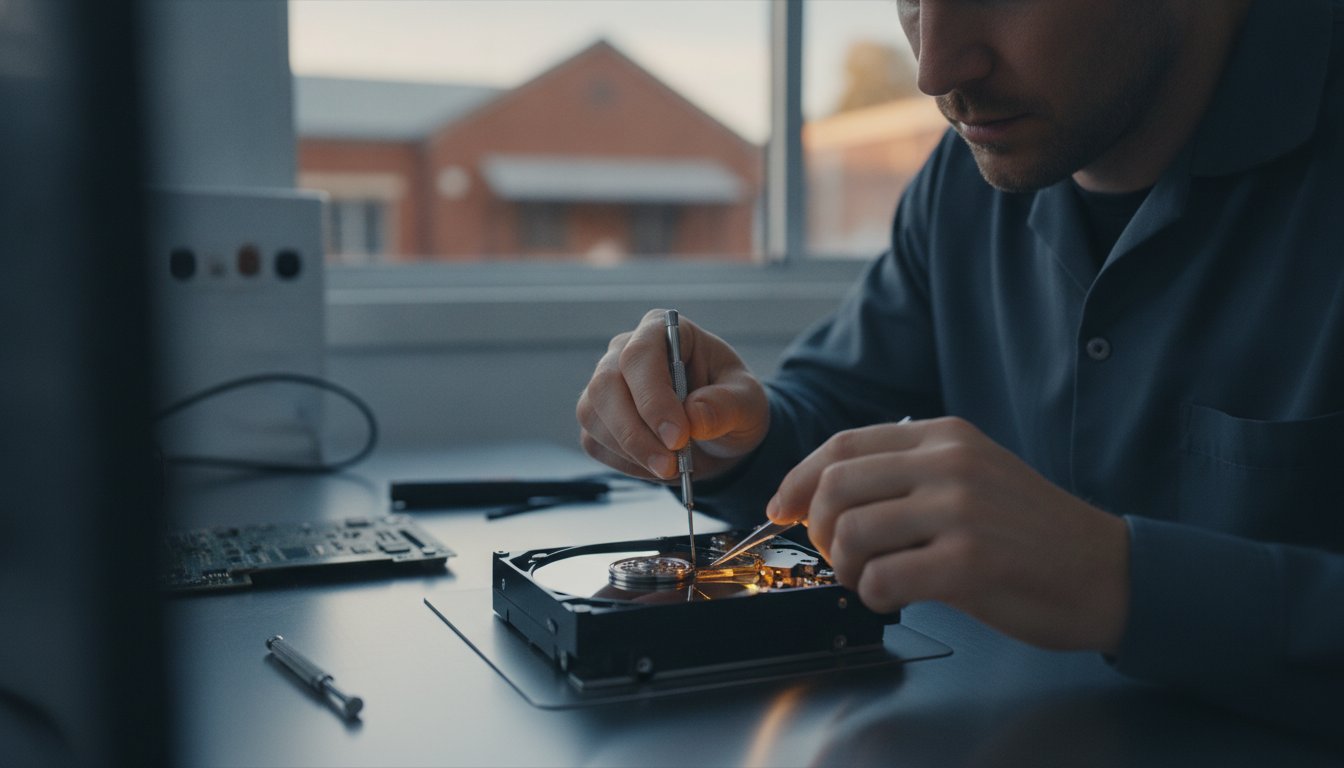
How to fix a broken laptop USB port by checking, cleaning, or repairing it

A USB port that stops working isn’t always broken. To fix a broken laptop USB port, first test the device in another port, then inspect and safely clean the affected port. If it feels loose or looks damaged, stop using it and arrange a repair. Restarting Windows or reinstalling its USB controller drivers may help if the cause is software.

It’s easy to suspect the port itself when a device won’t connect or charge. A few careful checks can help identify whether the fault is with the peripheral, the port, or the computer’s software, without risking further damage.

This guide explains how to isolate the fault, check for physical damage, remove debris safely, and reinstall USB controller drivers in Windows. You’ll also learn when to stop troubleshooting and have the port assessed by a repair professional.

Key Takeaways

  • Test the same device in another port and try a different peripheral to narrow down where the fault is.
  • Stop plugging devices into a port that feels loose or has visible damage, as continued use could cause further harm.
  • Turn the laptop off before gently removing debris, and keep a canned-air nozzle outside the port.
  • If the port appears intact, restarting the computer or reinstalling its USB host controller drivers may resolve a software fault.
  • Use the symptoms and test results to decide whether to continue troubleshooting or arrange a hardware repair.

Testing other ports and devices to isolate the fault

Compare ports and peripherals before deciding whether the laptop connector has failed. These checks are a useful first step when you need to fix broken laptop USB port problems.

  1. Test Other USB Ports and Devices

    Connect the same device to another port, then try a different device in the affected port. For example, test a mouse and a flash drive separately. If both work elsewhere but fail in one port, the fault may be limited to that connector. If one device fails in every port, check its cable or connector instead.

    Record what happens in each test, including whether data transfers, charging works, or a display appears. Some laptop ports support data transfer but not charging. USB-C ports may also support different functions, even on the same computer. Check the laptop’s markings or manual before assuming a missing feature means the port is damaged.

  2. Check Device Manager for USB Error Codes

    On Windows, open Device Manager and inspect connected USB devices for warning symbols or error codes. In Windows 11, code 28 indicates that drivers for the device aren’t installed. Note the exact code and device name before changing settings. An error can point towards a driver issue, while a connection that drops as the plug moves suggests a physical problem.

    Test the peripheral on another computer and compare the results. If it works there but Device Manager reports an issue on your laptop, focus on the laptop’s software or controller. If Windows shows no warning but an accessory has limited functions, check whether the port and cable support those functions. A USB connection alone doesn’t mean every device feature will work.

  3. Assess Port Damage Versus Software Issues

    Check the port’s casing and connector position without inserting tools. A bent shell, a connector that shifts, or a device that works only at an angle may indicate physical damage. Stop testing if the port feels loose. Forcing or repeatedly angling the plug can worsen damage to the connector or its internal connection.

    If the port looks intact, restart Windows or macOS and repeat the device test. A restart may clear an internal error that blocks USB operation. For a USB4 dock or device, use the manufacturer-supplied cable or a certified USB4 cable, as Microsoft recommends. The comparison results help you choose how to fix broken laptop USB port problems, whether through software troubleshooting or hardware repair.

Identifying a loose or physically damaged port

A loose connector or visible damage points to a hardware fault. Check the port without forcing in a plug, and stop using it if it shifts or the internal plastic guide looks damaged.

  1. With the laptop unplugged, examine the port opening under good light. Look for a bent metal shell, a cracked edge, or a displaced plastic guide. The guide separates the USB port’s four pins. Don’t insert tools or repeatedly wiggle a connector to inspect the damage. If the port moves when you insert a plug, treat that as a sign of a physical problem.
  2. Stop connecting devices to a port that feels loose, sparks, smells burnt, or causes the laptop to shut down. Exposed USB pins can touch the metal case, short the connection, and damage the motherboard. Gently remove the connected device, then leave the port unused. A shorted or unstable port can also put connected peripherals at risk, so don’t test it with a valuable drive.
  3. A damaged port may be repairable without replacing the motherboard. Depending on the laptop’s design and the extent of the damage, a technician may repair a soldered connection or replace the USB header. An inspection should distinguish a loose port from damage to nearby board components. If the port is visibly bent or detached, arrange PC and Laptop Repair rather than pressing it back into place.
  4. Check the laptop’s warranty documents and purchase records before opening the case. Whether a warranty or Australian Consumer Law applies depends on the cause of failure, the product, and the relevant terms and circumstances. A defect and accidental damage may be assessed differently. Keep a clear record of when the port stopped working and any visible damage, so the cause can be assessed accurately.
  5. Replacing a port yourself may require case-specific screwdrivers, a plastic opening tool, and soldering equipment if the connector is fixed to the motherboard. The exact method depends on the laptop’s construction; opening it can also damage delicate cables or the board. Repair time in Australia depends on access to the port, the damage, and whether a replacement component is needed. If you’re unsure, professional laptop repair can assess the fault and repair options.

How to fix a broken laptop USB port by checking, cleaning, or repairing it

Reinstalling USB host controller drivers in Windows

Reinstalling a USB host controller can help if Windows software is preventing a working port from responding. Follow these steps in Device Manager, then test the port again.

  1. Save open files and disconnect USB storage devices before changing controller settings. Keep a working mouse or the laptop keyboard available for navigating Windows. If a connected keyboard or mouse stops responding during troubleshooting, use the laptop’s built-in controls to restart the computer.
  2. Open Device Manager from the Windows Start menu search. Expand Universal Serial Bus controllers to view the USB Host Controller entries. First, note any warning symbols and controller names. This gives you a reference if the listed devices change after Windows reinstalls them.
  3. Right-click a USB Host Controller entry and select Uninstall device. Repeat for the USB Host Controller devices listed in that section. Read each confirmation prompt before proceeding, and don’t select unrelated devices such as audio or display components.
  4. Restart Windows after uninstalling the controllers. On reboot, Windows detects the USB hardware and reinstalls the controllers automatically. Wait for the desktop to load, then connect a basic USB device, such as a mouse. Don’t interrupt the restart while Windows detects the hardware.
  5. Test the original device and port again, then compare the result with another USB port. If the device still fails, note whether Device Manager shows a warning. Reinstalling a controller addresses software configuration, but it can’t repair a loose connector or damaged port.
  6. Check Windows Update if the controller problem remains. In Windows 10, open Settings > Update & Security > Windows Update. In Windows 11, open Settings > Windows Update. Install relevant available updates, restart the computer, and test the USB connection once more.
  7. Record the outcome of each step, including the Windows version, any controller warning, and whether the device works in another port. If a USB device still fails across multiple tests, these details help distinguish a driver issue from a fault in the device, cable, or laptop hardware.

This step lets Windows rebuild its controller setup rather than changing the USB device itself. In Windows, uninstalling USB Host Controller devices in Device Manager and rebooting allows the controllers to be reinstalled automatically. A change in the entries after startup isn’t, by itself, evidence that something has gone wrong. Compare the listed names and warning symbols with your notes, and let the system finish loading before judging the result.

Assess the controller and the connected device as separate parts of the test. A device that works in another port gives you a different result from one that fails in every port. A warning that remains in Device Manager is useful information, even if the device behaves the same way. Avoid repeating the reinstall without a reason. If the problem persists after Windows reinstalls the controllers, keep your notes about the port, device, and warning, then continue checking the possible causes already considered, including the cable, device, and laptop hardware. This keeps troubleshooting focused on what changed after the controller reset and what still fails.

Safely removing debris from a USB port

  1. Shut down the laptop before inspecting or cleaning its USB port. Disconnect the charger and remove any USB device, such as a flash drive or mouse. Work with the computer fully off, not merely asleep, so the port isn’t active during cleaning. Use a light to inspect the opening for lint or dust, and don’t insert a tool if the port looks bent or damaged.
  2. Hold the laptop so the USB opening faces down, then see whether loose debris falls out. Move it gently; don’t shake the computer forcefully or tap the port against a surface. A visible clump near the opening may prevent a connector from seating fully, but pushing it deeper can make removal harder. If debris is packed inside or you can’t see it clearly, don’t probe blindly.
  3. Gently use a toothpick to lift visible debris from the port. Keep the tip near the opening and work slowly, without scraping the metal shell or pressing against the internal plastic guide. USB ports contain four pins, and the guide keeps them separated from one another and the casing. Don’t use a metal pick, pin, or screwdriver. Stop if the toothpick catches on an internal part.
  4. If you use canned air, keep its plastic nozzle outside the port. Don’t insert the nozzle into the opening, as condensation can cause harm. Use short, controlled bursts across the port rather than forcing air deep inside. Follow the can’s directions and keep the laptop powered off. If a burst pushes debris further into the connector, stop instead of repeating the same action.
  5. Inspect the USB opening under a light again before reconnecting the charger or a device. Look for remaining debris, bent parts, or a displaced plastic guide. Don’t use liquid cleaners, spray products, or a vacuum attachment inside the port. Once the opening looks clear and undamaged, start the laptop and test it with a simple USB device. If the port remains blocked or loose, leave it unused and seek repair.

Keep cleaning modest: the goal is to remove debris, not reach deeper into the connector or force a tool past an obstruction. With the computer off, gently lift away accessible debris with a toothpick. Use a light touch and stop if clearing it requires pressure or the tip catches. If you can’t remove the debris gently, leave the port unused rather than forcing the process. It’s better to stop than to continue when the port’s condition is uncertain.

If you choose canned air, keep the plastic nozzle outside the opening. Inserting it into the port can cause harm from condensation. Direct the air across the opening, and don’t rely on repeated or stronger bursts if debris remains. Use either method gently and in a controlled way. If the port still appears obstructed after a cautious attempt, don’t keep trying different ways to reach inside. Leave further work to a repair professional.

How to diagnose whether a laptop USB port is physically damaged or has a software issue

Use the symptoms and Windows settings to distinguish a physical fault from a software problem. Follow these checks in order and note what changes after each step.

  1. Restart the laptop, then reconnect the same USB device. A restart can clear an internal error that temporarily prevents a port from working. If the device works afterwards, the cause may have been temporary software behaviour. If it still fails, compare the result with another port and note which connection you tested.
  2. Check the port’s behaviour without forcing the connector. A plug that feels loose, shifts inside the opening, or works only at an angle points to possible physical damage. Stop using the port if you notice movement or visible damage. A software setting won’t straighten a bent connector or secure a loose port.
  3. Test the USB device in another port and, if possible, on another computer. If it fails across several ports and computers, the device or its cable may be the issue. If other devices also fail in one laptop port, the fault is more likely tied to that port. Briefly note each test and its result.
  4. Check Windows power settings if the port looks intact but behaves inconsistently. USB Selective Suspend can turn off a port to save battery power, sometimes preventing it from working when needed. Open the active power plan’s advanced settings, find USB settings, then USB selective suspend setting. Compare the options for battery power and plugged-in power.
  5. Turn off USB Selective Suspend for both battery and plugged-in power, apply the change, and restart the PC. Test the same device again after Windows loads. If the port works only after this setting changes, power management was affecting its operation. If it remains unresponsive, return to the physical inspection and your device test results.
  6. Use the results to choose the next step. A loose port, visible damage, or failure limited to one connector points towards hardware repair. An intact port that recovers after a restart or power-setting change points towards software. For ongoing physical faults, arrange PC and laptop repair to assess the port and its connection.

Aspire Computing: PC and Laptop Repair

Aspire Computing provides PC and Laptop Repair for USB ports that remain loose, damaged, or unresponsive after careful troubleshooting. A repair assessment can identify whether the port, its motherboard connection, or another laptop component needs attention. Stop using a port that shifts or shows visible damage, especially if important devices or files rely on the computer.

Aspire Computing also offers Data Recovery Services if a fault affects access to stored files. For persistent hardware problems, its repair support can help determine the appropriate next step without putting further strain on the port.

Contact Aspire Computing or visit Aspire Computing online to discuss your laptop repair.

Choose a safe next step for your laptop

A faulty USB connection can affect more than convenience. It may interrupt access to files, peripherals, or equipment you rely on for work. If you still need to fix a broken laptop USB port, choose your next step based on what matters most: protecting your data, restoring the port, or keeping the laptop useful while it’s assessed.

Aspire Computing offers PC and Laptop Repair for hardware faults, Data Recovery Services for access to important files, and Hardware Upgrades when a computer needs component changes. These services can address related computer needs without requiring you to keep testing an unreliable connection.

Share what the port is doing and which devices or files are affected. That gives the repair discussion a useful starting point. Contact Aspire Computing about USB port help and take the next step with a clear plan for your laptop.

Frequently Asked Questions

How to safely clean dust and debris from a laptop USB port?

Turn off the laptop and unplug its charger and connected devices, then inspect the port under good light. Use a clean, soft brush to gently loosen visible dust, keeping the bristles near the opening. Don’t insert metal tools, pour in liquid, or force debris further inside. If the connector looks bent or cleaning doesn’t restore the connection, stop and arrange PC and Laptop Repair to assess whether you need to fix a broken laptop USB port.

Does laptop warranty or Australian Consumer Law cover a broken USB port

Coverage depends on the cause of the failure, the product, and the relevant warranty terms and circumstances. A defect and accidental damage may be assessed differently.

IT Support Centenary Heights: How to Choose the Right Local Help

A printer that stops mid-task or a laptop that won’t start can quickly disrupt work at home or in a small business. If you’re looking for IT support Centenary Heights, choose help based on the issue, the devices affected and whether the fault calls for remote troubleshooting or hands-on attention.

Software glitches, account settings and some connection problems can often be investigated remotely. Hardware faults and printer repairs can require physical access to the equipment. Aspire Computing provides remote and on-site assistance for home offices and small businesses around Toowoomba, drawing on local experience established in 1999.

This guide explains what common support options can address and how to prepare a useful description of your issue. Use it to choose a practical next step, whether you’re dealing with a computer, laptop or printer problem, or looking to reduce recurring IT interruptions at work.

Key Takeaways

  • Match the type of IT help to the issue, the devices affected and the impact on your work.
  • IT support Centenary Heights can include remote help for suitable software problems or on-site assistance when a fault needs hands-on attention.
  • Before seeking support, note what’s happening, when it started, which devices are affected and any recent changes.
  • Consider whether you need help with a one-off fault or recurring issues across your home office or small business.
  • Aspire Computing provides practical remote and on-site assistance for PCs, laptops and printers, backed by experience since 1999.

IT support in Centenary Heights: what help can cover

IT support is practical help diagnosing and resolving technology problems. It can cover a PC that won’t start, software that keeps freezing, a printer that won’t connect or a security concern such as suspected malware. The general scope is broad, as this What is IT support? overview explains. The right response depends on the fault, the devices affected and what you need to keep working.

For a Centenary Heights home office or small business, support might involve resolving one computer issue or investigating a problem affecting several devices. Aspire Computing provides remote and on-site assistance around Toowoomba, including help with PCs, laptops and printers. Remote support suits issues that can be addressed digitally; physical faults can require hands-on attention.

What IT support can help with at home or work

Everyday technical assistance can include diagnosing slow performance, resolving software difficulties and troubleshooting login or connection problems. Printer faults, PC and laptop repairs, and virus or malware concerns may need more targeted attention. A useful first step is to identify the symptoms and recent changes, rather than repeatedly trying fixes without knowing what caused the disruption.

A home office may need help with one laptop or printer that interrupts daily tasks. A small business may also need to consider how a fault affects other devices, staff and access to important files. Depending on the issue, support may involve repair, data recovery when files are missing, or planning for data backup and business continuity. These needs are connected, but each calls for a different response.

When to seek support instead of continuing to troubleshoot

Consider getting help when the same fault keeps returning, a computer slows down for no clear reason or interruptions are affecting work. Before seeking support, note what changed, when the problem occurs and which devices are involved. That context can make it easier to distinguish a recurring fault from a one-off glitch.

If files have disappeared or a drive is behaving unusually, avoid actions that could write new data to it, such as saving or copying files onto the affected drive. Continued use may make recovery harder. Note what happened and when, then get advice before trying more fixes.

For IT support Centenary Heights, start by describing the symptoms, affected devices and impact on your work. This helps distinguish routine troubleshooting from a repair, data recovery concern or broader continuity need, and gives a clearer basis for choosing remote or on-site assistance.

Choose IT support in Centenary Heights by matching help to the problem

Start with four questions: How urgent is the fault? Which device or users are affected? Could important data be at risk? How much is the issue interrupting work? A problem with one laptop may call for troubleshooting or repair, while a fault affecting several people or access to business files may need broader attention.

For IT support Centenary Heights, let the symptoms guide your next step rather than guessing at a fix. A slow or malfunctioning PC or laptop may need diagnosis and repair. A printer that won’t connect or produce clear output may need troubleshooting or repair. If files are inaccessible or deleted, avoid saving new data to the affected drive and describe what happened so data recovery can be considered. If you suspect malware, note any unusual activity and when it began.

Match common problems to the support approach

This guide can help you explain the issue and gather useful details. It isn’t a diagnosis: the symptoms and circumstances determine the next step.

ProblemLikely support approachUseful information to prepare
Slow or malfunctioning PC or laptopGeneral troubleshooting or computer repairWhen it started, symptoms and recent changes
Printer won’t connect or print properlyPrinter troubleshooting or repairPrinter model, error messages and connected devices
Files missing or inaccessibleData recovery assessmentWhich files are affected and what happened before they disappeared
Possible virus or malwareVirus and malware removal supportUnusual messages or behaviour, and when they began

Decide whether you need one-off or ongoing help

An isolated fault on one device may suit a one-off repair or troubleshooting session. If problems keep returning across several computers, printers or users, look beyond each symptom. Shared access, multiple devices and business-critical files can make interruptions affect more of your work, so backup and business continuity needs may also deserve attention.

For a small business, keep a simple record of recurring issues and the staff or devices they affect. This can show whether the need is occasional or part of a wider pattern. Home offices may have fewer devices, but one unavailable computer can still interrupt essential tasks. Aspire Computing offers remote and on-site support for home offices and small businesses around Toowoomba. Explore local IT support options to learn more.

Remote or on-site IT support in Centenary Heights: which suits your issue?

Remote and on-site support suit different kinds of problems. Remote assistance can be practical for suitable software issues, settings and guided troubleshooting. On-site help makes sense when someone needs to access equipment, inspect a physical fault or see the setup in person. Choose based on the symptoms and what needs to be accessed, not simply on your suburb.

Aspire Computing provides both remote and on-site IT support, with its local service area centred on Toowoomba and surrounding regions. Remote support can address issues digitally when the device and problem allow it. It is not the right approach for every fault, particularly when a computer, printer or connection needs physical attention.

When remote IT support may be a practical option

Remote assistance can suit software difficulties, configuration questions or guided troubleshooting when the device can connect and the problem can be explained or observed. Before support begins, describe what you were doing, what happened and any error message you saw. This information helps focus the troubleshooting.

Some connection problems can be investigated remotely, but a failed internet connection or local equipment fault can limit access. If the device can’t get online or the cause appears physical, on-site attention may be a better fit.

When an on-site visit may make more sense

Hands-on assistance can help when a PC or laptop needs physical inspection, a printer has a hardware fault or the problem depends on how equipment is connected in the room. The setup matters too: seeing how a home-office computer or shared small-business equipment is arranged can help clarify what is interrupting work.

If a repair seems likely, note the device, symptoms and any recent changes. Aspire Computing provides PC and laptop repair, as well as printer support. Explore computer repair support for more information. A clear description of the fault helps determine whether remote troubleshooting is a sensible starting point or hands-on attention is more appropriate.

For IT support Centenary Heights, consider what needs to be accessed. Software and settings can often be addressed remotely, while physical equipment and local setup issues can call for in-person help. This distinction helps you explain the problem and choose a practical starting point.

IT Support Centenary Heights: How to Choose the Right Local Help

How to prepare for IT support in Centenary Heights

A clear description makes an IT support request more useful. Before seeking IT support Centenary Heights, write down what’s happening and what you need to keep working. You don’t need to diagnose the fault yourself. A few details can show whether the problem affects one computer, a printer or a wider office setup.

Information to have ready before describing the problem

Use this checklist to organise the key details:

  • Symptoms: Describe what happens, including any error message. Note when the problem began and whether it happens every time or only sometimes.
  • Devices: Record the type of device, such as a PC, laptop or printer. Include the operating system if you know it.
  • Who is affected: Say whether the issue affects one user, several devices or the whole office.
  • Recent changes: Mention new software, updates, equipment or setup changes that happened shortly before the fault appeared.
  • Steps tried: Note any troubleshooting you’ve already attempted and what changed afterwards.

Keep the first explanation factual and concise. Don’t send passwords, verification codes or other sensitive credentials in an initial enquiry. If access is needed to investigate the issue, share information through an appropriate support process rather than including secrets in a message.

Protect files and reduce disruption while you wait

If important files are inaccessible, avoid repeated recovery attempts or actions that could write new data to the affected drive. Describe what happened and where the files were stored. If you have a separate, usable backup, work from that copy where practical, and keep essential work saved separately from the affected device.

For a business-critical problem, explain the impact first. Identify which tasks have stopped, which users are affected and whether staff can use another device or continue essential work another way. This gives support a clearer picture of the disruption as well as the technical symptom.

Once you’ve gathered these details, share them through Aspire Computing’s IT support enquiry to describe the issue and its effect on your home office or small business.

Get practical IT support for Centenary Heights with Aspire Computing

A computer or printer fault can interrupt a home office or small business before it’s clear what kind of help is needed. Aspire Computing supports customers around Toowoomba with IT assistance for PCs, laptops and printers. For Centenary Heights residents and businesses, describe the problem and how it affects your work so the support approach can match the issue.

Why local experience and flexible support matter

Established in 1999, Aspire Computing offers remote and on-site assistance. Remote support can suit some software and troubleshooting issues, while a problem involving physical equipment may need hands-on attention. Having both approaches available means support can be considered in light of the fault rather than assuming every issue needs the same response.

A local service can be useful when a problem involves equipment at your workplace or home office. Aspire Computing serves Toowoomba and surrounding areas, with support that includes computer and laptop repairs, printer issues, virus and malware removal, and data recovery. Assistance is shaped around the device and disruption, whether the issue involves one computer or equipment used for daily business tasks.

Take the next step with a clear description of your IT issue

A useful enquiry doesn’t need technical jargon. Briefly outline:

  • Device: the PC, laptop or printer affected.
  • Symptoms: what it’s doing, including any error message.
  • Timing: when the issue began and whether it happens repeatedly.
  • Impact: which tasks or people are affected.
  • Preference: whether you think remote or on-site help may suit, if you have a preference.

These details describe the situation without requiring you to diagnose the cause. If the issue affects several people, devices or important business files, you can also read the IT Support for Business guide for broader context on business support needs.

For practical IT support Centenary Heights home offices and small businesses can access around Toowoomba, share your issue with Aspire Computing. Contact Aspire Computing through the homepage and describe the device, symptoms and effect on your work.

Choose a clear next step for your IT issue

Choosing support starts with understanding the problem. Consider which devices are affected, how the fault is interrupting work and whether it needs remote troubleshooting or hands-on attention. A short description of the symptoms and when they began can help set the direction.

For home offices and small businesses seeking IT support Centenary Heights, Aspire Computing offers on-site and remote assistance around Toowoomba. Established in 1999, the business supports PCs, laptops and printers, helping you take a practical next step when technical problems get in the way.

You don’t need to know the technical cause before asking for help. Contact Aspire Computing about your IT support needs and describe what’s happening and how it affects your work.

Frequently Asked Questions

Is IT support available in Centenary Heights?

Yes. Aspire Computing serves Toowoomba and surrounding areas, including Centenary Heights. People looking for IT support Centenary Heights can enquire about on-site or remote assistance for PCs, laptops and printers. Include your suburb, the device involved and a brief description of the issue to explain what support you need.

Can IT support be provided remotely?

Yes. Aspire Computing provides remote IT support for suitable troubleshooting and software-related issues. It can be practical when a computer can connect and the problem involves settings or software rather than physical equipment. Describe what’s happening and what you’ve already tried to help identify the right approach.

When should I choose on-site IT support instead of remote help?

On-site assistance can make more sense when a problem requires physical access to a PC, laptop, printer or local setup. A hardware fault or equipment arrangement that needs inspection can be difficult to assess remotely. Remote support can suit some software and troubleshooting tasks. Explain the symptoms and equipment involved when describing the issue.

What does small-business IT support usually help with?

Small-business IT support can help with day-to-day computer and printer problems, troubleshooting and general technical assistance. Aspire Computing also provides virus and malware removal, data recovery and hardware upgrades. Explain how many users or devices are affected and whether work has stopped or slowed. This context helps show the scope of the disruption and the support your business needs.

Can an IT support provider help with a slow laptop or computer?

Yes. Aspire Computing provides PC and laptop repair, diagnostics and hardware upgrades that may be relevant when a computer is performing poorly. Slow performance can have different causes, so don’t assume a particular part needs replacing. Note when the slowdown began, whether anything changed beforehand and which tasks are affected. These details help describe the problem and guide troubleshooting or repair.

What information should I provide when requesting IT support?

Describe the device, what it’s doing, when the problem began and any error messages you can see. Mention recent changes, what troubleshooting you’ve tried and whether one person, several users or multiple devices are affected. If files are missing or inaccessible, explain that before attempting repeated recovery steps. Don’t include passwords, verification codes or other sensitive credentials in your initial enquiry.

Laptop Keyboard Replacement Cost in Toowoomba

What if the keyboard fault isn’t the keyboard at all? If you’re searching “cost to replace a laptop keyboard Toowoomba,” it’s understandable to want a clear figure before booking a repair. But a reliable quote depends on confirming the cause first. A software setting, liquid damage or a keyboard built into the laptop’s top case can all change the repair scope.

It’s sensible to check whether replacement is practical before committing. Your laptop’s make and model, parts availability, access to the keyboard and any related damage all affect the assessment. In some cases, diagnosis may show that replacement isn’t needed.

This guide explains what shapes a laptop keyboard replacement quote, what details to share for a useful initial assessment and how to weigh repair against a temporary workaround or replacing the laptop. Aspire Computing provides PC and laptop repair in the Toowoomba region and was established in 1999. A diagnostic assessment can help clarify the fault and next steps, including whether a compatible part can be sourced and what timing may be involved. The aim is to help you understand the repair scope before work proceeds.

Key Takeaways

  • Searching “cost to replace a laptop keyboard Toowoomba” won’t produce one reliable price for every laptop. The repair scope depends on the device and what diagnosis finds.
  • Note which keys are affected and when the problem occurs. Sharing the pattern can help a technician investigate without you needing to identify the fault yourself.
  • Compare a minor repair, full keyboard replacement and an external keyboard workaround. Ask which option fits the condition of your laptop.
  • Have your laptop’s brand, exact model, operating system and keyboard layout ready. Check whether the repairer can assess your model and source compatible parts.

What determines the cost to replace a laptop keyboard in Toowoomba?

An accurate quote depends on the diagnosis, laptop model, compatible parts and labour required. One universal price for the cost to replace a laptop keyboard Toowoomba would be unreliable because laptop keyboards aren’t all designed or fitted the same way. A technician needs to identify the fault and check the repair scope before estimating the work.

For a useful local assessment, provide the laptop’s exact model and describe what the keyboard is doing. Ask whether the device needs to be inspected before the repair scope can be confirmed. Also check whether parts availability or any related damage could affect the proposed work.

A keyboard is a key input component, but its construction varies across devices. The computer keyboard reference outlines different keyboard types and designs. For a repair quote, the practical question is how the specific keyboard is fitted into your laptop and what work is needed to restore reliable input.

Which laptop-specific factors change the repair quote?

The make and exact model help identify a suitable replacement. Keyboard layout matters too: the physical arrangement and key markings need to match the laptop. Internal design affects the work as well. Some keyboards are separate components, while others are integrated into a larger assembly. That can change which parts need to be removed or replaced.

Parts availability and compatibility should be checked for the exact model, not assumed from the brand alone. An inspection may find a smaller, serviceable fault, such as an issue with a key mechanism or connection, rather than a failed keyboard assembly. It may also reveal damage that expands the repair scope.

A quotable summary: the estimate depends on the confirmed fault, laptop model and layout, compatible parts, repair complexity and labour required.

What should a keyboard replacement quote include?

Ask the repairer to clarify what the estimate covers. A useful quote should state whether it includes diagnosis, the replacement part, fitting and post-repair testing. If further work may be needed, ask how it will be assessed and explained before proceeding.

Before approving work, request a clear description of the proposed repair and how approval will be handled if the scope or cost changes. This lets you understand the options and decide before extra work goes ahead. For an assessment in Toowoomba, share the laptop’s exact model and ask whether a compatible part can be sourced and what timing may be involved.

How a Toowoomba technician diagnoses laptop keyboard problems

A keyboard that stops responding can point to a hardware fault, but settings or a connection issue may cause similar symptoms. A technician checks the evidence before recommending parts. This helps establish whether the issue is isolated to a key, affects the keyboard assembly or needs a broader inspection.

Symptom checking comes before parts replacement because the same visible problem can have different causes. Replacing a keyboard without confirming the fault may not solve it.

Which keyboard symptoms should you describe?

Give the repairer a clear account of what happens rather than trying to diagnose the cause. Note whether one key, a group of keys or the entire keyboard is affected, and whether the problem is constant or intermittent. Say when it began and whether there was liquid exposure, an impact or recent repair work. If an external USB keyboard works, mention that too, but don’t treat the result as proof of an internal hardware fault.

A typical diagnostic sequence may include:

  • Record symptoms: Note the affected keys and when the issue occurs.
  • Check settings: Review keyboard language and accessibility settings that could affect input.
  • Test keys: Compare how different keys respond during basic checks.
  • Inspect hardware: Examine the keyboard and relevant connections for signs that need further investigation.
  • Confirm scope: Explain the likely cause and proposed next step before parts are ordered or work proceeds.

Software settings and physical faults can look alike from the user’s side. A technician can assess whether the symptoms fit a settings issue, a connection problem or a keyboard component fault. Liquid exposure or physical damage may call for a wider inspection because visible symptoms alone don’t confirm how far the issue extends.

What can be checked safely before booking?

You can restart the laptop, check its keyboard language and review accessibility settings. If you have an external USB keyboard, try it to compare basic input behaviour. These checks give the repairer useful context, but they can’t confirm the internal cause or determine the repair scope.

Avoid forcing stuck keys, opening the laptop or applying liquids. Those steps could cause further damage or make the symptoms harder to assess. If liquid has been spilled, tell the repairer what happened and when rather than attempting to clean inside the device.

For a useful assessment and a more accurate cost to replace a laptop keyboard Toowoomba estimate, share the symptoms and exact laptop model. If the laptop was recently purchased, the ACCC explains consumer guarantees and possible remedies for product problems. To discuss PC and laptop diagnostics locally, you can contact Aspire Computing and ask whether an assessment is suitable for your model.

Laptop keyboard repair or replacement: which option makes sense?

The right choice depends on what the technician finds, whether a suitable part is available and how well the laptop meets your needs overall. Diagnosis may show that a setting or connection issue is involved, or that a key mechanism or keyboard assembly needs attention. The technician can assess which parts are serviceable and explain the options before you decide.

OptionMay suit whenKeep in mind
Diagnosis or minor repairSymptoms may relate to settings, a connection or a serviceable component.Assessment is needed to confirm the cause and whether a limited repair is practical.
Keyboard replacementA persistent hardware fault affects typing and a compatible replacement is available.The keyboard may be integrated into a larger assembly, so the required repair can vary.
External keyboardYou need a temporary way to type while deciding on next steps.It doesn’t repair the built-in keyboard and may not suit portable use.

When might a repair be possible without replacing the keyboard?

Some symptoms may come from a software setting or connection issue rather than a failed keyboard. A technician can check this during diagnosis. A damaged individual key also doesn’t automatically mean it can be replaced separately. On some laptop designs, the key mechanism or keyboard is part of a larger assembly. Avoid opening the laptop or trying to reseat internal components unless a technician advises you to.

When is replacement worth considering?

Persistent missed input, multiple affected keys or a fault that continues after basic settings checks are reasons to have the keyboard assessed. They don’t confirm that replacement is necessary. Ask whether the fault is repairable, whether a compatible part can be obtained and what the proposed work includes.

Then consider the laptop’s age, general condition and role in your day-to-day work or study. Repair may make sense if the rest of the device remains reliable and you expect to keep using it. If the laptop has other problems or no suitable part is available, an external keyboard may help while you compare options. Weigh the confirmed quote for the cost to replace a laptop keyboard Toowoomba against the device’s condition and expected continued use, rather than considering it in isolation.

If the laptop was purchased with a fault, the ACCC outlines information about Australian Consumer Law for repairs, including consumer options for product problems.

Laptop Keyboard Replacement Cost in Toowoomba

How to prepare for a laptop keyboard replacement quote in Toowoomba

A few details can help a repairer identify your laptop and understand what needs assessment. Before you contact a Toowoomba-area repairer, gather the information below. It won’t confirm the fault by itself, but it can make the initial discussion more useful and help the technician check whether a suitable part may be available.

What information helps identify the correct laptop keyboard?

Use the model label on the laptop or the device’s system information to find its exact model. Don’t guess based on appearance or brand alone. If you’re unsure where to find the details, ask the repairer how to locate them for your operating system.

  • Device details: Note the laptop brand, exact model and operating system.
  • Keyboard layout: Mention the layout you need, such as Australian English, if relevant. Layouts can differ, so the repairer should check compatibility for your specific device.
  • Symptoms: Describe which keys are affected, when the problem began and whether it happens consistently.
  • Relevant history: Be accurate about liquid exposure, impact or recent repairs. Include details that could help guide the assessment.
  • Photos, if requested: A clear photo of the device label or affected keys may help. Share images only through a channel the repairer considers appropriate, and avoid including unrelated personal information.

What should Toowoomba customers ask before approving work?

Before booking or agreeing to a repair, ask how the assessment will be arranged and whether an initial estimate is confirmed or may change after inspection or parts checks. Find out whether a compatible keyboard can be sourced for your exact model and ask what timing may be involved. Confirm availability and timing rather than assuming either.

Clarify what the quote covers, including diagnosis, parts, fitting and testing. Ask how the repairer will explain any change in scope and seek your approval before additional work proceeds. That way, you’ll know what decision you’re being asked to make and can review any revised scope first.

Have your details ready when asking about the cost to replace a laptop keyboard Toowoomba. An accurate model and clear description give the repairer a better starting point, though an inspection may still be needed to confirm the fault and quote.

For local computer and laptop repair information, visit Aspire Computing’s computer and laptop repairs in Toowoomba. When making an enquiry, provide the model and symptoms and ask whether an assessment is suitable for your device.

Getting a laptop keyboard assessed by Aspire Computing in Toowoomba

Aspire Computing provides PC and laptop diagnostics and repairs from Toowoomba and was established in 1999. If your keyboard is unreliable, an assessment can help clarify whether the issue appears to involve settings, a connection or hardware, and what repair scope may be appropriate.

Keyboard replacement availability can depend on the laptop model and whether a compatible part can be sourced. Contact Aspire to confirm whether your device can be assessed for this issue and which service arrangement suits the hardware work. On-site and remote assistance are available, but remote support may not be suitable for inspecting or repairing a physical keyboard fault.

What to expect when you enquire about keyboard replacement

Start with the laptop’s brand and exact model, then describe the symptoms. For example, explain whether one key, a group of keys or the full keyboard is affected, when the problem began and whether there has been liquid exposure or physical damage. This gives the technician useful context without asking you to diagnose the fault yourself.

An initial discussion may help establish what to check next, but the laptop may need inspection before the repair scope can be confirmed. Ask whether a suitable part is available for your model and what timing may be involved. These details need checking for the specific device, so don’t assume replacement is possible or that an initial estimate is final.

Choose a local assessment that gives you a clear decision

Before approving work, ask for a clear explanation of the diagnosis and proposed repair. Confirm what the quote includes and how you’ll be contacted if inspection findings change the scope. This gives you time to consider the options before deciding whether to proceed.

For details about Aspire’s local computer repair service in Toowoomba, share your laptop model and symptoms when you enquire. Ask whether an assessment is suitable, whether parts may be available and what the next steps would look like. This is a practical way to clarify the cost to replace a laptop keyboard Toowoomba without relying on a generic estimate that may not fit your laptop.

Contact Aspire Computing about a laptop repair assessment with your model and a brief description of the keyboard problem. Ask about assessment arrangements, parts availability and likely timing before deciding how to proceed.

Take the next step towards a clear repair decision

The cost to replace a laptop keyboard Toowoomba depends on the confirmed fault, your laptop’s design, compatible parts and the work required. Diagnosis can help distinguish a settings or connection issue from a hardware fault. A clear quote lets you understand the proposed scope before deciding.

Share the laptop’s exact model and describe the symptoms, including any liquid exposure or physical damage. Ask whether an assessment is suitable, whether parts can be sourced and what timing may be involved. A temporary external keyboard may help you keep working, but it won’t repair the laptop’s built-in keyboard.

Aspire Computing provides computer and laptop repair services from Toowoomba and was established in 1999. On-site and remote assistance are available, but confirm which arrangement is suitable for your hardware issue. For a practical next step, contact Aspire Computing about a laptop repair assessment and share your model and symptoms. With the fault and options clearer, you can choose the approach that suits your laptop.

Frequently Asked Questions

How much does it cost to replace a laptop keyboard in Toowoomba?

There isn’t one reliable price for every laptop because the quote depends on the confirmed fault, model, compatible parts and labour required. If you’re researching “cost to replace a laptop keyboard Toowoomba,” use an assessment to establish the repair scope instead of relying on a generic estimate. Ask whether diagnosis, parts, fitting and testing are included, and confirm the quote before approving work.

Is it worth replacing a laptop keyboard?

It may be worthwhile if the laptop is otherwise in good condition, suits your needs and has a compatible replacement part available. Compare the confirmed repair quote with the laptop’s age, condition and likely continued use. If the device has other problems or the part can’t be sourced, replacement may be less practical. A technician can explain the diagnosis and options so you can make an informed decision.

Can a laptop keyboard be repaired without replacing the whole keyboard?

Sometimes, depending on the cause and laptop design. A setting or connection issue may explain the symptoms, or a key mechanism may be serviceable. However, a damaged individual key doesn’t always mean it can be replaced separately. Some keyboards are integrated into a larger assembly. Have a technician assess the laptop before attempting internal repairs, as the suitable option depends on the specific fault and model.

How long does it take to replace a laptop keyboard?

Turnaround depends on the laptop’s design, repair scope and whether a compatible part is available. A model that requires a larger assembly, or a part that needs to be sourced, may affect timing. Ask the repairer for an estimate after they’ve checked your laptop and confirmed parts availability. Don’t assume a timeframe before assessment, especially if there may be liquid or impact damage to inspect.

Can I use an external keyboard while my laptop keyboard is faulty?

Yes, an external USB keyboard may let you continue typing while you arrange an assessment, provided the laptop recognises it and the connection works. It can be a practical temporary workaround for tasks such as writing or entering text. It won’t repair the built-in keyboard, and it may be less convenient if you need to use the laptop on the move. Mention the test result to the technician, but don’t treat it as a diagnosis.

What information do I need for a laptop keyboard replacement quote?

Provide the laptop’s brand, exact model, operating system and keyboard layout, such as Australian English if relevant. Describe whether one key, a group of keys or the full keyboard is affected, when the issue began, and any liquid exposure, impact or recent repairs. Photos of the model label or affected keys may help if the repairer requests them. Ask about assessment arrangements, parts availability, quote approval and likely timing.

Business IT Services Stanthorpe: How to Choose the Right Support in 2026

What good is an IT support provider if help can’t reach your business when a computer fails or work grinds to a halt? Choosing business IT services Stanthorpe businesses can rely on means checking more than a provider’s list of services. Find out whether support is available onsite, which issues can be handled remotely, and how the provider manages urgent requests.

It’s understandable to want fewer disruptions without paying for support your business doesn’t need. Reactive help may suit occasional issues, while ongoing IT services can include regular maintenance and security support. The right fit depends on your systems, risks and need for continuity. Aspire Computing offers onsite and remote assistance, but check directly whether support is available at your Stanthorpe location and what arrangements apply.

This guide explains how to compare reactive and ongoing support, assess your needs for cybersecurity, backups and business continuity, and check local service coverage before choosing. It also provides practical questions to ask so you can understand what help is available and make a more confident decision.

Key Takeaways

  • Match support to the problems that interrupt your work, from computer and printer faults to protecting business data.
  • Compare reactive assistance, ongoing support and a mixed approach against your team’s ability to handle IT tasks in-house.
  • When assessing business IT services Stanthorpe providers, confirm local coverage, onsite availability and how urgent issues are handled.
  • Ask what cybersecurity, backup and business continuity support includes before deciding whether it fits your business risks.
  • Check Aspire Computing’s Stanthorpe availability directly, and use its confirmed service area and support arrangements to guide your next steps.

Business IT services in Stanthorpe: what should local businesses expect?

Business IT services provide technical support to help keep a business’s devices, systems and data working reliably. Depending on the provider and arrangement, support may cover computer and printer troubleshooting, PC and laptop repairs, cybersecurity, data backup and business continuity. These needs are connected: fixing a device fault can get work moving again, while security and backup measures help prepare for future disruption.

Ask how support is delivered. Onsite assistance means a technician visits your workplace, which can be useful when equipment needs hands-on attention. Remote support uses a connection to help with suitable issues without a visit. Not every problem can be resolved remotely, so find out what happens if a fault needs physical attention. If a provider offers ongoing support, ask exactly what’s included. The managed services model generally describes support delivered proactively as an ongoing arrangement.

For regional businesses, confirmed coverage matters as much as the service list. Knowing how help can reach your workplace makes it easier to plan for disruptions. Before engaging a provider, verify whether Stanthorpe is within its service area, whether onsite visits or remote assistance are available, and how urgent issues are handled. Ask about travel arrangements and response commitments rather than relying on a general regional claim.

What IT support might a Stanthorpe business need?

A small office may need help with a staff laptop that won’t start, while a shop may need a printer working again to complete everyday tasks. A professional practice may depend on access to business files and devices to keep appointments and administration moving. Consider how many staff and devices rely on your technology, what information they need, and which faults would interrupt operations most.

Separate immediate troubleshooting from preventative needs. Repairs and device support address faults that are already affecting work. Cybersecurity and data backups help prepare for risks such as malware or lost files, while business continuity planning focuses on keeping essential work going during disruption. Ask providers to explain each service in practical terms.

Does a Toowoomba-based provider support Stanthorpe?

Aspire Computing’s published service area is centred on Toowoomba and includes surrounding regions such as the Darling Downs and Lockyer Valley. That information alone doesn’t confirm coverage in Stanthorpe or the Granite Belt. Aspire lists onsite and remote assistance, but availability and arrangements can depend on your location and support needs.

Contact the provider directly to ask whether it can support your Stanthorpe address. Confirm whether onsite visits are available, which issues can be handled remotely, whether travel arrangements apply, and how urgent requests are managed. Clear answers help you compare providers on practical access, not just the services listed on a website.

Which business IT services matter most for a Stanthorpe business?

The right support depends on what could stop your team from serving customers, accessing information or completing essential work. Rather than choosing from a long list of technical terms, group your needs into three areas: keeping everyday devices working, protecting information, and preparing for disruption. This approach helps you compare business IT services Stanthorpe providers against your actual risks, not just the number of services they advertise.

Day-to-day support, devices, and business disruption

Start with the devices and tasks your staff rely on. A slow computer, faulty laptop, printer issue or inability to access files can hold up ordinary work. Remote troubleshooting may suit some software or access problems, while faults involving physical equipment may need an onsite assessment. Ask which issues can be handled remotely and what the provider recommends when a visit is needed. For more on device faults, see this computer repair guide for Toowoomba.

Match support to the impact of a fault. If one device fails, staff may be able to continue using another. If a shared file or key piece of equipment becomes unavailable, several people could be affected. List the systems that are hardest to work without, then ask a provider how its support applies to those situations. A small-business IT support guide can also help you identify what your team needs.

Cybersecurity, backups, and business continuity

These services address related but different risks. Cybersecurity aims to help protect systems and information from threats. Data backup creates copies of important files so they may be recoverable after loss or damage. Business continuity planning looks more broadly at how essential work can continue during disruption. A backup is a copy of data; business continuity planning considers how the business keeps operating when systems or services are disrupted.

Ask providers to explain what each service includes, how it fits your systems, and what your staff would need to do. Don’t assume a service label confirms particular tools, monitoring, recovery targets or standards. If you have a suspected infection or other security concern, Aspire’s virus and malware removal guide offers relevant reading.

Some providers use an ongoing managed-service model. Forbes explains what an MSP is, which can help you understand how this type of arrangement differs from calling for help only when a problem occurs. To explore Aspire Computing’s listed support, review its IT services and confirm directly which options are available for your Stanthorpe business.

How to compare Stanthorpe IT support: reactive help or ongoing support?

Start by considering how often IT issues affect work, how much disruption your business can absorb, and what your staff can manage themselves. Reactive support focuses on problems as they arise. Ongoing support is arranged more regularly and may make it easier to plan ahead. A mixed approach combines occasional assistance with selected ongoing services. None is automatically best because of your business size alone. The right fit depends on your systems, risks and need for help.

Support modelPredictability and preventionAccess and business fit
Reactive assistanceSupport is sought when a problem occurs; prevention may be limited unless separately agreed.May suit a business with occasional issues and staff able to manage routine IT tasks.
Ongoing supportMay provide a more regular basis for planning maintenance, security and backups. Confirm what is included.Can suit a business that relies on several devices or shared systems and wants continuing support.
Mixed approachCombines help as needed with selected planned services, where the provider offers them.May suit a business that can handle some tasks internally but needs support for specific risks.

Use the comparison as a starting point, not a promise of what a provider supplies. Ask for written details of inclusions and exclusions, how to request help, what happens if an issue needs onsite attention, and what response arrangements apply to your Stanthorpe location. Clarify whether arrangements differ for urgent and routine requests.

When is reactive IT support a practical fit?

Reactive help may suit a business that experiences occasional faults and has staff who can handle basic day-to-day tasks. The trade-off is that problems are addressed once they arise, rather than through an agreed programme of preventative work. Ask whether troubleshooting can be remote, when an onsite visit may be needed, how escalation works, and whether travel arrangements affect support at your location.

When should a business consider ongoing IT support?

Consider ongoing support if several staff rely on shared systems or if a device or access problem could interrupt essential work. Regular contact may also help you plan discussions about security, data backup and business continuity, but it doesn’t guarantee a particular outcome. Ask the provider to document the service scope, exclusions, communication process and review arrangements.

Before choosing among business IT services Stanthorpe providers, weigh the cost of disruption against the support your team can provide internally. Then compare written proposals on coverage, delivery method and commitments, not just the model name.

Business IT Services Stanthorpe: How to Choose the Right Support in 2026

A Stanthorpe business IT services checklist: what should you ask?

A provider’s service list won’t tell you whether support can reach your workplace or what happens when an issue disrupts your day. Use these questions to compare business IT services Stanthorpe providers and get clear answers before you commit.

Questions about regional coverage and service delivery

Start by confirming coverage for your specific business address. A broad regional service claim may not explain whether onsite visits are available in Stanthorpe or how remote support would work for your situation.

  • 1. Do you currently support business clients in Stanthorpe? Confirm your location is covered instead of assuming coverage from a general service-area description.
  • 2. Is support onsite, remote, or a combination at my address? Ask which issues can be handled remotely and when an onsite visit may be needed.
  • 3. What travel arrangements, service hours and response process apply? Ask how urgent issues are prioritised, who to contact, and how an issue is escalated if the first step doesn’t resolve it.

Questions about scope, security, and continuity

Once delivery is clear, check exactly what the support covers. Describe the devices and systems your staff use, then ask the provider to explain how its proposed services fit those needs.

  • 4. Which devices, users and business systems are included? Clarify whether the scope covers the PCs, laptops, printers and shared systems your team relies on.
  • 5. What security work and backup responsibilities are included? Ask what the provider will do, what remains your responsibility, and whether restoration assistance is part of the proposed backup support.
  • 6. What’s excluded, and how are issues escalated? Request clear examples of work that falls outside the arrangement and the process for getting additional help.
  • 7. Who owns key accounts and records, and how often is the service reviewed? Confirm access and documentation arrangements, plus how you’ll review whether the support still matches your needs.

Request the service scope, exclusions, delivery arrangements and response commitments in writing. This makes it easier to compare providers and reduces the chance of relying on broad marketing claims or assumptions.

To discuss your requirements and confirm whether coverage is available for your location, contact Aspire Computing.

Is Aspire Computing a fit for business IT services in Stanthorpe?

Aspire Computing may be an option to investigate if your business needs computer support, but its suitability depends on confirmed coverage and whether its listed services match your requirements. The business provides computer repairs and IT support for small businesses and home offices. Its published service area is centred on Toowoomba and includes the Darling Downs and Lockyer Valley.

What Aspire Computing confirms about its business IT support

Aspire lists onsite and remote assistance, along with cybersecurity, data backup and business continuity. These service categories may suit a business looking for help with devices as well as data protection and continuity planning. However, a service listing doesn’t establish which tools, tasks, service levels or other arrangements are included. Ask for the scope in writing and check that it covers the work your business expects.

Geographic fit and service scope both matter: a provider is a practical choice only if it can support your location and meet the needs you’ve agreed on. Aspire’s published coverage information doesn’t confirm Stanthorpe or Granite Belt availability. Don’t assume that a nearby regional listing means a provider can visit your workplace or provide remote support for your situation.

How to take the next step from Stanthorpe

Before discussing an arrangement, outline where your business is based, how many staff and devices need support, and which IT issues are most disruptive. Be specific about whether you need help with PC or laptop repairs, printer issues, cybersecurity, backups or business continuity. This gives the provider useful context without assuming every service is available or included.

Ask Aspire directly whether it currently supports business clients at your Stanthorpe location. Confirm whether onsite assistance, remote support or both are available, and clarify any travel arrangements, service hours and response process that apply. Then compare the written service scope and support arrangements against the needs you identified. This helps you judge the practical fit before proceeding.

If you’re considering business IT services Stanthorpe businesses can use, contact Aspire Computing to explain your requirements and confirm your location, available support options and service scope.

Choose support with confidence

The right IT support should match the issues that could disrupt your work, the protection your business needs and the help your team can manage internally. Compare reactive and ongoing support, then confirm Stanthorpe coverage, delivery options and service scope in writing. These checks make it easier to choose business IT services Stanthorpe businesses can rely on without making assumptions about availability.

Aspire Computing provides support for small businesses and home offices. Onsite and remote assistance are listed services, and its published service area centres on Toowoomba and includes surrounding regions. Stanthorpe availability isn’t confirmed, so ask directly whether support is available at your location and what arrangements apply.

Contact Aspire Computing to discuss your business IT needs and confirm your location, requirements and available support. With clear answers, you can decide what to do next.

Frequently Asked Questions

Is Aspire Computing available for business IT support in Stanthorpe?

Aspire Computing’s published service area is centred on Toowoomba and includes surrounding regions such as the Darling Downs and Lockyer Valley. The available information doesn’t confirm coverage in Stanthorpe. Contact Aspire directly to ask whether it supports your business at its location, whether assistance would be onsite or remote, and what travel arrangements, service hours and response process apply.

What business IT services should a small business in Stanthorpe look for?

Start with the problems that could interrupt daily work, such as a faulty computer, trouble accessing accounts, security concerns or lost files. Then check whether a provider offers suitable troubleshooting, cybersecurity, data backup and business continuity support. Ask what each service includes and excludes. The right mix of business IT services Stanthorpe businesses need depends on their systems, staff and risks, so assess your needs before comparing service lists.

Can a business get IT support remotely in Stanthorpe?

Remote support may resolve some problems without an onsite visit, but suitability depends on the issue, access permissions and the provider’s process. Ask which problems can be handled remotely, how staff request assistance and when a technician may need to visit. Confirm that the provider can support your Stanthorpe location before assuming remote help is available. Also clarify what happens if remote troubleshooting doesn’t resolve the issue.

How do I choose between reactive and ongoing business IT support?

Reactive support may suit a business that mainly needs help when a problem occurs. Ongoing support may be useful if regular access, planning, security or backup management matters to daily operations. Compare what’s included, how urgent issues are escalated and which responsibilities stay with your team. Ask the provider to document the scope and exclusions, then choose the arrangement that fits your actual support needs.

What should I ask an IT provider before hiring them in Stanthorpe?

First, confirm that the provider supports businesses in Stanthorpe and ask whether assistance is onsite, remote or both. Clarify service hours, how requests are prioritised and how urgent problems are escalated. Ask which devices and services are covered, what cybersecurity and backup work includes, and what’s excluded. Request written details of the scope and support arrangements so you can compare providers on the same practical criteria.

Does a small business need cybersecurity and data backup services?

Cybersecurity and data backups address different but related risks. Security measures aim to reduce the likelihood or impact of threats, while backups create copies of data that may help with recovery. Neither guarantees uninterrupted operations. Ask a provider what protections and backup responsibilities are included, how restoration assistance works, and whether your business should also plan for continuity. The right approach depends on the information and systems your work relies on.

Emergency IT Support Warwick: Rapid Response Checklist for Local Businesses (2026)

When a critical server locks up or your office network abruptly collapses, hitting the power switch is often the most dangerous reaction. Hasty manual reboots frequently turn recoverable software glitches into severe, irreversible database corruption. If point-of-sale terminals are offline or administrative workflows have ground to a halt, securing immediate emergency IT support Warwick business owners can rely on is your immediate operational priority.

We understand how stressful sudden technology blackouts are. Unplanned downtime halts daily sales, stalls customer bookings, and leaves you guessing whether attempting basic troubleshooting might wipe essential records. You shouldn’t have to tackle complex network or hardware failures without seasoned technical guidance on your side.

Follow this critical response checklist to stabilise server or network outages and secure immediate emergency IT support in Warwick. We will walk through the exact containment measures to take right now, how remote phone triage diagnoses the underlying fault, and what steps follow to safeguard your databases and restore full operational uptime.

Key Takeaways

  • Document exact error prompts, blue screen codes, and hardware beep patterns before attempting any troubleshooting steps.
  • Isolate physical hardware faults from operating system or software glitches to dramatically reduce diagnostic time.
  • Determine whether your fault requires remote screen-sharing or on-site vehicle dispatch to secure the precise emergency IT support Warwick businesses rely on.
  • Protect active accounting files and operational databases from corruption by disconnecting compromised machines from your local network immediately.
  • Lean on established regional technical experience spanning over 25 years across the Darling Downs to restore stability without guesswork.

Emergency IT Triage: What to Do When Systems Fail

When a server fails or an office workstation crashes, taking the right first steps protects your vital operational records. Many local search results direct businesses to general electrical contractors, but resolving digital corruption and network crashes requires dedicated systems specialists. Before picking up the phone for emergency IT support Warwick organisations rely on, executing a calm, structured triage process will dramatically shorten your eventual downtime.

To understand how rapid recovery differs from routine backup retention during an active crisis, watch this brief overview:

Before you contact Aspire Computing for rapid remote assistance or mobile on-site dispatch, run through these foundational triage checkpoints:

  • Document the fault: Note every exact error code, blue screen stop message, or pattern of hardware warning beeps.
  • Isolate the machine: Sever network connections immediately to prevent potential threats from spreading across the local subnet.
  • Halt power cycling: Do not repeatedly restart failing systems, which risks severe drive head damage and unrecoverable data loss.
  • Request expert triage: Contact an established regional technician who can dial in remotely or arrange prompt Southern Downs dispatch.

Step-by-Step Initial System Containment

If you suspect a malware infection or sudden system failure, pull the physical Ethernet cable from the wall or workstation immediately, and disable Wi-Fi. Take clear photos of any error prompts, blue screen displays, or blinking chassis diagnostic lights with your smartphone. Quickly write down which team members were actively using core software, logging which invoices, client files, or databases were open when the disruption hit.

Common Containment Mistakes That Worsen Outages

When panic sets in, unguided troubleshooting often compounds the problem. Steer clear of these frequent operational missteps:

  • Repetitive hard resets: Holding down the power button repeatedly can gouge spinning hard drive platters and corrupt SQL database indexes during unfinalised write cycles.
  • Downloading free registry cleaners: Running unverified internet repair tools on unstable operating systems frequently deletes critical system dependencies.
  • Dismantling hardware internally: Never permit non-technical office staff to open computer chassis, move internal cabling, or poke around power supplies.

Diagnosing Critical Business Outages: Hardware vs Software Checklist

Pinpointing the root cause of an outage immediately accelerates recovery. Generic cabling contractors might check wall sockets and patch panels, but resolving business downtime requires diagnosing the core computing environment. Separating physical equipment failure from logical operating system corruption enables targeted emergency IT support Warwick businesses can use to get back online fast.

Most commercial failures fall into three clear categories. Review this practical diagnostic checklist before booking technician assistance:

  • Physical hardware faults: Silent power supplies, clicking storage units, swollen capacitors, or thermal shutdowns caused by failed cooling fans.
  • Software and operating system errors: Blue screen kernel traps, corrupted Windows update cycles, conflicting drivers, or application database locks.
  • Network infrastructure drops: Faulty managed switches, gateway router freezes, or severed local NBN connections halting endpoint communication.

Identifying Severe Hardware Failures

Listen closely to your workstation or storage enclosure. Repetitive, metallic clicking or grinding noises typically signal mechanical drive read/write head collisions. If you detect faint burning odours or notice stopped case fans during sudden shutdowns, heat buildup is likely triggering thermal failsafes on the motherboard. For ageing office workstations prone to component fatigue, planning scheduled PC hardware upgrades helps replace vulnerable parts before an unexpected mechanical breakdown stalls your operations.

Spotting Operating System and Application Crashes

Software faults present differently from sudden power cuts. A temporary application freeze leaves the mouse cursor responsive, while a fatal kernel crash forces a blue screen restart. If your team encounters sudden file permission locks across accounting software or notices modified file extensions paired with ransom notes, isolate the machine instantly. Malicious intrusions demand swift professional virus and malware removal to secure endpoints before the payload migrates across shared network drives.

If you’re unsure whether a failing machine needs an on-site component replacement or a fast remote registry repair, reaching out to Aspire Computing for remote IT support provides clear diagnostic clarity without the guesswork.

Remote Support vs On-Site Dispatch: Getting Help in Warwick

Selecting the proper service delivery model makes all the difference when downtime threatens your business. Some local providers rely purely on sending a technician in a van, but waiting for physical transport while sales halt is rarely efficient. Modern emergency IT support Warwick businesses rely on leverages a hybrid approach: rapid remote screen-sharing tools for immediate triage, backed by regional mobile dispatch when hardware hands-on repairs become unavoidable.

Understanding which delivery method suits your specific operational crisis helps restore productivity quickly while keeping service overheads manageable:

  • Remote intervention: Best for running machines with stable internet access experiencing software glitches, permissions lockouts, or email delivery failures.
  • On-site deployment: Required when equipment refuses to power on, switches drop offline, or physical hardware components require physical extraction.

When Remote IT Support Solves the Crisis

If your office workstation still boots into Windows and connects to the internet, remote assistance is the fastest path forward. Technicians use encrypted screen-sharing sessions to access your desktop within minutes of your call. They can reverse faulty security patches, resolve database concurrency locks, configure broken printer queues, and neutralise active malware processes without waiting for travel time down the New England Highway.

When On-Site Emergency Call-Outs Are Essential

Physical faults demand a technician at your premises. If an uninterrupted power supply (UPS) burns out during a storm, an essential network switch drops dead, or a server motherboard emits warning tones without sending display signals, remote access software is powerless. Aspire Computing bridges this gap by deploying experienced regional technicians from our Newtown depot across the Southern Downs, providing direct component replacement, physical drive cloning, and complete workstation reconstruction.

This balanced combination gives local enterprises the best of both worlds: instant phone and remote triage to arrest the damage, paired with dependable regional presence whenever physical intervention is necessary to restore your operations.

Emergency IT Support Warwick: Rapid Response Checklist for Local Businesses (2026)

Safeguarding Critical Business Data During System Failures

Operational downtime is frustrating, but permanently losing client databases, transaction ledgers, or employee records can devastate a company. While physical machines can be swapped out, your operational records are irreplaceable. When equipment faults arise, reliable emergency IT support Warwick businesses depend on always puts data preservation ahead of rushed system resets.

Abrupt power outages or system lockups frequently catch open files midway through write operations. Initiating automated volume rebuilds or running disk repair commands without caution can easily write zeros across valid files. Protecting company records demands a careful, deliberate sequence:

  • Freeze file systems: Never write new files, download software, or install patches to a drive exhibiting logical or mechanical errors.
  • Air-gap local backups: Physically disconnect local external storage immediately to guard against power surges and malicious encryption routines.
  • Create raw drive images: Always clone failing media at the block level before attempting file system repairs or data extraction.

Verifying and Protecting Offline Backups

If a workstation begins malfunctioning, immediately unplug any attached USB backup drives or external solid-state storage. This prevents unstable systems from overwriting clean historical snapshots with corrupted copies. Next, check your cloud backup dashboard using an unaffected secondary device or smartphone. Confirm the status of your latest automated sync, ensuring existing cloud points remain safely locked until on-site engineers evaluate the source machine.

Professional Recovery for Inaccessible Business Files

Generic consumer file recovery tools often do more harm than good on failing hardware. Running aggressive scans forces weak mechanical drive heads to thrash across degrading magnetic platters, permanently scouring away sectors that contained your business records. Recovering files from damaged drives requires specialized forensic imaging tools and cleanroom environments designed to extract data bit by bit.

If your accounting database disappears or a local storage volume stops mounting, avoid repeated software scans. Book dedicated data recovery services with Aspire Computing to preserve your vital records before hardware degradation becomes permanent.

Why Regional Warwick Businesses Trust Aspire Computing for Emergency IT

Technical emergencies require calm, capable partners who understand how regional enterprises function. While capital-city helpdesks place ticket queues behind corporate call centres, local businesses need direct answers and rapid technical intervention. Since 1999, Aspire Computing has delivered dependable emergency IT support Warwick managers count on to resolve unexpected disruptions quickly and reliably.

Our long-standing presence throughout the Darling Downs ensures you receive tailored, practical assistance from technicians who take personal accountability for your operational stability. We focus on getting your systems running smoothly, whether that means unravelling tangled network configurations or performing precision component diagnostics:

  • Decades of regional support: Providing dependable PC, laptop, and network support across Queensland communities for over 25 years.
  • Direct technical accountability: Speak directly with knowledgeable specialists who diagnose root causes without script-reading delays.
  • End-to-end operational care: Comprehensive service offerings spanning hardware repairs, secure data backups, malware containment, and complete business continuity planning.

Local Experience Across the Darling Downs and Southern Downs

Established in 1999, Aspire Computing understands the unique operational conditions that affect Southern Downs enterprises. Regional firms frequently manage unpredictable weather events, storm-induced power flickers, and regional telecommunication drops along the highway corridor. Rather than routing your urgent inquiry through distant third-party operators, our team provides approachable, clear guidance backed by practical familiarity with local infrastructure challenges.

From Emergency Recovery to Long-Term Business Continuity

Resolving an immediate breakdown is only half the battle; preventing the same failure from striking next month is what protects long-term profitability. After stabilising your critical hardware and retrieving locked databases, we help you implement layered defences. This includes establishing verified automated data backups, updating outdated operating systems, and deploying robust cyber security protections. Partnering with experienced professionals for proactive IT support for business shifts your workplace away from stressful emergency fires toward continuous, resilient uptime.

When unexpected downtime threatens your sales, client records, or administrative workflows, contact Aspire Computing directly for prompt, professional assistance you can trust.

Restore Stability and Protect Your Operations Today

When unexpected technical failures strike, swift, methodical action makes the difference between an afternoon hiccup and catastrophic downtime. Isolating affected systems, documenting error screens, and resisting repetitive hard power cycles protects your core databases from severe corruption. With clear triage practices in place, you can quickly determine whether an issue needs immediate remote screen-sharing or dedicated hands-on equipment diagnostics.

Since 1999, regional businesses across Toowoomba, Warwick, and the Darling Downs have trusted our team to resolve challenging system emergencies. Led by experienced local technician John, we combine rapid remote intervention with dependable on-site troubleshooting to keep regional commerce moving. You don’t have to face sudden server crashes or network outages without dedicated guidance. For reliable, responsive emergency IT support Warwick businesses can count on, contact Aspire Computing for rapid IT support and restore your business operations with confidence.

Frequently Asked Questions

How quickly can an emergency IT technician assist my Warwick business?

Remote triage can begin within minutes of your phone call, allowing a technician to inspect errors via secure screen-sharing. If hardware failure requires an on-site visit, technicians travel directly down the New England Highway corridor from our Toowoomba depot to your Warwick facility. This tiered response ensures immediate diagnostic focus while coordinating physical dispatch when needed for critical emergency IT support Warwick organisations require.

What should I do first if my office server or main computer crashes?

Stop attempting repeated power resets immediately, and unplug the system’s network Ethernet cable. Photograph any error prompts, blue screen diagnostic text, or blinking chassis lights before touching anything else. If you suspect a virus or malware attack, isolating the machine from the local network prevents the issue from jumping to other office workstations. Once secured, contact an IT specialist for safe containment instructions.

Can you resolve my business IT emergency remotely without an on-site visit?

Yes, we resolve most operational issues remotely as long as the machine boots and retains an active internet connection. Technicians use secure screen-sharing tools to diagnose software crashes, reverse problematic updates, remove virus infections, and clear database locks. Remote support eliminates road travel delays, getting your staff back to work quickly. If physical hardware has failed completely, we transition immediately to on-site service.

What happens if our office network goes down due to an NBN failure?

We inspect your gateway router, local switches, and internal cabling to verify whether the outage is internal hardware failure or an external carrier drop. While regional line faults require telecommunications coordination, we help configure business continuity backups, such as 4G or 5G cellular failovers. This keeps local endpoints connected, printers functional, and essential local databases operational even when external internet connectivity drops across the Southern Downs.

How do I know if my computer problem is hardware or software related?

Listen to the physical chassis and observe how the system shuts down. Hardware failures usually show up as rhythmic clicking sounds, unspinning cooling fans, sudden silent blackouts, or distinct electronic burning smells. Software faults typically trigger blue screen error codes, frozen mouse pointers, slow application crashes, or operating system boot loops. Documenting these specific symptoms helps us identify the root cause swiftly during initial phone triage.

Can lost accounting or customer files be retrieved after a crash?

In most cases, lost business records and corrupted databases can be recovered if you avoid further disk writes. We utilise dedicated data recovery services to extract files from failed internal drives, corrupted partitions, and unstable storage units. Never run generic internet recovery tools, as they frequently overwrite your missing files. Power the affected machine down safely and let experienced recovery technicians handle the extraction process.

Do you provide emergency support for printers and local network peripherals?

Yes, we provide full support and repairs for office printers, scanners, and local networking hardware. A frozen network printer or disconnected label scanner can bring warehouse dispatch and point-of-sale desks to an abrupt standstill. We troubleshoot spooler errors, driver conflicts, and interface communication faults, providing prompt emergency IT support Warwick businesses rely on to keep customer-facing and back-office peripheral hardware running smoothly.

Tech Support for Lockyer Valley Retail Stores

Imagine it’s a bustling Saturday morning in Gatton and your shop is full of customers, but suddenly your POS system freezes and the queue starts walking out the door. You don’t have days to wait for a technician to travel from Brisbane, and you certainly can’t afford the lost revenue of a silent cash drawer. Reliable tech support for retail stores Lockyer Valley is about more than just fixing a computer; it’s about protecting your daily trade from the unique challenges of regional connectivity and hardware fatigue.

We understand that as a local business owner, your priority is a seamless customer experience without the constant fear of data breaches or NBN dropouts. You deserve a partner who understands the local landscape and responds with the urgency your business demands. This article explores how specialized local IT support can eliminate retail downtime and secure your Lockyer Valley business heading into 2026. We will look at streamlining your payment systems, securing customer data, and ensuring you have a single, dependable point of contact for every technical hurdle you face.

Key Takeaways

  • Learn why specialized tech support for retail stores Lockyer Valley is essential for overcoming regional connectivity issues in towns like Gatton and Laidley.
  • Discover how to maintain your POS terminals and EFTPOS systems to ensure the checkout line never stops moving during peak trading hours.
  • Understand the difference between reactive ‘break-fix’ repairs and proactive monitoring to prevent technical failures before they impact your revenue.
  • Identify the critical steps for daily sales data backups and cybersecurity measures that protect your customer information and ensure business continuity.
  • Get a practical retail tech health checklist covering everything from hardware ventilation to cable management in small shopfront spaces.

Why Local Retailers in the Lockyer Valley Need Specialised Tech Support

Retail tech support is much more than just fixing a computer that won’t turn on. For a shop in Gatton or Laidley, it’s the vital backbone of every transaction. Specialized tech support for retail stores Lockyer Valley involves managing the delicate balance between point of sale systems, secure payment gateways, and regional networking. When these components fail, the business simply stops.

Think about a busy Saturday morning rush. If your EFTPOS goes down or your receipt printer jams, you lose more than just that sale. You lose customer trust. For local retailers, a single hour of downtime can cost hundreds or even thousands of dollars in revenue. This is why generic IT support often isn’t enough. You need someone who understands the specific hardware and software that keeps a shopfront running smoothly.

Regional Connectivity and the Lockyer Valley Retailer

Retailers in Plainland and surrounding areas often struggle with NBN stability. Regional connections can be less reliable than those in major cities, making 4G or 5G failover solutions a non-negotiable requirement for modern shops. If your primary internet drops out, your POS should switch to a backup connection instantly so you don’t miss a beat. Local weather patterns also play a role. High humidity and sudden storms in the Valley can lead to hardware fatigue or power surge damage. A local expert knows how to protect your equipment against these specific environmental factors through robust surge protection and proper ventilation.

The ‘Local Expert’ Advantage

Many corporate IT firms are based in Brisbane. If your server crashes at 9:00 AM, waiting two hours for a technician to drive up the range isn’t a viable option. Choosing a local partner like Aspire Computing means significantly faster on-site response times. We’ve been serving the region since 1999, so we understand the local business community and the high expectations of your customers.

There’s also the matter of personal accountability. When you call for help, you aren’t reaching a distant call centre or a rotating queue of junior staff. You’re talking to Brian, someone who values the reputation of your business as much as his own. This direct line of communication ensures your issues are resolved quickly and correctly the first time, giving you the peace of mind to focus on your customers rather than your cables.

Essential IT Services for Modern Retail: POS, Connectivity, and Security

Modern retail is a digital environment. Every time a customer taps their card, a complex chain of hardware and software works together to complete the transaction. If one link fails, your business halts. High-quality tech support for retail stores Lockyer Valley ensures that your POS system, payment gateways, and network are always synchronized. It isn’t just about making things work; it’s about ensuring they work securely and efficiently. If you are exploring how these systems connect with broader security infrastructure, the integration guide from Peninsula Smart Care provides excellent insights into modern commercial standards.

One often overlooked aspect of retail tech is network segmentation. Your business data, like inventory and financial records, should never share the same Wi-Fi channel as your customers. Setting up a dedicated guest network keeps your internal systems isolated and protected from accidental or intentional interference. This separation is also vital for EFTPOS compliance, ensuring your payment gateway remains secure and meets Australian banking standards.

Retail environments are tough on gear. Dust, heat, and constant use can degrade specialized hardware faster than a standard office computer. We provide expert printer supply and repair for receipt and thermal printers to ensure your checkout process remains professional and fast. Reliability is the cornerstone of effective tech support for retail stores Lockyer Valley. Often, an older POS terminal doesn’t need to be replaced entirely. A targeted hardware upgrade, such as an SSD installation or a memory boost, can breathe new life into existing equipment and save you the cost of a full system overhaul.

Cybersecurity and Data Protection

Retailers are prime targets for cybercriminals because they handle sensitive customer data. Implementing strict virus and malware removal protocols is your first line of defense. However, protection goes beyond just cleaning infected files. You need automated, off-site backups for your inventory databases. If a ransomware attack strikes, having a clean copy of your data stored safely away from your local network means you can recover without paying a cent to criminals.

Protecting your business records and customer credit card data is a continuous process of monitoring and maintenance. If you’re concerned about your current setup, a quick tech health check can identify vulnerabilities before they become expensive problems. Being proactive today prevents a crisis tomorrow.

Choosing the Right Tech Support Model: Break-Fix vs. Proactive Monitoring

Every shop has different needs. A small boutique in Forest Hill operates differently than a large hardware store in Gatton. Finding the right tech support for retail stores Lockyer Valley means choosing a model that fits your budget and your risk tolerance. There isn’t a one size fits all solution, especially in a regional market where business volume can shift with the seasons.

The “Break-Fix” model is straightforward. When something breaks, you call for help and pay for the repair. It’s an on-demand service that works well for micro-retailers who have minimal technical overhead. However, for busier shops, the “Managed IT” approach is often more cost-effective. This model focuses on prevention, stopping technical glitches before they interrupt a sale. For Lockyer Valley small businesses, the choice often comes down to a simple question: how much does an hour of downtime actually cost your bottom line?

When to Call for On-Demand Support

Sometimes, unexpected hardware issues occur. A staff member might drop a laptop, or a sudden power surge might fry a terminal’s power supply. These are the moments when on-demand assistance is vital. We also offer immediate data recovery services if a system crash puts your inventory or financial records at risk. On-demand support is also perfect for one-off projects, such as migrating your shop computers to Windows 11 or setting up a new printer in the back office.

The Case for Proactive Maintenance

For retailers who can’t afford a single minute of downtime, proactive IT support for business is the better path. We perform regular system tune-ups to ensure your POS terminals don’t slow down during peak trading periods like the Christmas rush. It’s about strategic planning rather than crisis management. By monitoring your hardware health continuously, we can spot a failing hard drive on a quiet Tuesday morning. This allows us to replace it before it causes a total system failure on a busy Saturday. This level of consistency is especially important for seasonal retail businesses that need their tech to be 100% reliable when the local tourist or harvest traffic peaks.

Tech Support for Lockyer Valley Retail Stores

A Retailer’s Tech Health Checklist: Preventing Downtime Before It Starts

Prevention is always more affordable than a crisis. While having reliable tech support for retail stores Lockyer Valley is essential, many common issues can be avoided with a simple, consistent maintenance routine. By taking a few minutes each day to verify your systems, you protect your revenue and reduce the stress of unexpected failures. It’s about building a resilient environment where your technology works for you, not against you.

Your first priority should be daily backup verification. Never assume your sales data is safe just because the system is running. Check your backup logs every morning to ensure your inventory and financial records were successfully saved off-site overnight. Additionally, be strict with your software update schedules. Never hit “update” during trading hours; a simple reboot can sometimes lead to unexpected configuration errors that could sideline your POS for hours.

Staff training is your strongest defense against cyber threats. Phishing emails often target retail counters, appearing as fake invoices or shipping notifications. Ensure your team knows never to click links or download attachments on a terminal that handles customer payments. A quick ten-minute briefing on digital safety can save your business from a devastating data breach.

Physical Hardware Care

Retail spaces are often cramped, which leads to overheating and cable strain. Maintaining physical hardware is a core part of effective tech support for retail stores Lockyer Valley. Ensure your POS terminals and servers have adequate ventilation; dust buildup in a tight counter space is a primary cause of hardware failure. Regularly clean your thermal printers and barcode scanners with approved supplies to prevent jams and read errors. As we head into the Australian storm season, test your Uninterruptible Power Supply (UPS) units. These devices provide a critical buffer during power flickers, giving you enough time to shut down systems safely without corrupting your database. Check for worn or frayed cables monthly, as these are often the culprit behind intermittent connection drops.

Digital Security Hygiene

Digital safety requires regular audits to remain effective. Review user access to your POS and accounting software at least once a quarter. If a staff member has left the business, their access should be revoked immediately. Ensure your antivirus software is updating automatically on every networked device and verify that your firewall is active. A correctly configured firewall acts as a silent sentry, blocking unauthorized traffic before it reaches your sensitive data. If your current setup feels overwhelming, we can help you implement these standards. You can book a comprehensive tech health check to identify and fix vulnerabilities before they impact your trade.

Aspire Computing: Your Trusted Local Partner for Retail IT in the Lockyer Valley

Since 1999, Aspire Computing has provided dedicated on-site and remote IT assistance to the small business community. We’ve spent over 25 years understanding the specific technical needs of shopfronts across the Toowoomba and Lockyer Valley regions. While technology has changed significantly since we started, our commitment to providing reliable tech support for retail stores Lockyer Valley has remained constant. We don’t just fix computers; we help local retailers build stable, secure foundations for their businesses.

Choosing an owner-operator business means you receive a level of personal accountability that corporate firms simply can’t match. When you work with us, you’re dealing directly with Brian. This personal touch ensures that your technical history isn’t lost in a ticketing system. We understand that retail budgets are often tight, so we focus on practical, high-impact solutions that provide the best return on investment. Whether you need a simple hardware repair or a complete business continuity plan, we tailor our services to keep your shop running without unnecessary overhead.

Why Lockyer Valley Businesses Choose Brian

Experience matters in the fast-paced retail environment. With a track record of professional service stretching back to the late nineties, we’ve seen every type of system failure and connectivity hurdle imaginable. We provide no-nonsense technical advice that focuses on your bottom line. We won’t suggest expensive upgrades if a simple tune-up will do the job. This honesty has built long-term trust with shop owners from Gatton to Laidley. We understand the unique needs of regional QLD shops, including the challenges of local infrastructure and the importance of being ready for the busy harvest or tourist seasons. You get expert knowledge combined with local, neighborly service.

Getting Started with a Tech Audit

The best way to prevent a technical crisis is to understand your current vulnerabilities. Booking an on-site visit is the first step toward a more stable retail environment. During your first consultation, we’ll perform a thorough review of your POS terminals, network security, and backup protocols. We look for the “silent killers” of retail tech, such as poor ventilation, outdated software, or unverified data backups. We’ll provide you with a clear, prioritized list of recommendations to improve your uptime and security. It’s a straightforward process designed to give you peace of mind. Contact Aspire Computing today for reliable retail tech support and ensure your business is protected for 2026 and beyond.

Secure Your Store’s Future in the Lockyer Valley

Your retail business shouldn’t be held back by unreliable internet or aging POS systems. We’ve explored how proactive maintenance and rapid on-site response can transform your shop’s stability. By focusing on essential hardware care and robust cybersecurity, you protect your revenue and your customers’ trust. Reliable tech support for retail stores Lockyer Valley is the key to ensuring your doors stay open and your checkout lines keep moving through every busy season.

Since 1999, Aspire Computing has provided specialized on-site support for the Lockyer Valley and Toowoomba. We bring deep expertise in both hardware repairs and modern cybersecurity to every local shopfront we serve. Don’t wait for a system failure to impact your bottom line. Take control of your technology today by scheduling a professional review of your current setup. Book Your Local Retail Tech Audit with Aspire Computing and gain the peace of mind that comes with having a local expert on your side. Your business is a vital part of our community, and we’re here to help it thrive.

Frequently Asked Questions

What should I do if my POS system crashes on a Saturday morning?

Contact us immediately for assistance. A Saturday crash is a retail emergency that requires a fast response to prevent lost sales. Before calling, try a basic power cycle of the terminal and check all cable connections to the receipt printer and EFTPOS machine. We specialize in rapid tech support for retail stores Lockyer Valley to get your checkout line moving again as quickly as possible. Having a local expert on standby reduces the stress of these critical failures.

Do you provide on-site tech support in Gatton and Laidley?

Yes, we provide comprehensive on-site support throughout Gatton, Laidley, Plainland, and the surrounding Lockyer Valley region. Being based in nearby Toowoomba allows us to reach your storefront quickly when physical hardware repairs or networking setup are required. We’ve been serving local businesses since 1999, ensuring that regional retailers have access to the same high-quality technical expertise as those in major metropolitan cities. We understand the unique challenges of regional business infrastructure.

How can I improve the internet speed in my Lockyer Valley store?

We start by auditing your current NBN connection and router configuration to identify bottlenecks. Regional speeds often suffer from poor Wi-Fi coverage or outdated hardware. We can install high-gain antennas, optimize your network settings, or implement a 4G/5G failover system. This ensures your EFTPOS and cloud-based inventory systems remain fast and responsive even during peak periods or when the primary NBN connection is unstable. Reliability is just as important as raw speed for retail.

Is my retail store too small for professional IT support?

No business is too small to benefit from professional technical assistance. Even a single-terminal shopfront relies on technology to process payments and track stock. We offer flexible support models, including on-demand repairs for micro-retailers who don’t need a monthly contract. Investing in professional tech support for retail stores Lockyer Valley helps you avoid the high costs of extended downtime and protects your sensitive customer data from emerging cyber threats. We scale our services to fit your needs.

Can you help me set up a secure Wi-Fi network for my customers?

We can configure a dedicated guest Wi-Fi network that is completely isolated from your business data. Providing free internet is a great way to attract customers, but it must be done safely. We ensure that your POS system, inventory database, and private business files are hidden behind a secure firewall. This prevents unauthorized users from accessing your internal network while still offering a convenient service to your shop’s visitors. Security and utility can coexist perfectly.

What happens if I lose my inventory data in a system crash?

We offer specialized data recovery services to help you retrieve lost files from crashed hard drives or corrupted databases. If your inventory or financial records disappear, it’s vital to stop using the device immediately to prevent data overwriting. While we have a high success rate with recovery, we also help you implement automated data backup solutions. This ensures you have a secure, off-site copy of your information for future business continuity and peace of mind.

How often should I have my retail hardware serviced?

We recommend a professional hardware service at least every six months. Retail environments are often dusty, which can lead to overheating and component failure in POS terminals and servers. Regular maintenance includes cleaning internal fans, testing power supplies, and performing software tune-ups. For busy shops, a quarterly checkup is even better. This proactive approach identifies failing parts before they cause an expensive mid-week shutdown during your busiest trading hours. It’s an investment in your shop’s uptime.

Do you offer remote support if I don’t need a technician on-site?

Yes, we provide efficient remote IT support for issues that don’t involve physical hardware damage. Using secure software, we can log into your system to troubleshoot software glitches, perform Windows updates, or remove malware. This is often the fastest way to resolve minor technical hurdles without waiting for a technician to drive to your location. If the problem requires a hands-on fix, we can then transition to an on-site visit. It’s about getting you back to work quickly.

2026 Tech Support Guide for Lockyer Valley Construction

Imagine you’re on a dusty job site near Gatton, pushing to submit a major tender before the deadline, when your laptop suddenly shuts down from the heat. It’s more than a simple technical glitch. It’s a direct threat to your business’s reputation and your team’s hard work. You’ve likely felt the frustration of unreliable regional internet or the worry that a single cyber attack could wipe out your project plans.

We understand that construction in our region demands more than just a remote helpdesk. You need tech support for construction companies Lockyer Valley that’s built for the 2026 environment. This guide will show you how to find a local partner who keeps your sites connected, your tenders secure, and your hardware running despite the dust and heat. We’ll cover everything from rugged hardware setups to secure data backups, ensuring you spend less time troubleshooting and more time building. With over 25 years of experience helping local businesses stay operational, we’re here to provide the dependable, on-site assistance you need to keep your projects moving forward without delay.

Key Takeaways

  • Discover why a “boots-on-the-ground” approach is essential for regional job sites where remote IT support often fails due to local connectivity issues.
  • Learn how to select rugged hardware and implement mobile device management to keep your tablets and laptops operational in the harsh dust and heat of the Lockyer Valley.
  • Understand how specialized tech support for construction companies Lockyer Valley protects your sensitive tender documents and financial records from evolving cybersecurity threats like ransomware.
  • Evaluate the long-term cost benefits of proactive business continuity planning versus reactive, “break-fix” repairs for your construction site office.
  • Gain insights into choosing a local IT partner with over 25 years of experience who understands the specific operational needs of builders in Gatton, Laidley, and Plainland.

Why Lockyer Valley Builders Need Specialized Tech Support

Building in the Lockyer Valley Region presents challenges that city-based IT firms simply don’t understand. Between the fine black soil dust and the intense summer heat, your hardware faces a constant battle. Reliable tech support for construction companies Lockyer Valley requires more than just a remote login. It needs a partner who can jump in a ute and meet you on-site when things go wrong. Generic helpdesks often struggle because they rely on the very thing that usually breaks first in regional areas: your internet connection. If your site office goes dark, a remote technician is powerless to help.

Construction tech support in regional Queensland is about resilience. It involves proactive maintenance to prevent failures before they halt a concrete pour or delay a subbie. We focus on small business continuity, ensuring your digital tools are as rugged as your physical ones. With over 25 years of local experience, Aspire Computing understands that a down server in Gatton or a hardware failure in Laidley is a direct hit to your bottom line. We provide personal accountability that an anonymous call centre can’t match.

Overcoming Regional Connectivity Issues

While NBN and 5G coverage continues to evolve in 2026, the Lockyer Valley still has its share of connectivity hurdles. Site sheds in new estates or remote locations often sit right on the edge of reliable signal zones. We help builders navigate these limitations by configuring robust Wi-Fi mesh systems and high-gain antennas that penetrate metal site offices. Site-office connectivity is the backbone of modern project management. Without it, you can’t access real-time plans or submit variations, which is why we prioritise stable, redundant links for every site office.

Hardware vs. The Elements

Dust is the silent killer of site-based computers. It clogs cooling fans, leading to overheating and permanent processor damage. Regular hardware tune-ups are essential to clear out debris and check thermal paste, extending the life of your laptops and PCs. We also see frequent hardware failure from the constant vibrations of heavy machinery nearby. Beyond laptops, we provide specialized printer supply and repair. When you need to print a revised site plan at 7:00 AM, a jammed plotter is a major bottleneck. Keeping your hardware clean and serviced ensures your team stays productive, no matter how harsh the environment gets.

Essential IT Features for Modern Construction Sites

Modern construction relies on precision. Your IT setup needs to match the strength of your building materials. In the field, standard office laptops often fail within months. You need ruggedized hardware designed with sealed ports to keep out the Gatton dust and screens that remain readable in the bright Queensland sun. For those who also need specialized display solutions for high-light areas, you can check out UTD Technology Corp for their insights on high-gain screen technology. Reliable tech support for construction companies Lockyer Valley ensures these devices aren’t just durable but also fully integrated into your workflow.

Managing assets across multiple job sites is another hurdle. Mobile Device Management (MDM) allows you to track, update, and secure every tablet or laptop from a central point. This is vital if a device is lost or stolen on a busy site. Effective tech support for construction companies Lockyer Valley means having a partner who understands these specific site demands. To keep everyone on the same page, cloud-based collaboration tools require a smart backup strategy. We implement hybrid systems that save your project plans locally first. This ensures you can keep working even when the regional internet drops out, syncing to the cloud automatically once the connection returns.

Modern project management software and CAD tools are resource-intensive. If your laptop stutters when opening a complex 3D model, it’s costing you billable time. We often recommend specific hardware upgrades to breathe new life into existing machines. Replacing a traditional hard drive with a high-speed SSD can significantly reduce boot times and file loading speeds; this is essential when you’re moving between site meetings and need instant access to data.

Communication Tools for Site-to-Office Sync

Keeping the site office and the main office in sync is critical for financial accuracy and contract management. We set up secure remote access so your admin team can view site progress and your site managers can access office-based files without security risks. This integration extends to your peripherals. A reliable printer and scanner setup is non-negotiable for signing and archiving contracts on the fly. If your current site-to-office sync feels clunky, our on-site IT support can streamline your digital infrastructure for better efficiency.

Protecting Your Tenders: Cybersecurity and Data Recovery

Your tender documents represent weeks of unpaid effort and your future revenue. Losing access to them because of a cyber attack isn’t just a technical problem. It’s a business crisis. Cybercriminals target construction firms because they know you can’t afford site downtime. If they lock your project plans with ransomware, they expect a quick payout. Reliable tech support for construction companies Lockyer Valley focuses on creating a shield around these sensitive records. We help you move beyond basic passwords to ensure your financial data and project bids remain private and accessible only to your team.

Small crews often feel they’re too small to be noticed. This is a dangerous assumption. Most attacks are automated and look for any open door in a network. We provide straightforward security measures that don’t get in the way of your daily work. This includes setting up multi-factor authentication and securing the Wi-Fi in your site office so that unauthorised users can’t intercept your data. Our goal is to make your business a difficult target without slowing down your operations.

Securing Your Digital Identity

When a device gets compromised, speed is everything. We specialise in thorough virus and malware removal to clean your systems and close the gaps that let the threat in. This is particularly important for contractors who bring their own devices onto your site. We help you establish simple protocols for contractor devices to ensure they don’t accidentally introduce a virus to your main business network. Protecting your digital identity means ensuring every person accessing your files is who they say they are.

Data Backup and Business Continuity

In the rugged environment of a regional job site, physical damage is just as likely as a digital attack. A laptop dropped on a concrete slab or a tablet left in a hot ute can result in total data loss. Our data recovery services are designed to retrieve lost files from damaged hard drives when the worst happens. However, the best defence is a proactive one. We implement automated backup solutions that work in the background. These systems don’t rely on you remembering to plug in a USB drive. They ensure your project files are backed up securely, allowing for rapid business continuity even if your hardware is destroyed or stolen. This level of tech support for construction companies Lockyer Valley provides the peace of mind you need to focus on the build.

2026 Tech Support Guide for Lockyer Valley Construction

Choosing the Right IT Support Model: Managed vs. On-Demand

Choosing how you pay for and receive IT assistance is a major business decision. You generally have two choices: managed services or on-demand support. Managed services involve proactive monitoring where a technician keeps an eye on your systems to catch problems before they stop work. On-demand support, or “break-fix,” is when you call for help only after something has failed. While larger firms often prefer the predictability of a monthly contract, many smaller construction companies in the Lockyer Valley find a hybrid model more cost-effective. This involves having a professional handle your critical backups and security while using on-call services for hardware repairs.

Evaluating the cost of a support contract requires looking at the true cost of downtime. If your site office loses access to project plans for half a day, how much do you lose in wages and project delays? A local Service Level Agreement (SLA) should clearly define how quickly a technician will respond to your call. For regional builders, you need to ensure these response times apply to your physical site, not just a remote helpdesk ticket. Reliable tech support for construction companies Lockyer Valley must be flexible enough to handle both the office and the job site.

The Benefits of Local On-Site Support

When a critical piece of hardware fails, remote support can’t help you. You need a technician who can drive to Gatton, Laidley, or Plainland to physically inspect the equipment. Choosing a Toowoomba-based provider like Aspire Computing reduces travel costs and response times compared to city firms. Having a local expert who visits your site allows for a better understanding of your specific environment. We can see the dust levels, check the physical security of your site shed, and ensure your printer is set up for the rugged conditions you face every day.

Remote Support for Minor Technical Glitches

Not every problem requires a site visit. Software errors, email configuration issues, or password resets can often be solved instantly through remote access. This is the fastest way to get back to work for minor glitches. We use secure remote tools that work reliably across the Lockyer Valley’s NBN and 5G networks. Choose remote help for software tweaks and password resets, but insist on on-site support when hardware fails or the network goes dark. If you’re unsure which model fits your crew, our local IT support can help you design a plan that balances cost and reliability.

Partnering with Aspire Computing: Your Local Construction IT Expert

Finding a technical partner who understands the difference between a suburban office and a regional construction site is rare. Established in 1999, Aspire Computing provides the personal accountability that anonymous call centres simply can’t offer. You’re not just another ticket in a queue. You’re dealing directly with an owner-operator who takes personal responsibility for your business continuity. This personal approach ensures that our tech support for construction companies Lockyer Valley is grounded in real-world utility and security.

We’ve spent over 25 years refining our services to meet the needs of small businesses. We don’t hide behind corporate jargon or complex technical explanations. Instead, we provide straightforward, no-nonsense help that focuses on keeping your computers running and your data safe. Whether you’re dealing with a hardware failure or need to upgrade your cybersecurity, you’ll receive expert advice from someone who has seen the industry evolve since the late nineties. This deep history in the Toowoomba and Lockyer Valley regions means we’ve already solved the exact problems you’re facing today.

Serving the Lockyer Valley Community

Our commitment to the Lockyer Valley is built on a hyper-local focus. We regularly visit Gatton, Laidley, Plainland, and the surrounding areas to provide on-site assistance. Local builders and tradespeople rely on us because we understand the regional environment. We know how the local NBN infrastructure behaves and which hardware survives the dust of a new estate build. Dealing with a local expert means you don’t have to wait for a technician to travel from Brisbane. It also means you’re supporting a business that is deeply invested in the success of our regional community. Beyond technical support, if you are looking to formalise your crew’s skills, you can discover Right Pathway for expert RPL facilitation.

The best way to prevent a site shutdown is to identify weaknesses before they cause a failure. We offer a comprehensive IT health check to assess your current site setup and security protocols. We look at everything from your backup frequency to the physical health of your site office hardware. From there, we develop a clear tech roadmap that grows alongside your construction firm. This isn’t about selling you enterprise-level services you don’t need. It’s about ensuring your digital foundations are as solid as the structures you build. Contact us today for a straightforward, local solution that keeps your business moving forward.

Build a Reliable Digital Foundation for Your Next Project

Success on a regional job site depends on the reliability of your tools. Both physical and digital assets must withstand the heat and dust of the Lockyer Valley. We’ve explored how rugged hardware and smart connectivity solutions keep your site office operational. Protecting your sensitive tender documents with proactive cybersecurity and automated backups is a vital part of your business continuity strategy. Choosing a partner who offers both remote efficiency and on-site accountability ensures you’re never left stranded when a system fails.

Since 1999, Aspire Computing has provided specialized tech support for construction companies Lockyer Valley. As a local owner-operator, I offer personal accountability that city-based firms can’t match. We’re ready to help with hardware upgrades, printer repairs, or urgent data recovery. Keep your site running-Contact Aspire Computing for local tech support today. Let’s ensure your technology is as dependable as the structures you build for our community.

Frequently Asked Questions

Does Aspire Computing travel to remote construction sites in the Lockyer Valley?

Yes, we travel directly to your job site to provide on-site tech support for construction companies Lockyer Valley. Whether your site office is in Gatton, Laidley, or a more remote part of the valley, we bring the tools and expertise to you. We’ve served the regional community since 1999, so we understand the logistical challenges of regional construction. You deal directly with the owner, ensuring personal accountability and a solution that fits your specific site conditions.

Can you help set up internet in a temporary site shed?

We certainly assist with site shed connectivity. While we don’t provide the NBN or 5G service itself, we help you set up the internal hardware needed for a stable connection. This includes configuring Wi-Fi mesh systems and high-gain antennas that can penetrate metal site offices. Our goal is to ensure your project management software and cloud-based plans remain accessible, even when you’re operating on the edge of regional coverage zones.

What happens if our project data is lost due to a hardware failure?

If your project data becomes inaccessible, we use specialized data recovery services to retrieve your files. Whether the failure is due to a physical drop, heat damage, or a corrupted hard drive, we have the tools to get your plans back. We also work with you to implement automated data backup and business continuity plans. This ensures that even if a device fails again in the future, your critical tender documents remain safe and recoverable.

Do you provide tech support for subcontractors and their devices?

Yes, we can assist with managing the technical needs and security of devices used by your subcontractors. It’s vital that any device connecting to your business network is free from malware and properly configured. We provide virus and malware removal to clean compromised systems and can help establish security protocols for external contractors. This protects your primary business data while allowing your crew and subbies to collaborate effectively on-site without technical interruptions.

How fast can you respond to a computer failure on a job site?

We understand that site downtime is expensive, so we prioritize rapid response for critical failures. Because we’re based locally in the Toowoomba region, we can often arrive on-site much faster than a technician traveling from Brisbane. We offer both remote IT support for software glitches and on-site assistance for hardware issues. Our 25 years of experience allows us to diagnose problems quickly, getting your team back to work with minimal delay to your construction schedule.

Can you secure our business against email scams and ransomware?

Protecting your business from cyber threats is one of our primary services. We implement robust cybersecurity measures, including multi-factor authentication and secure email configurations, to defend against phishing and ransomware. Construction firms are often targeted due to the high value of their project data and tenders. We provide the security-first tech support for construction companies Lockyer Valley needs to keep sensitive financial records and project plans safe from digital criminals and automated attacks.

Do you sell and set up printers for construction offices?

We supply and set up high-quality printers and scanners from reliable brands like Canon, Samsung, and Epson. Site offices often require heavy-duty printing for plans and contracts, and we ensure your equipment is up to the task. Beyond initial supply, we provide ongoing printer repair services to clear jams or fix hardware faults. Having a reliable printer on-site is essential for contract signing and plan reviews, so we focus on operational stability for all your peripherals.

Is your IT support tailored for small family-run building companies?

Absolutely, our services are specifically designed for small, family-run businesses and home offices. We avoid the corporate jargon and complex service tiers used by enterprise-level providers. Instead, you get a personal, owner-led experience that focuses on practical solutions and business continuity. We understand the tight margins and high stakes of family-run construction firms. Our aim is to reduce your technical anxiety by providing dependable, local expertise that respects your budget and your time.

Troubleshoot Slow Internet in Toowoomba: A Local 2026 Guide

Did you know that 22% of Toowoomba households reported recurring internet dropouts during peak evening hours in early 2024? It is a frustrating reality for many of us living across the Garden City. When you need to troubleshoot slow internet Toowoomba residents often find themselves stuck between confusing technical jargon from their ISP and a video call that keeps freezing right when it matters most. I have been helping our community solve these exact technical headaches since 1999, and I know how much a stable connection matters for your home office and your sanity.

It is easy to feel defeated when your productivity grinds to a halt, especially following the NBN wholesale price increases in July 2026. You deserve a connection that actually works for the price you pay. This guide will help you identify whether your lag is caused by outdated hardware, a software conflict, or a regional infrastructure issue. We will show you how to stabilize your connection for seamless streaming and work. You will also learn how to tell if you need a hardware upgrade or if it is time to have a local expert step in to just fix it for you.

Key Takeaways

  • Learn to distinguish between a general network outage and local speed issues to efficiently troubleshoot slow internet Toowoomba.
  • Find out how to bypass common local obstacles, like double-brick walls, by optimizing your router placement and using the correct power cycle technique.
  • Identify how background software, cloud syncing, and even malware can drain your bandwidth and make your connection feel sluggish.
  • Stay informed on the 2026 NBN FTTP rollout status and what it means for households and businesses across the Darling Downs.
  • Recognize the signs that your network needs a professional audit to resolve deep-seated hardware or configuration issues once and for all.

Why Is My Internet Slow in Toowoomba? Finding the Root Cause

When your video call freezes or your Netflix starts buffering, your first instinct is to blame the provider. However, identifying the actual cause is the first step to troubleshoot slow internet Toowoomba residents often experience. You need to know if you are dealing with a total outage or localized slowness. A total outage means no signal reaches your home; slowness usually points to a bottleneck somewhere in your setup or the local network. I have found that many users confuse the two, leading to hours of wasted time on hold with tech support.

Understanding the difference between bandwidth and latency is essential. Bandwidth is the “width” of your digital pipe, measured in Mbps, while latency or ping is the time it takes for data to travel. Regional congestion often creates an Internet bottleneck during the evening peak when everyone in the suburb logs on at once. This is especially true for older FTTN (Fibre to the Node) connections common in parts of Toowoomba. Our local weather on the Range can also impact Fixed Wireless connections, causing speeds to fluctuate when heavy storms roll through the Darling Downs.

To better understand these technical concepts and how to identify them, watch this helpful video:

Is it the NBN or Your Device?

Don’t assume the NBN is at fault right away. Test multiple devices like your phone, tablet, and laptop. If only one device is slow, the issue is likely with that specific hardware or perhaps a malware infection. To be certain, perform a “By-pass Test.” Plug a laptop directly into your NBN connection box or modem using an Ethernet cable. This removes your Wi-Fi from the equation. If your speed test results now match your plan expectations, such as 50Mbps or 100Mbps, your router or Wi-Fi interference is the culprit. If the speed is still low, the problem lies with the external line or your ISP.

Local Toowoomba Outage Check

Before tearing your cables apart, check the NBN Co official status page for the 4350 postcode and surrounding areas. Sometimes, planned maintenance in suburbs like Newtown, Highfields, or Glenvale can cause temporary disruptions. I also recommend checking local community Facebook groups. If dozens of people in Middle Ridge are complaining at once, it is a network-wide issue. Gathering this data helps you decide whether to wait it out or start looking at your own equipment. If the network is fine but your house is dark, it is time to look deeper into your local hardware.

Step-by-Step: Troubleshooting Your Home or Office Network Hardware

Once you have ruled out a total suburb outage, the next logical step to troubleshoot slow internet Toowoomba residents face is a thorough hardware audit. Most connection issues start and end with the equipment inside your four walls. Start with a proper power cycle. This is not just a quick flick of the switch. You must follow the 30-second rule: turn off your router and NBN box, wait a full 30 seconds to allow the capacitors to discharge completely, and then power them back on. This simple reset clears the device’s temporary memory and often resolves minor software glitches that cause sluggish performance.

While your devices reboot, check your physical connections. A loose Ethernet cable or a cat that has chewed through a lead can cause intermittent dropouts. Many older Toowoomba homes feature thick double-brick walls or foil-backed insulation, which act as a shield against wireless signals. If your router is tucked inside a cupboard or sitting on the floor behind a heavy timber desk, you are losing speed before the signal even reaches your laptop. Move your router to a central, elevated position to give the signal the best chance of reaching every room.

Optimizing Your WiFi Signal

Modern routers offer two main frequency bands: 2.4GHz and 5GHz. Use the 5GHz band for data-heavy tasks like video conferencing or 4K streaming, as it is much faster, though it has a shorter range. The 2.4GHz band is better for smart home devices or browsing from the back deck. If you live in a high-density area like the Toowoomba CBD or a crowded apartment block, use a WiFi analyzer app to see which channels are congested. Switching to a less crowded channel can provide an immediate boost. For larger homes where a single router cannot reach the far corners, a mesh system is often a more reliable choice than a cheap range extender.

The Role of the NBN Connection Box (NTD)

The NBN Connection Box is the gateway between the street and your home. Depending on your suburb, you might have a different box for Fibre, Fixed Wireless, or HFC. Understanding the lights on this box is vital. A red optical light usually indicates a physical line fault, while a flashing “status” light might mean the box is updating. If you find that your hardware is fine but the signal is consistently failing, the ACMA provides resources for handling Problems with the NBN. Remember that resetting your NTD is different from resetting your router; only use the reset pinhole on the NTD if instructed, as it can sometimes lead to longer reconnection times. If your hardware is showing its age, a professional hardware upgrade can often solve persistent speed issues that software tweaks simply cannot fix.

Software and Security: The Hidden Killers of Connection Speed

If your router lights are green and your cables are secure, but you still need to troubleshoot slow internet Toowoomba, the problem often hides within your software. I have seen many cases where the NBN signal is perfect, yet the user’s experience is sluggish because of background tasks. One of the most common culprits is background cloud syncing. Services like OneDrive, Dropbox, or Google Drive can saturate your upload bandwidth. Because your computer needs to send small “acknowledgment” packets to receive data, a clogged upload channel will make your entire connection feel like it has ground to a halt.

Browser bloat is another silent speed killer. Each open tab and every active extension consumes a small amount of resources. If you have dozens of tabs open, your browser struggles to process data quickly, mimicking the symptoms of a poor connection. Beyond just closing tabs, switching your DNS settings can provide an immediate boost to your browsing speed. Most people use their ISP’s default DNS, which can be slow to resolve website addresses. Switching to a provider like Google (8.8.8.8) or Cloudflare (1.1.1.1) can make the web feel much more responsive. These are just some of the common causes for a slow NBN connection that have nothing to do with the wires in the street.

Malware and Viruses: Data Parasites

Sometimes, slow internet is a symptom of a deeper security issue. Malware and spyware often act as data parasites, using your bandwidth to send spam, mine cryptocurrency, or participate in botnet attacks without your knowledge. If your internet speed drops suddenly and your computer fans are spinning loudly even when you aren’t doing anything, you might have a breach. Professional Virus and malware removal services can identify these hidden threats and reclaim your bandwidth. A clean system is often the fastest way to restore your speed.

Automatic Updates and System Tasks

Windows and other operating systems are designed to stay updated, but they don’t always pick the best time to download large files. Windows Update Delivery Optimization can even share your updates with other PCs on the internet, further draining your speed. You can manage this in your system settings by scheduling heavy backups and updates for off-peak hours, such as 2:00 AM. To find out exactly what is eating your data in real-time, open your Task Manager and click on the “Performance” tab. This allows you to identify specific “bandwidth hogs” and close them instantly to get your work back on track.

Troubleshoot Slow Internet in Toowoomba: A Local 2026 Guide

If you have already optimized your router and cleaned up your software as discussed in the previous sections, but your speeds still tank every night at 7:00 PM, the issue likely sits with the regional infrastructure. This is what we call the “Evening Peak.” In high-growth suburbs like Glenvale, Middle Ridge, or Cotswold Hills, the local network can become crowded as thousands of households log on simultaneously. When you call your provider to troubleshoot slow internet Toowoomba residents often find that the bottleneck is actually CVC congestion. This is the amount of capacity your ISP chooses to buy from NBN Co for your specific area.

The cost of staying connected has also changed recently. As of July 1, 2026, NBN wholesale prices increased in line with the Consumer Price Index. This has pushed retail prices up, with Telstra’s NBN 50 plan now costing $113 per month and Optus reaching $97 per month for the same speed tier. Fixed Wireless users across the Darling Downs face even more unique challenges. Unlike fixed-line connections, your speed depends on your line-of-sight to the tower and how many other people are sharing that specific wireless cell. If your signal was fine a year ago but is crawling now, it is likely that your local tower has reached its capacity limit.

The FTTP Upgrade: Is Your Suburb Eligible?

For many in Toowoomba, the final few hundred metres of old copper wire are the primary cause of instability. The Fibre to the Node (FTTN) technology used in many older suburbs is prone to interference and degradation. However, the free Fibre to the Premises (FTTP) upgrade program is still active throughout 2026. Moving to a full fibre connection eliminates the copper bottleneck entirely, providing a much more stable experience for home offices. You can often trigger this upgrade by simply switching to a higher speed tier through your current provider, though you should check your specific address on the NBN website first.

Choosing the Right ISP for Toowoomba

Not all internet service providers handle regional traffic the same way. While some national brands might offer flashy perks like Wi-Fi 7 modems, you should prioritize providers that publish transparent “Typical Evening Speeds.” These figures are a much more accurate reflection of what you will actually experience during peak times than the advertised maximum speed. If your current provider cannot explain why your speeds are consistently low, it may be time to switch to a company with better infrastructure in Queensland. If you are tired of talking to robots and want a real person to evaluate your setup, consider a professional on-site network audit to find a permanent solution.

Professional IT Support: Getting Your Toowoomba Business Back Online

There comes a point where even the most diligent DIY efforts reach their limit. If you have followed every step in this guide, from rebooting your hardware to clearing out browser bloat, and your connection still feels sluggish, it is time to bring in professional eyes. When you need to troubleshoot slow internet Toowoomba experts like myself look for the hidden bottlenecks that remote ISP help desks simply cannot see. Since 1999, I have helped local residents and businesses bridge the gap between a frustrating signal and a reliable network by performing comprehensive on-site audits.

A professional network audit goes well beyond a simple speed test. We examine signal interference from household appliances, identify faulty internal wiring, and check for hardware conflicts that might be unique to your specific PC or laptop. Sometimes the solution is a targeted hardware upgrade, while other times it is a configuration tweak that clears the path for your data. For software-related lag, our remote IT support can often resolve the issue in minutes. This allows you to get back to work without waiting for a technician to arrive at your door.

Small Business IT Solutions

Reliable connectivity is the backbone of any modern home office or storefront. For many Toowoomba businesses, a single internet connection is no longer enough to ensure continuity. We often recommend redundant setups, such as 4G or 5G failover systems. These ensure that if your primary NBN line drops out, your office stays online automatically. Protecting your productivity is just as important as fixing a slow signal. You can learn more about these strategies in our IT support for small business guide, which focuses on the unique needs of local owners.

Why Local Expertise Matters

When you call a national ISP, you are often speaking to someone in a distant call centre reading from a script. They don’t know about the specific infrastructure quirks in suburbs like Wilsonton or the challenges of the Fixed Wireless towers on the city fringes. Local expertise means having a technician who knows the Toowoomba grid and understands how our regional environment affects your tech. This personalized approach reduces your anxiety and provides a clear, honest path to a solution. If you are tired of the guesswork and want your connection fixed properly, contact Aspire Computing for a network health check today.

Take Control of Your Connection Today

You now have the tools to identify whether your lag is caused by a simple router glitch, background software conflicts, or regional NBN congestion. By following these steps, you can eliminate the guesswork and start enjoying the stable speeds you pay for. It’s important to remember that your computer’s health is just as vital as the signal strength coming from the street. Often, a quick system tune-up or malware scan is all it takes to restore your productivity and peace of mind.

If you’ve followed this guide and still find it difficult to troubleshoot slow internet Toowoomba residents and businesses can always turn to a local expert. I’ve been providing reliable IT support to our community since 1999, offering comprehensive hardware and software diagnostics to find the root cause of your frustration. Whether you’re in Newtown, Highfields, or the surrounding suburbs, I provide on-site service to get your network back to peak performance.

Get Professional Internet Troubleshooting in Toowoomba and stop letting a poor connection hold you back. You deserve a fast, reliable internet experience, and help is just a local call away.

Frequently Asked Questions

Why is my NBN slow in Toowoomba during the evening?

Evening slowness is usually caused by regional congestion or “CVC” limits set by your internet provider. When thousands of users log on simultaneously in high-growth suburbs like Glenvale or Middle Ridge, the shared bandwidth reaches its capacity. If you want to troubleshoot slow internet Toowoomba residents often find that switching to a provider with higher “typical evening speed” ratings is the most effective solution for this specific problem.

Does rain affect my internet speed in the Darling Downs?

Rain specifically impacts Fixed Wireless and Satellite connections across the Darling Downs due to a phenomenon called rain fade. Moisture in the air can absorb and scatter the microwave signals used by these technologies, leading to slower speeds or dropouts during heavy storms. If you have a fixed-line connection like FTTP, rain should not affect your speed unless water is physically entering damaged copper pits in your street.

How do I know if I need a new router or a faster plan?

You likely need a new router if your speeds are fast when your laptop is plugged directly into the modem but slow when using Wi-Fi. This indicates your hardware cannot broadcast the signal effectively. If your speeds are consistently slow on every device even when using a cable, your current NBN plan likely lacks the bandwidth required for your household’s simultaneous users and devices.

Can a virus really make my internet connection slower?

Yes, malware and viruses can act as data parasites that use your bandwidth for background tasks without your knowledge. Malicious software often communicates with external servers to send spam or participate in coordinated botnet attacks, which clogs your upload and download channels. If your internet is sluggish and your computer feels hot or loud, it is a strong sign that you need professional virus and malware removal.

Is Starlink a better option than NBN for Toowoomba residents?

Starlink is an excellent alternative for rural properties in the Darling Downs where NBN Fixed Wireless is congested or unavailable. However, for most residents within the Toowoomba city limits, an NBN FTTP upgrade is generally the superior choice for stability and cost. Starlink requires a completely clear view of the sky and can be affected by the heavy cloud cover and storms common on the Range.

What should I do if my internet keeps dropping out during Zoom calls?

Switch to a wired Ethernet connection immediately to rule out Wi-Fi interference as the primary cause. Zoom and other video conferencing tools are highly sensitive to “latency” or ping spikes rather than just raw download speed. If the dropouts persist, check if background cloud backups like OneDrive are hogging your upload bandwidth. This is a vital step when you troubleshoot slow internet Toowoomba home offices often experience.

How much speed do I actually need for a home office in 2026?

For a productive home office in 2026, a minimum of 50Mbps download and 20Mbps upload is the baseline requirement. If your work involves frequent 4K video conferencing or large file uploads to the cloud, an NBN 100/20 plan is the recommended standard. This provides enough “headroom” so that other family members can stream or browse in other rooms without causing your connection to lag.

Why is my WiFi fast in the lounge but slow in the bedroom?

Physical obstacles and distance are the most common reasons for uneven Wi-Fi coverage in your home. The faster 5GHz band has a shorter range and struggles to penetrate the double-brick walls or foil-backed insulation found in many Toowoomba houses. Moving your router to a central, elevated position usually helps, but larger homes may require a mesh system to ensure a strong signal reaches every room.

Professional Laptop Data Recovery Toowoomba: Getting Your Files Back Safely

Imagine opening your laptop to find years of family photos or critical business accounts have simply vanished. If you’re facing a clicking drive or a “device not found” error, you need reliable laptop data recovery Toowoomba services before a small glitch becomes a permanent loss.

We understand the immediate anxiety of losing your files and the confusion over whether to try a DIY fix or call in a professional. It’s frustrating to feel like your data is held hostage by a failing machine. You want your files back safely without the stress of hidden costs or the risk of mailing your device to a distant city. It’s a common worry, but having a local expert you can talk to face-to-face makes a world of difference.

In this article, you’ll discover how professional data recovery works and why local expertise in Toowoomba matters for your privacy and peace of mind. We will outline the exact steps to take when your drive fails and help you understand the recovery process from start to finish. We also explore how to distinguish between simple software glitches and serious hardware failures so you can make an informed decision for your device.

Key Takeaways

  • Understand the critical difference between simple logical errors and physical hardware failure to prevent permanent file loss.
  • Learn how professional laptop data recovery Toowoomba services use non-destructive diagnostics and drive imaging to safely clone and retrieve your data.
  • Discover why powering down your laptop immediately and documenting strange noises like clicking is the most important “first aid” step you can take.
  • Identify the hidden risks of using DIY recovery software on failing hardware and when it’s safer to consult a local expert face-to-face.
  • Establish a reliable future-proofing strategy using the 3-2-1 backup rule to ensure your business and personal files are always protected.

What Are Data Recovery Services and Why Do You Need Them?

When your laptop screen stays black or you see a flashing question mark, the initial panic is overwhelming. You likely have years of work, family memories, or financial documents stored on that drive. Data recovery is the specialized process of salvaging this information when it becomes inaccessible through normal means. Understanding what data recovery is can help lower your anxiety; in many cases, the files are still physically present on the storage platters or chips, even if your computer can’t find them.

Since 1999, Aspire Computing has provided professional laptop data recovery Toowoomba residents can rely on. From our local workshop in Newtown, we’ve helped countless home users and small businesses across the Darling Downs get their digital lives back on track. We focus on a reassuring, personal approach because we know how much these files matter to you.

To better understand how these files are retrieved from a technical perspective, watch this helpful video:

Logical vs. Physical Failure: Knowing the Difference

The strategy for a successful recovery depends entirely on the type of failure your device has suffered. We categorize these into two main groups: logical and physical. A logical failure occurs when the hardware is healthy, but the data is inaccessible due to accidental deletion, formatting, or file system corruption. It’s essentially a broken map to your files.

Physical failure is more serious. This involves mechanical damage, such as a crashing head in a hard drive or electronic component burnout on a modern SSD. If you hear clicking, grinding, or humming, you’re likely dealing with physical damage. At Aspire Computing, we treat these scenarios with distinct protocols. Physical failures require specialized tools to prevent further platter damage, while logical issues focus on sophisticated software reconstruction of the file directory.

Common Data Loss Scenarios for Toowoomba Laptop Users

Living in the Darling Downs brings specific challenges for electronics. The Toowoomba storm season often results in sudden power surges that can fry a laptop’s motherboard or drive controller. We also see many morning coffee mishaps or accidental liquid spills that happen during busy workdays in home offices. These liquids can quickly corrode delicate internal circuits.

Mechanical failure is another frequent culprit we see for laptop data recovery Toowoomba. Laptops are portable, so they get dropped, bumped in transit, or simply wear out over several years of constant use. Regardless of how it happened, the first rule is to stop using the device immediately. Continuing to power on a failing drive can overwrite the very files you want to save or turn a minor mechanical issue into a total loss.

The Professional Data Recovery Process: How Your Files Are Saved

Our approach to laptop data recovery Toowoomba starts with a strict safety first protocol. We don’t just plug your drive into a standard computer and hope for the best. That common mistake often leads to permanent data loss. Instead, we follow a methodical four step process designed to maximize the chances of a full recovery while protecting the integrity of your original files.

We start with a non-destructive diagnostic. This allows us to identify whether your drive has a burnt-out circuit board or a mechanical head failure without risking any further damage. Once we understand the health of the drive, we move to the imaging phase. We use specialized hardware to create a bit-for-bit clone of your drive. This clone is a perfect digital mirror of your data. By working on the clone rather than your original failing device, we ensure your hardware isn’t stressed any further.

After we have a stable image, we perform a logical reconstruction of the file system. This is where we piece together the directory structure, restoring your folders and files to their original state. Finally, we perform a secure data transfer. Your recovered files are moved to a brand new, reliable storage device. If you’re worried your drive is reaching its end, a professional hardware assessment can save you from a future emergency.

HDD vs. SSD Recovery: Different Tech, Different Challenges

Traditional Hard Disk Drives (HDDs) are mechanical. They contain spinning platters and moving read heads that eventually wear out or fail after a physical shock. Recovering data from these often involves stabilizing the mechanical components. Solid State Drives (SSDs) are different. They use flash memory and complex controllers. SSDs present unique challenges like the TRIM command, which can permanently wipe deleted data quickly. Controller failures in SSDs require deep technical knowledge of firmware. At Aspire Computing, we handle both laptop and desktop drive formats, regardless of the underlying technology.

RAID and Server Recovery for Toowoomba Businesses

RAID systems are common in Toowoomba small businesses, but they often create a false sense of security. Many owners believe RAID is a backup; it isn’t. It’s a system for redundancy. When parity errors occur or multiple drives fail simultaneously, the entire volume can vanish. Recovering these systems requires reconstructing the specific RAID array parameters. We help local businesses navigate these complex failures to get their operations back online. For more advice on keeping your office running smoothly, check out our guide on IT support for business.

Professional Recovery vs. DIY Software: When to Call an Expert

It’s tempting to download a “free” tool the moment you realize your files are missing. Software certainly has its place for simple tasks, like recovering a document you accidentally deleted from a healthy, functioning drive. However, the moment your hardware shows signs of fatigue, these tools often do more harm than good. Running consumer software on a failing drive is like forcing a car with a broken engine to keep driving at 100km/h. It accelerates the mechanical crash and can turn a recoverable situation into a permanent loss.

When you weigh the cost of a professional diagnostic against the value of your irreplaceable wedding photos or critical business tax records, the choice becomes clearer. A local specialist in laptop data recovery Toowoomba provides a safe, controlled environment where your drive isn’t stressed beyond its limits. We use hardware-level imagers that handle read errors far more gracefully than any Windows or Mac software ever could.

Security is another major factor that many users overlook. Many online recovery tools require you to upload data to untrusted cloud servers or grant deep permissions to your system. By choosing a local workshop in the Darling Downs, your sensitive information stays offline and under the personal supervision of a trusted expert. You don’t have to wonder who is looking at your files or where they are being stored.

The Danger of Free Recovery Tools

Free tools found on the internet often come with hidden strings. They may contain malware or aggressive adware that compromises your entire system’s security. Even worse, some tools require installation onto the same drive that contains the missing data. This act alone can overwrite the very sectors you want to save. Professional data recovery tools operate in read-only mode to prevent overwriting, a protection standard that consumer-grade software rarely provides.

Why Experience Matters: Aspire’s 25+ Years of Expertise

There is no substitute for time spent in the workshop. Since 1999, we’ve seen every type of storage failure imaginable, from the earliest hard drives to the latest high-speed NVMe chips. This long history allows us to provide a reassuring approach, explaining complex technical issues in plain English so you never feel left in the dark. We don’t just recover data; we provide a bridge to getting your technology back in working order. If your laptop needs more than just file retrieval, our Computer Repairs Toowoomba service can get your machine back to peak performance.

First Aid for Your Data: What to Do When a Drive Fails

The first hour after a drive failure is the most critical period for successful file retrieval. Your immediate reaction often determines whether your data is saved or lost forever. If your computer freezes or you receive a “disk boot failure” message, power down your laptop immediately and unplug it from the wall. If you suspect a mechanical issue, every second the drive remains powered on increases the risk of the read heads scratching the internal platters.

Before you pack your device for laptop data recovery Toowoomba, take a moment to listen for clues. If you hear clicking, grinding, or a faint humming sound, document it. These specific noises indicate a physical hardware failure. You must avoid running built-in repair utilities like CheckDisk or Mac’s First Aid in these scenarios. These tools are designed to fix software errors on healthy hardware. On a physically damaged drive, they perform intensive read/write operations that can cause a total mechanical collapse.

If your laptop has suffered a liquid spill, the rules change slightly. Keep the device in a static-safe environment. While some suggest rice, a better approach is to place the laptop in a large, sealed Ziploc bag to prevent the liquid from evaporating and leaving behind corrosive mineral deposits before a technician can clean it professionally. Getting the device to a workshop as quickly as possible is the best way to stop corrosion in its tracks.

The Local Advantage: Why Toowoomba Residents Benefit

Choosing a local expert gives you a significant security advantage over national providers. Many competitors require you to post your drive to a capital city, which introduces the risk of your sensitive hardware being lost or further damaged in the mail. By dropping your drive off at our workshop in Newtown, you eliminate shipping risks and get a faster turnaround on your status updates. We understand the local environment and have served the Darling Downs, Lockyer Valley, and Toowoomba suburbs for over two decades. You can speak directly to the person handling your data, ensuring total accountability.

Preparing for Your Diagnostic Appointment

To get the fastest results for your laptop data recovery Toowoomba, come prepared for your assessment. You should bring the laptop itself and the power cable, as the failure is sometimes related to the charging system rather than the drive. It’s also helpful to provide a short list of the most critical files or folders you need. This allows us to prioritize those specific sectors during the imaging process. When describing the failure, be as specific as possible about what happened right before the crash. If you’re ready to get started, Contact Aspire Computing today for a local assessment and expert advice.

Beyond Recovery: Preventing Future Data Disasters

While we specialize in laptop data recovery Toowoomba, our ultimate goal is to help you reach a point where you never need those services again. Successful recovery is a welcome relief, but it’s a reactive solution to a highly stressful event. Establishing a robust backup routine is the only way to guarantee your files stay safe regardless of hardware failure, theft, or accidental damage. We want to help you move from a state of digital anxiety to total peace of mind.

We recommend all our clients follow the industry-standard 3-2-1 backup rule. This strategy requires you to keep three copies of your data. Two of these copies should be stored on different types of media, such as your laptop’s internal drive and an external hard drive. The final copy must be stored off-site, usually in a secure cloud environment. This structure ensures that even if a local disaster like a fire or flood occurs in Toowoomba, your critical data remains accessible from any location.

Proactive maintenance plays a massive role in prevention. Many mechanical failures happen because a drive has simply reached the end of its functional life. Investing in hardware upgrades, such as swapping an aging mechanical hard drive for a modern Solid State Drive (SSD), significantly reduces the risk of a sudden mechanical crash. SSDs have no moving parts, making them far more resilient to the bumps and drops common with portable laptops.

Managed Backup and Business Continuity

For small business owners in the Darling Downs, simple file recovery isn’t enough to stay operational. You need a business continuity plan. This involves moving from reactive recovery to proactive data protection. We help local businesses implement encrypted cloud backups that synchronize automatically throughout the workday. When you pair these with local physical copies, you get the speed of local retrieval and the security of off-site storage. Maintaining system integrity through regular virus and malware removal also ensures your backups aren’t compromised by hidden threats.

Your Local Tech Partner in Toowoomba

Choosing a local partner means you have an approachable expert who understands your specific setup. We’ve been part of the Toowoomba community since 1999, and we’ve seen how technology has evolved over the decades. We treat every laptop that enters our Newtown workshop with the same care we give our own devices. Whether you’re currently facing a crisis or want to prevent one, we’re here to provide the local expertise you can trust. Get your files back with Aspire Computing and let’s secure your digital life for the long term.

Secure Your Digital Legacy Today

Losing access to your files is a stressful experience, but it doesn’t have to be a permanent one. By following the right first aid steps and avoiding the risks of unverified DIY software, you’ve already improved your chances of a successful recovery. Professional laptop data recovery Toowoomba services provide the specialized equipment and controlled environment needed to retrieve data safely from failing hardware; a level of care that consumer software simply cannot match.

At Aspire Computing, we’ve been serving the Toowoomba and Darling Downs region since 1999. You don’t need to worry about the risks of mailing your sensitive devices to a distant city. Our local workshop in Newtown is ready to help you face-to-face. Whether you’re a home user with precious photos or a small business managing a complex server, we bring over two decades of expertise to every job we handle.

Don’t leave your data to chance. Reach out today to discuss your situation with a local expert who treats your files with the same care as their own. Book Your Data Recovery Diagnostic in Toowoomba. We’re here to help you get back to normal as quickly and safely as possible.

Frequently Asked Questions

How much do data recovery services in Toowoomba typically cost?

The cost depends entirely on the type of failure and the amount of time required to stabilize the drive. Logical recoveries involving simple file corruption are generally the most affordable. Physical failures that require replacement parts or intensive hardware cloning are more complex and carry a higher cost. We provide a clear diagnostic first so you understand the specific requirements for your case before we begin any work.

Can you recover data from a hard drive that makes a clicking noise?

Yes, recovery is often possible, but you must stop using the drive immediately. A clicking sound usually indicates a physical failure where the read heads are struggling to find their position. If you keep the drive powered on, those heads can physically scratch the data platters and cause permanent loss. We use specialized equipment to stabilize these drives and clone the data safely in our workshop.

How long does the data recovery process usually take?

Most laptop data recovery Toowoomba projects are completed within two to five business days. The exact timeframe depends on the drive’s capacity and how many “bad sectors” our tools have to navigate. If a drive is physically failing, we have to read the data much more slowly to ensure we don’t cause further mechanical stress. We always keep you updated on the progress of your recovery.

Is it possible to recover files permanently deleted from the Recycle Bin?

Recovery is highly likely if you stop using the computer the moment you realize the mistake. When you delete a file, the computer doesn’t actually erase the data; it just marks that space as available for new information. If you continue to browse the web or save new documents, you might overwrite the very files you want to save. We use professional forensic tools to find and rebuild these “marked” files.

What happens if my data cannot be recovered by the technician?

If the data is truly unrecoverable due to severe platter damage or total chip failure, we will explain the technical reasons why. We follow a non-destructive diagnostic process to ensure we don’t make the situation worse. You will have a clear understanding of the state of your hardware, and we can then discuss options for a hardware replacement to get your laptop working again.

Can you recover data from a water-damaged laptop or device?

We can often retrieve data from liquid-damaged devices if the internal storage chips haven’t been short-circuited. The biggest threat is corrosion, which starts the moment the liquid hits the internal circuit boards. Don’t try to dry it out with a hairdryer or put it in rice. Bring it to us as soon as possible so we can professionally clean the components and access the data before corrosion sets in.

Is my data kept private and secure during the recovery process?

We treat your privacy with the highest priority. Your sensitive personal or business files never leave our secure Newtown workshop and are never uploaded to untrusted cloud servers. As a local expert serving the Darling Downs since 1999, we take personal accountability for your digital security. Once the recovery is complete and you’ve verified your files, we securely wipe any temporary clones we made during the process.

Do I need to bring my whole laptop in or just the hard drive?

It’s usually best to bring the entire laptop. Sometimes what looks like a drive failure is actually a problem with the laptop’s motherboard, power connector, or internal cables. Having the whole machine allows us to perform a complete diagnostic and rule out other issues. If the drive is healthy but the laptop is broken, we can often perform the laptop data recovery Toowoomba and then help you move your files to a new device.

Hard Drive Data Recovery Cost & Failure Signs: The 2026 Toowoomba Guide

What if the clicking sound coming from your desk isn’t just a minor glitch, but the final countdown for your family photos or business records? It’s a terrifying moment when your computer suddenly stops recognizing your drive. You’re likely feeling a mix of anxiety over permanent loss and uncertainty about the hard drive data recovery cost you might face. I understand that fear of hidden fees and technical jargon can make a stressful situation even worse.

I’ve helped Toowoomba residents through these exact technical failures since 1999, and I’m here to show you that professional recovery doesn’t have to be a financial mystery. You’ll learn exactly how data recovery pricing works in 2026 and the emergency steps you need to take right now to save your files without overpaying. We’ll cover the different pricing tiers, the warning signs that indicate your drive is physically failing, and how to choose a trustworthy local expert in the Darling Downs to get your digital life back on track.

Key Takeaways

  • Understand how hard drive data recovery cost is determined by the complexity of the damage, helping you plan your budget without the fear of hidden fees.
  • Identify the critical warning signs of mechanical failure, such as the “Click of Death” or extreme system slowdowns, before they lead to permanent loss.
  • Learn why using free recovery software on a physically failing drive can actually overwrite your files and make professional recovery impossible.
  • Follow a simple four-step emergency protocol to protect your drive from further physical damage the moment you suspect a problem.
  • Discover the benefits of working with a local Toowoomba expert who has provided reliable, hardware-level recovery for the community since 1999.

Understanding Hard Drive Data Recovery Cost in 2026

When you realize your files are gone, the first question is always about the bill. Calculating a hard drive data recovery cost isn’t like buying a standard computer part; it’s more like a surgical procedure where the price depends entirely on the severity of the “injury.” Since 1999, I’ve seen that no two recoveries are identical. A drive that has been accidentally formatted requires a completely different approach than one that has been dropped or submerged in water. Professional technicians evaluate the data recovery process based on the hours of labour, the specialized equipment used, and the cost of any replacement parts needed to make the drive temporarily operational.

To better understand how these costs are calculated, watch this helpful video:

Modern drives now reach capacities of 18TB or more. For a technician, this means the imaging process alone can take days of constant monitoring. High-capacity drives often have more “platters” and “heads” inside, which increases the complexity of the work. You might also see “No Data, No Fee” policies advertised. In 2026, this usually means you won’t pay the full recovery price if the files can’t be saved, though most local experts in Toowoomba will still require a small diagnostic fee to cover the initial lab time and assessment.

Tier 1: Logical Recovery Costs

This is the most affordable entry point for data retrieval. It applies when your hardware is still healthy, but the data is inaccessible due to accidental deletion, a failed update, or minor file system corruption. We use specialized software tools to scan the drive and rebuild the directory structure. However, I often find that a “simple” software issue is actually a symptom of a drive starting to develop bad sectors. If the hardware is failing, running consumer software can actually make the problem worse.

Tier 2 & 3: Physical and Mechanical Recovery

When a drive starts clicking, grinding, or fails to spin, the cost increases significantly. These symptoms point to head crashes or motor failures that must be addressed in a certified cleanroom environment to prevent dust from destroying the data. In 2026, finding “donor parts” for older or very specific drive models is becoming more difficult and expensive. These parts must match the failing drive’s firmware and revision exactly to work, which often requires sourcing drives from specialized suppliers across Australia.

SSD vs. HDD: Cost Differences Explained

Many people believe Solid State Drives (SSDs) are easier to fix because they have no moving parts. The opposite is often true. SSD recovery is incredibly complex because the data is scattered across flash chips using a process called “wear leveling.” If the controller chip fails, the data is often encrypted and scrambled. Recovering data from a failed SSD in 2026 requires advanced hardware emulators that can bypass the controller, making the labour involved often higher than a traditional mechanical hard drive recovery.

10 Critical Signs Your Hard Drive is Failing

Identifying a failing drive early is the most effective way to keep your hard drive data recovery cost as low as possible. When symptoms are caught in the “logical” stage, the recovery is much faster and less invasive. However, ignoring these warnings often pushes the situation into the more expensive “mechanical” tier. If your computer is acting strangely, it’s not just an inconvenience; it’s a warning from your hardware that you need to act before the platters stop spinning for good.

Here are the most common indicators that your storage is reaching its end of life:

  • The rhythmic clicking known as the “Click of Death.”
  • Extreme slowdowns where the PC takes 20 minutes to boot or open a folder.
  • Disappearing files or folders that suddenly vanish without any user action.
  • Frequent Blue Screen of Death (BSOD) errors, especially during large file transfers.
  • Grinding or screeching noises that suggest physical friction inside the casing.
  • Unreadable sectors or “File Not Found” errors when trying to open specific documents.
  • Scrambled file names or folders filled with “gibberish” characters.
  • System freezes that only occur when the drive is being accessed.
  • S.M.A.R.T. status warnings appearing during the initial boot sequence.
  • “No Boot Device Found” messages that appear intermittently.

While some of these issues might seem like software glitches, Enterprise data recovery standards suggest that any persistent system instability should be treated as a hardware risk first. If you notice these patterns, getting a professional assessment from a local Newtown technician can prevent a minor error from becoming a total loss.

Mechanical Red Flags: Noises to Listen For

Mechanical hard drives are incredible feats of engineering. Inside, read/write heads “fly” over spinning platters on a cushion of air thinner than a human hair. When you hear grinding, screeching, or high-pitched whirring, it means that air cushion has failed. This leads to a “head crash,” where the metal head physically touches the platter and scrapes away the magnetic coating where your data lives. Any unusual noise is an immediate emergency. You must power down the device instantly to prevent the head from turning your data into dust.

Logical Warning Signals: System Errors

Not all failures make noise. Many modern drives use S.M.A.R.T. technology to monitor their own health. If your BIOS shows a warning about “imminent failure,” don’t ignore it. Similarly, “No Boot Device Found” errors often indicate that the drive’s controller or connection is failing. While it’s tempting to hope it’s just a loose cable, it’s often the drive’s way of saying it can no longer communicate with the rest of your PC. Unreadable sectors and corrupted file names are the final warnings before the drive becomes completely inaccessible.

Why ‘Free’ Recovery Software Can Cost You Everything

When you lose access to important files, it’s tempting to download the first “free” recovery tool you find online. It feels like a quick fix to avoid a professional hard drive data recovery cost. However, for a drive that is physically failing, this is often the moment of no return. Most free software is designed for healthy drives where files were simply deleted. These tools work by relentlessly scanning every sector of the drive. If your hardware has a mechanical issue, this intense activity is like running a marathon on a broken leg.

Professional labs use specialized hardware like the PC-3000 to interact directly with the drive’s firmware. We don’t “scan” a dying drive the way consumer software does. Instead, we stabilize the hardware first to ensure the data is readable without further degradation. While saving on the initial hard drive data recovery cost is a common goal, the risk of permanent data destruction makes “free” software an expensive gamble.

The Mechanical Stress Factor

A failing read/write head is inherently unstable. During a software scan, this head moves back and forth rapidly across the platters to find file fragments. If the head makes contact with the spinning surface, it will physically scratch the magnetic coating. Once a platter is scratched, the data in that area is gone forever. Professional technicians use hardware imagers to “clone” the drive, skipping bad sectors and reducing stress on weak components. DIY recovery attempts on a clicking drive carry an extremely high risk of causing permanent, unrecoverable platter damage.

You might have also read about the “freezer myth” or other home remedies found on old internet forums. These hacks are dangerous relics. Putting a modern drive in a freezer creates condensation on the platters the moment you take it out. This moisture, combined with parts spinning at 7,200 RPM, leads to immediate and total failure. These tricks often turn a recoverable situation into a permanent catastrophe.

When to Stop: The Point of No Return

Identifying the moment your DIY attempt is making things worse is critical for saving your files. If your software scan freezes, or if the drive starts making new clicking or grinding noises, stop immediately. Every second the drive spins is a second closer to a head crash. A professional diagnostic provides a clear path forward without the “guess and check” risks that lead to permanent loss. You can explore our Data Recovery Services guide to understand the safer alternatives available to you. Choosing an expert assessment is always more cost-effective than losing your data forever due to a failed software attempt.

Hard Drive Data Recovery Cost & Failure Signs: The 2026 Toowoomba Guide

The Emergency Protocol: 4 Steps to Save Your Data

The moment you suspect your storage is failing, your priority shifts from “using the computer” to “preserving the hardware.” Panicked actions often lead to a much higher hard drive data recovery cost or, in the worst cases, permanent data destruction. I recommend following this specific sequence to give your files the best chance of survival. These steps are designed to prevent the mechanical and logical degradation we discussed in previous sections.

  • Step 1: Immediate Power Down. If you hear clicking or grinding, don’t use the standard Windows shutdown menu. This process writes log files and update data to the drive, which can cause further damage. Pull the power cable or hold the power button until the system is dark.
  • Step 2: Disconnect and Label. Once the power is off, remove the drive if you’re comfortable doing so. Place it in an anti-static bag and keep it away from extreme temperatures. Static electricity can fry the delicate controller board on modern drives.
  • Step 3: Document the Symptoms. Note exactly what happened before the crash. Did the power flicker? Did you see a specific S.M.A.R.T. error? This information helps a technician provide a more accurate hard drive data recovery cost by narrowing down the failure type.
  • Step 4: Seek Local Toowoomba Expertise. Avoid the temptation to ship your drive to a distant capital city. Couriers and automated sorting facilities can subject a fragile, failing drive to vibrations and G-forces that cause the heads to bounce against the platters. Bringing it directly to my Newtown office eliminates these transit risks.

Handling a Physical Drive Failure

Microscopic dust is the enemy of modern storage. In 2026, hard drive density is so high that a single speck of household dust is like a mountain on the platter surface. You should never, under any circumstances, open the metal casing of a hard drive outside of a certified cleanroom environment. Once the seal is broken in a standard room, the drive is likely ruined within seconds of spinning up. When you transport your drive to a repair centre, wrap it in bubble wrap and keep it level to prevent any internal components from shifting.

Preparing for a Professional Quote

When you contact a specialist, have your drive’s model number and capacity ready. We also need to know if you’ve already tried “free” recovery software, as this changes our approach to the initial imaging. While remote recovery is a convenient option for Tier 1 logical issues like accidental deletion, it is impossible for physical failures. A physical issue requires specialized hardware tools that can only be used in a local lab. If your computer is struggling to boot or acting strangely, you can contact us for Computer Repairs in Toowoomba to get an expert assessment before a minor glitch turns into a total hardware failure.

Local Data Recovery in Toowoomba: The Aspire Advantage

Choosing a local specialist means you’re not just a ticket number in a national database. Since 1999, Aspire Computing has provided a face-to-face service that large, anonymous labs in capital cities can’t replicate. When you deal with me directly at my Newtown office, you get clear answers about the technical state of your drive and a straightforward hard drive data recovery cost. There are no hidden “shipping and handling” fees or metropolitan surcharges. You pay for the expertise and the successful retrieval of your files, keeping the process honest and affordable for our Toowoomba community.

National providers often encourage you to ship your fragile hardware across the country. As we discussed in the emergency protocol, transit is a major risk for a failing drive. Vibrations and rough handling during shipping can turn a recoverable logical issue into a permanent mechanical failure. By staying local, you eliminate these risks. We also provide on-site support for small businesses across the Darling Downs, coming directly to your office to assess the situation and minimize your downtime. This level of personal accountability ensures your hard drive data recovery cost stays focused on the technical work rather than logistics.

25+ Years of Toowoomba IT Expertise

Trust is earned over decades of reliable service. Since 1999, I’ve supported local families and businesses through their most stressful technical failures. Whether you’re a resident in Middle Ridge who lost precious family photos or a firm in Highfields facing a critical server crash, we’ve seen and solved it all. Our long history in the region means we value our reputation for integrity. Most importantly, your hardware and your data never leave the region. This local focus provides a level of security and privacy that a distant, anonymous lab simply cannot match.

Getting Started with Aspire Computing

We’ve designed our process to be methodical and user-friendly. You can drop your drive off at our Newtown office at 46 Brigalow St, where we perform a professional diagnostic to identify the specific failure tier. For our local business partners, we prioritize urgent recovery tasks because we know that every hour of data loss impacts your bottom line. We guide you logically from the initial problem to the final solution, ensuring you understand the process every step of the way. Don’t panic-let Aspire Computing recover your data today.

Restore Your Files and Your Peace of Mind

Facing a sudden drive failure is incredibly stressful. However, you now have the tools to identify early warning signs and the emergency protocol needed to prevent total loss. Remember that the hard drive data recovery cost is ultimately an investment in professional precision; attempting a DIY fix on a clicking drive often leads to permanent destruction. By powering down early and avoiding “free” software traps, you’ve already given your data a much better chance of survival.

Since 1999, I’ve used specialised hardware-level recovery tools to help our Toowoomba community through these exact challenges. You don’t need to risk shipping your fragile hardware across the country when expert help is right here in Newtown. Our local office provides a secure, transparent environment where your data never leaves the region. Whether you’re a local business or a family protecting years of memories, we’re here to provide the dependable assistance you need.

Secure your data with Toowoomba’s local recovery experts-Contact Aspire Computing. It’s never too late to seek a professional assessment, and we look forward to helping you get your digital life back on track.

Frequently Asked Questions

How much does professional data recovery cost in Toowoomba?

Professional hard drive data recovery cost is determined by the specific tier of failure, ranging from simple software-based logical recoveries to complex mechanical repairs. While some local providers offer assessments starting at a flat rate, the total investment depends on the time required and any necessary donor parts. We recommend a professional diagnostic to get a firm quote tailored to your drive’s condition.

Is it possible to recover data from a clicking hard drive?

Yes, it’s possible to recover data from a clicking drive, but you must stop using it immediately. The clicking sound usually indicates a mechanical head failure. Professional technicians can often replace the failed heads in a controlled environment to temporarily stabilize the hardware. This allows them to image the data before the drive fails completely.

Can I recover files from a dead SSD in 2026?

You can recover files from a dead SSD, although the process is more technically demanding than traditional hard drive repair. In 2026, we use specialized equipment to bypass failed controller chips and read data directly from the NAND flash chips. This complexity means that SSD recovery requires high-level hardware expertise rather than simple software scanning.

How long does the data recovery process usually take?

Most recoveries are completed within two to seven business days. The timeline depends heavily on the drive’s capacity and its physical health. A severely damaged drive may read data very slowly, requiring constant monitoring. If donor parts need to be sourced from elsewhere in Australia, this can add a few extra days to the turnaround time.

Will my data be kept private during the recovery process?

Your privacy is a top priority. We follow strict data handling protocols to ensure your personal or business files remain confidential throughout the process. Because we are a local Toowoomba business, your data never leaves our secure facility. We only access the file structure to verify the success of the recovery, never the content of your files.

Is it worth paying for data recovery on an old laptop?

The decision depends on the value of the files rather than the age of the laptop. While an old laptop might be worth very little, the photos, documents, or financial records stored on it are often irreplaceable. We help you weigh the hard drive data recovery cost against the importance of your data so you can make an informed choice.

What is a ‘No Data, No Fee’ policy?

A ‘No Data, No Fee’ policy means you aren’t charged the full recovery price if the technician cannot successfully retrieve your files. It provides peace of mind during a stressful situation. Most professionals still charge a small, non-refundable diagnostic fee to cover the initial lab time and specialized assessment required to determine the failure type.

Can a virus cause me to lose all my files?

Yes, certain viruses and ransomware can make your entire file system inaccessible. Ransomware specifically encrypts your data and demands payment for the key. In these cases, we focus on removing the infection and using specialized tools to see if the data can be decrypted or restored from shadow copies without paying the attackers.