Cost of Printer Repair vs New in Toowoomba: The 2026 Decision Guide

You are staring at a “Printer Offline” message while a critical deadline looms, and you’ve already wasted a fortune in toner on pages that look like a Rorschach test. It’s a moment of pure frustration that every Toowoomba professional has faced. When calculating the cost of printer repair vs new Toowoomba residents often feel pressured to buy a cheap replacement immediately. However, that “bargain” often turns into a financial trap once you factor in the cost of initial cartridges and the short lifespan of entry-level machines.

At Aspire Computing, we agree that you shouldn’t have to guess whether your hardware is worth saving or if it’s truly reached its end of life. This 2026 guide promises to give you our expert repair-or-replace framework, built on over 25 years of local experience serving the Darling Downs. We will preview the 50% rule for repairs, compare the longevity of professional-grade hardware against disposable models, and help you ensure minimal downtime for your business operations. Discover how to make a clear financial decision that keeps your office running smoothly without overcharging for parts you don’t need.

Key Takeaways

  • Learn to identify the specific mechanical noises and print quality issues that signal your hardware needs professional attention before a total failure occurs.
  • Use our 2026 framework to compare the cost of printer repair vs new Toowoomba hardware, helping you avoid the hidden “ink trap” of cheap retail models.
  • Discover how a comprehensive internal service and lubrication can extend the life of your business-grade printer and preserve its manufacturer warranty.
  • Understand why on-site support from a local expert who knows Toowoomba’s climate and network conditions is often more efficient than shipping your device away.
  • Find out how to prepare for a diagnostic call to ensure a transparent quote and minimal downtime for your home office or small business.

Common Warning Signs Your Printer Needs a Professional Service

Most office equipment gives subtle hints before a complete breakdown. Ignoring these signs often increases the eventual cost of printer repair vs new Toowoomba hardware investments. If you notice persistent streaks, faded text, or recurring spots on your documents, your device is calling for help. These aren’t just cosmetic annoyances; they’re symptoms of internal wear that can lead to permanent damage. At Aspire Computing, we’ve spent over 25 years helping local businesses identify these red flags before they turn into expensive disasters.

Identifying Print Quality Degradation

Many users assume a faded page simply means the toner is low. However, if the fade is patchy or occurs in specific bands, you might be looking at a failing drum unit or fuser rather than an empty cartridge. Vertical lines are a major red flag. They usually point to physical hardware damage, such as a scratched drum or a dirty scanner glass, rather than a simple software glitch. Maintaining professional document output also relies on precise print head alignment. When these components drift, your business documents look unprofessional. Understanding what is a printer and its core mechanical functions helps in spotting whether the issue is a simple consumable or a deeper mechanical failure.

Mechanical Red Flags You Should Not Ignore

Your printer should operate with a rhythmic hum, not a symphony of grinding, clicking, or high-pitched squealing. Grinding noises often indicate that internal gear assemblies are slipping or that pickup rollers have lost their grip. One of the most common mistakes we see in Toowoomba offices is people “forcing” a paper jam. Yanking paper out can snap delicate internal sensors or tear the fuser film. If you see “ghosting” where a faint image of the previous page appears on the current one, your fuser unit is likely reaching the end of its life cycle. These mechanical warnings are your cue to seek a professional opinion before the machine stops entirely.

Frequent paper jams occurring in the same internal location usually mean a specific roller needs cleaning or replacement. It’s rarely just “bad paper.” Similarly, connectivity errors where the device remains “offline” despite you rebooting the NBN router suggest a deeper network configuration issue. These technical hurdles can bring a busy Darling Downs office to a standstill. Before you assume the hardware is dead, a professional diagnostic can often reveal a simple, cost-effective fix that saves you from the unnecessary expense of a replacement.

Cost of Printer Repair vs New: Making the Smart Choice

Walking into a big-box retailer in Toowoomba and seeing a sleek new printer for under A$100 is tempting. However, the true cost of printer repair vs new Toowoomba business owners face often hides in the long-term consumables. These budget machines frequently use “starter” cartridges with minimal ink, forcing you into an expensive replacement cycle within weeks. Repairing a robust, business-grade machine usually results in a much lower cost per page over its lifetime. Repairing a quality machine also reduces the environmental impact of e-waste, keeping hazardous materials out of our local Darling Downs landfills.

Professional servicing does more than just fix a current fault. It preserves your manufacturer warranty by ensuring all work meets specific technical standards. We often find that a specialised repair on a high-quality Samsung or Canon laser printer is far more economical than buying a “disposable” inkjet. If you’re unsure about your machine’s health, our printer repair and supply experts provide a clear diagnostic before you spend a cent on parts. This transparent approach ensures you don’t overinvest in a machine that’s truly reached its end of life.

Safe DIY Fixes for Toowoomba Home Offices

Before calling for a technician, you can try several safe troubleshooting steps. Most modern printers include automated cleaning cycles and alignment tools within the Windows settings. Running these can often clear minor nozzle clogs or fix blurry text. It’s also vital to keep your firmware updated. Manufacturers release these updates to resolve software handshake issues with new laptops or NBN routers. For physical maintenance, use a dry, lint-free cloth to gently wipe down external scanner glass and paper trays to prevent dust buildup from entering the internal mechanisms.

When DIY Becomes Dangerous for Your Hardware

While external cleaning is safe, opening the housing of a laser printer carries significant risks. Many people reach for compressed air to clear dust, but this often blows toner deeper into sensitive gear assemblies or onto optical sensors. Internal sensor cleaning requires specialised, non-abrasive tools and specific solvents that won’t melt plastic components. Most importantly, laser printers contain high-voltage power supplies and fuser units that reach extreme temperatures. These are strict “no-go” zones for anyone without professional training. Trying to fix these yourself can lead to permanent hardware failure or personal injury.

The Ultimate Professional Printer Service Checklist for 2026

When you’re weighing up the cost of printer repair vs new Toowoomba small business owners need to know exactly what happens during a professional service call. A simple “dusting” isn’t enough to protect your investment. Our 2026 service protocol focuses on deep restoration to prevent the sudden failures that disrupt your workflow. At Aspire Computing, we treat every machine with the precision gained from 25 years of local experience, ensuring your hardware remains a reliable asset rather than a source of stress.

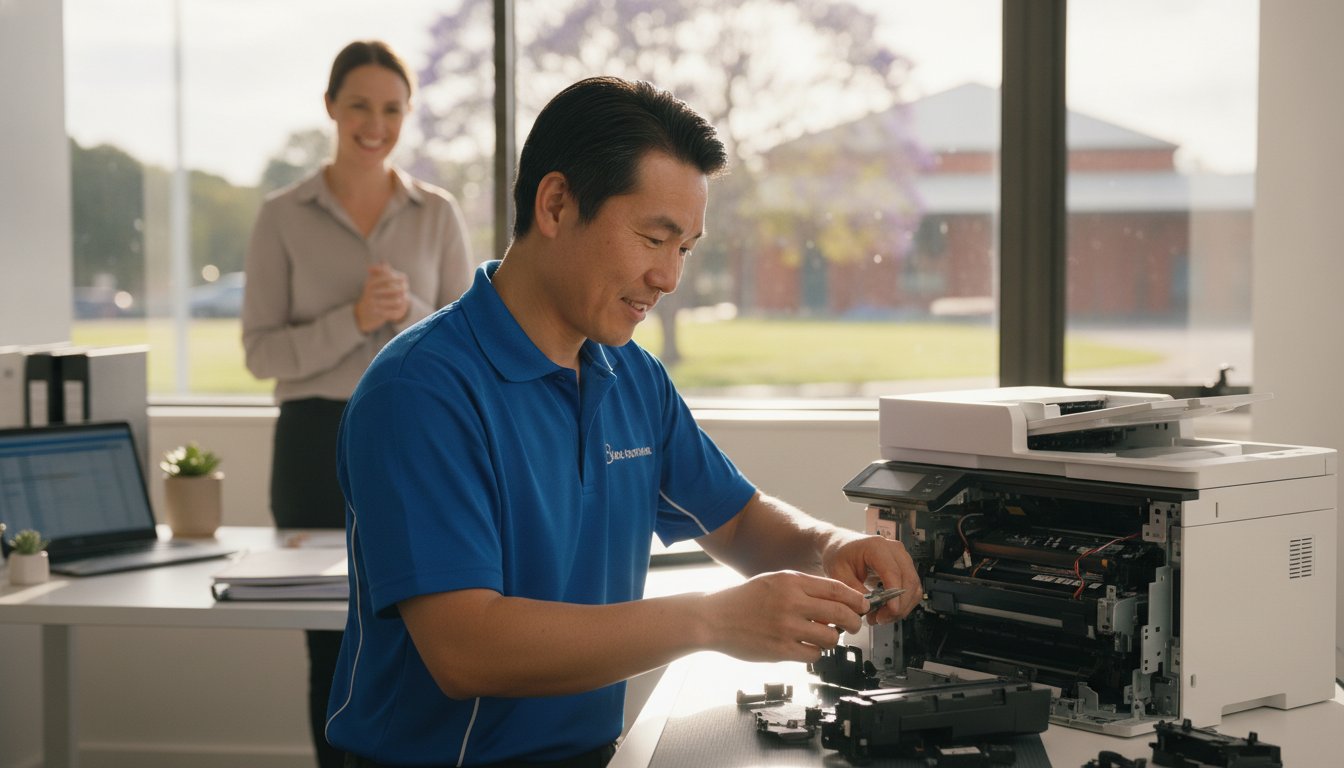
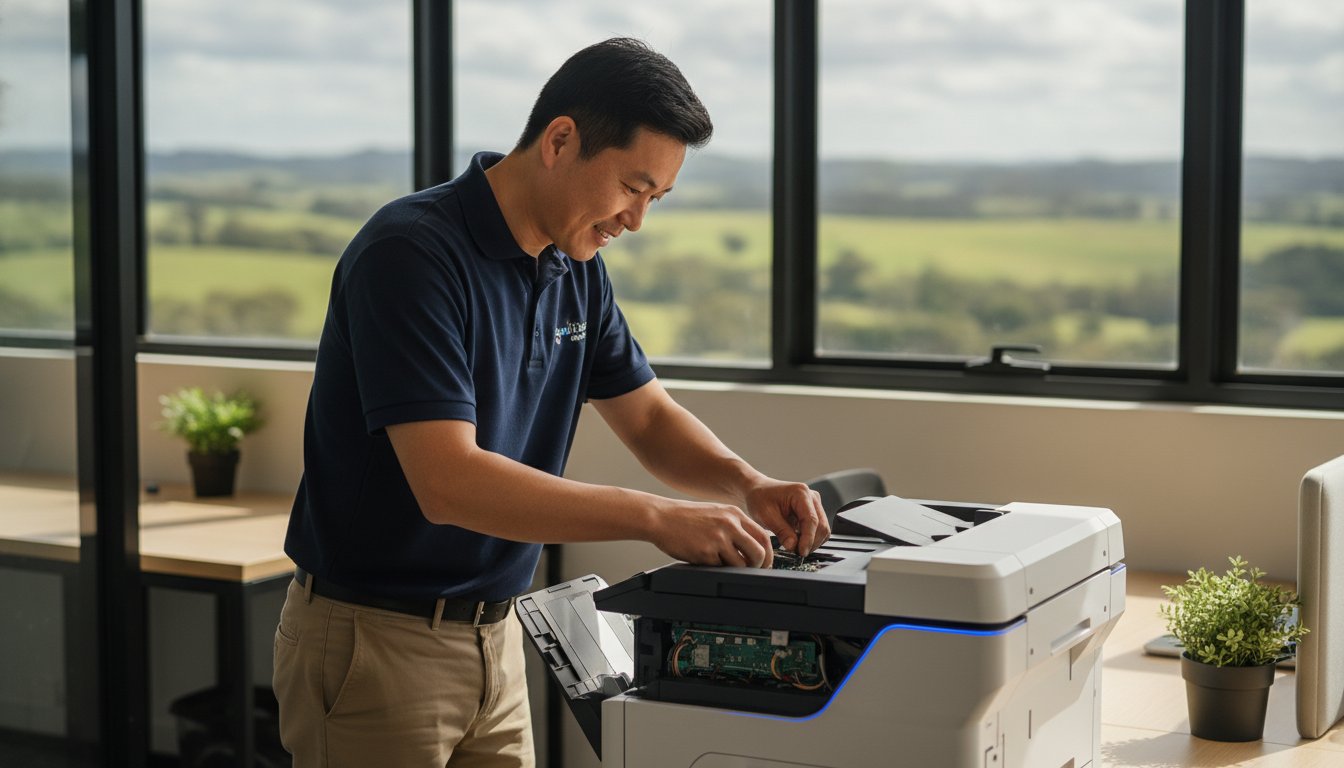
The process begins with a comprehensive internal cleaning. Toner dust is microscopic and highly abrasive; if left to accumulate, it acts like sandpaper on delicate plastic gears. We remove this debris along with paper lint that often clogs internal sensors. Once clean, we perform an inspection and lubrication of all moving mechanical parts. Using high-temperature, manufacturer-specific lubricants on gear trains ensures silent operation and prevents the friction that leads to snapped components. We also test and calibrate paper feed rollers, using professional-grade rejuvenators to restore the “tack” needed to pull paper through without misfeeds.

Hardware and Mechanical Inspection

We look closely at the integrity of the fuser assembly and transfer belt, as these components are responsible for bonding toner to the page. If these show signs of pitting or wear, we can often replace them for a fraction of the cost of a new machine. The duty cycle represents the maximum number of pages a printer can reliably output per month; a professional service resets this expectation by ensuring all components are operating within their original specifications. This proactive approach is a key factor when calculating the cost of printer repair vs new Toowoomba professionals use to justify keeping their high-end hardware.

Software, Connectivity, and Security Audit

Modern printers are sophisticated networked computers, making them potential weak points in your home office cyber security. Our 2026 audit includes a full software and firmware update to patch vulnerabilities and improve network compatibility. We optimise print driver settings specifically for Windows 10 and 11 environments to eliminate “handshake” errors. For businesses across the Darling Downs, we also verify remote printing capabilities. This ensures your hybrid work setup remains seamless, allowing you to send documents to the office printer from your laptop anywhere in Newtown or the surrounding suburbs without connectivity dropouts.

Cost of Printer Repair vs New in Toowoomba: The 2026 Decision Guide

Why Local Toowoomba Expertise Matters for Your IT Support

Choosing between fixing an old machine or buying a new one isn’t just about the receipt. It’s about who stands behind the work. When evaluating the cost of printer repair vs new Toowoomba professionals should consider the unique environmental factors of the Darling Downs. Our region is known for its fine dust and fluctuating humidity. These are silent killers for laser printer gear assemblies and paper feed systems. A technician from a national call centre won’t understand how local conditions affect your pickup rollers, but a local expert does. We’ve seen how the QLD climate impacts hardware over the long term, and we know how to mitigate those risks during a service.

On-Site Service Across the Darling Downs

We provide on-site assistance from Newtown to the Lockyer Valley, ensuring you don’t face the “big city” wait times common with national retailers. There’s no need to lug a heavy office printer to a shop and wait weeks for a diagnostic. We come to your home office or business premises, saving you valuable travel time and keeping your operations moving. This convenience is a core part of our IT support for business. We treat your printer as a vital link in your professional ecosystem rather than an isolated peripheral. Our goal is to ensure your hardware works seamlessly with your existing network and NBN setup.

25+ Years of Local Reliability

Aspire Computing has been a fixture in the Toowoomba community since 1999. Over these two and a half decades, we’ve built our reputation on personal accountability and deep technical knowledge. Unlike anonymous support lines, we know the specific nuances of the local infrastructure. When you work with a computer repairs Toowoomba specialist, you’re building a relationship with someone who understands your specific office history. This personal touch means we can troubleshoot recurring “Printer Offline” issues that often stem from local network quirks rather than the hardware itself.

Supporting local businesses also ensures a more rapid turnaround for parts and supplies. We maintain strong ties with regional suppliers to get your Samsung, Canon, or Epson machine back online quickly. This local network is why we can often resolve issues that leave national providers scratching their heads. If you’re weighing up the cost of printer repair vs new Toowoomba residents can trust our honest, local advice. If your equipment is struggling, book a local on-site service to get a professional diagnostic without the hassle of shipping your machine away.

Booking Your Printer Service with Aspire Computing

When you’re ready to finalise the cost of printer repair vs new Toowoomba decision, we want to make the process as efficient as possible. To maximise our time during a diagnostic call, it helps to have a few things ready. If your machine is still printing, keep a few samples of the streaky or faded pages. Note down any specific error codes or “Printer Offline” messages you’ve seen. This preparation allows us to dive straight into the technical solution, reducing the time spent on-site and getting your office back to full capacity faster.

We pride ourselves on a transparent approach to the cost of printer repair vs new Toowoomba businesses encounter. You’ll always receive honest advice from me. If a machine is truly beyond its economic life or if parts are no longer available for an older model, I’ll tell you straight. We specialise in supporting Canon, Epson, and Samsung hardware, ensuring that any replacement parts meet original manufacturer standards. Sometimes, a printer issue is a symptom of an ageing PC. If your whole system feels sluggish, you might consider a hardware upgrade to improve overall office performance alongside your printer service.

Our Professional Diagnostic Process

During an on-site visit in Newtown or the surrounding suburbs, we perform a methodical check of both hardware and software. We don’t just look at the broken part; we examine the entire paper path and connectivity setup. For minor software handshake errors or driver conflicts, we can often provide remote support to save you a call-out fee. However, for physical repairs, our commitment to quality is absolute. We only use reliable components for all printer supply and repair tasks. This ensures that once your machine is fixed, it stays fixed, providing you with the operational stability your business deserves.

Get Your Office Back to Full Speed

Downtime is expensive for any Toowoomba small business. Proactive maintenance is the best way to avoid the stress of a sudden hardware failure during a deadline. By scheduling a regular service, you can extend the life of your professional-grade printer and keep your per-page costs low. If you’re currently facing a technical hurdle, don’t let the frustration build up. We’ve been helping the Darling Downs community with dependable IT assistance since 1999, and we’re ready to help you too. Contact Aspire Computing today to book your diagnostic service and get your office running at full speed again.

Restore Your Workflow with Confidence

Deciding on the cost of printer repair vs new Toowoomba residents face doesn’t have to be a gamble. By looking past the initial retail price tag and considering long-term running costs, you can make a choice that supports both your budget and the environment. Professional-grade hardware is built to last; a comprehensive service often provides years of additional life for a fraction of a replacement’s price. This approach avoids the “ink trap” of cheap models while ensuring your business documents maintain a professional standard.

Since 1999, we’ve provided dependable on-site support throughout Newtown and the broader Darling Downs. Whether you’re struggling with a Canon, Epson, or Samsung model, our local expertise ensures you get a transparent diagnostic without the stress of shipping your equipment away. We understand the specific needs of our community and the impact of our local climate on your technology. Book your professional printer service with Toowoomba’s local experts at Aspire Computing and keep your home office running at its peak performance. We look forward to helping you get back to work with minimal downtime.

Frequently Asked Questions

How often should a home office printer be professionally serviced in Toowoomba?

Most home office printers benefit from a professional service every 12 to 18 months. High-volume business environments should consider annual maintenance to remove Darling Downs dust and accumulated toner debris. Regular checks prevent mechanical friction in gear trains and rollers. This proactive approach helps you manage the long-term cost of printer repair vs new Toowoomba investments by significantly extending the operational life of your current hardware.

Is it worth repairing a printer that is more than five years old?

It depends on the original quality of the machine and current part availability. High-end business laser printers are often worth fixing because they are built for longevity and offer much lower per-page running costs than new budget models. If your device was an entry-level retail unit, a replacement might be more economical. We provide an honest assessment during our diagnostic to ensure you don’t overinvest in an obsolete machine.

Can Aspire Computing fix my printer on-site in Newtown or the Lockyer Valley?

Yes, we provide convenient on-site service throughout Toowoomba, Newtown, and the broader Darling Downs, including the Lockyer Valley. Our technician comes directly to your premises to diagnose and repair your hardware in its actual operating environment. This saves you the time and effort of transporting heavy equipment. We also offer remote support for software-based issues and network connectivity problems to get your office back online quickly.

What is the difference between a printer repair and a professional printer service?

A repair fixes a specific broken component, while a service is a comprehensive preventative health check. Repairs address immediate failures like a snapped gear or a dead sensor. A professional service includes deep internal cleaning, mechanical lubrication, and firmware updates to stop future breakdowns before they happen. Choosing a regular service can lower the eventual cost of printer repair vs new Toowoomba business owners face by catching minor wear early.

Do you provide ink and toner supplies for brands like Canon and Epson?

We supply quality consumables and replacement parts for major brands including Canon, Epson, and Samsung. Using the correct toner and ink is vital for maintaining the health of your internal fuser and print heads. We help you source the right supplies to ensure your machine operates at its original manufacturer specifications. This support is a core part of our comprehensive printer supply and repair service for local professionals.

Why does my printer keep saying it is offline when it’s plugged in?

This is frequently a software or network “handshake” issue rather than a physical hardware fault. It can be caused by IP address conflicts, outdated drivers, or NBN router settings. Our diagnostic process checks your entire network ecosystem to find the root cause. We ensure your PC and printer are communicating correctly, often resolving these frustrating errors through remote support or a quick on-site visit to your Toowoomba office.

Can a faulty or unpatched printer compromise my office network security?

Modern printers are sophisticated networked computers and can be vulnerable to cyber attacks if their firmware is outdated. An unpatched device provides a potential entry point for malware into your broader business network. As part of our professional service, we perform security audits and firmware updates. This protects your sensitive data and ensures your printer isn’t a weak link in your home office or small business cyber security setup.

What brands of printers does Aspire Computing specialise in repairing?

We specialise in diagnosing and repairing hardware from Canon, Epson, and Samsung. These brands are popular in Toowoomba home offices due to their reliability and performance. Our technician has extensive experience with the specific mechanical and software requirements of these models. Whether you need a simple part replacement or a complex network configuration, we provide the local expertise needed to keep these specific brands running at peak performance.

Printer Repair Toowoomba: Reliable Solutions for Home & Small Business

Imagine you have just spent a small fortune on fresh toner, only for your machine to flash a cryptic error code minutes before a major deadline. It’s a frustrating scenario many local professionals face, and it often leads to the same stressful question: is it time to give up, or is there a way to save your investment? Finding reliable printer repair Toowoomba doesn’t have to be a gamble, especially when you need a fast turnaround to keep your home office or small business running smoothly.

We agree that your time and money are too valuable to waste on “throwaway” technology that isn’t actually broken. This guide promises to demystify those stubborn wireless issues and provide the honest “repair versus replace” advice you need to make a smart decision. You’ll learn about common troubleshooting fixes, the long term benefits of maintaining laser printers, and how personalized service from a local expert like Chaim Lee can get your equipment back in top shape without the usual retail headache.

Key Takeaways

  • Discover how Toowoomba’s local humidity affects paper storage and learn simple ways to prevent persistent paper jams.
  • Master a 5-step troubleshooting checklist to resolve wireless connectivity issues and software errors before calling for help.
  • Apply the “50% Rule” and ink cost analysis to decide whether repairing or replacing your printer is the better financial choice.
  • Access professional printer repair Toowoomba services for fast on-site business support and preventative maintenance.
  • Understand how over 25 years of local technical experience ensures you receive honest, expert advice tailored to your needs.

Common Printer Problems Toowoomba Residents Face

When your printer stops working, it’s rarely at a convenient time. In our region, we see a specific set of issues that often stem from local climate factors and typical wear. If you are searching for printer repair Toowoomba, you’ve likely encountered one of these four common headaches. Persistent paper jams are a frequent complaint; Toowoomba’s humidity can cause paper to absorb moisture, making it swell and stick together. This leads to the rollers grabbing multiple sheets at once, causing a backup in the paper path.

To better understand how these mechanical issues look in practice, watch this helpful video:

Faded or streaky prints usually signal clogged print heads, especially in older inkjet models that sit idle for too long between jobs. Then there is the “offline” nightmare where your computer suddenly can’t find the device. This is often a breakdown in the wireless handshake or a print spooler error in Windows. We see this frequently after a router change or a major system update. Finally, pay attention to strange noises. Grinding or clicking sounds are early warnings that gears or rollers are failing and need professional attention before the machine stops entirely.

Environmental Impacts on Printing in the Darling Downs

Managing printer repair Toowoomba needs often involves addressing the unique environmental challenges of the Darling Downs. Fine dust from the surrounding areas can settle on laser printer drums, creating repetitive spots or lines on every page. Humidity doesn’t just affect paper; it can also cause toner powder to clump inside the cartridge. To protect your investment, follow these simple storage tips:

  • Keep paper in its original wrapper or a sealed container until you’re ready to load it.
  • Store ink and toner in a cool, dark cupboard to prevent the liquid from drying or the powder from clumping.
  • Always use a high-quality surge protector, as local power surges during storm season can easily damage sensitive printer circuit boards.

While protecting your hardware from electrical issues is vital, don’t forget that the physical safety of your workspace is just as important during the local storm season; specialists like Hop To It Roof Repairs can help ensure your roof remains leak-free and secure against the elements.

Brand-Specific Issues: Canon, Epson, and HP

Different brands have their own quirks that require specific expertise. Canon and HP models in 2026 often display specific error codes that can be confusing for home users, such as “B200” or various “0x” hardware faults. While it’s tempting to hit “update” on every prompt, firmware updates can sometimes cause more harm than good by introducing connectivity bugs or rejecting third-party cartridges. For those using Epson eco-tank models, the most common mechanical failure involves air bubbles or dried ink blockages forming within the long internal supply tubes. If you need help diagnosing these specific faults, Aspire Computing offers expert local support to get you back online quickly.

5 Steps to Troubleshoot Your Printer Before Calling a Pro

Before you commit to a professional service call, there are several reliable steps you can take to rule out simple software glitches or minor blockages. These methods often resolve the most common frustrations without needing a toolkit. If you find these steps don’t solve the problem, reaching out for expert printer repair Toowoomba ensures you aren’t stuck offline for long.

1. The Power Cycle Plus: This is more than just turning it off and on. You should turn off the printer, unplug it from the wall, and wait at least 30 seconds. This duration allows the internal capacitors to drain completely, which clears the temporary memory and resets the internal logic board. It’s a simple way to fix “frozen” screens or unresponsive buttons.

2. Clearing the Print Spooler: If you are using Windows 11 or 12, your computer might have a “stuck” print job blocking the queue. Open the “Services” app, find “Print Spooler,” right-click it, and select “Restart.” This often clears the digital logjam that prevents new documents from printing.

3. Wireless Reset: Modern Wi-Fi 6 routers provide incredible speeds, but they sometimes struggle to maintain a handshake with older printer hardware. Try re-joining your Wi-Fi network directly from the printer’s control panel. This forces the router and printer to establish a fresh connection.

4. Physical Inspection: Use a bright flashlight to look inside the paper trays and access doors. Even a tiny scrap of paper or a stray staple can trip a sensor. Gently remove any debris you find, but avoid using sharp objects that could scratch the delicate rollers.

5. Driver Refresh: Ensure your printer software matches your current operating system. Manufacturers frequently release updates to fix bugs. Downloading the latest 2026 driver from the official brand website can resolve many “Printer Not Found” errors.

Fixing Connectivity and “Printer Offline” Errors

To prevent your printer from disappearing on your network, try assigning it a static IP address through your router settings. This ensures the computer always knows exactly where to find the device. For remote workers using cloud print services, check that your account is still authenticated. If wireless troubleshooting fails, connecting a USB cable is the best diagnostic tool left. It tells you immediately if the hardware is functional or if the issue is strictly network-related. If you’re still hitting a wall, Aspire Computing can help diagnose these complex connectivity issues remotely or on-site.

Mechanical Quick Fixes for Paper Jams

When clearing a jam, always pull the paper in the direction of the natural paper path. Pulling it backwards can tear the sheet or misalign the internal sensors. If your machine frequently misfeeds, you can safely clean the pick-up rollers using a lint-free cloth lightly dampened with water or a tiny amount of isopropyl alcohol. This removes the “paper dust” that makes rollers slippery. If the printer reports a jam but you can’t find any paper, it’s likely a sensor failure or a broken gear that requires a professional eye.

Repair or Replace? Making the Right Choice for Your Printer

Deciding whether to book a printer repair Toowoomba service or head to the shops for a new machine is a common dilemma. Many residents feel pressured to replace their hardware at the first sign of trouble, but this isn’t always the most cost-effective move. A smart way to decide is by using the “50% Rule.” If the cost of a professional repair approaches half the price of a comparable new unit, replacement might be the logical path. However, this rule only works if you look at the total cost of ownership, not just the sticker price of a new box.

The trap many fall into involves “cheap” inkjet printers. These units are often sold at a loss, with manufacturers making their profit on expensive proprietary ink cartridges. When you factor in that a budget printer might cost twice as much to run per page as a mid-range laser model, repairing your existing high-quality machine becomes much more attractive. Sustainability is also a growing concern in 2026. Australia generates over 521,000 tonnes of e-waste annually, which is roughly 20.4kg per person. Choosing to maintain your current device directly reduces the environmental impact on our local Toowoomba landfill sites.

Evaluating the Age and Usage of Your Device

Lifespan varies significantly between technology types. A standard home inkjet printer typically lasts around three years under regular use, while a business-class laser printer can easily serve an office for five to ten years. Every printer has a “duty cycle,” which is the maximum number of pages it can reliably print per month. If your machine is reaching this limit, internal components like fuser units and transfer belts may begin to fail. Chaim Lee often recommends repairing older business-grade hardware because these machines were built with sturdier parts than modern, entry-level consumer models. A simple roller replacement can often give a robust older machine another three years of life.

The Hidden Costs of New Printers

Don’t be fooled by the low price tag on a new machine. Most new printers come with “starter cartridges” that contain only a fraction of the ink found in a standard replacement. You might find yourself spending another $100 on ink just weeks after your purchase. Additionally, many modern brands push subscription-based ink models that charge you a monthly fee just to keep your printer functional. If you prefer to own your supplies and avoid recurring costs, keeping your current machine running is usually the better financial move. For an honest, professional assessment of your hardware, you can contact Aspire Computing to see if a repair is viable for your specific model.

Printer Repair Toowoomba: Reliable Solutions for Home & Small Business

Professional Printer Service for Toowoomba Small Businesses

Small businesses in the Darling Downs often rely on a few high-performance desktop printers rather than massive floor-standing photocopiers. When these machines fail, your entire workflow can grind to a halt. Professional printer repair Toowoomba services for small businesses provide a bridge between basic DIY fixes and expensive enterprise contracts. We offer both on-site and remote support to get your office back to work without the need for you to travel or wait days for a technician.

Regular maintenance is the best way to prevent unexpected downtime. A professional “tune-up” includes cleaning internal sensors, lubricating moving parts, and checking for firmware stability. It’s also a critical time to review your supply solutions. We help you source the right ink and toner locally, ensuring you don’t end up with incompatible or low-quality third-party supplies that could damage your machine’s delicate print heads.

Security is another vital factor that many small business owners overlook. A networked printer is a computer in its own right. If it isn’t secured, it can become a backdoor for malware to enter your office network. We ensure your printer’s security settings are configured correctly to protect your client data and internal documents from unauthorized access.

Managed Print Solutions for Small Teams

For offices with multiple users, tracking printing costs can be difficult. We implement simple solutions to monitor usage and reduce waste across your team. You can also set up secure “Follow Me” printing, which ensures a document only prints when the user is physically at the machine. This is a great way to handle sensitive information in shared office spaces. For a complete look at optimizing your workplace technology, check out our guide on IT support for business for full office integration.

Emergency Printer Repair in Toowoomba

Deadlines don’t wait for hardware failures. We offer priority service for local businesses facing critical projects. If a specific part needs to be ordered, we can often discuss temporary loaner options to keep your team productive while your main unit is being serviced. This level of personal care is why local expertise beats waiting for a national chain technician who might be traveling from hours away. Dealing directly with Chaim Lee means you get a technician who understands your history and your specific business needs. Ready to secure your office hardware? Contact Aspire Computing for a professional maintenance check today.

Why Aspire Computing is Toowoomba’s Trusted Printer Specialist

Choosing a technician for printer repair Toowoomba requires more than just technical skill; it requires trust. Aspire Computing has served our local community for over 25 years. When you call for assistance, you deal directly with the owner, Chaim Lee. You won’t be redirected to a distant call centre or forced to navigate an automated phone menu. This personal accountability ensures that every piece of advice you receive is honest, professional, and tailored specifically to your home or small business needs.

Our deep expertise spans major brands including Canon, Epson, and Samsung. We understand the specific mechanical quirks and software requirements of these machines. This knowledge allows us to provide a rapid turnaround and reliable solutions. We maintain a strict commitment to transparent pricing and dependable advice. You’ll always receive a clear explanation of the fault and a professional recommendation on whether a repair is the most economical choice. This straightforward approach has built a strong sense of stability and expertise across the Darling Downs since we first established our presence.

Serving Newtown and the Surrounding Suburbs

We’ve been a permanent fixture in the Newtown community since 1999. Our mobile service coverage is extensive, reaching from the heights of Highfields down to the Lockyer Valley and across the various suburbs of Toowoomba. Choosing a local technician means you benefit from someone who understands the specific environmental challenges of our region. We know how local dust and humidity levels can impact your hardware because we live and work here too. This hyper-local focus distinguishes our service from anonymous national providers who lack a personal connection to the community.

More Than Just Printer Repairs

A printer problem is often just one piece of a larger technical puzzle. What looks like a mechanical failure could actually be a networking conflict or an outdated driver issue. We provide a holistic approach by integrating your printer service with professional computer repairs and network troubleshooting. This ensures your entire office ecosystem functions as it should, preventing future downtime.

We also help protect your home office through expert virus and malware removal. If a malicious program has compromised your system or redirected your print jobs, we can clean your device and restore your security. Booking a local service call today with Aspire Computing gives you the peace of mind that comes from dealing with an established expert who stands by his work. Whether you need a quick fix or a complete system overhaul, we are here to help.

Get Your Printer Back Online with Confidence

Your printer is a vital part of your daily workflow, and a sudden failure shouldn’t derail your entire week. We have explored how local conditions impact your hardware and provided a framework for deciding whether to fix or replace your machine. When troubleshooting steps fail, professional printer repair Toowoomba becomes the most efficient way to restore your productivity without the risk of further damaging your device through trial and error.

Choosing a local specialist means you benefit from over two decades of technical experience. Aspire Computing has been serving the community since 1999, offering a level of personal accountability that national call centres simply cannot provide. Dealing directly with Chaim Lee for your printer repair Toowoomba ensures you receive honest, transparent advice tailored to the unique needs of your home office or small business. We understand the value of your time and the importance of a machine that works when you need it most.

Don’t let technical glitches slow you down any longer. Contact Chaim at Aspire Computing for Expert printer repair Toowoomba and get your equipment running smoothly again. We are here to help you get back to work with minimal stress and total peace of mind.

Frequently Asked Questions

How much does printer repair typically cost in Toowoomba?

Costs for a professional service vary based on the complexity of the fault and the specific parts needed for the fix. While common software resets or minor mechanical adjustments might involve a standard fee, hardware failures requiring new components will be quoted individually. We focus on transparent communication, so you’ll always know the expected investment before we proceed. This ensures you can make an informed decision on whether the repair is the right financial choice.

Is it better to repair a laser printer or buy a new inkjet?

Repairing a laser printer is usually the smarter choice because these machines are built for longevity and offer a much lower cost per page. Many budget inkjet printers are designed for short lifespans, and their high ink costs can quickly exceed the price of the machine itself. If you have a sturdy laser model, a professional service can keep it running for many more years, saving you money on both hardware and supplies.

Do you offer on-site printer repair for home offices in Highfields?

Yes, we offer on-site service calls for home offices and small businesses in Highfields and across the Toowoomba region. We bring the tools and expertise to your location to save you the hassle of transporting your equipment. This mobile support is a key part of our printer repair Toowoomba service, ensuring that residents in surrounding suburbs get the same high-quality technical assistance as those in the city centre.

Can you fix a printer that is no longer under warranty?

We can definitely repair printers that are no longer covered by a manufacturer’s warranty. In fact, many of the machines we service are older, business-grade models that are well worth maintaining due to their robust construction. Whether your machine is three years old or ten, we can often find the necessary parts and provide the technical expertise to keep it functioning perfectly, helping you avoid the cost of a brand-new unit.

Why does my printer keep saying it is out of ink when I just replaced it?

This error typically happens when the printer fails to recognize the cartridge’s electronic chip or if the internal sensors are dirty. You can often fix this by carefully cleaning the contacts on both the cartridge and the printer with a dry, lint-free cloth. If the problem persists after a hardware reset, it might indicate a sensor fault or a firmware conflict that requires a professional to bypass or recalibrate for proper operation.

Do you supply genuine toner for Canon and Brother printers?

We supply a wide range of genuine toner and ink for brands like Canon and Brother to ensure your machine operates at peak performance. Using original supplies helps protect your print heads and ensures the highest possible print quality for your business documents. If you’re looking for ways to reduce costs, we can also advise on reliable compatible options that won’t compromise the safety or operational stability of your specific printer model.

Can a printer be repaired if it has a “Fatal Error” code?

Many “Fatal Error” messages are actually caused by minor mechanical issues like a paper scrap blocking a sensor or a carriage being unable to move freely. While the name sounds final, these codes are often just the printer’s way of stopping before further damage occurs. We can diagnose the root cause of the error and, in many cases, perform a manual reset or adjustment that brings the machine back to life.

How long does a typical printer service take at Aspire Computing?

The duration of a service depends on the nature of the problem, but we always aim for a rapid turnaround to minimize your downtime. Most common repairs are completed within two to four business days, provided that any necessary replacement parts are readily available. We understand that printer repair Toowoomba services need to be efficient for local businesses, so we keep you updated on our progress throughout the entire diagnostic and repair process.

Printer Repair Toowoomba: Reliable Solutions for Home & Small Business

Did you know that Australia generated 588,000 tonnes of e-waste in 2023, a staggering 20kg per person? A significant portion of this waste comes from office equipment like printers that are often discarded when a simple repair could have extended their life for years. It’s a common headache for many of us in the Darling Downs. You’ve just spent a fortune on fresh ink or toner, only for the machine to throw a cryptic driver error or lose its wireless connection right when you have a deadline looming. It’s tempting to think the only solution is a trip to the shops for a replacement.

However, you don’t have to navigate these technical failures alone or waste money on a new machine unnecessarily. This article provides the honest advice you need on printer repair Toowoomba, helping you decide whether to fix your current device or upgrade based on its age and condition. You’ll learn about the 50% repair rule, how to handle common connectivity issues, and why local, expert troubleshooting from a trusted professional like Chaim Lee can save your business time and money.

Key Takeaways

  • Master simple troubleshooting steps, such as power cycling and clearing the Windows print spooler, to resolve common software glitches on your own.
  • Apply the 50% rule to determine if a repair is cost-effective or if a new unit would save you more in long-term ink expenses.
  • Access reliable printer repair Toowoomba services that focus on a “repair, don’t replace” philosophy to help you avoid unnecessary e-waste.
  • Learn how on-site support and regular maintenance can protect your small business from the costly downtime caused by sudden equipment failure.
  • Benefit from over 25 years of local experience by working directly with a specialist who understands the specific needs of Darling Downs residents.

Common Printer Problems Toowoomba Residents Face

Toowoomba residents often find that their printers act up during the humid summer months or the dry, dusty winters characteristic of the Darling Downs. Persistent paper jams are rarely just a mechanical fluke; they’re frequently caused by paper absorbing moisture from the air, which makes the sheets stick together. If you’ve been struggling with sheets that won’t feed properly, it might be time to look at printer repair Toowoomba services to check if your internal rollers have become glazed or worn from this extra friction.

Faded or streaky prints often signal that your inkjet’s print heads are clogged, especially if the machine sits idle for weeks. For those using laser models, issues like vertical lines or ghosting images are common laser printer malfunctions that usually stem from a damaged drum or an aging fuser unit. These mechanical parts are sensitive to the fine dust found in our region, which can lead to premature wear and loud grinding noises that suggest a gear is about to fail. The “offline” nightmare is another frequent complaint. It often happens after a Windows update or a router reset, leaving your computer unable to communicate with the hardware. While it feels like a hardware death sentence, it’s often a driver or IP address conflict that a professional can resolve quickly.

To better understand how complex internal components like ink tubes and dampers can affect your machine’s performance, watch this helpful video:

Environmental Impacts on Printing in the Darling Downs

The high humidity levels in Toowoomba don’t just affect paper; they can also cause toner powder in laser cartridges to clump, leading to uneven distribution. Dust is another silent killer for local hardware. Fine particles settle on the delicate sensors and drums of laser printers, causing “offline” errors or sensor failures. Power surges are also common in the Darling Downs during summer storms. These spikes can fry the sensitive logic boards inside your printer, making it completely unresponsive. Storing your spare ink and toner in a cool, climate-controlled cupboard, rather than a garage or shed, is essential to prevent the liquid from drying out or the powder from spoiling.

Brand-Specific Issues: Canon, Epson, and HP

Each brand has its own quirks that we see regularly in our Newtown workshop. Canon and HP models often display specific error codes, such as the “B200” or “0x” series, which can indicate anything from a printhead failure to a simple firmware conflict. While manufacturers push firmware updates to your device, these can sometimes block third-party cartridges or cause connectivity drops on Windows systems. When you need professional printer repair Toowoomba residents can trust, identifying these brand-specific patterns is key to a fast fix. For those using Epson eco-tank models, the most common mechanical failure is the accumulation of dried ink within the waste ink pads which eventually triggers a total system lockout.

5 Steps to Troubleshoot Your Printer Before Calling a Pro

Before you commit to a professional printer repair Toowoomba service call, it’s worth trying a few simple diagnostic steps. Many issues that look like hardware failures are actually temporary software glitches or communication errors. There are several ways to troubleshoot your printer before seeking expert help. Start with the “Power Cycle Plus” method. It’s more than just turning it off and on. You need to unplug the power cord from the back of the machine and the wall for at least 30 seconds. This allows the internal capacitors to drain completely, which clears the volatile memory and resets the internal logic controller.

Next, check your software queue. In Windows 11 or 12, the Print Spooler can often become “stuck” with a corrupted document. Open the “Services” app on your PC, find “Print Spooler,” and click restart. If your machine is wireless, modern Wi-Fi 6 routers can sometimes lose the handshake with older printer hardware. Re-syncing your printer through its network settings menu often restores the connection. You should also perform a physical inspection. Use a torch to look deep into the paper path for tiny scraps of paper or staples. Even a small piece of debris can block a sensitive optical sensor. Finally, ensure your drivers are current. Manufacturers frequently release updates to ensure hardware remains compatible with the latest operating system patches.

Fixing Connectivity and “Printer Offline” Errors

Wireless dropouts are a major source of frustration. You can prevent many of these by assigning a static IP address to your printer through your router’s settings. This ensures your PC always knows exactly where to find the hardware on your network. For remote workers using cloud print services, ensure your printer is correctly registered to your account and that the firmware is up to date. Sometimes, a simple USB cable is the only reliable diagnostic tool left. If the printer works via USB but not Wi-Fi, you know the hardware is fine and the issue lies with your network configuration.

Mechanical Quick Fixes for Paper Jams

When a jam occurs, the way you remove the paper matters. Always pull the sheet slowly in the direction of the paper path to avoid tearing. If the paper rips, the remaining fragments can be nearly impossible to reach without dismantling the unit. You can safely clean pick-up rollers using a lint-free cloth dampened with a tiny amount of water to remove paper dust. If the machine reports a jam but you can’t see any paper, it’s likely a sensor failure. If these steps don’t resolve the issue, seeking expert printer repair Toowoomba from a local specialist is the next logical step. You can always reach out for local technical support to get your home office moving again.

Repair or Replace? Making the Right Choice for Your Printer

Deciding whether to invest in printer repair Toowoomba or simply buy a new machine is a common dilemma. The general industry standard is the 50% rule. If the quote for parts and labour exceeds half the cost of a comparable new unit, replacement is often the logical path. However, this rule is most applicable to budget inkjet printers found in big-box retail stores. High-quality business-class printers are built with more durable components. These machines are designed to be serviced and can often run for a decade with regular maintenance.

Sustainability is another major factor for Darling Downs residents in 2026. Discarding a printer adds to the growing problem of e-waste in our local landfills. Many modern “cheap” printers are essentially disposable. They are built with thin plastics and non-replaceable parts. In contrast, older models often have robust metal frames and modular components. Before you give up on your current device, you can troubleshoot common printer problems using official guides to see if the issue is purely software-based.

Evaluating the Age and Usage of Your Device

The typical lifespan of a home office inkjet is roughly three to five years. Laser printers usually last much longer, often reaching seven to ten years before critical failure. You might notice signs that internal components are reaching their duty cycle limit, such as frequent paper jams or grinding noises that persist even after cleaning. Chaim Lee often recommends repairing older, high-quality hardware because these machines were built to a higher standard than many current consumer models. A simple roller replacement or a deep clean can often restore an old workhorse to its former glory.

The Hidden Costs of New Printers

New printers often come with a “starter cartridge” trap. These cartridges contain only a fraction of the ink or toner found in standard replacements. You might find yourself spending more on a full set of ink than you did on the printer itself within the first month. Many manufacturers have also moved toward subscription-based ink models. These can be convenient but often lead to higher costs over time compared to owning your supplies outright. For a clear, honest, and professional assessment of your current machine, it’s best to consult a local expert. Choosing printer repair Toowoomba services can often save you from these recurring hidden expenses while keeping your reliable hardware in action.

Printer Repair Toowoomba: Reliable Solutions for Home & Small Business

Professional Printer Service for Toowoomba Small Businesses

Small businesses in the Darling Downs often operate with a lean setup. In these environments, a single malfunctioning desktop printer can stall an entire day’s operations. While large enterprises might have dedicated contracts for massive photocopiers, small teams need a more flexible approach to printer repair Toowoomba. Our focus is on the specific hardware that keeps your home office or local shop running, from high-speed inkjets to workhorse laser units.

We offer both on-site and remote support to ensure your office stays productive. Software conflicts or driver issues can often be resolved through a remote connection. This saves you the wait for a technician to arrive. However, when there is a mechanical failure, we come to you. Regular maintenance is the best way to prevent these interruptions. A scheduled “tune-up” involves cleaning the internal sensors, checking the fuser assembly, and ensuring the paper path is clear of dust. We also assist with supply solutions, helping you source the right ink and toner locally to avoid the long shipping delays of online retailers.

Security is another critical consideration that many small businesses overlook. Modern printers are essentially computers with hard drives and network connections. If they aren’t properly secured, they can serve as a backdoor for malware to enter your network. We help you configure your devices with the latest security protocols to protect your sensitive business data.

Managed Print Solutions for Small Teams

Even a small team of five can generate significant printing costs if usage isn’t tracked. We provide solutions that help you monitor ink and toner consumption. This allows you to identify waste and reduce overheads. For shared office spaces, we can set up secure “Follow Me” printing. This ensures that a document only prints when the user is physically present at the machine. For a more comprehensive look at how we integrate these services into your workplace, read our guide on IT support for business.

Emergency Printer Repair in Toowoomba

When a deadline is looming and your hardware fails, you can’t afford to wait days for a technician from a national chain. Local expertise means we understand the urgency of your situation and can often provide priority service. When you choose our team for printer repair Toowoomba, you get a specialist who can provide temporary loaner options for critical situations. This keeps you online while your main unit is being serviced in our Newtown workshop. If you need immediate assistance with your office hardware, you can contact us for professional printer services today.

Why Aspire Computing is Toowoomba’s Trusted Printer Specialist

Choosing a partner for printer repair Toowoomba residents can depend on often comes down to two things: experience and trust. At Aspire Computing, we’ve been part of the local landscape since 1999. This long-standing history in the Darling Downs isn’t just about time; it’s about the deep understanding of the specific technical hurdles our community faces. When you call us, you aren’t routed through an overseas call centre or a generic help desk. You deal directly with Chaim Lee. This personal accountability ensures that the advice you receive is honest, transparent, and tailored to your specific situation.

Our expertise spans across all major brands, including Canon, Samsung, and Epson. When you require professional printer repair Toowoomba, having a specialist who understands the mechanical nuances of each manufacturer is essential. We don’t just look at the hardware in isolation; we understand how these machines interact with your local network and operating systems. This brand-specific knowledge is vital when diagnosing whether an issue is a simple firmware glitch or a mechanical failure requiring parts. By providing clear, upfront advice, we empower you to make the right decision for your budget and your business.

Serving Newtown and the Surrounding Suburbs

Newtown has been our home for decades, but our mobile service extends far beyond its borders. We regularly assist clients from Highfields down to the Lockyer Valley, bringing professional technical support directly to your doorstep. There’s a distinct advantage in choosing a technician who knows the local area. We understand the environmental factors, like the dust and humidity mentioned earlier, that can plague office equipment in our region. This local insight allows us to provide more effective preventative maintenance that actually works for Toowoomba conditions.

More Than Just Printer Repairs

A printer is rarely a standalone device. It’s a critical part of your digital ecosystem. That’s why our service goes beyond just fixing paper jams. We ensure your hardware is perfectly integrated with your wider setup, offering professional computer repairs to keep your PC or laptop running at its best. Security is also at the forefront of what we do. A networked printer can be a vulnerability, so we incorporate thorough virus and malware removal as part of our holistic approach to home office health. Booking a local service call today means you’re getting more than a quick fix; you’re gaining a partner dedicated to your long-term operational stability.

Restore Your Printing Reliability Today

We’ve explored how the unique climate of the Darling Downs can impact your hardware, from humidity-induced paper jams to dust-clogged sensors. By mastering a few troubleshooting basics and applying the 50% rule, you can make informed decisions that benefit both your budget and the environment. Most technical failures don’t require a trip to the landfill; they simply need the right expertise to get back on track.

Since 1999, Aspire Computing has been the go-to choice for printer repair Toowoomba residents and small business owners trust. You deal directly with Chaim Lee, ensuring you receive personal accountability and expert local knowledge that national chains simply can’t match. Whether you’re in Newtown or the surrounding suburbs, help is always close at hand.

Contact Chaim at Aspire Computing for Expert Printer Repair in Toowoomba. Don’t let a stubborn error code stand in the way of your productivity when a reliable, local solution is ready to help you succeed.

Frequently Asked Questions

How much does printer repair typically cost in Toowoomba?

Standard service call-out fees in the region often range between A$99 and A$140, which usually covers the initial assessment and the first block of labour. The final cost depends on the complexity of the hardware failure and any required replacement parts. We always provide a clear explanation of the necessary work before proceeding, ensuring you understand the value of the repair compared to the cost of a new machine.

Is it better to repair a laser printer or buy a new inkjet?

Repairing a laser printer is almost always the more economical choice over buying a budget inkjet. Laser units are built for higher duty cycles and offer a much lower cost per page. While a new inkjet might look cheap on the shelf, the ongoing expense of small ink cartridges quickly exceeds the one-off cost of a professional laser service or part replacement.

Do you offer on-site printer repair for home offices in Highfields?

Yes, we provide on-site printer repair Toowoomba residents can access in Highfields and all surrounding suburbs. We understand that transporting a bulky printer can be difficult, so we bring the tools and expertise directly to your home office. This on-site approach allows us to see the machine in its actual working environment, which often helps in diagnosing networking or connectivity issues.

Can you fix a printer that is no longer under warranty?

Most of our work involves repairing machines that are well outside their original manufacturer’s warranty period. Once a warranty ends, big-brand service centres often become difficult to deal with or can be quite expensive. As a local specialist, we have the experience to source parts and perform repairs on older models that the original manufacturers may no longer support, effectively extending the life of your hardware.

Why does my printer keep saying it is out of ink when I just replaced it?

This is frequently caused by a communication error between the cartridge chip and the printer’s internal sensors. Sometimes, the contacts on the cartridge or the print head are simply dirty and need a gentle clean. In other cases, a recent firmware update may have changed how the machine recognises supplies. We can help reset these sensors and restore accurate ink level reporting to get you back to work.

Do you supply genuine toner for Canon and Brother printers?

We supply a full range of genuine toner and ink for major brands, including Canon and Brother. Using genuine consumables is often the best way to ensure the longevity of your machine and maintain high-quality output. If you are struggling to find the correct supplies in the Darling Downs, we can help you source the exact matches for your specific printer model to avoid compatibility issues.

Can a printer be repaired if it has a “Fatal Error” code?

A “Fatal Error” or “Service Required” message doesn’t necessarily mean your printer is destined for the landfill. These codes are often triggered when a specific component, like the waste ink pad or a cooling fan, reaches a pre-set limit or encounters a temporary blockage. Our diagnostic tools can read these codes and determine if a simple reset or a minor part replacement will bring the unit back to life.

How long does a typical printer service take at Aspire Computing?

Most printer repair Toowoomba diagnostics are performed quickly to minimize your downtime. While simple software fixes or sensor cleanings can be resolved during an initial on-site visit, more complex mechanical repairs depend on the availability of brand-specific parts. Chaim Lee focuses on a streamlined process to get your home or small business office back online as fast as possible without sacrificing the thoroughness of the repair.