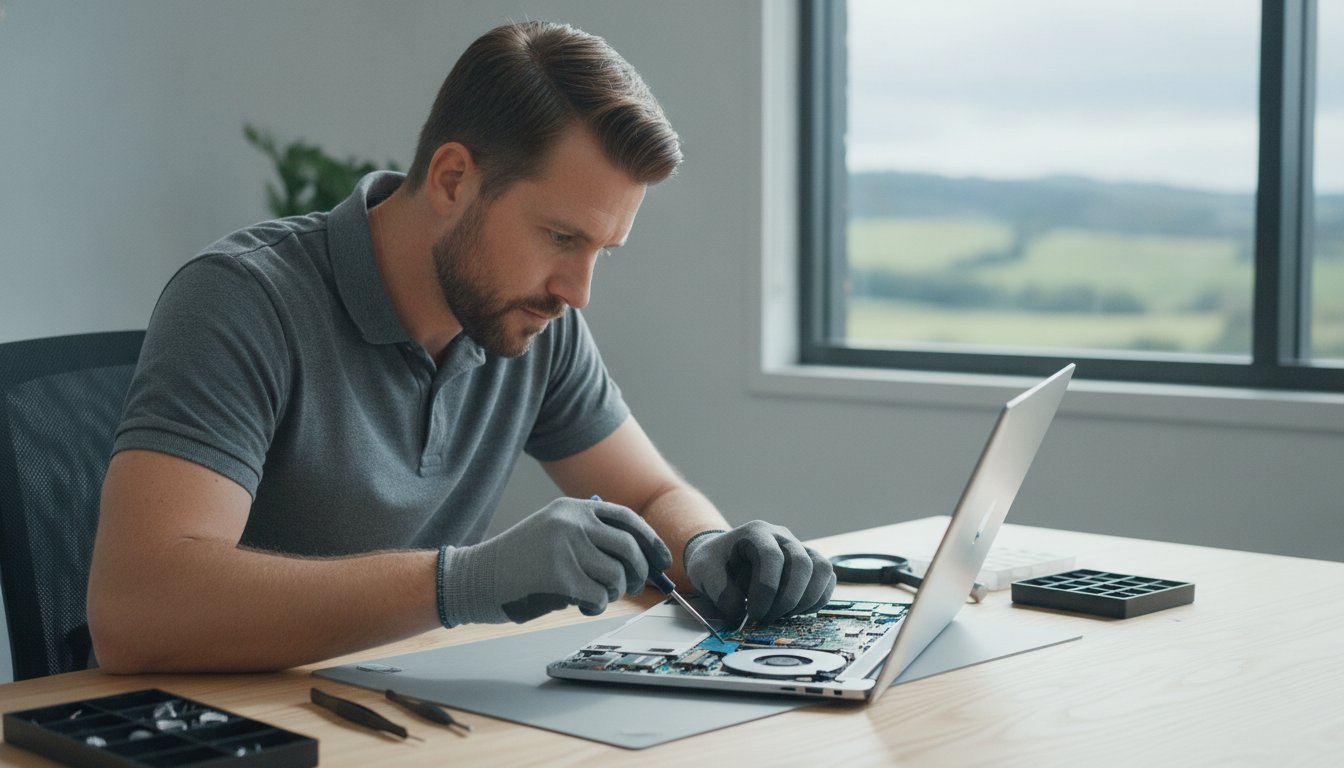
Data Recovery Confidentiality: How to Protect Your Privacy in 2026

If you handed your hard drive to a stranger, would you feel comfortable knowing they could see every private photo, bank statement, and trade secret you’ve ever saved? For most people, the thought of personal files being exposed is just as stressful as the technical failure itself. It’s completely normal to feel a sense of dread about identity theft or the embarrassment of someone browsing through your private memories during a crisis.

Maintaining strict data recovery confidentiality is a technical requirement, not just a polite promise. You deserve to know that your information stays private throughout the entire restoration process. This article explains how professional data recovery maintains your privacy and how to choose a provider you can trust with your most sensitive files.

We’ll look at the 2026 Australian Privacy Act reforms and why a local, accountable expert is your best defense against data leaks. You’ll learn about the new 72-hour breach notification rules and how “Designated Handler” protocols keep your files secure. By the end, you’ll have a clear roadmap to getting your data back without compromising your personal security.

Key Takeaways

  • Understand why data recovery confidentiality is the essential first step in protecting your identity and trade secrets during a hardware crisis.
  • Learn how professional bit-level imaging techniques allow for full file restoration without a technician ever needing to browse your private documents or photos.
  • Get up to speed on the 2026 Australian Privacy Act reforms and the legal safeguards that protect your right to data security and erasure.
  • Discover the critical red flags to watch for when vetting a provider to ensure your sensitive information never leaves a secure local facility.
  • See how an owner-operated model provides a direct line of accountability that large, anonymous corporate labs simply cannot match.

Why Data Recovery Confidentiality is Your Top Priority

When your hard drive clicks or your laptop refuses to boot, the immediate panic is usually about the loss of files. However, a second, deeper anxiety often follows: who will see what was on there? Data recovery confidentiality is the ethical and technical framework that ensures your information remains protected from the moment you hand over your device until the files are safely back in your hands.

Many users in the Toowoomba region delay seeking help because they fear “prying eyes” looking through personal documents or private photos. This hesitation is the most common reason people wait until a drive is completely unrecoverable before calling a professional. There is a massive difference between a casual “computer guy” who might browse your folders out of curiosity and a professional Data Recovery service that follows strict security protocols. Data recovery confidentiality is a non-negotiable standard for any professional IT service in 2026.

The Emotional and Financial Stakes of Data Privacy

The risks of a privacy breach are higher than ever. It’s not just about embarrassment; it’s about your safety and livelihood. We focus on protecting three key areas:

  • Personal Memories: Your family photos and private correspondence are irreplaceable and belong only to you.
  • Financial Security: Most drives contain tax returns, bank statements, or digital signatures that could lead to identity theft if mishandled.
  • Business Integrity: For small businesses, a drive might hold proprietary code, client lists, or trade secrets that are vital to your competitive edge.

Common Misconceptions About the Recovery Process

One of the biggest hurdles is the “Browsing Myth.” Many people believe a technician sits and reads through every document to verify it’s working. In reality, professional labs use automated tools that focus on bit-level integrity rather than content analysis. We look at the health of the data structure, not the meaning of the words or the content of the images.

This technical approach is necessary because of Data remanence, which refers to the residual data that stays on a drive even after it seems “gone.” Because data persists in this way, our tools must be precise and “blind” to the actual content to ensure we only reconstruct the file system without intruding on your privacy. Professional software is designed to verify that a file is technically sound without needing a human to open it and read the contents.

Professional Data Recovery Protocols: Do Technicians See Your Files?

A common worry when your hardware fails is whether a stranger will be scrolling through your private life. Professional data recovery confidentiality is built into the workflow to prevent exactly that. The process is designed to be as automated as possible, focusing on the health of the hardware and the integrity of the binary data rather than the actual content of your files. Most of the work happens behind the scenes using specialized tools that treat your data as code, not as readable documents.

Bit-Level Cloning and Imaging

The first step in a secure lab is creating a bit-level clone of your media. Technicians don’t work directly on your failing drive because it’s too risky. Instead, they use specialized imaging equipment to copy every individual sector of data onto a healthy work drive. This software focuses on sector health and signal strength. It doesn’t need to open your folder structure to do its job. If your drive was encrypted before it failed, that encryption usually remains intact during the imaging process. This ensures that even the technician cannot read the recovered data without your original password or key.

The Chain of Custody for Your Hardware

Security is just as much about physical handling as it is about software. A professional service documents every hand that touches your device from the moment you drop it off. For sensitive business information, we use a “Designated Handler” protocol. This means a single, accountable expert manages your case from start to finish. Keeping your drive in a local Toowoomba facility prevents the risks associated with third-party shipping or anonymous interns in high-volume labs. This localized approach aligns with the standards set by the Australian Privacy Act, ensuring your personal information is handled with the highest level of care.

Data Sanitisation and Post-Recovery Deletion

What happens to your data after you get it back? Most professional labs follow a 7-Day Rule. We keep a temporary backup of your recovered files for one week. This acts as a safety net in case your new drive fails or you lose the data while transferring it home. Maintaining data recovery confidentiality during this final phase is just as important as the recovery itself. After seven days, we use secure sanitisation standards, such as NIST-approved wiping, to permanently delete the data from our servers. If a drive is physically destroyed and cannot be returned, we can provide a Certificate of Destruction to confirm the data is gone forever. If you are worried about your current drive health, it’s best to consult a local expert in data recovery before a small fault becomes a total loss.

While technical protocols build the walls of security, legal frameworks provide the foundation. In Australia, the 2026 Privacy Act reforms have fundamentally changed how businesses handle your sensitive information. These “Tranche 2” changes mean that even small businesses in Toowoomba are now held to higher standards, including the mandatory 72-hour notification for data breaches. This law ensures that data recovery confidentiality isn’t just a promise; it’s a statutory obligation. When you choose a local provider, you’re protected by these domestic regulations rather than the vague policies of an overseas lab.

Understanding the Non-Disclosure Agreement (NDA)

A Non-Disclosure Agreement (NDA) is your legal safety net. For most home users, a unilateral NDA is standard. This is where the service provider promises to keep your data secret. Businesses often prefer a bilateral NDA to cover mutual data exchanges. You should look for clauses that specifically address how your data is handled and what happens if a leak occurs. This document provides a clear path for legal recourse, giving you peace of mind that your privacy has teeth. It’s a formal acknowledgment that your files are your property alone.

Compliance for Medical and Legal Professionals

For medical and legal professionals, the stakes are even higher. Handling patient records or attorney-client privileged documents requires a recovery partner who understands specific industry compliance. Using tools like the Consumer Reports Security Planner can help you assess your own internal security before choosing a partner. You need a provider who respects the chain of custody and ensures that sensitive imaging or case files are never exposed to unauthorized personnel. This level of care is essential for maintaining your own professional standing and regulatory requirements.

You should also understand that confidentiality has one specific legal limit. Under Australian law, all IT professionals have mandatory reporting obligations if they encounter illegal content, such as child exploitation material. Outside of this extreme exception, your privacy is protected by Australian Consumer Law. Working with a local Queensland expert like Aspire Computing ensures you have a face-to-face point of contact who is personally accountable to these laws. This local accountability is often the missing piece in large, anonymous corporate recovery services.

Data Recovery Confidentiality: How to Protect Your Privacy in 2026

How to Vet a Data Recovery Provider for Privacy

Handing over a hard drive or laptop can feel like giving away a diary. You shouldn’t have to guess whether your chosen technician respects your privacy. Vetting a provider is about more than just checking their success rates; it’s about confirming their data recovery confidentiality standards match your needs. A quick phone call or a visit to their office can tell you everything you need to know about how they handle sensitive information.

One of the biggest red flags is a provider who is vague about where your drive actually goes. Many “local” shops are actually just collection points that ship your hardware to high-volume labs in other states or even overseas. This adds unnecessary risk to your data. Every time your drive changes hands or travels through a courier system, the chance of a privacy breach increases. You have every right to know exactly who is looking at your device and where it will be stored.

Five Questions to Ask Your Technician

Before you commit to a service, ask these five specific questions to gauge their commitment to security:

  • “Do you perform the recovery on-site in Toowoomba?” This ensures your data stays within a local, accountable facility.
  • “Do you ship my drive to a third-party lab?” Be wary of any provider who cannot give a straight “no” to this question.
  • “What is your policy for deleting my data once I have received it?” Look for a clear explanation of a temporary backup period and a secure wipe process.
  • “Can you provide a written confidentiality agreement?” A professional should be ready to sign an NDA or provide a formal privacy statement.
  • “Who exactly will have access to my files during the process?” Ideally, the answer should be a single “Designated Handler” or the owner-operator.

Physical Security and Local Accountability

A local shopfront offers a level of accountability that a mail-in “PO Box” service simply can’t match. When you meet an expert face-to-face, you can verify their physical security for yourself. Ask if the facility has secure storage for drives waiting for service and whether they use monitored alarm systems. There is a reason reputation matters so much in a close-knit community. A business that has been serving the Toowoomba region since 1999 survives on trust and personal accountability. If you’re feeling anxious about your private files, don’t settle for an anonymous service. Reach out to our team at Aspire Computing to discuss our secure, local recovery process and how we protect your information from start to finish.

Secure Data Recovery in Toowoomba with Aspire Computing

Choosing a national lab often means sending your hardware into a “black box” where you don’t know who is touching your drive. At Aspire Computing, we do things differently. We focus on providing home offices and small businesses in Toowoomba with a level of personal service that big corporate labs can’t match. Your hardware stays right here in Newtown, QLD, ensuring a local chain of custody that eliminates the risks of third-party shipping or handling by anonymous interns. Since 1999, we’ve built our reputation on being the reliable, local experts you can meet face-to-face.

Our owner-operated model is the cornerstone of our data recovery confidentiality standards. When you call us, you speak directly to the expert who will be performing the work. This direct line of accountability means your sensitive files are never passed around a large office or handled by junior staff. We integrate our recovery efforts with our broader cyber security strategies and data recovery services to make sure your systems are not just restored, but also hardened against future failures. We don’t just get your files back; we help you build a more stable digital future.

The Aspire Confidentiality Promise

We believe that trust is earned through transparency and a consistent local presence. Our promise to you includes:

  • Personal Accountability: You’ll have a single point of contact who is personally responsible for your data’s safety.
  • Strict Data Retention: We only keep a temporary backup of your files for a short recovery window. Once you’ve confirmed your data is safe, we securely purge it from our systems.
  • Local Expertise: We’ve been serving the Toowoomba, Darling Downs, and Lockyer Valley regions for over 25 years.

Next Steps: Getting Your Data Back Safely

If you’ve experienced a hardware failure, the first step is to stop using the device immediately. Continued attempts to boot a failing drive can cause permanent damage. When you’re ready, package your drive in an anti-static bag and wrap it in several layers of bubble wrap for local drop-off. We’ll schedule a confidential consultation to discuss your specific needs and the types of files you need recovered. This initial assessment is handled with total privacy and professionalism. Contact Aspire Computing today for a private assessment of your data loss and let a local expert help you get your digital life back on track.

Secure Your Files and Your Privacy Today

Recovering lost data doesn’t have to mean sacrificing your personal privacy. By understanding the 2026 Privacy Act reforms and choosing a provider that uses bit-level imaging, you can ensure your sensitive files remain for your eyes only. True data recovery confidentiality is achieved when technical expertise meets local accountability.

Since 1999, Aspire Computing has served Toowoomba and the Darling Downs with a focus on small business IT support and cyber security expertise. As an owner-operated local business, we provide a direct line of responsibility that national labs simply can’t offer. Your drive stays in our secure facility, managed by an expert who values your trust as much as your data.

Don’t let the fear of a privacy breach stop you from getting your digital life back. Contact Aspire Computing for Secure Data Recovery in Toowoomba to schedule your confidential assessment. We’re here to help you move forward with confidence and peace of mind.

Frequently Asked Questions

Will the technician see my private photos during data recovery?

Professional technicians use automated imaging tools that focus on the health of individual sectors rather than the content of your files. We look at file headers and metadata to ensure a successful recovery, but we don’t browse through your photo library or read your documents. Our goal is to verify that the data structure is intact. This technical approach ensures your privacy is maintained while we work to restore your lost information.

Do I need to sign a confidentiality agreement before the recovery starts?

You should always ask for a written agreement to protect your interests. While many providers have internal privacy policies, a formal Non-Disclosure Agreement (NDA) provides a clear legal path for recourse if a leak occurs. At Aspire Computing, we prioritize data recovery confidentiality by offering clear documentation that outlines exactly how we handle and protect your sensitive information throughout the entire restoration process.

What happens to my data after the recovery is finished?

We typically keep a temporary backup of your recovered files for seven days. This acts as a safety net in case your new drive fails or you encounter issues during the transfer. After this window closes, we use secure sanitisation standards to permanently wipe the data from our local servers. This ensures that no residual information remains on our hardware once your case is successfully closed and verified by you.

Is it safer to use a local Toowoomba shop or a large national lab?

A local, owner-operated shop in Toowoomba often provides higher security than a large national lab. When you use a local expert, your drive doesn’t risk being lost or intercepted during shipping. You also have a direct line of accountability with the person actually handling your data. We’ve been serving the Darling Downs since 1999, building a reputation for personal service that anonymous corporate labs can’t match.

Can you recover data from an encrypted hard drive while keeping it secure?

Yes, we can perform recoveries on encrypted drives without needing to see the underlying content. Our bit-level imaging tools copy the raw data exactly as it exists on the platter or chip. Because the data remains encrypted during this process, it stays secure even while we are working on it. You only need to provide the decryption key once you have the recovered files back on a healthy, functional device.

What legal protections do I have if my data is leaked by a repair shop?

The 2026 Privacy Act reforms in Australia offer significant protections for individuals and small businesses. If a service provider mishandles your personal information, they are subject to strict penalties and mandatory 72-hour breach notification requirements. You are also protected by Australian Consumer Law, which mandates that services must be provided with due care and skill. Choosing a local provider ensures these Australian laws are fully enforceable for you.

Are there any files that a data recovery service is legally required to report?

Confidentiality has one major legal boundary in Australia. All IT professionals are mandatory reporters when it comes to illegal content, such as child exploitation material. If a technician encounters such material during the recovery process, they are legally obligated to notify the authorities. Outside of this specific criminal exception, your data is protected by strict privacy laws and our own professional commitment to data recovery confidentiality.

How can I verify if a data recovery service is actually private?

Start by asking if the work is performed on-site or shipped to a third-party facility. A provider who keeps your drive in-house has much better control over who accesses it. Ask about their data retention policy and if they are willing to sign a confidentiality agreement. A long-standing local presence, like our history in Newtown since 1999, is a strong indicator of a business that values privacy and community trust.

Notebook Repairs Near Me: The Complete Toowoomba Laptop Fix Guide

You’ve just sat down with a coffee to finish your weekly invoicing, but when you press the power button, your laptop screen stays black. The immediate wave of panic isn’t just about the hardware. It is the fear of losing years of family photos or the critical files your business needs to survive. Most people feel overwhelmed by the thought of hidden costs or the risk of losing private data during a laptop repair Toowoomba service. We agree that your technology should work for you, not cause you more stress.

This guide explains how to get your notebook fixed quickly and securely with a focus on local, personal accountability. You will find out how to protect your privacy, what to expect from on-site assistance, and how to ensure your device performs better than the day you bought it. I will walk you through the process of restoring your digital life, whether you are running a home office in Newtown or a small business across the Darling Downs.

Key Takeaways

  • Learn why “notebook” and “laptop” are interchangeable terms and which common hardware issues, such as screen or battery failures, require expert intervention.
  • Identify critical warning signs like excessive heat or fan noise to address internal problems before they lead to permanent data loss.
  • Understand how to select a trustworthy provider for laptop repair Toowoomba by verifying their local history and commitment to data privacy.
  • Apply the “50% rule” and evaluate the age of your device to make an informed decision on whether to repair or replace your notebook.
  • Discover the convenience of mobile IT support that brings professional hardware and software solutions directly to your home or office.

What Does Notebook Repair Near Me Actually Cover?

Searching for “notebook repair near me” in Toowoomba can occasionally lead to a bit of confusion. In the modern tech landscape, the terms “notebook” and “laptop” are used interchangeably by manufacturers and technicians alike. Whether you call it a notebook or a laptop, the internal components are essentially the same. A notebook is a portable personal computer requiring specialised micro-electronics repair. Because these devices are built with compact, integrated parts, fixing them requires a steady hand and a deep understanding of how these portable systems are assembled.

When you seek out laptop repair Toowoomba services, the work generally falls into two categories: physical hardware restoration and software optimisation. Hardware repairs deal with the tangible parts of your machine, such as replacing a cracked LCD screen, swapping out a failing battery, or fixing a keyboard where the keys have stopped responding. Software fixes are more about the “brain” of the computer. This includes removing malicious viruses, performing critical Windows 10 or 11 updates, and tuning the operating system to ensure your device runs as fast as possible.

Hardware vs. Software: Identifying the Fault

Determining whether your issue is hardware or software-related is the first step toward a solution. Physical damage is usually easy to spot. If you’ve dealt with a liquid spill, a broken hinge, or a screen that looks like a spiderweb of glass, you’re looking at a hardware fix. However, performance-based issues can be trickier. A professional Computer repair technician possesses the skills to navigate these complexities. Common signs of a software or performance fault include:

  • Extremely slow boot times or applications that “hang” and won’t open.
  • The dreaded “Blue Screen of Death” appearing during normal tasks.
  • Constant pop-ups or strange browser redirects indicating a malware infection.
  • System crashes that happen only when running specific programs.

Why Local Toowoomba Support Matters

Choosing a local expert over a massive interstate service centre offers peace of mind that a corporate helpdesk can’t match. When you use a local provider for laptop repair Toowoomba, you avoid the high risk of mailing your expensive device across the country. Shipping a laptop involves the danger of further physical damage or, worse, the loss of the device in transit. By visiting a specialist in Newtown or requesting on-site support, you get to speak face-to-face with the person actually doing the work.

This personal connection ensures your specific concerns, especially regarding data privacy, are heard and respected. Local service also means faster turnaround times, as your device isn’t sitting in a shipping container for days. Plus, by keeping your business within the Darling Downs and Lockyer Valley regions, you’re directly supporting the Toowoomba small business community. You can learn more about our local approach at Aspire Computing, where we’ve been helping locals since 1999.

5 Signs Your Notebook Needs Professional Repair

Recognizing symptoms early prevents a minor glitch from becoming a total system failure. If you’re looking for laptop repair Toowoomba, knowing these five signs can save your data and your budget. Most hardware issues start small and give you plenty of warning before the device stops working entirely.

  • Excessive Heat and Fan Noise: If your laptop feels hot to the touch or sounds like a jet engine, the cooling system is likely clogged with dust. This forces the fan to work harder, which eventually leads to component failure.
  • Battery Health: When a notebook only works while connected to a charger, the battery cell has reached the end of its life. If it won’t charge at all, you might have a damaged DC power jack.
  • Unexpected Shutdowns: Random freezing or the “Blue Screen of Death” often points to faulty RAM or a motherboard that’s starting to fail.
  • Strange Mechanical Noises: Clicking or grinding sounds from inside the chassis are major red flags. This usually indicates a mechanical hard drive is physically failing.
  • Display Distortions: Flickering, vertical lines, or dead pixels are signs of an ageing or damaged LCD panel.

When these issues arise, it’s helpful to understand your consumer guarantees under Australian Law. These protections ensure that products must be of acceptable quality and fit for purpose, even after a manufacturer’s warranty might have expired.

The Danger of Ignoring Minor Faults

A simple fan issue might seem like a nuisance, but it often leads to a total CPU meltdown. Heat is the primary killer of portable electronics. Similarly, a notebook that freezes frequently puts your files at risk. Every hard crash increases the chance of file system corruption, which can make your data unrecoverable. Even a small crack in your screen can spread over time, eventually causing the digitiser to fail and leaving you with a useless black display right when you have a deadline.

When to Seek Immediate Help

For urgent laptop repair Toowoomba needs like liquid spills, speed is the most important factor. You have a “golden hour” to get the device opened and professionally cleaned before motherboard corrosion sets in. If you notice a burning smell or smoke, turn the device off and unplug it immediately to avoid a fire hazard. Finally, if you hear clicking or grinding, stop using the device right away. These sounds mean your hard drive is physically self-destructing; every minute it stays powered on makes data recovery more difficult.

If you’ve noticed any of these red flags, it’s a good idea to chat with a local technician before the problem gets worse.

How to Choose the Best Laptop Repair Shop in Toowoomba

Data security should be your top priority. Ensure the technician has strict protocols to keep your private business files confidential. Unlike large retail chains where your device might be handled by several different staff members, a local specialist provides personal accountability. You know exactly who is accessing your data and where it is stored. This direct relationship reduces the anxiety often associated with technical failures.

Convenience also plays a major role in your choice. For residents in Newtown, the Darling Downs, and the Lockyer Valley, on-site service is a significant advantage. It eliminates the need to pack up your equipment and drive into a crowded shopping centre. Instead, the expert comes to your home office or small business, often solving the problem much faster than a workshop drop-off. Reading local reviews from other Toowoomba small business owners can confirm if a technician is as helpful and professional as they claim to be.

Questions to Ask Your Technician

Before you commit to a service, it’s vital to get clear answers to a few specific questions. This transparency prevents “bill shock” and ensures your expectations align with the service provided. Always ask:

  • “Do you provide a clear quote before starting any repair work?”
  • “What is your policy on data backup and recovery during the fix?”
  • “Do you offer remote support for software issues after the physical repair is done?”

Getting these details settled upfront protects you and your device. For a breakdown of how a professional handles these requests, you can view the Aspire Computing computer repairs Toowoomba page for more details on our local process.

Assessing Professional Credentials

There is a massive difference between a “backyard” hobbyist and a professional with over 25 years of industry experience. While a hobbyist might offer a cheap “quick patch,” a seasoned expert focuses on a long-term, reliable solution. Professional technicians understand the specific needs of home office and small business IT environments. They don’t just fix the immediate fault; they ensure the entire system is stable and secure for the future. When your income depends on your technology, you need a technician who treats your laptop repair Toowoomba with professional seriousness.

This professional approach to electronics maintenance is mirrored by reputable service providers worldwide, such as Pleasanton Computer Repair, who offer expert diagnostics and fixes for various devices.

Notebook Repairs Near Me: The Complete Toowoomba Laptop Fix Guide

Repair vs. Replace: Making the Smart Choice for Your Device

Deciding whether to invest in a fix or buy a new machine is a common headache for many users. A reliable guideline used by many professionals is the 50% rule. If your laptop repair Toowoomba quote exceeds half the cost of a new, comparable device, replacement might be the more logical path. Some industry experts even suggest a 60% rule for older machines. You should also consider the “Age Factor.” For a notebook over five years old, the return on investment for a major hardware repair often diminishes as other components approach their end of life.

Repairing your current device is often the more sustainable and cost-effective choice. In Queensland, a waste levy introduced in 2019 has made sending e-waste to landfills more expensive, which encourages recycling and repair. By choosing to fix your machine, you reduce your environmental footprint and often save hundreds of dollars compared to the price of a mid-range new laptop. This approach aligns with a focus on functional utility, ensuring you get the most value out of your existing technology before sending it to a recycling centre.

When an Upgrade is Better Than a Repair

Sometimes, your machine isn’t actually broken; it’s just outdated. Replacing a slow mechanical hard drive with a lightning-fast Solid State Drive (SSD) is the single most effective way to boost an old computer’s speed. This upgrade can make a five-year-old laptop feel faster than the day you unboxed it. Additionally, moving to Windows 11 ensures you have the latest security patches and software compatibility for modern apps. For a deeper look at these options, check out our hardware upgrades guide.

Hidden Costs of Buying New

Many people forget the “setup tax” that comes with a new purchase. You’ll spend hours transferring files, reinstalling software, and potentially buying new licenses for programs that won’t transfer. There’s also the risk that your existing printers or specialised office equipment won’t be compatible with a brand-new operating system without additional troubleshooting. If you do decide to upgrade to a new system, our data recovery services can help migrate your critical files safely to the new device.

If you’re unsure which path to take, contact Aspire Computing today for an honest, professional assessment of your device’s potential.

Aspire Computing: Your Local Toowoomba Notebook Specialist

When you choose Aspire Computing for your laptop repair Toowoomba, you aren’t dealing with a faceless national call centre or a rotating cast of subcontractors. Since 1999, I’ve provided a personal, owner-operated service that prioritises accountability and trust. Based in Newtown, our business is built on the belief that technology should be reliable and easy to understand. We strip away the confusing technical terminology to give you straightforward, honest advice about your device’s health.

Our expertise extends well beyond simple hardware fixes. We understand that for small business owners and home office workers across the Darling Downs, a laptop is just one part of a larger digital ecosystem. That’s why we offer comprehensive support that includes cyber security, data backup, and business continuity planning. Whether you need printer supply and repair or a complete system overhaul, we ensure your entire setup works together seamlessly. This community-focused approach has allowed us to serve the region for over 25 years with a reputation for being thorough and professional.

Our On-Site and Remote Repair Process

We know your time is valuable, so we’ve designed our service to be as convenient as possible. We come directly to your home or office in Toowoomba to perform on-site repairs, saving you the hassle of disconnecting cables and transporting equipment. For software glitches, performance tuning, or virus removal, our remote IT support allows us to fix many issues instantly over the internet. When hardware parts are needed, we source high-quality replacements with a quick turnaround to ensure your downtime is kept to an absolute minimum.

Secure Your Device Today

The Aspire Computing mission is simple: we prioritise your data security and the functional utility of your devices. We don’t just patch problems; we provide long-term stability so you can work with confidence. Whether you are dealing with a broken screen in the Lockyer Valley or a slow system in Newtown, we are ready to help. You can book a comprehensive IT health check or a specific laptop repair Toowoomba service by reaching out to us directly. Contact Aspire Computing today for reliable laptop repairs and expert local service.

Restore Your Digital Confidence Today

Technology is the backbone of your daily life, and a sudden failure shouldn’t derail your productivity or cause unnecessary anxiety. By recognizing the early warning signs of hardware failure and applying the 50% rule to repair costs, you’ll make smarter financial decisions for your home office or small business. Choosing a local expert who prioritises data security ensures that your private files remain exactly where they belong. We’ve seen how a quick hardware upgrade or a professional tune-up can breathe new life into a machine you thought was destined for the scrap heap.

When you need a reliable laptop repair Toowoomba service, you deserve a partner with deep roots in the community. Aspire Computing has been serving the region since 1999, specialising in small business IT security and functional utility. Whether you require on-site assistance in Newtown or remote troubleshooting across the Darling Downs and Lockyer Valley, we provide professional, jargon-free help that gets you back to work quickly. You don’t have to face technical hurdles alone when expert, local support is just a click away.

Book Your Professional Notebook Repair in Toowoomba Now

Frequently Asked Questions

How much does a typical notebook repair cost in Toowoomba?

The total cost for your fix depends on whether the issue is software related or requires physical hardware replacements. Software troubleshooting and virus removal generally involve a flat service fee, while hardware repairs like screen or battery replacements vary based on the price of the specific parts needed for your model. We always provide a clear quote before starting any work to ensure you don’t face unexpected costs.

Will I lose my data during a laptop repair?

We prioritise the safety and confidentiality of your private files during every laptop repair Toowoomba service. While most hardware repairs like screen or keyboard fixes don’t affect your stored data, we always recommend having a current backup before any technical work begins. If your system has crashed and you can’t access your files, we offer specialised data recovery services to retrieve your important documents and photos safely.

How long do most notebook repairs take to complete?

Turnaround times depend on the complexity of the fault and whether we need to order specific replacement parts. Many software issues and performance optimisations can be resolved on the same day through on-site or remote support. If a unique hardware component like a specific LCD panel is required, it may take a few business days to source the part and complete the installation to our high standards.

Can you fix a laptop screen that is completely black?

Yes, a black screen is a common issue that can usually be fixed by identifying the specific point of failure. This problem often stems from a faulty backlight, a loose internal video cable, or a damaged LCD panel. We perform a thorough diagnostic to determine if the issue is the screen itself or a deeper motherboard fault, ensuring we provide the most cost-effective solution to get your display working again.

Do you provide on-site notebook repairs in the Lockyer Valley?

We offer mobile on-site support throughout the Lockyer Valley, the Darling Downs, and the greater Toowoomba region. Our technician can visit your home or office in suburbs like Newtown or travel to surrounding rural areas to save you the hassle of transporting your equipment. This service is particularly convenient for small business owners who can’t afford the downtime of leaving their device at a workshop for several days.

Is it worth fixing a notebook that is more than 4 years old?

Repairing a four year old device is often a very smart investment, especially if the repair cost is less than half the price of a new machine. Many notebooks from this era perform exceptionally well once they receive a simple hardware upgrade, such as a new SSD. This can make an older device feel faster than a brand new budget model while saving you the significant time and expense of migrating all your software and files.

What brands of notebooks do you repair?

We provide expert laptop repair Toowoomba services for all major brands, including Dell, HP, Lenovo, ASUS, Acer, and MSI. Because we’ve been working with portable computers since 1999, we’re familiar with the specific assembly methods and common faults of almost every manufacturer. Whether you have a high-end gaming laptop or a compact business notebook, we use quality parts to ensure your device remains reliable and stable.

Do you offer remote support if I can’t bring my notebook to you?

Remote IT support is an excellent option for fixing software glitches, removing malware, or performing system updates without a physical visit. If your device can still connect to the internet, we can securely access your system to diagnose and fix many performance issues. This is a fast and efficient way to handle “brain” related problems, though physical hardware faults like broken hinges or cracked screens will still require an on-site visit or workshop repair.

What if the tool you just downloaded to save your family photos or business documents actually made them unrecoverable forever? It is a common fear, and for good reason. When a drive starts clicking or files suddenly vanish, the first question on your mind is likely, is data recovery safe for your hardware and your personal privacy? You want your digital life back, but you don’t want to cause permanent damage or expose your sensitive information to a security breach.

I understand the stress that comes with technical failures, and I am here to help you navigate this process calmly. You will learn how to identify the real risks of DIY recovery and how to protect your files from evolving threats. With 68% of ransomware attacks now targeting backup systems and new Australian Privacy Act obligations arriving on December 10, 2026, keeping your data secure is more important than ever. This guide provides a clear path to getting your files back by explaining the difference between simple software fixes and the mechanical repairs that require a professional touch.

Key Takeaways

  • Learn why the question of is data recovery safe depends on both the physical health of your drive and the security of the tools you choose.
  • Discover how professional “read-only” cloning techniques protect your original files from being overwritten or damaged during the retrieval process.
  • Identify the hidden risks of free recovery software, including privacy concerns and “scareware” tactics that can lead to further data loss.
  • Understand the critical first steps to take when a drive fails, such as powering down immediately to preserve the integrity of your information.
  • See the benefits of choosing a local specialist who provides personal accountability and a transparent process for handling your sensitive files.

Understanding the Safety of Data Recovery

Data recovery is the technical data recovery process of retrieving inaccessible, lost, or deleted information from storage media like hard drives, SSDs, or USB sticks. When your computer fails, the first question you likely have is: is data recovery safe? The honest answer is that it depends on the physical health of your device and the methods you choose. If your drive is mechanically sound, the process is very safe. However, if the hardware is failing, the wrong move can lead to permanent loss.

The “First Rule” of data safety is to stop using the device immediately. This is the most important step you can take. When you continue to use a failing drive, your operating system constantly writes new data to the background, which can overwrite the very files you are trying to save. Professional recovery is safer than unguided DIY attempts because experts use specialized hardware to create a bit-by-bit clone of your drive. This “read-only” approach ensures your original data remains untouched and protected from any further corruption during the retrieval attempt.

To better understand this concept, watch this helpful video:

Data Integrity vs. Privacy Security

Data integrity is the prevention of accidental file modification during the retrieval process. You want to ensure that the files you get back are exactly as they were before the failure. Privacy is just as critical. In 2026, with stricter Australian privacy regulations in effect, you must know who is handling your sensitive personal or business documents. A local expert provides a level of personal accountability that anonymous online software cannot match. Choosing a trustworthy professional ensures your private information doesn’t leak or end up in a cloud database you don’t control.

When is Data Recovery ‘Dangerous’?

Data recovery becomes dangerous when you apply software solutions to a physical problem. If your hard drive is making unusual noises like clicking, grinding, or beeping, it likely has a mechanical failure. Running DIY scanning software forces the drive heads to move across damaged internal platters. This can physically “kill” the drive and scrape away the magnetic layer where your data lives. Modern SSDs present a different challenge due to the “TRIM” command. This feature automatically clears data blocks to maintain speed, often making deleted files unrecoverable within minutes. Botched DIY attempts remain the leading cause of permanent data loss.

Professional Data Recovery vs. DIY Software: Which is Safer?

Choosing between a software download and a professional service is the most critical decision you’ll make after losing files. While software is a tool, a professional service is a complete solution. Many people ask is data recovery safe when using home-brewed methods, and the answer often depends on your specific hardware. There’s a significant difference between a traditional hard drive (HDD) and a modern solid-state drive (SSD) that most “one-click” software packages fail to address.

On a mechanical HDD, software might work for simple deletions. However, if that drive is physically failing, software can cause the heads to crash. SSDs are even more complex. Because of “wear leveling” and “TRIM” commands, an SSD is constantly moving and erasing data in the background to maintain speed. Professional hardware tools can sometimes pause these background processes, whereas consumer software cannot. If you’re dealing with sensitive business information, following FTC data breach guidance is vital to ensure you don’t accidentally expose data while trying to save it.

The Hidden Dangers of DIY Software

The biggest risk with DIY software is the installation process itself. If you download and install a recovery tool onto the same drive that lost the data, you’re actively overwriting the very sectors you need to rescue. Once a sector is overwritten with new software files, the old data is gone forever. There’s also the issue of “scareware.” Some unverified free tools are bundled with malware or bloatware that can compromise your system security. If a DIY process hangs or crashes halfway through, there is no technical support to help you undo the damage.

The Professional Advantage

Professional recovery labs use a “read-only” cloning process. We never work directly on your failing drive. Instead, we use specialized hardware to create a bit-for-bit copy of the disk, then perform the recovery from that clone. This preserves your original hardware in its current state. Professionals also have access to:

  • Cleanroom environments: Essential for opening drives with mechanical failures without letting in dust.
  • Hardware imagers: Tools that can bypass operating system errors and read data from drives with “bad sectors.”
  • Expertise: The ability to distinguish between a simple file system glitch and a physical platter scratch.

If you’re worried about the integrity of your files, seeking professional data recovery services is the most reliable way to ensure a successful outcome without the risks of unguided software attempts.

The Hidden Risks of ‘Free’ Data Recovery Downloads

The lure of a free solution is strong when you’re staring at an empty folder where your work used to be. You might wonder, is data recovery safe when the software doesn’t cost a cent? In 2026, the answer is increasingly complicated. Cyber criminals often use the desperation of data loss as a delivery method for malware. This ‘scareware’ frequently shows you a list of ‘recoverable’ files but forces you to pay a ransom or download a secondary, malicious file to actually access them. You end up with the same lost files and a compromised computer.

It’s vital to distinguish between genuine open-source tools and ‘cracked’ versions of professional software. A cracked program has been modified by a third party to bypass licensing. These modifications often include hidden backdoors that allow hackers to access your system later. If you want to try a DIY approach, always stick to reputable data recovery software that has been verified by industry experts. Even then, you must be certain your drive isn’t physically failing before you start a scan.

Privacy and Data Leaks

As the OAIC conducts its first-ever compliance sweeps in 2026, your personal data has never been more vulnerable. Many ‘cloud-based’ recovery tools require you to upload metadata or even actual file contents to their servers for processing. This creates a massive security hole for sensitive business documents or private photos. You have no way of knowing where that data is stored or who has access to it. Performing local, offline recovery is the gold standard for privacy because your files never leave the safety of your own hardware.

Functional Limitations

Free tools often come with frustrating functional hurdles. The ‘2GB limit’ trap is common. While 2GB might have been enough years ago, it’s practically useless for modern drives filled with high-resolution video and large databases. You might spend six hours scanning a drive only to find you can only ‘save’ three files before being asked for a credit card. Even worse is poor file reconstruction. Free tools often recover the file name but fail to piece together the actual data blocks. You get your files back, but they are corrupted and won’t open. If you suspect a rogue download has already affected your PC, our Virus and Malware Removal Guide can help you regain control of your digital security.

Your 5-Step Safety Checklist for Lost Files

When files disappear, the panic is real. People often ask, is data recovery safe to do on their own? The answer depends entirely on your first few actions. Following a structured protocol can mean the difference between a full recovery and permanent loss. If you find yourself staring at an empty folder or a system error, use this checklist to protect your information.

  • Step 1: Power down immediately. This is the single most effective way to protect your data. It stops any background processes from overwriting deleted sectors or continuing to stress a failing component.
  • Step 2: Listen for unusual sounds. If you hear clicking, grinding, or beeping, your drive has a mechanical failure. Powering it on again could cause the internal heads to scrape the data right off the platters.
  • Step 3: Identify the cause. Did you accidentally hit delete? Was there a liquid spill or a power surge? Knowing the cause helps a technician choose the right retrieval method.
  • Step 4: Avoid ‘home remedies’. You might read about the freezer trick or opening a drive yourself. These myths almost always cause more damage and can make professional recovery impossible.
  • Step 5: Consult a professional. A local expert can provide a risk-free assessment. They have the tools to tell you exactly what is wrong without risking your files.

Immediate Do’s and Don’ts

Don’t restart the computer multiple times. This essentially stress-tests a dying drive and can lead to a total hardware crash. Instead, use a different device like a phone or tablet to search for help. One common mistake is running ‘Check Disk’ on Windows or ‘First Aid’ on a Mac. While these are great for healthy drives, they can be destructive on a drive with missing files because they try to “fix” the file system by moving or deleting data fragments. Always use a different computer to download any tools if you decide to try software.

Assessing the Severity

Understanding the difference between logical and physical failure is key to file safety. Logical loss happens through software glitches, virus infections, or accidental deletion. Physical failure involves broken internal parts. If your drive isn’t appearing in the computer’s BIOS or makes any physical noise, it’s a hardware issue. These cases require immediate professional intervention to prevent the read heads from scratching the storage platters. For residents needing Data Recovery Toowoomba, getting an expert opinion early is the safest path forward. If you are unsure about the state of your drive, contact us at Aspire Computing for professional guidance.

Secure Data Recovery in Toowoomba with Aspire Computing

When you are worried about your private documents or business records, the safest way to answer is data recovery safe is to know exactly who is handling your hardware. Since 1999, I have provided the Toowoomba community with dependable technical support, ensuring that your sensitive information stays secure and local. Dealing with a local expert means you don’t have to worry about the distant, anonymous feel of a large corporate lab. Instead, you get personal accountability and the opportunity to speak directly with the technician who is working on your files.

Our ‘Privacy First’ policy is designed specifically for small businesses and home office clients who handle confidential data. We understand that your files aren’t just bits of data; they are your livelihood and your memories. Whether you need help at our Newtown office or require on-site support across the Darling Downs and Lockyer Valley, our process is methodical and transparent. We also offer remote IT support for software-related issues, providing a convenient and fast way to address data concerns without you even leaving your desk.

Why Local Matters for Safety

Choosing a local professional significantly reduces the physical risks to your device. You don’t have to trust a courier service with a fragile, failing hard drive, which eliminates the chance of it being lost or further damaged in the post. Because we are right here in Toowoomba, we can offer a quicker turnaround to get your business back online. We also believe in transparent pricing. You won’t face hidden “success fees” for simple recoveries, and we’ll always provide a clear explanation of the work required before we begin.

Next Steps for Your Data

If you have lost access to your files, the best thing you can do is stay calm and follow the safety steps we’ve discussed. You can book a secure assessment at our Newtown office to get a professional opinion on the state of your drive. When you come in for your session, please bring the following to help us help you:

  • The affected laptop, desktop, or external drive.
  • Any associated power cables or specialized connection leads.
  • A spare “target” drive to store your recovered files, if you have one available.

Don’t risk your important information with unverified software or distant services. We are committed to providing a reliable, community-focused solution for all your data needs. Contact Aspire Computing for a secure data recovery assessment today and let’s get your digital life back on track.

Take Control of Your Digital Recovery

Losing access to your files is stressful, but it doesn’t have to be permanent. By now, you understand that the answer to is data recovery safe depends largely on your first response. Powering down your device immediately and avoiding unverified free software are the most effective ways to prevent further damage. While DIY tools might seem convenient, they lack the “read-only” safety and specialized hardware used by professionals to protect your original storage platters.

Choosing a local partner ensures your sensitive documents stay in safe hands. I have been serving the Toowoomba community since 1999, specializing in small business IT and home office support. You can visit our local Newtown office directly; this means no shipping risks and a faster turnaround for your recovery. We are here to help you through this process with a focus on both data integrity and your personal privacy.

Secure Your Files with Toowoomba’s Data Recovery Experts

Don’t let a technical failure disrupt your life. With the right expert assistance, your files can be retrieved safely and securely. We look forward to helping you get your digital life back on track.

Frequently Asked Questions

Is it safe to use free data recovery software?

It is only safe if the software comes from a reputable developer and your hardware is physically healthy. Many free tools found online are bundled with “bloatware” or even malware that can compromise your system. Always verify the source before downloading. If your drive is making any unusual noises, using any software becomes a high risk move that could lead to permanent loss.

Can data recovery software damage my hard drive?

Yes, software can cause significant physical damage if your drive has failing internal components. Scanning a drive requires the read heads to move across the platters repeatedly. If the heads are already unstable, this stress can cause them to crash into the platter surface. This process can scrape away the magnetic coating where your files live, making the is data recovery safe question a firm “no” for clicking drives.

How do I know if my hard drive is physically failing?

Listen for specific mechanical sounds like clicking, grinding, or a high pitched whirring. These are the most common signs that the hardware is dying. Other symptoms include the drive not being recognized by your computer or the system freezing when you try to access specific folders. If you notice these signs, turn the power off immediately to preserve the remaining data.

Is it safe to send my hard drive away for recovery?

Shipping a drive involves the risk of physical impact during transit or the package getting lost. While many labs are legitimate, the lack of personal contact can be a concern for your privacy. Using a local Toowoomba expert allows you to hand over your device personally. This ensures your drive stays in a secure, local environment and avoids the dangers of the postal system.

Can deleted files be recovered if I’ve used the computer since?

Recovery is possible, but your chances decrease with every minute of use. Computers constantly write small bits of data to the background, even when you aren’t saving files. These new bits can overwrite the sectors where your deleted files were stored. Once data is overwritten, it’s gone for good. Shutting down the machine right away is the best way to keep your files recoverable.

What is the safest way to recover photos from an SD card?

The safest method is to use a card reader with a physical write-protect switch to create a bit-by-bit clone of the card. You should then run your recovery tools on the clone rather than the original card. This prevents the software from accidentally modifying or damaging the original file structure. It’s a methodical approach that keeps your precious photos as safe as possible during the retrieval.

How much does professional data recovery cost in Toowoomba?

The cost depends on whether your data loss is a simple software glitch or a complex mechanical failure. Recovering files from a drive that won’t spin requires much more specialized equipment than retrieving an accidentally deleted document. Since every situation is different, I provide custom quotes based on the specific needs of your device. This ensures you only pay for the level of service your recovery actually requires.

Is data recovery safe for encrypted drives?

The process is data recovery safe for encrypted drives as long as you still have your recovery key or password. Specialized hardware can often clone the encrypted data blocks even if the drive is failing. However, without your original key, the recovered data will remain a scrambled mess that no one can read. Always keep your BitLocker or FileVault recovery keys in a safe, separate location.