How to Prevent Hard Drive Failure: 7 Warning Signs and Proactive Tips for 2026

Did you know that nearly half of all hard drives fail within their first year of operation? A 2026 study of over 5,000 failed drives found that a staggering 49.8% didn’t even make it to their first birthday. For many of us in Toowoomba, this isn’t just a statistic; it represents the potential loss of priceless family memories or critical business data. It’s a heavy burden to worry about when your computer starts making a strange clicking sound or feels a bit sluggish. Learning how to prevent hard drive failure is the best way to ensure your digital life stays intact without needing to be a tech expert.

I understand the anxiety that comes with technical glitches, especially since 30.5% of drives fail without any prior SMART warnings. I’m here to help you protect your hardware through simple, proactive steps. You’ll discover how to decode the “silent” warnings your hardware sends before it’s too late. We will explore the seven most common warning signs, demystify technical jargon, and outline a reliable backup strategy tailored for our local climate. By the end of this guide, you’ll know exactly how to extend your drive’s life and precisely when it’s time to call in a professional for help.

Key Takeaways

  • Learn how Toowoomba’s unique humidity and summer heat impact your hardware and what you can do to mitigate these environmental risks.
  • Discover practical steps on how to prevent hard drive failure by maintaining optimal airflow and using high-quality surge protectors.
  • Identify the critical differences between the noisy “death rattle” of traditional hard drives and the silent failure modes of modern SSDs.
  • Master the immediate “Emergency Triage” steps to take the moment you suspect a drive is failing to maximize your chances of successful data recovery.
  • Understand how to use SMART technology to monitor your drive’s health and catch potential issues before they lead to permanent data loss.

Why Hard Drives Fail: Understanding Mechanical and Digital Risks

Living on the Range in Toowoomba brings specific challenges for our technology. While we might enjoy the seasonal changes, our computers often struggle with the shifting environment. Understanding the fundamentals of hard disk drive failure is essential for anyone looking to secure their data. In 2026, storage devices are smaller and faster than ever, but this compact design makes them increasingly sensitive to physical movement and heat.

The Darling Downs region is known for its summer humidity and occasional power instability. These factors play a major role in how local hardware degrades over time. Whether you use a traditional mechanical drive or a modern flash-based system, knowing the risks helps you understand how to prevent hard drive failure before a total crash occurs. High-density 2026 hardware is particularly vulnerable to physical shock, meaning even a small bump to your laptop can have serious consequences.

Mechanical Wear vs. Electronic Failure

Hard Disk Drives (HDDs) rely on physical platters spinning at thousands of revolutions per minute. A tiny read/write head hovers just nanometres above these surfaces. Any physical shock can cause a “head crash,” where the head touches the platter and destroys data. Because these drives have moving parts, they eventually wear out through simple friction and mechanical fatigue. Solid State Drives (SSDs) are different. They have no moving parts but possess a finite “write life.” Every time you save a file, the electronic cells degrade slightly until they can no longer hold a charge.

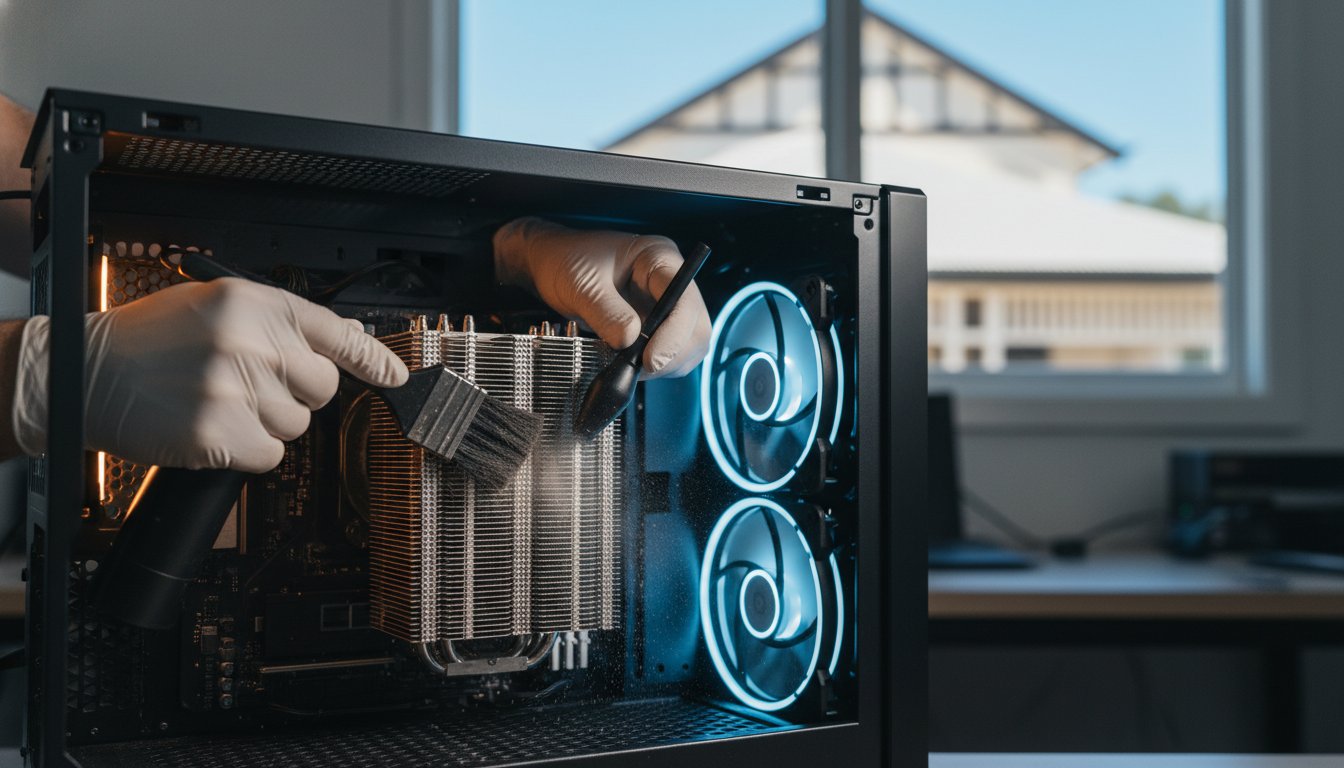
In many Toowoomba home offices, dust and poor ventilation are the primary culprits for early hardware death. Our local dust can quickly clog intake fans; this forces the drive to operate at higher temperatures, which significantly shortens the lifespan of both HDDs and SSDs. Maintaining a clean, cool environment is a simple but effective strategy for any computer user.

The Silent Killer: Logical Data Corruption

Not every failure is physical. Logical corruption happens when the drive’s hardware is fine, but the file system becomes scrambled. This often occurs during sudden power loss. Our regional grid can experience brownouts or surges during storm season. If your system loses power while installing a Windows update, the data can become “orphaned” or corrupted. This mimics the symptoms of a hardware crash, such as being unable to boot into your operating system.

It’s a common mistake to try and fix these issues with software “tune-up” tools. If the underlying cause is actually a physical component failing, running intensive repair software can make the damage worse. If your computer is acting up, Aspire Computing can help determine if the issue is a simple software fix or a sign of a dying drive. Remember, you can’t fix a broken motor with a software patch.

Proactive Prevention: How to Extend Your Drive’s Lifespan

Preventing data loss isn’t just about luck; it’s about consistent habits. While modern drives are faster than their predecessors, they remain delicate pieces of engineering. Understanding how to prevent hard drive failure starts with controlling your machine’s physical environment. Small changes in how you handle your computer can mean the difference between a drive that lasts five years and one that fails in its first 362 days, which was the median lifespan found in a 2026 study of failed drives.

Heat is the primary enemy of all computer hardware. In the Darling Downs, our summer temperatures can easily push internal components past their safe operating limits. When a drive runs too hot, the lubricants in mechanical HDDs can thin out, and the delicate electronic cells in SSDs can degrade faster. To stay ahead of potential issues, you should regularly Check Your Hard Drive’s Health using diagnostic tools to ensure your cooling system is doing its job effectively.

Power stability is another critical factor for Queensland residents. Our region is prone to sudden storms and power surges that can fry sensitive circuitry instantly. A high-quality surge protector is a basic requirement, but it isn’t always enough. If you’re using a desktop or a small business server, an Uninterruptible Power Supply (UPS) provides a much-needed buffer. It gives your system enough battery life to shut down safely during a blackout, preventing the logical corruption that occurs when power is cut mid-write.

Environmental Controls for Toowoomba Users

Humidity and dust management are essential for anyone living on the Range. High humidity can lead to subtle corrosion on internal connectors over time, while dust acts as an insulator that traps heat. I recommend cleaning your computer’s dust filters at least every three months. This prevents thermal throttling, where your computer slows down to protect itself from melting. For small businesses, keeping servers in a climate-controlled room is the gold standard for hardware longevity.

Digital Hygiene Practices

Your software habits also impact your hardware’s physical health. For example, an overfilled SSD will wear out faster because the drive has fewer empty cells to rotate data through, a process known as wear-levelling. Aim to keep at least 20% of your drive empty. Additionally, keeping your system free of malicious software is vital. Regular Virus and Malware Removal prevents background processes from overworking your drive and causing unnecessary wear. These habits are the foundation of how to prevent hard drive failure over the long term. If you’re unsure about your current setup, a quick consultation with Aspire Computing can provide peace of mind and help you establish a better protection plan.

SSD vs. HDD: How Warning Signs Differ for Modern Drives

Many computer users assume all drives give a clear warning before they stop working. While a traditional Hard Disk Drive (HDD) might click or grind, a Solid State Drive (SSD) often fails in total silence. Understanding these distinct symptoms is a vital part of learning how to prevent hard drive failure. Because modern laptops and desktops almost exclusively use NVMe or SATA SSDs, you can no longer rely on your ears to detect a problem. You need to watch for digital cues instead.

Most storage devices manufactured in 2026 include SMART (Self-Monitoring, Analysis, and Reporting Technology). This internal system tracks performance metrics and error rates. However, it isn’t a perfect safety net. A July 2026 study revealed that 30.5% of failed drives had zero pending sector counts, meaning they died without any prior SMART warnings. This is why I always recommend a combination of software monitoring and physical observation. If your system feels “off,” it’s better to investigate early.

If a failure does occur, the recovery process differs greatly between the two technologies. Traditional HDDs are often mechanical puzzles where we might replace a motor or a read/write head. In contrast, SSD data recovery is significantly more complex. These drives use sophisticated encryption and wear-levelling algorithms that scramble data across chips. If the controller chip fails, the data remains trapped in a digital jigsaw puzzle that requires specialist tools to solve. For complex cases, Aspire Computing provides specialised data recovery services to help Toowoomba residents retrieve their lost files.

The SSD Warning Checklist

SSDs are incredibly fast, but they have a finite lifespan based on how much data you write to them. Watch for these three specific red flags:

  • Read-only mode: Your drive suddenly prevents you from saving or deleting files but still lets you open them. This is a final safety measure the drive takes when it reaches its write-cycle limit.
  • Frequent Bad Block errors: You might see system logs mentioning “bad blocks” or notice that certain applications take a long time to load or frequently freeze.
  • BIOS/UEFI disappearance: Your computer may occasionally fail to boot, showing a “No Boot Device Found” screen. This often happens as the controller chip begins to fail intermittently.

HDD-Specific Mechanical Red Flags

Mechanical drives are much more vocal about their problems. You might notice increasingly long boot times as the motor struggles to spin the internal platters up to their required speed. During heavy file transfers, listen for grinding or rhythmic clicking sounds, often called the “death rattle.” Hard Disk Drives often provide a grace period of noise before total failure, giving you a small window of time to secure your data.

How to Prevent Hard Drive Failure: 7 Warning Signs and Proactive Tips for 2026

The 7 Most Critical Hard Drive Failure Signs to Watch For

Recognising the early symptoms of a hardware crash can be the difference between a simple upgrade and a total data disaster. While our previous sections focused on long-term maintenance, this checklist helps you spot immediate threats. If you notice these signs, your window for learning how to prevent hard drive failure has likely closed, and your focus must shift to immediate data protection. Reacting quickly to these warnings is your final line of defence against permanent loss.

Strange noises are the most obvious red flags for mechanical drives. If you hear rhythmic clicking, grinding, or whirring, it’s often the “death rattle” of a failing motor or head assembly. Beyond sounds, pay attention to frequent system crashes. The Blue Screen of Death (BSOD) is often blamed on software, but it’s frequently triggered by the operating system being unable to read a critical file from a failing sector. Similarly, if files or folders suddenly disappear or show corrupted characters, your drive’s internal index is likely crumbling. Understanding how to prevent hard drive failure involves knowing when the hardware is past the point of no return.

Extremely slow performance is another subtle sign. When a drive is dying, it spends more time retrying failed read operations. This causes the entire system to freeze during simple tasks like opening a PDF or browsing the web. Don’t assume it’s just “old age” or a simple virus. If your computer feels like it’s wading through treacle, the hardware itself might be the bottleneck.

Audible and Physical Warning Signs

  • The Click of Death: In traditional HDDs, this sound indicates the read/write head is struggling to find its home position. It’s a clear signal that the drive is physically failing.
  • Excessive Heat: If your laptop casing feels unusually hot to the touch near the storage bay, the drive’s internal components may be overworking or suffering from excessive friction.
  • Vibrations: A computer tower that vibrates more than usual can indicate an unbalanced spinning platter. This is a sign of imminent mechanical collapse for HDD owners.

System Behaviour and Error Messages

Watch for “Operating System Not Found” or “No Boot Device” errors when you turn your computer on. These suggest the hardware is no longer communicating with the motherboard. Frequent “chkdsk” prompts on startup are another warning; Windows is trying to repair file system errors that keep reappearing due to physical damage. Finally, the “spinning wheel of death” during file transfers often indicates a hardware bottleneck where the drive simply cannot keep up with data requests. If your computer is showing any of these seven critical signs, don’t wait for a total crash. I recommend you stop using the device immediately to prevent further damage. You can contact Aspire Computing for an expert assessment and professional data recovery services before your memories or business records are lost for good.

Emergency Triage: What to Do When Failure is Detected

If you’ve spotted the red flags I mentioned earlier, the next few minutes are critical. Your primary goal is to preserve the data still on the drive. While we’ve discussed how to prevent hard drive failure through long-term care, sometimes hardware simply reaches its limit. When this happens, follow these triage steps immediately. Don’t panic; taking a methodical approach gives you the best chance of a positive outcome.

First, stop using the computer. Shut it down properly and leave it off. Every second a failing drive spins, the read/write head could be scraping across the platter, turning your data into unrecoverable dust. Second, verify your backups from a different, healthy device. Check your cloud storage accounts or plug your external backup drive into another machine to see exactly what has been saved. Knowing what is already secure will reduce your anxiety during the recovery process.

Third, never run a defrag or a “stress test” on a suspect drive. These processes are incredibly intensive and will likely finish off a dying component before you can get your files off. Finally, if your data isn’t backed up and the files are important, seek professional Data Recovery Services here in Toowoomba. Expert intervention is much safer than any home remedy, especially when dealing with physical mechanical issues.

The Dangers of DIY Fixes

I’ve seen many people try the “freezer trick” after reading about it on old internet forums. Please don’t do this. Putting a drive in the freezer causes moisture to condense inside the housing when it warms up, which can permanently destroy the delicate electronics. Similarly, avoid running “free” recovery software on a drive that is making noise. These tools often work the drive hard, overwriting the very files you’re trying to save. Opening a hard drive yourself is also a major risk. Even a single speck of dust can cause a head crash, which is why professionals use certified clean room environments.

Securing Your Future Data

Once your data is safe, it’s time to look forward. A proactive PC Hardware Upgrade to a high-quality SSD is the best way to avoid mechanical failures in the future. For Toowoomba small businesses, I recommend setting up automated, redundant backup systems. This typically involves the 3-2-1 rule: three copies of your data, on two different media types, with one copy off-site. Regular health checks are essential for Darling Downs home offices to catch issues before they become emergencies. This total approach is the ultimate answer to how to prevent hard drive failure and ensure your digital life remains secure.

Secure Your Digital Legacy with Proactive Care

Protecting your data from the unique environmental challenges of the Darling Downs doesn’t have to be overwhelming. By managing heat and dust, monitoring for the “death rattle” of mechanical drives, and understanding the silent failure modes of modern SSDs, you’ve taken the first steps in learning how to prevent hard drive failure. Remember that 30.5% of drives fail without any SMART warnings; this makes a robust backup strategy your most valuable asset.

If your computer is already showing signs of distress or you need a professional health check, I’m here to help. Since 1999, I’ve provided specialised hardware diagnostics and data recovery for home offices and small businesses across our community. Whether you need on-site support or a high-performance hardware upgrade, getting expert assistance early can save years of memories and critical records.

Contact Aspire Computing for Expert Data Recovery and Repairs in Toowoomba. Your peace of mind is just a conversation away, and I’m committed to keeping your technology running reliably.

Frequently Asked Questions

Can a failing hard drive be fixed or repaired?

A failing hard drive cannot typically be repaired for continued use. While technicians can replace internal components like the read/write head or motor to retrieve your files, the drive’s physical integrity is permanently compromised. Once a drive starts showing signs of failure, it’s safer to recover the data and replace the unit. Attempting to “fix” it with software often causes more damage to the delicate platters inside the housing.

How long do hard drives and SSDs usually last in 2026?

In 2026, drive longevity depends heavily on the specific technology used. While enterprise-grade SSDs are more durable, a recent study of failed consumer drives found an average lifespan of 807 days. This marks a significant 23.2% decrease in reliability compared to three years ago. High-capacity drives over 20TB are becoming more common but require careful handling. Most users can expect a well-maintained SSD to serve them reliably for five to seven years in a stable environment.

What does a clicking hard drive sound like?

A clicking hard drive produces a rhythmic, mechanical sound often referred to as the “Click of Death.” It sounds like a tiny metallic tapping or a repetitive “tick-tick-tick” as the read/write head struggles to find its position on the platter. If you hear this, it indicates a severe mechanical fault. You should shut down your computer immediately to avoid scratching the internal disks, which can make professional data recovery much more difficult.

Will my computer still turn on if the hard drive has failed?

Yes, your computer will usually still turn on, but it won’t load your operating system. You’ll likely see a black screen with an error message like “No Boot Device Found” or “Operating System Not Found.” The motherboard is still functional, but it cannot access the files needed to start Windows. If this happens, don’t keep restarting the machine. Repeatedly trying to boot a failed drive can cause permanent physical damage to the storage media.

Is it better to repair a hard drive or replace it with an SSD?

It’s almost always better to replace a failing hard drive with a Solid State Drive (SSD). SSDs have no moving parts, making them much more resistant to physical shock and the vibrations that kill traditional hard drives. They also offer a massive speed boost for your system. While we can perform specialised data recovery on your old drive, we recommend a hardware upgrade to an SSD to ensure your computer remains reliable for years to come.

Can Toowoombas heat cause my hard drive to fail faster?

Toowoomba’s summer heat and high humidity definitely accelerate hardware degradation. High temperatures cause the mechanical parts in hard drives to expand and lubricants to thin, leading to increased friction. Humidity can also lead to subtle corrosion on internal electronic contacts. Maintaining good airflow in your home office and using a dehumidifier during the wet season are practical ways to help protect your equipment and learn how to prevent hard drive failure in our local climate.

What is SMART data and how do I check it?

SMART stands for Self-Monitoring, Analysis, and Reporting Technology. It tracks internal metrics like reallocated sectors and power-on hours to predict potential crashes. You can check these values using free utilities like CrystalDiskInfo. However, don’t rely on it exclusively. Since nearly a third of drives fail without any SMART warning, I recommend using these tools as just one part of your broader strategy for how to prevent hard drive failure and data loss.

Does a Blue Screen of Death always mean my hard drive is failing?

A Blue Screen of Death (BSOD) is a general error indicating a system-level crash. While it can be caused by faulty RAM or driver conflicts, it often points to a drive that can’t read a critical system file. If your BSOD is accompanied by slow performance or disappearing folders, the hardware is likely the culprit. I recommend a professional diagnostic to rule out simple software bugs before assuming your storage hardware has reached its end of life.

My Computer Keeps Restarting Randomly: Causes and Fixes for 2026

Imagine you’re finally finishing a critical business report or a long email when your screen suddenly goes black. A moment later, the manufacturer’s logo flickers back to life, and you realize you’ve lost twenty minutes of unsaved work. If you’re searching for why my computer keeps restarting randomly, you’re likely feeling a specific mix of frustration and technical anxiety. It’s an exhausting way to work, and the fear of a total hardware failure or an expensive replacement bill is always at the back of your mind.

I understand how disruptive these interruptions are to your daily life and business operations. You deserve a stable computer that doesn’t crash when you need it most. This guide will help you discover the exact reasons why your PC reboots without warning and show you how to fix it before you lose valuable data. I’ll explain the latest 2026 software conflicts, common hardware culprits like the 6% failure rate currently seen in motherboards, and a step by step diagnostic process to determine if your issue is a simple software bug or a sign that you need professional help.

Key Takeaways

  • Learn to distinguish between standard system updates and “dirty” restarts to identify the severity of your PC’s issues.
  • Discover how environmental factors like heat and dust can trigger hardware failures in your power supply or motherboard.
  • Follow a simple checklist to resolve software conflicts and driver errors if my computer keeps restarting randomly after a recent update.
  • Identify the safe limits of DIY troubleshooting and understand when professional diagnostics are required to prevent permanent data loss.
  • Find out how local expert support can restore your system’s stability with on-site repairs available throughout Toowoomba.

Understanding Why Your PC Restarts Without Warning

When my computer keeps restarting randomly, it feels like the machine has a mind of its own. This isn’t the same as a scheduled Windows Update reboot, which usually gives you a warning or a progress bar. A random restart is abrupt. One second you’re typing, and the next, your screen is black. This “dirty” restart happens without the usual shutdown sequence, leaving your open files in a state of limbo. It is a frustrating experience that can stop your productivity in its tracks.

There is a big difference between a sudden black screen and a Blue Screen of Death (BSOD). A BSOD is actually your computer’s way of telling you it found a specific error it couldn’t handle. It pauses, shows a code, and then reboots. A dirty restart is more violent; the power simply cuts or the system resets instantly. Ignoring these events is risky. Every time it happens, you risk corrupting your file system or damaging sensitive internal components. We need to follow a methodical troubleshooting process to find the root cause before permanent damage occurs.

Sudden Power Loss vs. System Crashes

If your screen goes black instantly, you are likely looking at a hardware power issue. However, if the system freezes for a few seconds before the reboot, it’s often a software or driver conflict. Sometimes, your PC attempts to “self-heal” by restarting to clear a stuck process. If you check the Windows Event Viewer, you’ll often see a “Kernel-Power 41” error. This specific code doesn’t tell us the exact cause, but it confirms the system shut down unexpectedly without following the proper Windows exit procedure.

The Impact on Your Data and Hardware

Your hardware isn’t designed for sudden power cuts. While modern SSDs are resilient, mechanical hard drives can suffer physical damage if the read/write head doesn’t park correctly during a crash. The risk is even higher for your data integrity. If you are working on accounting files or a database when my computer keeps restarting randomly, a sudden crash can leave those files unreadable or corrupted. A random restart is a protective shutdown mechanism triggered by the BIOS or OS to prevent physical damage from extreme heat or electrical surges. By shutting down instantly, the system is trying to save itself from a more expensive hardware failure.

Common Hardware Culprits: Heat, Power, and Dust

Hardware failures are often the result of the environment where you keep your PC. In Toowoomba, our summer temperatures frequently push poorly ventilated systems past their physical limits. If my computer keeps restarting randomly during a hot afternoon, heat is the most likely suspect. Internal components like your CPU and motherboard generate significant warmth. When dust or pet hair clogs your cooling fans, that heat has nowhere to go. Modern systems are designed to shut down instantly to prevent permanent damage once they hit a specific thermal threshold. In fact, motherboard failure rates in 2026 remain between 4.9% and 6.0%, often exacerbated by long-term heat stress.

Your Power Supply Unit (PSU) is another common point of failure. It is responsible for converting wall power into the steady DC current your components need. If the PSU becomes unstable, it may “hiccup” and drop the voltage for a fraction of a second. This is enough to cause an immediate reboot. Faulty RAM can also be a culprit. If a specific sector of your memory is damaged, the system will crash the moment it tries to write data to that “bad” spot. These hardware issues require a careful eye to diagnose correctly.

Temperature Checks and Thermal Management

You can monitor your system’s health using free tools like HWMonitor. This software displays the real-time temperature of your CPU and graphics card. If you see numbers climbing above 80 or 90 degrees Celsius while doing basic tasks, your cooling system is failing. Over time, the thermal paste between your processor and its heatsink dries out and loses its effectiveness. This usually happens every three to five years. Improving airflow is often as simple as moving your PC out of a confined desk cupboard or ensuring there is at least ten centimetres of space behind the rear exhaust fans. If a deep clean doesn’t solve the heat, a professional hardware upgrade for your cooling system might be necessary.

Power Stability in the Darling Downs Region

The Darling Downs region can experience inconsistent power during storm seasons. Local power surges or brownouts are notorious for triggering system restarts. Even a tiny dip in power that doesn’t turn off your lights can be enough to reset a sensitive desktop computer. Using a high-quality surge protector is a minimum requirement, but a Battery Backup (UPS) is the gold standard for business continuity. When testing your PSU, remember that just because the fans are spinning doesn’t mean the unit is healthy. It takes specialized tools to confirm if the power rails are delivering the exact voltage required for a stable system.

Software and Driver Troubleshooting You Can Do at Home

While physical components like the motherboard or power supply are often to blame, software conflicts are equally capable of causing system instability. If my computer keeps restarting randomly shortly after a system update, the issue is likely rooted in the code rather than the cables. Windows is a complex ecosystem where a single mismatched driver can cause the entire environment to collapse. Before you assume your hardware is failing, it is worth performing a few digital health checks to see if the problem can be resolved through settings alone.

A common frustration is that Windows reboots so quickly during a crash that you cannot read the error message. You can stop this by changing your system failure settings. To find the “Disable automatic restart on system failure” setting, search for “View advanced system settings” in the Start menu, click Settings under the Startup and Recovery section, and uncheck the automatic restart box. This simple change allows your PC to stay on the error screen, giving you a specific code to investigate. Additionally, running a deep scan for infections is vital, as modern malware can hijack system resources and cause the processor to overload and reset. If you suspect a breach, professional virus and malware removal is the safest way to clean your system without losing your personal files.

Managing Windows Updates and System Settings

The Windows 11 July 2026 Security Update for versions 25H2 and 24H2 has recently been rolled out. While these updates are necessary for security, they can sometimes conflict with older software. If your issues started immediately after an update, you can roll it back by going to Settings, selecting Windows Update, and viewing your Update History to uninstall the most recent package. You should also check your power settings. Switching your power plan to “High Performance” in the Control Panel can prevent the system from attempting to enter low-power sleep modes that sometimes trigger a crash on older hardware.

Driver and Software Conflict Resolution

Drivers act as the translators between your software and hardware. Graphics and chipset drivers are the most frequent causes of sudden reboots because they manage high-energy tasks. Open the Device Manager and look for any yellow exclamation marks, which indicate a driver that isn’t functioning correctly. If you cannot find a specific culprit, try a “Clean Boot” to isolate the problem. By using the System Configuration tool to disable all non-Microsoft services and startup programs, you can determine if a third-party application is overtaxing your CPU and forcing a restart. This methodical approach helps you rule out simple software bugs before moving on to professional diagnostics.

My Computer Keeps Restarting Randomly: Causes and Fixes for 2026

When to Call a Professional Computer Repair Expert

Troubleshooting at home has its limits. If you have already cleared out the dust and rolled back your drivers but find that my computer keeps restarting randomly, you have likely reached the “Point of No Return.” Continuing to force a reboot when there is an underlying hardware fault can cause cascading damage to other components. Modern computers are incredibly sensitive; even the static electricity from your fingertips can destroy a motherboard if you open the case without proper ESD protection. If you notice a faint acrid smell or see bulging capacitors on the board, which look like tiny soda cans with swollen tops, it is time to step away from the screwdriver.

The danger of DIY repair increases with the complexity of the hardware. Modern laptops and compact desktops are built with fewer user-serviceable parts and run much hotter than older systems. This makes professional diagnosis critical. Attempting to fix a power issue yourself without the right testing equipment can result in an electrical short that ruins your entire system. When simple software fixes fail, the risk to your hardware and your wallet becomes too high to ignore.

The Risk of Data Loss

The most precious part of your computer isn’t the hardware; it is the photos, documents, and business files stored inside. If your PC reboots while making clicking or grinding noises, your storage drive is likely in the process of a physical failure. Every attempt to restart the machine grinds the internal components further, making it harder to retrieve your information. In these critical moments, professional data recovery services are your best chance at saving your digital life. Once your data is safe, a technician can recommend specific hardware upgrades to replace failing parts with more reliable, modern equivalents that can handle the demands of 2026 software.

Professional Diagnostics vs. Guesswork

Many people try to fix a restarting PC by “part swapping.” They buy a new power supply, then new RAM, and finally a new motherboard, only to realize the issue was a tiny short circuit in the case. This trial and error approach is far more expensive than a professional diagnostic. Experts use specialized tools to measure the exact voltage output of your PSU and run deep stress tests on your RAM that home software simply cannot match. Many local repair services in the Toowoomba area even offer “no fix, no fee” policies, which significantly reduces your financial risk. If you want to stop the cycle of crashes and save your work, contact Aspire Computing for a professional diagnostic and get your system back to peak performance.

Fast Computer Repairs in Toowoomba and Surrounding Suburbs

When you reach the stage where my computer keeps restarting randomly despite your best efforts, you need a solution that is both fast and reliable. Aspire Computing has been the trusted name for technology support in the Toowoomba community since 1999. With over 25 years of experience, we have seen every evolution of the “random reboot” problem. Our approach isn’t just about a quick fix. We focus on a dual mission of functional utility and total system security. We want your computer to be stable, but we also want to ensure your personal information is protected from the underlying vulnerabilities that often cause these crashes.

I understand how stressful a failing computer can be for your home or business. That is why we prioritize clear communication and personal accountability. You won’t be dealing with a distant corporate call centre or a revolving door of junior technicians. Instead, you get direct assistance from me, Cam. I use my decades of professional experience to diagnose the root cause of your system instability quickly. Whether the issue is a failing motherboard or a deep-seated software conflict, we provide a streamlined process to get you back to work without the headache of guesswork.

On-Site and Remote IT Support

We believe that professional computer repair should be convenient. If your desktop is too heavy to move or your business cannot afford to lose a workstation for days, our mobile service is the answer. We come directly to you in Newtown, Darling Heights, Wilsonton, and across the wider Toowoomba area. Our on-site support is perfect for small businesses that need their network and hardware checked in their actual working environment. For those dealing with software-related restart issues, we also offer remote IT support. This allows us to jump onto your system digitally and resolve driver conflicts or update errors without you ever leaving your desk. Our service area extends throughout the Darling Downs and Lockyer Valley, ensuring local help is always nearby.

Why Toowoomba Trusts Aspire Computing

Our long history in the region is built on a foundation of trust and technical excellence. We don’t just swap parts; we perform comprehensive system audits to ensure your PC is healthy from the inside out. A major part of our stability check includes professional virus and malware removal. Hidden malicious scripts are a frequent cause of system overloads that lead to reboots. By cleaning these out, we restore your PC’s speed and reliability.

If you want to prevent future failures, I highly recommend booking a “Windows Tune-up.” During this service, we check your thermal management, test your power supply stability, and ensure your operating system is optimized for the latest 2026 security standards. It’s a proactive way to ensure that “my computer keeps restarting randomly” never becomes a search term you have to use again. We are committed to your satisfaction and provide the experienced, thorough service that only a local expert can offer.

Restore Your System’s Stability Today

Dealing with a PC that crashes without warning is more than a minor annoyance; it’s a threat to your productivity and your files. We’ve seen how heat, power instability, and software conflicts are the primary drivers behind these failures in 2026. By following a methodical diagnostic process, you can often rule out simple settings before seeking expert assistance. It’s important to remember that a computer is a complex tool, and knowing when to transition from DIY fixes to professional support can save you from expensive hardware replacements.

If my computer keeps restarting randomly and home troubleshooting hasn’t resolved the issue, don’t risk your valuable data by waiting for a total breakdown. I’ve been helping the Toowoomba community with experienced PC, laptop, and printer repairs since 1999. You can rely on our convenient on-site service across the Darling Downs to get your technology back in peak condition without the stress of distant call centres or technical guesswork. Contact Aspire Computing for Fast, Local Computer Repairs in Toowoomba and enjoy the peace of mind that comes with a stable, reliable computer. Your digital workspace should support you, not stress you out, and I look forward to helping you get back to work safely.

Frequently Asked Questions

Why does my PC restart without a Blue Screen of Death?

A restart without a Blue Screen of Death usually indicates a sudden power interruption or a hardware failure so rapid that the operating system doesn’t have time to display an error code. This often points toward a failing power supply unit or a motherboard issue. While a blue screen is a controlled crash where Windows logs the problem, an instant black-screen reboot is a “dirty” shutdown that suggests the hardware is physically losing power or hitting a critical thermal limit.

Can a faulty power board cause my computer to restart randomly?

Yes, a faulty or overloaded power board is a common cause of system instability. If the power board cannot maintain a steady voltage or has loose internal connections, your PC might experience a tiny “brownout” that triggers a reset. We often find that moving the computer’s power cable directly into a wall socket or upgrading to a high-quality surge protector resolves the issue immediately without needing internal repairs.

Is it safe to keep using a computer that restarts on its own?

It is not safe to continue using a system that reboots without warning. Every time your PC restarts abruptly, you risk corrupting your operating system files and losing unsaved work. If the cause is hardware-related, such as a failing capacitor or a short circuit, repeated attempts to use the machine can cause cascading damage to other expensive components like your graphics card or processor. Professional diagnosis is the best way to prevent a total system failure.

How do I check if my computer is overheating in Toowoomba heat?

You can check your temperatures using free diagnostic software like HWMonitor or Core Temp. In Toowoomba, where summer temperatures can be quite high, your CPU should ideally stay below 80 degrees Celsius under load. If you notice your fans are constantly loud or the case feels hot to the touch, dust buildup is likely trapping heat inside. Professional cleaning is recommended if temperatures consistently exceed these safe limits during normal use.

Will a factory reset fix my random restart issue?

A factory reset will only solve the problem if the cause is purely software-based, such as a corrupted driver or a Windows Update conflict. If my computer keeps restarting randomly due to a failing power supply or dried-out thermal paste, a reset will not help and may even fail mid-process. I suggest ruling out hardware issues first before committing to a time-consuming factory reset that wipes your personal data and installed programs.

How much does it cost to fix a computer that keeps restarting?

The cost of repair depends entirely on whether the issue is software or hardware. Simple software troubleshooting or a system tune-up is generally affordable, while hardware repairs depend on the specific component that needs replacing, such as a power supply or RAM. Most local experts provide a diagnostic service first to give you an accurate quote before any major work begins. This ensures you understand the problem and the solution before spending any money on parts.

Can a virus cause my computer to reboot suddenly?

Yes, certain types of malware and viruses can cause sudden reboots by overtaxing your CPU or intentionally crashing system processes. Some malicious scripts are designed to force a restart to bypass security software or complete an unauthorized installation. If your PC reboots and then runs significantly slower, you should seek professional virus and malware removal to ensure your personal data remains secure and your system returns to a stable state.

What is the “Kernel-Power 41” error in Windows Event Viewer?

The Kernel-Power 41 error is a generic Windows log entry that simply means the computer shut down unexpectedly without following the proper sequence. It doesn’t pinpoint the exact cause, but it confirms that the power was cut or the system crashed. This error is common when my computer keeps restarting randomly and serves as a starting point for technicians to investigate power supply stability, hardware conflicts, or thermal issues.

That thick layer of dust inside your computer isn’t just a bit of mess. It’s actually a thermal blanket that’s slowly suffocating your hardware in the intense Queensland heat. While many people think a quick blast of compressed air is enough, a professional PC cleaning service Toowoomba is more like essential thermal surgery than a simple dusting. You’ve likely felt the frustration of a loud fan disrupting your focus or the anxiety of an unexpected shutdown during an important task. It’s draining to deal with sluggish performance when you know your system has great specs.

I understand how vital your technology is to your daily life. This guide shows you why professional internal maintenance is the secret to extending your computer’s life and preventing expensive hardware failure. We’ll look at the specific risks of our local climate and how a deep internal refresh can return your system to its original, quiet, and cool-running state. You’ll discover the practical steps we take to ensure your machine stays reliable and fast for years to come.

Key Takeaways

  • Understand how local dust and Darling Downs humidity create a “clumping” effect that chokes your computer’s cooling system.
  • Learn why using a household vacuum cleaner is the number one mistake that leads to permanent static damage.
  • Discover how a professional PC cleaning service Toowoomba uses a dual approach to clear both physical debris and digital bloatware.
  • Identify the “jet engine” fan noise and other critical warning signs that mean your computer is at risk of overheating.
  • See how Cam’s 25 years of experience and a thorough 5-point inspection process ensure your system stays reliable and cool.

Why Your Computer Needs a Professional Deep Clean in Toowoomba

Professional cleaning involves more than just wiping your screen or blowing air into the keyboard. When I talk about a PC cleaning service Toowoomba residents can trust, I am referring to a meticulous internal process. We focus on removing debris from the delicate components inside your case and ensuring your thermal management systems are working perfectly. Over time, dust settles on your motherboard and graphics card, creating a barrier that prevents heat from escaping. It’s essentially a layer of insulation that keeps your hardware running at dangerous temperatures.

Living on the Darling Downs presents a unique challenge for electronics. Our famous red soil produces a fine dust that finds its way into even the most well-sealed homes. When this dust meets the humidity common in our region, it creates a “clumping” effect. This sticky mixture adheres to fan blades and heat sinks, making it much harder to remove than dry dust found in other climates. Without regular computer maintenance, this buildup traps heat against sensitive silicon chips. This leads to permanent hardware degradation. Investing in a professional PC cleaning service Toowoomba ensures your machine can handle the summer heat without crashing.

To better understand how much debris can accumulate inside a system over time, watch this helpful video:

The Impact of Dust on Thermal Throttling

Your computer has built-in safety features to prevent it from literally melting. When temperatures spike due to blocked vents, the system engages “thermal throttling.” This means your processor intentionally slows down its speed to generate less heat. While this saves the hardware from immediate death, it results in the sluggish performance you feel during work or gaming. A clean fan and heat sink allow for higher sustained clock speeds. This ensures you get the performance you actually paid for. Keeping things cool also protects the delicate circuits on your motherboard from the stress of constant heat cycles. Heat is the primary enemy of long-term stability.

Local Environmental Hazards in the Darling Downs

Our local environment is particularly tough on cooling systems. Seasonal dust storms can send a surge of particles through your tower’s intake vents in a single afternoon. If you have pets, their hair and carpet fibres often combine with that local dust to create a felt-like mat that completely chokes intake filters. When you add Toowoomba’s peak summer temperatures into the mix, your internal cooling has to work twice as hard. If the airflow is restricted, your components will operate at dangerous levels. It’s a simple reality of living here; your tech needs extra care to survive the climate. Regular cleaning prevents these environmental factors from turning into an expensive repair bill later on.

The Risks of DIY Cleaning: Why Your Vacuum Can Kill Your PC

It’s tempting to grab the household vacuum when you notice dust bunnies peeking through your computer’s vents. You might think you’re doing your hardware a favour, but this is actually the most dangerous mistake you can make. Vacuums create massive amounts of static electricity as air and dust particles rush through the plastic nozzle. This static can jump to your motherboard and fry sensitive circuits instantly. While a professional PC cleaning service Toowoomba uses specialized tools, a standard vacuum is a blunt instrument that often causes more harm than good.

Another common DIY error involves using compressed air without proper technique. If you hold the can at an angle or shake it, you risk spraying freezing liquid propellant directly onto your components. This thermal shock can crack solder joints or leave behind moisture that causes a short circuit. Even if you manage to avoid the liquid, high-pressure air can spin your cooling fans at speeds they weren’t designed to handle. This doesn’t just damage the bearings; it can actually turn the fan into a small generator, sending a surge of electricity back into the motherboard. This voltage feedback is a leading cause of unexplained hardware failure following a home cleaning attempt.

Moisture is another silent killer. I’ve seen many well-meaning users try to wipe down internal parts with a “slightly damp” cloth or generic household chemicals. This is a recipe for disaster. Any amount of moisture can bridge connections that should stay separate, leading to a permanent short. Chemicals can also strip away protective coatings on the circuit boards. If you’re worried about your system’s health, it’s safer to consult a professional PC and laptop repair expert who has the right equipment and experience to handle these sensitive parts.

Static Electricity: The Invisible Component Killer

Electrostatic Discharge (ESD) is a silent threat. You don’t need to see a spark to cause damage. A discharge so small you can’t even feel it is enough to ruin a processor. This is why I always use anti-static mats and grounded wrist straps when working on a client’s machine. One of the most frustrating aspects of ESD is “latent damage.” Your computer might still turn on after a DIY session, but the internal pathways have been weakened. This leads to random crashes and a significantly shorter lifespan for your device. Understanding the causes of computer overheating is the first step, but safe removal of that heat-trapping dust requires expert precision.

The Problem with Compressed Air

Cans of “air” are rarely just air. They contain chemical propellants that can be messy and leave residues. More importantly, they often lack the force needed to actually remove “clumped” dust from deep within a power supply. Instead, they often just push the debris further into crevices where it’s impossible to reach. Professional technicians use air compressors fitted with moisture traps and pressure regulators. This provides a steady, dry stream of air that safely dislodges debris without the risk of moisture contamination. A professional PC cleaning service Toowoomba ensures every nook and cranny is clear without risking your hardware’s integrity.

Physical Cleaning vs. Software Tune-ups: The Dual Approach

A sparkling clean interior is a great start, but it doesn’t solve every performance problem. If your operating system is bogged down with junk files, your computer will still feel sluggish. There is a powerful synergy between clearing physical dust and removing digital “bloatware.” When you book a professional PC cleaning service Toowoomba, it’s the perfect time to look at the digital side of things too. A machine that is physically cool but digitally cluttered is like a sports car with a clean engine but a trunk full of lead. This is why a comprehensive PC cleaning service Toowoomba should always consider the software environment.

Hardware and software work together in a delicate balance. When your CPU is forced to process unnecessary background tasks, it generates more heat. If your cooling system is already struggling with dust, this creates a vicious cycle of overheating and poor performance. We often find that a deep clean is the ideal moment to consider PC hardware upgrades. Swapping an old mechanical hard drive for a modern Solid State Drive (SSD) can make a five-year-old computer feel faster than it was when it was brand new. These upgrades generate less heat and provide a much smoother user experience.

When Cleaning Isn’t Enough: Hardware Upgrades

Sometimes, a simple dusting isn’t the whole solution. During a deep clean, I might identify a fan that is rattling or failing to reach its target RPM. In these cases, replacement is the only way to ensure reliability. Another critical step is the reapplication of high-quality thermal paste. Over several years, the factory paste between your CPU and its cooler can dry out and crack. This creates tiny air gaps that trap heat. Fresh paste restores the efficient transfer of heat, which is essential for the longevity of your motherboard. This is a standard part of a thorough service. Older PCs benefit most from this combined maintenance approach.

Windows Tune-ups and Malware Removal

Digital clutter is just as real as physical dust. Background processes, unneeded startup items, and hidden “bloatware” all eat into your system resources. This constant load keeps your CPU working harder and running hotter than necessary. Even worse, certain types of malware can force your computer to run at 100% capacity in the background. This doesn’t just slow you down; it causes excessive wear on your hardware. Integrating professional Virus and Malware Removal into your maintenance routine ensures your system is both physically and digitally optimized. It’s about creating a quiet, fast, and secure environment for your work.

Signs Your Computer is Overheating and Needs Service

Your computer usually tells you when it’s struggling. The most obvious sign is the “jet engine” effect. This happens when your fans spin at maximum speed to compensate for dust-clogged vents and restricted airflow. If you hear a constant, loud whirring that doesn’t stop even when you aren’t doing much, your system is working too hard. You might also notice your laptop keyboard or the side of your PC case feels unusually hot to the touch. These are early warnings that you need a professional PC cleaning service Toowoomba before the heat causes lasting damage.

Random shutdowns are a more serious symptom. If your computer suddenly turns off or restarts during a video call or while you’re working on a big project, it’s likely a thermal emergency. Modern hardware has built-in sensors that cut power to prevent the processor from literally melting. You may also see the dreaded Blue Screen of Death (BSOD) with error messages related to “thermal events.” Another common sign is a sudden performance drop after about 20 minutes of use. This is your computer intentionally slowing itself down to survive the heat, a process we call thermal throttling.

Monitoring Your Internal Temperatures

You don’t have to guess how hot your components are running. Simple software tools like HWMonitor or Core Temp can show your internal readings in real time. During a Toowoomba summer, idle temperatures for a CPU should stay between 35°C and 50°C. Under a heavy load, anything consistently above 85°C is a cause for concern. If your software shows readings hitting 95°C or higher, your cooling system has likely reached a critical failure point. These temperatures are too high for long-term stability and indicate that the internal heat sinks are completely choked with debris.

The Danger of Ignoring These Signs

Ignoring these warnings can lead to expensive hardware failure. Constant overheating causes physical components to expand and contract repeatedly. Over time, this stress can lead to motherboard warping or microscopic cracks in the circuit traces. Even worse, an unexpected shutdown during a save operation can corrupt your operating system or personal files. If you’ve already lost important work due to a heat-related crash, I offer professional Data Recovery Services to help retrieve your information. Don’t wait for a total hardware failure to occur. Contact me today at Aspire Computing for a thorough PC cleaning service Toowoomba to get your system running reliably and quietly again.

Professional PC Maintenance with Aspire Computing

I have been helping the Toowoomba community manage their technology since 1999. With over 25 years of experience, I understand the unique challenges that our regional environment poses to sensitive electronics. At Aspire Computing, I provide a comprehensive PC cleaning service Toowoomba residents trust to keep their systems running at peak performance. I believe in personal accountability. When you call for help, you’re dealing directly with an expert who values your time and your hardware’s safety. This local focus allows me to offer a level of care that larger, anonymous providers simply cannot match.

My thorough 5-point cleaning and inspection process is designed to be exhaustive. It includes a complete internal debris removal using professional equipment that won’t damage your circuits. I also perform a detailed inspection of all cooling fans to check for bearing wear. I examine the thermal paste on your processor and test the overall airflow efficiency of your case. Finally, I conduct a performance stress test to ensure your temperatures remain stable under load. This methodical approach is why local business owners rely on me for their critical IT support and maintenance needs.

I offer both on-site service at your location and dedicated workshop repairs for more complex tasks. This flexibility ensures that your day isn’t derailed by technical issues. Whether you’re dealing with a single home laptop or a fleet of office workstations, I provide the same level of professional, dependable assistance. I’ve built my reputation on being a reliable expert who is always approachable and ready to help.

Our Toowoomba-Focused Service Area

Providing mobile support across our region is a cornerstone of my business. I frequently visit clients in Newtown, Highfields, and throughout the Lockyer Valley. It’s helpful to have a local expert who understands how our specific climate affects your gear. My work in Computer Repairs Toowoomba serves as a core pillar of what I do. I focus on practical solutions that extend the life of your technology and prevent the need for expensive emergency replacements.

Book Your PC Health Check Today

If your computer is running hot or making unusual noises, don’t wait for it to fail. I invite you to book a comprehensive thermal and performance audit today. I provide a jargon-free service that explains exactly what your system needs in plain English. You’ll receive a clear, upfront quote and a streamlined process that gets you back to work quickly. You can explore my full range of repair and recovery options at Aspire Computing Home. Let’s work together to ensure your computer stays quiet, cool, and reliable for years to come.

Restore Your Computer’s Performance and Reliability

Your computer is a significant investment that deserves expert care to survive our local climate. We’ve explored how professional internal maintenance prevents hardware failure and why risky DIY methods like vacuuming often lead to permanent damage. By combining a deep physical clean with a software tune-up, you ensure your system remains fast, quiet, and secure. A quality PC cleaning service Toowoomba is the most effective way to protect your data and extend the life of your device.

I’ve been serving the Toowoomba and Darling Downs community since 1999. Whether you need help with a home setup or small business IT support, I provide a highly-rated local service with a personal touch. You don’t have to struggle with a loud, overheating machine any longer. I’m here to provide the dependable assistance you need to get your technology back on track.

Take the first step toward a cooler, faster computer today. Book Your Professional PC Clean with Cam Today and enjoy the peace of mind that comes with expert maintenance. I look forward to helping you revive your system.

Frequently Asked Questions

How often should I have my PC professionally cleaned in Toowoomba?

You should aim to have your computer professionally cleaned every 12 months to maintain optimal airflow. Residents in dustier parts of the Darling Downs or those with pets may find a 6-month schedule more effective. Regular maintenance prevents the red dust from clumping into a thick mat that chokes your cooling system. A routine PC cleaning service Toowoomba helps you avoid unexpected hardware failure during our hot summer months.

Can I use a can of compressed air to clean my laptop fans?

I don’t recommend using compressed air cans for deep cleaning as they often push debris further into the machine. There’s also a risk of the liquid propellant spraying onto your motherboard, which can cause thermal shock or short circuits. It’s much safer to use professional equipment that regulates air pressure and filters out moisture. This ensures your delicate laptop fans aren’t damaged by over-spinning or chemical residue.

Will professional cleaning make my computer run faster?

Professional cleaning directly improves speed by preventing thermal throttling. When your processor stays cool, it can maintain its maximum clock speeds without being forced to slow down to protect itself. While physical cleaning removes the heat barrier, combining it with a software tune-up provides the most noticeable boost in performance. You’ll likely notice faster load times and a more responsive system once the internal heat is managed.

Is it safe to clean my computer while it is still plugged in?

It’s never safe to perform any internal cleaning while your computer is connected to a power source. You must completely unplug the machine and press the power button to discharge any remaining electricity in the capacitors. Working on a live system significantly increases the risk of short circuits and permanent hardware damage. I always ensure a system is fully depowered and grounded before I begin any internal maintenance.

What is thermal paste, and do I need to replace it?

Thermal paste is a specialized compound that fills microscopic gaps between your processor and its heat sink to transfer heat efficiently. Over three to five years, this paste can dry out and become brittle, losing its ability to conduct heat. During a comprehensive PC cleaning service Toowoomba, I check the condition of this paste. Replacing old paste with a fresh, high-quality layer is essential for keeping temperatures stable.

My laptop is getting very hot; is it worth cleaning or should I buy a new one?

In most cases, a professional deep clean and a minor hardware upgrade are far more cost-effective than buying a new laptop. If your current machine has decent specifications, the heat is likely the only thing holding it back. By removing internal blockages and refreshing the cooling system, I can often return a “slow” laptop to its original performance levels. It’s a practical way to extend your technology’s life.

Does Aspire Computing offer on-site PC cleaning for businesses?

I provide mobile on-site support for small businesses throughout Toowoomba and the surrounding regions. This service is designed to minimize your downtime by handling maintenance directly at your office or workplace. I understand that business continuity is vital, so I work efficiently to ensure your workstations are cool, quiet, and reliable. This proactive approach helps prevent the expensive disruptions caused by sudden hardware failures in a commercial environment.

Can dust inside my computer cause it to catch fire?

While a full-scale fire is extremely rare, thick dust buildup can certainly smolder or cause electrical shorts that lead to smoke and scorched components. Dust is highly flammable and can act as a fuse if a component fails and sparks. The more common danger is that the heat will simply melt plastic connectors or ruin the motherboard. Regular internal cleaning is a simple way to eliminate these unnecessary safety risks.

What if the ten minutes you spend every morning waiting for your PC to boot is actually costing you more than a brand new machine? It is a common frustration that can lead to real panic when you are worried about losing precious family photos or critical business data. Understanding the signs you need a new computer is vital, especially since the Windows 11 May 2026 update launches on May 12 with demanding new hardware requirements. With major vendors like Dell and HP preparing for 20% price hikes in the second half of the year, the window to make a cost-effective move is closing fast.

We agree that you deserve technology that just works without the constant fear of a crash. Our goal at Aspire Computing is to help you protect and connect your digital world with confidence. This guide provides an expert decision-making framework to help you determine if a simple tune-up will suffice or if the “50% rule” suggests it is time for a replacement. We will walk you through the latest hardware standards and repair costs so you can minimize downtime and get back to your home office with total peace of mind.

Key Takeaways

  • Learn to distinguish between technical and functional end-of-life to see if your 3-to-5-year-old laptop is truly outdated.
  • Identify the physical signs you need a new computer, such as excessive fan noise and frequent Blue Screens of Death that indicate internal hardware failure.
  • Understand how older hardware leaves your data vulnerable to security threats and why it may fail to meet the latest Windows 11 and 12 requirements.
  • Apply the “50% Rule” and our Age + Cost formula to decide if a repair is a smart investment or a waste of your money.
  • Discover how a professional assessment can simplify your tech transition and ensure your family photos and business data remain protected.

Is Your PC Dying? Understanding the Modern Computer Lifespan

Recognizing the signs you need a new computer starts with a clear look at how long these machines are actually built to last. There is a vital difference between “Technical End of Life,” where a manufacturer stops providing parts or security updates, and “Functional End of Life,” which occurs when the machine simply cannot keep up with your daily workload. Much of this is driven by the concept of Understanding the Modern Computer Lifespan, where hardware is designed with a finite period of peak utility in mind.

To better understand this concept, watch this helpful video:

For most users, the three to five year rule for laptops remains the industry gold standard. After five years, the failure rate of internal components increases by nearly 30% annually. However, we often see high-end workstations in Toowoomba businesses stretch to seven years if they were over-specced at the time of purchase. Even if the machine still turns on, you might be paying a “Lag Tax.” If a professional earns the 2026 benchmark rate of $58.85 per hour and loses just 15 minutes a day to boot loops or frozen applications, that business loses over $3,800 in productivity every year. That is more than the cost of a premium replacement.

Laptops vs. Desktops: Which Ages Faster?

Laptops generally age faster because they face constant physical stress. Hinges weaken, and the compact chassis traps heat, which degrades the processor over time. One critical issue we see at Aspire Computing is battery degradation. When a lithium-ion battery nears the end of its life, it can swell, putting immense pressure on the motherboard and trackpad. Desktops have a longer runway because their modularity allows for strategic hardware upgrades. You can swap out a failing power supply or add more storage without replacing the entire system, often pushing a desktop’s life to six or eight years with proper maintenance.

The 2026 Hardware Standard

While physical damage is obvious, internal performance signs you need a new computer often hide behind software bloat. By May 2026, 8GB of RAM is considered unusable for modern Windows environments because basic system processes now consume over 60% of that capacity at idle. We have moved beyond the era of standard SSDs; NVMe drives are now the mandatory boot standard for the May 12, 2026 Windows update to function smoothly. Furthermore, 2026 software requires specialized Neural Processing Unit (NPU) hardware to handle integrated AI tasks that previously relied on slower cloud processing.

7 Undeniable Physical Signs You Need a New Computer

If your laptop sounds like it is preparing for takeoff at Wellcamp Airport, your cooling system is failing. This “Jet Engine” effect occurs when the CPU works at maximum capacity just to handle background tasks. While a noisy fan is one of the clearest signs you need a new computer, it can also be a cry for help from a clogged heat sink. When the fan runs at full speed constantly, it is usually because the thermal paste has dried out or the cooling fins are completely blocked. This persistent heat eventually cooks the delicate capacitors on your motherboard.

Frequent Blue Screens of Death (BSOD) are not just annoying; they often point to critical motherboard or memory failure. In 2026, many of these errors are triggered by hardware that can no longer support modern driver signatures required by the latest operating system updates. If your startup or shutdown times consistently exceed 90 seconds, your hardware is likely struggling to communicate with the operating system. Physical case damage or cracked hinges might seem cosmetic, but they often lead to severed Wi-Fi antennas or shorted circuitry. Recognizing these signs you need a new computer early can save you from a catastrophic data loss event.

The Darling Downs Factor: Dust and Heat

Toowoomba’s unique climate creates specific challenges for local tech. Our red soil dust is incredibly fine and finds its way into every vent, acting like a blanket over your internal components. This leads to “heat throttling,” where the system intentionally slows its speed to prevent a total meltdown. If your PC feels hot to the touch and suddenly drops in performance, it is protecting itself from permanent damage. Regular computer repairs in Toowoomba can often clear this debris and extend a machine’s life. However, if the heat has already caused component degradation, the machine will never return to its original speed regardless of how much you clean it.

Peripheral and Port Failure

Loose USB ports or intermittent HDMI connections are often overlooked. These are not just “fiddly” parts; they are soldered directly to the motherboard. When they fail, it often indicates wider electrical instability or physical fatigue within the machine. Intermittent Wi-Fi connectivity on older motherboards is another subtle sign. If your connection drops while other devices in your home stay connected, the internal network card is likely failing. Before you decide to replace the whole unit, you can talk to the experts at Aspire Computing to see if a simple fix will get you back online.

Software and Security: The Invisible Reasons to Upgrade

While physical cracks or noisy fans are easy to spot, the most dangerous signs you need a new computer are often hidden within your system’s code. Software is not static. It evolves to take advantage of the latest hardware, which means your older machine has to work twice as hard just to stay in the same place. An aging PC quickly becomes a primary target for virus and malware because it lacks the silicon-level defenses found in modern processors. If your system feels sluggish despite a clean install, it is likely because modern security protocols are exhausting your older CPU’s limited resources.

Operating system support is another critical factor. The Windows 11 May 2026 update, scheduled for May 12, introduces strict hardware requirements that many machines from 2021 or earlier simply cannot meet. Beyond security, you might notice “multitasking paralysis.” This happens when opening a simple browser window alongside a Word document causes the entire system to freeze. Similarly, if your video conferencing calls lag or stutter while your internet connection remains stable, your hardware is failing to process the heavy real-time encryption and background blurring features used by modern apps.

Security Vulnerabilities in Aging Hardware

Modern business security now relies on TPM 2.0 (Trusted Platform Module) chips. If your machine lacks this, it may be legally “insecure” for handling sensitive business data under current 2026 compliance standards. Running “Legacy” systems without active BIOS updates is a significant risk. These updates often patch hardware-level exploits that software-based antivirus programs cannot catch. Aspire Computing helps Toowoomba businesses identify these gaps, ensuring your home office or local shop stays protected from exploits that specifically target unpatchable older hardware.

Application Compatibility in 2026

Modern browsers like Chrome and Edge consume more memory than ever. In 2026, a single open tab can use up to 400MB of RAM due to complex web scripts and integrated security layers. We are also seeing a massive shift toward AI-enhanced tools in Microsoft Office and creative suites. These features require a Neural Processing Unit (NPU) to run locally. If your machine lacks this, these tools will either run in the cloud with significant delay or not work at all. Software developers no longer optimize for hardware older than five years, meaning your “reliable” old PC is being left behind by the very tools you need for work. Recognizing these digital signs you need a new computer is the first step toward a more secure and efficient workday.

The 50% Rule: A Decision Framework for Toowoomba Locals

Deciding whether to fix a glitchy machine or buy a new one is often the hardest part of tech ownership. We use a simple guideline called the 50% Rule. If the cost of a repair exceeds 50% of the price of a new, comparable computer, it is usually time to upgrade. For example, spending $600 to fix a five year old laptop when a brand new one costs $1,100 rarely makes sense. These financial calculations are among the most practical signs you need a new computer because they protect your long term budget.

You can also use the “Age + Cost” index to remove the emotion from the decision. Simply multiply the age of your computer in years by the estimated repair cost. If the result is over 1,500, replacement is the smarter move. A four year old PC needing a $450 repair scores an 1,800, suggesting your money is better spent on a new system. However, if your machine is only three years old and just needs a $200 SSD upgrade, that is a fantastic investment that can delay a $1,200 purchase for several years. This is a common way we help clients improve performance without the cost of a full replacement.

Sometimes the machine itself is beyond saving, but your files are not. If you are facing a total hardware failure, our data recovery services can help retrieve those irreplaceable family photos or business documents before you start fresh with a new device. Protecting your data is always our first priority, regardless of the age of your hardware.

Repair vs. Replace Cost Comparison

In 2026, industry data shows that hourly repair rates typically sit between $80 and $150. A screen repair or a high capacity battery replacement often falls into the $250 to $400 range. For Toowoomba small businesses, the decision involves more than just the sticker price. You should factor in the tax depreciation benefits of new hardware and the hidden cost of data migration. Moving files, setting up emails, and re-installing specialized software can take several hours of professional time, which adds to the total investment of a new machine.

Professional Diagnostics: The “Second Opinion”

A professional “Tune-Up” can often breathe life into a machine you thought was dead. Chaim Lee and the Aspire Computing team frequently identify “zombie” computers that aren’t actually dying; they are just suffocating under years of digital clutter. A deep internal clean and a software optimization can sometimes resolve the signs you need a new computer for a fraction of the cost of a replacement. Getting a local expert to confirm “it just needs a clean” provides immense peace of mind. If you are unsure about your machine’s health, talk to the experts at Aspire Computing for a professional diagnostic.

How Aspire Computing Simplifies Your Tech Transition

When you notice the undeniable signs you need a new computer, it is easy to feel overwhelmed by technical jargon and the fear of losing your digital life. At Aspire Computing, we take a personal, “no-panic” approach to IT. Chaim Lee and our team focus on providing clear, honest answers rather than corporate talk. We start by assessing your current machine right here in Toowoomba to see if a simple tune-up or hardware upgrade can save you hundreds of dollars. If your computer has reached its functional end of life, we guide you through the selection process without the pressure of a high-volume retail environment.

We don’t just sell you a piece of hardware and leave you to figure out the rest. Our supply and setup services ensure that your new system is ready for work the moment you turn it on. For home offices and small businesses across the Darling Downs, our on-site support means you don’t have to worry about unplugging cables or configuring printers. We come to you, ensuring your workspace is functional and efficient from day one. This local connection ensures you have a reliable expert to call whenever a question arises.

Data Protection During the Swap

One of the biggest stressors when recognizing the signs you need a new computer is the thought of moving years of files. We handle seamless data transfer from your old, dying PC to your new one, ensuring every photo and business document is accounted for. This is also the perfect time to ensure your data backup systems are robust and ready for the future. Our mission to “Aspire to Protect and Connect” starts with building a hardware foundation that keeps your digital life secure and your connections stable.

Ready for a Faster Computer?

Whether you need a quick fix to get another year out of your current PC or the reliability of a brand-new system, we are here to help. You don’t have to struggle with a slow, frustrating machine any longer. We invite you to bring your device in for a professional “Health Check” to stop the frustration today. You can find us at our Brigalow St, Newtown location, or we can arrange to visit your home or office for on-site support. Let us help you transition to a computer that simply works, allowing you to focus on your work and family without the tech headaches.

Reclaim Your Productivity and Peace of Mind

Identifying the signs you need a new computer is the first step toward reclaiming your time and protecting your most important data. We have explored how the 50% rule and the Age + Cost formula provide a clear financial map for your next move. Whether you are dealing with the physical stress of Toowoomba dust or the software demands of the May 12, 2026, Windows update, you now have a framework to decide between a quick fix and a fresh start. Technical transitions don’t have to be a source of panic when you have a logical plan in place.

You don’t have to make these decisions in isolation. Since 1999, Chaim Lee and the Aspire Computing team have served as a trusted local resource for the Darling Downs. We provide the professional accountability you need, offering both on-site and remote support to ensure your home office or business stays connected. Our goal is to provide a computer that works as hard as you do without the lag or security risks.

Talk to the Experts at Aspire Computing for a Professional Diagnostic Today. Let’s work together to ensure your technology is a tool for your success rather than a hurdle in your day.

Frequently Asked Questions

Is it worth fixing a 5-year-old laptop?

Generally, it is not worth fixing a 5-year-old laptop if the repair cost exceeds $500. This age marks the industry gold standard for a laptop’s functional lifespan, where failure rates for internal components increase by 30% annually. With 2026 price hikes of 15% to 20% expected for new systems, your money is often better spent on a modern machine that meets current security standards.

Why is my computer so slow even after a factory reset?

A factory reset only resolves software issues, not the physical degradation of your hardware. If your startup time still exceeds 90 seconds after a reset, your storage drive or motherboard is likely failing. Modern 2026 software also requires NVMe speeds and NPU hardware that older machines simply do not possess, regardless of how clean the operating system is.

Can I just upgrade my RAM instead of buying a new computer?

Upgrading RAM is a helpful boost, but it cannot fix an outdated processor or a lack of TPM 2.0 security. While moving to 16GB of RAM is a common alternative to recognizing the signs you need a new computer, it won’t help you run the May 12, 2026 Windows update if your CPU is unsupported. If your processor is over five years old, adding memory is usually a temporary fix.

What happens to my files if I buy a new PC?

Your files are safely moved to the new machine through a process called data migration. We transfer your documents, family photos, and emails from your old drive directly to the new system’s faster storage. This transition is also the best time to verify your data backup systems are active so you never have to worry about hardware failure again.

How long should a desktop computer last in Toowoomba?

A desktop computer in Toowoomba typically lasts between five and eight years with proper maintenance. Because desktops are modular, you can replace individual parts like power supplies to extend their life. However, our local red soil dust is very fine and can clog cooling systems quickly, so we recommend a professional internal clean every 18 months to prevent heat damage.

Does a noisy fan always mean I need a new computer?

No, a noisy fan often just needs a professional cleaning or a simple part replacement. While it is one of the physical signs you need a new computer, it can also be a minor $80 fix. If the noise continues after cleaning and your system still feels hot to the touch, it indicates the hardware is struggling to keep up with modern processing demands.

Is Windows 10 still safe to use in 2026?

Windows 10 is no longer safe for any device connected to the internet in 2026. Since Microsoft ended support in 2025, the system no longer receives vital security patches to block new viruses or malware. Running an unsupported operating system leaves your personal banking data and business files vulnerable to exploits that target these unpatched “legacy” systems.

What is the best way to recycle my old computer in Toowoomba?

The most responsible way to recycle e-waste is through the Greater Toowoomba Waste Management Facility. They have dedicated programs to ensure heavy metals don’t end up in our local soil. Before recycling, it is vital to have your hard drive professionally wiped or destroyed to ensure your private data remains protected even after the machine is gone.

Last Tuesday, a Toowoomba professional went to open their laptop for a morning meeting and heard a sharp “crack” as the screen hinge seized. It’s a moment that causes instant worry, especially when you see the plastic casing begin to pull apart. You know that if you try to force it, you might end up with a shattered LCD. When you need to fix broken laptop hinge Toowoomba experts like Chaim Lee can help you avoid a total hardware failure. We understand that your laptop is essential for your daily life, and seeing it in pieces is incredibly frustrating.

The good news is that you don’t have to panic or start shopping for a new machine just yet. You’ll learn why these mechanical parts fail and how acting early prevents the internal screen cable from snapping. We’ll walk through the warning signs of total destruction and how our team, which has served the local community since 1999, provides the professional, fast-return service you need to get back to work with a sturdy, functional lid. Our goal is to protect your data and connect you back to your routine without the stress of A$1,000 replacement bills.

Key Takeaways

  • Understand why hinge failure is more than just a cosmetic issue and how dust and repetitive stress lead to structural breakdowns.
  • Discover why a “crunchy” sound is a warning sign that could lead to a severed video cable or a shattered screen if left unaddressed.
  • Learn why DIY fixes like superglue often result in permanent damage and why professional high-tension repairs are essential for laptop longevity.
  • Find out how to safely transport your device and get a professional to fix broken laptop hinge Toowoomba to ensure your screen stays protected.
  • Get to know Chaim Lee’s expert approach at Aspire Computing, providing reliable, local repairs for residents from Highfields to the Lockyer Valley.

Understanding Laptop Hinge Failure: Why Laptops Break in Toowoomba

Laptop hinge failure is a common structural breakdown where the physical connection between your screen and the main body of the device fails. While it might feel like a sudden snap, it is usually the result of months or years of repetitive stress. Every time you open your lid, you apply force to a small area designed to manage the mechanical principles of a hinge while resisting friction. Over time, the factory-set “hinge tension” increases as internal lubricants dry out, making the lid harder to move and putting immense pressure on the surrounding casing.

To see how these components often fail in real-world scenarios, watch this repair demonstration:

Modern “thin and light” laptops are particularly vulnerable to these issues. Manufacturers often prioritize aesthetics, using slim plastic housings that lack the reinforcement found in older, bulkier models. If you need to fix broken laptop hinge Toowoomba experts at Aspire Computing often see devices where the metal hinge has actually outlasted the plastic it was bolted into. A single accidental drop or even just a layer of dust can be the final straw for a weakened frame.

The Anatomy of a Laptop Hinge

A laptop hinge consists of a high-tension metal mechanism screwed into the laptop’s chassis. The weak point is rarely the metal itself, but the mounting “bosses” in the plastic casing. The boss is the threaded plastic anchor point where the hinge screws are secured. In many cases, the hinge becomes seized due to debris, causing the metal to leverage itself entirely out of the plastic anchors. This creates a “snapped” appearance, even if the metal hinge is technically still intact.

Environmental Factors in the Darling Downs

The Hidden Dangers: Why a “Crunchy” Hinge is a Ticking Time Bomb

It starts with a small click or a bit of resistance when you lift the lid. You might think it’s just a sign of an ageing device, but a stiff hinge is actually a mechanical failure in progress. When you need to fix broken laptop hinge Toowoomba specialists often find that the internal metal mounts have already begun to tear away from the plastic chassis. This puts immense pressure on delicate components that weren’t designed to handle structural stress. If you ignore these warning signs, you risk a total hardware failure that could have been avoided with an early adjustment.

The Chain Reaction of Structural Damage

  • Stage 1: You feel resistance when opening the lid or hear slight clicking sounds. This usually means the factory grease has dried up or the hinge tension nut has tightened, causing the metal to seize.
  • Stage 2: The bezel, which is the plastic frame around your screen, starts to separate. You’ll see a gap forming near the bottom corners every time you move the lid.
  • Stage 3: Visible cracks appear in the palm rest or the top lid casing. At this stage, the hinge is no longer anchored to the frame, and the laptop is literally pulling itself apart.

The financial impact of waiting is significant. A standard hinge service or reinforcement might cost a fraction of the price of a full screen replacement. If the stress eventually causes the LCD panel to crack, repair costs can jump from a manageable A$150 to well over A$500 for high-end Ultrabooks or MacBooks. Taking action early is the best way to protect your investment.

Data and Component Risks

A broken hinge does more than just ruin the look of your machine. The LVDS cable, which carries the video signal from the motherboard to your screen, often runs directly through or alongside the hinge mechanism. If that hinge snaps or shifts, it can pinch or sever this cable instantly. This leads to flickering displays, distorted colours, or a completely black screen. Beyond the screen, physical trauma to the chassis can lead to the dangers of damaged laptops, where internal components like Wi-Fi antennas or the battery are put under unnecessary pressure.

Internal short circuits are another major concern. When a hinge breaks, tiny metal fragments from the screw housings can fall onto the motherboard. If these fragments touch a live circuit, they can cause a short that kills the entire laptop. This makes data recovery much more difficult and expensive. Additionally, many laptops house the “lid-sensor” near the hinge. If this fails, your computer won’t wake up from sleep mode, leaving you unable to access your files. Since 1999, Chaim Lee at Aspire Computing has helped locals identify these risks before they turn into disasters. If your laptop feels “crunchy,” don’t panic, but do consider a professional hardware assessment to keep your device safe.

DIY vs. Professional Hinge Repair: The Superglue Trap

When a laptop hinge snaps, the first instinct for many is to reach for a bottle of superglue or a two-part epoxy. It seems like a quick, cheap fix, but this is often a costly mistake. Laptop hinges are high-tension moving parts. Every time you open or close the lid, the plastic mounts must withstand significant mechanical stress. Superglue is brittle. It doesn’t bond well to the smooth plastics used in modern chassis, and it will almost certainly crack within 24 to 48 hours of use.

Worse yet, we often see laptops where the glue has seeped into the bezel, the display cable, or even the motherboard components. This can literally glue your laptop shut permanently or short-circuit the internal electronics. If you need to fix broken laptop hinge Toowoomba residents should trust professional reinforcement over home remedies. A professional repair typically costs between A$150 and A$250. When you compare that to the A$1,500 or more for a brand-new replacement laptop, the value of a professional repair becomes clear.

Why DIY Repairs Often Void Warranties

Most manufacturer warranties are immediately voided the moment an unauthorized user opens the casing or applies non-spec adhesives. Modern laptops, especially thin ultrabooks, are often held together with hidden clips and internal adhesives rather than just standard screws. Opening them requires specialized suction and prying tools to avoid cracking the delicate LCD screen. Even if you manage to replace a hinge yourself, incorrect screw torque is a common failure point. If the screws are too tight, the plastic mounts will shatter again. If they’re too loose, the hinge will wobble and eventually snap. Professional technicians use manufacturer-spec replacement parts and calibrated tools to ensure the tension is exactly right for your specific model.

The Aspire Computing Professional Advantage

Choosing a local expert like Aspire Computing means you benefit from over 25 years of technical experience. Since 1999, we’ve seen every type of structural failure across brands like Dell, HP, Lenovo, and ASUS. We don’t just patch the problem. We access genuine parts and reinforce the internal chassis mounts to ensure the repair lasts for the life of the machine. When we fix broken laptop hinge Toowoomba devices, we also include a full hardware tune-up. We check your internal fans for dust buildup and ensure your thermal paste hasn’t dried out. This comprehensive approach means your laptop doesn’t just look better; it runs cooler and faster than when you brought it in.

First Aid for Your Laptop: What to Do Right Now

Hearing a sharp crack or feeling sudden resistance when you open your device is a sinking feeling. Don’t panic. Taking the right steps in the first few minutes can prevent a simple hinge issue from turning into a permanent screen failure. The moment you notice the casing pulling apart or the lid feeling stiff, stop moving the display. Forcing a compromised hinge often snaps the internal plastic mounts, which makes the eventual repair more complex. If you need to fix broken laptop hinge Toowoomba services, acting quickly and gently is your best strategy for a fast recovery.

If your screen is already flickering or showing lines, the hinge might be pinching the delicate video cable. Stop adjusting the angle immediately. To access your data safely, plug the laptop into an external monitor or your TV using an HDMI cable. This lets you see your files without moving the damaged mechanical parts. When you’re ready to transport the device to our workshop, place it in a padded sleeve or wrap it in a soft towel. Avoid putting heavy books or chargers in the same bag, as any pressure on the lid can crush the LCD panel against the broken hinge components.

Safe Handling Techniques

The way you interact with your laptop over the next 24 hours is critical. Always open and close the lid from the exact centre of the top edge. Many people habitually grab the top right or left corner, but this creates an uneven lever effect. This habit puts 100% of the torque on a single hinge, which is likely how the damage started. If you must keep working before your appointment, leave the lid open in a fixed position on a flat desk.

You might be tempted to reach for the superglue to hold the plastic casing together. Please don’t. Glue often seeps into the internal hinges or onto the motherboard, making it impossible for a technician to disassemble the laptop without causing further breakages. A small piece of painter’s tape or electrical tape is a much better temporary hold. It keeps the components in place without leaving a permanent, destructive residue.

Preparing for Your Repair Appointment

We want to get you back online as fast as possible. You can help speed up the process by following a few simple preparation steps. First, back up your vital data to a cloud service or an external drive while you have the laptop connected to a monitor. While hinge repairs are mechanical, it’s always best practice to protect your files before any hardware service.

  • Find your model number: Look at the sticker on the bottom of your laptop. It usually features a string of characters like “Inspiron 15-5000” or “A2337.” This helps us source the exact parts for your fix broken laptop hinge Toowoomba request.
  • Check your warranty: If your device was purchased within the last 12 months, have your receipt ready.
  • Clear a workspace: If you’ve booked an on-site repair in Newtown or surrounding suburbs, please clear a small table or desk area. Our technicians need a clean, flat surface to safely manage the small screws and delicate internal cables.

Since 1999, we’ve helped Toowoomba residents recover from hardware failures with professional, local expertise. We understand that your laptop is essential for your work and daily life, so we focus on repairs that last. If your hinge is failing, reach out to Aspire Computing for a professional assessment.

Choosing Aspire Computing for Hinge Repairs in Toowoomba

When your laptop screen starts wobbling or the plastic casing begins to separate, don’t panic. Chaim Lee and the team at Aspire Computing have supported the local community since 1999. We understand that a broken hinge is more than just a cosmetic issue; it is a major disruption to your productivity and peace of mind. Our “Protect and Connect” philosophy ensures your device stays functional and secure for the long term. Whether you live in Newtown, Wilsonton, Highfields, or out in the Lockyer Valley, we provide the expert care needed to fix broken laptop hinge Toowoomba issues quickly and professionally.

Our approach is built on personal accountability. You won’t be dealing with a distant call centre or a revolving door of junior technicians. Instead, you get direct access to Chaim’s decades of technical expertise. We focus on providing a fast return on all repairs because we know how much you rely on your technology for work, study, and staying in touch with family.

Local Expertise You Can Trust

Experience matters when dealing with delicate internal components. With over 25 years of computer repairs in Toowoomba, Aspire Computing has seen every possible variation of hardware failure. Local residents consistently praise our service for being thorough and professional. Dealing with a local owner means you get honest advice and a repair that lasts. We don’t just glue things back together; we reinforce the structure to prevent future damage. Our clients in the Garden City value this level of quality assurance and the personal touch that comes with a community-focused business.

Comprehensive Tech Support

We take a holistic view of your device’s health. While your laptop is open for a hinge repair, it’s the perfect time to consider other improvements. We frequently handle hardware upgrades, such as installing faster SSDs or increasing RAM, while the machine is already on the workbench. This saves you time and money on future service fees. Our “no-panic” approach ensures that even complex mechanical failures are handled with methodical care. We aim to improve the overall performance of your computer so it returns to you better than it was before the break.

  • Fast Quotes: We provide clear, upfront information so you can make an informed decision.
  • Wide Coverage: Serving all suburbs from the Range to the western plains.
  • Expert Calibration: We adjust hinge tension to ensure smooth movement and longevity.

If you need to fix broken laptop hinge Toowoomba services that you can rely on, contact us today. You can visit our workshop at 46 Brigalow St, Newtown, or call us to arrange a remote assessment. Let us help you protect your investment and stay connected without the stress of hardware failure.

Restore Your Laptop’s Strength and Mobility

Don’t let a stiff or clicking hinge turn into a shattered screen. When you notice that “crunchy” sound, it’s a clear signal that the internal mounts are failing and putting your display at risk. Trying a DIY fix with superglue often leads to permanent casing damage or severed cables, making a simple repair much more costly. To safely fix broken laptop hinge Toowoomba locals can trust, professional intervention is the only way to ensure your device remains structurally sound for years to come.

Since 1999, Aspire Computing has provided reliable, local support to the community. As an owner-operated business, Chaim Lee brings decades of hands-on experience with all major brands, including Dell, HP, Apple, and Lenovo. We understand how vital your computer is for work and home life, which is why we focus on efficient, high-quality repairs that stand the test of time. Our goal is always to protect your technology and keep you connected without the stress of a failing machine.

Talk to the Toowoomba Laptop Experts at Aspire Computing

Your laptop still has plenty of life left in it. Reach out today and let us handle the technical side so you can get back to what matters most with a device that works perfectly.

Frequently Asked Questions

Is a broken laptop hinge worth fixing in 2026?

Repairing a broken hinge is definitely worth the investment because a new mid-range laptop in 2026 typically costs between A$1,200 and A$2,500. If your internal components like the processor and SSD are still performing well, a structural repair extends the life of your machine for a fraction of the replacement cost. It’s a sustainable choice that prevents electronic waste while maintaining your digital continuity.

How much does it typically cost to fix a laptop hinge in Toowoomba?

The cost to fix broken laptop hinge Toowoomba residents usually encounter depends on whether we need to replace the metal hinges, the plastic housing, or both. While we don’t provide flat rates because every model is different, we always provide a clear quote after a physical inspection. Most professional repairs in the Australian market fall within a range that is far more affordable than buying a brand new computer.

Can I still use my laptop if the hinge is wobbly?

You should avoid using a laptop with a wobbly hinge because it puts immediate stress on the delicate internal display cables. Continuing to open and close a damaged lid can lead to a cracked LCD or a short circuit in the motherboard. We’ve seen minor hinge issues turn into A$400 screen replacements because the user waited too long to seek professional help. Don’t panic, but do stop using it.

How long does a professional hinge repair take at Aspire Computing?

Most professional hinge repairs are completed within 2 to 5 business days, depending on the availability of specific parts for your laptop brand. We understand you need to stay connected, so we work quickly to source high quality components. Our goal is a fast return so you can get back to work or study without a long delay. Chaim and the team prioritize efficiency without compromising on the quality of the fix.

Will fixing the hinge also fix my flickering screen?

Fixing the hinge often resolves screen flickering if the issue is caused by a pinched or loose video cable. The cable runs directly through the hinge area, so structural damage frequently impacts the display signal. However, if the flickering is due to a cracked LCD panel, we’ll need to replace the screen as well. We’ll perform a full diagnostic to ensure we protect and connect your device properly.

Do you provide on-site hinge repairs in Highfields or Westbrook?

We provide on-site technical support throughout Highfields and Westbrook, but we typically perform hinge repairs in our specialized Toowoomba workshop. These repairs often require specific adhesives to cure for 24 hours or delicate disassembly that is best handled in a controlled environment. You can drop your device off, or we can arrange a convenient time to collect it from your home or office.

What happens if the plastic casing is also snapped?

If the plastic casing is snapped, we use industrial strength structural adhesives or replace the affected panels entirely. In many modern laptops, the hinge mounts are anchored into thin plastic that fails over time. We don’t just glue it back; we reinforce the area to ensure the repair lasts. This comprehensive approach is why we are a trusted choice to fix broken laptop hinge Toowoomba wide.

Does Aspire Computing offer a warranty on hardware repairs?

Yes, Aspire Computing provides a 12 month warranty on all new hardware parts used in our repairs. We’ve been established since 1999, so you can trust that we stand behind our workmanship and the quality of our components. This guarantee ensures your peace of mind and reflects our commitment to providing a reliable, professional service for every customer in the Toowoomba region.

Imagine it’s 8:00 PM on a Sunday and your laptop suddenly won’t boot, trapping your university thesis or five years of family photos behind a blank screen. This scenario plays out for dozens of residents every month, causing immediate stress about data loss and expensive repair bills. When you’re facing a digital crisis, you need the notebook repairs Toowoomba locals have relied on for over 25 years. At Aspire Computing, we understand that your device is your vital lifeline to the world.

We agree that being without your computer is a massive inconvenience that can stall your career or studies. Our team, led by Chaim Lee, is here to ensure you don’t have to choose between a working device and your household budget. We promise a fast, transparent service that secures your data and returns a machine that performs better than it did before the break. This article explains our proven repair process, our commitment to data security, and how we’ve been helping the community to protect and connect since 1999.

Key Takeaways

  • Understand when to repair or replace your device by applying the “50% Rule” to ensure your tech budget is spent wisely in 2026.
  • Access expert notebook repairs Toowoomba that go beyond surface-level fixes to provide comprehensive hardware and software restoration.
  • Learn how to troubleshoot modern hardware failures, from faulty USB-C ports to cracked screens, with fast local turnaround times.
  • Protect your digital life with a pre-repair security checklist and discover professional options for recovering data when your notebook won’t power on.
  • Find out how Aspire Computing’s 25 years of local experience and “No Fix, No Fee” policy provide total peace of mind for your laptop service.

Professional Notebook Repairs in Toowoomba: Getting You Back Online

When your laptop fails, it’s more than a minor inconvenience. Professional notebook repairs Toowoomba involve a deep dive into both hardware stability and software integrity. This means going beyond a simple reboot to perform comprehensive computer maintenance and restoration. Aspire Computing has provided this level of technical support since 1999, giving us over 25 years of experience in the local market. This longevity means we’ve seen every evolution of mobile computing, from early portable units to the latest high-performance ultrabooks.

Our core message is simple: don’t panic. Whether it’s a blue screen during a business presentation or a liquid spill at home, we handle tech emergencies with a calm, methodical approach. Having a local expert in Toowoomba means you aren’t waiting weeks for a mail-in service centre to look at your device. We prioritize fast turnaround times because we know your digital life can’t stay on hold. We focus on getting you back online quickly, often providing same-day assessments for urgent situations.

To better understand our approach to local service, watch this helpful video:

The Aspire Difference: Local Accountability

Chaim Lee is the face of Aspire Computing, bringing a personal touch to every repair. Unlike large corporate chains where your device is just a ticket number, you know exactly who is working on your machine. We serve the entire Toowoomba region, extending our reach to the Darling Downs and Lockyer Valley with dedicated on-site support. Our “Protect and Connect” philosophy ensures your data stays safe while your hardware maintains peak performance. This approach means we don’t just fix the immediate break; we look at the health of your entire digital ecosystem to prevent future downtime. We provide clear answers and accountable service for every client.

On-Site vs. Remote Notebook Support

Choosing the right support method depends on the nature of the fault. On-site repair is essential for physical hardware failures, power jack issues, or screen replacements where we need to be physically present. It’s also the best choice when your internet connection itself is the problem. For software tune-ups, virus removal, or email configuration, our remote support offers a fast and convenient alternative. We evaluate your specific notebook problem to decide the most efficient path. Remote sessions allow us to start work almost immediately, often resolving complex software glitches in under 60 minutes without you ever leaving your home or office. This flexibility is a key part of our notebook repairs Toowoomba service model.

Common Notebook Hardware and Software Issues We Solve Daily

Dealing with a malfunctioning laptop can be incredibly frustrating. At Aspire Computing, we’ve helped thousands of locals since 1999, so we know exactly how to handle your tech headaches. Whether your device won’t charge or the screen is flickering, our notebook repairs Toowoomba service is designed to be fast and dependable. We focus on getting your digital life back on track without the corporate jargon. Don’t panic if your technology fails; we’re here to provide a calm and professional solution.

Screen replacements are one of our most frequent tasks. Modern LED and OLED displays are thin and fragile, making them prone to vertical lines or “ink spots” after a minor bump. We also see a rise in USB-C charging port failures. These modern ports are convenient but can easily break away from the motherboard. If your laptop only charges at a certain angle, it’s time for a professional look before the port fails completely. We’ve seen a 25% increase in these specific port repairs over the last 18 months as manufacturers move away from traditional barrel connectors.

Liquid spills require immediate action. If you’ve knocked over your coffee, turn the power off instantly. We use specialized techniques to recover motherboards from corrosion. Heat management is another priority. Thin laptops often struggle with airflow, leading to loud fan noise and thermal throttling. We provide deep internal cleans and high-quality thermal paste application to drop your operating temperatures by as much as 15 degrees Celsius, extending the life of your hardware significantly.

Software Performance and Security

Is your laptop lagging? We perform comprehensive Windows tune-ups to eliminate “bloatware” and background processes that drain your RAM. Security is paramount, so we offer thorough virus and malware removal to protect your personal identity. If you’re struggling with Windows 11 compatibility or driver conflicts, we ensure your operating system is stable and fully updated. If you’re worried about your data, talk to our experts today for a quick assessment of your system’s health.

Hardware Failures and Component Repairs

Sticky keys or an unresponsive trackpad can ruin your productivity. We source quality replacement parts for all major brands. Toowoomba’s dust is a silent killer for electronics; it builds up inside the chassis and causes components to bake. We also specialize in hinge and chassis repairs. If your laptop casing is pulling apart when you open the lid, we can often reinforce it to prevent a total structural failure. When a device is truly at the end of its life, we advocate for recycling consumer electronics to ensure hazardous materials are handled responsibly and kept out of our local environment.

Repair or Replace? Making the Smart Choice for Your Notebook in 2026

Deciding whether to invest in a fix or buy a brand-new device is a common dilemma for many locals. At Aspire Computing, we use the 50% rule to help you decide. If the cost of notebook repairs Toowoomba exceeds half the price of a comparable new machine, replacement is usually the logical path. However, this isn’t a hard limit. A high-end laptop from 2021 often features better build quality and a superior display than a budget A$700 model sold today. Keeping a premium machine running is often the smarter financial move.

Choosing repair over replacement also supports our local environment. Australia generates more than 500,000 tonnes of e-waste every year. By extending the life of your device, you help reduce the pressure on Darling Downs landfills. A simple component swap can often provide a 40% boost in efficiency, making an older machine feel snappier than it did on the day you bought it.

When to Choose a Hardware Upgrade

Your notebook might not be broken; it might just be struggling with modern software demands. Upgrading to a Solid State Drive (SSD) is the single most effective way to improve performance. It can reduce boot times from minutes to seconds. Increasing your RAM is also vital for business multitasking and running multiple browser tabs without lag. You can learn more about our hardware upgrades and how we tailor these solutions to your specific needs.

When Replacement is the Better Option

There are times when a new system is necessary. Major motherboard failures or extensive liquid damage often fall into the category of being “beyond economical repair.” We also consider software longevity. If your current processor isn’t compatible with the latest Windows security updates, your data could be at risk.

If we determine a replacement is best, our priority shifts to your data security. Before you retire an old device, it’s essential to erase all personal data to prevent identity theft. Chaim and the team can then manage the entire transition, moving your documents, photos, and emails to a new, reliable system so you don’t miss a beat.

Preparing Your Laptop for a Repair: A Security and Data Checklist

Bringing your device in for notebook repairs Toowoomba doesn’t have to be a stressful experience. While we take every precaution to protect your hardware, you play a vital role in ensuring a smooth service. You should never assume your files are 100% safe when a technician opens the casing. Even a standard hardware fix can involve software updates or configuration changes that might impact your data. If your laptop won’t turn on at all, don’t panic. Our team uses specialized hardware to access the storage drive directly, which is a core part of our recovery process.

Clear communication is the fastest way to get your machine back on your desk. A detailed “symptom list” helps us pinpoint the cause without guessing. If your screen flickers only when the hinge is at a certain angle, or if the fan gets loud only during video calls, tell us. These specifics can save 30 to 60 minutes of diagnostic time, which keeps your costs down and the repair moving forward.

Data Privacy and Backup Steps

Your privacy is our priority, but the best protection is a fresh backup. Before you drop off your laptop, copy your essential documents and family photos to an external hard drive or a secure cloud service. If your system is already unresponsive and you’re worried about losing years of memories, you can explore our data recovery services to understand how we retrieve files from damaged drives. Remember to log out of sensitive accounts like banking or private messaging. If we need your login password to verify a repair, we’ll ask you for it securely during check-in.

What to Provide Your Technician

We always ask that you provide your power adapter. Many laptops use proprietary charging pins, and we need your specific cord to test if the battery is drawing power correctly or if the charging port is loose. Leave your laptop bag and mouse at home; these extra items can get misplaced in a busy workshop. Finally, ensure we have your best contact number. We often find secondary issues during a notebook repairs Toowoomba session, and we need a quick way to reach you for cost authorization so your repair isn’t delayed by a missed call.

Ready to get your technology back in peak condition? Talk to the experts at Aspire Computing today for reliable local support.

Why Aspire Computing is Toowoomba’s Trusted Choice for Laptop Service

Since 1999, Aspire Computing has been a steady hand for locals facing technology hurdles. We’ve spent more than 25 years building a reputation for excellence across the Darling Downs. When you’re looking for notebook repairs Toowoomba experts can handle, experience is the most important factor. Our team has seen the evolution of portable tech from the early days of bulky units to the latest high-performance ultrabooks. This history gives us the insight to diagnose complex faults that newer shops might miss.

We operate with a “No Fix, No Fee” mindset because we believe in fair service. It’s a simple policy that puts the customer first. If we can’t provide a solution for your specific hardware or software issue, you won’t be charged for the labor. This transparency is part of our commitment to honest, local support. We know that small business owners and home office workers depend on their devices for their livelihood. A single day of downtime can be costly. We focus on business continuity, ensuring your systems are resilient and your data is protected during every repair.

A Personal Message from Chaim Lee

Our roots are deep in Newtown and the wider Toowoomba community. I’ve personally overseen the growth of Aspire Computing with a focus on personal accountability and trust. We don’t see ourselves as just another repair shop; we’re your local technology partners. We treat every notebook as if it were our own, ensuring every screw is tightened and every software update is applied correctly. You can view our full range of computer repairs in Toowoomba to learn more about our commitment to quality service.

Ready to Fix Your Notebook?

We’ve made the repair process as easy as possible for busy professionals and families. Our workshop is conveniently located at 46 Brigalow St, Newtown QLD 4350. You can drop your device off during business hours for a thorough assessment by our technicians. If you can’t make it to us, we offer mobile service options for those who can’t leave the home or office. Simply call our team or request a callback through our website to book your slot. We aim for a fast return so your digital life stays on track.

At the end of the day, our goal is to ensure your technology serves you, not the other way around. We invite you to Aspire to Protect and Connect your technology with the help of local experts who care about your results.

Get Your Notebook Back to Peak Performance Today

Dealing with a broken laptop is stressful, but you don’t have to navigate technical glitches alone. Whether you’re weighing up a repair against a new purchase in 2026 or need a quick software fix, making an informed choice protects your budget and your data. Following a security checklist before any service ensures your personal information remains private while the hardware gets the attention it needs. Since 1999, we’ve helped locals secure their digital lives while ensuring their devices run smoothly and efficiently.

When you need reliable notebook repairs Toowoomba residents can trust, Chaim Lee and the team provide the expertise you need. We offer both on-site and remote support to get you back online without the hassle. We’re here to help you protect and connect your technology with professional care that’s been proven for over 25 years. Our goal is to provide a fast return to service with quality assurance you can count on every time.

Talk to the Toowoomba experts; contact Aspire Computing today. We’ll help you find the right solution so you can get back to what matters most with total confidence.

Frequently Asked Questions

How much does a typical notebook repair in Toowoomba cost?

Repair costs depend on the specific hardware issue and the parts required for your device. While we provide custom quotes for every job, industry data suggests computer technicians in Australia typically charge between A$80 and A$150 per hour for labor. We focus on providing a clear assessment before starting any notebook repairs Toowoomba residents can rely on for total pricing transparency.

How long will I be without my laptop during a repair?

Most standard repairs are completed within 24 to 48 hours depending on parts availability. If we have the necessary components in stock, we aim for a fast return to ensure your digital continuity. Complex data recovery or rare replacement screens might extend this timeframe to 5 business days. We always keep you updated on our progress throughout the entire process.

Can you recover my data if my notebook won’t turn on?

We can usually recover your files even if the device fails to power up at all. Our technicians use specialized hardware to bypass the notebook’s power system and access the storage drive directly. Since 1999, we’ve helped over 5,000 local clients protect and connect their digital lives by retrieving photos and documents from damaged hardware. Don’t panic if your screen stays black.

Do you provide on-site notebook repairs in Highfields or Westbrook?

We offer on-site service calls to Highfields, Westbrook, and the greater Toowoomba region for your convenience. Our mobile technicians come to your home or office to resolve software issues and networking problems quickly. For complex hardware failures, we may suggest bringing the unit to our workshop. This ensures we have every professional tool necessary for a quality, long-lasting fix.

Is it worth fixing a notebook screen or should I buy a new one?

Repairing a screen is often more cost-effective if your laptop is less than 4 years old. A high-quality replacement panel typically costs a small fraction of a new A$1,200 mid-range laptop. If the rest of your hardware is performing well, a screen replacement is a sustainable choice that extends the life of your device. We provide honest advice on whether the repair is viable.

Do you repair all brands, including Apple MacBooks and Dell?

We service all major brands including Apple, Dell, HP, Lenovo, and Asus. Our team has the technical specificity to handle MacBook logic board issues or Dell battery replacements with equal expertise. Whether it’s a hardware upgrade or a software glitch, we apply the same professional standards to every brand. We’ve been supporting Toowoomba’s diverse range of devices for over 25 years.

Can you speed up a slow notebook without deleting my files?

We can significantly improve your performance through hardware upgrades and software optimization without touching your personal data. Replacing an old mechanical drive with a Solid State Drive (SSD) can make a notebook up to 10 times faster. We also perform system tune-ups to remove background processes that drain resources. This is a common part of our notebook repairs Toowoomba service.

What should I do if I spilled water on my notebook keyboard?

Turn the device off immediately and unplug the power cable to prevent a short circuit. Do not try to turn it back on, even if it looks dry after an hour or two. Bring it to a professional as soon as possible so we can clean the internal components with isopropyl alcohol. Quick action often prevents permanent corrosion of the motherboard and saves your data.