
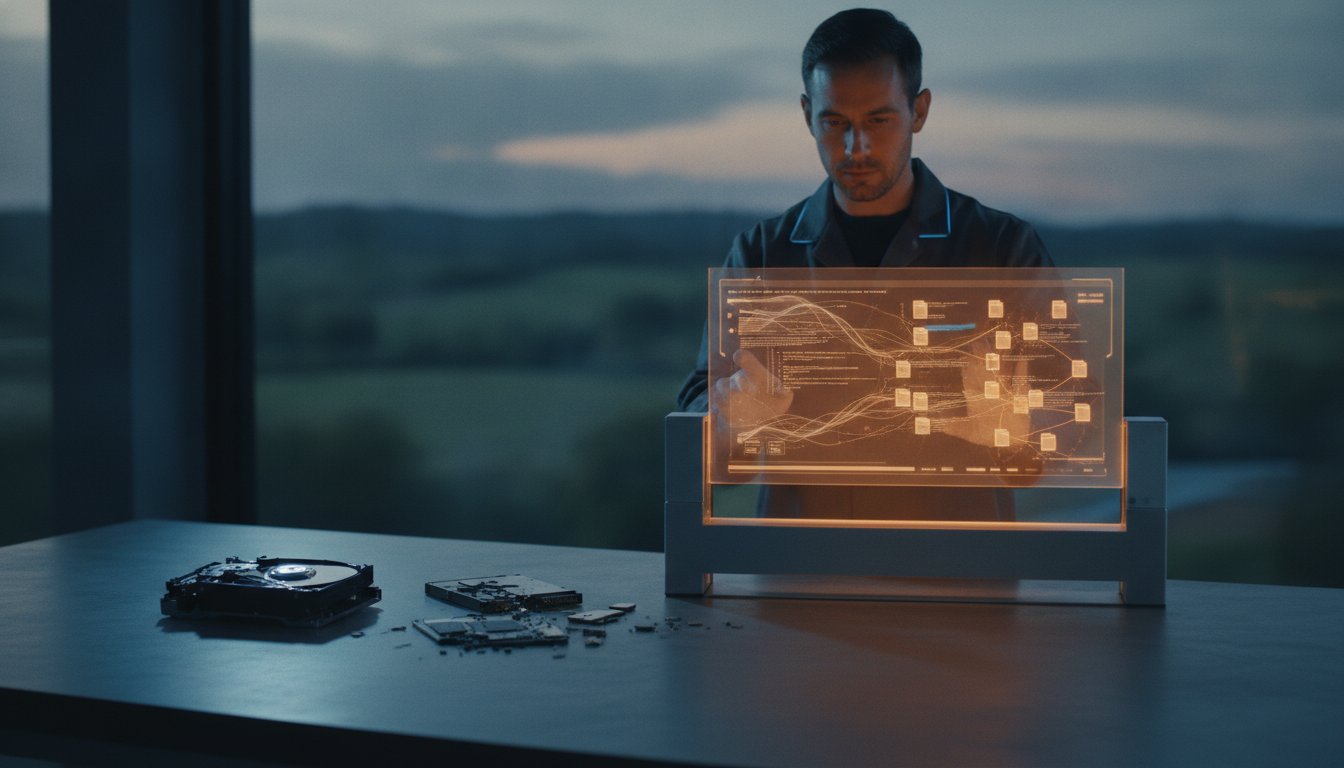
Imagine sitting at your desk in Toowoomba, staring at a blank screen where your most important files used to be. Whether it’s a clicking hard drive or a corrupted SSD, the first question on your mind is always: how long does data recovery take? That knot in your stomach is real because every hour of downtime feels like a lifetime when your business records or personal memories are on the line. I’ve helped many locals through these exact moments, and I know that the silence of a failed drive is often the loudest sound in the room.
You’re likely worried that your data is gone for good or that you’ll be waiting weeks for a solution. It’s completely normal to feel overwhelmed by technical jargon and uncertain timelines. I want to help you understand the specific factors that dictate recovery speed in 2026, from simple software glitches to complex physical repairs. This article provides a realistic look at what to expect during the restoration process. You’ll gain the clarity you need to plan your next steps with confidence, knowing exactly how we get your digital life back on track.
Key Takeaways
- Learn why logical issues like deleted files are often resolved within 24 to 48 hours, while physical hardware failures may require up to 10 business days.
- Understand how long does data recovery take based on your specific storage media, including the speed differences between traditional hard drives and modern NVMe SSDs.
- Discover the importance of the initial 24-hour diagnostic window, which provides a clear roadmap for the safety and success of your file restoration.
- Identify the hidden risks of consumer-grade recovery software and how a simple DIY mistake can turn a minor issue into a permanent data loss scenario.
- See how choosing a local service in Toowoomba eliminates shipping transit times, allowing for immediate triage and direct communication with your technician.
The Factors That Determine Data Recovery Speed in 2026
When you call me to ask how long does data recovery take, I’ll usually start by asking about your specific device. The landscape has changed significantly. In 2026, we see a huge variety of hardware coming through our Toowoomba workshop, from old mechanical hard drives to the latest NVMe SSDs. Each technology has its own recovery rhythm. Data recovery is a methodical process. We prioritize the safety of your information over rushing the job. One wrong move on a failing drive can make the data unrecoverable forever.
To better understand this concept, watch this helpful video:
The type of media you use plays a massive role in the timeline. Traditional Hard Disk Drives (HDDs) are mechanical, using spinning platters and moving heads. If these fail, we’re looking at a physical repair. Modern Solid State Drives (SSDs) and NVMe drives are much faster during normal use, but their failures are often logical or related to complex controller chips. While an SSD might transfer data faster once it’s stable, diagnosing a dead chip is a complex puzzle that requires extra time. We generally look at four main pillars during our initial assessment:
- Physical size: The total capacity of the drive.
- Data volume: How much actual data needs to be moved.
- Damage severity: Whether the issue is software corruption or broken hardware.
- Parts availability: How quickly we can source donor components for rare models.
Capacity vs. Velocity: Why Size Matters
Size isn’t just a number; it’s a physical limitation. Even a healthy 10TB drive takes several hours to read from start to finish under perfect conditions. Modern high-density platters in 2026 drives pack data so tightly that even tiny physical imperfections create massive delays. This creates a bottleneck. If your drive has damaged sectors, our hardware has to slow down to “nibble” at the data safely. We do this to prevent further damage while trying to pull every possible byte from the surface.
Drive Health: The “Stability” Variable
Stability changes everything. A clicking drive is a mechanical emergency. It requires a slower, more delicate approach than a simple deleted file. This is why the question of how long does data recovery take is rarely answered with a single number. I often spend the first few hours on firmware repair. This is essential to get the drive to communicate with our systems again. Sometimes we need to make three or four passes to get a clean read. If your hardware is rare or older, we also have to account for the time it takes to find donor parts from our inventory or global partners.
Logical vs. Physical Recovery: Comparing Timeframes
The first step in answering how long does data recovery take is identifying the nature of the failure. I categorize these into two main groups: logical and physical. A logical failure means the hardware is healthy, but the data is inaccessible due to corruption or accidental deletion. A physical failure means the drive has suffered mechanical or electrical damage. The evaluation phase usually happens within the first 4 to 24 hours. This initial window is critical because it’s when I determine the path forward and provide you with a specific estimate. For my business clients, this stage is essential for meeting an authoritative explanation of enterprise data recovery concepts like recovery time objectives.
If your drive uses modern security like BitLocker or FileVault, please be prepared for extra time. Encryption adds a significant layer of complexity. Even after we stabilize the drive, the decryption phase can take several additional hours or even a full day depending on the volume of data. It’s a slow but necessary process to ensure your files remain secure while being restored.
Logical Failures: The “Software” Hunt
Logical recovery typically takes 24 to 48 hours to complete. During this time, I perform deep scans for file signatures and work on rebuilding the directory structure. While consumer-grade “quick scans” might take minutes, they often miss fragmented data or files with damaged headers. I prefer a methodical approach that ensures we find everything. Once the scan is done, I manually verify the integrity of the recovered files. It’s no use giving you back a folder full of files that won’t open.
Physical Failures: The “Surgical” Requirement
Physical recovery is much more intensive and usually takes 5 to 10 business days. This timeframe covers issues like failed motors, head crashes, or damaged circuit boards. I often need to source exact donor parts from suppliers across the Darling Downs or national networks to match your drive’s firmware and model. Replacing a head stack is precision work that requires a steady hand and a clean environment. We also image these drives at significantly lower speeds than normal to prevent further platter damage. If you suspect your drive has a mechanical fault, you can speak with us at Aspire Computing to get a professional assessment started immediately.
The Step-by-Step Data Recovery Timeline
Many people assume that data recovery is a single, long scan performed by a piece of software. In reality, professional recovery is a controlled sequence of events designed to protect your files from further harm. We follow rigorous standards, similar to the NIST data recovery guidelines, to ensure data integrity is maintained at every step. This isn’t just about running a program. It’s about engineering a safe environment for your data to be extracted. When you ask how long does data recovery take, you’re really asking about the duration of these four distinct phases:
- Phase 1: Initial Consultation and Triage (1-2 hours). We assess the immediate health of the drive.
- Phase 2: Diagnostic Evaluation and Imaging (4-24 hours). We identify the failure and create a working clone.
- Phase 3: Data Extraction and Reconstruction (1-3 days). We rebuild the file system and pull the raw data.
- Phase 4: Quality Assurance and Transfer (4-8 hours). We verify the files and move them to your new device.
Triage and Diagnostics: Setting the Clock
First, we triage. This involves checking for electrical shorts or mechanical grinding. It’s a safety check. Powering on a damaged drive can cause immediate, permanent data loss. We identify the specific failure point early to avoid unnecessary labour and costs. Once the assessment is complete, I provide you with a “Likelihood of Success” report. This gives you a clear picture of what can be saved before we commit to the longer imaging process. It’s about transparency and helping you make an informed decision quickly.
Imaging and Extraction: The Heavy Lifting
This is where we address the gap between “cloning time” and “engineering time.” A healthy 2TB drive might clone in six hours. However, a failing drive requires constant engineering oversight. We never work on your original hardware. We create a bit-for-bit clone to work from. If the drive hits a damaged sector, we have to manage retries and read errors manually. This prevents the drive from “thrashing” and dying mid-process. While some online forums suggest you “just run Recuva and wait,” this is dangerous advice for a failing drive. Professional tools allow us to reassemble complex RAID arrays or damaged file systems that consumer software simply cannot see. This phase is the most variable part of the timeline because it depends entirely on how well the hardware cooperates.
Once the extraction is done, we don’t just hand you a drive and hope for the best. We verify that the recovered files actually open and aren’t just empty placeholders. This methodical approach is why professional recovery takes longer than a DIY attempt, but it’s also why our success rates are much higher. We value your data too much to take shortcuts.

Speed vs. Safety: Why DIY Recovery Often Takes Longer
It is tempting to think that downloading a free tool from the internet will provide the fastest solution. When you are staring at a “drive not found” error, the question of how long does data recovery take often leads people to try DIY software first. However, I have seen many 2-hour DIY mistakes turn into 2-week professional nightmares. The reality is that the first recovery attempt is always your best shot. Every time you power on a failing drive, you are using up its remaining life. If a DIY tool fails, it often leaves the hardware in a much worse state for a professional to handle.
Professional equipment can read data that Windows or macOS simply cannot see. Standard operating systems are designed to communicate with healthy drives. When they encounter a fault, they often get stuck in a “retry loop,” trying to read the same damaged sector over and over. This is called thrashing. It generates heat and can cause the internal heads to physically scrape the data off the platters. My workshop uses specialized hardware that bypasses these OS limitations, allowing us to target healthy data first while ignoring the “landmines” of damaged sectors.
The Danger of “Scanning” a Failing Drive
Physical damage spreads quickly. If your drive has a small scratch or a failing head, keeping it powered on for a software scan is like driving a car with a broken engine. It might work for a few minutes, but the damage will eventually become catastrophic. Free recovery software is often a false economy. These programs are usually “read-write,” meaning they might attempt to fix the file system while scanning. This writes new data to the drive, which can overwrite the very files you are trying to save. In my Toowoomba lab, I use hardware write-blockers to ensure your drive remains in a “read-only” state, preserving the data exactly as it is.
When to Stop and Call a Toowoomba Expert
You need to know when to walk away from the computer. If you hear clicking, grinding, or see the “Blue Screen of Death” repeatedly, stop everything. Power the device down immediately. These are signs of mechanical failure that software cannot fix. Continued use at this stage is the fastest way to make your data permanently unrecoverable. I handle local emergencies every day and can provide a rapid triage to see what is actually happening under the hood. If you are worried about your files, the safest step is to contact us for professional data recovery services before more damage occurs. We prioritize data integrity over shortcuts, ensuring you have the best possible chance of getting your files back safely.
Local Data Recovery in Toowoomba: The Aspire Computing Advantage
Choosing a local provider changes the entire experience. When you’re stressed about lost files, you don’t want to worry about your drive being lost in the mail or sitting in a warehouse in another state. By bringing your device to our workshop at Newtown QLD 4350, you ensure the recovery process starts the moment you walk through the door. This local access is the best way to reduce the overall time it takes to get your files back. It eliminates the transit days that often bloat the schedules of larger, anonymous firms. When you ask how long does data recovery take, the answer is often “days faster” simply because you skipped the courier.
I have served the Toowoomba region since 1999, building a reputation for reliability and technical expertise. My approach is personal and accountable. I understand that these aren’t just files; they are your business records, your family photos, and your hard work. You can call me and get a direct update on the progress of your recovery without navigating a complex phone menu or waiting on a ticket system. This direct line of communication is essential for reducing the anxiety that comes with data loss. You’re talking to the person actually doing the work, not a middleman.
Serving Toowoomba and Surrounding Regions
Our service extends far beyond the city centre. We regularly assist clients in Highfields, Glenvale, and Middle Ridge. Local business owners often prefer a face-to-face IT partner because it builds trust that a distant corporation cannot match. For instance, if a local business in Middle Ridge suffers a critical drive failure, we can provide immediate triage. We also offer on-site support for larger systems or remote assistance for logical issues that don’t require physical handling. This flexibility ensures we can adapt to your specific needs and timeline, getting your operations back on track without unnecessary delays.
Getting Started with Aspire Computing
If you need help, the first step is to book an emergency evaluation. You can bring the drive directly to us. Please remember to bring any original cables and, if possible, a spare drive with enough capacity to hold the recovered data. Having a destination drive ready can shave several hours off the final delivery phase. For a deeper look at the process and our methods, read our Data Recovery Services guide. It provides a complete overview of how we handle your most sensitive information.
When you’re trying to figure out how long does data recovery take, remember that local expertise is your fastest path to success. We combine professional-grade tools with the care and attention that only a local business can provide. We’ve been part of the Darling Downs community for over two decades, and we’re here to help you get back to work quickly and safely. Don’t leave your data to chance when a local expert is just around the corner.
Take the First Step Toward File Restoration
Gaining clarity on your timeline is the most effective way to reduce the stress of a technical failure. We’ve explored how logical issues often resolve within 48 hours, while complex physical repairs may require a full business week. The ultimate answer to how long does data recovery take depends on the stability of your media and the care taken during the first attempt. Choosing a professional path over a risky DIY scan ensures your data has the best chance of returning home safely without further damage.
I have spent over 25 years serving the Toowoomba community, providing expert local knowledge of the Darling Downs landscape. My focus has always been on small business IT and data safety, offering a reliable hand when technology fails. You can trust that your hardware is being handled by a local expert who values your privacy and your time.
Don’t wait until it’s too late—Contact Aspire Computing for a Data Recovery Evaluation
We are here to support you through this process and help you reclaim your important files with confidence.
Frequently Asked Questions
Can data recovery be done in one day?
Data recovery can be completed within a single day if the issue is strictly logical, such as an accidental deletion or a minor software glitch. If the drive is healthy and we only need to perform a targeted scan, a rapid turnaround is very common. However, if the hardware shows signs of physical failure, we need more time to ensure the data is cloned safely without causing permanent damage to the platters.
Does a larger hard drive always take longer to recover?
A larger drive capacity almost always extends the timeline because of the sheer volume of data being moved. When considering how long does data recovery take, we have to account for the bit-for-bit cloning process. A 12TB drive takes significantly longer to image than a 500GB drive, even under perfect conditions. If the drive has damaged sectors, the process slows down even further to protect your information.
What is the fastest way to get my files back?
The fastest way to restore your files is to immediately power down the device and drop it off at our Toowoomba workshop. This avoids the transit delays associated with shipping drives to capital cities. By providing us with a spare “destination” drive at the start, you also skip the time it takes to source new hardware for the final data transfer. Local service is always the quickest path to success.
Is remote data recovery faster than on-site service?
Remote support is faster for minor software glitches or simple file system repairs, but it is not an option for physical failures. If your drive is clicking, grinding, or not appearing in Windows, remote tools cannot help. In these cases, our workshop service is faster because it allows us to use specialized hardware tools that bypass your operating system to communicate directly with the failing drive.
Why does my external hard drive take so long to scan?
External drives often take longer because they rely on slower connection interfaces like USB 3.0 or older standards. Additionally, if the drive is failing, your computer’s operating system gets stuck in “retry loops” as it tries to read damaged sectors. This makes a standard scan feel like it is crawling. Our professional equipment handles these errors much more efficiently, significantly reducing the time spent on the imaging phase.
Can you speed up the recovery process for business emergencies?
We understand that business downtime is costly, so we offer priority triage for emergency cases. While we cannot change the physical speed of data transfer, we can move your drive to the front of our diagnostic queue. This ensures that the evaluation and imaging phases begin immediately. We focus on getting your most critical files back first to help you resume operations as quickly as possible.
What happens if the data recovery takes longer than expected?
If a recovery takes longer than our initial estimate, it is usually due to unexpected hardware instability. Some drives appear healthy during the first hour but become difficult to read as the imaging progresses. I will always call you with a direct update if the timeline changes. We prioritize a successful, safe recovery over a rushed attempt that might result in permanent data loss.
Will I be charged if the recovery takes a long time but fails?
We maintain a transparent policy regarding our professional time and the final outcome. When we discuss how long does data recovery take during your initial consultation, we also explain our fee structure for attempts and successful recoveries. You will always know the potential costs before we begin the intensive work. Our goal is to provide a service that is both fair and professional for our Darling Downs clients.

B.App.Sc., Cert. Computer Engineering PC Service and Repair
As the owner of Aspire Computing founded in 1999, Chaim Lee has been working for over 20 years as the Leading Computer Technician.
He has a life long interest in electronics, computing, science and technology. He has completed studies and gained qualifications in Applied Science, Computer Repair and Service, Microsoft Installation and Maintenance, Technical Writing, Workplace Training, and Technical Sales Training.
