What if the tool you just downloaded to save your family photos or business documents actually made them unrecoverable forever? It is a common fear, and for good reason. When a drive starts clicking or files suddenly vanish, the first question on your mind is likely, is data recovery safe for your hardware and your personal privacy? You want your digital life back, but you don’t want to cause permanent damage or expose your sensitive information to a security breach.

I understand the stress that comes with technical failures, and I am here to help you navigate this process calmly. You will learn how to identify the real risks of DIY recovery and how to protect your files from evolving threats. With 68% of ransomware attacks now targeting backup systems and new Australian Privacy Act obligations arriving on December 10, 2026, keeping your data secure is more important than ever. This guide provides a clear path to getting your files back by explaining the difference between simple software fixes and the mechanical repairs that require a professional touch.

Key Takeaways

  • Learn why the question of is data recovery safe depends on both the physical health of your drive and the security of the tools you choose.
  • Discover how professional “read-only” cloning techniques protect your original files from being overwritten or damaged during the retrieval process.
  • Identify the hidden risks of free recovery software, including privacy concerns and “scareware” tactics that can lead to further data loss.
  • Understand the critical first steps to take when a drive fails, such as powering down immediately to preserve the integrity of your information.
  • See the benefits of choosing a local specialist who provides personal accountability and a transparent process for handling your sensitive files.

Understanding the Safety of Data Recovery

Data recovery is the technical data recovery process of retrieving inaccessible, lost, or deleted information from storage media like hard drives, SSDs, or USB sticks. When your computer fails, the first question you likely have is: is data recovery safe? The honest answer is that it depends on the physical health of your device and the methods you choose. If your drive is mechanically sound, the process is very safe. However, if the hardware is failing, the wrong move can lead to permanent loss.

The “First Rule” of data safety is to stop using the device immediately. This is the most important step you can take. When you continue to use a failing drive, your operating system constantly writes new data to the background, which can overwrite the very files you are trying to save. Professional recovery is safer than unguided DIY attempts because experts use specialized hardware to create a bit-by-bit clone of your drive. This “read-only” approach ensures your original data remains untouched and protected from any further corruption during the retrieval attempt.

To better understand this concept, watch this helpful video:

Data Integrity vs. Privacy Security

Data integrity is the prevention of accidental file modification during the retrieval process. You want to ensure that the files you get back are exactly as they were before the failure. Privacy is just as critical. In 2026, with stricter Australian privacy regulations in effect, you must know who is handling your sensitive personal or business documents. A local expert provides a level of personal accountability that anonymous online software cannot match. Choosing a trustworthy professional ensures your private information doesn’t leak or end up in a cloud database you don’t control.

When is Data Recovery ‘Dangerous’?

Data recovery becomes dangerous when you apply software solutions to a physical problem. If your hard drive is making unusual noises like clicking, grinding, or beeping, it likely has a mechanical failure. Running DIY scanning software forces the drive heads to move across damaged internal platters. This can physically “kill” the drive and scrape away the magnetic layer where your data lives. Modern SSDs present a different challenge due to the “TRIM” command. This feature automatically clears data blocks to maintain speed, often making deleted files unrecoverable within minutes. Botched DIY attempts remain the leading cause of permanent data loss.

Professional Data Recovery vs. DIY Software: Which is Safer?

Choosing between a software download and a professional service is the most critical decision you’ll make after losing files. While software is a tool, a professional service is a complete solution. Many people ask is data recovery safe when using home-brewed methods, and the answer often depends on your specific hardware. There’s a significant difference between a traditional hard drive (HDD) and a modern solid-state drive (SSD) that most “one-click” software packages fail to address.

On a mechanical HDD, software might work for simple deletions. However, if that drive is physically failing, software can cause the heads to crash. SSDs are even more complex. Because of “wear leveling” and “TRIM” commands, an SSD is constantly moving and erasing data in the background to maintain speed. Professional hardware tools can sometimes pause these background processes, whereas consumer software cannot. If you’re dealing with sensitive business information, following FTC data breach guidance is vital to ensure you don’t accidentally expose data while trying to save it.

The Hidden Dangers of DIY Software

The biggest risk with DIY software is the installation process itself. If you download and install a recovery tool onto the same drive that lost the data, you’re actively overwriting the very sectors you need to rescue. Once a sector is overwritten with new software files, the old data is gone forever. There’s also the issue of “scareware.” Some unverified free tools are bundled with malware or bloatware that can compromise your system security. If a DIY process hangs or crashes halfway through, there is no technical support to help you undo the damage.

The Professional Advantage

Professional recovery labs use a “read-only” cloning process. We never work directly on your failing drive. Instead, we use specialized hardware to create a bit-for-bit copy of the disk, then perform the recovery from that clone. This preserves your original hardware in its current state. Professionals also have access to:

  • Cleanroom environments: Essential for opening drives with mechanical failures without letting in dust.
  • Hardware imagers: Tools that can bypass operating system errors and read data from drives with “bad sectors.”
  • Expertise: The ability to distinguish between a simple file system glitch and a physical platter scratch.

If you’re worried about the integrity of your files, seeking professional data recovery services is the most reliable way to ensure a successful outcome without the risks of unguided software attempts.

The Hidden Risks of ‘Free’ Data Recovery Downloads

The lure of a free solution is strong when you’re staring at an empty folder where your work used to be. You might wonder, is data recovery safe when the software doesn’t cost a cent? In 2026, the answer is increasingly complicated. Cyber criminals often use the desperation of data loss as a delivery method for malware. This ‘scareware’ frequently shows you a list of ‘recoverable’ files but forces you to pay a ransom or download a secondary, malicious file to actually access them. You end up with the same lost files and a compromised computer.

It’s vital to distinguish between genuine open-source tools and ‘cracked’ versions of professional software. A cracked program has been modified by a third party to bypass licensing. These modifications often include hidden backdoors that allow hackers to access your system later. If you want to try a DIY approach, always stick to reputable data recovery software that has been verified by industry experts. Even then, you must be certain your drive isn’t physically failing before you start a scan.

Privacy and Data Leaks

As the OAIC conducts its first-ever compliance sweeps in 2026, your personal data has never been more vulnerable. Many ‘cloud-based’ recovery tools require you to upload metadata or even actual file contents to their servers for processing. This creates a massive security hole for sensitive business documents or private photos. You have no way of knowing where that data is stored or who has access to it. Performing local, offline recovery is the gold standard for privacy because your files never leave the safety of your own hardware.

Functional Limitations

Free tools often come with frustrating functional hurdles. The ‘2GB limit’ trap is common. While 2GB might have been enough years ago, it’s practically useless for modern drives filled with high-resolution video and large databases. You might spend six hours scanning a drive only to find you can only ‘save’ three files before being asked for a credit card. Even worse is poor file reconstruction. Free tools often recover the file name but fail to piece together the actual data blocks. You get your files back, but they are corrupted and won’t open. If you suspect a rogue download has already affected your PC, our Virus and Malware Removal Guide can help you regain control of your digital security.

Your 5-Step Safety Checklist for Lost Files

When files disappear, the panic is real. People often ask, is data recovery safe to do on their own? The answer depends entirely on your first few actions. Following a structured protocol can mean the difference between a full recovery and permanent loss. If you find yourself staring at an empty folder or a system error, use this checklist to protect your information.

  • Step 1: Power down immediately. This is the single most effective way to protect your data. It stops any background processes from overwriting deleted sectors or continuing to stress a failing component.
  • Step 2: Listen for unusual sounds. If you hear clicking, grinding, or beeping, your drive has a mechanical failure. Powering it on again could cause the internal heads to scrape the data right off the platters.
  • Step 3: Identify the cause. Did you accidentally hit delete? Was there a liquid spill or a power surge? Knowing the cause helps a technician choose the right retrieval method.
  • Step 4: Avoid ‘home remedies’. You might read about the freezer trick or opening a drive yourself. These myths almost always cause more damage and can make professional recovery impossible.
  • Step 5: Consult a professional. A local expert can provide a risk-free assessment. They have the tools to tell you exactly what is wrong without risking your files.

Immediate Do’s and Don’ts

Don’t restart the computer multiple times. This essentially stress-tests a dying drive and can lead to a total hardware crash. Instead, use a different device like a phone or tablet to search for help. One common mistake is running ‘Check Disk’ on Windows or ‘First Aid’ on a Mac. While these are great for healthy drives, they can be destructive on a drive with missing files because they try to “fix” the file system by moving or deleting data fragments. Always use a different computer to download any tools if you decide to try software.

Assessing the Severity

Understanding the difference between logical and physical failure is key to file safety. Logical loss happens through software glitches, virus infections, or accidental deletion. Physical failure involves broken internal parts. If your drive isn’t appearing in the computer’s BIOS or makes any physical noise, it’s a hardware issue. These cases require immediate professional intervention to prevent the read heads from scratching the storage platters. For residents needing Data Recovery Toowoomba, getting an expert opinion early is the safest path forward. If you are unsure about the state of your drive, contact us at Aspire Computing for professional guidance.

Secure Data Recovery in Toowoomba with Aspire Computing

When you are worried about your private documents or business records, the safest way to answer is data recovery safe is to know exactly who is handling your hardware. Since 1999, I have provided the Toowoomba community with dependable technical support, ensuring that your sensitive information stays secure and local. Dealing with a local expert means you don’t have to worry about the distant, anonymous feel of a large corporate lab. Instead, you get personal accountability and the opportunity to speak directly with the technician who is working on your files.

Our ‘Privacy First’ policy is designed specifically for small businesses and home office clients who handle confidential data. We understand that your files aren’t just bits of data; they are your livelihood and your memories. Whether you need help at our Newtown office or require on-site support across the Darling Downs and Lockyer Valley, our process is methodical and transparent. We also offer remote IT support for software-related issues, providing a convenient and fast way to address data concerns without you even leaving your desk.

Why Local Matters for Safety

Choosing a local professional significantly reduces the physical risks to your device. You don’t have to trust a courier service with a fragile, failing hard drive, which eliminates the chance of it being lost or further damaged in the post. Because we are right here in Toowoomba, we can offer a quicker turnaround to get your business back online. We also believe in transparent pricing. You won’t face hidden “success fees” for simple recoveries, and we’ll always provide a clear explanation of the work required before we begin.

Next Steps for Your Data

If you have lost access to your files, the best thing you can do is stay calm and follow the safety steps we’ve discussed. You can book a secure assessment at our Newtown office to get a professional opinion on the state of your drive. When you come in for your session, please bring the following to help us help you:

  • The affected laptop, desktop, or external drive.
  • Any associated power cables or specialized connection leads.
  • A spare “target” drive to store your recovered files, if you have one available.

Don’t risk your important information with unverified software or distant services. We are committed to providing a reliable, community-focused solution for all your data needs. Contact Aspire Computing for a secure data recovery assessment today and let’s get your digital life back on track.

Take Control of Your Digital Recovery

Losing access to your files is stressful, but it doesn’t have to be permanent. By now, you understand that the answer to is data recovery safe depends largely on your first response. Powering down your device immediately and avoiding unverified free software are the most effective ways to prevent further damage. While DIY tools might seem convenient, they lack the “read-only” safety and specialized hardware used by professionals to protect your original storage platters.

Choosing a local partner ensures your sensitive documents stay in safe hands. I have been serving the Toowoomba community since 1999, specializing in small business IT and home office support. You can visit our local Newtown office directly; this means no shipping risks and a faster turnaround for your recovery. We are here to help you through this process with a focus on both data integrity and your personal privacy.

Secure Your Files with Toowoomba’s Data Recovery Experts

Don’t let a technical failure disrupt your life. With the right expert assistance, your files can be retrieved safely and securely. We look forward to helping you get your digital life back on track.

Frequently Asked Questions

Is it safe to use free data recovery software?

It is only safe if the software comes from a reputable developer and your hardware is physically healthy. Many free tools found online are bundled with “bloatware” or even malware that can compromise your system. Always verify the source before downloading. If your drive is making any unusual noises, using any software becomes a high risk move that could lead to permanent loss.

Can data recovery software damage my hard drive?

Yes, software can cause significant physical damage if your drive has failing internal components. Scanning a drive requires the read heads to move across the platters repeatedly. If the heads are already unstable, this stress can cause them to crash into the platter surface. This process can scrape away the magnetic coating where your files live, making the is data recovery safe question a firm “no” for clicking drives.

How do I know if my hard drive is physically failing?

Listen for specific mechanical sounds like clicking, grinding, or a high pitched whirring. These are the most common signs that the hardware is dying. Other symptoms include the drive not being recognized by your computer or the system freezing when you try to access specific folders. If you notice these signs, turn the power off immediately to preserve the remaining data.

Is it safe to send my hard drive away for recovery?

Shipping a drive involves the risk of physical impact during transit or the package getting lost. While many labs are legitimate, the lack of personal contact can be a concern for your privacy. Using a local Toowoomba expert allows you to hand over your device personally. This ensures your drive stays in a secure, local environment and avoids the dangers of the postal system.

Can deleted files be recovered if I’ve used the computer since?

Recovery is possible, but your chances decrease with every minute of use. Computers constantly write small bits of data to the background, even when you aren’t saving files. These new bits can overwrite the sectors where your deleted files were stored. Once data is overwritten, it’s gone for good. Shutting down the machine right away is the best way to keep your files recoverable.

What is the safest way to recover photos from an SD card?

The safest method is to use a card reader with a physical write-protect switch to create a bit-by-bit clone of the card. You should then run your recovery tools on the clone rather than the original card. This prevents the software from accidentally modifying or damaging the original file structure. It’s a methodical approach that keeps your precious photos as safe as possible during the retrieval.

How much does professional data recovery cost in Toowoomba?

The cost depends on whether your data loss is a simple software glitch or a complex mechanical failure. Recovering files from a drive that won’t spin requires much more specialized equipment than retrieving an accidentally deleted document. Since every situation is different, I provide custom quotes based on the specific needs of your device. This ensures you only pay for the level of service your recovery actually requires.

Is data recovery safe for encrypted drives?

The process is data recovery safe for encrypted drives as long as you still have your recovery key or password. Specialized hardware can often clone the encrypted data blocks even if the drive is failing. However, without your original key, the recovered data will remain a scrambled mess that no one can read. Always keep your BitLocker or FileVault recovery keys in a safe, separate location.

Did you know that a cybercrime is reported to the Australian Signals Directorate every six minutes? With small businesses accounting for 43% of these reports, planning your IT budget for small business 2026 is no longer just a financial chore; it’s your primary line of defense. I understand how frustrating it is to deal with aging laptops that slow down productivity, especially when you’re worried about the rising cost of a potential data breach. It’s a lot to manage while trying to run a local business.

I know it’s often unclear which government incentives actually apply to your technology. I’m here to help you leverage the 2026 Australian Federal Budget to your advantage, specifically the $20,000 instant asset write-off threshold available for this income year. This guide provides a clear, percentage-based budget strategy and explains how to secure maximum tax deductions for your hardware upgrades and cybersecurity. We’ll also outline a roadmap for a stable, secure network that protects your data and keeps your team moving at full speed.

Key Takeaways

  • Learn how to structure an IT budget for small business 2026 that balances essential hardware upgrades with robust cybersecurity.
  • Identify the eligibility requirements for the $20,000 instant asset write-off to help modernise your office equipment.
  • Discover why allocating a specific percentage of your revenue to tech is the benchmark for maintaining a secure and efficient office.
  • Follow our step-by-step guide to auditing your current technology and identifying hardware that poses a security risk.
  • Understand the benefits of partnering with local specialists to build a scalable, secure, and tax-efficient IT roadmap.

Setting an IT budget for small business 2026 is about more than just buying new laptops. It’s a strategic blend of hardware, software, and the professional support that keeps your operations running smoothly. In the current Australian economic climate, technology isn’t just a luxury; it’s the foundation of your stability. We’re seeing a major shift away from the old “fix-it-when-it-breaks” mindset. Instead, local owners are moving toward “managed stability,” where systems are monitored and secured before a failure happens. This shift is supported by the Federal Budget 2026-27, which offers specific incentives to help you modernise without breaking the bank.

To better understand how to structure your technology roadmap and conduct a proper audit, watch this helpful video:

Why 2026 is a Critical Year for Tech Investment

2026 is a tipping point for several reasons. First, AI tools have matured enough to offer real productivity gains for small teams, making an IT budget for small business 2026 a tool for growth rather than just an expense. Second, the 2026 updates to the Privacy Act mean many previous exemptions for small businesses have been removed. You’re now legally and financially responsible for data security in ways that require professional oversight. Finally, many devices purchased during the remote work surge a few years ago are hitting the end of their reliable 3-to-5-year lifecycle. Replacing these isn’t just about speed. It’s about closing the security gaps that old, unpatched hardware creates.

The Core Components of a Modern IT Budget

A modern budget focuses on three key pillars to ensure your office remains functional and protected.

  • Hardware: This includes PCs, laptops, and printers. For Toowoomba home offices, having hardware that actually works is the difference between a productive day and a frustrating one.
  • Software: Most tools now use subscription models. While this helps with monthly cash flow, it requires a clear view of your total spend to avoid “subscription creep.”
  • Support: The value of local IT support for business cannot be overstated. Having a local expert who understands your specific setup ensures you aren’t paying for enterprise-level services you don’t need while still keeping your data safe.

To achieve true IT cost transparency, you must account for these recurring costs alongside your one-off equipment purchases. This approach ensures you aren’t surprised by hidden fees or sudden hardware failures that halt your business.

Leveraging the $20,000 Instant Asset Write-off for Tech Upgrades

The Australian Taxation Office (ATO) has confirmed the instant asset write-off threshold remains at $20,000 for the 2025-2026 income year. For local owners planning their IT budget for small business 2026, this is a vital opportunity to modernise equipment. This incentive applies to small businesses with an aggregated turnover of less than $10 million. To qualify, any new or second-hand asset must be first used or installed ready for use between 1 July 2025 and 30 June 2026. Because the $20,000 limit applies to each individual asset, you can potentially refresh multiple parts of your office infrastructure in a single financial year.

Maximising this incentive requires a strategic approach to bundling. You don’t have to spend $20,000 on a single item to see the benefit. Instead, you can invest in several high-quality assets that each fall under the threshold. Common IT assets that qualify for this immediate deduction include:

  • High-performance desktop PCs and laptops for staff.
  • Network servers and high-capacity NAS drives for reliable data backup.
  • New network routers and secure wireless access points.
  • Multifunction printers and specialized office equipment.

Smart Hardware Refresh Strategies

Waiting until a laptop fails completely often results in lost data and downtime. A smarter strategy involves replacing aging units before the June 30 deadline. If your current fleet is more than three years old, it’s likely slowing down your team. Upgrading to modern hardware improves speed and supports the latest security patches. This is also the perfect time to look at your printing needs. Investing in quality printer supply and repair ensures your document workflow stays consistent without the frustration of constant paper jams or connectivity issues. If you aren’t sure which units need replacing first, a professional assessment of your hardware upgrades can help you prioritise your spend.

The “Immediate Deduction” Advantage

The primary benefit of this scheme is the immediate boost to your cash flow. Traditionally, a $3,000 server would be depreciated over several years, giving you a small tax break each year. With the instant asset write-off, you claim the full deduction in the 2026 tax return. This reduces your taxable income right away. It’s a practical way to reinvest your profits back into the stability of your business. Just remember to keep all digital receipts and clear documentation of when the equipment was installed. This record-keeping is essential for ATO compliance and ensures your year-end reporting is a stress-free process.

Prioritising IT Spend: Cyber Security, Hardware, and Cloud in 2026

Deciding where to allocate your funds is often the most challenging part of planning an IT budget for small business 2026. While every business is different, a solid benchmark for Australian small firms is to invest between 4% and 6% of gross revenue into technology. If you’re in a tech-heavy industry, this might lean closer to 7%. This isn’t just about spending money; it’s about shifting to a “Cyber-First” approach. Security can’t be a footnote in your budget anymore. With the average cost of a cyber incident for an Australian small business reaching $56,600, a proactive investment is much cheaper than a recovery effort.

One common mistake is choosing “cheap” hardware to save on upfront costs. While a budget laptop might look good on paper, the hidden costs of downtime and slow processing speeds quickly erode those savings. High-quality infrastructure ensures your team stays productive and focused. This includes budgeting for essential cloud services like Microsoft 365 Business Premium, which currently costs approximately $38 per user per month. Beyond software, your budget should prioritize data backup and business continuity. These systems ensure that if a server fails or a file is accidentally deleted, you’re back in business within minutes rather than days.

Investing in Robust Cyber Security

A secure office starts with prevention. Your budget should include professional virus and malware removal and prevention tools to stop threats before they take hold. Beyond software, multi-factor authentication (MFA) and password managers are essential, low-cost additions that provide a massive boost to your security posture. Don’t forget employee training. Most breaches happen because of a simple human error, like clicking a suspicious link. Spending a small portion of your budget on staff education is one of the highest-impact moves you can make to protect your data.

Hardware Upgrades vs. Maintenance

You don’t always need to buy a brand-new fleet. Sometimes, strategic hardware upgrades like adding more RAM or switching to a faster SSD can breathe new life into a two-year-old machine. Regular “tune-ups” should be a line item in your budget to extend the lifespan of your current PCs and prevent sudden failures. However, even with the best maintenance, hardware can fail. That’s why keeping a contingency fund for professional data recovery services is vital. It’s the ultimate safety net for your most important business records and provides peace of mind when the unexpected happens.

How to Build a Scalable 2026 IT Budget (Step-by-Step)

Creating an IT budget for small business 2026 shouldn’t feel like guesswork. A structured roadmap helps you avoid surprise expenses while keeping your data safe and your team productive. I recommend following a clear, five-step process to build a budget that scales with your business needs. This methodical approach ensures you aren’t just spending money, but investing it where it delivers the most value.

  • Step 1: Audit your inventory. List every laptop, PC, printer, and software license you currently use. Knowing what you have is the first step to knowing what you need.
  • Step 2: Identify “end-of-life” equipment. Any hardware older than five years is a security liability. These devices often can’t run the latest security patches, making them easy targets for attacks.
  • Step 3: Align spend with tax cycles. Plan your major purchases to coincide with the Federal Budget 2026 tax incentives. As we mentioned earlier, the $20,000 instant asset write-off is your best tool for hardware refreshing.
  • Step 4: Factor in managed support. Budget for proactive monitoring rather than waiting for things to break. This prevents downtime before it starts.
  • Step 5: Set aside a 10% emergency fund. Even the best plans need a buffer. This fund covers unexpected repairs or urgent data recovery if a drive fails unexpectedly.

Auditing Your Tech Stack

Slow computers do more than just frustrate your team; they cost you billable hours. If a staff member loses 15 minutes a day to a sluggish PC, that adds up to over an hour of lost productivity every week. During your audit, take a close look at your software subscriptions. It’s common for businesses to find they’re paying for licenses they no longer use or need. Finally, check your internet reliability. Your NBN connection is the backbone of your office infrastructure. Ensure your routers and cabling are capable of handling 2026 data demands without bottlenecks.

Forecasting Support Costs

Deciding between ad-hoc “break-fix” repairs and a monthly support agreement is a critical budget choice. While ad-hoc costs might seem lower on the surface, they’re unpredictable and often peak during a crisis. Having a local face in Toowoomba for on-site help provides a level of trust and accountability that anonymous call centres can’t provide. We also suggest budgeting for remote IT support. This allows your work-from-home staff to get help quickly, ensuring they stay connected and secure regardless of their location.

If you’re ready to secure your office and streamline your technology, we can help you design a practical IT budget for small business 2026 that fits your specific goals.

Executing Your 2026 IT Strategy with Toowoomba’s Local Experts

Setting an IT budget for small business 2026 is a vital first step, but the real value comes from how you execute that plan. For many small firms in our region, anonymous enterprise IT providers often fall short. They don’t understand the local NBN quirks or the specific needs of a Darling Downs business. When you choose a local partner, you’re getting more than just technical skill; you’re getting personal accountability. I believe in looking my clients in the eye and standing behind every repair or upgrade I perform. Knowing your IT provider by name reduces the anxiety that comes with technical failures.

At Aspire Computing, we focus on budget-friendly solutions that deliver high impact. We don’t push expensive enterprise-level services that your business doesn’t need. Instead, we help you select hardware that fits your specific workflow and qualifies for the $20,000 instant asset write-off. Whether it’s high-speed laptops or reliable network storage, our goal is to ensure your IT budget for small business 2026 is spent wisely. We guide you through the selection process to ensure every dollar invested contributes to a more stable and secure office environment.

Serving Toowoomba, Newtown, and the Darling Downs

We’ve been a proud part of this community since 1999. With over 25 years of local experience, I’ve seen technology evolve from basic desktops to the complex cloud systems we use today. This history gives us a unique perspective on the challenges local businesses face. Our on-site service is a major advantage for firms in Toowoomba and Newtown. We come to you, which means we see your setup in person. This allows us to spot infrastructure issues, like poor cabling or outdated routers, that a remote-only provider would miss. We create personalised tech roadmaps that grow alongside your business, ensuring you’re never held back by aging equipment.

Get Started with a 2026 IT Health Check

The best way to plan your spend is with a clear picture of your current status. I invite you to book a diagnostic session for a comprehensive 2026 IT health check. We’ll look at your security, hardware performance, and backup systems to identify any hidden risks. If you need new equipment, we supply and support quality brands like Canon, Samsung, and Epson. This ensures your office runs on reliable tools that are easy to maintain and repair. Don’t leave your technology to chance as the new financial year approaches. Contact Aspire Computing today to secure your business for 2026 and build a technology roadmap you can trust.

Secure Your Business Stability for the Year Ahead

Building a resilient IT budget for small business 2026 is the best way to move from reactive repairs to proactive growth. By leveraging the $20,000 instant asset write-off and focusing on a “cyber-first” strategy, you protect your data while improving daily productivity. We’ve seen how a structured roadmap reduces the anxiety of technical failures and ensures your hardware keeps pace with modern demands. Whether you need to refresh your laptop fleet or secure your network, having a clear plan in place is essential for long-term success.

Since 1999, I’ve helped Toowoomba business owners navigate these technology shifts with personal accountability and technical expertise. Whether you use PC or Apple systems, we provide the local on-site and remote support you need to stay operational. Don’t wait for a hardware failure or a security breach to act. Book Your 2026 IT Budget Consultation with Aspire Computing today. Let’s work together to build a stable, secure, and efficient technology foundation for your business.

Frequently Asked Questions

What is the $20,000 instant asset write-off for 2026?

The instant asset write-off allows small businesses with an annual turnover under $10 million to immediately deduct the full cost of eligible assets. For the 2025-2026 income year, this threshold is $20,000 per asset. To qualify, the item must be first used or installed ready for use between 1 July 2025 and 30 June 2026. This is a powerful tool for refreshing your office technology without waiting years for depreciation benefits.

How much should a small business spend on IT per employee?

While spending varies by industry, many Australian small businesses budget between 2% and 7% of their annual revenue for technology. This covers everything from hardware to ongoing support and security. When planning your IT budget for small business 2026, consider the specific tools your team needs to stay efficient. Technology-intensive sectors often sit at the higher end of this range to maintain a competitive edge and robust data protection.

Is cyber security software tax-deductible for Australian businesses?

Yes, cyber security software and services are generally considered tax-deductible business expenses. This includes the costs for virus and malware removal tools, data backup services, and proactive network monitoring. Since these are necessary for protecting your business from cybercrime, they are typically treated as standard operating costs. Always confirm the specific details with your tax professional to ensure you’re maximising your deductions correctly.

Should I buy or lease my office computers in 2026?

Buying often provides a greater immediate financial benefit in 2026 due to the $20,000 instant asset write-off. Outright purchases allow you to claim the entire deduction in a single tax year, which significantly helps with cash flow. Leasing might offer lower monthly payments, but you miss out on the immediate tax relief provided by the federal budget. For most small firms, ownership is the more cost-effective path for long-term stability.

What IT items can I immediately deduct under the new budget rules?

You can immediately deduct a wide range of business-related hardware that costs less than $20,000 per item. This includes desktop PCs, laptops, servers, and network routers. It also applies to office equipment like printers and specific hardware upgrades such as new storage drives. As long as the equipment is installed and ready for use within the 2025-26 financial year, it qualifies for the immediate deduction under these rules.

Does the instant asset write-off apply to second-hand hardware?

Yes, the $20,000 instant asset write-off applies to both new and second-hand assets. This gives you the flexibility to purchase refurbished equipment if it meets your business needs. However, it’s vital to ensure that any second-hand hardware is still supported by the manufacturer. Using devices that can’t run the latest security patches can leave your business vulnerable to attacks, regardless of the tax savings you achieve.

How often should a small business refresh its IT hardware?

Most experts recommend a hardware refresh cycle of every three to five years. This ensures your team isn’t held back by slow processing speeds or failing components. Regular upgrades are a key part of a healthy IT budget for small business 2026. Sticking to this schedule also helps you stay ahead of security risks, as older hardware often lacks the built-in protection found in modern devices.

Can I claim a deduction for home office IT repairs in Toowoomba?

You can claim a deduction for repairs to IT equipment to the extent that it’s used for business. If you run your business from a home office in Toowoomba or Newtown, the cost to fix a work laptop or printer is generally deductible. I offer local repair services to help home-based owners get back to work quickly. Just ensure you keep accurate records of your business use percentage for tax purposes.

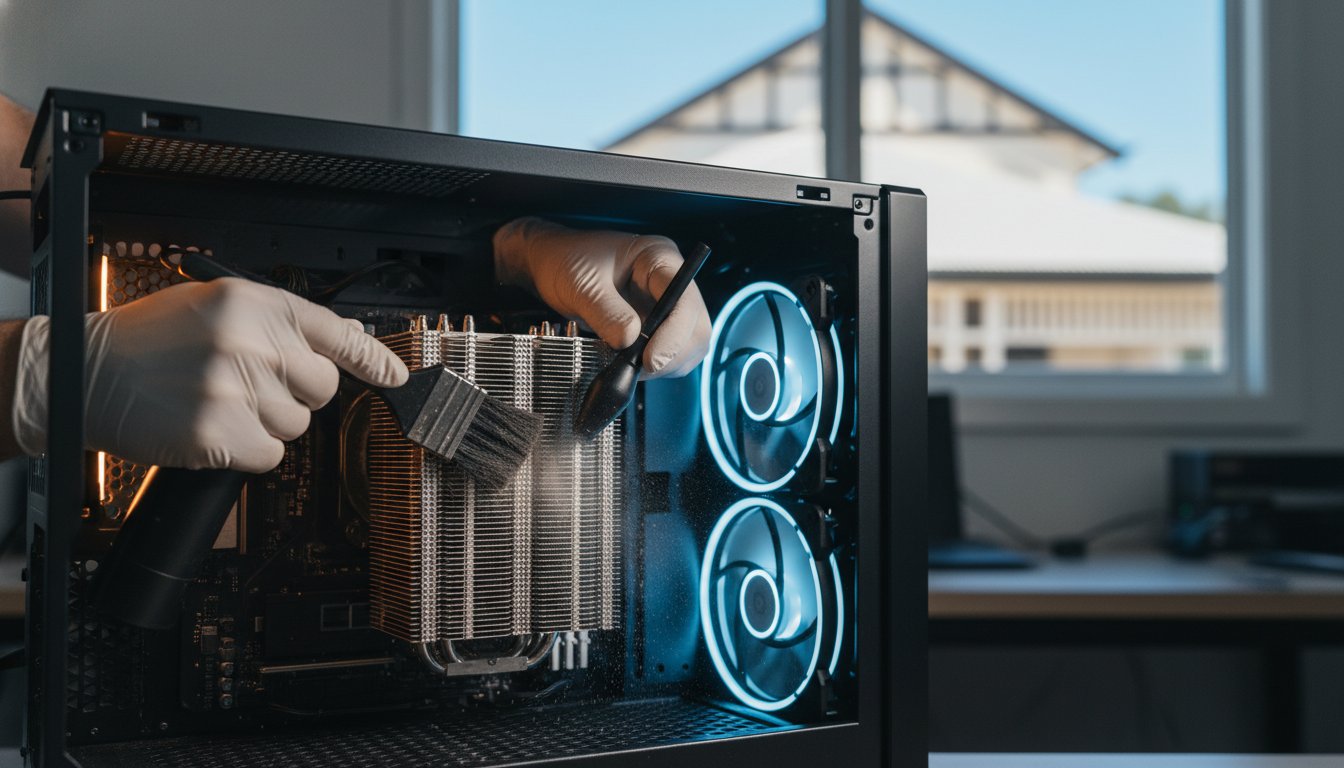
That thick layer of dust inside your computer isn’t just a bit of mess. It’s actually a thermal blanket that’s slowly suffocating your hardware in the intense Queensland heat. While many people think a quick blast of compressed air is enough, a professional PC cleaning service Toowoomba is more like essential thermal surgery than a simple dusting. You’ve likely felt the frustration of a loud fan disrupting your focus or the anxiety of an unexpected shutdown during an important task. It’s draining to deal with sluggish performance when you know your system has great specs.

I understand how vital your technology is to your daily life. This guide shows you why professional internal maintenance is the secret to extending your computer’s life and preventing expensive hardware failure. We’ll look at the specific risks of our local climate and how a deep internal refresh can return your system to its original, quiet, and cool-running state. You’ll discover the practical steps we take to ensure your machine stays reliable and fast for years to come.

Key Takeaways

  • Understand how local dust and Darling Downs humidity create a “clumping” effect that chokes your computer’s cooling system.
  • Learn why using a household vacuum cleaner is the number one mistake that leads to permanent static damage.
  • Discover how a professional PC cleaning service Toowoomba uses a dual approach to clear both physical debris and digital bloatware.
  • Identify the “jet engine” fan noise and other critical warning signs that mean your computer is at risk of overheating.
  • See how Cam’s 25 years of experience and a thorough 5-point inspection process ensure your system stays reliable and cool.

Why Your Computer Needs a Professional Deep Clean in Toowoomba

Professional cleaning involves more than just wiping your screen or blowing air into the keyboard. When I talk about a PC cleaning service Toowoomba residents can trust, I am referring to a meticulous internal process. We focus on removing debris from the delicate components inside your case and ensuring your thermal management systems are working perfectly. Over time, dust settles on your motherboard and graphics card, creating a barrier that prevents heat from escaping. It’s essentially a layer of insulation that keeps your hardware running at dangerous temperatures.

Living on the Darling Downs presents a unique challenge for electronics. Our famous red soil produces a fine dust that finds its way into even the most well-sealed homes. When this dust meets the humidity common in our region, it creates a “clumping” effect. This sticky mixture adheres to fan blades and heat sinks, making it much harder to remove than dry dust found in other climates. Without regular computer maintenance, this buildup traps heat against sensitive silicon chips. This leads to permanent hardware degradation. Investing in a professional PC cleaning service Toowoomba ensures your machine can handle the summer heat without crashing.

To better understand how much debris can accumulate inside a system over time, watch this helpful video:

The Impact of Dust on Thermal Throttling

Your computer has built-in safety features to prevent it from literally melting. When temperatures spike due to blocked vents, the system engages “thermal throttling.” This means your processor intentionally slows down its speed to generate less heat. While this saves the hardware from immediate death, it results in the sluggish performance you feel during work or gaming. A clean fan and heat sink allow for higher sustained clock speeds. This ensures you get the performance you actually paid for. Keeping things cool also protects the delicate circuits on your motherboard from the stress of constant heat cycles. Heat is the primary enemy of long-term stability.

Local Environmental Hazards in the Darling Downs

Our local environment is particularly tough on cooling systems. Seasonal dust storms can send a surge of particles through your tower’s intake vents in a single afternoon. If you have pets, their hair and carpet fibres often combine with that local dust to create a felt-like mat that completely chokes intake filters. When you add Toowoomba’s peak summer temperatures into the mix, your internal cooling has to work twice as hard. If the airflow is restricted, your components will operate at dangerous levels. It’s a simple reality of living here; your tech needs extra care to survive the climate. Regular cleaning prevents these environmental factors from turning into an expensive repair bill later on.

The Risks of DIY Cleaning: Why Your Vacuum Can Kill Your PC

It’s tempting to grab the household vacuum when you notice dust bunnies peeking through your computer’s vents. You might think you’re doing your hardware a favour, but this is actually the most dangerous mistake you can make. Vacuums create massive amounts of static electricity as air and dust particles rush through the plastic nozzle. This static can jump to your motherboard and fry sensitive circuits instantly. While a professional PC cleaning service Toowoomba uses specialized tools, a standard vacuum is a blunt instrument that often causes more harm than good.

Another common DIY error involves using compressed air without proper technique. If you hold the can at an angle or shake it, you risk spraying freezing liquid propellant directly onto your components. This thermal shock can crack solder joints or leave behind moisture that causes a short circuit. Even if you manage to avoid the liquid, high-pressure air can spin your cooling fans at speeds they weren’t designed to handle. This doesn’t just damage the bearings; it can actually turn the fan into a small generator, sending a surge of electricity back into the motherboard. This voltage feedback is a leading cause of unexplained hardware failure following a home cleaning attempt.

Moisture is another silent killer. I’ve seen many well-meaning users try to wipe down internal parts with a “slightly damp” cloth or generic household chemicals. This is a recipe for disaster. Any amount of moisture can bridge connections that should stay separate, leading to a permanent short. Chemicals can also strip away protective coatings on the circuit boards. If you’re worried about your system’s health, it’s safer to consult a professional PC and laptop repair expert who has the right equipment and experience to handle these sensitive parts.

Static Electricity: The Invisible Component Killer

Electrostatic Discharge (ESD) is a silent threat. You don’t need to see a spark to cause damage. A discharge so small you can’t even feel it is enough to ruin a processor. This is why I always use anti-static mats and grounded wrist straps when working on a client’s machine. One of the most frustrating aspects of ESD is “latent damage.” Your computer might still turn on after a DIY session, but the internal pathways have been weakened. This leads to random crashes and a significantly shorter lifespan for your device. Understanding the causes of computer overheating is the first step, but safe removal of that heat-trapping dust requires expert precision.

The Problem with Compressed Air

Cans of “air” are rarely just air. They contain chemical propellants that can be messy and leave residues. More importantly, they often lack the force needed to actually remove “clumped” dust from deep within a power supply. Instead, they often just push the debris further into crevices where it’s impossible to reach. Professional technicians use air compressors fitted with moisture traps and pressure regulators. This provides a steady, dry stream of air that safely dislodges debris without the risk of moisture contamination. A professional PC cleaning service Toowoomba ensures every nook and cranny is clear without risking your hardware’s integrity.

Physical Cleaning vs. Software Tune-ups: The Dual Approach

A sparkling clean interior is a great start, but it doesn’t solve every performance problem. If your operating system is bogged down with junk files, your computer will still feel sluggish. There is a powerful synergy between clearing physical dust and removing digital “bloatware.” When you book a professional PC cleaning service Toowoomba, it’s the perfect time to look at the digital side of things too. A machine that is physically cool but digitally cluttered is like a sports car with a clean engine but a trunk full of lead. This is why a comprehensive PC cleaning service Toowoomba should always consider the software environment.

Hardware and software work together in a delicate balance. When your CPU is forced to process unnecessary background tasks, it generates more heat. If your cooling system is already struggling with dust, this creates a vicious cycle of overheating and poor performance. We often find that a deep clean is the ideal moment to consider PC hardware upgrades. Swapping an old mechanical hard drive for a modern Solid State Drive (SSD) can make a five-year-old computer feel faster than it was when it was brand new. These upgrades generate less heat and provide a much smoother user experience.

When Cleaning Isn’t Enough: Hardware Upgrades

Sometimes, a simple dusting isn’t the whole solution. During a deep clean, I might identify a fan that is rattling or failing to reach its target RPM. In these cases, replacement is the only way to ensure reliability. Another critical step is the reapplication of high-quality thermal paste. Over several years, the factory paste between your CPU and its cooler can dry out and crack. This creates tiny air gaps that trap heat. Fresh paste restores the efficient transfer of heat, which is essential for the longevity of your motherboard. This is a standard part of a thorough service. Older PCs benefit most from this combined maintenance approach.

Windows Tune-ups and Malware Removal

Digital clutter is just as real as physical dust. Background processes, unneeded startup items, and hidden “bloatware” all eat into your system resources. This constant load keeps your CPU working harder and running hotter than necessary. Even worse, certain types of malware can force your computer to run at 100% capacity in the background. This doesn’t just slow you down; it causes excessive wear on your hardware. Integrating professional Virus and Malware Removal into your maintenance routine ensures your system is both physically and digitally optimized. It’s about creating a quiet, fast, and secure environment for your work.

Signs Your Computer is Overheating and Needs Service

Your computer usually tells you when it’s struggling. The most obvious sign is the “jet engine” effect. This happens when your fans spin at maximum speed to compensate for dust-clogged vents and restricted airflow. If you hear a constant, loud whirring that doesn’t stop even when you aren’t doing much, your system is working too hard. You might also notice your laptop keyboard or the side of your PC case feels unusually hot to the touch. These are early warnings that you need a professional PC cleaning service Toowoomba before the heat causes lasting damage.

Random shutdowns are a more serious symptom. If your computer suddenly turns off or restarts during a video call or while you’re working on a big project, it’s likely a thermal emergency. Modern hardware has built-in sensors that cut power to prevent the processor from literally melting. You may also see the dreaded Blue Screen of Death (BSOD) with error messages related to “thermal events.” Another common sign is a sudden performance drop after about 20 minutes of use. This is your computer intentionally slowing itself down to survive the heat, a process we call thermal throttling.

Monitoring Your Internal Temperatures

You don’t have to guess how hot your components are running. Simple software tools like HWMonitor or Core Temp can show your internal readings in real time. During a Toowoomba summer, idle temperatures for a CPU should stay between 35°C and 50°C. Under a heavy load, anything consistently above 85°C is a cause for concern. If your software shows readings hitting 95°C or higher, your cooling system has likely reached a critical failure point. These temperatures are too high for long-term stability and indicate that the internal heat sinks are completely choked with debris.

The Danger of Ignoring These Signs

Ignoring these warnings can lead to expensive hardware failure. Constant overheating causes physical components to expand and contract repeatedly. Over time, this stress can lead to motherboard warping or microscopic cracks in the circuit traces. Even worse, an unexpected shutdown during a save operation can corrupt your operating system or personal files. If you’ve already lost important work due to a heat-related crash, I offer professional Data Recovery Services to help retrieve your information. Don’t wait for a total hardware failure to occur. Contact me today at Aspire Computing for a thorough PC cleaning service Toowoomba to get your system running reliably and quietly again.

Professional PC Maintenance with Aspire Computing

I have been helping the Toowoomba community manage their technology since 1999. With over 25 years of experience, I understand the unique challenges that our regional environment poses to sensitive electronics. At Aspire Computing, I provide a comprehensive PC cleaning service Toowoomba residents trust to keep their systems running at peak performance. I believe in personal accountability. When you call for help, you’re dealing directly with an expert who values your time and your hardware’s safety. This local focus allows me to offer a level of care that larger, anonymous providers simply cannot match.

My thorough 5-point cleaning and inspection process is designed to be exhaustive. It includes a complete internal debris removal using professional equipment that won’t damage your circuits. I also perform a detailed inspection of all cooling fans to check for bearing wear. I examine the thermal paste on your processor and test the overall airflow efficiency of your case. Finally, I conduct a performance stress test to ensure your temperatures remain stable under load. This methodical approach is why local business owners rely on me for their critical IT support and maintenance needs.

I offer both on-site service at your location and dedicated workshop repairs for more complex tasks. This flexibility ensures that your day isn’t derailed by technical issues. Whether you’re dealing with a single home laptop or a fleet of office workstations, I provide the same level of professional, dependable assistance. I’ve built my reputation on being a reliable expert who is always approachable and ready to help.

Our Toowoomba-Focused Service Area

Providing mobile support across our region is a cornerstone of my business. I frequently visit clients in Newtown, Highfields, and throughout the Lockyer Valley. It’s helpful to have a local expert who understands how our specific climate affects your gear. My work in Computer Repairs Toowoomba serves as a core pillar of what I do. I focus on practical solutions that extend the life of your technology and prevent the need for expensive emergency replacements.

Book Your PC Health Check Today

If your computer is running hot or making unusual noises, don’t wait for it to fail. I invite you to book a comprehensive thermal and performance audit today. I provide a jargon-free service that explains exactly what your system needs in plain English. You’ll receive a clear, upfront quote and a streamlined process that gets you back to work quickly. You can explore my full range of repair and recovery options at Aspire Computing Home. Let’s work together to ensure your computer stays quiet, cool, and reliable for years to come.

Restore Your Computer’s Performance and Reliability

Your computer is a significant investment that deserves expert care to survive our local climate. We’ve explored how professional internal maintenance prevents hardware failure and why risky DIY methods like vacuuming often lead to permanent damage. By combining a deep physical clean with a software tune-up, you ensure your system remains fast, quiet, and secure. A quality PC cleaning service Toowoomba is the most effective way to protect your data and extend the life of your device.

I’ve been serving the Toowoomba and Darling Downs community since 1999. Whether you need help with a home setup or small business IT support, I provide a highly-rated local service with a personal touch. You don’t have to struggle with a loud, overheating machine any longer. I’m here to provide the dependable assistance you need to get your technology back on track.

Take the first step toward a cooler, faster computer today. Book Your Professional PC Clean with Cam Today and enjoy the peace of mind that comes with expert maintenance. I look forward to helping you revive your system.

Frequently Asked Questions

How often should I have my PC professionally cleaned in Toowoomba?

You should aim to have your computer professionally cleaned every 12 months to maintain optimal airflow. Residents in dustier parts of the Darling Downs or those with pets may find a 6-month schedule more effective. Regular maintenance prevents the red dust from clumping into a thick mat that chokes your cooling system. A routine PC cleaning service Toowoomba helps you avoid unexpected hardware failure during our hot summer months.

Can I use a can of compressed air to clean my laptop fans?

I don’t recommend using compressed air cans for deep cleaning as they often push debris further into the machine. There’s also a risk of the liquid propellant spraying onto your motherboard, which can cause thermal shock or short circuits. It’s much safer to use professional equipment that regulates air pressure and filters out moisture. This ensures your delicate laptop fans aren’t damaged by over-spinning or chemical residue.

Will professional cleaning make my computer run faster?

Professional cleaning directly improves speed by preventing thermal throttling. When your processor stays cool, it can maintain its maximum clock speeds without being forced to slow down to protect itself. While physical cleaning removes the heat barrier, combining it with a software tune-up provides the most noticeable boost in performance. You’ll likely notice faster load times and a more responsive system once the internal heat is managed.

Is it safe to clean my computer while it is still plugged in?

It’s never safe to perform any internal cleaning while your computer is connected to a power source. You must completely unplug the machine and press the power button to discharge any remaining electricity in the capacitors. Working on a live system significantly increases the risk of short circuits and permanent hardware damage. I always ensure a system is fully depowered and grounded before I begin any internal maintenance.

What is thermal paste, and do I need to replace it?

Thermal paste is a specialized compound that fills microscopic gaps between your processor and its heat sink to transfer heat efficiently. Over three to five years, this paste can dry out and become brittle, losing its ability to conduct heat. During a comprehensive PC cleaning service Toowoomba, I check the condition of this paste. Replacing old paste with a fresh, high-quality layer is essential for keeping temperatures stable.

My laptop is getting very hot; is it worth cleaning or should I buy a new one?

In most cases, a professional deep clean and a minor hardware upgrade are far more cost-effective than buying a new laptop. If your current machine has decent specifications, the heat is likely the only thing holding it back. By removing internal blockages and refreshing the cooling system, I can often return a “slow” laptop to its original performance levels. It’s a practical way to extend your technology’s life.

Does Aspire Computing offer on-site PC cleaning for businesses?

I provide mobile on-site support for small businesses throughout Toowoomba and the surrounding regions. This service is designed to minimize your downtime by handling maintenance directly at your office or workplace. I understand that business continuity is vital, so I work efficiently to ensure your workstations are cool, quiet, and reliable. This proactive approach helps prevent the expensive disruptions caused by sudden hardware failures in a commercial environment.

Can dust inside my computer cause it to catch fire?

While a full-scale fire is extremely rare, thick dust buildup can certainly smolder or cause electrical shorts that lead to smoke and scorched components. Dust is highly flammable and can act as a fuse if a component fails and sparks. The more common danger is that the heat will simply melt plastic connectors or ruin the motherboard. Regular internal cleaning is a simple way to eliminate these unnecessary safety risks.

In Australia, a cybercrime is reported every six minutes, and the average cost for a small business to recover has now climbed to $56,600. It’s understandable if you feel overwhelmed by complex talk of “Essential Eight” requirements or the fear of ransomware locking your files. You’ve worked hard to build your business, and you deserve to know that your hard work is protected by a solid small business cybersecurity framework Australia experts trust.

Most local owners I speak with are concerned about the 2024 Cyber Security Act and the mandatory ransomware reporting that began enforcement in January 2026. You want to be compliant and secure, but you don’t have a massive budget for enterprise-grade tools. I’m here to show you that protecting your data doesn’t have to be a technical nightmare or a drain on your resources. We can achieve peace of mind by focusing on practical, effective steps.

This guide provides a clear, plain-English roadmap for implementing the Essential Eight maturity model and meeting the latest privacy standards. We will look at how to secure your systems, manage your data backups, and build a resilient business that can withstand common digital threats with confidence. You’ll learn exactly how to protect your customer information without the technical overwhelm.

Key Takeaways

  • Understand how a structured framework from the Australian Signals Directorate (ASD) provides a clear roadmap to reduce your digital risk.
  • Discover why the Essential Eight is the national baseline for security and how to navigate its maturity levels without technical stress.
  • See why implementing a small business cybersecurity framework Australia standard is more affordable than reacting to individual security threats.
  • Get a five-step plan to strengthen your business, focusing on immediate wins like multi-factor authentication and data backup strategies.
  • Understand the value of local IT support to help translate complex national standards into practical solutions for your Toowoomba business.

What is a Small Business Cybersecurity Framework in Australia?

A small business cybersecurity framework Australia is essentially a blueprint for your digital safety. Think of it as a structured set of guidelines designed to help you manage and reduce digital risk across your entire operation. Instead of guessing which security steps to take, a framework provides a clear, repeatable plan. In our country, these standards are primarily governed by the Australian Signals Directorate (ASD). They provide the expert foundation that keeps both government agencies and local businesses resilient against threats.

2026 has become a critical year for Australian small business digital safety. With the 2024 Cyber Security Act now in full effect, the expectations for how we handle data have changed. For example, businesses with a turnover of $3 million or more must now report ransomware payments within 72 hours. Even for smaller shops, the legal definition of “reasonable steps” to protect customer information has become much stricter. Having a framework isn’t just a good idea anymore; it’s a vital part of staying compliant and operational.

To better understand how these frameworks function in a real-world setting, watch this helpful guide:

It’s common to confuse having an antivirus program with having a full security framework. While a good antivirus is a great tool, it’s only one piece of the puzzle. A framework is the strategy that dictates how you use that tool, how you handle your data backup, and how you train your staff to spot scams. It ensures you don’t have hidden gaps that a single piece of software might miss.

The Australian Cyber Landscape for Small Business

The Australian Cyber Security Centre (ACSC) received over 84,700 cybercrime reports in the 2024-25 financial year. That is roughly one report every six minutes. Many owners think they are too small to be noticed, but modern cybercriminals use automated bots to scan thousands of businesses at once. They look for any open door. The average cost of a breach for a small business has risen to $56,600, a 14% increase from the previous year. This makes a structured approach a financial necessity rather than an optional extra.

Key Benefits of Adopting a Formal Framework

Adopting a formal framework offers several tangible benefits for your business:

  • Customer Trust: Clients feel much more comfortable sharing their personal data when they know you follow recognised Australian standards.
  • Insurance and Contracts: Many cyber insurance providers now require you to show you’re following a framework before they offer coverage. It also helps when bidding for government or larger corporate contracts.
  • Operational Stability: A framework includes plans for business continuity. If a technical failure occurs, you’ll have a clear process to get back up and running quickly, reducing financial loss.

By moving away from “whack-a-mole” security and toward a structured framework, you’re building a business that’s ready for the challenges of 2026 and beyond.

The Essential Eight: Australia’s Gold Standard for Security

The Essential Eight is widely considered the most effective baseline for any small business cybersecurity framework Australia. Developed by the experts at the Australian Signals Directorate, it provides a prioritised list of actions that stop the majority of common cyber threats. While international frameworks like NIST are excellent, they are often too broad for local SMEs. The Essential Eight is specifically designed for our local landscape. It works. The framework update in November 2023 introduced more stringent requirements for patching and multi-factor authentication, ensuring it remains the most reliable shield for your business.

To help you get started, the framework uses “Maturity Levels” ranging from 0 to 3. For most local owners, aiming for Maturity Level 1 is the perfect first step. This level focuses on protecting against opportunistic, automated attacks that don’t target you specifically but look for easy gaps. You don’t need to be a tech giant to reach this baseline. You can find more detailed advice on these initial steps in the ACSC Small Business Cyber Security Guide.

The Prevention Strategies

Prevention is your first line of defence. Application control ensures that only trusted, approved software can run on your computers. This stops malware from executing even if a staff member accidentally clicks a bad link. We also need to talk about patching. Clicking “remind me later” on software updates is a dangerous habit. These updates often fix security holes that hackers are actively using. By configuring your Microsoft Office macro settings to block malicious scripts and hardening your web browsers, you close the most common doors used by cybercriminals. Since phishing and email scams account for 38% of incidents, these simple settings are vital.

Limitation and Recovery Strategies

If a threat does get through, we need to limit the damage. Restricting administrative privileges is a simple but powerful move. You shouldn’t use an account with “Admin” rights for daily tasks like checking emails. If that account is compromised, the hacker gets full control. Multi-factor authentication (MFA) is the single most important shield you can use. It adds a second layer of verification that stops almost all bulk password attacks. Finally, daily backups are your ultimate safety net. If everything else fails, having a reliable copy of your files means you won’t need to rely on expensive data recovery services to get back to work. If you’re unsure if your current setup is truly secure, I’m always here to help you review your cyber security settings.

Framework vs. Ad-hoc Security: Why Structure Matters

Many business owners treat security like a game of Whack-a-Mole. You fix a printer issue today, remove a suspicious email tomorrow, and hope for the best. This is ad-hoc security. It feels like you’re staying on top of things, but you’re actually just reacting to problems after they’ve already put your business at risk. Moving to a structured small business cybersecurity framework Australia allows you to stop reacting and start protecting. It turns security from a series of stressful chores into a predictable, manageable process.

A framework provides a repeatable system for every new employee you hire and every new device you add to your network. Without this structure, it’s easy to forget to set up multi-factor authentication on a new laptop or overlook a critical software patch. By following a proven model like The Essential Eight, you ensure that no matter how much your business grows, your security standards remain consistent and strong.

Comparison: Structured Framework vs. Random Security

When we look at the numbers, the difference between these two approaches is clear. Ad-hoc security often leaves 40% to 60% of common attack vectors completely open. You might have a great antivirus, but if your macro settings are weak or your admin privileges are unrestricted, you’re still vulnerable. A framework is designed to cover 100% of these common entry points.

The cost difference is even more striking. While setting up a framework requires an initial investment of time and resources, it’s a fraction of the cost of a recovery. The average cost of a single cyber incident for an Australian small business is now $56,600. Investing in a proactive small business cybersecurity framework Australia is a simple financial decision that protects your bottom line. Beyond the money, there is the peace of mind. Knowing you are compliant with national standards is much better than simply hoping a breach doesn’t happen today.

The Role of IT Support in Framework Maintenance

I understand that maintaining these standards can feel like a full-time job. Small business owners are already wearing many hats, and “Cyber Security Officer” shouldn’t have to be one of them. This is where a local IT support for business partner becomes invaluable. We don’t just set up the framework and walk away; we provide the ongoing maintenance that prevents “security drift.”

Security drift happens when small changes over time, like a staff member disabling a security prompt or a missed update, slowly weaken your defences. Regular audits and remote monitoring ensure your framework stays as strong as the day it was implemented. It’s about having a reliable expert in your corner to handle the technical details so you can focus on running your business with confidence.

5 Steps to Implement a Framework on a Small Business Budget

Implementing a small business cybersecurity framework Australia doesn’t require a massive IT budget or a room full of servers. It starts with a simple health check. You need to identify where your most sensitive data lives and who has access to it. This initial audit helps you find your biggest gaps without spending a cent. Once you know your weaknesses, you can build a plan that addresses the most critical risks first.

Following a structured plan is about smart prioritisation. I recommend focusing on these five practical steps to build your resilience:

  • Step 1: Conduct a cyber health check. List every device and software account your business uses.
  • Step 2: Prioritise MFA and Backups. These are the “low-hanging fruit” that stop the vast majority of attacks.
  • Step 3: Clean up user accounts. Remove old staff members and ensure no one uses “Admin” accounts for daily tasks.
  • Step 4: Automate updates. Set Windows and critical software like browsers to update automatically overnight.
  • Step 5: Train your staff. A quick monthly chat about spotting phishing emails creates a strong human framework.

By taking these steps, you move away from the “whack-a-mole” approach we discussed earlier. You’re building a repeatable system that protects your business as it grows.

Low-Cost Tools for Framework Success

You don’t always need to buy expensive enterprise software to be secure. Windows has powerful built-in security features that are often enough for many small operations if configured correctly. Another essential tool for 2026 is a password manager. This ensures every account has a unique, complex login without the stress of remembering them all. You can also find excellent free templates and checklists through the ACSC to guide your progress.

Creating a “Cyber-Safe” Culture

A framework is only as good as the people using it. If your team works remotely or uses their own phones for work, you need simple policies for “Bring Your Own Device” (BYOD). This doesn’t have to be a long legal document; it just needs to outline how work data should be handled. Most importantly, you need an incident response plan. Knowing exactly who to call and what to do if you suspect a breach prevents panic and significantly reduces downtime. If you want to ensure your business is fully protected, we can help you set up a comprehensive cyber security strategy tailored to your specific needs.

Securing Your Toowoomba Business with Aspire Computing

Implementing a small business cybersecurity framework Australia doesn’t have to be a lonely journey. At Aspire Computing, I take the complex requirements set by the Australian Signals Directorate and translate them into practical, everyday solutions for your business. We don’t believe in one-size-fits-all security. Instead, we look at your specific operations to create a roadmap that provides the best protection for your budget. My goal is to reduce the anxiety that comes with technical threats by providing you with a stable and secure environment.

Our approach to the Essential Eight is thorough but affordable. We focus on the high-impact changes first, such as securing your data backup systems and ensuring your multi-factor authentication is active across all platforms. By following this structured path, we build a resilient defence that meets national standards while remaining easy for you and your staff to manage daily. It’s about creating a foundation of reliability that you can trust.

Local Expertise You Can Trust

I have been serving Toowoomba and the Darling Downs since 1999. This long history in the region means I understand the unique challenges faced by local Queensland businesses. When you work with a local expert, you aren’t just a ticket number in a distant call centre. You get personal, on-site assistance when you need it most. Whether you need immediate computer repairs or a long-term security strategy, I am here to provide dependable, experienced help. This local focus ensures that your IT support is both convenient and highly effective.

Next Steps for Your Business

The best way to start is with a professional IT audit. We will sit down together to assess your current risks and identify where your framework needs strengthening. This isn’t about a high-pressure sales pitch; it’s about giving you a clear, honest picture of your digital safety. From there, we can manage your updates and security monitoring so you can get back to what you do best. If you are ready for a reassuring and professional approach to your security, follow these steps:

  • Book a consultation: We’ll visit your site to review your hardware and software.
  • Receive your roadmap: Get a plain-English plan to reach Essential Eight maturity.
  • Ongoing protection: Let us handle the technical maintenance and monitoring.

Contact me today to discuss how we can implement a small business cybersecurity framework Australia that works for you. Let’s make sure your business is resilient, compliant, and ready for 2026 and beyond.

Ready to Secure Your Business Future?

Securing your operations for the years ahead starts with a single, proactive decision. We’ve seen how moving away from reactive fixes toward a structured small business cybersecurity framework Australia standard protects your hard work. By prioritising the Essential Eight, specifically through robust multi-factor authentication and reliable data backups, you significantly reduce the risk of a costly breach. You don’t have to navigate these technical requirements alone or feel overwhelmed by the latest regulations.

Since 1999, I’ve provided Toowoomba and Darling Downs owners with personalised, local service. My expertise in ASD Essential Eight implementation ensures your security roadmap is both practical and thorough. Whether you need an initial audit or ongoing support to prevent security drift, I am here to provide the dependable assistance your business deserves. Protect your business today; contact Aspire Computing for a local security audit. Taking control of your digital safety provides the peace of mind you need to focus on what you do best. Your business is worth the protection, and I’m ready to help you every step of the way.

Frequently Asked Questions

What is the Essential Eight framework for small business?

The Essential Eight is a prioritised list of eight mitigation strategies developed by the Australian Signals Directorate (ASD). These strategies focus on three main goals: preventing cyberattacks, limiting the extent of an attack, and ensuring data recovery. For local owners, it serves as the most practical small business cybersecurity framework Australia recommends to stop the majority of automated digital threats.

Is the Essential Eight mandatory for Australian small businesses?

While the Essential Eight is not legally mandatory for most private small businesses, it is the recognised national baseline for digital safety. However, if you provide services to the government, you may be required to meet specific maturity levels. Even without a mandate, following this framework helps you comply with the 2024 Cyber Security Act and its ransomware reporting requirements for larger turnover businesses.

How much does it cost to implement a cybersecurity framework?

The cost depends entirely on your current setup and how many devices you need to secure. Many foundational steps, like enabling multi-factor authentication or automating software updates, involve very low software costs but require careful configuration. It’s helpful to compare implementation costs against the $56,600 average recovery cost for a small business breach in Australia. Investing in a proactive framework is always the more affordable choice.

What is the difference between NIST and the Essential Eight?

NIST is a broad international framework from the United States that covers high-level security management across five main areas. The Essential Eight is a more focused Australian standard that targets the eight most effective technical controls for our local environment. Most Australian SMEs find the Essential Eight easier to follow because it provides a specific, prioritised list of technical actions rather than general guidelines.

Can a small business implement a framework without an IT department?

You can certainly start the process by using free guides from the ACSC to conduct a basic health check. However, fully implementing a small business cybersecurity framework Australia standard often requires technical expertise for tasks like application control or server hardening. Partnering with a local expert ensures these settings are configured correctly without creating technical failures that disrupt your daily work.

What should I do if my Australian business has a data breach?

You should immediately activate your incident response plan to isolate affected devices and change all administrative passwords. If your business turnover is $3 million or more and you decide to make a ransomware payment, you must report this to the government within 72 hours under 2026 regulations. You should also contact your IT provider to begin secure data recovery and check your obligations under the Privacy Act.

How often should a cybersecurity framework be reviewed?

You should review your security framework at least once a year or whenever you make a significant change to your business. Hiring new staff, moving to a new office, or switching to new cloud software all create “security drift” that can leave you vulnerable. Regular audits ensure your defences stay aligned with the latest 2026 standards and protect you from evolving threats like AI-driven phishing attacks.

Does my business insurance require a cybersecurity framework?

Many cyber insurance providers now require businesses to demonstrate a specific level of security maturity before they will offer or renew a policy. They often specifically ask about the controls found in the Essential Eight, such as multi-factor authentication and daily backups. Having a formal framework in place makes it much easier to secure coverage and can help ensure your claims are valid if a breach occurs.

Imagine arriving at your Toowoomba office only to find your server’s RAID array has gone dark and your business operations have ground to a halt. It’s a moment of pure panic that any business owner dreads. You’re likely worried about the mounting cost of downtime and the terrifying possibility that years of critical files are gone for good. With publicly reported data breaches in Australia increasing by 48% in 2025, the pressure to keep your data secure and accessible has never been higher.

You shouldn’t have to deal with the added anxiety of shipping sensitive drives to a distant lab in another city. I understand that you need a local expert you can trust to handle your hardware with care. This guide explains how professional RAID data recovery services in Toowoomba can help you achieve a full restoration of your business files. We will look at why local expertise matters, how we tackle complex failures, and the specific steps taken to ensure a fast turnaround so you can resume operations with confidence.

Key Takeaways

  • Learn the critical difference between a single drive failure and a total RAID array collapse to understand your recovery options.
  • Discover how professional RAID data recovery services use safe drive imaging techniques to restore your files without risking original hardware.
  • Understand why RAID levels like 1, 5, and 10 offer better redundancy compared to the high-risk nature of RAID 0 configurations.
  • Identify the immediate steps you must take when a server fails, including why you should never attempt a “rebuild” on clicking drives.
  • Find out how local expertise in Toowoomba and the Darling Downs offers a faster, more secure way to resume business operations after a crash.

Understanding RAID Failure: Why Servers and NAS Systems Stop Working

RAID technology is the backbone of most business servers and Network Attached Storage (NAS) units in Toowoomba. By using RAID (Redundant Array of Independent Disks), your business can store data across several drives. This setup is designed to provide safety. If one drive fails, the system keeps running. However, RAID isn’t a substitute for a backup. A total array collapse happens when the system’s fault tolerance is exceeded, such as two drives failing at once in a RAID 5 setup. When this occurs, your files become inaccessible and your business operations stop.

You’ll often see warning signs before a total shutdown. A “Degraded” status in your server management software is a clear red flag. You might also notice orange or red flashing lights on the front of your server chassis. If you hear clicking or grinding noises, or if the controller card reports a “RAID Failure” message, you need to act quickly. Professional RAID data recovery services are often the only way to retrieve data once the array has stopped mounting and standard troubleshooting fails.

Common Causes of RAID and Server Crashes

Many factors can bring down a server. Power surges are a frequent culprit in the Darling Downs region. A sudden outage can damage the RAID controller card, which is the “brain” that tells the drives how to work together. If the controller fails, the drives can’t communicate, and the data looks like a scrambled mess. Simultaneous drive failure is another common issue. Drives from the same manufacturing batch often have similar lifespans, so they might fail within days or even hours of each other. Finally, human error plays a large role. Accidental reformatting or pulling the wrong drive during a rebuild can turn a minor problem into a major disaster.

Logical vs. Physical RAID Damage

Understanding the type of damage is vital for a successful recovery. Physical damage occurs when the internal parts of a drive fail, such as a head crash or motor seizure. These cases require a clean-room environment to open the drive safely. Logical damage is different. The hardware might be fine, but the data structure is corrupted. This can happen due to software bugs or improper shutdowns. Parity is a mathematical method used by RAID controllers to reconstruct missing data when a drive fails by using checksums from the remaining disks. At Aspire Computing, we provide specialized RAID data recovery services to address both logical and physical issues. We focus on recovering your business data safely and efficiently to minimize your downtime.

RAID Data Recovery Services: Levels, Configurations, and Complexity

Small businesses across Toowoomba typically rely on a few specific RAID levels to keep their data safe. RAID 1, 5, and 10 are the most common configurations I see in local offices. These setups are popular because they offer a safety net. For instance, RAID 1 mirrors your data across two drives. If one fails, the other keeps your business running without any data loss. Understanding how RAID storage improves data redundancy helps business owners choose the right hardware for their needs. However, RAID 0 is the exception. It strips data across drives for speed but provides zero redundancy. If a single drive in a RAID 0 array fails, the entire volume is lost. This makes RAID data recovery services for RAID 0 much more complex and time-consuming.

Many local businesses also use Network Attached Storage (NAS) units from brands like Synology or QNAP. While these devices are user-friendly, they often use proprietary configurations. Synology Hybrid RAID (SHR) is a prime example. These systems add layers of complexity to the recovery process because the data isn’t distributed in a standard, predictable way. When these proprietary systems fail, standard off-the-shelf recovery software usually won’t work. It takes an experienced eye to manually reconstruct the array parameters.

Recovering Data from RAID 5 and RAID 6

RAID 5 and 6 are favorites for larger storage needs because they use “parity.” This is a mathematical calculation that allows the system to rebuild missing data if a drive dies. It sounds like a perfect safety feature, but it’s where many businesses run into trouble. When a drive fails, the array becomes “degraded.” Attempting to rebuild a degraded array puts immense stress on the remaining healthy drives. If a second drive has a hidden fault, the rebuild process often triggers a total crash. Professional RAID data recovery services avoid this risk by determining the exact drive order and stripe size before attempting any data reconstruction.

NAS Data Recovery: Synology, QNAP, and Beyond

NAS devices don’t use standard Windows file systems. Instead, they rely on Linux-based systems like EXT4 or the more modern BTRFS. Recovering files from these requires specialized knowledge of how Linux handles data blocks and inodes. I also frequently deal with encrypted volumes and complex folder permissions that can block access even after the hardware is stabilized. We provide Data Recovery Services for all major NAS hardware brands. If your office NAS has stopped responding, don’t keep restarting it. Reach out to Aspire Computing for a professional assessment to ensure your business files are recovered safely.

The Professional RAID Recovery Process: From Diagnosis to Data Restoration

When you bring a failed array to me, the first step is always a thorough diagnosis. I look at the physical health of every drive in the set. This initial assessment identifies the RAID level and the extent of any file system corruption. It’s a methodical stage where I determine if the failure is due to a single component or a complex chain reaction. By understanding the root cause, I can tailor the RAID data recovery services to your specific situation, ensuring the highest chance of success.

Once the diagnosis is complete, I move to virtual reconstruction. This involves rebuilding the array within a specialized virtual environment. By doing this, I can extract the original file structure and folder hierarchy. It allows me to test different configurations without risking your data. This stage is where technical expertise meets specialized tools to piece back together the digital puzzle of your business files. I focus on accuracy to ensure that the data we pull is exactly as it was before the crash.

Why Imaging is the Most Critical Step

I never work directly on your original hardware. Instead, I create “bit-for-bit” clones of every drive in the array. This process is called imaging. It’s the most vital part of the recovery because it protects your original disks from further mechanical degradation. If a drive is already failing, every second it spins could lead to permanent damage. I use specialized hardware imagers designed to handle drives with “bad sectors.” These tools can read data that standard computers simply can’t reach. By working from clones, I ensure your original data remains untouched and safe throughout the entire process.

Verifying Your Recovered Files

I believe in clear communication and transparency. Before finalizing the service, I provide you with a comprehensive file list for your approval. You’ll be able to see exactly which documents, databases, and photos have been retrieved. This gives you peace of mind knowing the recovery was successful before you commit. We take Cyber security seriously during this stage. Your data is handled with strict confidentiality and stored on secure, isolated systems. For the final delivery, you have options. I can transfer your files to a new encrypted external drive or provide a secure cloud transfer. My goal is to get your business back on its feet with a fast turnaround and clear results.

What to Do (and What to Avoid) When Your RAID Array Fails

The moment you realize your server is down, the clock starts ticking on your business operations. It’s easy to feel rushed. However, the actions you take in the first ten minutes determine whether your data is recoverable. My golden rule is simple: stop using the device immediately. Every second a failing RAID spins, it risks overwriting data or causing physical platter damage. If you hear clicking, grinding, or whirring, the internal components are likely failing. Forcing a “rebuild” in this state is a recipe for permanent loss. Rebuilding an array is a high-stress process for hard drives. If one disk has already failed and another is on the verge, the rebuild will likely push the second drive over the edge.

Don’t trust “free” or cheap DIY recovery tools. RAID structures are complex. These programs often try to write to the drives or misinterpret the parity data. This can permanently scramble the array beyond any hope of professional RAID data recovery services succeeding. Before you pull any drives from the chassis, grab a marker and some tape. Label every single drive with its original slot number, such as Slot 1 or Slot 2. The drive order is essential for reconstructing the data correctly. If you lose track of which drive goes where, the recovery becomes much more difficult and time-consuming.

Emergency Checklist for RAID Failure

  • Power down the server or NAS safely. Use the proper shutdown procedure rather than pulling the power cable to avoid file system corruption.
  • Document the failure. Note the exact error codes, the pattern of flashing lights, and any unusual sounds.
  • Keep drives in their place. Never swap the positions of the drives in the array, as the controller expects a specific sequence.

Safe Transport for Your Drives

Toowoomba’s weather can be harsh, and heat is a major enemy of hard drives. If you’re bringing your drives to me, keep them in a cool, climate-controlled part of your vehicle. Physical shock is another risk. Use anti-static bags for each drive to prevent electrical discharge. Wrap each bag in at least two inches of bubble wrap. A sturdy box is always better than a padded envelope. If you’re unsure how to remove the drives without damaging the delicate connectors, I can help. Contact me for Computer Repairs Toowoomba if you need professional assistance on-site to remove the hardware safely.

If your server has failed, don’t take risks with your business continuity. Reach out to Aspire Computing immediately for expert RAID data recovery services and get your critical data back safely.

Local RAID Recovery in Toowoomba: How Aspire Computing Protects Your Business

When your server fails, you don’t want to deal with an impersonal call centre or wait for a ticket number from a national lab. You need a local partner who understands the urgency of your situation. At Aspire Computing, I provide personalised RAID data recovery services right here in Toowoomba. With over 25 years of experience, I’ve seen almost every type of server crash imaginable. My focus goes beyond just retrieving a few lost documents. I prioritise your Business Continuity to ensure your entire operation can resume as quickly as possible. You’ll speak directly with me, the technician handling your drives, ensuring clear communication without the corporate distance.

I offer on-site assessments for businesses across the Darling Downs and Lockyer Valley. You don’t have to deal with the risks and delays of shipping sensitive hardware to a lab in Brisbane. Fast turnaround is critical for business servers. My local presence ensures we start the recovery process immediately. Beyond emergency repairs, I offer IT Support for Business to help you identify vulnerabilities before they lead to another array failure. This proactive approach helps keep your systems stable and your data secure.

Serving Toowoomba and the Darling Downs Since 1999

I’ve been helping local businesses recover from technical disasters for over two decades. My history in the region means I understand the unique needs of our local commercial community. Whether you’re a small office in the CBD or a larger operation in the Lockyer Valley, I provide the same level of dedicated, expert care. This long-standing history provides a sense of stability that national providers simply can’t match. When you call, you aren’t just a number. You’re a local business owner who needs their data back, and I’m committed to making that happen as efficiently as possible.

Beyond Recovery: Implementing Robust Backup Solutions

A successful recovery is only the first step. I work with my clients to ensure they never face the same panic again. This involves setting up a “3-2-1” backup rule: three copies of your data, on two different types of media, with one copy stored off-site. I supply and install high-quality hardware from trusted brands like Western Digital and Seagate to build more resilient arrays. Whether you need to recover lost files or want to harden your data infrastructure, I’m here to help. Contact Aspire Computing for an immediate RAID assessment and let’s get your business data back on track.

Restore Your Business Operations with Confidence

A server failure is a stressful event, but it doesn’t have to be the end of your business data. By acting quickly and powering down your system, you’ve already taken the most important step toward a successful restoration. Professional imaging and virtual reconstruction are the safest ways to handle complex array failures without risking further damage to your original hardware.

At Aspire Computing, I’ve been helping Toowoomba businesses navigate technical disasters since 1999. Whether you’re running a Synology NAS, a QNAP unit, or a complex Windows Server environment, I have the experience to piece your digital puzzle back together. You don’t need to risk shipping sensitive drives to another city when expert RAID data recovery services and local on-site support are available right here in the Darling Downs.

I’m ready to help you get back to work with a clear, methodical plan for your data restoration. Get a Professional RAID Assessment in Toowoomba Today and let’s secure your business continuity. Your critical files are too important to leave to chance.

Frequently Asked Questions

How much does RAID data recovery cost in Australia?

The cost of recovering data from a RAID array depends on the complexity of the failure and the number of drives involved. Simple logical issues are generally less expensive than mechanical failures that require specialized clean-room work. Every case is unique, so a professional assessment is the only way to get an accurate quote tailored to your specific server or NAS configuration.

Is it possible to recover data from a RAID 5 with two failed drives?

Yes, it is possible to recover data from a RAID 5 with two failed drives, but it requires professional intervention. RAID 5 can only survive a single drive failure using its parity data. When a second drive fails, the array collapses. Recovery involves creating bit-for-bit clones of all drives and manually reconstructing the data blocks, which is a core part of our RAID data recovery services.

Do I need to bring in the entire server or just the hard drives?

In most cases, you only need to provide the hard drives, but bringing the entire server or NAS unit can be very helpful. The RAID controller or the NAS chassis contains configuration metadata that can speed up the reconstruction process. If you aren’t comfortable removing the drives yourself, I can assist you on-site in Toowoomba to ensure the hardware is handled safely.

How long does the RAID recovery process usually take?

Most RAID recovery cases are completed within three to five business days. The exact timeline depends on the total volume of data and the physical health of the drives. If a drive has mechanical damage, the imaging process takes longer. I focus on providing a fast turnaround for local businesses because I know how much downtime costs your operations.

Can you recover data from a NAS that has been factory reset?

Data can often be recovered after a factory reset if the drives haven’t been heavily overwritten with new information. A reset typically wipes the configuration settings and file pointers rather than the actual data sectors. Using professional tools, I can scan the raw sectors of the drives to find and restore your original folder structures and critical business files.

What is the “No Data, No Charge” policy and do you offer it?

A “No Data, No Charge” policy generally means you only pay the recovery fee if your essential files are successfully retrieved. This is a common standard among reputable RAID data recovery services across Australia. You should always clarify the specific terms during your initial assessment, including whether there are any small upfront fees for parts or the initial evaluation process.

Is RAID a replacement for a regular backup system?

RAID is definitely not a replacement for a dedicated backup system. While RAID provides hardware redundancy, it doesn’t protect your business from accidental file deletion, software corruption, or ransomware attacks. I always help my clients implement a robust “3-2-1” backup strategy after a recovery to ensure their data is protected against more than just disk failure.

Can data be recovered from a RAID controller failure without the original hardware?

Data can absolutely be recovered even if your RAID controller card has physically failed. Specialized recovery software and hardware tools allow me to emulate the controller’s functions. By identifying the original stripe size, parity pattern, and drive order, I can virtually reconstruct the array. This process allows for a full data extraction without needing the original server hardware to be functional.

Small businesses now account for 43% of all reported cybercrime in Australia, and a single incident costs $46,000 on average. When you’re weighing up on-premise vs cloud backup for small business in 2026, you’re doing more than comparing tech specs. You’re building a shield against ransomware and hardware failure. It’s natural to worry about whether your data is truly safe on a local drive or if a cloud subscription will just become another hidden monthly drain on your cash flow.

We understand that you need a system that works automatically without slowing down your office internet. With NBN wholesale prices set to rise again on July 1, 2026, and global hardware costs jumping by 40% this year, making the right choice today is critical for your budget. This guide helps you discover the pros, cons, and security risks of local versus cloud strategies. We’ll show you how to find a reliable balance that keeps you compliant with the latest Australian privacy standards and ensures you can recover fast if a server fails.

Key Takeaways

  • Learn how to choose between on-premise vs cloud backup for small business by understanding the critical differences between local hardware and remote server storage.
  • Compare the financial impact of upfront equipment costs versus ongoing monthly subscriptions to find the most sustainable option for your budget.
  • Understand how regional NBN upload speeds can become a bottleneck and why a local recovery plan is essential for minimizing downtime.
  • Discover how to apply the 3-2-1 backup rule to create a resilient hybrid system that protects your data from both cyber threats and physical damage.
  • See why professional monitoring and managed backup services provide the peace of mind that your data is safe and recoverable at all times.

Understanding On-Premise and Cloud Backup for Small Business

Choosing the right path for your data shouldn’t be a source of stress. In 2026, the debate between on-premise vs cloud backup for small business has moved beyond simple storage. It’s now about data backup and how fast you can recover when things go wrong. Understanding On-Premise and Cloud Backup basics is the first step toward securing your livelihood against modern threats like ransomware.

To get a clearer picture of how these deployment options differ for your business, watch this helpful comparison:

Relying on a single USB stick or a manual copy-paste routine is a recipe for disaster. With the Australian government rolling out expanded obligations under the Privacy Act throughout 2026, your business needs a system that’s both verifiable and secure. The core difference between these two paths lies in physical control versus remote management. One lives in your office; the other lives in a highly secure, managed data centre.

What is On-Premise Backup?

On-premise backup involves keeping your data on physical hardware located right in your office. Most businesses use a Network Attached Storage (NAS) device or high-capacity external drives for this purpose. The biggest win here is speed. Because your data travels over your local office network rather than the internet, you can restore massive files in minutes. It’s a reliable choice for businesses with large amounts of data that would take days to download from the web. However, physical control comes with physical risk. If your office faces a fire, flood, or theft, your backups are just as vulnerable as your original data. You’re also responsible for maintaining the hardware, which has become more expensive lately due to global component shortages.

What is Cloud Backup?

Cloud backup sends your data to remote, third-party servers via the internet. Services like Microsoft Azure or specialized managed backup providers handle the heavy lifting for you. This gives you automatic off-site protection. It ensures that even if your office is inaccessible, your data remains safe and sound. It’s highly scalable, so you only pay for what you use as your business grows. The trade-off is your dependence on internet stability. In regional areas, slow NBN upload speeds can make the initial sync a slow process. You’ll also need to manage ongoing monthly subscription fees, but many find this easier to budget for than large, upfront hardware purchases.

Comparing Costs, Security, and Speed

Deciding between on-premise vs cloud backup for small business often feels like a balancing act between your budget and your peace of mind. You need a system that fits your cash flow but also ensures you don’t lose everything if a drive fails. Both options have different financial structures and performance levels. Understanding these trade-offs is the only way to build a resilient system that follows The Winning Strategy: Implementing the 3-2-1 Rule effectively.

The Cost Analysis: Short-term vs. Long-term

On-premise solutions are typically a capital expenditure (CapEx). You pay for the hardware, drives, and setup fees upfront. In 2026, this initial investment has become more significant. Global server hardware prices in Australia have increased by 40% this year due to high demand from the AI industry and component shortages. While you won’t have a high monthly bill, you must budget for “hidden” costs. Hard drives eventually fail and require replacement. You also need to account for the electricity and cooling required to keep a local server running 24/7.

Cloud backup operates as an operating expense (OpEx). It features a low entry cost, which is helpful for managing monthly cash flow. You skip the big hardware bill and pay a subscription instead. However, these costs can climb as your data volume grows. Some providers also charge “egress fees,” which are costs associated with downloading your data during a recovery. If you’re unsure which model fits your current growth, a professional can help you design a custom data backup plan that avoids these pricing traps.

Security and Data Protection

Security isn’t just about hackers; it’s about control. With an on-premise system, you have full physical access to your data. This is great for privacy, but only if your office is secure. Many small businesses keep their server in an unlocked cupboard or under a desk, making it vulnerable to tampering or accidental damage. Cloud providers, on the other hand, use enterprise-grade encryption and multi-factor authentication (MFA) that is difficult for a small office to replicate on its own.

Modern ransomware is the biggest threat in 2026. Cloud services often include “versioning,” which allows you to roll back your files to a time before they were encrypted by a virus. To stay truly safe, you should look for systems that support immutable backups. Immutable backups are data copies that cannot be altered, encrypted, or deleted for a specific duration, serving as a final line of defence against sophisticated cyber attacks. This ensures that even if a hacker gains access to your network, they cannot destroy your last hope of recovery.

Recovery Time Objective (RTO)

Speed is the final piece of the puzzle. Your Recovery Time Objective (RTO) is simply how long your business can afford to be offline. Local backups win on speed every time. Restoring a terabyte of data over a local office network is significantly faster than downloading it from the cloud. If your server fails on a Monday morning, a local backup could have you back at work by lunch. A cloud-only recovery might leave you waiting for days, especially if your internet connection is under pressure.

The NBN Factor: Local Challenges for Toowoomba Businesses

While the debate over on-premise vs cloud backup for small business often focuses on hardware, your internet connection is the silent partner that determines your success. In Toowoomba and regional Queensland, NBN performance is generally stable, but upload speeds remain a significant bottleneck. Most business plans offer high download speeds but much lower upload capacities. This means sending your initial backup of several hundred gigabytes to the cloud can take days or even weeks, potentially saturating your connection and slowing down your daily operations.

Large initial syncs also carry the risk of data throttling. Some providers may deprioritize your traffic if they detect a massive, continuous upload. It’s also vital to consider regional reliability. If a local outage hits the NBN network, a cloud-only strategy leaves you unable to access or restore your files until the connection returns. This is where a hybrid approach often saves the day by providing a local safety net that keeps you working even when the internet is down.

Internet Speed and Recovery Realistic Expectations

It’s easy to assume that “the cloud” is instant, but the reality is governed by physics. If you need to restore 1TB of data on a standard NBN 50 plan, you’re looking at roughly 44 hours of continuous downloading before your business is back online. That’s nearly two full days of downtime. Testing your restore speed is just as critical as Comparing Costs, Security, and Speed because a backup you can’t download quickly isn’t a functional recovery plan. Many local businesses now use local “caching” devices that store a copy of the backup on-site first, then slowly sync it to the cloud overnight to bypass these speed issues.

Compliance and Australian Privacy Laws

Data sovereignty is no longer optional when choosing between on-premise vs cloud backup for small business in 2026. With the Australian government rolling out expanded obligations under the Privacy Act throughout 2026, you must know exactly where your data lives. If you’re in the medical, legal, or financial sectors, your compliance may depend on ensuring sensitive information stays on Australian soil. The Office of the Australian Information Commissioner (OAIC) began its first-ever Privacy Compliance Sweep in January 2026, and penalties for non-compliant policies can reach $66,000. It’s essential to verify that your cloud provider uses Australian data regions. For more details on staying compliant, check out our guide on IT Support for Business to see how local expertise helps you meet these evolving standards.

The Winning Strategy: Implementing the 3-2-1 Rule

The most resilient businesses don’t treat the choice between on-premise vs cloud backup for small business as an “either/or” decision. Instead, they use a hybrid approach that combines the best of both worlds. This strategy is built on the industry-standard 3-2-1 rule. It’s a simple, reliable framework designed to ensure your data survives everything from a spilled coffee on a laptop to a major regional disaster.

To follow this rule, you need three copies of your data. This includes the original files you work on every day, plus two separate backups. You should store these backups on two different types of media, such as a local network drive and a remote server. Finally, one of those copies must stay off-site. By spreading your risk across different locations and technologies, you eliminate any single point of failure that could cripple your operations.

Automation is the secret to making this work without adding to your daily to-do list. Modern systems can be configured to handle these tasks in the background. Your local backup can run every hour, while the off-site sync happens overnight when your internet is quiet. This removes human error from the equation, ensuring your protection is always up to date without you having to lift a finger.

Step-by-Step 3-2-1 Implementation

  • Step 1: Set up a local Network Attached Storage (NAS) or a high-quality external drive to capture hourly snapshots of your entire system.
  • Step 2: Use an encrypted cloud service to mirror your most critical business data every night, providing that essential off-site layer.
  • Step 3: Schedule a monthly “fire drill” where you or your IT partner try to open a handful of random files from both backups to confirm they aren’t corrupted.

Why Hybrid is the “Goldilocks” Solution

A hybrid strategy is often called the “Goldilocks” solution because it’s just right for the needs of a growing office. It gives you the lightning-fast recovery speeds of an on-premise system if a single PC fails. At the same time, it provides the disaster-proof security of the cloud if your physical office is damaged. It’s a balanced way to approach on-premise vs cloud backup for small business that keeps you running no matter what happens.

Many owners fall into the trap of a “set and forget” mentality, but this lack of regular checking is responsible for 90% of data loss cases where a backup was technically in place but failed to restore. Relying on a single vendor or a single internet connection is a gamble you don’t need to take. If you want to ensure your office is truly protected, we can help you set up professional data backup and business continuity systems that are monitored and tested regularly.

Why a Local IT Partner is Your Best Backup

Choosing between on-premise vs cloud backup for small business is a technical decision, but your recovery is a human one. When your system crashes on a busy Tuesday morning, the last thing you need is a long wait in a global call centre queue. A local IT partner in Toowoomba provides a level of personal accountability that large, anonymous providers simply can’t match. We understand the local challenges, from regional NBN quirks to the specific needs of Darling Downs medical clinics and home offices.

For medical professionals in the region who are also looking to expand their digital patient offerings, you can learn more about Aussie Scripts to discover how Australian-owned telehealth platforms are supporting the healthcare industry.

Managed Backup Services take the weight off your shoulders by providing professional monitoring. Instead of hoping your backups worked, you have a team checking your backup health daily. If a sync fails or a drive shows signs of wear, we often see it and fix it before you even notice a problem. This proactive approach turns a potential disaster into a minor, background adjustment, keeping your business continuity intact. It’s the most reliable way to ensure your data remains secure without requiring you to become an IT expert yourself.

Personal service means having someone who can physically visit your office when remote support isn’t enough. If a local server fails, we can be on-site to swap hardware or initiate a high-speed local recovery. This eliminates the anxiety of waiting for a replacement part to arrive in the mail or a massive cloud download to finish over a struggling internet connection. You get a partner who is just as invested in your business’s stability as you are.

Beyond the Software: The Human Element

Software is only part of the solution. We bring years of experience in Data Recovery Services to help you avoid the worst-case scenario. Our team doesn’t just sell you a drive; we look at your office layout and physical security to ensure your hardware is placed safely. This personal touch ensures your on-premise vs cloud backup for small business strategy is tailored to your specific building and workflow, providing the reassuring, professional support you deserve.

Next Steps for Your Business

It’s time to move away from a “hope-based” backup strategy. The first step toward real security is conducting a professional IT health check to find hidden vulnerabilities in your current setup. We can help you transition to a managed 3-2-1 system that protects your data from ransomware, hardware failure, and local disasters. You deserve a reliable system that works automatically so you can focus on running your business. Contact Aspire Computing for a local IT assessment and let’s build a strategy that keeps your data safe on Australian soil.

Secure Your Business Data for a Resilient Future

The choice between on-premise vs cloud backup for small business doesn’t have to be a source of stress. As we’ve explored, a hybrid strategy using the 3-2-1 rule is the most secure way to protect your livelihood. A local system ensures you can recover almost instantly from a hardware failure, while the cloud provides a critical safety net against fire, theft, and ransomware. Keeping your data on Australian soil also ensures you stay on the right side of the evolving Privacy Act changes throughout 2026.

Since 1999, I’ve helped business owners across Toowoomba and the Darling Downs navigate these regional IT challenges. We understand how to work with local NBN limitations to build a system that’s both fast and reliable. You don’t have to manage this alone or settle for a generic call centre queue when things go wrong. Personalized support from a local expert ensures your specific office needs are always the priority.

Take the first step toward a more stable and secure future. Get a Professional IT Health Check for Your Business and let’s find the vulnerabilities before they become problems. You deserve the peace of mind that comes with a truly resilient backup plan.

Frequently Asked Questions

Is cloud backup safe for sensitive medical or financial data?

Yes, cloud backup is highly secure if you use a provider that features end to end encryption and stores data in Australian regions. This setup ensures you meet the strict requirements of the Privacy Act. Most professional services use AES 256 encryption, which is the same standard used by global financial institutions to protect sensitive information.

How often should my small business run a backup?

You should aim for hourly local backups and at least one nightly off-site cloud backup. The frequency depends on your data loss tolerance. If your team produces a high volume of work daily, more frequent snapshots ensure you don’t have to spend days recreating lost documents after a system failure.

What happens to my cloud backup if my business internet goes down?

Your cloud backup will pause and automatically resume once your internet connection is restored. This is a primary reason why the on-premise vs cloud backup for small business discussion often leads to a hybrid solution. A local backup component continues to protect your files even when the NBN is offline, providing constant coverage.

Do I really need on-premise backup if I already use OneDrive or Dropbox?

Yes, because synchronization tools like OneDrive are not the same as a dedicated backup. If a file is accidentally deleted or encrypted by ransomware, those changes are instantly synced to the cloud. A true backup system keeps separate, historical versions of your data that remain safe even if your live files are compromised.

How long does it take to recover a full server from the cloud?

Recovery time depends on your NBN download speed and the total amount of data. Restoring 1TB of data on a standard NBN 50 plan can take roughly 44 hours of non stop downloading. Keeping a local backup copy allows you to bypass this wait and get your business back online in a fraction of the time.

Are external hard drives reliable enough for long-term business backups?

External drives are useful for short term copies but aren’t reliable enough to be your only backup source. They are prone to mechanical failure, physical damage, and theft. They work best as one part of a 3-2-1 strategy, provided they are replaced every few years and supplemented by an off-site cloud copy.

What is the most cost-effective backup for a business with under 10 employees?

A managed hybrid system is usually the most budget friendly option for smaller teams. It avoids the large upfront expense of high end server hardware while providing the speed of local recovery and the security of the cloud. This approach to on-premise vs cloud backup for small business ensures your data is protected without unpredictable monthly costs.

Can Aspire Computing help if my current backup has already failed?

Yes, we can assist you through our professional Data Recovery Services. If you’ve discovered that your current backup is corrupted or hasn’t been running, we can work to retrieve your lost files from the original hardware. Once your data is safe, we can implement a reliable, automated system to ensure you aren’t left vulnerable again.

You press the power button, hear the familiar hum of the cooling fans, and see the status lights blink to life, but your display remains a dark, empty void. It’s a stressful moment that immediately triggers thoughts of lost work, missing photos, and the looming cost of a brand-new machine. When you realize my laptop screen is black but computer is on, it’s easy to assume the worst. I’ve helped many people in this exact situation, and I can tell you that a dark screen rarely means your data is gone.

We understand how frustrating generic tech support can be when you just want a straight answer. This guide is designed to help you diagnose the issue quickly while ensuring your files stay protected. Most of the time, this issue is a simple communication error between your hardware and software rather than a total system failure. We’ll walk you through five expert troubleshooting steps, from performing a hard reset to checking for the latest May 2026 software updates like NVIDIA version 610.47 or AMD version 26.5.2. You’ll learn how to get your display working again today or how to identify when it’s time to seek help from a reliable local repair expert.

Key Takeaways

  • Learn why hearing your laptop fans or seeing power lights is a positive sign that your data and hard drive are likely still safe.
  • Master the “magic” keyboard shortcut and hard reset steps to quickly fix the issue when my laptop screen is black but computer is on.
  • Use a smartphone flashlight and an external monitor to determine if you are dealing with a failed backlight or a deeper hardware problem.
  • Understand how loose RAM sticks or corrupted BIOS settings can cause display failures and how to safely rule them out.
  • Recognize the specific signs of motherboard or GPU failure that require professional laptop repair to avoid causing further damage.

Why is My Laptop Screen Black When the Power is On?

It is a sinking feeling when you hear your machine whirring to life, but the display stays dark. This scenario, where my laptop screen is black but computer is on, is often referred to as the Black Screen of Death. While the name sounds terminal, it usually indicates a communication breakdown between the operating system and the display hardware rather than a total hardware failure. If you can hear the cooling fans spinning or see the status LEDs glowing, your laptop’s motherboard is receiving power. This is an excellent sign; it suggests the core components are still functional.

To better understand this concept, watch this helpful video:

Software vs. Hardware: Identifying the Root Cause

Identifying the root cause is the first step toward a fix. Sometimes, a simple display timeout or a stuck “sleep” mode is the culprit. However, more complex issues often involve software glitches or driver conflicts. For instance, the recent release of the NVIDIA App with driver version 610.47 in May 2026 or AMD’s 26.5.2 update can occasionally lead to display handshake issues if the installation was interrupted. External peripherals like USB drives or printers can also confuse the boot process, causing the system to send the video signal to the wrong port. If you see the manufacturer logo before the screen goes black, you’re likely facing a Windows OS issue. When my laptop screen is black but computer is on from the very start, it might be a hardware-level BIOS failure or a loose internal ribbon cable.

Is My Data Safe?

The most common fear I hear from clients is that their files are gone forever. I want to reassure you: a black screen rarely means your hard drive has been wiped. Your photos, documents, and emails are likely sitting exactly where you left them. If you are worried about your files, our data recovery services can act as a safety net to ensure nothing is lost. You should stop trying to “force start” the laptop repeatedly if you hear any unusual clicking or grinding sounds. These noises can indicate physical drive failure, and constant restarting might make professional recovery more difficult. We’ll show you how to check your hardware safely in the next sections.

5 Quick Fixes to Wake Up a Black Laptop Screen

Before you assume your hardware has failed, it’s important to rule out temporary glitches. When my laptop screen is black but computer is on, the problem often lies in a frozen process or a build-up of static electricity rather than a broken part. These five steps are designed to be safe, fast, and effective for most users. They focus on resetting the communication between your software and your display without risking your data.

The Graphics Driver Reset

Your first move should be a software “handshake” reset. Windows includes a hidden emergency sequence to restart your video drivers without rebooting the whole machine. Press Win + Ctrl + Shift + B simultaneously. You should hear a short beep and see the screen flicker for a split second. This command tells the operating system to re-initialize the connection between the graphics chip and the display panel. It’s often the very first thing a computer repair expert will try because it resolves issues caused by driver hangs. Historically, even official patches have been needed to fix a Windows 10 black-screen issue, so forcing a refresh manually is a smart starting point.

The Power Drain Technique

Sometimes, static electricity builds up on the motherboard, preventing the display from receiving the signal it needs to wake up. This is often called “flea power.” To clear it, shut down the laptop completely. If your battery is removable, take it out and unplug the AC adapter. Press and hold the power button for 30 full seconds. This drains the remaining charge from the internal capacitors. For modern ultrabooks with internal batteries, you can usually achieve a similar result by holding the power button for 15 to 60 seconds while unplugged. This force-resets the power management controller and can often “wake” a stubborn screen. If the display remains dark after this, you might need professional PC and laptop repair to check the internal power rails.

Check for Magnetic Interference

Laptops use a small magnetic sensor to detect when the lid is closed. If you have a smartphone, a magnetic smartwatch band, or even magnetic earbuds resting on the palm rest, the laptop might think the lid is shut. Move all electronic devices away from the keyboard area and see if the screen wakes up immediately. It’s a simple fix, but it’s more common than you might think.

Remove External Peripherals

Unplug every accessory. USB hubs, docking stations, and printers can sometimes draw enough power or send conflicting signals that prevent the screen from initializing during boot. Strip the laptop back to just the power cable and try a standard restart to see if the display returns.

The Flashlight Test and External Monitor Diagnostics

If the software resets and power cycles haven’t brought your display back to life, we need to determine if the problem is the screen itself or the “brain” of the computer. It is possible that your laptop is actually working perfectly, but the light source behind the glass has failed. When my laptop screen is black but computer is on, these two diagnostic tests are the most effective way to pinpoint the failure without opening the casing.

Performing the Flashlight Test

Modern laptop screens use a backlight to make the image visible. If this light fails, the screen will look black, even though the pixels are still forming an image. To check for this, take your laptop into a dimly lit room. Turn it on and wait a minute for it to boot. Take a bright smartphone flashlight and shine it directly against the glass at a sharp angle. Look very closely for any faint outlines of your desktop icons, the Windows logo, or your login screen.

This test works because it uses an external light source to reveal the image on the LCD panel. If you can see a faint image, you’ve confirmed that your graphics chip and Windows operating system are functioning. The issue is likely a blown inverter, a failed backlight, or a pinched cable in the hinge. In these cases, a hardware upgrade or a screen replacement will usually solve the problem and get you back to work.

Testing with an External Display

The next step is to bypass the laptop’s built-in display entirely. Most laptops have an HDMI or DisplayPort on the side. Connect your laptop to a TV or a desktop monitor using a compatible cable. Once connected, you may need to tell the computer to send the signal to the new screen. Press Win + P on your keyboard. This opens the “Project” menu. Since you can’t see the menu, press the “down” arrow key twice and then hit “Enter” to select the “Duplicate” or “Second Screen Only” mode.

If your desktop appears on the TV, it’s great news. It means your data is safe and your graphics processor is healthy. The fault is strictly with the laptop’s internal display hardware. However, if the external monitor also says “No Signal” or stays black, the issue is likely deeper. It could point to a problem with the motherboard, a faulty graphics chip, or even a simple issue with your RAM sticks that is preventing the computer from starting its visual processes.

Advanced Troubleshooting: RAM and BIOS Settings

When the flashlight test and an external monitor both fail to show an image, the issue is usually rooted in your laptop’s internal hardware or the low-level startup software. If my laptop screen is black but computer is on, a very common culprit is a “No POST” state. This stands for Power On Self Test. It means your computer is receiving power, but it can’t complete its initial internal check to start the display and boot the operating system.

Reseating Your RAM

Loose or faulty memory modules are a frequent cause of a black screen. Over time, heat expansion or a small bump can cause RAM sticks to shift slightly in their slots. If your laptop has an accessible bottom panel, you can try reseating them yourself. First, unplug the power and remove the battery if it’s external. Press the power button for 30 seconds to drain any charge. Carefully pop the RAM sticks out and then click them back into place firmly. If you have two sticks, try starting the laptop with just one at a time. This helps you identify if a single stick has failed. If you don’t feel comfortable opening your device, our Toowoomba IT support team can safely handle these delicate hardware tasks for you.

Windows Recovery Environment (WinRE)

If you see your manufacturer’s logo for a few seconds before the screen goes dark, your hardware is likely fine, but Windows is failing to load. You can try to trigger the Windows Recovery Environment using a specific power sequence. Turn the laptop on, and as soon as the logo appears, hold the power button until it forces a shutdown. Repeat this three times. On the fourth attempt, Windows should automatically enter “Automatic Repair” mode. From this menu, you can use System Restore to roll back recent changes. This is especially useful if a recent update, like the Windows 11 KB5089549 security patch from May 12, 2026, caused a conflict with your display settings. It’s also a vital chance to check for virus and malware that might be preventing your desktop from loading properly.

BIOS and CMOS Considerations

The BIOS is the very first software your laptop runs. Sometimes, a corrupted setting or a failing CMOS battery can cause the system to send the video signal to a non-existent port. The CMOS battery is a small coin-shaped battery on the motherboard that keeps your settings saved. If your laptop is more than five years old, this battery may be flat. While some advanced users try a “blind” BIOS reset by tapping specific keys during startup to load factory defaults, it’s a difficult process without a working screen. If you’ve reached this stage without success, the problem likely requires a professional diagnostic to check for motherboard or GPU failure.

When to Seek Professional Laptop Repair in Toowoomba

If you have worked through the graphics resets, power cycles, and external monitor tests without success, it’s likely that my laptop screen is black but computer is on due to a physical hardware failure. This usually points to a fault in the Graphics Processing Unit (GPU), a damaged display cable, or a motherboard issue. While YouTube tutorials can make internal repairs look straightforward, modern laptops are increasingly difficult to service without specialized tools. Attempting to pry open a thin ultrabook chassis often leads to cracked plastic, stripped screws, or severed ribbon cables, which can turn a simple fix into an expensive disaster.

A professional diagnostic is the safest way to protect your investment. Instead of guessing and ordering expensive replacement parts that might not solve the problem, an expert can identify the exact component that has failed. Research from May 2026 indicates that repairing a high-quality laptop is almost always more cost-effective than buying a new one, provided the repair costs stay below half the price of a comparable new model. Seeking help early also ensures your files remain untouched, as professional technicians prioritize data integrity during every stage of the repair process.

Local Support for Toowoomba & Darling Downs

I have spent over 25 years providing dependable technical assistance to the local community. We understand the unique needs of small businesses and residents across the region, from the busy streets of Newtown to the wider Darling Downs and Lockyer Valley areas. Our service is built on personal accountability and trust, offering both on-site repairs and remote IT support for software-related display issues. Choosing a local expert means you get a face-to-face explanation of the problem and a faster turnaround time than you would find at a generic national service center.

Book a Diagnostic with Aspire Computing

We pride ourselves on transparent communication and technical excellence. When you bring your device to us, we explain the situation in plain English, ensuring you understand the fix before any work begins. Whether you need a rapid screen replacement or advanced data recovery services to secure your photos and documents, we are here to help. If your troubleshooting has reached a dead end, contact Aspire Computing for a professional diagnostic. We will help you confirm your data is safe and find the most efficient way to get your laptop working again.

Restore Your Display and Peace of Mind

Dealing with a dark screen is stressful, but most display issues can be resolved without losing your valuable data. By using the graphics driver reset shortcut or performing the flashlight test, you can quickly determine if the fault is a simple software glitch or a hardware failure. Remember that hearing your fans spin is a positive sign that your motherboard is still active. If these DIY steps haven’t worked and you are still frustrated that my laptop screen is black but computer is on, it is time to let a professional take a look.

I have been serving the Toowoomba community since 1999, providing expert care for all major laptop brands. Whether you need a screen replacement or advanced hardware troubleshooting, we offer local on-site support to get you back to work as fast as possible. Don’t risk further damage by prying open a modern chassis yourself. Get Your Laptop Screen Fixed by Toowoomba Experts and rest easy knowing your machine is in experienced hands. We are here to help you get your digital life back on track today.

Frequently Asked Questions

Why is my laptop screen black but I can hear the fan?

This situation indicates that your motherboard is receiving power and core components are active, but the video signal is not reaching the display. It is often caused by a failed backlight, a loose internal ribbon cable, or a graphics driver that has crashed during the boot process. Since the fans are spinning, your computer has not suffered a total power failure, which is a very positive sign for a successful repair.

Can a virus cause a black screen on my laptop?

Yes, specific types of malware can corrupt critical system files or hijack the Windows Shell, which is the part of the operating system that loads your desktop and icons. If your laptop seems to boot normally but stays black after you enter your password, a software security issue may be the culprit. We can perform professional virus and malware removal to clean your system and restore your display’s functionality.

How do I force my laptop screen to turn on?

You can often force the display to re-initialize by using the Windows graphics reset shortcut: Win + Ctrl + Shift + B. If the screen remains dark, try performing a hard reset by holding the power button for 30 seconds while the charger is unplugged. This is a highly effective way to drain static electricity and reset the hardware when my laptop screen is black but computer is on.

Is it worth fixing a black laptop screen or should I buy a new one?

A repair is usually the most cost-effective choice if your laptop is less than five years old or if the fix costs less than half the price of a new machine. Many black screen issues are caused by simple software glitches or loose connections that are far cheaper to resolve than replacing the entire unit. A professional diagnostic can help you decide if a repair or a hardware upgrade is your best path forward.

What is the “Black Screen of Death” in Windows 11?

The “Black Screen of Death” is a critical error where the operating system fails to load the graphical user interface, leaving you with a dark screen and sometimes a visible mouse cursor. This often happens after a failed system update, such as the May 2026 KB5089573 preview. It typically points to a conflict between the Windows kernel and your display drivers rather than a permanent hardware failure.

How much does it cost to fix a black laptop screen in Toowoomba?

The cost depends entirely on whether the issue is a software conflict or a physical hardware failure. A standard repair quote in the Toowoomba region generally includes a diagnostic fee plus the labor and parts required for your specific model. Software fixes are often more affordable than full LCD panel replacements. You should always seek a transparent quote from a local expert to avoid unexpected costs.

Can RAM cause a black screen with no display?

Yes, faulty or loose RAM is a frequent cause of a “No POST” state, where the computer powers on but cannot start its visual processes. If the memory sticks are not communicating correctly with the motherboard, the system will stay in a loop without ever sending a signal to the screen. Reseating the memory modules or testing them individually is a standard step we take to rule out hardware failure.

Will I lose my files if my laptop screen stays black?

It is very rare to lose files due to a display issue because your data is stored on the hard drive, not the screen. Even if my laptop screen is black but computer is on, your photos and documents remain safe on your storage device. If the laptop has other internal issues, we can provide data recovery services to secure your important files before proceeding with any hardware repairs.

Imagine the sinking feeling when you realize your most important business documents or irreplaceable family photos have simply vanished. You search every folder, but the drive remains silent or displays a cryptic error message. It’s an incredibly stressful experience, and your first instinct is likely to wonder if your files are gone forever. You have probably seen various companies claiming a near-perfect data recovery success rate, but you’re right to be skeptical about whether those figures apply to your specific disaster.

We understand the anxiety that comes with technical failures. This guide will help you discover the truth about data recovery chances, the specific factors that impact your situation, and how to maximize your chances of getting your files back. We’ll provide a realistic assessment of whether your data is recoverable and help you decide if a DIY software attempt is safe or if it’s time to call a professional. We will break down the differences between logical and physical drive failures so you can choose the best path forward to minimize business downtime and protect your digital life.

Key Takeaways

  • Learn why a 100% data recovery success rate claim is a red flag and how to set realistic expectations for your unique situation.
  • Understand the differences between logical and mechanical failures and how the cause of loss dictates the best recovery strategy.
  • Identify the specific scenarios where DIY software is safe to use and when it poses a fatal risk to your irreplaceable files.
  • Discover the immediate steps you must take to isolate your device and prevent further damage during the critical first hour of data loss.
  • See how choosing a local Toowoomba expert with 25 years of experience provides a more secure and reliable path to getting your documents back.

Defining the Data Recovery Success Rate: Fact vs. Marketing

Many companies use a high data recovery success rate as a marketing tool, but these numbers can be misleading without context. Data recovery is the technical process of salvaging files from damaged or inaccessible media, and in the IT industry, a success rate typically refers to the percentage of cases where some data was retrieved. It is vital to distinguish between finding a file name and actually opening the file. A “successful” recovery in a marketing brochure might only mean a technician recovered 10% of a drive, which is cold comfort if your most important documents are in the other 90%.

If you see a 100% success rate claim, walk away. No honest technician can promise that because some physical damage is simply irreversible. If a drive platter is physically gouged or a memory chip is cracked, the data is gone forever. You need usable data, not just a list of corrupted file headers that won’t open. Real success means getting your specific, irreplaceable files back in a functional state.

To better understand this concept, watch this helpful video:

Why success rates vary by device type

Traditional Hard Disk Drives (HDDs) often allow for higher recovery chances in mechanical failure cases. This is because specialized equipment can sometimes read physical platters even if the drive’s motor or heads have failed. Modern Solid State Drives (SSDs) are different. When an SSD controller fails or the drive undergoes a “TRIM” command after a deletion, recovery becomes significantly harder. RAID arrays and NAS systems add another layer of complexity. While they offer redundancy, a controller failure or multiple drive crashes require rebuilding the entire logic of the array. Encryption also plays a role; if the encryption key is lost or the sector containing it is damaged, the data recovery success rate drops to near zero regardless of the hardware’s condition.

The “No Data, No Fee” guarantee explained

This business model is designed to give you peace of mind. It means you don’t pay the full recovery service fee if the technician can’t get your files back. It aligns our goals with yours. At Aspire Computing, we prioritize transparent assessments because we don’t want you paying for a failed attempt. When reviewing a service agreement, check if “success” is defined as recovering the specific files you actually need. A professional service should provide a file list for you to verify before you commit to the final cost. This keeps the process honest and ensures you only pay for tangible results that actually solve your problem.

Mechanical vs. Logical Failures: How the Cause Impacts Success

The reason your drive failed is the single most important factor in determining your chances of getting your files back. We categorize these failures into two distinct groups: logical and physical. While a logical error might take a few hours of scanning to resolve, a physical failure often requires surgical precision and donor parts. Understanding which one you are facing helps manage your expectations and prevents you from making a mistake that could lead to permanent loss.

Logical failures: High success with the right tools

Logical failures happen when the hardware is healthy, but the data is inaccessible due to software issues. This includes accidental deletions, virus attacks, or file system corruption. When you delete a file, your computer usually just marks that space as “available” rather than wiping the data. The information stays there until new files overwrite it. This is why the data recovery success rate for accidental deletion is often very high, provided you stop using the device immediately.

A “Quick Format” is also generally reversible because it only replaces the file directory. However, a “Deep Format” or “Full Format” overwrites sectors with zeros, making recovery almost impossible. If you have accidentally formatted a drive, our team at Aspire Computing can often reconstruct the file structure and save your data. Specialists use advanced tools to repair corrupted file systems that standard operating systems simply can’t read.

Physical failures: When the hardware gives up

Physical failures are far more serious. These involve broken components like a seized motor or a “head crash,” where the read/write head physically touches the spinning platter. If you hear clicking, grinding, or beeping, turn the power off immediately. Every second a damaged drive spins, the heads can physically scrape the magnetic coating off the platters. Once that coating is gone, your data literally turns into dust.

The data recovery success rate for physical issues depends heavily on the extent of the platter damage. To fix these, technicians must open the drive in a “Cleanroom.” This is a controlled environment that prevents microscopic dust from landing on the platters, which would cause further crashes. Swapping parts from a matching “donor” drive is a delicate process that requires specialized equipment. While professional data recovery success rates for hardware issues often range between 90% and 96.7% at top-tier labs, these figures depend on the drive being handled correctly from the moment it fails. Environmental factors like water or fire damage also lower the ceiling of what is possible, as extreme heat or corrosion can permanently destroy the storage medium.

DIY Software vs. Professional Recovery: Assessing the Risk

You might feel tempted to try a quick fix when you realize your files are missing. The allure of “free” or “cheap” data recovery software is strong, especially when you’re worried about costs. However, this is often where a simple problem turns into a permanent disaster. Think of your first recovery attempt as your best shot. In the industry, we call this the “One Shot” rule. Every time you run a scan on a failing drive, you’re putting it under immense stress. If the hardware is already weak, that DIY software could be the final blow that makes a professional data recovery success rate irrelevant because the drive has physically seized.

According to the 2024 State of the Backup report, only 42% of users manage to restore all their data following an incident. This statistic highlights that even with tools in place, recovery is never a guarantee. Consumer software is built for healthy drives with simple logical issues, like a file you accidentally sent to the bin. It doesn’t have the sophistication to handle failing firmware or mechanical instability. Using these tools on a drive that is clicking or beeping is like trying to tune an engine while it’s actively on fire.

The hidden costs of failed DIY attempts

One of the most dangerous mistakes is installing recovery software onto the same drive that lost the data. This action directly overwrites the sectors where your “deleted” files are sitting, destroying them forever. We also see many people following “YouTube fixes” like the freezer trick. Putting a hard drive in a freezer causes moisture to condense on the platters once it’s removed. When you power it back on, the heads hit those water droplets, causing a catastrophic head crash. These amateur methods don’t just fail; they actively lower your data recovery success rate by causing irreversible physical damage that no professional can fix.

What professional labs have that you don’t

Professional recovery is about more than just software. We use hardware-level imaging tools like DeepSpar or PC-3000. these systems allow us to interact with the drive’s firmware—the internal “operating system” of the hard drive itself. If the firmware is corrupted, your computer won’t even see the drive, making consumer software useless. We also maintain extensive donor libraries. If your drive needs a new head assembly or a motor swap, we likely have the exact matching parts in stock. This level of technical specificity, combined with micro-soldering skills for electronic repairs, is what separates a successful recovery from a permanent loss.

Critical Steps to Maximise Your Recovery Success Rate

The first five minutes after you notice a data loss event are the most critical. We call this the “Golden Hour” because the decisions you make right now will directly determine the ultimate data recovery success rate for your device. When a drive begins to fail, it enters a fragile state where every additional second of power can cause more damage. Your primary goal is stillness. By isolating the device and stopping all activity, you preserve the data in its current state and give a technician the best possible chance at a full recovery.

Step-by-step: Immediate response checklist

Follow these steps in order to prevent further corruption or mechanical degradation:

  • Perform a hard shutdown: If your computer hangs or makes strange noises, don’t use the standard “Shut Down” menu. This process often involves writing log files to the drive. Instead, hold the power button down until the machine turns off completely.
  • Disconnect all power: Unplug the computer from the wall. If you’re using an external hard drive or USB stick, remove it gently from the port.
  • Document the symptoms: Write down exactly what happened. Did you hear a clicking sound? Was there a “Blue Screen of Death”? Knowing the symptoms helps your technician diagnose the failure without having to power the drive on and off multiple times.
  • Identify priority files: Make a list of the most important folders or file types you need. This allows the recovery team to target those specific sectors first.

What NOT to do: Common success-killers

It’s tempting to try built-in repair tools, but these are often fatal for failing hardware. Never run “Chkdsk” on Windows or “First Aid” on a Mac if you suspect a physical failure. These utilities are designed to fix file system errors by moving data around. If the drive has bad sectors or a weak head, this intense activity will likely lead to a total crash. Likewise, never open the drive casing yourself. A single speck of dust is massive compared to the distance between a drive head and the platter. Opening a drive outside of a certified cleanroom will destroy your data recovery success rate instantly.

If your drive isn’t showing up, don’t try to “force mount” it or use software to “stress test” the connection. These actions only accelerate the wear on a dying component. Instead, trust a professional assessment to keep your files safe. If you’re in the middle of a data crisis right now, contact us for expert data recovery services to ensure your files are handled with the right equipment and care.

Local Expertise: Data Recovery in Toowoomba and the Darling Downs

Choosing a local expert is about more than just convenience. It is a vital step in protecting what remains of your hardware. When you ship a failing drive to a major city, you expose it to vibrations, temperature fluctuations, and rough handling during transit. For a drive that is already mechanically unstable, these physical shocks can lead to a catastrophic platter scratch. This risk can significantly lower your potential data recovery success rate before a technician even sees the device. By bringing your device to a local specialist, you eliminate the dangers of the postal system and keep your sensitive hardware in safe hands.

Aspire Computing has served the Toowoomba region for over 25 years. We understand the deep stress caused by data loss. Whether you are a small business owner in Newtown worried about lost documents or a resident in Highfields trying to save irreplaceable family photos, we provide a calm and professional environment. We handle every case with total confidentiality and personal accountability. You aren’t just another ticket number in a corporate queue. You are a member of our local community who needs a reliable, experienced hand to navigate a technical failure.

Personal service from a local expert

Our service area extends across Toowoomba, the Darling Downs, and the Lockyer Valley. This local focus allows us to provide on-site assessments for small businesses that need to minimize downtime. We know that every situation is unique, which is why we don’t rely on generic automated responses. We offer a personal touch that larger, anonymous providers simply cannot match. For more detailed information on our local capabilities, you can read our Data Recovery Toowoomba guide.

Your next steps to recovery

The path to getting your files back starts with an honest and transparent assessment. We don’t believe in inflated marketing claims. Instead, we examine your specific device to provide a realistic estimate of your data recovery success rate based on the actual condition of your media. Our diagnostic process is straightforward and methodical. We identify the failure type, explain the necessary recovery steps, and wait for your approval before we proceed with the work. This ensures you stay in control of the process from start to finish. If you’re ready to find out if your data can be saved, Contact Aspire Computing for a Data Recovery Assessment today. We are here to help you get your digital life back on track.

Take Control of Your Data Recovery Today

Data loss doesn’t have to be permanent. By understanding the difference between logical and physical failures, you can take the right steps to protect your files. Remember that your first attempt at retrieval is your best opportunity. Avoiding risky DIY software and turning off your device immediately are the most effective ways to maintain a high data recovery success rate. These simple actions prevent further mechanical wear and ensure that professional tools have the best possible environment to work in.

Since 1999, we’ve helped residents and businesses across Toowoomba and the Darling Downs recover their critical documents and cherished memories. Our local expertise means your hardware isn’t subjected to the risks of long-distance shipping. We stand by our work with a No Data, No Fee policy on most recovery jobs. This ensures you only pay for successful results that actually get your digital life back on track. We prioritize your privacy and handle every drive with total confidentiality.

Don’t let technical failure cause unnecessary stress. Reach out to a team that values your security and stability. Get a Professional Data Recovery Assessment in Toowoomba and let us help you find the best path forward. Your files are too important to leave to chance; we’re ready to help you recover what matters most.

Frequently Asked Questions

What is a realistic success rate for professional data recovery?

A realistic data recovery success rate for logical issues like accidental deletion often exceeds 90% when the drive is healthy. For physical hardware failures, the rate depends heavily on the condition of the internal platters or flash memory chips. While top-tier labs report high success, every case is unique. The most important factor is how quickly you stop using the device after the failure occurs.

Can data be recovered from a hard drive that is clicking?

Yes, data can often be recovered from a clicking drive, but it requires professional hardware repair. The clicking sound usually indicates that the read/write heads have failed and are struggling to find their position. You should never try to fix this with software. A technician must open the drive in a cleanroom to replace the damaged heads with matching parts from a donor drive before the data can be imaged.

Is the success rate for SSDs lower than for traditional hard drives?

Generally, the data recovery success rate for SSDs is lower than for traditional hard drives. SSDs use a process called TRIM that actively wipes deleted data to maintain speed. When an SSD controller fails, the data is often encrypted or scattered across multiple chips in a complex way. While recovery is still possible, it requires specialized equipment and deep knowledge of specific controller firmware to reconstruct the files.

How much does data recovery cost if it is successful?

The cost of a successful recovery depends on the failure type and the labor involved. Logical recoveries that only require specialized software are typically the most affordable. Physical recoveries that need cleanroom work, donor parts, and micro-soldering are more complex and carry a higher cost. We provide a clear assessment after our diagnostic process so you understand the requirements for your specific situation before any work begins.

Does formatting a drive permanently delete the data?

Formatting a drive doesn’t usually delete the data permanently, especially if you performed a “Quick Format.” This process only wipes the file directory, leaving the actual data on the sectors until it is overwritten by new files. However, a “Full Format” or “Secure Erase” is much more destructive because it overwrites the entire drive with zeros. If you’ve accidentally formatted a drive, stop using it immediately to prevent overwriting your files.

What happens if the data recovery attempt is unsuccessful?

If we can’t recover your data, our “No Data, No Fee” policy on most jobs ensures you don’t pay the full recovery service fee. We’ll explain why the recovery wasn’t possible, such as catastrophic platter damage or chip failure. At that point, you can choose to have your device returned to you or have us securely destroy the media to protect your privacy. Our goal is to ensure you never pay for a failed result.

Can I recover data from a water-damaged laptop or phone?

Data recovery from a water-damaged laptop is often successful if the storage drive hasn’t suffered a short circuit. We can remove the drive, clean any corrosion, and use specialized tools to extract the files. It is vital that you don’t try to power the device on while it is wet. While we specialize in laptop and PC recovery, you should consult a mobile specialist for phone-specific hardware repairs as we don’t offer mobile phone services.

How long does a typical data recovery process take?

Most data recovery jobs are completed within 3 to 10 business days. The initial diagnostic usually takes 24 to 48 hours to determine the failure type. Logical recoveries are often faster, while physical repairs can take longer if we need to source specific donor parts from our library. We always prioritize efficiency to minimize your downtime and keep you updated on the progress of your specific case throughout the process.

Did you know that 40% of travelers have had their security compromised while using public hotspots? With Australians losing over $2.18 billion to scams in 2025, it’s natural to feel anxious when you’re trying to figure out how to secure a public Wi-Fi network at your favorite Toowoomba cafe or a modern eatery like Tacoverse. Most of us love the convenience of working from a local park or the airport, but the fear of identity theft or a business data leak is a heavy burden to carry. You shouldn’t have to choose between productivity and your privacy.

At Aspire Computing, we’ve been helping our local community stay safe online since 1999, and we know that technical terms like VPN or MFA can feel overwhelming. You deserve to use free Wi-Fi without looking over your shoulder. This guide explains the essential steps to protect your personal files and professional data while you’re out and about. We will walk you through the latest security standards, the reality of “evil twin” attacks, and the simple tools you can use to keep your screen private and your hardware secure.

Key Takeaways

  • Understand the hidden risks of open networks and how to identify “Man-in-the-Middle” attacks before they compromise your privacy.
  • Learn exactly how to secure a public Wi-Fi network by adjusting your device settings to stop automatic connections to unverified hotspots.
  • Discover how a VPN acts as a secure tunnel for your internet traffic, keeping your sensitive business files invisible to others.
  • Establish safe browsing habits by knowing which tasks to avoid on public networks and how to use Multi-Factor Authentication as a fallback.
  • Find out how local cybersecurity services can provide your small business with managed antivirus and professional endpoint protection.

The Risks of Public Wi-Fi: Why “Free” Isn’t Always Safe

Public Wi-Fi is essentially any network that doesn’t require a private, encrypted password to join. You see these all over Toowoomba, from the local library to your favorite coffee shop on Ruthven Street. While they offer great convenience, they often lack the robust protection your home or office network provides. Understanding public Wi-Fi security risks is the first step toward staying safe while browsing in public spaces.

Think of a “Man-in-the-Middle” (MitM) attack as a digital eavesdropper. Instead of your data going straight to the website you’re visiting, a hacker positions themselves between you and the connection point. They can see everything you send, including passwords, personal emails, and private messages. It’s a common reason why people search for how to secure a public Wi-Fi network before logging into sensitive accounts. Without proper precautions, you’re effectively shouting your private information across a crowded room.

To better understand these risks, watch this helpful video:

For Toowoomba small businesses, the stakes are even higher. If your staff uses remote access to view client files while sitting at a cafe, a single insecure connection could lead to a major data breach. We often see local business owners concerned about these leaks, and rightfully so. At Aspire Computing, we focus on providing cyber security solutions that protect your mobile workforce, ensuring that your business continuity isn’t threatened by a simple coffee break.

Common Threats in Public Spaces

Hackers use various methods to exploit open networks. One common technique is “packet sniffing,” where they use software to “listen” to the data transfers happening around them. They might also attempt “malware injection.” This involves slipping viruses or spyware onto your device through the shared network connection. If your connection is unencrypted, your data is like a postcard that anyone can read. This lack of privacy is why standard public hotspots are never recommended for banking or accessing sensitive work portals.

Identifying “Evil Twin” Networks

An “Evil Twin” is a fake network designed to look legitimate. You might see a connection named “Grand Central Free Wi-Fi” or “Toowoomba Airport Guest.” These names look official, but they are often set up by scammers to trick you into connecting. In June 2024, an arrest was made in Australia involving this exact type of scheme at several major airports. Once you’re on their network, they have full access to your traffic. Always verify the exact network name with staff before you click join. Be especially wary of any network that doesn’t require a login page or a “terms of service” agreement. These are often the least secure and most likely to be malicious clones.

Immediate Device Settings to Secure Your Connection

Before you pack up your laptop and leave your Toowoomba home office for a local cafe, a few quick adjustments to your settings can prevent a lot of trouble. One of the most effective ways to protect yourself on public Wi-Fi is to stop your device from seeking out connections without your permission. Most laptops and phones are set to “Join Automatically” by default. This is risky because your device might connect to a malicious hotspot before you even take your first sip of coffee. Go into your Wi-Fi settings and toggle this feature off for all public networks.

It’s also vital to “forget” a network once you’ve finished your session. This ensures your device doesn’t reconnect to that specific hotspot later when you aren’t paying attention. Additionally, don’t ignore your built-in firewall. Whether you use Windows or macOS, these tools act as a digital shield by monitoring incoming traffic and blocking suspicious requests. If you aren’t sure if yours is active, a quick check in your security settings is well worth the five minutes. If you ever suspect your device has been compromised after a public session, our team at Aspire Computing offers expert virus and malware removal to restore your peace of mind.

Disabling File and Printer Sharing

Leaving sharing “On” is like leaving your front door open while you’re away. It invites strangers on the same network to browse your folders or access your hardware. On Windows, go to the “Network and Sharing Centre” in your Control Panel. Select “Change advanced sharing settings” and turn off file and printer sharing for public networks. For macOS users, open “System Settings,” click “General,” then “Sharing.” Ensure all toggles, especially “File Sharing,” are switched off. These steps are essential for anyone learning how to secure a public Wi-Fi network effectively.

Turning Off AirDrop and Bluetooth

In crowded spaces like Grand Central, “Always On” discovery features are a significant risk. Hackers can use Bluetooth vulnerabilities to target your peripherals or even attempt to send unsolicited files. For AirDrop, set it to “Receiving Off” or “Contacts Only” to prevent strangers from seeing your device. Similarly, turn off Bluetooth if you aren’t using a wireless mouse or headphones. It reduces your digital footprint and makes it much harder for someone to find a way into your hardware. Knowing how to secure a public Wi-Fi network starts with these small, proactive habits that keep your data private.

Using VPNs and Encryption to Mask Your Data

Imagine your data traveling through a transparent pipe where anyone on the same network can see it. A Virtual Private Network (VPN) creates an opaque, secure tunnel inside that pipe. Even if a hacker intercepts your information, encryption turns your passwords and files into unreadable gibberish. This is a foundational step in how to secure a public Wi-Fi network because it protects your data at the source, making it useless to anyone else. It’s the digital equivalent of sending your mail in a locked safe rather than a clear envelope.

While basic security habits help, professional protection involves understanding the dangers associated with public Wi-Fi. A VPN ensures that even if you connect to a compromised hotspot, your actual traffic remains hidden from both the provider and any malicious actors nearby. It’s particularly important for Toowoomba locals who might be accessing work emails or bank accounts while away from their home office.

You might be tempted by free VPN services, but these often come with significant privacy trade-offs. Many free providers sell your browsing habits to third parties to cover their operational costs. As of May 2026, reputable paid services are very affordable. Monthly plans typically range from $12 to $30, but multi-year commitments offer much better value. For instance, two-year plans from providers like Surfshark, NordVPN, or Proton VPN currently range from approximately $1.99 to $3.39 per month. Investing in a paid service is a small price for guaranteed privacy.

Choosing the Right VPN for 2026

When selecting a provider, always look for a strict “No-Logs” policy. This means the company doesn’t keep a record of your activities. Privacy-focused servers located in Australia can also offer better speeds for local users. If you manage a small team, setting up individual accounts can be a hassle. At Aspire Computing, we can help your business implement robust cyber security measures, including business-grade VPNs that protect all your remote devices automatically.

The HTTPS Everywhere Rule

Encryption isn’t just for VPNs; your browser plays a role too. Always look for the small padlock icon in your browser address bar. This indicates that the site uses HTTPS, which encrypts the data sent between your device and the website. You should never enter passwords or credit card details on an “HTTP” site. To make how to secure a public Wi-Fi network even easier, consider using browser extensions that automatically force an encrypted connection whenever possible. This simple fallback ensures that even if you forget to turn on your VPN, you still have a basic layer of protection.

Best Practices for Safe Browsing in Public

Even after you’ve adjusted your settings and activated a VPN, your personal habits are the final line of defense. Think of it as a hierarchy of tasks. Some activities are perfectly fine on a cafe network, while others should be strictly reserved for your home or office. If you’re just browsing the news or checking the weather at a Toowoomba park, the risk is minimal. However, as soon as you enter a password or financial details, the stakes change. Knowing how to secure a public Wi-Fi network involves recognizing when a task is too sensitive for a shared connection.

If you must access your bank account or process a payment while out, skip the Wi-Fi entirely. Your mobile data (4G or 5G) is significantly more secure than any free hotspot because the connection is encrypted by your cellular provider. It’s a simple switch that removes the “middle man” entirely. Don’t forget about physical security either. In busy Toowoomba cafes, “shoulder surfers” can easily peek at your screen to catch a glimpse of a password or a private business file. A privacy screen filter for your laptop is a great low-tech solution for this common problem.

What NOT to Access on Public Wi-Fi

There are certain digital “no-go zones” when you’re using a public hotspot. You should avoid logging into online banking or any financial portals that hold your credit card information. Shopping sites are equally risky since they require your billing address and payment details. Additionally, avoid accessing sensitive business emails or internal company servers unless you’re behind a business-grade VPN. If you suspect your device has already been exposed to a threat, we provide professional Virus and Malware Removal to clean your system and secure your files.

The Power of Multi-Factor Authentication

Multi-Factor Authentication (MFA) is your ultimate fallback. Even if a hacker manages to steal your password through a compromised network, they still can’t access your account without that second piece of evidence. This is usually a code from an authenticator app on your phone or a physical security key. We strongly recommend setting up MFA for essential services like Microsoft 365 and Google Workspace. It’s a simple step that provides a massive boost to your overall security posture. If you’re looking for tailored advice on how to secure a public Wi-Fi network for your local team, our cyber security experts are here to help you implement these protections correctly.

How Aspire Computing Secures Your Small Business Devices

We’ve discussed the habits and tools you need to stay safe, but sometimes you need a professional to ensure your setup is truly airtight. Since 1999, Aspire Computing has been the trusted name for IT support in Toowoomba and the Darling Downs. We focus on providing practical, dependable assistance that reduces the anxiety of technical threats. Whether you’re a solo professional or managing a small team, we help you understand how to secure a public Wi-Fi network by hardening your devices from the inside out.

Our service goes beyond basic advice. We provide managed antivirus and endpoint protection, which means your devices are monitored for suspicious activity in real-time. This is especially important for laptops that frequently travel between home, the office, and local cafes. We take personal accountability for your security, acting as your local, reliable expert so you can focus on your work without worrying about data leaks. If your hardware is aging or struggling to keep up with modern security software, we also provide hardware upgrades to keep your system running smoothly.

Professional Security Audits for Remote Workers

A security audit is the best way to find vulnerabilities you might have missed. We check your system for hidden malware or tracking software that could have been picked up on an open network. During this process, we also perform a thorough Windows tune-up. This optimizes your speed while ensuring all safety protocols are active. If you need on-site help in Toowoomba or a remote check-up for your team, you can visit Aspire Computing Home to book a session with a local expert.

Recovering After a Public Wi-Fi Breach

If you suspect your data was intercepted or your device is acting strangely after using a public hotspot, don’t wait to act. The first step is to disconnect and seek professional help to reset your digital footprint safely. We offer specialized Data Recovery Services for compromised systems, helping you retrieve lost files and secure your accounts. Our team will walk you through the recovery process step-by-step. We ensure your business continuity remains intact and your personal data is protected once again. Learning how to secure a public Wi-Fi network is about prevention, but we are here to provide the solution if things go wrong.

Take Control of Your Digital Privacy Today

Staying safe in a connected world is about being proactive rather than reactive. We have explored the hidden risks of open hotspots and how a reliable VPN creates a secure tunnel for your data. You now have the tools to adjust your device settings and use Multi-Factor Authentication to keep hackers at bay. Mastering how to secure a public Wi-Fi network is a vital skill for anyone working remotely in Toowoomba. It’s about protecting your identity and your livelihood while enjoying the flexibility of a mobile office.

Aspire Computing has been a part of this community since 1999, providing dependable IT support you can trust. We are experts in virus and malware removal; we also offer both local on-site and remote support to ensure your technology remains a tool rather than a liability. If you want to be certain your data is protected, secure your business laptops with a professional security audit from Aspire Computing today. With the right setup and a bit of caution, you can work from your favorite local cafe with total peace of mind.

Frequently Asked Questions

Is it safe to use public Wi-Fi with a VPN?

Yes, using a VPN makes public hotspots much safer by creating an encrypted tunnel for your data. Even if the network is compromised, your traffic remains hidden from prying eyes. It’s an effective way to protect your privacy while browsing in public spaces. However, you should still practice safe habits and avoid entering sensitive financial information. A VPN is a powerful tool, but it doesn’t replace the need for cautious browsing.

Can someone see my passwords on public Wi-Fi?

Yes, hackers can intercept your passwords if you’re on an unencrypted network or a site without HTTPS. They use specialized software to capture data as it travels through the air. This is why learning how to secure a public Wi-Fi network is so important for local residents and business owners. Using strong, unique passwords and multi-factor authentication provides an essential fallback if your credentials are ever intercepted by a malicious actor.

What is an “Evil Twin” Wi-Fi network?

An “Evil Twin” is a fraudulent Wi-Fi access point that appears to be a legitimate local network. Scammers set these up in public areas to trick users into connecting. Once you’re connected, all your internet activity passes through the attacker’s device. This allows them to see everything you do online. Always confirm the exact network name with a staff member at the venue to ensure you aren’t joining a malicious clone by mistake.

Should I use public Wi-Fi for online banking?

No, you should avoid accessing bank accounts or financial portals on public hotspots whenever possible. These networks are inherently less secure than your private home or office connection. If you need to check your balance or pay a bill while you’re out, it’s better to use your phone’s mobile data. This direct connection to your cellular provider is much harder for hackers to intercept compared to a shared cafe connection.

Is my phone safer than my laptop on public Wi-Fi?

Not necessarily. While mobile operating systems have strong built-in security, phones are still vulnerable to the same network-level attacks as laptops. Both devices can be targeted by intercepting data or malware. Ensuring your phone’s software is up to date and using a VPN on all mobile devices is a critical part of how to secure a public Wi-Fi network effectively. It’s important to treat every device with the same level of caution.

Does “Incognito Mode” protect me on public networks?

No, “Incognito” or “Private” mode does not protect your data from being seen on a shared network. It only prevents your browser from saving your history and cookies on your own device. Your internet service provider and anyone else monitoring the public network can still see which websites you are visiting. It doesn’t provide any encryption or security against hackers. You still need a VPN and HTTPS to keep your browsing truly private.

What should I do if I connected to a suspicious network?

Disconnect from the network immediately and tell your device to “forget” the connection so it doesn’t reconnect later. If you entered any passwords while connected, change them as soon as you’re on a secure network. Monitor your accounts for any unusual activity. If your laptop starts acting strangely or displays unexpected pop-ups, our team at Aspire Computing can help with professional virus and malware removal to ensure your system remains clean and secure.

Are free VPNs safe to use in 2026?

Most free VPNs are not recommended because they often sell your browsing data to third parties to make a profit. Some have even been found to lack proper encryption or contain hidden tracking software. In 2026, reputable paid VPN services are very affordable and provide much higher security standards for Toowoomba users. Investing in a trusted, paid service is a much safer choice for protecting your sensitive business files and personal information.