

Will your current office hardware survive the October 2026 deadline, or is your bank account about to take an unexpected hit? With the Windows 10 end-of-life approaching rapidly, many local owners feel the weight of rising software subscriptions and hardware costs. It’s a stressful time to manage technology, especially when you need systems that just work without constant maintenance. When you’re mapping out your small business IT budget Toowoomba, it’s easy to feel overwhelmed by the technical jargon and the fear of getting it wrong.
I understand that anxiety, and I’m here to help you move from reactive repairs to a proactive plan. This guide provides the local insights you need to master your 2026 financial planning, ensuring your data is secure and your team stays productive. We’ll explore how to achieve a predictable monthly cost while navigating the 2026 OS transitions with zero downtime. From implementing reliable data backups to securing your business against the rising cost of cybercrime, which now averages $46,000 for Australian small businesses, we’ll ensure your Darling Downs business is ready for the future.
Key Takeaways
- Learn how to transition from unpredictable repair bills to a stable monthly operational budget that protects your cash flow.
- Identify the five essential pillars of a successful small business IT budget Toowoomba, from hardware upgrades to robust cyber security.
- Discover why spending 4-7% of your revenue on technology is the local benchmark for avoiding expensive downtime and data loss.
- Follow our 4-step roadmap to audit your systems and replace aging hardware well before the October 2026 Windows 10 deadline.
- Understand the value of local, on-site support in the Darling Downs for faster response times and personalized service.
What is a Small Business IT Budget and Why Does it Matter in 2026?
A small business IT budget Toowoomba isn’t just a list of expenses on a spreadsheet. It’s a strategic roadmap that tells you where your technology is going and how it supports your daily operations. In 2026, we’re seeing a major shift in how local businesses handle these costs. Instead of saving up for a massive server purchase every few years, which is known as Capital Expenditure (CapEx), most are moving toward Operational Expenditure (OpEx). This means you pay predictable monthly fees for cloud services, software subscriptions, and proactive support. This shift helps with understanding IT cost transparency, so you know exactly where every dollar goes without facing nasty surprises.
Toowoomba businesses face specific hurdles that city firms don’t always encounter. Regional infrastructure, like NBN variations across the Darling Downs or the distance from major data centers, means your budget has to account for local realities. You can’t just rely on a generic online guide. The most important metric for your 2026 plan is the “Cost of Doing Nothing.” If you ignore a security gap or delay a critical update, the average cost of a cybercrime incident for an Australian small business is now $46,000. That’s a heavy price for a missing line item in your budget. It’s much cheaper to plan for safety than to pay for a disaster.
To better understand this concept, watch this helpful video:
The Difference Between IT Spending and IT Investment
Spending is reactive. It’s paying to fix a broken laptop or recover lost files after a crash. We call this “dead money” because it only brings you back to where you were before things went wrong. Investment is different. It’s “growth money” spent on things like automation or hardware upgrades that make your team faster and more efficient. By investing in better equipment now, you reduce the long-term costs of maintenance and downtime. When you view your small business IT budget Toowoomba as an investment, you’re buying peace of mind and competitive advantage.
Why 2026 is a “Cliff Year” for Toowoomba Businesses
Mark October 13, 2026, on your calendar. That’s when Windows 10 officially reaches its end-of-life. For many local industries, this is a major compliance risk. Healthcare providers and professional services in Toowoomba can’t afford to run unsupported software due to privacy laws and insurance requirements. For instance, NDIS service providers like imwithyou.com.au rely on secure IT systems to maintain their high standards of quality care. Once Microsoft stops releasing security patches, your systems become open doors for hackers. If your small business IT budget Toowoomba doesn’t account for this transition by early 2026, you’ll be scrambling at the last minute. This usually leads to paying premium prices for hardware and facing potential service interruptions during the rush. Planning ahead ensures you won’t fall off the cliff when the deadline hits.
Essential Components of a Modern Small Business IT Budget
To build a balanced small business IT budget Toowoomba, you need to look at five specific areas. These core pillars include hardware, software, security, support, and business continuity. Each piece works together to keep your office running smoothly. For regional businesses, on-site support is especially important. While remote help is great for quick fixes, having a local expert who can visit your office in Middle Ridge or Wilsonton ensures that hardware issues don’t stop your work for days. You also need to account for NBN connectivity and cloud storage costs, which are now standard monthly bills. Finally, always set aside a “rainy day” fund. This covers unexpected events like needing data recovery services if a physical drive fails or an accidental deletion occurs.
Hardware Lifecycle and Refresh Cycles
I recommend a 3 to 5 year refresh cycle for your laptops and workstations. It’s tempting to keep a computer until it dies, but waiting for a total failure is always more expensive. You lose money through employee downtime and emergency replacement costs. Planned replacements allow you to buy when prices are good rather than when you’re desperate. If you have older machines that still have some life in them, you can use local computer repairs in Toowoomba to extend their usefulness as backup devices. This keeps your main team on fast, reliable gear while maintaining a safety net.
Cyber Security and Data Protection
When planning your small business IT budget Toowoomba, security must be a dedicated line item. Your essential stack should include high quality antivirus, managed firewalls, and Multi-Factor Authentication (MFA). You can review the FTC cybersecurity essentials to see why these layers are non-negotiable for modern offices. Professional virus and malware removal shouldn’t be something you only think about after an infection. It’s part of a proactive maintenance plan. Don’t forget off-site data backups. Storing data in a different physical location protects you against local disasters like fires or theft.
Software Subscriptions and Licensing
Software costs have changed. Most businesses now pay for SaaS (Software as a Service) like Microsoft 365 or Xero. If you’re still using older versions like Office 2021, you’ll need to budget for the transition to subscription models soon. These models offer better security and constant updates, but they require a monthly commitment. Take some time to audit your apps. You might find you’re paying for two different programs that do the same thing. Consolidating these redundant tools is one of the easiest ways to save money without losing functionality. If you’re feeling overwhelmed by these technical choices, reaching out for a local IT health check can help clarify your needs.
Benchmarking Your IT Spend: How Much is Enough for Toowoomba?
Determining exactly how much to allocate for your small business IT budget Toowoomba can feel like guesswork. Industry standards suggest that most successful small businesses invest between 4% and 7% of their annual revenue into technology. This range isn’t just for buying new gadgets. It covers the maintenance, security, and support needed to keep your doors open. In our region, we also have to consider the “Toowoomba Factor.” This includes the travel time for on-site service across the Darling Downs and the specific availability of local technicians. If you rely on a provider from a major city, you may face higher call-out fees or longer wait times during a critical failure. Choosing a local partner ensures your budget goes toward actual solutions rather than travel costs.
The Reactive vs. Proactive Cost Comparison
Many owners start with the “Break-Fix” model. You only pay when something stops working. While this feels budget-friendly in a good month, it’s actually the most expensive way to run a business. You end up paying emergency rates for urgent repairs and lose money every minute your team sits idle. Transitioning to proactive IT support for business through managed services changes the dynamic. You get a predictable monthly cost that covers regular maintenance and monitoring. This model significantly reduces the stress of tech failures. It’s much easier to manage a consistent fee than a surprise $2,000 repair bill during a busy week in the Rangeville or East Toowoomba business districts.
Calculating Your True Downtime Cost
To justify your IT spending, you need to know what a tech failure really costs your company. Use this simple formula: (Total Employee Wages per Hour + Lost Revenue per Hour) x Hours of Outage. Think about a local Toowoomba law firm or medical clinic. If five staff members can’t access their files for three hours, you’re losing thousands in billable time and wages. This doesn’t even account for the damage to your reputation with clients or patients. When you see that number, the “Continuity” portion of your budget becomes a clear priority. Following CISA’s cyber guidance on incident response planning can help you build a strategy that slashes these downtime costs. Investing in business continuity ensures that when a server fails or the internet drops, your small business IT budget Toowoomba has already provided a safety net to keep you moving.

A 4-Step Roadmap for Your 2026 IT Budget Implementation
Planning your small business IT budget Toowoomba shouldn’t be a last-minute scramble. To avoid the stress of the 2026 software sunset, you need a clear timeline that protects both your data and your cash flow. I recommend starting with a full audit no later than the second quarter of 2026. This gives you enough breathing room to identify which machines are falling behind and which ones just need a simple upgrade. Once you have your list, prioritize the biggest risks first. Any device that can’t run the latest security patches is a liability that needs immediate replacement to keep your business compliant and safe.
The 2026 Audit: What to Look For
Your audit should be thorough and practical. Start by identifying every laptop and desktop still running Windows 10. These are your priority items because they’ll stop receiving security updates by late 2026. You should also check your printer supply and repair status. Many older office printers use drivers that won’t play nice with the latest operating systems. Finally, test your NBN connection stability. If your team is moving more work to the cloud to manage costs, your internet connection must be rock solid to prevent frustrating slowdowns in your daily operations.
After the audit, move into a phased rollout. Instead of replacing ten computers in a single month, spread the investment over three quarters. This strategy keeps your bank balance healthy and prevents your entire office from being disrupted at once. The final step is finding a partner who understands the Darling Downs business community. A local expert provides the ongoing maintenance that stops small glitches from becoming expensive disasters. This proactive approach is the most cost effective way to manage technology in the long run.
Phasing Your Expenses to Protect Cash Flow
A “1/3 per quarter” replacement strategy is a smart way to manage a small business IT budget Toowoomba. By replacing a few machines every few months, you avoid a massive bill that could impact your other business goals. Timing is also key. Try to schedule your major software transitions away from peak times like the end of the financial year or your busiest sales periods. For some Toowoomba businesses, leasing equipment is a better option than buying. It turns a large upfront cost into a manageable monthly expense, which often includes easier upgrades when new technology arrives.
Taking these steps now ensures your business stays operational and secure throughout the 2026 transition. If you’re ready to get started on your audit, it’s time to speak with a local Toowoomba IT expert who can guide you through the process and help you build a predictable, secure future.
Partnering for Success: Local Toowoomba IT Support
Choosing the right partner for your small business IT budget Toowoomba is about more than just technical skill. It’s about finding someone who lives and works in the same community as you. When you call a large, anonymous help desk, you’re often just a ticket number in a queue. You might speak to someone who has never heard of Ruthven Street or doesn’t understand the specific connectivity challenges we face in the Darling Downs. At Aspire Computing, I’ve been helping local businesses since 1999. This long history provides a deep understanding of the regional landscape that city-based firms simply can’t replicate. Being an owner-operator means I take personal accountability for every fix, ensuring you receive the reliable, expert assistance your business deserves.
A local partner understands that your technology needs to be both secure and functional. We don’t just look at the hardware; we look at how that hardware supports your specific goals. Large call centers often push “one-size-fits-all” solutions that don’t account for your actual workflow or budget constraints. By working with a local expert, you get a personalized service that prioritizes your stability and operational efficiency. We’ve spent over 25 years building trust within the Toowoomba community, and that reputation is built on delivering honest, practical advice that helps small businesses thrive.
On-Site vs. Remote Support: Why You Need Both
A modern small business IT budget Toowoomba must account for a mix of support styles. Remote support is fantastic for speed. If a software setting is causing trouble or an email account won’t sync, we can often jump in digitally and fix it in minutes. This minimizes downtime and gets your team back to work quickly. However, remote support has its limits. You can’t fix a jammed printer, a failing hard drive, or a physical network break through a screen. That’s where on-site visits become essential. Whether you’re located in Newtown, across the wider Darling Downs, or down in the Lockyer Valley, having a technician who can physically inspect your equipment is vital for long-term reliability.
Next Steps: Securing Your 2026 Budget
The best way to start your 2026 planning is with a professional IT audit. This isn’t just a list of what you own. It’s a comprehensive health check that identifies security gaps, aging hardware, and opportunities to save money on redundant software. An audit provides the factual foundation you need for an accurate, defensible budget. It removes the guesswork and ensures you aren’t surprised by the Windows 10 transition or unexpected hardware failures. If you’re ready to take control of your technology costs, it’s time to contact Aspire Computing for a local Toowoomba IT consultation. Let’s work together to build a secure, predictable, and productive future for your business.
Secure Your Business Future Today
Managing a small business IT budget Toowoomba is about more than just balancing numbers; it’s about building a resilient foundation for your growth. We’ve explored how moving from reactive repairs to a proactive investment model reduces stress and protects your cash flow. A well-planned budget turns technology from a source of anxiety into a powerful tool for your daily operations. By auditing your hardware now and planning for the upcoming software transitions, you ensure your team stays productive without the threat of unexpected downtime.
I’ve been serving Toowoomba and the Darling Downs since 1999, providing the local owner-operator accountability that large call centers can’t match. Whether you need help with complex Windows 10 to 11 migrations or simply want to ensure your data backups are bulletproof, I’m here to help. Taking control of your technology shouldn’t feel overwhelming. With a clear roadmap and a trusted local partner, you can face the coming years with confidence. It’s time to stop worrying about tech failures and start focusing on what you do best.
Get a Professional IT Audit for Your Toowoomba Business and let’s build a secure path forward together.
Frequently Asked Questions
How much should a small business in Toowoomba spend on IT per employee?
Most small businesses in Australia invest between $150 and $250 per user, per month for comprehensive managed IT services. This range covers your essential maintenance, security monitoring, and help desk support. Using these figures helps you build a predictable small business IT budget Toowoomba that avoids the high costs of emergency repairs and unplanned downtime.
What happens if I don’t upgrade my Windows 10 computers by October 2026?
Your computers will stop receiving vital security patches and technical updates from Microsoft after the deadline. This leaves your business vulnerable to new viruses and cyber threats that the old software can’t block. For many local professional services, running unsupported software also means you’ll no longer meet the requirements for cyber insurance or industry compliance standards.
Is it cheaper to hire an internal IT person or use a local service in Toowoomba?
For businesses with fewer than 50 employees, partnering with a local service is almost always more cost effective. Hiring a dedicated internal staff member involves a full time salary, superannuation, and ongoing training expenses. A local partner provides access to a broad range of expertise and tools for a fixed monthly fee, giving you professional support without the overhead of another employee.
Does my IT budget need to include NBN and internet costs?
Yes, your internet connection is a core part of your technology stack and should be budgeted as an operational expense. As you move more services to the cloud, the reliability of your NBN connection becomes critical for daily productivity. It’s also wise to budget for a secondary 4G or 5G backup connection to keep your office running if the main line fails. To see how SolaaS Limited provides tailored IT and telecommunications solutions that support this level of flexibility, find out more.
How often should I replace my business laptops to keep them in the budget?
A 3 to 5 year replacement cycle is the industry standard for maintaining a reliable small business IT budget Toowoomba. Replacing laptops within this window ensures your team has hardware that is fast enough for modern software and still covered by warranty. It also allows you to stagger your purchases, so you aren’t hit with a massive bill to replace every machine at the same time.
What is the most important IT security expense for a small business?
Multi-Factor Authentication (MFA) and secure off-site data backups are the two most important security investments you can make. MFA is a low cost tool that blocks the majority of unauthorized login attempts. Meanwhile, a reliable backup system ensures that even if you face a hardware failure or a cyber attack, your critical business data remains safe and recoverable.
Can a local Toowoomba IT company help with remote workers in the Darling Downs?
Yes, local IT providers are well equipped to support staff working from home or in satellite offices across the region. We use secure remote support software to troubleshoot most issues instantly over the internet. If a remote worker experiences a hardware problem, they can bring their device to a local office for a faster repair than waiting for a mail-in service.
How do I justify a larger IT budget to my business partners?
The best way to justify IT spending is to focus on risk reduction and business continuity. Instead of talking about technical features, show your partners the potential cost of a data breach or a prolonged system outage. When partners understand that a modern budget protects the business from a $46,000 cybercrime event, they see technology as a necessary investment rather than a luxury.

B.App.Sc., Cert. Computer Engineering PC Service and Repair
As the owner of Aspire Computing founded in 1999, Chaim Lee has been working for over 20 years as the Leading Computer Technician.
He has a life long interest in electronics, computing, science and technology. He has completed studies and gained qualifications in Applied Science, Computer Repair and Service, Microsoft Installation and Maintenance, Technical Writing, Workplace Training, and Technical Sales Training.

Did you know that a cybercrime is reported to the Australian Signals Directorate every six minutes? With small businesses accounting for 43% of these reports, planning your IT budget for small business 2026 is no longer just a financial chore; it’s your primary line of defense. I understand how frustrating it is to deal with aging laptops that slow down productivity, especially when you’re worried about the rising cost of a potential data breach. It’s a lot to manage while trying to run a local business.
I know it’s often unclear which government incentives actually apply to your technology. I’m here to help you leverage the 2026 Australian Federal Budget to your advantage, specifically the $20,000 instant asset write-off threshold available for this income year. This guide provides a clear, percentage-based budget strategy and explains how to secure maximum tax deductions for your hardware upgrades and cybersecurity. We’ll also outline a roadmap for a stable, secure network that protects your data and keeps your team moving at full speed.
Key Takeaways
- Learn how to structure an IT budget for small business 2026 that balances essential hardware upgrades with robust cybersecurity.
- Identify the eligibility requirements for the $20,000 instant asset write-off to help modernise your office equipment.
- Discover why allocating a specific percentage of your revenue to tech is the benchmark for maintaining a secure and efficient office.
- Follow our step-by-step guide to auditing your current technology and identifying hardware that poses a security risk.
- Understand the benefits of partnering with local specialists to build a scalable, secure, and tax-efficient IT roadmap.
Navigating the 2026 IT Budget Landscape for Australian Small Businesses
Setting an IT budget for small business 2026 is about more than just buying new laptops. It’s a strategic blend of hardware, software, and the professional support that keeps your operations running smoothly. In the current Australian economic climate, technology isn’t just a luxury; it’s the foundation of your stability. We’re seeing a major shift away from the old “fix-it-when-it-breaks” mindset. Instead, local owners are moving toward “managed stability,” where systems are monitored and secured before a failure happens. This shift is supported by the Federal Budget 2026-27, which offers specific incentives to help you modernise without breaking the bank.
To better understand how to structure your technology roadmap and conduct a proper audit, watch this helpful video:
Why 2026 is a Critical Year for Tech Investment
2026 is a tipping point for several reasons. First, AI tools have matured enough to offer real productivity gains for small teams, making an IT budget for small business 2026 a tool for growth rather than just an expense. Second, the 2026 updates to the Privacy Act mean many previous exemptions for small businesses have been removed. You’re now legally and financially responsible for data security in ways that require professional oversight. Finally, many devices purchased during the remote work surge a few years ago are hitting the end of their reliable 3-to-5-year lifecycle. Replacing these isn’t just about speed. It’s about closing the security gaps that old, unpatched hardware creates.
The Core Components of a Modern IT Budget
A modern budget focuses on three key pillars to ensure your office remains functional and protected.
- Hardware: This includes PCs, laptops, and printers. For Toowoomba home offices, having hardware that actually works is the difference between a productive day and a frustrating one.
- Software: Most tools now use subscription models. While this helps with monthly cash flow, it requires a clear view of your total spend to avoid “subscription creep.”
- Support: The value of local IT support for business cannot be overstated. Having a local expert who understands your specific setup ensures you aren’t paying for enterprise-level services you don’t need while still keeping your data safe.
To achieve true IT cost transparency, you must account for these recurring costs alongside your one-off equipment purchases. This approach ensures you aren’t surprised by hidden fees or sudden hardware failures that halt your business.
Leveraging the $20,000 Instant Asset Write-off for Tech Upgrades
The Australian Taxation Office (ATO) has confirmed the instant asset write-off threshold remains at $20,000 for the 2025-2026 income year. For local owners planning their IT budget for small business 2026, this is a vital opportunity to modernise equipment. This incentive applies to small businesses with an aggregated turnover of less than $10 million. To qualify, any new or second-hand asset must be first used or installed ready for use between 1 July 2025 and 30 June 2026. Because the $20,000 limit applies to each individual asset, you can potentially refresh multiple parts of your office infrastructure in a single financial year.
Maximising this incentive requires a strategic approach to bundling. You don’t have to spend $20,000 on a single item to see the benefit. Instead, you can invest in several high-quality assets that each fall under the threshold. Common IT assets that qualify for this immediate deduction include:
- High-performance desktop PCs and laptops for staff.
- Network servers and high-capacity NAS drives for reliable data backup.
- New network routers and secure wireless access points.
- Multifunction printers and specialized office equipment.
Smart Hardware Refresh Strategies
Waiting until a laptop fails completely often results in lost data and downtime. A smarter strategy involves replacing aging units before the June 30 deadline. If your current fleet is more than three years old, it’s likely slowing down your team. Upgrading to modern hardware improves speed and supports the latest security patches. This is also the perfect time to look at your printing needs. Investing in quality printer supply and repair ensures your document workflow stays consistent without the frustration of constant paper jams or connectivity issues. If you aren’t sure which units need replacing first, a professional assessment of your hardware upgrades can help you prioritise your spend.
The “Immediate Deduction” Advantage
The primary benefit of this scheme is the immediate boost to your cash flow. Traditionally, a $3,000 server would be depreciated over several years, giving you a small tax break each year. With the instant asset write-off, you claim the full deduction in the 2026 tax return. This reduces your taxable income right away. It’s a practical way to reinvest your profits back into the stability of your business. Just remember to keep all digital receipts and clear documentation of when the equipment was installed. This record-keeping is essential for ATO compliance and ensures your year-end reporting is a stress-free process.
Prioritising IT Spend: Cyber Security, Hardware, and Cloud in 2026
Deciding where to allocate your funds is often the most challenging part of planning an IT budget for small business 2026. While every business is different, a solid benchmark for Australian small firms is to invest between 4% and 6% of gross revenue into technology. If you’re in a tech-heavy industry, this might lean closer to 7%. This isn’t just about spending money; it’s about shifting to a “Cyber-First” approach. Security can’t be a footnote in your budget anymore. With the average cost of a cyber incident for an Australian small business reaching $56,600, a proactive investment is much cheaper than a recovery effort.
One common mistake is choosing “cheap” hardware to save on upfront costs. While a budget laptop might look good on paper, the hidden costs of downtime and slow processing speeds quickly erode those savings. High-quality infrastructure ensures your team stays productive and focused. This includes budgeting for essential cloud services like Microsoft 365 Business Premium, which currently costs approximately $38 per user per month. Beyond software, your budget should prioritize data backup and business continuity. These systems ensure that if a server fails or a file is accidentally deleted, you’re back in business within minutes rather than days.
Investing in Robust Cyber Security
A secure office starts with prevention. Your budget should include professional virus and malware removal and prevention tools to stop threats before they take hold. Beyond software, multi-factor authentication (MFA) and password managers are essential, low-cost additions that provide a massive boost to your security posture. Don’t forget employee training. Most breaches happen because of a simple human error, like clicking a suspicious link. Spending a small portion of your budget on staff education is one of the highest-impact moves you can make to protect your data.
Hardware Upgrades vs. Maintenance
You don’t always need to buy a brand-new fleet. Sometimes, strategic hardware upgrades like adding more RAM or switching to a faster SSD can breathe new life into a two-year-old machine. Regular “tune-ups” should be a line item in your budget to extend the lifespan of your current PCs and prevent sudden failures. However, even with the best maintenance, hardware can fail. That’s why keeping a contingency fund for professional data recovery services is vital. It’s the ultimate safety net for your most important business records and provides peace of mind when the unexpected happens.
How to Build a Scalable 2026 IT Budget (Step-by-Step)
Creating an IT budget for small business 2026 shouldn’t feel like guesswork. A structured roadmap helps you avoid surprise expenses while keeping your data safe and your team productive. I recommend following a clear, five-step process to build a budget that scales with your business needs. This methodical approach ensures you aren’t just spending money, but investing it where it delivers the most value.
- Step 1: Audit your inventory. List every laptop, PC, printer, and software license you currently use. Knowing what you have is the first step to knowing what you need.
- Step 2: Identify “end-of-life” equipment. Any hardware older than five years is a security liability. These devices often can’t run the latest security patches, making them easy targets for attacks.
- Step 3: Align spend with tax cycles. Plan your major purchases to coincide with the Federal Budget 2026 tax incentives. As we mentioned earlier, the $20,000 instant asset write-off is your best tool for hardware refreshing.
- Step 4: Factor in managed support. Budget for proactive monitoring rather than waiting for things to break. This prevents downtime before it starts.
- Step 5: Set aside a 10% emergency fund. Even the best plans need a buffer. This fund covers unexpected repairs or urgent data recovery if a drive fails unexpectedly.
Auditing Your Tech Stack
Slow computers do more than just frustrate your team; they cost you billable hours. If a staff member loses 15 minutes a day to a sluggish PC, that adds up to over an hour of lost productivity every week. During your audit, take a close look at your software subscriptions. It’s common for businesses to find they’re paying for licenses they no longer use or need. Finally, check your internet reliability. Your NBN connection is the backbone of your office infrastructure. Ensure your routers and cabling are capable of handling 2026 data demands without bottlenecks.
Forecasting Support Costs
Deciding between ad-hoc “break-fix” repairs and a monthly support agreement is a critical budget choice. While ad-hoc costs might seem lower on the surface, they’re unpredictable and often peak during a crisis. Having a local face in Toowoomba for on-site help provides a level of trust and accountability that anonymous call centres can’t provide. We also suggest budgeting for remote IT support. This allows your work-from-home staff to get help quickly, ensuring they stay connected and secure regardless of their location.
If you’re ready to secure your office and streamline your technology, we can help you design a practical IT budget for small business 2026 that fits your specific goals.
Executing Your 2026 IT Strategy with Toowoomba’s Local Experts
Setting an IT budget for small business 2026 is a vital first step, but the real value comes from how you execute that plan. For many small firms in our region, anonymous enterprise IT providers often fall short. They don’t understand the local NBN quirks or the specific needs of a Darling Downs business. When you choose a local partner, you’re getting more than just technical skill; you’re getting personal accountability. I believe in looking my clients in the eye and standing behind every repair or upgrade I perform. Knowing your IT provider by name reduces the anxiety that comes with technical failures.
At Aspire Computing, we focus on budget-friendly solutions that deliver high impact. We don’t push expensive enterprise-level services that your business doesn’t need. Instead, we help you select hardware that fits your specific workflow and qualifies for the $20,000 instant asset write-off. Whether it’s high-speed laptops or reliable network storage, our goal is to ensure your IT budget for small business 2026 is spent wisely. We guide you through the selection process to ensure every dollar invested contributes to a more stable and secure office environment.
Serving Toowoomba, Newtown, and the Darling Downs
We’ve been a proud part of this community since 1999. With over 25 years of local experience, I’ve seen technology evolve from basic desktops to the complex cloud systems we use today. This history gives us a unique perspective on the challenges local businesses face. Our on-site service is a major advantage for firms in Toowoomba and Newtown. We come to you, which means we see your setup in person. This allows us to spot infrastructure issues, like poor cabling or outdated routers, that a remote-only provider would miss. We create personalised tech roadmaps that grow alongside your business, ensuring you’re never held back by aging equipment.
Get Started with a 2026 IT Health Check
The best way to plan your spend is with a clear picture of your current status. I invite you to book a diagnostic session for a comprehensive 2026 IT health check. We’ll look at your security, hardware performance, and backup systems to identify any hidden risks. If you need new equipment, we supply and support quality brands like Canon, Samsung, and Epson. This ensures your office runs on reliable tools that are easy to maintain and repair. Don’t leave your technology to chance as the new financial year approaches. Contact Aspire Computing today to secure your business for 2026 and build a technology roadmap you can trust.
Secure Your Business Stability for the Year Ahead
Building a resilient IT budget for small business 2026 is the best way to move from reactive repairs to proactive growth. By leveraging the $20,000 instant asset write-off and focusing on a “cyber-first” strategy, you protect your data while improving daily productivity. We’ve seen how a structured roadmap reduces the anxiety of technical failures and ensures your hardware keeps pace with modern demands. Whether you need to refresh your laptop fleet or secure your network, having a clear plan in place is essential for long-term success.
Since 1999, I’ve helped Toowoomba business owners navigate these technology shifts with personal accountability and technical expertise. Whether you use PC or Apple systems, we provide the local on-site and remote support you need to stay operational. Don’t wait for a hardware failure or a security breach to act. Book Your 2026 IT Budget Consultation with Aspire Computing today. Let’s work together to build a stable, secure, and efficient technology foundation for your business.
Frequently Asked Questions
What is the $20,000 instant asset write-off for 2026?
The instant asset write-off allows small businesses with an annual turnover under $10 million to immediately deduct the full cost of eligible assets. For the 2025-2026 income year, this threshold is $20,000 per asset. To qualify, the item must be first used or installed ready for use between 1 July 2025 and 30 June 2026. This is a powerful tool for refreshing your office technology without waiting years for depreciation benefits.
How much should a small business spend on IT per employee?
While spending varies by industry, many Australian small businesses budget between 2% and 7% of their annual revenue for technology. This covers everything from hardware to ongoing support and security. When planning your IT budget for small business 2026, consider the specific tools your team needs to stay efficient. Technology-intensive sectors often sit at the higher end of this range to maintain a competitive edge and robust data protection.
Is cyber security software tax-deductible for Australian businesses?
Yes, cyber security software and services are generally considered tax-deductible business expenses. This includes the costs for virus and malware removal tools, data backup services, and proactive network monitoring. Since these are necessary for protecting your business from cybercrime, they are typically treated as standard operating costs. Always confirm the specific details with your tax professional to ensure you’re maximising your deductions correctly.
Should I buy or lease my office computers in 2026?
Buying often provides a greater immediate financial benefit in 2026 due to the $20,000 instant asset write-off. Outright purchases allow you to claim the entire deduction in a single tax year, which significantly helps with cash flow. Leasing might offer lower monthly payments, but you miss out on the immediate tax relief provided by the federal budget. For most small firms, ownership is the more cost-effective path for long-term stability.
What IT items can I immediately deduct under the new budget rules?
You can immediately deduct a wide range of business-related hardware that costs less than $20,000 per item. This includes desktop PCs, laptops, servers, and network routers. It also applies to office equipment like printers and specific hardware upgrades such as new storage drives. As long as the equipment is installed and ready for use within the 2025-26 financial year, it qualifies for the immediate deduction under these rules.
Does the instant asset write-off apply to second-hand hardware?
Yes, the $20,000 instant asset write-off applies to both new and second-hand assets. This gives you the flexibility to purchase refurbished equipment if it meets your business needs. However, it’s vital to ensure that any second-hand hardware is still supported by the manufacturer. Using devices that can’t run the latest security patches can leave your business vulnerable to attacks, regardless of the tax savings you achieve.
How often should a small business refresh its IT hardware?
Most experts recommend a hardware refresh cycle of every three to five years. This ensures your team isn’t held back by slow processing speeds or failing components. Regular upgrades are a key part of a healthy IT budget for small business 2026. Sticking to this schedule also helps you stay ahead of security risks, as older hardware often lacks the built-in protection found in modern devices.
Can I claim a deduction for home office IT repairs in Toowoomba?
You can claim a deduction for repairs to IT equipment to the extent that it’s used for business. If you run your business from a home office in Toowoomba or Newtown, the cost to fix a work laptop or printer is generally deductible. I offer local repair services to help home-based owners get back to work quickly. Just ensure you keep accurate records of your business use percentage for tax purposes.
B.App.Sc., Cert. Computer Engineering PC Service and Repair
As the owner of Aspire Computing founded in 1999, Chaim Lee has been working for over 20 years as the Leading Computer Technician.
He has a life long interest in electronics, computing, science and technology. He has completed studies and gained qualifications in Applied Science, Computer Repair and Service, Microsoft Installation and Maintenance, Technical Writing, Workplace Training, and Technical Sales Training.
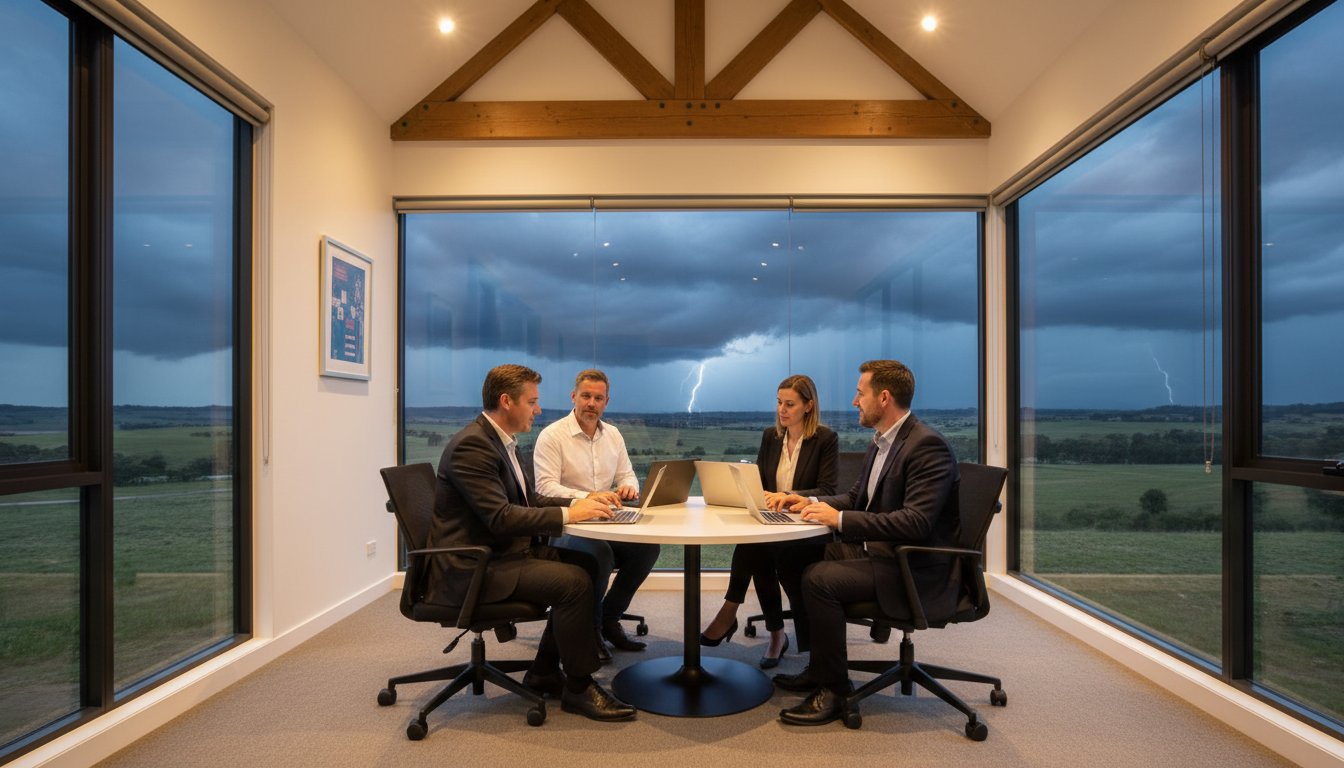
The Australian Signals Directorate’s 2023 report revealed that a cybercrime is now reported every 6 minutes, with small businesses facing average recovery costs of over A$46,000 per incident. When you’re running a local shop or office, these numbers represent the very real fear of losing your hard-earned customer data or facing days of silence during a sudden power outage. You likely feel that a single hardware failure or a severe storm could stop your operations in their tracks. It’s completely normal to feel anxious about complex terms like business continuity vs disaster recovery, but you don’t need to panic.
We understand that you want to keep your business running no matter what happens. This guide breaks down the essential differences between these two concepts to give you total clarity. You’ll discover a straightforward framework to build resilience and gain the peace of mind that comes with knowing your systems are protected. We’ll show you how to ensure your business stays connected and functional, even when the unexpected occurs in 2026.
Key Takeaways
- Understand the vital distinction between business continuity vs disaster recovery to ensure your entire organisation remains operational during an unexpected crisis.
- Learn how to calculate RTO and RPO metrics so you can set realistic expectations for data protection and system uptime in your local business.
- Discover a practical checklist for identifying your critical assets and conducting a Business Impact Analysis to safeguard your business against future downtime.
- Find out how partnering with a Toowoomba expert like Chaim Lee allows you to offload technical IT recovery while you focus on leading your team.
The Core Definitions: What are Business Continuity and Disaster Recovery?
Understanding business continuity vs disaster recovery is the first step toward protecting what you’ve built. Business Continuity (BC) acts as your broad umbrella strategy. It’s about keeping the whole operation alive while a crisis is unfolding. This involves Business continuity planning to ensure your staff know exactly what to do when things go wrong. Disaster Recovery (DR) is a specific part of that plan. It focuses on the technical side, such as getting your servers back online and restoring lost data.
Think of BC as being proactive and DR as being reactive. BC plans for the “during” phase of an event; DR plans for the “after.” In 2026, BCDR functions as a unified risk management strategy that bridges the gap between immediate survival and long-term technical resilience.
To better understand how these two concepts work together, watch this helpful video:
Business Continuity: The Broad Perspective
BC isn’t just about computers. It covers your people, your physical office, and how you communicate. It includes manual workarounds that keep the doors open when technology fails. For example, if a local Toowoomba shop loses its NBN connection, a BC plan might involve switching to a pre-configured 5G backup or using mobile EFTPOS terminals to keep sales moving. It’s about the practical “how-to” of staying operational. The goal is to maintain a minimum level of service so your customers stay happy and your revenue doesn’t stop.
A solid BC strategy usually addresses several key areas:
- Alternative locations: Where staff work if the office is inaccessible.
- Communication: How you notify staff and customers about the situation.
- Manual processes: How to take orders or manage inventory without the primary software.
- Safety: Ensuring the immediate physical security of all team members.
Disaster Recovery: The Technical Backbone
DR is the engine that powers your return to normal operations. It focuses on the restoration of servers, laptops, cloud data, and software. While BC keeps you moving, DR ensures you have a destination to return to. It involves the heavy lifting of rebuilding databases and syncing cloud files after a hardware failure or cyber attack. It’s the technical insurance policy that protects your digital life’s work.
If you find yourself in a situation where files are missing or systems are corrupted, professional Data Recovery Services are often the first step in that technical journey. DR is what happens behind the scenes to make sure your “business as usual” state is actually achievable. Without it, the manual workarounds used in your BC plan would eventually become unsustainable, leading to long-term financial loss.
Key Differences: Scope, Objectives, and Timelines
Understanding the distinction between business continuity vs disaster recovery helps you allocate resources where they matter most. Think of Business Continuity (BC) as your “Plan B” for staying open, while Disaster Recovery (DR) is the technical engine that gets your systems back online. They work together, but they serve different masters within your company.
The scope of Business Continuity is broad and organizational. It focuses on people, communication, and logistics. If your office in Toowoomba becomes inaccessible, BC dictates how your staff will work from home and how you will notify your clients. The objective is operational resilience. You want to keep the doors open, even if the building is gone.
Disaster Recovery has a narrower, technical scope. It focuses on your infrastructure: servers, backups, hardware, and networks. The objective is data integrity and system uptime. While BC keeps the business moving, DR focuses on the IT Disaster Recovery Plan to ensure your digital assets are safe and accessible. Execution timelines also differ significantly:
- BC Execution: Starts the moment a disruption is detected. It is your immediate response to keep operations running.
- DR Execution: Usually begins once the immediate threat is contained and the extent of the technical damage is known.
- BC Responsibility: Involves your whole team, from management to front-line staff.
- DR Responsibility: Typically handled by your IT support partner who manages the “heavy lifting” of data restoration.
How the Timelines Overlap
Visualise a timeline starting at the moment of impact. BC starts at second zero. You’re redirecting phones and checking on staff safety. DR starts shortly after, once your IT team can assess the servers. A gap between these two can lead to business failure. If your team is ready to work (BC) but the systems are still down (DR), you’re losing money every minute. We’ve seen that local businesses often struggle to sync these phases. Investing in reliable IT support for business is the best way to bridge this gap and ensure your tech recovery keeps pace with your staff’s needs.
Why Small Businesses Often Confuse the Two
A common misconception is that “having a backup” means you have a full business continuity plan. It doesn’t. A working backup is a vital part of DR, but it’s useless if you have no staff or office to use it. If a major storm hits and your hardware is destroyed, having data in the cloud is great, but you still need a plan for how your team will access that data without their usual workstations. DR restores the files; BC restores the function. Don’t panic if you only have one or the other right now. We can help you protect and connect every part of your operation so you’re ready for anything 2026 throws at you.
RTO and RPO: The Two Metrics Every Small Business Must Understand
When you sit down to plan your business continuity vs disaster recovery strategy, you’ll encounter two technical terms that define your entire approach: RTO and RPO. These aren’t just IT jargon; they are the financial guardrails for your business. Think of it this way: your RTO is your stopwatch, and your RPO is your safety net.
If a server fails or a ransomware attack locks your files, these metrics tell you how quickly you’ll be back in business and how much work you’ll have to redo. Balancing these two determines the cost and complexity of your setup. A “zero downtime” goal sounds great, but it requires significant investment. For most local firms, finding the “sweet spot” is about managing risk without breaking the bank.
Setting Your RTO (Recovery Time Objective)
RTO answers the question: “How long can we afford to be offline?” This is the duration between the moment a disaster strikes and the moment your services are operational again. Every hour of downtime has a literal price tag. For a retail store in Grand Central Toowoomba, an RTO of 4 hours might be the limit before customers head elsewhere. Losing a full day of trade could cost upwards of A$2,500 in lost revenue and staff wages.
In contrast, a local tradie might manage with a 24 hour RTO. Since they spend most of their time on-site and handle admin in the evenings, they don’t need immediate server access to keep working. To calculate your RTO, add up your hourly operating costs, lost sales, and potential late fees. This total helps you decide if you need a “quick-fix” solution or a more robust failover system.
Setting Your RPO (Recovery Point Objective)
RPO focuses on data: “How much data can we afford to lose?” It defines the maximum age of the files you recover from backup. If you back up your data at 5:00 PM every day and your system crashes at 4:00 PM the next day, you’ve lost 23 hours of work. For a law firm or an accounting practice, losing a day of billable entries is a nightmare.
Your RPO dictates your backup frequency. Modern systems allow for “near-continuous” data protection, backing up every 15 minutes. Achieving these tight windows often depends on your local infrastructure. Investing in Hardware Upgrades like NVMe SSDs and high-speed networking can drastically reduce the time it takes to push data to the cloud or a local NAS. When your hardware is fast, your RPO can be much shorter, ensuring that a business continuity vs disaster recovery event doesn’t result in weeks of re-keying data.
Building Your Plan: A Practical Checklist for Small Businesses
Creating a strategy for business continuity vs disaster recovery doesn’t have to be an overwhelming task. At Aspire Computing, we’ve helped Toowoomba businesses stay online since 1999 by focusing on practical, actionable steps. A 2024 report by the Australian Cyber Security Centre (ACSC) highlighted that small businesses are targets for cybercrime every 6 minutes, making a clear plan essential for your survival. Use this five-step checklist to protect your livelihood.
- Step 1: Conduct a Business Impact Analysis (BIA). Identify which functions are the heartbeat of your company. If your main server fails, how many hours can you operate before losing significant revenue? For a small AU retailer, downtime can cost upwards of A$450 per hour in lost sales and wages.
- Step 2: Inventory your critical assets. Create a detailed list of every laptop, software license, and customer database. You can’t recover what you haven’t tracked. Include serial numbers and warranty details for all hardware.
- Step 3: Assign roles. Confusion is the enemy of recovery. Decide exactly who calls the IT experts at Aspire and who handles customer communications. Clear ownership prevents tasks from falling through the cracks during a crisis.
- Step 4: Implement redundant systems. Relying on a single point of failure is risky. Set up automated cloud backups and a secondary 5G internet connection. Redundancy ensures that when one system fails, another takes over immediately.
- Step 5: Test and Revise. A plan that sits in a drawer isn’t a plan; it’s a piece of paper. Conduct a “fire drill” every six months. Statistics show that businesses that test their recovery plans reduce their eventual downtime by 40%.
The “Don’t Panic” Approach to Documentation
You don’t need a 50-page manual that nobody will read. For most home offices and small teams, a simple 2-page “cheat sheet” is much more effective. This document should list emergency contacts, login procedures for cloud backups, and the first three steps to take when things go wrong. It’s vital to store a physical copy in a fireproof safe and a digital version in a secure cloud folder. If your office computer crashes, your plan needs to be accessible from your phone or a tablet.
Local Risks in the Toowoomba Region
Our region faces specific challenges like sudden summer storms and frequent power surges that can fry sensitive motherboards. Business continuity vs disaster recovery planning here must include high-quality surge protection and uninterruptible power supplies (UPS). Physical damage isn’t the only threat, though. Cyber-attacks often spike during regional disruptions. Integrating a robust virus and malware removal strategy into your plan ensures that a small infection doesn’t turn into a total data wipeout during a storm recovery.
Ready to secure your business against the unexpected? Talk to the experts at Aspire Computing today to build a resilient tech setup that keeps you connected.
Aspire to Protect: How Professional IT Support Secures Your Future
Managing a small business is a full-time job. You shouldn’t have to be an IT expert on top of that. Aspire Computing steps in to handle the technical heavy lifting so you can stay focused on your clients. Since 1999, Chaim Lee has provided reliable, approachable support to the Toowoomba community. We understand that while you focus on the broader strategy of business continuity vs disaster recovery, you need a partner who can execute the technical recovery side perfectly.
Our “Active Protection” model is built on prevention. We don’t just wait for things to break. We use proactive monitoring to catch hardware failures or security gaps before they turn into emergencies. Industry data suggests that proactive maintenance can prevent up to 70% of common IT issues. By stopping disasters before they require a full-scale recovery, we save you time, money, and significant stress. It’s about keeping you connected without the panic of unexpected downtime.
- 24/7 monitoring of critical systems to catch errors early.
- Regular, verified data backups that actually work when needed.
- Security updates and patch management to block cyber threats.
- Fast local support that understands the Toowoomba business landscape.
Personalised BCDR Solutions
One size never fits all in IT. A solo consultant working from a home office in Newtown has different requirements than a multi-staff accounting firm in the CBD. We tailor every plan to your specific goals and budget. Because we’re local, we can be on-site anywhere in Toowoomba quickly. You get the peace of mind that comes from having a trusted expert just a phone call away, rather than a distant, anonymous help desk.
Get Started with an IT Health Check
The best time to test your plan is when everything is running smoothly. Don’t wait for a system crash or a ransomware demand to find out your backups are six months out of date. We invite you to contact Aspire Computing for a baseline IT Health Check. We’ll look at your current setup and identify any weak points in your security. It’s all part of our commitment to help you Aspire to Protect and Connect. Let’s ensure your business is resilient and ready for 2026.
Secure Your Business Future for 2026 and Beyond
Navigating the landscape of business continuity vs disaster recovery doesn’t have to be a source of stress for Darling Downs business owners. You now understand that while disaster recovery focuses on the technical restoration of data, business continuity ensures your entire operation stays functional during a crisis. Industry research indicates that 40% of small businesses fail to reopen after a major data loss event. This makes your RTO and RPO targets the most important numbers in your 2026 strategy.
Since 1999, Aspire Computing has helped Toowoomba businesses build these resilient frameworks. Chaim Lee, a qualified IT expert, provides the personal service you need to bridge the gap between technical jargon and practical protection. Whether you require on-site support in the Garden City or remote assistance across the region, we’re here to help you stay connected. It’s about more than just backups; it’s about your peace of mind and long term stability.
Talk to the Experts at Aspire Computing about your Business Continuity Plan
You’ve worked hard to build your business. Let’s make sure it’s ready for anything the future holds.
Frequently Asked Questions
Is business continuity the same as disaster recovery?
No, they are different but related parts of your protection strategy. Business continuity is the broad plan to keep your entire business running during a crisis, while disaster recovery focuses specifically on the technical process of restoring your IT systems and data. Understanding business continuity vs disaster recovery helps you see that one is about your people and processes, while the other is about your technology and backups.
What are the 4 elements of business continuity?
The four core elements include risk assessment, business impact analysis, strategy development, and plan testing. You start by identifying potential threats like floods or cyber attacks. Next, you determine which business functions are most critical to your survival. Then you create a practical roadmap for staff to follow. Finally, you must test the plan to ensure it works before a real emergency happens.
What is an example of a disaster recovery plan for a small business?
A solid example is the 3-2-1 backup strategy combined with a clear restoration guide. You keep three copies of your data on two different media types, with one copy stored offsite in a secure Australian data centre. If your office hardware fails, the plan provides a step-by-step checklist for your IT provider to restore those files onto a temporary machine so you can keep working.
Do I need both BC and DR if I only have one laptop?
You definitely need both to stay protected. Your disaster recovery plan is the backup you use to get your files back if the laptop dies or is stolen. Your business continuity plan is the “Plan B” for how you’ll answer client emails or process invoices while that laptop is being repaired or replaced. Without both, a single hardware fault could stop your income for several days.
How often should a small business test its disaster recovery plan?
You should test your recovery plan at least every six months. The Australian Cyber Security Centre suggests regular testing because hardware fails and software updates can sometimes break older backup routines. A quick test twice a year ensures your data is actually recoverable. It gives you the peace of mind that you won’t face a nasty surprise when you’re already stressed by a computer failure.
What is the difference between RTO and RPO in simple terms?
RTO is your “downtime” goal, while RPO is your “data loss” limit. If your RTO is four hours, you need your systems running again within that window. If your RPO is two hours, you’re saying you can’t afford to lose more than two hours of typing or data entry. We use these numbers to build a recovery system that fits your specific budget and business needs.
Can cloud storage like OneDrive count as a disaster recovery plan?
OneDrive is a sync tool rather than a full backup solution. It’s great for sharing, but if a virus deletes a file on your laptop, it usually deletes the cloud version simultaneously. A true disaster recovery plan uses dedicated software to take “point-in-time” snapshots. This allows us to roll your data back to exactly how it looked at 9:00 AM yesterday, even if a disaster happened at noon today.
How much does it cost to set up a basic business continuity plan?
The plan itself costs nothing but your time to document your processes. For the technical tools, basic cloud backup services for Australian small businesses typically start around A$15 to A$40 per month per user based on 2024 market rates. This small monthly investment is a fraction of the A$5,000 or more that a single day of total business downtime can cost a local micro-business.
B.App.Sc., Cert. Computer Engineering PC Service and Repair
As the owner of Aspire Computing founded in 1999, Chaim Lee has been working for over 20 years as the Leading Computer Technician.
He has a life long interest in electronics, computing, science and technology. He has completed studies and gained qualifications in Applied Science, Computer Repair and Service, Microsoft Installation and Maintenance, Technical Writing, Workplace Training, and Technical Sales Training.
