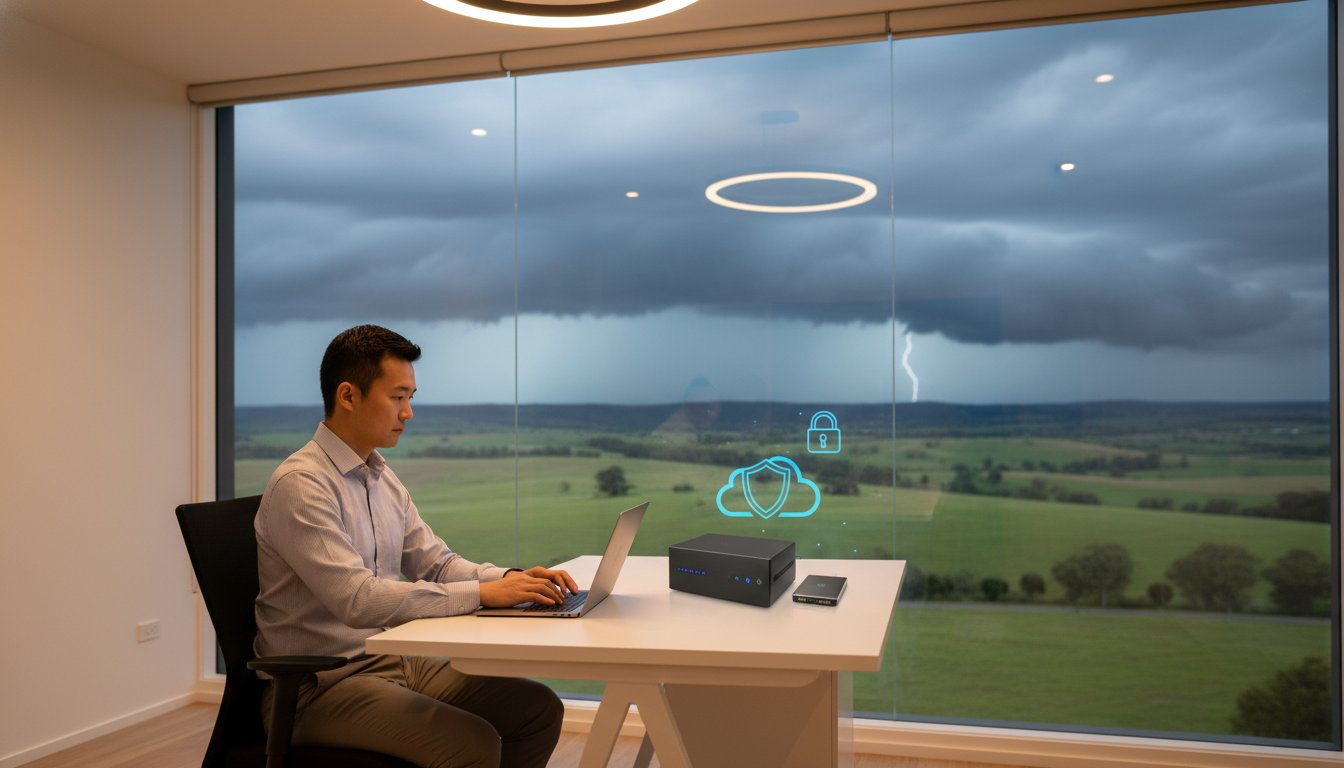
Last Tuesday, a local consultant realized their entire project history was gone after a single power surge during a Toowoomba storm. It is a heartbreaking scenario, but with ransomware accounting for 44% of Australian data breaches in 2025, the risk is higher than ever. You likely feel the constant pressure to protect your work, yet you might be held back by slow NBN upload speeds or the confusing sea of cloud storage options. Finding the best backup strategy for home office success shouldn’t feel like a second job.

I understand that you need a system that works silently in the background without requiring daily manual checks. This guide will show you how to implement the 3-2-1-0 backup rule. You’ll learn how to build a fail-safe system that protects your business from hardware failure and cyber threats. We will cover everything from local high-speed hardware to immutable cloud copies. This ensures your data is always recoverable and your peace of mind is restored with a strategy tailored for Australian conditions.

Key Takeaways

  • Learn the crucial difference between cloud syncing and a true backup to ensure your files aren’t lost to accidental deletion or ransomware.
  • Discover how the 3-2-1-0 rule creates the best backup strategy for home office security by removing the need for manual daily tasks.
  • Compare high speed SSDs and NAS devices to choose the most reliable hardware for your specific storage needs in 2026.
  • Identify the local environmental threats in Toowoomba, such as brownouts and surges, that can silently destroy your hard drives during storm season.
  • Follow a practical implementation guide to audit your mission critical data and build a fail-safe recovery system from scratch.

Why Your Current Home Office Backup Might Be a Ticking Time Bomb

Many home office professionals believe they have a solid safety net in place. They might drag files to a thumb drive once a week or trust a syncing service to do the heavy lifting. However, these habits often create a false sense of security. Without a professional approach, you are essentially waiting for a disaster to happen. Implementing the best backup strategy for home office data means moving away from manual tasks that fail when life gets busy. Relying on your memory to protect your livelihood is a risk you don’t need to take.

Manual backups are notoriously unreliable. Industry experts frequently observe that manual routines fail up to 90% of the time simply because humans forget to perform them or skip a day when they’re tired. Beyond human error, your data faces silent killers like bit rot, where files slowly corrupt over time on a hard drive without any warning. Then there is the 2025 reality: ransomware accounted for 44% of all Australian data breaches last year. If your only backup is a drive permanently plugged into your computer, a virus will likely encrypt those files too.

To better understand this concept, watch this helpful video:

Syncing vs. Backing Up: The Great Misconception

Services like Dropbox and OneDrive are excellent for productivity, but they aren’t true backups. If you accidentally delete a folder or a virus corrupts your files, that change syncs instantly across all your devices. A professional system follows the 3-2-1 backup rule, keeping separate versions of your history. This allows you to roll back to a time before the error occurred. Modern professional systems also offer immutable backups, which are locked copies that ransomware cannot modify or delete even if it gains access to your network.

The Real Cost of Data Recovery in Toowoomba

When a drive starts clicking or a file system vanishes, the panic sets in quickly. While I offer professional data recovery services to help you get lost files back, the process is complex and can be expensive. It is far more cost effective to be proactive with your security. Consider the downtime factor. If you lost access to your billing or project files today, how many days could your business survive? Since 60% of small businesses close within six months of a major hack, the stakes are incredibly high for local operators. Working with a local expert ensures your hardware stays in safe hands rather than being mailed to an anonymous lab interstate.

The 3-2-1-0 Rule: The Best Backup Strategy for Home Office in 2026

The 3-2-1 rule has been the industry standard for years. However, in 2026, we have added a crucial fourth digit to the formula. The best backup strategy for home office professionals is now the 3-2-1-0 rule. This framework ensures that your data is redundant, geographically dispersed, and, most importantly, managed without your daily intervention. Following this method eliminates the single point of failure that ruins most home businesses: human forgetfulness. It moves your security from a “to-do” list item to a background process that never sleeps.

Breaking Down the 3-2-1 Framework

To achieve total data redundancy, you must follow the core pillars of the framework. This isn’t just about making copies; it’s about where those copies live and how they are stored. Consider these three requirements:

  • Three Copies: You need your original production data plus two distinct backups. If one copy fails, you still have two others to rely on.
  • Two Media Types: Use different storage technologies. Don’t just use two external hard drives from the same brand. If a specific batch of drives has a manufacturing flaw, both could fail at the same time. A better approach combines local hardware with cloud-based storage.
  • One Offsite: At least one copy must live outside your home. Keeping all your backups in your Toowoomba office won’t help if a fire or a severe storm damages the entire building. Geographic separation is non-negotiable for true disaster recovery.

The Power of Zero: Why Automation is Your Best Friend

The “zero” in the 3-2-1-0 rule stands for zero manual steps. This is where most home office setups fall apart. You might start with good intentions, but work deadlines and family life eventually get in the way. Manual systems are prone to failure because they rely on you remembering to plug in a drive or click “upload” every evening. Automation removes the stress of wondering if your files are safe.

A professional data backup system should run on a schedule while you aren’t even at your desk. Modern software can also send you a simple email notification every morning. This lets you know at a glance if the process succeeded or if a glitch needs attention. This “set and forget” mentality allows you to focus on your clients while the system handles the heavy lifting. If you find the technical setup daunting, getting a local expert to configure these automated tasks can save you hours of frustration and ensure your system is truly fail-safe.

Choosing Your Hardware: NAS, External Drives, and Cloud

Selecting the right gear is the next step in building the best backup strategy for home office reliability. In 2026, you generally choose between Direct Attached Storage (DAS) and Network Attached Storage (NAS). A DAS is a simple external drive, like the Samsung T7 2TB SSD priced at $165, which plugs directly into your computer via USB. It’s fast and easy to use. A NAS, however, acts as a dedicated mini-server that connects to your router. This allows every device in your home to back up to one central location simultaneously. While DAS is great for speed, a NAS offers the robust, multi-layered protection required for a growing business.

Solid State Drives (SSDs) have become the standard for local backups due to their incredible speed and lack of moving parts. Modern options like the Lexar Armor 700 4TB for $449 provide the durability needed for a busy professional. However, for massive amounts of data, traditional mechanical hard drives still offer better value per gigabyte. The key is to use SSDs for your daily “hot” data and larger drives for long term “cold” storage. This hybrid approach balances performance with budget constraints.

Network Attached Storage (NAS) for the Professional Home Office

A NAS device provides more than just storage; it gives you a private cloud. Entry-level 2-bay models, such as the Synology DiskStation DS223 for $285, are perfect for home offices. They allow for a RAID setup, where data is mirrored across two drives. If one drive fails, your data remains safe on the other. For those running more intensive tasks, certain hardware upgrades like adding extra RAM to your NAS can significantly improve file transfer speeds and app performance. You don’t need a complex server rack to get enterprise-grade security at home.

Cloud Storage and the NBN Bottleneck

Cloud providers like Backblaze and IDrive offer excellent offsite protection. Backblaze is particularly popular for its unlimited storage at approximately $70 per computer annually. However, your experience will depend heavily on your NBN connection. Australian upload speeds are often much slower than download speeds. If you have a 1TB project library, it could take weeks to complete the first upload. It’s helpful to run an internet speed test to see exactly what your connection can handle before committing to a provider.

This “Initial Seed” problem is a major hurdle for many locals. If your upload speed is too slow for that first big backup, don’t struggle alone. A local IT professional can often help by performing a “seeded” backup, where your data is loaded onto a drive and sent directly to the data center. This bypasses the NBN bottleneck and gets your best backup strategy for home office safety up and running in hours instead of months.

Toowoomba-Specific Risks: Protecting Your Data Locally

While global cyber threats are a serious concern, home office workers in regional Queensland face a different set of physical challenges. The Darling Downs is famous for its dramatic weather, but these conditions are a nightmare for sensitive electronics. A best backup strategy for home office success in our region must account for more than just hackers. It needs to protect against the environmental and infrastructure realities of living in Toowoomba. From sudden power fluctuations to the physical risks of regional life, your data requires a localized shield.

Power surges and brownouts are the silent killers of hard drives and NAS devices. Even a momentary dip in voltage can cause a drive head to crash, leading to immediate data loss. Many people rely on standard power boards, but these rarely offer enough protection for a professional setup. If you’ve lived through a Toowoomba summer, you know how quickly a storm can roll over the range. Physical security matters too. While we enjoy a great community, the risk of theft or fire means that having a copy of your data stored away from your home office is a vital safety net.

Storm Season and Power Protection

Investing in an Uninterruptible Power Supply (UPS) is one of the smartest moves you can make. A UPS acts as a battery bridge, giving your equipment clean power and enough time to shut down safely during an outage. Never trust a cheap power board to protect your business livelihood. These basic strips often fail to catch the high-voltage spikes common during electrical storms. As a simple pro-tip, if you hear thunder, the safest option is to physically unplug your NAS and primary backup drives from the wall until the front passes.

The Benefit of a Local IT Partner

Working with a local expert provides a level of accountability that a distant call center cannot match. Aspire Computing offers on-site setup and support throughout Newtown and the surrounding suburbs. This local presence is especially helpful when dealing with the “Sneakernet” advantage. If you have a massive amount of data to back up and your NBN connection is struggling, I can physically move your data sets to get your system synchronized faster.

Having someone who knows your specific setup means you aren’t just a ticket number. If a drive fails or a backup report shows an error, you have a neighbor you can call for immediate assistance. This personal touch ensures your best backup strategy for home office data stays functional year-round. If you are worried about your current setup, I can help you build a resilient system. Contact me today for professional data backup services tailored to our local Toowoomba conditions.

Implementation Guide: Setting Up Your Fail-Safe Strategy

Moving from a high-level plan to a working system is where your data security becomes real. Building the best backup strategy for home office use requires a methodical approach to ensure no files are left behind. You don’t need to be a systems administrator to get this right, but you do need to be thorough. Following a structured checklist prevents the gaps that ransomware or hardware failure can exploit. By the end of this guide, you’ll have a system that protects your business livelihood while you focus on your work.

  • Step 1: Audit your data. Don’t waste storage space or bandwidth on “junk” files. Identify your mission critical data, such as client contracts, financial records, and active project files. Knowing what you can’t afford to lose helps you prioritize your backup window.
  • Step 2: Install your local hardware. Connect your primary local backup, whether it’s a high-speed external SSD or a 2-bay NAS. This device provides the rapid recovery speeds you need if your computer’s internal drive fails.
  • Step 3: Configure automation. Use professional backup software to schedule your tasks. Aim for a “set and forget” configuration where your local and cloud backups run every night. This fulfills the “Zero manual steps” requirement of the 3-2-1-0 rule.
  • Step 4: Perform a test restore. A backup is only a theory until you prove it works. Try to recover a random folder from both your local drive and your cloud provider to ensure the data is intact and accessible.
  • Step 5: Schedule a quarterly health check. Technology changes and software updates can sometimes break automated tasks. Mark your calendar every three months to review your backup logs and check the physical health of your drives.

Testing Your Backups: The Step Everyone Skips

A backup is only as good as its last successful restore. Many home office workers discover their backups are corrupted only when they actually need them. To avoid this, you should perform a “fire drill” for your data twice a year. Pick a non-essential folder and restore it to a different location on your computer. Compare the restored files to the originals to check for any signs of corruption. This simple habit ensures that when a real disaster strikes, your recovery process will be smooth and stress-free.

Getting Professional Help to Get It Right

While a DIY approach is better than nothing, it can lead to a sense of “false security” if settings are configured incorrectly. A misconfigured cloud sync or a failing local drive can go unnoticed for months without professional monitoring. If you want total peace of mind, I offer customized IT support for business and home office operators across Toowoomba. I can visit your office to perform a professional backup audit, ensuring your best backup strategy for home office data is truly fail-safe. Contact Aspire Computing today to secure your digital future with a system that never sleeps.

Protect Your Business Livelihood for the Long Term

Building a resilient data system is the most important investment you can make for your home office. By moving away from manual habits and embracing the 3-2-1-0 rule, you eliminate the risk of human error. You now understand that the best backup strategy for home office security combines high speed local hardware with automated cloud copies. This layered approach ensures that even a severe Toowoomba storm or a targeted ransomware attack won’t stop your business in its tracks. Testing your restores regularly keeps your safety net strong and your anxiety low.

If you feel overwhelmed by the technical setup, don’t leave your data to chance. I have been serving the Toowoomba community since 1999 as an expert in data recovery and security. I provide local, on-site assistance across the Darling Downs to help you build a fail-safe system. Secure your home office today with a professional backup audit from Aspire Computing. Taking this step now means you can work with total confidence, knowing your project history and client files are always safe.

Frequently Asked Questions

What is the 3-2-1 backup rule for home offices?

The 3-2-1 rule requires you to keep three copies of your data, stored on two different types of media, with one copy kept offsite. This ensures that a single event, like a fire or hardware failure, cannot destroy all your records at once. For the best backup strategy for home office professionals, adding a “0” for zero manual steps is also recommended to ensure the process never relies on your memory.

Is Google Drive or OneDrive a sufficient backup strategy?

No, syncing services like Google Drive are not true backups because they mirror every action, including accidental deletions and file corruption. If a virus encrypts your local files, those encrypted versions will instantly sync to the cloud, replacing your clean data. A dedicated backup system keeps historical versions of your files, allowing you to roll back to a specific point in time before the damage occurred.

How much does a professional home office backup system cost?

The total investment depends on your data volume, but basic hardware like a 2-bay NAS typically starts around $200 to $285 for the device itself. You also need to account for the cost of drives, such as a 2TB SSD for roughly $165, and annual cloud storage fees which can range from $70 to $120. These hardware and software costs are a small price to pay compared to the thousands of dollars often required for professional data recovery.

How often should I back up my home office computer?

You should back up your data at least once every 24 hours, ideally using an automated schedule that runs overnight. For highly active businesses, continuous data protection is even better as it saves changes as they happen. The best backup strategy for home office success is one that happens without you needing to click a button, ensuring you never lose more than a few hours of work if a crash occurs.

What happens to my cloud backup if my internet goes down?

If your internet connection drops, your cloud backup will simply pause and resume once the connection is restored. Most professional software is designed to handle NBN dropouts or unstable connections without corrupting the files already uploaded. While the offsite copy will be slightly behind until the sync finishes, your local backup drive will continue to provide immediate protection for your files in the meantime.

Do I need an external hard drive if I use cloud storage?

Yes, having a local external hard drive is essential for fast recovery and redundant protection. While cloud storage is great for disaster recovery, downloading several terabytes of data over an average NBN connection can take days or even weeks. A local drive allows you to restore your entire system in a matter of hours, keeping your business downtime to an absolute minimum while your cloud copy remains a secondary safety net.

Can a virus or ransomware infect my backups?

Ransomware can infect any drive that is physically connected to your computer or accessible over your local network. This is why immutable backups and offsite cloud copies are so important. Immutable storage prevents data from being changed or deleted for a set period, ensuring that even if a virus reaches your backup software, it cannot encrypt the protected archive files.

How do I know if my hard drive is starting to fail?

You should watch for warning signs like unusual clicking or grinding noises, frequent system crashes, and files that suddenly won’t open. If your computer becomes extremely slow when saving or opening documents, the drive might be struggling to read data. If you notice these symptoms, stop using the drive immediately and seek professional help to clone your data before the hardware fails completely.

Sixty percent of small businesses close their doors for good within just six months of a major cyberattack. It’s a sobering thought for any local business owner. You might be wondering, what is business continuity management, and does it have to be as complicated as it sounds? Many people assume it’s just a stack of technical manuals or an expensive IT project. In reality, it’s the simple, daily practice of making your business “unstoppable” through smart planning and reliable local support.

I know you’ve worked hard to build your reputation here in Toowoomba. The fear of losing years of data or being hit with the average AU$46,000 cost of a cyber incident can feel overwhelming. You shouldn’t have to worry about technical jargon or find a massive budget to stay safe. This guide will show you how Business Continuity Management protects your small business from unexpected disruptions and ensures you stay operational no matter what happens. I’ll give you a clear understanding of the basics and a simple checklist to improve your resilience, giving you the peace of mind that your IT is handled by someone who cares about your success.

Key Takeaways

  • Understand what is business continuity management and the crucial difference between simply having a written plan and active, daily management.
  • Explore the four pillars of resilience to ensure your staff knows exactly what to do when technical disruptions or power outages occur.
  • Identify local risks ranging from Darling Downs power fluctuations to the common hardware crashes that threaten your daily operations.
  • Learn a simple five-step framework to conduct a business impact analysis and prioritize the digital assets you truly cannot live without.
  • Discover how local, on-site IT support provides a personalized alternative to generic corporate disaster templates for Toowoomba businesses.

Demystifying Business Continuity Management (BCM) for Small Business

Most small business owners think they’re too small for “management” systems. They often wait for something to break, then call for help. But in 2026, with cyber incidents costing Australian small businesses an average of AU$46,000, that “break-fix” approach is simply too risky. So, what is business continuity management? At its simplest, BCM is the ongoing process of identifying potential threats and making sure your business can keep running if those threats actually happen. It’s the difference between having a dusty binder on a shelf and having a living, breathing strategy that keeps your doors open.

While Business continuity planning focuses on the document itself, BCM is about the active management of that plan. It involves regular testing, staff training, and updating your tech to match new threats. For local businesses in Toowoomba and the Darling Downs, this means being ready for everything from a sudden server crash to a regional power fluctuation. You aren’t just fixing things when they break; you’re ensuring they stay operational through the storm.

To better understand this concept, watch this helpful video:

The Core Objective: Resilience Over Recovery

Many people focus on how quickly they can recover after a disaster. While recovery is important, the real goal of BCM is resilience. Resilience means your systems are robust enough that you never go “down” in the first place. If a hard drive fails but your backup takes over instantly, your customers never even notice. This protects your reputation with Darling Downs clients who rely on your dependability. A few hours of downtime might seem minor to a global giant, but for a local shop, it can mean lost sales and a permanent dent in customer trust. FEMA reports that 40% of businesses don’t even reopen after a major disaster, making resilience your best defense.

BCM vs. Disaster Recovery: What is the Difference?

It’s easy to get these terms confused. Disaster Recovery is actually a technical subset of BCM. It focuses specifically on the IT side of things, like using professional Data Recovery Services to retrieve lost files after a hardware failure. BCM is the broader umbrella that covers both your technology and your people. It ensures that even if the office is inaccessible, your team knows how to work remotely and keep the business moving. While Disaster Recovery gets your data back, BCM keeps your entire operation breathing.

The Four Pillars of a Resilient Continuity Programme

Understanding what is business continuity management becomes much easier when you break it down into four manageable pillars. These aren’t abstract concepts for big corporations. They’re the practical foundations of your daily work. If any one of these pillars fails, your business stops. By focusing on these areas, you create a safety net that catches you before a minor glitch turns into a major disaster.

The first pillar is your People. Your staff are your front line. They need to know exactly what to do if the internet cuts out or a storm hits Toowoomba. Without clear Processes, that knowledge stays trapped in one person’s head. You need a documented “how-to” guide so anyone can step in and keep things moving if a key team member is away. This ensures that your business doesn’t rely on the memory of a single individual to survive.

The Technology Pillar: Hardware and Software

Your technology is the engine of your office. Old, sluggish computers are more than just an annoyance; they’re a liability. That’s why regular hardware upgrades are a proactive BCM tactic. By keeping your gear current, you reduce the risk of a sudden hardware failure that could halt your workday. Cloud software also plays a huge role here. It allows your team to work from home or a local cafe if your main office is inaccessible. I always recommend maintaining “redundancy,” which just means having a spare laptop or a reliable backup printer ready to go when you need it most.

The Data Pillar: Protection and Accessibility

Data is the lifeblood of your business. If you lose your client list or financial records, you’re in trouble. We move beyond simple backups to “live” data continuity. This ensures your files aren’t just saved, but are actually accessible when you need them most. Security is a massive part of this. Effective virus and malware removal and prevention stop many BCM triggers before they start. Since 43% of all cyberattacks target small businesses, your data protection must be ironclad. Ensuring password managers and access keys are part of your continuity plan means you won’t be locked out of your own systems during a crisis.

When you treat these four pillars as a single system, you build a business that can weather any storm. If you aren’t sure where your pillars stand, our remote IT support can help you audit your current setup and identify any weak spots before they cause trouble.

Identifying Risks: Beyond Natural Disasters to Daily Digital Threats

When most people think about what is business continuity management, they imagine dramatic scenes like floods or fires. While those are serious, the most common threats to your business are often much quieter. They happen in the background of a normal Tuesday. Effective BCM starts with an honest look at your specific risks, from regional weather patterns to the simple act of a staff member clicking the wrong link in an email.

Technical risks are a daily reality. Hard drive failures and server crashes don’t always give a warning sign before they happen. Then there are human risks. We’ve all seen the “one person knows the password” trap, where a business grinds to a halt because a key employee is on leave and no one can access the files. Accidental deletions are just as common. These “boring” disasters can be just as damaging as a natural catastrophe if you aren’t prepared to handle them.

Local Environmental Factors in Toowoomba

Living and working in the Darling Downs means dealing with specific environmental challenges. Our regional power reliability can be hit or miss, especially during the storm season. Frequent power fluctuations can fry sensitive office equipment if you haven’t invested in proper surge protection. Extreme weather events common to the Lockyer Valley can also cut off physical access to your office. This makes off-site data storage essential, and for physical asset recovery during such events, Done Wright Towing & Transport can be an invaluable part of your continuity plan. I recommend keeping your backups in a local but separate location so your data stays within reach even if your main building is inaccessible.

The “Invisible” Disaster: Cyber Security Breaches

Cyber risks are the fastest-growing threat for small businesses in 2026. You might think your office is too small to be a target, but 43% of all cyberattacks now target small businesses. A single phishing email can trigger a massive crisis. This is why modern IT support for business must move beyond just fixing computers. It needs to include proactive threat hunting to stop ransomware before it locks your files. It’s a high-stakes game. Research shows that 60% of small businesses close within six months of a major cyberattack. Staying operational isn’t just about good luck; it’s about having a plan that accounts for these invisible threats.

Identifying these risks is the first step toward true resilience. Once you know what could go wrong, you can start building the defenses to ensure it doesn’t. If you’re worried about your current level of protection, we can help you audit your systems and identify the gaps before they become problems.

Building Your Plan: A Practical 5-Step Framework

Building a plan doesn’t have to be a bureaucratic nightmare. When people ask what is business continuity management in a practical sense, they’re really looking for a clear, five-step framework that guides their decisions before a crisis hits. You don’t need a hundred-page manual. You need a functional guide that anyone in your office can follow when things go wrong. This framework ensures your business remains resilient without requiring a massive IT budget.

Your journey starts with a Business Impact Analysis (BIA) and a Risk Assessment. Once you know what’s at stake and what’s likely to fail, you move into Strategy Development. This is where you create your “Plan B” for every critical function. Implementation follows, where you set up the necessary tech and train your team. The final, and most important, step is Testing and Maintenance. A plan that sits on a shelf is a plan that fails. You need to keep it alive and relevant as your business grows.

Step 1: The Business Impact Analysis (BIA)

Your first move is to rank every business function by its “time to critical failure.” For a Toowoomba home office, this can be a simple worksheet approach. Ask yourself: if my main computer dies, how many hours can I go before it impacts my clients? This process helps you identify your Minimum Business Continuity Objective (MBCO). This is the absolute baseline of service you must maintain to keep your business alive. By knowing your MBCO, you can prioritize your spending on the tools that matter most.

Step 5: Testing Your Resilience

Testing your resilience is like running a fire drill for your data. You should test your backups at least quarterly. Don’t just assume the green light on your backup drive means everything is safe. Try to restore a single folder to see how long the process actually takes. You can also simulate a day without your main office printer or internet connection. It sounds inconvenient, but it’s much better to find the gaps now than during a real emergency. Always update your BCM plan whenever you hire new staff or buy new gear so your strategy stays current.

If you’re ready to move from a basic backup to a professional, resilient setup, our Business Continuity services provide the expert guidance you need to stay operational. We can help you build a framework that fits your specific needs and budget.

How Aspire Computing Secures Your Toowoomba Business

Large corporations often rely on rigid, one-size-fits-all templates for their digital safety. For a local office in the Darling Downs, those corporate manuals usually end up being more confusing than helpful. We take a different approach. When you partner with us, you aren’t just getting a document; you’re learning what is business continuity management in a way that actually fits your specific office setup. We provide personalised solutions that respect your budget and your time.

Our foundation starts with being there when you need us most. While we offer high-level strategy, we also handle the day-to-day essentials like computer repairs in Toowoomba. If a laptop fails or a printer stops communicating, that’s a continuity event for a small business. We treat these “small” issues with the same urgency as a major data breach because we know that any downtime costs you money. You’ll always deal directly with an expert who knows your history and your hardware.

Proactive Monitoring and Local Expertise

The best way to manage a crisis is to stop it before it starts. Our remote IT support allows us to monitor your systems for early warning signs of hardware failure or security threats. If something does go wrong that requires a hands-on fix, our local focus is your biggest advantage. We can be on-site in Newtown or the surrounding suburbs quickly to get you back up and running. By integrating data recovery and hardware supply into one seamless partner, you don’t have to juggle multiple vendors during a stressful technical failure. We handle the technology so you can focus on your customers.

Get Your Free IT Health Check Today

Taking the first step toward resilience shouldn’t feel like a leap into the unknown. We’ve been part of the Queensland IT landscape since 1999, giving us over 25 years of experience in helping local businesses stay operational. We understand what is business continuity management for the home-based consultant and the busy retail shop alike. A professional audit can reveal hidden risks in your current setup, from outdated software to vulnerable backup routines.

Don’t wait for a storm or a server crash to find out if your business can survive. Secure your future with a plan that actually works for you. Contact Aspire Computing for a Business Continuity Consultation and let’s make your business unstoppable together.

Build a Resilient Future for Your Business

Staying operational isn’t about luck or complex corporate jargon. It’s about taking small, practical steps to protect your hard work. By focusing on the four pillars of people, processes, technology, and data, you can build a business that weathers any storm or hardware failure. Understanding what is business continuity management is the first step toward that peace of mind. It’s about moving from a reactive “fix it later” mindset to a proactive strategy that keeps you in control.

I’ve been serving the Toowoomba community since 1999, and I know how much your business means to you. Our team provides on-site support across the Darling Downs, bringing deep expertise in everything from PC repair to advanced cyber security. You don’t have to handle your IT alone. We’re here to help you audit your current setup and find the gaps before they cause trouble. Secure your business future with a local IT audit from Aspire Computing. Let’s work together to make sure your business stays unstoppable.

Frequently Asked Questions

Is Business Continuity Management the same as having a backup?

No, having a data backup is just one part of a much larger strategy. While a backup ensures your files are saved, business continuity management covers your entire operation, including your people, hardware, and daily processes. If a server dies, a backup gets the files back; however, BCM ensures you have a spare machine and a plan to keep serving customers while that recovery happens.

How much does a Business Continuity Plan cost for a small business?

The cost of a plan depends on the size of your office and the complexity of your technology. It is best to view this as an investment in your business’s stability rather than just an expense. Protecting against the average AU$46,000 cost of a cyber incident makes a professional plan very cost-effective. We focus on practical solutions that fit a small business budget without compromising on security.

Do I need BCM if I store all my files in the Cloud (like OneDrive or Dropbox)?

Yes, you still need a plan because cloud storage is just a tool, not a complete strategy. Services like OneDrive or Dropbox are great for file access, but they don’t protect you from account lockouts, syncing errors, or local internet outages. A true plan ensures you can still work if your cloud connection fails or if a staff member accidentally deletes critical folders that then sync across all your devices.

What are the most common BCM threats for businesses in Toowoomba?

Local businesses in Toowoomba frequently face risks from regional power fluctuations and severe weather events. These can lead to sudden hardware failure or office inaccessibility. Beyond environmental factors, ransomware is a massive threat in 2026. Since 43% of cyberattacks target small businesses, having a plan for these digital disruptions is just as important as preparing for a Darling Downs summer storm.

How often should I update my business continuity plan?

You should review your plan at least once a year to ensure it stays relevant. It is also vital to update it whenever you make significant changes to your business, such as hiring new staff or purchasing new hardware. Testing your data restoration quarterly is another good habit. This ensures your “Plan B” actually works when you need it most, keeping your resilience high as your business grows.

Can Aspire Computing help me write a BCM plan for my home office?

Yes, we specialize in creating practical plans for home-based and small businesses. We don’t believe in using complex corporate templates that don’t fit your daily reality. Instead, we look at your specific setup in Toowoomba or the Darling Downs to find local solutions. We can help you identify your most critical tasks and set up the technology needed to protect them, from hardware upgrades to secure data backups.

What is a Business Impact Analysis (BIA) and do I really need one?

A Business Impact Analysis is a simple way to rank your business functions by how critical they are to your survival. You definitely need one because it tells you what to fix first during a crisis. When you understand what is business continuity management, you see that the BIA is the foundation. It ensures your resources go toward restoring your most vital services, like client communication, before worrying about non-essential tasks.

What happens if my business is disrupted and I do not have a plan?

Without a plan, a minor disruption can quickly spiral into a permanent closure. You face high recovery costs, lost revenue, and damage to your reputation with local clients. Research shows that 40% of businesses don’t reopen after a major disaster. Having a what is business continuity management strategy in place reduces your anxiety and gives you a clear path forward. It ensures you can stay operational and keep your promises to your customers.

What if the “savings” your company finds by delaying a hardware upgrade are actually costing you $25,000 for every hour your team sits idle? It’s a stressful position to be in when you’re trying to figure out how to justify IT spending to my boss while your current systems are barely holding on. With Windows 10 and Microsoft Office 2021 both reaching end-of-life on October 13, 2026, the risk of security gaps and system failures is no longer a distant concern. It’s a looming deadline for your operational stability.

You likely already feel the weight of daily productivity bottlenecks and the anxiety that comes with outdated cyber security. It’s exhausting to manage a workplace where technology feels like a hurdle rather than a tool. We’re here to help you change that narrative. You will learn how to translate technical needs into clear business value to secure the IT budget you need for 2026. This guide previews how to move from simply fixing broken parts to building a secure, efficient environment that reduces stress and protects your data for the long term.

Key Takeaways

  • Learn how to shift the conversation from technical specs to “Time-to-Task” improvements that demonstrate clear operational efficiency.
  • Discover a practical 4-step framework on how to justify IT spending to my boss by aligning hardware upgrades with company growth.
  • Understand why the “status quo bias” is a hidden financial drain and how to identify the true costs of doing nothing.
  • See why investing in business continuity and data backup serves as a vital insurance policy for your daily operations.
  • Find out how a professional IT audit adds expert credibility to your requests while ensuring you have reliable, local support when it matters.

The Challenge of Justifying IT Spend in 2026

Executives often view IT as a “black box” where money disappears without a clear return. If you’re currently trying to figure out how to justify IT spending to my boss, you’ve likely hit a wall where technical necessity meets a lack of executive understanding. Most managers see a computer that turns on as a “working” asset, but they don’t see the background vulnerabilities or the slow decay of productivity. In 2026, the gap between what a business needs to stay secure and what the budget allows has never been wider.

The “if it ain’t broke, don’t fix it” mindset is now a significant financial risk. We’re approaching a major cliff on October 13, 2026, when support ends for both Windows 10 and Microsoft Office 2021. Using these systems after that date means you won’t receive security patches, making your business a prime target for cyberattacks. For a small business with fewer than 500 employees, the average cost of a data breach has climbed to $3.31 million. Waiting for a system to “break” before upgrading is no longer a frugal choice; it’s a gamble with the company’s future.

To better understand how to bridge the gap between your technical needs and your manager’s goals, watch this helpful video:

Why Traditional Budgeting Fails IT

Many small businesses rely on reactive spending, which clashes with standard budgeting processes that require predictable, forward-looking figures. IT is often invisible when it’s working perfectly, which makes it hard for a boss to value. You might feel stuck in the “Choose 2” dilemma, where you’re told to pick between a low budget, high performance, or a broad scope of work. Breaking this cycle requires moving away from emergency repairs and toward a model of planned hardware upgrades and proactive cyber security.

The Shift in Executive Priorities

Local businesses in Toowoomba and surrounding regions are starting to realize that technology is a key driver of staff retention. If your team spends their day fighting with slow printers or lagging laptops, their frustration grows. In a competitive job market, providing reliable tools is a sign of a professional, supportive workplace. By focusing on business continuity and reducing daily bottlenecks, you can shift the conversation. IT shouldn’t be seen as a cost center. It’s a strategic partner that protects your revenue and keeps your team focused on their actual jobs.

Translating Technical Needs into Business Outcomes

Technical specifications like RAM capacity or CPU clock speeds rarely resonate with a business owner. If you want to know how to justify IT spending to my boss, you have to pivot the conversation away from the “what” and toward the “so what.” Your manager cares about results. Instead of explaining that a laptop has an outdated processor, explain the “Time-to-Task” delay. If a staff member loses ten minutes every morning waiting for a sluggish system to boot and load essential apps, that is nearly an hour of lost productivity every week. Multiplied across a small team, these bottlenecks represent a significant drain on the company’s bottom line.

Defining business value in a small office isn’t about having the flashiest gadgets. It’s about operational stability. When you propose hardware upgrades, you aren’t just buying new boxes. You’re investing in faster invoicing, smoother client presentations, and more reliable communication. High-performance tools lead directly to higher customer satisfaction. A client won’t wait while your system freezes during a support call; they’ll simply find a competitor whose technology actually works.

The Language of the C-Suite

To get a “yes” on your budget request, use terms that reflect executive priorities. Focus on “Risk Mitigation” when discussing cyber security and “Operational Efficiency” when proposing new equipment. You should explain that “Security” is just another way of saying “Brand Reputation.” A single data breach can destroy years of hard-earned local trust. For a local firm, IT business alignment means ensuring every piece of technology in the office directly supports a specific commercial goal, such as reducing the time it takes to process a customer order.

Feature vs. Benefit Framework

Managers often see features as optional “wants,” while they see benefits as essential “needs.” Use this framework to clarify your pitch:

  • Feature: SSD Upgrade. Benefit: 30% faster boot times for staff, allowing them to start billable work immediately.
  • Feature: Managed Data Backups. Benefit: Zero data loss in a crisis, ensuring the business can stay open even after a hardware failure.
  • Feature: Cyber Security Training. Benefit: Reduced insurance premiums and a lower risk of costly human error.

By mapping every technical request to a tangible business outcome, you make it much harder for a boss to say no. You’re no longer asking for “better tech”; you’re offering a way to make the entire company more profitable and resilient.

The ‘Hidden Cost’ of Outdated Technology

Many managers fall into the trap of “Status Quo Bias,” believing that keeping old equipment saves the company money. In reality, choosing to do nothing is an active financial decision that carries a heavy price tag. When you’re looking for how to justify IT spending to my boss, you have to expose these invisible expenses. For a small business, even one hour of IT downtime can cost between $5,000 and $25,000 in lost revenue and wages. These aren’t just numbers on a page; they represent the difference between a profitable month and a stressful financial loss.

Outdated technology also acts as a “security tax” that grows higher every year. As systems age, they become more expensive to maintain and easier to exploit. If your boss views IT as a “cost center,” it’s because they only see the invoice for new hardware. They don’t see the mounting debt of unpatched software and failing components. By highlighting these hidden drains on capital, you can shift the perspective from “spending money” to “protecting assets.”

Quantifying Lost Productivity

Consider the “5-minute rule.” If every staff member loses just five minutes a day to a slow computer or a freezing application, a team of ten loses over 400 hours of productivity a year. You can calculate your specific risk using this simple formula: (Number of Employees) x (Average Hourly Wage) x (Downtime Hours). One Toowoomba firm we worked with recently lost an entire day of operations because of a server crash that could have been prevented with a proactive hardware upgrade. The cost of that single day in lost billable hours far exceeded the price of the new equipment.

Cyber Security Risks of Aging Systems

Old software is a playground for hackers. As we move toward the October 13, 2026, deadline for Windows 10 support, systems without active patching will become massive liabilities. This vulnerability makes professional virus and malware removal and prevention essential for any modern office. In 2026, the average cost of a data breach for businesses with fewer than 500 employees has hit $3.31 million. This figure includes legal fees, lost customers, and the cost of data recovery services.

Beyond the direct financial risks, there is the human cost of poor technology. Employees who have to fight their tools every day eventually burn out. High staff turnover is an expensive problem; replacing a frustrated team member often costs significantly more than the laptop that caused them to leave. Investing in reliable tech is a proven way to improve morale and keep your best people focused on their work.

A 4-Step Framework for Pitching Your IT Budget

Moving from the “hidden costs” discussed earlier to a formal proposal requires a structured approach. If you want to know how to justify IT spending to my boss effectively, you need to present a plan that respects the company’s financial boundaries while addressing its technical needs. A well-organized pitch shows that you’ve done the homework and aren’t just asking for new gadgets. It proves you’re looking out for the business’s long-term health.

  • Step 1: Audit the current state. Start by documenting the age of every workstation and the frequency of support tickets. If a specific printer or laptop is failing once a week, record it. This creates a baseline of “technical debt” that the company is currently carrying.
  • Step 2: Align with business goals. Connect your request to the owner’s priorities. If the goal for 2026 is to increase client intake by 20%, show how a more robust server or faster remote support tools will make that growth possible without crashing the system.
  • Step 3: Present three tiered options. Avoid giving a single “take it or leave it” price. Offer a “Bronze” level for essential security and maintenance, a “Silver” level for proactive upgrades, and a “Gold” level for comprehensive business continuity and performance.
  • Step 4: Propose a phased implementation. You can reduce “sticker shock” by suggesting a rollout over several months. Start with the most critical department first to demonstrate immediate results before moving to the rest of the office.

Building Your Evidence Folder

Data is your best friend during a budget meeting. Collect logs of slow performance and missed deadlines caused by tech failures. This is the perfect time to reference the specific need for hardware upgrades that reduce staff frustration. Including quotes or assessments from local experts can also validate your claims. A professional outside opinion often carries more weight because it provides an objective view of the risks your business faces.

The ‘Worst Case Scenario’ Slide

It’s important to respectfully present the consequences of doing nothing. Focus on the reality of business continuity and the potential need for data recovery services if an old drive fails. Keep this part of the conversation professional and helpful rather than threatening. Your goal is to be the person providing the solution to a problem the boss might not have realized existed. By showing the cost of a recovery effort versus the cost of a simple backup plan, the choice becomes clear.

If you need help documenting your current setup to build a stronger case, we can provide a professional assessment. Contact Aspire Computing today to start your office technology audit.

Toowoomba is a unique business community where trust and personal accountability matter. When you partner with Aspire Computing, you aren’t just hiring a service provider; you’re gaining a local ally. If a critical system fails, you don’t want to wait for a technician to travel from a capital city. You need rapid, on-site assistance from someone who knows your setup and your team. This local focus ensures that your business continuity isn’t just a plan on paper, but a lived reality that keeps your doors open.

The Benefits of Managed IT Support

Transitioning to a managed model is one of the most effective ways to stabilize your finances. Instead of facing unpredictable repair bills that blow your budget, you can move toward predictable monthly costs. Our guide on it support for business explains how this proactive approach prevents issues before they cause downtime. By investing in regular monitoring and maintenance, you reduce the stress of sudden failures. This shift from “fixing things” to “preventing breaks” is the ultimate way to demonstrate long-term ROI to your leadership team.

Taking the Next Step

The most effective way to secure your 2026 budget is to start with a professional assessment. This provides the hard data required to back your request, including the state of your hardware and any existing cyber security gaps. In the Toowoomba region, business is built on long-term relationships and proven stability. My goal is to provide that same level of expert, dependable assistance that helps your company grow without tech-related anxiety.

Don’t let outdated systems hold your team back or put your data at risk. A second opinion from a local professional can be the final piece of evidence you need to move forward. Reach out to Aspire Computing today to book your on-site audit and get the expert support your business deserves.

Protect Your Operations for 2026 and Beyond

Securing a budget for essential upgrades isn’t just a technical task. It’s a strategic move to safeguard your company from downtime and security gaps. By shifting the conversation toward business outcomes and using a structured pitching framework, you can turn technology from a source of stress into a tool for growth. The cost of doing nothing often outweighs the investment in reliable hardware and cyber security.

Learning how to justify IT spending to my boss becomes much easier when you have data-backed evidence. Aspire Computing has been serving the Toowoomba community since 1999, providing expert local support tailored to the needs of small businesses. I offer personalised service that you can trust to keep your systems running smoothly. To get the objective data you need to support your request, Book a Professional IT Audit with Aspire Computing to Back Your Pitch. Taking this proactive step today ensures your team stays productive and your business remains secure. You don’t have to manage these technical challenges alone; reliable help is just a local call away.

Frequently Asked Questions

How do I explain that IT is an investment, not a cost?

You should position IT as a tool for revenue protection and operational growth. Explain that while a cost simply drains resources, an investment in hardware upgrades or business continuity protects your current income from downtime. It’s about ensuring the team can work without technical hurdles that stop them from completing billable tasks.

What are the biggest risks of not upgrading business computers in 2026?

The primary risks are severe security vulnerabilities and a total loss of technical support. With the end-of-life for Windows 10 and Microsoft Office 2021 occurring in October 2026, older systems will stop receiving critical security patches. This makes your business a much easier target for ransomware and malware that could lead to permanent data loss.

How much should a small business spend on IT per year?

Small and medium businesses are generally encouraged to allocate between 4% and 6% of their annual revenue to IT. Another common benchmark used in 2026 is spending between $150 and $350 per employee per month. These figures cover essential services like cyber security, data backup, and the maintenance of your physical hardware.

Can I justify IT spending if our current systems are still ‘working’?

Yes, because “working” is not the same as being secure or efficient. When I need to know how to justify IT spending to my boss for older machines, I focus on the rising cost of emergency repairs. Systems that are technically functional but slow often cost more in lost productivity and “patchwork” fixes than the price of a modern replacement.

What is the best way to present a budget request to a non-technical boss?

Focus entirely on business outcomes rather than technical specifications. Instead of talking about processors or cloud architecture, discuss how the new tools will reduce the time it takes to process an invoice or ship an order. Use clear, simple language to show how the budget request solves a specific pain point the boss experiences every day.

How do I handle a ‘no’ when I know the upgrade is critical?

Ask for a specific date to revisit the conversation and document the risks of waiting. You can also propose a smaller pilot program to demonstrate the benefits of the upgrade in one department first. This reduces the immediate financial impact while providing real-world evidence that the full investment is necessary for the company’s stability.

Should I prioritize cyber security or hardware performance in my pitch?

You should prioritize cyber security because a single data breach can be financially devastating for a small firm. While faster computers are great for morale, the risk of a $3.31 million breach is a much more compelling argument for a business owner. Fortunately, new hardware often includes improved security features, allowing you to address both needs simultaneously.

How can a local IT provider help me justify my budget?

A local provider like Aspire Computing offers an objective, third-party assessment that adds professional weight to your request. We can identify specific risks in your current setup that might be overlooked internally. Our deep understanding of the Toowoomba business landscape allows us to provide tailored advice that resonates with local owners who value reliability and personal accountability.

Imagine unboxing a lightning-fast new PC, only to realize your entire digital history, including thousands of irreplaceable family photos and years of Outlook archives, is still stuck on your old, clunky machine. It’s a common frustration. Between the fear of losing data and the headache of slow NBN upload speeds for cloud transfers, setting up a new device often feels more like a chore than a celebration.

We understand that a professional new computer data transfer service is about more than just moving files; it’s about preserving your digital identity. You deserve a new computer that feels exactly like your old one, just much faster, without the stress of wondering if something was left behind. In this guide, you’ll learn how we seamlessly migrate your settings, keep your data secure according to the latest 2026 privacy standards, and handle the responsible disposal of your old hardware to meet Australian e-waste regulations. We’ll show you how to gain total peace of mind while making your transition to new technology completely seamless.

Key Takeaways

  • Learn why a professional new computer data transfer service captures the “hidden” data and system settings that standard copy-and-paste methods usually leave behind.
  • Discover how to rescue your digital life from failing or non-booting machines using specialized recovery and migration techniques.
  • Compare the efficiency of high-speed local transfers against the 10-hour bottlenecks often caused by slow NBN upload speeds and cloud limitations.
  • Find out why permanent data destruction is the only way to protect your privacy when retiring an old machine after a successful migration.
  • See how 25 years of local expertise in Toowoomba ensures your new machine is ready to use immediately with all your familiar files in place.

What is a New Computer Data Transfer Service?

Getting a new PC is exciting, but the prospect of moving years of digital history is often daunting. A professional new computer data transfer service is a comprehensive solution that migrates your entire digital environment from an old machine to a new one. It isn’t just about your documents and photos. It includes your music, videos, and complex application data that often gets left behind. If you are moving from an older version of Windows to a modern Windows 11 system, this transition is even more critical. You might wonder, what is data migration? In this context, it’s the methodical process of ensuring every setting and file lands exactly where it needs to be so your new workflow feels familiar from day one.

To better understand how this process works in a real-world scenario, watch this helpful breakdown:

The Difference Between Copying and Migrating

Many people think they can handle this task themselves by dragging files onto a USB drive. Unfortunately, that only covers about 20% of the job. A true migration involves moving user profiles, app data folders, and specific registry settings that tell your software how to behave. If you don’t maintain the original folder structures, your programs might fail to open or lose your saved preferences. A professional new computer data transfer service ensures that these hidden files move along with your visible documents. This keeps your software functional and prevents those frustrating “file not found” errors that plague DIY attempts.

Why Home Offices and Small Businesses Need Professional Help

For those running a business from home or a small office, the stakes are much higher than just losing a few family photos. Professional assistance is essential when you’re dealing with sensitive database files like those found in MYOB or QuickBooks. Corrupting these files during a clumsy transfer can lead to days of lost productivity. We focus on getting you back to work quickly by reconfiguring printer drivers and network scanners on the new machine. Using an experienced provider like Aspire Computing means you don’t have to spend hours troubleshooting connection issues. We minimize your downtime, ensuring your business continuity remains intact while you enjoy the speed of your upgraded hardware.

Beyond Files: What You Might Lose During a DIY Transfer

Most people assume that as long as they have their “Documents” folder, they’re safe. This is a common mistake. A professional new computer data transfer service digs much deeper than the surface level. We look for data hidden in system directories that you might never see during normal use. These folders often contain your saved game files, custom dictionaries, and specific software configurations. If your old machine won’t even turn on, don’t panic. We can often extract data directly from the hard drive of a non-booting computer using specialized recovery tools. We also verify that your new hardware can actually run your old files. Sometimes, an older file format needs a specific update or a legacy viewer to work on Windows 11. We handle those technical hurdles for you.

Security is another major factor that DIY transfers overlook. Your old PC might have been running for five or six years. In that time, it may have picked up “sleeper” malware or adware that your old antivirus missed. Simply plugging in an external drive and moving files can transfer these threats to your brand new machine. We scan and clean your data during the migration process. This ensures your new digital life starts with a clean slate and total protection.

Emails, Contacts, and Calendars

Losing years of communication is a nightmare scenario. If you rely on Microsoft Outlook, your data is likely stored in local PST files. These files don’t just “show up” when you log in on a new device. We manually migrate these archives to preserve your folder structures and rules. This is especially important for users with accounts from local Toowoomba ISPs, where IMAP and POP3 settings need precise configuration. We also export your address books and calendar appointments. This ensures you stay on schedule without missing a single contact. If you’re struggling with a messy inbox, our remote IT support can help get your new setup dialed in perfectly.

Browser Data and Saved Passwords

Your browser is your gateway to the world, and it’s likely customized exactly how you like it. We move your bookmarks and favorites across different browsers, whether you’re switching from Chrome to Edge or staying with a favorite. The most sensitive part of this process is moving saved passwords. Doing this incorrectly can leave your credentials exposed. We use secure methods to migrate your logins, browser extensions, and customisations. This means you won’t have to spend hours trying to remember passwords for sites you haven’t logged into for months. Once we have everything running smoothly on your new PC, it’s time to consider securely disposing of your old computer to ensure your private information never falls into the wrong hands.

DIY vs. Professional Service: A Comparison for 2026

Attempting to move your digital life on your own might seem like a way to save money. However, DIY transfers often consume 10 or more hours of your personal time. This is usually due to the slow upload and download speeds of standard NBN connections. While cloud services are convenient for small files, moving a whole system over the internet can lead to unexpected cloud bill overages. Research from 2026 shows that cloud costs frequently exceed forecasts by 30% to 40% because of data access and egress charges. A professional new computer data transfer service bypasses these internet bottlenecks entirely. We use high-speed local transfer tools that move data directly between machines, finishing in a fraction of the time it takes to sync to a server and back down again.

Beyond speed, a professional provides a critical risk assessment that a software wizard cannot. Before we even begin the migration, we check the health of your old hard drive. If a drive is beginning to fail, the stress of a massive data copy can cause it to die mid-process. By identifying these issues early, we can pivot to specialized data recovery services to save your files before they are lost forever. It’s a matter of weighing the small cost of professional help against the high price of losing years of memories or business records.

The “Hidden” Costs of Doing it Yourself

Doing it yourself usually requires buying external hard drives or specialized transfer cables. These tools often end up in a drawer, never to be used again. There is also the risk of “data fragmentation.” This happens when files are copied into multiple locations, making it impossible to know which version is the most recent. The biggest hidden cost, however, is the stress. The anxiety of wondering if you missed a folder or if your financial records moved correctly can be overwhelming. We take that burden off your shoulders, ensuring a methodical and organized migration.

When to Call a Professional Immediately

There are specific situations where a DIY attempt is actually dangerous for your data. If your old computer is making clicking or grinding noises, stop immediately. These are physical signs of hardware failure. You should also seek help if you have more than 500GB of data. Most free cloud tiers won’t accommodate this volume, and the transfer will likely fail or time out. Finally, moving between different operating systems, such as switching from a Mac to a PC, requires complex file conversions. We ensure your documents remain readable and your library structures stay intact during these platform jumps.

Safe and Secure Migration in Toowoomba: The Aspire Approach

Choosing a local expert makes a world of difference when you’re moving your digital life. We’ve spent over 25 years supporting the Darling Downs and Lockyer Valley communities. This isn’t a faceless booking system; it’s a personalized service built on trust and local accountability. Whether you’re in Newtown, Middle Ridge, or Rangeville, we come to you. Our on-site new computer data transfer service ensures that your hardware never leaves your sight. We often combine this migration with our computer repairs Toowoomba expertise to check the health of your old machine before the transfer begins. This proactive step prevents data loss from failing components that might otherwise go unnoticed.

Our goal is to make your new PC feel like home from the moment you turn it on. We don’t just dump files into a folder and leave you to sort through the mess. We take the time to understand your specific workflow and recreate it on your new device. This local, hands-on approach is why many Toowoomba residents prefer us over anonymous national franchises. We live and work in the same community, so we’re deeply committed to your satisfaction and the security of your data.

Our Step-by-Step Migration Process

We follow a methodical process to ensure nothing is overlooked. It starts with an initial audit where we identify all your software, licenses, and specific data locations. We don’t rely on automated scripts that might miss non-standard folders. Next, we perform a high-speed physical transfer using professional-grade hardware. This is much faster and more reliable than using a home Wi-Fi network. Finally, we conduct a thorough verification. We check that every family photo, tax document, and email archive is fully accessible on your new drive. We don’t consider the job done until you’ve confirmed everything is exactly where it should be.

Personalised Setup and Tune-up

The transfer is only the beginning. We also provide a complete tune-up for your new machine. This includes installing essential Windows updates and removing the “bloatware” that manufacturers often pre-install. We’ll set up your desktop icons and wallpaper so the interface feels familiar immediately. Connectivity is also a priority. We’ll ensure your new computer is linked to your home Wi-Fi and your existing printer. If you want to experience a stress-free transition to your new technology, contact us to schedule your on-site setup.

What Happens to Your Old Computer? Security and Disposal

Completing a new computer data transfer service is a major milestone, but your old machine still holds a “digital ghost” of your entire life. Moving your files to a new PC is only half the job. Protecting your privacy on the device you’re leaving behind is just as critical. Many people mistakenly believe that simply dragging files to the recycle bin or performing a basic “format” of the drive removes their data. In reality, these actions only hide the files from the operating system. The actual data remains on the platter or flash chips until it’s overwritten by something else. We help Toowoomba residents navigate this final step, ensuring that your sensitive banking info and private photos don’t fall into the wrong hands.

Deciding whether to keep your old machine as a backup or retire it depends on its age and health. If the hardware is still reliable, it can serve as an emergency spare. However, if it’s slow or failing, retirement is the safer choice. We provide secure data destruction as part of our service, giving you total peace of mind that your old digital life is permanently erased. This personal accountability is a core part of the Aspire approach, distinguishing us from anonymous services that might leave your data vulnerable.

The Risks of an Improperly Wiped Drive

Selling or donating an old laptop without a professional wipe is a massive identity theft risk. Sophisticated data recovery software can easily “undelete” sensitive information from a drive that was only partially cleared. This is why we use industry-standard sanitization methods that overwrite the storage space multiple times. For older mechanical hard drives that are no longer functional, physical destruction is sometimes the only 100% safe option. We ensure that every bit of information is rendered unrecoverable before the hardware leaves your possession.

Responsible E-Waste and Recycling

Disposing of your old computer isn’t just about security; it’s also about following Australian law. Since July 1, 2019, e-waste has been officially banned from landfills across Australia. This is a vital regulation considering that Australians generate roughly 20 to 23 kg of e-waste per person every year. The government has set a target to achieve an 80% recycling rate for computers and televisions by 2027. We help you meet these standards by directing you to local Toowoomba recycling centers or managing the disposal for you. We make sure hazardous components, like lithium batteries, are removed and processed safely. Once your old machine is retired, it’s the perfect moment to establish a robust data backup strategy for your new machine. This ensures your newly migrated life stays protected against future hardware failures.

Start Your New Digital Chapter with Confidence

Transitioning to a new machine is a significant step that should feel like an upgrade, not a technical hurdle. You’ve learned that a comprehensive new computer data transfer service does more than just copy files; it preserves your entire digital environment while protecting your privacy. By prioritizing a methodical migration and secure hardware disposal, you ensure that your irreplaceable memories and business records remain safe. Local expertise makes this process seamless, allowing you to focus on your work or family instead of troubleshooting connection issues.

Aspire Computing has been serving Toowoomba since 1999, providing the reliable on-site and remote IT support you need for a successful transition. We specialize in tailored setups for small businesses and home offices, making sure your new technology is optimized and ready for immediate use. Our team takes personal accountability for every migration, giving you the peace of mind that nothing is left behind on your old device. It’s time to enjoy the speed of your new PC without the lingering stress of data loss.

Get your new PC set up perfectly; Contact Aspire Computing today!

Frequently Asked Questions

How long does a new computer data transfer service typically take?

Most transfers are completed within a few hours, though the exact timing depends on the volume of data you’re moving. A standard home user with a few hundred gigabytes of photos and documents can often expect a same-day turnaround. We use high-speed local tools to ensure the process is much faster than attempting a cloud-based sync at home. This efficiency helps you get back to your normal routine quickly.

Can you transfer my paid software like Microsoft Office or Adobe to a new PC?

You cannot simply copy installed software files from one machine to another because of how Windows registers applications. Instead, we help you reinstall the software on your new PC and reactivate your licenses for programs like Microsoft Office or Adobe Creative Cloud. Having your login credentials or product keys ready ensures this part of the setup goes smoothly without any service interruptions or lost access.

My old computer won’t turn on; can you still get my data off it?

We can almost always retrieve your files even if your old computer refuses to boot or has a broken screen. By removing the internal storage drive and connecting it to our professional migration hardware, we can bypass the broken system entirely. This is a standard part of our new computer data transfer service, ensuring that hardware failure doesn’t mean permanent data loss for your family or business.

Do I need to buy an external hard drive for the transfer?

You don’t need to purchase any additional hardware like external hard drives or specialized cables for the transfer. We use our own professional-grade equipment to move your data directly between the two machines. This saves you the expense of buying a drive you might only use once and prevents the clutter of extra cables. It’s a convenient, cost-effective way to handle your migration without unnecessary hardware purchases.

Is it safe to move my data using cloud services like OneDrive or Dropbox?

Cloud services are excellent for ongoing backups, but they aren’t always the best choice for a full system migration. Moving hundreds of gigabytes can trigger significant data egress fees and may take days to complete on a standard internet connection. Using a local new computer data transfer service is much faster and more secure, as your data never has to leave your physical location during the process.

Can you move my data from a Mac to a new Windows 11 PC?

We can certainly move your data from a Mac to a new Windows 11 PC. While the operating systems are different, most document formats, photos, and music files are cross-compatible. We handle the technical side of migrating your Apple-specific libraries into Windows-friendly folders. This ensures you can access all your important files without needing any specialized software or encountering frustrating file format errors on your new machine.

What is the difference between data transfer and data recovery?

Data transfer is the process of moving accessible files from a working environment to a new one. Data recovery is a more complex service used when a hard drive has physically failed or files have been accidentally deleted. If we detect that your old drive is failing during a transfer, we can pivot to recovery techniques to save your information before it becomes permanently unreachable or corrupted.

Will my new computer be exactly the same as my old one after the service?

Your new computer will feel very familiar because we migrate your desktop icons, wallpaper, and folder structures. However, it won’t be a literal clone of the old machine, which is actually a benefit. This approach allows us to leave behind old system errors and manufacturer bloatware. You get a fresh, fast experience while keeping all your personal files exactly where you expect to find them.

Right now, an Australian small business reports a cybercrime to the Australian Signals Directorate every six minutes. With the average cost of these incidents climbing to $56,600, it’s no longer a question of if you’ll be targeted, but when. You might feel overwhelmed by constant security alerts or the nagging fear of a ransomware attack that could lock your doors for good. It’s frustrating to pay for technical tools you don’t fully understand, especially when you lack a dedicated in-house IT team to make sense of the noise.

You deserve a secure environment where you know exactly what you’re paying for and who to call here in Toowoomba if things go wrong. This guide explains how modern endpoint security for small business combines global threat intelligence with local, hands-on expertise to keep your data safe. We’ll break down the 2026 regulatory landscape, including the new Cyber Security Rules for smart devices, and show you how to move beyond basic antivirus. You’ll learn how to build a professional defense that protects your livelihood while keeping a reliable local expert just a phone call away.

Key Takeaways

  • Understand why every connected device, including printers and remote laptops, requires protection in a modern hybrid work environment.
  • Discover the critical shift from traditional antivirus to Endpoint Detection and Response (EDR) and how it identifies suspicious behavior in real-time.
  • Learn how to audit your hardware and align your strategy with the Australian Cyber Security Centre’s Essential Eight framework.
  • Evaluate the best 2026 software options, from Microsoft Defender for Business to lightweight solutions like Bitdefender, tailored for your specific needs.
  • See why managed endpoint security for small business offers a local point of accountability that DIY software simply cannot match.

What is Endpoint Security and Why Does Your Small Business Need It?

When you think of your business network, you might picture the server in your office or the desktop computer on your desk. However, the boundaries of your workplace have changed. Endpoint security is the practice of protecting the various devices that connect to your network from malicious threats. In 2026, an ‘endpoint’ isn’t just a computer. It’s every laptop, smartphone, and even the office printer your team uses to get the job done. As more Darling Downs businesses move to remote or hybrid work models, these devices often operate outside the traditional office firewall, making them vulnerable to modern cyber threats.

Cybercriminals don’t just target big banks in Sydney. They use automated tools to scan the internet for any weak entry point, which means a small business in Toowoomba is just as visible as a global corporation. Traditional security used to be about building a wall to prevent attacks. Today, it’s about detection. Implementing robust endpoint security for small business isn’t just about stopping a virus; it’s about having a system that watches for suspicious behavior in real-time. If an attacker manages to bypass your initial defenses, you need a way to spot them before they can do any real damage.

To better understand how these defenses work in a real-world setting,

Antivirus vs. Endpoint Detection and Response (EDR): What is the Difference?

Traditional antivirus software used to be enough for most shops. It worked by checking files against a massive database of “known bad” signatures. If a file matched the list, it was blocked. If it didn’t, it was let through. This approach is now outdated. Hackers create unique malware that doesn’t appear on any list. Think of legacy AV like a simple locked door. It keeps out anyone without a key, but it doesn’t know if someone has already climbed through a side window. It’s a static defense in a world of moving targets.

Modern endpoint security for small business relies on Endpoint Detection and Response (EDR). If AV is the locked door, EDR is the motion-sensor alarm system and the high-definition security camera. It doesn’t just look for bad files. It watches for bad behavior. If a trusted application suddenly starts encrypting your files or trying to contact a server in a foreign country, EDR spots the anomaly and acts. This proactive stance aligns with the Cybersecurity for Small Business guidelines provided by the FTC, which emphasize the need for constant monitoring.

How EDR Identifies Hidden Threats

EDR uses behavioral analysis to find threats that haven’t been seen before. For example, if your PDF reader suddenly tries to modify system settings, the EDR system places that activity in a “sandbox.” This is a safe, isolated digital environment where the file can run without hurting your actual system. While the file runs, the EDR monitors every action it takes. It also tracks lateral movement to see if an attacker is trying to jump from one computer to another across your network. This visibility allows you to see exactly how a breach started and where it tried to go.

Why Response is the Most Important Letter in EDR

Many Toowoomba business owners struggle with alert fatigue. If your software pings your phone every five minutes with technical jargon, you’ll eventually start ignoring it. Managing endpoint security for small business effectively means having a plan for when things go wrong. EDR helps by using automated isolation. If a laptop is compromised, the system can automatically cut its connection to the rest of the office. This stops the infection from spreading while you’re asleep or busy with customers. Having a local expert to interpret this data is critical for a fast recovery. If you’re worried about your current protection, we offer professional virus and malware removal to clean up existing threats and get your security back on track.

Comparing the Best Endpoint Security Tools for SMBs in 2026

Selecting the right software for your office can feel overwhelming. There are hundreds of vendors promising total safety. For a local shop or professional office, the best endpoint security for small business isn’t always the most expensive one. It’s the tool that fits your current workflow without slowing down your computers. You need protection that works quietly in the background while you focus on your customers.

When you evaluate these tools, look for a balance between ease of use and depth of protection. Some software is “set and forget,” while other platforms require constant attention. If you don’t have a dedicated IT person, an unmanaged tool can quickly become a liability. Choosing a platform that your local IT partner can monitor ensures that alerts don’t go ignored.

Microsoft Defender for Business: The Integrated Choice

Many Toowoomba businesses already use Microsoft 365. If you have a Business Premium subscription, you likely already own Microsoft Defender for Business. This is often the most cost-effective choice because it’s built directly into your Windows laptops. It doesn’t require a separate installation that might clash with your other apps. It offers automated investigation and remediation, which means the software can often fix a security threat before you even know it existed. It’s a seamless way to strengthen your cybersecurity without adding new monthly bills.

Specialised Tools for High-Security Needs

If you work in a high-risk industry like healthcare or finance, you might need “Next-Gen” tools like SentinelOne, CrowdStrike, or Sophos. These platforms are incredibly powerful but can be complex to manage alone. They provide deep visibility into every file movement on your network. For smaller setups, lightweight options like Bitdefender are excellent because they provide strong protection with very little impact on system performance. This is perfect for older office PCs or specialised hardware like point-of-sale systems.

  • Managed Licenses: A professional monitors the dashboard for you and responds to threats.
  • Unmanaged Licenses: You are responsible for checking every alert and fixing every infection.
  • Automated Investigation: The software attempts to heal itself after a detected attack.

The best tool is the one that actually gets updated. Many business owners buy a subscription but forget to check if the software is still running correctly. Whether you choose a Microsoft-centric approach or a specialised third-party tool, the goal is consistent monitoring. It’s simple. Security only works if it stays active. If you’re unsure which license fits your specific hardware, we can help you choose the right path for your business.

Steps to Implement a Security Strategy in Your Toowoomba Business

Implementing endpoint security for small business starts with a clear inventory of your digital assets. You can’t protect what you don’t know exists. Many business owners are surprised to find forgotten laptops, old tablets, or even smart office printers still connected to their network. A hardware audit is your first practical step. By listing every device that accesses your data, you can ensure each one has the necessary updates and monitoring software installed. This visibility is the foundation of a reliable defense.

Setting up multi-factor authentication (MFA) is the next non-negotiable layer. It’s one of the most effective ways to stop unauthorized access, even if a password is stolen. Alongside MFA, you must establish a strict patch management schedule. Software developers release updates to fix security holes that hackers actively exploit. If you wait weeks to install these updates, you’re leaving a window open for an attack. Regular patching keeps your systems resilient and your hardware running efficiently.

Mapping to the ACSC Essential Eight

The Australian Cyber Security Centre (ACSC) recommends a framework called the Essential Eight. This is a prioritized list of strategies designed to make it much harder for attackers to compromise your systems. For a local business, two of the most critical areas are application control and restricting administrative privileges. Application control ensures that only pre-approved programs can run on your computers. Restricting admin rights means that staff accounts only have the permissions they need for daily tasks. This prevents a single compromised user account from being used to change system-wide settings or install malicious software. Modern endpoint security platforms help you meet several of these requirements automatically, providing a structured way to stay compliant with Australian standards.

Creating a Security First Culture

Security is as much about people as it is about software. Your staff are your front line. Simple training sessions can help them spot phishing emails before they click a dangerous link. Teach your team to verify suspicious requests and to be cautious with unexpected attachments. If you have employees working from home, establish a clear protocol for accessing the office network. They should know exactly how to reach out for help if they notice something strange on their screen. An incident response plan is your roadmap for what to do if a breach occurs, ensuring everyone knows their role in a crisis. If you’re ready to lock down your network, we provide expert cyber security services to help you build a defense that lasts.

Why Local Managed Security Beats a DIY Approach

Buying a subscription for endpoint security for small business is only half the battle. The real challenge begins when the software sends an alert you don’t understand. This is what we call the “Accountability Gap.” In a DIY setup, you’re the one responsible for deciding if a notification is a false alarm or a business-ending breach. If you make the wrong call, or if you’re too busy with customers to see the alert, the software can’t save you. Managed security closes this gap by putting a professional between you and the threat.

A local partner doesn’t just watch a digital dashboard. We understand the physical side of your IT too. If a hardware failure causes a security vulnerability in the Lockyer Valley, a global helpdesk in another timezone can’t drive to your office to swap out a compromised machine. We view security as a key part of your business continuity. It’s not just a line item on a spreadsheet. It’s the assurance that your doors stay open and your staff can work without interruption.

The Personal Touch in a Digital World

A local Toowoomba expert knows your business environment in a way a faceless corporation never could. At Aspire Computing’s, we bring over 25 years of local experience to every client we serve. We’ve seen how local businesses operate and the specific challenges they face. Our approach isn’t just about installing software. We combine reactive services like virus and malware removal with proactive defense strategies. This means we don’t just clean up the mess; we build the walls to prevent it from happening again. You get the power of global security tools backed by a local face you can trust.

Getting Started with a Free IT Health Check

It’s time to stop hoping your business is safe and start knowing it is protected. The transition is simpler than you might think. We begin with a professional security audit of your office. We look at your hardware, your software versions, and your current backup habits. This gives us a clear picture of where you stand today. From there, we create a plan that fits your budget and your specific risks. Taking this first step removes the anxiety of the unknown. Contact Aspire Computing today for a reassuring talk about your endpoint security for small business and how we can protect your livelihood.

Take Control of Your Business Security Today

Protecting your team in 2026 requires more than a standard software installation. You’ve seen how the threat landscape has changed and why a motion-sensor approach like EDR is now the standard for safety. By aligning with the Essential Eight framework and maintaining a strict hardware audit, you build a foundation that protects your data and your reputation. Managing endpoint security for small business shouldn’t be a source of constant stress or confusion. You deserve a partner who understands the local landscape and can provide on-site help when you need it most.

Since 1999, we’ve served Toowoomba and the Darling Downs with dependable IT support and specialist cyber security advice. We focus on business continuity so you can focus on your customers. Whether you need expert on-site assistance or remote troubleshooting, we’re here to ensure your technology works for you, not against you. Move your business from a state of uncertainty to a position of lasting strength today.

Secure your business with a local Toowoomba IT expert at Aspire Computing

Frequently Asked Questions

Is endpoint security different from a standard antivirus?

Yes, endpoint security is a more advanced evolution of standard antivirus. While traditional antivirus relies on a database of known threats to block specific files, modern endpoint security for small business monitors the behavior of every file and application. This allows it to spot “zero-day” attacks that haven’t been documented before. It acts more like a security guard watching for suspicious activity rather than just checking IDs at the door.

How much does endpoint security typically cost for a small business?

The cost of protection depends on the number of devices you need to secure and the level of management required. Most solutions are priced per device on a monthly or annual basis. You should evaluate whether you want a basic software license or a fully managed service where a local expert monitors the alerts for you. Choosing a managed approach often prevents expensive recovery costs by catching threats before they cause damage.

Do I need endpoint security if all my files are in the cloud?

You still need endpoint protection even if your files live in the cloud. Services like OneDrive or Dropbox secure the data while it sits on their servers, but they don’t protect the laptop or PC you use to access those files. If your local device is compromised by a keylogger or ransomware, the attacker can still steal or encrypt your cloud data by using your own active login credentials.

Can endpoint security slow down my older office computers?

Modern security tools are designed to be lightweight and shouldn’t noticeably slow down your hardware. In many cases, older office PCs actually run faster after installing professional security because the software identifies and removes hidden malware that was consuming system resources. If your computer is struggling, we often recommend a hardware upgrade, such as extra RAM or an SSD, alongside your security plan to ensure everything runs smoothly.

How does endpoint security protect my employees when they work from home?

Endpoint security protects your employees by living directly on their laptops or devices rather than just on the office network. This means the protection stays active whether they are working from a home office or a local cafe. A cloud-based management dashboard allows your IT partner to see threats and push updates to these remote devices in real-time, ensuring every team member stays secure regardless of their physical location.

What should I do if my business is currently experiencing a cyberattack?

If you suspect an active attack, immediately disconnect the affected device from the internet and your office network to stop the spread. Don’t attempt to pay any ransom or delete files yourself, as this can interfere with future data recovery efforts. Your next step should be to call a professional for virus and malware removal. We can help identify the entry point, secure your other devices, and begin the process of restoring your business operations.

Does endpoint security cover my office printers and networked devices?

Yes, office printers and other networked hardware are considered endpoints and are often the most overlooked vulnerabilities. Attackers can use an unsecured printer to gain a foothold on your network and move to more sensitive devices. A comprehensive strategy for endpoint security for small business includes auditing these devices and ensuring they are behind a secure firewall with updated firmware to prevent unauthorized access from global scanners.

Can data actually be recovered from a dead SSD, or is it gone forever the moment your screen displays a “no bootable device” error? If you’re staring at a blank screen and worrying about your photos or business documents, you aren’t alone. Many people in our community feel a sense of dread when they realize their modern drive has gone silent. Because SSDs use NAND flash memory and features like the TRIM command, recovering your files is often a specialized race against automated data deletion. Our team provides professional SSD data recovery Toowoomba residents can rely on to handle these unique technical challenges right here in town.

We understand the anxiety of thinking your sensitive information might need to be shipped away to a distant lab or that you’ll face astronomical costs for a clean room. You deserve a local expert you can actually talk to about your recovery success rate and turnaround time. In this guide, you’ll discover why SSD failure happens and how our experienced team uses advanced tools to get your files back safely. We’ll walk through the immediate steps you should take to protect your data and show you how we manage the recovery process without the months-long wait.

Key Takeaways

  • Understand the unique “sudden death” failure of SSDs and how NAND flash technology differs from traditional hard drives.
  • Learn why powering down your device immediately is the most important step to prevent the TRIM command from permanently wiping your data.
  • Discover why free DIY recovery software often does more harm than good when dealing with failing SSD hardware.
  • Access professional SSD data recovery Toowoomba services locally in Newtown to ensure your sensitive information never has to leave the region.
  • Gain confidence by understanding the recovery process and the professional standards used to maximize your chances of a successful file retrieval.

Why SSD Data Recovery in Toowoomba is Different

Most people are familiar with the old hard drives that clicked or whirred when they started to fail. A Solid-state drive (SSD) is entirely different. It uses flash memory chips, similar to a high speed USB stick but much more complex. Because there are no moving parts, they are quieter and more durable against physical drops. However, this same technology makes recovery a specialized task. When these drives fail, they don’t give you the warning signs of a clicking motor. Instead, they often enter what professionals call “Sudden Death” syndrome.

One day your laptop works perfectly; the next, it simply won’t turn on. This happens because the controller chip on the SSD has failed or the firmware has become corrupted. Without those mechanical “cries for help,” you might not realize your data is at risk until it’s already inaccessible. This is why SSD data recovery Toowoomba requires a different approach than traditional drive repair. We focus on the electronic health of the NAND chips where your files actually live.

To better understand how these drives are handled in a professional setting, watch this helpful video:

For residents across the Darling Downs, finding a local expert is about more than just convenience. At Aspire Computing, located in Newtown, we’ve spent years helping our neighbors recover from these technical heartaches. We know that your files aren’t just data; they are years of family photos or critical business records. Our team understands the urgency when a drive fails silently, and we’ve built our reputation on being the long standing choice for the region.

Common Signs of SSD Failure

Recognizing the early warning signs can be the difference between a successful recovery and permanent loss. If your computer boots directly to the BIOS or shows a “No Boot Device” screen, your drive is likely struggling to communicate. You might also notice frequent “Blue Screen of Death” (BSOD) errors, especially when you try to save or move large files. In some cases, your files may suddenly become “read-only,” meaning you can look at them but can’t make any changes. If files start disappearing from your folders without any action on your part, it’s time to seek professional help immediately.

Why Local Toowoomba Support Matters

Choosing a local service provider offers several layers of security and peace of mind. Shipping your sensitive hardware to Brisbane or Sydney adds unnecessary risks. Packages can get lost or damaged in transit, and you lose the ability to speak directly with the technician handling your case. By visiting our Newtown office, you can have a face to face consultation to discuss which files are your highest priority. We have a deep understanding of the local small business IT needs throughout Toowoomba and the Lockyer Valley. This local expertise ensures your SSD data recovery Toowoomba experience is handled with personal care rather than being treated as just another ticket in a distant corporate queue.

The Science of SSD Recovery: TRIM and NAND Flash

Understanding where your files actually go is the first step toward retrieving them. Inside your drive, data is stored in NAND flash memory. These are non volatile storage chips that hold information even when the power is off. Unlike a traditional hard drive that writes data to a spinning magnetic platter, an SSD writes to these microscopic electronic cells. While this makes your computer faster, it also means that SSD data recovery Toowoomba requires specialized electronic knowledge rather than mechanical repair. If your drive has gone silent, the data is likely still there; it’s just locked behind a layer of complex circuitry.

One of the most significant hurdles in modern recovery is the TRIM command. This is an automated housekeeping process that complicates recovery by telling the SSD which data blocks are no longer in use. On an old hard drive, “deleted” data stays on the platter until it’s overwritten. On an SSD, the TRIM command actively wipes those blocks to maintain high write speeds. This creates a literal race against time. The moment you realize files are missing, you must stop using the device. Following professional data backup and disaster recovery standards is the best way to prevent this, but if you’re already facing a loss, immediate power down is your best defense.

How TRIM Impacts Your Data

When you delete a file or format a drive, the operating system sends a signal to the SSD. The drive then prepares those NAND cells for new data by clearing them out in the background. If the drive stays powered on, the TRIM command will eventually finish its task, making the original data physically impossible to retrieve. This is why we emphasize that you should never try to “repair” the drive yourself with standard software. Every minute the drive is powered, the chance of the “silent cleaner” erasing your history increases.

Controller vs. Flash Chip Failure

Every SSD has a controller, which acts as the “brain” of the device. It manages where data is stored and handles “wear leveling” to ensure the flash chips don’t wear out too quickly. If the controller fails, your data is often still perfectly healthy on the chips, but it’s effectively “orphaned” because the brain can’t find it. Our team at Aspire Computing uses specialized hardware tools that can bypass a failed controller. This allows us to talk directly to the NAND chips and reconstruct your files. Diagnosing whether the issue is a dead brain or worn out storage cells is the first thing we do when you bring your device into our Newtown office. If you’re worried about a sudden failure, we can help you understand the health of your drive before the data becomes inaccessible.

Because SSDs have their own internal operating systems, standard Windows or Mac tools often can’t see the drive once the controller locks up. Professional SSD data recovery Toowoomba involves using factory mode commands to stabilize the drive. This bypasses the errors that cause your computer to freeze, allowing us to clone the healthy portions of your NAND chips safely. It’s a delicate process, but it’s the most reliable way to ensure your family photos or business databases are returned to you intact.

Professional SSD Recovery vs. DIY Software

When your computer stops booting, it is tempting to search for a quick fix online. You’ll find dozens of “free” recovery tools claiming to solve your problem in minutes. While these might work for a simple accidental deletion on a healthy drive, they are dangerous for a failing SSD. Using standard software on a drive with firmware or controller issues is like forcing a person with a broken leg to run a marathon. The intense scanning process puts immense stress on the NAND chips, often leading to a permanent hardware “lock” that makes the data gone forever. For a safe result, SSD data recovery Toowoomba specialists use hardware based methods that don’t strain the dying components.

One of the most common mistakes we see at our Newtown office is the “overwrite” error. If you download and install recovery software onto the same drive you’re trying to save, you are actively writing new data over your lost files. Because of how SSDs manage space, this new data can immediately trigger the background deletion of your original files. If your drive is acting up, the best thing you can do is leave it alone. Software can’t fix a physical controller failure or a corrupted electronic circuit. Professional tools allow us to clone your drive at a hardware level, ensuring we only read the data once and never write anything back to the original device.

The Dangers of ‘Free’ Recovery Tools

Many “free” tools found online are actually scamware designed to trick you into paying for a license after a long scan. More importantly, these programs are generic. They don’t understand the specific brand failure patterns of a Samsung, Crucial, or SanDisk drive. A software scan creates high heat and constant electronic activity. If your SSD has a weak controller, this activity can cause the chip to burn out completely during the scan. Our SSD data recovery Toowoomba service uses professional hardware imagers that can handle read errors gracefully without crashing the drive’s internal OS.

Why a Professional Assessment is Safer

Safety is our priority. We use specialized hardware called write blockers to ensure that not a single bit of data is changed on your drive during our assessment. This is a level of protection that home software simply cannot provide. Our team has been working with storage technology since 1999, which gives us a deep library of experience in identifying specific failure modes before we even start the recovery. If you want to understand the full scope of how we handle these cases, you can read more about our Data Recovery Services and our methodical approach to file retrieval.

Knowing when to stop is the most important part of the process. If your drive is making your computer freeze or if it disappears and reappears in your device manager, it has a hardware problem. In these cases, software is not the answer. We provide a calm, professional environment where you can get a clear answer about the health of your drive without the risk of making the situation worse. We’ve helped many local businesses and families get their digital lives back by choosing the right tool for the job from the very beginning.

Immediate Steps to Save Your SSD Data

The moment you realize your files are missing or your computer won’t boot is a crisis point. Your first instinct might be to try “one more reboot” or a Windows repair. Please, don’t do it. Every second your drive has power, it’s performing background tasks that could be erasing your files forever. Because of the “Sudden Death” syndrome we discussed earlier, your drive is in a fragile state. The most important thing you can do for SSD data recovery Toowoomba is to stop all activity immediately. Taking the right steps in the first five minutes can be the difference between a total recovery and a permanent loss.

There are several common myths that can actually destroy your chances of getting data back. You might have heard of the “freezer trick” for old hard drives. While that sometimes helped stuck mechanical motors, it’s a disaster for an SSD. The cold introduces moisture that can short out the sensitive electronic circuits and NAND chips. Similarly, trying to “reinstall Windows” or “reset” the PC is fatal. These processes write massive amounts of new data to the drive, which will immediately overwrite the very files you’re trying to save. If the drive is failing, let it rest.

Your SSD Emergency Checklist

  • Step 1: Shut down immediately. Don’t use the standard “Shut Down” menu if the computer is freezing. Hold the power button down until the screen goes black. This cuts power to the drive and stops the TRIM command from wiping data blocks.
  • Step 2: Unplug external drives. If you’re using an external Samsung, Kingston, or WD SSD, pull the USB cable out now. Don’t worry about “safely removing” it through software; physical disconnection is safer when the hardware is failing.
  • Step 3: Avoid disk repair commands. Never run “chkdsk” or other disk repair utilities. These tools are designed to fix the file system, not the hardware. They often move data around to “fix” errors, which can destroy orphaned data that we could otherwise recover.

What Information to Provide Your Technician

When you bring your device into our Newtown office, having a few details ready helps us speed up the process. Think about what happened just before the failure. Was there a sudden power surge during a storm, or did a liquid spill occur? This tells us if we’re looking for electronic damage or firmware corruption. Knowing which files are your highest priority, such as your “Accounting” folder or specific family photos, allows us to target those blocks first during the recovery process. Finally, try to identify if your drive is a standard 2.5 inch SATA SSD or a newer M.2 NVMe stick. This helps us prepare the right hardware imagers for your SSD data recovery Toowoomba assessment.

If you’re currently staring at a “No Boot Device” screen, the best thing you can do is stay calm and keep the power off. We’re here to help you through the technical steps and provide a clear path to getting your digital life back. Contact us at Aspire Computing to discuss your situation with a local expert who understands exactly what you’re going through.

Toowoomba’s Trusted SSD Recovery Experts

When you are facing the potential loss of years of work or cherished family memories, you don’t want to deal with a faceless corporation in another city. You need someone local who understands the urgency of your situation. At Aspire Computing, our office in Newtown is designed to be a sanctuary for your data. We provide the specialized SSD data recovery Toowoomba residents have trusted for years. We believe in personal accountability, which is why you will talk directly to the expert handling your drive. There is no middleman and no confusing call center; just straightforward, professional help when you need it most.

We know that the cost of recovery is a major concern for many people. To help reduce your anxiety, we operate with a “No Recovery, No Fee” policy. If we cannot successfully retrieve your critical files, you won’t be charged for the recovery service. This commitment ensures that our goals are perfectly aligned with yours. Our primary mission is to get your digital life back on track safely and efficiently. While we specialize in complex data retrieval, we also provide comprehensive Computer Repairs Toowoomba for those times when your hardware just needs a reliable fix or an upgrade to prevent future failures.

Serving Toowoomba and the Darling Downs

Our roots in this community run deep. Since 1999, we have supported home offices and small businesses across Highfields, Glenvale, and Middle Ridge. This long history means we have seen every generation of SSD technology, from the very first consumer drives to the latest high speed NVMe modules. We understand the specific IT needs of local businesses in the Lockyer Valley and the Darling Downs. Whether you are a student at USQ or a professional running a firm in the CBD, you get the same high level of care and technical expertise. We take pride in being a local fixture that our neighbors can rely on during a technical crisis.

Get Your Files Back Today

Time is a critical factor in data retrieval. Our local presence allows for much faster turnaround times than shipping your drive away. We maintain strict, secure, and confidential data handling processes to ensure your sensitive information stays private throughout the entire journey. We don’t just recover your files; we help you set up better data backup systems to ensure you never have to go through this stress again. If your drive has failed, don’t wait for the TRIM command to make the damage permanent. Contact Aspire Computing for SSD Recovery today and let a local professional give you a clear, honest assessment of your data.

Your data is too important to leave to chance or generic software. By choosing SSD data recovery Toowoomba experts, you are choosing a team that cares about the outcome as much as you do. We invite you to call us or visit our Newtown office to discuss your specific situation. We will walk you through the process, explain the success rates for your specific drive model, and start the work of getting your files back where they belong.

Restore Your Files and Your Peace of Mind

Your digital life shouldn’t be lost because of a silent hardware failure. We have explored how SSDs behave differently than traditional drives, particularly regarding the automated deletion triggered by the TRIM command. By choosing to power down your device immediately and avoiding the stress of unreliable DIY software, you have already improved your chances of a successful retrieval. Our team has been serving the local community since 1999, and we use specialized SSD diagnostic hardware to bypass failed controllers safely.

You don’t have to navigate this technical crisis by yourself. We invite you to visit our local Newtown office for a secure drop-off and a personal consultation regarding your SSD data recovery Toowoomba needs. We’ll provide a methodical assessment and a clear path toward getting your documents and photos back where they belong.

Request an SSD Data Recovery Assessment in Toowoomba

We are ready to help you retrieve what matters most. Your files are often still there; they just need the right local expert to find them and bring them home.

Frequently Asked Questions

Is SSD data recovery more expensive than hard drive recovery?

SSD recovery often requires more specialized equipment than traditional drives because the technology is electronic rather than mechanical. The process involves complex reconstruction of data across multiple NAND chips and bypassing failed controllers. While the technical requirements are higher, we provide a clear assessment before starting any work so you understand the scope of the project without any surprises.

How long does it take to recover data from an SSD in Toowoomba?

Most cases are completed within a few business days, though the exact timeframe depends on the drive’s specific failure mode. A logical recovery for deleted files is usually faster than a hardware repair involving a failed controller or corrupted firmware. Because we provide SSD data recovery Toowoomba services locally, you save the significant time usually lost to shipping and interstate handling.

What is the success rate for recovering data from a dead SSD?

Success rates are generally high if the drive is powered down immediately after the failure is noticed. The primary factor is whether the internal NAND chips are still healthy even if the controller has died. If the chips themselves have physically burnt out or the data was overwritten by the TRIM command, recovery becomes much more difficult, which is why immediate action is vital.

Can you recover data from an SSD that has been formatted?

Recovery from a formatted SSD is a race against the TRIM command, which is designed to wipe data blocks to keep the drive fast. If you have accidentally formatted your drive, turn it off right away. There is a chance we can retrieve the information if the drive hasn’t had time to complete its background cleanup cycles or if the TRIM command was not successfully executed.

My laptop won’t turn on; is the data on the SSD still safe?

Your data is usually safe in this scenario because the SSD is a separate storage component from the laptop’s motherboard or power supply. If the laptop won’t turn on due to a battery, charging port, or screen issue, the drive itself is likely unaffected. We can remove the drive and use professional hardware tools to access your files directly and move them to a secure backup.

Do I need to send my SSD to a clean room in a big city?

SSDs rarely require a clean room because they don’t have moving parts or sensitive magnetic platters that react to microscopic dust. Most repairs involve electronic work, component replacement, or firmware manipulation that can be done in a specialized lab environment. We handle these technical cases right here in Toowoomba, ensuring your sensitive data stays within the local region.

Can you recover data from encrypted SSDs (like BitLocker)?

We can recover data from encrypted drives, but you will need to provide the recovery key or the original account password. Encryption is designed to make data unreadable without these keys to protect your privacy. If the drive has hardware damage, our SSD data recovery Toowoomba process focuses on repairing the drive first so the encrypted volume can be unlocked with your credentials.

What should I do if I spilled water on my SSD-equipped laptop?

Power the laptop off immediately and do not try to turn it back on to check if it still works. Water can cause short circuits that permanently damage the NAND flash chips where your data lives. Dry the exterior with a soft towel and bring the device to a professional as soon as possible. Avoid using rice, as it does not stop internal corrosion and can introduce dust into the ports.

Did you know the average cost of a single cyber incident for an Australian small business is now AU$46,000? For most owners, that isn’t just a statistic. It’s a constant source of anxiety that threatens everything you have built. You likely started your company to focus on your customers, not to spend your valuable billable hours troubleshooting printers or worrying about the latest malware. It’s frustrating when technology feels like a hurdle instead of a tool, especially when unpredictable repair bills start piling up.

The good news is that outsourcing IT support for small business has become a reliable way to reclaim your time and protect your livelihood. By choosing the right model, you can transform your tech into a predictable monthly cost while ensuring your systems just work. This 2026 strategy guide will show you how to manage new Privacy Act obligations and defend against AI-powered threats. We’ll also explore how a local expert can provide the data backup and business continuity you need to stay secure. Let’s get your technology back on track.

Key Takeaways

  • Discover how outsourcing IT support for small business helps you manage the 2026 cyber landscape while keeping your monthly tech costs predictable.
  • Compare the benefits of proactive managed services against on-demand support to find the most efficient model for your specific workflow.
  • Learn to identify the hidden opportunity costs of DIY troubleshooting and how they impact your bottom line.
  • Find out why local expertise is vital for handling physical hardware upgrades and printer issues that remote support simply cannot resolve.
  • Explore how a personal, “Direct to Expert” approach eliminates call centre delays and builds a foundation of long-term technical reliability.

Why Small Businesses in 2026 are Outsourcing IT Support

At its core, outsourcing IT support for small business means you stop wearing the “tech guy” hat and let a local professional manage your systems. It is a partnership where an external team like Aspire Computing handles the technical heavy lifting. This includes everything from virus and malware removal to data backup and printer repair. By offloading these tasks, you can stay focused on your customers while knowing your hardware and software are in safe hands.

In 2026, the stakes for small business owners are higher than ever. One in three Australian small businesses have experienced a cyber incident, and the average cost of AU$46,000 per event can be devastating. With the Australian government rolling out expanded Privacy Act obligations through 2027, “winging it” isn’t just risky; it’s a significant liability. Choosing to outsource provides a layer of professional protection that most small offices simply cannot maintain on their own.

To better understand why so many owners are making this switch, watch this helpful video:

Many owners are moving away from the old, reactive “break-fix” model. Instead of waiting for a laptop to fail or a printer to stop working, they choose proactive care. This shift toward Managed Services provides immense emotional relief. You no longer have to wake up wondering if your data is secure or if your morning will be wasted on frustrating tech support calls. It’s about having systems that just work.

The Evolution of Small Business Tech Needs

Technology used to be a secondary thought, but cloud-based work has made constant uptime essential. If your internet or software fails, your business stops. We have moved beyond simple PC repair into a world of complex digital security and business continuity. A professional partner ensures your systems are monitored and updated, so you don’t have to worry about the technical details. In 2026, a stable digital foundation is the only way to stay competitive.

Signs Your Business Has Outgrown DIY IT

If you spend more than two hours a week troubleshooting tech, you’ve outgrown the DIY approach. Research shows 20% of small businesses dedicate no time to prevention, which often leads to recurring issues with printers or slow Wi-Fi performance. If you feel a surge of anxiety every time you see a “system update” notification or worry about malware infections, it’s time to call in a local expert. Reclaiming those lost hours allows you to focus on high-value work that actually grows your business.

Understanding the Models: Managed Services vs. On-Demand Support

Choosing the right path for outsourcing IT support for small business is about matching your technology to your risk tolerance. Most providers offer two distinct approaches. You can opt for a proactive, subscription-style relationship or a reactive, pay-as-you-go service. Neither is inherently better; the right choice depends on how much downtime your operations can handle. When you consider these models, the goal is to eliminate technical anxiety and ensure your tools work when you do.

Many local businesses find that a “one size fits all” approach rarely works. A micro-office with two people has different needs than a growing firm with fifteen staff. Understanding these nuances helps you avoid overpaying for services you won’t use or being left stranded during a hardware failure. Your decision should always prioritize business continuity, ensuring that a single broken laptop or a failed server doesn’t halt your entire operation.

Managed IT: The “Insurance Policy” for Your Tech

Managed IT services provide a safety net through constant monitoring. This model focuses on prevention rather than just repair. Automated security updates and remote monitoring catch small glitches before they turn into full-blown system failures. For a small office, this provides immense peace of mind. You get predictable monthly costs that make budgeting simple and transparent. If you want to dive deeper into how these models work for your specific industry, our IT Support for Business Guide offers a full analysis.

On-Demand Support: Flexibility for Micro-Businesses

On-demand support, often called “break-fix,” is perfect for solopreneurs or home offices. You don’t pay a monthly fee. Instead, you pay for specific tasks like PC and laptop repair or virus removal when you need them. This flexibility is great for keeping overheads low while still having access to professional help. However, you need a local expert you can trust. Having a “local guy” in Toowoomba on speed dial is much better than waiting for a Brisbane-based call centre to answer. When hardware fails or your printer stops working, you need someone who can actually show up at your door.

A hybrid strategy is often the sweet spot for outsourcing IT support for small business. It uses remote IT support for quick software fixes while keeping on-site visits for hardware upgrades or printer supply issues. Consider these three factors when deciding:

  • Uptime Needs: How much money do you lose if your systems are down for four hours?
  • Budgeting Style: Do you prefer a flat monthly fee or paying for repairs as they happen?
  • Security Requirements: Do you handle sensitive client data that requires constant monitoring?

This ensures your business continuity remains high without paying for enterprise-level infrastructure you don’t need. If you are unsure which path fits your current setup, Aspire Computing can help you evaluate your specific tech requirements and find a balance that works for your budget.

The Real Cost of DIY IT for Toowoomba Business Owners

Many Toowoomba business owners believe they are saving money by handling their own technical issues. It seems logical to try and fix a slow laptop or a jammed printer yourself before calling for help. However, this DIY approach carries a heavy hidden price known as opportunity cost. Every hour you spend troubleshooting is an hour you aren’t billing clients, closing sales, or managing your team. When you calculate your own hourly rate, outsourcing IT support for small business often pays for itself in reclaimed time alone.

Professional maintenance also extends the life of your current equipment. Instead of buying a new fleet of computers every three years, strategic Hardware Upgrades can often make your existing machines run like new for a fraction of the cost. This deferment of capital expenditure keeps your cash flow healthy while ensuring your team has the speed they need to stay productive. It is about working smarter with the tools you already own.

Calculating Your “Tech Tax”

The “Tech Tax” is the revenue your business loses while you are busy playing IT technician. If your billable rate is $150 an hour and you spend four hours a week on software glitches, your “Tech Tax” is $600 weekly. A professional remote intervention can often solve those same issues in minutes, allowing you to get back to profit-generating work. A single day of total business downtime can cost thousands in lost productivity and missed deadlines. For a small office, these interruptions aren’t just annoying. They are expensive leaks in your profitability.

Security and Compliance: Avoiding the “Extinction Event”

The most dangerous hidden cost is the financial impact of a data breach. In 2026, the average cost of a single cyber incident for an Australian small business is AU$46,000. Basic antivirus software is no longer enough to satisfy modern insurance requirements or the expectations of your clients. While reactive Virus and Malware Removal is necessary after an infection, it is far more expensive than proactive prevention. One bad link clicked by an employee can lead to a ransomware attack that functions as an “extinction event” for a local company without a robust cyber security and data backup plan.

Key Factors to Evaluate When Outsourcing Your Tech

Finding the right partner for outsourcing IT support for small business is about more than just technical skill. You need someone who understands your specific workflow and local environment. While price is always a factor, the cheapest option often leads to long wait times and generic responses from a distant call centre. A high-quality partner should offer a blend of remote IT support and on-site expertise to handle every situation effectively. This balance ensures that your technology remains a tool for growth rather than a source of frustration.

Proximity is a critical but often overlooked factor. If your office printer stops working or a workstation requires physical hardware upgrades, a technician in a different city cannot help you quickly. Being based in Toowoomba means your partner can actually walk through your door when a problem arises. Stability also matters. A partner established in the local community since 1999 brings a level of experience that newer, fly-by-night operations simply cannot match. They have seen every technical trend and survived every major shift in the industry, providing a reliable foundation for your business.

Nobody likes being treated like a number in a giant helpdesk ticket system. For a small business, a personal touch is essential for building trust. You should be able to call your IT expert by name and receive a direct answer without navigating complex phone menus. This accountability ensures that your issues are resolved thoroughly rather than just being “closed” to meet a corporate quota. When your systems are down, you don’t need a ticket number; you need a solution from someone who knows your setup inside out.

Essential Questions for Your Potential IT Partner

Before signing any agreement, you need to ask specific questions to ensure the provider can meet your needs. Not all companies are equipped to handle the unique challenges of regional businesses. Use this checklist during your evaluation:

  • Do you provide on-site support in the Darling Downs and Lockyer Valley?
  • How do you handle data backups and Data Recovery if things go wrong?
  • Are your services tailored for small businesses or enterprise-level firms?

Choosing a partner who focuses on your size of business ensures you get the attention you deserve. If you need a team that understands these local requirements, you can speak with our local Toowoomba experts today.

The “Trust Factor” in Local IT

A personal introduction from the business owner builds a foundation of accountability that you won’t find at a national provider. When the person in charge is a local community member, they have a vested interest in your success. This local expertise also translates to better technical outcomes. They understand the specific NBN infrastructure and connectivity quirks of regional Queensland. Local reviews from other Toowoomba business owners are the best way to verify service quality. They reflect the actual experiences of people in your own backyard, providing a level of transparency that anonymous corporate testimonials cannot match.

How Aspire Computing Simplifies IT for Local Businesses

Since 1999, Aspire Computing has been a steady hand for the Toowoomba business community. We understand that technology should be a quiet partner in your success, not a loud source of stress. Our 25-year history in the region has taught us that local owners value accountability above all else. When you choose us for outsourcing IT support for small business, you aren’t just hiring a service provider. You’re gaining a local ally who knows your name and your office setup.

We use a “Direct to Expert” model. This means you skip the frustration of overseas call centres and generic ticket numbers. You speak directly with an experienced technician who can solve your problem. Our range of services is comprehensive, covering everything from Computer Repairs and hardware upgrades to advanced cyber security and business continuity planning. We make the complex simple. Our goal is to ensure your digital foundation is solid and secure so you can focus on your work.

Tailored Support for Home Offices and SMEs

Micro-businesses and home offices are often ignored by large IT firms. We believe you deserve the same level of protection as larger companies. We adapt our support to fit your specific budget and operational size. Whether you need a one-off laptop repair or ongoing data backup management, our approach remains professional and personal. We follow an “On-Site First” philosophy for physical issues like printer supply and repair. Some things just can’t be fixed through a screen. For software glitches and virus removal, our remote IT support capabilities allow for rapid intervention. This gets you back to work without unnecessary delay.

While we focus on your digital systems, don’t overlook the importance of your physical workspace. For a complete setup, you can explore Ergonomic Office Chairs at Mega Office Supplies to ensure your team remains comfortable and productive throughout the day.

Getting Started: Your IT Health Check

The first step toward a stress-free tech environment is understanding your current risks. We invite you to reach out for a tech assessment to see where your systems stand. Our team is approachable, professional, and ready to help you navigate the 2026 tech landscape with confidence. We don’t use high-pressure sales tactics. Instead, we provide practical solutions that protect your billable hours and your data. If you’re ready to stop worrying about your tech and start focusing on your growth, contact Aspire Computing for a local IT consultation today. We look forward to helping your business thrive.

Take Control of Your Business Technology

The right approach to technology is about more than just fixing what’s broken. It’s about building a foundation that allows you to work without fear of data loss or sudden downtime. By choosing a strategic model for outsourcing IT support for small business, you move from being a part-time troubleshooter back to being a full-time business leader. You have seen how local expertise and proactive care can eliminate the “Tech Tax” and protect your revenue from the rising cyber threats of 2026. It is about making sure your tools serve your goals rather than standing in your way.

Aspire Computing has been serving Toowoomba since 1999. We are specialists in small business and home office tech, providing a blend of expert on-site and remote assistance. Whether you need a hardware upgrade or a complete business continuity plan, we are here to make your technology simple and reliable. It’s time to reclaim your billable hours and enjoy the peace of mind that comes with professional, local support. You don’t have to handle these technical challenges alone.

Get Reliable, Local IT Support for Your Business Today. Your business deserves systems that just work. Let’s make that a reality together.

Frequently Asked Questions

What is the average cost of outsourcing IT support for a small business?

The cost varies based on whether you choose a fixed monthly plan or a pay-as-you-go hourly model. Monthly fees typically cover ongoing monitoring and security updates, while on-demand rates apply to specific tasks like hardware repairs. You should choose a model that fits your monthly budget and provides the specific level of assistance your team needs to stay productive.

Does my business need a managed service provider (MSP) if I only have 3 employees?

You don’t necessarily need a full managed service agreement for a very small team. However, you still need a reliable expert you can call when things go wrong. An “on-demand” support model often works best for micro-businesses. It provides access to professional help for laptop repairs or virus removal without the commitment of a large enterprise contract.

Can an outsourced IT company help with printer repairs and hardware supply?

Yes, a local IT partner can manage your physical equipment, including printer supply and repair. Unlike national firms that only offer remote help, a local provider can visit your office to fix paper jams or install new hardware. This ensures that your physical office tools are just as reliable and well-maintained as your digital software systems.

Is remote IT support secure for handling sensitive business data?

Professional remote IT support is highly secure and uses encrypted connections to protect your files. Technicians use specialized tools that require your explicit permission before they can view your screen or access your folders. It’s a safe, efficient way to solve software glitches and malware issues without the delay of waiting for a technician to travel to your office.

How quickly can a local Toowoomba IT provider respond to an on-site emergency?

A local provider can usually arrive at your office much faster than a firm based in a distant capital city. Because the technician is already working within the Toowoomba and Darling Downs region, travel time is minimal. This proximity is a major advantage when a hardware failure or network issue threatens to halt your entire business day.

What is the difference between computer repair and managed IT support?

Computer repair is a reactive service focused on fixing a specific broken device, such as a laptop with a failed hard drive. Managed IT support is a proactive approach that includes ongoing maintenance, data backup, and system monitoring. While repair fixes what is already broken, managed support works to prevent technical failures and security breaches before they happen.

Do I need to sign a long-term contract to get professional IT help?

You don’t always have to sign a long-term contract to get the help you need. Many local experts offer flexible, task-based services for things like hardware upgrades or data recovery. This allows you to access high-level technical expertise whenever an issue arises without being locked into a monthly subscription that might not suit your current business size.

How does outsourcing IT improve my business’s cyber security?

Outsourcing IT support for small business strengthens your defenses by implementing professional data backup and business continuity plans. An expert can deploy advanced malware removal tools and monitor your network for suspicious activity. This provides a much higher level of protection than basic antivirus software, ensuring your sensitive client information stays safe from modern digital threats.

What if your laptop’s smart power-saving settings are actually the very thing sabotaging your internet speed? It is incredibly frustrating when your phone and tablet stream perfectly, yet you are stuck staring at a buffering icon during a critical Zoom call or waiting ages for a work file to download. You are likely wondering exactly why is my Wi-Fi so slow on my laptop when every other device in your Toowoomba home seems to work fine. It is a common headache that often leads to unnecessary stress and the fear that your expensive machine is simply broken.

I understand how vital a stable connection is for your daily productivity. This guide will help you discover the specific reasons behind these lags and provide the professional fixes needed to get your speeds back on track. We will explore how to check for software conflicts, the importance of updating to the latest Intel drivers like version 24.40.0, and how to identify if your internal hardware needs an upgrade to keep up with modern Wi-Fi 7 standards. You will finish this article knowing exactly whether you can fix the issue yourself or if it is time to call in a local expert for a professional repair.

Key Takeaways

  • Learn how to distinguish between poor internet speed and weak signal strength to pinpoint the real cause of your connection issues.
  • Discover exactly why is my Wi-Fi so slow on my laptop by identifying common environmental obstacles, such as brick walls or large TVs, found in many Toowoomba homes.
  • Find out how to perform a safe network reset and update critical drivers to resolve software conflicts that frequently throttle portable devices.
  • Identify the clear signs of a failing internal Wi-Fi card and understand why laptops older than seven years often struggle to maintain modern NBN speeds.
  • Determine when it is best to stop troubleshooting and book a professional hardware diagnostic or Wi-Fi audit to ensure your home office setup is fully optimized.

Understanding Why Your Laptop Wi-Fi Lags (While Your Phone Is Fast)

It is incredibly frustrating to sit at your desk in Toowoomba, ready to work, only to find your connection crawling. You might look at your smartphone and see full bars and snappy speeds, while your laptop struggles to open a simple email. This often leads people to ask, “why is my Wi-Fi so slow on my laptop when my other devices are fine?” It is usually not a problem with your NBN plan or your provider. Instead, the issue typically lies in how your specific device communicates with your router.

We need to distinguish between internet speed and Wi-Fi signal strength. Your NBN connection might be delivering 100Mbps to your house, but that does not mean your laptop is receiving it. Signal strength refers to the quality of the radio waves between the router and your device. If your laptop has a poor “handshake” with the router, you experience a massive discrepancy gap. Your phone might show 100Mbps because it has a modern, efficient antenna, while your laptop sees only 5Mbps due to internal interference or outdated settings.

To better understand how to identify and fix these connection gaps, watch this helpful video:

The Laptop vs. Smartphone Hardware Difference

Laptops are physically larger than phones, but that does not always mean they have better antennas. Most laptop Wi-Fi antennas are thin wires hidden inside the display bezel. When you tilt your screen at certain angles, the lid itself can act as a shield, partially blocking the signal. Smartphones use highly optimized, compact antennas designed for constant movement. Older notebooks may also rely on legacy Wi-Fi protocols that cannot handle the high-speed data streams modern routers provide. If your laptop is several years old, its wireless card might be the physical bottleneck preventing you from reaching your full NBN potential.

How to Run a Proper Laptop Speed Test

To get an accurate picture of the problem, you should run a controlled test. Don’t just rely on how fast a website feels. Use a dedicated tool like speedtest.net or a local NBN testing site. Follow these steps for the best results:

  • Test next to the router: Stand one meter away from your router and run a test. This eliminates distance as a factor.
  • Test at your usual desk: Run the test again where you normally work. A big drop in speed indicates environmental interference.
  • Use the “Control” test: If your laptop has a port, plug in an Ethernet cable. If the speed is fast on the cable but slow on Wi-Fi, you have confirmed it is a wireless issue, not a broken computer.

If you find that your laptop is consistently slow even when sitting right next to the router, the problem is likely software-based or a failing internal card. Understanding this gap is the first step toward a permanent fix. If these tests show a major hardware failure, you can always reach out to Aspire Computing for a professional diagnostic.

Windows Settings and Driver Fixes for Faster Wi-Fi

Your laptop might be physically capable of high speeds, but software often gets in the way. If you find yourself asking “why is my Wi-Fi so slow on my laptop,” the first place to look is your network driver. Drivers act as the translator between your Windows operating system and your hardware. When they get outdated, the translation breaks down. For example, Intel released driver version 24.40.0 on April 29, 2026, specifically to improve stability and performance. You can update this by right-clicking the Start button, selecting Device Manager, and finding your Network Adapter. If Windows says you have the best driver, it’s often better to visit the manufacturer’s site directly for the latest version.

Sometimes the simplest fix is the most effective. Disabling and re-enabling your Wi-Fi adapter in the Control Panel forces the hardware to restart its connection protocols. This “handshake” reset clears minor errors that accumulate over weeks of use. If that fails, Windows 10 and 11 offer a “Network Reset” feature in the Settings menu. This is a more aggressive step that removes and reinstalls all your network adapters. It’s a great way to troubleshoot Wi-Fi connection issues that won’t go away with a simple reboot. Just remember that you’ll need to re-enter your Wi-Fi passwords afterward.

Don’t forget to check for background programs that hog your bandwidth. Windows Updates or cloud syncing services like OneDrive and Dropbox can start massive downloads without warning. You can see what is eating your speed by opening Task Manager and clicking the “Network” column. If a process is using several Mbps while you’re trying to work, right-click it and select “End Task” to reclaim your speed instantly.

Fixing Hidden Power Management Throttling

Laptops are designed to save power, but sometimes they’re too aggressive. Windows often throttles your Wi-Fi card to save battery, which causes laggy video calls. To fix this, go to your Power Options and find “Wireless Adapter Settings.” Change both “On Battery” and “Plugged In” to “Maximum Performance.” This prevents the card from entering a low-power sleep state while you’re trying to work. If you’re struggling with these technical menus, our team provides remote IT support to help you optimize these settings without the stress.

Command Line Resets for the Non-Techie

If your browser feels sluggish but your signal looks strong, your DNS cache might be cluttered. Think of the DNS cache as a local phonebook that stores website addresses. If the book is full of old data, your laptop gets lost. You can clear this by opening the Command Prompt and typing ipconfig /flushdns. It’s a safe, instant way to refresh how your laptop finds websites. You can also try netsh winsock reset to repair the underlying data structure Windows uses to talk to the internet. These steps often resolve deep-seated software glitches that standard menus miss.

Environmental Interference and Laptop Placement

Sometimes the answer to why is my Wi-Fi so slow on my laptop isn’t found in a software menu, but in the physical walls around you. Toowoomba is famous for its beautiful, sturdy brick homes, but those same bricks are excellent at absorbing Wi-Fi signals. If your router is in the lounge and you are working in a back bedroom, that signal might be passing through two brick walls and a mirrored wardrobe. Mirrors are particularly troublesome for wireless signals. The metallic backing reflects radio waves like a light beam, which creates “dead zones” in your study nook or home office.

You also need to choose the right frequency for your environment. Most modern routers offer two bands: 2.4GHz and 5GHz. The 5GHz band is much faster, but it has a very short range and cannot penetrate solid objects well. If you are more than one room away from the router, your laptop might struggle to maintain a 5GHz connection. Switching to 2.4GHz can provide a more stable, albeit slower, link. However, the 2.4GHz band is often crowded by other household tech. Bluetooth devices like your wireless mouse or headphones share this same frequency. If you notice your internet speed drops the moment you turn on your Bluetooth headset, you have found a clear case of signal interference.

Optimising Your Home Office Layout

Many people tuck their laptop into a docking station or slide it under a large external monitor to save desk space. This often causes hidden performance issues. Large monitors contain metal shielding that can block your laptop’s internal antennas. Similarly, metal filing cabinets and steel-framed desks cause signal bounce, which leads to packet loss and lag. Try to maintain a clear line of sight between your laptop and the router whenever possible. Simply raising your router off the floor and placing it on a wooden shelf can significantly improve your signal quality.

Dealing with NBN Congestion and Router Limits

Standard routers provided by your ISP often have a hard limit on how many devices they can handle at once. If your household has four people with phones, tablets, and a TV streaming 4K video, your laptop’s priority might drop. If you find yourself wondering why is my Wi-Fi so slow on my laptop only during the evenings, you are likely experiencing local NBN congestion. Peak hours in regional QLD typically occur between 6 pm and 11 pm. If your speed is fine during the day but crawls at night, your router might be overwhelmed by the family’s data needs. For help troubleshooting your connection or auditing your home network, a professional assessment can determine if you need a hardware upgrade to handle the load.

Is Your Laptop Hardware the Bottleneck?

If you have adjusted your power settings and cleared your DNS cache but still find yourself asking “why is my Wi-Fi so slow on my laptop,” it might be time to look under the hood. Hardware does not last forever. Internal Wi-Fi cards can fail due to age, heat, or even physical trauma. A common sign of a dying card is a connection that drops every few minutes for no reason. You might also see your laptop suddenly claim there are “no networks found” despite your router sitting right next to you on the desk.

Age is a significant factor in network performance. A laptop that is seven years old was built for a different era of the internet. It likely uses an older wireless standard that simply cannot process the high-speed data streams delivered by modern NBN plans in Toowoomba. While the internet has evolved, your old network chip is still trying to run on legacy protocols. Additionally, internal dust buildup can lead to overheating. When your network chip gets too hot, it throttles its own performance to prevent permanent damage. This results in sluggish speeds that feel like a software glitch but are actually a cry for help from your hardware.

Physical damage is another hidden culprit. If you have ever dropped your laptop, the impact might have loosened the tiny antenna cables that run through the hinges and up into the display bezel. These cables are essential for picking up a strong signal. If they are even slightly disconnected or pinched, your range will drop to almost nothing. You might find that your internet only works if you are standing directly over the router.

Internal Card vs. USB Wi-Fi Dongles

Many people try to fix a slow connection with a cheap USB Wi-Fi adapter. While these are a quick fix, they often lack the range and stability of a dedicated internal card. USB dongles stick out from your laptop, making them prone to being bumped or snapped off. Replacing the internal card is a much better long-term solution for stability. It keeps your ports free and ensures a more reliable connection to your home network. If you are considering an improvement, our team can help with professional Hardware Upgrades to see how a new network card can transform your machine.

When to Consider a Full Laptop Upgrade

At some point, the cost of repairing an aging machine outweighs its total value. If your laptop is struggling with basic tasks alongside slow Wi-Fi, a full upgrade might be the most cost-effective path. Modern machines equipped with SSDs and Wi-Fi 7 cards offer a completely different experience. As of May 2026, Wi-Fi 7 is the current mature standard for both home and business use, providing the reliability needed for modern AI and cloud applications. If your hardware is the bottleneck, we can provide a professional PC and laptop repair diagnostic to help you decide the best way forward.

Professional Wi-Fi Diagnostics and Laptop Repairs in Toowoomba

If you have tried updating your drivers and moving your router but still find yourself asking “why is my Wi-Fi so slow on my laptop,” it is time to stop the guesswork. Technical frustration can be exhausting, especially when you rely on your computer for work or study. At Aspire Computing, I bring over 25 years of experience to every repair, offering a calm and professional approach to your tech troubles. We don’t just guess which part might be broken. We use specialized diagnostic tools to find the exact root of the problem, whether it is a software conflict or a physical hardware failure.

One of the most effective ways to solve persistent connection issues is through an on-site Wi-Fi audit. This goes beyond just looking at your laptop. I can visit your Toowoomba home or office to analyze how your signal interacts with your specific environment. We look at everything from your router placement to the interference caused by your building’s structure. Professional diagnostics save you money in the long run. Instead of buying multiple USB dongles or new routers that might not fix the issue, you get a clear answer and a guaranteed solution.

On-Site vs. Remote Support Options

Not every fix requires a visit. Many software-based causes for Wi-Fi lag can be resolved in minutes through our remote IT support. This is a convenient way to have a professional look at your settings without you having to leave your desk. However, if the issue is related to physical hardware or environmental interference, an on-site visit is often necessary. For local business owners who cannot afford any downtime, I recommend reading our IT Support for Business guide to see how we maintain stable networks across the region.

Book Your Laptop Health Check Today

You don’t have to live with the anxiety of a slow or unreliable connection. Whether you are in Newtown, across the Darling Downs, or down in the Lockyer Valley, help is close by. We pride ourselves on being a local, community-focused business that treats your tech with the care it deserves. If you are tired of wondering “why is my Wi-Fi so slow on my laptop,” let a professional handle it. You can easily Contact Aspire Computing for Fast Laptop Repairs and get your digital life back on track today.

Get Your Laptop Back Up to Speed

Identifying why is my Wi-Fi so slow on my laptop often comes down to a mix of outdated drivers, physical obstacles in your home, or aging internal hardware. We have explored how simple power settings can throttle your speed and why brick walls in Toowoomba homes might be blocking your signal. If these DIY steps haven’t resolved the lag, it’s likely that a deeper hardware issue or complex software conflict is at play.

Aspire Computing has been serving the Toowoomba community since 1999. I provide specialized expertise in both Windows 10 and Windows 11 optimizations to ensure your machine runs at peak performance. Whether you need an on-site Wi-Fi audit or remote IT support to fix software glitches, we have the experience to help. There is no need to struggle with technical anxiety when professional assistance is just a call away.

Get Your Laptop Wi-Fi Fixed by a Toowoomba Expert

Don’t let a slow connection hold you back any longer. A stable and fast internet experience is within reach, and I am here to help you achieve it.

Frequently Asked Questions

Why is my laptop Wi-Fi slow but my phone is fast?

Laptops and smartphones use different hardware and power management protocols. Your laptop often prioritises battery life by throttling the network card, whereas phones are designed for constant, high-speed connectivity. Additionally, the physical antennas in a laptop are hidden in the screen bezel. If you tilt the lid at a sharp angle, you can actually shield the signal and create a bottleneck that doesn’t affect your mobile phone.

Can a virus make my laptop Wi-Fi slow?

Yes, malware can significantly impact your connection speed by hogging your bandwidth in the background. Malicious programmes often communicate with external servers to send data or download updates without your permission. If your internet feels sluggish even when you aren’t browsing, it’s a good idea to book a professional virus and malware removal service to ensure your system is clean and secure.

How do I update my laptop’s Wi-Fi drivers?

You can update your drivers through the Windows Device Manager or by downloading them directly from the manufacturer’s support page. For those with Intel hardware, ensure you are using the latest stable release, such as version 24.40.0 which was released in April 2026. Keeping your drivers current is essential for maintaining a stable handshake between your laptop and modern Wi-Fi 7 routers.

Will a Wi-Fi extender help my slow laptop?

A Wi-Fi extender can help with range, but it often reduces your total speed. These devices have to receive and re-broadcast the signal, which can cut your bandwidth in half. If you are constantly asking why is my Wi-Fi so slow on my laptop, an extender might just be a band-aid fix. A professional on-site audit can help determine if a mesh system or a router upgrade is a better long-term solution.

Does Windows 11 have Wi-Fi speed issues?

Windows 11 is generally efficient, but specific software bugs in older builds sometimes caused connectivity drops. The latest versions, like 26H1 released in May 2026, have resolved most of these issues. If you still experience lag, a “Network Reset” in the settings menu can clear out old configuration files that might be conflicting with your current NBN setup.

How much does it cost to fix a laptop Wi-Fi card in Toowoomba?

The cost of repair depends entirely on your laptop model and whether the Wi-Fi card is a modular part or soldered to the motherboard. Because every machine is different, we recommend a professional diagnostic to identify the exact fault. We provide hardware upgrades and repairs that focus on restoring your machine to full speed using high-quality, reliable components rather than cheap, temporary fixes.

Can a low battery make my Wi-Fi slower?

Yes, your laptop’s battery-saver mode is a common cause of network lag. When your battery drops below a certain percentage, Windows automatically reduces power to the wireless adapter to save energy. This lowers the card’s sensitivity and data processing speed. Plugging into a power outlet or adjusting your power settings to “Maximum Performance” will usually fix this issue instantly.

Should I use 2.4GHz or 5GHz for my laptop?

You should use the 5GHz band for high-speed tasks like video calls if you are in the same room as your router. If you move to another part of your Toowoomba home, the 2.4GHz band is better because it travels through walls more effectively. If you are still wondering why is my Wi-Fi so slow on my laptop while on 2.4GHz, it may be due to interference from Bluetooth devices or household appliances.

Did you know that a cybercrime is now reported every six minutes in Australia? For a local shop or office, the average cost of a single incident has climbed to $56,600. That is a heavy burden for any small business to carry, especially when 60% of Australian small businesses still don’t have a formal response plan in place. You likely worry about ransomware shutting down your operations or an employee accidentally clicking a phishing link. It’s completely normal to feel anxious about technical jargon and the pressure of rules like the Cyber Security Act 2024.

I am here to help you simplify your security. You don’t need a massive IT department to protect your livelihood. This guide provides a clear, practical cybersecurity policy template for small business owners that aligns with the Australian Essential Eight framework. By following this structure, you’ll create a professional document for your staff handbook and close the basic gaps that hackers love to exploit. We will walk through the specific sections you need to stay compliant and keep your data safe, giving you the peace of mind to focus on running your business.

Key Takeaways

  • Understand why a clear set of rules for technology use is your best defence against hackers who target local enterprises.
  • Use a practical cybersecurity policy template for small business to set non-negotiable rules for passwords and multi-factor authentication.
  • Learn how to align your internal rules with the Australian “Essential Eight” to meet 2026 security maturity standards.
  • Follow a simple step-by-step process to audit your hardware and software assets before you begin drafting your document.
  • See why professional hardware setup and regular audits are necessary to turn a written policy into actual safety for your business.

What is a Cybersecurity Policy and Why Does Your Small Business Need One?

A cybersecurity policy is essentially the rulebook for your business’s digital life. Think of it as a Security policy that defines exactly how your team should handle sensitive data and use company hardware. It isn’t just a technical document for IT experts; it’s a practical guide that helps everyone from the front desk to the warehouse understand their role in keeping the business safe. Having these rules in writing removes the guesswork and ensures that security becomes a natural part of your daily routine.

Many business owners in Toowoomba believe they are “under the radar” for cybercriminals. This is a common misunderstanding. Modern hackers often use automated tools to scan thousands of small businesses at once, looking for easy targets with no formal rules in place. By implementing a cybersecurity policy template for small business, you show your local Darling Downs customers that you take their privacy seriously. This builds a level of trust that “fly-by-night” operators simply cannot match, while also ensuring you meet your legal obligations under the Australian Privacy Act.

To see how these documents look in practice, watch this helpful guide:

The Real Cost of “No Policy”

Operating without a clear policy is a gamble that usually ends in high costs. When systems fail or data is breached, the financial impact starts immediately. You have to consider the cost of downtime. Every hour your staff cannot access their files is money wasted on wages with zero productivity. In a tight-knit community like ours, reputational damage is even harder to fix. If a local client’s private information is leaked because of a simple mistake, they won’t just leave; they’ll tell their neighbours. There are also legal liabilities to consider. The Australian Privacy Act and the Cyber Security Act 2024 have strict requirements for data protection. Failing to meet these can result in significant fines and mandatory reporting to the Australian Signals Directorate if a ransomware payment is made.

Who Should be Covered by Your Policy?

Your security is only as strong as its weakest link, so your policy must cover everyone who touches your data. This includes:

  • Full-time and part-time staff: They need clear instructions on daily habits, like locking screens and identifying phishing emails.
  • Contractors and vendors: Any third party with access to your network must agree to your security standards before they start work.
  • Remote workers: For staff working from home in the Lockyer Valley, your policy should outline how they secure their home Wi-Fi and use company laptops safely.

Core Elements of a 2026 Cybersecurity Policy Template

Building a solid defence doesn’t have to be overwhelming. When you start drafting your cybersecurity policy template for small business, focus on the daily habits that actually prevent breaches. A well-structured policy serves as a roadmap for your team, clearly outlining what is expected of them when they log in each morning. You can find excellent foundational guidance through the FTC Cybersecurity for Small Business resources, which highlight the importance of risk assessment and data protection as the starting point for any professional document.

Your policy must include a non-negotiable requirement for Multi-Factor Authentication (MFA). In 2026, relying on a password alone is a massive risk. MFA adds a necessary layer of safety by requiring a second form of verification, such as a code sent to a trusted device. Alongside this, your template should define “Acceptable Use” rules. These rules explain what staff can and cannot do on business devices, such as avoiding personal social media on work PCs or refraining from downloading unapproved software. If you’re unsure how to set up these technical layers, our team at Aspire Computing can help with Cyber security audits to ensure your hardware configurations match your written policy.

Data handling and incident reporting are the final pillars of a strong template. You need clear rules for how sensitive client info is stored, shared, and eventually deleted. Just as importantly, your staff must know exactly what to do the second something feels wrong. Whether it’s a strange popup or a laptop that goes missing in a Toowoomba cafe, an immediate reporting process can be the difference between a minor blip and a total business shutdown.

Passphrases vs. Passwords

The Australian Cyber Security Centre (ACSC) now recommends using long passphrases instead of complex, short passwords. Passphrases are easier for your team to remember but much harder for hackers to guess. Every business platform should have a unique login to prevent a single leak from compromising your entire network. A long passphrase like “correct-horse-battery-staple” is significantly harder for a computer to crack than a complex but short password like “P@ssw0rd1!”.

Handling AI and Modern Phishing

By 2026, phishing has evolved far beyond poorly written emails. Scammers now use Generative AI to create perfect imitations of official documents and even “deepfake” voice calls that sound like colleagues. Your policy should include a “Verify First” rule for any financial transaction request, regardless of who it seems to come from. Establish clear guidelines on how staff can use AI tools, ensuring they never upload sensitive business data or client details into public AI platforms.

Aligning Your Policy with the Australian “Essential Eight”

A strong cybersecurity policy template for small business needs a solid technical foundation. In Australia, that foundation is the Australian ‘Essential Eight’. Developed by the Australian Signals Directorate, these eight strategies are now considered the baseline security standard for all industries as of 2026. Your policy shouldn’t just mention these concepts; it should build your entire digital defence around them. By following this framework, you move from a reactive “hope for the best” approach to a proactive stance that stops most common attacks before they even start.

One of the most effective pillars is application control. This simply means ensuring only approved software can run on your office PCs. It prevents staff from accidentally installing malicious programs that could compromise your network. Alongside this, your policy must address administrative privileges. Not every team member needs “Admin” access to their computer. By restricting these rights, you ensure that even if a user’s account is compromised, the damage a hacker can do is severely limited. These aren’t just technical hurdles; they’re sensible rules that keep your business running smoothly without unnecessary interruptions.

Daily backups and patching are your final lines of defence. Patching is the process of fixing software vulnerabilities before hackers find them. If your policy allows staff to click “Update Later” indefinitely, you’re leaving a door wide open for cybercriminals. Your policy should mandate that all software updates are installed within 48 hours of release. Finally, backups provide the ultimate safety net. If a ransomware attack does occur, having a clean, recent copy of your data ensures you can recover without paying a cent to criminals.

Why the Essential Eight Matters for QLD Businesses

Adopting this framework simplifies your security strategy into manageable chunks. Instead of worrying about every possible threat, you focus on the eight areas that provide the most protection. This approach is also becoming a requirement for many cyber-liability insurance policies in Australia. If you need help turning these rules into a reality for your office, our guide on IT Support for Business explains how to implement these technical controls effectively.

Implementing Backups and Patching

Security happens best when it’s automated. Your policy should require automated schedules for both backups and software updates so they occur while you sleep. We recommend the 3-2-1 backup rule: keep three copies of your data, on two different media types, with at least one copy stored off-site. This ensures that even if your office faces a physical disaster, your digital assets remain safe and accessible, maintaining your business continuity.

Step-by-Step: How to Customise and Launch Your Policy

Creating a policy is only half the battle. The real work begins with implementation. To move from a generic document to a functional shield, you must tailor the rules to fit the way your specific office operates. A cybersecurity policy template for small business provides the framework, but your unique business data and staff habits provide the substance. Taking a methodical approach ensures that your security measures are practical rather than just theoretical. It’s about building a culture where safety is a shared responsibility, not a burden.

Once you have your draft, don’t rush to publish it. Review the document with a professional to ensure your technical rules actually match your physical IT setup. There is no point in mandating complex encryption if your current laptops don’t support it. This is also the time to consider if your equipment is up to the task. If your systems are lagging, investing in hardware upgrades can provide the necessary performance to run modern security software without slowing down your team’s workflow.

Conducting a Simple Tech Audit

Before you fill out a single line of your template, you must know what you’re protecting. Walk through your office and list every laptop, tablet, and printer connected to your network. This process often reveals “Shadow IT,” which refers to apps or cloud services staff use without your knowledge. If an employee is using a personal Dropbox account to store client files, your policy needs to address this risk immediately. Knowing exactly what hardware and software you own allows you to close gaps that hackers often exploit in unmanaged devices.

The “Lunch and Learn” Rollout

A policy is useless if your team hasn’t read it or doesn’t understand why it exists. Instead of emailing a dry PDF, host a “Lunch and Learn” session. Present the policy as a tool for staff safety rather than just “boss rules.” Explain how these steps protect their own professional reputation as well as the business. During this session, you can run a simple phishing simulation to show how easily a dangerous link can be disguised. Finish the rollout by getting a signed acknowledgement from every team member to ensure everyone is on the same page. If you need help getting started with these technical protections, contact us for professional Cyber security support today.

Your digital environment will change as your Toowoomba business grows. New staff, new software, and evolving threats mean your policy cannot stay static. Schedule an annual review to update your rules and ensure they still meet the latest Australian standards. This regular checkup keeps your security tight and your business compliant with privacy expectations.

From Paper to Protection: How Aspire Computing Secures Toowoomba

Having a cybersecurity policy template for small business is a vital first step, but a document on its own won’t stop a hacker. To truly protect your livelihood, those written rules must be translated into technical settings on your computers, printers, and servers. A policy says you’ll use Multi-Factor Authentication, but it takes professional configuration to ensure MFA is active on every device without disrupting your team’s work. At Aspire Computing, we specialise in bridging this gap for Toowoomba business owners. We don’t just give you a list of rules; we ensure your hardware and software are actually doing what the policy says they should.

Our local approach is built on personal accountability. When you work with us, you aren’t calling a distant help desk in another time zone. You’re talking to an expert who knows the Darling Downs and understands the specific challenges local businesses face. We offer on-site security audits to see how your office actually functions. This allows us to spot physical risks, like unlocked server racks or unmanaged guest Wi-Fi, that a remote scan might miss. By combining a solid written policy with professional managed services, we take the burden of patching and backups off your plate entirely.

Turning Your Policy into Technical Reality

Setting up admin restrictions and MFA across a Windows network can be complex. We handle these technical layers for you, ensuring that only approved staff have access to sensitive areas of your system. Our process often begins with professional virus and malware removal to ensure your network is clean before we implement new security rules. We also take the guesswork out of business continuity. We test your systems to ensure your data recovery plan actually works, giving you the confidence that your files are safe regardless of what happens.

Get a Free Cybersecurity Health Check

Every industry has unique requirements, and your security should reflect that. A medical clinic in Toowoomba requires different data protections than a local retail shop. We help you identify the specific gaps in your current setup and customise a policy that fits your daily operations and industry expectations. If you’re feeling anxious about ransomware or data leaks, reach out to David at Aspire Computing. We provide a reassuring, no-jargon chat to help you understand your current risks. Let us help you turn your cybersecurity policy from a piece of paper into a functional shield for your business.

Secure Your Digital Future Today

We have explored how a cybersecurity policy template for small business provides the necessary structure to protect your team and your customers. By aligning your internal rules with the Australian Essential Eight and conducting regular tech audits, you move from a position of vulnerability to one of strength. It’s about more than just ticking a compliance box; it is about ensuring the long-term operational stability of your Toowoomba office.

I have been serving the Toowoomba community since 1999, and I understand that technical security can feel overwhelming for busy owners. You don’t have to navigate these 2026 regulations alone. My team and I provide personalised service and deep expertise in ACSC standards to help you close security gaps for good. We make sure your hardware actually supports the rules you have put on paper.

Contact Aspire Computing for a local IT security audit today. Taking this simple step ensures your business remains a trusted and secure part of our local community for many years to come.

Frequently Asked Questions

Do I really need a cybersecurity policy if I only have two employees?

Yes, you definitely need a policy because hackers use automated tools that don’t care about your staff count. Even with two employees, a single mistake can lead to a data breach that costs your business tens of thousands of dollars. Having a plan ensures that both team members follow the same safety rules for passwords and email handling, which significantly reduces your risk profile.

What is the “Essential Eight” and do I have to follow all of it?

The Essential Eight is a series of baseline security strategies recommended by the Australian Signals Directorate. While you don’t legally have to follow all of it, the 2023-2030 Australian Cyber Security Strategy now considers Maturity Level 2 the baseline for all industries. Implementing these eight pillars, such as application control and daily backups, provides the most effective protection against modern threats.

How often should I update my small business cybersecurity policy?

You should review and update your policy at least once every twelve months. It is also important to refresh the document whenever you introduce new hardware, hire new staff, or adopt new cloud software. Regular updates ensure your rules keep pace with evolving threats like AI-driven phishing and deepfake voice calls that have become more common in 2026.

Can I be held legally responsible if my business has a data breach?

Yes, Australian businesses have clear legal obligations to protect sensitive data. Under the Cyber Security Act 2024, if your turnover is $3 million or more, you must report ransomware payments within 72 hours or face civil penalties of up to $19,800. Even for smaller shops, failing to take reasonable steps to secure client information can lead to legal action and significant reputational damage in the Toowoomba community.

What should be the first step if an employee clicks a suspicious link?

The first step is to disconnect the affected computer from the internet and the office network to stop the spread of potential malware. Once the device is isolated, you should immediately contact a professional for virus and malware removal. Quick action helps contain the threat and prevents a single click from turning into a full-scale network breach that shuts down your entire operation.

Is a free online template enough to protect my business?

A free cybersecurity policy template for small business is an excellent starting point, but it isn’t a complete solution. Most generic templates aren’t aligned with specific Australian regulations like the Essential Eight. You must customise the template to reflect your actual IT setup, including your specific hardware, software, and backup processes, to ensure the rules are practical and effective for your office.

How do I explain the new security rules to my staff without sounding bossy?

Frame the new rules as a way to protect the whole team rather than just “boss rules.” Explain that these security measures safeguard their professional reputation and ensure the business remains stable so their jobs are secure. Using a collaborative approach, like a quick training session, helps staff understand that following the cybersecurity policy template for small business is a shared responsibility that benefits everyone.

Does a cybersecurity policy help with getting business insurance?

Yes, most cyber insurance providers now require businesses to demonstrate a baseline level of security before issuing or renewing a policy. Having a formal document that aligns with the Essential Eight shows insurers that you are a lower-risk client. In many cases, proving that you have active controls like MFA and regular backups can be the difference between getting covered or being denied insurance altogether.

What if paying the ransom is actually the most dangerous thing you could do for your Toowoomba business’s future? When you see that terrifying message on your screen, it’s easy to feel like you’re out of options. You’ve worked hard to build your company, and the thought of losing every critical file is overwhelming. I know how stressful it is to face such a sudden threat to your livelihood. You’re likely wondering if recovering files after a ransomware attack is even possible without giving in to the hackers’ demands.

The answer is a resounding yes. I’ve helped many local businesses navigate these technical failures with a calm, methodical approach. This guide provides a professional roadmap to help you isolate your systems and assess your data recovery options. We’ll focus on sanitising your environment first to ensure that your restoration is permanent and secure. By following these steps, you’ll learn how to clean your network, restore your business operations, and establish a data backup plan that keeps you protected moving forward.

Key Takeaways

  • Learn the immediate actions you must take to isolate infected devices and protect your decryption keys from being lost during a reboot.
  • Discover how recovering files after a ransomware attack is possible using professional tools and “Sanitise and Restore” workflows that avoid paying hackers.
  • Find out how experts uncover hidden data remnants and shadow copies that cybercriminals often try to wipe during an intrusion.
  • Master the 3-2-1 backup rule and modern security strategies to build a business environment that’s resilient against future threats.
  • See why local expertise in virus removal and data recovery helps Toowoomba business owners restore their operations with confidence and speed.

Immediate Actions: What to Do the Second You Detect Ransomware

Discovering a ransom note on your desktop is a heart-stopping moment for any business owner. Your first instinct might be to panic or shut everything down, but your actions in these first few minutes are critical for recovering files after a ransomware attack. Before you do anything else, you need to understand the nature of the threat. A quick look at What is Ransomware? shows that these malicious programs are designed to lock you out of your own data until a fee is paid. To stop the damage, you must act with precision.

The very first step is to physically isolate the infected machine. Pull the Ethernet cable out of the wall and disable the Wi-Fi immediately. However, don’t turn the computer off. While it seems counterintuitive, some ransomware strains delete the encryption keys stored in the system’s temporary memory during a reboot. Keeping the power on might actually save your data. Next, disconnect any external hard drives, NAS devices, or USB sticks. If these remain connected, the virus will continue to encrypt every file it can reach. Speed is your best ally.

To better understand this concept, watch this helpful video:

Why Isolation is Your #1 Defence

Ransomware doesn’t just stay on one computer; it’s designed to spread laterally across your Toowoomba office network. It looks for “mapped drives” or shared folders that other staff members use. If one workstation is compromised, the infection can jump to your main server in minutes. It’s a race against the clock. Tools like Dropbox or OneDrive can also become accidental enemies during an attack. Their “automatic sync” feature will see the newly encrypted files and immediately upload them to the cloud, replacing your healthy versions with unreadable ones. Severing the internet connection stops this sync process in its tracks.

Evidence Gathering for Recovery Experts

Once the machine is isolated, you need to document the situation. Take a clear photo of the ransom note on the screen and any unusual file extensions you see, such as .lockbit or .crypted. This information is vital for identifying the specific strain of the attack. Don’t delete the ransom note or try to “clean” the files yourself yet. Professional Data Recovery Services begin with this digital evidence to determine if a public decryptor exists or if other restoration methods are viable. Having these details ready will significantly speed up the process of recovering files after a ransomware attack and getting your business back on its feet.

Can You Recover Files Without Paying? The Truth About Ransom

The short answer is yes, but it requires a strategic approach. Ransomware recovery is the technical process of using clean backups or specialised decryption tools to restore your data to its original state. Many people believe that paying the fee is the only way out, but this is a dangerous misconception. In fact, following official government guidelines, the first recommendation is always to avoid engaging with the attackers. There’s no guarantee they’ll hold up their end of the bargain, and your money only funds further criminal activity.

One of the most effective tools in recovering files after a ransomware attack is the “No More Ransom” project. This is a collaborative effort between law enforcement and IT security companies. They’ve developed free public decryptors for hundreds of ransomware strains. If the specific virus that hit your office has been “cracked” by researchers, we can often get your files back without you spending a cent on a ransom. It’s the first thing I check when a local business brings an infected machine to me.

However, the statistics for those who do pay are quite grim. Industry reports, such as the Sophos State of Ransomware 2023, suggest that a large majority of organisations that pay the ransom still fail to get all their data back. Some files remain corrupted, while others are simply lost forever. Beyond the data loss, paying the fee marks your Toowoomba business as a “soft target.” Once cybercriminals know you’re willing to pay, they may sell your details to other groups or target you again in a few months, knowing you’re a profitable victim.

The Risks of Negotiating with Cybercriminals

Negotiating with hackers is rarely a smooth process. Even if you receive a “decryptor” after paying, these tools are often poorly coded and buggy. They can crash halfway through the process or permanently damage your files during the decryption attempt. My approach at Aspire Computing is to conduct a thorough feasibility assessment first. We look at the encryption type to see if there’s a technical path forward that doesn’t involve trusting a criminal’s software.

When Decryption is Not Possible

Sometimes, what looks like ransomware is actually “Wiper” malware. These programs pretend to lock your files for a fee, but they actually just destroy the data immediately. In these cases, no key in the world will help. This is why professional Virus and Malware Removal is the absolute prerequisite for any recovery attempt. We have to ensure the “thief” is out of the house before we start putting the furniture back in place. If you’re unsure about the state of your network, it’s a good idea to contact a local expert to verify your system is clean.

Professional Recovery Methods: How We Get Your Data Back

Once your network is isolated and the threat is contained, the actual work of recovering files after a ransomware attack begins. This stage is about more than just clicking a restore button. It requires a careful, methodical workflow to ensure that the data you get back is clean and that the virus won’t simply trigger again. According to IBM’s guide to ransomware recovery, the restoration phase must be handled with extreme caution to avoid the cycle of reinfection that many businesses fall into.

One of the first things I look for is remnants of Volume Shadow Copies. These are automatic snapshots Windows takes of your files. While modern hackers use scripts to delete these first, they aren’t always successful. Sometimes the scripts fail or only target the primary drive, leaving snapshots on secondary disks. Finding these remnants can often save a business from total data loss without needing to touch a backup. If those are gone, we move to Backup Image Restoration. This is the fastest way for a Toowoomba small business to get back online because it restores the entire operating system, settings, and files to a point in time before the breach occurred.

Accounting and database software like MYOB or desktop versions of Xero require even more precision. We perform point-in-time recovery for these specific databases to ensure transaction integrity. It’s a delicate process, but it’s the only way to be certain your financial records aren’t corrupted or missing entries from the day of the attack.

Sanitising the Environment Before Restoration

You can’t just dump clean files back onto a system that hasn’t been properly scrubbed. If the “payload” is still hidden in your registry or temporary system folders, it’ll just re-encrypt your data the moment you finish the restore. I focus on deep-cleaning these hidden areas and verifying that any “backdoor” access points created by the attackers are permanently closed. This ensures that when we finally bring your systems back online, they stay clean and secure.

Testing and Verifying Recovered Data

Before you resume normal operations, we must verify the integrity of the files. We use “sandboxing” to open recovered documents in a safe, isolated environment. This check ensures no dormant malware is hiding inside a macro or a PDF. IT Support for Business is essential during this phase, as it provides the professional validation needed to confirm your spreadsheets and customer databases are fully functional. This final step gives you the confidence that recovering files after a ransomware attack has been a complete success.

Preventing the Next Attack: Building a Ransomware-Proof Business

Once you’ve finished the hard work of recovering files after a ransomware attack, your focus must shift to prevention. You don’t want to go through that stress again. Building a resilient network means you won’t have to face the stress of recovering files after a ransomware attack a second time. I always suggest starting with the 3-2-1 backup rule. This means keeping three copies of your data on two different types of media, with at least one copy stored off-site. It’s a simple but incredibly effective standard that ensures you always have a “clean” version of your business records ready to go.

Technology moves fast, and traditional antivirus programs are no longer enough to protect a Toowoomba business in 2026. Modern threats require endpoint protection that monitors suspicious behaviour in real-time rather than just scanning for known viruses. Your team is also a vital part of your defence. Phishing emails are the most common entry point for malware. Teaching your staff how to spot a fake login page or a suspicious attachment can stop an attack before it even starts. Finally, don’t overlook your physical equipment. Regular Hardware Upgrades ensure your computers can run the latest operating systems and security patches, which close the gaps hackers love to exploit.

The Power of Air-Gapped Backups

An air-gapped backup is a storage device that is physically disconnected from your computer and the internet. If a hacker can’t reach the drive, they can’t encrypt your files. For businesses using the cloud, I recommend “Immutable Storage.” This technology prevents files from being changed or deleted for a specific time, even if an attacker gains administrative access. At Aspire Computing, I help local business owners set up these automated, secure routines so your data remains safe regardless of what happens on your network.

Patch Management and Security Audits

Windows Update is often seen as a nuisance, but it’s actually your first line of defence. These updates fix “exploits” that hackers use to gain entry to your system. A high-quality firewall also helps by blocking the “Command and Control” servers that hackers use to send instructions to infected machines. I recommend scheduling a quarterly IT health check. These audits allow us to find and fix vulnerabilities in your network before they can be exploited by outsiders. If you want to ensure your business is truly protected, book a security audit with Aspire Computing today.

Local Ransomware Response: Why Toowoomba Trusts Aspire Computing

When a digital crisis hits, you don’t want to be just another ticket number in a global queue. You need someone who understands the local landscape and the unique pressures of running a business in our region. Aspire Computing has served the Toowoomba community for over 25 years. I’ve spent more than two decades building a reputation for reliability in data recovery and virus removal. This isn’t just about technical fixes; it’s about helping a neighbour protect their livelihood and regain peace of mind.

My approach to recovering files after a ransomware attack is built on personal accountability and trust. Whether your business is located in the CBD, Newtown, or across the wider Darling Downs, I provide a face-to-face service that large corporate IT firms simply can’t match. I take the time to listen to your concerns and understand your specific operational needs. This personalised focus ensures that the recovery process doesn’t just fix the immediate problem but also builds a foundation for long-term business continuity and technical stability.

On-Site vs. Remote Recovery Support

While remote support is helpful for minor software glitches, ransomware often requires a physical presence. It’s frequently safer for a technician to physically inspect your server and workstations on-site in Toowoomba. This allows for a deeper level of hardware analysis and ensures that every single infected device is correctly identified and isolated. You won’t have to deal with the frustration of waiting for “Tier 1” support from an overseas call centre. I work directly alongside your team to minimise downtime. We focus on getting your most critical systems back online first so you can keep serving your customers while we handle the complex restoration work in the background.

Starting Your Recovery Journey Today

I offer a “No Panic” consultation to help you clear the fog of a cyber attack. We’ll sit down, assess the current state of your network, and provide a clear, methodical roadmap for recovering files after a ransomware attack. You’ll receive honest advice on whether your data is truly recoverable and a transparent explanation of the steps we need to take. There are no hidden fees or false promises here. If you’re facing an IT emergency right now, contact Aspire Computing for immediate ransomware assistance. We’re ready to help you regain control of your digital world and secure your business’s future.

Take Control of Your Data and Your Business Future

Facing a cyber attack is one of the most stressful challenges a business owner can endure. By acting quickly to isolate your systems and seeking professional help, you can navigate this crisis without rewarding the hackers. Remember that recovering files after a ransomware attack is a technical process that requires a clean environment to be successful. From sanitising your network to implementing robust 3-2-1 backup strategies, you now have the roadmap to move from vulnerability to resilience.

I’ve been serving Toowoomba and the Darling Downs since 1999. My specialised data recovery expertise is designed to get your files back and your operations running smoothly. If you’re currently dealing with an infection or want to ensure your business is properly protected, I provide local on-site support to give you the personal attention you deserve. You don’t have to face this alone.

Get Expert Ransomware Recovery Help in Toowoomba Now

Your business is too important to leave to chance. Let’s work together to make your network secure and your data safe once again. You’ve got this, and I’m here to help.

Frequently Asked Questions

Should I pay the ransom if I have no backups?

No, you should avoid paying the ransom even if you don’t have backups. There’s no guarantee that the criminals will provide a working decryption key, and many businesses find that the provided software is buggy or incomplete. Paying also marks your company as a profitable target for future attacks. Instead, a professional assessment can determine if there are other ways of recovering files after a ransomware attack, such as using public decryption tools or finding remnants in your system snapshots.

How long does it take to recover files after a ransomware attack?

Most recovery processes take between 24 and 72 hours, though this depends on the volume of data and the severity of the infection. This timeline includes the essential step of sanitising your systems to ensure the malware is completely gone before we begin restoring your files. We prioritising your most critical business operations to get you back online as quickly as possible. A methodical approach ensures that the restoration is permanent and secure rather than a temporary fix.

Can ransomware infect my cloud storage like OneDrive or Google Drive?

Yes, ransomware can easily infect your cloud storage if you use automatic synchronisation tools. When the virus encrypts files on your local computer, the cloud software sees these as “updates” and syncs them immediately. This replaces your healthy cloud files with encrypted, unreadable versions. This is why disconnecting your internet and cloud sync tools is the first step in protecting your remaining data during an attack. We then work to roll back your cloud files to a clean version.

Is it possible for ransomware to hide in my backups?

It is possible for ransomware to be present in your backups, especially if the malware sat dormant on your network for a period before activating. Some attackers use a “dwell time” to ensure that even your older backups contain the malicious payload. This is why I never restore directly to a live environment without first scanning the backup files in a safe, isolated sandbox. We must verify they are clean to prevent the encryption process from starting all over again.

Will my insurance cover the costs of ransomware recovery?

Whether your insurance covers these costs depends entirely on your specific policy and its inclusions. Many standard business insurance packages don’t include cyber coverage by default. You should check your policy for “Cyber Liability” or “Data Breach” clauses to see if you’re protected. If you have coverage, it may assist with the costs of professional data recovery services and business continuity efforts. I recommend contacting your broker to verify your level of protection before an incident occurs.

What is the most common way ransomware enters a Toowoomba business network?

Phishing emails remain the most common entry point for ransomware in local business networks. These emails often contain malicious attachments or links that look like legitimate invoices, shipping notifications, or bank alerts. Once a staff member clicks, the payload is delivered to the system. Unpatched software and weak remote desktop passwords are also frequent vulnerabilities. Regular staff training and consistent security patches are your best defences against these common tactics used by cybercriminals.

Can a local computer repair shop really fix a ransomware infection?

Yes, a local expert with specialised experience in virus and malware removal can effectively handle a ransomware infection. At Aspire Computing, I use professional-grade tools and a “Sanitise and Restore” workflow that goes far beyond what a general repair shop might offer. This local approach ensures you get fast, on-site support from someone who is personally accountable for the success of recovering files after a ransomware attack on your business network.