
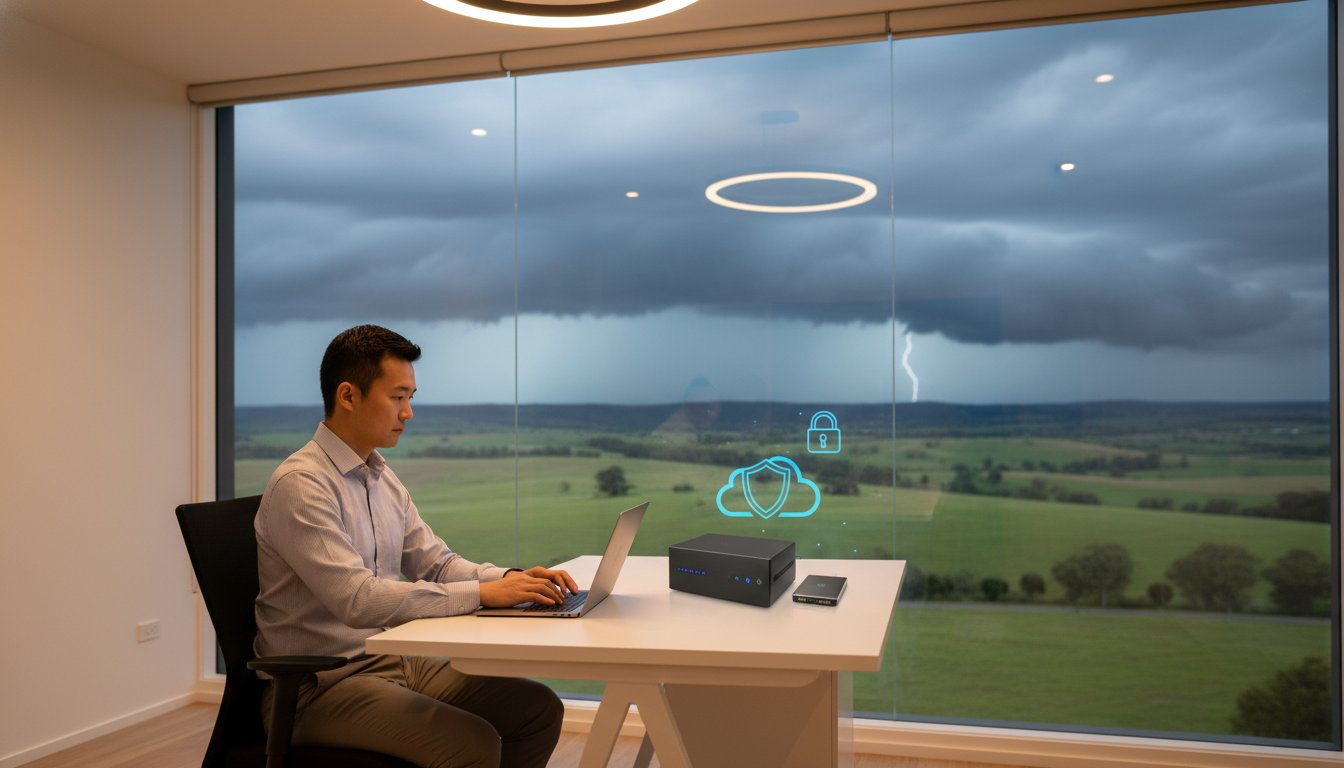
Last Tuesday, a local consultant realized their entire project history was gone after a single power surge during a Toowoomba storm. It is a heartbreaking scenario, but with ransomware accounting for 44% of Australian data breaches in 2025, the risk is higher than ever. You likely feel the constant pressure to protect your work, yet you might be held back by slow NBN upload speeds or the confusing sea of cloud storage options. Finding the best backup strategy for home office success shouldn’t feel like a second job.
I understand that you need a system that works silently in the background without requiring daily manual checks. This guide will show you how to implement the 3-2-1-0 backup rule. You’ll learn how to build a fail-safe system that protects your business from hardware failure and cyber threats. We will cover everything from local high-speed hardware to immutable cloud copies. This ensures your data is always recoverable and your peace of mind is restored with a strategy tailored for Australian conditions.
Key Takeaways
- Learn the crucial difference between cloud syncing and a true backup to ensure your files aren’t lost to accidental deletion or ransomware.
- Discover how the 3-2-1-0 rule creates the best backup strategy for home office security by removing the need for manual daily tasks.
- Compare high speed SSDs and NAS devices to choose the most reliable hardware for your specific storage needs in 2026.
- Identify the local environmental threats in Toowoomba, such as brownouts and surges, that can silently destroy your hard drives during storm season.
- Follow a practical implementation guide to audit your mission critical data and build a fail-safe recovery system from scratch.
Why Your Current Home Office Backup Might Be a Ticking Time Bomb
Many home office professionals believe they have a solid safety net in place. They might drag files to a thumb drive once a week or trust a syncing service to do the heavy lifting. However, these habits often create a false sense of security. Without a professional approach, you are essentially waiting for a disaster to happen. Implementing the best backup strategy for home office data means moving away from manual tasks that fail when life gets busy. Relying on your memory to protect your livelihood is a risk you don’t need to take.
Manual backups are notoriously unreliable. Industry experts frequently observe that manual routines fail up to 90% of the time simply because humans forget to perform them or skip a day when they’re tired. Beyond human error, your data faces silent killers like bit rot, where files slowly corrupt over time on a hard drive without any warning. Then there is the 2025 reality: ransomware accounted for 44% of all Australian data breaches last year. If your only backup is a drive permanently plugged into your computer, a virus will likely encrypt those files too.
To better understand this concept, watch this helpful video:
Syncing vs. Backing Up: The Great Misconception
Services like Dropbox and OneDrive are excellent for productivity, but they aren’t true backups. If you accidentally delete a folder or a virus corrupts your files, that change syncs instantly across all your devices. A professional system follows the 3-2-1 backup rule, keeping separate versions of your history. This allows you to roll back to a time before the error occurred. Modern professional systems also offer immutable backups, which are locked copies that ransomware cannot modify or delete even if it gains access to your network.
The Real Cost of Data Recovery in Toowoomba
When a drive starts clicking or a file system vanishes, the panic sets in quickly. While I offer professional data recovery services to help you get lost files back, the process is complex and can be expensive. It is far more cost effective to be proactive with your security. Consider the downtime factor. If you lost access to your billing or project files today, how many days could your business survive? Since 60% of small businesses close within six months of a major hack, the stakes are incredibly high for local operators. Working with a local expert ensures your hardware stays in safe hands rather than being mailed to an anonymous lab interstate.
The 3-2-1-0 Rule: The Best Backup Strategy for Home Office in 2026
The 3-2-1 rule has been the industry standard for years. However, in 2026, we have added a crucial fourth digit to the formula. The best backup strategy for home office professionals is now the 3-2-1-0 rule. This framework ensures that your data is redundant, geographically dispersed, and, most importantly, managed without your daily intervention. Following this method eliminates the single point of failure that ruins most home businesses: human forgetfulness. It moves your security from a “to-do” list item to a background process that never sleeps.
Breaking Down the 3-2-1 Framework
To achieve total data redundancy, you must follow the core pillars of the framework. This isn’t just about making copies; it’s about where those copies live and how they are stored. Consider these three requirements:
- Three Copies: You need your original production data plus two distinct backups. If one copy fails, you still have two others to rely on.
- Two Media Types: Use different storage technologies. Don’t just use two external hard drives from the same brand. If a specific batch of drives has a manufacturing flaw, both could fail at the same time. A better approach combines local hardware with cloud-based storage.
- One Offsite: At least one copy must live outside your home. Keeping all your backups in your Toowoomba office won’t help if a fire or a severe storm damages the entire building. Geographic separation is non-negotiable for true disaster recovery.
The Power of Zero: Why Automation is Your Best Friend
The “zero” in the 3-2-1-0 rule stands for zero manual steps. This is where most home office setups fall apart. You might start with good intentions, but work deadlines and family life eventually get in the way. Manual systems are prone to failure because they rely on you remembering to plug in a drive or click “upload” every evening. Automation removes the stress of wondering if your files are safe.
A professional data backup system should run on a schedule while you aren’t even at your desk. Modern software can also send you a simple email notification every morning. This lets you know at a glance if the process succeeded or if a glitch needs attention. This “set and forget” mentality allows you to focus on your clients while the system handles the heavy lifting. If you find the technical setup daunting, getting a local expert to configure these automated tasks can save you hours of frustration and ensure your system is truly fail-safe.
Choosing Your Hardware: NAS, External Drives, and Cloud
Selecting the right gear is the next step in building the best backup strategy for home office reliability. In 2026, you generally choose between Direct Attached Storage (DAS) and Network Attached Storage (NAS). A DAS is a simple external drive, like the Samsung T7 2TB SSD priced at $165, which plugs directly into your computer via USB. It’s fast and easy to use. A NAS, however, acts as a dedicated mini-server that connects to your router. This allows every device in your home to back up to one central location simultaneously. While DAS is great for speed, a NAS offers the robust, multi-layered protection required for a growing business.
Solid State Drives (SSDs) have become the standard for local backups due to their incredible speed and lack of moving parts. Modern options like the Lexar Armor 700 4TB for $449 provide the durability needed for a busy professional. However, for massive amounts of data, traditional mechanical hard drives still offer better value per gigabyte. The key is to use SSDs for your daily “hot” data and larger drives for long term “cold” storage. This hybrid approach balances performance with budget constraints.
Network Attached Storage (NAS) for the Professional Home Office
A NAS device provides more than just storage; it gives you a private cloud. Entry-level 2-bay models, such as the Synology DiskStation DS223 for $285, are perfect for home offices. They allow for a RAID setup, where data is mirrored across two drives. If one drive fails, your data remains safe on the other. For those running more intensive tasks, certain hardware upgrades like adding extra RAM to your NAS can significantly improve file transfer speeds and app performance. You don’t need a complex server rack to get enterprise-grade security at home.
Cloud Storage and the NBN Bottleneck
Cloud providers like Backblaze and IDrive offer excellent offsite protection. Backblaze is particularly popular for its unlimited storage at approximately $70 per computer annually. However, your experience will depend heavily on your NBN connection. Australian upload speeds are often much slower than download speeds. If you have a 1TB project library, it could take weeks to complete the first upload. It’s helpful to run an internet speed test to see exactly what your connection can handle before committing to a provider.
This “Initial Seed” problem is a major hurdle for many locals. If your upload speed is too slow for that first big backup, don’t struggle alone. A local IT professional can often help by performing a “seeded” backup, where your data is loaded onto a drive and sent directly to the data center. This bypasses the NBN bottleneck and gets your best backup strategy for home office safety up and running in hours instead of months.
Toowoomba-Specific Risks: Protecting Your Data Locally
While global cyber threats are a serious concern, home office workers in regional Queensland face a different set of physical challenges. The Darling Downs is famous for its dramatic weather, but these conditions are a nightmare for sensitive electronics. A best backup strategy for home office success in our region must account for more than just hackers. It needs to protect against the environmental and infrastructure realities of living in Toowoomba. From sudden power fluctuations to the physical risks of regional life, your data requires a localized shield.
Power surges and brownouts are the silent killers of hard drives and NAS devices. Even a momentary dip in voltage can cause a drive head to crash, leading to immediate data loss. Many people rely on standard power boards, but these rarely offer enough protection for a professional setup. If you’ve lived through a Toowoomba summer, you know how quickly a storm can roll over the range. Physical security matters too. While we enjoy a great community, the risk of theft or fire means that having a copy of your data stored away from your home office is a vital safety net.
Storm Season and Power Protection
Investing in an Uninterruptible Power Supply (UPS) is one of the smartest moves you can make. A UPS acts as a battery bridge, giving your equipment clean power and enough time to shut down safely during an outage. Never trust a cheap power board to protect your business livelihood. These basic strips often fail to catch the high-voltage spikes common during electrical storms. As a simple pro-tip, if you hear thunder, the safest option is to physically unplug your NAS and primary backup drives from the wall until the front passes.
The Benefit of a Local IT Partner
Working with a local expert provides a level of accountability that a distant call center cannot match. Aspire Computing offers on-site setup and support throughout Newtown and the surrounding suburbs. This local presence is especially helpful when dealing with the “Sneakernet” advantage. If you have a massive amount of data to back up and your NBN connection is struggling, I can physically move your data sets to get your system synchronized faster.
Having someone who knows your specific setup means you aren’t just a ticket number. If a drive fails or a backup report shows an error, you have a neighbor you can call for immediate assistance. This personal touch ensures your best backup strategy for home office data stays functional year-round. If you are worried about your current setup, I can help you build a resilient system. Contact me today for professional data backup services tailored to our local Toowoomba conditions.
Implementation Guide: Setting Up Your Fail-Safe Strategy
Moving from a high-level plan to a working system is where your data security becomes real. Building the best backup strategy for home office use requires a methodical approach to ensure no files are left behind. You don’t need to be a systems administrator to get this right, but you do need to be thorough. Following a structured checklist prevents the gaps that ransomware or hardware failure can exploit. By the end of this guide, you’ll have a system that protects your business livelihood while you focus on your work.
- Step 1: Audit your data. Don’t waste storage space or bandwidth on “junk” files. Identify your mission critical data, such as client contracts, financial records, and active project files. Knowing what you can’t afford to lose helps you prioritize your backup window.
- Step 2: Install your local hardware. Connect your primary local backup, whether it’s a high-speed external SSD or a 2-bay NAS. This device provides the rapid recovery speeds you need if your computer’s internal drive fails.
- Step 3: Configure automation. Use professional backup software to schedule your tasks. Aim for a “set and forget” configuration where your local and cloud backups run every night. This fulfills the “Zero manual steps” requirement of the 3-2-1-0 rule.
- Step 4: Perform a test restore. A backup is only a theory until you prove it works. Try to recover a random folder from both your local drive and your cloud provider to ensure the data is intact and accessible.
- Step 5: Schedule a quarterly health check. Technology changes and software updates can sometimes break automated tasks. Mark your calendar every three months to review your backup logs and check the physical health of your drives.
Testing Your Backups: The Step Everyone Skips
A backup is only as good as its last successful restore. Many home office workers discover their backups are corrupted only when they actually need them. To avoid this, you should perform a “fire drill” for your data twice a year. Pick a non-essential folder and restore it to a different location on your computer. Compare the restored files to the originals to check for any signs of corruption. This simple habit ensures that when a real disaster strikes, your recovery process will be smooth and stress-free.
Getting Professional Help to Get It Right
While a DIY approach is better than nothing, it can lead to a sense of “false security” if settings are configured incorrectly. A misconfigured cloud sync or a failing local drive can go unnoticed for months without professional monitoring. If you want total peace of mind, I offer customized IT support for business and home office operators across Toowoomba. I can visit your office to perform a professional backup audit, ensuring your best backup strategy for home office data is truly fail-safe. Contact Aspire Computing today to secure your digital future with a system that never sleeps.
Protect Your Business Livelihood for the Long Term
Building a resilient data system is the most important investment you can make for your home office. By moving away from manual habits and embracing the 3-2-1-0 rule, you eliminate the risk of human error. You now understand that the best backup strategy for home office security combines high speed local hardware with automated cloud copies. This layered approach ensures that even a severe Toowoomba storm or a targeted ransomware attack won’t stop your business in its tracks. Testing your restores regularly keeps your safety net strong and your anxiety low.
If you feel overwhelmed by the technical setup, don’t leave your data to chance. I have been serving the Toowoomba community since 1999 as an expert in data recovery and security. I provide local, on-site assistance across the Darling Downs to help you build a fail-safe system. Secure your home office today with a professional backup audit from Aspire Computing. Taking this step now means you can work with total confidence, knowing your project history and client files are always safe.
Frequently Asked Questions
What is the 3-2-1 backup rule for home offices?
The 3-2-1 rule requires you to keep three copies of your data, stored on two different types of media, with one copy kept offsite. This ensures that a single event, like a fire or hardware failure, cannot destroy all your records at once. For the best backup strategy for home office professionals, adding a “0” for zero manual steps is also recommended to ensure the process never relies on your memory.
Is Google Drive or OneDrive a sufficient backup strategy?
No, syncing services like Google Drive are not true backups because they mirror every action, including accidental deletions and file corruption. If a virus encrypts your local files, those encrypted versions will instantly sync to the cloud, replacing your clean data. A dedicated backup system keeps historical versions of your files, allowing you to roll back to a specific point in time before the damage occurred.
How much does a professional home office backup system cost?
The total investment depends on your data volume, but basic hardware like a 2-bay NAS typically starts around $200 to $285 for the device itself. You also need to account for the cost of drives, such as a 2TB SSD for roughly $165, and annual cloud storage fees which can range from $70 to $120. These hardware and software costs are a small price to pay compared to the thousands of dollars often required for professional data recovery.
How often should I back up my home office computer?
You should back up your data at least once every 24 hours, ideally using an automated schedule that runs overnight. For highly active businesses, continuous data protection is even better as it saves changes as they happen. The best backup strategy for home office success is one that happens without you needing to click a button, ensuring you never lose more than a few hours of work if a crash occurs.
What happens to my cloud backup if my internet goes down?
If your internet connection drops, your cloud backup will simply pause and resume once the connection is restored. Most professional software is designed to handle NBN dropouts or unstable connections without corrupting the files already uploaded. While the offsite copy will be slightly behind until the sync finishes, your local backup drive will continue to provide immediate protection for your files in the meantime.
Do I need an external hard drive if I use cloud storage?
Yes, having a local external hard drive is essential for fast recovery and redundant protection. While cloud storage is great for disaster recovery, downloading several terabytes of data over an average NBN connection can take days or even weeks. A local drive allows you to restore your entire system in a matter of hours, keeping your business downtime to an absolute minimum while your cloud copy remains a secondary safety net.
Can a virus or ransomware infect my backups?
Ransomware can infect any drive that is physically connected to your computer or accessible over your local network. This is why immutable backups and offsite cloud copies are so important. Immutable storage prevents data from being changed or deleted for a set period, ensuring that even if a virus reaches your backup software, it cannot encrypt the protected archive files.
How do I know if my hard drive is starting to fail?
You should watch for warning signs like unusual clicking or grinding noises, frequent system crashes, and files that suddenly won’t open. If your computer becomes extremely slow when saving or opening documents, the drive might be struggling to read data. If you notice these symptoms, stop using the drive immediately and seek professional help to clone your data before the hardware fails completely.

B.App.Sc., Cert. Computer Engineering PC Service and Repair
As the owner of Aspire Computing founded in 1999, Chaim Lee has been working for over 20 years as the Leading Computer Technician.
He has a life long interest in electronics, computing, science and technology. He has completed studies and gained qualifications in Applied Science, Computer Repair and Service, Microsoft Installation and Maintenance, Technical Writing, Workplace Training, and Technical Sales Training.
