
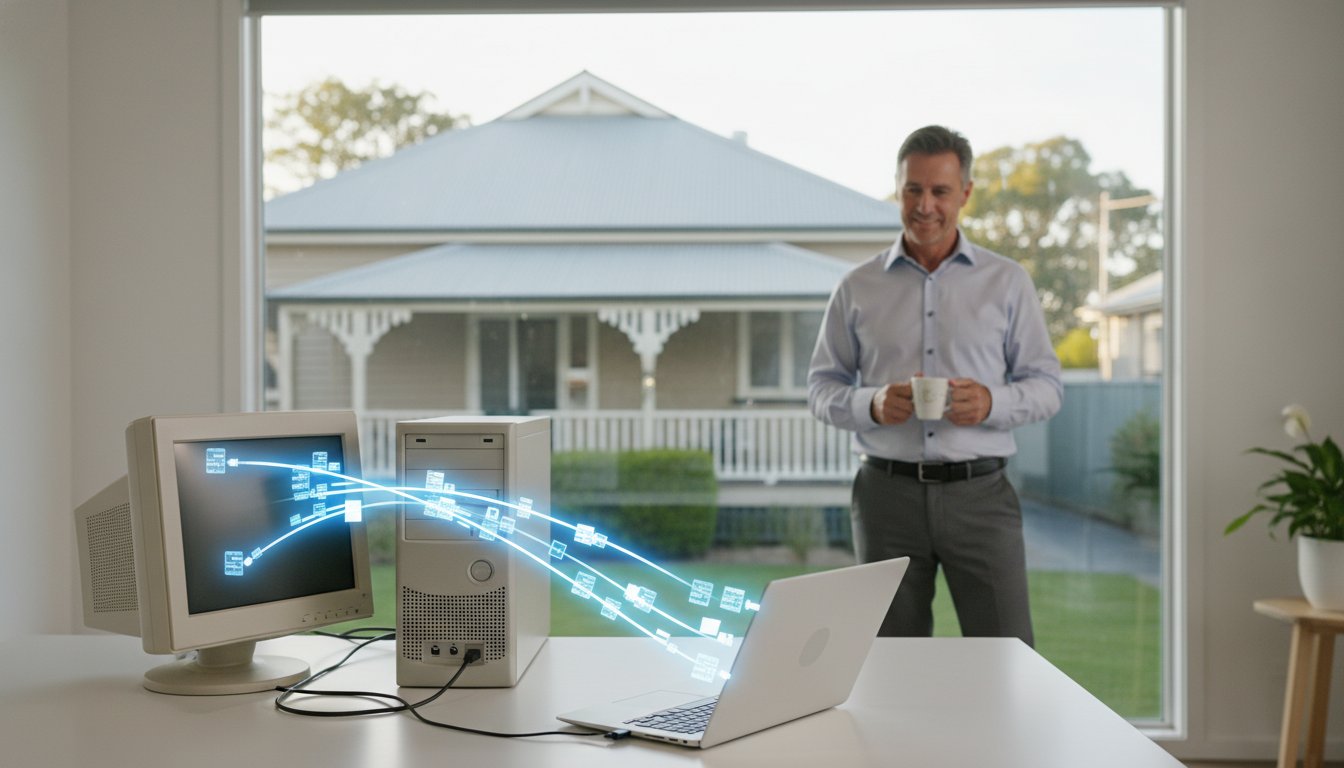
Imagine unboxing a lightning-fast new PC, only to realize your entire digital history, including thousands of irreplaceable family photos and years of Outlook archives, is still stuck on your old, clunky machine. It’s a common frustration. Between the fear of losing data and the headache of slow NBN upload speeds for cloud transfers, setting up a new device often feels more like a chore than a celebration.
We understand that a professional new computer data transfer service is about more than just moving files; it’s about preserving your digital identity. You deserve a new computer that feels exactly like your old one, just much faster, without the stress of wondering if something was left behind. In this guide, you’ll learn how we seamlessly migrate your settings, keep your data secure according to the latest 2026 privacy standards, and handle the responsible disposal of your old hardware to meet Australian e-waste regulations. We’ll show you how to gain total peace of mind while making your transition to new technology completely seamless.
Key Takeaways
- Learn why a professional new computer data transfer service captures the “hidden” data and system settings that standard copy-and-paste methods usually leave behind.
- Discover how to rescue your digital life from failing or non-booting machines using specialized recovery and migration techniques.
- Compare the efficiency of high-speed local transfers against the 10-hour bottlenecks often caused by slow NBN upload speeds and cloud limitations.
- Find out why permanent data destruction is the only way to protect your privacy when retiring an old machine after a successful migration.
- See how 25 years of local expertise in Toowoomba ensures your new machine is ready to use immediately with all your familiar files in place.
What is a New Computer Data Transfer Service?
Getting a new PC is exciting, but the prospect of moving years of digital history is often daunting. A professional new computer data transfer service is a comprehensive solution that migrates your entire digital environment from an old machine to a new one. It isn’t just about your documents and photos. It includes your music, videos, and complex application data that often gets left behind. If you are moving from an older version of Windows to a modern Windows 11 system, this transition is even more critical. You might wonder, what is data migration? In this context, it’s the methodical process of ensuring every setting and file lands exactly where it needs to be so your new workflow feels familiar from day one.
To better understand how this process works in a real-world scenario, watch this helpful breakdown:
The Difference Between Copying and Migrating
Many people think they can handle this task themselves by dragging files onto a USB drive. Unfortunately, that only covers about 20% of the job. A true migration involves moving user profiles, app data folders, and specific registry settings that tell your software how to behave. If you don’t maintain the original folder structures, your programs might fail to open or lose your saved preferences. A professional new computer data transfer service ensures that these hidden files move along with your visible documents. This keeps your software functional and prevents those frustrating “file not found” errors that plague DIY attempts.
Why Home Offices and Small Businesses Need Professional Help
For those running a business from home or a small office, the stakes are much higher than just losing a few family photos. Professional assistance is essential when you’re dealing with sensitive database files like those found in MYOB or QuickBooks. Corrupting these files during a clumsy transfer can lead to days of lost productivity. We focus on getting you back to work quickly by reconfiguring printer drivers and network scanners on the new machine. Using an experienced provider like Aspire Computing means you don’t have to spend hours troubleshooting connection issues. We minimize your downtime, ensuring your business continuity remains intact while you enjoy the speed of your upgraded hardware.
Beyond Files: What You Might Lose During a DIY Transfer
Most people assume that as long as they have their “Documents” folder, they’re safe. This is a common mistake. A professional new computer data transfer service digs much deeper than the surface level. We look for data hidden in system directories that you might never see during normal use. These folders often contain your saved game files, custom dictionaries, and specific software configurations. If your old machine won’t even turn on, don’t panic. We can often extract data directly from the hard drive of a non-booting computer using specialized recovery tools. We also verify that your new hardware can actually run your old files. Sometimes, an older file format needs a specific update or a legacy viewer to work on Windows 11. We handle those technical hurdles for you.
Security is another major factor that DIY transfers overlook. Your old PC might have been running for five or six years. In that time, it may have picked up “sleeper” malware or adware that your old antivirus missed. Simply plugging in an external drive and moving files can transfer these threats to your brand new machine. We scan and clean your data during the migration process. This ensures your new digital life starts with a clean slate and total protection.
Emails, Contacts, and Calendars
Losing years of communication is a nightmare scenario. If you rely on Microsoft Outlook, your data is likely stored in local PST files. These files don’t just “show up” when you log in on a new device. We manually migrate these archives to preserve your folder structures and rules. This is especially important for users with accounts from local Toowoomba ISPs, where IMAP and POP3 settings need precise configuration. We also export your address books and calendar appointments. This ensures you stay on schedule without missing a single contact. If you’re struggling with a messy inbox, our remote IT support can help get your new setup dialed in perfectly.
Browser Data and Saved Passwords
Your browser is your gateway to the world, and it’s likely customized exactly how you like it. We move your bookmarks and favorites across different browsers, whether you’re switching from Chrome to Edge or staying with a favorite. The most sensitive part of this process is moving saved passwords. Doing this incorrectly can leave your credentials exposed. We use secure methods to migrate your logins, browser extensions, and customisations. This means you won’t have to spend hours trying to remember passwords for sites you haven’t logged into for months. Once we have everything running smoothly on your new PC, it’s time to consider securely disposing of your old computer to ensure your private information never falls into the wrong hands.
DIY vs. Professional Service: A Comparison for 2026
Attempting to move your digital life on your own might seem like a way to save money. However, DIY transfers often consume 10 or more hours of your personal time. This is usually due to the slow upload and download speeds of standard NBN connections. While cloud services are convenient for small files, moving a whole system over the internet can lead to unexpected cloud bill overages. Research from 2026 shows that cloud costs frequently exceed forecasts by 30% to 40% because of data access and egress charges. A professional new computer data transfer service bypasses these internet bottlenecks entirely. We use high-speed local transfer tools that move data directly between machines, finishing in a fraction of the time it takes to sync to a server and back down again.
Beyond speed, a professional provides a critical risk assessment that a software wizard cannot. Before we even begin the migration, we check the health of your old hard drive. If a drive is beginning to fail, the stress of a massive data copy can cause it to die mid-process. By identifying these issues early, we can pivot to specialized data recovery services to save your files before they are lost forever. It’s a matter of weighing the small cost of professional help against the high price of losing years of memories or business records.
The “Hidden” Costs of Doing it Yourself
Doing it yourself usually requires buying external hard drives or specialized transfer cables. These tools often end up in a drawer, never to be used again. There is also the risk of “data fragmentation.” This happens when files are copied into multiple locations, making it impossible to know which version is the most recent. The biggest hidden cost, however, is the stress. The anxiety of wondering if you missed a folder or if your financial records moved correctly can be overwhelming. We take that burden off your shoulders, ensuring a methodical and organized migration.
When to Call a Professional Immediately
There are specific situations where a DIY attempt is actually dangerous for your data. If your old computer is making clicking or grinding noises, stop immediately. These are physical signs of hardware failure. You should also seek help if you have more than 500GB of data. Most free cloud tiers won’t accommodate this volume, and the transfer will likely fail or time out. Finally, moving between different operating systems, such as switching from a Mac to a PC, requires complex file conversions. We ensure your documents remain readable and your library structures stay intact during these platform jumps.

Safe and Secure Migration in Toowoomba: The Aspire Approach
Choosing a local expert makes a world of difference when you’re moving your digital life. We’ve spent over 25 years supporting the Darling Downs and Lockyer Valley communities. This isn’t a faceless booking system; it’s a personalized service built on trust and local accountability. Whether you’re in Newtown, Middle Ridge, or Rangeville, we come to you. Our on-site new computer data transfer service ensures that your hardware never leaves your sight. We often combine this migration with our computer repairs Toowoomba expertise to check the health of your old machine before the transfer begins. This proactive step prevents data loss from failing components that might otherwise go unnoticed.
Our goal is to make your new PC feel like home from the moment you turn it on. We don’t just dump files into a folder and leave you to sort through the mess. We take the time to understand your specific workflow and recreate it on your new device. This local, hands-on approach is why many Toowoomba residents prefer us over anonymous national franchises. We live and work in the same community, so we’re deeply committed to your satisfaction and the security of your data.
Our Step-by-Step Migration Process
We follow a methodical process to ensure nothing is overlooked. It starts with an initial audit where we identify all your software, licenses, and specific data locations. We don’t rely on automated scripts that might miss non-standard folders. Next, we perform a high-speed physical transfer using professional-grade hardware. This is much faster and more reliable than using a home Wi-Fi network. Finally, we conduct a thorough verification. We check that every family photo, tax document, and email archive is fully accessible on your new drive. We don’t consider the job done until you’ve confirmed everything is exactly where it should be.
Personalised Setup and Tune-up
The transfer is only the beginning. We also provide a complete tune-up for your new machine. This includes installing essential Windows updates and removing the “bloatware” that manufacturers often pre-install. We’ll set up your desktop icons and wallpaper so the interface feels familiar immediately. Connectivity is also a priority. We’ll ensure your new computer is linked to your home Wi-Fi and your existing printer. If you want to experience a stress-free transition to your new technology, contact us to schedule your on-site setup.
What Happens to Your Old Computer? Security and Disposal
Completing a new computer data transfer service is a major milestone, but your old machine still holds a “digital ghost” of your entire life. Moving your files to a new PC is only half the job. Protecting your privacy on the device you’re leaving behind is just as critical. Many people mistakenly believe that simply dragging files to the recycle bin or performing a basic “format” of the drive removes their data. In reality, these actions only hide the files from the operating system. The actual data remains on the platter or flash chips until it’s overwritten by something else. We help Toowoomba residents navigate this final step, ensuring that your sensitive banking info and private photos don’t fall into the wrong hands.
Deciding whether to keep your old machine as a backup or retire it depends on its age and health. If the hardware is still reliable, it can serve as an emergency spare. However, if it’s slow or failing, retirement is the safer choice. We provide secure data destruction as part of our service, giving you total peace of mind that your old digital life is permanently erased. This personal accountability is a core part of the Aspire approach, distinguishing us from anonymous services that might leave your data vulnerable.
The Risks of an Improperly Wiped Drive
Selling or donating an old laptop without a professional wipe is a massive identity theft risk. Sophisticated data recovery software can easily “undelete” sensitive information from a drive that was only partially cleared. This is why we use industry-standard sanitization methods that overwrite the storage space multiple times. For older mechanical hard drives that are no longer functional, physical destruction is sometimes the only 100% safe option. We ensure that every bit of information is rendered unrecoverable before the hardware leaves your possession.
Responsible E-Waste and Recycling
Disposing of your old computer isn’t just about security; it’s also about following Australian law. Since July 1, 2019, e-waste has been officially banned from landfills across Australia. This is a vital regulation considering that Australians generate roughly 20 to 23 kg of e-waste per person every year. The government has set a target to achieve an 80% recycling rate for computers and televisions by 2027. We help you meet these standards by directing you to local Toowoomba recycling centers or managing the disposal for you. We make sure hazardous components, like lithium batteries, are removed and processed safely. Once your old machine is retired, it’s the perfect moment to establish a robust data backup strategy for your new machine. This ensures your newly migrated life stays protected against future hardware failures.
Start Your New Digital Chapter with Confidence
Transitioning to a new machine is a significant step that should feel like an upgrade, not a technical hurdle. You’ve learned that a comprehensive new computer data transfer service does more than just copy files; it preserves your entire digital environment while protecting your privacy. By prioritizing a methodical migration and secure hardware disposal, you ensure that your irreplaceable memories and business records remain safe. Local expertise makes this process seamless, allowing you to focus on your work or family instead of troubleshooting connection issues.
Aspire Computing has been serving Toowoomba since 1999, providing the reliable on-site and remote IT support you need for a successful transition. We specialize in tailored setups for small businesses and home offices, making sure your new technology is optimized and ready for immediate use. Our team takes personal accountability for every migration, giving you the peace of mind that nothing is left behind on your old device. It’s time to enjoy the speed of your new PC without the lingering stress of data loss.
Get your new PC set up perfectly; Contact Aspire Computing today!
Frequently Asked Questions
How long does a new computer data transfer service typically take?
Most transfers are completed within a few hours, though the exact timing depends on the volume of data you’re moving. A standard home user with a few hundred gigabytes of photos and documents can often expect a same-day turnaround. We use high-speed local tools to ensure the process is much faster than attempting a cloud-based sync at home. This efficiency helps you get back to your normal routine quickly.
Can you transfer my paid software like Microsoft Office or Adobe to a new PC?
You cannot simply copy installed software files from one machine to another because of how Windows registers applications. Instead, we help you reinstall the software on your new PC and reactivate your licenses for programs like Microsoft Office or Adobe Creative Cloud. Having your login credentials or product keys ready ensures this part of the setup goes smoothly without any service interruptions or lost access.
My old computer won’t turn on; can you still get my data off it?
We can almost always retrieve your files even if your old computer refuses to boot or has a broken screen. By removing the internal storage drive and connecting it to our professional migration hardware, we can bypass the broken system entirely. This is a standard part of our new computer data transfer service, ensuring that hardware failure doesn’t mean permanent data loss for your family or business.
Do I need to buy an external hard drive for the transfer?
You don’t need to purchase any additional hardware like external hard drives or specialized cables for the transfer. We use our own professional-grade equipment to move your data directly between the two machines. This saves you the expense of buying a drive you might only use once and prevents the clutter of extra cables. It’s a convenient, cost-effective way to handle your migration without unnecessary hardware purchases.
Is it safe to move my data using cloud services like OneDrive or Dropbox?
Cloud services are excellent for ongoing backups, but they aren’t always the best choice for a full system migration. Moving hundreds of gigabytes can trigger significant data egress fees and may take days to complete on a standard internet connection. Using a local new computer data transfer service is much faster and more secure, as your data never has to leave your physical location during the process.
Can you move my data from a Mac to a new Windows 11 PC?
We can certainly move your data from a Mac to a new Windows 11 PC. While the operating systems are different, most document formats, photos, and music files are cross-compatible. We handle the technical side of migrating your Apple-specific libraries into Windows-friendly folders. This ensures you can access all your important files without needing any specialized software or encountering frustrating file format errors on your new machine.
What is the difference between data transfer and data recovery?
Data transfer is the process of moving accessible files from a working environment to a new one. Data recovery is a more complex service used when a hard drive has physically failed or files have been accidentally deleted. If we detect that your old drive is failing during a transfer, we can pivot to recovery techniques to save your information before it becomes permanently unreachable or corrupted.
Will my new computer be exactly the same as my old one after the service?
Your new computer will feel very familiar because we migrate your desktop icons, wallpaper, and folder structures. However, it won’t be a literal clone of the old machine, which is actually a benefit. This approach allows us to leave behind old system errors and manufacturer bloatware. You get a fresh, fast experience while keeping all your personal files exactly where you expect to find them.

B.App.Sc., Cert. Computer Engineering PC Service and Repair
As the owner of Aspire Computing founded in 1999, Chaim Lee has been working for over 20 years as the Leading Computer Technician.
He has a life long interest in electronics, computing, science and technology. He has completed studies and gained qualifications in Applied Science, Computer Repair and Service, Microsoft Installation and Maintenance, Technical Writing, Workplace Training, and Technical Sales Training.

Write a Comment