
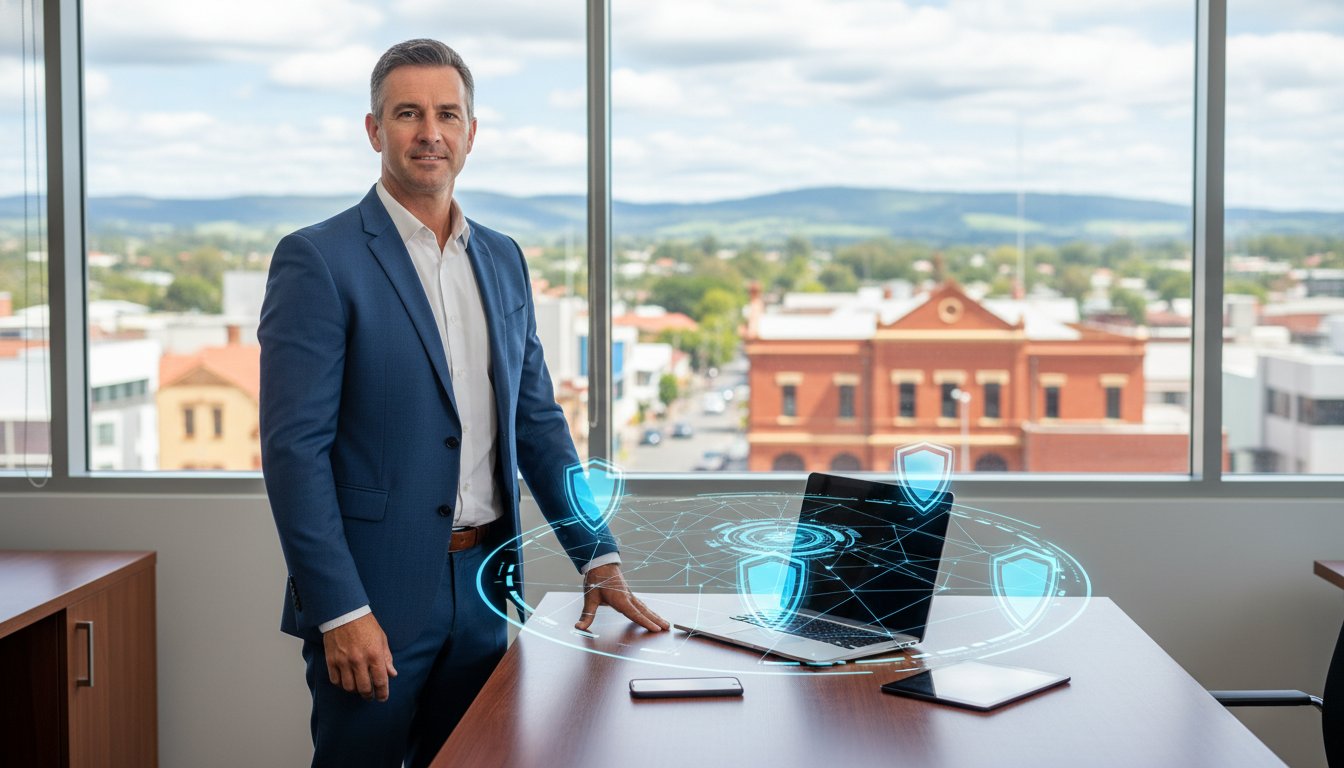
Right now, an Australian small business reports a cybercrime to the Australian Signals Directorate every six minutes. With the average cost of these incidents climbing to $56,600, it’s no longer a question of if you’ll be targeted, but when. You might feel overwhelmed by constant security alerts or the nagging fear of a ransomware attack that could lock your doors for good. It’s frustrating to pay for technical tools you don’t fully understand, especially when you lack a dedicated in-house IT team to make sense of the noise.
You deserve a secure environment where you know exactly what you’re paying for and who to call here in Toowoomba if things go wrong. This guide explains how modern endpoint security for small business combines global threat intelligence with local, hands-on expertise to keep your data safe. We’ll break down the 2026 regulatory landscape, including the new Cyber Security Rules for smart devices, and show you how to move beyond basic antivirus. You’ll learn how to build a professional defense that protects your livelihood while keeping a reliable local expert just a phone call away.
Key Takeaways
- Understand why every connected device, including printers and remote laptops, requires protection in a modern hybrid work environment.
- Discover the critical shift from traditional antivirus to Endpoint Detection and Response (EDR) and how it identifies suspicious behavior in real-time.
- Learn how to audit your hardware and align your strategy with the Australian Cyber Security Centre’s Essential Eight framework.
- Evaluate the best 2026 software options, from Microsoft Defender for Business to lightweight solutions like Bitdefender, tailored for your specific needs.
- See why managed endpoint security for small business offers a local point of accountability that DIY software simply cannot match.
What is Endpoint Security and Why Does Your Small Business Need It?
When you think of your business network, you might picture the server in your office or the desktop computer on your desk. However, the boundaries of your workplace have changed. Endpoint security is the practice of protecting the various devices that connect to your network from malicious threats. In 2026, an ‘endpoint’ isn’t just a computer. It’s every laptop, smartphone, and even the office printer your team uses to get the job done. As more Darling Downs businesses move to remote or hybrid work models, these devices often operate outside the traditional office firewall, making them vulnerable to modern cyber threats.
Cybercriminals don’t just target big banks in Sydney. They use automated tools to scan the internet for any weak entry point, which means a small business in Toowoomba is just as visible as a global corporation. Traditional security used to be about building a wall to prevent attacks. Today, it’s about detection. Implementing robust endpoint security for small business isn’t just about stopping a virus; it’s about having a system that watches for suspicious behavior in real-time. If an attacker manages to bypass your initial defenses, you need a way to spot them before they can do any real damage.
To better understand how these defenses work in a real-world setting,
Antivirus vs. Endpoint Detection and Response (EDR): What is the Difference?
Traditional antivirus software used to be enough for most shops. It worked by checking files against a massive database of “known bad” signatures. If a file matched the list, it was blocked. If it didn’t, it was let through. This approach is now outdated. Hackers create unique malware that doesn’t appear on any list. Think of legacy AV like a simple locked door. It keeps out anyone without a key, but it doesn’t know if someone has already climbed through a side window. It’s a static defense in a world of moving targets.
Modern endpoint security for small business relies on Endpoint Detection and Response (EDR). If AV is the locked door, EDR is the motion-sensor alarm system and the high-definition security camera. It doesn’t just look for bad files. It watches for bad behavior. If a trusted application suddenly starts encrypting your files or trying to contact a server in a foreign country, EDR spots the anomaly and acts. This proactive stance aligns with the Cybersecurity for Small Business guidelines provided by the FTC, which emphasize the need for constant monitoring.
How EDR Identifies Hidden Threats
EDR uses behavioral analysis to find threats that haven’t been seen before. For example, if your PDF reader suddenly tries to modify system settings, the EDR system places that activity in a “sandbox.” This is a safe, isolated digital environment where the file can run without hurting your actual system. While the file runs, the EDR monitors every action it takes. It also tracks lateral movement to see if an attacker is trying to jump from one computer to another across your network. This visibility allows you to see exactly how a breach started and where it tried to go.
Why Response is the Most Important Letter in EDR
Many Toowoomba business owners struggle with alert fatigue. If your software pings your phone every five minutes with technical jargon, you’ll eventually start ignoring it. Managing endpoint security for small business effectively means having a plan for when things go wrong. EDR helps by using automated isolation. If a laptop is compromised, the system can automatically cut its connection to the rest of the office. This stops the infection from spreading while you’re asleep or busy with customers. Having a local expert to interpret this data is critical for a fast recovery. If you’re worried about your current protection, we offer professional virus and malware removal to clean up existing threats and get your security back on track.
Comparing the Best Endpoint Security Tools for SMBs in 2026
Selecting the right software for your office can feel overwhelming. There are hundreds of vendors promising total safety. For a local shop or professional office, the best endpoint security for small business isn’t always the most expensive one. It’s the tool that fits your current workflow without slowing down your computers. You need protection that works quietly in the background while you focus on your customers.
When you evaluate these tools, look for a balance between ease of use and depth of protection. Some software is “set and forget,” while other platforms require constant attention. If you don’t have a dedicated IT person, an unmanaged tool can quickly become a liability. Choosing a platform that your local IT partner can monitor ensures that alerts don’t go ignored.
Microsoft Defender for Business: The Integrated Choice
Many Toowoomba businesses already use Microsoft 365. If you have a Business Premium subscription, you likely already own Microsoft Defender for Business. This is often the most cost-effective choice because it’s built directly into your Windows laptops. It doesn’t require a separate installation that might clash with your other apps. It offers automated investigation and remediation, which means the software can often fix a security threat before you even know it existed. It’s a seamless way to strengthen your cybersecurity without adding new monthly bills.
Specialised Tools for High-Security Needs
If you work in a high-risk industry like healthcare or finance, you might need “Next-Gen” tools like SentinelOne, CrowdStrike, or Sophos. These platforms are incredibly powerful but can be complex to manage alone. They provide deep visibility into every file movement on your network. For smaller setups, lightweight options like Bitdefender are excellent because they provide strong protection with very little impact on system performance. This is perfect for older office PCs or specialised hardware like point-of-sale systems.
- Managed Licenses: A professional monitors the dashboard for you and responds to threats.
- Unmanaged Licenses: You are responsible for checking every alert and fixing every infection.
- Automated Investigation: The software attempts to heal itself after a detected attack.
The best tool is the one that actually gets updated. Many business owners buy a subscription but forget to check if the software is still running correctly. Whether you choose a Microsoft-centric approach or a specialised third-party tool, the goal is consistent monitoring. It’s simple. Security only works if it stays active. If you’re unsure which license fits your specific hardware, we can help you choose the right path for your business.

Steps to Implement a Security Strategy in Your Toowoomba Business
Implementing endpoint security for small business starts with a clear inventory of your digital assets. You can’t protect what you don’t know exists. Many business owners are surprised to find forgotten laptops, old tablets, or even smart office printers still connected to their network. A hardware audit is your first practical step. By listing every device that accesses your data, you can ensure each one has the necessary updates and monitoring software installed. This visibility is the foundation of a reliable defense.
Setting up multi-factor authentication (MFA) is the next non-negotiable layer. It’s one of the most effective ways to stop unauthorized access, even if a password is stolen. Alongside MFA, you must establish a strict patch management schedule. Software developers release updates to fix security holes that hackers actively exploit. If you wait weeks to install these updates, you’re leaving a window open for an attack. Regular patching keeps your systems resilient and your hardware running efficiently.
Mapping to the ACSC Essential Eight
The Australian Cyber Security Centre (ACSC) recommends a framework called the Essential Eight. This is a prioritized list of strategies designed to make it much harder for attackers to compromise your systems. For a local business, two of the most critical areas are application control and restricting administrative privileges. Application control ensures that only pre-approved programs can run on your computers. Restricting admin rights means that staff accounts only have the permissions they need for daily tasks. This prevents a single compromised user account from being used to change system-wide settings or install malicious software. Modern endpoint security platforms help you meet several of these requirements automatically, providing a structured way to stay compliant with Australian standards.
Creating a Security First Culture
Security is as much about people as it is about software. Your staff are your front line. Simple training sessions can help them spot phishing emails before they click a dangerous link. Teach your team to verify suspicious requests and to be cautious with unexpected attachments. If you have employees working from home, establish a clear protocol for accessing the office network. They should know exactly how to reach out for help if they notice something strange on their screen. An incident response plan is your roadmap for what to do if a breach occurs, ensuring everyone knows their role in a crisis. If you’re ready to lock down your network, we provide expert cyber security services to help you build a defense that lasts.
Why Local Managed Security Beats a DIY Approach
Buying a subscription for endpoint security for small business is only half the battle. The real challenge begins when the software sends an alert you don’t understand. This is what we call the “Accountability Gap.” In a DIY setup, you’re the one responsible for deciding if a notification is a false alarm or a business-ending breach. If you make the wrong call, or if you’re too busy with customers to see the alert, the software can’t save you. Managed security closes this gap by putting a professional between you and the threat.
A local partner doesn’t just watch a digital dashboard. We understand the physical side of your IT too. If a hardware failure causes a security vulnerability in the Lockyer Valley, a global helpdesk in another timezone can’t drive to your office to swap out a compromised machine. We view security as a key part of your business continuity. It’s not just a line item on a spreadsheet. It’s the assurance that your doors stay open and your staff can work without interruption.
The Personal Touch in a Digital World
A local Toowoomba expert knows your business environment in a way a faceless corporation never could. At Aspire Computing’s, we bring over 25 years of local experience to every client we serve. We’ve seen how local businesses operate and the specific challenges they face. Our approach isn’t just about installing software. We combine reactive services like virus and malware removal with proactive defense strategies. This means we don’t just clean up the mess; we build the walls to prevent it from happening again. You get the power of global security tools backed by a local face you can trust.
Getting Started with a Free IT Health Check
It’s time to stop hoping your business is safe and start knowing it is protected. The transition is simpler than you might think. We begin with a professional security audit of your office. We look at your hardware, your software versions, and your current backup habits. This gives us a clear picture of where you stand today. From there, we create a plan that fits your budget and your specific risks. Taking this first step removes the anxiety of the unknown. Contact Aspire Computing today for a reassuring talk about your endpoint security for small business and how we can protect your livelihood.
Take Control of Your Business Security Today
Protecting your team in 2026 requires more than a standard software installation. You’ve seen how the threat landscape has changed and why a motion-sensor approach like EDR is now the standard for safety. By aligning with the Essential Eight framework and maintaining a strict hardware audit, you build a foundation that protects your data and your reputation. Managing endpoint security for small business shouldn’t be a source of constant stress or confusion. You deserve a partner who understands the local landscape and can provide on-site help when you need it most.
Since 1999, we’ve served Toowoomba and the Darling Downs with dependable IT support and specialist cyber security advice. We focus on business continuity so you can focus on your customers. Whether you need expert on-site assistance or remote troubleshooting, we’re here to ensure your technology works for you, not against you. Move your business from a state of uncertainty to a position of lasting strength today.
Secure your business with a local Toowoomba IT expert at Aspire Computing
Frequently Asked Questions
Is endpoint security different from a standard antivirus?
Yes, endpoint security is a more advanced evolution of standard antivirus. While traditional antivirus relies on a database of known threats to block specific files, modern endpoint security for small business monitors the behavior of every file and application. This allows it to spot “zero-day” attacks that haven’t been documented before. It acts more like a security guard watching for suspicious activity rather than just checking IDs at the door.
How much does endpoint security typically cost for a small business?
The cost of protection depends on the number of devices you need to secure and the level of management required. Most solutions are priced per device on a monthly or annual basis. You should evaluate whether you want a basic software license or a fully managed service where a local expert monitors the alerts for you. Choosing a managed approach often prevents expensive recovery costs by catching threats before they cause damage.
Do I need endpoint security if all my files are in the cloud?
You still need endpoint protection even if your files live in the cloud. Services like OneDrive or Dropbox secure the data while it sits on their servers, but they don’t protect the laptop or PC you use to access those files. If your local device is compromised by a keylogger or ransomware, the attacker can still steal or encrypt your cloud data by using your own active login credentials.
Can endpoint security slow down my older office computers?
Modern security tools are designed to be lightweight and shouldn’t noticeably slow down your hardware. In many cases, older office PCs actually run faster after installing professional security because the software identifies and removes hidden malware that was consuming system resources. If your computer is struggling, we often recommend a hardware upgrade, such as extra RAM or an SSD, alongside your security plan to ensure everything runs smoothly.
How does endpoint security protect my employees when they work from home?
Endpoint security protects your employees by living directly on their laptops or devices rather than just on the office network. This means the protection stays active whether they are working from a home office or a local cafe. A cloud-based management dashboard allows your IT partner to see threats and push updates to these remote devices in real-time, ensuring every team member stays secure regardless of their physical location.
What should I do if my business is currently experiencing a cyberattack?
If you suspect an active attack, immediately disconnect the affected device from the internet and your office network to stop the spread. Don’t attempt to pay any ransom or delete files yourself, as this can interfere with future data recovery efforts. Your next step should be to call a professional for virus and malware removal. We can help identify the entry point, secure your other devices, and begin the process of restoring your business operations.
Does endpoint security cover my office printers and networked devices?
Yes, office printers and other networked hardware are considered endpoints and are often the most overlooked vulnerabilities. Attackers can use an unsecured printer to gain a foothold on your network and move to more sensitive devices. A comprehensive strategy for endpoint security for small business includes auditing these devices and ensuring they are behind a secure firewall with updated firmware to prevent unauthorized access from global scanners.

B.App.Sc., Cert. Computer Engineering PC Service and Repair
As the owner of Aspire Computing founded in 1999, Chaim Lee has been working for over 20 years as the Leading Computer Technician.
He has a life long interest in electronics, computing, science and technology. He has completed studies and gained qualifications in Applied Science, Computer Repair and Service, Microsoft Installation and Maintenance, Technical Writing, Workplace Training, and Technical Sales Training.

Write a Comment