
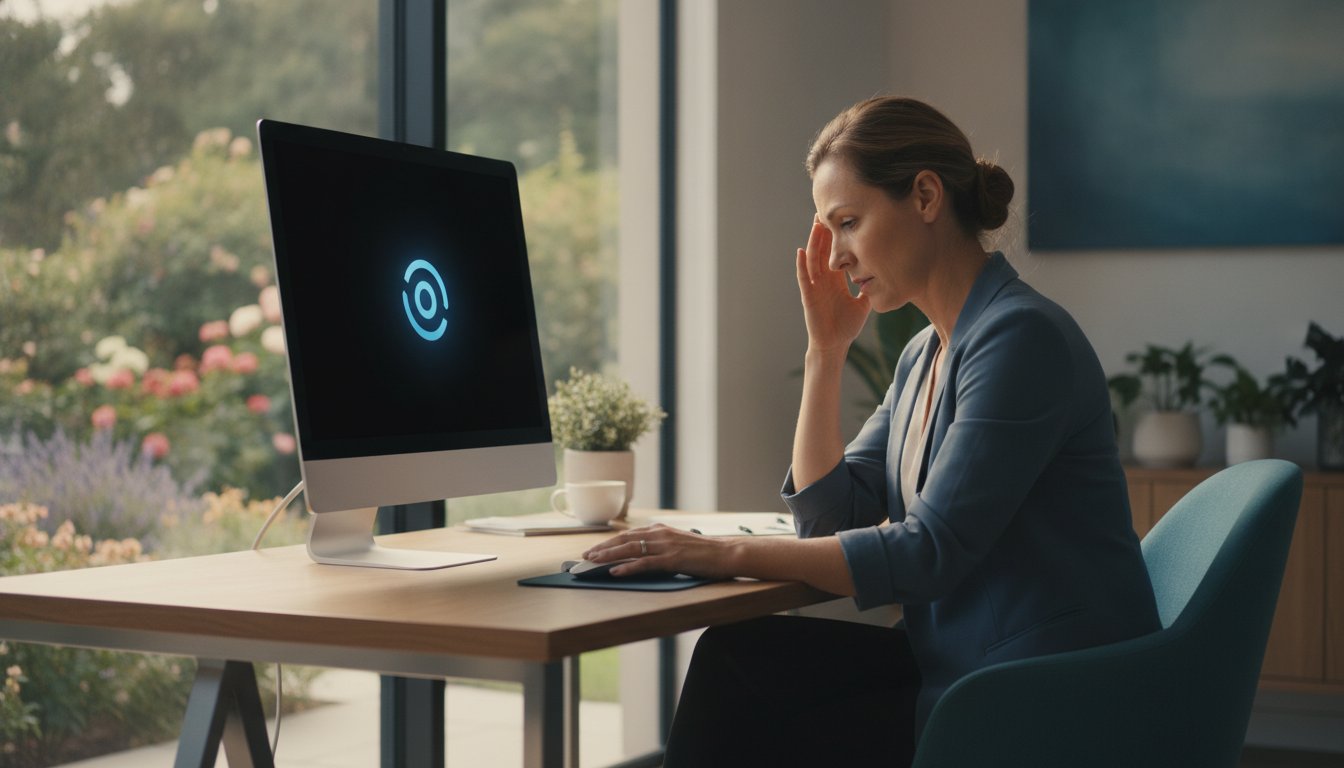
Imagine you’re finally finishing a critical business report or a long email when your screen suddenly goes black. A moment later, the manufacturer’s logo flickers back to life, and you realize you’ve lost twenty minutes of unsaved work. If you’re searching for why my computer keeps restarting randomly, you’re likely feeling a specific mix of frustration and technical anxiety. It’s an exhausting way to work, and the fear of a total hardware failure or an expensive replacement bill is always at the back of your mind.
I understand how disruptive these interruptions are to your daily life and business operations. You deserve a stable computer that doesn’t crash when you need it most. This guide will help you discover the exact reasons why your PC reboots without warning and show you how to fix it before you lose valuable data. I’ll explain the latest 2026 software conflicts, common hardware culprits like the 6% failure rate currently seen in motherboards, and a step by step diagnostic process to determine if your issue is a simple software bug or a sign that you need professional help.
Key Takeaways
- Learn to distinguish between standard system updates and “dirty” restarts to identify the severity of your PC’s issues.
- Discover how environmental factors like heat and dust can trigger hardware failures in your power supply or motherboard.
- Follow a simple checklist to resolve software conflicts and driver errors if my computer keeps restarting randomly after a recent update.
- Identify the safe limits of DIY troubleshooting and understand when professional diagnostics are required to prevent permanent data loss.
- Find out how local expert support can restore your system’s stability with on-site repairs available throughout Toowoomba.
Understanding Why Your PC Restarts Without Warning
When my computer keeps restarting randomly, it feels like the machine has a mind of its own. This isn’t the same as a scheduled Windows Update reboot, which usually gives you a warning or a progress bar. A random restart is abrupt. One second you’re typing, and the next, your screen is black. This “dirty” restart happens without the usual shutdown sequence, leaving your open files in a state of limbo. It is a frustrating experience that can stop your productivity in its tracks.
There is a big difference between a sudden black screen and a Blue Screen of Death (BSOD). A BSOD is actually your computer’s way of telling you it found a specific error it couldn’t handle. It pauses, shows a code, and then reboots. A dirty restart is more violent; the power simply cuts or the system resets instantly. Ignoring these events is risky. Every time it happens, you risk corrupting your file system or damaging sensitive internal components. We need to follow a methodical troubleshooting process to find the root cause before permanent damage occurs.
Sudden Power Loss vs. System Crashes
If your screen goes black instantly, you are likely looking at a hardware power issue. However, if the system freezes for a few seconds before the reboot, it’s often a software or driver conflict. Sometimes, your PC attempts to “self-heal” by restarting to clear a stuck process. If you check the Windows Event Viewer, you’ll often see a “Kernel-Power 41” error. This specific code doesn’t tell us the exact cause, but it confirms the system shut down unexpectedly without following the proper Windows exit procedure.
The Impact on Your Data and Hardware
Your hardware isn’t designed for sudden power cuts. While modern SSDs are resilient, mechanical hard drives can suffer physical damage if the read/write head doesn’t park correctly during a crash. The risk is even higher for your data integrity. If you are working on accounting files or a database when my computer keeps restarting randomly, a sudden crash can leave those files unreadable or corrupted. A random restart is a protective shutdown mechanism triggered by the BIOS or OS to prevent physical damage from extreme heat or electrical surges. By shutting down instantly, the system is trying to save itself from a more expensive hardware failure.
Common Hardware Culprits: Heat, Power, and Dust
Hardware failures are often the result of the environment where you keep your PC. In Toowoomba, our summer temperatures frequently push poorly ventilated systems past their physical limits. If my computer keeps restarting randomly during a hot afternoon, heat is the most likely suspect. Internal components like your CPU and motherboard generate significant warmth. When dust or pet hair clogs your cooling fans, that heat has nowhere to go. Modern systems are designed to shut down instantly to prevent permanent damage once they hit a specific thermal threshold. In fact, motherboard failure rates in 2026 remain between 4.9% and 6.0%, often exacerbated by long-term heat stress.
Your Power Supply Unit (PSU) is another common point of failure. It is responsible for converting wall power into the steady DC current your components need. If the PSU becomes unstable, it may “hiccup” and drop the voltage for a fraction of a second. This is enough to cause an immediate reboot. Faulty RAM can also be a culprit. If a specific sector of your memory is damaged, the system will crash the moment it tries to write data to that “bad” spot. These hardware issues require a careful eye to diagnose correctly.
Temperature Checks and Thermal Management
You can monitor your system’s health using free tools like HWMonitor. This software displays the real-time temperature of your CPU and graphics card. If you see numbers climbing above 80 or 90 degrees Celsius while doing basic tasks, your cooling system is failing. Over time, the thermal paste between your processor and its heatsink dries out and loses its effectiveness. This usually happens every three to five years. Improving airflow is often as simple as moving your PC out of a confined desk cupboard or ensuring there is at least ten centimetres of space behind the rear exhaust fans. If a deep clean doesn’t solve the heat, a professional hardware upgrade for your cooling system might be necessary.
Power Stability in the Darling Downs Region
The Darling Downs region can experience inconsistent power during storm seasons. Local power surges or brownouts are notorious for triggering system restarts. Even a tiny dip in power that doesn’t turn off your lights can be enough to reset a sensitive desktop computer. Using a high-quality surge protector is a minimum requirement, but a Battery Backup (UPS) is the gold standard for business continuity. When testing your PSU, remember that just because the fans are spinning doesn’t mean the unit is healthy. It takes specialized tools to confirm if the power rails are delivering the exact voltage required for a stable system.
Software and Driver Troubleshooting You Can Do at Home
While physical components like the motherboard or power supply are often to blame, software conflicts are equally capable of causing system instability. If my computer keeps restarting randomly shortly after a system update, the issue is likely rooted in the code rather than the cables. Windows is a complex ecosystem where a single mismatched driver can cause the entire environment to collapse. Before you assume your hardware is failing, it is worth performing a few digital health checks to see if the problem can be resolved through settings alone.
A common frustration is that Windows reboots so quickly during a crash that you cannot read the error message. You can stop this by changing your system failure settings. To find the “Disable automatic restart on system failure” setting, search for “View advanced system settings” in the Start menu, click Settings under the Startup and Recovery section, and uncheck the automatic restart box. This simple change allows your PC to stay on the error screen, giving you a specific code to investigate. Additionally, running a deep scan for infections is vital, as modern malware can hijack system resources and cause the processor to overload and reset. If you suspect a breach, professional virus and malware removal is the safest way to clean your system without losing your personal files.
Managing Windows Updates and System Settings
The Windows 11 July 2026 Security Update for versions 25H2 and 24H2 has recently been rolled out. While these updates are necessary for security, they can sometimes conflict with older software. If your issues started immediately after an update, you can roll it back by going to Settings, selecting Windows Update, and viewing your Update History to uninstall the most recent package. You should also check your power settings. Switching your power plan to “High Performance” in the Control Panel can prevent the system from attempting to enter low-power sleep modes that sometimes trigger a crash on older hardware.
Driver and Software Conflict Resolution
Drivers act as the translators between your software and hardware. Graphics and chipset drivers are the most frequent causes of sudden reboots because they manage high-energy tasks. Open the Device Manager and look for any yellow exclamation marks, which indicate a driver that isn’t functioning correctly. If you cannot find a specific culprit, try a “Clean Boot” to isolate the problem. By using the System Configuration tool to disable all non-Microsoft services and startup programs, you can determine if a third-party application is overtaxing your CPU and forcing a restart. This methodical approach helps you rule out simple software bugs before moving on to professional diagnostics.

When to Call a Professional Computer Repair Expert
Troubleshooting at home has its limits. If you have already cleared out the dust and rolled back your drivers but find that my computer keeps restarting randomly, you have likely reached the “Point of No Return.” Continuing to force a reboot when there is an underlying hardware fault can cause cascading damage to other components. Modern computers are incredibly sensitive; even the static electricity from your fingertips can destroy a motherboard if you open the case without proper ESD protection. If you notice a faint acrid smell or see bulging capacitors on the board, which look like tiny soda cans with swollen tops, it is time to step away from the screwdriver.
The danger of DIY repair increases with the complexity of the hardware. Modern laptops and compact desktops are built with fewer user-serviceable parts and run much hotter than older systems. This makes professional diagnosis critical. Attempting to fix a power issue yourself without the right testing equipment can result in an electrical short that ruins your entire system. When simple software fixes fail, the risk to your hardware and your wallet becomes too high to ignore.
The Risk of Data Loss
The most precious part of your computer isn’t the hardware; it is the photos, documents, and business files stored inside. If your PC reboots while making clicking or grinding noises, your storage drive is likely in the process of a physical failure. Every attempt to restart the machine grinds the internal components further, making it harder to retrieve your information. In these critical moments, professional data recovery services are your best chance at saving your digital life. Once your data is safe, a technician can recommend specific hardware upgrades to replace failing parts with more reliable, modern equivalents that can handle the demands of 2026 software.
Professional Diagnostics vs. Guesswork
Many people try to fix a restarting PC by “part swapping.” They buy a new power supply, then new RAM, and finally a new motherboard, only to realize the issue was a tiny short circuit in the case. This trial and error approach is far more expensive than a professional diagnostic. Experts use specialized tools to measure the exact voltage output of your PSU and run deep stress tests on your RAM that home software simply cannot match. Many local repair services in the Toowoomba area even offer “no fix, no fee” policies, which significantly reduces your financial risk. If you want to stop the cycle of crashes and save your work, contact Aspire Computing for a professional diagnostic and get your system back to peak performance.
Fast Computer Repairs in Toowoomba and Surrounding Suburbs
When you reach the stage where my computer keeps restarting randomly despite your best efforts, you need a solution that is both fast and reliable. Aspire Computing has been the trusted name for technology support in the Toowoomba community since 1999. With over 25 years of experience, we have seen every evolution of the “random reboot” problem. Our approach isn’t just about a quick fix. We focus on a dual mission of functional utility and total system security. We want your computer to be stable, but we also want to ensure your personal information is protected from the underlying vulnerabilities that often cause these crashes.
I understand how stressful a failing computer can be for your home or business. That is why we prioritize clear communication and personal accountability. You won’t be dealing with a distant corporate call centre or a revolving door of junior technicians. Instead, you get direct assistance from me, Cam. I use my decades of professional experience to diagnose the root cause of your system instability quickly. Whether the issue is a failing motherboard or a deep-seated software conflict, we provide a streamlined process to get you back to work without the headache of guesswork.
On-Site and Remote IT Support
We believe that professional computer repair should be convenient. If your desktop is too heavy to move or your business cannot afford to lose a workstation for days, our mobile service is the answer. We come directly to you in Newtown, Darling Heights, Wilsonton, and across the wider Toowoomba area. Our on-site support is perfect for small businesses that need their network and hardware checked in their actual working environment. For those dealing with software-related restart issues, we also offer remote IT support. This allows us to jump onto your system digitally and resolve driver conflicts or update errors without you ever leaving your desk. Our service area extends throughout the Darling Downs and Lockyer Valley, ensuring local help is always nearby.
Why Toowoomba Trusts Aspire Computing
Our long history in the region is built on a foundation of trust and technical excellence. We don’t just swap parts; we perform comprehensive system audits to ensure your PC is healthy from the inside out. A major part of our stability check includes professional virus and malware removal. Hidden malicious scripts are a frequent cause of system overloads that lead to reboots. By cleaning these out, we restore your PC’s speed and reliability.
If you want to prevent future failures, I highly recommend booking a “Windows Tune-up.” During this service, we check your thermal management, test your power supply stability, and ensure your operating system is optimized for the latest 2026 security standards. It’s a proactive way to ensure that “my computer keeps restarting randomly” never becomes a search term you have to use again. We are committed to your satisfaction and provide the experienced, thorough service that only a local expert can offer.
Restore Your System’s Stability Today
Dealing with a PC that crashes without warning is more than a minor annoyance; it’s a threat to your productivity and your files. We’ve seen how heat, power instability, and software conflicts are the primary drivers behind these failures in 2026. By following a methodical diagnostic process, you can often rule out simple settings before seeking expert assistance. It’s important to remember that a computer is a complex tool, and knowing when to transition from DIY fixes to professional support can save you from expensive hardware replacements.
If my computer keeps restarting randomly and home troubleshooting hasn’t resolved the issue, don’t risk your valuable data by waiting for a total breakdown. I’ve been helping the Toowoomba community with experienced PC, laptop, and printer repairs since 1999. You can rely on our convenient on-site service across the Darling Downs to get your technology back in peak condition without the stress of distant call centres or technical guesswork. Contact Aspire Computing for Fast, Local Computer Repairs in Toowoomba and enjoy the peace of mind that comes with a stable, reliable computer. Your digital workspace should support you, not stress you out, and I look forward to helping you get back to work safely.
Frequently Asked Questions
Why does my PC restart without a Blue Screen of Death?
A restart without a Blue Screen of Death usually indicates a sudden power interruption or a hardware failure so rapid that the operating system doesn’t have time to display an error code. This often points toward a failing power supply unit or a motherboard issue. While a blue screen is a controlled crash where Windows logs the problem, an instant black-screen reboot is a “dirty” shutdown that suggests the hardware is physically losing power or hitting a critical thermal limit.
Can a faulty power board cause my computer to restart randomly?
Yes, a faulty or overloaded power board is a common cause of system instability. If the power board cannot maintain a steady voltage or has loose internal connections, your PC might experience a tiny “brownout” that triggers a reset. We often find that moving the computer’s power cable directly into a wall socket or upgrading to a high-quality surge protector resolves the issue immediately without needing internal repairs.
Is it safe to keep using a computer that restarts on its own?
It is not safe to continue using a system that reboots without warning. Every time your PC restarts abruptly, you risk corrupting your operating system files and losing unsaved work. If the cause is hardware-related, such as a failing capacitor or a short circuit, repeated attempts to use the machine can cause cascading damage to other expensive components like your graphics card or processor. Professional diagnosis is the best way to prevent a total system failure.
How do I check if my computer is overheating in Toowoomba heat?
You can check your temperatures using free diagnostic software like HWMonitor or Core Temp. In Toowoomba, where summer temperatures can be quite high, your CPU should ideally stay below 80 degrees Celsius under load. If you notice your fans are constantly loud or the case feels hot to the touch, dust buildup is likely trapping heat inside. Professional cleaning is recommended if temperatures consistently exceed these safe limits during normal use.
Will a factory reset fix my random restart issue?
A factory reset will only solve the problem if the cause is purely software-based, such as a corrupted driver or a Windows Update conflict. If my computer keeps restarting randomly due to a failing power supply or dried-out thermal paste, a reset will not help and may even fail mid-process. I suggest ruling out hardware issues first before committing to a time-consuming factory reset that wipes your personal data and installed programs.
How much does it cost to fix a computer that keeps restarting?
The cost of repair depends entirely on whether the issue is software or hardware. Simple software troubleshooting or a system tune-up is generally affordable, while hardware repairs depend on the specific component that needs replacing, such as a power supply or RAM. Most local experts provide a diagnostic service first to give you an accurate quote before any major work begins. This ensures you understand the problem and the solution before spending any money on parts.
Can a virus cause my computer to reboot suddenly?
Yes, certain types of malware and viruses can cause sudden reboots by overtaxing your CPU or intentionally crashing system processes. Some malicious scripts are designed to force a restart to bypass security software or complete an unauthorized installation. If your PC reboots and then runs significantly slower, you should seek professional virus and malware removal to ensure your personal data remains secure and your system returns to a stable state.
What is the “Kernel-Power 41” error in Windows Event Viewer?
The Kernel-Power 41 error is a generic Windows log entry that simply means the computer shut down unexpectedly without following the proper sequence. It doesn’t pinpoint the exact cause, but it confirms that the power was cut or the system crashed. This error is common when my computer keeps restarting randomly and serves as a starting point for technicians to investigate power supply stability, hardware conflicts, or thermal issues.

B.App.Sc., Cert. Computer Engineering PC Service and Repair
As the owner of Aspire Computing founded in 1999, Chaim Lee has been working for over 20 years as the Leading Computer Technician.
He has a life long interest in electronics, computing, science and technology. He has completed studies and gained qualifications in Applied Science, Computer Repair and Service, Microsoft Installation and Maintenance, Technical Writing, Workplace Training, and Technical Sales Training.
