That thick layer of dust inside your computer isn’t just a bit of mess. It’s actually a thermal blanket that’s slowly suffocating your hardware in the intense Queensland heat. While many people think a quick blast of compressed air is enough, a professional PC cleaning service Toowoomba is more like essential thermal surgery than a simple dusting. You’ve likely felt the frustration of a loud fan disrupting your focus or the anxiety of an unexpected shutdown during an important task. It’s draining to deal with sluggish performance when you know your system has great specs.
I understand how vital your technology is to your daily life. This guide shows you why professional internal maintenance is the secret to extending your computer’s life and preventing expensive hardware failure. We’ll look at the specific risks of our local climate and how a deep internal refresh can return your system to its original, quiet, and cool-running state. You’ll discover the practical steps we take to ensure your machine stays reliable and fast for years to come.
Key Takeaways
- Understand how local dust and Darling Downs humidity create a “clumping” effect that chokes your computer’s cooling system.
- Learn why using a household vacuum cleaner is the number one mistake that leads to permanent static damage.
- Discover how a professional PC cleaning service Toowoomba uses a dual approach to clear both physical debris and digital bloatware.
- Identify the “jet engine” fan noise and other critical warning signs that mean your computer is at risk of overheating.
- See how Cam’s 25 years of experience and a thorough 5-point inspection process ensure your system stays reliable and cool.
Why Your Computer Needs a Professional Deep Clean in Toowoomba
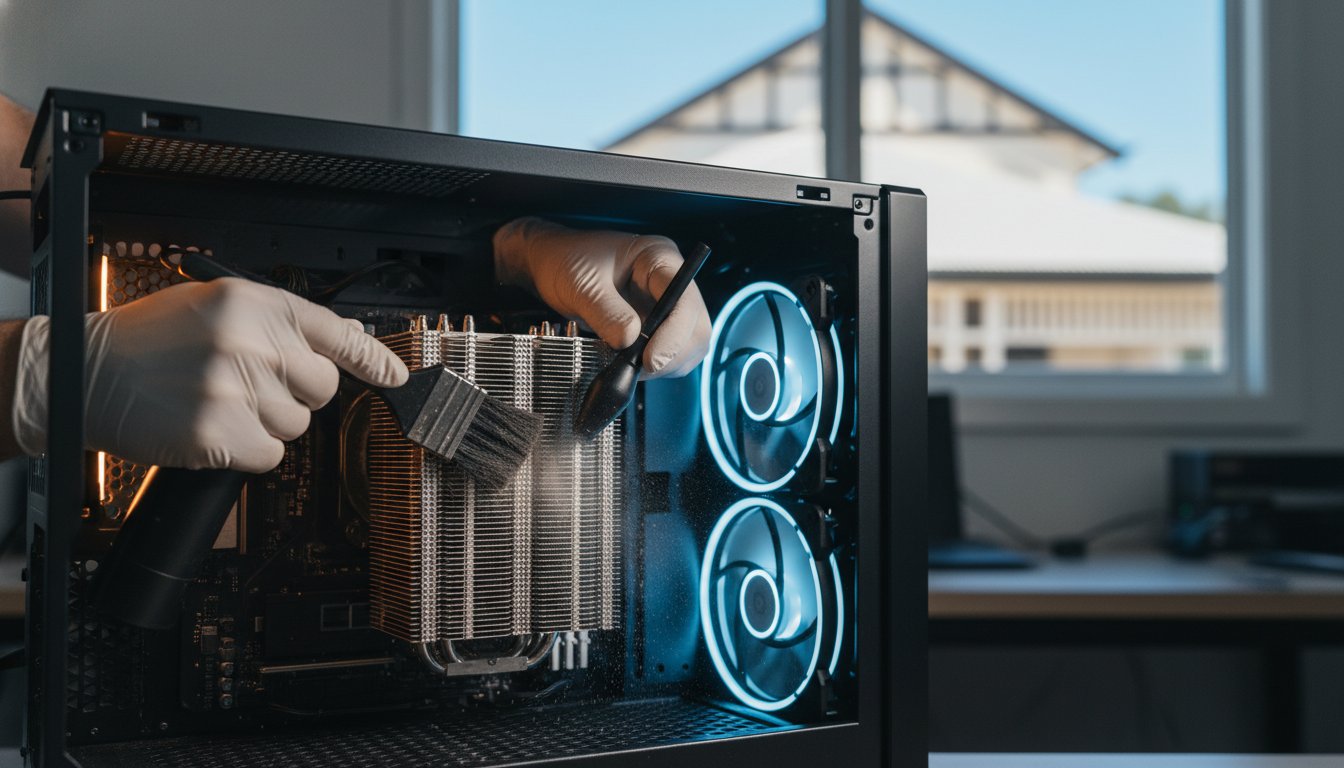
Professional cleaning involves more than just wiping your screen or blowing air into the keyboard. When I talk about a PC cleaning service Toowoomba residents can trust, I am referring to a meticulous internal process. We focus on removing debris from the delicate components inside your case and ensuring your thermal management systems are working perfectly. Over time, dust settles on your motherboard and graphics card, creating a barrier that prevents heat from escaping. It’s essentially a layer of insulation that keeps your hardware running at dangerous temperatures.
Living on the Darling Downs presents a unique challenge for electronics. Our famous red soil produces a fine dust that finds its way into even the most well-sealed homes. When this dust meets the humidity common in our region, it creates a “clumping” effect. This sticky mixture adheres to fan blades and heat sinks, making it much harder to remove than dry dust found in other climates. Without regular computer maintenance, this buildup traps heat against sensitive silicon chips. This leads to permanent hardware degradation. Investing in a professional PC cleaning service Toowoomba ensures your machine can handle the summer heat without crashing.
To better understand how much debris can accumulate inside a system over time, watch this helpful video:
The Impact of Dust on Thermal Throttling
Your computer has built-in safety features to prevent it from literally melting. When temperatures spike due to blocked vents, the system engages “thermal throttling.” This means your processor intentionally slows down its speed to generate less heat. While this saves the hardware from immediate death, it results in the sluggish performance you feel during work or gaming. A clean fan and heat sink allow for higher sustained clock speeds. This ensures you get the performance you actually paid for. Keeping things cool also protects the delicate circuits on your motherboard from the stress of constant heat cycles. Heat is the primary enemy of long-term stability.
Local Environmental Hazards in the Darling Downs
Our local environment is particularly tough on cooling systems. Seasonal dust storms can send a surge of particles through your tower’s intake vents in a single afternoon. If you have pets, their hair and carpet fibres often combine with that local dust to create a felt-like mat that completely chokes intake filters. When you add Toowoomba’s peak summer temperatures into the mix, your internal cooling has to work twice as hard. If the airflow is restricted, your components will operate at dangerous levels. It’s a simple reality of living here; your tech needs extra care to survive the climate. Regular cleaning prevents these environmental factors from turning into an expensive repair bill later on.
The Risks of DIY Cleaning: Why Your Vacuum Can Kill Your PC
It’s tempting to grab the household vacuum when you notice dust bunnies peeking through your computer’s vents. You might think you’re doing your hardware a favour, but this is actually the most dangerous mistake you can make. Vacuums create massive amounts of static electricity as air and dust particles rush through the plastic nozzle. This static can jump to your motherboard and fry sensitive circuits instantly. While a professional PC cleaning service Toowoomba uses specialized tools, a standard vacuum is a blunt instrument that often causes more harm than good.
Another common DIY error involves using compressed air without proper technique. If you hold the can at an angle or shake it, you risk spraying freezing liquid propellant directly onto your components. This thermal shock can crack solder joints or leave behind moisture that causes a short circuit. Even if you manage to avoid the liquid, high-pressure air can spin your cooling fans at speeds they weren’t designed to handle. This doesn’t just damage the bearings; it can actually turn the fan into a small generator, sending a surge of electricity back into the motherboard. This voltage feedback is a leading cause of unexplained hardware failure following a home cleaning attempt.
Moisture is another silent killer. I’ve seen many well-meaning users try to wipe down internal parts with a “slightly damp” cloth or generic household chemicals. This is a recipe for disaster. Any amount of moisture can bridge connections that should stay separate, leading to a permanent short. Chemicals can also strip away protective coatings on the circuit boards. If you’re worried about your system’s health, it’s safer to consult a professional PC and laptop repair expert who has the right equipment and experience to handle these sensitive parts.
Static Electricity: The Invisible Component Killer
Electrostatic Discharge (ESD) is a silent threat. You don’t need to see a spark to cause damage. A discharge so small you can’t even feel it is enough to ruin a processor. This is why I always use anti-static mats and grounded wrist straps when working on a client’s machine. One of the most frustrating aspects of ESD is “latent damage.” Your computer might still turn on after a DIY session, but the internal pathways have been weakened. This leads to random crashes and a significantly shorter lifespan for your device. Understanding the causes of computer overheating is the first step, but safe removal of that heat-trapping dust requires expert precision.
The Problem with Compressed Air
Cans of “air” are rarely just air. They contain chemical propellants that can be messy and leave residues. More importantly, they often lack the force needed to actually remove “clumped” dust from deep within a power supply. Instead, they often just push the debris further into crevices where it’s impossible to reach. Professional technicians use air compressors fitted with moisture traps and pressure regulators. This provides a steady, dry stream of air that safely dislodges debris without the risk of moisture contamination. A professional PC cleaning service Toowoomba ensures every nook and cranny is clear without risking your hardware’s integrity.
Physical Cleaning vs. Software Tune-ups: The Dual Approach
A sparkling clean interior is a great start, but it doesn’t solve every performance problem. If your operating system is bogged down with junk files, your computer will still feel sluggish. There is a powerful synergy between clearing physical dust and removing digital “bloatware.” When you book a professional PC cleaning service Toowoomba, it’s the perfect time to look at the digital side of things too. A machine that is physically cool but digitally cluttered is like a sports car with a clean engine but a trunk full of lead. This is why a comprehensive PC cleaning service Toowoomba should always consider the software environment.
Hardware and software work together in a delicate balance. When your CPU is forced to process unnecessary background tasks, it generates more heat. If your cooling system is already struggling with dust, this creates a vicious cycle of overheating and poor performance. We often find that a deep clean is the ideal moment to consider PC hardware upgrades. Swapping an old mechanical hard drive for a modern Solid State Drive (SSD) can make a five-year-old computer feel faster than it was when it was brand new. These upgrades generate less heat and provide a much smoother user experience.
When Cleaning Isn’t Enough: Hardware Upgrades
Sometimes, a simple dusting isn’t the whole solution. During a deep clean, I might identify a fan that is rattling or failing to reach its target RPM. In these cases, replacement is the only way to ensure reliability. Another critical step is the reapplication of high-quality thermal paste. Over several years, the factory paste between your CPU and its cooler can dry out and crack. This creates tiny air gaps that trap heat. Fresh paste restores the efficient transfer of heat, which is essential for the longevity of your motherboard. This is a standard part of a thorough service. Older PCs benefit most from this combined maintenance approach.
Windows Tune-ups and Malware Removal
Digital clutter is just as real as physical dust. Background processes, unneeded startup items, and hidden “bloatware” all eat into your system resources. This constant load keeps your CPU working harder and running hotter than necessary. Even worse, certain types of malware can force your computer to run at 100% capacity in the background. This doesn’t just slow you down; it causes excessive wear on your hardware. Integrating professional Virus and Malware Removal into your maintenance routine ensures your system is both physically and digitally optimized. It’s about creating a quiet, fast, and secure environment for your work.
Signs Your Computer is Overheating and Needs Service
Your computer usually tells you when it’s struggling. The most obvious sign is the “jet engine” effect. This happens when your fans spin at maximum speed to compensate for dust-clogged vents and restricted airflow. If you hear a constant, loud whirring that doesn’t stop even when you aren’t doing much, your system is working too hard. You might also notice your laptop keyboard or the side of your PC case feels unusually hot to the touch. These are early warnings that you need a professional PC cleaning service Toowoomba before the heat causes lasting damage.
Random shutdowns are a more serious symptom. If your computer suddenly turns off or restarts during a video call or while you’re working on a big project, it’s likely a thermal emergency. Modern hardware has built-in sensors that cut power to prevent the processor from literally melting. You may also see the dreaded Blue Screen of Death (BSOD) with error messages related to “thermal events.” Another common sign is a sudden performance drop after about 20 minutes of use. This is your computer intentionally slowing itself down to survive the heat, a process we call thermal throttling.
Monitoring Your Internal Temperatures
You don’t have to guess how hot your components are running. Simple software tools like HWMonitor or Core Temp can show your internal readings in real time. During a Toowoomba summer, idle temperatures for a CPU should stay between 35°C and 50°C. Under a heavy load, anything consistently above 85°C is a cause for concern. If your software shows readings hitting 95°C or higher, your cooling system has likely reached a critical failure point. These temperatures are too high for long-term stability and indicate that the internal heat sinks are completely choked with debris.
The Danger of Ignoring These Signs
Ignoring these warnings can lead to expensive hardware failure. Constant overheating causes physical components to expand and contract repeatedly. Over time, this stress can lead to motherboard warping or microscopic cracks in the circuit traces. Even worse, an unexpected shutdown during a save operation can corrupt your operating system or personal files. If you’ve already lost important work due to a heat-related crash, I offer professional Data Recovery Services to help retrieve your information. Don’t wait for a total hardware failure to occur. Contact me today at Aspire Computing for a thorough PC cleaning service Toowoomba to get your system running reliably and quietly again.
Professional PC Maintenance with Aspire Computing
I have been helping the Toowoomba community manage their technology since 1999. With over 25 years of experience, I understand the unique challenges that our regional environment poses to sensitive electronics. At Aspire Computing, I provide a comprehensive PC cleaning service Toowoomba residents trust to keep their systems running at peak performance. I believe in personal accountability. When you call for help, you’re dealing directly with an expert who values your time and your hardware’s safety. This local focus allows me to offer a level of care that larger, anonymous providers simply cannot match.
My thorough 5-point cleaning and inspection process is designed to be exhaustive. It includes a complete internal debris removal using professional equipment that won’t damage your circuits. I also perform a detailed inspection of all cooling fans to check for bearing wear. I examine the thermal paste on your processor and test the overall airflow efficiency of your case. Finally, I conduct a performance stress test to ensure your temperatures remain stable under load. This methodical approach is why local business owners rely on me for their critical IT support and maintenance needs.
I offer both on-site service at your location and dedicated workshop repairs for more complex tasks. This flexibility ensures that your day isn’t derailed by technical issues. Whether you’re dealing with a single home laptop or a fleet of office workstations, I provide the same level of professional, dependable assistance. I’ve built my reputation on being a reliable expert who is always approachable and ready to help.
Our Toowoomba-Focused Service Area
Providing mobile support across our region is a cornerstone of my business. I frequently visit clients in Newtown, Highfields, and throughout the Lockyer Valley. It’s helpful to have a local expert who understands how our specific climate affects your gear. My work in Computer Repairs Toowoomba serves as a core pillar of what I do. I focus on practical solutions that extend the life of your technology and prevent the need for expensive emergency replacements.
Book Your PC Health Check Today
If your computer is running hot or making unusual noises, don’t wait for it to fail. I invite you to book a comprehensive thermal and performance audit today. I provide a jargon-free service that explains exactly what your system needs in plain English. You’ll receive a clear, upfront quote and a streamlined process that gets you back to work quickly. You can explore my full range of repair and recovery options at Aspire Computing Home. Let’s work together to ensure your computer stays quiet, cool, and reliable for years to come.
Restore Your Computer’s Performance and Reliability
Your computer is a significant investment that deserves expert care to survive our local climate. We’ve explored how professional internal maintenance prevents hardware failure and why risky DIY methods like vacuuming often lead to permanent damage. By combining a deep physical clean with a software tune-up, you ensure your system remains fast, quiet, and secure. A quality PC cleaning service Toowoomba is the most effective way to protect your data and extend the life of your device.
I’ve been serving the Toowoomba and Darling Downs community since 1999. Whether you need help with a home setup or small business IT support, I provide a highly-rated local service with a personal touch. You don’t have to struggle with a loud, overheating machine any longer. I’m here to provide the dependable assistance you need to get your technology back on track.
Take the first step toward a cooler, faster computer today. Book Your Professional PC Clean with Cam Today and enjoy the peace of mind that comes with expert maintenance. I look forward to helping you revive your system.
Frequently Asked Questions
How often should I have my PC professionally cleaned in Toowoomba?
You should aim to have your computer professionally cleaned every 12 months to maintain optimal airflow. Residents in dustier parts of the Darling Downs or those with pets may find a 6-month schedule more effective. Regular maintenance prevents the red dust from clumping into a thick mat that chokes your cooling system. A routine PC cleaning service Toowoomba helps you avoid unexpected hardware failure during our hot summer months.
Can I use a can of compressed air to clean my laptop fans?
I don’t recommend using compressed air cans for deep cleaning as they often push debris further into the machine. There’s also a risk of the liquid propellant spraying onto your motherboard, which can cause thermal shock or short circuits. It’s much safer to use professional equipment that regulates air pressure and filters out moisture. This ensures your delicate laptop fans aren’t damaged by over-spinning or chemical residue.
Will professional cleaning make my computer run faster?
Professional cleaning directly improves speed by preventing thermal throttling. When your processor stays cool, it can maintain its maximum clock speeds without being forced to slow down to protect itself. While physical cleaning removes the heat barrier, combining it with a software tune-up provides the most noticeable boost in performance. You’ll likely notice faster load times and a more responsive system once the internal heat is managed.
Is it safe to clean my computer while it is still plugged in?
It’s never safe to perform any internal cleaning while your computer is connected to a power source. You must completely unplug the machine and press the power button to discharge any remaining electricity in the capacitors. Working on a live system significantly increases the risk of short circuits and permanent hardware damage. I always ensure a system is fully depowered and grounded before I begin any internal maintenance.
What is thermal paste, and do I need to replace it?
Thermal paste is a specialized compound that fills microscopic gaps between your processor and its heat sink to transfer heat efficiently. Over three to five years, this paste can dry out and become brittle, losing its ability to conduct heat. During a comprehensive PC cleaning service Toowoomba, I check the condition of this paste. Replacing old paste with a fresh, high-quality layer is essential for keeping temperatures stable.
My laptop is getting very hot; is it worth cleaning or should I buy a new one?
In most cases, a professional deep clean and a minor hardware upgrade are far more cost-effective than buying a new laptop. If your current machine has decent specifications, the heat is likely the only thing holding it back. By removing internal blockages and refreshing the cooling system, I can often return a “slow” laptop to its original performance levels. It’s a practical way to extend your technology’s life.
Does Aspire Computing offer on-site PC cleaning for businesses?
I provide mobile on-site support for small businesses throughout Toowoomba and the surrounding regions. This service is designed to minimize your downtime by handling maintenance directly at your office or workplace. I understand that business continuity is vital, so I work efficiently to ensure your workstations are cool, quiet, and reliable. This proactive approach helps prevent the expensive disruptions caused by sudden hardware failures in a commercial environment.
Can dust inside my computer cause it to catch fire?
While a full-scale fire is extremely rare, thick dust buildup can certainly smolder or cause electrical shorts that lead to smoke and scorched components. Dust is highly flammable and can act as a fuse if a component fails and sparks. The more common danger is that the heat will simply melt plastic connectors or ruin the motherboard. Regular internal cleaning is a simple way to eliminate these unnecessary safety risks.

B.App.Sc., Cert. Computer Engineering PC Service and Repair
As the owner of Aspire Computing founded in 1999, Chaim Lee has been working for over 20 years as the Leading Computer Technician.
He has a life long interest in electronics, computing, science and technology. He has completed studies and gained qualifications in Applied Science, Computer Repair and Service, Microsoft Installation and Maintenance, Technical Writing, Workplace Training, and Technical Sales Training.