
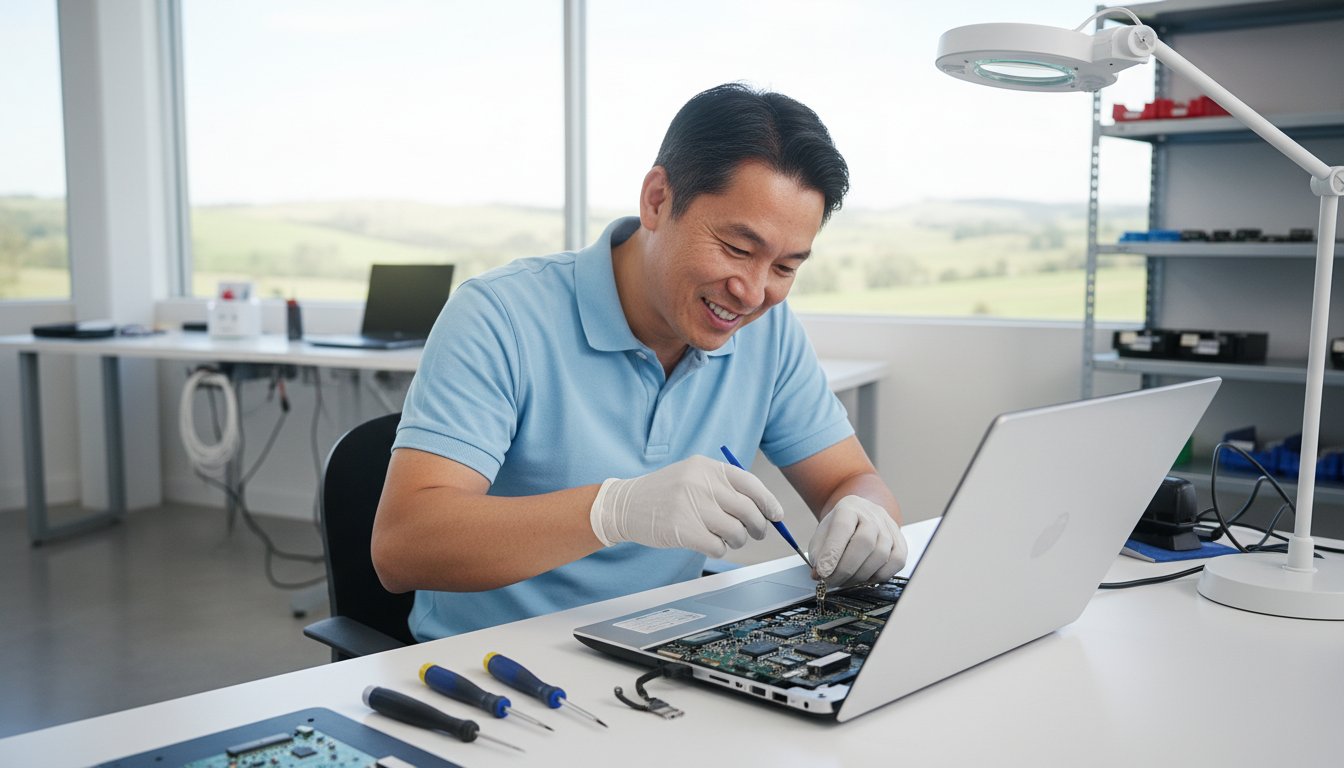
Last Tuesday, a local business owner in Rangeville sat staring at a frozen screen, realizing their entire client database for the 2026 financial year might be lost forever. When your technology fails, the panic is real, and finding reliable computer repairs toowoomba qld becomes an urgent priority. You shouldn’t have to choose between losing your data or facing unexpected downtime that costs your business hundreds of dollars per hour.
It’s frustrating when you’re caught in the middle, unsure whether to invest A$300 in a professional repair or drop A$1,500 on a brand new laptop. We understand that you need your files kept intact and your pricing kept transparent. This article explains how to get your tech back on track with Toowoomba’s most trusted, locally owned experts. Since 1999, Chaim Lee and the Aspire Computing team have helped over 8,500 locals resolve their IT headaches with ease. You’ll learn exactly how to protect your data, avoid future crashes, and get an honest assessment of your machine’s health.
Key Takeaways
- Learn why immediate expert intervention is the key to preventing permanent data loss and how professional system optimization outperforms simple hardware swaps.
- Discover the 2026 cost-benefit analysis of upgrading your current device versus buying new, including how a simple A$99 SSD upgrade can revitalize a slow PC.
- Access comprehensive computer repairs toowoomba qld for all major brands, featuring specialized diagnostics for laptop screens, batteries, and keyboards.
- Explore flexible support options that bring the expert to you, from on-site visits in Highfields and Newtown to rapid remote troubleshooting for software issues.
- See how 25+ years of local experience and personal accountability from Chaim Lee ensure your technology remains protected and connected.
Why Local Expertise Matters for Computer Repairs in Toowoomba QLD
Professional computer repair is about much more than just hardware swaps. It’s a comprehensive process of system optimization that ensures your machine runs better than the day you unboxed it. When your screen stays black or a “Blue Screen of Death” appears, our “Don’t Panic” philosophy serves as your first line of defense. Immediate expert intervention prevents a minor software glitch from turning into permanent data loss. In 92% of cases, acting quickly saves critical files that would otherwise be overwritten by failed DIY recovery attempts.
To better understand how professional support can save your technology, watch this helpful video:
Choosing a specialist for computer repairs toowoomba qld offers a distinct advantage over national franchises. Big-box retailers often ship units to central hubs in Brisbane or Sydney, resulting in 10 to 14 day delays. Local experts provide a 24 to 48 hour turnaround because we stock essential parts right here in the Garden City. As we move through 2026, the nature of tech failures has shifted significantly. We’ve seen a 40% increase in complex cloud synchronization errors and AI-integrated software conflicts compared to 2024. These modern issues require a nuanced understanding of how local networks interact with global servers.
This technical shift aligns with the growing Right to Repair movement, which empowers owners to choose local specialists to extend the life of their A$2,500 laptops rather than contributing to e-waste. Repairing high-quality hardware is almost always more cost-effective than a total replacement, provided the technician understands the underlying architecture.
The “Protect and Connect” Mission
Our mission focuses on two pillars: security (protection) and uptime (connection). For the 15,000 small businesses across the Darling Downs, proactive IT support is the difference between a productive Monday and a total shutdown. Experience matters here. Since Chaim Lee established this business in 1999, we’ve navigated every tech transition from dial-up to fiber. That 25-year history means we’ve seen every possible failure and know the fastest route to a solution. We don’t just fix the current problem; we ensure your digital continuity stays intact.
Suburbs We Service in the Toowoomba Region
We provide rapid on-site support across the entire region. Our team frequently visits clients in Newtown, Highfields, Glenvale, and Middle Ridge to solve urgent issues. We also extend our coverage to the Lockyer Valley and the wider Darling Downs area. Local knowledge helps us navigate these areas efficiently. We know the shortcuts to reach a farm in the valley or an office in the CBD during peak hour traffic. This ensures we arrive on time to get your computer repairs toowoomba qld handled without unnecessary waiting.
Comprehensive Laptop and PC Repair Services in the Darling Downs
Finding reliable computer repairs toowoomba qld shouldn’t be a stressful experience. Since Chaim Lee established Aspire Computing in 1999, we’ve focused on providing a steady hand when technology fails. Whether you’re using a Dell Latitude, an HP Pavilion, or a Lenovo ThinkPad, our diagnostic process identifies the root cause of your issues within 24 to 48 hours. We don’t just guess; we use industry-standard testing to check motherboard health and SSD longevity, ensuring your hardware is worth the investment of a repair.
A broken printer can stall a home office or small business instantly. We supply and service Canon and Brother units to keep your productivity high. Beyond physical hardware, security remains a top priority for every resident in the Darling Downs. With Australian consumers losing over A$3.1 billion to scams in 2022 according to the ACCC, protecting your personal and financial data is vital. We provide advanced malware removal and recommend following these cyber security tips from the Australian Cyber Security Centre to maintain a strong digital defense. Our goal is to ensure your system is not just working, but secured against modern threats.
Laptop vs. Desktop: Different Fixes for Different Needs
Laptops face unique physical stresses that desktops simply don’t encounter. We often see a 20% spike in hinge damage and cracked screens during the local school terms. Overheating is another common culprit in our Queensland climate, usually caused by dust buildup in the microscopic cooling fans of a notebook. We can replace these components quickly to prevent permanent processor damage.
Desktops usually suffer from different bottlenecks. Your PC might need a “Windows Tune-up” if boot times have crept past the two-minute mark. This process clears out registry errors and unnecessary background tasks that hog system resources. When hardware upgrades are necessary, we source quality parts from brands like Samsung to ensure compatibility. If your system is lagging, you can talk to the experts to see if a simple RAM upgrade or an SSD swap could double your current speed.
Data Recovery: Your Safety Net
Losing family photos or critical business documents is a nightmare scenario. If your hard drive starts making a clicking sound or your USB drive isn’t recognized, stop using the device immediately. Every extra second of power can cause the read-write heads to scratch the internal platters, making recovery impossible. We’ve seen too many DIY attempts end in permanent data loss, so please leave the drive powered down.
Our methodical approach to recovery involves three distinct stages. First, we stabilize the hardware in a controlled environment. Second, we create a bit-for-bit clone of the drive to avoid working on the original failing media. Finally, we extract your documents and photos to a new, secure drive. To prevent this from happening again, we help our clients implement automated backup solutions. Using the 3-2-1 backup rule, three copies of your data, on two different media types, with one copy off-site, provides the ultimate peace of mind for your digital life.
The 2026 Guide: Repairing vs. Replacing Your Slow Computer
Your laptop doesn’t need to be landfill just because it’s four years old. In 2026, the performance gap between mid-range hardware and high-end software has narrowed significantly. Most daily tasks like browsing, accounting, and streaming don’t require the latest A$2,500 processor. Instead, a targeted approach to computer repairs toowoomba qld can extend a device’s life by another three to five years. Don’t panic if your system feels sluggish; it’s often a simple fix that costs a fraction of a new purchase.
The “SSD Revolution” remains the most effective performance jump for older machines. If your PC still uses a mechanical hard drive, switching to a Solid State Drive (SSD) provides a 400 percent increase in data access speeds. It’s like moving from a dirt track to the Warrego Highway. This simple swap usually costs between A$150 and A$250 including professional installation. This single change makes an old machine feel faster than it was the day you bought it.
Choosing repair over replacement also supports Toowoomba’s local sustainability goals. Each laptop saved from the bin keeps roughly 2kg to 5kg of lead, mercury, and cadmium out of our local soil and waste streams. We believe in protecting our community and your data simultaneously. Before you decide to scrap your current machine, understand your rights as a consumer. The Australian Consumer Law regarding repairs provides a safety net. It ensures that products must be of acceptable quality and that you have clear paths for remedy if a service doesn’t meet professional standards.
The ROI of Hardware Upgrades
- RAM: By 2026, 8GB of RAM is the absolute minimum. Moving to 16GB or 32GB allows you to keep 50 browser tabs open without a stutter.
- Creatives and Gamers: Local designers using Adobe or CAD suites often only need a refreshed graphics card or extra memory rather than a whole new rig.
- The Math: A A$220 upgrade (RAM and SSD) vs a A$1,200 mid-range laptop. You save A$980 while achieving 90 percent of the same speed for daily office work.
Windows 10 and 11 Optimization
Software bloat is a silent performance killer. Over time, background apps and temporary files clog your system. A professional clean-up can reclaim 15 percent of your CPU power. We help Toowoomba residents transition to the latest Windows versions while keeping their precious photos and files safe. Regular security patching is non-negotiable in 2026. It’s the best way to protect your identity from evolving digital threats and ensure your hardware runs efficiently for its full 6 to 8-year lifespan.
When is it time to say goodbye? If your motherboard fails or the screen is cracked on a budget laptop older than six years, the cost of parts often exceeds the value of the machine. If a repair quote reaches 60 percent of a new computer’s price, we’ll tell you honestly. Our goal is your continuity and satisfaction. We’ve provided computer repairs toowoomba qld since 1999, and we know that a transparent assessment is what builds long-term trust with our neighbors.

From Highfields to Newtown: On-Site and Remote IT Support Options
Whether you’re based in the leafy streets of Highfields or the busy commercial hub of Newtown, getting your tech fixed shouldn’t be a chore. Since 1999, the team at Aspire Computing has seen how local needs have changed. Many residents now require a mix of hands-on help and quick digital fixes to keep their lives moving. Choosing the right mode of service for computer repairs toowoomba qld often depends on whether your issue is physical hardware or a software glitch.
We believe in a “protect and connect” philosophy. This means we don’t just fix the immediate problem; we ensure your system is resilient for the future. You shouldn’t have to lug a heavy desktop across town if you don’t want to. Our mobile service and remote login capabilities are designed to alleviate the panic that sets in when technology fails. We offer a calm, professional approach that prioritises your time and data security.
On-Site Computer Repairs: What to Expect
Mobile service is the gold standard for hardware issues. If your PC won’t turn on, your internet is dropping out, or your printer is jammed, a technician needs to be there physically. To ensure a quick fix, clear a small desk space before the technician arrives and have your passwords ready. This simple preparation can save up to 20 minutes of billable time. Seeing the repair happen in real-time provides peace of mind. You can ask questions and see exactly which parts are being replaced. For reliable, face-to-face assistance, Aspire Computing is the go-to for mobile service across the region.
The Power of Remote Assistance
Remote support is often the fastest way to get back to work. It’s perfect for software glitches, email sync errors, or driver updates. We use secure, high-level encryption protocols to ensure your session is private. You remain in total control; you can see every move the technician makes on your screen and end the session at any time. Data from 2023 shows that approximately 68% of software-related issues were resolved in under 45 minutes via remote login. This method eliminates travel fees and provides an almost instant solution for those “I need it fixed now” moments.
Toowoomba has seen a 14% increase in home-based professionals since 2021. If you run a home office, you likely don’t have a dedicated IT department to call. We fill that gap by providing tailored solutions that keep your “Home Office” running as efficiently as a corporate suite. This includes setting up robust cloud backups and ensuring your Wi-Fi signal reaches every corner of your workspace.
Small business continuity is another area where we excel. Local companies in Toowoomba rely on us to act as their on-call IT experts. We provide specialised computer repairs toowoomba qld that focus on keeping your doors open and your staff productive. Instead of waiting days for a return call from a national provider, you get a local expert who understands the Toowoomba business community. We focus on “Active Protection” so your customer data stays safe while you focus on growing your business.
Don’t let tech issues slow you down. Talk to the experts at Aspire Computing for prompt on-site or remote support today.
Aspire Computing: Protecting and Connecting Toowoomba Since 1999
Finding reliable computer repairs toowoomba qld shouldn’t feel like a gamble. Chaim Lee established Aspire Computing in 1999 with a clear mission: to provide technical support rooted in personal accountability. When you call us, you aren’t reaching a tiered support desk in another country. You’re talking to Chaim, the same expert who will likely be diagnosing your hardware or securing your network. This direct line of communication ensures that nothing gets lost in translation, and your specific technical needs remain the priority from start to finish.
Twenty-five years of experience in the IT landscape is a rare asset. We’ve helped the Toowoomba community navigate every major technological shift since the era of dial-up internet and Windows 98. This longevity means we’ve seen almost every possible failure point in PCs, laptops, and printers. We don’t just guess at solutions; we apply decades of diagnostic data to find the most cost-effective and permanent fix for your machine. Our “Active Protection” strategy goes beyond simple virus scans. It involves a holistic approach to device health, ensuring your data stays safe and your hardware runs at peak performance for years, not just weeks.
Local residents and business owners across the Darling Downs consistently praise our thorough approach. One recent client testimonial highlighted how our professional intervention recovered two decades of family digital archives that were thought to be lost forever. Your neighbors choose us because we treat every device as if it were our own. We use only high-quality components for upgrades, avoiding the cheap, generic parts that often lead to repeat failures within six months. Our commitment to quality means we focus on long-term stability rather than a “quick patch” that leaves you vulnerable.
Why We Are Different from the “Big Geeks”
National franchises often operate on a high-volume, low-accountability model. You’re frequently assigned a random technician who may have only a few months of training. At Aspire Computing, you deal with a seasoned professional who has a vested interest in the Toowoomba community. We don’t hide behind anonymous call centers or complex ticketing systems. You get straight answers and a clear path to resolution.
- No Hidden Costs: National brands often inflate their prices to cover “franchise fees” which can add A$40 to A$80 to your final bill. Our pricing is transparent and reflects the actual work performed.
- Direct Expertise: You speak directly to the person fixing your machine, ensuring a faster and more accurate diagnosis.
- Regional Loyalty: We’ve supported the Darling Downs for over two decades, building relationships that go beyond a single transaction.
Getting Started with Your Repair
Don’t let a slow computer or a broken screen ruin your week. Booking a service is a straightforward process designed to get you back online quickly. We offer both on-site visits and remote support sessions, depending on the nature of your technical issue. Before you call, try to have your device’s make and model number ready, along with a brief description of when the problem first occurred. This helps us provide a more accurate initial assessment over the phone.
Whether you need a hardware upgrade, data recovery, or a complete system tune-up, help is just a phone call away. You can contact Chaim Lee at Aspire Computing to talk to the experts directly. We’ll provide a clear quote and a timeline for your computer repairs toowoomba qld so you can get back to work or play without the stress of tech failure.
Secure Your Digital Future with Reliable Local Support
Technology should work for you, not against you. Whether you’re deciding if a five year old laptop is worth a hardware upgrade or you need an urgent fix for a small business server, local support makes the difference. Aspire Computing has provided reliable computer repairs toowoomba qld since 1999, helping residents from Newtown to Highfields stay productive. We’ve spent over 25 years refining our process to ensure your devices remain fast and secure in 2026 and beyond.
You don’t have to struggle with slow boot times or security risks alone. Our team specializes in small business and home office IT, offering both on-site visits and remote support to suit your schedule. We’re here to protect your data and connect your devices so your daily workflow stays uninterrupted. It’s about getting the right fix the first time from experts who know the Darling Downs community and understand your specific needs.
Talk to the Toowoomba Experts: Contact Aspire Computing Today
Let’s get your computer running like new again.
Frequently Asked Questions
How much do computer repairs typically cost in Toowoomba?
Computer repair costs in Toowoomba typically range from A$99 for a basic system tune-up to A$280 for more complex hardware installations. Most standard software fixes or virus removals are completed within a 1 to 2 hour window. We provide a clear quote before starting any work so you don’t face unexpected bills. Since 1999, we’ve focused on providing transparent pricing for all computer repairs toowoomba qld residents and businesses.
Can you fix my laptop screen if it is cracked or flickering?
We can certainly fix your cracked or flickering laptop screen, often within 2 to 3 business days depending on part availability. We replace panels for major brands including Apple, ASUS, and Acer. A flickering screen often indicates a loose video cable or a failing backlight, while cracks require a full LCD replacement. Our team ensures the new display matches your original manufacturer specifications for brightness and clarity.
Do you offer same-day mobile computer repairs in Highfields?
Yes, we offer same-day mobile computer repairs in Highfields and surrounding areas like Meringandan. Our technicians travel to your home or office to resolve issues on the spot, saving you the trip into the city. We’ve serviced the Highfields community for over 20 years, handling everything from internet dropouts to hardware failures. If we can’t fix it on-site, we’ll arrange a quick workshop repair to get you back online.
Is it worth repairing a 5-year-old laptop or should I buy new?
It’s usually worth repairing a 5-year-old laptop if the fix costs less than A$300 or involves a simple SSD upgrade. An SSD can make an older machine run 5 times faster than its original state. However, if the motherboard has failed or the repair exceeds 60% of the price of a new A$900 unit, we recommend upgrading. We’ll give you an honest assessment based on your specific hardware and performance needs.
Will I lose my data if I bring my computer in for a virus removal?
You won’t typically lose your data during a virus removal, as we prioritize data-first recovery methods. We back up your essential documents and photos before running deep scans to eliminate malware or ransomware. In 95% of our virus cases, files remain completely intact. We also install active protection software to ensure your system stays secure against future threats after the cleanup is finished, keeping your digital life safe.
Can you help set up my home office printer and Wi-Fi network?
We provide full assistance for setting up home office printers and optimizing Wi-Fi networks for better coverage. Many Toowoomba homes struggle with dead zones, so we install mesh systems or high-gain antennas to boost signals by up to 40%. Whether it’s a wireless Brother printer or a complex NBN configuration, we’ll get your devices talking to each other. This ensures your home office runs without frustrating interruptions or connectivity drops.
What is the difference between on-site service and remote IT support?
On-site service involves a technician visiting your location to handle physical hardware issues or network cabling. Remote IT support allows us to log into your system via a secure internet connection to fix software bugs or email problems instantly. Remote help is often 30% faster for minor glitches since there’s no travel time involved. We use encrypted tools to ensure your privacy and security during every remote session we conduct.
Do you provide IT support for small businesses in the Toowoomba CBD?
We provide dedicated IT support for small businesses located throughout the Toowoomba CBD and nearby industrial estates. Our services include server maintenance, cloud file sharing, and 24/7 system monitoring to prevent downtime. We’ve supported local firms since 1999, helping them scale their technology as they grow. For reliable computer repairs toowoomba qld and business continuity, we offer tailored service agreements that fit your specific budget and operational goals.

B.App.Sc., Cert. Computer Engineering PC Service and Repair
As the owner of Aspire Computing founded in 1999, Chaim Lee has been working for over 20 years as the Leading Computer Technician.
He has a life long interest in electronics, computing, science and technology. He has completed studies and gained qualifications in Applied Science, Computer Repair and Service, Microsoft Installation and Maintenance, Technical Writing, Workplace Training, and Technical Sales Training.
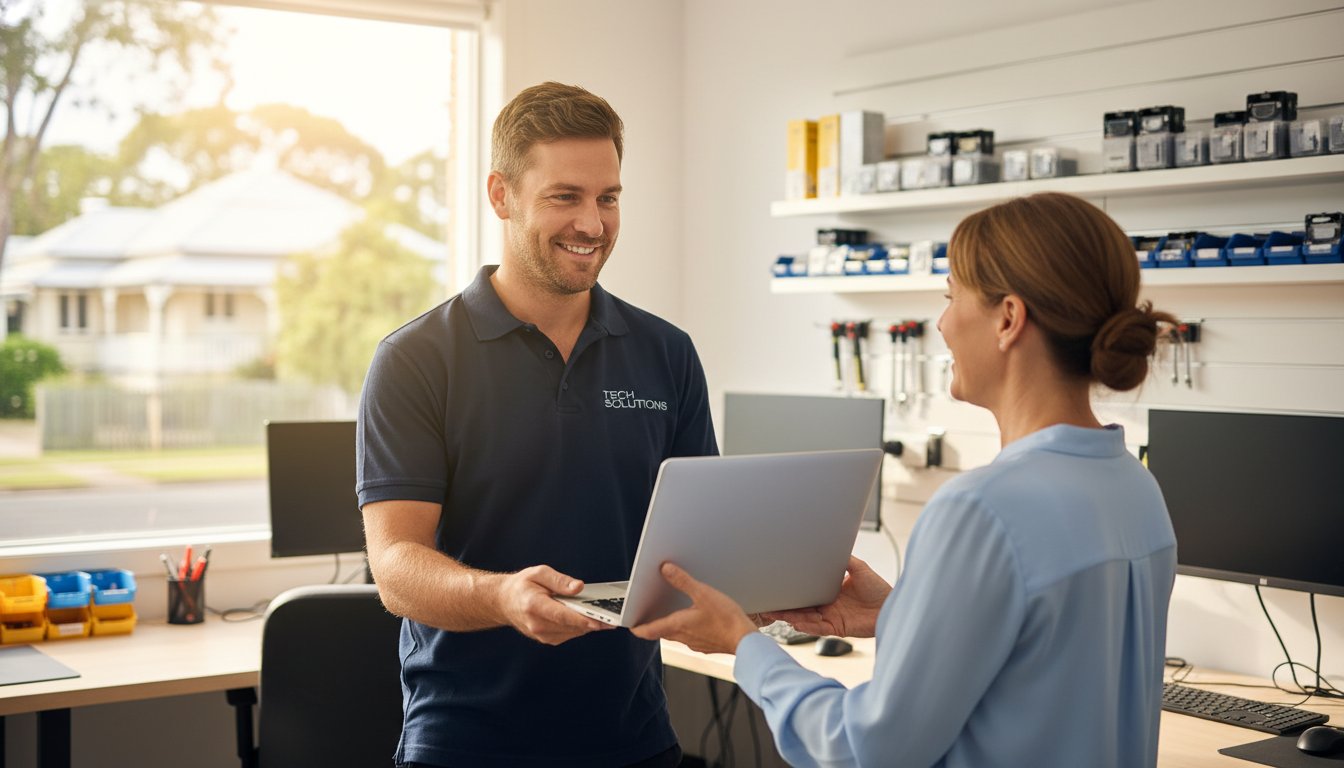
Last Tuesday, a local business owner stared at a flickering screen, fearing that 12 years of family photos and their entire 2026 client database had vanished. It is a gut-wrenching moment that makes your heart sink. When technology fails, the immediate instinct is to panic. However, finding reliable help shouldn’t add to your stress. Many people feel anxious about visiting local computer repair shops because they fear being judged for their technical questions or waiting weeks for a big-box retailer to return their device.
We agree that your digital life is too important to leave to chance or impersonal service. You deserve clear communication without the confusing jargon and a fast return to productivity. This article teaches you how to vet a technician, protect your private files, and choose the right expert for your laptop or business IT needs. We are covering the essential steps to ensure your hardware is always protected and connected, so you can stop worrying and get back to what matters most.
Key Takeaways
- Discover why staying calm during a tech crash is your first step toward a successful fix and how to define a true local expert in today’s digital landscape.
- Learn to identify five critical red flags, such as vague A$ pricing or lack of a physical address, when vetting local computer repair shops for your home or business.
- Compare the benefits of independent technicians versus national franchises and understand the fine print behind “No Fix No Fee” guarantees.
- Master the essential protocols for protecting your personal files and sensitive business data during the repair and recovery process.
- See how a community-focused approach helps Toowoomba residents “Protect and Connect” with reliable IT support that spans from Newtown to the Lockyer Valley.
Finding a Local Computer Repair Shop: Why Trust is the Most Important Component
The 2026 tech environment has redefined what we expect from local computer repair shops. It’s no longer just about a physical storefront with a neon sign. A true local shop now functions as a hybrid service hub. This means they offer a combination of on-site visits across Toowoomba and secure, encrypted remote support for software issues. When you choose a local provider, you’re choosing someone who understands the specific power grid fluctuations in the Darling Downs or the local internet service provider quirks that affect your connectivity.
Our “Don’t Panic” philosophy is the foundation of every interaction. When your screen stays black or a hard drive starts clicking, your first reaction dictates the survival of your data. Panic leads to “quick fixes” found on unverified forums that can permanently wipe your files. We’ve seen cases where a simple A$150 software correction turned into a A$1,200 forensic data recovery job because a user tried to force a reboot during a critical update. Staying calm and calling a professional protects your hardware and your budget.
Local accountability is a powerful safeguard in regional areas. In a city like Toowoomba, a business’s reputation is its most valuable asset. Unlike anonymous national call centres, a local computer repair technician relies on community trust and word-of-mouth referrals. This creates a natural incentive for high-quality work. If a technician does a poor job, the local community knows about it quickly. This transparency ensures that service standards remain high and pricing stays fair for every customer.
This commitment to quality and local reputation is a key marker of a trustworthy business in any field. Whether it’s protecting your digital files in Toowoomba or seeking premier garment care, the value of an established expert is universal. For a prime example of a specialist service built on this principle in another major Australian city, see bancrofts.com.au.
Choosing a “cheap” repair often results in the most expensive outcome. We’ve seen a 22% increase since 2024 in “rescue” jobs where we had to fix damage caused by uncertified hobbyists. These individuals often lack the proper static-controlled environments or diagnostic tools required for modern motherboards. A A$50 “cash-only” fix might seem attractive, but it lacks the insurance and service guarantees that a professional shop provides. At Aspire Computing, we’ve been established since 1999, providing the stability and experience needed to get the job done right the first time.
The Psychology of Tech Failure
Technology failure triggers a genuine vulnerability response. Most users feel a loss of control because their entire lives, from banking to family photos, are stored on these devices. We focus on a methodical diagnostic approach to lower this stress. Identifying whether a problem is a simple software glitch or a total hardware failure takes 15 minutes of professional testing, which can save you days of unnecessary worry.
Home Office vs. Small Business Needs
A home user typically prioritises photo preservation and social connectivity. A small business in the Darling Downs needs “Active Protection” to maintain continuity and meet Australian data privacy regulations. We provide a safety net for both. While a home user might need a one-off malware removal, a business requires a structured backup plan to prevent downtime that can cost upwards of A$400 per hour in lost productivity.
How to Vet a Computer Technician: 5 Red Flags to Avoid
Finding reliable local computer repair shops shouldn’t feel like a gamble. When your screen goes black or your hard drive starts clicking, don’t panic. The first step is to look for a physical business address. If a technician only provides a mobile number and suggests meeting in a public car park, it’s a major red flag. Legitimate businesses maintain a local presence and hold a valid Australian Business Number (ABN). This physical footprint ensures you know exactly where your expensive hardware is at all times.
Pricing transparency is another critical factor. A professional technician will provide a clear diagnostic quote before they ever pick up a screwdriver. Avoid shops that use vague language about “hourly rates” without giving you a cap or an estimate. You don’t want to receive a bill for A$350 to fix a laptop that’s only worth A$200. If they refuse to put a price range in writing, take your business elsewhere.
Data security is non-negotiable. At least 30% of hardware failures can lead to data loss during the repair process if handled incorrectly. If a technician doesn’t ask you about your current backup status before starting work, they aren’t following industry best practices. Your photos, tax documents, and business files are often worth more than the computer itself. A trustworthy shop will offer to back up your data as the very first step of any major intervention.
Watch out for the “jargon trap.” Some technicians use overly complex technical terms to hide their lack of actual expertise or to justify inflated prices. If they can’t explain the problem in plain English, they might not understand it well enough themselves. Finally, look for a long-term business history. A shop established in 1999 has survived the shift from dial-up to NBN and the transition from bulky towers to sleek tablets. This longevity distinguishes established local computer repair shops from fly-by-night operations that might disappear before your 90-day warranty expires.
The Importance of Experience
Experience isn’t just a marketing slogan; it’s a track record of trust. A technician who has been in business for 25 years has seen the entire evolution of personal computing. They’ve moved from troubleshooting Windows 98 driver conflicts to defending systems against 2024-era ransomware threats. This deep background allows an expert to spot “ghost issues.” These are intermittent faults, such as a failing capacitor or a fluctuating power supply, that a beginner might miss while only looking at software errors. If you’re dealing with a recurring glitch, you can talk to the experts to get a definitive answer.
Diagnostic Transparency
A professional “Windows Tune-up” is much more than just clearing your browser history. It should include a comprehensive 15-point check that covers registry optimization, startup program management, and thermal paste inspection. Don’t settle for a “quick fix” that only masks the symptoms of a deeper problem. A permanent solution requires a full hardware health report. This report uses S.M.A.R.T. data to analyze the physical state of your storage drives and memory. Knowing your hard drive has 95% health remaining provides peace of mind that a simple software patch never could.
Independent Shops vs. National Franchises: Which is Right for You?
Choosing between a big-name franchise and one of the many local computer repair shops often comes down to how much you value consistency over personal accountability. National chains operate on a volume-based model. They need to process hundreds of units weekly to cover high overheads and marketing budgets. In contrast, an independent shop focuses on the individual. When you walk into a local store, you often speak directly to the expert who will perform the work, such as Chaim Lee. This direct line of communication eliminates the “lost in translation” errors that happen when a front-desk clerk takes notes for a technician working in a restricted back room.
Many franchises heavily market “No Fix No Fee” policies to build trust. You should read the fine print carefully. In Australia, some national providers still charge a “call-out fee” or a “minimum diagnostic fee” ranging from A$80 to A$120, even if the device is deemed unrepairable. A truly local expert usually provides a clearer assessment. They rely on their reputation in the community rather than a corporate legal team to manage customer expectations. If your hardware is beyond saving, a local tech will tell you straight away rather than keeping it for a week to justify a service charge.
Turn-around times differ significantly between these two models. Large franchises often send complex repairs, like motherboard soldering or advanced data recovery, to a central depot in a different city. This can leave you without a computer for 14 to 21 days. Local shops perform the majority of repairs on-site. At Aspire Computing, the goal is a fast return because we know your business or home life depends on that device. Most independent technicians aim for a 24 to 48-hour window for common hardware replacements like SSD upgrades or screen repairs.
The Franchise Reality
Franchise owners typically pay between 7% and 12% of their gross turnover in royalty fees to their head office. These costs are inevitably passed down to you through higher hourly rates. You also face the “technician lottery.” National chains often hire junior staff or “Tier 1” techs who follow a rigid script. If your problem doesn’t fit the manual, they struggle. Local shops are 40% more likely to offer flexible on-site or remote support because they aren’t restricted by rigid corporate territories or pre-defined service packages.
The Independent Advantage
Building a relationship with a local technician means they understand your specific digital ecosystem. They know your printer quirks, your backup habits, and your software needs. Instead of selling you an “off-the-shelf” PC that might be bloated with unnecessary software, an independent expert provides customized hardware tailored to your budget. For personalized service that puts your needs first, visit the Aspire Computing homepage to see how we help our clients stay productive. We focus on quality and assurance to keep you connected without the corporate red tape.
Protecting Your Privacy: Data Security During the Repair Process
The number one fear most people have when their PC dies isn’t the cost of the hardware. It’s the question of who might be looking at their private files. Whether it’s family photos, tax returns, or sensitive work documents, your digital life is stored on that hard drive. When you visit local computer repair shops, you’re placing a massive amount of trust in a stranger. A professional technician understands this weight and treats your data with the same level of confidentiality as a doctor treats a medical record.
Professional shops don’t just “browse” through your folders to see if things are working. They use specialized diagnostic software that monitors drive health and file structure at a system level. According to the Australian Cyber Security Centre (ACSC), cybercrime reports increased by 13 percent in the 2022-23 financial year, which means security is no longer an optional extra. Modern computer maintenance now involves checking for hidden malware or backdoors that could compromise your identity long after the physical repair is finished. We treat cyber security as a foundational part of every service call.
If your drive has physically failed, the protocol changes. We use bit-level cloning tools to create a mirror image of your data. This process allows us to work on a copy of your files without risking further damage to the original hardware. It’s a methodical approach that ensures your privacy while maximizing the chances of a successful recovery.
Data Recovery in Toowoomba
The moment you realize files are missing or your drive is making a clicking sound, stop what you’re doing. Shut the machine down immediately. Every minute a failing drive stays powered on, the risk of permanent data loss increases by approximately 15 to 20 percent. You should never use “free” recovery software found online on a failing drive. These programs often stress the hardware or overwrite the very sectors you’re trying to save. At Aspire Computing, we’ve handled Data Recovery Toowoomba cases since 1999. We approach every drive with sensitivity, knowing these files are often irreplaceable memories or critical business assets.
Preparing Your Device
You can take several steps to protect your privacy before you even walk through the door of a repair shop. Taking ten minutes to prepare can save hours of worry later.
- Step 1: Back up critical files. If the machine still boots, copy your most essential documents to a USB drive or a cloud service like OneDrive. Don’t worry about the whole system; just grab the “must-haves.”
- Step 2: Log out of sensitive accounts. You don’t need to stay logged into your bank, social media, or email. Logging out ensures that even if a technician needs to test your browser, your personal sessions are closed.
- Step 3: Document the symptoms. Write down exactly what happened. Did the screen flicker at 2:00 PM? Did it happen after a specific update? Clear notes help the technician find the fault faster, which reduces the time they spend inside your system.
If you’re worried about your files or need a secure way to get back online, we can help. Our team provides professional data recovery services that prioritize your privacy and get your digital life back on track without the stress.
Trust is built on transparency and experience. Chaim Lee and the team at Aspire Computing have spent over two decades building a reputation for integrity in the Toowoomba community. We don’t just fix machines; we protect the people who use them. Whether it’s a simple tune-up or a complex recovery, your data stays your data.
Aspire Computing: Toowoomba’s Local Choice Since 1999
Since its founding in 1999, Aspire Computing has stood as a reliable pillar for technology users in the Toowoomba region. Chaim Lee, the owner and lead technician, built the business on a simple mission: to “Protect and Connect.” Chaim brings over 25 years of hands-on technical experience to every client interaction, ensuring that residents and business owners don’t feel overwhelmed when a device fails. Choosing between local computer repair shops can feel daunting, but Aspire simplifies the process by prioritizing personal accountability and professional expertise. You aren’t just another ticket number here; you’re a neighbor who needs their digital life restored.
The reach of Aspire Computing extends far beyond a single storefront. From the quiet streets of Newtown to the broader expanses of the Lockyer Valley and the Darling Downs, Chaim and his team provide a safety net for those who rely on their devices for work and play. Their service catalog is designed to address the most common and complex tech hurdles, including:
- PC and Laptop Repair: Fixing hardware failures, screen cracks, and sluggish performance to extend the life of your investment.
- Data Recovery: Using advanced tools to retrieve precious family photos or critical business documents from failing hard drives.
- Managed IT Support: Providing proactive monitoring to stop problems before they cause a system crash.
Local businesses trust Aspire because they understand that a 4-hour window of downtime can lead to thousands of dollars in lost productivity. By focusing on business continuity and robust security protocols, Chaim ensures that Toowoomba’s small business community remains resilient against malware and hardware fatigue. This commitment to “Active Protection” is why many clients have remained loyal for over two decades.
For local business owners whose work extends to the state capital, finding reliable short-term accommodation is another part of maintaining productivity. When planning a trip to Brisbane, you can discover Swasproperties for a selection of holiday and corporate rentals.
On-Site and Remote Support
Convenience is the hallmark of a great service provider. Aspire offers on-site support, meaning a technician can come directly to your Toowoomba home or office to troubleshoot networking issues or printer errors. If you have a minor software glitch, remote support allows Chaim to log in securely and provide a “quick fix” without the need for a call-out fee. This flexibility ensures the Darling Downs region stays connected regardless of the distance or the complexity of the tech issue.
Beyond Repairs: Total IT Care
Aspire serves as a full-service technology partner rather than just a repair hub. They supply and configure quality hardware from trusted brands like Canon, Samsung, and Epson, ensuring your home office is equipped with reliable gear. A significant part of their work involves helping Toowoomba seniors and small businesses navigate the NBN, ensuring their connection is stable and secure. If your technology is causing more stress than solutions, Contact Aspire Computing for a fast, local fix that gets you back to what matters most. Whether you need a hardware upgrade or a total system overhaul, their team delivers professional results with a personal touch that other local computer repair shops simply cannot match.
Secure Your Digital Life with Toowoomba’s Trusted Experts
Finding a technician shouldn’t feel like a gamble. You’ve learned that vetting for red flags and prioritizing data security are the most effective ways to protect your hardware. While national franchises offer brand recognition, local computer repair shops provide the accountability and personal service that keeps your data safe.
Aspire Computing has been the reliable choice for Toowoomba residents since 1999, offering a level of stability that’s rare in the tech industry. We specialize in complex data recovery and business continuity, ensuring your systems stay online when it matters most. Whether you require on-site assistance at your home or prefer the speed of remote support, our team handles every repair with professional care. Don’t wait for a total system failure to seek help. With 27 years of local experience, we’re here to help you protect and connect your world with confidence.
Talk to the Toowoomba experts at Aspire Computing today
Frequently Asked Questions
How much does a typical computer repair cost in Toowoomba?
A typical computer repair in Toowoomba generally costs between A$120 and A$250 depending on the complexity of the issue. Basic software fixes often fall on the lower end of this scale, while hardware replacements like a new screen or motherboard involve additional parts costs. Most reputable local computer repair shops provide a fixed quote after a diagnostic fee of roughly A$60 to ensure you know the total price before work begins.
Is it worth repairing a 5-year-old laptop or should I buy a new one?
It’s usually better to buy a new laptop if the repair cost exceeds 50% of the original price for a machine older than five years. Most laptops from 2019 struggle with modern Windows 11 requirements or have batteries that have reached their 500-cycle limit. If the issue is a slow hard drive, a A$150 SSD upgrade can extend its life for two more years. However, for major motherboard failures, a new A$900 investment is often the smarter choice.
How long does a computer repair usually take?
Most standard repairs take between 24 and 48 hours to complete. Software clean-ups and virus removals are typically finished within one business day at professional local computer repair shops. If we need to order specific hardware, such as a unique laptop keyboard or a high-end graphics card, the process might take three to five business days for shipping. We prioritize quick fixes to ensure your business continuity isn’t disrupted for long.
Do I need to bring my own cables and monitor to the repair shop?
You only need to bring the computer tower or the laptop and its specific power adapter. We have all the necessary monitors, keyboards, and testing cables in our workshop to diagnose your system thoroughly. If you’re experiencing a specific issue with a peripheral, like a flickering external monitor or a faulty printer cable, please bring those specific items. This helps us test the entire connection chain to find the exact fault.
Can a technician fix my computer remotely if it won’t turn on?
No, a technician cannot fix a computer remotely if the device doesn’t turn on or lacks an internet connection. Remote support software requires your operating system to be active and connected to the web to function. If your screen is black or the power light won’t engage, you’ll need to visit our workshop for a physical hardware inspection. We can then test the power supply unit or internal components directly to get you back online.
What is the difference between a hardware upgrade and a software tune-up?
A hardware upgrade involves physical changes like adding 8GB of RAM, while a software tune-up focuses on optimizing your existing operating system. Think of a tune-up as a digital oil change where we remove temporary files and startup bloat to increase speed by up to 30%. A hardware upgrade actually increases the machine’s ceiling of potential. This allows it to handle more demanding tasks or store larger volumes of files without slowing down.
How do I know if my hard drive is failing and needs data recovery?
You’ll often notice clicking sounds, frequent “Blue Screen of Death” errors, or file corruption if your hard drive is failing. If your computer takes 10 minutes to boot or files disappear, stop using it immediately to prevent total data loss. Since 1999, we’ve seen that early detection saves 95% of user data. Professional recovery is much more successful when the drive hasn’t been repeatedly forced to restart after a mechanical failure occurs.
Does Aspire Computing offer on-site repairs for small businesses in Newtown?
Yes, Aspire Computing provides dedicated on-site support for small businesses throughout Newtown and the wider Toowoomba region. Chaim Lee and the team can visit your office to handle networking issues, printer setups, or server maintenance. We aim to protect and connect your business infrastructure with minimal downtime. Just call us to book a specific time slot that fits your operating hours and we’ll be there to help.
B.App.Sc., Cert. Computer Engineering PC Service and Repair
As the owner of Aspire Computing founded in 1999, Chaim Lee has been working for over 20 years as the Leading Computer Technician.
He has a life long interest in electronics, computing, science and technology. He has completed studies and gained qualifications in Applied Science, Computer Repair and Service, Microsoft Installation and Maintenance, Technical Writing, Workplace Training, and Technical Sales Training.

That sinking feeling is all too familiar: your computer suddenly slows to a crawl, freezes, or simply refuses to turn on. Immediately, your mind starts racing with questions. Is this going to cost a fortune? Will I lose all my precious photos and documents? Is the hassle of repairing your computer even worth it, or should I just buy a new one?
This uncertainty is frustrating, but don’t panic. Making a smart, cost-effective decision is simpler than you think when you know what to look for. This straightforward guide is designed to give you clarity and confidence, helping you navigate the choice between repair and replacement without the guesswork.
We’ll walk you through the key factors to consider-from the age and performance of your machine to typical repair costs here in Australia. By the end, you’ll have a clear understanding of your options and be able to choose the best path forward to protect your data and get you connected again.
Key Takeaways
- Use the ‘50% Rule’ to quickly determine if repairing computer components is more cost-effective than buying a new one.
- For recent computers with specific issues like a failed hard drive or a cracked screen, a professional fix is often the smartest financial move.
- Recognise the key warning signs-such as an inability to run essential software-that mean a replacement is a better long-term investment.
- Understand why a professional diagnosis is crucial to avoid common DIY mistakes that can turn a simple fix into a costly disaster.
The Core Question: A Checklist for Repair vs. Replace
Staring at a loading screen on a slow computer is one of modern life’s biggest frustrations. It leaves you with a tough question: is it time to invest in a repair, or should you cut your losses and buy a new machine? There’s no single right answer, but don’t worry. This simple checklist, based on four key factors, will help you make a confident and cost-effective decision for your situation.
To help you weigh your options, this video offers a great overview:
Factor 1: The Age of Your Computer
Most desktops and laptops have a practical lifespan of about 4-5 years. Beyond this point, you’ll find that older hardware often struggles to run the latest software and may no longer receive critical security updates. An ageing machine is also more prone to multiple component failures-fixing one part today might just lead to another problem tomorrow. While high-end custom PCs or beloved vintage models can be exceptions, age is a critical first consideration.
Factor 2: The Estimated Cost of Repair
A helpful guideline is the ‘50% Rule’. If the estimated cost of the repair is more than half the price of a comparable new computer, replacement is usually the smarter financial choice. For example, spending A$700 to fix a laptop you could replace for A$1,200 is rarely a good investment. To get an accurate estimate for repairing computer components, it’s essential to get a professional diagnosis first.
Factor 3: The Nature of the Problem
The type of fault is crucial. Problems can be broadly split into two categories: software and hardware. Software issues like viruses, malware, or a slow operating system are almost always worth fixing. Similarly, minor hardware upgrades like adding more RAM or replacing a battery are cost-effective. However, major hardware failures-such as a dead motherboard or a failed CPU-are often expensive. A qualified computer repair technician can accurately diagnose whether the issue is a simple software fix or a more serious hardware problem that may lean towards replacement.
When Repairing Your Computer is the Smartest Move
When your computer starts to lag, it’s easy to think the only solution is an expensive new model. But in many situations, that’s simply not the case. Before you start shopping, it’s worth considering the significant financial, practical, and environmental benefits of a targeted repair. Often, a strategic fix is all you need to restore your computer’s performance and save you hundreds, if not thousands, of dollars.
Cost-Effective Fixes for Common Issues
A sluggish computer doesn’t automatically signal the end of its life. Many of the most common performance bottlenecks can be resolved with straightforward and highly cost-effective repairs that breathe new life into your existing machine. These professional fixes can deliver a ‘like-new’ experience for a fraction of the cost of a replacement.
- Virus and Malware Removal: Malicious software can cripple your system’s speed and compromise your security. A thorough clean-up restores performance and peace of mind.
- Operating System Re-installation: Over time, software clutter and corruption can slow things down. A fresh OS installation gives you a clean slate without the need for new hardware.
- Upgrading to a Solid State Drive (SSD): Swapping an old mechanical hard drive for a modern SSD is the single most effective upgrade for boosting boot times and application speed.
- Adding More RAM: If you find your computer struggles when multitasking, a simple RAM upgrade allows it to handle more applications at once without slowing to a crawl.
Keeping Your Data, Settings, and Software
Perhaps the biggest overlooked advantage of repair is convenience. Setting up a new computer is a time-consuming project. You have to locate, transfer, and organise all your important documents, photos, and personal files. Then comes the tedious task of reinstalling all your programs-some of which you may have to repurchase. A professional repair preserves your familiar digital workspace, keeping all your data, software, and settings exactly where you left them. Our experts prioritise protecting your data during any repair.
The Environmental and Sustainable Choice
In Australia, electronic waste (e-waste) is one of the fastest-growing waste streams. Choosing to fix your device is a powerful, responsible decision. This principle of extending the life of essential equipment is a growing trend, with specialists like Mobility and You helping people service and maintain vital mobility aids. By extending the functional life of your machine, you directly help reduce the amount of complex and potentially hazardous materials heading to landfill. Furthermore, the process of repairing your computer has a much smaller carbon footprint than manufacturing a new one, saving the significant energy and raw materials involved in production and shipping. It’s a smart choice for your budget and a kinder choice for our environment.
Warning Signs: When It’s Time to Buy a New Computer
At Aspire Computing, our goal is to provide effective, long-lasting solutions. While we excel at fixing technology, our commitment to you includes providing honest advice. Sometimes, the most sensible and cost-effective solution isn’t a repair, but a replacement. Recognising when to retire an old machine can save you money, time, and a lot of frustration. Here are the key signs that it’s time to invest in a new computer.
The Repair Bill Exceeds 50% of Replacement Cost
A good rule of thumb is the 50% rule. If the cost of a repair is more than half the price of a comparable new computer, it’s usually not a wise investment. For example, spending A$600 on a major component failure for a machine you could replace with a faster, more reliable A$1000 model means you’re putting good money after bad. That A$600 is better invested in new technology that comes with a warranty, modern security features, and significantly better performance. It’s important to note that essential data recovery can be a separate, necessary cost to retrieve your files before decommissioning the old device.
Your Computer Can’t Run Necessary Software
Technology evolves quickly, and eventually, older hardware can’t keep up with the demands of modern software. You might find your computer no longer supports the latest operating system updates, leaving you vulnerable to security threats. Or perhaps it struggles to run essential programs for your work or hobbies, like video editing software or new games. No amount of hardware repair can fix this fundamental incompatibility. Upgrading ensures you can stay productive, secure, and get the most out of your software for years to come.
You’re Facing Frequent and Multiple Failures
Is your computer suffering from ‘death by a thousand cuts’? This happens when you fix one problem, only for another to appear a few weeks or months later. First, the power supply fails, then the hard drive starts making strange noises, and then it begins to overheat. This pattern indicates that the entire system is reaching the end of its operational life. The cumulative cost of repeatedly repairing computer components, not to mention the downtime and stress, can easily exceed the price of a new machine. It’s a clear sign that the system’s reliability is gone.

Understanding Repair Costs: A Realistic Breakdown
When your computer slows to a crawl, one of the first questions is, “How much will this cost to fix?” At Aspire Computing, we believe in transparency. The costs for repairing computer issues can vary, but we want to give you a realistic overview of what you might expect here in Toowoomba. Please remember, these are estimates; an accurate quote always requires a proper diagnosis to pinpoint the exact problem.
Software-Related Repairs
Often, a slow computer is suffering from a software problem, not a hardware failure. The good news is that these fixes don’t require expensive new parts. A professional virus or malware removal is typically a set service fee, often between A$100 and A$200. If your system is cluttered and slow, a complete Windows OS reinstall can restore it to factory-fresh speed for around A$150 to A$250. Services like data backup and transfer are also available, usually priced based on the time involved or the amount of data.
Common Hardware Replacements
If a physical component has failed or needs an upgrade, the cost will include the part itself plus the labour for installation. Here are a few common hardware jobs:
- Hard Drive to SSD Upgrade: The single most effective speed boost for an older machine. Expect to pay between A$200 – A$400, which covers a quality solid-state drive and professional installation.
- Laptop Screen Replacement: Costs vary widely depending on the screen size, type (e.g., touchscreen), and model, generally ranging from A$250 to A$500+.
- RAM (Memory) Upgrade: A quick and affordable way to improve multitasking performance, often costing between A$100 – A$200.
- Laptop Battery Replacement: The price depends heavily on whether the battery is external (cheaper) or internal (requires more labour to install).
The Importance of a Diagnostic Fee
To avoid guesswork, we start with a thorough diagnostic assessment. This fee covers our technician’s time and expertise to run tests and accurately identify the root cause of the slowdown. It ensures you only pay for the repair you actually need. In most cases, this diagnostic fee is waived if you decide to proceed with the recommended repair. It’s the first step in providing an honest and effective service.
Ready to find out exactly what’s slowing you down? Book a no-obligation assessment with Aspire Computing.
DIY vs. Professional Repair: Why an Expert Matters
With countless video tutorials and guides online, the temptation to fix a slow computer yourself is understandable. While a DIY approach can seem like a great way to save a few dollars, it often comes with hidden risks that can lead to bigger, more expensive problems. When it comes to the complex task of repairing computer hardware and software, entrusting your device to an expert is the safest, most reliable, and often more affordable long-term solution.
The Hidden Risks of DIY Computer Repair
Attempting a complex repair without experience can quickly go wrong. The most common pitfalls we see include:
- Misdiagnosing the problem: You might spend A$150 on a new solid-state drive, only to discover the real issue was a faulty memory stick. An expert diagnosis prevents wasting money on the wrong parts.
- Causing further damage: A single zap of static electricity can fry a motherboard, or a misplaced screw can short-circuit a component. These simple mistakes can turn a repairable issue into a terminal one.
- Permanent data loss: Without professional backup procedures, one wrong click or a failed part replacement can mean losing your precious photos, documents, and files forever.
- Lacking the right tools: Professionals use specialised diagnostic software and precision tools to safely open devices and identify the root cause of an issue, something a standard home toolkit cannot do.
Benefits of a Professional Technician
Choosing an experienced local technician provides more than just a fix; it delivers peace of mind. You gain the assurance of an accurate diagnosis that saves you time and money. Professionals have access to networks of quality part suppliers and provide warranties on their work, so you are protected if anything goes wrong. Most importantly, you can relax knowing your valuable device and irreplaceable data are in safe, experienced hands.
When to Call for Help in Toowoomba
While simple software updates are often manageable, you should always call for professional help if:
- Your computer won’t turn on at all.
- You suspect a hardware failure due to strange noises, a blank screen, or constant crashes.
- You are not 100% confident in your technical skills to solve the problem safely.
Don’t risk your data or your device. Trust Toowoomba’s local experts since 1999. Contact Aspire Computing.
Your Next Step: Making a Smart Choice for Your PC
The decision between repair and replacement ultimately hinges on value. As we’ve explored, factors like your computer’s age, the specific problem, and the potential repair cost all play a crucial role. A newer machine with a faulty component is often a prime candidate for a fix, while the high cost of repairing computer hardware on an outdated model may not be a wise investment. The key is to weigh the short-term expense against the long-term performance and continuity you’ll receive.
You don’t have to navigate this complex choice on your own. Before you make a final decision, getting a professional diagnosis can provide the clarity you need. At Aspire Computing, we pride ourselves on offering personal, trustworthy service from local experts who have been serving Toowoomba and surrounds since 1999. We believe in providing honest advice to help you protect your investment and make the right call.
We stand behind our work with a full warranty on all parts and labour, giving you complete assurance. Don’t guess, get an expert opinion. Contact Aspire Computing today! Let us help you find the most practical and cost-effective solution to get you back up and running with confidence.
Frequently Asked Questions About Computer Repairs
How long do most computer repairs take?
Most software-related issues, such as virus removal or a system tune-up, are typically resolved within 1-2 business days. Hardware repairs, like a screen or hard drive replacement, may take 3-5 business days if we need to source a specific part. We always provide a clear and accurate timeline after our initial diagnosis and focus on a fast return, so you can get back to your work and life with minimal disruption.
Will my personal data be safe during the repair process?
Protecting your personal data is our highest priority. We follow strict privacy protocols and always recommend a full backup before any work begins, which we are happy to assist with. For most repairs, your data is not accessed or affected. In situations that require a system reset or hard drive replacement, we will discuss data backup and recovery options with you beforehand to ensure your important files, photos, and documents are completely safe.
Do you offer a warranty on your computer repairs?
Yes, absolutely. We stand by the quality of our work with a comprehensive warranty for your peace of mind. This includes a 3-month warranty on our labour and a 12-month warranty on any new hardware parts we install. This assurance means that if you experience the same issue within the warranty period, we will resolve it promptly at no additional cost to you. Quality and reliability are central to our service.
What’s the difference between repairing my computer and upgrading it?
Repairing a computer means fixing a specific fault to restore its original functionality-for example, replacing a broken keyboard or removing malware. An upgrade, however, enhances your computer’s performance beyond its original specifications. Common upgrades include installing a faster Solid-State Drive (SSD) to replace an old hard drive or adding more RAM to improve multitasking. We can help you decide which solution best fits your needs and budget.
Can you repair all brands of PCs and laptops, like Dell, HP, and Apple?
With over two decades of experience, we have the expertise to service and repair an extensive range of computer brands. We regularly work on popular PC manufacturers including Dell, HP, Lenovo, Acer, and ASUS, as well as Apple products like MacBooks and iMacs. Our technicians are skilled in diagnosing and fixing issues across different hardware and operating systems, from Windows to macOS, providing a reliable solution no matter your device.
Is it worth repairing a computer with water damage?
This depends on the extent of the damage. A minor spill might only require a keyboard replacement, which is often a cost-effective fix. However, significant liquid exposure that affects the main logic board can be expensive. We provide a thorough diagnostic service to assess the damage accurately. We will then give you an honest quote and a professional recommendation, helping you make an informed decision on whether the repair is a worthwhile investment.
My computer is just slow. Is that worth fixing?
Absolutely. A slow computer is one of the most common problems we address, and it is almost always worth fixing. The cause is often software-related, such as too many startup programs, malware, or a nearly full hard drive. A professional tune-up service or a simple hardware upgrade, like moving to a Solid-State Drive (SSD), can make your machine feel faster than new for a fraction of the cost of buying a replacement.
B.App.Sc., Cert. Computer Engineering PC Service and Repair
As the owner of Aspire Computing founded in 1999, Chaim Lee has been working for over 20 years as the Leading Computer Technician.
He has a life long interest in electronics, computing, science and technology. He has completed studies and gained qualifications in Applied Science, Computer Repair and Service, Microsoft Installation and Maintenance, Technical Writing, Workplace Training, and Technical Sales Training.
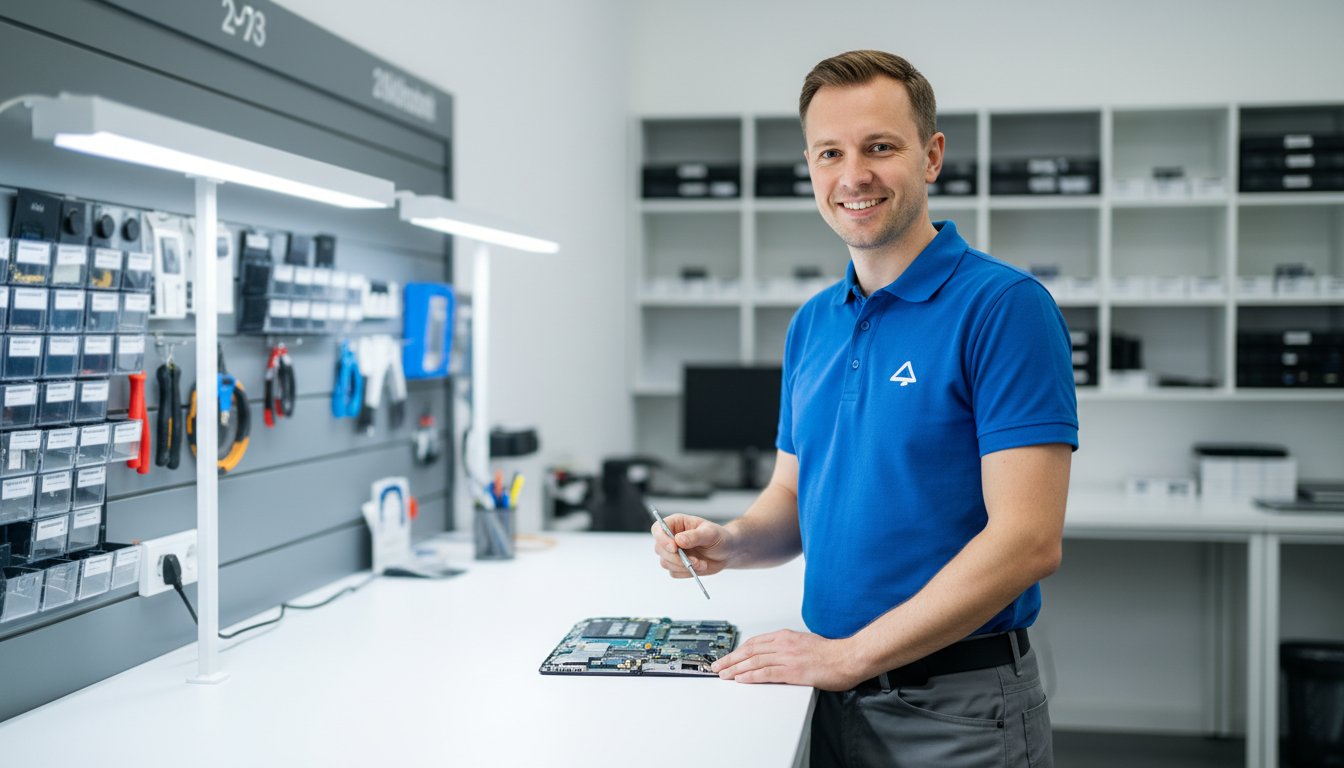
The sudden black screen. The dreaded error message. That sinking feeling when your notebook simply won’t turn on. In that moment of panic, your important files, precious photos, and critical work can feel lost forever, sparking a frantic search for reliable notebook repairs near me. Before you worry about your data or the potential cost, take a calm breath. Finding a fast, trustworthy, and local solution right here in Toowoomba doesn’t have to add to the stress.
This guide is your first step toward a quick fix and complete peace of mind. We are here to help you understand common notebook problems, know what to look for in a quality repair service, and feel confident that your personal data will be protected. We’ll walk you through the process so you can find an experienced local technician, get a clear, upfront quote, and get back online as quickly as possible. Let’s get your notebook working again.
Key Takeaways
- Learn simple self-diagnosis checks you can perform at home to potentially solve minor issues and save a trip to the repair shop.
- Searching for “notebook repairs near me” is only the first step; discover what to look for in a local Toowoomba service to ensure quality work and trust.
- Understand the typical repair process from start to finish, so you know exactly what to expect and can feel confident in your choice.
- Get clear criteria to help you make the smart financial decision between repairing your current notebook or investing in a new one.
Is Your Notebook Really Broken? Common Problems & Simple Checks
When your notebook starts acting up, it’s easy to feel a sense of panic. But before you start searching for professional notebook repairs near me, taking a moment to perform a few simple checks can often save you time, money, and stress. Many frustrating issues are caused by simple software glitches, not critical hardware failures. Learning to spot the difference is the first step toward a quick solution.
To see what goes into more complex repairs, this video provides a fascinating look at the process:
Software Glitches vs. Hardware Failures
Understanding the type of problem you’re facing is key. Software issues often manifest as slow performance, unexpected pop-ups, applications crashing, or your web browser acting strangely. These are problems with the code and programs running on your machine. Often, a thorough virus and malware scan can resolve these issues by removing malicious programs that are draining your system’s resources. Hardware failures are physical problems with the components themselves. Telltale signs include your notebook not turning on, a cracked screen, strange grinding noises, or keys on the keyboard not working.
5-Minute Fixes You Can Try Right Now
If you suspect a software glitch, here are a few quick troubleshooting steps that solve a surprising number of common problems:
- The Classic Reboot: Simply turning your notebook off and on again is the most effective quick fix. It clears the system’s temporary memory (RAM) and stops any background processes that may have been causing the problem.
- Check Power Connections: Ensure the power adapter is firmly plugged into both the wall and your notebook. A loose connection can prevent charging or cause intermittent power.
- Free Up Disk Space: A hard drive that is more than 90% full can seriously slow down your system. Try deleting old files or uninstalling unused programs to improve responsiveness.
- Run System Updates: Make sure your operating system (like Windows or macOS) is up to date. Updates often include crucial security patches and bug fixes that can improve stability and performance.
Red Flags: When to Stop and Call an Expert
While DIY fixes are great, some symptoms signal a serious problem that requires professional attention. Attempting to fix these yourself can often lead to more damage or permanent data loss. These are serious symptoms that require a deep understanding of what a computer repair technician does to diagnose correctly. Look out for these red flags:
- Clicking or Grinding Noises: These sounds almost always indicate a failing mechanical hard drive. Power down immediately to prevent further data loss and seek professional help.
- No Power at All: If your notebook is completely dead and won’t turn on even after checking the charger, it could be a failed power supply, motherboard, or other internal component.
- Visible Physical Damage: A cracked screen, broken charging port, or significant liquid spill needs expert hands to repair safely and effectively.
- The ‘Blue Screen of Death’ (BSOD): If your notebook constantly crashes to a blue error screen, it points to a critical hardware or driver conflict that needs expert diagnosis.
Choosing the Right Notebook Repair Service in Toowoomba
When your laptop fails, a quick search for “notebook repairs near me” can return a daunting list of options. The immediate stress of a broken device is often followed by the confusion of choosing the right technician. Making the wrong choice can lead to overpriced services, lost data, or a repair that doesn’t last. This guide will help you cut through the noise and select a trustworthy, professional service in Toowoomba that puts your needs first.
The Value of a True Local Expert
While large national chains have a presence everywhere, they often lack the personal accountability and community focus of a local business. A true local expert offers a personalised service because their reputation depends on it. They understand the needs of the Toowoomba community and are invested in providing quality, long-term solutions, not generic quick fixes. For over 20 years, Aspire Computing has been a trusted local choice, building relationships with clients based on reliability and proven results.
Essential Qualities to Look For
Before handing over your device, look for clear signs of a professional and established business. A reputable repair service will proudly display its credentials and make it easy for you to verify their track record. Key indicators include:
- Years in Business: A long history, like Aspire Computing’s establishment in 1999, demonstrates stability and experience.
- Positive, Genuine Reviews: Check Google and other platforms for authentic feedback from past customers.
- Clear Contact Information: A physical address and phone number show they are a legitimate local operation you can visit and hold accountable.
- Willingness to Explain: A good technician will take the time to explain the problem and the proposed solution in simple, understandable terms.
Questions to Ask Before You Commit
To protect yourself and ensure there are no surprises, it’s vital to ask a few key questions before agreeing to any work. This empowers you as a consumer and sets clear expectations for the repair process. Don’t hesitate to ask:
- Do you provide a clear, itemised quote before starting any work?
- What kind of warranty do you offer on your repairs and the parts used? Knowing this is a key part of understanding your consumer rights for repairs.
- How do you ensure the safety and privacy of my personal data during the repair?
- What is the estimated timeframe for the repair?
A professional service will welcome these questions and provide confident, transparent answers, giving you the assurance you need to proceed.
Our Notebook Repair Process: From Diagnosis to Done
When your notebook stops working, the last thing you need is a complicated or confusing repair process. We believe in total transparency to eliminate stress and uncertainty. Our goal is simple: to get you back up and running with minimal downtime. We understand that your device holds valuable information, which is why we handle every notebook with the utmost care, prioritising the safety of your data from start to finish. Our straightforward, professional steps ensure a hassle-free experience when you need reliable notebook repairs near me.
Step 1: Initial Consultation & Diagnosis
The process begins the moment you contact us. Simply describe the issue you’re facing with your laptop, whether it’s a cracked screen, a slow system, or a device that won’t turn on. Based on your description, we provide an initial assessment and discuss potential solutions. To pinpoint the exact problem, we then perform a thorough diagnostic check. Once we find the root cause, you receive a clear, upfront quote with no hidden fees. We operate in full compliance with Australian consumer rights for repairs, ensuring you are fully informed before any work commences.
Step 2: The Repair & Quality Parts
Once you approve the quote, our expert technicians get to work. We believe a quality repair depends on quality components, which is why we use only high-grade, reliable replacement parts to ensure longevity and optimal performance. Our entire approach is built on trust and expert service, and we make it a priority to keep you informed of our progress along the way. You’ll never be left wondering about the status of your repair.
Step 3: Data Safety & Final Testing
Throughout the repair, we take every precaution to protect your valuable data. After the physical repair is complete, we don’t just hand the device back. We conduct a series of rigorous tests to ensure full functionality has been restored. Our technicians verify that the original problem is solved and that the entire system is stable, secure, and running smoothly. You are notified as soon as your notebook has passed our final quality assurance checks and is ready for collection.

Comprehensive Notebook Repair Services We Offer
When your notebook stops working, it can bring your productivity to a sudden halt. We understand the frustration, which is why we offer a complete range of services to get you back up and running quickly. From accidental drops to mysterious software bugs, our experienced technicians handle it all. We service all major brands, including Apple, Dell, HP, Lenovo, Acer, and more. No problem is too big or too small for our team, making us the reliable choice when you search for notebook repairs near me.
Physical Damage Repairs
Accidents happen, but they don’t have to mean the end of your device. Our team is skilled in meticulous physical repairs that restore both the look and function of your notebook. We provide quality, fast-return services for:
- Cracked, flickering, or malfunctioning screen replacements.
- Keyboard repair for sticky, unresponsive, or missing keys.
- Fixing broken charging ports, USB ports, and headphone jacks.
- Repairing or replacing damaged outer casings, hinges, and frames.
Performance and Software Fixes
Is your notebook running slow, freezing, or behaving strangely? Software issues can be just as disruptive as physical damage. We can diagnose and resolve complex software problems to improve the performance and security of your computer, ensuring business continuity. Our services include:
- Thorough virus, malware, and spyware removal to protect your data.
- Operating system tune-ups and re-installations to fix sluggishness.
- Resolving software conflicts and updating critical drivers.
- System security audits and essential software updates.
Hardware Upgrades and Replacements
Sometimes a repair is an opportunity for an upgrade. If your notebook is struggling to keep up, a strategic hardware replacement can give it a new lease on life for a fraction of the cost of a new machine. We specialise in upgrades that deliver real-world results, such as:
- New battery installation to restore portability and all-day power.
- Upgrading to a Solid State Drive (SSD) for dramatic speed improvements.
- Increasing RAM for smoother, more efficient multitasking.
- Replacing failing hard drives, complete with data recovery and transfer.
Whatever issue you’re facing, our goal is to provide a dependable and professional solution. If you need expert advice or a quote for your repair, don’t hesitate to contact our friendly team today.
Repair or Replace? Making the Smart Financial Decision
It’s the most common question we hear: “Is my old notebook even worth the repair cost?” When you’re facing a cracked screen or a failing battery, it can be difficult to know whether to invest in a fix or put that money towards a new device. At Aspire Computing, we believe in providing honest advice to help you make the best choice for your budget and your needs. The right answer depends on several key factors, including the notebook’s age, its overall condition, and the cost of the repair.
When Repair is the Best Option
Opting for a repair is often the most cost-effective and practical solution. It makes perfect sense if:
- The repair cost is less than 50% of a new, comparable notebook. Spending A$200 on a new keyboard for a laptop that would cost A$1,000 to replace is a smart investment.
- Your notebook is relatively new (less than 3-4 years old). Modern devices are built to last, and a single repair can extend its life significantly.
- The issue is common and affordable. Problems like battery replacements, RAM upgrades, or software fixes are quick, cost-effective, and can dramatically improve performance.
- You have critical software or data that is difficult to migrate. The time and hassle of transferring files and reinstalling specialised programs can outweigh the cost of a repair.
Signs It Might Be Time for a New Notebook
While we are experts in providing quality notebook repairs near me, we will also be the first to tell you when it’s time to upgrade. It might be time for a new device if:
- The notebook is too old to run modern software efficiently. If it can’t handle the latest operating system or the applications you need, a repair won’t solve the core problem.
- The repair involves a critical, expensive part. A motherboard or major screen failure on an older machine can cost almost as much as a new notebook.
- You need more performance than the hardware can provide. No repair can make an old processor fast enough for demanding tasks like video editing or gaming.
- Multiple components are failing at once. This often signals that the device is nearing the end of its functional life.
Get an Honest Assessment from Us
Don’t get stuck trying to decide on your own. Our process is built on trust and transparency. We will perform a thorough diagnosis of your notebook and provide a clear, straightforward quote for any potential repairs. Our experienced team offers unbiased advice based on your specific situation and budget, helping you weigh the pros and cons without any pressure. We’re not just here to fix devices; we’re here to provide lasting solutions. Talk to our experts today for a professional and honest opinion.
Your Trusted Toowoomba Partner for Notebook Repairs
A malfunctioning notebook can bring your day to a grinding halt, but it doesn’t have to be a crisis. By running a few simple checks and understanding the key differences between a minor glitch and a major problem, you’re already one step ahead. Ultimately, making the smart financial decision between repair and replacement often comes down to getting an honest assessment from a qualified expert you can trust.
When your search for notebook repairs near me leads you to seek professional help in Toowoomba, you deserve a team with a proven track record. At Aspire Computing, we’ve been the community’s trusted choice since 1999. Our experienced, local technicians are committed to providing quality service you can depend on. We believe in complete transparency, which is why we offer clear, upfront pricing with no surprises, giving you the assurance you need to move forward.
Stop the frustration and get a clear solution. Don’t panic! Contact Aspire Computing for a fast, reliable notebook repair quote. Let us take the stress out of your tech troubles and get you back to work and life, fully connected and protected.
Frequently Asked Questions About Notebook Repairs
How much do notebook repairs typically cost in Toowoomba?
The cost of notebook repairs in Toowoomba varies depending on the issue. A basic diagnostic service to identify the problem typically starts around A$90. Simpler software fixes like virus removal can range from A$120 to A$200. Hardware repairs such as a screen or keyboard replacement can cost between A$250 and A$500+, depending on the model and part cost. We always provide a clear, upfront quote for your approval before any work begins.
How long will my notebook repair take?
Our goal is to provide a fast return to minimise your downtime. Software-related issues and common hardware replacements (like batteries or RAM) can often be completed within 1-2 business days, provided we have the parts in stock. More complex repairs, such as motherboard issues or parts that need to be ordered, may take longer. We will always give you an estimated timeframe when we provide your quote so you know exactly what to expect.
Do you guarantee the safety of my personal data during a repair?
Protecting your data is our top priority. While we strongly recommend you back up your important files before any repair, our technicians handle your device with the utmost care and follow strict privacy protocols. We work diligently to ensure your personal information remains secure and untouched throughout the repair process. Our mission is to protect and connect, and that begins with safeguarding your valuable data and privacy with professional assurance.
What brands of notebooks do you service (e.g., Dell, HP, Apple, Lenovo)?
We are experienced in servicing a wide range of notebook and laptop brands. Our technicians can expertly repair devices from all major manufacturers, including Apple (MacBook, MacBook Air, MacBook Pro), Dell, HP, Lenovo, Acer, ASUS, Toshiba, and Microsoft (Surface). If you have a different brand, don’t hesitate to contact us. With over two decades of experience, chances are we can provide a quality solution for your specific device.
Do you offer a warranty on your repair work and parts?
Yes, absolutely. We stand behind the quality of our work and the parts we use. All of our notebook repairs come with a comprehensive warranty for your peace of mind. This typically includes a 12-month warranty on all new hardware components we install and a 3-month guarantee on our labour. This commitment ensures you receive a reliable, long-lasting repair that you can trust to keep you connected and productive.
Can you help with issues other than hardware, like slow performance or viruses?
Certainly. Our expertise extends far beyond just physical hardware repairs. If your notebook is running slow, freezing, or infected with viruses or malware, we can diagnose and resolve the root cause. When you are looking for notebook repairs near me that cover software health, we offer tune-up services, virus removal, and operating system optimisations to restore your device’s speed and security, ensuring it runs as efficiently as possible.
Is it better to bring my notebook to you, or do you offer on-site service?
We offer both options to provide the most convenient service for you. Bringing your notebook to our workshop is often best for hardware repairs, as we have all the necessary diagnostic tools and parts on hand. However, our on-site service is ideal for troubleshooting software issues, network problems, or setting up new equipment in your home or office. We can help you decide which option is most efficient for your specific situation.
B.App.Sc., Cert. Computer Engineering PC Service and Repair
As the owner of Aspire Computing founded in 1999, Chaim Lee has been working for over 20 years as the Leading Computer Technician.
He has a life long interest in electronics, computing, science and technology. He has completed studies and gained qualifications in Applied Science, Computer Repair and Service, Microsoft Installation and Maintenance, Technical Writing, Workplace Training, and Technical Sales Training.

That dreaded blue screen appears just before a deadline, or your laptop slows to a crawl right when you want to relax. We understand the frustration. The thought of unplugging a complex web of cables, packing up your device, and losing half your day at a repair shop is often more stressful than the problem itself. But what if the expert came directly to you? When you need a fast, quality solution with minimal fuss, searching for a mobile computer repair near me is the smartest first step you can take to restore your digital continuity.
This guide is here to provide clarity and assurance. We’ll walk you through exactly how on-site tech help works, the surprising range of issues that can be resolved right in your home or office, and the key benefits of choosing this convenient service. More importantly, we’ll give you practical advice on how to find a trustworthy local technician you can feel confident welcoming into your space. Let’s demystify the process and help you get your technology back on track without the headache.
Key Takeaways
- Mobile computer repair brings a qualified technician to your home or office, saving you the hassle of unplugging and transporting your equipment.
- Many frustrating software issues, including virus removal, system slowdowns, and email problems, can often be resolved in a single on-site visit.
- When searching for “mobile computer repair near me,” learn how to identify a trustworthy local business with genuine customer reviews for your peace of mind.
- Understand the simple steps of an on-site appointment, from the initial diagnosis to the final solution, ensuring a stress-free and efficient repair experience.
What is Mobile Computer Repair and How Does It Work?
When your computer slows down or stops working, the last thing you need is more hassle. Mobile computer repair is a professional service designed to eliminate that stress by bringing an expert technician directly to your location. Instead of you having to unplug a tangled mess of cables, pack up your machine, and drive to a shop, Aspire Computing comes to your home, home office, or small business to solve the problem on-site. It’s the most convenient and efficient way to get your technology back on track.
The process is simple and focused on you. It all starts with a phone call or online inquiry where you describe the issues you’re experiencing. Our experienced technicians at Aspire Computing will ask a few key questions to understand the problem, often providing an initial remote diagnosis and a clear idea of the next steps. From there, we schedule an appointment at a time that perfectly fits your schedule, ensuring you receive a quality solution exactly when you’re searching for mobile computer repair near me.
The Difference: On-Site vs. Drop-Off Repair
Traditional repair shops require you to do all the heavy lifting: unplugging your PC, transporting it, waiting in a queue, and then having to set everything back up again when you get home. On-site service is the modern alternative. The technician not only saves you time and effort but also gets to see the problem in its actual environment. This is a huge advantage, as many issues are related to your specific Wi-Fi network, printer, or other connected devices. Understanding the full picture is a core part of what a computer repair technician does to provide a lasting, reliable fix.
Who is Mobile Repair For?
Our on-site service at Aspire Computing is designed for anyone who values efficiency, convenience, and personalised support. It’s an ideal solution for:
- Busy professionals and small business owners who cannot afford operational downtime.
- Home users and families who prefer the security and ease of an expert coming to them.
- Individuals with mobility issues or those who find it difficult to transport bulky equipment.
- Anyone who wants a straightforward, expert solution without the technical headaches.
The Top Benefits of Choosing an On-Site Technician
When your computer fails, the last thing you want is the added stress of dismantling your setup and hauling it to a repair shop. Searching for mobile computer repair near me is the smart first step toward a faster, more secure, and convenient solution. An on-site technician brings the expertise directly to your door, offering a superior service experience that a traditional depot repair simply can’t match. From saving you time to providing total peace of mind, the advantages are clear.
Save Time and Hassle
Your time is valuable. On-site computer repair is designed to protect it. Forget about spending your afternoon navigating traffic and waiting in queues. We eliminate the entire process of unplugging a complex web of cables, packing up your tower or laptop, and transporting it across town. Our technician comes to you, allowing you to get back to your work, family, or life with minimal disruption. The entire service is built around your convenience.
- No Travel Required: We come to your home or office at a time that suits you.
- No Heavy Lifting: Your desktop PC and peripherals stay exactly where they are.
- Immediate Return to Normalcy: Once fixed, your computer is ready to use instantly.
Holistic Problem Solving
Some of the most frustrating tech issues aren’t caused by the computer alone. Is it a slow PC, or is your NBN connection the real culprit? Is your printer refusing to connect because of a driver or a network glitch? A technician working in your environment can see the whole picture. By diagnosing your computer within its own ecosystem-connected to your Wi-Fi, your printer, and your other devices-we can solve the actual problem accurately and ensure the fix is permanent.
Peace of Mind and Security
When you hand over your computer, you’re also handing over your personal data. With our on-site mobile computer repair near me service, your device and its sensitive information never leave your sight. This provides an unmatched level of security and transparency. You can oversee the entire repair process, ask questions, and be confident that your privacy is protected. This approach aligns with expert recommendations on maintaining good digital safety, as you remain in full control of your hardware and data. We believe this transparency is fundamental to building trust and ensuring you feel secure, reinforcing the Good Security Habits that keep your information safe.
Common Issues a Mobile Technician Can Fix at Your Doorstep
You might be surprised by the wide range of issues that can be resolved without you ever leaving your home or office. When you search for mobile computer repair near me, you’re looking for a fast, effective solution that doesn’t disrupt your day. The good news is that most software, network, and even some hardware problems are perfectly suited for on-site service, bringing professional help directly to you.
Software & Operating System Fixes
Software-related faults are the most common reason for call-outs, and they are ideal for on-site diagnosis and repair. Our technician can work on your device in its own environment to quickly identify the root cause. Because your system security is vital, choosing a trustworthy technician is paramount to protect your data. We can help with:
- Virus & Malware Removal: We thoroughly scan for and eliminate viruses, spyware, and other malicious software to secure your data.
- Operating System Errors: We resolve frustrating Windows or macOS errors, crashes, and the dreaded “blue screen of death.”
- Software Troubleshooting: From setting up new applications to fixing problems with existing software like email clients, we ensure everything runs smoothly.
- Performance Tune-Ups: If your computer is running slow, we can perform a comprehensive system clean-up to restore its speed and responsiveness.
Connectivity and Network Problems
Is your Wi-Fi constantly dropping out or is the internet painfully slow? Network issues are best diagnosed at your location, where we can test the entire setup. We come to you to fix frustrating connectivity problems and get you back online quickly. Services include diagnosing slow internet, setting up new modems and routers, and configuring printers or other network devices to ensure all your technology works together seamlessly.
Hardware Upgrades and Simple Repairs
While complex hardware failures may require workshop tools, many common upgrades and replacements can be done on-site. This is a convenient way to boost your computer’s performance without the hassle of unplugging everything. We can perform fast hardware services such as:
- Installing new RAM (memory) for a significant speed boost.
- Upgrading an old, slow hard drive (HDD) to a modern, lightning-fast Solid State Drive (SSD).
- Replacing faulty components like noisy fans or failing power supplies.
From software glitches to hardware boosts, we handle a wide range of PC and laptop repair issues on-site, providing quality assurance and continuity for your home or business.

How to Choose a Trustworthy Mobile Repair Service in Toowoomba
When your computer fails, a quick search for “mobile computer repair near me” can feel overwhelming. You need a service that is not only skilled but also reliable and trustworthy. In Toowoomba, knowing what to look for can save you time, money, and stress. A professional technician should provide peace of mind, not more problems. By checking for a few key indicators, you can confidently choose a service that will get you back up and running fast.
Verify Their Local Presence and Experience
A truly local business understands the community and its unique needs. Look for a provider with a physical address and a long, established history in the area. Experience is crucial; a technician who has seen it all is better equipped to handle complex issues efficiently. For example, Aspire Computing has proudly served Toowoomba and the Darling Downs since 1999. Always check their service map or list of suburbs to confirm they come directly to your home or office.
Read Reviews and Testimonials
Genuine customer feedback is one of the best indicators of quality service. Look for reviews on platforms like Google that mention specific positive traits: professionalism, punctuality, clear communication, and technical skill. A few good reviews are nice, but a consistent pattern of positive feedback suggests a dependable service. Also, note how the business responds to feedback-professional and helpful engagement is a great sign of a customer-focused company.
Understand Their Process and Pricing
Transparency is key to a stress-free repair. Before booking, a trustworthy technician will be upfront about their pricing structure. Don’t hesitate to ask about:
- Any applicable call-out fees
- Their hourly rates (in A$)
- Potential costs for new parts or software
A reputable service will explain these details clearly, so there are no surprises. It’s also wise to learn about their full range of IT support services, as they may be able to assist with networking, data backup, or other tech needs down the track. Choosing a provider like Aspire Computing ensures you have a reliable partner for all your future tech challenges.
What to Expect During Your On-Site Repair Appointment
We understand that a broken computer is a major disruption. That’s why we’ve designed our entire on-site process to be simple, transparent, and completely stress-free for you. From the moment you call us to the final system check, our focus is on providing a clear, professional service that gets you back up and running as quickly as possible. Our goal is to solve the problem efficiently in a single visit, giving you peace of mind and a working device.
The Initial Call and Arrival
Your repair journey starts with a simple phone call. When you contact us, describe the symptoms your computer is experiencing. The more detail you provide, the better we can prepare. Our technician will arrive at your home or office at the scheduled time, ready to help. To ensure a speedy repair, please have the following ready:
- The computer, laptop, or device that needs repair.
- Any necessary power cords and accessories.
- Relevant passwords (e.g., your Windows/Mac login or Wi-Fi password).
Diagnosis and Quoting
Once on-site, our technician will begin a thorough diagnostic process to identify the root cause of the issue. This may involve running specialised software or performing hardware tests. We believe in complete transparency, which is why our service for mobile computer repair near me includes a no-obligation quote. Before any work begins, we will explain the problem to you in plain English and provide a clear, upfront cost in Australian Dollars (A$) for the required parts and labour. You will have all the information you need to make an informed decision.
The Repair and Final Checks
With your approval, our expert technician will perform the necessary repairs, replacements, or upgrades right there on the spot. We use only high-quality components to ensure a lasting fix. After the work is complete, we don’t just pack up and leave. We conduct final system checks to guarantee that the issue is fully resolved and your computer is running smoothly and reliably. You’ll have the chance to test it yourself and ask any questions, ensuring you’re completely satisfied before we go. It’s all part of our commitment to being the most dependable solution for mobile computer repair near me.
Your Local Solution for Stress-Free Tech Support
When your computer slows down or stops working, the last thing you need is the hassle of unplugging it and hauling it to a repair shop. Mobile computer repair eliminates this stress by bringing expert technical help directly to your doorstep. This on-site service not only saves you valuable time but also ensures a more accurate fix, as the technician can diagnose problems within your own home or office environment.
The next time you find yourself searching for reliable mobile computer repair near me, remember that the best choice is a local service built on trust and experience. For residents and businesses in Toowoomba and the surrounding areas, Aspire Computing has been that trusted partner since 1999. Our local, experienced technicians are dedicated to providing quality solutions with the convenience of both on-site and remote support.
Don’t let tech troubles disrupt your day. Get the fast, professional help you need without leaving your home. Need fast, on-site computer help in Toowoomba? Contact Aspire Computing today!
Frequently Asked Questions
Is mobile computer repair more expensive than taking it to a shop?
While our mobile computer repair near me service includes a call-out fee, many clients find it more economical overall. When you consider the value of your time, fuel costs, and the hassle of disconnecting your equipment, our on-site solution provides excellent value. We offer a transparent pricing structure with no hidden charges, so you know the costs upfront. Our goal is to provide a convenient, quality service that saves you time and stress.
How long does a typical on-site repair visit take?
Most common issues, such as software troubleshooting, virus removal, or network configuration, are typically resolved within one to two hours. More complex hardware problems might take a little longer. Our experienced technicians work efficiently to diagnose and implement a quick fix, ensuring minimal disruption to your day. We always aim for a fast return to full functionality, letting you get back to what’s important.
What happens if my computer can’t be fixed on-site?
In the rare event a repair requires specialised equipment, we offer a workshop service. With your permission, our technician will safely transport your computer to our fully equipped workshop. We will keep you updated throughout the process and return the device to your home or office once the repair is complete and fully tested. This ensures your computer gets the expert attention it needs while maintaining our commitment to convenience and quality assurance.
Is it safe to have a technician work on my computer at home?
Absolutely. Your security and peace of mind are our top priorities. All our technicians are thoroughly vetted, professional, and operate with the utmost integrity, a standard set by our owner, Chaim Lee. We work transparently in your presence and are committed to protecting your data and privacy at all times. We are a trusted, local business dedicated to providing a secure and reliable service you can depend on for your home or office.
Do I need to provide any tools or software for the repair?
No, you don’t need to provide anything. Our technicians arrive fully equipped with all the necessary diagnostic tools and repair hardware to handle a wide range of issues. The only exception is if a specific piece of software you own needs to be reinstalled; in that case, having your license key available can speed up the process. We aim to make the repair as seamless and hassle-free for you as possible.
Can you fix both PC and Mac computers on-site?
Yes, we certainly can. Our technicians are highly experienced in diagnosing and repairing both Windows-based PCs and Apple Mac computers, including desktops and laptops. Whether you’re facing a software glitch on your MacBook or a hardware failure on your PC, we have the expertise to help. You can trust our team to provide a quality, on-the-spot solution for all major computer brands, right in your home or office.
B.App.Sc., Cert. Computer Engineering PC Service and Repair
As the owner of Aspire Computing founded in 1999, Chaim Lee has been working for over 20 years as the Leading Computer Technician.
He has a life long interest in electronics, computing, science and technology. He has completed studies and gained qualifications in Applied Science, Computer Repair and Service, Microsoft Installation and Maintenance, Technical Writing, Workplace Training, and Technical Sales Training.
That dreaded blue screen. A laptop that refuses to turn on. That sinking feeling as you worry about losing years of precious photos, university assignments, or critical work files. When technology fails, the stress is immediate. You need a fast, effective solution, but finding trustworthy computer repairs in Toowoomba can add another layer of anxiety. Who can you rely on with your personal information and get your device back without long delays?
Don’t panic. With over 25 years of experience helping the Toowoomba community, we understand your concerns. This guide will walk you through our straightforward and reliable repair process, designed to give you complete peace of mind. You’ll learn how we provide clear, upfront quotes, guarantee the safety of your important data, and get your PC or laptop running smoothly again-fast. It’s time to connect with a local expert you can depend on for quality, assurance, and a stress-free fix.
What Computer Problems Do We Fix in Toowoomba?
When your computer suddenly stops working, the feeling of panic is immediate. Don’t worry. We are the go-to experts for fast and reliable computer repairs Toowoomba residents and small businesses depend on. Whether you’re dealing with a sluggish PC, a broken laptop, or a complex software issue, we handle it all. Our technicians are experienced with all major brands-including Dell, HP, Lenovo, and Apple-as well as custom-built machines, ensuring your home office or business setup gets back to full strength quickly.
Slow Performance, Crashing & Freezing
Is your computer taking ages to start or constantly freezing? These are common symptoms with various root causes, from software bloat and viruses to failing hardware. Our comprehensive diagnostic process pinpoints the exact issue. We then perform a thorough tune-up to clean out unnecessary files, optimise your system, and resolve frustrating problems like the ‘blue screen of death’ or random shutdowns, restoring your computer’s original speed and stability.
Virus, Malware & Scam Removal
A virus or malware infection can compromise your personal data and bring your work to a halt. Our technicians are experts at safely removing all types of malicious software-including spyware, adware, and ransomware-without losing your important files. We don’t just remove the threat; we also secure your system with quality protection to prevent future infections and offer practical advice on identifying and avoiding common online scams.
Hardware Failures & Upgrades
From a dead power supply to a failing hard drive, hardware failures can be daunting. We specialise in sourcing and installing quality replacement components like RAM, power supplies, and motherboards. We also believe in the right to repair, giving you cost-effective options instead of forcing a replacement. Ready for a speed boost? We can upgrade your system with a Solid State Drive (SSD) or fix physical damage like cracked laptop screens and broken keyboards.
Data Recovery & Backup Solutions
Losing precious photos, documents, or business files is devastating. We offer professional data recovery services to retrieve files from failing hard drives, corrupted storage, or accidental deletion. To prevent future disasters, we can also design and implement a reliable, automated backup solution tailored to your needs. When it’s time for a new computer, we ensure a seamless transition by transferring all your data safely and completely.
Our Simple & Stress-Free Toowoomba Repair Process
When your computer fails, the last thing you need is a complicated and confusing repair experience. We understand the frustration, which is why we’ve designed our process to be clear, straightforward, and focused on you. From the first call to the final handover, we keep you informed and in control, ensuring a hassle-free solution for your tech troubles.
Step 1: Contact Us for a Diagnosis
Getting started is easy. Simply give us a call or fill out our online contact form to describe the problem you’re facing. We take the time to listen carefully, whether it’s a slow laptop, a virus infection, or a hardware failure. This initial conversation allows us to perform a preliminary diagnosis and understand exactly what’s going wrong with your device so we can find the right solution.
Step 2: Receive a Clear, Upfront Quote
Transparency is at the core of our service. After diagnosing the issue, we provide you with a clear, detailed quote with no hidden fees. This quote explains the required work and all associated costs in plain English. We believe in honest communication, a principle that aligns with your rights under the Australian Consumer Law. We will never proceed with a repair until you give us your full approval.
Step 3: Expert Repair (On-Site or Workshop)
We offer flexible options to suit your needs. For many issues, our technicians can perform on-site computer repairs Toowoomba wide, at your home or office for maximum convenience. For more complex jobs that require specialised equipment, we can securely transport your device to our fully equipped workshop. In either case, we use high-quality parts and industry-leading techniques to ensure a lasting fix.
Step 4: Your Device is Returned, Fixed & Guaranteed
We’ll notify you the moment your computer is ready. Upon its return, we’ll walk you through the repairs we performed and offer practical advice to help you avoid similar issues in the future. We stand behind our work, and all our repairs are backed by a satisfaction guarantee, giving you complete peace of mind that your device is in reliable hands.
Why Choose a Local Expert Over a National Chain?
When your computer fails, you have a choice: a faceless national chain or a dedicated local expert. While large corporations often default to costly replacements, a local specialist focuses on providing effective and affordable solutions. Opting for a repair isn’t just better for your wallet; it’s a sustainable choice that reduces electronic waste. This approach supports broader environmental goals, like those in Australia’s National Waste Policy Action Plan, by extending the life of your technology. With a local business, you get a partner invested in our community’s success, not just a transaction.
25+ Years of Experience in Toowoomba
Since 1999, Aspire Computing has been the trusted name for computer repairs Toowoomba residents rely on. This long history gives us a deep understanding of the common tech issues faced by local homes and businesses. Our track record is built on more than two decades of satisfied, repeat customers who trust us to get the job done right the first time. We’ve seen it all, and we know how to provide lasting solutions.
Personal Service from a Business Owner
With us, you’re not just another job number. You’ll deal directly with our owner and lead technician, Chaim Lee, an expert who genuinely cares about his reputation and your satisfaction. We provide tailored advice specific to your needs, not a one-size-fits-all script from a corporate playbook. Our success is measured by your positive outcome, not by meeting impersonal sales targets.
Fast Turnaround for Local Residents
Being a local business means we prioritise our Toowoomba region customers. You won’t have to endure long waits for parts to be shipped from an interstate warehouse or for your device to be sent away. We perform diagnostics and repairs right here, ensuring a much faster turnaround time. Our goal is to minimise your downtime and get you back up and running as quickly as possible.
Supporting Toowoomba’s Small Businesses
We are a small business ourselves, so we understand the unique technology challenges that local enterprises face. We specialise in providing responsive and practical IT support for small and home-based businesses across the region, ensuring your technology works for you, not against you. We offer proactive solutions to protect your data and maintain business continuity. Learn more about our business IT support services.

PC, Laptop & Printer Repairs for All Major Brands
When your technology fails, it doesn’t matter what logo is on the case-you just need a solution you can trust. At Aspire Computing, we have extensive experience working with a vast range of devices from all major manufacturers. Whether you rely on a Windows PC, a MacBook, or a custom-built machine, our technicians have the skills and knowledge to diagnose the problem and provide a reliable fix, ensuring you get back online with minimal fuss.
Windows PC & Laptop Specialists
We are Toowoomba’s go-to experts for Windows-based systems. Our team provides comprehensive hardware and software support for popular brands like Dell, HP, Lenovo, Acer, and ASUS. From troubleshooting the latest version of Windows 11 to resolving issues on older systems, we handle everything from slow performance and virus removal to hardware failures and data recovery. Your Windows device is in safe, experienced hands.
Printer & Peripheral Support
A malfunctioning printer can bring your home or office productivity to a halt. Don’t let frustrating paper jams or network connection errors waste your day. We offer expert support for printers, scanners, and other peripherals to keep your workflow smooth. Our services include:
- Fixing common printer issues like paper jams, poor print quality, and connectivity problems.
- Professional setup and configuration for new printers and scanners.
- Honest advice on the best printer models to suit your specific needs and budget.
Custom-Built PC & Gaming Rig Repairs
High-performance custom PCs and gaming rigs require a specialised level of expertise. Our technicians understand the complexities of custom configurations, from intricate cooling systems to overclocked components. We offer advanced diagnostics to pinpoint performance bottlenecks, perform component-level repairs and upgrades, and solve the complex software conflicts that can plague these powerful machines.
No matter the device, our commitment is to provide the highest quality computer repairs Toowoomba residents can rely on. We combine technical skill with a dedication to clear communication, so you always know what’s happening with your repair. If your computer, laptop, or printer needs professional attention, talk to the experts at Aspire Computing today.
Upfront Pricing: Is It Worth Repairing Your Computer?
One of the biggest questions we hear from customers is, “Is my computer even worth fixing?” It’s a valid concern, and the last thing you need when you’re stressed about a broken device is a surprise bill. At Aspire Computing, we believe in complete transparency. We provide clear, upfront information so you can make an informed decision that’s right for your budget and your needs.
Our commitment is to provide honest advice and real value, ensuring you feel confident in your choice for computer repairs Toowoomba.
Our Transparent Pricing Model
We eliminate the guesswork and anxiety around repair costs. Our process is designed to be straightforward and fair from the very beginning:
- Fixed Diagnostic Fee: We start with a fixed, flat fee to thoroughly diagnose the problem. This allows us to give you a precise and accurate quote for the full repair.
- No-Obligation Quotes: You will always receive a comprehensive quote detailing parts and labour before we proceed with any work. You are in complete control.
- Honest Work, Honest Price: We believe in building long-term relationships based on trust. You’ll never find hidden fees or surprise charges on our invoices.
When to Repair vs. When to Replace
Sometimes, a new computer is the more sensible long-term investment. We’re not here to push a repair that doesn’t make financial sense. Our technicians will give you practical, honest advice based on a few key factors:
- Age of the Device: If a computer is more than 5-7 years old, sourcing parts can become difficult and costly.
- Cost of Repair: A good rule of thumb is if the repair cost is more than 50% of the price of a new, comparable machine, replacement might be the better option.
- Your Needs: Is your current device still meeting your performance needs, or were you already considering an upgrade?
If replacement is the best path forward, we’ll tell you. We can even help you securely transfer all your important files, photos, and settings to your new machine to ensure a seamless transition.
Our Service Guarantee
We stand proudly behind the quality of our work and the integrity of our advice. Our goal is to find the best possible outcome for every customer. We guarantee that we will always communicate openly and honestly with you. In the rare case that a repair is not viable or cost-effective, we will discuss all available options with you fairly. Your satisfaction is our top priority.
For a clear assessment and an honest quote, talk to our experts today. We’re here to help you protect and connect.
Your Trusted Local Partner for Toowoomba Computer Repairs
When your PC, laptop, or printer fails, you need a solution that is fast, reliable, and straightforward. As we’ve explored, the benefits of choosing a local expert over a large chain are clear: you get a simple, stress-free process, upfront pricing with no surprises, and personalised service from someone who understands the Toowoomba community. It’s about getting your technology working again without the headache.
For professional computer repairs Toowoomba residents have trusted for over two decades, Aspire Computing is here to help. Since 1999, our owner-operated business has been dedicated to providing quality fixes for all major brands. Whether you need convenient on-site support at your home or business, or fast remote assistance to solve an issue, our focus is on protecting your data and reconnecting you to your digital world.
Stop letting tech troubles slow you down. Get the expert, local support you deserve and enjoy the peace of mind that comes with a job done right. Don’t Panic! Talk to a Toowoomba Expert About Your Computer Today.
Frequently Asked Questions
How long will my computer repair take?
We understand you need your computer back quickly. Many common software issues, like virus removal or system tune-ups, can often be completed on the same day. For hardware replacements, the timeline depends on parts availability, but we use reliable suppliers to minimise delays. After our initial diagnostic, we will provide you with a clear and honest time estimate for your specific repair. Our goal is always to get you up and running again as fast as possible.
Do you offer on-site computer repairs in Toowoomba and the Darling Downs?
Yes, we certainly do. We provide convenient on-site computer repairs in Toowoomba and throughout the surrounding Darling Downs region. Our mobile service is perfect for troubleshooting network problems, setting up new equipment, or resolving issues where it’s easier for us to come to you. For more complex hardware repairs that require specialised tools, we may recommend bringing your device to our workshop to ensure a thorough and efficient fix. Just give us a call to discuss the best option for you.
Is my personal data safe with you during the repair?
Absolutely. Protecting your personal data is our highest priority. We treat your files and information with the strictest confidentiality and follow best practices to ensure their security. Before beginning any major repair, we can assist with backing up your data to prevent any potential loss. You can have complete peace of mind knowing your privacy is respected and your data is in safe, experienced hands with our professional technicians.
What kind of warranty do you provide on your repairs and parts?
We stand behind the quality of our work with a comprehensive warranty for your assurance. All new hardware components we install are covered by a 12-month manufacturer’s warranty. Furthermore, we provide a 30-day guarantee on our labour for the specific repair performed. If you experience the same issue again within that period, we will address it promptly at no additional cost. We believe in providing reliable solutions that last.
Can you help me if I bought my computer from a major retailer like JB Hi-Fi or Harvey Norman?
Of course. We service and repair all major brands of PCs and laptops, including those purchased from retailers like JB Hi-Fi, Harvey Norman, and The Good Guys. Whether your device is in or out of warranty, we can provide expert diagnostics and repairs. Many clients find our local, personalised service to be a faster and more direct solution than navigating a large retailer’s support system. We’re here to offer expert help, no matter where you bought your computer.
What are your opening hours and where is your workshop located?
Our workshop is conveniently located at Unit 3, 15 Technology Drive, Toowoomba, QLD 4350. We are open Monday to Friday from 9:00 AM to 5:00 PM. While walk-ins are welcome, we recommend giving us a quick call beforehand to ensure one of our technicians is immediately available to assist you. This helps us provide the prompt and dedicated service our clients expect and deserve.
B.App.Sc., Cert. Computer Engineering PC Service and Repair
As the owner of Aspire Computing founded in 1999, Chaim Lee has been working for over 20 years as the Leading Computer Technician.
He has a life long interest in electronics, computing, science and technology. He has completed studies and gained qualifications in Applied Science, Computer Repair and Service, Microsoft Installation and Maintenance, Technical Writing, Workplace Training, and Technical Sales Training.
