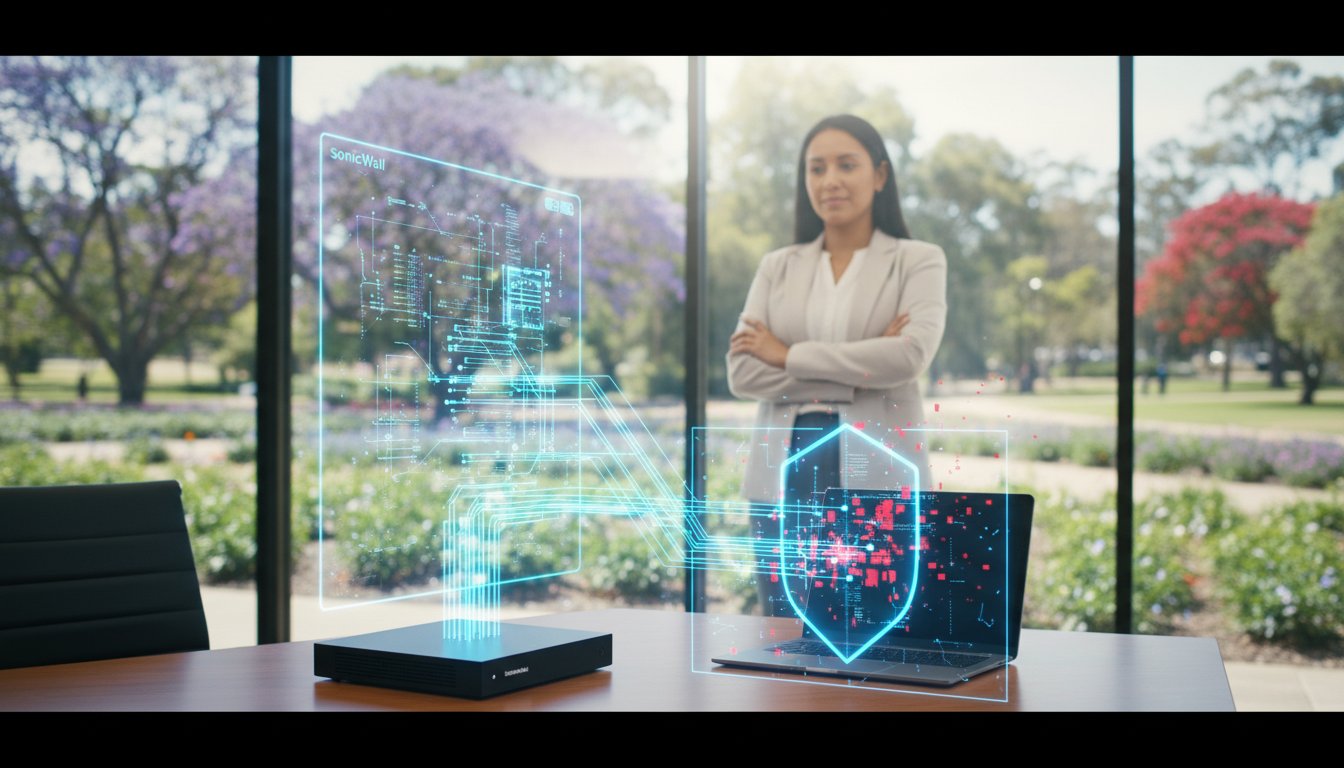
How to Prevent Ransomware Attacks: A 2026 Guide for Small Businesses

Imagine arriving at your office on a Monday morning only to find your screens locked and years of hard work-client records, financial files, and essential data-held hostage by a faceless digital extortionist. For many Australian small business owners, this isn’t just a nightmare; it’s a growing reality. You might feel like a small target, but in 2026, cybercriminals are increasingly focused on local businesses, betting on the hope that your security isn’t up to date. If you’re feeling overwhelmed by confusing software options or the fear of losing everything, our message at Aspire Computing is simple: don’t panic.

Understanding how to prevent ransomware attacks doesn’t require a massive IT department or a complex technical background. It’s about taking methodical, proactive steps to safeguard your livelihood. In this guide, we’ve stripped away the jargon to provide an expert-led, local perspective on digital safety. You will discover a clear prevention checklist and the exact steps needed to shield your data from extortion. Our goal is to provide you with the peace of mind that comes from knowing your digital assets are secure, helping you “Aspire to Protect and Connect” with confidence in our ever-changing Australian digital landscape.

Key Takeaways

  • Understand why small businesses are the primary targets for digital extortion in 2026 and how to spot sophisticated AI-enhanced phishing scams using deepfake audio.
  • Learn how to prevent ransomware attacks by implementing an “Active Protection” strategy that automates critical security updates without disrupting your daily workflow.
  • Discover the 3-2-1 backup rule, your ultimate insurance policy for ensuring a 100% recovery guarantee against permanent data loss and encryption.
  • Build a powerful “Human Firewall” by training your team to identify modern, high-precision scams that use perfect grammar and realistic social engineering.
  • Find out how local, on-site expertise from Chaim Lee in Toowoomba provides the personalized security and experience needed to keep your business’s technology protected and connected.

What is Ransomware in 2026 and Why is Your Business a Target?

In 2026, ransomware has evolved from a simple nuisance into a sophisticated form of digital kidnapping. At its core, What is Ransomware? It is a malicious software designed to block access to your computer system or files by encrypting them, with the criminals demanding a cryptocurrency ransom-often in the tens of thousands of A$-to provide the decryption key. Understanding the modern threat landscape is the first step in learning how to prevent ransomware attacks across your network.

The landscape has shifted dramatically this year. Cybercriminals now use automated AI tools to scan for vulnerabilities 24/7, making attacks faster and more frequent than ever before. For a local business, the true cost is rarely just the ransom; it is the devastating downtime, the loss of customer trust, and the potential for permanent reputation damage. At Aspire Computing, we believe in the “Protect and Connect” philosophy-ensuring your data stays safe so your business stays online.

To better understand this concept, watch this helpful video:

Many local owners fall for the “Small Business Myth,” believing they are too small to be noticed. In reality, hackers today prefer hitting 100 small targets with weaker security over one giant corporation with a dedicated SOC. It is a volume game, and if your “quick fix” security isn’t up to date, you are a high-value target.

The Evolution of Digital Extortion

Modern criminals use Ransomware-as-a-Service (RaaS), allowing even low-level crooks to lease powerful encryption tools. This has led to the rise of “double extortion,” where hackers steal your data before locking it. Double Extortion is the threat of leaking sensitive data publicly if the ransom is not paid. This ensures that even if you have backups, you are still under pressure to pay to protect your clients’ privacy.

Why Toowoomba Small Businesses are High-Value Targets

Regional areas like the Darling Downs have become prime targets because our digital connectivity often outpaces our local security measures. Local medical practices, regional professional services, and home offices are frequently targeted because they handle sensitive data but often lack enterprise-grade protection. Whether you are in the CBD or operating a regional supply chain hub, knowing how to prevent ransomware attacks is essential for business continuity in our local community.

Hardening Your Systems: The “Active Protection” Checklist

At Aspire Computing, we live by a “Protect and Connect” philosophy. We believe that robust security should never be a hurdle that hinders your daily operations; instead, it should be the invisible foundation that allows you to work without fear. When considering how to prevent ransomware attacks, the most effective strategy is transitioning from reactive “quick fixes” to a state of “Active Protection.”

The most common vulnerability we see in Australian businesses is a reliance on manual updates. Simply put, manual processes are the number one cause of security breaches because they are easily forgotten. Automating your digital hygiene is essential. This includes implementing Multi-Factor Authentication (MFA), which serves as your strongest digital deadbolt, ensuring that even if a password is stolen, your data remains inaccessible to intruders.

Furthermore, as we look toward 2026, traditional antivirus is no longer sufficient. Modern threats require Endpoint Detection and Response (EDR). While basic scanners look for known “bad files,” EDR monitors suspicious behaviour in real-time, stopping ransomware the moment it attempts to encrypt your files.

Patch Management and Software Updates

To understand the urgency of updates, consider “zero-day” exploits. These are like hidden flaws in a physical lock that a thief discovers before the locksmith does. Once a flaw is known, hackers race to exploit it. Using “End of Life” software-such as older versions of Windows that no longer receive security patches-is like leaving your front door wide open. We recommend a weekly “Tune-Up” schedule for all business PCs to ensure software is current. For a comprehensive technical checklist, CISA’s #StopRansomware Guide offers excellent industry-standard benchmarks for system hardening.

Endpoint Security and Firewalls

In the context of how to prevent ransomware attacks, every device is a target. An “endpoint” is any device connected to your network, from your laptop to your office printer. Each requires dedicated protection to prevent it from becoming a gateway for malware. There is also a significant difference between a basic home router and a business-grade firewall; the latter acts as a sophisticated security guard, actively filtering out malicious traffic before it enters your office. To ensure your hardware is configured correctly, you can reach out to Aspire Computing for a professional security audit to identify any weak links in your setup.

Building a Human Firewall: Spotting Phishing and Scams

At Aspire Computing, we often tell our clients: “Don’t panic, but do stay vigilant.” While high-end firewalls are essential, the most common entry point for cybercriminals isn’t a software bug-it is a human choice. Industry data suggests that 90% of ransomware attacks begin with a single, misplaced click. By training your team to act as a “human firewall,” you create the strongest possible layer of defense for your business.

As we move toward 2026, hackers are leveraging AI to make their scams nearly indistinguishable from legitimate communications. Gone are the days of obvious spelling errors and broken English. Modern phishing uses AI-enhanced grammar and even deepfake audio to impersonate company directors or vendors. These attackers often use the “Urgency Trap,” creating a sense of panic to bypass your logical thinking. Understanding these psychological triggers is a vital step in learning how to prevent ransomware attacks across your entire organisation.

Recognizing Modern Social Engineering

Social engineering is the art of manipulation. To protect your data, follow this quick checklist when reviewing unexpected digital communications:

  • Verify the Sender: Hover your mouse over the “From” address to see the actual email source, not just the display name.
  • The Invoice Trick: Be wary of “Overdue Invoice” attachments, especially if they are in .zip or .html formats.
  • Smishing (SMS Phishing): Ransomware links are increasingly arriving via SMS to Australian business phones, disguised as delivery alerts or bank security notifications.

You should never provide passwords, financial details, or personal data over an unsolicited phone call or text message. For a structured approach to staff training, the CISA #StopRansomware Guide offers excellent best practices for identifying these evolving threats.

Physical Security: USBs and Unsecured Hardware

Security isn’t just about what happens on your screen; physical devices are equally vulnerable. The “Lost USB” scam remains a classic threat where a malware-loaded drive is left in a public area or office car park, waiting for a curious employee to plug it in. Never connect an unknown device to your network.

Furthermore, ensure your office printers and scanners are secured with strong passwords, as these are often overlooked “Shadow IT” entry points. For our home-office hybrid employees, we recommend strict workplace policies: only use company-approved hardware and avoid unauthorized third-party apps for business tasks. This disciplined approach is a cornerstone of how to prevent ransomware attacks in a modern, flexible working environment.

How to Prevent Ransomware Attacks: A 2026 Guide for Small Businesses

The 3-2-1 Backup Rule: Your Ultimate Ransomware Insurance

While much of our focus is on how to prevent ransomware attacks through active monitoring and firewalls, the hard truth is that backups are your only 100% guarantee against permanent data loss. If a virus encrypts your files, a clean, recent backup allows you to restore your business operations without paying a single cent to cybercriminals.

At Aspire Computing, we advocate for the industry-standard 3-2-1 Strategy to ensure your data remains resilient:

  • 3 Copies of Data: Keep your original data plus two separate backups.
  • 2 Different Media Types: Store your backups on different formats, such as a local NAS drive and a secure cloud repository.
  • 1 Off-site Location: Always keep one copy entirely separate from your physical premises to protect against fire, theft, or site-wide network infections.

For true business continuity, a hybrid approach is best. Local backups allow for the “quick fix” and fast return of files, while the cloud provides disaster resilience. We also recommend immutable backups-these are “locked” files that cannot be changed or deleted for a set period, ensuring the ransomware cannot encrypt your safety net.

Setting Up a Reliable Backup System

When choosing between automated cloud services and external hard drives, consider your recovery time objectives. Automated services offer “set and forget” peace of mind, while external drives provide a physical “Air-Gapped” solution. An air-gapped backup is physically disconnected from your network, making it invisible to hackers. Remember: an untested backup is no backup at all. We recommend regular recovery drills to ensure your data is actually there when you need it.

Data Recovery: What Happens if Prevention Fails?

If you suspect an infection, the first 60 minutes are critical. Don’t panic. Immediately disconnect the affected device from the network and call a professional. Paying the ransom is rarely the best solution; there is no guarantee you will receive a working decryption key, and it often marks your business as a “soft target” for future hits.

Since 1999, Chaim Lee and the team have helped Toowoomba residents and businesses navigate these digital crises. Aspire Computing specializes in professional Data Recovery Services to help you get back online safely. We “Aspire to Protect and Connect” your business, ensuring that while you learn how to prevent ransomware attacks, you always have a local expert standing by as your final line of defence.

Professional Cyber Security in Toowoomba: How Aspire Protects You

Since 1999, Aspire Computing has provided over 25 years of dedicated IT service to the Toowoomba community. When you are researching how to prevent ransomware attacks, the most critical factor is having a local partner who understands your specific digital environment. Led by Chaim Lee, Aspire offers a personalized approach that large, distant corporations simply cannot match, ensuring your small business or home office remains resilient against modern threats.

The Local Expert Advantage

Whether you are located in Newtown, across the Darling Downs, or down in the Lockyer Valley, Aspire provides the flexibility of both on-site and remote support. You won’t be stuck in a queue for an overseas call center; instead, you deal directly with Chaim, an expert who takes personal accountability for your security. Our comprehensive Virus and Malware Removal services are designed to restore your peace of mind and ensure your systems are cleaned and hardened against future incursions.

  • Customized Security: Tailored plans that fit the unique needs of small businesses and home offices.
  • Personal Accountability: Direct communication with a local expert who knows your history.
  • Rapid Response: On-site visits to resolve issues that remote support simply can’t fix.

Getting Started with Your Security Audit

The most effective way to learn how to prevent ransomware attacks is through our professional “Active Protection” audit. During an on-site security visit, Aspire will identify hidden vulnerabilities in your network, such as outdated firmware or weak backup protocols, before cybercriminals can exploit them. We focus on practical, benefit-driven solutions that improve your computer’s performance while securing your data.

Don’t wait for a “system locked” message to appear on your screen. Contact Aspire Computing today for a free initial consultation or a comprehensive system check. We are here to provide the quality assurance and business continuity you need to operate with confidence.

Aspire to Protect and Connect your business today.

Secure Your Toowoomba Business Against Modern Threats

Navigating the digital landscape in 2026 requires a proactive approach to security. By focusing on the 3-2-1 backup rule, hardening your systems with active protection, and building a strong human firewall, you gain a clear understanding of how to prevent ransomware attacks before they disrupt your operations. Security is not just a one-time setup; it is an ongoing commitment to business continuity and peace of mind.

Since 1999, Aspire Computing has provided expert, local support to businesses throughout Toowoomba and the Darling Downs. Led by owner Chaim Lee, our team specialises in both proactive prevention strategies and expert emergency data recovery. We understand the stress that technology issues can cause, which is why we offer reassuring, professional guidance to keep your data safe and your systems functional.

Don’t leave your digital assets to chance. Talk to the Toowoomba Cyber Security Experts at Aspire Computing today for a comprehensive security review. We Aspire to Protect and Connect your business, ensuring you have the reliable, experienced support you need to thrive in an evolving digital world.

Frequently Asked Questions

How much does it cost to protect a small business from ransomware?

Protection costs vary, but for a typical Australian small business, expect to invest between A$50 to A$150 per user, per month for managed security services. This usually includes proactive monitoring, advanced endpoint protection, and managed backups. Investing in these tools is far more cost-effective than the thousands of dollars lost during downtime. At Aspire Computing, we focus on scalable solutions that ensure your business continuity without breaking the bank.

Is it possible to recover files after a ransomware attack without paying?

Yes, recovery is possible if you have a “clean” off-site or cloud backup that wasn’t reached by the encryption. We always recommend a robust backup strategy as the best way to recover. In some cases, cybersecurity researchers have released free decryption tools for specific ransomware strains. However, without a recent backup, recovery can be extremely difficult. We strongly advise against paying ransoms, as it never guarantees you will actually get your data back.

Does my Mac need ransomware protection, or is it just for PCs?

While PCs historically faced more threats, Macs are definitely not immune to modern cyberattacks. Hackers are increasingly targeting macOS as its market share grows in Australian businesses. You should use dedicated security software and keep your operating system updated to ensure your Apple devices stay secure. Learning how to prevent ransomware attacks involves protecting every device on your network, whether it’s a MacBook, an iMac, or a Windows-based PC.

What is the first thing I should do if I see a ransom note on my screen?

First, don’t panic! Immediately disconnect the affected computer from the internet and your local network-unplug the Ethernet cable or turn off the Wi-Fi. This stops the ransomware from spreading to other devices or your office server. Once isolated, take a photo of the ransom note for evidence and contact a professional IT expert like Chaim Lee at Aspire Computing. We can help assess the damage and begin the recovery process safely.

Can a VPN prevent ransomware attacks on my home office network?

A VPN (Virtual Private Network) is great for privacy and securing your connection, but it isn’t a silver bullet against ransomware. It encrypts your data in transit but won’t stop you from clicking a malicious link or downloading an infected attachment. To truly secure your home office, you need a multi-layered approach including active antivirus software, a hardware firewall, and regular training on identifying phishing attempts that bypass standard filters.

How often should I update my computer to stay safe from new threats?

You should install security updates as soon as they become available. Most software vulnerabilities are patched quickly by developers, but they only protect you if you apply the update. We recommend enabling automatic updates for Windows, macOS, and all your critical applications. Regularly updating your software is one of the simplest yet most effective steps in how to prevent ransomware attacks and keeping your business data safe from the latest exploits.

What is the difference between malware and ransomware?

Malware is a broad term for any “malicious software” designed to harm or exploit a device, such as viruses, spyware, or trojans. Ransomware is a specific, aggressive type of malware that encrypts your files and demands payment (a ransom) to unlock them. While all ransomware is malware, not all malware is ransomware. The key difference is the extortion element, where the attacker holds your digital life hostage for financial gain.

Does insurance cover ransomware payments for small Australian businesses?

Many Australian cyber insurance policies do cover ransomware-related costs, including incident response, data recovery, and sometimes the ransom itself. However, policies vary greatly, and many insurers now require you to prove you had basic security measures in place before they pay out. It’s important to review your policy carefully. Note that the Australian Government and ACSC discourage paying ransoms, as it fuels the criminal economy and marks you as a future target.

IT Support for Home Office: The 2026 Guide to a Secure, Productive Workspace

That frozen screen during a crucial client video call, thanks to an unreliable NBN connection. The slow, lagging computer costing you billable hours. And the nagging worry: is my data truly secure? If this sounds familiar, you understand that reliable IT support for home office setups is no longer a luxury. For dedicated professionals across Australia, it’s the foundation of productivity and peace of mind.

This is especially true for modern, mobile-first industries. For instance, leading real estate agencies like Century 21 Aspire Group rely on robust IT infrastructure to manage client data, coordinate virtual viewings, and secure digital contracts, making professional-grade support a cornerstone of their operations.

Don’t panic. You don’t need to be a tech expert to achieve a professional-grade workspace. This guide is designed to give you the assurance you need to protect your business and connect with clients without interruption. We’ll provide the insights to transform your technology from a source of daily stress into a seamless tool for success.

In this comprehensive 2026 guide, we will walk you through everything you need to master your home office. You’ll learn how to create a ‘set and forget’ secure network, choose hardware that keeps pace with your demanding workload, and find a reliable local expert you can call when things go wrong. It’s time to build a workspace that works for you.

Key Takeaways

  • Protect your remote workspace by identifying security needs that go beyond simple antivirus software to counter modern threats.
  • Learn to diagnose the root cause of slow NBN speeds and discover how to optimise your connection for flawless video conferencing.
  • Discover how to evaluate the ROI of hardware upgrades, helping you decide when to repair your computer versus when to replace it.
  • Understand how professional IT support for home office provides a holistic plan for your technology, security, and long-term productivity.

Understanding Professional IT Support for Home Office in 2026

As remote work becomes a permanent fixture in our professional lives, the technology powering our home offices must evolve. Professional IT support for home office setups is no longer about just fixing a broken computer; it’s a holistic approach that ensures your hardware, software, and crucial data are secure, efficient, and always connected. The ad-hoc, reactive approach of the past is giving way to a proactive strategy focused on protection and continuity, especially as 2026 brings new challenges like AI-integrated software that demand more from your local network and devices.

To see what a day in the life of an IT support specialist looks like, check out this helpful video:

Residential vs. Professional IT: The Critical Difference

The tech you use for personal browsing often falls short of business demands. A standard home router, for instance, can be a major security bottleneck, leaving sensitive client or company data vulnerable. When your livelihood depends on your technology, even a “slow” computer has a direct financial impact. An hour of troubleshooting is an hour of lost income, which can quickly add up to hundreds of dollars. True professional IT support ensures your technology works for you, not against you.

In short, professional IT support for your home office is a business continuity necessity, not a luxury.

Common Tech Hurdles for Toowoomba Remote Workers

Working from home in our beautiful region presents unique challenges. Many professionals across the Darling Downs and Lockyer Valley grapple with inconsistent internet connectivity that can disrupt video calls and cloud access. Beyond the connection, managing business-grade equipment like multi-function printers and scanners without on-site help can be a major source of frustration. This is where local expertise makes all the difference. When you have a problem, you need someone who understands the local infrastructure and can provide fast, effective solutions-not a generic script from a national call centre.

Securing Your Workspace: Cyber Security for the Remote Professional

As we look towards 2026, the home office has become a primary target for cybercriminals. Targeted malware and sophisticated scams are no longer just a problem for large corporations; they are a significant threat to home-based business owners. Your home network is the new corporate perimeter, and relying on simple antivirus software is like locking the front door but leaving all the windows open. True security requires a multi-layered approach to protect your business assets and, most importantly, your clients’ confidential information.

This is where the principle of “Active Protection” becomes essential. It’s a proactive strategy that goes beyond just reacting to threats. It involves continuous monitoring, managed security updates, and a robust defence system designed to prevent breaches before they happen. For remote professionals handling sensitive data, this level of assurance is non-negotiable. Securing your home Wi-Fi with a strong, unique password and enabling WPA3 encryption is a critical first step, but professional IT support for your home office provides the comprehensive protection you need for complete peace of mind.

The Remote Worker Security Checklist

To fortify your home office, we recommend implementing these essential security measures. They form the foundation of a safe and productive remote work environment.

  • Implement Multi-Factor Authentication (MFA): Activate MFA on all your professional accounts, especially email and cloud storage. It adds a crucial second layer of security, requiring a code from your phone in addition to your password to grant access.
  • Use a Managed Firewall: A firewall acts as a digital gatekeeper for your network, controlling incoming and outgoing traffic. A managed solution ensures it is always properly configured and updated to block emerging threats, something off-the-shelf routers can’t guarantee.
  • Identify Phishing Scams: Be vigilant against common phishing attacks targeting Australian small businesses. These often appear as fake invoices, urgent requests from the ATO, or delivery notifications from Australia Post designed to steal your credentials.

Data Backup and Business Continuity

A strong defence is vital, but a reliable recovery plan is your ultimate safety net. We apply the industry-standard “3-2-1” backup rule to the home office: keep at least three copies of your data, on two different types of media, with one copy stored securely off-site (like in the cloud).

Finding the right balance between convenient cloud file sharing and secure local storage is key to an effective strategy. While proactive backups are your first line of defence against data loss, professional Data Recovery Services should be considered the last resort for when a comprehensive backup plan was not in place.

Troubleshooting Connectivity: NBN Speed and Remote Access

A slow or unreliable internet connection can bring your entire workday to a grinding halt. From lagging video calls to frustratingly slow file downloads, your NBN connection is the backbone of a productive home office. Understanding how to diagnose speed issues and secure your remote access is crucial for maintaining business continuity and protecting sensitive data.

The first step in fixing “slow internet” is an accurate diagnosis. A professional-grade speed test involves more than just a website; it means connecting a computer directly to your NBN modem with an ethernet cable. This bypasses any internal Wi-Fi issues and gives a true baseline of the speed you’re receiving. Often, the bottleneck isn’t your NBN plan itself, but your router, cabling, or local network congestion.

For seamless video conferencing and accessing office servers, a stable, low-latency connection is vital. More importantly, this connection must be secure. A Virtual Private Network (VPN) is non-negotiable for any professional working from home, as it creates an encrypted tunnel to protect company data from interception. For a deeper understanding of digital safety, resources like the official CISA Cybersecurity Guides offer expert-backed information to help secure your workspace.

Solving the Wi-Fi Dead Zone Problem

Wi-Fi dead zones are common but entirely fixable. A modern Mesh Wi-Fi system is an excellent solution for most homes, using multiple nodes to create a single, seamless network. For ultimate speed and reliability, especially in a multi-story home, professional data cabling remains the gold standard. Positioning your primary router centrally and away from appliances like microwaves can also significantly improve signal strength and coverage.

Remote Support: The Quick Fix Solution

When software glitches or configuration errors strike, you need a fast solution. Professional remote IT support for home office environments allows a technician to securely access your computer with your permission. Using encrypted, industry-standard software, we can diagnose and resolve many issues in minutes. While perfect for software problems, a remote fix isn’t enough for hardware failures like a faulty modem or a dead hard drive, which require on-site assistance.

IT Support for Home Office: The 2026 Guide to a Secure, Productive Workspace

Hardware Longevity: When to Upgrade vs. When to Repair

In a busy home office, your technology is your lifeline. But with software becoming more demanding, a computer that works fine today might struggle by 2026. Deciding whether to repair, upgrade, or replace your equipment is a critical financial and productivity decision. The right choice ensures you have the power you need without overspending.

Often, a strategic upgrade offers the best return on investment. For a fraction of the cost of a new machine (which can be A$1,500 or more), you can dramatically boost performance. Installing a Solid-State Drive (SSD) and increasing RAM for around A$250-A$400 can make a four-year-old laptop feel faster than when it was new. This is a core part of effective IT support for your home office-making smart, cost-effective improvements. The same logic applies to peripherals; a well-maintained printer or a correctly configured docking station prevents workflow interruptions when you can least afford them.

The Windows Tune-Up: Extending Device Life

Before you consider a replacement, ask if your computer just needs a professional tune-up. Key signs include:

  • Extremely slow startup and shutdown times
  • Frequent freezing or application crashes
  • Constant error messages or pop-ups

We can clear out system bloatware, optimise startup processes, and perform a vital internal clean. Dust buildup in laptops is a primary cause of overheating and premature component failure, and addressing it is essential for longevity.

Beyond internal maintenance, managing your physical office environment is also key to productivity and hardware protection. Excessive heat and glare from windows can not only cause discomfort but also contribute to devices overheating. Investing in proper window treatments is a smart move for any home office. A great online resource for custom-made blinds delivered across Australia is aussieonlineblinds.com.au.

Supply and Setup of Quality Hardware

When it is time to buy new, quality matters. Business-grade laptops from brands like Dell, HP, and Lenovo are built with superior components and designed for durability, far outlasting consumer models from big-box retailers. For printing, a reliable laser printer for monochrome documents or an ink-tank model for low-cost colour offers better long-term value than cheap cartridge-based printers. At Aspire Computing, we don’t just supply hardware; we ensure it is fully configured, secured, and ready for work, so you are “connected and protected” from day one.

Why Local Expertise Matters: Professional IT Support in Toowoomba

When your home office technology fails, you need more than just a helpline-you need a solution that understands your local context. A generic, remote-only service can’t account for Toowoomba’s specific internet providers or common regional connectivity issues. This is where local expertise becomes invaluable. At Aspire Computing, we offer a personal, accountable service rooted in deep community knowledge. This isn’t about anonymous technicians; it’s the “Chaim Lee” approach, where a trusted local expert with a name and a face stands behind every repair and recommendation.

With a legacy of serving the Darling Downs since 1999, we’ve built our reputation on providing reliable, professional IT support for home office setups just like yours. We understand the technology that powers our community because we are a part of it.

The first step to a more secure and efficient setup is a comprehensive IT health check. We can assess your current system for vulnerabilities, performance bottlenecks, and opportunities for improvement, ensuring your technology works for you, not against you.

On-Site Support in Toowoomba and Surrounds

From a faulty printer in Newtown to a complex network issue in Middle Ridge, our on-site service brings the solution directly to your door. A face-to-face consultation allows us to diagnose tricky problems like Wi-Fi dead zones or hardware conflicts with an accuracy that remote support can’t match. By choosing a Toowoomba-owned expert, you’re not just getting a quick fix; you’re investing in the local economy and building a relationship with a tech partner who is just around the corner.

Aspire to Protect and Connect

Our mission is simple: to keep your home office protected and connected. We tailor our services specifically for the needs of home-based professionals, focusing on security, data integrity, and seamless connectivity. When a tech emergency strikes, our “Don’t Panic” philosophy means you have a calm, experienced professional ready to help restore your peace of mind and productivity.

Don’t let technical issues disrupt your workflow. Talk to the experts at Aspire Computing for reliable, local support tailored to your home office needs.

Protect and Connect Your Home Office for 2026 and Beyond

As we look towards 2026, your home office is no longer a temporary fix but a critical professional asset. Maintaining this workspace means mastering key areas: implementing robust cybersecurity to protect your data, ensuring stable NBN connectivity for seamless access, and making smart decisions about your hardware to guarantee performance. Juggling these technical demands while staying productive can be a significant challenge.

This is where dedicated IT support for home office setups provides true value. For professionals in Toowoomba, local expertise makes all the difference. Since 1999, Aspire Computing and owner Chaim Lee have been committed to our mission of “Protecting and Connecting” local businesses. We provide the assurance and technical skill you need to eliminate IT-related stress and focus on what you do best.

Don’t let technical glitches dictate your day. Get Professional Home Office IT Support from Aspire Computing and build a workspace that’s truly secure, efficient, and ready for the future.

Frequently Asked Questions

How much does IT support for a home office typically cost in Toowoomba?

The cost for professional IT support in Toowoomba varies depending on the complexity of the issue. A standard hourly rate for on-site or remote support typically ranges from A$120 to A$180. For straightforward tasks like software installation or a system tune-up, we can often provide a fixed-price quote. We believe in transparent pricing, so we always discuss the potential costs with you before commencing any work, ensuring there are no surprises and you receive quality, affordable service.

Can you fix my slow home internet connection if it is an NBN issue?

While we cannot fix infrastructure problems that originate with NBN Co, we can perform a comprehensive diagnosis to pinpoint the true cause of your slow internet. Often, the issue lies with your internal network, such as a poorly configured router, Wi-Fi signal interference, or malware on your computer. We can resolve these local issues to ensure you are getting the best possible speed from your NBN connection and can advise you on the next steps if the fault is external.

Do I need a separate IT support plan if I am a freelancer?

Not necessarily. Our services are flexible to suit your specific needs. Many freelancers and sole traders in Toowoomba use our on-demand support, paying only for the help they need, when they need it. However, if you rely heavily on your technology for business continuity, a managed support plan can provide peace of mind with proactive monitoring and priority service. We can discuss your workflow and help you choose the most cost-effective option.

Is remote IT support secure enough for my confidential business data?

Absolutely. We prioritise your data security above all else. Our remote support sessions use industry-standard, fully encrypted software to establish a secure connection to your computer. Access is granted only with your explicit permission for each session and you can see everything we do on your screen in real-time. This method is trusted by businesses worldwide and ensures your confidential information remains protected while we efficiently resolve your technical issues.

What is the fastest way to get a laptop repaired in Toowoomba?

The fastest way to begin your laptop repair is to call us directly. An initial phone consultation allows us to quickly diagnose the potential problem and determine the best course of action. We can then schedule a priority on-site visit to your home office or arrange for you to drop the device at our workshop. This direct approach avoids delays and is the first step toward a fast and efficient repair, getting you back to work as soon as possible.

Do you provide IT support for home offices on weekends or after hours?

We understand that technology problems don’t always happen during standard business hours. While our regular operating hours are Monday to Friday, we offer scheduled after-hours and weekend appointments for urgent matters. We are committed to providing flexible and responsive IT support for home office setups to ensure you experience minimal downtime. Please contact us to discuss your specific needs, and we will do our best to accommodate your schedule.

Can you help set up a secure VPN for my home office?

Yes, setting up a Virtual Private Network (VPN) is a critical step in securing your home office, and it’s a service we regularly provide. A VPN encrypts your internet connection, protecting your sensitive business data from potential threats, especially when using public Wi-Fi. We can recommend, install, and configure the right VPN software for your needs, ensuring you have a secure and private connection to protect your business and your clients’ information.

What hardware upgrades will make my old computer run like new?

For a significant performance boost on an older computer, two hardware upgrades deliver the best results. The single most effective upgrade is replacing an old mechanical hard drive with a Solid-State Drive (SSD), which dramatically speeds up boot times and program loading. Secondly, increasing the RAM (memory) allows your computer to handle more tasks simultaneously without slowing down. These two upgrades are a cost-effective way to extend the life and improve the performance of your machine.

DNS Web Content Filter: The Invisible Shield for Your Toowoomba Network

Tired of complicated security software that slows your internet to a crawl, yet still leaves you worried about the next phishing scam or ransomware threat? For many Toowoomba families and small businesses, finding the right protection can feel overwhelming. What if there was a simple, powerful way to block these threats before they even reach your devices? That’s the power of a DNS web content filter-an invisible first line of defence for your entire network.

This ‘set and forget’ technology works silently in the background to protect every device on your Wi-Fi, from laptops and phones to smart TVs, without you needing to install any bulky software. It keeps you safe from malicious sites and helps deliver a faster, more reliable browsing experience. In this guide, we’ll explain how this simple solution provides robust security for your Toowoomba home or business, helping you Aspire to Protect and Connect with complete peace of mind.

Key Takeaways

  • Understand how DNS filtering provides a powerful first line of defence against online threats, checking web addresses before they can load on your devices.
  • Boost your network’s security and your team’s focus by using a DNS web content filter to proactively block malicious sites and unwanted online distractions.
  • Discover why a professionally configured filter won’t slow down your NBN connection, thanks to high-performance Australian servers.
  • Learn the key differences between home and business filters to ensure you choose the right level of protection for your specific needs in Toowoomba.

What is a DNS Web Content Filter and Why Do You Need It?

Think of the internet like a giant city and every website as a building with a unique address. To visit a building, you first look it up in a phonebook. The internet’s phonebook is called the Domain Name System (DNS). It translates a human-friendly website name (like google.com.au) into a computer-friendly IP address. A DNS web content filter acts as a smart and vigilant security guard for that phonebook. Before it gives your computer the address, it checks to make sure the destination is safe.

To better understand this concept, watch this helpful video:

The Problem: The Internet is No Longer a Safe Neighborhood

The internet has changed. By 2026, the landscape of cyber threats in Australia has become more complex, with phishing scams and malicious domains growing increasingly sophisticated. For a small business, one accidental click on a bad link can be all it takes to unleash ransomware, locking up critical files and costing thousands in downtime. This danger isn’t just for PCs and laptops; every device on your network, from office printers to smart TVs, is a potential entry point.

How DNS Filtering Acts as Your First Line of Defense

When you click a link, a DNS filter performs a security check in milliseconds, long before a malicious website has a chance to load. It compares the requested “phone number” against a constantly updated list of known threats. If the destination is a known source of malware, phishing, or other harmful content, the filter simply blocks the connection. This process, often referred to as DNS blocking and filtering, is fundamentally different from traditional antivirus software, which usually only acts after a malicious file has been downloaded to your machine. It’s an invisible shield that works in the background of every device on your network. A DNS web content filter is a proactive security measure that stops threats at the gate, rather than a reactive one that cleans up the mess afterwards.

The Core Benefits of Implementing DNS Filtering in 2026

As we look towards 2026, the digital landscape is becoming more complex, but securing your network doesn’t have to be. Implementing DNS filtering offers a powerful, first-line defence that provides significant advantages in security, productivity, and even performance. By checking website destinations before they even load, this technology acts as a gatekeeper for your entire network, delivering benefits that go far beyond traditional security methods. It ensures a safer, faster, and more focused online experience for everyone.

Proactive Threat Protection vs. Traditional Antivirus

A common question we hear is, “Isn’t my antivirus enough?” While essential, antivirus software works at the device level, reacting to threats that have already reached your computer. DNS filtering is proactive, stopping threats at the network level before they get a chance to download. This approach can even prevent an already-infected device from communicating with a hacker’s “command and control” server, effectively neutralising the threat. For a truly robust defence, combining both is the gold standard for what we call “Active Protection.”

Feature
DNS Filtering (Network Level)
Traditional Antivirus (Device Level)

Scope
Protects every device on the network (PCs, phones, smart TVs)
Protects only the single device it is installed on

Method
Blocks access to malicious domains before connection
Scans files and processes for known malware signatures

Target
Phishing, malware sites, botnets, unwanted content
Viruses, spyware, and ransomware already on the device

Content Control for Families and Small Offices

Beyond security, a DNS web content filter gives you powerful control over what can be accessed on your network. For a small office, this means you can easily block categories like “Social Media” or “Streaming Services” during work hours to improve focus and productivity. You can use whitelisting to allow access only to a pre-approved list of essential sites or blacklisting to block a few specific problematic ones. For parents in Toowoomba, this technology offers incredible peace of mind. With simple “Family Shield” settings, you can block adult content across every device in the house-from your kids’ tablets to their gaming consoles-with just a few clicks.

Dispelling the Myths: Speed, NBN, and Complexity

When considering a new security measure, it’s natural to have questions. Two of the most common concerns we hear about DNS filtering are its impact on internet speed and the perceived complexity of setting it up. Let’s clear the air on these points and show you how simple and effective this protection can be for your home or business.

The great news is that for most standard implementations, no new or complex hardware changes are required. A DNS web content filter works with your existing router and devices, making it a seamless and cost-effective security upgrade.

Will DNS Filtering Slow Down My Toowoomba NBN?

The short answer is no. In fact, it might even speed things up. A DNS lookup is a tiny packet of data-it’s like looking up a number in a phone book, not making the actual phone call. This lookup process happens in milliseconds and does not affect your download or upload speeds for streaming, gaming, or browsing.

Often, the default DNS servers provided by your Internet Service Provider (ISP) can be slow or congested. High-quality DNS providers, like those we use at Aspire, operate high-speed servers in Australian data centres (like Sydney or Melbourne). By routing your requests through these optimised servers, you can experience faster page load times. Before making any changes, it’s wise to run a quick internet speed test to get a clear baseline of your current performance.

Complexity: Is This a “DIY” Project or for Professionals?

A DNS web content filter can be implemented in a couple of ways, primarily at the router level or on individual devices. While changing settings on your router is a common DIY approach, ensuring it’s done correctly without creating other network issues can be tricky. The technology is so effective that governments rely on it; for example, the U.S. government’s Protective DNS service is used to safeguard federal agencies from online threats.

The real beauty of a professionally configured system is its “set and forget” nature. Once we handle the initial setup, it works silently in the background to protect every device on your network-from PCs and laptops to smartphones and smart TVs. For total peace of mind and to ensure your network is secure and optimised, our local IT support team can handle all the technical heavy lifting for you.

DNS Web Content Filter: The Invisible Shield for Your Toowoomba Network

Choosing the Right DNS Filter: Home vs. Small Business Needs

Selecting the right DNS filter depends entirely on your specific needs. A solution perfect for a family home will likely fall short for a small business, and vice versa. Understanding these differences is the first step to securing your network effectively and ensuring business continuity.

For home users, the primary goals are often simplicity and safety. The focus is typically on blocking adult content, malware, and phishing sites to protect the family. Many excellent free or low-cost services, often costing just a few Australian dollars a month, provide simple on/off toggles that are easy to manage without technical expertise.

Businesses, however, require a more robust and granular DNS web content filter. The stakes are higher, involving data security, employee productivity, and legal compliance. Business-grade filters offer powerful features like:

  • Detailed reporting to track web usage for HR or IT audits.
  • Custom policies to block sites like social media for certain staff but not for the marketing team.
  • Category-based filtering that aligns with workplace policies and reduces distractions.

A critical feature for any modern business is support for “roaming clients.” This small piece of software installed on company laptops ensures that your security policies follow employees wherever they work-whether at home, in a café, or travelling. It extends your network’s protective shield beyond the office walls. For Australian businesses, choosing a provider with a strong local server presence is also vital for performance and reliability, ensuring your operations are never slowed down by your security measures.

Key Features to Look For in a DNS Provider

When evaluating your options, look for a service that offers real-time threat intelligence, constantly updating its blocklists to defend against new threats the moment they appear. A good service also provides customisable block pages to inform staff why a site is restricted and an intuitive dashboard, so you can adjust settings and view reports with ease.

Why “Free” Isn’t Always the Best Choice for Businesses

While free DNS filtering is great for personal use, it lacks the assurance businesses need. These services typically offer no dedicated support, limited reporting, and fewer customisation options. Investing in a professional-grade DNS filter is an investment in your business’s security. It helps protect sensitive data and is often a requirement for meeting cyber insurance policies or industry compliance standards.

Navigating these options can be complex. For expert advice on implementing the right security for your business, talk to the experts at Aspire Computing. We’re here to help you protect and connect.

Aspire to Protect and Connect: Your Local Security Partners

Understanding what a DNS filter is and how it works is the first step. The next is putting that knowledge into action with a trusted local partner. At Aspire Computing, we don’t just sell security products; we build comprehensive cyber security strategies tailored for Toowoomba and Darling Downs businesses. A DNS filter is a powerful tool, but it’s most effective when integrated into a layered defence that protects your entire operation from the ground up.

Our goal is to ensure your technology supports your business, without causing stress or disruption. By taking a proactive approach to security, we help you avoid the costly and frustrating process of data recovery down the line.

The Aspire Difference: Local Expertise Since 1999

For over two decades, we’ve served the local community, which means we understand the unique challenges faced by small businesses in our region. Our “Active Protection” philosophy is simple: prevent problems before they start. Implementing a robust DNS web content filter is a perfect example of this, as it blocks threats before they ever reach your network. It’s this commitment to proactive, reliable service that defines our promise to you: Aspire to Protect and Connect.

Next Steps: Securing Your Network Today

Ready to strengthen your network’s first line of defence? Contact us for a professional network health check. Our process is straightforward and designed to give you peace of mind without the technical jargon.

  • We Assess: Chaim Lee will personally review your current setup and identify vulnerabilities.
  • We Configure: We implement the right solutions, including a customised DNS web content filter, to match your business needs.
  • You Stay Protected: You can focus on running your business, confident that your network is secure.

Taking control of your network security doesn’t have to be complicated. Don’t panic, we can handle the tech for you. Visit aspirecomputing.com.au to get started.

Aspire to Protect and Connect: Your Next Step in Network Security

In today’s digital-first world, navigating the internet without a safeguard is a significant risk. As we’ve seen, a DNS web content filter is not just another piece of tech-it’s an essential, invisible shield for your Toowoomba network. It effectively blocks malware, phishing attempts, and inappropriate content before they ever reach your devices, all without impacting your NBN speed. This simple yet powerful layer of security provides critical assurance for both homes and small businesses.

Choosing the right solution and implementing it correctly is key to its success. Since 1999, local expert Chaim Lee and the dedicated team at Aspire Computing have provided trusted, personalised IT support to Toowoomba, the Darling Downs, and the Lockyer Valley. We demystify the technology and provide solutions that give you peace of mind.

Ready to take control of your network’s safety? Talk to the Toowoomba experts at Aspire Computing to secure your network today. It’s the smart, proactive step towards a safer and more productive online experience.

Frequently Asked Questions About DNS Filtering

Is a DNS web content filter the same as a VPN?

No, they serve different primary purposes. A DNS filter acts like a gatekeeper for your network, blocking access to malicious or unwanted website categories (like malware or gambling sites). A VPN, on the other hand, creates a private, encrypted tunnel for all your internet traffic, hiding your online activity and location for privacy. While both improve security, they protect you in fundamentally different ways. They can even be used together for layered protection.

Can DNS filtering block ads on YouTube or Facebook?

DNS filtering is excellent at blocking many banner and pop-up ads by preventing your browser from connecting to known ad-serving domains. However, it is generally not effective for ads embedded directly into content streams, such as those on YouTube or within the Facebook feed. These ads are often served from the same domains as the content itself, making them very difficult for a DNS filter to distinguish and block without also blocking the entire platform.

What happens if a legitimate website is accidentally blocked?

This can occasionally happen, but the solution is quick and simple. If a website essential for your business is blocked by a filter, we can immediately add it to an “allow list” (or whitelist). This action overrides the category block and grants permanent access for your entire network. As your IT partner, we can manage these lists for you, ensuring your team has access to everything they need to stay productive without any lengthy delays or frustration.

Do I need to install software on every single computer and phone?

For devices using your office Wi-Fi, no software installation is needed. The great advantage of a network-level DNS web content filter is that we configure it on your router. This means any device that connects to your network-be it a company computer, a staff mobile phone, or a guest’s tablet-is automatically protected. This approach simplifies management and ensures consistent security across all devices without needing to touch each one individually.

How much does a professional DNS filtering service cost for a small business?

The cost for a professional DNS filtering service in Australia is quite affordable and typically billed on a per-user, per-month basis. For a small business, you can expect prices to range from approximately A$5 to A$15 per user each month. The final cost depends on the number of staff members you need to protect and the specific features included, such as advanced reporting, threat intelligence feeds, and customisable policy options for your business.

Will DNS filtering protect me if I use my phone’s mobile data instead of Wi-Fi?

By default, no. The network-level DNS filter only protects devices when they are connected to your protected office Wi-Fi network. When your phone switches to its 4G or 5G mobile data, it bypasses the office network and its filter. To extend protection to mobile data usage, a specific application from the DNS filtering service would need to be installed directly onto the mobile device, ensuring security wherever your team works.

Is DNS filtering compliant with Australian privacy laws for medical or legal businesses?

Yes, a professional DNS web content filter is designed to be compliant with the Australian Privacy Act and its principles. These security tools work by blocking access to malicious or inappropriate domains, not by inspecting the content of your data. Reputable providers are focused on cybersecurity and threat prevention, ensuring that sensitive client or patient information remains confidential. It provides a crucial layer of security without compromising your legal or ethical privacy obligations.

Can I schedule different filtering rules for different times of the day?

Absolutely. A key feature of professional DNS filtering services is the ability to create time-based policies. For example, you could implement a policy that blocks access to social media and video streaming sites during core business hours, from 9 am to 5 pm, to help maintain productivity. You could then schedule the rule to automatically relax during lunch breaks or after hours. This flexibility allows you to tailor internet access to your specific business needs.

SonicWall Firewalls: The Ultimate Guide for Toowoomba Small Businesses (2026)

As a Toowoomba business owner, the threat of a cyber attack is a constant and understandable worry. Without a dedicated IT team, choosing the right security can feel overwhelming, especially with confusing model numbers and growing concerns about Australian data compliance. It’s easy to feel exposed, but securing your business doesn’t have to be complicated. A professional firewall is your first and most critical line of defence, and a Sonicwall security appliance provides the enterprise-grade protection you need, perfectly scaled for a small business budget.

In this guide, we will demystify the world of advanced network security. We’ll explain exactly why a dedicated firewall is essential for your business continuity and give you the assurance you need. We’ll help you understand the right models for your operations and show you how local, expert management can handle all the technical heavy lifting. Let’s get your business protected and connected, the right way.

Key Takeaways

  • Learn the crucial difference between your standard ISP router and a business-grade firewall for true network protection.
  • Discover how to choose the right Sonicwall TZ model for your business needs, ensuring you get the protection you require without overspending.
  • Understand why professional management is essential-a poorly configured firewall can leave your business vulnerable to serious threats.
  • Find out how a correctly configured firewall is a key step towards meeting the Australian Government’s ‘Essential Eight’ cybersecurity recommendations.

What is SonicWall? Enterprise-Grade Protection for Your Office

If you’re running a business in Australia, you’ve likely received a standard router from your internet service provider (ISP). While it gets you online, it offers little more than basic protection. So, What is SonicWall? In simple terms, SonicWall is a leading provider of Next-Generation Firewalls (NGFWs)-powerful security appliances designed to be the first line of defence for your entire office network. Think of it as upgrading from a simple lock on your door to a comprehensive, 24/7 security system for your digital assets.

To get a practical look at how these devices are managed, this video provides a clear overview of firewall rule configuration:

This level of protection is no longer just for large corporations. Cybercriminals are increasingly targeting small and medium-sized businesses, with ransomware attacks expected to become even more sophisticated by 2026. Your business data, client information, and financial records are valuable, and a basic router is simply not equipped to stop a determined attacker. This is where the concept of “Active Protection” becomes essential-a proactive strategy to secure your local network before a threat can cause damage.

How SonicWall Goes Beyond Basic Security

A professional firewall does much more than just block suspicious connections. It uses advanced techniques to keep your network safe and productive:

  • Deep Packet Inspection (DPI): Imagine your ISP router only checks the address on a package. A Sonicwall firewall with DPI opens the package to inspect its contents for hidden threats before letting it into your network.
  • Integrated Security Services: It scans all incoming and outgoing traffic for viruses, spyware, and other malware at the gateway, stopping threats before they reach your computers.
  • Content Filtering: You can block access to specific websites or applications (like social media or streaming services) during work hours to minimise distractions and boost productivity.

The “Protect and Connect” Philosophy

At Aspire Computing, our approach is built on the philosophy to Protect and Connect. We believe that robust security and reliable connectivity must work together. Downtime caused by a security breach is just as damaging as an internet outage. A professionally configured firewall provides peace of mind without sacrificing performance. We ensure your security is optimised for your connection, so your team stays safe, productive, and online with the speed you need for business continuity.

Choosing the Right SonicWall TZ Series Model for Your Business

Selecting the right firewall can feel complex, but it doesn’t have to be. For small to mid-sized businesses, the SonicWall TZ Series offers the perfect balance of performance, security, and value. The key is to choose a model that matches your current user count and internet speed, while also planning for future growth.

All new models feature Gen 7 hardware, a crucial upgrade designed to meet modern encrypted traffic demands and the security standards expected by 2026. This ensures your investment provides robust protection for years to come.

Breaking Down the TZ Series: TZ80 to TZ670

Choosing a model is simpler when you think about your team size and internet connection. Here’s a quick guide:

  • TZ270: Ideal for home offices or micro-businesses with 1-5 staff members. It provides enterprise-grade security without the enterprise price tag.
  • TZ370/TZ470: Perfect for small offices with 5-25+ employees. These models offer higher performance to handle more users and faster NBN speeds.

If your business needs integrated, high-speed Wi-Fi, look for the wireless (W) versions of these models. We always recommend choosing a model slightly more powerful than your immediate needs. This “future-proofs” your network for staff growth or an upgrade to a faster NBN plan, ensuring your firewall doesn’t become a bottleneck.

Licensing and Security Services Explained

A firewall is more than just hardware; its strength lies in its active security services. When you purchase a device, you can get it as standalone hardware or as a “TotalSecure” bundle, which includes the essential security subscriptions for comprehensive protection.

These subscriptions give you access to powerful tools like Capture Advanced Threat Protection (ATP) and Real-Time Deep Memory Inspection (RTDMI™). In simple terms, these services use artificial intelligence to find and stop unknown, “zero-day” threats before they can harm your business. Maintaining active security subscriptions is a core part of meeting guidelines for Cyber Security Compliance for Queensland Small Businesses. If your licenses expire, your firewall stops receiving critical updates, leaving you vulnerable. At Aspire Computing, we manage these renewals for you, ensuring your protection never lapses so you can focus on running your business.

Why Hardware Alone Isn’t Enough: The Case for Managed Firewalls

Investing in a high-performance Sonicwall firewall is an excellent first step towards securing your business network. However, a common and costly mistake is treating it like a simple “plug and play” device. Without expert configuration and ongoing management, even the most advanced firewall can offer little more protection than a standard internet router, leaving your sensitive data exposed.

The Dangers of Misconfiguration

A firewall’s strength lies entirely in its configuration. Simple setup errors can create significant security holes that cybercriminals are quick to exploit. Common mistakes include:

  • Leaving default administrator passwords unchanged.
  • Keeping unnecessary ports open to the internet.
  • Failing to implement proper access rules tailored to your business needs.

These oversights can lead to unauthorised access and accidental data leaks. Professional setup ensures your digital perimeter is locked down correctly from day one. Remember: a firewall is a shield that only works if it is held correctly by an expert.

Ongoing Monitoring and Support

Cybersecurity is not a one-time task; it’s a continuous process. The threat landscape evolves daily, and your firewall must adapt. This requires regular firmware updates to patch new vulnerabilities and consistent monitoring of security logs to detect suspicious activity. The industry is increasingly recognising the value of Managed Firewalls, where experts handle this complexity for you.

What happens when an alert is triggered at 2 AM? Without a dedicated team, that threat could go unnoticed until it’s too late. By partnering with a managed service provider, you gain peace of mind knowing that experts are watching over your network. This is where professional IT support for business becomes invaluable, reducing the burden on you and allowing you to focus on running your business, confident that you are protected.

SonicWall Firewalls: The Ultimate Guide for Toowoomba Small Businesses (2026)

Cyber Security Compliance for Queensland Small Businesses

Navigating cyber security compliance can feel overwhelming, but for Queensland businesses, it’s a non-negotiable part of modern operations. The Australian Cyber Security Centre (ACSC) provides clear guidelines to help protect your data, and having the right tools is the first step toward meeting these standards and safeguarding your business.

Meeting the ASD Essential Eight Standards

The Australian Signals Directorate (ASD) developed the “Essential Eight” as a baseline security framework. A professional firewall is fundamental to achieving several of these maturity levels. A properly configured Sonicwall device directly assists with critical strategies like:

  • Restricting Administrative Privileges: A firewall allows you to create strict rules that control who can access sensitive parts of your network, effectively locking down critical systems from unauthorised users.
  • Continuous Monitoring: Detailed firewall logs provide a vital record of all network activity. This information is essential for detecting, investigating, and responding to potential security incidents.

For businesses in Toowoomba, especially medical and legal practices, these compliance needs are even higher due to the sensitive client data they handle under Australian privacy principles.

Protecting Your Reputation in the Darling Downs

The cost of a data breach isn’t just financial; for a local business, it’s a breach of trust. In a close-knit community like the Darling Downs, your reputation is your most valuable asset. Proactive security is also a core part of Business Continuity planning, ensuring an incident doesn’t shut down your operations.

Furthermore, the landscape of cyber insurance is changing. By 2026, it’s expected that most insurers will require businesses to have a professionally managed firewall to even qualify for a policy. Protecting your business means planning ahead.

With experience protecting local businesses since 1999, Chaim Lee at Aspire Computing understands that security is about more than just technology-it’s about protecting your livelihood and your standing in the community. To discuss how a Sonicwall firewall can help secure your business, talk to our experts today.

Expert SonicWall Setup and Support in Toowoomba

Understanding the features of a powerful firewall is one thing; implementing it correctly for your business is another. A security appliance is only as strong as its configuration. At Aspire Computing, we bridge that gap by providing professional, local expertise to ensure your investment in a Sonicwall device delivers complete protection and peace of mind.

Our methodical process is designed for minimal disruption and maximum security, covering every stage from planning to ongoing support.

  • Audit: We begin with a thorough assessment of your current network to identify vulnerabilities and understand your daily operational needs.
  • Installation: Our technicians provide on-site installation for businesses in Toowoomba, Newtown, and surrounding suburbs, ensuring all hardware is set up correctly.
  • Configuration: This is where our expertise makes the difference. We custom-configure your firewall with tailored policies for advanced threat prevention, web filtering, and secure remote access that aligns with your workflow.
  • Training: We empower your team by providing clear instructions on the new system, ensuring they can work securely and efficiently.

The Aspire Computing Difference: Local and Accountable

When you need IT support, you want to speak to a local expert, not an offshore call centre. With Aspire Computing, you get direct access to our owner, Chaim Lee, and our dedicated team. We provide rapid response times for businesses throughout the Lockyer Valley and Darling Downs, delivering customised security solutions that fit your specific needs, not a generic template.

Getting Started with Your SonicWall Upgrade

Taking the next step towards better security is simple. Contact us to book an initial consultation. To help us get a clear picture of your needs, please have your current internet provider (ISP) details and an approximate number of users on your network ready for our first meeting. This allows us to recommend the most effective and affordable solution from the start.

Don’t panic about your security; let Aspire Computing protect and connect your business today. Book your Free IT Health Check to evaluate your current setup and receive honest, no-obligation advice from a trusted local expert.

Your Local Partner for Complete SonicWall Security

As we’ve explored, securing your Toowoomba small business is more critical than ever. A powerful Sonicwall firewall is the cornerstone of your defence, but simply buying a box isn’t the whole solution. The real key to peace of mind lies in choosing the right hardware and pairing it with expert, ongoing management to keep threats at bay and ensure you meet your compliance obligations.

Navigating cyber security can feel overwhelming, but you don’t have to do it alone. At Aspire Computing, we specialise in IT & Cyber Security for small businesses. Since 1999, owner Chaim Lee has been personally helping local businesses protect their operations. We provide more than just technology; we deliver the assurance and local support you can trust.

Take the proactive step to protect and connect your business. Talk to the Toowoomba Experts about SonicWall Security and build a resilient defence for the years ahead.

Frequently Asked Questions About SonicWall

Is a SonicWall better than a standard NBN router?

Yes, for business security, a SonicWall is significantly better. Your standard NBN router is designed primarily to provide internet access. A SonicWall firewall is a dedicated security appliance built to protect your entire network from advanced threats like ransomware, malware, and intrusions. Think of your NBN router as a simple lock on your door, whereas a SonicWall is a comprehensive business-grade security system that actively monitors and filters all traffic for malicious content.

How much does a SonicWall firewall cost for a small business in 2026?

Predicting exact future pricing is difficult, but we can provide a helpful estimate based on current trends. In 2024, an entry-level SonicWall appliance suitable for a small business, including one year of essential security services, typically costs between A$800 and A$1,500. Factoring in technology updates and inflation, you could reasonably expect the cost for a comparable solution in 2026 to be in the range of A$900 to A$1,700, depending on the specific model and services required.

Can I install a SonicWall TZ series firewall myself?

While it is technically possible for someone with strong networking knowledge to install a SonicWall, we strongly advise against a DIY approach for a business environment. Proper configuration is critical to ensure you are fully protected. A professional installation by a certified technician ensures that security policies, content filtering, and threat protection are set up correctly from day one, giving you the peace of mind that your business assets are genuinely secure and optimised for performance.

Do I need a subscription for my SonicWall to work?

Your SonicWall appliance will continue to function as a basic firewall and router without a subscription, but you will lose all of its advanced security features. The subscription, known as the Advanced Gateway Security Suite (AGSS), enables critical protections like anti-malware, intrusion prevention, content filtering, and 24/7 support. Without an active subscription, your network becomes vulnerable to modern, sophisticated cyber threats, defeating the primary purpose of investing in a next-generation firewall.

How often should I update my SonicWall firmware?

Keeping your firmware updated is crucial for security and stability. We recommend checking for new firmware releases on a quarterly basis. However, if a critical security vulnerability is announced, you should apply the patch immediately. At Aspire Computing, as part of our managed IT services, we handle all firmware updates for you. This ensures your device is always protected against the latest threats without you needing to worry about the technical details or potential downtime.

Will a SonicWall slow down my office internet speed?

When sized and configured correctly for your business, a SonicWall should not cause any noticeable slowdown in your internet speed. These devices are engineered for high-performance “deep packet inspection.” A slowdown typically only occurs if the appliance is too small for the network’s traffic volume or if security services are misconfigured. Our experts can help you select the right model to match your NBN speed and user load, ensuring optimal performance and protection.

What is the difference between the SonicWall TZ and NSa series?

The main difference lies in their intended use and performance capabilities. The TZ series is designed for small to medium-sized businesses (SMBs) and branch offices, offering an excellent combination of enterprise-grade security and value. The NSa (Network Security appliance) series is built for mid-sized to larger enterprises and data centres. NSa models provide significantly higher throughput, more concurrent connections, and greater processing power to handle more demanding network environments without compromising security.

Does Aspire Computing provide on-site SonicWall support in Toowoomba?

Yes, absolutely. Aspire Computing provides expert on-site SonicWall support for businesses throughout Toowoomba and the surrounding Darling Downs region. Our experienced technicians can assist with everything from initial installation and configuration to ongoing management, firmware updates, and troubleshooting. Having local, professional support means we can provide a fast, effective response to ensure your network remains secure and connected, giving you complete peace of mind.

Virus and Malware Removal: Your Complete Guide to a Secure PC

Is your computer suddenly crawling at a snail’s pace, bombarding you with strange pop-ups, and making you worry about the safety of your personal data? That sinking feeling is a clear signal that something isn’t right. You’re not alone in this frustration, and the good news is, you don’t have to panic. For many computer users across Australia, the process of virus and malware removal can feel overwhelming, leaving you wondering whether to tackle it yourself or call in an expert for a quality, assured fix.

This comprehensive guide is here to provide the clarity and confidence you need. We will walk you through how to identify the tell-tale signs of an infection, understand the different threats you might be facing, and discover the safest way to get your PC back to peak performance. Our goal is to empower you with the knowledge to not only solve the current problem but also to protect your devices in the future. Let’s get started on restoring your digital peace of mind and getting you securely connected again.

Key Takeaways

  • A slow computer, unexpected pop-ups, and frequent crashes are key warning signs that your PC may be infected. Identifying these symptoms is the first step towards a secure system.
  • Not all digital threats are the same. Learn to distinguish between viruses, spyware, and ransomware to understand what you’re up against and why the right removal approach matters.
  • While DIY software is an option, professional virus and malware removal ensures that hidden threats are completely eradicated without risking your personal data.
  • Beyond just removing the current threat, adopting a few simple online habits can significantly reduce your risk of future infections and keep your computer protected for the long term.

Is Your Computer Infected? 7 Common Warning Signs

That sinking feeling when your computer starts acting strangely is something we all dread. Is it a simple glitch, or something more sinister? Modern malicious software is often designed to be subtle, but it almost always leaves clues. Recognising these signs early is the first critical step toward protecting your personal information and restoring your computer’s health.

While some basic checks can be done at home, it’s important to understand the scope of the problem. This video provides a look at some manual techniques:

While these signs are concerning, they are also signals that it’s time to take action. Ignoring them can lead to much bigger problems, including data theft, financial loss, and identity fraud. For a deeper dive into the different types of threats, this guide to Understanding Malware is an excellent resource. Here are the most common symptoms to watch for.

Sudden Slowdowns and Performance Issues

One of the most frequent complaints is a computer that suddenly feels sluggish. This isn’t about the gradual slowdown of an older machine; it’s a noticeable and often frustrating drop in performance. Malware can consume system resources in the background, causing these issues.

  • Slow start-up: Your computer takes significantly longer than usual to boot up or load programs.
  • Frequent freezing or crashing: The system becomes unresponsive, or you experience the infamous ‘blue screen of death’.
  • Constant hard drive activity: You can hear your hard drive working overtime, even when you aren’t actively using the computer.

Unwanted Pop-ups, Ads, and Browser Changes

If your web browsing experience has been hijacked, adware is a likely culprit. This type of malware is designed to bombard you with advertisements and redirect your traffic to generate revenue for attackers. It’s not just annoying; it can lead to more dangerous infections.

  • Excessive pop-ups: You see ads appearing in places they never did before, even when you’re not browsing the internet.
  • Browser hijacking: Your default homepage or search engine changes without your permission to a site you don’t recognise.
  • Fake warnings: You receive scary messages about viruses or security threats, often demanding payment to “fix” the problem.

Suspicious Network Activity and Security Changes

Some of the most dangerous malware operates silently, aiming to steal your data or use your computer for criminal activities. A key sign is when the software designed to protect you is suddenly disabled. This is a major red flag that requires immediate attention and professional virus and malware removal.

  • Unusually slow internet: Your connection speed drops dramatically as malware uses your bandwidth to send data.
  • Strange messages: Friends or family report receiving emails or social media messages from you that you didn’t send.
  • Security software is disabled: Your antivirus or firewall has been turned off, and you are unable to re-enable it.

Understanding the Threats: Virus, Malware, Spyware, and Ransomware Explained

When your computer starts acting strangely, it’s easy to feel overwhelmed by technical jargon. Words like ‘virus’ and ‘malware’ are often used interchangeably, but they represent different types of digital threats, each with its own goal and solution. Understanding what you’re up against is the first and most critical step in effective virus and malware removal. Think of it as a doctor diagnosing an illness before prescribing a treatment.

Let’s break down the most common threats in simple terms, so you can feel confident and in control.

Viruses: The Classic Digital Sickness

Think of a computer virus like the common flu. It attaches itself to a clean, legitimate program or file. When you run that program, the virus activates and spreads to other files on your computer and potentially across your network. It can corrupt your data, display annoying messages, or slow your system to a crawl. Viruses are most often spread through infected email attachments and questionable software downloads.

Malware: The Catch-All Term for Malicious Software

Malware, short for “malicious software,” is the broad umbrella category for any software designed to cause harm. A virus is just one type of malware. This family also includes worms, trojans, spyware, and ransomware. If a piece of software was built with malicious intent-to disrupt your computer’s operation, steal data, or gain unauthorized access-it falls under the malware umbrella.

Spyware and Adware: The Annoying Intruders

These two are the pests of the digital world. Spyware is designed to secretly monitor your activity, logging your keystrokes to steal sensitive information like passwords and credit card details. Adware, on the other hand, bombards your screen with unwanted pop-up ads. While less destructive than a virus, both can severely degrade your computer’s performance and pose a significant risk to your privacy.

Ransomware: The Digital Hostage-Taker

Ransomware is one of the most dangerous and frightening threats facing Australian businesses and individuals today. This malicious software encrypts your personal files-photos, documents, and videos-making them completely inaccessible. The attackers then display a message demanding a ransom payment, usually in cryptocurrency, in exchange for the decryption key. Paying the ransom is risky, as there is no guarantee you will get your data back, which is why professional intervention for virus and malware removal is crucial in these cases.

Your Removal Options: DIY Software vs. Professional Service

When you discover a potential infection on your computer, you face a critical choice: attempt a do-it-yourself fix with consumer software, or call in a professional? While the temptation of a quick, low-cost solution is understandable, it’s vital to weigh the convenience against the potential risks to your data and device security. Making the right decision here is the key to a truly clean and secure system.

The DIY Approach: Using Antivirus Software

Running a scan with off-the-shelf antivirus software is often the first step people take. These tools can be effective for common, well-known threats and offer the immediate benefit of being free or low-cost. However, they come with significant limitations:

  • Incomplete Detection: Basic scanners often miss newer, more sophisticated threats like zero-day exploits and deeply embedded rootkits that are designed to hide from them.
  • Risk of System Damage: An aggressive scan can sometimes incorrectly identify critical system files as malicious, potentially damaging your operating system if they are removed.
  • Quarantine Isn’t Removal: Many programs will only “quarantine” a threat, isolating it without fully removing all its fragments. This leaves your system vulnerable to re-infection down the line.

The Risks of Incomplete Removal

A partial virus and malware removal can create a false sense of security. Simply deleting the obvious symptoms of an infection is like pulling the top off a weed but leaving the root system intact. Malicious fragments left behind can reactivate later, download other malware, or continue to silently steal your data in the background. You might fix the slow performance, but the underlying cause-the hidden malware-remains a threat to your privacy and security.

The Professional Service: A Guaranteed Clean

Engaging a professional service provides a level of assurance that DIY tools simply cannot match. IT experts don’t just run a single program; they use a multi-layered approach with advanced, commercial-grade tools that are not available to the public. This ensures every trace of the infection is found and eliminated.

A professional service offers a complete solution. Technicians can not only guarantee the full removal of all malicious files and rootkits but also repair the damage done to your operating system, restoring stability and performance. Don’t leave your digital safety to chance. For a guaranteed solution that restores your peace of mind and secures your data, trust Toowoomba’s local IT experts.

Virus and Malware Removal: Your Complete Guide to a Secure PC

Our Proven Virus Removal Process: What to Expect

Discovering your computer is infected can be stressful, but getting it cleaned shouldn’t be. At Aspire Computing, we believe in a transparent and thorough process that not only eliminates threats but also restores your peace of mind. Our methodical approach to virus and malware removal ensures we handle your device with the utmost care, making the service tangible and the results exceptional. We don’t just fix the problem; we improve your computer’s overall health and performance.

Here is a step-by-step look at our trusted process:

Step 1: Comprehensive Diagnosis

The first step is to understand the full extent of the infection while preventing any further damage. We take a careful, systematic approach to identify every threat lurking on your system.

  • Isolate and Protect: We immediately disconnect your device from the network to prevent the malware from spreading to other computers or compromising more of your data.
  • Advanced Threat Detection: Using specialised, professional-grade diagnostic tools, we perform a deep scan to uncover all types of malicious software, from common viruses to hidden rootkits and spyware.
  • Damage Assessment: We carefully assess any harm done to your operating system files, software, or personal documents to create a complete repair plan.

Step 2: Deep Cleaning and Threat Neutralisation

Once we have a complete picture, our technicians begin the meticulous process of decontamination. This goes far beyond what a standard antivirus program can do.

  • Manual Removal: We manually locate and eliminate the stubborn, malicious files and scripts that are specifically designed to evade automated software scans.
  • System Registry Scrub: All traces of the infection are removed from critical areas like the Windows Registry and startup processes, ensuring the malware cannot reactivate itself.
  • Seal Security Backdoors: We identify and close any security vulnerabilities or backdoors the malware may have created, locking down your system against future intrusion.

Step 3: System Repair and Tune-Up

Our commitment is to return your computer in better condition than before it was infected. The final step focuses on restoring performance and strengthening your defences.

  • Operating System Repair: We repair or replace any core system files that were corrupted by the infection, restoring your computer’s stability and functionality.
  • Performance Tune-Up: We perform a comprehensive system optimisation to clean out junk files, streamline your startup, and restore your computer’s original speed.
  • Security Updates: We ensure your operating system, web browsers, and other critical software are fully up-to-date with the latest security patches.

Ready for a clean and fast PC? Contact Aspire Computing today.

Prevention is Better Than Cure: 5 Tips to Stay Safe Online

After successfully cleaning your computer, the last thing you want is a repeat infection. Being proactive about your digital security is the best way to avoid the stress and disruption that comes with a full virus and malware removal process. At Aspire Computing, we believe in empowering you to stay safe. Here are five simple but powerful habits you can adopt to protect your devices and data.

1. Keep Your System and Software Updated

Think of software updates as free security upgrades. When developers find a weak spot in their programs, they release a ‘patch’ to fix it. Hackers actively search for computers running outdated software to exploit these known weaknesses. By enabling automatic updates for your operating system (like Windows), web browser, and other key programs, you close the door on these common threats.

2. Use a Reputable Security Suite

A quality security suite is your digital bodyguard. A reputable antivirus and firewall act as your first line of defence, actively scanning for threats and blocking unauthorised access. Ensure your security software is always running and set to update automatically. Be cautious of ‘free’ tools from unknown sources, as they can sometimes be malware in disguise. A trusted solution provides quality assurance and peace of mind.

3. Spot and Avoid Phishing Scams

Cybercriminals often try to trick you into giving them access. Be wary of emails that create a false sense of urgency, contain unexpected attachments, or ask for personal information. Always hover your mouse over a link to see the real web address before you click. If an email from your bank or another service seems suspicious, contact them directly through their official website instead of clicking links in the email.

4. Create Strong, Unique Passwords

A simple, common password is an open invitation for intruders. Avoid using easily guessable information like birthdays or pet names. A strong password is long and includes a mix of upper and lower-case letters, numbers, and symbols. For the best protection, use a different password for every account and consider using a password manager to keep track of them all securely.

5. Browse and Download with Caution

Your daily browsing habits are a critical part of your defence. Stick to secure websites-look for https:// at the start of the web address. Never download software from pop-up ads or untrustworthy websites. To get a new program, always go directly to the official developer’s site to ensure you are getting a safe, clean copy without any bundled adware or spyware.

By integrating these practices into your routine, you significantly reduce your risk of needing another virus and malware removal service. It’s all about building a strong foundation for your online safety. We Aspire to Protect and Connect, ensuring your technology works for you, safely and reliably. If you ever have questions about your security, the experts at Aspire Computing are here to help.

Your Path to a Secure and Protected PC

Navigating the world of digital threats can be stressful, but you’re now equipped with the essential knowledge to take back control of your digital security. Remember the key takeaways: always be vigilant for the common warning signs of an infection, prioritise preventative measures like safe browsing habits to stay protected, and understand the difference between a quick fix and a comprehensive solution. While DIY software has its place, it often can’t match the assurance of a professional clean-up that leaves no trace of malicious code behind.

If you’re facing a stubborn infection and need guaranteed results, the safest and most effective step is professional virus and malware removal. For residents and businesses in Toowoomba, Aspire Computing has been the trusted, local expert since 1999. Our experienced technicians provide friendly on-site and remote support to safely restore your computer’s health and protect your valuable data. Don’t panic! Contact Aspire Computing for expert virus removal in Toowoomba today.

Take the final step towards complete peace of mind and enjoy a faster, safer, and more reliable computing experience.

Frequently Asked Questions About Virus & Malware Removal

Can a virus be removed completely, or do I need a new computer?

In almost all cases, a virus can be completely removed by a professional. While modern malware can be complex, our expert technicians use advanced tools to find and eradicate all traces of the infection. Buying a new computer is a last resort, usually only necessary if the hardware is failing. Our goal is to restore your current computer to full health and performance, saving you the significant expense and hassle of replacement.

Will I lose my personal files and data during the removal process?

Protecting your personal data is our absolute priority. Before we begin any work, we perform a comprehensive backup of your important files, photos, and documents. While a virus can sometimes corrupt data before you bring it to us, our careful removal process is specifically designed to preserve your information. We take every precaution to ensure your critical data is safe and secure from start to finish, giving you complete peace of mind.

How much does professional virus and malware removal cost?

The cost for professional virus and malware removal in Australia depends on the severity of the infection. A standard service for most common threats typically ranges from A$150 to A$250. For more complex infections that have deeply integrated into the operating system, the cost may be higher. We always provide a clear, upfront quote after our initial diagnosis, so you’ll know the exact price before we proceed with any work.

How did my computer get infected in the first place?

Computers typically get infected through a few common ways. These include opening malicious attachments in emails, clicking on deceptive links (phishing), downloading software from untrustworthy websites, or even visiting a compromised site. Using an infected USB drive can also spread malware. Understanding these risks is the first step to better online safety, and we can help you secure your system to prevent future infections after we’ve cleaned it.

How long does it take to clean a virus from a computer?

The time required for a thorough clean varies with the infection’s complexity. A straightforward removal can often be completed within one to three hours. However, severe cases that require deeper system repairs may take longer, sometimes needing an overnight service in our workshop. We always aim for a fast and efficient return and will provide you with a clear time estimate after assessing the situation, getting you back online as quickly as possible.

Is my Mac or smartphone safe from viruses?

While Macs and smartphones have strong security features, they are not immune to threats. We are seeing a steady increase in malware specifically targeting macOS, Android, and iOS devices. These threats often appear as fake apps or are delivered through phishing text messages and emails. It is crucial to be just as cautious on your mobile devices and Mac as you are on a PC to keep your personal information protected across all platforms.

Disaster Recovery Plan: A Simple Guide for Small Businesses

What would happen if your server crashed tomorrow, taking all your client data with it? For many small business owners, the fear of a cyberattack or critical hardware failure is constant. The thought of creating a disaster recovery plan can feel overwhelming-too complicated, too expensive, and it’s hard to know where to even begin. This worry about downtime and lost revenue can be a heavy burden to carry, leaving you feeling vulnerable and unprepared for the unexpected.

But you don’t have to face it alone. This simple guide is designed to give you clarity and confidence. We will walk you through a practical, step-by-step process to build a plan that fits your business and your budget. You’ll learn how to identify key risks, safeguard your critical data, and put a strategy in place to get back up and running quickly. By the end, you’ll have the peace of mind that comes from knowing your hard work is protected, no matter what happens.

Key Takeaways

  • Understand why a simple roadmap is your business’s best defence against costly downtime after an IT disaster.
  • Discover a clear, 5-step process to build a practical disaster recovery plan without the technical overwhelm.
  • Identify the most common threats to Toowoomba businesses-from cyberattacks to local weather events-and how to prepare for them.
  • Learn why creating your plan is only the first step; regular testing is crucial to ensure it works when you need it most.

What is a Disaster Recovery Plan (and Why Your Business Needs One)

Imagine your business is hit by a sudden crisis-a cyberattack locks your files, a critical server fails, your office is affected by a flash flood, or a major power outage brings everything to a halt. How do you get back to work quickly and calmly? A disaster recovery plan is your detailed, step-by-step roadmap for restoring your IT systems and data after an unexpected incident. It removes the panic and guesswork, providing a clear path forward.

This short video explains the key differences between simply having a backup and having a full recovery plan:

For a small business in Australia, the cost of downtime is very real and can be crippling. It’s not just about the immediate loss of sales, which can amount to thousands of dollars per hour. It’s also about the long-term damage to your hard-earned reputation when you can’t deliver for your clients. Simply crossing your fingers and hoping for the best is not a viable business strategy. A well-structured plan ensures you can respond with confidence, minimising the financial and operational impact.

Backup vs. a Full Disaster Recovery Plan

It’s a common mistake to think that having a data backup is enough. While absolutely essential, a backup is just one piece of the puzzle. Your backup contains your data, but the comprehensive Disaster Recovery Plan is the instruction manual that tells your team exactly how to use it in a crisis. It answers critical questions: Who is in charge of the recovery? How do we communicate with staff and clients? How and where will we replace damaged hardware? Without this documented process, your backup could be useless when you need it most.

The Goal: Business Continuity

The ultimate objective of any recovery effort is business continuity. This is the overarching strategy to ensure your entire business-not just IT-can continue operating during and after a disaster. Your DRP is the critical, technology-focused component of that strategy. It’s what allows your essential functions to resume quickly, protecting your revenue stream, meeting your obligations, and maintaining the vital trust you’ve built with your customers. It’s a key part of how we help you Aspire to Protect and Connect.

A comprehensive business continuity plan also includes financial safeguards. While a DRP gets your systems running, the right insurance policy protects you from the financial fallout of downtime and hardware replacement. Consulting with experienced business insurance brokers qld can help you align your technical recovery plan with your financial protection strategy.

The Core Components of a Practical Disaster Recovery Plan

Creating a disaster recovery plan can feel overwhelming, but it doesn’t have to be a hundred-page document. For a small business, a practical plan is about clarity, not complexity. It’s a simple guide that tells you and your team exactly what to do when things go wrong. Before you start, remember the golden rule: create a physical copy to keep off-site and a secure digital copy in a separate cloud location. If your server fails, you’ll need to access your plan from somewhere else.

Risk Assessment & Business Impact Analysis

First, you need to understand what you’re protecting and what you’re protecting it from. This is the foundation of your entire plan. Start by identifying your most critical systems-the tools you cannot operate without. This process is a core part of building any effective IT Disaster Recovery Plan and helps you prioritise your efforts.

  • Critical Systems: This typically includes your email server, accounting software (e.g., MYOB, Xero), customer database or CRM, and your business website.
  • Biggest Threats: What could bring these systems down? Common culprits are hardware failure, ransomware attacks, extended power outages, or even accidental human error.

Once you know what’s at risk, analyse the impact. Ask yourself: what is the real cost if our main server is down for an hour versus an entire day? The answer will highlight just how vital a quick recovery is.

Recovery Objectives (RTO & RPO)

These two terms sound technical, but they are simple concepts that define your recovery goals.

  • Recovery Time Objective (RTO): Simply put, how fast do you need to be back online after a disaster?
  • Recovery Point Objective (RPO): This determines how much data you can afford to lose. Is it an hour’s worth of transactions? Or a full day’s work?

For example, a retail shop using a point-of-sale system needs a very low RTO-minutes, not hours-to avoid losing customers. An architect, however, might tolerate a longer RTO but needs a very low RPO, as losing even a few hours of detailed design work could be catastrophic.

Roles, Responsibilities, and Communications

When a crisis hits, confusion is the enemy. Your plan must clearly outline who does what. Designate a recovery team lead-the one person responsible for coordinating the response. Then, create a master contact list with up-to-date phone numbers for all staff, key suppliers (like your internet provider), and your IT support team. Most importantly, decide how you will communicate if your primary systems like email are down. A simple SMS group or a dedicated WhatsApp chat can be a lifesaver for keeping everyone informed.

How to Create Your DRP in 5 Simple Steps

Creating a formal disaster recovery plan can feel like a monumental task, but it doesn’t have to be. The key is to break it down into manageable steps. Remember, a simple, documented plan is infinitely better than having no plan at all. Even government bodies rely on structured approaches like the National Disaster Recovery Framework to guide their efforts, proving that a clear process is essential for effective recovery. Follow these five steps to build a solid foundation for your business continuity.

Step 1: Identify Risks and Critical Functions

Before you can plan your recovery, you need to know what you’re recovering from and what’s most important. Identify potential threats specific to your Toowoomba location-like floods, fires, or power outages-and digital threats like cyber-attacks. Then, determine which business functions are absolutely critical. Is it your point-of-sale system? Your customer database? Knowing your priorities helps focus your efforts where they matter most.

Step 2: Inventory Your Technology Assets

You can’t protect what you don’t know you have. Take a complete inventory of all the technology your business relies on. This provides a clear checklist for recovery and insurance purposes. Be sure to document:

  • Critical Hardware: List every server, PC, laptop, printer, and piece of network gear like routers and switches.
  • Essential Software: Note all crucial applications and, importantly, where their license keys are securely stored.
  • Data Locations: Map out exactly where your critical data lives, whether it’s on a local server, in the cloud, or on individual computers.

Step 3: Define Your Recovery Strategy

With your inventory complete, decide how you will get back up and running. This involves making key decisions before a crisis hits. Consider your options for a backup solution (cloud, local, or a hybrid model for the best of both worlds), how you will replace failed hardware quickly, and whether you need a plan for a temporary work location if your office is inaccessible.

Step 4: Document the Plan Clearly

A plan that only exists in your head isn’t a plan. Write down the step-by-step procedures for recovery in simple, clear language that anyone can follow in a high-stress situation. This document should be a complete guide, including your technology inventory, key contact lists, and vendor information. For expert help in documenting a robust and practical disaster recovery plan, contact Aspire Computing to ensure no detail is missed.

Step 5: Test, Review, and Update

Your business is always evolving, and your DRP should too. A plan is only effective if you know it works. Schedule time at least once a year to review and test your plan. This could involve a simple “tabletop” walkthrough or a full test of your data restoration process. Testing identifies gaps and ensures your plan remains relevant and ready to protect your business.

Disaster Recovery Plan: A Simple Guide for Small Businesses

Common Disasters for Toowoomba Businesses (And How to Prepare)

While every business has its unique challenges, those of us operating in Toowoomba and across the Darling Downs face a specific set of risks. From digital threats to our notorious storm season, a generic plan simply won’t suffice. A robust disaster recovery plan must be tailored to our local environment to truly protect your operations and ensure business continuity.

Cybersecurity Threats: Ransomware & Phishing

Globally, ransomware remains one of the most devastating threats to small businesses, and Toowoomba is no exception. A single malicious email can lock down your entire network, demanding a hefty payment. Your DRP must outline immediate steps, including how to isolate infected machines to prevent the attack from spreading. The most critical component is your ability to restore clean data from a recent, uninfected backup, making the ransom demand irrelevant. Prevention is also key, so your plan should include regular employee training on how to spot and avoid phishing attempts.

Hardware Failure & Data Loss

It’s an unfortunate reality that all hardware eventually fails. Ageing servers, workstations, and hard drives are ticking time bombs for data loss. Waiting for a critical piece of equipment to break down before you know who to call is a recipe for extended downtime and stress. A proactive plan identifies a trusted local partner for emergency support. At Aspire Computing, we provide fast, local computer repairs in Toowoomba, ensuring you have an expert on hand to diagnose the issue and work on data recovery, getting you back online with minimal delay.

Environmental Risks: Storms & Power Outages

As any Queenslander knows, our storm season can be severe, bringing with it the risk of power surges, brownouts, and prolonged outages. These events can damage sensitive electronics and halt your business in its tracks. A practical disaster recovery plan for a local business should include:

  • Surge Protectors: To shield critical equipment from damaging voltage spikes.
  • Uninterruptible Power Supplies (UPS): To provide battery backup, allowing for a safe shutdown of servers and computers during an outage.
  • Remote Work Strategy: A clear plan for how your team can continue working from home if the office is inaccessible due to power loss or storm damage.

Testing and Maintaining Your Disaster Recovery Plan

Creating your disaster recovery plan is a crucial first step, but the work doesn’t end there. Think of your plan not as a one-time project, but as a living document that must evolve with your business. A plan that sits untested on a shelf is likely to fail when you need it most, causing confusion and costly delays during a real crisis. Regular testing and maintenance build confidence, identify gaps in your strategy, and ensure your team is ready to act decisively.

The best way to ensure this happens is to schedule reviews and tests in your calendar, treating them with the same importance as any other critical business appointment.

How to Test Your Plan

Testing doesn’t have to be disruptive. There are several methods you can use to validate your plan, ranging from simple discussions to full-scale simulations. Consider these common approaches:

  • Tabletop Exercise: Gather your key team members and walk through a hypothetical disaster scenario, such as a ransomware attack or hardware failure. Talk through the steps in your plan to identify any confusion or gaps in responsibility.
  • Backup Restoration Test: This is a simple but vital check. Regularly attempt to restore a non-critical file or folder from your backup system to confirm that your data is being backed up correctly and is accessible.
  • Full Recovery Test: A controlled simulation of a major outage, this test involves bringing your systems online at a secondary location. It’s the most thorough way to validate your recovery timeline and procedures, and it’s best performed with expert help to avoid impacting your live operations.

When to Update Your Plan

Your business is constantly changing, from the technology you use to the people on your team. Your disaster recovery plan must be updated to reflect these changes to remain effective. We recommend a review schedule that includes:

  • Annual Reviews: At a minimum, review and update your entire plan once a year.
  • Technology Changes: Revise the plan whenever you add new critical hardware, software, or key service providers.
  • Staff Changes: Immediately update contact lists and role assignments whenever key personnel join, leave, or change roles.

An outdated plan can be a major liability. If you’re unsure whether your current strategy is robust enough or it’s been a while since its last review, it’s time for a professional assessment. Talk to the team at Aspire Computing for an expert review.

Secure Your Toowoomba Business with a Proactive Plan

In today’s unpredictable world, hoping for the best is not a strategy. The true key to business continuity is preparation. By identifying your critical assets, defining clear recovery procedures, and regularly testing your systems, you transform vulnerability into resilience. A comprehensive disaster recovery plan is your roadmap to navigating unexpected events, ensuring you can get back to business quickly with minimal disruption and financial loss.

Building this roadmap can feel overwhelming, but you don’t have to do it alone. At Aspire Computing, we provide proactive protection and peace of mind for local businesses. As Toowoomba’s trusted experts in data recovery and IT support since 1999, we help you create a robust plan tailored to your specific needs.

Don’t wait for a disaster. Contact Aspire Computing today for a professional review of your business’s recovery needs. Take the first step towards lasting security and connect with a team that is dedicated to protecting your hard work.

Frequently Asked Questions About Disaster Recovery

What is the difference between a Disaster Recovery Plan and a Business Continuity Plan?

Think of it this way: a Disaster Recovery Plan (DRP) is a core component of a broader Business Continuity Plan (BCP). The DRP is highly focused on restoring your IT systems, applications, and data after a disruptive event. A BCP, however, covers all aspects of keeping the business running, including managing staff, relocating to a temporary office, and handling customer communications. Your DRP gets your technology back online; your BCP keeps your business open.

How often should we test our disaster recovery plan?

We strongly recommend testing your disaster recovery plan at least once a year. For businesses that handle sensitive data or have recently made significant changes to their IT environment, testing every six months is even better. Testing ensures that your backups are working correctly, your team understands their roles, and the plan is effective. A simple “walk-through” test is good, but a simulated recovery provides the best assurance that you are truly prepared for an emergency.

Our business is small, do we really need a formal DRP?

Yes, absolutely. A disaster, whether it’s a cyber-attack, hardware failure, or natural event, can be even more damaging to a small business with fewer resources to absorb the impact. A formal DRP doesn’t need to be overly complex. It can be a clear, straightforward document that outlines your critical systems, backup locations, and the step-by-step process for recovery. This simple preparation can be the difference between a minor inconvenience and a business-ending event.

How much does it cost to create and implement a disaster recovery plan?

The cost varies depending on the size and complexity of your business. For a small business in Australia, setting up a basic but robust plan with automated cloud backups might start from a few hundred dollars for initial consultation and setup, plus ongoing subscription fees. More comprehensive plans for businesses with on-site servers and stricter recovery time objectives can cost several thousand dollars (A$). This investment is minor compared to the immense cost of lost revenue and data during an outage.

Can’t I just use a cloud backup service as my disaster recovery plan?

Using a cloud backup service is an excellent and vital component of recovery, but it is not a complete plan. A backup is simply a copy of your data stored elsewhere. A true disaster recovery plan is the documented process that details how to use that backup to restore your entire IT operation. It answers critical questions like who is in charge, which systems to restore first, and how to get your team working again. Your backup is the tool; the plan is the instruction manual.

What are the most important first steps to take right after a data disaster?

First, don’t panic. Avoid taking rushed actions, like rebooting servers repeatedly, which could cause more damage. The next critical step is to assess the situation to understand what has happened and what systems are affected. Immediately contact your trusted IT partner, like Aspire Computing, to get expert help. Finally, begin following the communication steps outlined in your plan to keep your staff and key stakeholders informed while the technical recovery gets underway.

What Is Phishing? A Simple Guide to Spotting and Avoiding Scams

Ever stared at an urgent email from a service like Australia Post or your bank and felt a knot of uncertainty? It looks official, it demands immediate action, but something just feels off. That feeling is your first line of defence against a common and costly threat. Scammers use these deceptive tactics to create panic, hoping you’ll make a mistake and give away sensitive information like passwords or financial details.

But what is phishing, and how can you confidently tell a fake message from a real one? Don’t worry, you don’t need to be a tech expert to stay safe. In this simple guide, we cut through the jargon to give you the clear, practical knowledge you need. We’ll show you exactly how to spot the red flags in a scam email, what to do with a suspicious message, and provide a calm action plan if you ever accidentally click a bad link. Our goal is to help you feel secure and in control, protecting what matters most.

Key Takeaways

  • Understanding what is phishing is the first step to protecting yourself. It’s a common scam where criminals use fake emails and messages to steal your sensitive information.
  • Learn to spot the 7 most common red flags in a phishing attempt. This guide gives you a simple checklist to quickly identify suspicious messages before you click.
  • Phishing attacks often impersonate familiar Australian organisations. We cover real-world examples so you can recognise the specific scams targeting our community.
  • Clicked on a suspicious link by mistake? Don’t panic. Follow our clear, step-by-step action plan to secure your accounts and minimise the risk right away.

What is Phishing? A Plain-English Explanation

Imagine a fisherman casting a line with a tempting piece of bait. The goal isn’t just to get a fish to look; it’s to get the fish to bite the hook. Phishing works in much the same way, but the “pond” is your email inbox, and you are the target.

At its core, phishing is a fraudulent attempt by cybercriminals to obtain your sensitive information. They send deceptive emails, text messages, or instant messages that appear to come from a legitimate source-like your bank, a government agency, or a well-known company. The fundamental principle of what is phishing is not sophisticated hacking but simple deception. These attackers are trying to trick you into willingly handing over valuable data like passwords, credit card numbers, or personal identification details. Don’t panic; understanding their methods is the first step to protecting yourself.

The Goal Behind the Deception

The primary motivation for most phishing attacks is financial gain. Criminals can use your stolen credit card details to make unauthorised purchases or sell your login credentials on the dark web. However, money isn’t the only goal. Attackers may also seek to commit identity theft, install malicious software (malware) like ransomware on your computer, or, in more targeted attacks against businesses, conduct corporate espionage to steal company secrets.

Phishing vs. Spam: What’s the Difference?

You might think phishing sounds a lot like spam, and you’re partly right. Both are unsolicited messages that clutter your inbox. However, there’s a crucial difference in their intent:

  • Spam is typically unsolicited commercial email. It’s often just junk mail-annoying advertisements for products or services you don’t want. While irritating, it’s usually harmless.
  • Phishing is always malicious. It is specifically designed to deceive you into taking a harmful action, such as clicking a dangerous link or revealing confidential information.

The easiest way to remember it is this: all phishing emails are a form of spam, but not all spam is a phishing attempt. Recognising this difference is key to knowing which emails to simply delete and which to treat as a serious security threat.

The Most Common Types of Phishing Attacks

When people ask ‘what is phishing?’, they often picture a suspicious email, but the reality is much broader. These digital scams have evolved, and cybercriminals now use multiple channels to reach you. The core technique behind all of them is social engineering-the art of manipulating people into giving up confidential information or performing actions they shouldn’t. By understanding the different forms these attacks take, you can build a stronger defence to protect your data.

Email Phishing: The Classic Scam

This is the method most people are familiar with. Scammers cast a wide net, sending millions of generic emails hoping a small percentage of people will take the bait. This classic method aligns with the authoritative definition of phishing as an attempt to deceive someone into revealing sensitive information. Common examples you might see in your inbox include urgent ‘password reset’ alerts from services like Netflix or fake invoices from accounting software like Xero. Another popular tactic is a fake shipping notification from Australia Post, urging you to click a malicious link to track a non-existent package.

SMS Phishing (Smishing) & Voice Phishing (Vishing)

Phishing attacks aren’t limited to your inbox. Smishing uses fraudulent text messages (SMS) to trick you. You may have received a text about a failed package delivery from ‘AusPost’ or an unpaid road toll from ‘Linkt’, complete with a link to a fake payment site. Vishing, or voice phishing, happens over the phone. A scammer might call you pretending to be from your bank’s fraud department or, more aggressively, from the Australian Taxation Office (ATO) threatening legal action if you don’t immediately pay a fake tax debt.

Spear Phishing & Whaling: The Targeted Attacks

Unlike the scattergun approach of general email phishing, spear phishing is highly targeted and personal. Attackers research a specific person or organisation, using details from social media or company websites to make their message incredibly convincing. Whaling is a specific type of spear phishing that aims for senior executives or other high-value targets within a company-the ‘big fish’. The goal is often to trick them into authorising large financial transfers or revealing sensitive company secrets.

How to Spot a Phishing Attempt: 7 Red Flags to Look For

Understanding what is phishing is the first step, but spotting a scam in your own inbox is the real skill. You don’t need to be a tech expert to stay safe. Scammers rely on you being too busy or stressed to notice the small details that give them away. By slowing down and using this practical checklist, you can confidently identify and delete fraudulent emails, protecting your valuable information.

1. Mismatched Sender Address and Domain

Always inspect the ‘From’ address, not just the display name. Cybercriminals can easily make an email look like it’s from a trusted source like PayPal or your bank, but the actual email address tells the true story. Look for subtle misspellings or unusual domain endings.

  • Legitimate: support@microsoft.com
  • Suspicious: support@microsft.co or security-microsoft@hotmail.com

2. Urgent, Threatening, or Unusual Language

Phishing emails often create a false sense of panic to rush you into making a mistake. They use threatening language to make you click without thinking. Be immediately suspicious of phrases like:

  • “Your account has been suspended.”
  • “Unusual login detected.”
  • “Urgent action required within 24 hours.”

Poor spelling and grammar are also major red flags that the email is not from a professional organisation.

3. Suspicious Links or Attachments

Never click a link or open an attachment without verifying it first. On a computer, you can use the “hover, don’t click” rule: rest your mouse cursor over the link to see the actual web address it leads to. If the destination URL looks strange or doesn’t match the company’s official website, it’s a scam. Avoid opening unexpected attachments, especially files ending in .zip, .exe, or .scr.

4. Generic Greetings like ‘Dear Customer’

Legitimate companies you do business with, like your bank or internet provider, will almost always address you by your name. A generic greeting like “Dear Valued Customer” or “Hello Account Holder” is a strong sign that the email is part of a mass phishing campaign sent to thousands of people. Be aware, however, that more targeted “spear phishing” attacks may use your real name.

5. Unexpected Requests for Personal Information

Your bank, the ATO, or other official bodies will never email you to ask for your password, PIN, credit card number, or other sensitive data directly. If an email asks you to “verify your account” by entering personal details, it is almost certainly a phishing attempt designed to steal your credentials.

6. Unprofessional Design or Layout

While some scams are sophisticated, many are not. Look for low-quality or distorted logos, inconsistent fonts, and a generally unprofessional layout. If the email’s design looks “off” compared to the legitimate communications you usually receive from that company, trust your instincts and treat it with suspicion.

7. An Offer That’s Too Good to Be True

Did you receive an email claiming you’ve won a new iPhone, a lottery you never entered, or an inheritance from a long-lost relative? These classic scams prey on our desire for a lucky break. If an offer seems too good to be true, it always is. Delete the email immediately.

What Is Phishing? A Simple Guide to Spotting and Avoiding Scams

Real-World Phishing Examples Targeting Australians

Cybercriminals are experts at using trusted, local names to make their scams seem legitimate. To truly understand what is phishing, it helps to see how these attacks are tailored to Australians, using brands we see and use every day. While the examples below are common, remember that scammers are always creating new tactics, so it’s vital to stay vigilant.

Fake Australia Post or Toll Delivery Notifications

Have you ever received an email or SMS about a ‘missed delivery’ or an ‘unpaid customs fee’ for a parcel? This is a classic phishing technique. The message urges you to click a link to track your package or settle a small fee. However, this link leads to a fake website designed to steal your personal information and credit card details.

  • What to do: Never click on tracking links in unsolicited messages. Instead, go directly to the official Australia Post or courier website and enter your tracking number manually.

Urgent myGov or ATO Alerts

Scammers frequently impersonate government agencies like myGov and the Australian Taxation Office (ATO). They send alarming messages about tax refunds you are owed, overdue debts, or problems with your account. These messages are designed to create a sense of urgency, pressuring you to act quickly. The goal is to get you to hand over your login credentials or financial details.

  • What to do: Remember, government bodies will never ask you to provide personal information or click links via email or SMS. To check for official messages, always log in directly to your myGov or ATO account through their official website.

Unexpected Bank Security Warnings

A message from your bank claiming an ‘unauthorised transaction’ has been detected on your account can be frightening. Scammers exploit this fear, prompting you to click a link to a fake internet banking portal to ‘verify your identity’ or ‘secure your account’. Once you enter your details, they have full access.

  • What to do: Do not click the link or call any phone number provided in the message. If you are concerned, contact your bank immediately using the phone number printed on the back of your debit or credit card.

These examples show how easily scammers can mimic trusted organisations. If you ever feel unsure about the legitimacy of a message, it’s always best to err on the side of caution. For professional advice on securing your devices and data, the team at Aspire Computing is here to help protect and connect you.

That sinking feeling in your stomach is a common reaction, but don’t panic. The most important thing you can do right now is to take a deep breath and act quickly and methodically. While knowing what is phishing helps you avoid future threats, taking the right steps immediately after a click can significantly reduce or even prevent any damage.

Follow this clear, step-by-step guide to protect your information and secure your device.

Step 1: Disconnect From the Internet

This is your first and most critical action. Disconnecting from the internet immediately contains the threat, preventing any malicious software from sending your personal data back to the scammers or spreading to other devices on your network. Unplug the ethernet cable from your computer or simply turn off the Wi-Fi on your device.

Step 2: Change Your Passwords Immediately

Using a separate, trusted device (like your phone, disconnected from your home Wi-Fi), start changing your passwords. Prioritise the account the phishing email was impersonating-if it looked like it was from your bank, change that password first. Follow that by changing the passwords for your primary email, other financial accounts, and any important services that may have used the same or a similar password.

Step 3: Scan for Viruses and Malware

Clicking a malicious link may have installed malware on your computer without you realising. Run a full, comprehensive system scan using a reputable antivirus and anti-malware program. This will help detect and quarantine any suspicious files that were downloaded. However, be aware that some sophisticated malware can be designed to hide from basic scans.

Step 4: When to Call for Professional Help

If your computer is running very slowly, crashing, or showing unusual pop-ups after the scan, it’s time to call an expert. These are signs of a deeper infection that standard software can miss. A professional has the advanced tools and experience to find and remove deep-rooted threats, ensuring your system is truly clean. For guaranteed peace of mind, our virus and malware removal services can secure your system and protect your data.

Aspire to Protect: Your Final Defence Against Phishing

Ultimately, understanding what is phishing is your most powerful defence. Cybercriminals rely on deception, but their tactics have clear warning signs. Remember to always approach unsolicited messages with caution, verify the sender’s identity before clicking any links, and be wary of any communication that creates a false sense of urgency. These simple acts of vigilance are your strongest shield against the online scams targeting Australians every day.

Even with the best preparation, mistakes happen. If you’re worried you’ve clicked a malicious link or that your computer is compromised, the most important thing is to act quickly but calmly. As Toowoomba’s trusted local IT experts since 1999, Aspire Computing provides reassuring, professional support for both homes and businesses. We specialise in thorough virus and malware removal, securing your data and giving you complete peace of mind.

Think your computer is compromised? Contact Aspire Computing for fast, expert help. Stay informed, stay alert, and you can continue to connect with confidence.

Frequently Asked Questions About Phishing

Can you get phished just by opening an email?

Generally, simply opening a modern email is low-risk, as most email clients block automatic scripts. The real danger comes from interacting with the email’s content. You can be phished by clicking a malicious link, downloading a compromised attachment, or replying with personal information. It is always safest to delete any email you suspect is a phishing attempt without clicking or downloading anything.

What’s the difference between phishing and malware?

Think of phishing as the lure and malware as the hook. Phishing is the deceptive method used to trick you into taking an action, like clicking a link or sharing a password. Malware, on the other hand, is the malicious software (like a virus or ransomware) that can be installed on your device if you fall for the phishing attempt. A phishing email is often the vehicle used to deliver malware.

Are phishing attacks illegal in Australia?

Yes, phishing attacks are illegal in Australia. They are considered a form of cybercrime and are covered under various laws, including the Criminal Code Act 1995. These activities can lead to charges of fraud, identity theft, and unauthorised access to or modification of data. The Australian government takes these threats seriously, and perpetrators can face severe penalties, including lengthy prison sentences.

How can I report a phishing attempt in Australia?

You should report all phishing attempts to help protect the community. The primary authority is the Australian Cyber Security Centre (ACSC) via their ReportCyber tool. You can also report it to Scamwatch, which is run by the ACCC. If the email impersonates a specific company, like a bank or government agency, be sure to report it directly to their fraud department as well.

Does my antivirus software fully protect me from phishing?

While good antivirus software is an essential security tool, it does not offer 100% protection against phishing. Many antivirus programs can block malicious websites or detect harmful attachments, but they cannot stop you from being tricked into volunteering your information. Phishing preys on human error, which is why your own vigilance and education are the most critical components of your defence.

Why do phishing emails get past my spam filter?

Cybercriminals constantly change their tactics to bypass spam filters. They might use newly created websites, send emails from compromised legitimate accounts, or use subtle tricks in the text and code that filters don’t recognise as suspicious. Understanding what is phishing and its warning signs is crucial, as it provides a final, human layer of security that technology can sometimes miss.

What are vCIO Services? A Strategic IT Guide for Small Businesses

Does your current IT support feel more like a firefighter than a strategist-only showing up when things go wrong? Many small business owners in Australia feel the same way. You’re left wondering if you’re spending money on the right technology, worrying about cybersecurity threats you don’t understand, and wishing you had high-level IT advice without the hefty A$ salary of a full-time executive. This is where the right vcio services can completely change the game for your business, helping you protect and connect your operations for the long term.

In this guide, we’ll break down exactly what a Virtual Chief Information Officer (vCIO) does in simple, practical terms. We’ll show you how this strategic partnership can help you save money, strengthen your security, and create a clear technology roadmap that aligns with your business goals. It’s time to move beyond the break-fix cycle and discover how proactive IT strategy can become your most powerful tool for driving growth.

Key Takeaways

  • Understand the difference between daily IT support and strategic technology leadership to align your tech with your business goals.
  • Discover how professional vcio services provide executive-level IT strategy without the cost of a full-time executive salary.
  • Learn how a clear technology roadmap helps you budget effectively, prevent costly surprises, and ensure your IT investments support future growth.
  • Identify the key signs that your Toowoomba business has outgrown basic IT support and is ready for a strategic technology partner.

What is a Virtual CIO? Beyond Everyday IT Support

Imagine having an expert IT director on your team, but only when you need them. That’s the core idea behind a Virtual Chief Information Officer, or vCIO. It isn’t just one person; it’s a strategic service designed to move your business away from the constant cycle of “break-fix” IT support. Instead of just reacting to problems, vcio services provide proactive guidance to ensure your technology not only works but actively helps you achieve your business goals.

To better understand this concept, watch this helpful video:

The primary goal of a vCIO is to create a long-term technology strategy. This means looking at your entire business-your budget, your growth plans, and your operational challenges-and developing an IT roadmap that supports your vision, enhances security, and improves efficiency.

vCIO vs. Traditional CIO: Key Differences

While a vCIO performs many of the same strategic functions as a traditional Chief Information Officer, the delivery model is built specifically for small and medium-sized businesses. The key differences come down to accessibility and cost-effectiveness.

  • Cost: A full-time CIO in Australia can command a salary well over A$200,000 per year, plus benefits. A vCIO provides this executive-level expertise for a fraction of that cost.
  • Flexibility: The service is scalable. As your business grows or your needs change, your vCIO support can be adjusted accordingly without the hassle of a new executive hire.
  • Access to Expertise: Instead of relying on the knowledge of a single individual, you gain access to the collective experience of an entire team of IT professionals and strategists.

vCIO vs. Standard IT Support: Proactive vs. Reactive

It’s crucial to understand that a vCIO doesn’t replace your day-to-day IT support; it enhances it with a layer of strategic planning. Think of it this way:

  • Standard IT Support is reactive. They are the experts you call when a printer stops working, an employee can’t log in, or a server goes down. Their job is to fix immediate, tactical problems.
  • A vCIO is proactive. They work to prevent those problems from happening in the first place by planning your IT budget, managing technology lifecycles, and aligning your infrastructure with future business needs. They focus on the strategic big picture.

What Does a vCIO Actually Do for Your Business?

A Virtual Chief Information Officer (vCIO) moves beyond day-to-day IT support to become a strategic partner for your business. Think of them not as a tech expert, but as a high-level advisor dedicated to aligning your technology with your long-term business goals. This aligns with Gartner’s vCIO definition, which highlights their role in strategic planning and business outcomes. They translate complex technical decisions into clear, actionable plans that drive growth, improve efficiency, and protect your assets.

So, what does that look like in practice? Here’s a breakdown of the core responsibilities that come with professional vcio services.

Strategic Technology Planning and Roadmapping

Your vCIO starts by thoroughly assessing your current technology-what’s working, what’s outdated, and where the gaps are. From there, they develop a clear 1, 3, and 5-year IT roadmap tailored to your specific growth plans. This proactive approach means recommending hardware and software upgrades before they become critical problems, ensuring your technology can support your business ambitions every step of the way.

IT Budgeting and Financial Management

Worried about spiralling IT costs? A vCIO brings financial discipline to your technology spending. They analyse your current expenses to identify potential savings and forecast future costs, so you can budget effectively without nasty surprises. When considering a new investment, like a server upgrade or new software, they help you calculate the Return on Investment (ROI) to ensure every dollar (A$) is spent wisely.

Cybersecurity and Risk Management

In today’s digital landscape, security isn’t optional. A vCIO acts as your chief security strategist, developing a comprehensive security policy to protect your sensitive data. This includes ensuring you have robust data backup and disaster recovery plans in place for business continuity. They keep you informed about the latest cyber threats relevant to Australian businesses and implement measures to mitigate those risks effectively.

Finally, a vCIO simplifies your relationships with technology vendors. They help you select the right partners, negotiate contracts, and manage those relationships to ensure you get the best value and service. By handling these key areas, vcio services provide the strategic oversight you need to turn technology into a true competitive advantage.

The Top 5 Benefits of vCIO Services for Small Businesses

For many small business owners, technology can feel like a constant source of stress-a drain on time and money rather than a tool for growth. A virtual CIO helps turn this around by aligning your IT strategy with your core business goals. Instead of just fixing problems, they focus on preventing them and creating new opportunities. The right vcio services provide the assurance you need to move forward with confidence.

Here are the top five ways a vCIO can make a tangible difference to your business:

  • Get executive-level expertise without the executive salary.
  • Make smarter, more cost-effective technology decisions.
  • Increase business efficiency and employee productivity.
  • Strengthen your cybersecurity and reduce business risk.
  • Gain a long-term partner focused on your business growth.

Cost Savings and Predictable IT Spending

Hiring a full-time, in-house CIO in Australia can cost upwards of A$200,000 per year plus benefits-an impossible expense for most small businesses. A vCIO gives you access to that same strategic expertise for a fraction of the cost. This service helps you move away from unpredictable, reactive repair bills and towards a stable, planned IT budget. Proactive planning minimises costly downtime, ensuring your technology budget is an investment, not just an expense.

Enhanced Security and Business Continuity

In today’s digital world, cybersecurity can’t be an afterthought. A vCIO puts a robust security strategy at the heart of your business operations, helping to protect your valuable data and your reputation. They will also work with you to develop a practical business continuity and disaster recovery plan. This ensures that if the worst happens-from a cyber-attack to a hardware failure-you can get back up and running quickly, while also navigating essential compliance requirements like the Australian Privacy Act.

Technology as a Competitive Advantage

The right technology can transform your business, but choosing it can be overwhelming. A vCIO helps you select and implement tools that genuinely streamline your processes, improve customer service, and boost productivity. By leveraging their expert advice, you can adopt new solutions before your competitors do. Ultimately, engaging vcio services frees you from worrying about technology, allowing you to focus on what you do best: running and growing your business.

What are vCIO Services? A Strategic IT Guide for Small Businesses

Is a vCIO Right for Your Toowoomba Business?

As a business owner in Toowoomba, your focus is on growth and serving your customers. Technology should be a powerful tool that helps you achieve your goals, not a constant source of frustration. If you’re wondering whether your IT strategy is keeping pace with your ambitions, it might be time to consider professional vcio services.

Ask yourself if any of these situations sound familiar:

  • Your growth is outpacing your IT. The technology that worked for a team of five is now struggling to support a team of fifteen, causing slowdowns and inefficiencies.
  • You have no long-term technology plan. You make IT decisions reactively, without a clear roadmap or budget that aligns with your business objectives for the next one to three years.
  • Cybersecurity is a constant worry. You’re concerned about the increasing threat of data breaches, phishing scams, and ransomware, but you’re not sure if your business is adequately protected.
  • Productivity is suffering. Your team is frequently held back by recurring tech problems, slow systems, or software that isn’t fit for purpose.

If you nodded along to one or more of these points, it’s a strong sign that your business could benefit from strategic IT leadership.

Signs You’ve Outgrown Break-Fix IT Support

Many small businesses start with a “break-fix” approach-calling for help only when something breaks. But this reactive model leads to unpredictable costs, recurring issues, and a lack of forward planning. When you need expert advice on major decisions, like migrating to the cloud or upgrading critical infrastructure, a break-fix provider simply isn’t equipped to offer the strategic guidance you need.

How a Local Partner Makes a Difference

Engaging vCIO services from a local Toowoomba partner means working with an expert who understands our unique business landscape. It’s about building a trusted, long-term relationship with a team that is invested in your success. We provide the strategic advice you need to protect your assets and connect your team for maximum efficiency. Learn about our comprehensive IT support for business and see how we can help you build a technology strategy for the future.

How to Get Started with Aspire Computing’s vCIO Services

Engaging a technology partner might seem daunting, but our goal is to make it simple and effective. We believe strategic IT support should be accessible to every small business. That’s why our process begins not with technical jargon or a sales pitch, but with a straightforward, no-obligation conversation about your business goals.

We’ve broken down our approach into three clear steps, designed to build a foundation of trust and deliver measurable results from day one.

Step 1: The Initial Discovery Session

We start by sitting down with you to listen. This first meeting is all about understanding your business vision, your long-term goals, and the daily technology frustrations that are holding you back. We want to know where you are now and where you want to be. This conversation ensures our recommendations are perfectly aligned with your unique needs and a core part of our vcio services.

Step 2: Technology Assessment and Roadmap

Next, our experts conduct a thorough health check of your entire IT environment. We analyse your hardware, software, security protocols, and workflows to identify risks, inefficiencies, and hidden opportunities for improvement. Based on this assessment, we develop a clear, actionable technology roadmap. We present you with practical solutions and transparent budget options, giving you full control over the path forward.

Step 3: Ongoing Strategic Partnership

Our work doesn’t end with a report; it’s the beginning of a long-term strategic partnership. Your vCIO will schedule regular meetings to review progress against the roadmap, discuss new challenges, and adjust the plan as your business evolves. We act as your trusted advocate in all technology matters, from negotiating with vendors to planning for future growth, ensuring your IT empowers your success. Ready for a strategic approach? Talk to our experts today.

Partner with Aspire Computing for a Smarter IT Future

Ultimately, a Virtual CIO moves your business beyond reactive IT support and into the realm of proactive technology strategy. By aligning your digital tools with your core objectives, you can enhance security, boost efficiency, and create a clear path for sustainable growth. For Toowoomba businesses, engaging professional vcio services is the most cost-effective way to access C-level expertise without the executive price tag.

As Toowoomba’s local and trusted IT experts since 1999, Aspire Computing delivers the personalised, professional service your business deserves. We are here to help you protect and connect your operations for a more successful future. Don’t leave your IT strategy to chance-let us help you build a technology roadmap that drives real results.

Ready to align your technology with your business goals? Contact Aspire Computing for a strategic IT consultation.

Frequently Asked Questions About vCIO Services

What is the difference between a vCIO and a Managed Services Provider (MSP)?

Think of it as strategy versus execution. An MSP manages your day-to-day IT needs-like monitoring networks, fixing computer issues, and providing helpdesk support. A vCIO, on the other hand, focuses on high-level strategy. They create your IT roadmap, manage technology budgets, and ensure your tech investments align with your long-term business goals. Your vCIO guides what your MSP does, ensuring every action has a strategic purpose and delivers maximum value.

How much do vCIO services typically cost?

In Australia, the cost for vCIO services can vary based on your business size and the scope of work. For small businesses, this strategic guidance is often bundled into a comprehensive managed IT plan. As a standalone service, you might expect a monthly retainer between A$750 and A$2,500. This investment provides access to executive-level expertise that helps you avoid costly IT mistakes and ensures your technology budget is used effectively for business growth.

My business only has 10 employees. Is a vCIO service still beneficial?

Absolutely. In fact, small businesses often see the greatest benefit. A vCIO ensures you build a solid and scalable technology foundation from the start, preventing expensive problems down the road. They help you make smart software choices, enhance cybersecurity, and improve efficiency. Quality vCIO services are not about company size; they are about giving your business the strategic IT direction it needs to grow securely and successfully, no matter the headcount.

How often will I meet or communicate with my vCIO?

Communication is structured and consistent to keep your strategy on track. Typically, you can expect scheduled monthly meetings to review progress and address immediate concerns. We also conduct more in-depth quarterly business reviews to assess performance against your IT roadmap and adjust goals. Of course, your vCIO is also available for important ad-hoc consultations as business needs arise, ensuring you always have expert guidance when you need it most.

Can a vCIO help us choose the right business software?

Yes, this is a core function of a vCIO. Instead of you spending hours researching, your vCIO will analyse your specific business processes and goals. They then provide unbiased, expert recommendations for tools like CRMs, accounting packages, or project management software. This ensures you invest in solutions that truly fit your needs, integrate well with your existing systems, and provide a genuine return on investment, helping your team connect and collaborate more effectively.

Does a vCIO replace our existing IT support?

No, a vCIO complements your IT support team, whether it’s an in-house person or an MSP. Your IT support handles the daily hands-on tasks-the “doing.” The vCIO provides the strategic oversight-the “thinking” and “planning.” They work together to ensure that day-to-day support activities align with the long-term business strategy, creating a more cohesive and powerful IT function for your business. It’s about adding leadership, not replacing support.

Remote IT Support: Your Guide to Fast, Secure & Convenient Tech Help

That familiar feeling of dread-your computer is running painfully slow, a critical file won’t open, or a strange error message has appeared, and you need a fix, now. The thought of unplugging a tangle of cables and driving to a repair shop is enough to cause a headache. But what if you could get expert help from a trusted technician without ever leaving your home or office? This is the power of professional remote IT support, a fast, convenient, and secure way to solve your tech troubles.

We understand that letting someone access your computer from afar can seem daunting. Is it safe? How does it even work? In this guide, we’ll demystify the entire process for you. We will show you exactly how our secure support sessions work, how we protect your data and privacy, and why it’s the most efficient way to get your technology working for you again. Prepare to discover the peace of mind that comes with having expert help just a click away.

Key Takeaways

  • Get fast and effective tech solutions for many common computer issues without ever having to unplug your machine or leave your home.
  • Understand the simple, secure process of a remote support session, giving you full control and peace of mind from start to finish.
  • Learn which frustrating software glitches, virus problems, and performance issues can be fixed instantly, and when an on-site visit is necessary.
  • Discover the advantages of choosing a local expert for your remote IT support, ensuring you get personalised service you can trust.

What is Remote IT Support? Demystifying Tech Help from a Distance

When technology troubles strike, the last thing you need is the stress of waiting for a technician to arrive. Put simply, remote IT support is a secure and incredibly efficient way for our experts to fix your computer problems directly over the internet. Think of it like having a trusted IT professional sitting right beside you, taking control of your mouse and keyboard to diagnose and resolve issues in real-time. It’s a similar concept to a telehealth appointment with a doctor, but for the health of your technology.

To see how these tools work in practice, this short video provides a helpful overview:

The entire process is built on a foundation of security and your complete control. Using specialised software, we create a temporary, encrypted connection to your computer. This modern approach to technical support is only possible with your explicit permission for each session. You can watch every action our technician takes on your screen and can end the connection at any moment, giving you total peace of mind.

How Does the Technology Work?

The process is straightforward and designed to be user-friendly. When you have an issue, you contact us. We guide you to a secure section of our website to download a small, safe application. You will then be given a unique, single-use access code to start the session. Once you enter the code, the connection is established, and we can begin our work. Security is our top priority, so every session includes:

  • User-Initiated Connection: We can never access your computer without your consent and action.
  • One-Time Access Codes: Each support code is unique and expires after the session ends.
  • Full Encryption: The data transmitted during the session is fully encrypted to protect your privacy.
  • Immediate Disconnection: The moment the session is closed, our access is permanently terminated.

Remote Support vs. On-Site Visits: What’s the Difference?

While incredibly versatile, remote support is best suited for certain types of problems. It’s often the fastest and most cost-effective first step in diagnosing any issue. However, some situations still require a hands-on, on-site visit. A quality IT partner will offer both to ensure your business has the flexible support it needs.

  • Ideal for Remote Support: Software troubleshooting, virus and malware removal, system performance tune-ups, email configuration, and driver updates.
  • Requires an On-Site Visit: Hardware failures (e.g., a computer that won’t power on), physical network setup, internet or NBN connection outages, and installing new physical equipment like servers or printers.

The Key Benefits: Why Remote Support is a Game-Changer

When your computer plays up, the last thing you need is more frustration. Traditional IT support often means booking an appointment days in advance or packing up your machine for a trip to a repair shop. Fortunately, remote it support offers a modern solution that directly addresses these pain points, providing fast, affordable, and incredibly convenient help for home users and small businesses alike.

Speed and Efficiency: Get Help in Minutes, Not Days

The most significant advantage of remote support is speed. With no travel time required, our technicians can connect to your device almost instantly. Forget waiting for an on-site visit; many software glitches, email problems, or performance issues can be diagnosed and resolved in under an hour. This is a game-changer for urgent problems, like a POS system failure during business hours, getting you back to work with minimal disruption.

This focus on minimizing business disruption applies to more than just office computers. Many industries now use remote support for specialized equipment, such as industrial weighing systems that require precise calibration. For an example of how this specialized remote service works, check out Independent Scale Service.

Cost-Effectiveness: Save Money on Tech Support

Because we don’t need to travel to your location, we can pass those savings directly on to you. Remote support eliminates call-out fees, which often start from A$100 or more for an on-site visit. Our technicians can work more efficiently, leading to shorter billable hours. This model also reduces costly downtime for your business-a faster fix means you’re back to earning sooner. Many of our remote services also come with the assurance of a ‘no fix, no fee’ policy for complete peace of mind.

Ultimate Convenience: Support from Anywhere

Get expert help without leaving your desk. There’s no need to unplug a web of cables and haul your PC to a workshop. You can stay in your home or office and watch in real-time as our technician works on your screen. This transparency allows you to ask questions and see exactly what is being done. It’s also why it’s vital to choose a trusted provider and learn how to avoid tech support scams from illegitimate operators. For those in regional areas like the Darling Downs, this service provides access to expert help that might otherwise be hours away.

How a Remote Support Session Works: A Step-by-Step Guide

If you’ve never used remote IT support before, the idea of someone else accessing your computer can feel a bit strange. We understand completely. That’s why our process is designed to be completely transparent, secure, and simple, putting you in the driver’s seat from start to finish. There are no hidden steps or technical jargon-just a straightforward solution to get you back up and running. Here’s exactly what you can expect.

Step 1: Making Contact and Describing the Problem

It all begins with a simple phone call or by filling out our online request form. You’ll speak directly with one of our experienced technicians who will listen carefully to understand the issue you’re facing. Based on your description, we’ll assess whether the problem can be resolved remotely. Before any work begins, we will provide you with a clear, upfront cost estimate in AUD, ensuring there are no surprises down the line.

Step 2: Establishing a Secure Connection

Once you agree to proceed, we will guide you to a secure page on our website to download a small, temporary support application. This software creates a highly encrypted, one-time connection between your computer and our technician. This secure connection is the foundation of modern remote support, allowing us to see what you see. You will be given a unique session code to read back to us. Crucially, we cannot see or control anything until you explicitly grant permission on your screen.

Step 3: Diagnosis, Repair, and Completion

Now, you can sit back and watch our expert get to work. You’ll see your own mouse cursor move on the screen as our technician diagnoses and fixes the issue. We pride ourselves on clear communication and will explain what we are doing as we go. Once the repair is complete, we will walk you through the solution and confirm that you are 100% satisfied. The moment the session ends, the connection is permanently closed. We have no way to get back into your computer unless you initiate a brand new session with a new code. Your privacy and security are guaranteed.

Remote IT Support: Your Guide to Fast, Secure & Convenient Tech Help

What Problems Can Be Fixed Remotely? (And What Can’t)

One of the greatest strengths of modern technology is the ability to solve problems from a distance. High-quality remote it support can resolve a vast range of common and frustrating computer issues, getting your business back to full productivity faster. However, it’s important to be honest and realistic. Some problems simply require a hands-on approach. Understanding the difference helps you get the right help, right away.

By setting clear expectations, we can ensure we take the most efficient path to a solution, saving you time and stress.

Ideal Issues for Remote IT Support

If your computer can still turn on and connect to the internet, many software-related problems can be diagnosed and fixed quickly. Our remote sessions are secure and efficient, designed to solve issues like:

  • Virus, Spyware, and Malware Removal: We can securely access your system to scan, identify threats, and remove malicious software to protect your valuable data.
  • Software Troubleshooting & Updates: From Microsoft Office glitches and email configuration problems to installing new applications, we can resolve errors and ensure your software is up to date.
  • PC Tune-Ups and Performance Optimisation: Is your computer running slow? We can clean up unnecessary files, adjust system settings, and optimise startup programs to significantly boost its speed.
  • Driver and Peripheral Issues: We can update or reinstall drivers and troubleshoot connectivity problems for devices like printers, scanners, and webcams.

When You Need an On-Site Visit

Remote support relies on two things: a working computer and an internet connection. When a problem is physical or prevents the computer from starting up, a technician needs to be there in person. These situations include:

  • No Power or Failure to Boot: If your computer won’t turn on at all, it’s likely a hardware issue such as a failed power supply, motherboard, or hard drive.
  • Physical Damage: A cracked laptop screen, a broken keyboard, or a damaged USB port cannot be fixed through a screen share.
  • Total Internet Outage: If your business has no internet connection, we can’t connect remotely. This often points to a problem with your modem, router, or NBN service that needs physical diagnosis.

For these critical hardware or connectivity failures, you need professional on-site computer repairs to diagnose the faulty component and get you back online.

Choosing a provider who offers both remote and on-site services gives you the assurance that no matter the problem, there is always a solution available.

Why Choose a Local Toowoomba Expert for Your Remote Support?

While the convenience of remote IT support is clear, who you choose to provide that support makes all the difference. You could opt for a large, national provider and spend your time navigating call centre queues and speaking with a different technician every time. Or, you can partner with a local expert who knows your community and is invested in your success.

For Toowoomba businesses, choosing a local provider like Aspire Computing offers a level of service and accountability that faceless corporations simply can’t match. It’s about building a relationship, not just closing a support ticket.

The Value of Trust and Accountability

When you have a critical IT issue, trust is paramount. Aspire Computing isn’t a faceless helpdesk; we are a local Toowoomba business that has been serving our community since 1999. Our reputation is built on two decades of reliable, professional service. You can speak directly with the owner, Chaim Lee, a trusted local expert who stands behind our work. This direct accountability ensures you receive consistent, high-quality care from someone who values your business.

Seamless Transition to On-Site Help

What happens when a problem is too complex for a remote fix? This is where a local provider truly shines. Unlike remote-only services that leave you stranded, we offer a complete, integrated solution. If an issue requires hands-on attention, we don’t just give up. We seamlessly schedule an on-site visit to resolve the problem properly. This hybrid approach gives you the best of both worlds: the immediate response of remote it support and the thorough, in-person expertise needed for complex hardware or network issues. You get the right help for your situation, all from a single, trusted provider. Get the peace of mind that comes from a complete solution with Aspire Computing.

Embrace Smarter Tech Support with a Trusted Local Expert

As we’ve seen, tech troubles don’t have to mean downtime or inconvenient appointments. Modern remote support offers a fast, secure, and highly effective way to resolve a wide range of software issues, getting you back to work or play with minimal disruption. It’s the smart, convenient solution for today’s digital world.

But the true value comes from pairing this technology with personal, accountable service. When you choose a local Toowoomba expert for your remote it support, you get more than just a quick fix; you get peace of mind. At Aspire Computing, we’ve been proudly serving our community since 1999. You’ll receive personal service directly from the owner, ensuring a level of care and accountability that larger, anonymous companies simply can’t match.

Don’t let frustrating tech issues disrupt your day any longer. For dependable help that combines modern convenience with trusted, local service, get in touch. Need fast, reliable tech help? Talk to our Toowoomba experts today!

Frequently Asked Questions About Remote IT Support

Is remote IT support safe and secure?

Absolutely. Your security is our top priority. We use industry-leading remote access software that establishes a highly encrypted connection to protect your data. You are always in control of the session; you must grant us permission to connect, and you can see everything our technician does on your screen in real time. We believe in complete transparency to give you the assurance that your systems are in safe, professional hands.

What happens if my internet connection drops during a session?

Don’t worry, this is a common occurrence. If your internet connection drops, the remote session will automatically terminate. Our technician will lose access to your computer immediately, ensuring your system remains secure. Once your connection is restored, we will simply contact you to re-establish the session and continue resolving the issue right where we left off. It’s a straightforward process designed for business continuity.

Do I need to have any technical skills to use remote support?

Not at all. The process is designed to be as simple as possible for you. All you need is a working internet connection. Our technician will guide you through a couple of easy steps, which usually involves clicking a link and giving permission for us to connect. We handle all the technical complexities from our end, so you can sit back while we get your system running smoothly again. It’s a hassle-free solution.

What if the problem can’t be fixed remotely? Do I still have to pay?

While we can solve most issues remotely, some problems require a hands-on approach, like a hardware failure. If we determine the issue cannot be resolved remotely, we will explain the situation clearly. We operate on a fair-assessment basis. Often, we will apply the initial remote diagnostic fee as a credit towards the cost of an on-site visit, ensuring you only pay for a successful resolution. Our goal is to provide a quality solution, not just a service.

Can you provide remote support for both PC and Mac computers?

Yes, we certainly can. Our team is experienced in providing comprehensive support for a wide range of systems. This includes both Windows-based PCs and Apple Mac computers, whether they are desktops or laptops. Our remote tools are fully compatible with both macOS and Windows operating systems, allowing us to diagnose and resolve issues efficiently, regardless of your preferred platform. We are equipped to connect and assist with the technology your business relies on.

How much does remote IT support typically cost?

The cost of remote it support in Australia can vary based on the complexity of the issue and the provider. Many services charge an hourly rate, typically ranging from A$90 to A$180 + GST per hour. Some businesses opt for a managed services plan, which offers ongoing support for a fixed monthly fee. We believe in transparent pricing and will always provide a clear estimate before commencing any work, ensuring there are no surprises.