
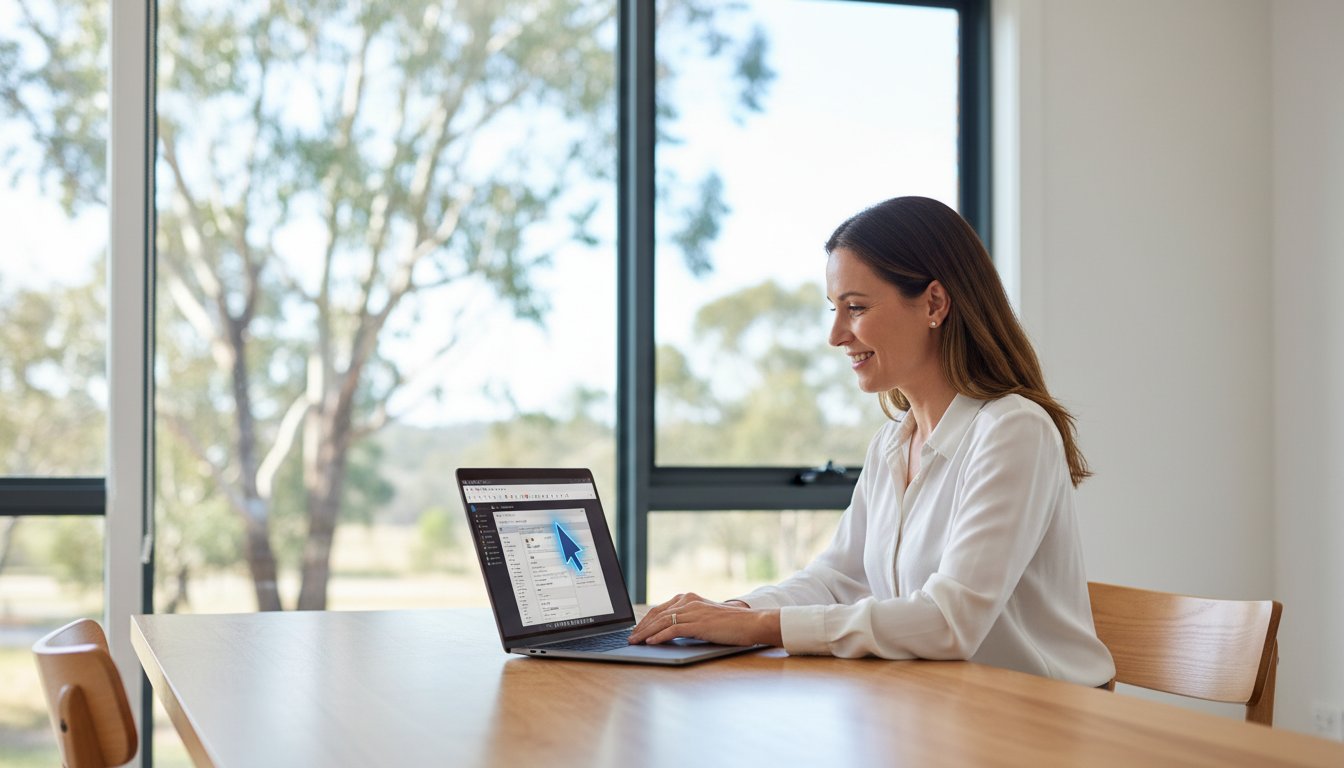
That familiar feeling of dread-your computer is running painfully slow, a critical file won’t open, or a strange error message has appeared, and you need a fix, now. The thought of unplugging a tangle of cables and driving to a repair shop is enough to cause a headache. But what if you could get expert help from a trusted technician without ever leaving your home or office? This is the power of professional remote IT support, a fast, convenient, and secure way to solve your tech troubles.
We understand that letting someone access your computer from afar can seem daunting. Is it safe? How does it even work? In this guide, we’ll demystify the entire process for you. We will show you exactly how our secure support sessions work, how we protect your data and privacy, and why it’s the most efficient way to get your technology working for you again. Prepare to discover the peace of mind that comes with having expert help just a click away.
Key Takeaways
- Get fast and effective tech solutions for many common computer issues without ever having to unplug your machine or leave your home.
- Understand the simple, secure process of a remote support session, giving you full control and peace of mind from start to finish.
- Learn which frustrating software glitches, virus problems, and performance issues can be fixed instantly, and when an on-site visit is necessary.
- Discover the advantages of choosing a local expert for your remote IT support, ensuring you get personalised service you can trust.
What is Remote IT Support? Demystifying Tech Help from a Distance
When technology troubles strike, the last thing you need is the stress of waiting for a technician to arrive. Put simply, remote IT support is a secure and incredibly efficient way for our experts to fix your computer problems directly over the internet. Think of it like having a trusted IT professional sitting right beside you, taking control of your mouse and keyboard to diagnose and resolve issues in real-time. It’s a similar concept to a telehealth appointment with a doctor, but for the health of your technology.
To see how these tools work in practice, this short video provides a helpful overview:
The entire process is built on a foundation of security and your complete control. Using specialised software, we create a temporary, encrypted connection to your computer. This modern approach to technical support is only possible with your explicit permission for each session. You can watch every action our technician takes on your screen and can end the connection at any moment, giving you total peace of mind.
How Does the Technology Work?
The process is straightforward and designed to be user-friendly. When you have an issue, you contact us. We guide you to a secure section of our website to download a small, safe application. You will then be given a unique, single-use access code to start the session. Once you enter the code, the connection is established, and we can begin our work. Security is our top priority, so every session includes:
- User-Initiated Connection: We can never access your computer without your consent and action.
- One-Time Access Codes: Each support code is unique and expires after the session ends.
- Full Encryption: The data transmitted during the session is fully encrypted to protect your privacy.
- Immediate Disconnection: The moment the session is closed, our access is permanently terminated.
Remote Support vs. On-Site Visits: What’s the Difference?
While incredibly versatile, remote support is best suited for certain types of problems. It’s often the fastest and most cost-effective first step in diagnosing any issue. However, some situations still require a hands-on, on-site visit. A quality IT partner will offer both to ensure your business has the flexible support it needs.
- Ideal for Remote Support: Software troubleshooting, virus and malware removal, system performance tune-ups, email configuration, and driver updates.
- Requires an On-Site Visit: Hardware failures (e.g., a computer that won’t power on), physical network setup, internet or NBN connection outages, and installing new physical equipment like servers or printers.
The Key Benefits: Why Remote Support is a Game-Changer
When your computer plays up, the last thing you need is more frustration. Traditional IT support often means booking an appointment days in advance or packing up your machine for a trip to a repair shop. Fortunately, remote it support offers a modern solution that directly addresses these pain points, providing fast, affordable, and incredibly convenient help for home users and small businesses alike.
Speed and Efficiency: Get Help in Minutes, Not Days
The most significant advantage of remote support is speed. With no travel time required, our technicians can connect to your device almost instantly. Forget waiting for an on-site visit; many software glitches, email problems, or performance issues can be diagnosed and resolved in under an hour. This is a game-changer for urgent problems, like a POS system failure during business hours, getting you back to work with minimal disruption.
This focus on minimizing business disruption applies to more than just office computers. Many industries now use remote support for specialized equipment, such as industrial weighing systems that require precise calibration. For an example of how this specialized remote service works, check out Independent Scale Service.
Cost-Effectiveness: Save Money on Tech Support
Because we don’t need to travel to your location, we can pass those savings directly on to you. Remote support eliminates call-out fees, which often start from A$100 or more for an on-site visit. Our technicians can work more efficiently, leading to shorter billable hours. This model also reduces costly downtime for your business-a faster fix means you’re back to earning sooner. Many of our remote services also come with the assurance of a ‘no fix, no fee’ policy for complete peace of mind.
Ultimate Convenience: Support from Anywhere
Get expert help without leaving your desk. There’s no need to unplug a web of cables and haul your PC to a workshop. You can stay in your home or office and watch in real-time as our technician works on your screen. This transparency allows you to ask questions and see exactly what is being done. It’s also why it’s vital to choose a trusted provider and learn how to avoid tech support scams from illegitimate operators. For those in regional areas like the Darling Downs, this service provides access to expert help that might otherwise be hours away.
How a Remote Support Session Works: A Step-by-Step Guide
If you’ve never used remote IT support before, the idea of someone else accessing your computer can feel a bit strange. We understand completely. That’s why our process is designed to be completely transparent, secure, and simple, putting you in the driver’s seat from start to finish. There are no hidden steps or technical jargon-just a straightforward solution to get you back up and running. Here’s exactly what you can expect.
Step 1: Making Contact and Describing the Problem
It all begins with a simple phone call or by filling out our online request form. You’ll speak directly with one of our experienced technicians who will listen carefully to understand the issue you’re facing. Based on your description, we’ll assess whether the problem can be resolved remotely. Before any work begins, we will provide you with a clear, upfront cost estimate in AUD, ensuring there are no surprises down the line.
Step 2: Establishing a Secure Connection
Once you agree to proceed, we will guide you to a secure page on our website to download a small, temporary support application. This software creates a highly encrypted, one-time connection between your computer and our technician. This secure connection is the foundation of modern remote support, allowing us to see what you see. You will be given a unique session code to read back to us. Crucially, we cannot see or control anything until you explicitly grant permission on your screen.
Step 3: Diagnosis, Repair, and Completion
Now, you can sit back and watch our expert get to work. You’ll see your own mouse cursor move on the screen as our technician diagnoses and fixes the issue. We pride ourselves on clear communication and will explain what we are doing as we go. Once the repair is complete, we will walk you through the solution and confirm that you are 100% satisfied. The moment the session ends, the connection is permanently closed. We have no way to get back into your computer unless you initiate a brand new session with a new code. Your privacy and security are guaranteed.

What Problems Can Be Fixed Remotely? (And What Can’t)
One of the greatest strengths of modern technology is the ability to solve problems from a distance. High-quality remote it support can resolve a vast range of common and frustrating computer issues, getting your business back to full productivity faster. However, it’s important to be honest and realistic. Some problems simply require a hands-on approach. Understanding the difference helps you get the right help, right away.
By setting clear expectations, we can ensure we take the most efficient path to a solution, saving you time and stress.
Ideal Issues for Remote IT Support
If your computer can still turn on and connect to the internet, many software-related problems can be diagnosed and fixed quickly. Our remote sessions are secure and efficient, designed to solve issues like:
- Virus, Spyware, and Malware Removal: We can securely access your system to scan, identify threats, and remove malicious software to protect your valuable data.
- Software Troubleshooting & Updates: From Microsoft Office glitches and email configuration problems to installing new applications, we can resolve errors and ensure your software is up to date.
- PC Tune-Ups and Performance Optimisation: Is your computer running slow? We can clean up unnecessary files, adjust system settings, and optimise startup programs to significantly boost its speed.
- Driver and Peripheral Issues: We can update or reinstall drivers and troubleshoot connectivity problems for devices like printers, scanners, and webcams.
When You Need an On-Site Visit
Remote support relies on two things: a working computer and an internet connection. When a problem is physical or prevents the computer from starting up, a technician needs to be there in person. These situations include:
- No Power or Failure to Boot: If your computer won’t turn on at all, it’s likely a hardware issue such as a failed power supply, motherboard, or hard drive.
- Physical Damage: A cracked laptop screen, a broken keyboard, or a damaged USB port cannot be fixed through a screen share.
- Total Internet Outage: If your business has no internet connection, we can’t connect remotely. This often points to a problem with your modem, router, or NBN service that needs physical diagnosis.
For these critical hardware or connectivity failures, you need professional on-site computer repairs to diagnose the faulty component and get you back online.
Choosing a provider who offers both remote and on-site services gives you the assurance that no matter the problem, there is always a solution available.
Why Choose a Local Toowoomba Expert for Your Remote Support?
While the convenience of remote IT support is clear, who you choose to provide that support makes all the difference. You could opt for a large, national provider and spend your time navigating call centre queues and speaking with a different technician every time. Or, you can partner with a local expert who knows your community and is invested in your success.
For Toowoomba businesses, choosing a local provider like Aspire Computing offers a level of service and accountability that faceless corporations simply can’t match. It’s about building a relationship, not just closing a support ticket.
The Value of Trust and Accountability
When you have a critical IT issue, trust is paramount. Aspire Computing isn’t a faceless helpdesk; we are a local Toowoomba business that has been serving our community since 1999. Our reputation is built on two decades of reliable, professional service. You can speak directly with the owner, Chaim Lee, a trusted local expert who stands behind our work. This direct accountability ensures you receive consistent, high-quality care from someone who values your business.
Seamless Transition to On-Site Help
What happens when a problem is too complex for a remote fix? This is where a local provider truly shines. Unlike remote-only services that leave you stranded, we offer a complete, integrated solution. If an issue requires hands-on attention, we don’t just give up. We seamlessly schedule an on-site visit to resolve the problem properly. This hybrid approach gives you the best of both worlds: the immediate response of remote it support and the thorough, in-person expertise needed for complex hardware or network issues. You get the right help for your situation, all from a single, trusted provider. Get the peace of mind that comes from a complete solution with Aspire Computing.
Embrace Smarter Tech Support with a Trusted Local Expert
As we’ve seen, tech troubles don’t have to mean downtime or inconvenient appointments. Modern remote support offers a fast, secure, and highly effective way to resolve a wide range of software issues, getting you back to work or play with minimal disruption. It’s the smart, convenient solution for today’s digital world.
But the true value comes from pairing this technology with personal, accountable service. When you choose a local Toowoomba expert for your remote it support, you get more than just a quick fix; you get peace of mind. At Aspire Computing, we’ve been proudly serving our community since 1999. You’ll receive personal service directly from the owner, ensuring a level of care and accountability that larger, anonymous companies simply can’t match.
Don’t let frustrating tech issues disrupt your day any longer. For dependable help that combines modern convenience with trusted, local service, get in touch. Need fast, reliable tech help? Talk to our Toowoomba experts today!
Frequently Asked Questions About Remote IT Support
Is remote IT support safe and secure?
Absolutely. Your security is our top priority. We use industry-leading remote access software that establishes a highly encrypted connection to protect your data. You are always in control of the session; you must grant us permission to connect, and you can see everything our technician does on your screen in real time. We believe in complete transparency to give you the assurance that your systems are in safe, professional hands.
What happens if my internet connection drops during a session?
Don’t worry, this is a common occurrence. If your internet connection drops, the remote session will automatically terminate. Our technician will lose access to your computer immediately, ensuring your system remains secure. Once your connection is restored, we will simply contact you to re-establish the session and continue resolving the issue right where we left off. It’s a straightforward process designed for business continuity.
Do I need to have any technical skills to use remote support?
Not at all. The process is designed to be as simple as possible for you. All you need is a working internet connection. Our technician will guide you through a couple of easy steps, which usually involves clicking a link and giving permission for us to connect. We handle all the technical complexities from our end, so you can sit back while we get your system running smoothly again. It’s a hassle-free solution.
What if the problem can’t be fixed remotely? Do I still have to pay?
While we can solve most issues remotely, some problems require a hands-on approach, like a hardware failure. If we determine the issue cannot be resolved remotely, we will explain the situation clearly. We operate on a fair-assessment basis. Often, we will apply the initial remote diagnostic fee as a credit towards the cost of an on-site visit, ensuring you only pay for a successful resolution. Our goal is to provide a quality solution, not just a service.
Can you provide remote support for both PC and Mac computers?
Yes, we certainly can. Our team is experienced in providing comprehensive support for a wide range of systems. This includes both Windows-based PCs and Apple Mac computers, whether they are desktops or laptops. Our remote tools are fully compatible with both macOS and Windows operating systems, allowing us to diagnose and resolve issues efficiently, regardless of your preferred platform. We are equipped to connect and assist with the technology your business relies on.
How much does remote IT support typically cost?
The cost of remote it support in Australia can vary based on the complexity of the issue and the provider. Many services charge an hourly rate, typically ranging from A$90 to A$180 + GST per hour. Some businesses opt for a managed services plan, which offers ongoing support for a fixed monthly fee. We believe in transparent pricing and will always provide a clear estimate before commencing any work, ensuring there are no surprises.

B.App.Sc., Cert. Computer Engineering PC Service and Repair
As the owner of Aspire Computing founded in 1999, Chaim Lee has been working for over 20 years as the Leading Computer Technician.
He has a life long interest in electronics, computing, science and technology. He has completed studies and gained qualifications in Applied Science, Computer Repair and Service, Microsoft Installation and Maintenance, Technical Writing, Workplace Training, and Technical Sales Training.

Write a Comment