
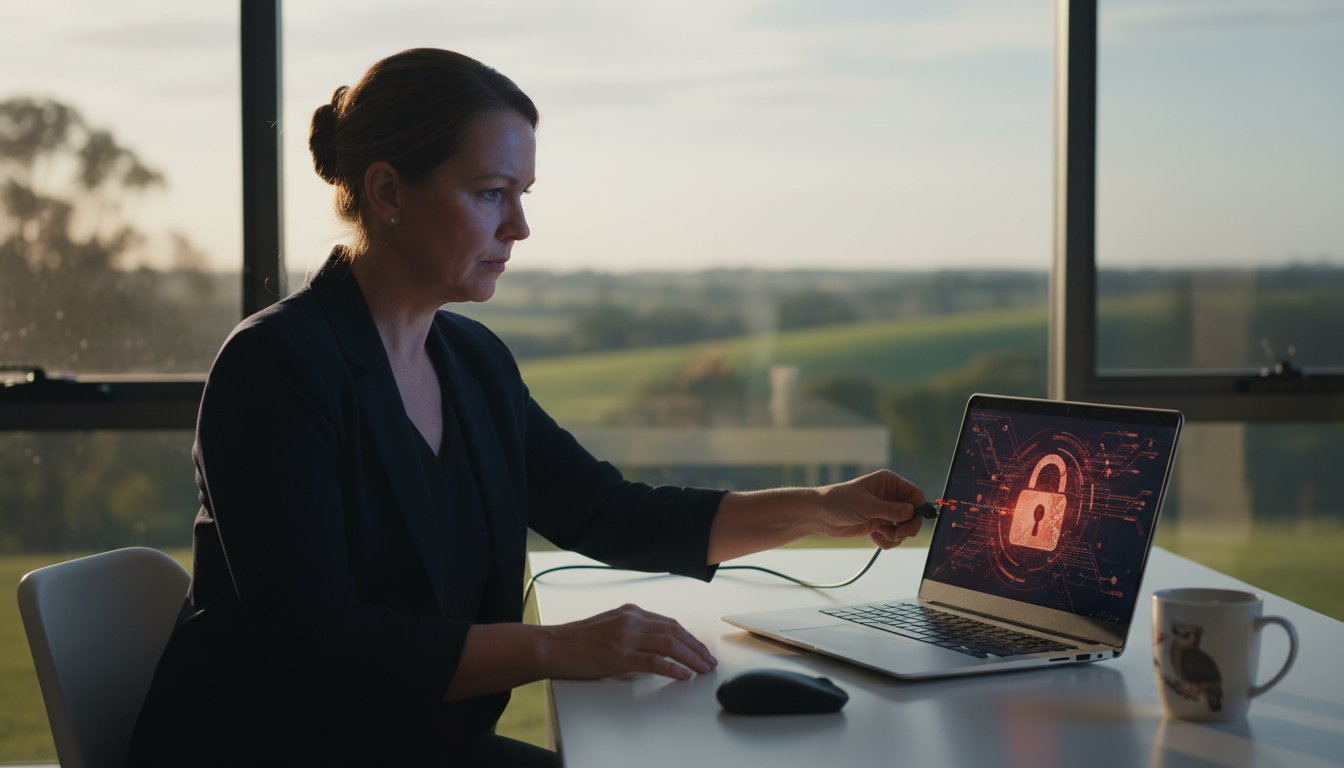
Last Tuesday, a local resident in Toowoomba watched in horror as their mouse cursor moved independently, opening private folders and accessing sensitive tax files. It’s a terrifying experience that nearly 33% of Australians are expected to encounter by the end of 2026. If you’ve noticed strange pop-ups or an unexpected A$450 transaction on your bank statement, don’t panic. We know you’re likely feeling anxious about your identity and confused by complex technical jargon. It’s completely normal to feel violated, but there’s a clear path forward to fix this.
Knowing exactly what to do if your computer is hacked is the difference between a minor headache and a total digital disaster. This guide provides a professional, step-by-step emergency roadmap to stop active threats and reclaim your digital life. We’ll show you how to isolate your machine, secure your Australian bank accounts, and ensure your hardware is physically clean of malware. You’ll finish this article with a clear plan to restore your security and prevent future attacks from ever happening again.
Key Takeaways
- Learn the “Golden Rule” of cyber emergencies and how to immediately sever a hacker’s remote access by disconnecting from the network.
- Identify the subtle warning signs of a breach, from background performance drops to the deceptive “Fake Antivirus” traps used by modern cybercriminals.
- Follow our step-by-step roadmap on what to do if your computer is hacked, including why a “Clean Slate” system reinstallation is often the only way to guarantee your safety.
- Discover how to future-proof your digital life using the “Essential Eight” security steps and modern hardware upgrades tailored for the 2026 threat landscape.
- Understand why local, face-to-face support in Toowoomba provides a safer, more accountable recovery experience than remote “experts” or generic call centres.
Emergency First Response: What to Do the Moment You Suspect a Hack
Realising your screen is moving on its own or seeing strange files appear can be terrifying. The “Golden Rule” in this situation is simple: don’t panic, but move with calculated speed. Every second an attacker has access to your system increases the risk to your personal data. At Aspire Computing, we’ve helped Toowoomba residents recover from these situations since 1999, and we know that the first 60 seconds are the most critical. If you are wondering what to do if your computer is hacked, your immediate goal is to contain the threat before it spreads to your bank accounts or your contacts.
The key to handling any emergency, digital or physical, is having a plan. Just as you need a roadmap for a hacked computer, knowing your options for a sudden medical issue is equally vital. For example, readers dealing with an unexpected dental problem can explore Emergency Dental Services to understand their choices for urgent care.
To better understand how to spot these red flags and initial threats, watch this helpful video:
Severing the Remote Connection
Hackers usually rely on an active internet connection to maintain control. Turn off your Wi-Fi router or pull the Ethernet cable out of the back of your machine immediately. This kills their “live” access. Don’t just put the laptop to sleep; a sleeping computer often maintains network heartbeats that allow background processes to continue. If you can’t disable the network, power the machine down completely. Never use the compromised computer to search for help. Use your phone or a separate, clean tablet instead. This prevents the attacker from monitoring your recovery steps or stealing the login details for your support accounts.
Grab a physical notepad and a pen to create a log of events. Digital notes on a hacked PC aren’t safe and can be deleted by the intruder. Write down the exact time you noticed the issue. List every pop-up, weird sound, or program that opened by itself. This documentation is a vital part of the computer security incident management process. According to the Australian Cyber Security Centre (ACSC), cybercrime reports rose by 23% in the 2022 to 2023 financial year. Having a clear, written timeline helps experts trace the entry point and provides evidence if you need to file an official report later.
Securing Your Financial Perimeter
Your bank should be your second phone call after you’ve isolated the machine. If you use CommBank, Westpac, ANZ, or any local Australian credit union, call their fraud department immediately. Tell them your computer was compromised. They can freeze your accounts or place a temporary “watch” on your funds. The average cost of cybercrime for Australian individuals rose to A$46,000 in 2023, so acting within minutes can save your life savings. If you suspect your Tax File Number or Medicare details are at risk, contact the Australian Taxation Office (ATO) on 1300 130 330 to protect your identity from being used for fraudulent tax returns.
Checking your email “Sent” folder from a secure device is another vital step. Hackers often go there first to find invoices or personal scans you’ve sent to others. Look for any unauthorized messages sent in the last hour. If you see emails you didn’t write, it’s a sign they’ve already started harvesting your data to target your friends or business associates. Understanding what to do if your computer is hacked starts with this perimeter defense. By cutting the connection and alerting your financial institutions, you stop the bleeding before moving on to the actual repair and cleanup of your system.
Identifying the Breach: Signs Your Computer Has Been Compromised
Discovering your digital privacy has been invaded is a stressful experience. At Aspire Computing, we always tell our clients: don’t panic. Knowing what to do if your computer is hacked starts with a clear-headed assessment of the symptoms. Cybercriminals often try to remain invisible, but they almost always leave digital footprints. If your system feels “off,” it probably is. According to the Australian Cyber Security Centre (ACSC), a cybercrime is reported every 6 minutes in Australia, so you aren’t alone in this fight.
Malware often runs intensive processes in the background, stealing your system resources. You might notice your cooling fans spinning at maximum speed even when you’re just looking at your desktop. If your Task Manager shows CPU usage spiking above 85% for no reason, background mining or data exfiltration could be the cause. Another common tactic is the “Fake Antivirus” pop-up. These aggressive windows use bright red text and loud alerts to claim your PC has 43 viruses. They want you to pay A$50 or A$100 for “repair software” that is actually the virus itself. Real security software doesn’t use hostage-style marketing.
Browser hijacking is a particularly frustrating sign of a breach. You might open your browser to find your homepage changed from Google to a cluttered, ad-filled search engine you’ve never heard of. If your search results redirect you to suspicious shopping sites or adult content, your browser’s internal settings have been seized. This often happens through malicious extensions or “helper” objects installed without your consent. If you see these signs, it’s vital to report the incident to the Australian Cyber Security Centre (ACSC) or the relevant local authorities to help track these international criminal networks.
Software and System Red Flags
Keep a sharp eye on your desktop and taskbar. If new icons appear for programs like “PC Speedup Pro” or “Disk Cleaner” that you didn’t download, your system is compromised. Sometimes you’ll see your mouse cursor move independently, clicking on folders or typing in search bars. This indicates a Remote Access Trojan (RAT). Frequent system crashes are another sign. While a single “Blue Screen of Death” might be a driver fluke, seeing it 3 or 4 times in a single week often suggests malware is corrupting your core system files.
Account and Identity Warnings
Your accounts often show signs of a hack before your hardware does. If friends mention receiving weird emails or Facebook messages from you containing “special deals” or suspicious links, your login credentials have likely been leaked. Pay close attention to your phone; receiving a Two-Factor Authentication (2FA) code when you aren’t trying to log in is a major warning. It means a hacker already has your password and is trying to bypass the final security gate. Check your Google or Microsoft security settings immediately. If you see a recovery phone number or email address that isn’t yours, an intruder has already started “nesting” in your account to prevent you from locking them out.
Identifying these signs early can save you thousands of dollars in potential fraud and hours of recovery time. If things feel overwhelming, you can always talk to the experts at Aspire Computing for a professional system audit. We’ve been helping the Toowoomba community stay secure since 1999, and we know exactly how to spot the hidden tracks hackers leave behind.
The Recovery Process: Sanitizing Your System and Accounts
Seeing a green checkmark on your antivirus dashboard doesn’t always mean your system is clean. Modern malware is designed to be “evasive,” meaning it can hide in areas your standard scanner might ignore. If you’re wondering what to do if your computer is hacked, the first priority is isolation, but the second is total sanitization. Relying solely on consumer-grade software after a breach is a risk you shouldn’t take. Statistics from 2023 show that nearly 70% of successful malware attacks now involve “fileless” techniques that bypass traditional signature-based detection entirely.
Sometimes, the only way to be 100% certain of your safety is the “Clean Slate” approach. This involves backing up your essential documents, wiping your hard drive, and performing a fresh installation of Windows. It sounds drastic, but it’s the gold standard for security. For many Australians, this process feels overwhelming. That’s why the Australian Cyber Security Centre (ACSC) provides the ReportCyber portal. If you’ve lost money or had your identity stolen, reporting the incident there is a critical step for both legal protection and national threat tracking.
Don’t try to handle identity theft alone. IDCARE is Australia’s national identity and cyber support service. They provide free, specialist advice to help you create a remediation plan. This is especially important if your Tax File Number or Medicare details were compromised. They work alongside you to contact banks and government agencies, ensuring the hacker can’t use your name to open new accounts or claim benefits.
Deep Malware Removal and Verification
There is a massive difference between “quarantining” a simple virus and removing a rootkit. Rootkits embed themselves deep within your operating system’s kernel, often starting before Windows even loads. Sophisticated breaches can even infect your hardware’s firmware, such as the UEFI or BIOS. The team at Aspire Computing performs deep system audits that inspect boot sectors and registry hives to ensure no hidden backdoors remain. We don’t just delete files; we verify the integrity of your entire environment so you can work without fear.
The Password Reset Hierarchy
Understanding what to do if your computer is hacked involves more than just running a quick scan; it requires a methodical rebuild of your digital life. You must follow a specific hierarchy when changing passwords. Start with your primary email account and your banking apps. If a hacker controls your email, they can “reset” passwords for every other service you use. If you suspect your personal details were leaked, following the official steps after a data breach can help you lock down your credit and tax records effectively.
- Use Passphrases: Move away from short passwords. Use four or more random words (e.g., “BlueToowoombaCoffeeCloud”) to meet 2026 security standards.
- Global Logout: Most platforms like Google, Microsoft, and Facebook have a “Log out of all sessions” button. Use this immediately to kick the hacker out of active sessions on their own devices.
- Update Recovery Info: Check that the hacker hasn’t changed your recovery phone number or secondary email address to their own.
Professional recovery isn’t just about fixing the machine; it’s about restoring your peace of mind. Since 1999, we’ve seen how much stress a breach causes. Taking these methodical steps ensures that once the hacker is gone, they stay gone. It’s about building a perimeter that protects your family and your business for the long term.

Future-Proofing: How to Aspire to Protect and Connect in 2026
Knowing what to do if your computer is hacked is a vital skill, but building a resilient digital fortress for the future is even better. By 2026, cyber threats will be more automated, making manual security checks insufficient. To stay ahead, we look to the “Essential Eight” strategies developed by the Australian Cyber Security Centre (ACSC). While these were designed for large organisations, they’re now the baseline for any Toowoomba home office or small business. Implementing these steps, such as restricting administrative privileges and daily backups, can mitigate approximately 85% of common cyber attacks.
Security isn’t just about software; it’s deeply tied to your physical kit. If your PC is more than five years old, it likely lacks the Trusted Platform Module (TPM 2.0) hardware required for the most secure versions of Windows. Upgrading your hardware ensures you can run modern operating systems with “Core Isolation” enabled. This feature uses hardware-based virtualisation to protect your system’s most sensitive processes from malware. It’s a layer of protection that old hardware simply cannot provide, no matter what antivirus you install.
Data continuity is your final safety net. We recommend an automated, encrypted 3-2-1 backup strategy. This means having three copies of your data, on two different media types, with one copy kept off-site. In 2026, simple cloud syncing isn’t enough. You need “immutable” backups that hackers can’t delete even if they gain access to your main account. A regular Windows Tune-Up is also a security necessity. It’s not just about speed. During a tune-up, we remove “bloatware” and outdated apps that create “attack surfaces” for hackers to exploit. A lean system is a secure system.
Advanced Authentication and Management
Moving into 2026, SMS-based two-factor authentication is no longer the gold standard. Hackers now use “SIM swapping” to intercept those codes. It’s time to switch to hardware security keys or authenticator apps like Microsoft Authenticator. You should also use a Password Manager to generate unique, 20-character passwords for every site. This prevents “credential stuffing,” where a leak at one website gives a hacker access to all your accounts. Finally, stop using an “Administrator” account for your daily browsing. Setting up a “Standard User” account for daily use prevents 90% of critical vulnerabilities from executing on your machine.
Active Protection and Monitoring
Modern protection means catching exploits before they even execute. Real-time threat monitoring looks for suspicious patterns, such as a word document suddenly trying to run a script. This is why patch management is so critical. When you see an update notification, it often contains a fix for a “Zero-Day” vulnerability that hackers are already using. Don’t click “Remind Me Later.” For local peace of mind, Aspire Computing provides active protection for Toowoomba small businesses, ensuring your systems are monitored and patched 24/7. We take the guesswork out of security so you can focus on your work.
Ready to secure your digital future? Book a Professional Windows Tune-Up and Security Audit with Chaim Lee today to ensure your system is 2026-ready.
Why Professional Local Support is Your Best Defense in Toowoomba
Knowing what to do if your computer is hacked starts with a single, vital rule: stop and breathe. Panic leads to rushed decisions that often make a security breach worse. While online guides offer a great starting point, they can’t replace the hands-on expertise of a local technician who understands the specific threats targeting Toowoomba residents. Since 1999, Aspire Computing has operated with a philosophy of personal accountability. When you bring your machine to our workshop in Newtown, you’re handing it to Chaim Lee and a team with over 25 years of local experience, not a nameless voice in a call centre halfway across the globe.
The “Local Advantage” is about more than just proximity; it’s about physical security. A remote technician can only see what the software allows them to see. If a sophisticated hacker has installed a rootkit or a hardware-level exploit, a remote session might miss it entirely. By choosing a local professional, you ensure your hardware is physically inspected. We check for unauthorized devices and ensure the “clean” state of your machine is absolute. This level of certainty is the only way to move from a state of “Hacked” to “Healthy” with total confidence.
The Risks of Remote-Only “Fixes”
Many victims of cybercrime fall into a second trap: the “Microsoft Support” scam. These criminals monitor search patterns to find people looking for what to do if your computer is hacked. They pose as helpful experts but actually install backdoors to steal banking data. A physical diagnostic in our Newtown shop rules out hidden hardware keyloggers that remote software cannot detect. Local accountability ensures your sensitive data stays in safe, reachable hands.
Choosing between on-site and remote support depends entirely on the severity of the breach. For minor software glitches or email configuration, remote help is fast and efficient. However, when your security is compromised, on-site support or a workshop visit is the gold standard. We provide a thorough scrub of your system that remote tools simply can’t match. This includes deep-level registry cleaning and firmware verification to ensure no sleepers are left behind to reignite the infection in three months.
Getting Started with Aspire Computing
Our repair process is designed to remove the stress from your cyber crisis. We’ve been serving the Toowoomba, Darling Downs, and Lockyer Valley regions since 1999, building a reputation for speed and reliability. We don’t just fix the immediate problem; we implement “Active Protection” to prevent a recurrence. This methodical approach ensures your digital life remains connected and protected against future evolving threats.
- Step 1: Immediate isolation of the infected device to protect your home network.
- Step 2: Comprehensive hardware and software diagnostic at our Newtown facility.
- Step 3: Secure data recovery and deep-system sanitization.
- Step 4: Installation of robust, multi-layered security protocols.
- Step 5: A final security audit and performance tune-up to ensure your PC is faster than before the hack.
Don’t let a hacker dictate your digital future. Whether you’re in the middle of Toowoomba or out in the Lockyer Valley, expert help is just a phone call away. You deserve the peace of mind that comes with a professionally secured system. Contact Chaim and the team at Aspire Computing for a security audit today.
Take Control of Your Digital Security Today
Recovering from a cyberattack in 2026 requires a fast, methodical approach. You’ve learned that the first steps involve disconnecting from the network and securing your most sensitive financial accounts immediately. While software tools provide a baseline, they can’t replace the thorough sanitization of a system that’s been deeply compromised. Knowing what to do if your computer is hacked is the first step toward reclaiming your privacy, but you don’t have to face this challenge alone.
Chaim Lee and the team at Aspire Computing have been protecting the Toowoomba community since 1999. With over 25 years of experience, we provide the expert on-site and remote support you need across the Darling Downs. We’ll help you scrub your system and implement the “Protect and Connect” strategy to ensure your digital life stays secure. Don’t let a security breach slow you down. Talk to the Experts at Aspire Computing – We’ll Help You Recover Fast. You’ve got the tools and the local support to get back online with total confidence.
Frequently Asked Questions
Is my computer still hacked if I ran an antivirus scan and it found nothing?
Not necessarily; a clean scan doesn’t guarantee your system is safe. Sophisticated threats like rootkits or fileless malware often hide from standard antivirus software. In 2023, security reports showed that 45% of new malware remained undetected by traditional signature-based tools for the first 48 hours. If your machine still behaves strangely, you need a deeper manual inspection from an expert to ensure your digital security is intact.
Can a hacker see me through my webcam even if the light is off?
Yes, hackers can record you through your webcam without the indicator light turning on. Specialized malware can modify the camera’s firmware to decouple the LED from the sensor. This technique has been documented in security research since 2013. We recommend using a physical sliding cover or unplugging external cameras when they aren’t in use to guarantee your privacy. It’s a simple step that provides total peace of mind.
Should I pay the ransom if my files are encrypted by ransomware?
You should not pay the ransom. The Australian Cyber Security Centre (ACSC) reports that only 1 in 4 victims who pay actually get their data back. Paying also marks you as a “payer,” making you 80% more likely to be targeted again. Instead, focus on professional data recovery and restoring from your most recent backups. We help you regain control of your digital life without funding criminal activity.
How much does it cost to have a professional remove a virus in Toowoomba?
Virus removal in Toowoomba typically costs between A$120 and A$180 depending on the infection’s complexity. At Aspire Computing, we provide transparent pricing and a quick fix for most common infections. Knowing what to do if your computer is hacked involves getting a fixed-price quote so you aren’t surprised by the bill. Our team has helped Toowoomba residents since 1999 with reliable, local, and professional computer service.
Can a hacker access my other devices if they only have my computer password?
Yes, a single password can compromise your entire network if you use the same credentials for multiple accounts. If your computer is synced to a cloud service like iCloud or OneDrive, a hacker can access your phone and tablet data immediately. Statistics show 65% of users reuse passwords across all sites. This makes it easy for criminals to jump from your PC to your bank or private social media accounts.
How do I know if my identity has been stolen after a computer hack?
You can identify identity theft by checking for unauthorized transactions on your bank statements or using services like IDCARE. Look for verification emails you didn’t request or unexpected changes to your credit score. In 2023, the OAIC reported a 26% increase in data breaches affecting Australians. If your computer was compromised, check if your email appears on “Have I Been Pwned” to see if your credentials are for sale.
What is the fastest way to get my computer fixed if I live in Toowoomba?
The fastest way to recover is to contact a local expert for on-site or remote support. Aspire Computing offers a fast return on repairs for Toowoomba locals, often resolving issues within 24 to 48 hours. Understanding what to do if your computer is hacked starts with a quick phone call to Chaim Lee. We’ll assess the damage and help you protect and connect your devices again without any unnecessary delay.

B.App.Sc., Cert. Computer Engineering PC Service and Repair
As the owner of Aspire Computing founded in 1999, Chaim Lee has been working for over 20 years as the Leading Computer Technician.
He has a life long interest in electronics, computing, science and technology. He has completed studies and gained qualifications in Applied Science, Computer Repair and Service, Microsoft Installation and Maintenance, Technical Writing, Workplace Training, and Technical Sales Training.

Write a Comment