
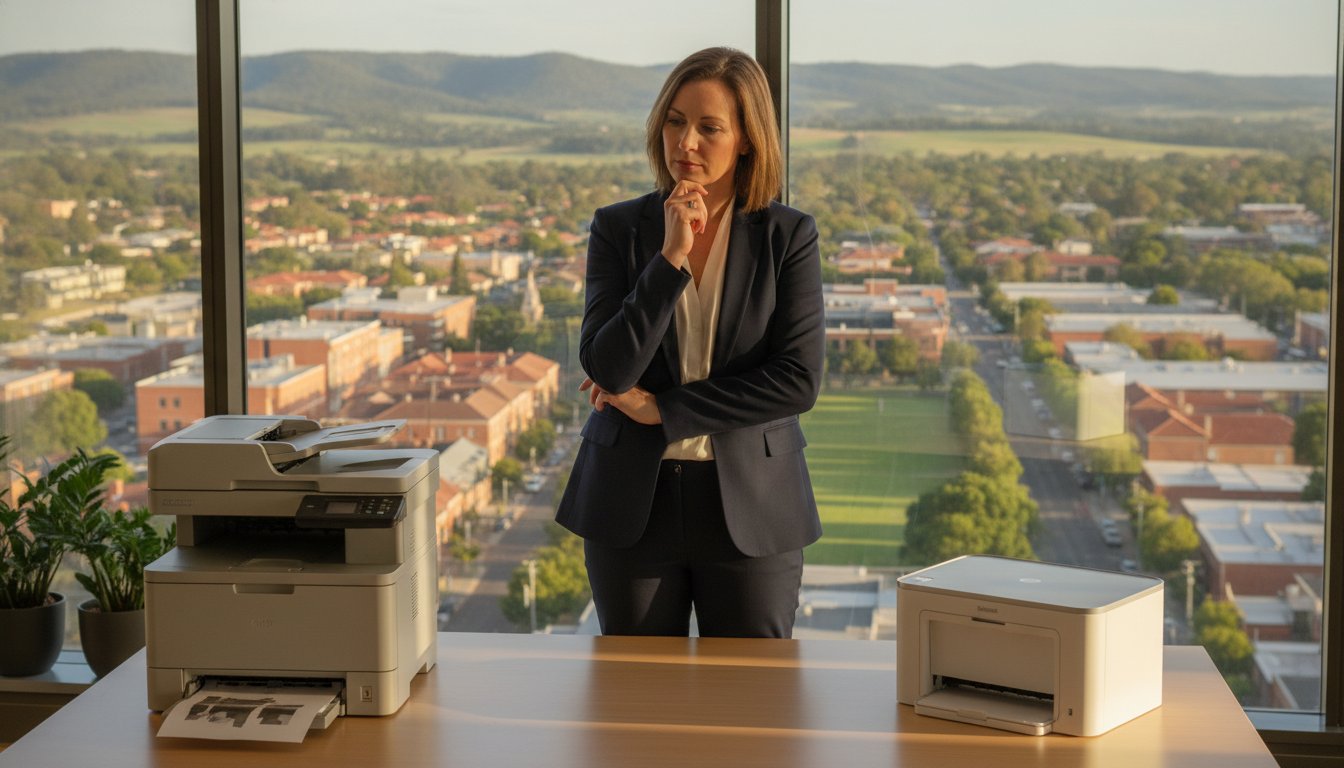
You are staring at a “Printer Offline” message while a critical deadline looms, and you’ve already wasted a fortune in toner on pages that look like a Rorschach test. It’s a moment of pure frustration that every Toowoomba professional has faced. When calculating the cost of printer repair vs new Toowoomba residents often feel pressured to buy a cheap replacement immediately. However, that “bargain” often turns into a financial trap once you factor in the cost of initial cartridges and the short lifespan of entry-level machines.
At Aspire Computing, we agree that you shouldn’t have to guess whether your hardware is worth saving or if it’s truly reached its end of life. This 2026 guide promises to give you our expert repair-or-replace framework, built on over 25 years of local experience serving the Darling Downs. We will preview the 50% rule for repairs, compare the longevity of professional-grade hardware against disposable models, and help you ensure minimal downtime for your business operations. Discover how to make a clear financial decision that keeps your office running smoothly without overcharging for parts you don’t need.
Key Takeaways
- Learn to identify the specific mechanical noises and print quality issues that signal your hardware needs professional attention before a total failure occurs.
- Use our 2026 framework to compare the cost of printer repair vs new Toowoomba hardware, helping you avoid the hidden “ink trap” of cheap retail models.
- Discover how a comprehensive internal service and lubrication can extend the life of your business-grade printer and preserve its manufacturer warranty.
- Understand why on-site support from a local expert who knows Toowoomba’s climate and network conditions is often more efficient than shipping your device away.
- Find out how to prepare for a diagnostic call to ensure a transparent quote and minimal downtime for your home office or small business.
Common Warning Signs Your Printer Needs a Professional Service
Most office equipment gives subtle hints before a complete breakdown. Ignoring these signs often increases the eventual cost of printer repair vs new Toowoomba hardware investments. If you notice persistent streaks, faded text, or recurring spots on your documents, your device is calling for help. These aren’t just cosmetic annoyances; they’re symptoms of internal wear that can lead to permanent damage. At Aspire Computing, we’ve spent over 25 years helping local businesses identify these red flags before they turn into expensive disasters.
Identifying Print Quality Degradation
Many users assume a faded page simply means the toner is low. However, if the fade is patchy or occurs in specific bands, you might be looking at a failing drum unit or fuser rather than an empty cartridge. Vertical lines are a major red flag. They usually point to physical hardware damage, such as a scratched drum or a dirty scanner glass, rather than a simple software glitch. Maintaining professional document output also relies on precise print head alignment. When these components drift, your business documents look unprofessional. Understanding what is a printer and its core mechanical functions helps in spotting whether the issue is a simple consumable or a deeper mechanical failure.
Mechanical Red Flags You Should Not Ignore
Your printer should operate with a rhythmic hum, not a symphony of grinding, clicking, or high-pitched squealing. Grinding noises often indicate that internal gear assemblies are slipping or that pickup rollers have lost their grip. One of the most common mistakes we see in Toowoomba offices is people “forcing” a paper jam. Yanking paper out can snap delicate internal sensors or tear the fuser film. If you see “ghosting” where a faint image of the previous page appears on the current one, your fuser unit is likely reaching the end of its life cycle. These mechanical warnings are your cue to seek a professional opinion before the machine stops entirely.
Frequent paper jams occurring in the same internal location usually mean a specific roller needs cleaning or replacement. It’s rarely just “bad paper.” Similarly, connectivity errors where the device remains “offline” despite you rebooting the NBN router suggest a deeper network configuration issue. These technical hurdles can bring a busy Darling Downs office to a standstill. Before you assume the hardware is dead, a professional diagnostic can often reveal a simple, cost-effective fix that saves you from the unnecessary expense of a replacement.
Cost of Printer Repair vs New: Making the Smart Choice
Walking into a big-box retailer in Toowoomba and seeing a sleek new printer for under A$100 is tempting. However, the true cost of printer repair vs new Toowoomba business owners face often hides in the long-term consumables. These budget machines frequently use “starter” cartridges with minimal ink, forcing you into an expensive replacement cycle within weeks. Repairing a robust, business-grade machine usually results in a much lower cost per page over its lifetime. Repairing a quality machine also reduces the environmental impact of e-waste, keeping hazardous materials out of our local Darling Downs landfills.
Professional servicing does more than just fix a current fault. It preserves your manufacturer warranty by ensuring all work meets specific technical standards. We often find that a specialised repair on a high-quality Samsung or Canon laser printer is far more economical than buying a “disposable” inkjet. If you’re unsure about your machine’s health, our printer repair and supply experts provide a clear diagnostic before you spend a cent on parts. This transparent approach ensures you don’t overinvest in a machine that’s truly reached its end of life.
Safe DIY Fixes for Toowoomba Home Offices
Before calling for a technician, you can try several safe troubleshooting steps. Most modern printers include automated cleaning cycles and alignment tools within the Windows settings. Running these can often clear minor nozzle clogs or fix blurry text. It’s also vital to keep your firmware updated. Manufacturers release these updates to resolve software handshake issues with new laptops or NBN routers. For physical maintenance, use a dry, lint-free cloth to gently wipe down external scanner glass and paper trays to prevent dust buildup from entering the internal mechanisms.
When DIY Becomes Dangerous for Your Hardware
While external cleaning is safe, opening the housing of a laser printer carries significant risks. Many people reach for compressed air to clear dust, but this often blows toner deeper into sensitive gear assemblies or onto optical sensors. Internal sensor cleaning requires specialised, non-abrasive tools and specific solvents that won’t melt plastic components. Most importantly, laser printers contain high-voltage power supplies and fuser units that reach extreme temperatures. These are strict “no-go” zones for anyone without professional training. Trying to fix these yourself can lead to permanent hardware failure or personal injury.
The Ultimate Professional Printer Service Checklist for 2026
When you’re weighing up the cost of printer repair vs new Toowoomba small business owners need to know exactly what happens during a professional service call. A simple “dusting” isn’t enough to protect your investment. Our 2026 service protocol focuses on deep restoration to prevent the sudden failures that disrupt your workflow. At Aspire Computing, we treat every machine with the precision gained from 25 years of local experience, ensuring your hardware remains a reliable asset rather than a source of stress.
The process begins with a comprehensive internal cleaning. Toner dust is microscopic and highly abrasive; if left to accumulate, it acts like sandpaper on delicate plastic gears. We remove this debris along with paper lint that often clogs internal sensors. Once clean, we perform an inspection and lubrication of all moving mechanical parts. Using high-temperature, manufacturer-specific lubricants on gear trains ensures silent operation and prevents the friction that leads to snapped components. We also test and calibrate paper feed rollers, using professional-grade rejuvenators to restore the “tack” needed to pull paper through without misfeeds.
Hardware and Mechanical Inspection
We look closely at the integrity of the fuser assembly and transfer belt, as these components are responsible for bonding toner to the page. If these show signs of pitting or wear, we can often replace them for a fraction of the cost of a new machine. The duty cycle represents the maximum number of pages a printer can reliably output per month; a professional service resets this expectation by ensuring all components are operating within their original specifications. This proactive approach is a key factor when calculating the cost of printer repair vs new Toowoomba professionals use to justify keeping their high-end hardware.
Software, Connectivity, and Security Audit
Modern printers are sophisticated networked computers, making them potential weak points in your home office cyber security. Our 2026 audit includes a full software and firmware update to patch vulnerabilities and improve network compatibility. We optimise print driver settings specifically for Windows 10 and 11 environments to eliminate “handshake” errors. For businesses across the Darling Downs, we also verify remote printing capabilities. This ensures your hybrid work setup remains seamless, allowing you to send documents to the office printer from your laptop anywhere in Newtown or the surrounding suburbs without connectivity dropouts.

Why Local Toowoomba Expertise Matters for Your IT Support
Choosing between fixing an old machine or buying a new one isn’t just about the receipt. It’s about who stands behind the work. When evaluating the cost of printer repair vs new Toowoomba professionals should consider the unique environmental factors of the Darling Downs. Our region is known for its fine dust and fluctuating humidity. These are silent killers for laser printer gear assemblies and paper feed systems. A technician from a national call centre won’t understand how local conditions affect your pickup rollers, but a local expert does. We’ve seen how the QLD climate impacts hardware over the long term, and we know how to mitigate those risks during a service.
On-Site Service Across the Darling Downs
We provide on-site assistance from Newtown to the Lockyer Valley, ensuring you don’t face the “big city” wait times common with national retailers. There’s no need to lug a heavy office printer to a shop and wait weeks for a diagnostic. We come to your home office or business premises, saving you valuable travel time and keeping your operations moving. This convenience is a core part of our IT support for business. We treat your printer as a vital link in your professional ecosystem rather than an isolated peripheral. Our goal is to ensure your hardware works seamlessly with your existing network and NBN setup.
25+ Years of Local Reliability
Aspire Computing has been a fixture in the Toowoomba community since 1999. Over these two and a half decades, we’ve built our reputation on personal accountability and deep technical knowledge. Unlike anonymous support lines, we know the specific nuances of the local infrastructure. When you work with a computer repairs Toowoomba specialist, you’re building a relationship with someone who understands your specific office history. This personal touch means we can troubleshoot recurring “Printer Offline” issues that often stem from local network quirks rather than the hardware itself.
Supporting local businesses also ensures a more rapid turnaround for parts and supplies. We maintain strong ties with regional suppliers to get your Samsung, Canon, or Epson machine back online quickly. This local network is why we can often resolve issues that leave national providers scratching their heads. If you’re weighing up the cost of printer repair vs new Toowoomba residents can trust our honest, local advice. If your equipment is struggling, book a local on-site service to get a professional diagnostic without the hassle of shipping your machine away.
Booking Your Printer Service with Aspire Computing
When you’re ready to finalise the cost of printer repair vs new Toowoomba decision, we want to make the process as efficient as possible. To maximise our time during a diagnostic call, it helps to have a few things ready. If your machine is still printing, keep a few samples of the streaky or faded pages. Note down any specific error codes or “Printer Offline” messages you’ve seen. This preparation allows us to dive straight into the technical solution, reducing the time spent on-site and getting your office back to full capacity faster.
We pride ourselves on a transparent approach to the cost of printer repair vs new Toowoomba businesses encounter. You’ll always receive honest advice from me. If a machine is truly beyond its economic life or if parts are no longer available for an older model, I’ll tell you straight. We specialise in supporting Canon, Epson, and Samsung hardware, ensuring that any replacement parts meet original manufacturer standards. Sometimes, a printer issue is a symptom of an ageing PC. If your whole system feels sluggish, you might consider a hardware upgrade to improve overall office performance alongside your printer service.
Our Professional Diagnostic Process
During an on-site visit in Newtown or the surrounding suburbs, we perform a methodical check of both hardware and software. We don’t just look at the broken part; we examine the entire paper path and connectivity setup. For minor software handshake errors or driver conflicts, we can often provide remote support to save you a call-out fee. However, for physical repairs, our commitment to quality is absolute. We only use reliable components for all printer supply and repair tasks. This ensures that once your machine is fixed, it stays fixed, providing you with the operational stability your business deserves.
Get Your Office Back to Full Speed
Downtime is expensive for any Toowoomba small business. Proactive maintenance is the best way to avoid the stress of a sudden hardware failure during a deadline. By scheduling a regular service, you can extend the life of your professional-grade printer and keep your per-page costs low. If you’re currently facing a technical hurdle, don’t let the frustration build up. We’ve been helping the Darling Downs community with dependable IT assistance since 1999, and we’re ready to help you too. Contact Aspire Computing today to book your diagnostic service and get your office running at full speed again.
Restore Your Workflow with Confidence
Deciding on the cost of printer repair vs new Toowoomba residents face doesn’t have to be a gamble. By looking past the initial retail price tag and considering long-term running costs, you can make a choice that supports both your budget and the environment. Professional-grade hardware is built to last; a comprehensive service often provides years of additional life for a fraction of a replacement’s price. This approach avoids the “ink trap” of cheap models while ensuring your business documents maintain a professional standard.
Since 1999, we’ve provided dependable on-site support throughout Newtown and the broader Darling Downs. Whether you’re struggling with a Canon, Epson, or Samsung model, our local expertise ensures you get a transparent diagnostic without the stress of shipping your equipment away. We understand the specific needs of our community and the impact of our local climate on your technology. Book your professional printer service with Toowoomba’s local experts at Aspire Computing and keep your home office running at its peak performance. We look forward to helping you get back to work with minimal downtime.
Frequently Asked Questions
How often should a home office printer be professionally serviced in Toowoomba?
Most home office printers benefit from a professional service every 12 to 18 months. High-volume business environments should consider annual maintenance to remove Darling Downs dust and accumulated toner debris. Regular checks prevent mechanical friction in gear trains and rollers. This proactive approach helps you manage the long-term cost of printer repair vs new Toowoomba investments by significantly extending the operational life of your current hardware.
Is it worth repairing a printer that is more than five years old?
It depends on the original quality of the machine and current part availability. High-end business laser printers are often worth fixing because they are built for longevity and offer much lower per-page running costs than new budget models. If your device was an entry-level retail unit, a replacement might be more economical. We provide an honest assessment during our diagnostic to ensure you don’t overinvest in an obsolete machine.
Can Aspire Computing fix my printer on-site in Newtown or the Lockyer Valley?
Yes, we provide convenient on-site service throughout Toowoomba, Newtown, and the broader Darling Downs, including the Lockyer Valley. Our technician comes directly to your premises to diagnose and repair your hardware in its actual operating environment. This saves you the time and effort of transporting heavy equipment. We also offer remote support for software-based issues and network connectivity problems to get your office back online quickly.
What is the difference between a printer repair and a professional printer service?
A repair fixes a specific broken component, while a service is a comprehensive preventative health check. Repairs address immediate failures like a snapped gear or a dead sensor. A professional service includes deep internal cleaning, mechanical lubrication, and firmware updates to stop future breakdowns before they happen. Choosing a regular service can lower the eventual cost of printer repair vs new Toowoomba business owners face by catching minor wear early.
Do you provide ink and toner supplies for brands like Canon and Epson?
We supply quality consumables and replacement parts for major brands including Canon, Epson, and Samsung. Using the correct toner and ink is vital for maintaining the health of your internal fuser and print heads. We help you source the right supplies to ensure your machine operates at its original manufacturer specifications. This support is a core part of our comprehensive printer supply and repair service for local professionals.
Why does my printer keep saying it is offline when it’s plugged in?
This is frequently a software or network “handshake” issue rather than a physical hardware fault. It can be caused by IP address conflicts, outdated drivers, or NBN router settings. Our diagnostic process checks your entire network ecosystem to find the root cause. We ensure your PC and printer are communicating correctly, often resolving these frustrating errors through remote support or a quick on-site visit to your Toowoomba office.
Can a faulty or unpatched printer compromise my office network security?
Modern printers are sophisticated networked computers and can be vulnerable to cyber attacks if their firmware is outdated. An unpatched device provides a potential entry point for malware into your broader business network. As part of our professional service, we perform security audits and firmware updates. This protects your sensitive data and ensures your printer isn’t a weak link in your home office or small business cyber security setup.
What brands of printers does Aspire Computing specialise in repairing?
We specialise in diagnosing and repairing hardware from Canon, Epson, and Samsung. These brands are popular in Toowoomba home offices due to their reliability and performance. Our technician has extensive experience with the specific mechanical and software requirements of these models. Whether you need a simple part replacement or a complex network configuration, we provide the local expertise needed to keep these specific brands running at peak performance.

B.App.Sc., Cert. Computer Engineering PC Service and Repair
As the owner of Aspire Computing founded in 1999, Chaim Lee has been working for over 20 years as the Leading Computer Technician.
He has a life long interest in electronics, computing, science and technology. He has completed studies and gained qualifications in Applied Science, Computer Repair and Service, Microsoft Installation and Maintenance, Technical Writing, Workplace Training, and Technical Sales Training.

Write a Comment