
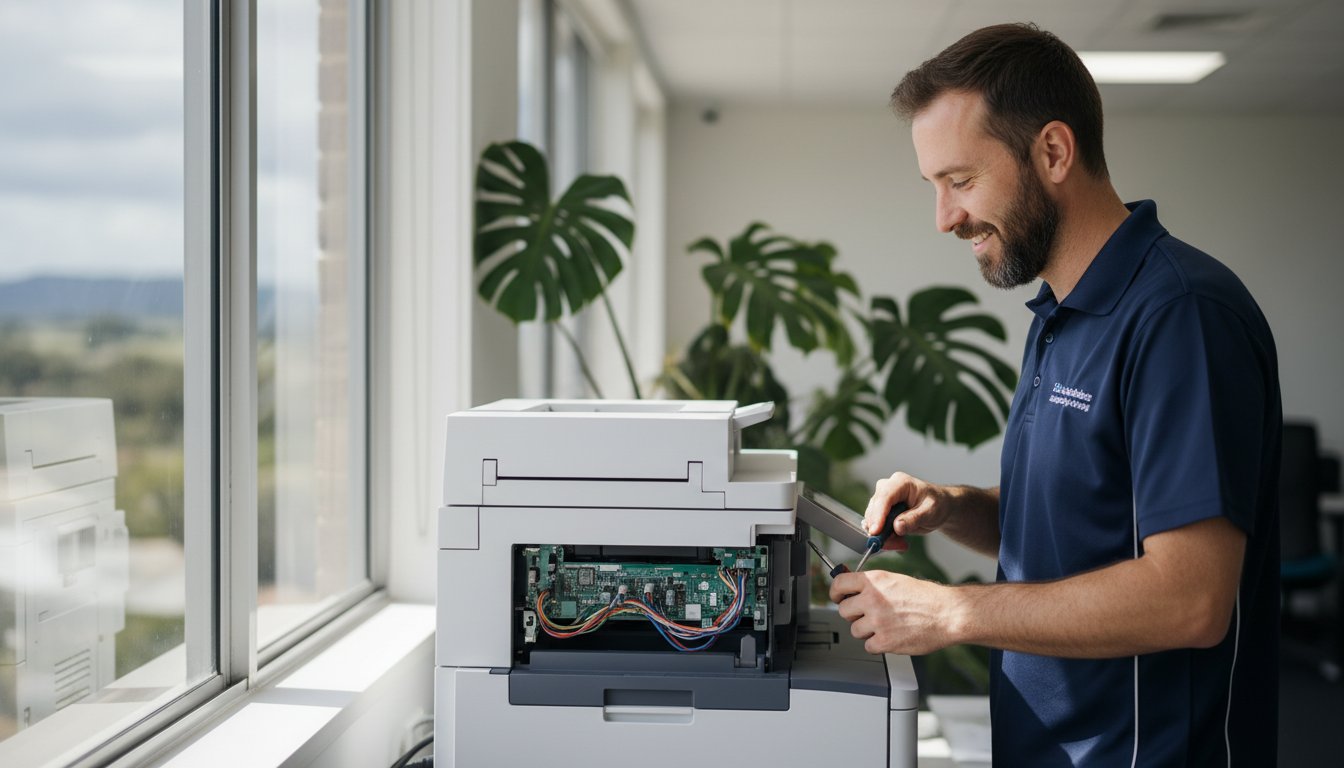
That blinking error light. The paper jam that won’t clear. The sudden realisation that your printer has given up just hours before a crucial deadline is a feeling of pure panic for any Toowoomba home or business. You’re left wondering: can this be fixed? Is it worth the cost, or should I just buy a new one? Finding a straightforward answer and a local expert for printer supply and repair can feel overwhelming, but it doesn’t have to be.
In this guide, we provide the clarity you need. We will walk you through troubleshooting common issues you can solve yourself, help you source the correct ink and toner with confidence, and provide an honest breakdown of repair versus replacement costs. Consider this your complete roadmap to getting your printer back online quickly, with dependable, expert advice from a local Toowoomba team you can trust.
Key Takeaways
Key Takeaways
- Quickly diagnose common printer issues with our simple checklist to determine if you need professional help.
- Make a confident, cost-effective choice between repairing or replacing your faulty printer using our practical decision-making guide.
- Streamline your search for the right ink and toner, and see why a local specialist like Aspire Computing is the best choice for reliable printer supply and repair in Toowoomba.
- Understand exactly what to expect during a professional service call with our transparent, step-by-step guide to the repair process.
Common Printer Problems: What You Can Fix vs. When to Call an Expert
There’s nothing more frustrating than a printer suddenly refusing to print, especially when you’re on a deadline. Unexpected downtime can disrupt your home office or bring business operations to a standstill. The good news is that not every error message requires a service call. While understanding the complex details of how printers work isn’t necessary, knowing a few basic diagnostic steps can save you time and money.
One of the most frequent issues is a printer showing as ‘offline’. This helpful video from MDTechVideos guides you through the simple steps to fix it:
Quick Fixes You Can Try in 5 Minutes
Before you panic, run through this simple checklist. These steps resolve a surprising number of common printer faults and can get you back up and running quickly.
- Resolve Paper Jams Carefully: Open all access panels and gently pull the jammed paper in the direction of the paper path. Tugging against the mechanism can cause damage. Make sure no small, torn pieces are left behind.
- Check Cables and Connections: Ensure the power cord and the USB or Ethernet cable are securely plugged into both the printer and the wall or computer. For wireless printers, try restarting your Wi-Fi router.
- Perform a Full Restart: The classic “turn it off and on again” works wonders. Power down both your computer and your printer, wait 30 seconds, and then turn them back on to clear temporary errors.
- Update Your Printer Drivers: Outdated software can cause communication issues. A quick search for your printer model on the manufacturer’s website will lead you to the latest drivers to download and install.
Warning Signs That You Need Professional Repair
While DIY fixes are great for minor glitches, some symptoms point to deeper mechanical or electronic faults. For your safety and to avoid causing more damage, it’s time to call an expert for professional printer supply and repair when you see these signs:
- Loud Grinding or Mechanical Noises: Any sudden clunking, squealing, or grinding sounds suggest an internal component is broken, worn out, or misaligned.
- Persistent, Cryptic Error Codes: If an error code on the printer’s display won’t go away after a restart, it often indicates a specific hardware failure that requires a technician to diagnose.
- Poor Print Quality (After Changing Cartridges): If you’re still getting streaks, smudges, or faded prints with a new ink or toner cartridge, the problem likely lies with the fuser, drum unit, or print head.
- The Printer Won’t Power On: If the printer is completely unresponsive or shuts down unexpectedly, even after checking the power cord, it points to a faulty internal power supply.
Our Toowoomba Printer Repair Process: Simple, Fast, and Transparent
When your printer stops working, you need a solution that’s fast and easy to understand. At Aspire Computing, we’ve designed our Toowoomba printer repair process to be completely transparent from the moment you call us. We eliminate the guesswork and technical jargon, so you know exactly what to expect, what it will cost, and when you’ll be back to printing. Our goal is to provide a convenient, stress-free service for local businesses and homes.
Step 1: Diagnosis and Assessment
Getting started is simple. Just give us a call or fill out our online form to schedule a service visit. Our experienced technicians will come directly to your Toowoomba home or business for a convenient on-site assessment. We perform a thorough diagnosis to pinpoint the exact cause of the issue-whether it’s a hardware fault, a software glitch, or a connectivity problem-ensuring we fix the root of the problem correctly the first time.
Step 2: A Clear, Upfront Quote
Once we’ve identified the problem, we provide a clear, itemised quote detailing the costs for any necessary parts and labour. We take the time to explain the required repairs in plain English, so you can make an informed decision. We believe in complete transparency, which aligns with your consumer rights on printer repairs, ensuring you have all the information you need. No work ever begins until you give us your full approval-that’s our no-surprise guarantee.
Step 3: Expert Repair and Testing
With your approval, our technicians get to work using high-quality, reliable parts to complete the repair efficiently. As a trusted local provider of printer supply and repair, we ensure every component meets our strict standards for performance and longevity. Afterwards, we rigorously test your printer to confirm every function is operating perfectly. Our expertise isn’t limited to printers; you can learn more about our full range of IT support services to keep all your technology running smoothly.
Repair or Replace? How to Make the Right Choice for Your Printer
When your printer stops working, the most pressing question is often whether to fix it or buy a new one. It’s a frustrating situation, but making a hasty decision can be costly. At Aspire Computing, we believe in providing clear, honest advice to help you make the most cost-effective choice. Here’s a practical framework to guide you.
Consider the Cost
The first step is a simple cost-benefit analysis. We use the “50% rule” as a starting point: if the repair cost is more than half the price of a comparable new printer, replacement is often the smarter financial move. However, don’t forget to factor in the hidden costs of a new device. Many new printers come with “starter” ink or toner cartridges, meaning you’ll soon be spending A$100 or more on a full set. Our transparent repair quotes allow you to compare the true, long-term costs accurately.
Evaluate the Printer’s Age and Usage
A printer’s age and how heavily it’s been used are critical factors. An office workhorse that’s over seven years old may be nearing the end of its reliable service life. Before deciding on a repair, ask yourself a few key questions:
- Is the printer still fast enough for my current needs?
- Does it have essential features like Wi-Fi, scanning, or duplex printing?
- Has it required multiple repairs in the past year?
Answering these can help determine if investing more money into an older machine aligns with your future needs.
Inkjet vs. Laser Printers: A Key Difference
The type of printer you own significantly impacts the repair-or-replace equation. High-quality laser printers are built for durability and high-volume work, and repairing them is often a worthwhile investment that extends their life for many more years. On the other hand, budget inkjet printers (often costing less than A$100) are typically not economical to fix, as the cost of parts and labour can easily exceed their replacement value. As Toowoomba’s trusted experts in printer supply and repair, we can assess your specific model and provide a professional recommendation, ensuring you don’t waste money on a repair that isn’t practical.

Printer Supply Solutions: Getting the Right Ink and Toner in Toowoomba
A reliable printer is essential, but it’s only as effective as the ink or toner you put in it. Running out of supplies at a critical moment is frustrating, and finding the correct replacement can be confusing. At Aspire Computing, we go beyond just fixing machines; we provide complete printer supply and repair services to ensure you have everything you need for seamless printing.
Keeping your printer running smoothly means understanding its consumable needs. Let our experts take the guesswork out of the process for you.
Finding Your Cartridge Model Number
Before you can buy a new cartridge, you need to know exactly which one your printer takes. Don’t worry, finding the model number is usually straightforward. Here’s where to look:
- On the old cartridge: The easiest way is to check the label on the ink or toner cartridge you are replacing.
- Inside the printer: Most printers have a label near the cartridge carriage that lists the required model numbers.
- Using your computer: The printer’s software or driver on your PC often displays supply levels and model information.
If you’re still unsure, just let us know. When we visit for a service call, we can quickly identify the correct supplies for your device.
Genuine vs. Compatible vs. Remanufactured
When shopping for cartridges, you’ll encounter a few options. Understanding the difference is key to protecting your investment.
Genuine (OEM) cartridges are made by your printer’s manufacturer (e.g., HP, Canon, Brother). They offer the highest quality, guaranteed compatibility, and protect your printer’s warranty. While the upfront cost is higher, they provide peace of mind and consistent, professional results.
Compatible or remanufactured cartridges are third-party alternatives that are often cheaper. However, they can come with risks, including lower print quality, inconsistent page yields, and even potential leaks that could damage your printer. For business-critical documents and to ensure the long-term health of your machine, we typically recommend sticking with genuine supplies for quality assurance.
How We Can Help with Supplies
Why spend your valuable time searching for the right cartridges? As your local Toowoomba expert in printer supply and repair, we can source and deliver high-quality, genuine ink and toner for all major brands. We ensure you get the right product for your specific model, eliminating costly purchasing mistakes.
Next time you book a repair service with us, simply mention your supply needs. We can often bring the correct cartridges with us, getting you back to printing faster and with complete confidence.
Why Choose a Local Toowoomba Expert Over a National Chain?
When your printer stops working, you have a choice: call a faceless national service or partner with a local expert who understands your needs. For Toowoomba’s small businesses and home offices, the difference is significant. While large chains offer a standardised service, a local specialist provides the speed, accountability, and personalised care that keeps you productive.
Fast, Personalised Service
A printer issue can bring your workday to a grinding halt. You need a solution now, not a booking scheduled for next week from a depot in another state. We are part of the Toowoomba community, which means we’re just around the corner. Instead of navigating a call centre, you can speak directly with the technician who will be working on your equipment. This direct communication eliminates misunderstandings and ensures a faster, more accurate diagnosis and repair.
The benefits of our local focus include:
- Quicker Turnaround: We can often provide same-day or next-day service because our workshop and technicians are right here.
- Clear Communication: You get straight answers from the expert fixing your device, not a customer service representative reading from a script.
- Local Understanding: We know the specific challenges and needs of businesses in the Darling Downs region.
Accountability and Trust Since 1999
Our reputation is our most valuable asset, built on more than 25 years of dedicated service to the Toowoomba community. Unlike a national chain, our success is directly tied to your satisfaction. We stand behind every job with a comprehensive service guarantee, ensuring our work meets the highest standards of quality and reliability. Our long history in printer supply and repair means we have the experience to handle any issue, from legacy models to the latest technology.
At Aspire Computing, we are deeply committed to the success of our local clients. We’re not just a service provider; we are your neighbours and technology partners. When you choose us for your printer supply and repair needs, you’re investing in a local business that is dedicated to protecting and connecting our community.
Your Partner for Reliable Printer Solutions in Toowoomba
Printer frustrations can bring productivity to a halt, but finding a solution shouldn’t be complicated. This guide has shown that knowing when to call an expert can save you from costly mistakes, and making an informed decision between repairing or replacing your machine ensures you get the best value. Ultimately, partnering with a local Toowoomba specialist provides a level of service and accountability you simply won’t find with a national chain.
For dependable printer supply and repair, Aspire Computing is your trusted local team. We have been proudly serving the Toowoomba community since 1999, offering expert on-site and remote support for all major printer brands. We take the guesswork out of maintenance and supplies, ensuring you have what you need for seamless business continuity.
Stop letting printer issues disrupt your workflow. For fast, transparent, and professional help, talk to a Toowoomba printer expert today! Let us handle the technology, so you can focus on what matters most.
Frequently Asked Questions About Printer Repair
What printer brands do you supply and repair?
Our technicians have extensive experience with a wide range of printer models. We commonly service and supply major brands including HP, Brother, Canon, Epson, and Kyocera. Whether you have a small home office inkjet or a large business laser printer, we have the expertise to diagnose and fix the issue. If you don’t see your brand listed, don’t worry-give our Toowoomba team a call, as we can likely still provide the quality service you need.
How quickly can you come out for a printer repair in Toowoomba?
We understand that a broken printer can halt your productivity. As a local Toowoomba business, we pride ourselves on providing a fast response. In most cases, we can arrange for an on-site technician to visit you on the same or next business day. Our goal is to get you back up and running with minimal disruption, ensuring your business continuity. Contact us early to secure the quickest possible appointment for your printer repair.
Do you offer a warranty on your printer repair work?
Absolutely. We stand behind the quality of our work with a comprehensive warranty. All our printer repairs are covered by a 30-day warranty on labour and a manufacturer’s warranty on any new parts we install. This gives you peace of mind knowing that your investment is protected. Our commitment is to provide a reliable, long-lasting solution, not just a temporary fix. Your satisfaction and trust are our top priorities here in Toowoomba.
Can you help me set up a new printer and connect it to my network?
Yes, we certainly can. Our services go beyond just fixing problems; we provide complete printer supply and repair solutions, including new device installation. We’ll unbox your new printer, connect it to your Wi-Fi network, and ensure all your computers and mobile devices can print seamlessly. Our ‘Aspire to Protect and Connect’ philosophy means we make sure your technology works together perfectly, saving you the frustration of a complicated setup process.
Is it more cost-effective to use a managed print service?
For many businesses in Toowoomba, a managed print service (MPS) can be very cost-effective. MPS consolidates your printing costs into a predictable monthly fee, covering toner, maintenance, and repairs. This is often ideal for offices with high print volumes, as it prevents unexpected repair bills and reduces downtime. We can assess your specific printing needs to help you determine if an MPS or our on-demand repair service is the better financial choice for you.
My printer says it’s ‘offline’. What does that mean and how can I fix it?
Don’t panic! An ‘offline’ printer status usually means your computer can’t communicate with it. First, check that all cables are securely connected and that the printer is turned on. For wireless printers, ensure it’s connected to the correct Wi-Fi network. A simple restart of both your computer and printer can often solve the problem. If these quick steps don’t work, there may be a driver or network issue that our technicians can diagnose and fix for you quickly.

B.App.Sc., Cert. Computer Engineering PC Service and Repair
As the owner of Aspire Computing founded in 1999, Chaim Lee has been working for over 20 years as the Leading Computer Technician.
He has a life long interest in electronics, computing, science and technology. He has completed studies and gained qualifications in Applied Science, Computer Repair and Service, Microsoft Installation and Maintenance, Technical Writing, Workplace Training, and Technical Sales Training.

That familiar feeling of dread-your computer is running painfully slow, a critical file won’t open, or a strange error message has appeared, and you need a fix, now. The thought of unplugging a tangle of cables and driving to a repair shop is enough to cause a headache. But what if you could get expert help from a trusted technician without ever leaving your home or office? This is the power of professional remote IT support, a fast, convenient, and secure way to solve your tech troubles.
We understand that letting someone access your computer from afar can seem daunting. Is it safe? How does it even work? In this guide, we’ll demystify the entire process for you. We will show you exactly how our secure support sessions work, how we protect your data and privacy, and why it’s the most efficient way to get your technology working for you again. Prepare to discover the peace of mind that comes with having expert help just a click away.
Key Takeaways
- Get fast and effective tech solutions for many common computer issues without ever having to unplug your machine or leave your home.
- Understand the simple, secure process of a remote support session, giving you full control and peace of mind from start to finish.
- Learn which frustrating software glitches, virus problems, and performance issues can be fixed instantly, and when an on-site visit is necessary.
- Discover the advantages of choosing a local expert for your remote IT support, ensuring you get personalised service you can trust.
What is Remote IT Support? Demystifying Tech Help from a Distance
When technology troubles strike, the last thing you need is the stress of waiting for a technician to arrive. Put simply, remote IT support is a secure and incredibly efficient way for our experts to fix your computer problems directly over the internet. Think of it like having a trusted IT professional sitting right beside you, taking control of your mouse and keyboard to diagnose and resolve issues in real-time. It’s a similar concept to a telehealth appointment with a doctor, but for the health of your technology.
To see how these tools work in practice, this short video provides a helpful overview:
The entire process is built on a foundation of security and your complete control. Using specialised software, we create a temporary, encrypted connection to your computer. This modern approach to technical support is only possible with your explicit permission for each session. You can watch every action our technician takes on your screen and can end the connection at any moment, giving you total peace of mind.
How Does the Technology Work?
The process is straightforward and designed to be user-friendly. When you have an issue, you contact us. We guide you to a secure section of our website to download a small, safe application. You will then be given a unique, single-use access code to start the session. Once you enter the code, the connection is established, and we can begin our work. Security is our top priority, so every session includes:
- User-Initiated Connection: We can never access your computer without your consent and action.
- One-Time Access Codes: Each support code is unique and expires after the session ends.
- Full Encryption: The data transmitted during the session is fully encrypted to protect your privacy.
- Immediate Disconnection: The moment the session is closed, our access is permanently terminated.
Remote Support vs. On-Site Visits: What’s the Difference?
While incredibly versatile, remote support is best suited for certain types of problems. It’s often the fastest and most cost-effective first step in diagnosing any issue. However, some situations still require a hands-on, on-site visit. A quality IT partner will offer both to ensure your business has the flexible support it needs.
- Ideal for Remote Support: Software troubleshooting, virus and malware removal, system performance tune-ups, email configuration, and driver updates.
- Requires an On-Site Visit: Hardware failures (e.g., a computer that won’t power on), physical network setup, internet or NBN connection outages, and installing new physical equipment like servers or printers.
The Key Benefits: Why Remote Support is a Game-Changer
When your computer plays up, the last thing you need is more frustration. Traditional IT support often means booking an appointment days in advance or packing up your machine for a trip to a repair shop. Fortunately, remote it support offers a modern solution that directly addresses these pain points, providing fast, affordable, and incredibly convenient help for home users and small businesses alike.
Speed and Efficiency: Get Help in Minutes, Not Days
The most significant advantage of remote support is speed. With no travel time required, our technicians can connect to your device almost instantly. Forget waiting for an on-site visit; many software glitches, email problems, or performance issues can be diagnosed and resolved in under an hour. This is a game-changer for urgent problems, like a POS system failure during business hours, getting you back to work with minimal disruption.
This focus on minimizing business disruption applies to more than just office computers. Many industries now use remote support for specialized equipment, such as industrial weighing systems that require precise calibration. For an example of how this specialized remote service works, check out Independent Scale Service.
Cost-Effectiveness: Save Money on Tech Support
Because we don’t need to travel to your location, we can pass those savings directly on to you. Remote support eliminates call-out fees, which often start from A$100 or more for an on-site visit. Our technicians can work more efficiently, leading to shorter billable hours. This model also reduces costly downtime for your business-a faster fix means you’re back to earning sooner. Many of our remote services also come with the assurance of a ‘no fix, no fee’ policy for complete peace of mind.
Ultimate Convenience: Support from Anywhere
Get expert help without leaving your desk. There’s no need to unplug a web of cables and haul your PC to a workshop. You can stay in your home or office and watch in real-time as our technician works on your screen. This transparency allows you to ask questions and see exactly what is being done. It’s also why it’s vital to choose a trusted provider and learn how to avoid tech support scams from illegitimate operators. For those in regional areas like the Darling Downs, this service provides access to expert help that might otherwise be hours away.
How a Remote Support Session Works: A Step-by-Step Guide
If you’ve never used remote IT support before, the idea of someone else accessing your computer can feel a bit strange. We understand completely. That’s why our process is designed to be completely transparent, secure, and simple, putting you in the driver’s seat from start to finish. There are no hidden steps or technical jargon-just a straightforward solution to get you back up and running. Here’s exactly what you can expect.
Step 1: Making Contact and Describing the Problem
It all begins with a simple phone call or by filling out our online request form. You’ll speak directly with one of our experienced technicians who will listen carefully to understand the issue you’re facing. Based on your description, we’ll assess whether the problem can be resolved remotely. Before any work begins, we will provide you with a clear, upfront cost estimate in AUD, ensuring there are no surprises down the line.
Step 2: Establishing a Secure Connection
Once you agree to proceed, we will guide you to a secure page on our website to download a small, temporary support application. This software creates a highly encrypted, one-time connection between your computer and our technician. This secure connection is the foundation of modern remote support, allowing us to see what you see. You will be given a unique session code to read back to us. Crucially, we cannot see or control anything until you explicitly grant permission on your screen.
Step 3: Diagnosis, Repair, and Completion
Now, you can sit back and watch our expert get to work. You’ll see your own mouse cursor move on the screen as our technician diagnoses and fixes the issue. We pride ourselves on clear communication and will explain what we are doing as we go. Once the repair is complete, we will walk you through the solution and confirm that you are 100% satisfied. The moment the session ends, the connection is permanently closed. We have no way to get back into your computer unless you initiate a brand new session with a new code. Your privacy and security are guaranteed.

What Problems Can Be Fixed Remotely? (And What Can’t)
One of the greatest strengths of modern technology is the ability to solve problems from a distance. High-quality remote it support can resolve a vast range of common and frustrating computer issues, getting your business back to full productivity faster. However, it’s important to be honest and realistic. Some problems simply require a hands-on approach. Understanding the difference helps you get the right help, right away.
By setting clear expectations, we can ensure we take the most efficient path to a solution, saving you time and stress.
Ideal Issues for Remote IT Support
If your computer can still turn on and connect to the internet, many software-related problems can be diagnosed and fixed quickly. Our remote sessions are secure and efficient, designed to solve issues like:
- Virus, Spyware, and Malware Removal: We can securely access your system to scan, identify threats, and remove malicious software to protect your valuable data.
- Software Troubleshooting & Updates: From Microsoft Office glitches and email configuration problems to installing new applications, we can resolve errors and ensure your software is up to date.
- PC Tune-Ups and Performance Optimisation: Is your computer running slow? We can clean up unnecessary files, adjust system settings, and optimise startup programs to significantly boost its speed.
- Driver and Peripheral Issues: We can update or reinstall drivers and troubleshoot connectivity problems for devices like printers, scanners, and webcams.
When You Need an On-Site Visit
Remote support relies on two things: a working computer and an internet connection. When a problem is physical or prevents the computer from starting up, a technician needs to be there in person. These situations include:
- No Power or Failure to Boot: If your computer won’t turn on at all, it’s likely a hardware issue such as a failed power supply, motherboard, or hard drive.
- Physical Damage: A cracked laptop screen, a broken keyboard, or a damaged USB port cannot be fixed through a screen share.
- Total Internet Outage: If your business has no internet connection, we can’t connect remotely. This often points to a problem with your modem, router, or NBN service that needs physical diagnosis.
For these critical hardware or connectivity failures, you need professional on-site computer repairs to diagnose the faulty component and get you back online.
Choosing a provider who offers both remote and on-site services gives you the assurance that no matter the problem, there is always a solution available.
Why Choose a Local Toowoomba Expert for Your Remote Support?
While the convenience of remote IT support is clear, who you choose to provide that support makes all the difference. You could opt for a large, national provider and spend your time navigating call centre queues and speaking with a different technician every time. Or, you can partner with a local expert who knows your community and is invested in your success.
For Toowoomba businesses, choosing a local provider like Aspire Computing offers a level of service and accountability that faceless corporations simply can’t match. It’s about building a relationship, not just closing a support ticket.
The Value of Trust and Accountability
When you have a critical IT issue, trust is paramount. Aspire Computing isn’t a faceless helpdesk; we are a local Toowoomba business that has been serving our community since 1999. Our reputation is built on two decades of reliable, professional service. You can speak directly with the owner, Chaim Lee, a trusted local expert who stands behind our work. This direct accountability ensures you receive consistent, high-quality care from someone who values your business.
Seamless Transition to On-Site Help
What happens when a problem is too complex for a remote fix? This is where a local provider truly shines. Unlike remote-only services that leave you stranded, we offer a complete, integrated solution. If an issue requires hands-on attention, we don’t just give up. We seamlessly schedule an on-site visit to resolve the problem properly. This hybrid approach gives you the best of both worlds: the immediate response of remote it support and the thorough, in-person expertise needed for complex hardware or network issues. You get the right help for your situation, all from a single, trusted provider. Get the peace of mind that comes from a complete solution with Aspire Computing.
Embrace Smarter Tech Support with a Trusted Local Expert
As we’ve seen, tech troubles don’t have to mean downtime or inconvenient appointments. Modern remote support offers a fast, secure, and highly effective way to resolve a wide range of software issues, getting you back to work or play with minimal disruption. It’s the smart, convenient solution for today’s digital world.
But the true value comes from pairing this technology with personal, accountable service. When you choose a local Toowoomba expert for your remote it support, you get more than just a quick fix; you get peace of mind. At Aspire Computing, we’ve been proudly serving our community since 1999. You’ll receive personal service directly from the owner, ensuring a level of care and accountability that larger, anonymous companies simply can’t match.
Don’t let frustrating tech issues disrupt your day any longer. For dependable help that combines modern convenience with trusted, local service, get in touch. Need fast, reliable tech help? Talk to our Toowoomba experts today!
Frequently Asked Questions About Remote IT Support
Is remote IT support safe and secure?
Absolutely. Your security is our top priority. We use industry-leading remote access software that establishes a highly encrypted connection to protect your data. You are always in control of the session; you must grant us permission to connect, and you can see everything our technician does on your screen in real time. We believe in complete transparency to give you the assurance that your systems are in safe, professional hands.
What happens if my internet connection drops during a session?
Don’t worry, this is a common occurrence. If your internet connection drops, the remote session will automatically terminate. Our technician will lose access to your computer immediately, ensuring your system remains secure. Once your connection is restored, we will simply contact you to re-establish the session and continue resolving the issue right where we left off. It’s a straightforward process designed for business continuity.
Do I need to have any technical skills to use remote support?
Not at all. The process is designed to be as simple as possible for you. All you need is a working internet connection. Our technician will guide you through a couple of easy steps, which usually involves clicking a link and giving permission for us to connect. We handle all the technical complexities from our end, so you can sit back while we get your system running smoothly again. It’s a hassle-free solution.
What if the problem can’t be fixed remotely? Do I still have to pay?
While we can solve most issues remotely, some problems require a hands-on approach, like a hardware failure. If we determine the issue cannot be resolved remotely, we will explain the situation clearly. We operate on a fair-assessment basis. Often, we will apply the initial remote diagnostic fee as a credit towards the cost of an on-site visit, ensuring you only pay for a successful resolution. Our goal is to provide a quality solution, not just a service.
Can you provide remote support for both PC and Mac computers?
Yes, we certainly can. Our team is experienced in providing comprehensive support for a wide range of systems. This includes both Windows-based PCs and Apple Mac computers, whether they are desktops or laptops. Our remote tools are fully compatible with both macOS and Windows operating systems, allowing us to diagnose and resolve issues efficiently, regardless of your preferred platform. We are equipped to connect and assist with the technology your business relies on.
How much does remote IT support typically cost?
The cost of remote it support in Australia can vary based on the complexity of the issue and the provider. Many services charge an hourly rate, typically ranging from A$90 to A$180 + GST per hour. Some businesses opt for a managed services plan, which offers ongoing support for a fixed monthly fee. We believe in transparent pricing and will always provide a clear estimate before commencing any work, ensuring there are no surprises.
B.App.Sc., Cert. Computer Engineering PC Service and Repair
As the owner of Aspire Computing founded in 1999, Chaim Lee has been working for over 20 years as the Leading Computer Technician.
He has a life long interest in electronics, computing, science and technology. He has completed studies and gained qualifications in Applied Science, Computer Repair and Service, Microsoft Installation and Maintenance, Technical Writing, Workplace Training, and Technical Sales Training.

As a small business owner, you wear many hats-but ‘unpaid IT technician’ shouldn’t be one of them. Every minute spent wrestling with a network glitch or worrying about a potential data breach is a minute you’re not focused on your customers. If you’re tired of unpredictable tech costs, slow responses, and the constant anxiety that one IT disaster could shut you down, you’re in the right place. Professional it support for business isn’t just about fixing things when they break; it’s about giving you the peace of mind to focus on what you do best.
In this guide, we’ll demystify what quality IT support actually includes. You will discover how a strategic partner can boost your productivity, protect your critical data, and shift your IT spending from a reactive headache to a predictable, manageable budget. We’ll give you the essential checklist for choosing the right local expert, so you can get fast, reliable help and feel confident that your business is both protected and connected.
Key Takeaways
- Discover how seemingly small tech issues can create significant drains on your team’s productivity and your business’s bottom line over time.
- Understand the critical difference between reactive ‘break-fix’ support and a proactive Managed IT Services partnership to decide which model is right for you.
- Effective it support for business is more than just fixing computers; it’s a strategic investment in your company’s security, efficiency, and continuity.
- Learn the essential questions to ask any potential IT partner to ensure you choose a reliable provider who truly understands your business goals.
Why Your Business Can’t Afford to Ignore Professional IT Support
In the day-to-day running of a business, it’s easy to adopt an ‘if it isn’t broken, don’t fix it’ mindset with your technology. A slow computer here, a printing error there-these seem like minor annoyances. However, these small, persistent issues accumulate, creating a significant drag on productivity and exposing your business to serious risks. Shifting from a reactive approach to proactive it support for business is not an expense; it’s a strategic investment in your company’s stability and growth.
The True Cost of Downtime
When your technology fails, the cost is far more than just a repair bill. Consider this simple calculation: if a system outage leaves five employees unable to work for three hours, and their average wage is A$35 per hour, you’ve lost over A$525 in wages alone. This doesn’t account for lost sales opportunities, missed deadlines, or the damage to your reputation from frustrated customers. Like a key machine breaking down in a factory, IT downtime brings your entire operation to a halt.
Cybersecurity: Not Just a ‘Big Business’ Problem
Many small business owners believe they are too small to be a target for cybercriminals, but the opposite is true. According to the Australian Cyber Security Centre (ACSC), small businesses are prime targets due to often having fewer security protections. Threats like phishing (deceptive emails to steal information) and ransomware (where criminals lock your files and demand payment) can be devastating. Professional IT support provides proactive protection-monitoring, patching, and training-to secure your digital front door, not just clean up after a break-in.
Boosting Employee Productivity and Morale
Nothing sours employee morale faster than technology that constantly fails them. Slow computers, buggy software, and network issues lead to immense frustration and wasted time. Providing your team with a smooth-running, reliable tech environment empowers them to work efficiently and focus on their core tasks. Effective technical support is a foundational tool that shows you value your staff’s time, which is a key factor in employee satisfaction and retention.
What Does Business IT Support Actually Include? (From Reactive to Proactive)
When you think of IT support, you might picture calling an expert only when a computer breaks. This traditional “break-fix” model is purely reactive, often leading to stressful downtime while you wait for a fix. A modern approach to it support for business is proactive, combining immediate help with preventative care to keep your systems secure, connected, and efficient. It’s about stopping problems before they impact your bottom line. Understanding this distinction is a crucial first step for anyone learning how to select an IT service provider. Let’s break down the core components.
Essential Reactive Support: The Help Desk
This is your on-demand safety net for when things unexpectedly go wrong. When a staff member can’t log in, a critical application crashes, or a printer refuses to cooperate, the help desk provides a fast, reliable solution. Through a mix of convenient remote support and on-site visits when needed, our experts troubleshoot and resolve these day-to-day issues, minimising frustration and getting your team back to productive work as quickly as possible.
Proactive Management: Keeping Systems Healthy
This is where we move from just fixing problems to actively preventing them. True proactive management involves 24/7 monitoring of your network, servers, and workstations to detect early warning signs of trouble before they cause a shutdown. We handle all the essential background maintenance that keeps your technology healthy-installing critical software updates, applying security patches, and performing system tune-ups. The business benefit is clear: improved performance, enhanced security, and dramatically reduced risk of unexpected downtime.
Strategic Security & Continuity
A complete plan for it support for business is built on a foundation of robust security and business continuity. This isn’t just about software; it’s a comprehensive strategy. We manage your digital defences, including firewalls, advanced threat detection, and enterprise-grade antivirus, to protect your network from external threats. Crucially, we also implement reliable data backup systems and develop a clear disaster recovery plan. This ensures that even if the worst happens-a hardware failure, cyber-attack, or flood-your critical information is safe, secure, and recoverable, allowing your business to operate with confidence.
See how we protect Toowoomba businesses.
Managed IT Services vs. Break-Fix: Choosing the Right Model
When it comes to it support for business, there are two primary approaches: waiting for something to break (reactive) or actively preventing issues (proactive). Understanding the difference between the Break-Fix and Managed IT Services models is crucial for protecting your operations, managing your budget, and ensuring business continuity.
The Break-Fix Model: Pros and Cons
The break-fix model is the traditional, pay-as-you-go approach. When a computer crashes or a server goes down, you call an IT technician for help and pay an hourly rate for the repair. It’s like only seeing a doctor when you’re critically ill-the focus is on treatment, not prevention.
- Pros: There are no ongoing monthly fees, which can seem more affordable if you rarely experience technical problems.
- Cons: Costs are unpredictable and can be substantial. A major server failure could result in a bill for thousands of Australian dollars, not including the cost of lost productivity. With this model, downtime is inevitable, and your IT provider has no financial incentive to keep your systems running smoothly.
The Managed Services Model: Pros and Cons
A Managed Services Provider (MSP) acts as your dedicated IT partner for a flat, predictable monthly fee. This proactive model focuses on monitoring, maintenance, and security to prevent problems before they disrupt your business. It’s like having a doctor focused on a wellness plan to keep you healthy and out of the hospital.
- Pros: You get a predictable IT budget, proactive maintenance that minimises downtime, and access to a team of experts. Our goals are aligned with yours-we profit when your systems are stable and secure. As Forbes notes, Managed IT services create a partnership where the provider is invested in your success.
- Cons: It requires a monthly investment, which can appear more expensive upfront compared to paying nothing until something breaks.
| Feature | Break-Fix Model | Managed IT Services |
|---|---|---|
| Cost Structure | Unpredictable, pay-per-hour | Predictable, flat monthly fee |
| Service Approach | Reactive (waits for issues) | Proactive (prevents issues) |
| Business Incentive | Benefits from your problems | Benefits from your stability |
| Downtime | Expected and often lengthy | Minimised or eliminated |
As businesses grow, their reliance on technology deepens. The cost of staff being unable to work, lost sales opportunities, and potential data loss quickly surpasses the perceived savings of a reactive model. This is why most scaling businesses transition to a managed services model-it provides the stability and assurance needed to focus on growth, not on fixing IT fires.
Choosing the right IT support for your business is a strategic decision. If you’re ready to move from reactive fixes to proactive protection, talk to our experts to see how we can help you protect and connect your operations.

How to Choose the Right IT Support Partner for Your Business
Selecting an IT partner is one of the most important decisions you can make for your company’s continuity and growth. It’s about more than just fixing problems as they arise; it’s about finding a partner who understands your vision and helps you achieve it. To ensure you find the right fit, move beyond the price tag and focus on the value, expertise, and cultural alignment they bring to your team.
Here is a practical checklist to guide your evaluation process and help you ask the right questions.
Technical Expertise and Experience
A provider’s technical skill is the foundation of good service. Ensure they have proven experience with businesses like yours, in terms of both size and industry. Don’t be afraid to ask for specifics.
- Relevant Experience: Have they worked with businesses in your sector before? An expert in retail IT will understand different challenges than one who services legal firms.
- Certifications and Partnerships: Look for official accreditations, such as being a Microsoft Partner, which demonstrate a commitment to industry standards and ongoing training.
- Client Testimonials: Ask for case studies or references from clients with similar needs to yours.
Response Times and Service Level Agreements (SLAs)
When your systems are down, every minute counts. A clear SLA provides assurance that your issues will be addressed promptly. Understand exactly what you are signing up for.
- Guaranteed Response: What are their guaranteed response times for critical issues?
- Response vs. Resolution: Clarify the difference between their initial response time (acknowledging the problem) and their target resolution time (fixing the problem).
- Business Hours: Do their support hours align with your company’s operational needs?
Local Presence and On-Site Capability
While remote support is efficient for many issues, some problems require a hands-on approach. A local provider offers a significant advantage when you need an expert on-site quickly. This proximity builds a stronger, more personal relationship, fostering a level of trust and understanding that remote-only providers can’t match. For example, a business in Prague might rely on a local partner like it-doma.cz for this very reason, ensuring fast on-site help when needed.
Pricing and Contract Transparency
Finding the right provider of it support for business requires absolute clarity on costs and contract terms. A trustworthy partner will be completely transparent, with no hidden fees or confusing jargon.
- Clear Pricing: Ask for a detailed, itemised quote that clearly outlines what is included and what might cost extra.
- Contract Terms: Understand the contract length, renewal process, and cancellation policy before you commit.
- No Surprises: A reputable provider will be happy to walk you through every line item. If you feel pressured or confused, it’s a major red flag.
Ready to partner with an IT expert who values transparency and reliability? Talk to our experts for a clear, no-obligation quote.
Protect and Connect Your Business with the Right IT Partner
As a small business owner, your technology is the engine of your growth. Moving from a reactive ‘break-fix’ mindset to a proactive support model isn’t just an upgrade-it’s a strategic decision that protects your data, ensures business continuity, and boosts your bottom line. Choosing the right partner for your it support for business is one of the most important investments you can make.
For businesses in Toowoomba, this decision doesn’t have to be overwhelming. At Aspire Computing, we’ve been providing reassuring, professional, and approachable service since 1999. We believe in being more than just a helpdesk; we’re your local, on-site support team you can count on to keep your operations running smoothly and securely.
Don’t let tech issues slow you down. Talk to a local Toowoomba expert today! With the right partner by your side, you can confidently navigate the digital landscape and focus on what you do best-growing your business.
Frequently Asked Questions
How much does IT support for a small business typically cost?
In Australia, the cost for IT support varies based on your needs. Ad-hoc, break-fix services can range from A$150 to A$250 per hour. For a more proactive approach, many small businesses opt for a managed service plan. These monthly plans typically start from around A$50-A$100 per user and provide ongoing monitoring, maintenance, and support for a predictable fee, ensuring better budget control and system reliability.
What is a Service Level Agreement (SLA) and why is it important?
A Service Level Agreement (SLA) is a formal contract that defines the level of service you can expect from us. It clearly outlines key metrics like guaranteed response times for issues, system uptime promises, and our specific responsibilities. An SLA is vital because it provides transparency and accountability, giving you complete peace of mind that you will receive the timely, quality support your business needs to operate smoothly.
Do I need on-site support, or is remote support enough?
For most day-to-day issues, such as software troubleshooting or user assistance, remote support is incredibly fast and efficient, resolving over 90% of problems without a site visit. However, on-site support is essential for physical tasks like hardware repairs, new equipment installation, or complex network issues. We offer a hybrid approach, ensuring you get the quickest remote fix possible and an expert technician on-site when you truly need one.
How quickly can you respond if my whole system goes down?
In a critical, system-wide outage, your business is our top priority. We guarantee an immediate response to begin diagnosing the problem. Our managed service clients have specific, rapid response times defined in their Service Level Agreement (SLA) for such emergencies. Our proactive monitoring often allows us to detect and resolve potential critical failures before they can even impact your operations, ensuring maximum business continuity and protection.
What makes Aspire Computing different from other IT providers?
Our approach to it support for business is personal and proactive. Unlike large, anonymous firms, we are a local Toowoomba business, established in 1999 and led by our owner, Chaim Lee. We build genuine relationships with our clients, guided by our “Aspire to Protect and Connect” philosophy. This means you get accountable, expert service from a team that truly understands your business and is committed to its long-term success.
Will I have to sign a long-term contract?
We believe in flexibility. While our proactive managed service plans are designed for ongoing partnership and offer the best value, we also provide on-demand, ad-hoc support with no lock-in contracts. This allows you to choose the service model that best fits your business needs and budget. Our goal is to earn your loyalty through exceptional service and results, not by tying you into a lengthy agreement you’re not comfortable with.
B.App.Sc., Cert. Computer Engineering PC Service and Repair
As the owner of Aspire Computing founded in 1999, Chaim Lee has been working for over 20 years as the Leading Computer Technician.
He has a life long interest in electronics, computing, science and technology. He has completed studies and gained qualifications in Applied Science, Computer Repair and Service, Microsoft Installation and Maintenance, Technical Writing, Workplace Training, and Technical Sales Training.

That dreaded moment when your screen freezes and your entire workday grinds to a halt can be incredibly stressful for any small business owner. In the past, this often meant a costly and time-consuming call-out for an on-site technician. But what if you could get expert help in minutes, without anyone needing to visit your office? This is the power of remote IT support services-a fast, secure, and cost-effective way to ensure your business continuity.
If you’ve ever worried about the security of letting someone access your computer or felt unsure about what kind of IT help you actually need, this guide is for you. We’ll demystify the process, showing you exactly how remote support works and its key benefits for your bottom line. You will discover how to choose the right partner to keep your systems protected and running smoothly, so you can get back to business with confidence and minimal disruption.
What is Remote IT Support and How Does It Work?
When your computer starts causing problems, the last thing you need is more stress. Remote IT support is a fast, convenient, and secure way for our expert technicians to fix your technology issues without needing to visit your home or office. In simple terms, it allows us to connect to your computer over the internet, with your express permission, to diagnose and resolve problems directly. This process, often known as Remote support, puts our expertise right at your fingertips. You are in full control of the entire session, able to see everything we do on your screen in real-time. We use industry-leading, secure software to establish a temporary connection to your PCs, laptops, and even servers, ensuring a quick and effective solution.
The Simple 4-Step Remote Support Process
We’ve streamlined our process to be as straightforward as possible. Getting the help you need is just a few clicks away:
- Contact Us: Call or email us to describe your technical issue. We’ll quickly determine if it can be resolved remotely.
- Initiate Connection: We will send you a secure link or a small, safe program to run that initiates the support session.
- Grant Permission: You grant us temporary, one-time access to your device. You can see our cursor move on your screen.
- Watch Us Work: We troubleshoot and resolve the issue while you watch. Once we’re done and you’re satisfied, we disconnect, and our access is immediately revoked.
Is It Safe? Addressing Your Security Concerns
Your security and privacy are our top priorities. We understand that allowing someone to access your computer can feel daunting, which is why we’ve built our remote IT support services on a foundation of trust and security. Every connection is protected with industry-standard, end-to-end encryption. Access is always permission-based for a single session and is completely temporary. We cannot access your computer again without you initiating a new session and granting permission. As a trusted part of the Toowoomba community since 1999, we’ve built our reputation on providing professional, secure, and reliable service.
Common Problems We Can Fix Remotely
Many common and frustrating computer problems can be fixed quickly without an on-site visit. Our remote support is perfect for addressing a wide range of software and configuration issues, including:
- Software installation, updates, and troubleshooting
- Virus, spyware, and malware removal and system cleanup
- System tune-ups to improve a slow computer’s performance
- Email account setup and configuration issues
- Data backup configuration and driver updates
Key Benefits of Remote Support for Small Businesses
For a small business, every minute and every dollar counts. When technology fails, it’s not just an inconvenience; it’s a direct threat to your productivity and profitability. This is where embracing professional remote IT support services becomes a powerful strategic advantage, transforming how you handle technical challenges and maintain business continuity.
Immediate Assistance & Minimal Downtime
When a critical system goes down, waiting for a technician to travel to your office can feel like an eternity. Remote support eliminates this delay. Our experts can securely access your systems within minutes of your call, diagnosing and resolving the issue immediately. This means less frustrating downtime and gets your team back to work faster, protecting your workflow and boosting overall productivity.
For example, if your accounting software crashes during payroll, a remote technician can often fix the software conflict in under 30 minutes, compared to the hours you might wait for an on-site visit.
Significant Cost Savings
Traditional on-site support often comes with hefty call-out fees before any work even begins. Remote IT support is a far more cost-effective solution. Since we resolve issues faster and without travel time, the service charges are typically lower. Many common problems-like email configuration, software updates, or network troubleshooting-can be solved entirely remotely, saving you the expense of a physical site visit and helping you manage your IT budget more effectively.
Proactive Maintenance and Prevention
The best way to fix a problem is to prevent it from happening in the first place. Our remote IT support services include proactive maintenance, where we perform routine checks, install critical security patches, and manage software updates behind the scenes. This preventative approach is essential for maintaining system health and security. A core part of this strategy is understanding the digital threats businesses face; for a foundational overview, the guide on Cybersecurity for Small Businesses offers valuable insights. By identifying and addressing minor issues before they escalate into major disruptions, we help ensure your technology runs smoothly and reliably. This aligns perfectly with our core ‘Protect and Connect’ philosophy, focusing on safeguarding your operations while keeping your team connected and productive.
Keep your business running smoothly with our expert help.
Remote vs. On-Site Support: Which Do You Need?
At Aspire Computing, we believe in providing the right solution for the right problem. Our remote IT support services are incredibly powerful and can resolve most issues quickly and efficiently, saving you time and money. However, we also know that some problems simply need a hands-on approach. Understanding the difference helps you get the fastest, most effective fix and ensures you’re never paying for a service that doesn’t fit the situation.
When Remote Support is the Perfect Fit
Remote support is your first and fastest line of defence for a wide range of digital disruptions. It’s the ideal solution when the problem lies within your system’s software or configuration, not its physical components. This is our first port of call for most issues, allowing for a near-instant response.
- Software and System Issues: Resolving application errors, sluggish performance, system crashes, and operating system glitches.
- Security Threats: When it comes to digital threats, our team can immediately access your system to neutralise malware, patch vulnerabilities, and ensure your security aligns with established standards like the SBA cybersecurity best practices.
- User Assistance and Training: Guiding your team through new software, changing configurations, or troubleshooting user-specific problems.
- Network Connectivity: Diagnosing and fixing most Wi-Fi or network connection issues that aren’t related to physical hardware failure.
Situations That Still Require an On-Site Technician
While we can solve the majority of problems remotely, there are times when an on-site visit is essential. If your hardware is physically failing or you can’t get online at all, a technician needs to be there in person to get you back up and running.
- Physical Hardware Failures: A dead hard drive, a broken laptop screen, or a faulty power supply requires physical replacement.
- No Power or Internet: If a computer won’t turn on or cannot connect to the internet, we have no way to establish a remote session.
- New Office Setups: Installing new computers, running network cables, and setting up servers and printers for the first time.
- Complex Peripheral Issues: Troubleshooting stubborn printers or scanners that refuse to connect properly after remote diagnostics have been exhausted.
A Hybrid Approach: The Best of Both Worlds
At Aspire Computing, you don’t have to choose. Our process is designed for maximum efficiency. We often start with a quick remote diagnosis to understand the root cause. If we determine it’s a hardware issue, we can then schedule an on-site visit with a technician who is already fully briefed. This hybrid model ensures you always receive the most direct and cost-effective solution, embodying our commitment to quality service. It’s how we deliver on our promise to protect and connect your business with minimal disruption.

How to Choose the Right Remote IT Support Partner
Selecting a partner for your business’s technology needs is a decision built on trust. The right provider doesn’t just fix problems; they offer peace of mind and become an extension of your team, ensuring your operations run smoothly. When evaluating different remote IT support services, it’s crucial to look beyond the technical sales pitch and focus on the qualities that deliver real, dependable value.
To help you make an informed choice, here is a checklist of what to look for in a technology partner who will truly protect and connect your business.
Key Qualities of a Reliable Provider
A trustworthy provider is defined by their experience, transparency, and commitment to your security. Keep an eye out for these essential attributes:
- Proven Experience: Look for a long-established business with a verifiable track record. An IT partner that has been operating for decades, for example, since 1999, has navigated countless technological shifts and has the expertise to handle any challenge.
- Clear Communication and Pricing: You should never be in the dark about the status of a job or the cost. A quality provider offers transparent, upfront pricing and communicates clearly, so you always know what to expect.
- A Strong Focus on Security: When giving someone remote access to your systems, security is non-negotiable. Ensure they use professional, fully encrypted tools to protect your sensitive business data at all times.
- Positive Local Reputation: Check for genuine reviews and testimonials from other businesses in your community. Positive feedback from your peers is one of the strongest indicators of quality and reliability.
Why a Local Team Matters (Even for Remote Help)
While the support is remote, the team behind it shouldn’t be a faceless entity in another city. A local provider understands the specific needs and challenges of Toowoomba businesses. This local insight means more relevant advice and tailored solutions. Furthermore, you gain the critical assurance that if an issue cannot be resolved remotely, you have the option for prompt on-site assistance from someone you trust. By choosing a local partner, you’re not just getting expert remote IT support services; you’re supporting a business that is accountable to its community.
Ready to work with a team that offers both cutting-edge remote support and a deep understanding of your local business landscape? Talk to a local Toowoomba expert about your IT needs.
Your Partner in Protection and Connectivity
In today’s digital landscape, small businesses can’t afford interruptions. As we’ve covered, remote IT support provides a powerful solution-offering rapid, cost-effective technical assistance that keeps your team productive and your data secure. The key to success isn’t just finding technical skill; it’s about finding a partner you can trust to protect your business continuity.
Choosing the right remote IT support services means choosing accountability and proven expertise. At Aspire Computing, we’ve been that trusted partner for Toowoomba businesses since 1999. As an owner-operated company, our local experts are personally invested in your success. We don’t just solve problems; we build lasting relationships to ensure your technology works for you, not against you.
Don’t let IT issues slow your business down. Get fast, reliable remote IT support today. Contact Aspire Computing!
Frequently Asked Questions
What if my internet isn’t working? Can you still help remotely?
If your internet connection is down, we can’t establish a remote session. However, our support process starts with a phone call. We can often diagnose the issue and guide you through simple troubleshooting steps, like rebooting your modem or checking cables, to get you back online. If the problem is more complex, such as faulty hardware, we can promptly arrange for one of our local technicians to provide on-site assistance and get you connected again.
Is my business too small for remote IT support services?
Absolutely not. We proudly support businesses of all sizes, from sole traders and freelancers to growing small businesses. Our remote IT support services are designed to be scalable and cost-effective, providing small businesses with access to expert technical help without the expense of a dedicated in-house IT department. We ensure your technology works for you, so you can focus on what you do best. It’s a smart, affordable way to protect your operations.
How do you charge for remote support? Is it by the hour or a flat fee?
We offer flexible pricing to suit your needs. For one-off issues, we provide support charged in convenient 15-minute blocks at a competitive rate. For businesses seeking ongoing peace of mind and proactive maintenance, we offer tailored monthly managed service plans for a flat fee. This approach ensures you only pay for what you need. Contact us for a clear, upfront quote with no hidden costs, tailored specifically to your Australian business requirements.
Can you provide remote IT support for my employees working from home?
Yes, supporting remote and hybrid teams is one of our specialities. Our secure remote access tools allow us to assist your employees wherever they are working in Australia. We can troubleshoot software issues, configure VPNs, resolve security concerns, and ensure their equipment is running smoothly. This helps maintain productivity and business continuity, ensuring your entire team stays connected and protected, no matter their location.
What happens if the problem can’t be resolved remotely?
Don’t worry, you won’t be left without a solution. If our technician determines the issue requires hands-on attention-such as a hardware failure or a complex network fault-we will explain the situation clearly. As a local service provider, we can then seamlessly schedule an on-site visit to your business premises. Our goal is always to provide a complete and effective resolution, whether it’s remote or in person, ensuring minimal disruption to your work.
Do I need to install any special software on my computer beforehand?
No, there is no need to pre-install any software. When you need assistance, our technician will guide you through a simple and secure process. You’ll be directed to a webpage to download a small, temporary application that grants us one-time access to your computer. Once the support session is complete and you close the application, our access is automatically revoked, guaranteeing your privacy and security. The process is quick, easy, and completely safe.
B.App.Sc., Cert. Computer Engineering PC Service and Repair
As the owner of Aspire Computing founded in 1999, Chaim Lee has been working for over 20 years as the Leading Computer Technician.
He has a life long interest in electronics, computing, science and technology. He has completed studies and gained qualifications in Applied Science, Computer Repair and Service, Microsoft Installation and Maintenance, Technical Writing, Workplace Training, and Technical Sales Training.
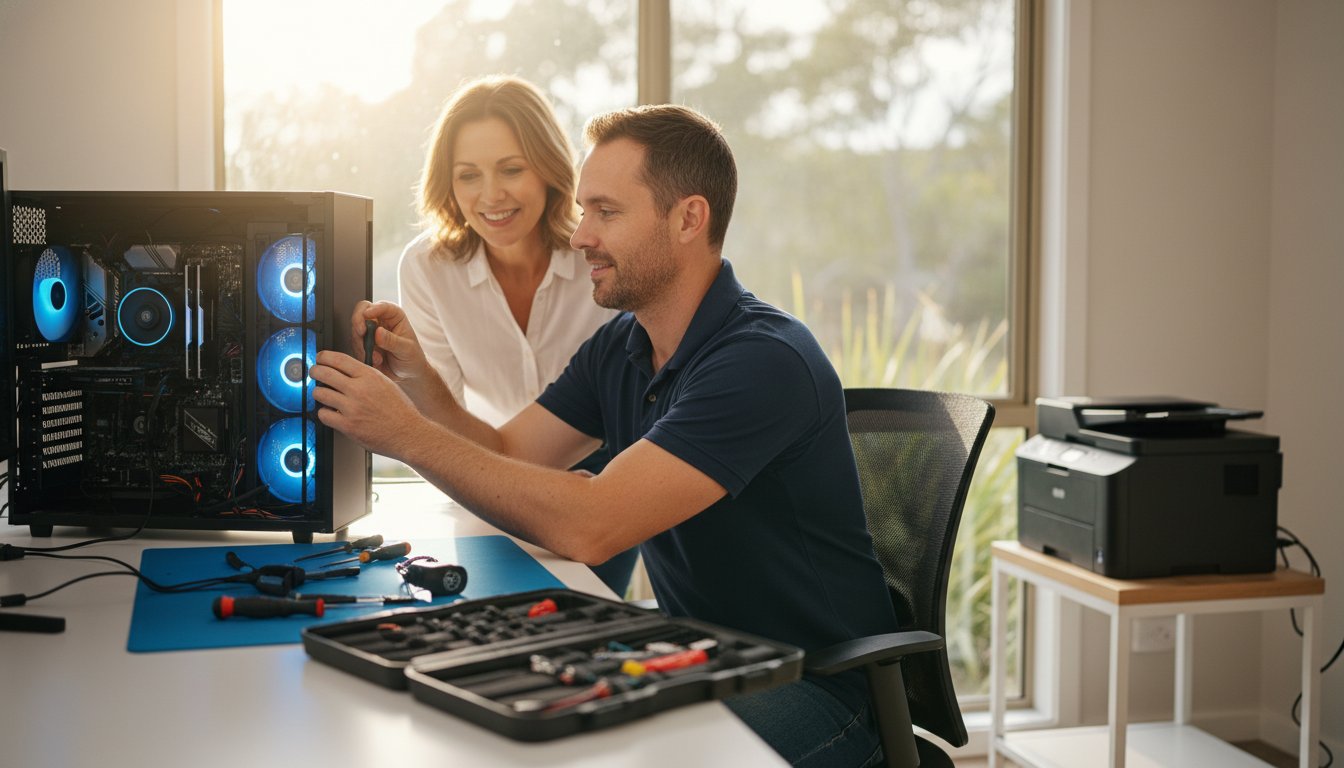
That moment of panic when your computer grinds to a halt is stressful enough. But the thought of wrestling with a tangled web of cables, packing up your PC, and leaving it at a shop for days is often worse. What if the expert could come directly to you, solving the problem without you having to unplug a single thing? That’s the simple, stress-free promise of our on-site computer repairs Toowoomba service. We bring professional, reliable tech support to your home or office, fixing issues right where they happen-whether it’s the computer itself, a tricky printer, or a faulty Wi-Fi connection. Your sensitive data stays securely with you, and you get help fast.
In this article, we’ll show you how our mobile repair service provides a convenient and trustworthy solution to your tech troubles. We’ll walk you through our straightforward process, from your initial call to the final fix, so you know exactly what to expect. Discover how you can get your computer working perfectly again with clear, upfront communication and minimal disruption to your busy day.
Why Choose On-Site Repairs? The Ultimate Convenience for Toowoomba Residents
When your computer, network, or printer fails, the last thing you need is the extra hassle of dismantling your entire setup. The biggest benefit of choosing on-site computer repairs in Toowoomba is simple: you don’t have to unplug a single cable. We come directly to your home or office, ready to solve the problem right where it happens. This is especially crucial for complex workstations with multiple monitors, printers, and other peripherals connected.
Forget about trying to remember which cable goes where. Our expert technicians handle everything, allowing you to get back to your day with minimal disruption. We fix the issue in its actual environment, providing a faster, more accurate, and completely stress-free solution.
Save Time and Eliminate Hassle
Think about the traditional repair process: untangling a web of cords, packing up your heavy computer tower, driving to a shop, and then waiting in a queue. Our mobile service eliminates all of that. We schedule a time that works for you, and our technician arrives at your door. This convenience is perfect for busy professionals, families managing a hectic schedule, and small business owners in Toowoomba who can’t afford downtime.
Solve Network, Wi-Fi, and Printer Issues Accurately
Some problems simply can’t be diagnosed on a workshop bench. Is your Wi-Fi dropping out in the back office? Is your printer refusing to connect to the network? These issues are often caused by factors within your environment. By being on-site, we see the whole picture-from your NBN connection to potential signal interference. This hands-on approach to technical support allows us to identify and fix the root cause accurately the first time.
Your Data Stays Securely With You
We understand that your computer holds sensitive personal and business information. Handing your device over to a stranger can be a major security concern. With our on-site service, your computer and your data never leave your sight. You can watch us work, ask questions, and have complete peace of mind knowing your confidential files remain secure and private within your own home or office.
Our On-Site Repair Process: Simple, Transparent, and Stress-Free
When your computer fails, you need a solution that’s fast, straightforward, and doesn’t add to your stress. Since 1999, we have perfected our repair process to be as efficient and customer-focused as possible. Our goal is simple: to diagnose the problem quickly, explain the solution in plain English (no confusing jargon), and get your system back up and running with minimal disruption to your day. We believe in complete transparency, which is why you’ll always receive a clear, upfront quote before any work begins.
Step 1: Your Call & Initial Diagnosis
It all starts with your call. You won’t be navigating a complex phone menu; you’ll speak directly with an experienced technician. Simply describe the issues you’re facing-whether it’s a slow PC, a virus, or a hardware failure-and we’ll provide an initial assessment over the phone. From there, we’ll schedule a visit at a time that works for you.
Step 2: The On-Site Visit & Professional Assessment
Punctuality and professionalism are key to our service. Our technician will arrive at your home or office on time, equipped with the necessary diagnostic tools to perform a thorough assessment. We pinpoint the exact cause of the problem right there on-site. We treat your space with respect, working cleanly and efficiently to provide the best on-site computer repairs Toowoomba residents can rely on.
Step 3: Clear Solutions & Upfront Pricing
Once we’ve identified the issue, we’ll walk you through the solution in clear, understandable terms and provide a firm, upfront quote for the repair. We believe in transparent pricing, a practice that aligns with Australian consumer rights for repairs, so you can make an informed decision with no hidden costs. Many common problems can be resolved on the spot within an hour or two. If new parts are required, we’ll clearly outline your options, costs, and the expected timeline to ensure you’re always in control.
Ready for a hassle-free fix? Call us now!
Common Computer Problems We Fix at Your Toowoomba Home or Office
From frustrating software glitches to complete hardware failure, our technicians are equipped to handle a vast range of computer problems right at your location. The convenience of our on-site computer repairs Toowoomba service means we can diagnose issues within your own environment, ensuring a more accurate and lasting solution. Whether it’s for your home PC or office network, no problem is too small or too complex for our experienced team.
Virus, Spyware, and Malware Removal
Are you seeing endless pop-ups, slow performance, or alarming security warnings? These are common signs of a malware infection. We securely remove all threats from your PC or laptop and ensure your antivirus software is properly configured to protect you in the future. Being on-site allows us to also check other devices on your network to stop an infection from spreading.
Internet, NBN, and Wi-Fi Connectivity Problems
Nothing disrupts a day like a faulty internet connection. If you’re tired of NBN dropouts, slow speeds, or Wi-Fi ‘dead spots’ in your home or office, we can help. Our technicians troubleshoot the entire system on-site-from your modem and router settings to your device configurations-to pinpoint the real cause of the problem and get you reliably connected again.
New Computer, Printer, and Device Setup
Take the stress and guesswork out of setting up new technology. We provide a complete setup service to get your new computer or laptop running perfectly. This includes:
- Connecting to your Wi-Fi network and peripherals like printers and scanners.
- Installing essential software and security updates.
- Transferring your important files, photos, and emails from your old machine.
Hardware Failures and Performance Upgrades
When hardware components like hard drives, RAM, or power supplies fail, a quick diagnosis is key. Our mobile service can often perform on-the-spot performance boosts, such as upgrading your computer with a faster Solid State Drive (SSD) or more RAM. We provide honest, practical advice on whether a repair or an upgrade is the most cost-effective solution for you. We believe in transparency and will always help you understand your consumer rights for repairs so you can make an informed decision.

Your Local Toowoomba Expert Since 1999
When your technology fails, you need a trusted expert, not a random technician from a national call centre. Aspire Computing is not a franchise or a faceless chain; we are a local Toowoomba business, founded and operated right here with a deep commitment to our community. For over two decades, we have built a reputation on reliable, honest service and expert advice. When you call us, you’re speaking directly with a local professional who understands your needs.
Meet Chaim Lee: Your Trusted Technician
Aspire Computing is led by owner and lead technician, Chaim Lee. Chaim established the business in 1999 with a clear mission: to provide professional, friendly, and effective IT support to local homes and businesses. With decades of hands-on experience, he is dedicated to ensuring every customer is completely satisfied. Chaim believes in clear, jargon-free communication, so you’ll always understand the problem and the solution we recommend.
Serving Toowoomba and the Darling Downs
Our commitment to the region is unwavering. We provide prompt and professional on-site computer repairs in Toowoomba and its surrounding communities. Our deep local knowledge means we understand the unique challenges faced by residents and small businesses here. Our primary service areas include:
- Toowoomba City
- Highfields
- Westbrook
- Gowrie Junction
- Kingsthorpe
- And the wider Darling Downs region
A Commitment to Quality Parts and Honest Advice
A lasting repair depends on quality components. We only use reliable, high-quality parts for all repairs and upgrades, ensuring your computer runs smoothly for years to come. Our advice is always focused on what is best and most cost-effective for you, not on upselling unnecessary products or services. We believe in building long-term relationships based on trust. But don’t just take our word for it-see what your neighbours are saying in our customer testimonials.
Experience the local difference. Book your repair today.
Your Toowoomba Computer Problems, Solved at Your Doorstep
Don’t let computer glitches disrupt your day any longer. Choosing on-site service means you get the ultimate convenience of expert help brought directly to your home or office in Toowoomba. Our simple and transparent repair process is designed to be completely stress-free, taking the guesswork out of getting your PC or laptop back in perfect working order.
As your local expert since 1999, Aspire Computing is the trusted choice for on-site computer repairs Toowoomba residents rely on. We pride ourselves on fast, effective service combined with honest advice and clear, upfront pricing. There are no surprises-just quality solutions designed to protect your data and get you connected again quickly.
Ready to put an end to your tech frustrations? Book Your On-Site Repair in Toowoomba Now! Let us handle the hassle so you can get back to what matters most.
Frequently Asked Questions
How much does an on-site computer repair service cost in Toowoomba?
We believe in transparent and fair pricing. Our on-site computer repairs Toowoomba service begins with a standard call-out fee, followed by a clear hourly rate. The final cost depends on the nature of the issue. Before starting any work, our technician will diagnose the problem and provide you with an upfront quote for your approval. This ensures there are no surprises, allowing you to make an informed decision with complete confidence in the value you receive.
How quickly can you come to my home or office?
We understand that computer problems are urgent and disruptive. As a local business, we prioritise a rapid response for all our clients in Toowoomba. In most situations, we can arrange for a same-day or next-business-day appointment. To secure the fastest service, we recommend calling us directly. We will work with you to schedule a convenient time to visit your home or office, minimising your downtime and getting you connected again as quickly as possible.
What happens if you can’t fix my computer on the spot?
While we resolve the majority of issues during our initial on-site visit, some complex hardware faults or in-depth data recovery tasks require our workshop equipment. If we cannot fix the problem on the spot, our technician will clearly explain why and, with your permission, take the device for off-site repair. We will provide a firm quote and keep you updated on our progress, ensuring a quality and efficient solution with a fast return time.
Do you repair Apple Mac computers as well as Windows PCs?
Yes, absolutely. Our experienced technicians are skilled in repairing both Windows PCs and Apple Mac systems. Whether you have a desktop PC, a laptop, an iMac, or a MacBook that needs attention, we have the expertise to diagnose and resolve the problem. We handle everything from software troubleshooting and virus removal to hardware upgrades and component replacements for both platforms, providing a comprehensive and reliable repair service for all your devices.
Is it worth repairing my old computer, or should I just buy a new one?
This is a very common question, and we are here to provide honest, expert advice. In many cases, a targeted upgrade-such as installing a Solid State Drive (SSD) or adding more RAM-can provide a significant performance boost for a fraction of the cost of a new machine. We will assess your computer’s age, its overall condition, and the repair cost versus your specific needs to help you determine the most cost-effective solution for you.
What areas in and around Toowoomba do you service?
We provide on-site computer support throughout the entire Toowoomba region. Our mobile service covers all suburbs, including Rangeville, Middle Ridge, Highfields, Kearneys Spring, Centenary Heights, and Wilsonton. We also travel to many nearby towns across the Darling Downs. If you are unsure whether your home or office is within our service area, please don’t hesitate to give us a call. We are proud to be the trusted local IT experts for our community.
B.App.Sc., Cert. Computer Engineering PC Service and Repair
As the owner of Aspire Computing founded in 1999, Chaim Lee has been working for over 20 years as the Leading Computer Technician.
He has a life long interest in electronics, computing, science and technology. He has completed studies and gained qualifications in Applied Science, Computer Repair and Service, Microsoft Installation and Maintenance, Technical Writing, Workplace Training, and Technical Sales Training.
