
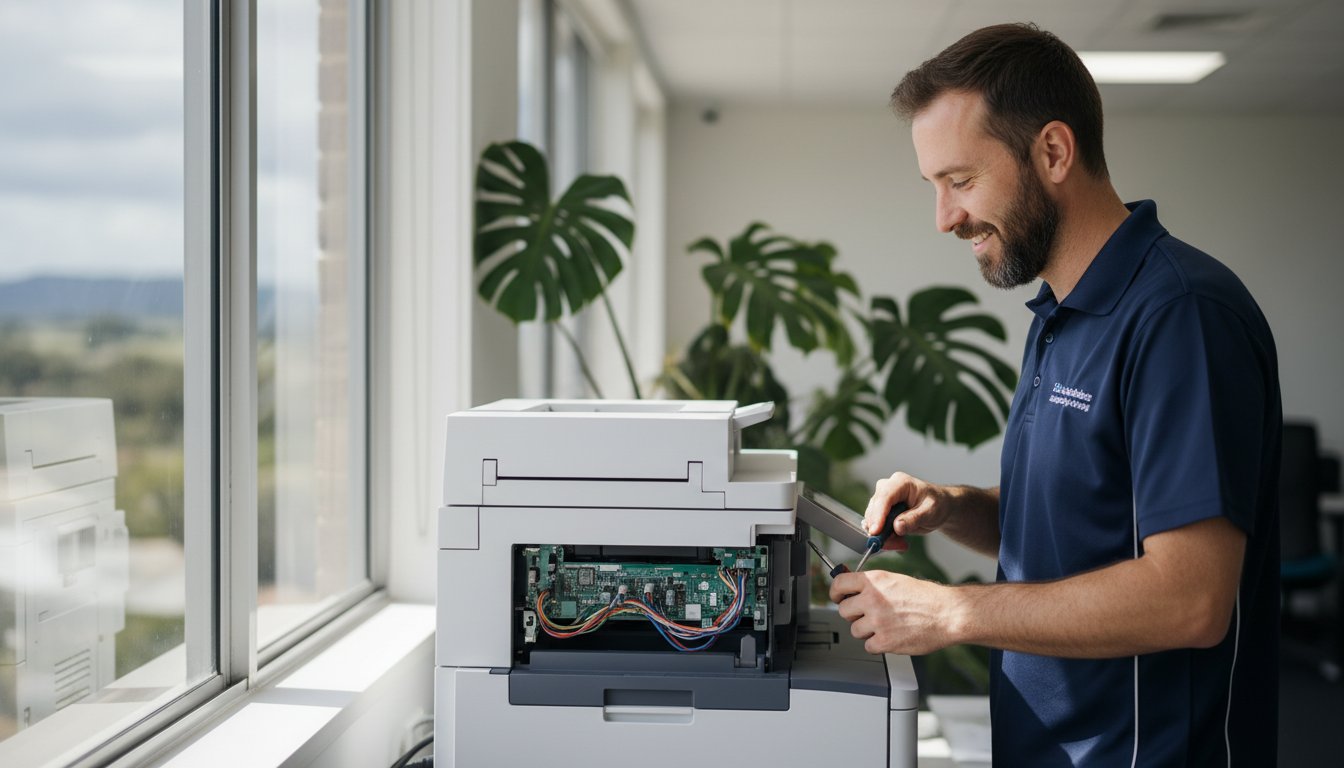
That blinking error light. The paper jam that won’t clear. The sudden realisation that your printer has given up just hours before a crucial deadline is a feeling of pure panic for any Toowoomba home or business. You’re left wondering: can this be fixed? Is it worth the cost, or should I just buy a new one? Finding a straightforward answer and a local expert for printer supply and repair can feel overwhelming, but it doesn’t have to be.
In this guide, we provide the clarity you need. We will walk you through troubleshooting common issues you can solve yourself, help you source the correct ink and toner with confidence, and provide an honest breakdown of repair versus replacement costs. Consider this your complete roadmap to getting your printer back online quickly, with dependable, expert advice from a local Toowoomba team you can trust.
Key Takeaways
Key Takeaways
- Quickly diagnose common printer issues with our simple checklist to determine if you need professional help.
- Make a confident, cost-effective choice between repairing or replacing your faulty printer using our practical decision-making guide.
- Streamline your search for the right ink and toner, and see why a local specialist like Aspire Computing is the best choice for reliable printer supply and repair in Toowoomba.
- Understand exactly what to expect during a professional service call with our transparent, step-by-step guide to the repair process.
Common Printer Problems: What You Can Fix vs. When to Call an Expert
There’s nothing more frustrating than a printer suddenly refusing to print, especially when you’re on a deadline. Unexpected downtime can disrupt your home office or bring business operations to a standstill. The good news is that not every error message requires a service call. While understanding the complex details of how printers work isn’t necessary, knowing a few basic diagnostic steps can save you time and money.
One of the most frequent issues is a printer showing as ‘offline’. This helpful video from MDTechVideos guides you through the simple steps to fix it:
Quick Fixes You Can Try in 5 Minutes
Before you panic, run through this simple checklist. These steps resolve a surprising number of common printer faults and can get you back up and running quickly.
- Resolve Paper Jams Carefully: Open all access panels and gently pull the jammed paper in the direction of the paper path. Tugging against the mechanism can cause damage. Make sure no small, torn pieces are left behind.
- Check Cables and Connections: Ensure the power cord and the USB or Ethernet cable are securely plugged into both the printer and the wall or computer. For wireless printers, try restarting your Wi-Fi router.
- Perform a Full Restart: The classic “turn it off and on again” works wonders. Power down both your computer and your printer, wait 30 seconds, and then turn them back on to clear temporary errors.
- Update Your Printer Drivers: Outdated software can cause communication issues. A quick search for your printer model on the manufacturer’s website will lead you to the latest drivers to download and install.
Warning Signs That You Need Professional Repair
While DIY fixes are great for minor glitches, some symptoms point to deeper mechanical or electronic faults. For your safety and to avoid causing more damage, it’s time to call an expert for professional printer supply and repair when you see these signs:
- Loud Grinding or Mechanical Noises: Any sudden clunking, squealing, or grinding sounds suggest an internal component is broken, worn out, or misaligned.
- Persistent, Cryptic Error Codes: If an error code on the printer’s display won’t go away after a restart, it often indicates a specific hardware failure that requires a technician to diagnose.
- Poor Print Quality (After Changing Cartridges): If you’re still getting streaks, smudges, or faded prints with a new ink or toner cartridge, the problem likely lies with the fuser, drum unit, or print head.
- The Printer Won’t Power On: If the printer is completely unresponsive or shuts down unexpectedly, even after checking the power cord, it points to a faulty internal power supply.
Our Toowoomba Printer Repair Process: Simple, Fast, and Transparent
When your printer stops working, you need a solution that’s fast and easy to understand. At Aspire Computing, we’ve designed our Toowoomba printer repair process to be completely transparent from the moment you call us. We eliminate the guesswork and technical jargon, so you know exactly what to expect, what it will cost, and when you’ll be back to printing. Our goal is to provide a convenient, stress-free service for local businesses and homes.
Step 1: Diagnosis and Assessment
Getting started is simple. Just give us a call or fill out our online form to schedule a service visit. Our experienced technicians will come directly to your Toowoomba home or business for a convenient on-site assessment. We perform a thorough diagnosis to pinpoint the exact cause of the issue-whether it’s a hardware fault, a software glitch, or a connectivity problem-ensuring we fix the root of the problem correctly the first time.
Step 2: A Clear, Upfront Quote
Once we’ve identified the problem, we provide a clear, itemised quote detailing the costs for any necessary parts and labour. We take the time to explain the required repairs in plain English, so you can make an informed decision. We believe in complete transparency, which aligns with your consumer rights on printer repairs, ensuring you have all the information you need. No work ever begins until you give us your full approval-that’s our no-surprise guarantee.
Step 3: Expert Repair and Testing
With your approval, our technicians get to work using high-quality, reliable parts to complete the repair efficiently. As a trusted local provider of printer supply and repair, we ensure every component meets our strict standards for performance and longevity. Afterwards, we rigorously test your printer to confirm every function is operating perfectly. Our expertise isn’t limited to printers; you can learn more about our full range of IT support services to keep all your technology running smoothly.
Repair or Replace? How to Make the Right Choice for Your Printer
When your printer stops working, the most pressing question is often whether to fix it or buy a new one. It’s a frustrating situation, but making a hasty decision can be costly. At Aspire Computing, we believe in providing clear, honest advice to help you make the most cost-effective choice. Here’s a practical framework to guide you.
Consider the Cost
The first step is a simple cost-benefit analysis. We use the “50% rule” as a starting point: if the repair cost is more than half the price of a comparable new printer, replacement is often the smarter financial move. However, don’t forget to factor in the hidden costs of a new device. Many new printers come with “starter” ink or toner cartridges, meaning you’ll soon be spending A$100 or more on a full set. Our transparent repair quotes allow you to compare the true, long-term costs accurately.
Evaluate the Printer’s Age and Usage
A printer’s age and how heavily it’s been used are critical factors. An office workhorse that’s over seven years old may be nearing the end of its reliable service life. Before deciding on a repair, ask yourself a few key questions:
- Is the printer still fast enough for my current needs?
- Does it have essential features like Wi-Fi, scanning, or duplex printing?
- Has it required multiple repairs in the past year?
Answering these can help determine if investing more money into an older machine aligns with your future needs.
Inkjet vs. Laser Printers: A Key Difference
The type of printer you own significantly impacts the repair-or-replace equation. High-quality laser printers are built for durability and high-volume work, and repairing them is often a worthwhile investment that extends their life for many more years. On the other hand, budget inkjet printers (often costing less than A$100) are typically not economical to fix, as the cost of parts and labour can easily exceed their replacement value. As Toowoomba’s trusted experts in printer supply and repair, we can assess your specific model and provide a professional recommendation, ensuring you don’t waste money on a repair that isn’t practical.

Printer Supply Solutions: Getting the Right Ink and Toner in Toowoomba
A reliable printer is essential, but it’s only as effective as the ink or toner you put in it. Running out of supplies at a critical moment is frustrating, and finding the correct replacement can be confusing. At Aspire Computing, we go beyond just fixing machines; we provide complete printer supply and repair services to ensure you have everything you need for seamless printing.
Keeping your printer running smoothly means understanding its consumable needs. Let our experts take the guesswork out of the process for you.
Finding Your Cartridge Model Number
Before you can buy a new cartridge, you need to know exactly which one your printer takes. Don’t worry, finding the model number is usually straightforward. Here’s where to look:
- On the old cartridge: The easiest way is to check the label on the ink or toner cartridge you are replacing.
- Inside the printer: Most printers have a label near the cartridge carriage that lists the required model numbers.
- Using your computer: The printer’s software or driver on your PC often displays supply levels and model information.
If you’re still unsure, just let us know. When we visit for a service call, we can quickly identify the correct supplies for your device.
Genuine vs. Compatible vs. Remanufactured
When shopping for cartridges, you’ll encounter a few options. Understanding the difference is key to protecting your investment.
Genuine (OEM) cartridges are made by your printer’s manufacturer (e.g., HP, Canon, Brother). They offer the highest quality, guaranteed compatibility, and protect your printer’s warranty. While the upfront cost is higher, they provide peace of mind and consistent, professional results.
Compatible or remanufactured cartridges are third-party alternatives that are often cheaper. However, they can come with risks, including lower print quality, inconsistent page yields, and even potential leaks that could damage your printer. For business-critical documents and to ensure the long-term health of your machine, we typically recommend sticking with genuine supplies for quality assurance.
How We Can Help with Supplies
Why spend your valuable time searching for the right cartridges? As your local Toowoomba expert in printer supply and repair, we can source and deliver high-quality, genuine ink and toner for all major brands. We ensure you get the right product for your specific model, eliminating costly purchasing mistakes.
Next time you book a repair service with us, simply mention your supply needs. We can often bring the correct cartridges with us, getting you back to printing faster and with complete confidence.
Why Choose a Local Toowoomba Expert Over a National Chain?
When your printer stops working, you have a choice: call a faceless national service or partner with a local expert who understands your needs. For Toowoomba’s small businesses and home offices, the difference is significant. While large chains offer a standardised service, a local specialist provides the speed, accountability, and personalised care that keeps you productive.
Fast, Personalised Service
A printer issue can bring your workday to a grinding halt. You need a solution now, not a booking scheduled for next week from a depot in another state. We are part of the Toowoomba community, which means we’re just around the corner. Instead of navigating a call centre, you can speak directly with the technician who will be working on your equipment. This direct communication eliminates misunderstandings and ensures a faster, more accurate diagnosis and repair.
The benefits of our local focus include:
- Quicker Turnaround: We can often provide same-day or next-day service because our workshop and technicians are right here.
- Clear Communication: You get straight answers from the expert fixing your device, not a customer service representative reading from a script.
- Local Understanding: We know the specific challenges and needs of businesses in the Darling Downs region.
Accountability and Trust Since 1999
Our reputation is our most valuable asset, built on more than 25 years of dedicated service to the Toowoomba community. Unlike a national chain, our success is directly tied to your satisfaction. We stand behind every job with a comprehensive service guarantee, ensuring our work meets the highest standards of quality and reliability. Our long history in printer supply and repair means we have the experience to handle any issue, from legacy models to the latest technology.
At Aspire Computing, we are deeply committed to the success of our local clients. We’re not just a service provider; we are your neighbours and technology partners. When you choose us for your printer supply and repair needs, you’re investing in a local business that is dedicated to protecting and connecting our community.
Your Partner for Reliable Printer Solutions in Toowoomba
Printer frustrations can bring productivity to a halt, but finding a solution shouldn’t be complicated. This guide has shown that knowing when to call an expert can save you from costly mistakes, and making an informed decision between repairing or replacing your machine ensures you get the best value. Ultimately, partnering with a local Toowoomba specialist provides a level of service and accountability you simply won’t find with a national chain.
For dependable printer supply and repair, Aspire Computing is your trusted local team. We have been proudly serving the Toowoomba community since 1999, offering expert on-site and remote support for all major printer brands. We take the guesswork out of maintenance and supplies, ensuring you have what you need for seamless business continuity.
Stop letting printer issues disrupt your workflow. For fast, transparent, and professional help, talk to a Toowoomba printer expert today! Let us handle the technology, so you can focus on what matters most.
Frequently Asked Questions About Printer Repair
What printer brands do you supply and repair?
Our technicians have extensive experience with a wide range of printer models. We commonly service and supply major brands including HP, Brother, Canon, Epson, and Kyocera. Whether you have a small home office inkjet or a large business laser printer, we have the expertise to diagnose and fix the issue. If you don’t see your brand listed, don’t worry-give our Toowoomba team a call, as we can likely still provide the quality service you need.
How quickly can you come out for a printer repair in Toowoomba?
We understand that a broken printer can halt your productivity. As a local Toowoomba business, we pride ourselves on providing a fast response. In most cases, we can arrange for an on-site technician to visit you on the same or next business day. Our goal is to get you back up and running with minimal disruption, ensuring your business continuity. Contact us early to secure the quickest possible appointment for your printer repair.
Do you offer a warranty on your printer repair work?
Absolutely. We stand behind the quality of our work with a comprehensive warranty. All our printer repairs are covered by a 30-day warranty on labour and a manufacturer’s warranty on any new parts we install. This gives you peace of mind knowing that your investment is protected. Our commitment is to provide a reliable, long-lasting solution, not just a temporary fix. Your satisfaction and trust are our top priorities here in Toowoomba.
Can you help me set up a new printer and connect it to my network?
Yes, we certainly can. Our services go beyond just fixing problems; we provide complete printer supply and repair solutions, including new device installation. We’ll unbox your new printer, connect it to your Wi-Fi network, and ensure all your computers and mobile devices can print seamlessly. Our ‘Aspire to Protect and Connect’ philosophy means we make sure your technology works together perfectly, saving you the frustration of a complicated setup process.
Is it more cost-effective to use a managed print service?
For many businesses in Toowoomba, a managed print service (MPS) can be very cost-effective. MPS consolidates your printing costs into a predictable monthly fee, covering toner, maintenance, and repairs. This is often ideal for offices with high print volumes, as it prevents unexpected repair bills and reduces downtime. We can assess your specific printing needs to help you determine if an MPS or our on-demand repair service is the better financial choice for you.
My printer says it’s ‘offline’. What does that mean and how can I fix it?
Don’t panic! An ‘offline’ printer status usually means your computer can’t communicate with it. First, check that all cables are securely connected and that the printer is turned on. For wireless printers, ensure it’s connected to the correct Wi-Fi network. A simple restart of both your computer and printer can often solve the problem. If these quick steps don’t work, there may be a driver or network issue that our technicians can diagnose and fix for you quickly.

B.App.Sc., Cert. Computer Engineering PC Service and Repair
As the owner of Aspire Computing founded in 1999, Chaim Lee has been working for over 20 years as the Leading Computer Technician.
He has a life long interest in electronics, computing, science and technology. He has completed studies and gained qualifications in Applied Science, Computer Repair and Service, Microsoft Installation and Maintenance, Technical Writing, Workplace Training, and Technical Sales Training.
