
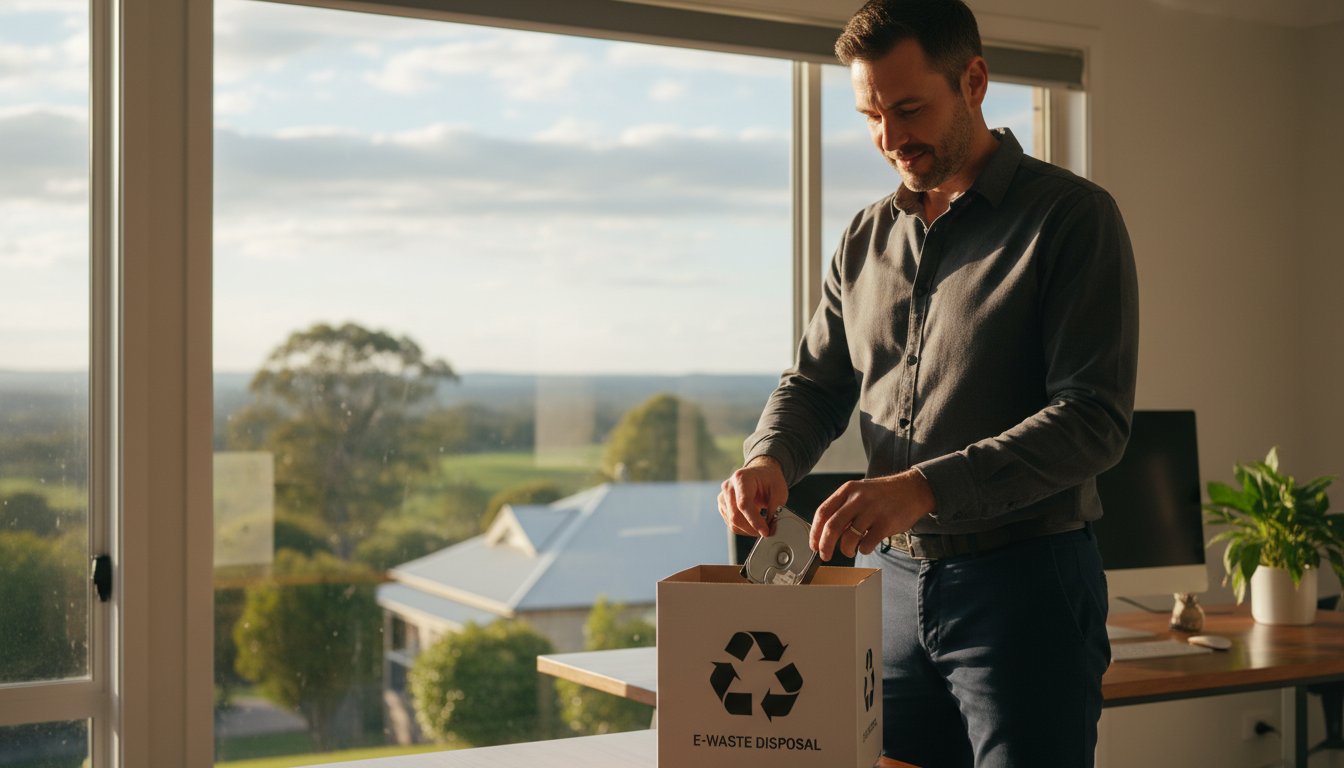
What if the “deleted” files on that old computer in your garage are still completely readable by anyone with a $15 cable? Most people assume that hitting delete or formatting a disk is enough, but a 2019 study by Blancco found that 42% of used hard drives sold on secondary markets still contained sensitive residual data. If you are worried about your private information, learning how to safely dispose of old hard drives is the only way to ensure your identity stays protected.
We understand that the thought of your personal records ending up at a local tip or in the hands of a stranger is unsettling. It’s frustrating when technology feels like a liability instead of a tool. In this guide, we will show you the exact steps to permanently erase your private data and legally recycle old storage devices without risking your identity. You’ll get clear DIY instructions to ensure your data is unrecoverable and a list of verified e-waste recycling points right here in Toowoomba so you can clear the clutter with total peace of mind.
Key Takeaways
- Understand why the “Delete” key isn’t enough to protect your privacy and how “ghost data” remains vulnerable to recovery software.
- Master the essential steps of how to safely dispose of old hard drives by choosing the correct digital wiping software for your specific device.
- Learn how to physically disable unpowered or broken drives using proven methods that ensure internal data platters are rendered completely unreadable.
- Navigate local Toowoomba e-waste options and the National Television and Computer Recycling Scheme to dispose of hardware legally and sustainably.
- Recognise when to seek professional-grade data sanitisation and shredding to ensure your business remains compliant with a formal Certificate of Destruction.
Why Deleting Files Isn’t Enough for Secure Disposal
Many people believe that clicking “delete” and emptying the Recycle Bin is the final step in learning how to safely dispose of old hard drives. In reality, this action only hides the data from your view. When you delete a file, your operating system simply removes the pointer to that data and marks the space as “available” for new information. The original 1s and 0s remain on the drive platters or flash memory chips until they are overwritten by something else, which could take weeks or even months.
This creates a major security gap known as “ghost data.” Because the actual information stays behind, simple recovery software, which anyone can download for under A$60, can scan the drive and rebuild your files in minutes. For the 5,000+ small businesses operating in the Toowoomba region, leaving sensitive client records or financial data on a discarded drive is a massive liability. Logical deletion is merely a filing trick; true security requires professional data erasure to ensure your private information is gone for good.
To better understand why physical and digital destruction is so important, watch this helpful video:
The Myth of Formatting the Drive
A standard Windows format often gives a false sense of security to home users. If you select a “Quick Format,” the system just rebuilds the file system index, leaving 100% of your data intact and recoverable. A “Full Format” is slightly better as it checks for bad sectors, but it still doesn’t meet the rigorous standards required for complete data destruction in a business environment. Data sanitisation is the process of making data permanently unrecoverable by overwriting every single block of the storage media with random patterns.
Identity Theft: What Is at Risk?
Old hard drives are digital gold mines for criminals. We often find that drives discarded in Toowoomba e-waste bins still contain highly sensitive items, such as:
- Tax returns and Business Activity Statements (BAS) from the 2023 financial year.
- Saved browser passwords for banking and social media portals.
- Scanned copies of Medicare cards, passports, or driver’s licences.
- Private family photos and personal correspondence.
Local scammers have been known to target unmonitored collection points, hoping to find hardware that hasn’t been properly wiped. It’s a scary thought, but don’t panic. By following a structured disposal process, you can stay protected and ensure your old technology doesn’t become a gateway for identity thieves. Taking these extra steps now will save you the significant cost and stress of a data breach later.
Step 1: Backing Up and Wiping Your Data Digitally
Before you reach for the toolbox, you must ensure your digital house is in order. The first rule of how to safely dispose of old hard drives is simple: never destroy what you haven’t backed up. Check your drive for old tax returns, family photos from 2018, or forgotten login credentials. Copy these to a reliable external drive or a secure cloud service. Once you’re certain you have everything, you can begin the digital sanitisation process.
Digital wiping is more than just dragging files to the bin. When you delete a file, the computer only removes the “pointer” to that data. The actual information stays on the drive until it’s written over. To fix this, you need software that uses the “overwriting” method. This technique replaces your bank statements and private photos with layers of random binary gibberish. After the software finishes, use a disk verification tool to confirm the drive appears as a blank slate. If you feel uncertain about the process, many users look for professional data sanitization services to ensure no traces remain.
Wiping a Mechanical Hard Drive (HDD)
Mechanical drives store data on spinning magnetic platters. For these, Darik’s Boot and Nuke (DBAN) is a highly recommended tool. We suggest following the “3-pass” rule. This industry standard involves overwriting the entire drive three times to ensure even sophisticated recovery tools can’t find anything. If your drive is clicking or failing to spin, software wiping won’t work. You might need data recovery services to retrieve your files before the hardware fails completely.
Sanitising a Solid State Drive (SSD)
SSDs require a different approach. Standard overwriting doesn’t work because of a feature called wear leveling, which distributes data across the drive to prevent it from wearing out. Instead, use the manufacturer’s own software, such as Samsung Magician or Crucial Storage Executive. These tools include a “Secure Erase” command specifically designed for flash memory. Cryptographic erasure is another excellent choice. It deletes the drive’s internal encryption key, making all stored data instantly and permanently unreadable. It’s fast, efficient, and very secure.
At Aspire Computing, we’ve been helping the Toowoomba community stay secure since 1999. We know that protecting your privacy is your top priority. If you’re worried about performing these steps yourself, talk to our experts today for professional guidance on keeping your data safe.
Physical Destruction: How to Render a Hard Drive Unreadable
There are times when digital wiping simply isn’t an option. If your computer won’t turn on or the drive has suffered a mechanical “click of death,” software tools can’t reach the data. In these cases, physical destruction is the most reliable way to protect your privacy. It’s a vital step in learning how to safely dispose of old hard drives, especially when the hardware is no longer functional. At Aspire Computing, we’ve helped Toowoomba residents secure their data since 1999, and we know that nothing beats the peace of mind that comes from seeing a drive physically destroyed.
Before you start, safety is the priority. Always wear wrap-around eye protection and heavy-duty work gloves. Metal shards can fly off at high speeds during drilling or hammering. Work in a well-ventilated area, like a garage or outdoor workbench, to avoid inhaling any dust or debris. This isn’t just about data security; it’s about making sure you stay safe during the process.
The Drill Method for HDDs
Traditional hard drives store information on circular magnetic platters. To destroy the data, you must destroy these platters. First, identify the circular indentation on the drive’s metal casing. This is usually where the platters sit. Use a power drill with a 5mm cobalt or high-speed steel bit. Drill at least four holes completely through the drive from top to bottom. This process does more than just scratch the surface. It bends and warps the platters, making it impossible for the read-heads to ever glide over the surface again. Even a 1% distortion in the platter shape renders the data unrecoverable by standard means.
Destroying SSDs and Flash Media
Solid State Drives (SSDs) and USB sticks don’t have moving parts. They store data on tiny NAND flash memory chips. Because the data is spread across multiple chips, you must ensure every single one is smashed. Open the plastic or metal casing to reveal the circuit board. Look for the small, black rectangular chips soldered to the board. Use a hammer or heavy-duty shears to break these chips into pieces. Following the CISA guidelines for device disposal ensures you’re meeting high security standards. Never attempt to “burn” a drive to destroy data. Modern electronics contain toxic substances like brominated flame retardants. Heating these components releases dangerous fumes that are harmful to you and the local Australian environment. This physical approach is the best way to ensure your information stays private before you look for a local e-waste recycler.
E-Waste Recycling and Local Disposal Options in Toowoomba
Tossing your old tech into the general waste bin is a mistake that carries heavy consequences. In many parts of Australia, it’s actually illegal to dispose of e-waste in household wheelie bins because of the hazardous materials inside. Hard drives don’t belong in the red-lid bin. Instead, the Australian Government established the National Television and Computer Recycling Scheme (NTCRS) in 2011. This scheme has diverted over 315,000 tonnes of electronic waste from landfills across the country. It provides a reliable way for residents and small businesses to drop off hardware at no cost, ensuring that components are processed in a way that doesn’t poison our soil.
If you’re wondering how to safely dispose of old hard drives, you must also consider the power source. If the drive is still inside a laptop, you need to remove the battery first. Lithium-ion batteries are highly volatile and are responsible for a 25% increase in fires at waste processing centres over the last few years. You can find dedicated battery recycling tubes at most Toowoomba supermarkets or at the local tip. Once the battery is out, the drive is ready for a recycling facility.
Where to Go in the Darling Downs
Toowoomba residents have several convenient options for responsible disposal. The Toowoomba Waste Management Centre on Bedford Street is the primary hub for our region. They have a clearly marked e-waste section where you can drop off towers, laptops, and individual drives for free. It’s a simple, drive-through process that ensures your gear ends up in the right hands. You should also keep an eye on the Toowoomba Regional Council website for “Tech Takeback” events that happen throughout the year in outlying suburbs.
Many of our clients find that hardware upgrades often result in a pile of old components that need processing. Whether you’ve swapped an old mechanical drive for a fast SSD or replaced a motherboard, don’t let those parts sit in a cupboard. Taking them to Bedford Street helps keep our local community clean and clutter-free.
The Environmental Impact of Tech Waste
Hard drives are a complex mix of materials. They contain toxic substances like lead, mercury, and cadmium. If these materials end up in a landfill, they can leak into the groundwater, causing long-term damage to the Darling Downs ecosystem. However, when you learn how to safely dispose of old hard drives through recycling, you’re contributing to a circular economy. Recyclers can recover up to 95% of the materials in a computer, including precious metals like gold, silver, and copper found on circuit boards.
At Aspire Computing, Chaim Lee and the team operate under the mission to “Protect and Connect.” This isn’t just about your data; it’s about protecting the environment we all share. We’ve been part of the Toowoomba community since 1999, and we’ve seen how much tech waste has grown. Choosing a local recycling point over a rubbish bin is a small action that makes a massive difference for the future of our region.
If you’re ready for a system refresh or need help securely wiping your data before recycling, talk to the experts at Aspire Computing today.
When to Call the Experts: Professional Data Sanitisation
Software wiping is effective for most, but it isn’t the final word in security for everyone. If you’re managing a small business or handling sensitive financial records, you need a method that leaves zero room for error. Professional data sanitisation provides a level of certainty that DIY methods simply can’t match. This is where industrial tools like degaussers and heavy-duty shredders come into play.
Professional Shredding Services
A hard drive shredder does exactly what it sounds like; it physically pulverises the device into tiny pieces of metal confetti. This is the only 100% guaranteed method for destroying sensitive data because the physical platters are completely obliterated. Before the hardware is destroyed, Chaim Lee often assists clients with virus and malware removal to ensure no threats are transferred to new systems. Since 1999, we’ve seen how quickly data can be compromised if handled poorly.
For Toowoomba businesses, a Certificate of Destruction is a vital document. It provides a formal paper trail that proves you’ve complied with the Australian Privacy Act 1988. Without this, you could face significant risks if a data breach occurs. It’s about peace of mind and professional accountability.
Aspire Computing’s Secure Disposal Support
We know that figuring out how to safely dispose of old hard drives can be stressful. Aspire Computing offers on-site support to take the guesswork out of the process. Whether you’re upgrading your home office or refreshing an entire fleet of business laptops, we can manage the transition for you. We often integrate secure disposal with a new PC setup or a comprehensive system tune-up to ensure your new tech is ready to go from day one.
Before you hand over your device, follow this final checklist to ensure you’re protected:
- Verify your backup: Check that your external drive or cloud storage has every file you need.
- Sign out: Log out of all applications, especially browsers and banking portals.
- De-authorise: Some software licenses are tied to specific hardware; remember to release them.
- Physical check: Ensure no SD cards or USB dongles are still plugged into the machine.
Don’t leave your data security to chance. If you’re unsure about the best way to handle your hardware, Contact Aspire Computing for expert help with your old devices. We’ve helped thousands of locals since 1999, and we’re here to help you too. We’ll make sure you understand how to safely dispose of old hard drives while protecting your privacy every step of the way.
Secure Your Data and Protect Your Privacy
Learning how to safely dispose of old hard drives is essential for protecting your identity and sensitive business information. Simply hitting delete doesn’t remove data from a platter; it just hides it from view. You need a combination of digital wiping and physical destruction to ensure your files are gone for good. Since 1999, Aspire Computing has helped Toowoomba residents and businesses navigate these technical challenges with confidence. Whether you need on-site assistance at your office or remote guidance, expert advice from Chaim Lee ensures your old hardware doesn’t become a security liability.
Don’t leave your private records to chance when professional data sanitisation is just a phone call away. We provide the quality assurance you need to clear out your old tech without the stress of a potential data breach. Our team handles everything from hardware upgrades to secure disposal, ensuring your digital life remains private and your devices stay connected. Talk to the Experts at Aspire Computing for Secure Data Disposal and enjoy the peace of mind that comes with professional, local IT support.
Frequently Asked Questions
Can I just use a strong magnet to erase my hard drive?
No, household magnets aren’t powerful enough to reliably erase data from a modern hard drive. To effectively scramble the magnetic domains on a Hard Disk Drive (HDD), you’d need a professional degausser with a magnetic field strength of at least 1.1 Tesla. For Solid State Drives (SSDs), magnets have no effect at all because they store data using electrical charges rather than magnetic platters.
Does a factory reset delete everything on my computer?
A factory reset doesn’t securely delete your personal information and often leaves data recoverable using basic forensic software. A 2019 study by Blancco revealed that 40% of used drives sold on secondary markets still contained residual data after a standard reset. If you want to know how to safely dispose of old hard drives, you must use a dedicated wiping tool that overwrites every sector of the disk.
What is the safest way to dispose of an SSD compared to an HDD?
The safest disposal method for an SSD is physical shredding to 2mm particles or using a built-in “Secure Erase” command that initiates a cryptographic wipe. Traditional HDDs can be safely destroyed through degaussing or industrial shredding. Because SSDs store data on flash memory chips, a single hole drilled through the casing might miss the data entirely, unlike with a spinning HDD platter.
Is it safe to sell my old hard drive after wiping it?
It’s safe to sell your drive only if you’ve performed a multi-pass wipe using software that meets the DoD 5220.22-M standard. This process ensures that every bit of data is overwritten with random patterns, making it unrecoverable even by professional recovery labs. If you’re unsure about the process, Chaim Lee and the team at Aspire Computing can provide a professional data wipe to give you peace of mind before you list your device.
Where can I recycle old computers for free in Toowoomba?
You can recycle your old computers for free at the Toowoomba Waste Management Centre located on Bedford Street. This facility participates in the National Television and Computer Recycling Scheme, which has diverted over 500,000 tonnes of e-waste from Australian landfills since 2011. Simply drop your devices off at the designated e-waste zone and the council will handle the rest of the recycling process for you.
Can I still recover my data if I accidentally started a wipe?
Data recovery is sometimes possible if you stop the wipe immediately, but it depends on how much of the drive was overwritten. If less than 5% of the drive was processed, there’s a 90% chance that a professional technician can recover your most important files. Stop using the drive immediately and contact an expert to avoid any further data loss from background system processes.
How many times should I overwrite a hard drive to be safe?
A single overwrite pass is sufficient for most modern drives, though three passes is the recommended standard for sensitive personal information. While the older Gutmann method suggested 35 passes, NIST 800-88 guidelines updated in 2014 confirm that one pass effectively prevents data recovery on drives manufactured after 2001. Learning how to safely dispose of old hard drives involves choosing the right software to perform these passes accurately.
What happens if I just throw my hard drive in the bin?
Throwing a hard drive in your general waste bin exposes you to identity theft and violates Queensland’s environmental regulations. E-waste contains toxic substances like mercury and lead, which are regulated under the Waste Reduction and Recycling Act 2011 to prevent soil contamination. Beyond the environmental impact, a discarded drive is a goldmine for thieves who can easily access your bank statements, passwords, and private photos.

B.App.Sc., Cert. Computer Engineering PC Service and Repair
As the owner of Aspire Computing founded in 1999, Chaim Lee has been working for over 20 years as the Leading Computer Technician.
He has a life long interest in electronics, computing, science and technology. He has completed studies and gained qualifications in Applied Science, Computer Repair and Service, Microsoft Installation and Maintenance, Technical Writing, Workplace Training, and Technical Sales Training.
