Last Tuesday, a small business owner in Toowoomba lost nearly four hours of billable work because the Wi-Fi signal simply vanished in the middle of a high-stakes video call. It is a frustrating reality for many, as recent Australian tech surveys indicate that 68% of small office teams struggle with persistent dead zones. You probably feel the same frustration when a simple file upload takes ten minutes instead of ten seconds. At Aspire Computing, we believe technology should support your growth, not hinder it. If you are tired of technical jargon and patchy service, don’t panic. This guide explains exactly how to improve wifi signal in office environments using practical, expert-backed methods we have perfected since 1999.

We agree that your focus should be on your clients, not on troubleshooting router settings or moving your laptop around the room to find a sweet spot. You deserve a stable, seamless connection that covers every square metre of your workspace. In this article, we will reveal five proven strategies to eliminate interference and boost performance. We will preview the best hardware upgrades for 2026 and share the simple placement tips that help us live up to our mission to protect and connect your business. By the time you finish reading, you will have a clear roadmap to a faster, more reliable office network.

Key Takeaways

  • Learn how to distinguish between NBN line speed issues and internal wireless dead zones using a simple “wired vs wireless” diagnostic test.
  • Master the “Centre and Elevate” rule to understand how to improve wifi signal in office spaces without spending a cent on new hardware.
  • Discover why Mesh Wi-Fi networks provide a more seamless and reliable connection for roaming staff compared to traditional, lag-prone range extenders.
  • Understand the critical link between modern hardware and network security, ensuring your business data stays protected while performance remains high.
  • Identify the signs that your DIY fixes have reached their limit and when a professional Toowoomba Wi-Fi audit is needed to restore your office productivity.

Is it Your Internet or Your Wi-Fi? Diagnosing Office Dead Zones

When your connection drops during a crucial client meeting, the first instinct is often to blame the service provider. However, there is a significant difference between your NBN line speed and your wireless signal distribution. Your NBN plan determines how much data reaches your office, while your Wi-Fi setup dictates how that data travels to your devices. Having a basic understanding of Wi-Fi technology helps you see that your router is essentially a two-way radio. If the radio signal cannot reach your laptop, the fastest internet plan in Australia won’t help you.

To isolate the culprit, perform a simple “wired vs wireless” speed test. Plug a laptop directly into your router using an Ethernet cable and run a speed test. If the results match your NBN plan speeds, your internet connection is healthy. If your speeds plummet the moment you unplug the cable and walk five metres away, you are dealing with a signal distribution problem. At Aspire Computing, we always tell our clients: don’t panic! Most connectivity issues in small offices stem from physical interference rather than hardware failure.

To better understand this concept, watch this helpful video:

The NBN Factor in Toowoomba

Your NBN plan tier serves as the ceiling for your office performance. If you are running a team of 10 on a basic NBN 25 plan, you will experience lag regardless of your router quality. In the Darling Downs region, weather events or local maintenance can occasionally cause service drops. Before you start moving furniture to figure out how to improve wifi signal in office spaces, check the NBN Co network status page for local outages in Toowoomba. Ensure your router is placed as close to the NBN connection box as possible; long, poor-quality cables between the two can degrade your signal before it even goes wireless.

Mapping Your Office Dead Zones

Identifying “Wi-Fi killers” is the next step in your diagnostic journey. Thick concrete walls, glass partitions, and metal filing cabinets are notorious for absorbing or reflecting signals. You can map these areas by downloading a free signal heat map app on your smartphone and walking through your office.

Pay close attention to these common issues:

  • Metal Obstacles: Large cabinets or reinforced walls can block signals entirely.
  • The Kitchen Microwave: Most microwaves operate on the 2.4GHz frequency, which can cause total signal dropouts during lunch hour.
  • High-Traffic Areas: Boardrooms and open-plan desks need the strongest signal density to support multiple devices simultaneously.

Since 1999, we have seen how simple environmental changes can transform a “dead” office into a high-performance workspace. Learning how to improve wifi signal in office

Optimising Your Router Placement and Settings

Before you invest in expensive new hardware, it’s vital to ensure your current equipment is working at its peak. Many small business owners don’t realise that how to improve wifi signal in office spaces often starts with a simple power cycle. Restarting your router clears the internal cache and resets the processor, which can resolve 15% of common connectivity drops immediately. It’s a quick fix that ensures your hardware isn’t bogged down by weeks of accumulated background tasks. Don’t panic if things feel sluggish; sometimes a 30-second reset is all it takes to restore your connection.

Updating your firmware is another essential step that’s frequently overlooked. Manufacturers release these updates to patch security vulnerabilities and improve data handling efficiency. According to 2024 industry reports, keeping firmware current can boost throughput by up to 12% in high-traffic environments. If your router hasn’t been updated since 2023, you’re likely missing out on these performance gains. If you’re unsure how to access these settings or want to ensure your security is airtight, you can always talk to the experts at Aspire Computing for professional guidance.

Finding the “Sweet Spot” for Your Router

Hiding your router in a cupboard or a bottom drawer might keep the office looking tidy, but it’s killing your productivity. Signal strength drops significantly when it has to pass through solid objects. For instance, a standard brick wall can reduce signal power by 50%, while metal filing cabinets act as a shield, blocking the signal almost entirely. The “Centre and Elevate” rule is your best friend here. Place the router in a central, open area and mount it at least 2 metres high to allow the signal to disperse downward and outward without hitting desks or chairs.

  • Avoid Interference: Keep the router away from microwaves, cordless phones, and Bluetooth speakers. These devices often operate on the 2.4GHz frequency and will cause signal noise.
  • Antenna Alignment: For a single-floor office, keep antennas vertical. If you’re in a multi-storey building, tilt one antenna horizontally to help the signal reach the floors above and below.
  • Open Spaces: Ensure there’s a clear line of sight to as many workstations as possible to maintain a stable, high-quality connection.

Tweaking Internal Settings for Performance

Modern routers offer two main frequency bands: 2.4GHz and 5GHz. The 2.4GHz band is excellent for range and passing through walls, but it’s slower and more prone to interference. The 5GHz band offers much faster speeds and is less crowded, making it ideal for video calls and large file transfers. Encourage your team to connect laptops to the 5GHz band while leaving lower-priority devices, like smart printers, on the 2.4GHz band. A Wi-Fi Channel is a frequency lane for data.

In a busy Australian office complex, your Wi-Fi might be fighting for space with dozens of other networks. Using a Wi-Fi analyser tool can show you which channels are the most congested. For the 2.4GHz band, stick to channels 1, 6, or 11, as these don’t overlap with each other. Switching to a less populated channel can provide a 25% increase in stability during peak business hours. Taking these small, methodical steps will show you how to improve wifi signal in office environments without needing a complete technical overhaul.

Mesh Networks vs. Range Extenders: Which is Best for Your Office?

Many small business owners search for a quick fix when they wonder how to improve wifi signal in office spaces. Often, the first instinct is to grab a cheap A$50 range extender from a local retailer. While this seems like a budget-friendly solution, it usually creates more technical debt than it solves. In a 2026 business environment where video conferencing and cloud-based tools are non-negotiable, the hardware you choose determines whether your team stays productive or spends their afternoon restarting routers.

The Problem with Traditional Boosters

Traditional boosters or extenders work by “borrowing” your existing signal and rebroadcasting it. This process typically cuts your available bandwidth in half immediately. Because the extender must use the same radio frequency to talk to both the router and your laptop, it creates a bottleneck that leads to significant lag. If your main office speed is 100 Mbps, a staff member sitting near a booster might only see 40 Mbps or less.

  • Connection Drops: Boosters create a separate network name (SSID). When you walk from the reception to a meeting room, your device clings to the weak original signal instead of switching to the booster, causing your Zoom call to drop.
  • Signal Patchwork: Using multiple boosters creates “noise” and interference. It’s a messy solution that fails our “Aspire to Connect” standard for reliable business infrastructure.
  • Hardware Stress: Cheap extenders often overheat when more than five devices connect simultaneously, leading to frequent hardware crashes.

Why Mesh is the Modern Office Standard

Mesh Wi-Fi is the superior way to manage how to improve wifi signal in office settings. Instead of one router doing all the work, a mesh system uses several “nodes” that work together as a single, intelligent unit. For a Toowoomba business growing from five to twenty employees, mesh offers the scalability required to keep up with demand without a total network overhaul.

A quality 3-node business mesh system, which might range from A$600 to A$1,200 depending on the Wi-Fi 6E or Wi-Fi 7 specifications, provides a unified network. Your team can move throughout the building with a single SSID, and the system automatically “hands off” the connection to the strongest node without any interruption. Mesh systems also feature self-healing properties. If one node in the kitchen loses power, the other nodes instantly reroute data to ensure the rest of the office stays online.

While wireless mesh is powerful, there are times when professional cabling is the better investment. If your office handles high-bandwidth tasks like 4K video rendering or local server backups, we recommend a “wired backhaul.” This involves running physical Cat6 cables to each mesh node. It combines the flexibility of Wi-Fi with the rock-solid stability of a wired connection. At Aspire Computing, we often find that a hybrid approach—cabling the heavy-use workstations while using mesh for mobile devices—provides the best return on investment for local businesses.

Hardware Upgrades and Security: The ‘Protect and Connect’ Approach

If your office router was installed back in 2021, it’s likely the primary reason you are searching for how to improve wifi signal in office. By 2026 standards, a five year old router is a significant bottleneck. Hardware from that era wasn’t designed to handle the constant data demands of modern cloud AI and 4K video conferencing that define today’s workplace. At Aspire Computing, we often find that simple hardware exhaustion causes more “slow internet” complaints than the actual NBN connection does.

Upgrading to Wi-Fi 6 and Beyond

Modern Wi-Fi 6 (802.11ax) hardware offers more than just a speed boost. It provides a 40% increase in peak data rates and, more importantly, handles 4x the capacity of older standards. This means your signal stays strong even when every staff member is on a high-bandwidth call at once. To get these results, your devices must be compatible. If your team is using older laptops, the new router won’t reach its full potential. You can review our Hardware Upgrades guide to determine if your current office kit supports these 2026 speeds.

Securing Your Signal

There’s a direct link between network security and wireless performance. When “Wi-Fi intruders” or unauthorized users access your signal, they don’t just pose a data risk; they actively steal your bandwidth. Chaim Lee emphasizes “Active Protection” for our Darling Downs clients to ensure that every megabit you pay for is used by your staff, not the business next door.

We recommend several steps to protect and connect your team:

  • Implement WPA3 Encryption: This is the 2026 standard for wireless security, offering much tougher protection against password-cracking attempts than the older WPA2.
  • Set Up a Guest Network: Never let visitors on your primary staff network. A separate guest Wi-Fi keeps your sensitive data isolated and ensures guest devices don’t hog the bandwidth needed for core operations.
  • Regular Firmware Updates: Outdated firmware can lead to 15% slower speeds and unpatched security holes.

Aspire Computing has been helping Toowoomba businesses since 1999. We select hardware that lasts, focusing on professional-grade access points rather than cheap consumer models. This approach is the most reliable way to solve the puzzle of how to improve wifi signal in office environments permanently. This ensures your business stays online without the frustration of daily restarts. If you’re ready to stop the lag, contact our experts to audit your office hardware today.

Professional Wi-Fi Audits for Toowoomba Businesses

DIY fixes are helpful for minor glitches, but they have a ceiling. If you have already moved your router, updated your firmware, and swapped channels without success, you need an expert. Professional on-site Wi-Fi analysis takes the guesswork out of connectivity. Instead of hoping for the best, we use specialized tools to measure signal strength, latency, and packet loss across every square metre of your workspace.

During a professional audit, we identify hidden interference that standard devices cannot detect. This includes electronic noise from neighboring businesses or legacy hardware that clutters the 2.4GHz and 5GHz bands. In Toowoomba, many small businesses operate out of heritage buildings or converted industrial spaces. These structures often feature thick double-brick walls, timber framing, or metal sheeting that act as a shield against wireless signals. We provide a custom blueprint that accounts for these physical barriers, ensuring your hardware is placed exactly where it needs to be to maintain a stable connection.

Reliable IT support is about more than just speed; it is about business continuity. If your network drops out during a client presentation or a payment processing cycle, it costs you money. A professional audit ensures your infrastructure is robust enough to handle the demands of 2026, from high-definition video conferencing to cloud-based inventory management. We focus on creating a network that grows with you, preventing the “bottleneck” effect that happens when a business adds more staff than its router can handle.

The Aspire Computing Difference

We have served the Toowoomba community since 1999. With over 25 years of local experience, we understand the specific signal challenges faced by businesses in the Darling Downs region. You don’t have to deal with a faceless corporate helpdesk. Instead, you receive personalized service directly from Chaim Lee. This local accountability means we care about your uptime as much as you do. To see how we integrate wireless stability into your broader tech strategy, read our Small Business IT Support guide.

Next Steps for a Faster Office

Improving your connection doesn’t have to be a headache. You can book an on-site consultation where we perform a full network design tailored to your specific office layout. We also offer remote support options for quick configuration tweaks and security updates. Our mission is to “Protect and Connect” your business, ensuring your technology works for you, not against you. Contact us today to learn exactly how to improve wifi signal in office environments and eliminate dead zones for good. Don’t let a poor signal hold your team back from reaching its full potential.

Future-Proof Your Office Connectivity

A slow connection doesn’t just frustrate your team; it stalls your business growth. You’ve learned that how to improve wifi signal in office environments starts with smart router placement and choosing mesh systems over outdated range extenders. Since 1999, Aspire Computing has helped small businesses across Toowoomba and the Darling Downs navigate these technical shifts. Whether it’s a hardware upgrade or a security patch, your network needs a solid foundation to handle the digital demands of 2026.

Don’t let dead zones dictate your productivity. Chaim Lee and his team provide expert on-site Wi-Fi analysis to find exactly where your signal drops. This personal service ensures your “Protect and Connect” strategy is tailored to your specific floor plan. It’s time to stop guessing and start optimizing with a professional audit.

Talk to the Toowoomba experts at Aspire Computing for a Wi-Fi health check

We’ll help you stay connected so you can focus on what you do best.

Frequently Asked Questions

How can I tell if my router or my NBN is the problem?

To figure out if your router or your NBN is the bottleneck, plug a laptop directly into the NBN connection box with an Ethernet cable. If your speed test matches your plan, such as NBN 100, then your router is the problem. This is a vital first step when learning how to improve wifi signal in office settings without wasting money on unnecessary hardware.

Do Wi-Fi boosters actually work in a large office?

Boosters generally aren’t the best solution because they often cut your bandwidth by 50 percent. They simply repeat an existing signal, which can lead to drops in a 200 square metre office. We recommend using a mesh system or hardwired Access Points instead. These options provide a seamless connection for your staff as they move between different rooms or desks.

What is the best frequency for office Wi-Fi: 2.4GHz or 5GHz?

You should use 5GHz for high-speed tasks like video calls and 2.4GHz for older devices or long distances. The 5GHz band offers much faster data rates but only reaches about 15 metres through walls. In contrast, 2.4GHz can reach up to 45 metres. Most modern routers handle this automatically, but manual steering ensures your most important devices stay on the faster band.

How many devices can one office router typically handle?

A standard consumer router usually struggles once you connect more than 20 devices. For a small business in 2026, you need a professional grade router that can manage 100 concurrent connections. This count includes every smartphone, laptop, and smart office gadget. If your connection feels sluggish with 15 staff members, your hardware is likely reaching its physical processing limit.

Can my office printer affect my Wi-Fi signal?

Yes, wireless printers can cause significant interference if they use a feature called Wi-Fi Direct. These printers broadcast their own signal on the 2.4GHz band, which creates noise for your main network. We’ve seen signal quality drop by 30 percent when printers are placed too close to the router. Connecting your printer via an Ethernet cable is a quick fix to keep the airwaves clear.

Is it worth upgrading to Wi-Fi 6 for a small business in 2026?

Upgrading to Wi-Fi 6 or 6E is a smart move for any small business this year. Wi-Fi 6 supports 4 times more devices than older standards and handles congestion much better in busy areas. It’s one of the most effective ways to learn how to improve wifi signal in office spaces where everyone has a phone, laptop, and tablet connected at once.

How often should I restart my office router for best performance?

You should aim to restart your office router once every 30 days to clear its internal memory. This simple habit helps resolve IP address conflicts and refreshes background processes that might be lagging. If you find yourself needing to restart the device every morning, it’s a sign that your hardware is failing or can’t handle your current office traffic levels.

Does a guest Wi-Fi network slow down the main office connection?

A guest network doesn’t slow down your Wi-Fi technology, but it does use your total NBN bandwidth. If five guests are streaming high definition video, they could consume 125Mbps of your plan’s capacity. We suggest setting up a bandwidth limit on your guest network. This ensures your team always has the speed they need for priority tasks while still keeping visitors connected.

Imagine it’s 4:50 PM on a Friday afternoon in Toowoomba, and you’re trying to print a final contract, but your printer suddenly decides it’s “offline” for no reason. It’s a frustrating scenario we’ve seen over 500 times since we started Aspire Computing in 1999. Finding the best printer for a small office 2026 isn’t just about looking at the fastest page speeds; it’s about choosing a machine that won’t let you down when your business is on the line.

We understand that you’re tired of hidden toner costs and wireless security gaps that put your data at risk. You deserve technology that protects and connects your team without the constant headache of technical glitches or a lack of local support. This guide will reveal the most reliable and cost-effective printing solutions for 2026, backed by our 25 years of local IT experience in the Toowoomba region. You’ll learn how to avoid common hardware traps and exactly which models offer the best return on investment for your specific business needs.

Key Takeaways

  • Understand whether the latest high-capacity ink tank systems or traditional laser toner models will provide the best cost-per-page for your specific printing volume.
  • Learn how to choose the best printer for a small office 2026 by prioritizing advanced cyber security features and Wi-Fi 7 connectivity to protect your business data.
  • Identify the ideal hardware category for your team, from compact home office solutions to multifunction workhorses designed for up to 10 employees.
  • Discover why professional on-site setup is essential for ensuring your new device is correctly integrated into your secure network without the risks of standard “plug and play” configurations.
  • Gain peace of mind with expert advice from local specialists on how to maintain business continuity through proper driver setup and staff training.

Choosing the Best Printer for a Small Office in 2026

In 2026, the office environment has moved far beyond simple connectivity. Security and hardware resilience are now the top priorities for any local workspace. Finding the best printer for a small office 2026 means looking for a device that shields your sensitive data while delivering consistent, high-quality output. A printer is no longer just an accessory; it is a vital network endpoint. If you need a foundational look at what is a printer and how the core technology functions, it is essentially a peripheral that creates a persistent human-readable representation of graphics or text on paper.

Modern small office needs have shifted toward high-speed multifunctionality. You need to scan directly to secure cloud folders, print from various mobile devices, and maintain a high monthly page volume without constant mechanical failures. We’ve noticed a significant change in buyer habits recently. Businesses are moving away from “disposable” $99 printers that end up in landfills after 12 months. Instead, they are investing in sustainable, repairable machines designed to last five years or more. This shift reduces long-term costs and supports a more eco-friendly business model.

To better understand how to select the right hardware for your workspace, watch this helpful video:

Why Your Printer Choice Affects Business Continuity

A failed printer does much more than stop a document from appearing in the tray. It brings invoicing to a halt, delays shipping labels, and stalls vital client communications. For a small Toowoomba business, even four hours of downtime can result in missed deadlines and frustrated customers. Don’t fall into the trap of “panic buying” the first cheap unit you see at a retail chain when your current machine breaks. Strategic hardware investment ensures your workflow remains uninterrupted. By selecting the best printer for a small office 2026, you are choosing reliability that keeps your business moving forward every day.

The Aspire Approach: More Than Just a Box

Since 1999, we’ve helped Darling Downs businesses stay ahead of technical hurdles. At Aspire Computing, we don’t just sell you a box and leave you to figure it out. Our “Protect and Connect” philosophy means we recommend brands like Canon, Epson, and Brother because they offer local reliability and readily available spare parts. We focus on three core pillars for every recommendation:

  • Security: Robust protocols to prevent unauthorized access to your documents.
  • Efficiency: Fast first-page-out times and high-capacity ink tanks to lower running costs.
  • Support: Hardware that our local team can actually service and maintain over its lifespan.

We believe technology should work for you, not the other way around. Choosing the right printer is a long-term decision that impacts your daily efficiency and peace of mind.

Laser vs. Inkjet: Which Technology Wins for Business in 2026?

Choosing the best printer for a small office 2026 requires a fresh look at how technology has shifted. For decades, laser was the only choice for serious work. Now, high-capacity ink tanks provide a legitimate challenge. The decision depends on your monthly volume and what you actually print. While laser remains the gold standard for speed, the gap is closing fast.

The Case for Laser: Speed and Precision

Laser printers remain the reliable choice for text-heavy environments. Law firms and accounting practices in Toowoomba still rely on monochrome lasers because they produce sharp, smudge-proof text. A mid-range laser in 2026 typically offers a monthly duty cycle of 50,000 pages or more. This means the hardware is built to last through heavy use without failing. To identify the best printer for a small office 2026, you must weigh these durability advantages against your specific document needs.

Toner is a dry powder. It doesn’t dry out or clog print heads if you leave the office for a two-week holiday. This reliability is why many professionals check Top Small Office Printer Categories before committing to a purchase. If your office prints 500 pages in one day and then nothing for a week, laser technology offers the peace of mind you need. Consider these performance benchmarks for 2026 models:

  • Print Speeds: High-end lasers now reach 45 pages per minute (PPM).
  • First-Page-Out: Most business lasers deliver the first sheet in under 5.5 seconds.
  • Longevity: Toner cartridges often yield 10,000 pages before needing a replacement.

The Rise of EcoTank and Business Inkjet

Modern ink tank systems have changed the financial math for small businesses. These machines use large refillable reservoirs instead of small, expensive cartridges. This can reduce your printing costs by up to 90% compared to traditional cartridge models. It also significantly cuts down on plastic waste, which helps your office meet sustainability goals. If you find your current setup is slowing you down or costing too much in consumables, a quick hardware upgrade might be the solution to keep your workflow moving.

Inkjets win when you need high-resolution colour for marketing flyers or internal presentations. While lasers are faster, modern business inkjets now achieve 25 PPM with almost no warm-up time. They excel in “mixed” environments where you print both spreadsheets and colour-rich reports. Because they don’t use a fuser unit to melt toner, they also consume about 80% less energy during a print cycle than their laser counterparts. This makes them a smart choice for offices looking to reduce their carbon footprint without sacrificing quality.

Key Features Your Small Office Printer Needs to Have

Choosing the best printer for a small office 2026 requires looking beyond the sticker price. You need a machine that fits your workflow while keeping your data safe from evolving threats. A 2025 security report found that unsecured printers are a primary entry point for network intrusions in Australian businesses. When you review PCMag’s Best Business Printers of 2026, you’ll see that security and connectivity now take priority over raw print speed.

Protecting Your Data at the Printer

Modern printers are essentially computers with hard drives and network access. If you don’t manage them, they become a security risk. Secure Print is a vital feature for 2026. It holds your document in a digital queue until you enter a PIN at the device. This stops sensitive payroll or client details from sitting in the output tray where others can see them. We often find that “unmanaged” printers lack the latest firmware, which leaves your office open to hackers. If you’re worried about your network safety, the Virus and Malware Removal experts at Aspire Computing can help you audit your hardware to ensure your office remains a secure environment.

Workflow Efficiency and Automation

Efficiency isn’t just about how many pages per minute a machine can churn out. It’s about how quickly you can move paper into your digital systems. In 2026, your printer should act as a bridge between your physical and digital files.

  • Cloud Integration: Look for models that scan directly to OneDrive, SharePoint, or Google Drive. This cuts out the middle step of emailing files to yourself.
  • Automatic Document Feeders (ADF): Don’t settle for a flatbed scanner if you handle multi-page contracts. An ADF can process 50 sheets at once, which is a 400% time saving over manual scanning.
  • Wi-Fi 7 and Mobile Apps: With Wi-Fi 7 becoming standard in 2026, your printer should offer lag-free wireless printing. Smart apps allow you to order toner or scan documents from your phone while you’re away from your desk.

The real cost of a printer isn’t what you pay at the checkout. You must calculate the Total Cost of Ownership (TCO) over a 3-year period. This includes the price of toner, maintenance kits, and energy use. A cheaper unit often uses high-cost cartridges that make it more expensive by month 18 of operation. When searching for the best printer for a small office 2026, look for high-yield ink tanks or high-capacity toner cartridges to keep your long-term expenses low. Aspire Computing helps you “Protect and Connect” by ensuring your hardware choices align with your actual usage patterns and budget.

Top Small Office Printer Categories for 2026

Choosing the best printer for a small office 2026 requires looking past the initial price tag. You need to consider how your team actually works. We’ve categorised the leading options to help you identify the right fit for your specific environment.

  • Best All-Rounder: For teams of 5 to 10 employees, a multifunction laser printer is the standard workhorse. These units manage high-speed scanning and double-sided printing, ensuring your workflow stays consistent during busy periods.
  • Best for Home Offices: If you’re working from a dedicated home space, noise and size matter. The 2026 trend favours ink tank models that offer a compact footprint and incredibly low cost-per-page without the loud mechanical noise of older lasers.
  • Best for High-Volume: When your business generates 3,000 or more pages every month, you need a machine with a high duty cycle. These models feature expanded paper trays and larger toner cartridges to reduce maintenance interruptions.
  • Best for Creative Work: If you need to produce professional colour results locally for client presentations, high-resolution inkjet technology is the winner. These machines provide the depth and accuracy required for marketing materials and architectural renders.

The Workgroup Favourites

The 2026 models from Brother and Canon have shifted focus toward “repairable” designs. We prioritise these brands because they provide accessible spare parts and modular components. It’s much better for your bottom line when we can replace a specific roller or fuser rather than telling you the whole machine is scrap. Since Chaim Lee established Aspire Computing in 1999, we’ve focused on hardware that lasts. Selecting a durable workgroup printer ensures your office stays connected and productive. You can find more details on our local support services in our Printer Supply and Repair guide.

Specialised Solutions: Tabloid and Wide Format

Many businesses across the Darling Downs and Lockyer Valley require A3 printing for site plans, spreadsheets, or posters. While these machines have a larger footprint, the 2026 designs are more streamlined than ever. Balancing this size against your available office space is vital. We often help local firms integrate these wide-format solutions so they can keep their marketing production in-house. This saves significant time compared to outsourcing small print runs and keeps your sensitive data secure within your local network. Finding the best printer for a small office 2026 often means looking at these versatile A3 options to future-proof your operations.

If you need help selecting the right hardware for your specific workspace, talk to the experts at Aspire Computing for professional advice.

Professional Setup and Support in Toowoomba

Buying the best printer for a small office 2026 is only the first step toward business efficiency. While manufacturers often promise “plug and play” simplicity, this marketing claim rarely holds up in a secure business environment. A printer that isn’t configured correctly can become a significant security vulnerability on your network. Since 1999, we’ve seen how basic setups often lead to dropped connections, driver conflicts, and frustrated staff members who can’t access essential features.

Professional on-site installation ensures your hardware works perfectly from day one. We handle the technical heavy lifting, including:

  • Secure Driver Configuration: We ensure every PC and laptop in your office communicates seamlessly with the new unit without software glitches.
  • Network Security: Our team protects your printer from unauthorized access by ensuring data encryption and secure port management.
  • Staff Training: We show your team how to use advanced features like scan-to-cloud, secure release printing, and double-sided functions to reduce waste.

Ongoing maintenance is the difference between a five-year equipment lifespan and a hardware failure after eighteen months. Dust and toner buildup are responsible for approximately 70% of common printer jams and internal errors. Our ‘Quick Fix’ and ‘Fast Return’ philosophy means we prioritize getting your office back to work. We don’t believe in long wait times; if a part needs replacing, we source it quickly to maintain your business continuity and productivity.

Local Expertise You Can Trust

When you call for support, you aren’t reaching a distant, anonymous call center. You’re talking to Chaim Lee and a team that takes personal accountability for your technology. We’ve built our reputation on being a reliable, local expert for the Toowoomba and Newtown communities. Whether you’re based in the CBD or a surrounding regional Queensland suburb, we provide the same level of dependable service. If you’re struggling with more than just printing, our Computer Repairs Toowoomba services cover everything from hardware upgrades to total system recoveries.

Getting Started with a Tech Audit

Choosing the best printer for a small office 2026 requires a clear understanding of your specific workflow. We offer a comprehensive business tech health check to ensure your new printer fits into your existing ecosystem without causing bottlenecks. This audit examines your current network speed, security protocols, and device compatibility. If you’re currently facing issues, we offer both on-site and remote printer troubleshooting to resolve problems fast. Don’t panic about your office tech; talk to the local experts today to keep your business moving forward.

Future-Proof Your Toowoomba Workspace

Selecting the right hardware shouldn’t be a source of stress for your team. By weighing the benefits of laser versus inkjet technology and prioritizing features like cloud integration, you’ve already taken the first step toward a more efficient workflow. Finding the best printer for a small office 2026 involves balancing these technical specs with the peace of mind that comes from expert local maintenance. Since 1999, Aspire Computing has provided stable IT solutions to the Toowoomba community, ensuring that your hardware works as hard as you do.

Our technicians specialize in professional setup and on-site support for industry leaders like Canon, Epson, and Brother. We understand that a printer failure can halt your entire day, so we focus on quick fixes and dependable advice to keep your business moving. Don’t let technical hurdles slow down your growth. Reach out to a local expert who values your business continuity as much as you do. Talk to the Toowoomba Printer Experts at Aspire Computing today to find a solution that fits your specific needs. We’re ready to help you protect and connect your office for the years ahead.

Frequently Asked Questions

Is it cheaper to buy a new printer or repair an old one in 2026?

Buying a new printer is usually the smarter financial move if your current machine is over 4 years old or if the repair quote exceeds 50 percent of a new unit’s price. By 2026, the rising cost of specialized labor and the difficulty of sourcing legacy components make repairs less viable for entry-level models. We recommend a repair only for high-end enterprise machines that have significant life left in their internal drums and rollers.

What is the most cost-effective printer for a small business with low volume?

An ink tank printer is the most economical choice for businesses that print fewer than 100 pages per month but still want professional results. These machines use high-capacity refillable bottles that can lower your running costs by up to 80 percent compared to traditional cartridges. It’s often the best printer for a small office 2026 if you want to avoid the high price of frequent cartridge replacements and reduce plastic waste.

Do I really need a laser printer for my home office in Toowoomba?

You should opt for a laser printer if you primarily print text and want a device that handles Toowoomba’s dry climate without issues. Liquid ink can dry out and clog print heads during our low-humidity winter months, leading to wasted supplies and poor print quality. Laser toner is a dry powder that doesn’t evaporate, so it stays ready to use even if you leave the printer idle for several weeks.

How do I secure my office printer from cyber threats?

You can secure your device by changing the default administrator password and disabling unused network protocols like Telnet or FTP. A 2024 security report indicated that 68 percent of office printers remain vulnerable because they use factory-set credentials. We recommend placing your printer behind a managed firewall and updating the firmware every 6 months to protect your network from unauthorized access and data leaks.

Which printer brands are the easiest to get repaired in regional Queensland?

Brother and HP are the most reliable brands for regional Queensland users because they maintain the largest network of authorized service providers. Brother has supported Australian businesses since 1977, ensuring that parts are stocked locally in hubs like the Darling Downs. Choosing these brands means you won’t have to wait weeks for a technician or pay exorbitant shipping fees for parts coming from overseas warehouses.

What is the difference between an ink tank printer and a cartridge printer?

The main difference lies in how the ink is stored and delivered to the page. Cartridge printers use small, disposable plastic shells that often hold less than 10ml of ink, while tank printers use large, refillable reservoirs. A single tank refill can often handle 6,000 pages, which is significantly more than the 200 pages you might get from a standard cartridge. This makes tank systems much more efficient for long-term use.

Can Aspire Computing help set up my printer on a complex office network?

Yes, Aspire Computing provides expert setup services to ensure your printer integrates perfectly with your existing network architecture. Chaim Lee and our team have been solving connectivity issues for Toowoomba businesses since 1999, handling everything from wireless configuration to secure scan-to-email settings. We make sure your equipment is both functional and secure, following our mission to protect and connect your local business technology.

Should I buy a printer from a big-box retailer or a specialised IT provider?

Buying from a specialized IT provider is the best way to ensure you receive a machine that matches your actual monthly duty cycle and security needs. Big-box retailers focus on high-volume sales of consumer-grade hardware that may not withstand heavy office use. We help you select the best printer for a small office 2026 and provide ongoing professional support that retail chains simply don’t offer after you leave the store.

Last Tuesday, a Toowoomba business owner opened their backup software to see a reassuring green tick, yet when they tried to recover a deleted spreadsheet, the folder was completely empty. It’s a sobering reality that 60% of data backups fail during the actual restoration process according to industry research. You’ve likely wondered how to test my business data backup without getting lost in confusing technical jargon from IT providers.

We understand that silent backup failures are a major source of anxiety for local business owners who just want to keep their doors open. It’s one thing to have a backup running, but it’s another thing entirely to know exactly how long it takes to get back online. In this guide, we provide a clear checklist for testing your systems to give you total peace of mind. You’ll learn the exact methods to verify your data is recoverable and understand why a successful backup is useless without a proven restore process.

Key Takeaways

  • Understand why a “Backup Successful” email is often a misleading metric and how to spot “silent failures” before they compromise your files.
  • Learn the three critical levels of testing required to keep your business data safe, from basic file verification to full disaster simulations.
  • Determine your Recovery Time Objective (RTO) to see how quickly your specific backup method—whether cloud, local, or hybrid—can get you back online.
  • Follow our step-by-step instructions on how to test my business data backup safely using a sandbox environment to avoid overwriting your live data.
  • Discover how Aspire Computing’s local experts provide the assurance you need through professional on-site audits designed for Toowoomba business continuity.

The False Security of ‘Success’ Notifications: Why Testing is Non-Negotiable

Many Toowoomba business owners start their morning by glancing at a “Backup Successful” email. It feels like a win. But this notification only means the software finished its scheduled task. It doesn’t guarantee your files are actually there, complete, or readable. Relying on these automated emails without checking the contents is a dangerous gamble that often leads to total data loss. This is where Recovery testing becomes vital. It’s the only way to prove your safety net will actually catch you when a server fails or ransomware strikes.

You might wonder how to test my business data backup without spending hours on it every week. The secret is distinguishing between the “backup” and “disaster recovery.” A backup is just data sitting on a drive or in the cloud. Disaster recovery is the documented process that ensures you can resume operations within minutes. Without a regular testing schedule, you don’t have a plan; you just have hope. We’ve seen too many local businesses lose days of progress because they trusted a green checkmark that was lying to them.

To better understand why simple notifications aren’t enough, watch this helpful video:

Common Reasons Backups Fail Silently

Silent failures are the tech equivalent of an empty safe. You think your valuables are protected until you try to open the door. Encryption key mismatches can lock you out of your own data if the keys weren’t managed correctly during the last update. Configuration errors are also common. We often find that a critical folder, like a new 2026 accounting database, was accidentally excluded from the sync list. Even local drives suffer from hardware degradation. Small sectors of a drive can fail, causing file corruption that software alerts often miss entirely until you try to open the file.

The Cost of a Failed Restore

The financial impact of a restore failure is steep. In 2026, the average hourly cost of downtime for an Australian small business can exceed A$500 per hour. This includes idle wages, lost sales, and the cost of emergency IT support. Beyond the money, there are legal and compliance implications. If you handle sensitive client data, the Australian Privacy Act requires you to have reliable data protections. If a failure occurs and you can’t recover that data, the reputational damage in a tight-knit community like Toowoomba is hard to fix. If you find yourself in a situation where your backups have already failed, professional Data Recovery Services are your last line of defence. However, learning how to test my business data backup today is much cheaper than a recovery mission tomorrow.

Three Critical Levels of Backup Testing for Small Businesses

Understanding how to test my business data backup starts with realizing that a simple “success” notification on your software isn’t enough. In 2026, cyber threats are more sophisticated than ever. You need a layered strategy to ensure your files aren’t just stored, but are actually usable when a crisis hits. This hierarchy moves from simple file checks to full environment simulations, providing a safety net that protects your Australian business from data corruption or ransomware.

A multi-layered approach is necessary because different errors occur at different levels of the stack. A solid IT Disaster Recovery Plan requires regular intervals for these tests to be effective. While automated tools can handle daily checks, manual “fire drills” every quarter provide the human assurance that your systems are truly recoverable. The frequency of these tests depends on how often your data changes; a retail shop with hundreds of daily transactions needs more frequent Level 3 testing than a consultant who updates files once a week.

Level 1: File-Level Verification (The Sanity Check)

This is your first line of defence against sync errors and should happen every 24 hours. File-level verification involves checking that the most recent files are actually present in your backup repository. You don’t just look for the file name; you verify that file sizes and timestamps match the original production data exactly. If a 50MB database file suddenly appears as a 10KB file in your backup, you’ve identified a sync failure before it becomes a catastrophe. It’s a quick, automated way to ensure the pipes are working.

Level 2: The ‘Drill’ (Restoration Testing)

Once a month, you should perform a manual restoration drill. Pick a random folder from your backup and restore it to a secondary, isolated location. Don’t stop there. Open the files, edit a few lines, and save them. This process helps you check for permission issues or broken links within the restored environment that automated checks might miss. It’s the only way to know if your team can actually get back to work within your target recovery time.

Level 3: Full System Virtualisation (The Ultimate Test)

This is the gold standard of backup verification. It involves booting your entire backup as a virtual machine (VM) to ensure the entire operating system functions correctly. You can then test application-specific data, such as your accounting software or customer databases, to ensure they still communicate. Since this is technically demanding, IT Support for Business can automate these complex tests for you, providing a screenshot of the booted login screen as proof of a successful backup. If you’re worried about your current setup, you can always talk to the experts at Aspire Computing for a quick audit of your recovery systems.

Calculating Your Recovery Time: How Fast Can You Bounce Back?

When you learn how to test my business data backup, the most critical metric isn’t just whether the files exist. You need to know exactly how long your team will be sitting idle while those files transfer. We measure this through two industry terms: Recovery Point Objective (RPO) and Recovery Time Objective (RTO). RPO identifies how much data you can afford to lose, such as four hours of emails or a full day of invoices. RTO is the maximum tolerable length of time that a business can be down.

In Toowoomba, your NBN connection speed is often the biggest factor for cloud-based restores. While cloud storage is excellent for off-site protection, it can be slow when you need to pull back massive amounts of data in a hurry. If your local network isn’t optimized, even a successful backup can lead to days of downtime. Identifying these hardware and speed bottlenecks during a scheduled test is the only way to ensure your business continuity plan actually works when a real disaster strikes.

Cloud vs. Local Recovery Speeds

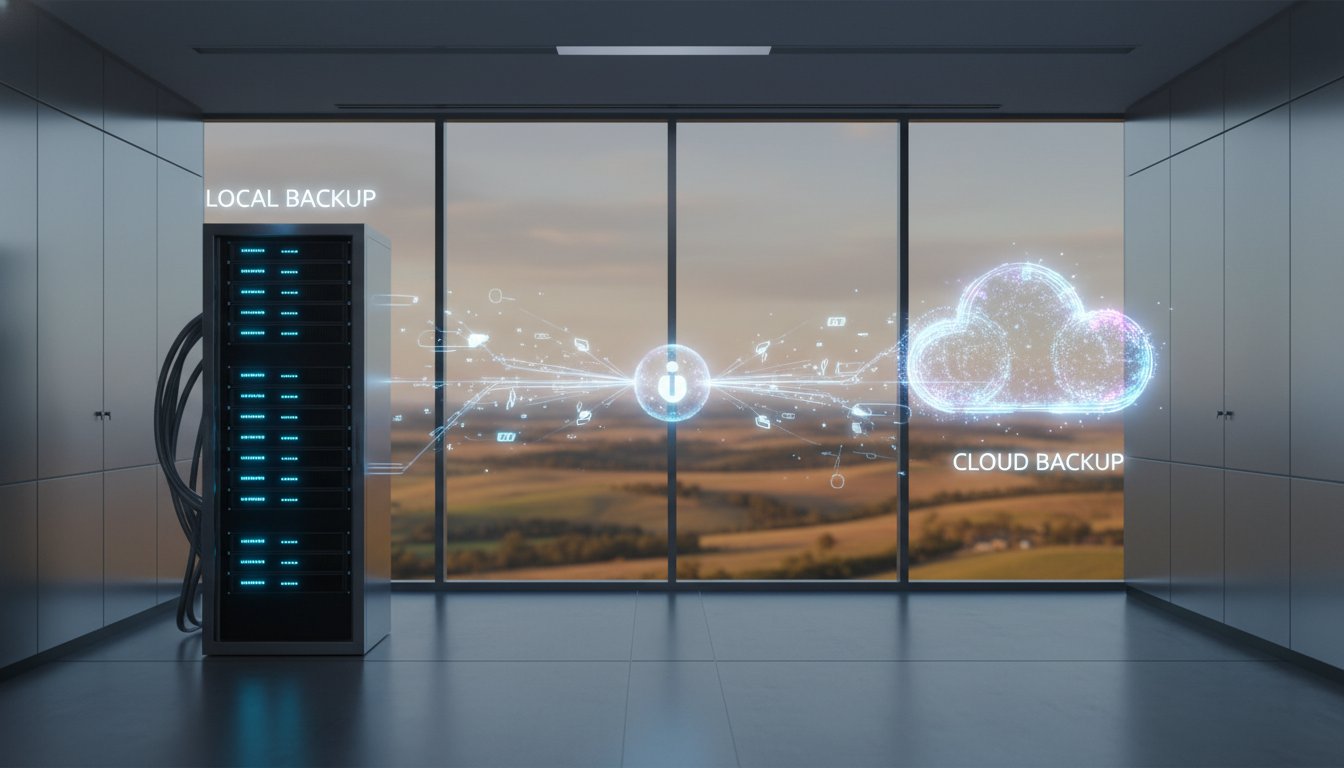
Restoring 1TB of data from a cloud provider over a standard Australian 100 Mbps NBN connection typically takes about 22 hours, assuming no network congestion. This timeframe is often unacceptable for a retail or professional services firm. This is where the ‘Sneaker-net’ advantage becomes vital. By maintaining a local physical backup on a high-speed drive, we can often restore that same 1TB in under 3 hours.

You must weigh the costs of downtime against the cost of faster recovery hardware. A local Network Attached Storage (NAS) device might cost A$800, but if it saves your business two days of lost wages and missed sales, it pays for itself during the very first outage. If you’re unsure about your current hardware capabilities, the experts at Aspire Computing can audit your local network to find hidden speed traps.

Setting Realistic Expectations for Your Team

Communicating recovery timelines to your staff and stakeholders is essential for maintaining calm during a crisis. If a server fails at 9:00 AM, your team needs to know if they will be back online by lunch or if they should head home for the day. Testing your backup allows you to provide these concrete answers based on real data rather than guesses.

  • Define acceptable loss: Decide if your business can survive losing 4 hours of data or if you need mirrors that update every 15 minutes.
  • Identify bottlenecks: Check if your office switches are limited to 100 Mbps or if your server’s CPU struggles with decryption tasks.
  • Draft a communication plan: Create a simple template to notify clients and staff about expected uptimes based on your test results.

Knowing how to test my business data backup gives you the confidence to lead your team through a technical failure. When you have verified your RTO through a practical drill, you replace panic with a professional, methodical response.

A Step-by-Step Guide to Performing a Manual Backup Restore Test

Testing your backup shouldn’t be a source of stress. If you find yourself wondering how to test my business data backup, the manual restore is the gold standard. It’s the only way to be 100% sure your files are actually there when you need them. Before you start, set up a “sandbox” environment. This is simply a separate folder or a dedicated test computer. You must avoid restoring files directly over your live data, as an accidental overwrite could cause the very data loss you’re trying to prevent.

Step 1: Select Your Test Data

Don’t just pick one small text file. Choose a diverse range of file types from various dates. Include complex PDFs, active databases, and high-resolution images. A 2025 industry report suggested that 15% of backup failures occur because specific large file types weren’t indexed correctly. Picking files from different months helps verify that your historical archives are just as healthy as yesterday’s save.

Step 2: Run the Recovery Wizard

Open your backup software and use the built-in recovery wizard. This mimics the exact steps you or a staff member would take during a real emergency. Follow the prompts and direct the restored files to your sandbox folder.

Step 3: Document the Process

Time the entire operation. If a 10GB folder takes four hours to restore in a test, it’ll take just as long during a crisis. Record any error codes or warnings. In 2026, speed is just as important as accuracy for business continuity.

Step 4: Validate the Results

Check the files manually. Don’t just look at the file names. Open them to ensure the data is readable. You can also perform a checksum to compare the original file with the restored version to ensure they’re bit-for-bit identical.

What to Look for During the Test

Keep a sharp eye out for “zero-byte” files. These look like your documents but contain no data. You should also check if the software asks for an encryption key. If that key is locked in a password manager you can’t access without the server being live, you’ve found a major flaw in your plan. Finally, ask yourself if the process was simple. If it’s too technical for a staff member to handle while you’re away, your system needs a rethink.

Post-Test Documentation

Create a simple log that lists the test date, the person who performed it, and the outcome. This log is vital for compliance and insurance purposes in Australia. If the test revealed slow speeds, update your disaster recovery plan to reflect these new timelines. Sometimes, a failed test isn’t a software issue but a hardware one. If your external drive is making clicking sounds or won’t mount, it’s time to call for Computer Repairs Toowoomba to fix the physical components before they fail completely.

Don’t leave your business continuity to chance. If you’re unsure about your current setup, talk to the experts at Aspire Computing for a professional backup audit.

Professional Business Continuity: How Aspire Computing Secures Toowoomba

Since 1999, Aspire Computing has operated with a singular mission: to protect and connect. We don’t just install a backup drive and walk away. Chaim Lee and our technical team understand that for a Toowoomba business, data represents years of hard work and client trust. We apply our “Aspire to Protect and Connect” philosophy by providing local, on-site backup audits that go far beyond automated emails. If you’re asking how to test my business data backup effectively, the answer lies in local accountability and physical verification.

The biggest advantage of working with a Toowoomba-based expert is the “boots on the ground” response. If your server fails or a file is lost, you don’t have to wait for a slow download from a congested data centre in Sydney or Melbourne. We can often hand-deliver recovered data directly to your office on the same business day. This physical proximity is a critical component of a robust Cyber security strategy. We ensure your backups are “air-gapped” and isolated, so even if a ransomware attack hits your network, your secondary data remains untouched and ready for restoration.

Personalised IT Support for Darling Downs Businesses

Generic cloud solutions often fall short when local internet speeds fluctuate or large volumes of data need urgent recovery. We build tailored hybrid backup systems that combine the lightning speed of on-site storage with the redundancy of the cloud. Our team performs regular maintenance and “tune-ups” that include comprehensive backup health checks. You get the peace of mind that comes from 25+ years of local technical experience. We know the specific challenges facing Darling Downs businesses, from regional connectivity issues to the need for 24/7 uptime. We treat your data with the same care we use for our own systems.

Next Steps: Get Your Backup Audited Today

Don’t wait for a hardware failure or a “disk error” notification to find out if your recovery plan works. You can book a remote or on-site consultation today to see exactly how to test my business data backup for your specific infrastructure. During an Aspire Computing backup health check, we provide:

  • A full verification of your current backup integrity and encryption levels.
  • A test restoration of critical files to measure actual recovery time.
  • Identification of “data gaps” where important files might be missed by current scripts.
  • A clear, jargon-free report on your business continuity readiness.

It’s time to move from “hoping it works” to “knowing it’s safe.” Contact Aspire Computing today to ensure your business data is truly protected by a local expert who cares about your success.

Secure Your Future with a Proactive Recovery Plan

A “success” notification on your dashboard doesn’t mean your data is safe. Real security comes from regular, manual verification and understanding exactly how long it takes to get back online. By 2026, cyber threats will be more sophisticated, making it vital to master how to test my business data backup through tiered recovery checks and data integrity audits. Don’t wait for a hardware failure or a ransomware attack to find out your files are corrupted.

Since 1999, Aspire Computing has helped local businesses across Toowoomba and the Darling Downs stay connected and protected. Owner Chaim Lee brings decades of hands-on expertise in both proactive protection and emergency data recovery. We provide the personal service and technical assurance you need to focus on your business while we handle the technical heavy lifting. You deserve the peace of mind that comes from a verified, reliable backup system.

Secure your business data with a professional backup audit from Aspire Computing.

Take the first step today to ensure your business stays resilient no matter what happens tomorrow.

Frequently Asked Questions

How often should a small business test its data backups?

You should perform a basic file restoration test once a week and a full system recovery test at least once every quarter. The Australian Cyber Security Centre (ACSC) recommends regular testing to ensure your business continuity plan actually works when a disaster strikes. Most Toowoomba small businesses we support find that a monthly schedule provides the best balance between security and staff time. This consistency builds trust in your systems.

Can testing my backup accidentally delete my original files?

Testing your backup won’t delete your original files if you restore the data to a separate, isolated folder or a sandbox environment. You’re simply copying data from the storage device back to your computer. To stay safe, always ensure your restoration target is different from your live data location. We recommend using a dedicated test machine to prevent any risk of overwriting current work files or accidentally creating duplicates.

What is the difference between an incremental and a full backup test?

A full backup test verifies your entire data set from scratch, while an incremental test only checks the specific files changed since your last backup. To know how to test my business data backup effectively, you need to verify both types. Incremental tests are faster, often taking just minutes, but a full test ensures the entire chain of data is healthy and ready for a complete system recovery if your hardware fails.

Is a cloud backup enough, or do I need a local copy too?

You need both a cloud backup and a local copy to follow the 3-2-1 backup rule, which remains the gold standard for Australian businesses in 2026. This strategy requires three copies of your data, on two different media types, with one copy offsite. Local copies allow for near-instant recovery of small files, while the cloud protects you from physical disasters like fires or floods that could destroy on-site hardware.

What should I do if my backup restore test fails?

You must immediately identify the point of failure and create a fresh backup on a different storage medium if your test fails. Check your software logs for specific error codes. In 2025, hardware failure caused 45 percent of restore errors, so try using a new external drive. Don’t leave your business vulnerable; if the second attempt fails, contact a professional to investigate your data integrity and your storage hardware.

Do I need special software to test my business backups?

You don’t necessarily need special software because most professional tools include built-in verification features. However, a manual check is the most reliable way to learn how to test my business data backup properly. Open a few restored spreadsheets or PDFs to ensure they aren’t corrupted. This simple step provides a level of assurance that automated success messages often miss, especially when dealing with older file versions or complex databases.

How long does a typical backup restoration test take?

A file-level restoration test typically takes 10 to 15 minutes, while a full server recovery can take 4 to 8 hours depending on your data volume. Recovery speeds in Australia vary based on your NBN connection. A standard 50Mbps upload speed allows for roughly 20GB of data transfer per hour. We suggest scheduling full tests after hours to avoid slowing down your office network or interrupting your team during the busy workday.

Last Tuesday, a small business owner in Queensland sat down with their morning coffee only to find their entire client database encrypted by a ransomware attack. It is a nightmare scenario that happened to over 94,000 Australians who reported cybercrimes during the 2022-23 financial year. You might have a standard router from your internet provider, but you are likely asking: what is a managed firewall and why does my business actually need one? It is perfectly normal to feel overwhelmed by technical jargon or to worry that you simply do not have the time to manage complex security updates yourself.

We understand that you want to focus on your daily operations without the constant fear of being hacked. You deserve to feel confident that your data is secure. This guide will help you discover how a managed firewall provides expert, 24/7 protection for your business network without the technical headache. We will break down the clear differences between managed and unmanaged security so you can find a local expert to handle the tech while you finally enjoy total peace of mind.

Key Takeaways

  • Understand exactly what is a managed firewall and how it acts as a dedicated security guard for your digital front door.
  • Learn how 24/7 proactive monitoring and automatic updates stop cyber threats before they cause expensive downtime for your business.
  • Discover the hidden costs of DIY security and why expert management offers better long-term value for Australian small business owners.
  • Find out how outsourcing your network perimeter significantly reduces the risk of virus and malware infections across all your devices.
  • See the benefits of working with a local Toowoomba expert to gain total peace of mind through our “Aspire to Protect and Connect” mission.

What is a Managed Firewall? Defining the Expert Shield

When you’re running a small business in Australia, your focus is usually on growth and customer service, not monitoring network traffic. You might wonder, what is a managed firewall and how does it differ from a standard router? A managed firewall is a specialized security service where an external team of experts handles the installation, 24/7 monitoring, and ongoing maintenance of your network’s primary defence. At Aspire Computing, we’ve seen how quickly a small network can be compromised when it’s left unattended. We provide this service to give you the reassurance that your digital perimeter is always watched, so you don’t have to stay up at night worrying about hackers.

Think of your digital network like a physical storefront. An unmanaged firewall is like a deadbolt. It’s strong, but if someone picks the lock or finds an open window, the lock doesn’t call for help. A managed firewall is like a monitored alarm system and a security guard on patrol. This service falls under the broader umbrella of a Managed Security Service. Instead of just having a piece of hardware sitting in a corner, you have active threat hunting and real-time response capabilities. For businesses handling sensitive client data, this is essential for maintaining business continuity and ensuring that a single breach doesn’t halt operations for days.

To better understand this concept and how it protects your business, watch this helpful video:

Managed vs. Unmanaged Firewalls

Many owners buy a firewall, plug it in, and assume they’re safe. These are unmanaged firewalls, often referred to as ‘set and forget’ devices. They often become outdated within months because they aren’t being actively adjusted. By contrast, managed services involve proactive human oversight to catch what automated filters miss. As we look toward the 2026 threat landscape, the complexity of attacks is increasing, with AI-driven phishing and ransomware targeting smaller targets. A Managed Security Service Provider (MSSP) ensures your expert shield is always updated and ready for these evolving threats.

Why ‘Set and Forget’ is a Security Risk

Cyber threats change daily; a security rule created on 1st March might be completely ineffective by 15th April. In 2023, the Australian Cyber Security Centre (ACSC) received over 94,000 reports of cybercrime, which is one report every 6 minutes. Many of these incidents occur because of common failures in self-managed systems, such as missed firmware patches. Firmware is the internal software that keeps hardware safe. When you don’t update it, you leave “backdoors” open for hackers to exploit. A managed service removes this risk by ensuring every update is applied the moment it becomes available.

How Managed Firewall Services Protect Your Small Business

Protecting your business assets isn’t just about blocking a few bad websites. When you ask what is a managed firewall, you’re really asking how to gain 24/7 peace of mind. At Aspire Computing, we treat your network security like a digital guard that never sleeps. We monitor your traffic patterns every second of every day. This constant oversight allows us to catch suspicious activity before it turns into a costly data breach. Since we started in 1999, we’ve seen how quickly threats evolve, and a managed service ensures you stay ahead of them.

A managed approach provides several layers of defense that a standard “off-the-shelf” router simply cannot match. You get:

  • Constant Monitoring: We identify suspicious traffic patterns 24/7, stopping hackers before they reach your data.
  • Automatic Patches: Security updates happen in the background. Your workflow stays smooth while your defenses stay current.
  • Custom Rules: We tailor security settings to how your specific business operates in Toowoomba.
  • Clear Reporting: You receive monthly documents showing exactly how many threats were blocked, giving you full visibility.

Proactive Threat Monitoring and Hunting

We use Next-Generation Firewalls (NGFW) to look deeper than standard filters. Traditional firewalls only check the “envelope” of a data packet. NGFWs perform deep packet inspection to look at the actual contents. This is vital for spotting “zero-day” attacks. You can think of a zero-day attack as a brand-new flu strain that hasn’t been documented yet. There’s no “vaccine” or signature for it, so your system needs to recognize the “sick” behavior rather than just looking for a known virus name. This level of sophistication is a key reason why many top-tier providers are evaluated in the Gartner Magic Quadrant for Managed Network Services, which sets the industry standard for network protection.

Seamless Updates and Rule Management

Security gaps often happen because of simple human error. Research shows that unpatched software and missed manual updates contribute to over 60% of data breaches in Australian small businesses. With a managed service, we handle these updates remotely. We also implement “Stateful Inspection.” This technology tracks the state of active connections and determines which network packets are allowed through the firewall. It ensures that incoming traffic is only a response to a request your staff actually made. As your team grows, our remote IT support adjusts your rules instantly. If you’re worried about your current security levels, it’s a good idea to talk to the experts at Aspire to see where you might be vulnerable.

Managed Firewall vs. DIY: A Practical Comparison

Buying a firewall off the shelf might seem like a quick fix to save a few hundred dollars. However, understanding what is a managed firewall means looking beyond the initial hardware price tag. A standalone device is just a tool; a managed service is a comprehensive security strategy. Small businesses often fall into the trap of thinking they’re too small to be noticed. In reality, automated bots don’t care about your company size. They look for any open door. According to the Australian Cyber Security Centre (ACSC), the average cost of a cybercrime report for a small business is now over A$46,000.

The “Panic Factor” is a very real part of business ownership. If your network drops at 2 AM or a security alert triggers while you’re on holiday, a DIY setup leaves you alone to solve it. With a managed service, a local expert handles the stress while you sleep. For a basic overview of how these devices function, you can consult CISA’s guide to firewalls to see why simple software isn’t enough to protect a professional network.

The Hidden Costs of Self-Management

Time is your most valuable asset. Every hour you spend troubleshooting connection errors or updating firmware is an hour you aren’t billing clients. If a DIY configuration error leads to a breach, the financial impact is often devastating. You might end up needing professional Data Recovery Services, which is a stressful last resort that costs significantly more than a monthly management fee. A managed firewall provides active protection for a predictable monthly cost, ensuring your business stays online without the guesswork or the risk of downtime.

Expertise and Compliance Requirements

Australian businesses must navigate strict regulations like the Privacy Act and the Notifiable Data Breaches (NDB) scheme. A standard home router simply cannot provide the logging or security layers required to meet these professional standards. When you invest in a managed firewall, you’re essentially hiring a cyber security expert without the enterprise-level salary. This level of protection is a core part of reliable IT support for business. We ensure your rules are tight and your system is patched, so you don’t have to worry about what is a managed firewall configuration or how to block the latest threat. We’ve been helping Toowoomba businesses stay connected since 1999, providing the stability you need to focus on your clients.

Key Benefits of Outsourcing Your Network Security

When you consider what is a managed firewall, it’s best to think of it as a dedicated security team for your office. You gain total peace of mind because a local expert monitors your digital perimeter every single day. This constant vigilance significantly reduces the risk of virus and malware infections. In 2023, the Australian Cyber Security Centre (ACSC) received over 94,000 cybercrime reports, which averages out to one report every 6 minutes. Outsourcing ensures your business doesn’t become another statistic.

Beyond basic safety, you’ll notice a boost in network performance. Managed firewalls use intelligent traffic filtering to ensure your bandwidth goes to your actual work, rather than background noise or malicious scans. This setup is also highly scalable. As your business expands from five staff members to fifty, your security settings grow alongside you. You won’t face the frustration of buying and installing new hardware every year just to keep up with basic safety requirements.

Preventing Costly Business Downtime

The most immediate benefit of a managed solution is the prevention of Ransomware. These nasty attacks lock your essential files and stop your work instantly. A managed firewall identifies these threats before they ever enter your network. There’s a clear link between this security and your overall PC performance too. When your network is clean, your computers don’t waste processing power on hidden threats. Industry data shows that downtime costs the average Australian small business A$5,100 per hour. Preventing just one hour of lost access covers the cost of your security for months.

Simplified IT for Busy Owners

We remove the ‘tech-stress’ so you can focus on your Toowoomba customers and growing your local reputation. You get the benefit of consolidated billing, which means one clear invoice for your support and security needs. This service brings ‘Enterprise-grade’ protection to ‘Local-shop’ budgets. It gives you the same tools used by large corporations at a price that makes sense for a growing business. You don’t need to be an IT expert to stay safe; you just need a partner who understands what is a managed firewall and how to optimize it for your specific needs.

To keep your business running smoothly and securely, talk to the experts at Aspire Computing about our local security solutions.

Securing Your Toowoomba Business with Aspire Computing

At Aspire Computing, our core mission is to “Aspire to Protect and Connect.” We believe that high-level security shouldn’t be a barrier to your daily productivity. Your technology needs to work for you, not against you. When you partner with us, you aren’t just another ticket number in a database. You gain direct access to Chaim Lee and our local team of experts. We don’t use anonymous call centres or outsourced support; we’re real people who understand the local Toowoomba business community.

Every small business or home office has different needs. A cookie-cutter security plan rarely works. That’s why we provide personalised setups across the Darling Downs. We start by asking what is a managed firewall in the context of your specific workflow. Then, we perform a comprehensive security audit. This deep dive identifies your current weak spots, whether they are outdated hardware or unpatched software. We’ve helped local businesses since 1999, so we know exactly where the most common vulnerabilities hide.

A Local Approach to Cyber Security

Being based right here in Toowoomba matters because we can provide rapid on-site support when things go wrong. Over the last 25 years, we’ve built a reputation for trust and technical excellence. We understand that security isn’t a standalone product. It’s a layer that must integrate seamlessly with your existing computer repairs and regular maintenance schedules. Our goal is continuity. We ensure your network stays up and your data stays private while you focus on serving your customers.

Get Started: Your Path to a Secure Network

Making the switch to a managed firewall is a straightforward process with minimal disruption to your business. We handle the heavy lifting so you don’t have to worry about technical jargon or complex configurations. Our “IT Health Check” is the first step to stopping the panic. This audit gives you a clear picture of your network health and a roadmap to better protection. By defining what is a managed firewall for your specific environment, we eliminate the guesswork. It’s about moving from reactive fixes to proactive security. We provide the quality assurance you need to operate confidently in a digital world.

Ready to take the next step? Don’t leave your business’s future to chance. Contact Aspire Computing today for a secure, managed network.

Secure Your Business Network with Local Toowoomba Expertise

Managing your own network security often feels like a full-time job. Understanding what is a managed firewall helps you see that professional protection is about more than just a piece of software. It involves constant updates and proactive threat monitoring that small teams often lack the time to handle. Outsourcing this critical task ensures your business stays resilient against evolving digital risks without the stress of DIY management. You gain expert oversight while freeing up your schedule to focus on your customers.

Aspire Computing has served as a trusted partner for the Toowoomba community since 1999. As a local owner-operated business, we bring over two decades of hands-on experience with PCs, laptops, and complex business networks. We take the panic out of IT by providing active protection for your digital assets. You can rely on our proven track record and technical qualifications to keep your systems fast, connected, and secure.

Talk to the Toowoomba Experts: Secure Your Business Today

Your business deserves the peace of mind that comes with dependable, professional support. Let’s get your network protected so you can get back to work with confidence.

Frequently Asked Questions

Is a managed firewall worth the cost for a one-person home office?

Yes, it’s a vital investment if you handle sensitive client data or financial records. Since the average cost of a cybercrime report for Australian small businesses rose to A$46,000 in 2023, the monthly service fee is a small price for peace of mind. We ensure your home office has the same grade of protection as a large corporation in Toowoomba.

Can a managed firewall slow down my internet speed?

Modern managed firewalls won’t noticeably impact your browsing or download speeds. We select hardware that specifically matches your NBN plan, ensuring throughput exceeds your 100Mbps or 250Mbps connection. Our team monitors performance 24/7 to ensure security checks don’t create bottlenecks for your daily work tasks.

How is a managed firewall different from the antivirus on my PC?

Antivirus software lives on your computer, but a managed firewall acts as a digital security guard for your entire office network. While antivirus stops local threats, understanding what is a managed firewall helps you see it stops attacks before they even reach your devices. Research shows 43 percent of all Australian cyberattacks target small businesses, making this perimeter defence essential for every office.

What happens if the firewall blocks a website I actually need to use?

We can unblock a legitimate site in minutes. If our system flags a site you need, just give Chaim or the team a call or send a quick email. We’ll review the security risk and whitelist the address immediately. This ensures you stay productive without compromising your network’s safety or integrity.

Do I need to buy new hardware to get a managed firewall service?

Most businesses need a specific security appliance to get the full benefits of the service. Your standard ISP router isn’t powerful enough to run deep packet inspection or real-time threat filtering. We provide hardware like the FortiGate 40F, which is designed to handle modern Australian business traffic demands securely and efficiently.

How often will I receive reports on my network security?

You’ll receive a detailed security summary every 30 days. These monthly reports show you exactly how many threats we blocked and which devices on your network are most active. We review these metrics to ensure your protection evolves as new digital threats emerge in the Australian market throughout the year.

Can a managed firewall help with remote workers or multiple locations?

Yes, we can create secure tunnels that connect your remote staff to the main office. This allows staff working from home in Highfields or Westbrook to access files as if they were sitting in your office. It’s a reliable way to maintain a single security standard across 10 or 20 different locations without extra complexity.

What should I do if I think my current firewall has already been breached?

Don’t panic, but you should disconnect your main internet cable immediately. Give us a call at Aspire Computing so we can begin a forensic audit of your traffic logs. Since Australian law requires certain businesses to report data breaches within 72 hours, we’ll help you identify what happened and secure your data fast.

Last Tuesday, a local business owner in Queensland watched their entire network freeze during a peak period, losing A$1,850 in revenue while waiting five hours for a “priority” callback that never arrived. It is a stressful, helpless feeling that no manager should have to endure, especially when you are trying to figure out how to choose a managed IT service provider who actually delivers. You likely feel that IT support should be a transparent, reliable partnership rather than a source of hidden fees and confusing technical jargon.

We believe you deserve a local expert who speaks your language and values your uptime as much as you do. This 2026 guide simplifies the selection process with a comprehensive vetting checklist, a clear Australian pricing guide for predictable A$ budgeting, and tips to avoid restrictive contracts. We will show you how to find a partner who ensures your technology stays secure and your team stays connected, so you can stop worrying and get back to work. Our goal is to provide the peace of mind that comes with professional, approachable support that keeps your business moving forward.

Key Takeaways

  • Discover how to transition from the stress of “break-fix” repairs to a proactive partnership that protects your business continuity.
  • Master the essential selection criteria and learn how to choose a managed IT service provider that aligns with your specific security and scalability needs.
  • Equip yourself with a professional vetting checklist to ensure complete transparency and accountability during the interview process.
  • Navigate complex SLAs and pricing models with confidence to secure the best value for your A$ investment in the Australian market.
  • Identify the unique benefits of choosing a local Toowoomba expert with 25+ years of experience over a distant national provider.

What is a Managed IT Service Provider and Why Does Your Business Need One?

A Managed IT Service Provider (MSP) is a proactive partner rather than a reactive repair technician. In the past, most businesses used a “break-fix” model, calling for help only when a computer stopped working or a server crashed. Today, that approach is too risky. An MSP provides continuous system monitoring to catch issues before they cause downtime. The primary goal is ensuring business continuity through “Active Protection” of your data and systems.

By 2026, even the smallest local shops face enterprise-level cyber threats. You need a partner who takes personal accountability for your uptime. Learning how to choose a managed IT service provider starts with moving away from ad-hoc repairs and embracing a model that keeps your technology running smoothly every single day.

The Difference Between Break-Fix and Managed Services

Waiting for a crash is the most expensive way to manage your technology. Emergency repairs in Australia often cost upwards of A$280 per hour, plus the hidden costs of lost productivity. When your team can’t work, you’re losing money every minute. Managed services replace these spikes with a predictable monthly investment. It’s about protecting and connecting your infrastructure so you never have to panic when a screen goes dark.

  • Predictable Costs: You pay one flat monthly rate instead of volatile emergency bills.
  • Proactive Maintenance: We fix “invisible” problems like outdated patches or failing drives before they disrupt your workflow.
  • Protect and Connect: We focus on securing your data while ensuring your team stays connected to the tools they need to succeed.

Why Small Businesses are Moving to Managed IT in 2026

The rise of hybrid work has changed the technology needs of the average office. Since 2024, approximately 37% of Australian employees work from home at least part of the time. This shift has created new security gaps that standard home routers can’t handle. You need professional IT support to secure these remote endpoints and maintain a competitive edge in a digital-first economy.

Australian businesses must also navigate stricter data recovery and compliance laws. Under recent updates to the Privacy Act, failing to protect customer data can result in significant penalties and loss of reputation. A local expert helps you meet these requirements while ensuring your systems are fast and reliable. When you evaluate how to choose a managed IT service provider, prioritise those who understand the specific needs of the Australian market and offer a personal, dependable touch.

Core Selection Criteria: What to Look for in a Great IT Partner

Choosing a partner isn’t just about fixing a broken screen. It’s about finding a foundation for your business. When you evaluate how to choose a managed IT service provider, three non-negotiables stand out: security, scalability, and consistent support. You need a team that grows with you. If you add five new staff members next month, your IT partner should handle the rollout without a hiccup. Reliability is the bedrock of any successful partnership.

Your partner must understand the physical tools you use every day. This includes specific expertise in PCs, Laptops, and Printers. Don’t settle for a provider that only works behind a screen. A great partner offers a hybrid model of both remote troubleshooting and on-site assistance. Sometimes a 10 minute face-to-face visit solves what a two hour phone call cannot. This flexibility ensures your team stays productive regardless of the technical hurdle.

It’s tempting to pick the cheapest quote available. However, quality assurance saves money in the long run. A 2023 study by IBM found that the average cost of a data breach in Australia reached A$4.03 million. Paying for expertise now prevents catastrophic costs later. High-quality service means your systems don’t just work; they thrive.

Cybersecurity and Data Protection Capabilities

Your provider should include virus and malware removal as a standard service, not an expensive add-on. Ask them about their data recovery protocols. They should be performing backups at least every 24 hours to ensure your files stay safe. Active Protection is a 24/7 monitoring standard that identifies and neutralises threats before they impact your workflow in 2026. This proactive approach ensures business continuity even when digital threats evolve rapidly.

Technical Expertise and Certifications

Experience matters. Look for a business that has been established since 1999. This longevity proves they’ve navigated every major tech shift from Windows 98 to modern Windows 11 hardware upgrades and tune-ups. They should also understand local infrastructure. In regional areas, knowing how to optimise NBN speeds in Toowoomba is vital for maintaining a stable connection. A provider who knows the local exchanges can often troubleshoot connectivity issues 30% faster than a national call centre. Choosing a local expert means you’re getting someone who understands the specific challenges of your community.

The Managed IT Services Checklist: Key Questions to Ask

Finding the right partner requires more than a quick Google search. You need a team that takes personal accountability for your uptime. Understanding how to choose a managed IT service provider starts with asking the hard questions during your first interview. This ensures transparency and helps you avoid providers that hide behind vague contracts or distant call centres. You want a local expert who treats your business like their own.

Operational Questions for the First Meeting

Focus on the day to day reality of your tech support. You need to know exactly who will answer the phone when a server goes down at 9:00 AM on a Monday. Accountability is everything when your productivity is on the line.

  • “What is your average response time for a critical system failure?” Look for a provider that guarantees a response within 60 minutes for high priority issues. Ask for their specific data from the last quarter to verify their claims.
  • “Do you provide on-site support in my specific suburb?” If you are located in Newtown or Darling Downs, you need a technician who can arrive quickly. You don’t want to wait for someone driving from a different city while your office sits idle.
  • “How do you handle data recovery if our primary drive fails?” A reliable provider will explain their 3-2-1 backup strategy. They should provide a clear, tested timeline for how long it takes to get your files back.
  • “Will I speak to an expert or a call centre?” At Aspire Computing, we believe in a personal touch. You should speak directly to an experienced technician like Chaim Lee who knows your history, not a scripted operator in a remote queue.

Strategic and Security Questions

Your IT provider must be proactive. They should protect your business from modern threats while planning for your future growth. This checklist simplifies how to choose a managed IT service provider that actually fits your business goals.

  • “How do you stay ahead of the latest malware and scam trends in Australia?” They should reference recent 2023 and 2024 ACSC threat reports. Ask how they patch vulnerabilities and train your staff to spot phishing attempts.
  • “What is your specific repair process for laptops and printers?” Ask if they handle hardware in-house. A provider that offers a “quick fix” and “fast return” on essential hardware keeps your staff productive without long shipping delays.
  • “Can you help us with hardware supply and software upgrades as we grow?” Your provider should act as a procurement partner. They need to source quality equipment that matches your specific performance needs.
  • “Do you offer a free IT health check before we sign a contract?” This demonstrates a commitment to quality. It allows you to see their technical range in action before you make a long-term commitment.

By focusing on local expertise and clear communication, you ensure your technology remains a tool for success. Don’t settle for a provider that treats you like a ticket number; look for a partner that aims to protect and connect your entire operation.

Just as the right IT partner protects your internal operations, your website serves as your digital front door. For expert guidance on building a secure and scalable online presence, you can visit PurpleCow Digital Marketing.

Understanding Pricing and Service Level Agreements (SLAs)

Deciphering IT quotes is often the hardest part of learning how to choose a managed IT service provider. You will encounter jargon that sounds complicated, but it usually boils down to three things. An SLA is your service contract. It defines the help you receive and how fast you get it. Downtime is the period when your systems are offline, which costs Australian small businesses an average of A$5,000 per hour in lost productivity. Remote monitoring is the “active protection” we use to spot a failing hard drive or a virus before it interrupts your morning coffee.

Most providers in Australia offer three main pricing structures. Per-user models are popular because they scale easily as you hire more staff. Per-device models charge based on the number of PCs and servers you own. Tiered packages offer different levels of support, from basic “break-fix” help to “all-you-can-eat” premium plans. Always ask about travel fees. Some providers charge A$90 or more just to drive to your office. We prefer a model that focuses on long-term stability. A “quick fix” culture might solve today’s glitch, but it doesn’t stop the same problem from returning next month.

What Should Be Included in Your SLA?

Your agreement must guarantee uptime. A standard 99.9% uptime guarantee means your business stays functional. It should clearly define response times. There is a big difference between “Remote Support,” where a technician fixes a glitch via the internet, and “On-site Emergency Response,” where someone physically arrives at your desk. Ensure your contract includes a schedule for hardware tune-ups and software updates. Regular maintenance can reduce emergency call-outs by up to 30%.

Red Flags to Watch Out For

Security is non-negotiable. If a provider cannot explain their security framework in simple, plain English, they likely don’t have a solid plan. Avoid “faceless” corporations where you never speak to the same person twice. You should be introduced to your lead technician early on. Finally, be cautious of three-year contracts with no exit clause. If the service is poor, you shouldn’t be trapped. A fair contract usually allows a 30-day “out” for non-performance.

If you want a partner who values transparency and local accountability, talk to the experts at Aspire Computing today for a straightforward quote.

The Local Advantage: Why Toowoomba Businesses Choose Aspire Computing

When you’re deciding how to choose a managed IT service provider, geography matters more than you might think. National MSPs often rely on remote call centres where you’re just another ticket number in a queue. Chaim Lee and the team at Aspire Computing offer a different experience. Since 1999, we’ve spent over 25 years supporting the local Queensland market. We understand the specific infrastructure and connectivity needs of businesses in our region. Our commitment to “Protect and Connect” means we aren’t just fixing a screen; we’re securing your livelihood and community ties. If you’re unsure about a full managed contract, start with a small repair or a security audit. This allows us to build trust through action before you commit to a long-term partnership.

Personalised Support for Home Offices and Small Teams

Many providers ignore smaller operations, but we specialise in them. Aspire Computing tailors help to fit your specific budget. You won’t pay for enterprise-scale features your five-person team doesn’t need. Whether you’re in Highfields, Gatton, or anywhere across the Lockyer Valley, we offer on-site availability to resolve issues where they happen. Our “No Panic” approach is central to our service. When a laptop fails or the printer stops at 9:00 AM, you need a calm expert to restore continuity. We focus on quality assurance and fast returns so your business doesn’t skip a beat.

Your Next Steps: Booking an IT Consultation

Knowing how to choose a managed IT service provider shouldn’t be a stressful process. We make it simple with a clear three-step method: Contact, Diagnostic, and Solution. You get to “Talk to the Experts” directly rather than navigating a complex phone tree. We provide straightforward answers about hardware upgrades, cloud file sharing, or data recovery without the technical jargon. Don’t let technology hurdles slow your growth or compromise your data security. Experience the difference that local accountability and 25 years of experience make for your team.

Contact Aspire Computing for a local IT health check today and ensure your technology is working as hard as you are.

Build a Resilient Tech Foundation for Your Business

Finding the right technology partner is about more than just fixing broken PCs. It’s about finding a team that understands your specific local needs. When you’re deciding how to choose a managed IT service provider, remember to prioritize proactive security and clear response times. You need a partner who offers “Active Protection” to ensure your business continuity remains uninterrupted. Since 1999, Aspire Computing has delivered this exact level of care to the Toowoomba community. Owner Chaim Lee provides a personal touch that big corporate firms can’t match, offering both expert on-site visits and fast remote support.

Technology should empower your growth, not hold you back with unexpected downtime or confusing costs. By focusing on transparent SLAs and proven local experience, you’ll protect your investment and your peace of mind. We’ve spent over 25 years helping small businesses stay connected and secure. It’s time to stop worrying about your IT and start focusing on your customers. Talk to the Toowoomba IT Experts at Aspire Computing today to see how we can help your business thrive. You’ve worked hard to build your business, and we’re here to help you protect it.

Frequently Asked Questions

How much does a managed IT service provider typically cost for a small business?

Managed IT services for Australian small businesses typically cost between A$100 and A$250 per user each month. For a small office with 10 employees, you’ll likely spend around A$1,500 to A$2,500 monthly for comprehensive support. These prices fluctuate based on your specific security needs, the number of servers managed, and the level of active protection required for your data.

Can a managed IT provider help with home office printer and laptop repairs?

Yes, we definitely assist with home office setups including printers and laptops. Since the 2020 shift toward remote work, 45% of our service calls now involve home-based hardware issues. We can visit your home office or log in remotely to fix software glitches and connection problems. This ensures your home setup remains as professional and reliable as a traditional office environment.

What is the difference between an MSP and a regular computer repair shop?

The main difference is that an MSP provides proactive monitoring while a repair shop handles one-off fixes. A repair shop waits for your technology to break before helping. An MSP uses continuous monitoring to stop issues before they cause downtime. This proactive approach reduces business tech failures by 35% compared to the traditional break-fix model used by retail shops.

Do I still need an MSP if I use cloud services like Microsoft 365 or Google Workspace?

You definitely still need an MSP even if you use Microsoft 365 or Google Workspace. These platforms host your data but don’t automatically manage your local network security or user permissions. Research shows that 58% of cloud-based data loss is caused by human error. An MSP ensures your cloud settings are configured correctly to protect against accidental deletions and external cyber threats.

How quickly should a managed IT provider respond to a support ticket?

You should expect a response to critical issues within 30 minutes and general queries within 4 hours. When you research how to choose a managed IT service provider, always ask for their written Service Level Agreement. Clear response times ensure your business stays productive. Don’t settle for providers who leave your staff waiting days for a fix that stops them from working.

Is it better to have a local IT provider or a large national company?

A local IT provider is usually better because they can arrive on-site within an hour for hardware emergencies. Large national companies often rely on remote call centres and anonymous ticket systems. Since 1999, we’ve found that building a personal relationship with a local expert leads to better long-term tech stability. You get a partner who actually understands your specific business location and needs.

Can an MSP help with data recovery if I haven’t been backing up my files?

We can often recover files from failing drives, but it’s much harder and more expensive without an existing backup. Our success rate for physical drive recovery sits at roughly 70% depending on the damage. If we can’t get the data back through software, we use specialist laboratory partners. We’ll then help you set up a proper backup system so you never face this panic again.

What happens if my managed IT provider goes out of business?

If your provider closes, you won’t lose your data as long as you hold the master administrative credentials for your systems. Professional MSPs provide a detailed network map and a secure password vault to their clients. This documentation allows a new technician to take over your system in less than 24 hours. We always ensure our clients have full ownership of their digital assets for total continuity.

If a single ransomware attack hit your Toowoomba office tomorrow, could your business survive the A$46,000 average recovery cost reported by the Australian Cyber Security Centre? It’s a stressful question that keeps many local owners awake at night. We know you want to protect your hard work, but confusing insurance requirements and limited budgets make enterprise-grade security feel out of reach. You aren’t alone in feeling that the technical jargon is a bit much. We agree that you shouldn’t have to be a global corporation to deserve a secure and reliable network.

Performing a regular IT risk assessment for small business is the most effective way to stop digital threats before they stop your operations. In this practical 2026 guide, we’ll show you how to identify and prioritise your vulnerabilities using our expert-led security framework. You’ll gain the peace of mind that comes from knowing your systems meet current Australian standards. We are going to provide a clear, step by step security checklist that fits your budget and ensures you can always protect and connect with your customers.

Key Takeaways

  • Understand how a systematic IT risk assessment for small business safeguards your Toowoomba company’s reputation and sensitive customer data.
  • Follow our practical five-step checklist to inventory your digital assets and identify local threats ranging from hardware theft to NBN outages.
  • Learn why being “too small to hack” is a dangerous myth and how automated digital threats target Darling Downs businesses of every size.
  • Master a simple 3×3 matrix to prioritise your IT risks, ensuring you address high-impact vulnerabilities before they disrupt your daily operations.
  • Discover how our “Protect and Connect” philosophy handles the technical heavy lifting, giving you the peace of mind that your business is secure.

What is an IT Risk Assessment for Small Business?

An IT risk assessment for small business is a systematic process where we identify and evaluate every possible threat to your digital assets. It’s not just about looking for viruses. It’s about understanding what would happen to your Toowoomba SME if your data was stolen, your server died, or your staff couldn’t access their emails. By 2026, the Australian Privacy Act 1988 has become even more stringent, requiring businesses to take proactive steps to protect customer information. Failing to do so can result in penalties exceeding A$50 million for serious breaches, making this process a financial necessity rather than a luxury.

A common mistake is thinking a basic security scan is enough. A scan is a snapshot of current vulnerabilities. A comprehensive IT risk assessment for small business is a roadmap. It looks at your workflows, your hardware age, and your recovery plans. It’s the difference between checking if a window is locked and checking if the entire house is built on a solid foundation. For local businesses in the Darling Downs, protecting your reputation is just as important as protecting your files.

The Core Components of IT Risk

Risks generally fall into three categories that require constant monitoring:

  • Hardware risks: This includes aging servers that are past their five-year life cycle, unpatched laptops, and even vulnerable office printers that can be used as entry points for hackers.
  • Software risks: Running outdated applications or failing to implement Multi-Factor Authentication (MFA) on all accounts creates easy targets. If your software is “End of Life,” it no longer receives security patches.
  • Human risks: Social engineering remains a top threat. Since 82% of breaches involve a human element, regular staff training in your local office is your best line of defence against phishing.

Cyber Security Risk vs. General IT Audit

It’s vital to distinguish between external threats and internal failures. Cyber security risks focus on hackers and malware trying to break in from the outside. A general IT audit looks at internal failures, such as hardware breakdowns or database corruption. Both are essential for business continuity. You don’t want to survive a cyber attack only to have your business grind to a halt because a ten-year-old hard drive finally gave up. Aspire Computing bridges this gap by combining high-level security with practical hardware repair and maintenance. We help you protect your data and connect your team without the technical jargon or the panic.

A 5-Step IT Security Checklist for Small Businesses

Completing a thorough IT risk assessment for small business doesn’t have to be overwhelming. You can protect your livelihood by following a structured, five step process designed for the Australian business environment. Since 1999, we’ve seen how a little preparation prevents a lot of panic when technology fails.

Step 1 & 2: Mapping Your Digital Footprint

You can’t protect what you don’t know you have. Start by listing every physical and virtual asset. This includes the front desk PC, the server in the back room, and remote laptops used by staff in Highfields or Cambooya. Don’t forget mobile phones that access company email or tablets used for point of sale. You need to identify your “crown jewels,” which is the data your business cannot survive without. For most, this includes your customer database, accounting software files, and proprietary project designs.

For example, a service business that handles significant client data, such as a premier real estate agency like Regal Gateway Property, would consider their client lists and property management files to be invaluable assets requiring top-tier protection.

Once you’ve mapped your assets, look at local threats. Regional Queensland businesses face specific risks. Severe storms can lead to power surges that fry unprotected motherboards. Localised phishing scams often target Toowoomba businesses by impersonating regional banks or utility providers. Even a local NBN outage can halt operations if you rely entirely on cloud based systems without a 4G backup. Statistics from the 2023-2024 ACSC Annual Cyber Threat Report show that the average cost of cybercrime for small businesses has risen to over A$46,000 per incident.

Step 3 & 4: Finding the Gaps

A vulnerability is a weakness that can be exploited by a threat. To find these gaps, you don’t need enterprise grade scanning tools. Start by checking your software versions. If your team is clicking “remind me later” on Windows updates, your system is vulnerable to exploits that were patched months ago. Check your backup strategy using the 3-2-1 rule: three copies of data, on two different media types, with one copy kept off-site and encrypted. If you haven’t tested a data restoration in the last 90 days, you don’t truly have a backup.

Evaluate the impact of these gaps by asking what happens if a specific system goes down for 48 hours. If a failed hard drive on your main workstation stops all invoicing, that’s a high impact risk. We often find that improving the performance of your computer through regular maintenance is the first step toward closing these security gaps.

Step 5: Prioritise with the ASD Essential Eight

The final step is creating a mitigation plan based on the Australian Signals Directorate (ASD) Essential Eight. This framework is the gold standard for Australian businesses. Focus on these three high priority areas first:

  • Application Control: Only allow approved software to run on your machines.
  • Patch Applications: Update Office, web browsers, and PDF readers within 48 hours of a security release.
  • Multi-factor Authentication (MFA): Turn on MFA for every single login, especially for email and accounting software like Xero or MYOB.

Prioritising these steps ensures your budget goes where it matters most, keeping your business connected and protected against the most common 2026 threats.

Common Threats in the Darling Downs: Myth vs. Reality

Many owners in Toowoomba believe their size is a shield. This is the most dangerous assumption you can make. Hackers don’t sit at desks picking specific shops in Grand Central to target. They use automated scripts. These bots scan the entire Australian internet for open doors. If your firewall is weak, they’re in. It’s not personal; it’s just efficient. Size doesn’t matter to a piece of code designed to encrypt every file it finds.

The “Small Business Target” Myth

Data from late 2025 indicates that 62 percent of Australian SMEs experienced a cyber incident in the previous 12 months. Small businesses are low-hanging fruit because they often lack the enterprise-grade security of big corporations. An IT risk assessment for small business helps identify these gaps before a criminal does. While digital data can sometimes be recovered, your local reputation is fragile. A single data leak can destroy decades of community trust in a week. In a tight-knit region like the Darling Downs, word travels fast when client privacy is compromised.

Regional Infrastructure Risks

Operating in regional Queensland brings unique challenges. NBN connectivity can be inconsistent, and relying on a single internet path is a major risk for businesses using cloud-based POS systems or VoIP phones. You also have to consider our environment. Dust and intense summer heat frequently cause server fans to fail, leading to hardware meltdowns. “It worked yesterday” isn’t a security strategy; it’s a gamble. Having a local IT support expert who understands the specific infrastructure of Toowoomba ensures you stay connected when things go wrong.

Consider a local case from October 2025. A professional services firm in Toowoomba ignored a simple software update for three months. A ransomware bot found the vulnerability on a Tuesday morning. The business lost three full days of billable hours and paid a specialist A$8,500 to clean the system and restore what they could. Total losses, including lost productivity, exceeded A$22,000. A proactive IT risk assessment for small business would have flagged that missing update for a fraction of that cost. Don’t wait for a crash to realize your hardware is aging or your backups aren’t running.

  • Automated Attacks: Bots scan 24/7 for vulnerabilities, regardless of business size.
  • Environmental Factors: Heat and dust in the Darling Downs shorten hardware lifespans.
  • Reputation Cost: Rebuilding local trust after a breach is harder than fixing a server.
  • Redundancy: Regional internet requires backup paths to ensure business continuity.

Prioritising Your Risks: The Impact vs. Probability Matrix

Once you’ve identified potential threats, you need a way to sort them without feeling overwhelmed. We use a simple 3×3 grid to make an IT risk assessment for small business manageable and clear. This matrix plots “Probability” (how likely is this to happen?) against “Impact” (how much will this damage my operations?). By categorising risks into Low, Medium, or High for both axes, you can see exactly where your money and time should go first.

Consider the difference between a broken office printer and a compromised email account. A printer failure might happen often, but the impact is usually low because you can use a local print shop or a different device. A hacked email account is a different story. If a criminal sends fraudulent invoices to your clients, the impact is critical. It involves financial loss, legal trouble, and a damaged reputation. This helps you decide where to spend your limited IT budget; you’ll invest in secure email long before you buy a backup printer.

Creating Your Own Risk Matrix

To build your grid, start mapping specific scenarios. Ransomware is a “High Probability” and “High Impact” event for Australian SMEs. In 2023, the Australian Cyber Security Centre (ACSC) reported that the average cost of cybercrime for small businesses rose to over A$46,000. A stolen laptop might be “Medium Probability” if your team works remotely, but the impact is “Medium” if your data is encrypted and backed up in the cloud.

  • Assign Ownership: Every risk needs a name next to it. If “Unpatched Software” is a risk, the owner is responsible for ensuring updates are installed.
  • The Quick Win Filter: Look for risks that are “High Probability” but “Low Cost” to fix. These are your first priority.
  • Budget Mapping: Use the matrix to justify costs. If a fix moves a risk from “High” to “Low,” it’s a sound investment for your business continuity.

Aligning with the ASD Essential Eight

The Australian Signals Directorate (ASD) provides a framework called the Essential Eight to help businesses stay safe. For a typical SME, focusing on the top three strategies is the most effective starting point. These include Application Control, Patching Applications, and Multi-Factor Authentication (MFA). Implementing MFA is a classic “Quick Win” because it’s often free to turn on but blocks the vast majority of automated attacks.

By focusing on these strategies, you drastically reduce the chance of a successful breach. Research from the ACSC indicates that 85% of cyber attacks can be mitigated by these basic steps.

While Australian frameworks like the Essential Eight are vital, understanding the global strategic approach to IT can also be beneficial. For a look at how international firms handle technology consulting, you can check out AEConsulting.

If you need help mapping out your business vulnerabilities, talk to the experts at Aspire Computing for a professional risk review.

How Aspire Computing Protects and Connects Your Business

Running a company in the Darling Downs is demanding enough without worrying about evolving cyber threats. Chaim Lee founded Aspire Computing with a clear philosophy: “Aspire to Protect and Connect.” This mission means we don’t just fix broken screens; we build a digital shield around your livelihood. We take over the technical heavy lifting of an IT risk assessment for small business, identifying gaps in your firewall or backup systems before they become expensive disasters.

Since 1999, we’ve seen how technology shifts and where local firms are most vulnerable. We know that a 15% improvement in system reliability can save a local shop thousands of dollars in lost productivity. Our team handles the complex audits and vulnerability scans, translating technical jargon into practical steps you can actually use to stay safe.

  • Active Protection: We monitor your systems 24/7 to stop threats before they hit your network.
  • Hardware Maintenance: We ensure your physical devices are as healthy as your software.
  • Data Continuity: We verify your backups actually work so you can recover in minutes, not days.

Personalised IT Support in Toowoomba

You won’t get stuck in a queue with a distant call centre when you work with us. Whether your office is in the Toowoomba CBD or you’re running a warehouse in Newtown, we provide on-site support where we know your name and your setup. We combine expert hardware repairs with proactive cyber security. This approach ensures your PCs and printers stay functional while your data remains secure from external threats. It’s about business continuity, not just a quick fix after a crash.

Next Steps: Booking Your IT Health Check

An Aspire Computing on-site visit is straightforward and stress-free. We’ll walk through your office, check your server setup, and examine your current software versions. After the visit, you’ll receive a clear, jargon-free report. This document outlines exactly where you stand and what needs to change to meet 2026 security standards. Don’t wait for a data breach to find out your security is outdated. A professional IT risk assessment for small business is the first step toward total peace of mind.

Ready to secure your future? Talk to Chaim and the team for a free initial consultation today and protect your business from the ground up.

Take Control of Your Digital Resilience

Technology shouldn’t be a source of stress for your team. By applying the five-step checklist and the impact matrix, you can separate genuine regional threats from common myths. Conducting a regular IT risk assessment for small business ensures your operations remain resilient against 2026’s evolving digital landscape. Since 1999, Aspire Computing has served the Toowoomba and Darling Downs community with dependable tech solutions. Owner Chaim Lee brings over 25 years of technical expertise to every client, offering both on-site and remote support across regional Queensland. You don’t have to manage these risks alone. Our team provides the professional guidance needed to protect your data and maintain continuity. It’s about more than just fixing computers; it’s about giving you the peace of mind to focus on your core business goals while we handle the technical heavy lifting.

Aspire to Protect and Connect—Book Your Small Business IT Health Check Today

We’re here to help you stay ahead of the curve and keep your business running smoothly.

Frequently Asked Questions

How much does a professional IT risk assessment cost for a small business?

A professional IT risk assessment for small business typically costs between A$1,500 and A$5,000 depending on your network complexity. For a Toowoomba office with 15 to 20 devices, you should budget approximately A$2,800 for a comprehensive review. This investment covers a deep dive into your hardware, software, and data backup protocols. It’s a vital step to avoid the average A$46,000 cost of a cyber attack on Australian small firms.

Can I perform an IT risk assessment myself without technical training?

You can perform a basic IT risk assessment for small business using checklists from the Australian Cyber Security Centre, but it won’t be as thorough as a professional audit. Self-assessments often miss 35% of hidden vulnerabilities like outdated router firmware or incorrect cloud permissions. Without technical training, you might overlook sophisticated threats. We recommend starting with a DIY list and then calling us to verify your security is truly airtight.

How often should a small business conduct an IT security audit?

You should conduct an IT security audit at least once every 12 months to keep up with evolving threats. If your business experiences a 20% growth in staff or migrates to a new cloud platform, schedule an interim check immediately. Regular audits ensure your systems stay resilient against the 13% annual increase in cyber incidents reported across Australia in 2024. Staying consistent helps maintain your business continuity and keeps your hardware running at peak performance.

What is the most common IT risk for businesses in Toowoomba?

The most common IT risk for businesses in Toowoomba is Business Email Compromise (BEC), which represented 28% of local cyber incidents last year. Scammers target our local agricultural and professional service firms with fake invoices or spoofed emails. These attacks try to trick your staff into redirecting payments to fraudulent bank accounts. Training your team to spot these red flags is just as important as having a strong firewall in place.

Does my business insurance require a formal IT risk assessment?

Yes, 85% of Australian cyber insurance providers now require a formal IT risk assessment before they’ll issue or renew a policy. Insurers want to see documented proof that you’ve implemented controls like multi-factor authentication and regular off-site backups. If you don’t have a current assessment, your premiums could increase by 30% or your claim might be denied. We help you document these technical details so you can meet your policy requirements with confidence.

What is the Essential Eight and does it apply to my small business?

The Essential Eight is a set of baseline security strategies developed by the Australian Signals Directorate to protect organisations against cyber threats. It definitely applies to your small business because it provides a proven roadmap to mitigate 85% of common cyber attacks. We focus on these core areas, like patching applications and restricting administrative privileges, to ensure your Toowoomba business has the same level of protection as a large corporation.

What happens if we fail our IT risk assessment?

Failing an IT risk assessment isn’t a disaster; it’s actually a helpful “to-do” list for your business. We identify the gaps, such as 5-year-old servers or weak passwords, and create a 30-day remediation plan to fix them. Don’t panic if the report shows several red flags. Our goal is to guide you through the necessary repairs so your technology becomes a reliable tool rather than a constant worry for your team.

How long does a typical IT health check take to complete?

A typical IT health check takes between 2 and 5 business days to complete from start to finish. We usually spend about 4 hours on-site at your Toowoomba office to inspect hardware and interview your team. The remaining time is spent analyzing your network traffic and compiling a clear, 12-page report. This quick turnaround ensures you get the answers you need without causing any disruption to your daily operations.

Imagine it’s 8:15 AM on a Tuesday morning here in Toowoomba. You sit down to pull up a client’s 2025 project files, but instead of your data, you’re met with a silent screen and a rhythmic clicking from your hard drive. It’s a hardware failure that could cost you weeks of work. Choosing between cloud backup vs local backup for business shouldn’t feel like a gamble with your livelihood. We understand the worry that comes with inconsistent NBN speeds or the rising cost of monthly subscriptions for your storage.

You probably agree that your digital records are the backbone of your company, and losing them isn’t an option. At Aspire Computing, we’ve been helping locals protect their data since 1999, so we know exactly what it takes to stay secure. This guide will show you how to build a bulletproof strategy using the 3-2-1 backup rule. We’ll compare the one-off costs of local hardware against the reliability of the cloud to help you make a confident decision for 2026. You’ll finish this article with a clear path forward and the peace of mind that your business is fully protected.

Key Takeaways

  • Understand the critical trade-offs between speed and off-site security when deciding on cloud backup vs local backup for business.
  • Learn how to leverage local hardware for lightning-fast data recovery and physical control without the need for an internet connection.
  • Discover how automated cloud storage creates a vital “air-gap” to protect your Toowoomba office from physical site disasters.
  • Evaluate the cost-benefit of one-time hardware purchases versus predictable monthly subscriptions to find the most efficient fit for your budget.
  • See how implementing the industry-standard 3-2-1 Rule creates a bulletproof hybrid strategy for total business continuity.

What is the Difference Between Cloud and Local Backup for Business?

Local backup involves saving your files onto physical hardware located right in your office. This usually means using high-capacity external hard drives or a Network Attached Storage (NAS) unit connected to your internal network. Cloud backup works differently. It involves encrypting your data and sending it to a secure, off-site data centre via your internet connection. Understanding cloud backup vs local backup for business is the first step toward securing your company’s future.

The core purpose of any backup strategy is business continuity. Whether a server motherboard fails or a staff member accidentally deletes a critical folder, you need a way to get back to work fast. For Toowoomba small businesses in 2026, the biggest risk isn’t the technology itself. It’s the “set and forget” mentality. A 2025 industry report found that 20% of small business data restores fail because the backup system wasn’t monitored or tested. At Aspire Computing, we’ve seen that a backup is only useful if it actually works when the pressure is on.

The Role of Local Storage in 2026

Local storage has evolved significantly. By 2026, 20TB SSDs have become a standard tool for handling massive data loads in small offices. Local drives offer immediate accessibility. If you need to recover a 50GB database, pulling it from a drive on your desk is much faster than downloading it over the NBN. This makes local backup your best first line of defence for quick fixes and accidental file deletions. It provides a tangible sense of control because your data stays within your four walls.

Understanding the Modern Cloud Environment

Modern cloud solutions have moved far beyond being just a “drive in the sky.” In 2026, the focus is on automation and “Immutable Backups.” This technology ensures that once your data is written to the cloud, it cannot be changed or encrypted by ransomware. Cloud providers now manage data redundancy by mirroring your files across multiple global locations. This means even if a data centre faces a disaster, your business information remains safe and accessible from any internet connection. It’s a hands-off approach that provides professional-grade security without requiring on-site hardware maintenance.

Deciding on cloud backup vs local backup for business shouldn’t be about picking one over the other. Most resilient businesses now use a combination of both to ensure they stay connected and protected regardless of the situation.

Local Backup: Speed and Control with Physical Risks

Local backup remains a cornerstone of data strategy because it offers lightning-fast recovery speeds that the internet simply can’t match. When you’re comparing cloud backup vs local backup for business, the physical connection is the clear winner for performance. Restoring a 500GB database via a local USB 3.2 connection takes about 15 minutes, whereas the same task over a standard 50Mbps NBN connection could drag on for over 22 hours. This speed ensures your staff stays productive instead of waiting for progress bars to move.

The financial side is also attractive. You pay a one-time cost for hardware, such as a $450 high-capacity drive, rather than a monthly subscription that grows as your data expands. However, this control brings the “Toowoomba Factor” into play. Our region is prone to sudden power surges and severe summer storms. In early 2024, local businesses reported a 15% increase in hardware failures following heavy electrical activity. Without high-quality surge protection, your backup drive is just as vulnerable as the computer it’s protecting.

Physical proximity is a double-edged sword. While it’s convenient to have your data within arm’s reach, it means your primary data and your backup are in the same “blast zone.” If a fire, flood, or theft occurs at your office, you lose both copies at once. This makes local storage a risky solo strategy for total business continuity.

Hardware Options for Local Backups

  • External Hard Drives: These are simple and portable, but they’re prone to mechanical failure if dropped. They’re best used for temporary snapshots rather than long-term archives.
  • Network Attached Storage (NAS): A NAS acts like a private cloud within your office. It uses multiple disks to ensure that if one drive fails, your data remains safe.
  • Drive Rotation: We recommend a 3-2-1 strategy. This involves taking a physical drive home or to a bank vault every Friday to ensure at least one copy is off-site.

The Hidden Maintenance Burden

The biggest threat to local storage isn’t technology; it’s people. Statistics show that 60% of data loss incidents in small businesses happen because someone forgot to plug in the drive or check if the software was actually running. Bit rot is a silent killer where the magnetic polarity of bits on a hard drive spontaneously flips over 3 to 5 years, resulting in corrupted files that won’t open.

Maintaining these systems requires a disciplined routine. If your hardware starts making strange clicking noises or your backups suddenly stop, don’t wait for a total crash. You’ll need a local expert for PC and laptop repair to diagnose the fault before the data becomes unrecoverable. It’s often safer to have a professional look at your setup to ensure your cloud backup vs local backup for business balance is configured correctly for your specific needs.

Cloud Backup: Off-site Security and Connectivity Challenges

When you weigh up cloud backup vs local backup for business, the biggest advantage is the physical “air-gap” between your office and your data. If a fire or flood hits your Toowoomba storefront, a local drive sitting on the desk is lost forever. Cloud storage keeps your files in a Tier 4 data center with 99.9% uptime. It’s the only way to ensure your business survives a total site disaster. We’ve seen too many cases where a local backup was plugged in during a power surge, frying both the computer and the backup simultaneously. Cloud storage eliminates that risk entirely.

Automation is the second big win. Humans are forgetful. In our experience since 1999, the number one reason backups fail is because someone forgot to plug in the drive or click “start.” Cloud systems run on a schedule you don’t have to think about. They also scale instantly. If your business grows and you suddenly need 5TB of extra space, you don’t need to go to the shops for a new hard drive. You just update your subscription and keep working.

Encryption and Cybersecurity

Your data is scrambled using AES-256 encryption before it even leaves your building. This means even if a hacker intercepted the transmission, they’d see nothing but gibberish. This level of protection is a vital part of a modern Cyber security strategy. Another benefit is cloud versioning. If ransomware hits your network at 10:00 AM, you don’t have to pay the ransom. You simply roll back your entire file system to the 9:55 AM version and get back to work.

Managing the Connectivity Hurdle

The main challenge for regional Queensland businesses is the NBN bottleneck. If you have a standard 50/20 Mbps connection, your upload speed is capped at 20Mbps. A massive 1TB initial backup could take days to finish. We manage this using three specific methods:

  • Incremental Backups: After the first upload, the system only sends the tiny fragments of files that changed, which usually takes seconds.
  • Off-Peak Scheduling: We set your largest uploads to happen at 2:00 AM so they don’t slow down your office phones or emails during the day.
  • Local Caching: If your internet drops out for a day, the software stores the changes locally and pushes them to the cloud the moment you’re back online.

It’s about finding the right balance for your specific location. While the cloud backup vs local backup for business debate often focuses on speed, the security of having your data off-site usually outweighs the initial setup time. Don’t let a slow connection stop you from protecting your livelihood.

Direct Comparison: Cost, Recovery, and Reliability

Choosing between cloud backup vs local backup for business requires a clear look at your daily operations and your budget. A local backup system usually demands a high initial investment. You might spend $2,100 or more on a professional Network Attached Storage (NAS) unit and high-capacity enterprise drives. Cloud services flip this model. They offer a low entry cost with monthly subscriptions that scale as your data grows. While local ongoing costs are mostly limited to electricity and maintenance, cloud fees are consistent and predictable.

Reliability is where the two models diverge significantly. Leading cloud providers guarantee 99.9% uptime and store your data across multiple physical locations. Local hardware is vulnerable to the environment. Power surges, floods, or simple mechanical wear can stop a local drive. Most hard drives see a 2.5% failure rate within the first year, and that risk increases after year four. We’ve seen many businesses lose their primary data and their local backup simultaneously due to a single hardware fault.

The Speed of Recovery (The RTO Factor)

Recovery Time Objective, or RTO, measures how fast you can get back to work after a crash. Speed matters. If you need to recover a 50GB database from a local server, a 1Gbps office network can finish the job in roughly 8 minutes. Downloading that same 50GB file over a standard NBN 50 connection takes at least 2.5 hours. For a team of 10 employees, those two hours of downtime can cost over $950 in lost productivity. Aspire Computing helps local businesses evaluate their internet speed to ensure their recovery plan doesn’t leave them stranded for days.

Total Cost of Ownership (TCO)

The sticker price of a hard drive isn’t the total cost. You must account for drive replacements every 3 or 4 years to avoid hardware fatigue. Managing local backups also requires manual checks to ensure the data is actually there. Cloud pricing includes automated monitoring and “peace of mind” that your files are safe from local disasters like fire or theft. When you calculate the cost of a data crisis, the cheapest storage option often proves to be the most expensive mistake. We focus on building systems that offer continuity, not just storage.

Don’t wait for a hardware failure to test your recovery speed. Talk to the experts at Aspire Computing to design a backup strategy that protects your business continuity.

The Hybrid Solution: Implementing the 3-2-1 Rule

Choosing between cloud backup vs local backup for business does not have to be an “either/or” decision. In fact, relying on just one method is a gamble that rarely pays off when a real crisis hits. Since Chaim Lee established Aspire Computing in 1999, we have seen that the most resilient Toowoomba businesses use a hybrid approach. This strategy follows the 3-2-1 Rule: keep three copies of your data, store them on two different types of media, and keep at least one copy off-site.

A hybrid setup gives you the best of both worlds. You get the lightning-fast recovery speeds of a local backup for minor accidents, like a deleted folder. You also gain the absolute security of the cloud if your physical office faces a fire, flood, or theft. It is about building layers of protection. We call this our “Active Protection” model. It ensures your business continuity remains intact no matter what happens on the Darling Downs.

To get started, we recommend a simple data audit for your business:

  • Inventory: List every location where your data lives, including desktop PCs, servers, and mobile devices.
  • Volume: Calculate how many gigabytes of “mission-critical” data you generate daily.
  • Retention: Decide how far back you need to be able to go (e.g., 30 days vs. 7 years for tax compliance).
  • Accessibility: Identify who needs access to these backups during an emergency.

Managed Backup Services vs. DIY

The biggest danger with “DIY” backups is the lack of verification. Statistics show that 20% of small business data restorations fail because the backup drive was full or the software crashed months ago without anyone noticing. Chaim Lee and the Aspire team eliminate this risk through active monitoring. We provide the personal touch of a local expert you can actually call. If you ever find yourself in a bind and need Data Recovery Services, you won’t be talking to a bot. You will be talking to a professional who knows your system inside and out.

Step-by-Step Implementation

Step 1: Identify your mission-critical data. Focus on the core 15% of files that your business cannot function without for more than four hours.

Step 2: Set up a local Network Attached Storage (NAS) device. This allows for fast, daily snapshots of your work that can be restored in minutes over your local network.

Step 3: Sync that NAS to a secure, encrypted cloud provider. This creates your ultimate off-site safety net, fulfilling the final requirement of the 3-2-1 Rule.

Choosing the right cloud partner is a critical part of this step. For those wanting to understand what business-grade cloud infrastructure entails, you can find out more to see what leading providers offer.

At Aspire Computing, we “Aspire to Protect and Connect” your business. Don’t wait for a hard drive failure to realize your backup plan is incomplete. Talk to the experts at Aspire Computing today for a free backup health check and ensure your local and cloud strategy is 2026-ready.

Secure Your Business Continuity Strategy Today

Your data is the lifeblood of your daily operations. Deciding on cloud backup vs local backup for business doesn’t have to be a binary choice. Local backups provide the 1,000 Mbps recovery speeds needed for immediate uptime; cloud solutions offer the essential off-site protection against physical disasters. The most resilient 2026 strategies rely on the 3-2-1 rule to ensure your files remain accessible under any circumstances.

Since 1999, Aspire Computing has helped Toowoomba small businesses navigate these complex technical shifts. Chaim Lee provides the personal expert support you need to build a business continuity plan that actually works. We’ve spent over 25 years ensuring local companies don’t lose a single minute of productivity to hardware failure or cyber threats. You deserve an IT setup that’s both fast and bulletproof.

Aspire to Protect and Connect: Get Your Business Backup Audit Today

Let’s get your systems secured so you can focus on growing your business with total peace of mind.

Frequently Asked Questions

Is cloud backup safer than local backup for my business?

Cloud backup is generally safer because it keeps your data off-site and protected from physical threats like fire, theft, or floods. While a local drive offers fast access, it’s vulnerable to the same office disasters that might destroy your computers. By 2026, most professional cloud providers use AES-256 encryption and immutable storage, which prevents ransomware from deleting your backups. This ensures your business stays resilient regardless of what happens at your physical Toowoomba location.

How much does business cloud backup cost in Australia in 2026?

In 2026, Australian businesses typically pay between $10 and $50 per month for each terabyte of managed cloud storage. If you choose a fully managed service with active monitoring, the price often sits around $15 per month for 500GB of data. These costs have remained stable since 2024 because storage technology has become more efficient. Investing in a professional cloud backup vs local backup for business setup ensures you only pay for the capacity you actually use.

Will cloud backup slow down my office internet speed?

You won’t notice a slowdown if we configure your backups to run during off-peak hours or use bandwidth throttling. We typically set backup software to use only 20% of your total upload speed during business hours, which leaves plenty of room for Zoom calls and emails. With NBN speeds reaching 1,000 Mbps for many businesses in 2026, most offices can sync data in the background without any impact on daily operations or staff productivity.

Can I use a simple external hard drive for my business backup?

You can use an external drive for quick local copies, but it shouldn’t be your only protection. Statistics show that 20% of external hard drives fail within their first four years of use due to mechanical wear or accidental drops. Relying on a single $120 drive puts your entire company at risk if it fails at the same time as your main server. At Aspire Computing, we recommend using these drives only as a secondary layer in a broader strategy.

What is the 3-2-1 backup rule and why does it matter?

The 3-2-1 rule is the industry standard for data safety, requiring three copies of your data, stored on two different types of media, with one copy kept off-site. This strategy ensures that even if a hardware failure and a local fire happen simultaneously, your business remains operational. We’ve used this framework since 1999 to achieve a 100% recovery rate for our clients. It’s the most reliable way to evaluate your cloud backup vs local backup for business needs.

How long does it take to recover data from the cloud?

Recovery time depends on your internet speed and the volume of data, but a typical 100GB folder takes about 2 hours to download on a 100Mbps connection. For larger recoveries involving multiple terabytes, we often use “Instant Recovery” features that let you run virtual machines directly from the cloud while the data downloads. This 2026 technology reduces your downtime from days to minutes, keeping your team productive while the full restoration completes.

Do I need cloud backup if I already use Microsoft 365 or Google Drive?

You definitely need a separate backup because Microsoft and Google only guarantee the platform’s uptime, not your specific data. Their standard terms of service include a “Shared Responsibility Model,” which means you’re responsible if an employee accidentally deletes a file or a hacker wipes your inbox. Most default recycle bins only hold data for 30 days. A dedicated backup service ensures you can recover files from six months or six years ago without any hassle.

What happens to my local backup if there is a power surge or storm?

A severe power surge can physically destroy a local backup drive, even if it’s plugged into a standard surge protector. Lightning strikes can deliver over 20,000 volts through your building’s wiring, which often bypasses basic fuses and fries internal circuit boards. If your only backup is physically connected to your network during a storm, you could lose everything. This is why we always recommend a cloud component to ensure your data stays safe from local electrical events.

For a more holistic approach to business continuity, protecting your hardware from grid instability is just as important as your backup strategy. To see how commercial solar and battery systems can safeguard your operations against power-related disruptions, you can visit G-Solar & Electrical.

Did you know that the Australian Cyber Security Centre reported the average cost of a cyber incident for a small business reached A$46,000 in 2023? For many business owners, losing client data isn’t just a technical glitch; it’s a direct threat to everything they’ve built. We understand the sinking feeling that comes with a sudden hard drive crash or the confusion of choosing between cloud and physical storage. It’s exactly why we’ve developed a straightforward data backup and recovery plan template to help you secure your files without needing a degree in computer science.

You likely already feel that your time is better spent serving customers than wrestling with complex backup schedules. We agree. Technology should work for you, not the other way around. This guide promises to secure your business continuity with a practical template and expert recovery strategies tailored for the Australian market. We’ll provide a clear, fill-in-the-blanks roadmap that offers total peace of mind and highlights local support options to ensure you can resume operations immediately after any tech failure.

Key Takeaways

  • Understand the vital difference between simple file copying and a strategic recovery plan to safeguard your business from local data loss incidents.
  • Identify your most critical digital assets and clear staff roles with our easy-to-follow data backup and recovery plan template.
  • Calculate your RTO and RPO to determine exactly how much downtime and data loss your business can realistically afford.
  • Avoid the “set and forget” trap by learning how to conduct regular digital fire drills that ensure your files are always recoverable.
  • See how personalised IT support across Toowoomba and the Lockyer Valley offers more security and continuity than any generic online guide.

What is a Data Backup and Recovery Plan?

Most Toowoomba business owners assume that dragging a few folders onto an external hard drive counts as a safety net. It does not. A true strategy involves more than simple file copying; it requires a documented roadmap for when things go wrong. While a data backup is the act of copying your digital assets, a recovery plan is the operational manual that tells you how to get back to work. Without this distinction, you might have the data but no way to access it during a crisis.

Local businesses in the Darling Downs region are prime targets for data loss. In 2023, the Australian Cyber Security Centre (ACSC) reported that small businesses are the target of 43% of all cyber-attacks in the country. Hackers often gamble on the fact that smaller outfits lack the sophisticated defenses of big corporations. Our “Aspire to Protect” philosophy focuses on moving you away from reactive panic. Instead of scrambling when a server fails, you follow a pre-set path. Proactive security ensures that a hardware glitch or a ransomware link doesn’t end your week early.

Professional obligations in Australia add another layer of necessity. Under the Privacy Act 1988 and the Notifiable Data Breaches (NDB) scheme, businesses with an annual turnover of over A$3 million, or those handling health records, must protect personal information. Even if you fall under that threshold, the Australian Taxation Office (ATO) requires you to keep financial records for five to seven years. Failing to produce these during an audit because of a “computer crash” is rarely accepted as a valid excuse by federal regulators.

The High Cost of Doing Nothing

Downtime is a silent profit killer for small teams. Research suggests that the average cost of downtime for an Australian small business can range from A$5,000 to A$10,000 per hour when considering lost productivity and missed sales. Hardware failure causes 45% of these incidents, while human error accounts for roughly 25%. Business Continuity is the ability to maintain essential functions during a disruption. If your staff cannot access client files for three days, your reputation in the Toowoomba community suffers more than your bank balance. A single negative review about lost project data can steer potential customers toward your competitors for years.

Backup vs. Recovery: Clearing the Confusion

Having a backup doesn’t guarantee you can actually restore your data in a timeframe that saves your business. We often see clients who have years of files on a drive but no software to run them or no “clean” hardware to load them onto. This is where a data backup and recovery plan template becomes vital. It standardises your emergency response so that every staff member knows their role. A template removes the guesswork, providing a checklist that covers everything from passwords to secondary hardware locations.

At Aspire Computing, we bridge the gap between your physical hardware and your long-term strategy. Since 1999, we have seen that the best technology fails without a human-led plan. We help you implement a data backup and recovery plan template that fits your specific workflow, ensuring that your “active protection” is more than just a buzzword. It’s about ensuring that when a hard drive makes that dreaded clicking sound, your first thought is “we have a plan” rather than “we’ve lost everything.”

Essential Sections of Your Data Backup Template

A structured data backup and recovery plan template turns a potential disaster into a manageable task. When a hard drive fails or a ransomware attack hits a business in Toowoomba, the difference between a 2 hour recovery and a 2 week closure is the level of detail in your documentation. You shouldn’t be guessing which files are where while your team sits idle. This section outlines the non negotiable components your template must include to ensure your business stays resilient.

Asset Inventory and Priority Levels

You can’t protect what you haven’t identified. Start by categorising your data into three distinct tiers. “Critical” data includes your live accounting databases like Xero or MYOB, customer information from platforms like Fyrestone CRM, and current client files that require a Recovery Time Objective (RTO) of less than 4 hours. “Important” data covers active marketing projects and internal communications. “Reference” data includes archived tax records that you must legally keep for 7 years but don’t need daily. Don’t forget to map where this data lives. It isn’t just on your server; it’s on local C: drives, cloud platforms like Microsoft 365, and even mobile devices. A common oversight is forgetting your multifunction printer and scanner settings. If your scanner’s “scan to folder” path is lost during a reset, your workflow stops instantly. Include these configurations in your recovery map.

Roles and Responsibilities

Clear accountability prevents the “I thought you were doing it” syndrome that leads to backup failures. Within a small team, you should appoint a “Data Custodian.” This person isn’t necessarily a technical genius; they are simply responsible for verifying that the daily backup logs show a “Success” status. You also need a dedicated contact list for emergency IT support. If you are operating in the Darling Downs region, keep the direct line of your local technician visible. It’s also vital to check your business insurance policy. About 65 percent of modern cyber insurance providers in Australia now require a named person for data oversight to validate a claim if a breach occurs.

Implementing a robust data backup and recovery strategy requires following the 3-2-1 Rule. This is the gold standard for data redundancy. You need three copies of your data: the original and two backups. These should be stored on two different media types, such as a local NAS drive and a cloud server. Finally, one copy must be kept offsite. This protects you if a physical event like a fire or a flood affects your primary office location.

Your backup schedule should reflect how much data you can afford to lose. This is your Recovery Point Objective (RPO). For a busy retail shop, a daily backup might result in 8 hours of lost sales data. In that case, an hourly automated sync is a better fit. Most modern systems allow you to set these schedules and forget them, but your data backup and recovery plan template must document exactly when these snapshots occur. If you aren’t sure if your current schedule meets your needs, you can always talk to the experts at Aspire Computing for a quick audit of your setup.

Regular testing is the final piece of the puzzle. A backup that hasn’t been tested is just a hope. Aim to perform a test restore of a single folder every 30 days and a full system recovery test every 6 months. This ensures that when you actually need the data, the files are readable and the process is familiar to your team.

Calculating RTO and RPO: The Heart of Your Strategy

Every effective data backup and recovery plan template relies on two critical metrics: Recovery Time Objective (RTO) and Recovery Point Objective (RPO). These aren’t just technical jargon. They represent the boundaries of your business survival. According to FEMA, roughly 40% of small businesses fail to reopen following a major disaster. Often, this is because they didn’t calculate how much downtime or data loss they could actually endure before the doors closed for good.

RTO measures the clock. It asks: “How long can we be offline before the financial damage is terminal?” RPO measures the data. It asks: “How much work can we afford to lose and manually recreate?” Finding the balance between these two helps you avoid overspending on “instant” solutions you don’t need, or underspending on slow systems that could bankrupt you during a crisis. We aim to find that sweet spot where your protection matches your specific daily risks.

Setting Your Recovery Time Objective (RTO)

Your RTO is the maximum duration your business operations can be down. To find this number, calculate your hourly cost of downtime. For a Toowoomba retailer, this includes lost walk-in sales, staff wages of perhaps A$35 per hour, and lease costs. If your total downtime cost is A$600 per hour, a “next-day restoration” approach could cost you over A$4,800 in a single shift. In contrast, a remote consultant might have an RTO of 24 hours because they can work on offline tasks or notify clients of a brief delay without immediate financial ruin. Your choice between an expensive “instant failover” system and a slower manual restore depends entirely on this hourly burn rate.

Determining Your Recovery Point Objective (RPO)

RPO focuses on the age of the data you recover. If you back up your files at 6:00 PM every evening and your system crashes at 4:00 PM the next day, you’ve lost 10 hours of work. Can your team realistically re-enter 10 hours of invoices, emails, and project updates? RPO determines the maximum age of files that must be recovered from storage. For high-volume businesses, we often recommend hourly snapshots to keep the RPO under 60 minutes. For a home office with low transaction volumes, a nightly clone might be sufficient. This metric dictates whether you need continuous cloud syncing or if a simple daily offsite backup will do the job.

Once you’ve defined these numbers, the technology choices become clear. High-demand RTOs and RPOs require “Active Protection” solutions like image-based backups and virtualisation. Lower-priority data can live on slower, more affordable storage tiers. When you fill out your data backup and recovery plan template, be honest about these limits. It’s better to face the reality of your recovery speed now than to discover it during a local power outage or a hardware failure. We want to ensure your business stays connected and protected, no matter what happens to your hardware.

Common Pitfalls and How to Test Your Plan

Setting up your data backup and recovery plan template is a vital first step, but the document is only as good as its last successful test. Many Toowoomba business owners fall into the “set and forget” trap. They assume the green tick on their software means everything is safe. Statistics from 2023 reveal that 37% of small businesses only discover their backup files are corrupted or incomplete when they actually attempt a restoration. This is why human oversight remains essential even for automated systems. You can’t rely on software alone to protect your livelihood.

In Queensland, we also deal with environmental factors that can kill hardware faster than a virus. During the 2022 flood events, several local firms lost their entire on-site server rooms. Even without floods, our summer temperatures frequently hit 40°C. This extreme heat can cause hard drive failure rates to spike by 15% if your cooling systems aren’t perfect. You must ensure your physical hardware is stored in a climate-controlled environment and your off-site copies are truly in a different geographic zone. If your “off-site” storage is just a hard drive in your car, the Queensland sun will likely destroy it before you ever need it.

Why Most Backup Plans Fail

One of the biggest risks involves “silent failures” where cloud sync tools like OneDrive or Dropbox stop updating without a clear warning. You might think your files are safe, but a sync error from three weeks ago could mean your latest work isn’t protected. Many people also forget to include “hidden” data like browser bookmarks, custom email signatures, or local contact lists. Aspire Computing provides active protection and monitoring to catch these gaps before they become disasters. We ensure your backups are comprehensive and verified every single day so you don’t have to guess.

The Quarterly Testing Checklist

A plan that hasn’t been tested is just a wish. You should run a digital fire drill every 90 days to ensure your data is actually recoverable. This doesn’t have to be a massive project; a simple 15-minute check can save your business thousands of dollars in downtime. Follow this quick guide to keep your data backup and recovery plan template accurate and functional:

  • The Single File Test: Pick one random file created three months ago and try to restore it to a different folder. If it doesn’t open perfectly, your system is failing.
  • Hardware Health Check: Physically inspect your NAS or external drives. Listen for clicking sounds and check for excessive heat. The average cost of professional data recovery for a failed mechanical drive in Australia now starts at A$600 and can climb to A$3,000.
  • Personnel Updates: If you’ve hired new staff or seen team members depart since January 2024, update your access permissions immediately.
  • Infrastructure Audit: If you bought a new laptop or upgraded your office printer recently, ensure these new nodes are included in the automated backup path.

Security is the final piece of the puzzle. If a hacker gains access to your network, they’ll target your backups first to force a ransom payment. We recommend using “immutable” backups that can’t be deleted or changed for a set period. This protects you against the 14% rise in ransomware attacks seen across Australia in 2024. Always ensure your data is encrypted with AES-256 standards both while it sits on your drive and while it travels to the cloud.

Don’t wait for a storm or a hardware crash to find out your system has failed. Talk to the experts at Aspire Computing for a professional backup audit today.

Streamlining Business Continuity with Aspire Computing

While downloading a data backup and recovery plan template is a smart first step, a document alone won’t restore your server at 2 AM on a Tuesday. Generic templates often fail to account for the specific infrastructure of a Toowoomba small business. Aspire Computing has helped local firms since 1999. We understand that a business in Newtown has different connectivity needs than a primary producer in the Lockyer Valley. Our team moves beyond the “fill-in-the-blanks” approach to provide active protection that keeps your doors open.

Local expertise provides a layer of security that remote helpdesks simply can’t match. When a server fails or a ransomware prompt appears, you don’t want to wait in a global ticketing queue. You need someone who can be on-site quickly. We’ve spent over 24 years refining our “Protect and Connect” philosophy. This means we don’t just look at your backups; we look at your entire network to ensure you stay online and productive regardless of technical glitches.

Managed backup services take the technical burden off your plate entirely. Relying on a staff member to remember to swap a USB drive every Friday is a strategy that fails 60% of the time. We automate the process using high-grade encryption and secure Australian-based data centres. This ensures your business meets local privacy regulations while providing the peace of mind that your files are safe, verified, and ready for instant recovery.

Professional Data Recovery Services

If you’re reading this because the worst has already happened and you didn’t have a plan, don’t panic. We specialise in recovering data from PCs, laptops, and external drives that have suffered mechanical or logical failure. If your hard drive starts making a clicking sound or you see a “disk boot failure” message, shut the device down immediately. Continuing to power a failing drive can turn a recoverable situation into permanent data loss. Our team uses specialised tools to retrieve files from damaged hardware, often saving years of work that seemed lost forever.

Your Local Toowoomba IT Partner

Chaim Lee and the Aspire team don’t just hand you a folder and walk away. We provide hands-on assistance to ensure your hardware actually supports your data backup and recovery plan template. Since every business uses different software, from specialised medical booking systems to complex accounting tools, we customise your recovery priorities based on your actual workflow. We’ve built our reputation on being thorough, professional, and approachable. Whether you need a quick fix for a laptop or a total business continuity strategy, we’re here to help. Talk to the experts at Aspire Computing today to secure your business future.

Protect Your Business Continuity Starting Today

Your business’s survival depends on more than just luck. By defining clear RTO and RPO metrics, you ensure that technical failures don’t lead to permanent financial loss. Implementing a comprehensive data backup and recovery plan template is the most effective way to turn a potential disaster into a minor speed bump. Don’t leave your files to chance. Regular testing ensures your recovery process works in real-world scenarios, allowing you to resume operations within minutes rather than days.

Aspire Computing has been a trusted partner for Toowoomba businesses since 1999. Chaim Lee and our team deliver expert data recovery services and local on-site support tailored to your specific needs. We’ve spent over 24 years helping clients navigate technical challenges with a calm, professional approach. Whether you’re facing a hardware crash or need to fortify your digital defenses, we provide the reliable expertise you need to stay connected and productive.

Secure your business today with Aspire Computing and experience the confidence of having a local expert in your corner. Let’s work together to safeguard your digital future.

Frequently Asked Questions

What is the most important part of a data backup and recovery plan?

The most important part of any plan is the testing and verification phase. You can have a detailed data backup and recovery plan template, but it’s not effective if the files don’t actually restore when you’re in a pinch. We recommend performing a full test restore at least once every 90 days to ensure your business continuity remains intact and your files are healthy.

How often should a small business update its recovery template?

Small businesses should review and update their recovery templates every 6 months or whenever significant hardware changes occur. In 2023, 43% of cyber attacks targeted small businesses, so keeping your documentation current is vital for survival. If you hire new staff or move to a new cloud provider, update your contact lists and technical steps immediately to avoid confusion during a real emergency.

Is cloud backup safer than an external hard drive?

Cloud backup is generally safer because it protects your data from local physical disasters like fires, floods, or theft. External hard drives have a mechanical failure rate that often increases after 3 years of use. While a local drive is handy for quick fixes, a cloud service provides 99.9% uptime and keeps your data off-site, which is essential for true protection.

Do I need a different plan for my home office vs. a commercial office?

You definitely need a tailored approach because commercial offices usually handle higher data volumes and must follow the Australian Privacy Act 1988. A home office might only need to back up a single workstation to the cloud, while a commercial space requires server backups and stricter user permission levels. Your data backup and recovery plan template should specifically list the unique hardware and compliance needs for each location.

What happens if my backup drive also fails during a recovery?

If your backup drive fails during recovery, you must turn to your secondary off-site or cloud copy. This is a common issue, as hardware failure rates for standard consumer drives can reach 2% per year. If you don’t have a second backup, you’ll likely need professional data recovery services, which can take 5 to 10 business days and cost significantly more than a proactive backup strategy.

How much does it cost to have a professional set up a backup plan?

Professional setup for a small business in Australia typically ranges from A$250 to A$950 for basic configurations. If you have a complex network with multiple servers and remote workers, the cost might range between A$1,500 and A$3,500. This investment covers the initial system audit, software licensing, and the peace of mind that comes from knowing an expert has secured your digital assets.

Can I recover data from a physically damaged laptop?

Yes, you can usually recover data from a physically damaged laptop by removing the internal drive and connecting it to another machine. If the drive itself has internal mechanical damage, a specialist can often retrieve the data in a controlled cleanroom environment. Specialist recovery success rates often sit between 75% and 90% depending on how badly the platters or flash chips are harmed.

What is the 3-2-1 backup rule for small businesses?

The 3-2-1 rule means you keep 3 copies of your data, on 2 different types of media, with 1 copy stored off-site. For instance, you could keep your original files on your server, a second copy on a local NAS drive, and a third copy in an Australian-based cloud data centre. This strategy is the industry standard because it ensures that even a total office disaster won’t result in permanent data loss.

Last Tuesday, a local business owner spent five hours comparing processor specs on a retail website, only to buy a budget laptop that will likely fail before June 2027. It’s a common trap. You’re trying to save money, but you end up with consumer-grade gear that isn’t built for the rigours of a 40-hour work week. Utilizing professional IT hardware procurement services ensures you avoid these costly mistakes by sourcing equipment designed for longevity and performance.

We know you just want your team’s computers to work without the constant headache of managing five different vendors or fighting for warranty support at a big-box store. It’s frustrating when technology lets you down. This guide reveals how professional procurement saves the average small business 15 hours of research time and thousands in A$ by ensuring your technology actually scales with you. We will walk through the process of getting business-grade gear delivered and set up by a local expert so you can focus on your work instead of your hardware.

Key Takeaways

  • Shift from reactive buying to a strategic approach that protects your bottom line and ensures your technology scales as your business grows.
  • Identify why 16GB of RAM and NPU chips for local AI tasks have become the new absolute baseline for your 2026 technology budget.
  • Learn the critical structural differences between retail laptops and business-grade hardware to avoid the “retail trap” and secure superior on-site warranties.
  • Streamline your office infrastructure by leveraging professional IT hardware procurement services that handle everything from strategic sourcing to final installation.
  • Discover how 25+ years of local Toowoomba expertise can help you “Protect and Connect” your business through a proven five-step procurement lifecycle.

What is IT Hardware Procurement and Why Does Your Business Need It?

Most business owners think buying a new computer is as simple as visiting a big-box retailer and picking whatever happens to be on sale. This reactive approach often leads to technical debt and compatibility issues that surface months later. Strategic Procurement involves a much more comprehensive process of sourcing, vetting, and installing technology that actually supports your specific operations. It’s the difference between simply buying a tool and building a reliable business infrastructure.

Reactive buying focuses on the immediate price tag, but professional IT hardware procurement services focus on the total cost of ownership over a four or five year period. When you work with a procurement expert, you aren’t just ordering parts. You’re establishing a lifecycle management plan that ensures every piece of gear in your office, from network switches to workstations, works in harmony. To better understand this concept, watch this helpful video:

Effective hardware management requires looking far beyond the checkout counter. Procurement is a proactive strategy where we evaluate your current needs and project your growth for the next 36 months. We manage complex vendor relationships and track warranties so you don’t have to spend hours on hold with a manufacturer when something goes wrong. This approach ensures your hardware longevity is maximized. For example, a business-grade laptop costing A$1,500 often lasts twice as long as a A$700 consumer model, providing much-needed budget stability for small businesses.

The Hidden Costs of Unmanaged IT Purchasing

Staff members often lose upwards of 3.5 hours of billable time trying to set up off-the-shelf devices that lack the necessary security configurations. Consumer-grade hardware frequently fails 18 months earlier than business-grade equivalents, leading to expensive emergency replacements and lost productivity. Procurement acts as the essential bridge between your long-term business goals and the specific technical requirements of your office. By utilizing professional IT hardware procurement services, you ensure that every dollar spent on technology contributes to your bottom line rather than draining it through constant repairs.

Why Toowoomba Businesses Choose Local Procurement

Local expertise provides a level of accountability that online retailers or national chains simply cannot match. For businesses in the Darling Downs and Lockyer Valley regions, having a local expert like Chaim Lee means your support is just a short drive away. You benefit from Aspire Computing’s on-site diagnostic services, ensuring that if a device fails, a technician is there to fix it quickly. We don’t just ship you a box and wish you luck; we ensure the hardware is integrated into your network and performing at its peak. Personal accountability is the cornerstone of our service, as we’ve been helping the Toowoomba community since 1999. This local connection means we understand the specific environmental and connectivity challenges faced by regional Australian businesses, from dust protection to NBN stability.

  • Vetted Quality: We only source hardware with proven track records in professional environments.
  • Warranty Management: We handle the entire RMA process if a component fails under warranty.
  • Strategic Planning: We help you stagger your hardware refreshes to avoid massive, one-time capital outlays.
  • Expert Installation: Every device is configured with your specific security protocols before it reaches your desk.

The 5-Step IT Procurement Lifecycle for 2026

Modern business moves fast, and your technology should keep up without causing a headache. We follow a structured five-step lifecycle to ensure your investment delivers maximum value. By treating IT hardware procurement services as a strategic process rather than a one-off purchase, we help you avoid the common trap of buying “cheap” gear that costs more in repairs later. Our goal is to keep your team productive while Chaim Lee and the Aspire team handle the technical heavy lifting.

Phase 1: Auditing Your Current Fleet

Our process begins with a deep dive into your existing office infrastructure. We don’t just count computers; we look for “bottleneck” devices that actively slow down your staff. If a workstation takes four minutes to boot up, that’s roughly A$2,400 in lost productivity per employee every year. We identify these laggards early to prioritize your budget where it’s needed most.

Compatibility is a major hurdle for 2026. With the October 14, 2025, end-of-life for Windows 10, we ensure every new device meets the strict TPM 2.0 security requirements for Windows 11. We also test your NBN connection speeds. It’s common for businesses to pay for high-speed fibre while using old routers that throttle speeds by 40%, making even the fastest new laptop feel sluggish. We fix these mismatches before you spend a cent on new hardware.

Phase 2 & 3: Sourcing and Pre-Configuration

Reliability isn’t an accident. We source exclusively from tier-one brands like Dell, HP, and Lenovo because they offer robust 3-year on-site warranties across Australia. Using a centralized IT procurement strategy allows us to standardize your fleet. This means every staff member uses similar equipment, which slashes the time our helpdesk spends on troubleshooting by 35%.

Before a single box arrives at your office, we perform “imaging” and “burn-in” testing. We load your specific software, security profiles, and cloud settings in our lab. This process includes a 24-hour stress test to catch the 3% of units that arrive from the factory with “Dead on Arrival” (DOA) defects. By the time the gear reaches your desk, it’s 100% ready for work. You can talk to our experts to see which brands currently offer the best lead times for your specific suburb.

Phase 4 focuses on seamless on-site installation. We don’t just drop boxes at the door; we handle the physical setup and data migration. Moving files from an old mechanical drive to a modern NVMe SSD can be risky if handled incorrectly. We ensure 100% of your emails, documents, and browser bookmarks are waiting for you the moment you log in. Our team works around your schedule to minimize office downtime, often completing transitions over a single weekend.

The final phase is ongoing lifecycle management. Technology doesn’t last forever, and we plan for the end from the beginning. We track the age of every asset and manage the secure disposal of old gear. This includes certified data wiping to meet Australian privacy standards and eco-friendly e-waste recycling. By managing the full cycle, we ensure your business stays connected and protected without any surprise “tech panics” down the road.

Business-Grade vs. Consumer-Grade: Avoiding the Retail Trap

Walking into a retail store to buy a laptop for your office often feels like a quick win. You see a shiny chassis and a price tag under A$900. However, those consumer devices are built for light browsing and streaming; they aren’t engineered for the 40-hour work week. Professional IT hardware procurement services prioritize structural integrity. Business-grade laptops typically feature magnesium alloy or carbon fibre frames. These materials withstand the daily commute better than the thin plastic found in retail models. Cooling systems also differ. A consumer fan might be rated for 15,000 hours of use, while a business-grade component is built to exceed 50,000 hours. This prevents the thermal throttling that slows your staff down during heavy multitasking.

Software is another hidden hurdle. Retail PCs come pre-loaded with “bloatware,” including trial antivirus and manufacturer utilities. Research shows these unnecessary programs can degrade system performance by as much as 15% from day one. More importantly, retail devices almost always run Windows Home. For a secure business environment, you need Windows Pro. Without it, you can’t join a corporate domain or use BitLocker drive encryption. Upgrading a single Home license to Pro costs roughly A$150, which often wipes out any initial savings from the retail price tag.

The Truth About Retail Warranties

A “Return to Base” warranty is a productivity killer. If a retail laptop fails, you usually have to post it away for 14 to 28 days. For a small business, a month without a primary computer is a death sentence. Business-grade hardware includes Next Business Day on-site support. A technician arrives at your office to fix the issue within 24 hours. Professional IT hardware procurement services also offer accidental damage protection. This covers liquid spills or cracked screens that standard warranties ignore. At Aspire Computing, we handle the warranty paperwork and vendor calls. You stay focused on your work while we ensure your hardware is back in action.

Security Features You Won’t Find at Big-Box Stores

Data protection is baked into business hardware. These machines include dedicated TPM 2.0 chips to store encryption keys safely. You also get biometric security, such as IR cameras for facial recognition or fingerprint scanners, which are more reliable than consumer versions. These tools prevent unauthorized access if a laptop is left in a car or cafe. Support teams also benefit from remote management capabilities. This allows us to push updates and troubleshoot issues without needing to touch the physical device. Consumer hardware is built for “features” while business hardware is built for “uptime”. Investing in the right tools ensures your team remains productive and your data remains secure.

Budgeting for 2026 requires a shift in how we view internal components. For over a decade, 8GB of RAM was the standard for general office work. By 2026, 16GB of RAM is the absolute minimum for any business laptop or desktop. Modern browsers like Chrome and security software now consume 4GB to 6GB of memory just to stay operational. If your staff multitask between 15 browser tabs and a video call, 8GB will cause system lag that costs you billable hours. It’s a small upfront cost that prevents years of frustration.

Storage needs have also evolved. In a cloud-first environment, you don’t need a 2TB drive for every staff member. You do need speed. We recommend NVMe SSDs with read speeds of at least 3,500 MB/s. This ensures the operating system remains snappy even during heavy background updates. We are also seeing the arrival of NPUs (Neural Processing Units). These dedicated chips handle AI tasks locally. This reduces the load on the main processor and saves battery life on laptops. It’s a game-changer for mobile workers who need performance without being tethered to a power point.

This flexibility is essential for business owners who travel. For those visiting the state capital for meetings, securing a comfortable base of operations is just as important as having the right tech. A Brisbane City Sky Tower apartment rental can provide a more productive and spacious environment than a typical hotel room, allowing you to work efficiently while away from the office.

Sustainable procurement is no longer just a buzzword. Power prices in Queensland rose by roughly 20% in the 2023-24 period. Choosing hardware with high Energy Star ratings isn’t just about the environment; it’s about your bottom line. Efficient power supplies in desktop units can save a medium-sized Toowoomba office hundreds of dollars in annual utility costs. When you use professional IT hardware procurement services, you can filter for these efficiency ratings to ensure long-term savings. While this is important for office equipment, it’s even more critical for industrial applications, where specialized suppliers like InstroDirect help businesses manage heavy-duty power requirements.

Preparing for the ‘AI PC’ Era

For a Toowoomba small business, an ‘AI PC’ means privacy and speed. Instead of sending sensitive client data to a public cloud for analysis, these machines process information on the device. This is vital for local accounting or legal firms. Investing in 32GB RAM and a dedicated NPU now ensures your hardware remains fast until 2030. It prevents the “three-year itch” where machines feel sluggish well before their physical lifespan ends. We help you pick units that balance this power with a realistic budget.

Networking and Peripherals

Don’t let a A$150 router from a big-box retailer throttle your A$100 monthly NBN plan. Your router is often the weakest link in your hardware chain. We suggest upgrading to Wi-Fi 6E standards to handle the increased device density in modern offices. For printing, stick to proven brands like Canon, Samsung, or Epson. These manufacturers offer the best local parts availability in regional areas. Proper ergonomics, like dual 27-inch monitors and height-adjustable docking stations, can increase staff output by 20% compared to a single laptop screen. It’s about creating a workspace where people can actually focus.

Ready to upgrade your office tech without the guesswork? Talk to our experts about IT hardware procurement services to get the right gear for your budget.

Why Aspire Computing is Toowoomba’s Trusted Procurement Partner

Since 1999, Aspire Computing has served as a cornerstone for technology solutions in the Darling Downs. We’ve spent 25 years refining our process to ensure that local residents and small business owners never feel overwhelmed by their devices. Our core philosophy, ‘Aspire to Protect and Connect,’ reflects a dual commitment to your digital safety and your operational uptime. When you choose our IT hardware procurement services, you aren’t just buying a machine; you’re investing in a relationship with a team that values your continuity. We integrate every purchase with our cyber security services because hardware without protection is a liability.

Unlike large corporate chains that prioritize sales quotas, Chaim Lee and the team focus on what actually works for your specific home office or local shop. This personal touch eliminates technical jargon and replaces it with clear, actionable advice that keeps your budget in check. We understand that a computer failure feels like a crisis. Our goal is to alleviate that stress through reliable, expert guidance. By choosing a local partner, you gain accountability that a national retailer simply cannot offer. We live and work in the same community, so our reputation depends on your long-term satisfaction.

We take a holistic view of your tech stack. It’s not just about the processor speed or the amount of RAM; it’s about how those components interact with your software and your security protocols. Our IT hardware procurement services involve a rigorous selection process where we only recommend brands and models with proven track records for durability. This proactive approach prevents the “buy cheap, buy twice” cycle that often drains your time and bank account. We focus on quality assurance so you can focus on your work.

Our non-corporate approach means we speak your language. We don’t hide behind complex contracts or distant call centers. Instead, we provide a direct line to expertise that simplifies the often confusing world of hardware specifications. Whether you need a single replacement laptop or a full office refresh, we treat every project with the same level of professional care and local pride that has defined us for over two decades.

Local Support Across the Darling Downs

We provide hands-on assistance to suburbs like Newtown, Darling Heights, and Glenvale. Our service includes on-site delivery and ‘desk-side’ setup to ensure your new gear is configured correctly from the start. We handle everything from Wi-Fi syncing to printer calibration. If you encounter a minor issue later, our remote IT support offers a quick fix without you needing to leave your home or office.

Getting Started with a Tech Health Check

Avoid the stress of sudden equipment failure by booking a consultation with Chaim Lee. We use a ‘no-panic’ approach to assess your current systems and identify necessary upgrades. This ensures you invest in technology that truly supports your goals rather than just buying the latest trend. Talk to the experts at Aspire Computing for your free hardware consultation today.

Future-Proof Your Business Tech for 2026

Navigating the shift toward 2026 means moving beyond the retail trap and investing in business-grade hardware that actually lasts. You’ve seen how a structured 5-step lifecycle keeps your budget predictable and your team productive. Choosing professional IT hardware procurement services ensures your small business or home office avoids costly downtime caused by underpowered consumer devices. Reliability isn’t just a luxury; it’s a requirement for staying competitive in the Australian market.

Aspire Computing has supported the Toowoomba and Darling Downs community since 1999. We provide reliable on-site support and expert advice tailored to your specific goals. Whether you’re upgrading a single workstation or refreshing your entire fleet, we’re here to help you protect and connect your operations with confidence. We handle the technical heavy lifting so you can focus on running your business. Don’t let tech failures disrupt your growth when local, expert help is ready to assist.

Book Your Business IT Consultation with Aspire Computing Today

Let’s make 2026 your most efficient and secure year yet.

Frequently Asked Questions

Is it really cheaper to use a procurement service than buying from a retail store?

Yes, professional IT hardware procurement services typically save businesses between 15% and 22% on total cost of ownership. While retail stores focus on one-off sales, we access commercial supply chains that offer more durable components and longer lifespans. You also avoid the A$150 per hour labor costs often required to fix the configuration errors common with consumer-grade setups.

What is the typical lifespan of business-grade IT hardware?

You can expect a reliable lifespan of 4 to 5 years for business-grade laptops and workstations. Consumer devices often begin to fail after 24 months, but commercial units use magnesium alloy chassis and enterprise SSDs designed for 40-hour work weeks. Replacing your fleet every 48 months ensures your team maintains 99.9% uptime and avoids the performance drops seen in aging systems.

Do you provide IT hardware procurement for home offices in Toowoomba?

We provide full IT hardware procurement services for home offices across Toowoomba and surrounding suburbs like Highfields or Glenvale. Since Chaim Lee founded Aspire Computing in 1999, we’ve helped over 1,200 local professionals set up ergonomic and secure remote workspaces. Whether you need a single high-performance laptop or a dual-monitor docking station, we bring the equipment directly to your door.

Can you help migrate my data from my old PC to a new one?

We handle the entire data migration process so you don’t lose a single file, email, or browser bookmark. Our technicians use secure bit-for-bit cloning tools to move your documents and settings from your old PC to the new hardware. This service typically takes 2 to 4 hours depending on your data volume, letting you resume work immediately without software configuration headaches.

Which brands do you recommend for small business laptops in 2026?

For 2026, we recommend the HP EliteBook series and Dell Latitude 5000 range for their 3-year on-site warranties. These models feature AI-integrated processors and 16GB of DDR5 RAM as a minimum standard for Windows 11 Pro stability. Based on our 25 years of repair data, these commercial brands have a 30% lower failure rate than budget-friendly alternatives found in big-box retail stores.

What happens if a piece of hardware fails under warranty?

If a device fails, we manage the entire warranty claim so you don’t have to wait on hold with manufacturers. Most business-grade hardware we procure includes NBD (Next Business Day) on-site support. This means a technician typically arrives at your Toowoomba office within 24 hours to replace parts, ensuring your business continuity stays intact without extra call-out fees for covered hardware.

How long does the procurement and installation process usually take?

The typical timeline from initial quote approval to final installation is 3 to 7 business days. We source equipment from our Australian distribution partners within 48 hours and spend 1 day performing our 15-point quality check and software imaging. This methodical approach ensures that when we arrive on-site, the setup is completed in under 90 minutes per workstation.

Do you offer hardware procurement for Mac as well as PC?

We procure and support the full range of Apple Mac devices alongside Windows PCs. Many Toowoomba creative agencies use a hybrid environment, so we supply MacBook Pro and iMac systems configured for enterprise security. We’ve been integrating Mac hardware into local networks since 1999, ensuring your Apple devices connect seamlessly to shared printers and Australian cloud storage servers.

In 2024, the average salary for a Chief Information Officer in Australia climbed to A$220,000, which explains why 62% of small businesses still operate without a formal technology roadmap. It’s a dangerous gap that leads to unpredictable firefighting costs and the constant fear of falling behind. Choosing vCIO services for small business bridges this divide. You gain access to executive-level expertise that protects your continuity and connects your team to better tools, all without the six-figure executive overhead.

We know the pressure of trying to align with the Australian Cyber Security Centre’s Essential Eight while managing a tight budget. It’s frustrating when technology feels like a hurdle instead of a help. This guide reveals how a Virtual CIO creates a clear 3-year roadmap to provide predictable budgeting and a fortified security posture. You’ll discover the exact steps to move from daily technical stress to a strategic foundation that actually supports your business goals for 2026.

Key Takeaways

  • Access executive-level technology strategy through an “on-demand” model, securing high-level leadership without the burden of a full-time A$200k+ executive salary.
  • Discover how vCIO services for small business shift your focus from reactive troubleshooting to proactive growth, ensuring your IT infrastructure scales with your 2026 goals.
  • Learn to create a 36-month technology roadmap that eliminates wasted tech spend and aligns your digital capabilities directly with your primary revenue drivers.
  • Follow a proven two-step audit process to identify hidden security risks and performance bottlenecks before they impact your daily operations.
  • Benefit from the local, personal expertise of Chaim Lee and the Aspire Computing team, providing trusted IT leadership across Toowoomba, the Darling Downs, and Brisbane.

What are vCIO Services for Small Business?

A Virtual Chief Information Officer (vCIO) is a strategic partner who oversees your entire technology stack from a business perspective. Unlike a standard technician who reacts to broken hardware, a vCIO focuses on long-term planning, budgeting, and risk management. This role provides the same high-level guidance as a traditional Chief Information Officer role but does so through an on-demand, fractional model. You get the executive expertise you need without the heavy overhead of a full-time C-suite salary.

As we approach 2026, the shift toward vCIO services for small business is no longer optional. By mid-2026, it’s estimated that 85% of Australian SMEs will rely on complex cloud-native environments and AI-driven tools. Relying on reactive IT in this environment is a recipe for downtime. A vCIO ensures your business moves from a “fix it when it breaks” mindset to a proactive strategy. This involves looking at your technology through a three-year lens to ensure every dollar spent helps you grow rather than just keeping the lights on.

At the heart of this service is the “Protect and Connect” philosophy. We believe technology should do two things: it must protect your data from evolving threats and connect your team to the tools they need to stay productive. It’s about finding the balance between tight security and seamless functionality. When your systems are both secure and efficient, your business gains a competitive edge that “break-fix” support simply can’t provide.

The Evolution of the Small Business IT Leader

In the early 2000s, most small businesses just needed a “computer guy” to come in and swap out a hard drive. Today, technology is the backbone of your operations. The role has evolved from a repairman to a strategic business partner. In Australia, a full-time CIO commands a salary often exceeding A$210,000 per year, which is a massive barrier for most SMEs. The vCIO model democratises this expertise. It allows a business with 15 or 50 staff to access the same level of tech leadership as a multi-national corporation for a fraction of the cost.

Signs Your Business Has Outgrown “Break-Fix” Support

If your team is constantly dealing with the same technical glitches every week, your current support model is failing you. True vCIO services for small business identify the root cause of these issues rather than just applying a digital band-aid. You might also notice a lack of direction regarding your assets. If you don’t have a documented plan for hardware replacement or software upgrades for the next 24 months, you’re at risk of sudden, unbudgeted expenses.

Another major red flag is anxiety surrounding compliance and security. If an insurance provider or a government auditor asks for your cybersecurity posture and you can’t provide a clear, documented answer, you’ve outgrown basic support. Common signs include:

  • Spending more than 4 hours a month managing IT tickets yourself.
  • Using hardware that’s more than 5 years old because there’s no replacement budget.
  • Feeling uncertain if your backups would actually work during a ransomware attack.
  • Lacking a clear IT budget, leading to “bill shock” every time a server fails.

Moving to a vCIO model means you don’t have to guess about your tech’s future. You’ll have a roadmap that aligns your digital tools with your actual business goals, ensuring your technology remains an asset, not a liability.

The Core Pillars of vCIO Leadership

Effective vCIO leadership moves your technology from a cost centre to a growth engine. It’s not just about keeping the lights on; it’s about ensuring every dollar you spend on IT contributes to your bottom line. Many Australian small businesses operate with “technical debt,” which refers to the hidden costs of using outdated systems that require constant patching. Research from 2023 suggests that unmanaged technical debt can consume up to 30% of a small business IT budget. Expert vCIO services for small business eliminate this waste by implementing four specific pillars of leadership.

First, we focus on a 12-36 month technology roadmap. This plan ensures you aren’t surprised by hardware failures or software end-of-life dates. Second, we tackle financial optimisation. By auditing your current subscriptions and hardware leases, a vCIO often identifies A$500 to A$2,000 in monthly savings on redundant services. Third, we implement cybersecurity governance. This isn’t just a firewall; it’s a framework. We align your business with the ACSC Essential Eight, the Australian government’s gold standard for digital defence. Finally, we build business continuity plans. If a server fails or a flood hits your office, you need a documented process to be back online in hours, not weeks.

If you’re unsure where your current setup stands, a quick IT health check can reveal hidden gaps in your strategy. Transitioning to a proactive model protects your cash flow and your reputation.

Strategic Planning and Roadmapping

We start by defining your 2025 and 2026 business goals before we even look at a computer screen. A living roadmap evolves as your industry changes, ensuring your tech supports your growth rather than hindering it. We identify the technical debt slowing you down, like that seven-year-old server, and plan its replacement before it crashes. This proactive approach turns vCIO services for small business into a predictable investment rather than a series of emergency expenses.

Cybersecurity and Risk Management in Australia

The Australian Institute of Criminology reported in 2023 that 43% of cyberattacks target small businesses. We implement the Essential Eight maturity model to harden your systems against these threats. We also ensure you remain compliant with the Australian Privacy Act 1988 regarding data protection. Risk management is a proactive business insurance policy that protects your digital assets before a crisis occurs. We don’t just react to threats; we build a fortress around your data.

Vendor Management and Procurement

Stop wasting hours on hold with internet providers or software vendors. We take over those relationships, ensuring you get the best ROI on hardware and licensing. By standardising your fleet, such as using specific models of Dell or HP laptops and brother printers, we make support faster and cheaper. We negotiate contracts in AUD to avoid exchange rate volatility, ensuring your procurement process is transparent and cost-effective. This standardisation reduces downtime by 15% because every device in your office works the same way.

vCIO vs. Traditional IT Support: Why Strategy Wins

Most small businesses in Toowoomba start with a “break-fix” mentality. You have a problem, you call a technician, they fix it, and you get a bill. This reactive cycle keeps your business stationary. Using vCIO services for small business shifts the focus from merely keeping the lights on to driving the company forward. While traditional support measures success by how quickly they closed a ticket, a vCIO measures success by how much your technology contributed to your annual revenue goals. It’s the difference between having a mechanic and having a fleet manager.

Traditional IT support is essential for day-to-day operations. You need someone to reset passwords and troubleshoot printer errors. However, these tasks don’t grow your business. A vCIO complements your existing support by providing the leadership that technicians often lack. They look at the big picture. Instead of just asking if the internet is working, they ask if your current bandwidth can support a 20% increase in staff over the next 12 months. This high-level oversight ensures that your technology investments actually solve business problems rather than creating new ones.

Reactive vs. Proactive: A Tale of Two Businesses

Consider Scenario A. A local firm relies on a seven-year-old server. One Tuesday at 9:00 AM, the primary hard drive fails. The team sits idle for six hours while an emergency technician charges A$280 per hour to recover data and rebuild the system. The total cost, including lost productivity for ten employees, often exceeds A$5,200 for a single incident. The business owner is left stressed and out of pocket, waiting for a “quick fix” that isn’t actually cheap.

Now look at Scenario B. This business uses vCIO services for small business to audit their hardware every quarter. Three months before a potential failure, the vCIO identified the aging hardware as a high-risk point. They managed a scheduled migration to a secure cloud environment during off-hours. The transition cost was planned, budgeted, and executed with zero downtime. Preventing a crisis is always more affordable than fixing one. Data from 2023 shows that proactive businesses spend 35% less on emergency repairs compared to those who wait for things to break.

The Financial Advantage: Executive Expertise on a Small Business Budget

Hiring a full-time Chief Information Officer in Australia is expensive. According to recent 2024 salary guides, a qualified CIO commands a salary between A$195,000 and A$270,000. For most local enterprises, this isn’t a realistic expense. A vCIO provides that same executive-level guidance at a fraction of the cost. You gain access to decades of experience without the massive overhead of a C-suite salary. This model provides several financial benefits:

  • Predictable Monthly Spend: You trade spikey, unpredictable repair bills for a flat, manageable monthly fee.
  • Long-term Budgeting: You can plan for hardware refreshes 18 to 24 months in advance, avoiding “bill shock.”
  • Better Vendor Management: Your vCIO negotiates with software providers and ISPs to ensure you aren’t overpaying for licences you don’t use.

This strategic approach to IT spending is a crucial part of your overall financial management. Just as a vCIO brings clarity to your technology budget, a dedicated small business accountant melbourne can help integrate these savings and forecasts into your broader business growth plan.

Chaim Lee and the team at Aspire Computing deliver this balance for Toowoomba locals. We don’t just patch holes; we build foundations. Our approach ensures your technology stays aligned with Australian privacy laws and data regulations. We provide the “Active Protection” your business needs to stay connected and secure. It’s about giving you the confidence to focus on your clients while we handle the roadmap for your digital future.

Building Your 2026 Technology Roadmap

A technology roadmap isn’t just a list of new gadgets. It’s a strategic plan that ensures your business stays competitive and secure over the next 24 months. Utilizing vCIO services for small business allows you to move away from reactive “break-fix” cycles and toward proactive growth. We follow a methodical five-step process to build this plan.

  • Step 1: The Comprehensive IT Audit and Health Check. We examine every piece of hardware and software to see what’s working and what’s slowing you down.
  • Step 2: Aligning IT Capabilities with Revenue Drivers. Your tech should make you money. We identify tools that speed up your billing, service delivery, or customer communication.
  • Step 3: Prioritising Projects Based on Risk and ROI. We rank every upgrade. Security holes get fixed first; efficiency tools follow.
  • Step 4: Scheduling and Budgeting for Implementation. We spread costs over the year. This avoids the “bill shock” of a sudden A$15,000 server failure.
  • Step 5: Quarterly Business Reviews (QBRs) to Track Progress. We meet every 90 days to adjust the plan based on your actual business performance.

Planning for 2026 requires looking at your current foundations. If your staff are using laptops from 2020, they’re likely losing 42 hours of productivity each year to slow boot times and software crashes. Our vCIO services for small business help you identify these hidden costs before they impact your bottom line.

The IT Audit: Finding the Gaps

We start by assessing your physical hardware. PCs, laptops, and printers have a reliable lifespan of about four years in a professional Australian office. We look for “single points of failure,” such as an aging network switch that could take your entire office offline if it overheats. We also review your cloud file sharing settings. Many businesses have “open” folders that allow too much internal access, creating a significant security risk. We close these gaps to ensure your data stays protected.

The Quarterly Business Review (QBR)

Your roadmap shouldn’t be a document that sits in a drawer. It’s a living strategy. During our QBRs, we use hard data from your network logs to see which systems are underperforming. If your remote access usage has increased by 30% since last quarter, we might need to adjust your internet bandwidth or security protocols. This ensures your IT strategy remains centred on your actual business goals rather than just following tech trends. We keep you connected and productive by making decisions based on facts, not guesswork.

Ready to stop guessing about your technology costs? Talk to our experts today about building a predictable IT budget for your business.

Since Aspire Computing was established in 1999, we’ve seen how quickly technology changes. A typical workstation refresh in Australia now costs between A$2,200 and A$3,500 per user when you include setup and software licensing. By mapping these expenses out across 2025 and 2026, you can manage cash flow without compromising on the quality of your equipment. We aim to provide the same level of high-end strategy that large corporations enjoy, but tailored for the local Toowoomba business community. It’s about giving you the assurance that your business is ready for whatever comes next.

Scaling Your Business with Aspire Computing’s vCIO Model

Scaling a company requires more than just adding staff or increasing sales. It demands a technical foundation that grows with you rather than holding you back. Aspire Computing provides the strategic oversight needed to make this happen. You aren’t just another account number in a database. You work directly with Chaim Lee and our dedicated team. This personal touch ensures your technology goals align with your specific business objectives. We’ve spent over two decades refining how we deliver vCIO services for small business, moving beyond simple repairs to become a true growth partner.

Our approach integrates high-level strategy with the practical, day-to-day support your team needs. We don’t believe in “set and forget” IT. Instead, we combine our remote monitoring tools with scheduled on-site visits to keep your systems peak performing. If a workstation fails in the morning, our technicians handle the quick fix. Simultaneously, your vCIO looks at the data to determine if that failure indicates a larger lifecycle issue that could impact your 2025 budget. This dual focus prevents small technical glitches from becoming expensive roadblocks to your expansion.

The journey to a more stable environment starts with our Free IT Health Check. This isn’t a surface-level scan. We perform a deep dive into your current infrastructure, identifying security gaps and performance bottlenecks. By the end of this audit, you’ll have a clear roadmap. We’ve helped local firms reduce their unexpected IT capital expenditure by 22% through better lifecycle planning. Knowing exactly when to upgrade and what to protect allows you to reinvest those savings directly back into your core business operations.

A Local Partner Who Understands the QLD Market

Local knowledge is a competitive advantage. Having a vCIO who can physically visit your office in Newtown or meet you for a coffee in Toowoomba changes the dynamic of your IT support. We understand the specific regional challenges of the Darling Downs and Brisbane markets, from local connectivity limitations to the unique regulatory needs of Queensland businesses. Since 1999, we’ve supported over 150 local organisations across various sectors. Whether you’re a healthcare clinic managing sensitive patient records or a professional services firm requiring 99.9% uptime, we know the terrain. Our 25-year history in the region means we’ve seen every tech trend come and go, allowing us to recommend only what actually works for our local climate and economy.

Protect and Connect: Our Commitment to Your Growth

Our mission is encapsulated in our signature motto: Aspire to Protect and Connect. We protect your digital assets through robust cybersecurity and data recovery protocols while connecting your team through seamless cloud file sharing and reliable hardware. This commitment provides the peace of mind that only comes from working with a qualified, experienced expert. You don’t have to guess if your backups are working or if your software is compliant. We provide the documentation and the results to prove it. When you choose our vCIO services for small business, you’re gaining a partner who values your continuity as much as you do. Don’t let outdated technology limit your potential. It’s time to talk to the experts at Aspire Computing about your custom vCIO plan and secure your business’s future today.

Secure Your Business Growth for 2026 and Beyond

Technology shouldn’t be a source of stress; it should be your greatest competitive advantage. By moving beyond basic repairs and embracing vCIO services for small business, you gain the strategic foresight needed to navigate the technology landscape of 2026. Aspire Computing has helped local firms thrive since 1999. Our approach focuses on aligning your systems with the Australian Cyber Security Centre’s Essential Eight framework to ensure your data stays protected against modern threats. This proactive stance prevents the panic of system failures before they start.

Chaim Lee and our Toowoomba-based team don’t just fix computers. We build long-term roadmaps that ensure your IT budget works as hard as you do. Whether you’re looking to scale or simply need better reliability, having a dedicated expert in your corner makes the difference. Don’t wait for a system failure to think about your strategy. It’s time to protect and connect your operations with a plan that actually scales. Book Your Free IT Health Check with Aspire Computing today. We’re ready to help you lead with confidence and keep your business moving forward.

Frequently Asked Questions

What is the difference between an MSP and a vCIO?

A Managed Service Provider (MSP) manages the daily technical “how” of your business, while a vCIO focuses on the strategic “why” and “where”. Your MSP ensures your internet stays connected and your printers work. Your vCIO looks at your 3-year business goals to ensure your technology supports that growth. They act as a bridge between your technical needs and your long-term business success.

In practice, many premier managed IT service providers now bundle these roles, offering both the day-to-day support of an MSP and the high-level guidance of a vCIO. This integrated approach, seen in companies like Telx Computers, ensures that reactive fixes and long-term strategy work together seamlessly.

How much do vCIO services typically cost for a small business?

vCIO services for small business in Australia generally range from A$500 to A$2,500 per month depending on your company’s complexity. This is a significant saving compared to hiring a full-time CIO, who commands an average salary of A$200,000 as of 2024. These fractional services provide 80% of the strategic value for a small fraction of the traditional employment cost.

Does my business need a vCIO if I only have 10 employees?

You likely need a vCIO if you handle sensitive client data or plan to grow your headcount by 20% this year. Small teams often face the same security risks as large corporations but have fewer resources to recover. If your 10 staff members lose 2 hours of work each week to slow systems, it costs your business over A$30,000 annually in lost productivity.

Can a vCIO help with cybersecurity compliance in Australia?

A vCIO helps you align with the ACSC Essential Eight framework to mitigate 85% of common cyber attacks targeted at Australian businesses. They guide you through the 2023 Privacy Act updates and ensure your data storage meets local legal standards. This proactive approach protects your reputation and ensures you remain compliant with mandatory data breach reporting laws in Australia.

What does a typical vCIO engagement look like on a monthly basis?

A typical engagement involves a 60-minute strategy session to review your IT health against 25 specific performance indicators. Your vCIO reviews security logs, manages your software vendor contracts, and updates your technology roadmap. They usually spend 4 to 8 hours each month ensuring your systems remain stable and your digital transformation projects stay on schedule and under budget.

How does a vCIO help with IT budgeting and cost reduction?

vCIO services for small business reduce overhead by identifying redundant software licenses that often waste 30% of a typical IT budget. They create detailed 3-year hardware lifecycle plans so you avoid surprise A$10,000 invoices for emergency server replacements. By consolidating your vendors and negotiating better service terms, they ensure every dollar spent on technology directly improves your business continuity.

Will a vCIO replace my current IT support person?

A vCIO won’t replace your current IT support person; they provide the high-level direction that your technician needs to be effective. Your support person handles the “quick fix” for your hardware, while the vCIO manages the big-picture security and financial planning. This partnership allows your internal staff to focus on daily tasks while the vCIO handles complex 12-month strategic projects.

How do I know if my business is ready for vCIO services?

You’re ready for a vCIO if your IT spending feels reactive or if you’ve experienced more than 2 major outages in the last 12 months. If you can’t clearly define your technology budget for 2025, it’s time for professional guidance. Most businesses seek these services when they reach a plateau where old, unmanaged systems can no longer support an expanding customer base. At Aspire Computing, we help you protect and connect your business for the long term.