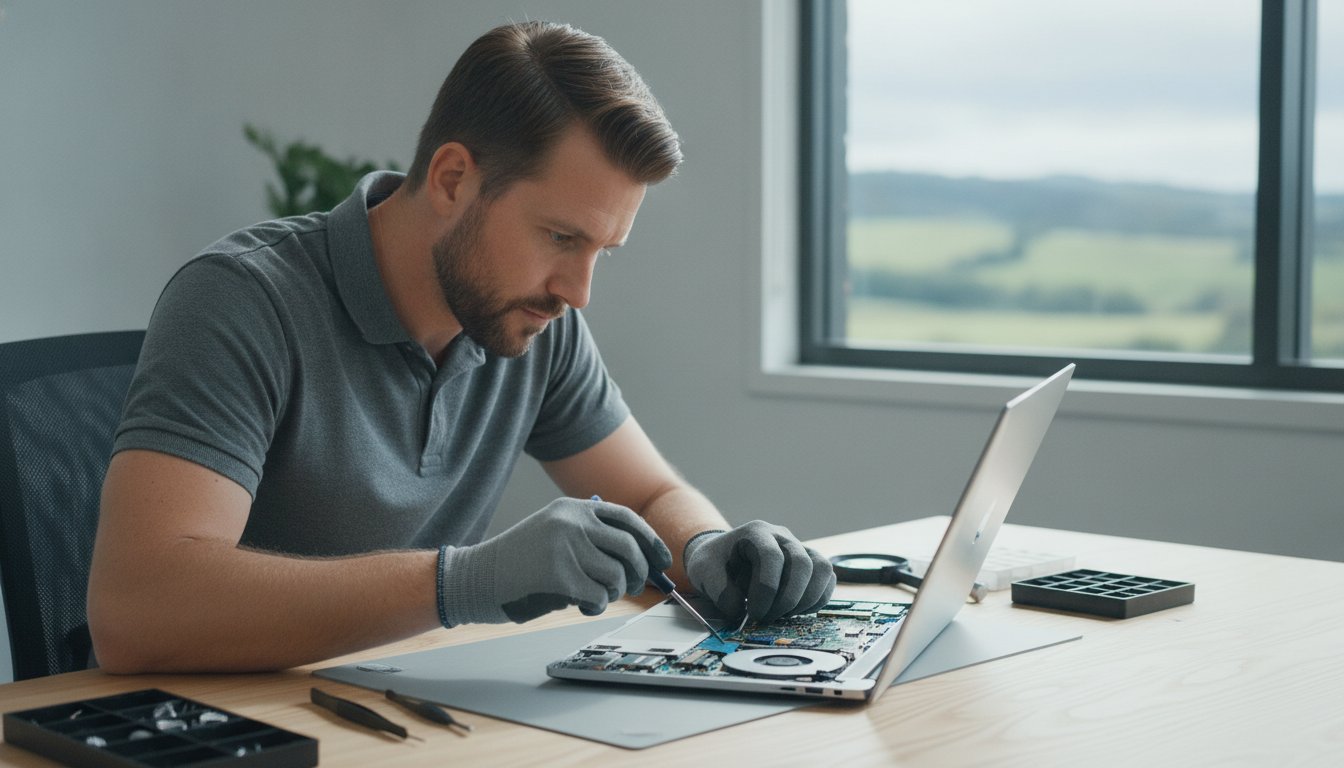
How to fix a broken laptop USB port by checking, cleaning, or repairing it

A USB port that stops working isn’t always broken. To fix a broken laptop USB port, first test the device in another port, then inspect and safely clean the affected port. If it feels loose or looks damaged, stop using it and arrange a repair. Restarting Windows or reinstalling its USB controller drivers may help if the cause is software.

It’s easy to suspect the port itself when a device won’t connect or charge. A few careful checks can help identify whether the fault is with the peripheral, the port, or the computer’s software, without risking further damage.

This guide explains how to isolate the fault, check for physical damage, remove debris safely, and reinstall USB controller drivers in Windows. You’ll also learn when to stop troubleshooting and have the port assessed by a repair professional.

Key Takeaways

  • Test the same device in another port and try a different peripheral to narrow down where the fault is.
  • Stop plugging devices into a port that feels loose or has visible damage, as continued use could cause further harm.
  • Turn the laptop off before gently removing debris, and keep a canned-air nozzle outside the port.
  • If the port appears intact, restarting the computer or reinstalling its USB host controller drivers may resolve a software fault.
  • Use the symptoms and test results to decide whether to continue troubleshooting or arrange a hardware repair.

Testing other ports and devices to isolate the fault

Compare ports and peripherals before deciding whether the laptop connector has failed. These checks are a useful first step when you need to fix broken laptop USB port problems.

  1. Test Other USB Ports and Devices

    Connect the same device to another port, then try a different device in the affected port. For example, test a mouse and a flash drive separately. If both work elsewhere but fail in one port, the fault may be limited to that connector. If one device fails in every port, check its cable or connector instead.

    Record what happens in each test, including whether data transfers, charging works, or a display appears. Some laptop ports support data transfer but not charging. USB-C ports may also support different functions, even on the same computer. Check the laptop’s markings or manual before assuming a missing feature means the port is damaged.

  2. Check Device Manager for USB Error Codes

    On Windows, open Device Manager and inspect connected USB devices for warning symbols or error codes. In Windows 11, code 28 indicates that drivers for the device aren’t installed. Note the exact code and device name before changing settings. An error can point towards a driver issue, while a connection that drops as the plug moves suggests a physical problem.

    Test the peripheral on another computer and compare the results. If it works there but Device Manager reports an issue on your laptop, focus on the laptop’s software or controller. If Windows shows no warning but an accessory has limited functions, check whether the port and cable support those functions. A USB connection alone doesn’t mean every device feature will work.

  3. Assess Port Damage Versus Software Issues

    Check the port’s casing and connector position without inserting tools. A bent shell, a connector that shifts, or a device that works only at an angle may indicate physical damage. Stop testing if the port feels loose. Forcing or repeatedly angling the plug can worsen damage to the connector or its internal connection.

    If the port looks intact, restart Windows or macOS and repeat the device test. A restart may clear an internal error that blocks USB operation. For a USB4 dock or device, use the manufacturer-supplied cable or a certified USB4 cable, as Microsoft recommends. The comparison results help you choose how to fix broken laptop USB port problems, whether through software troubleshooting or hardware repair.

Identifying a loose or physically damaged port

A loose connector or visible damage points to a hardware fault. Check the port without forcing in a plug, and stop using it if it shifts or the internal plastic guide looks damaged.

  1. With the laptop unplugged, examine the port opening under good light. Look for a bent metal shell, a cracked edge, or a displaced plastic guide. The guide separates the USB port’s four pins. Don’t insert tools or repeatedly wiggle a connector to inspect the damage. If the port moves when you insert a plug, treat that as a sign of a physical problem.
  2. Stop connecting devices to a port that feels loose, sparks, smells burnt, or causes the laptop to shut down. Exposed USB pins can touch the metal case, short the connection, and damage the motherboard. Gently remove the connected device, then leave the port unused. A shorted or unstable port can also put connected peripherals at risk, so don’t test it with a valuable drive.
  3. A damaged port may be repairable without replacing the motherboard. Depending on the laptop’s design and the extent of the damage, a technician may repair a soldered connection or replace the USB header. An inspection should distinguish a loose port from damage to nearby board components. If the port is visibly bent or detached, arrange PC and Laptop Repair rather than pressing it back into place.
  4. Check the laptop’s warranty documents and purchase records before opening the case. Whether a warranty or Australian Consumer Law applies depends on the cause of failure, the product, and the relevant terms and circumstances. A defect and accidental damage may be assessed differently. Keep a clear record of when the port stopped working and any visible damage, so the cause can be assessed accurately.
  5. Replacing a port yourself may require case-specific screwdrivers, a plastic opening tool, and soldering equipment if the connector is fixed to the motherboard. The exact method depends on the laptop’s construction; opening it can also damage delicate cables or the board. Repair time in Australia depends on access to the port, the damage, and whether a replacement component is needed. If you’re unsure, professional laptop repair can assess the fault and repair options.

How to fix a broken laptop USB port by checking, cleaning, or repairing it

Reinstalling USB host controller drivers in Windows

Reinstalling a USB host controller can help if Windows software is preventing a working port from responding. Follow these steps in Device Manager, then test the port again.

  1. Save open files and disconnect USB storage devices before changing controller settings. Keep a working mouse or the laptop keyboard available for navigating Windows. If a connected keyboard or mouse stops responding during troubleshooting, use the laptop’s built-in controls to restart the computer.
  2. Open Device Manager from the Windows Start menu search. Expand Universal Serial Bus controllers to view the USB Host Controller entries. First, note any warning symbols and controller names. This gives you a reference if the listed devices change after Windows reinstalls them.
  3. Right-click a USB Host Controller entry and select Uninstall device. Repeat for the USB Host Controller devices listed in that section. Read each confirmation prompt before proceeding, and don’t select unrelated devices such as audio or display components.
  4. Restart Windows after uninstalling the controllers. On reboot, Windows detects the USB hardware and reinstalls the controllers automatically. Wait for the desktop to load, then connect a basic USB device, such as a mouse. Don’t interrupt the restart while Windows detects the hardware.
  5. Test the original device and port again, then compare the result with another USB port. If the device still fails, note whether Device Manager shows a warning. Reinstalling a controller addresses software configuration, but it can’t repair a loose connector or damaged port.
  6. Check Windows Update if the controller problem remains. In Windows 10, open Settings > Update & Security > Windows Update. In Windows 11, open Settings > Windows Update. Install relevant available updates, restart the computer, and test the USB connection once more.
  7. Record the outcome of each step, including the Windows version, any controller warning, and whether the device works in another port. If a USB device still fails across multiple tests, these details help distinguish a driver issue from a fault in the device, cable, or laptop hardware.

This step lets Windows rebuild its controller setup rather than changing the USB device itself. In Windows, uninstalling USB Host Controller devices in Device Manager and rebooting allows the controllers to be reinstalled automatically. A change in the entries after startup isn’t, by itself, evidence that something has gone wrong. Compare the listed names and warning symbols with your notes, and let the system finish loading before judging the result.

Assess the controller and the connected device as separate parts of the test. A device that works in another port gives you a different result from one that fails in every port. A warning that remains in Device Manager is useful information, even if the device behaves the same way. Avoid repeating the reinstall without a reason. If the problem persists after Windows reinstalls the controllers, keep your notes about the port, device, and warning, then continue checking the possible causes already considered, including the cable, device, and laptop hardware. This keeps troubleshooting focused on what changed after the controller reset and what still fails.

Safely removing debris from a USB port

  1. Shut down the laptop before inspecting or cleaning its USB port. Disconnect the charger and remove any USB device, such as a flash drive or mouse. Work with the computer fully off, not merely asleep, so the port isn’t active during cleaning. Use a light to inspect the opening for lint or dust, and don’t insert a tool if the port looks bent or damaged.
  2. Hold the laptop so the USB opening faces down, then see whether loose debris falls out. Move it gently; don’t shake the computer forcefully or tap the port against a surface. A visible clump near the opening may prevent a connector from seating fully, but pushing it deeper can make removal harder. If debris is packed inside or you can’t see it clearly, don’t probe blindly.
  3. Gently use a toothpick to lift visible debris from the port. Keep the tip near the opening and work slowly, without scraping the metal shell or pressing against the internal plastic guide. USB ports contain four pins, and the guide keeps them separated from one another and the casing. Don’t use a metal pick, pin, or screwdriver. Stop if the toothpick catches on an internal part.
  4. If you use canned air, keep its plastic nozzle outside the port. Don’t insert the nozzle into the opening, as condensation can cause harm. Use short, controlled bursts across the port rather than forcing air deep inside. Follow the can’s directions and keep the laptop powered off. If a burst pushes debris further into the connector, stop instead of repeating the same action.
  5. Inspect the USB opening under a light again before reconnecting the charger or a device. Look for remaining debris, bent parts, or a displaced plastic guide. Don’t use liquid cleaners, spray products, or a vacuum attachment inside the port. Once the opening looks clear and undamaged, start the laptop and test it with a simple USB device. If the port remains blocked or loose, leave it unused and seek repair.

Keep cleaning modest: the goal is to remove debris, not reach deeper into the connector or force a tool past an obstruction. With the computer off, gently lift away accessible debris with a toothpick. Use a light touch and stop if clearing it requires pressure or the tip catches. If you can’t remove the debris gently, leave the port unused rather than forcing the process. It’s better to stop than to continue when the port’s condition is uncertain.

If you choose canned air, keep the plastic nozzle outside the opening. Inserting it into the port can cause harm from condensation. Direct the air across the opening, and don’t rely on repeated or stronger bursts if debris remains. Use either method gently and in a controlled way. If the port still appears obstructed after a cautious attempt, don’t keep trying different ways to reach inside. Leave further work to a repair professional.

How to diagnose whether a laptop USB port is physically damaged or has a software issue

Use the symptoms and Windows settings to distinguish a physical fault from a software problem. Follow these checks in order and note what changes after each step.

  1. Restart the laptop, then reconnect the same USB device. A restart can clear an internal error that temporarily prevents a port from working. If the device works afterwards, the cause may have been temporary software behaviour. If it still fails, compare the result with another port and note which connection you tested.
  2. Check the port’s behaviour without forcing the connector. A plug that feels loose, shifts inside the opening, or works only at an angle points to possible physical damage. Stop using the port if you notice movement or visible damage. A software setting won’t straighten a bent connector or secure a loose port.
  3. Test the USB device in another port and, if possible, on another computer. If it fails across several ports and computers, the device or its cable may be the issue. If other devices also fail in one laptop port, the fault is more likely tied to that port. Briefly note each test and its result.
  4. Check Windows power settings if the port looks intact but behaves inconsistently. USB Selective Suspend can turn off a port to save battery power, sometimes preventing it from working when needed. Open the active power plan’s advanced settings, find USB settings, then USB selective suspend setting. Compare the options for battery power and plugged-in power.
  5. Turn off USB Selective Suspend for both battery and plugged-in power, apply the change, and restart the PC. Test the same device again after Windows loads. If the port works only after this setting changes, power management was affecting its operation. If it remains unresponsive, return to the physical inspection and your device test results.
  6. Use the results to choose the next step. A loose port, visible damage, or failure limited to one connector points towards hardware repair. An intact port that recovers after a restart or power-setting change points towards software. For ongoing physical faults, arrange PC and laptop repair to assess the port and its connection.

Aspire Computing: PC and Laptop Repair

Aspire Computing provides PC and Laptop Repair for USB ports that remain loose, damaged, or unresponsive after careful troubleshooting. A repair assessment can identify whether the port, its motherboard connection, or another laptop component needs attention. Stop using a port that shifts or shows visible damage, especially if important devices or files rely on the computer.

Aspire Computing also offers Data Recovery Services if a fault affects access to stored files. For persistent hardware problems, its repair support can help determine the appropriate next step without putting further strain on the port.

Contact Aspire Computing or visit Aspire Computing online to discuss your laptop repair.

Choose a safe next step for your laptop

A faulty USB connection can affect more than convenience. It may interrupt access to files, peripherals, or equipment you rely on for work. If you still need to fix a broken laptop USB port, choose your next step based on what matters most: protecting your data, restoring the port, or keeping the laptop useful while it’s assessed.

Aspire Computing offers PC and Laptop Repair for hardware faults, Data Recovery Services for access to important files, and Hardware Upgrades when a computer needs component changes. These services can address related computer needs without requiring you to keep testing an unreliable connection.

Share what the port is doing and which devices or files are affected. That gives the repair discussion a useful starting point. Contact Aspire Computing about USB port help and take the next step with a clear plan for your laptop.

Frequently Asked Questions

How to safely clean dust and debris from a laptop USB port?

Turn off the laptop and unplug its charger and connected devices, then inspect the port under good light. Use a clean, soft brush to gently loosen visible dust, keeping the bristles near the opening. Don’t insert metal tools, pour in liquid, or force debris further inside. If the connector looks bent or cleaning doesn’t restore the connection, stop and arrange PC and Laptop Repair to assess whether you need to fix a broken laptop USB port.

Does laptop warranty or Australian Consumer Law cover a broken USB port

Coverage depends on the cause of the failure, the product, and the relevant warranty terms and circumstances. A defect and accidental damage may be assessed differently.

Laptop Keyboard Replacement Cost in Toowoomba

What if the keyboard fault isn’t the keyboard at all? If you’re searching “cost to replace a laptop keyboard Toowoomba,” it’s understandable to want a clear figure before booking a repair. But a reliable quote depends on confirming the cause first. A software setting, liquid damage or a keyboard built into the laptop’s top case can all change the repair scope.

It’s sensible to check whether replacement is practical before committing. Your laptop’s make and model, parts availability, access to the keyboard and any related damage all affect the assessment. In some cases, diagnosis may show that replacement isn’t needed.

This guide explains what shapes a laptop keyboard replacement quote, what details to share for a useful initial assessment and how to weigh repair against a temporary workaround or replacing the laptop. Aspire Computing provides PC and laptop repair in the Toowoomba region and was established in 1999. A diagnostic assessment can help clarify the fault and next steps, including whether a compatible part can be sourced and what timing may be involved. The aim is to help you understand the repair scope before work proceeds.

Key Takeaways

  • Searching “cost to replace a laptop keyboard Toowoomba” won’t produce one reliable price for every laptop. The repair scope depends on the device and what diagnosis finds.
  • Note which keys are affected and when the problem occurs. Sharing the pattern can help a technician investigate without you needing to identify the fault yourself.
  • Compare a minor repair, full keyboard replacement and an external keyboard workaround. Ask which option fits the condition of your laptop.
  • Have your laptop’s brand, exact model, operating system and keyboard layout ready. Check whether the repairer can assess your model and source compatible parts.

What determines the cost to replace a laptop keyboard in Toowoomba?

An accurate quote depends on the diagnosis, laptop model, compatible parts and labour required. One universal price for the cost to replace a laptop keyboard Toowoomba would be unreliable because laptop keyboards aren’t all designed or fitted the same way. A technician needs to identify the fault and check the repair scope before estimating the work.

For a useful local assessment, provide the laptop’s exact model and describe what the keyboard is doing. Ask whether the device needs to be inspected before the repair scope can be confirmed. Also check whether parts availability or any related damage could affect the proposed work.

A keyboard is a key input component, but its construction varies across devices. The computer keyboard reference outlines different keyboard types and designs. For a repair quote, the practical question is how the specific keyboard is fitted into your laptop and what work is needed to restore reliable input.

Which laptop-specific factors change the repair quote?

The make and exact model help identify a suitable replacement. Keyboard layout matters too: the physical arrangement and key markings need to match the laptop. Internal design affects the work as well. Some keyboards are separate components, while others are integrated into a larger assembly. That can change which parts need to be removed or replaced.

Parts availability and compatibility should be checked for the exact model, not assumed from the brand alone. An inspection may find a smaller, serviceable fault, such as an issue with a key mechanism or connection, rather than a failed keyboard assembly. It may also reveal damage that expands the repair scope.

A quotable summary: the estimate depends on the confirmed fault, laptop model and layout, compatible parts, repair complexity and labour required.

What should a keyboard replacement quote include?

Ask the repairer to clarify what the estimate covers. A useful quote should state whether it includes diagnosis, the replacement part, fitting and post-repair testing. If further work may be needed, ask how it will be assessed and explained before proceeding.

Before approving work, request a clear description of the proposed repair and how approval will be handled if the scope or cost changes. This lets you understand the options and decide before extra work goes ahead. For an assessment in Toowoomba, share the laptop’s exact model and ask whether a compatible part can be sourced and what timing may be involved.

How a Toowoomba technician diagnoses laptop keyboard problems

A keyboard that stops responding can point to a hardware fault, but settings or a connection issue may cause similar symptoms. A technician checks the evidence before recommending parts. This helps establish whether the issue is isolated to a key, affects the keyboard assembly or needs a broader inspection.

Symptom checking comes before parts replacement because the same visible problem can have different causes. Replacing a keyboard without confirming the fault may not solve it.

Which keyboard symptoms should you describe?

Give the repairer a clear account of what happens rather than trying to diagnose the cause. Note whether one key, a group of keys or the entire keyboard is affected, and whether the problem is constant or intermittent. Say when it began and whether there was liquid exposure, an impact or recent repair work. If an external USB keyboard works, mention that too, but don’t treat the result as proof of an internal hardware fault.

A typical diagnostic sequence may include:

  • Record symptoms: Note the affected keys and when the issue occurs.
  • Check settings: Review keyboard language and accessibility settings that could affect input.
  • Test keys: Compare how different keys respond during basic checks.
  • Inspect hardware: Examine the keyboard and relevant connections for signs that need further investigation.
  • Confirm scope: Explain the likely cause and proposed next step before parts are ordered or work proceeds.

Software settings and physical faults can look alike from the user’s side. A technician can assess whether the symptoms fit a settings issue, a connection problem or a keyboard component fault. Liquid exposure or physical damage may call for a wider inspection because visible symptoms alone don’t confirm how far the issue extends.

What can be checked safely before booking?

You can restart the laptop, check its keyboard language and review accessibility settings. If you have an external USB keyboard, try it to compare basic input behaviour. These checks give the repairer useful context, but they can’t confirm the internal cause or determine the repair scope.

Avoid forcing stuck keys, opening the laptop or applying liquids. Those steps could cause further damage or make the symptoms harder to assess. If liquid has been spilled, tell the repairer what happened and when rather than attempting to clean inside the device.

For a useful assessment and a more accurate cost to replace a laptop keyboard Toowoomba estimate, share the symptoms and exact laptop model. If the laptop was recently purchased, the ACCC explains consumer guarantees and possible remedies for product problems. To discuss PC and laptop diagnostics locally, you can contact Aspire Computing and ask whether an assessment is suitable for your model.

Laptop keyboard repair or replacement: which option makes sense?

The right choice depends on what the technician finds, whether a suitable part is available and how well the laptop meets your needs overall. Diagnosis may show that a setting or connection issue is involved, or that a key mechanism or keyboard assembly needs attention. The technician can assess which parts are serviceable and explain the options before you decide.

OptionMay suit whenKeep in mind
Diagnosis or minor repairSymptoms may relate to settings, a connection or a serviceable component.Assessment is needed to confirm the cause and whether a limited repair is practical.
Keyboard replacementA persistent hardware fault affects typing and a compatible replacement is available.The keyboard may be integrated into a larger assembly, so the required repair can vary.
External keyboardYou need a temporary way to type while deciding on next steps.It doesn’t repair the built-in keyboard and may not suit portable use.

When might a repair be possible without replacing the keyboard?

Some symptoms may come from a software setting or connection issue rather than a failed keyboard. A technician can check this during diagnosis. A damaged individual key also doesn’t automatically mean it can be replaced separately. On some laptop designs, the key mechanism or keyboard is part of a larger assembly. Avoid opening the laptop or trying to reseat internal components unless a technician advises you to.

When is replacement worth considering?

Persistent missed input, multiple affected keys or a fault that continues after basic settings checks are reasons to have the keyboard assessed. They don’t confirm that replacement is necessary. Ask whether the fault is repairable, whether a compatible part can be obtained and what the proposed work includes.

Then consider the laptop’s age, general condition and role in your day-to-day work or study. Repair may make sense if the rest of the device remains reliable and you expect to keep using it. If the laptop has other problems or no suitable part is available, an external keyboard may help while you compare options. Weigh the confirmed quote for the cost to replace a laptop keyboard Toowoomba against the device’s condition and expected continued use, rather than considering it in isolation.

If the laptop was purchased with a fault, the ACCC outlines information about Australian Consumer Law for repairs, including consumer options for product problems.

Laptop Keyboard Replacement Cost in Toowoomba

How to prepare for a laptop keyboard replacement quote in Toowoomba

A few details can help a repairer identify your laptop and understand what needs assessment. Before you contact a Toowoomba-area repairer, gather the information below. It won’t confirm the fault by itself, but it can make the initial discussion more useful and help the technician check whether a suitable part may be available.

What information helps identify the correct laptop keyboard?

Use the model label on the laptop or the device’s system information to find its exact model. Don’t guess based on appearance or brand alone. If you’re unsure where to find the details, ask the repairer how to locate them for your operating system.

  • Device details: Note the laptop brand, exact model and operating system.
  • Keyboard layout: Mention the layout you need, such as Australian English, if relevant. Layouts can differ, so the repairer should check compatibility for your specific device.
  • Symptoms: Describe which keys are affected, when the problem began and whether it happens consistently.
  • Relevant history: Be accurate about liquid exposure, impact or recent repairs. Include details that could help guide the assessment.
  • Photos, if requested: A clear photo of the device label or affected keys may help. Share images only through a channel the repairer considers appropriate, and avoid including unrelated personal information.

What should Toowoomba customers ask before approving work?

Before booking or agreeing to a repair, ask how the assessment will be arranged and whether an initial estimate is confirmed or may change after inspection or parts checks. Find out whether a compatible keyboard can be sourced for your exact model and ask what timing may be involved. Confirm availability and timing rather than assuming either.

Clarify what the quote covers, including diagnosis, parts, fitting and testing. Ask how the repairer will explain any change in scope and seek your approval before additional work proceeds. That way, you’ll know what decision you’re being asked to make and can review any revised scope first.

Have your details ready when asking about the cost to replace a laptop keyboard Toowoomba. An accurate model and clear description give the repairer a better starting point, though an inspection may still be needed to confirm the fault and quote.

For local computer and laptop repair information, visit Aspire Computing’s computer and laptop repairs in Toowoomba. When making an enquiry, provide the model and symptoms and ask whether an assessment is suitable for your device.

Getting a laptop keyboard assessed by Aspire Computing in Toowoomba

Aspire Computing provides PC and laptop diagnostics and repairs from Toowoomba and was established in 1999. If your keyboard is unreliable, an assessment can help clarify whether the issue appears to involve settings, a connection or hardware, and what repair scope may be appropriate.

Keyboard replacement availability can depend on the laptop model and whether a compatible part can be sourced. Contact Aspire to confirm whether your device can be assessed for this issue and which service arrangement suits the hardware work. On-site and remote assistance are available, but remote support may not be suitable for inspecting or repairing a physical keyboard fault.

What to expect when you enquire about keyboard replacement

Start with the laptop’s brand and exact model, then describe the symptoms. For example, explain whether one key, a group of keys or the full keyboard is affected, when the problem began and whether there has been liquid exposure or physical damage. This gives the technician useful context without asking you to diagnose the fault yourself.

An initial discussion may help establish what to check next, but the laptop may need inspection before the repair scope can be confirmed. Ask whether a suitable part is available for your model and what timing may be involved. These details need checking for the specific device, so don’t assume replacement is possible or that an initial estimate is final.

Choose a local assessment that gives you a clear decision

Before approving work, ask for a clear explanation of the diagnosis and proposed repair. Confirm what the quote includes and how you’ll be contacted if inspection findings change the scope. This gives you time to consider the options before deciding whether to proceed.

For details about Aspire’s local computer repair service in Toowoomba, share your laptop model and symptoms when you enquire. Ask whether an assessment is suitable, whether parts may be available and what the next steps would look like. This is a practical way to clarify the cost to replace a laptop keyboard Toowoomba without relying on a generic estimate that may not fit your laptop.

Contact Aspire Computing about a laptop repair assessment with your model and a brief description of the keyboard problem. Ask about assessment arrangements, parts availability and likely timing before deciding how to proceed.

Take the next step towards a clear repair decision

The cost to replace a laptop keyboard Toowoomba depends on the confirmed fault, your laptop’s design, compatible parts and the work required. Diagnosis can help distinguish a settings or connection issue from a hardware fault. A clear quote lets you understand the proposed scope before deciding.

Share the laptop’s exact model and describe the symptoms, including any liquid exposure or physical damage. Ask whether an assessment is suitable, whether parts can be sourced and what timing may be involved. A temporary external keyboard may help you keep working, but it won’t repair the laptop’s built-in keyboard.

Aspire Computing provides computer and laptop repair services from Toowoomba and was established in 1999. On-site and remote assistance are available, but confirm which arrangement is suitable for your hardware issue. For a practical next step, contact Aspire Computing about a laptop repair assessment and share your model and symptoms. With the fault and options clearer, you can choose the approach that suits your laptop.

Frequently Asked Questions

How much does it cost to replace a laptop keyboard in Toowoomba?

There isn’t one reliable price for every laptop because the quote depends on the confirmed fault, model, compatible parts and labour required. If you’re researching “cost to replace a laptop keyboard Toowoomba,” use an assessment to establish the repair scope instead of relying on a generic estimate. Ask whether diagnosis, parts, fitting and testing are included, and confirm the quote before approving work.

Is it worth replacing a laptop keyboard?

It may be worthwhile if the laptop is otherwise in good condition, suits your needs and has a compatible replacement part available. Compare the confirmed repair quote with the laptop’s age, condition and likely continued use. If the device has other problems or the part can’t be sourced, replacement may be less practical. A technician can explain the diagnosis and options so you can make an informed decision.

Can a laptop keyboard be repaired without replacing the whole keyboard?

Sometimes, depending on the cause and laptop design. A setting or connection issue may explain the symptoms, or a key mechanism may be serviceable. However, a damaged individual key doesn’t always mean it can be replaced separately. Some keyboards are integrated into a larger assembly. Have a technician assess the laptop before attempting internal repairs, as the suitable option depends on the specific fault and model.

How long does it take to replace a laptop keyboard?

Turnaround depends on the laptop’s design, repair scope and whether a compatible part is available. A model that requires a larger assembly, or a part that needs to be sourced, may affect timing. Ask the repairer for an estimate after they’ve checked your laptop and confirmed parts availability. Don’t assume a timeframe before assessment, especially if there may be liquid or impact damage to inspect.

Can I use an external keyboard while my laptop keyboard is faulty?

Yes, an external USB keyboard may let you continue typing while you arrange an assessment, provided the laptop recognises it and the connection works. It can be a practical temporary workaround for tasks such as writing or entering text. It won’t repair the built-in keyboard, and it may be less convenient if you need to use the laptop on the move. Mention the test result to the technician, but don’t treat it as a diagnosis.

What information do I need for a laptop keyboard replacement quote?

Provide the laptop’s brand, exact model, operating system and keyboard layout, such as Australian English if relevant. Describe whether one key, a group of keys or the full keyboard is affected, when the issue began, and any liquid exposure, impact or recent repairs. Photos of the model label or affected keys may help if the repairer requests them. Ask about assessment arrangements, parts availability, quote approval and likely timing.

Notebook Repairs Near Me: The Complete Toowoomba Laptop Fix Guide

You’ve just sat down with a coffee to finish your weekly invoicing, but when you press the power button, your laptop screen stays black. The immediate wave of panic isn’t just about the hardware. It is the fear of losing years of family photos or the critical files your business needs to survive. Most people feel overwhelmed by the thought of hidden costs or the risk of losing private data during a laptop repair Toowoomba service. We agree that your technology should work for you, not cause you more stress.

This guide explains how to get your notebook fixed quickly and securely with a focus on local, personal accountability. You will find out how to protect your privacy, what to expect from on-site assistance, and how to ensure your device performs better than the day you bought it. I will walk you through the process of restoring your digital life, whether you are running a home office in Newtown or a small business across the Darling Downs.

Key Takeaways

  • Learn why “notebook” and “laptop” are interchangeable terms and which common hardware issues, such as screen or battery failures, require expert intervention.
  • Identify critical warning signs like excessive heat or fan noise to address internal problems before they lead to permanent data loss.
  • Understand how to select a trustworthy provider for laptop repair Toowoomba by verifying their local history and commitment to data privacy.
  • Apply the “50% rule” and evaluate the age of your device to make an informed decision on whether to repair or replace your notebook.
  • Discover the convenience of mobile IT support that brings professional hardware and software solutions directly to your home or office.

What Does Notebook Repair Near Me Actually Cover?

Searching for “notebook repair near me” in Toowoomba can occasionally lead to a bit of confusion. In the modern tech landscape, the terms “notebook” and “laptop” are used interchangeably by manufacturers and technicians alike. Whether you call it a notebook or a laptop, the internal components are essentially the same. A notebook is a portable personal computer requiring specialised micro-electronics repair. Because these devices are built with compact, integrated parts, fixing them requires a steady hand and a deep understanding of how these portable systems are assembled.

When you seek out laptop repair Toowoomba services, the work generally falls into two categories: physical hardware restoration and software optimisation. Hardware repairs deal with the tangible parts of your machine, such as replacing a cracked LCD screen, swapping out a failing battery, or fixing a keyboard where the keys have stopped responding. Software fixes are more about the “brain” of the computer. This includes removing malicious viruses, performing critical Windows 10 or 11 updates, and tuning the operating system to ensure your device runs as fast as possible.

Hardware vs. Software: Identifying the Fault

Determining whether your issue is hardware or software-related is the first step toward a solution. Physical damage is usually easy to spot. If you’ve dealt with a liquid spill, a broken hinge, or a screen that looks like a spiderweb of glass, you’re looking at a hardware fix. However, performance-based issues can be trickier. A professional Computer repair technician possesses the skills to navigate these complexities. Common signs of a software or performance fault include:

  • Extremely slow boot times or applications that “hang” and won’t open.
  • The dreaded “Blue Screen of Death” appearing during normal tasks.
  • Constant pop-ups or strange browser redirects indicating a malware infection.
  • System crashes that happen only when running specific programs.

Why Local Toowoomba Support Matters

Choosing a local expert over a massive interstate service centre offers peace of mind that a corporate helpdesk can’t match. When you use a local provider for laptop repair Toowoomba, you avoid the high risk of mailing your expensive device across the country. Shipping a laptop involves the danger of further physical damage or, worse, the loss of the device in transit. By visiting a specialist in Newtown or requesting on-site support, you get to speak face-to-face with the person actually doing the work.

This personal connection ensures your specific concerns, especially regarding data privacy, are heard and respected. Local service also means faster turnaround times, as your device isn’t sitting in a shipping container for days. Plus, by keeping your business within the Darling Downs and Lockyer Valley regions, you’re directly supporting the Toowoomba small business community. You can learn more about our local approach at Aspire Computing, where we’ve been helping locals since 1999.

5 Signs Your Notebook Needs Professional Repair

Recognizing symptoms early prevents a minor glitch from becoming a total system failure. If you’re looking for laptop repair Toowoomba, knowing these five signs can save your data and your budget. Most hardware issues start small and give you plenty of warning before the device stops working entirely.

  • Excessive Heat and Fan Noise: If your laptop feels hot to the touch or sounds like a jet engine, the cooling system is likely clogged with dust. This forces the fan to work harder, which eventually leads to component failure.
  • Battery Health: When a notebook only works while connected to a charger, the battery cell has reached the end of its life. If it won’t charge at all, you might have a damaged DC power jack.
  • Unexpected Shutdowns: Random freezing or the “Blue Screen of Death” often points to faulty RAM or a motherboard that’s starting to fail.
  • Strange Mechanical Noises: Clicking or grinding sounds from inside the chassis are major red flags. This usually indicates a mechanical hard drive is physically failing.
  • Display Distortions: Flickering, vertical lines, or dead pixels are signs of an ageing or damaged LCD panel.

When these issues arise, it’s helpful to understand your consumer guarantees under Australian Law. These protections ensure that products must be of acceptable quality and fit for purpose, even after a manufacturer’s warranty might have expired.

The Danger of Ignoring Minor Faults

A simple fan issue might seem like a nuisance, but it often leads to a total CPU meltdown. Heat is the primary killer of portable electronics. Similarly, a notebook that freezes frequently puts your files at risk. Every hard crash increases the chance of file system corruption, which can make your data unrecoverable. Even a small crack in your screen can spread over time, eventually causing the digitiser to fail and leaving you with a useless black display right when you have a deadline.

When to Seek Immediate Help

For urgent laptop repair Toowoomba needs like liquid spills, speed is the most important factor. You have a “golden hour” to get the device opened and professionally cleaned before motherboard corrosion sets in. If you notice a burning smell or smoke, turn the device off and unplug it immediately to avoid a fire hazard. Finally, if you hear clicking or grinding, stop using the device right away. These sounds mean your hard drive is physically self-destructing; every minute it stays powered on makes data recovery more difficult.

If you’ve noticed any of these red flags, it’s a good idea to chat with a local technician before the problem gets worse.

How to Choose the Best Laptop Repair Shop in Toowoomba

Data security should be your top priority. Ensure the technician has strict protocols to keep your private business files confidential. Unlike large retail chains where your device might be handled by several different staff members, a local specialist provides personal accountability. You know exactly who is accessing your data and where it is stored. This direct relationship reduces the anxiety often associated with technical failures.

Convenience also plays a major role in your choice. For residents in Newtown, the Darling Downs, and the Lockyer Valley, on-site service is a significant advantage. It eliminates the need to pack up your equipment and drive into a crowded shopping centre. Instead, the expert comes to your home office or small business, often solving the problem much faster than a workshop drop-off. Reading local reviews from other Toowoomba small business owners can confirm if a technician is as helpful and professional as they claim to be.

Questions to Ask Your Technician

Before you commit to a service, it’s vital to get clear answers to a few specific questions. This transparency prevents “bill shock” and ensures your expectations align with the service provided. Always ask:

  • “Do you provide a clear quote before starting any repair work?”
  • “What is your policy on data backup and recovery during the fix?”
  • “Do you offer remote support for software issues after the physical repair is done?”

Getting these details settled upfront protects you and your device. For a breakdown of how a professional handles these requests, you can view the Aspire Computing computer repairs Toowoomba page for more details on our local process.

Assessing Professional Credentials

There is a massive difference between a “backyard” hobbyist and a professional with over 25 years of industry experience. While a hobbyist might offer a cheap “quick patch,” a seasoned expert focuses on a long-term, reliable solution. Professional technicians understand the specific needs of home office and small business IT environments. They don’t just fix the immediate fault; they ensure the entire system is stable and secure for the future. When your income depends on your technology, you need a technician who treats your laptop repair Toowoomba with professional seriousness.

This professional approach to electronics maintenance is mirrored by reputable service providers worldwide, such as Pleasanton Computer Repair, who offer expert diagnostics and fixes for various devices.

Notebook Repairs Near Me: The Complete Toowoomba Laptop Fix Guide

Repair vs. Replace: Making the Smart Choice for Your Device

Deciding whether to invest in a fix or buy a new machine is a common headache for many users. A reliable guideline used by many professionals is the 50% rule. If your laptop repair Toowoomba quote exceeds half the cost of a new, comparable device, replacement might be the more logical path. Some industry experts even suggest a 60% rule for older machines. You should also consider the “Age Factor.” For a notebook over five years old, the return on investment for a major hardware repair often diminishes as other components approach their end of life.

Repairing your current device is often the more sustainable and cost-effective choice. In Queensland, a waste levy introduced in 2019 has made sending e-waste to landfills more expensive, which encourages recycling and repair. By choosing to fix your machine, you reduce your environmental footprint and often save hundreds of dollars compared to the price of a mid-range new laptop. This approach aligns with a focus on functional utility, ensuring you get the most value out of your existing technology before sending it to a recycling centre.

When an Upgrade is Better Than a Repair

Sometimes, your machine isn’t actually broken; it’s just outdated. Replacing a slow mechanical hard drive with a lightning-fast Solid State Drive (SSD) is the single most effective way to boost an old computer’s speed. This upgrade can make a five-year-old laptop feel faster than the day you unboxed it. Additionally, moving to Windows 11 ensures you have the latest security patches and software compatibility for modern apps. For a deeper look at these options, check out our hardware upgrades guide.

Hidden Costs of Buying New

Many people forget the “setup tax” that comes with a new purchase. You’ll spend hours transferring files, reinstalling software, and potentially buying new licenses for programs that won’t transfer. There’s also the risk that your existing printers or specialised office equipment won’t be compatible with a brand-new operating system without additional troubleshooting. If you do decide to upgrade to a new system, our data recovery services can help migrate your critical files safely to the new device.

If you’re unsure which path to take, contact Aspire Computing today for an honest, professional assessment of your device’s potential.

Aspire Computing: Your Local Toowoomba Notebook Specialist

When you choose Aspire Computing for your laptop repair Toowoomba, you aren’t dealing with a faceless national call centre or a rotating cast of subcontractors. Since 1999, I’ve provided a personal, owner-operated service that prioritises accountability and trust. Based in Newtown, our business is built on the belief that technology should be reliable and easy to understand. We strip away the confusing technical terminology to give you straightforward, honest advice about your device’s health.

Our expertise extends well beyond simple hardware fixes. We understand that for small business owners and home office workers across the Darling Downs, a laptop is just one part of a larger digital ecosystem. That’s why we offer comprehensive support that includes cyber security, data backup, and business continuity planning. Whether you need printer supply and repair or a complete system overhaul, we ensure your entire setup works together seamlessly. This community-focused approach has allowed us to serve the region for over 25 years with a reputation for being thorough and professional.

Our On-Site and Remote Repair Process

We know your time is valuable, so we’ve designed our service to be as convenient as possible. We come directly to your home or office in Toowoomba to perform on-site repairs, saving you the hassle of disconnecting cables and transporting equipment. For software glitches, performance tuning, or virus removal, our remote IT support allows us to fix many issues instantly over the internet. When hardware parts are needed, we source high-quality replacements with a quick turnaround to ensure your downtime is kept to an absolute minimum.

Secure Your Device Today

The Aspire Computing mission is simple: we prioritise your data security and the functional utility of your devices. We don’t just patch problems; we provide long-term stability so you can work with confidence. Whether you are dealing with a broken screen in the Lockyer Valley or a slow system in Newtown, we are ready to help. You can book a comprehensive IT health check or a specific laptop repair Toowoomba service by reaching out to us directly. Contact Aspire Computing today for reliable laptop repairs and expert local service.

Restore Your Digital Confidence Today

Technology is the backbone of your daily life, and a sudden failure shouldn’t derail your productivity or cause unnecessary anxiety. By recognizing the early warning signs of hardware failure and applying the 50% rule to repair costs, you’ll make smarter financial decisions for your home office or small business. Choosing a local expert who prioritises data security ensures that your private files remain exactly where they belong. We’ve seen how a quick hardware upgrade or a professional tune-up can breathe new life into a machine you thought was destined for the scrap heap.

When you need a reliable laptop repair Toowoomba service, you deserve a partner with deep roots in the community. Aspire Computing has been serving the region since 1999, specialising in small business IT security and functional utility. Whether you require on-site assistance in Newtown or remote troubleshooting across the Darling Downs and Lockyer Valley, we provide professional, jargon-free help that gets you back to work quickly. You don’t have to face technical hurdles alone when expert, local support is just a click away.

Book Your Professional Notebook Repair in Toowoomba Now

Frequently Asked Questions

How much does a typical notebook repair cost in Toowoomba?

The total cost for your fix depends on whether the issue is software related or requires physical hardware replacements. Software troubleshooting and virus removal generally involve a flat service fee, while hardware repairs like screen or battery replacements vary based on the price of the specific parts needed for your model. We always provide a clear quote before starting any work to ensure you don’t face unexpected costs.

Will I lose my data during a laptop repair?

We prioritise the safety and confidentiality of your private files during every laptop repair Toowoomba service. While most hardware repairs like screen or keyboard fixes don’t affect your stored data, we always recommend having a current backup before any technical work begins. If your system has crashed and you can’t access your files, we offer specialised data recovery services to retrieve your important documents and photos safely.

How long do most notebook repairs take to complete?

Turnaround times depend on the complexity of the fault and whether we need to order specific replacement parts. Many software issues and performance optimisations can be resolved on the same day through on-site or remote support. If a unique hardware component like a specific LCD panel is required, it may take a few business days to source the part and complete the installation to our high standards.

Can you fix a laptop screen that is completely black?

Yes, a black screen is a common issue that can usually be fixed by identifying the specific point of failure. This problem often stems from a faulty backlight, a loose internal video cable, or a damaged LCD panel. We perform a thorough diagnostic to determine if the issue is the screen itself or a deeper motherboard fault, ensuring we provide the most cost-effective solution to get your display working again.

Do you provide on-site notebook repairs in the Lockyer Valley?

We offer mobile on-site support throughout the Lockyer Valley, the Darling Downs, and the greater Toowoomba region. Our technician can visit your home or office in suburbs like Newtown or travel to surrounding rural areas to save you the hassle of transporting your equipment. This service is particularly convenient for small business owners who can’t afford the downtime of leaving their device at a workshop for several days.

Is it worth fixing a notebook that is more than 4 years old?

Repairing a four year old device is often a very smart investment, especially if the repair cost is less than half the price of a new machine. Many notebooks from this era perform exceptionally well once they receive a simple hardware upgrade, such as a new SSD. This can make an older device feel faster than a brand new budget model while saving you the significant time and expense of migrating all your software and files.

What brands of notebooks do you repair?

We provide expert laptop repair Toowoomba services for all major brands, including Dell, HP, Lenovo, ASUS, Acer, and MSI. Because we’ve been working with portable computers since 1999, we’re familiar with the specific assembly methods and common faults of almost every manufacturer. Whether you have a high-end gaming laptop or a compact business notebook, we use quality parts to ensure your device remains reliable and stable.

Do you offer remote support if I can’t bring my notebook to you?

Remote IT support is an excellent option for fixing software glitches, removing malware, or performing system updates without a physical visit. If your device can still connect to the internet, we can securely access your system to diagnose and fix many performance issues. This is a fast and efficient way to handle “brain” related problems, though physical hardware faults like broken hinges or cracked screens will still require an on-site visit or workshop repair.

Expert Computer Repair Near Me in Toowoomba: Fast & Local PC Fixes

Imagine sitting at your desk in Newtown, halfway through an urgent report, when your screen suddenly freezes and that familiar whirring sound turns into a dead silence. It’s the moment every computer owner dreads, and your first instinct is likely to search for “computer repair near me Toowoomba” to find a quick fix before the panic really sets in. I understand how frustrating it is to face potential data loss or the hassle of unplugging every cable just to wait weeks for a big-box retailer to call you back.

You shouldn’t have to feel like a number in a national franchise’s queue or listen to technical jargon that makes you feel confused. This article explains why choosing a local specialist provides the fast turnaround and clear transparency you need to get back to work. We’ll explore how our long-standing local expertise ensures your files stay secure and why your PC will likely run faster than it did before the breakdown, all while keeping the repair process simple and convenient for your home or small business.

Key Takeaways

  • Dealing with a local owner-operator provides a level of accountability and speed that national franchises simply can’t match.
  • Learn how to identify common hardware and software faults to ensure you get the fastest computer repair near me Toowoomba for your specific situation.
  • Discover the critical first step to take when you suspect data loss to prevent permanent file damage before a specialist arrives.
  • Use our pre-repair checklist to document your PC’s symptoms and back up your data, ensuring a smoother and more efficient service.
  • Understand how over two decades of local experience in the Darling Downs region translates to more reliable and secure IT support for your home or office.

Why Choosing Local Computer Repair in Toowoomba Matters

When your computer fails, time is your biggest enemy. You need a solution that doesn’t involve shipping your device to a warehouse in another state or waiting on hold for a national call centre. Choosing a local expert means you’re dealing with someone who understands that your home office in Newtown or your small business in the Darling Downs can’t afford downtime. Since 1999, Aspire Computing has focused on providing this immediate, personal response. We know the local landscape and the specific challenges our community faces every day.

Accountability is the key difference between a local business and a national franchise. When you search for computer repair near me Toowoomba, you want to talk to the person actually doing the work. Local technicians rely entirely on their reputation. We’ve spent over two decades building trust within the community, ensuring every repair meets a high standard because we live and work here too. This local focus aligns with the broader right to repair movement, which empowers consumers to choose reliable, local service providers over restrictive manufacturer-only options.

To better understand the range of local support and parts available, watch this helpful video:

The Advantage of On-Site Repairs in the Darling Downs

Mobile computer repair is often the most convenient option for busy families and professionals. You don’t have to worry about the inconvenience of unplugging a complex setup or finding a box to transport a heavy tower. By choosing an on-site service, you also eliminate the risk of physical damage or static discharge that can occur during transport. We serve a wide area including the Lockyer Valley and all Toowoomba suburbs, from Highfields to Glenvale. This means expert help comes directly to your door, saving you time and stress.

Trust and Data Security with a Local Expert

Personal data privacy is a significant concern during any technical service. When you use a dedicated local technician, you know exactly who is handling your hard drive and your sensitive files. At Aspire Computing, we prioritise security and functional utility in every job. We don’t just fix the immediate problem; we aim to build long-term relationships with our clients based on transparency and results. Knowing your data is in the hands of an experienced local professional provides a level of reassurance that large, anonymous corporations simply cannot offer.

Common PC and Laptop Issues We Fix Fast

Technical failures usually happen when you least expect them. Whether your computer is making a strange grinding noise or simply refuses to start, the first step is always a professional diagnostic. Grinding sounds often point to a failing cooling fan or a mechanical hard drive reaching the end of its life. If your machine is stuck on a loading screen, it might be a corrupted Windows update or a deeper hardware conflict. Finding reliable computer repair near me Toowoomba means getting these answers quickly so you can decide on the best path forward.

Software issues can be just as disruptive as hardware breaks. We specialise in Windows tune-ups that clear out background clutter and resolve persistent error messages. With the end of support for Windows 10 approaching in October 2026, many local users are now seeking help with Windows 11 migrations to keep their systems secure. Beyond updates, we provide thorough virus and malware removal. Given that the Australian Signals Directorate recorded over 84,700 cybercrime reports in the 2024-2025 financial year, keeping your system’s integrity intact is more important than ever. Before allowing anyone access to your device, it’s worth research the process of choosing a trustworthy technician to ensure your data stays protected.

Sometimes your computer isn’t broken; it’s just outdated. A hardware upgrade, such as installing a Solid State Drive (SSD), can make an old machine run significantly faster than it did on the day you bought it. This is a cost-effective way to extend the life of your current technology without the expense of a brand-new system.

Laptop Screen and Hardware Fixes

Laptops are prone to physical wear and tear that desktop PCs avoid. We frequently repair cracked screens, unresponsive keyboards, and broken hinges that make opening your device a risk. Internal cleaning is another essential service; dust buildup in Toowoomba’s climate can cause overheating, which eventually leads to motherboards failing. We also handle battery replacements and power jack repairs to ensure your notebook remains truly portable and reliable.

Printer and Peripheral Troubleshooting

Few things are as frustrating as a printer that stays “offline” when you have a deadline. We solve connectivity issues for both home and office setups, ensuring your local network communicates perfectly with your devices. Our team repairs and supplies quality brands like Canon and Epson, and we can assist with the complete setup of scanners and multifunction centres. If your office equipment is causing headaches, our remote IT support can often resolve software-based peripheral errors without you needing to leave your desk.

Data Recovery and Cyber Security in Toowoomba

Realising that your family photos or critical business documents have vanished is a gut-wrenching experience. If you notice files are missing or your drive suddenly asks to be formatted, the most important thing you can do is stop using the device immediately. Every minute the computer stays on, it risks overwriting the very data you’re trying to save. When you search for computer repair near me Toowoomba during a data crisis, you need a technician who understands the emotional and professional weight of what’s at stake.

We provide specialised data recovery services for failed hard drives, corrupted USB sticks, and accidental deletions. Beyond recovery, our mission is to ensure this doesn’t happen again. We help local residents and businesses implement robust data backup solutions that work automatically in the background. For small businesses, we also conduct cyber security audits to identify vulnerabilities. This is essential given that data breach notifications in Australia rose to 1,205 in 2025, an 8% increase and an all-time high. With 59% of these breaches resulting from malicious attacks, a proactive approach is the only way to protect your livelihood.

Recovering Lost Files: The Process

Professional recovery involves more than just running a basic scan. We use advanced hardware and software tools to communicate with drives that the operating system can no longer see. There’s a significant difference between simple file recovery and deep drive reconstruction. While simple recovery might find a recently deleted folder, deep reconstruction is required when the drive’s physical components or file system structures are failing. For a deeper look at how we handle these delicate situations, you can read our Data recovery services in Toowoomba guide.

Protecting Your Small Business from Malware

Toowoomba small businesses are increasingly targets for ransomware and phishing. The average self-reported loss from cybercrime for a small business is approximately $56,600, a figure that can be devastating for a local operator. Vulnerability exploitation has become a primary attack vector, accounting for 31% of initial access points in 2026. We help you stay ahead by setting up managed firewalls and advanced antivirus protection. Our remote IT support plays a vital role here, allowing us to maintain real-time security and apply critical patches before threats can be exploited. We focus on both security and functional utility, ensuring your systems are safe without slowing down your daily operations.

Pre-Repair Checklist: What to Do Before the Technician Arrives

Taking a few minutes to prepare for a service call can significantly speed up the resolution of your technical issues. When you’re searching for computer repair near me Toowoomba, you want a technician who can get straight to work without unnecessary delays. Proper preparation not only saves time but also ensures your data remains protected throughout the process. It’s about making the experience as smooth and stress-free as possible for everyone involved.

  • Back up what you can. If your computer still boots, move your most important files to a cloud service like OneDrive or an external hard drive. This provides an extra layer of safety before any hardware or software changes begin.
  • Document the symptoms. Write down exactly when the problem started. Did you see a specific error code? Did the issue happen after a Windows update or a power surge? Clear information helps us diagnose the root cause much faster.
  • Gather your passwords. We often need to log in to test the system or verify software settings. Have your Windows password and any relevant software credentials ready to go before we arrive.
  • Clear the workspace. For on-site repairs, ensure there’s easy access to the computer and its cables. A clear desk and accessible power points allow the technician to work efficiently and safely without having to move furniture.

Is Your Repair Worth It?

We often help clients decide if an older machine is still a sound investment. A common guideline is the 50% rule. If the cost of the repair exceeds half the price of a comparable new computer, it might be time to consider a replacement. However, many older machines don’t need to be scrapped. A simple hardware upgrade, such as adding more RAM or an SSD, can often make a five-year-old laptop run faster than a budget-friendly new model. You can find more detail on making this choice in our article, Is repairing your computer worth it?

Preparing for a Remote Support Session

Remote IT support is an excellent, fast-turnaround option for software-based issues. To make the most of this service, ensure your internet connection is stable. You’ll usually be asked to download a secure, temporary access tool that allows us to view your screen. This method is incredibly convenient for fixing printer drivers, software configuration errors, or email setup problems without waiting for an on-site visit. Preparing properly ensures that when you book computer repair near me Toowoomba, you get the best possible results in the shortest time.

If you’re facing a technical hurdle and need a reliable local expert to take a look, contact us today to schedule your repair and get your system back in peak condition.

Aspire Computing: Toowoomba’s Trusted IT Partner Since 1999

Choosing a technician shouldn’t feel like a gamble. When you search for computer repair near me Toowoomba, you’re looking for a partner who prioritises your data security and your time. Aspire Computing has been a staple of the Newtown community and the wider Darling Downs region for over 25 years. This longevity isn’t just a number; it’s a testament to the trust we’ve built with local families and business owners through consistent, reliable service.

Dealing with an owner-operator offers a level of personal accountability that national franchises simply can’t match. You aren’t just another ticket in a corporate database. Instead, you’re speaking directly with an expert who understands your history and your specific technical needs. We’ve spent decades fixing PCs, laptops, and printers, refining a process that focuses on both security and functional utility. Our commitment is to provide plain-English explanations and no-nonsense advice, ensuring you feel confident in every repair or upgrade we perform.

Supporting Small Business in Toowoomba

Small businesses and home offices face unique challenges that require more than just a quick fix. We provide managed IT services that allow you to focus on your daily operations rather than your technology. Whether you need a secure network setup or a customized hardware and software supply to fit a specific budget, we tailor our support to your goals. We supply quality brands like Canon and Epson, ensuring your office equipment is as reliable as your computer. For a deeper look at how we can help your company thrive, read our Small business IT support guide.

Get Your Computer Fixed Today

We’ve streamlined our process to make getting help as easy as possible. You can book an on-site visit where we come to your home or office, or you can opt for a remote diagnostic session for faster software troubleshooting. Our focus is on local reliability and a rapid turnaround, so you can get back to what matters most without unnecessary delays. If your computer is running slow or has stopped working entirely, don’t wait for the problem to get worse. Contact Aspire Computing for expert computer repairs today and experience the difference that 25 years of local expertise makes for your computer repair near me Toowoomba needs.

Restore Your Peace of Mind with Local IT Expertise

Choosing local accountability over national franchises ensures your data stays safe and your repairs happen quickly. We’ve discussed how a proactive approach to cyber security and a clear pre-repair checklist can save you time and frustration. Whether you need an on-site visit in Newtown for a hardware failure or remote support for a software glitch, having a trusted partner makes all the difference in your daily productivity.

Finding reliable computer repair near me Toowoomba doesn’t have to be a stressful experience when you work with a specialist who has been serving the region since 1999. As expert data recovery specialists, we prioritise your most valuable files while providing the flexibility of both on-site and remote support. We’re committed to getting your system back in peak condition with the personal touch that only a local owner-operator can provide.

Book Your Toowoomba Computer Repair Now

Your technology should work for you, not against you. We look forward to helping you get your computer running smoother and faster than ever before.

Frequently Asked Questions

How much does computer repair in Toowoomba typically cost?

Costs for technical services depend on the complexity of the fault and whether parts are required. Industry data from 2026 indicates that basic workshop tasks like malware removal or hardware diagnostics often fall within a standard fixed range, while on-site support usually carries an hourly rate. We recommend a professional diagnostic session to provide a clear, fixed price for your specific repair, ensuring there are no hidden fees or surprises.

Can you fix my laptop screen if it is cracked?

Yes, we provide professional screen replacements for most major laptop brands. A cracked display is not just a visual nuisance; it can lead to further internal damage if left unaddressed. We source high-quality replacement panels to restore your device to its original condition. This service is often a highly cost-effective alternative to purchasing a brand-new notebook, especially if your existing hardware still meets your daily needs.

Do you offer on-site computer repairs in suburbs like Newtown and Glenvale?

We provide comprehensive on-site computer repair near me Toowoomba, serving suburbs such as Newtown, Glenvale, and Highfields. Our mobile service is designed for maximum convenience, allowing us to resolve connectivity issues or hardware faults directly at your home or office. This eliminates the hassle of unplugging your entire setup. We also extend our support to the wider Darling Downs and Lockyer Valley regions for both residential and business clients.

How long does a typical computer repair take?

Most software-based repairs and system tune-ups are completed within 24 to 48 hours. If your machine requires specific hardware components, the turnaround time depends on the availability of those parts. We understand that downtime is frustrating, so we prioritise efficiency and clear communication. You’ll receive a realistic timeframe after our initial diagnostic, ensuring you know exactly when you can get back to work or study.

Is it better to repair an old laptop or buy a new one in 2026?

The decision usually comes down to the age of the device and the cost of the fix. We often suggest the 50% rule: if the repair costs more than half the price of a new machine, replacement might be better. However, with Windows 10 support ending in October 2026, many older laptops simply need a Windows 11 migration or an SSD upgrade to run faster than they did when they were new.

Can you recover data from a hard drive that won’t turn on?

Yes, we specialise in recovering data from failed hard drives and corrupted USB sticks. Even if your device won’t spin or isn’t recognised by your operating system, our specialized tools can often retrieve your precious photos and critical documents. It’s vital that you stop using the device the moment you suspect a failure. This prevents the system from overwriting the files you’re trying to save, significantly increasing the chances of a successful recovery.

Do you provide IT support for small businesses in the Darling Downs?

We offer tailored IT support and business continuity solutions for small businesses across the Darling Downs. Our services include managed cyber security audits, automated data backups, and remote support to fix software glitches in real-time. We focus on building long-term relationships with local owners, acting as a reliable technical partner so you can focus on your operations without the stress of unexpected system failures or data security threats.

What brands of printers and computers do you service?

We service all major brands of PCs and laptops, focusing on Windows-based systems and hardware upgrades. Our expertise also includes printer supply and repair for quality brands such as Canon and Epson. Whether you need help with a high-end workstation or a multifunction office printer, we have the experience to ensure your devices are integrated correctly with your local network. We prioritise brands that offer reliable performance and accessible replacement parts.

Imagine it’s 2:00 PM on a Tuesday in Middle Ridge. You’re halfway through a critical report when your screen flickers and goes dark. Your first thought isn’t just about the hardware; it’s the 1,500 family photos and business files that might have vanished instantly. Most people assume a broken PC means spending hours wrestling with cables and driving across town to a repair shop. It’s a frustrating waste of time that leaves your sensitive data vulnerable in the back of a car. Finding a reliable computer repair home service Toowoomba means you don’t have to panic or settle for confusing “geek speak” from a distant corporation.

We agree that your time is too valuable to spend in traffic, and your privacy is too important to risk. You deserve a local tech partner who arrives at your door with clear solutions and a professional attitude. This article explains how to get expert, on-site support that restores your tech by the end of the day while keeping your files safe. We’ll look at the benefits of professional repairs and how a dedicated “Protect and Connect” approach ensures your home office or family computer stays functional without the stress of hidden costs.

Key Takeaways

  • Skip the hassle of transporting heavy equipment and learn why on-site technical support is the preferred choice for busy Toowoomba residents.
  • Understand the “50% Rule” to help you decide whether a professional A$ repair or a new replacement is the most cost-effective path for your aging PC.
  • Identify common hardware and software frustrations, from noisy fans to Windows 11 errors, that can be resolved quickly right at your dining table.
  • Discover exactly what happens during a professional computer repair home service Toowoomba appointment, from the initial phone consultation to the final diagnostic.
  • Learn how decades of local experience from trusted experts like Chaim Lee can help protect your precious data and keep your home office running smoothly.

The Benefits of Choosing Computer Repair Home Service in Toowoomba

Mobile computer repair is a modern solution where expert technical support travels directly to your residence or office. Instead of you lugging heavy equipment to a storefront, the technician brings the tools and expertise to your door. This model has transformed how locals manage their technology. For many in the Darling Downs, a computer repair home service Toowoomba specialist is the first person they call when a screen goes dark or the internet drops out.

Convenience Meets Professionalism

One of the biggest hurdles with computer issues is the “cable spaghetti” behind your desk. With a computer repair home service Toowoomba, you never have to unplug a single cord. This prevents the common frustration of forgetting where everything goes when you get your device back. Seeing the repair happen in real-time offers total transparency; you can watch the technician work and ask questions as they go. Perhaps most importantly, the repair is tested on your actual home network. A computer might work perfectly on a shop’s bench but fail the moment it tries to connect to your specific NBN router or wireless printer. On-site service ensures everything is functional in its natural environment before the technician leaves.

Supporting Local Toowoomba Business

Choosing a local technician means hiring someone who understands the unique challenges of the Darling Downs. Local experts are familiar with regional connectivity issues, such as the specific NBN hardware configurations common in the Lockyer Valley or the signal dead zones in the Range-side suburbs. This local knowledge leads to faster troubleshooting. There is also a high level of personal accountability involved. When you deal with a local business, you aren’t just a ticket number in a database. You’re a neighbour. This community focus ensures that the quality of work remains high, as local reputations are built on word-of-mouth and long-term trust rather than massive marketing budgets.

Common Issues Solved by Mobile Computer Technicians

When your technology fails, it often happens at the worst possible moment. Whether it is a noisy fan that sounds like a jet engine or a computer that refuses to turn on, these hardware failures can stop your day. Our computer repair home service Toowoomba addresses these physical faults directly at your kitchen table or home office. We handle everything. Our technicians diagnose power supply failures, replace cracked laptop screens, and troubleshoot those dreaded blue screen errors that often follow a Windows 11 upgrade. Software frustrations are equally common; slow performance often stems from bloated startup programs or outdated drivers that clash with new system requirements.

Connectivity remains a top concern for local residents. We frequently resolve Wi-Fi dead zones in older Toowoomba homes with thick walls and get stubborn printers back online. Security is another pillar of our work. We identify and remove stubborn malware that bypasses standard antivirus software. Under the Australian Consumer Law, you have specific rights regarding the quality of repairs and services. We ensure every fix meets these high standards of professional accountability and reliability.

Desktop and Laptop Performance Tuning

A comprehensive Windows Tune-up can often save you from the expense of buying a new machine. Over time, digital clutter and the intense QLD heat take a toll on your hardware. Dust buildup inside a casing can cause thermal throttling, which slows your processor to a crawl to prevent permanent damage. We provide deep internal cleaning to keep components cool and suggest hardware upgrades like SSD installations. These upgrades offer a cost-effective speed boost that can make a five year old laptop feel brand new again.

Data Protection and Recovery

Losing family photos or financial records is a nightmare scenario. Professional data recovery services are essential for home users who have suffered a drive failure. Since Aspire Computing began in 1999, we have seen how devastating file loss can be for local families. We help you set up automated cloud backups to prevent future issues while ensuring the safe handling of your sensitive personal information during any repair. If you are worried about your file safety, you can talk to the experts at Aspire for a quick assessment of your system health.

Repair vs. Replace: Making the Smart Choice for Your Tech

Deciding whether to fix a broken device or buy a new one is a common headache for many locals. Most technicians use the “50% Rule” as a reliable benchmark. If the quote for your computer repair home service Toowoomba exceeds half the price of a brand new replacement unit, buying new is usually the better financial move. You should also consider the age of the hardware. A machine over seven years old might struggle with the latest Windows updates, regardless of the physical repair quality.

Don’t ignore the environmental factor. Toowoomba residents generate significant e-waste every year. Keeping a machine running for an extra two years prevents another laptop from ending up in a landfill prematurely. A simple A$150 SSD upgrade can often make a 5-year-old laptop feel 300% faster. This small investment gives an aging system a second life for a fraction of the cost of a new A$1,200 machine.

When to Invest in a Repair

  • High-end hardware: Gaming rigs or professional workstations costing over A$2,000 are almost always worth fixing. A A$250 power supply replacement is a bargain compared to a full rebuild.
  • Software issues: If your system just needs a virus removal or a software “spring clean,” a repair is the obvious choice.
  • Legacy software: Some users rely on specific programs that don’t run on newer operating systems. In these cases, maintaining the existing hardware is vital.

Under the Australian Consumer Law for repairs, you have specific rights regarding products that don’t meet acceptable quality. This provides extra peace of mind when choosing a professional computer repair home service Toowoomba to service your tech rather than rushing to the shops.

When It’s Time to Say Goodbye

Budget laptops often have components soldered directly to the motherboard. If the board fails or the screen cracks on a unit that originally cost A$500, the labour and parts will likely exceed the machine’s current market value. Security is another dealbreaker. With Windows 10 reaching the end of support in October 2025, older systems that cannot run Windows 11 will soon be vulnerable to threats. This transition is often the best time for a total home office refresh. This might include looking into printer supply and repair to ensure your entire setup is modern, secure, and reliable for the years ahead.

What to Expect During Your Home Service Appointment

Your journey to a functional device starts with a calm, professional phone consultation. When you call, we’ll ask you to describe the symptoms your machine is showing. Whether it’s a “blue screen of death” or a printer that refuses to connect, these details help us prepare the right tools before we even knock on your door. Since 1999, we’ve found that a five minute chat can often identify if a part needs ordering, saving you time and reducing downtime.

Once the technician arrives for your computer repair home service Toowoomba, the diagnostic phase begins. We don’t just treat the symptoms; we hunt for the root cause. A slow system might look like a virus, but it could be a failing hard drive. We use industry-standard diagnostic software to test your hardware components and system stability. This methodical approach ensures the fix is permanent rather than a temporary patch.

The repair process itself is completely transparent. You don’t have to worry about your data being sent away to a distant warehouse. We perform the work right on your desk, and you’re welcome to ask questions as we go. We believe in demystifying technology. If we’re replacing a power supply or cleaning out dust that’s causing overheating, we’ll show you exactly why it’s necessary. This builds the trust that has defined our local reputation for over two decades.

Before the appointment ends, we conduct rigorous testing. We’ll reboot the system multiple times, check internet connectivity, and ensure your peripherals are communicating correctly. You’ll also receive practical advice on how to prevent the glitch from returning. This might include a recommendation for better antivirus software or a simple change to your backup routine.

Preparing Your Workspace

To make the most of your computer repair home service Toowoomba, clear a small area on your desk or table for the technician. Ensure there is a spare power point nearby and good lighting. It’s helpful to have your login passwords and any software licenses written down. If you’ve seen specific error messages, keep a note of them or take a photo on your phone. This helps us get straight to work without hunting for credentials.

On-Site vs. Remote Support

Physical visits are essential for hardware failures, such as a broken laptop screen or a noisy fan. However, software bugs or email configuration issues can often be solved via remote support. This “quick fix” method allows us to see your screen and move your mouse from our office. For small business home offices, we recommend “Active Protection” monitoring. This service identifies 85% of potential system failures before they cause a crash, ensuring your business continuity remains intact.

Don’t let tech troubles slow you down. Talk to the experts at Aspire Computing to schedule your home visit today.

Aspire to Protect and Connect: Toowoomba’s Trusted Tech Partner

Technology has transformed significantly since Aspire Computing first opened its doors in 1999. Over these 25 years, we’ve seen everything from the rise of dial-up internet to the complexity of modern cloud systems. This decades-long history isn’t just a number; it represents a deep well of experience that allows us to solve problems faster and more reliably than a technician just starting out. Chaim Lee, the owner and lead expert, remains the local face behind every service call. Chaim’s philosophy is simple: technology should work for you, not against you.

Our commitment to the local community runs deep. Whether you’re located in the heart of the city, out in Highfields, or over in Westbrook, we bring our expert computer repair home service Toowoomba directly to your doorstep. We know that a broken PC or a failing network isn’t just an inconvenience. It’s a disruption to your daily life and your livelihood. That’s why we offer more than just basic hardware fixes. We provide comprehensive IT support for business and home offices, ensuring your digital infrastructure is robust, secure, and ready for any challenge.

The Aspire Guarantee

We believe in professional, approachable service that puts the customer first. You won’t hear us hiding behind confusing technical jargon or complex industry acronyms. We explain what’s wrong and how we’ll fix it in plain English. Quality is at the core of our operations. Every part we supply, from high-performance Samsung solid-state drives to reliable Canon printer components, comes with a quality assurance guarantee. Our focus is on long-term business continuity. Even for a small home office, we implement strategies that prevent data loss and minimize downtime, so you stay connected when it matters most.

Booking Your Toowoomba Home Service

Getting your technology back on track is a straightforward process. We offer flexible options including on-site visits or remote assistance for software issues that don’t require a physical presence. Our team services all major brands, including Dell, HP, and Apple, along with custom-built gaming rigs and specialized workstations. If your device is sluggish, infected with malware, or simply won’t boot, don’t panic. Our computer repair home service Toowoomba is designed to be the stress-free solution you need. Contact Aspire Computing today to book your appointment and experience the peace of mind that comes with working with a trusted local expert.

Restore Your Tech Today with Local Experts

Dealing with a broken laptop or a jammed printer shouldn’t disrupt your entire week. Since 1999, our local family business has helped residents navigate the choice between fixing an old device or investing in new hardware, saving you both time and unnecessary stress. Choosing a computer repair home service Toowoomba residents trust means you get professional PC and printer expertise delivered straight to your door. You don’t have to worry about unplugging cables or lugging heavy equipment across town; our mobile technicians handle the technical heavy lifting while you stay comfortable at home. We aspire to protect and connect your digital life with the personal touch that only a long-standing local expert can provide. Whether it’s a simple tune-up or a complex data recovery, we bring over two decades of experience to every job. Talk to the Toowoomba Experts – Book Your Home Service Now and let’s get your technology back in top shape so you can stay connected without the hassle.

Frequently Asked Questions

Do you charge a call-out fee for home service in Toowoomba?

We provide clear details regarding any travel or call-out fees when you book your computer repair home service Toowoomba. Our team believes in total transparency, so we’ll confirm all potential costs before Chaim or one of our technicians arrives at your door. Since 1999, we’ve focused on providing fair, local service without hidden surprises on your final invoice.

Can you fix my laptop screen at my house or do you need to take it away?

Most laptop screen replacements require a controlled workshop environment to prevent dust from entering the display assembly. While we perform many software and network fixes on-site, hardware repairs like screen swaps usually involve transporting your device to our secure facility. We’ll handle the pickup and return your laptop once the new panel is perfectly fitted and tested.

Is my data safe while you are repairing my computer?

Your data is our highest priority and we take every professional precaution to protect your files throughout the repair. We follow strict privacy protocols and can perform a comprehensive backup of your system before any major work begins. Our mission is to protect and connect, so we ensure your family photos and business documents remain secure and confidential at all times.

Do you provide home computer services on weekends?

We offer flexible booking times for our computer repair home service Toowoomba, including weekend appointments by prior arrangement. We know that tech emergencies don’t stick to a 9 to 5 schedule, especially for home offices or students. Contact us to check our current Saturday availability and we’ll find a time that fits into your weekend plans without any stress.

What happens if my computer cannot be fixed on-site?

If a technical issue is too complex for an on-site fix, we’ll securely transport your machine to our workshop for more intensive diagnostics. This is common for advanced data recovery or hardware failures that require 48 hours or more of specialized testing. After we’ve solved the problem, we’ll bring your computer back home and reconnect everything so it’s ready to use immediately.

Can you help set up my new printer and Wi-Fi network during a home visit?

Yes, we can set up your new printer and optimize your entire Wi-Fi network during a single visit. We’ll ensure your wireless signal reaches every room and that all your devices, including tablets and smartphones, connect properly. Our technician will also configure your security settings to keep your home network safe from unauthorized access or external threats.

Do you service MacBooks and iMacs as well as Windows PCs?

We provide expert support for both Windows systems and the full range of Apple devices, including MacBooks and iMacs. Whether you’re running Windows 11 or the latest version of macOS, we have the technical skills to resolve your issues. Our team has been working with both platforms for over 20 years, ensuring you get reliable advice regardless of your preferred brand.

How long does a typical home computer repair take?

A standard home visit usually lasts between 60 and 90 minutes for most troubleshooting or setup tasks. If you’re dealing with a more difficult problem like a malware infection or a full system tune-up, the process might take up to 2 hours. We’ll provide a specific time estimate when we arrive so you can manage your day while we get your technology back on track.