
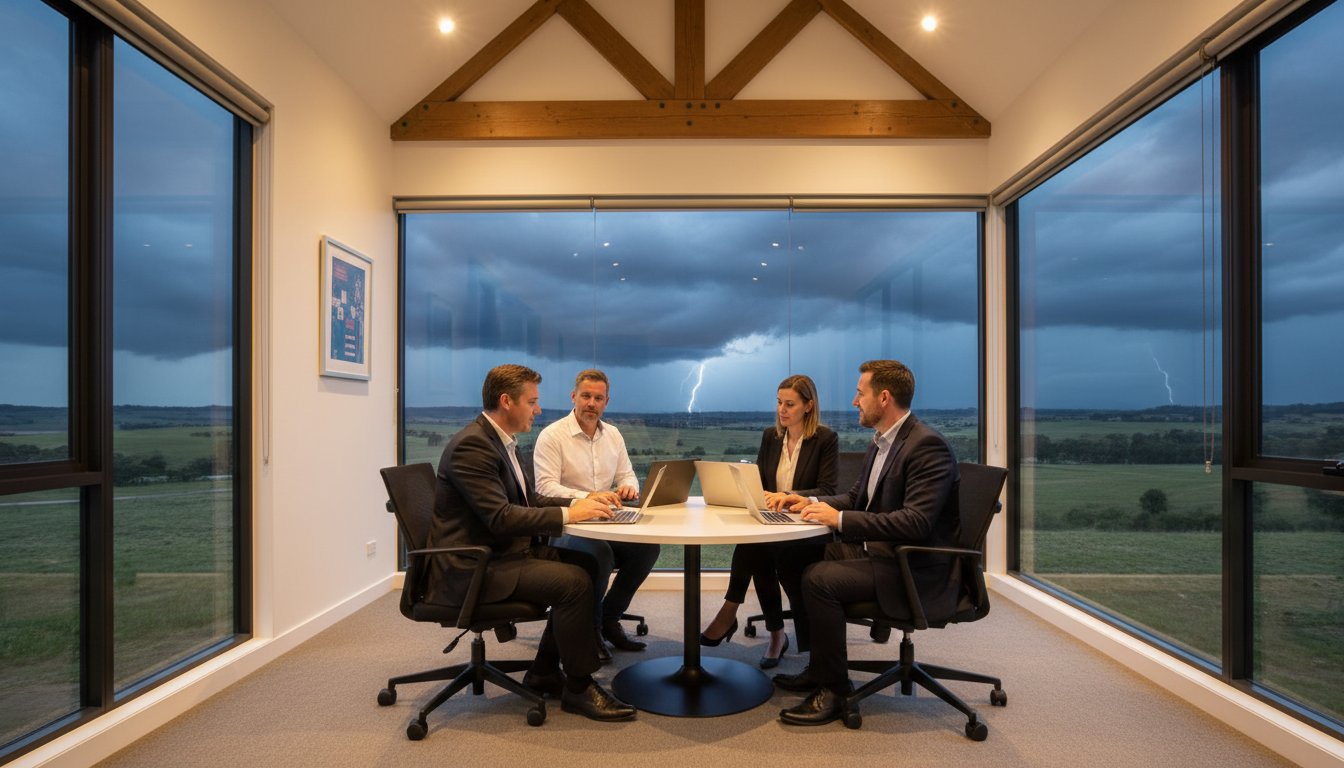
The Australian Signals Directorate’s 2023 report revealed that a cybercrime is now reported every 6 minutes, with small businesses facing average recovery costs of over A$46,000 per incident. When you’re running a local shop or office, these numbers represent the very real fear of losing your hard-earned customer data or facing days of silence during a sudden power outage. You likely feel that a single hardware failure or a severe storm could stop your operations in their tracks. It’s completely normal to feel anxious about complex terms like business continuity vs disaster recovery, but you don’t need to panic.
We understand that you want to keep your business running no matter what happens. This guide breaks down the essential differences between these two concepts to give you total clarity. You’ll discover a straightforward framework to build resilience and gain the peace of mind that comes with knowing your systems are protected. We’ll show you how to ensure your business stays connected and functional, even when the unexpected occurs in 2026.
Key Takeaways
- Understand the vital distinction between business continuity vs disaster recovery to ensure your entire organisation remains operational during an unexpected crisis.
- Learn how to calculate RTO and RPO metrics so you can set realistic expectations for data protection and system uptime in your local business.
- Discover a practical checklist for identifying your critical assets and conducting a Business Impact Analysis to safeguard your business against future downtime.
- Find out how partnering with a Toowoomba expert like Chaim Lee allows you to offload technical IT recovery while you focus on leading your team.
The Core Definitions: What are Business Continuity and Disaster Recovery?
Understanding business continuity vs disaster recovery is the first step toward protecting what you’ve built. Business Continuity (BC) acts as your broad umbrella strategy. It’s about keeping the whole operation alive while a crisis is unfolding. This involves Business continuity planning to ensure your staff know exactly what to do when things go wrong. Disaster Recovery (DR) is a specific part of that plan. It focuses on the technical side, such as getting your servers back online and restoring lost data.
Think of BC as being proactive and DR as being reactive. BC plans for the “during” phase of an event; DR plans for the “after.” In 2026, BCDR functions as a unified risk management strategy that bridges the gap between immediate survival and long-term technical resilience.
To better understand how these two concepts work together, watch this helpful video:
Business Continuity: The Broad Perspective
BC isn’t just about computers. It covers your people, your physical office, and how you communicate. It includes manual workarounds that keep the doors open when technology fails. For example, if a local Toowoomba shop loses its NBN connection, a BC plan might involve switching to a pre-configured 5G backup or using mobile EFTPOS terminals to keep sales moving. It’s about the practical “how-to” of staying operational. The goal is to maintain a minimum level of service so your customers stay happy and your revenue doesn’t stop.
A solid BC strategy usually addresses several key areas:
- Alternative locations: Where staff work if the office is inaccessible.
- Communication: How you notify staff and customers about the situation.
- Manual processes: How to take orders or manage inventory without the primary software.
- Safety: Ensuring the immediate physical security of all team members.
Disaster Recovery: The Technical Backbone
DR is the engine that powers your return to normal operations. It focuses on the restoration of servers, laptops, cloud data, and software. While BC keeps you moving, DR ensures you have a destination to return to. It involves the heavy lifting of rebuilding databases and syncing cloud files after a hardware failure or cyber attack. It’s the technical insurance policy that protects your digital life’s work.
If you find yourself in a situation where files are missing or systems are corrupted, professional Data Recovery Services are often the first step in that technical journey. DR is what happens behind the scenes to make sure your “business as usual” state is actually achievable. Without it, the manual workarounds used in your BC plan would eventually become unsustainable, leading to long-term financial loss.
Key Differences: Scope, Objectives, and Timelines
Understanding the distinction between business continuity vs disaster recovery helps you allocate resources where they matter most. Think of Business Continuity (BC) as your “Plan B” for staying open, while Disaster Recovery (DR) is the technical engine that gets your systems back online. They work together, but they serve different masters within your company.
The scope of Business Continuity is broad and organizational. It focuses on people, communication, and logistics. If your office in Toowoomba becomes inaccessible, BC dictates how your staff will work from home and how you will notify your clients. The objective is operational resilience. You want to keep the doors open, even if the building is gone.
Disaster Recovery has a narrower, technical scope. It focuses on your infrastructure: servers, backups, hardware, and networks. The objective is data integrity and system uptime. While BC keeps the business moving, DR focuses on the IT Disaster Recovery Plan to ensure your digital assets are safe and accessible. Execution timelines also differ significantly:
- BC Execution: Starts the moment a disruption is detected. It is your immediate response to keep operations running.
- DR Execution: Usually begins once the immediate threat is contained and the extent of the technical damage is known.
- BC Responsibility: Involves your whole team, from management to front-line staff.
- DR Responsibility: Typically handled by your IT support partner who manages the “heavy lifting” of data restoration.
How the Timelines Overlap
Visualise a timeline starting at the moment of impact. BC starts at second zero. You’re redirecting phones and checking on staff safety. DR starts shortly after, once your IT team can assess the servers. A gap between these two can lead to business failure. If your team is ready to work (BC) but the systems are still down (DR), you’re losing money every minute. We’ve seen that local businesses often struggle to sync these phases. Investing in reliable IT support for business is the best way to bridge this gap and ensure your tech recovery keeps pace with your staff’s needs.
Why Small Businesses Often Confuse the Two
A common misconception is that “having a backup” means you have a full business continuity plan. It doesn’t. A working backup is a vital part of DR, but it’s useless if you have no staff or office to use it. If a major storm hits and your hardware is destroyed, having data in the cloud is great, but you still need a plan for how your team will access that data without their usual workstations. DR restores the files; BC restores the function. Don’t panic if you only have one or the other right now. We can help you protect and connect every part of your operation so you’re ready for anything 2026 throws at you.
RTO and RPO: The Two Metrics Every Small Business Must Understand
When you sit down to plan your business continuity vs disaster recovery strategy, you’ll encounter two technical terms that define your entire approach: RTO and RPO. These aren’t just IT jargon; they are the financial guardrails for your business. Think of it this way: your RTO is your stopwatch, and your RPO is your safety net.
If a server fails or a ransomware attack locks your files, these metrics tell you how quickly you’ll be back in business and how much work you’ll have to redo. Balancing these two determines the cost and complexity of your setup. A “zero downtime” goal sounds great, but it requires significant investment. For most local firms, finding the “sweet spot” is about managing risk without breaking the bank.
Setting Your RTO (Recovery Time Objective)
RTO answers the question: “How long can we afford to be offline?” This is the duration between the moment a disaster strikes and the moment your services are operational again. Every hour of downtime has a literal price tag. For a retail store in Grand Central Toowoomba, an RTO of 4 hours might be the limit before customers head elsewhere. Losing a full day of trade could cost upwards of A$2,500 in lost revenue and staff wages.
In contrast, a local tradie might manage with a 24 hour RTO. Since they spend most of their time on-site and handle admin in the evenings, they don’t need immediate server access to keep working. To calculate your RTO, add up your hourly operating costs, lost sales, and potential late fees. This total helps you decide if you need a “quick-fix” solution or a more robust failover system.
Setting Your RPO (Recovery Point Objective)
RPO focuses on data: “How much data can we afford to lose?” It defines the maximum age of the files you recover from backup. If you back up your data at 5:00 PM every day and your system crashes at 4:00 PM the next day, you’ve lost 23 hours of work. For a law firm or an accounting practice, losing a day of billable entries is a nightmare.
Your RPO dictates your backup frequency. Modern systems allow for “near-continuous” data protection, backing up every 15 minutes. Achieving these tight windows often depends on your local infrastructure. Investing in Hardware Upgrades like NVMe SSDs and high-speed networking can drastically reduce the time it takes to push data to the cloud or a local NAS. When your hardware is fast, your RPO can be much shorter, ensuring that a business continuity vs disaster recovery event doesn’t result in weeks of re-keying data.

Building Your Plan: A Practical Checklist for Small Businesses
Creating a strategy for business continuity vs disaster recovery doesn’t have to be an overwhelming task. At Aspire Computing, we’ve helped Toowoomba businesses stay online since 1999 by focusing on practical, actionable steps. A 2024 report by the Australian Cyber Security Centre (ACSC) highlighted that small businesses are targets for cybercrime every 6 minutes, making a clear plan essential for your survival. Use this five-step checklist to protect your livelihood.
- Step 1: Conduct a Business Impact Analysis (BIA). Identify which functions are the heartbeat of your company. If your main server fails, how many hours can you operate before losing significant revenue? For a small AU retailer, downtime can cost upwards of A$450 per hour in lost sales and wages.
- Step 2: Inventory your critical assets. Create a detailed list of every laptop, software license, and customer database. You can’t recover what you haven’t tracked. Include serial numbers and warranty details for all hardware.
- Step 3: Assign roles. Confusion is the enemy of recovery. Decide exactly who calls the IT experts at Aspire and who handles customer communications. Clear ownership prevents tasks from falling through the cracks during a crisis.
- Step 4: Implement redundant systems. Relying on a single point of failure is risky. Set up automated cloud backups and a secondary 5G internet connection. Redundancy ensures that when one system fails, another takes over immediately.
- Step 5: Test and Revise. A plan that sits in a drawer isn’t a plan; it’s a piece of paper. Conduct a “fire drill” every six months. Statistics show that businesses that test their recovery plans reduce their eventual downtime by 40%.
The “Don’t Panic” Approach to Documentation
You don’t need a 50-page manual that nobody will read. For most home offices and small teams, a simple 2-page “cheat sheet” is much more effective. This document should list emergency contacts, login procedures for cloud backups, and the first three steps to take when things go wrong. It’s vital to store a physical copy in a fireproof safe and a digital version in a secure cloud folder. If your office computer crashes, your plan needs to be accessible from your phone or a tablet.
Local Risks in the Toowoomba Region
Our region faces specific challenges like sudden summer storms and frequent power surges that can fry sensitive motherboards. Business continuity vs disaster recovery planning here must include high-quality surge protection and uninterruptible power supplies (UPS). Physical damage isn’t the only threat, though. Cyber-attacks often spike during regional disruptions. Integrating a robust virus and malware removal strategy into your plan ensures that a small infection doesn’t turn into a total data wipeout during a storm recovery.
Ready to secure your business against the unexpected? Talk to the experts at Aspire Computing today to build a resilient tech setup that keeps you connected.
Aspire to Protect: How Professional IT Support Secures Your Future
Managing a small business is a full-time job. You shouldn’t have to be an IT expert on top of that. Aspire Computing steps in to handle the technical heavy lifting so you can stay focused on your clients. Since 1999, Chaim Lee has provided reliable, approachable support to the Toowoomba community. We understand that while you focus on the broader strategy of business continuity vs disaster recovery, you need a partner who can execute the technical recovery side perfectly.
Our “Active Protection” model is built on prevention. We don’t just wait for things to break. We use proactive monitoring to catch hardware failures or security gaps before they turn into emergencies. Industry data suggests that proactive maintenance can prevent up to 70% of common IT issues. By stopping disasters before they require a full-scale recovery, we save you time, money, and significant stress. It’s about keeping you connected without the panic of unexpected downtime.
- 24/7 monitoring of critical systems to catch errors early.
- Regular, verified data backups that actually work when needed.
- Security updates and patch management to block cyber threats.
- Fast local support that understands the Toowoomba business landscape.
Personalised BCDR Solutions
One size never fits all in IT. A solo consultant working from a home office in Newtown has different requirements than a multi-staff accounting firm in the CBD. We tailor every plan to your specific goals and budget. Because we’re local, we can be on-site anywhere in Toowoomba quickly. You get the peace of mind that comes from having a trusted expert just a phone call away, rather than a distant, anonymous help desk.
Get Started with an IT Health Check
The best time to test your plan is when everything is running smoothly. Don’t wait for a system crash or a ransomware demand to find out your backups are six months out of date. We invite you to contact Aspire Computing for a baseline IT Health Check. We’ll look at your current setup and identify any weak points in your security. It’s all part of our commitment to help you Aspire to Protect and Connect. Let’s ensure your business is resilient and ready for 2026.
Secure Your Business Future for 2026 and Beyond
Navigating the landscape of business continuity vs disaster recovery doesn’t have to be a source of stress for Darling Downs business owners. You now understand that while disaster recovery focuses on the technical restoration of data, business continuity ensures your entire operation stays functional during a crisis. Industry research indicates that 40% of small businesses fail to reopen after a major data loss event. This makes your RTO and RPO targets the most important numbers in your 2026 strategy.
Since 1999, Aspire Computing has helped Toowoomba businesses build these resilient frameworks. Chaim Lee, a qualified IT expert, provides the personal service you need to bridge the gap between technical jargon and practical protection. Whether you require on-site support in the Garden City or remote assistance across the region, we’re here to help you stay connected. It’s about more than just backups; it’s about your peace of mind and long term stability.
Talk to the Experts at Aspire Computing about your Business Continuity Plan
You’ve worked hard to build your business. Let’s make sure it’s ready for anything the future holds.
Frequently Asked Questions
Is business continuity the same as disaster recovery?
No, they are different but related parts of your protection strategy. Business continuity is the broad plan to keep your entire business running during a crisis, while disaster recovery focuses specifically on the technical process of restoring your IT systems and data. Understanding business continuity vs disaster recovery helps you see that one is about your people and processes, while the other is about your technology and backups.
What are the 4 elements of business continuity?
The four core elements include risk assessment, business impact analysis, strategy development, and plan testing. You start by identifying potential threats like floods or cyber attacks. Next, you determine which business functions are most critical to your survival. Then you create a practical roadmap for staff to follow. Finally, you must test the plan to ensure it works before a real emergency happens.
What is an example of a disaster recovery plan for a small business?
A solid example is the 3-2-1 backup strategy combined with a clear restoration guide. You keep three copies of your data on two different media types, with one copy stored offsite in a secure Australian data centre. If your office hardware fails, the plan provides a step-by-step checklist for your IT provider to restore those files onto a temporary machine so you can keep working.
Do I need both BC and DR if I only have one laptop?
You definitely need both to stay protected. Your disaster recovery plan is the backup you use to get your files back if the laptop dies or is stolen. Your business continuity plan is the “Plan B” for how you’ll answer client emails or process invoices while that laptop is being repaired or replaced. Without both, a single hardware fault could stop your income for several days.
How often should a small business test its disaster recovery plan?
You should test your recovery plan at least every six months. The Australian Cyber Security Centre suggests regular testing because hardware fails and software updates can sometimes break older backup routines. A quick test twice a year ensures your data is actually recoverable. It gives you the peace of mind that you won’t face a nasty surprise when you’re already stressed by a computer failure.
What is the difference between RTO and RPO in simple terms?
RTO is your “downtime” goal, while RPO is your “data loss” limit. If your RTO is four hours, you need your systems running again within that window. If your RPO is two hours, you’re saying you can’t afford to lose more than two hours of typing or data entry. We use these numbers to build a recovery system that fits your specific budget and business needs.
Can cloud storage like OneDrive count as a disaster recovery plan?
OneDrive is a sync tool rather than a full backup solution. It’s great for sharing, but if a virus deletes a file on your laptop, it usually deletes the cloud version simultaneously. A true disaster recovery plan uses dedicated software to take “point-in-time” snapshots. This allows us to roll your data back to exactly how it looked at 9:00 AM yesterday, even if a disaster happened at noon today.
How much does it cost to set up a basic business continuity plan?
The plan itself costs nothing but your time to document your processes. For the technical tools, basic cloud backup services for Australian small businesses typically start around A$15 to A$40 per month per user based on 2024 market rates. This small monthly investment is a fraction of the A$5,000 or more that a single day of total business downtime can cost a local micro-business.

B.App.Sc., Cert. Computer Engineering PC Service and Repair
As the owner of Aspire Computing founded in 1999, Chaim Lee has been working for over 20 years as the Leading Computer Technician.
He has a life long interest in electronics, computing, science and technology. He has completed studies and gained qualifications in Applied Science, Computer Repair and Service, Microsoft Installation and Maintenance, Technical Writing, Workplace Training, and Technical Sales Training.

Write a Comment