

Will your current office hardware survive the October 2026 deadline, or is your bank account about to take an unexpected hit? With the Windows 10 end-of-life approaching rapidly, many local owners feel the weight of rising software subscriptions and hardware costs. It’s a stressful time to manage technology, especially when you need systems that just work without constant maintenance. When you’re mapping out your small business IT budget Toowoomba, it’s easy to feel overwhelmed by the technical jargon and the fear of getting it wrong.
I understand that anxiety, and I’m here to help you move from reactive repairs to a proactive plan. This guide provides the local insights you need to master your 2026 financial planning, ensuring your data is secure and your team stays productive. We’ll explore how to achieve a predictable monthly cost while navigating the 2026 OS transitions with zero downtime. From implementing reliable data backups to securing your business against the rising cost of cybercrime, which now averages $46,000 for Australian small businesses, we’ll ensure your Darling Downs business is ready for the future.
Key Takeaways
- Learn how to transition from unpredictable repair bills to a stable monthly operational budget that protects your cash flow.
- Identify the five essential pillars of a successful small business IT budget Toowoomba, from hardware upgrades to robust cyber security.
- Discover why spending 4-7% of your revenue on technology is the local benchmark for avoiding expensive downtime and data loss.
- Follow our 4-step roadmap to audit your systems and replace aging hardware well before the October 2026 Windows 10 deadline.
- Understand the value of local, on-site support in the Darling Downs for faster response times and personalized service.
What is a Small Business IT Budget and Why Does it Matter in 2026?
A small business IT budget Toowoomba isn’t just a list of expenses on a spreadsheet. It’s a strategic roadmap that tells you where your technology is going and how it supports your daily operations. In 2026, we’re seeing a major shift in how local businesses handle these costs. Instead of saving up for a massive server purchase every few years, which is known as Capital Expenditure (CapEx), most are moving toward Operational Expenditure (OpEx). This means you pay predictable monthly fees for cloud services, software subscriptions, and proactive support. This shift helps with understanding IT cost transparency, so you know exactly where every dollar goes without facing nasty surprises.
Toowoomba businesses face specific hurdles that city firms don’t always encounter. Regional infrastructure, like NBN variations across the Darling Downs or the distance from major data centers, means your budget has to account for local realities. You can’t just rely on a generic online guide. The most important metric for your 2026 plan is the “Cost of Doing Nothing.” If you ignore a security gap or delay a critical update, the average cost of a cybercrime incident for an Australian small business is now $46,000. That’s a heavy price for a missing line item in your budget. It’s much cheaper to plan for safety than to pay for a disaster.
To better understand this concept, watch this helpful video:
The Difference Between IT Spending and IT Investment
Spending is reactive. It’s paying to fix a broken laptop or recover lost files after a crash. We call this “dead money” because it only brings you back to where you were before things went wrong. Investment is different. It’s “growth money” spent on things like automation or hardware upgrades that make your team faster and more efficient. By investing in better equipment now, you reduce the long-term costs of maintenance and downtime. When you view your small business IT budget Toowoomba as an investment, you’re buying peace of mind and competitive advantage.
Why 2026 is a “Cliff Year” for Toowoomba Businesses
Mark October 13, 2026, on your calendar. That’s when Windows 10 officially reaches its end-of-life. For many local industries, this is a major compliance risk. Healthcare providers and professional services in Toowoomba can’t afford to run unsupported software due to privacy laws and insurance requirements. For instance, NDIS service providers like imwithyou.com.au rely on secure IT systems to maintain their high standards of quality care. Once Microsoft stops releasing security patches, your systems become open doors for hackers. If your small business IT budget Toowoomba doesn’t account for this transition by early 2026, you’ll be scrambling at the last minute. This usually leads to paying premium prices for hardware and facing potential service interruptions during the rush. Planning ahead ensures you won’t fall off the cliff when the deadline hits.
Essential Components of a Modern Small Business IT Budget
To build a balanced small business IT budget Toowoomba, you need to look at five specific areas. These core pillars include hardware, software, security, support, and business continuity. Each piece works together to keep your office running smoothly. For regional businesses, on-site support is especially important. While remote help is great for quick fixes, having a local expert who can visit your office in Middle Ridge or Wilsonton ensures that hardware issues don’t stop your work for days. You also need to account for NBN connectivity and cloud storage costs, which are now standard monthly bills. Finally, always set aside a “rainy day” fund. This covers unexpected events like needing data recovery services if a physical drive fails or an accidental deletion occurs.
Hardware Lifecycle and Refresh Cycles
I recommend a 3 to 5 year refresh cycle for your laptops and workstations. It’s tempting to keep a computer until it dies, but waiting for a total failure is always more expensive. You lose money through employee downtime and emergency replacement costs. Planned replacements allow you to buy when prices are good rather than when you’re desperate. If you have older machines that still have some life in them, you can use local computer repairs in Toowoomba to extend their usefulness as backup devices. This keeps your main team on fast, reliable gear while maintaining a safety net.
Cyber Security and Data Protection
When planning your small business IT budget Toowoomba, security must be a dedicated line item. Your essential stack should include high quality antivirus, managed firewalls, and Multi-Factor Authentication (MFA). You can review the FTC cybersecurity essentials to see why these layers are non-negotiable for modern offices. Professional virus and malware removal shouldn’t be something you only think about after an infection. It’s part of a proactive maintenance plan. Don’t forget off-site data backups. Storing data in a different physical location protects you against local disasters like fires or theft.
Software Subscriptions and Licensing
Software costs have changed. Most businesses now pay for SaaS (Software as a Service) like Microsoft 365 or Xero. If you’re still using older versions like Office 2021, you’ll need to budget for the transition to subscription models soon. These models offer better security and constant updates, but they require a monthly commitment. Take some time to audit your apps. You might find you’re paying for two different programs that do the same thing. Consolidating these redundant tools is one of the easiest ways to save money without losing functionality. If you’re feeling overwhelmed by these technical choices, reaching out for a local IT health check can help clarify your needs.
Benchmarking Your IT Spend: How Much is Enough for Toowoomba?
Determining exactly how much to allocate for your small business IT budget Toowoomba can feel like guesswork. Industry standards suggest that most successful small businesses invest between 4% and 7% of their annual revenue into technology. This range isn’t just for buying new gadgets. It covers the maintenance, security, and support needed to keep your doors open. In our region, we also have to consider the “Toowoomba Factor.” This includes the travel time for on-site service across the Darling Downs and the specific availability of local technicians. If you rely on a provider from a major city, you may face higher call-out fees or longer wait times during a critical failure. Choosing a local partner ensures your budget goes toward actual solutions rather than travel costs.
The Reactive vs. Proactive Cost Comparison
Many owners start with the “Break-Fix” model. You only pay when something stops working. While this feels budget-friendly in a good month, it’s actually the most expensive way to run a business. You end up paying emergency rates for urgent repairs and lose money every minute your team sits idle. Transitioning to proactive IT support for business through managed services changes the dynamic. You get a predictable monthly cost that covers regular maintenance and monitoring. This model significantly reduces the stress of tech failures. It’s much easier to manage a consistent fee than a surprise $2,000 repair bill during a busy week in the Rangeville or East Toowoomba business districts.
Calculating Your True Downtime Cost
To justify your IT spending, you need to know what a tech failure really costs your company. Use this simple formula: (Total Employee Wages per Hour + Lost Revenue per Hour) x Hours of Outage. Think about a local Toowoomba law firm or medical clinic. If five staff members can’t access their files for three hours, you’re losing thousands in billable time and wages. This doesn’t even account for the damage to your reputation with clients or patients. When you see that number, the “Continuity” portion of your budget becomes a clear priority. Following CISA’s cyber guidance on incident response planning can help you build a strategy that slashes these downtime costs. Investing in business continuity ensures that when a server fails or the internet drops, your small business IT budget Toowoomba has already provided a safety net to keep you moving.

A 4-Step Roadmap for Your 2026 IT Budget Implementation
Planning your small business IT budget Toowoomba shouldn’t be a last-minute scramble. To avoid the stress of the 2026 software sunset, you need a clear timeline that protects both your data and your cash flow. I recommend starting with a full audit no later than the second quarter of 2026. This gives you enough breathing room to identify which machines are falling behind and which ones just need a simple upgrade. Once you have your list, prioritize the biggest risks first. Any device that can’t run the latest security patches is a liability that needs immediate replacement to keep your business compliant and safe.
The 2026 Audit: What to Look For
Your audit should be thorough and practical. Start by identifying every laptop and desktop still running Windows 10. These are your priority items because they’ll stop receiving security updates by late 2026. You should also check your printer supply and repair status. Many older office printers use drivers that won’t play nice with the latest operating systems. Finally, test your NBN connection stability. If your team is moving more work to the cloud to manage costs, your internet connection must be rock solid to prevent frustrating slowdowns in your daily operations.
After the audit, move into a phased rollout. Instead of replacing ten computers in a single month, spread the investment over three quarters. This strategy keeps your bank balance healthy and prevents your entire office from being disrupted at once. The final step is finding a partner who understands the Darling Downs business community. A local expert provides the ongoing maintenance that stops small glitches from becoming expensive disasters. This proactive approach is the most cost effective way to manage technology in the long run.
Phasing Your Expenses to Protect Cash Flow
A “1/3 per quarter” replacement strategy is a smart way to manage a small business IT budget Toowoomba. By replacing a few machines every few months, you avoid a massive bill that could impact your other business goals. Timing is also key. Try to schedule your major software transitions away from peak times like the end of the financial year or your busiest sales periods. For some Toowoomba businesses, leasing equipment is a better option than buying. It turns a large upfront cost into a manageable monthly expense, which often includes easier upgrades when new technology arrives.
Taking these steps now ensures your business stays operational and secure throughout the 2026 transition. If you’re ready to get started on your audit, it’s time to speak with a local Toowoomba IT expert who can guide you through the process and help you build a predictable, secure future.
Partnering for Success: Local Toowoomba IT Support
Choosing the right partner for your small business IT budget Toowoomba is about more than just technical skill. It’s about finding someone who lives and works in the same community as you. When you call a large, anonymous help desk, you’re often just a ticket number in a queue. You might speak to someone who has never heard of Ruthven Street or doesn’t understand the specific connectivity challenges we face in the Darling Downs. At Aspire Computing, I’ve been helping local businesses since 1999. This long history provides a deep understanding of the regional landscape that city-based firms simply can’t replicate. Being an owner-operator means I take personal accountability for every fix, ensuring you receive the reliable, expert assistance your business deserves.
A local partner understands that your technology needs to be both secure and functional. We don’t just look at the hardware; we look at how that hardware supports your specific goals. Large call centers often push “one-size-fits-all” solutions that don’t account for your actual workflow or budget constraints. By working with a local expert, you get a personalized service that prioritizes your stability and operational efficiency. We’ve spent over 25 years building trust within the Toowoomba community, and that reputation is built on delivering honest, practical advice that helps small businesses thrive.
On-Site vs. Remote Support: Why You Need Both
A modern small business IT budget Toowoomba must account for a mix of support styles. Remote support is fantastic for speed. If a software setting is causing trouble or an email account won’t sync, we can often jump in digitally and fix it in minutes. This minimizes downtime and gets your team back to work quickly. However, remote support has its limits. You can’t fix a jammed printer, a failing hard drive, or a physical network break through a screen. That’s where on-site visits become essential. Whether you’re located in Newtown, across the wider Darling Downs, or down in the Lockyer Valley, having a technician who can physically inspect your equipment is vital for long-term reliability.
Next Steps: Securing Your 2026 Budget
The best way to start your 2026 planning is with a professional IT audit. This isn’t just a list of what you own. It’s a comprehensive health check that identifies security gaps, aging hardware, and opportunities to save money on redundant software. An audit provides the factual foundation you need for an accurate, defensible budget. It removes the guesswork and ensures you aren’t surprised by the Windows 10 transition or unexpected hardware failures. If you’re ready to take control of your technology costs, it’s time to contact Aspire Computing for a local Toowoomba IT consultation. Let’s work together to build a secure, predictable, and productive future for your business.
Secure Your Business Future Today
Managing a small business IT budget Toowoomba is about more than just balancing numbers; it’s about building a resilient foundation for your growth. We’ve explored how moving from reactive repairs to a proactive investment model reduces stress and protects your cash flow. A well-planned budget turns technology from a source of anxiety into a powerful tool for your daily operations. By auditing your hardware now and planning for the upcoming software transitions, you ensure your team stays productive without the threat of unexpected downtime.
I’ve been serving Toowoomba and the Darling Downs since 1999, providing the local owner-operator accountability that large call centers can’t match. Whether you need help with complex Windows 10 to 11 migrations or simply want to ensure your data backups are bulletproof, I’m here to help. Taking control of your technology shouldn’t feel overwhelming. With a clear roadmap and a trusted local partner, you can face the coming years with confidence. It’s time to stop worrying about tech failures and start focusing on what you do best.
Get a Professional IT Audit for Your Toowoomba Business and let’s build a secure path forward together.
Frequently Asked Questions
How much should a small business in Toowoomba spend on IT per employee?
Most small businesses in Australia invest between $150 and $250 per user, per month for comprehensive managed IT services. This range covers your essential maintenance, security monitoring, and help desk support. Using these figures helps you build a predictable small business IT budget Toowoomba that avoids the high costs of emergency repairs and unplanned downtime.
What happens if I don’t upgrade my Windows 10 computers by October 2026?
Your computers will stop receiving vital security patches and technical updates from Microsoft after the deadline. This leaves your business vulnerable to new viruses and cyber threats that the old software can’t block. For many local professional services, running unsupported software also means you’ll no longer meet the requirements for cyber insurance or industry compliance standards.
Is it cheaper to hire an internal IT person or use a local service in Toowoomba?
For businesses with fewer than 50 employees, partnering with a local service is almost always more cost effective. Hiring a dedicated internal staff member involves a full time salary, superannuation, and ongoing training expenses. A local partner provides access to a broad range of expertise and tools for a fixed monthly fee, giving you professional support without the overhead of another employee.
Does my IT budget need to include NBN and internet costs?
Yes, your internet connection is a core part of your technology stack and should be budgeted as an operational expense. As you move more services to the cloud, the reliability of your NBN connection becomes critical for daily productivity. It’s also wise to budget for a secondary 4G or 5G backup connection to keep your office running if the main line fails. To see how SolaaS Limited provides tailored IT and telecommunications solutions that support this level of flexibility, find out more.
How often should I replace my business laptops to keep them in the budget?
A 3 to 5 year replacement cycle is the industry standard for maintaining a reliable small business IT budget Toowoomba. Replacing laptops within this window ensures your team has hardware that is fast enough for modern software and still covered by warranty. It also allows you to stagger your purchases, so you aren’t hit with a massive bill to replace every machine at the same time.
What is the most important IT security expense for a small business?
Multi-Factor Authentication (MFA) and secure off-site data backups are the two most important security investments you can make. MFA is a low cost tool that blocks the majority of unauthorized login attempts. Meanwhile, a reliable backup system ensures that even if you face a hardware failure or a cyber attack, your critical business data remains safe and recoverable.
Can a local Toowoomba IT company help with remote workers in the Darling Downs?
Yes, local IT providers are well equipped to support staff working from home or in satellite offices across the region. We use secure remote support software to troubleshoot most issues instantly over the internet. If a remote worker experiences a hardware problem, they can bring their device to a local office for a faster repair than waiting for a mail-in service.
How do I justify a larger IT budget to my business partners?
The best way to justify IT spending is to focus on risk reduction and business continuity. Instead of talking about technical features, show your partners the potential cost of a data breach or a prolonged system outage. When partners understand that a modern budget protects the business from a $46,000 cybercrime event, they see technology as a necessary investment rather than a luxury.

B.App.Sc., Cert. Computer Engineering PC Service and Repair
As the owner of Aspire Computing founded in 1999, Chaim Lee has been working for over 20 years as the Leading Computer Technician.
He has a life long interest in electronics, computing, science and technology. He has completed studies and gained qualifications in Applied Science, Computer Repair and Service, Microsoft Installation and Maintenance, Technical Writing, Workplace Training, and Technical Sales Training.
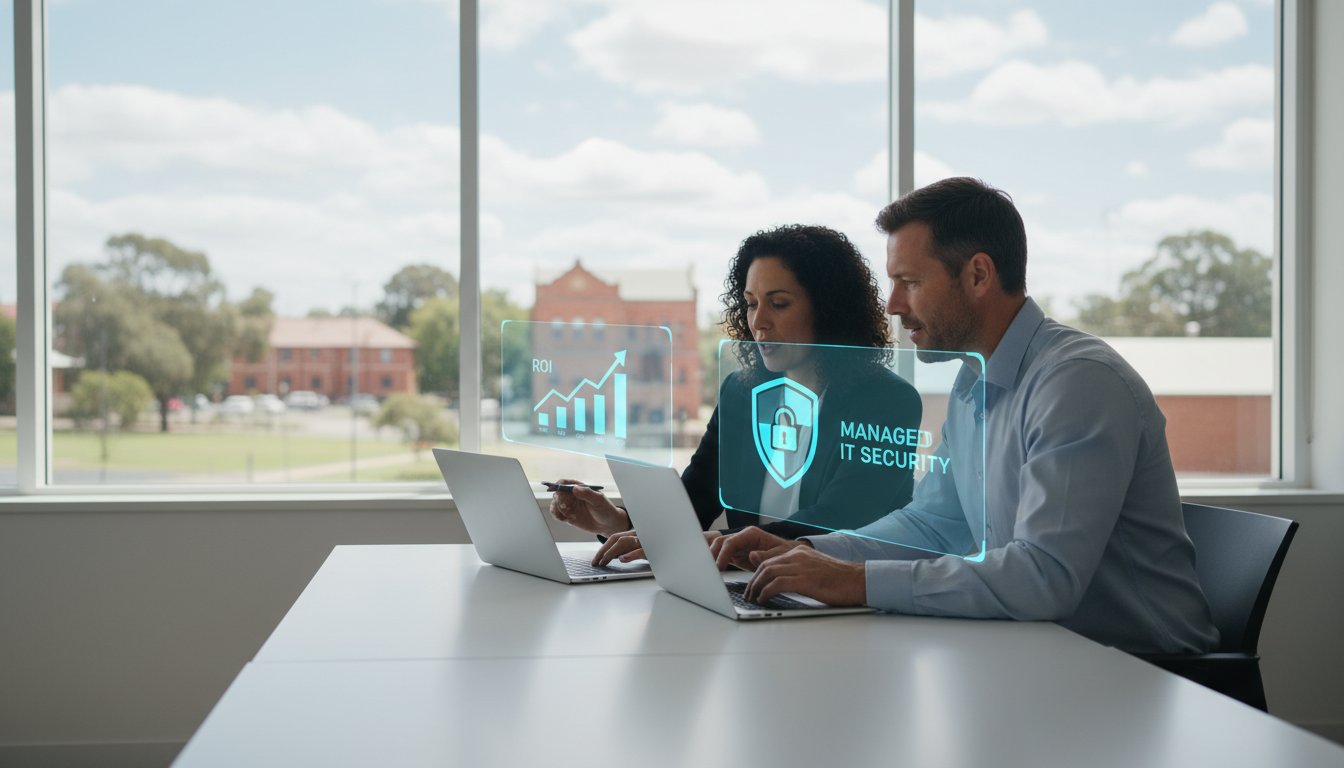
Did you know that downtime costs the average Australian small business roughly A$5,600 per hour in lost productivity and missed opportunities? For many local firms, the real cost of IT support for small business Toowoomba isn’t just the invoice on your desk; it’s the hidden price of staff sitting idle during an NBN outage or a server failure. You might feel that paying for repairs only when things break is the most economical path, but those surprise IT bills often hide a much larger drain on your bottom line.
We understand the anxiety that comes with unpredictable tech expenses and the looming pressure of 2026 cyber security compliance. It’s exhausting to manage a business when you’re constantly looking over your shoulder for the next digital disaster. This guide will show you how to move beyond the break-fix cycle and calculate the true financial return of proactive, managed support. We’ll explore how shifting to a fixed monthly budget ensures zero downtime during your peak hours and keeps your data safe with a trusted local expert who understands the Toowoomba landscape.
Key Takeaways
- Move beyond unpredictable repair bills by understanding how a proactive IT strategy eliminates the high cost of staff downtime.
- Identify the “break-fix tax” and see why the true cost of IT support for small business Toowoomba involves more than just a technician’s hourly rate.
- Calculate tangible gains from standardising your technology, which reduces the need for emergency hardware upgrades and streamlines daily operations.
- Learn why local on-site expertise is essential for Toowoomba businesses to manage regional NBN challenges and ensure zero downtime during peak hours.
- Discover how over 25 years of local experience can help you meet 2026 cyber security requirements with a predictable, fixed monthly budget.
Understanding the ROI of Managed IT Services for Small Business
Calculating the true cost of IT support for small business Toowoomba requires looking far beyond the monthly invoice. In the 2026 business landscape, Return on Investment (ROI) isn’t just about finding the cheapest hourly rate; it’s about how much revenue your technology helps you generate versus how much it costs when it fails. For a local office in the Darling Downs, a stable network is the backbone of every client interaction and sale. If your systems are slow or unreliable, you aren’t just paying for a repair; you’re losing the opportunity to grow.
Technology standards have shifted significantly this year. With the updated 2026 Privacy Act removing exemptions for many small businesses, professional data protection is no longer optional. Relying on occasional computer repairs is a gamble that can lead to expensive compliance failures. To better understand how these costs break down, watch this helpful video:
The ROI Formula Simplified for SMBs
You don’t need a finance degree to calculate your tech ROI. The basic formula is (Gains – Cost) divided by Cost. In a small team, “Gains” include the hundreds of staff hours saved by avoiding slow boot times and software glitches. It also covers the hardware longevity you get from regular maintenance and the massive savings from prevented data loss. When you contrast these gains against the cost of IT support for small business Toowoomba, the value of staying online becomes clear. According to industry research, downtime costs the average Australian small business roughly A$5,600 per hour in lost productivity. Preventing even one hour of outage can pay for months of support.
Managed IT vs. Break-Fix: A Financial Comparison
Many owners fall into the “Break-Fix” trap, believing they save money by only calling a technician when something stops working. This creates an illusion of savings, but it actually leads to higher, unpredictable costs through emergency call-out premiums and extended downtime. Transitioning to Managed IT Services allows for predictable monthly spending that actively prevents crises before they disrupt your day. Managed IT is a proactive partnership focused on maximum uptime. By choosing this path, you trade the anxiety of “surprise” invoices for a strategy that treats technology as a tool for profit rather than a recurring headache.
Setting realistic expectations is key for small teams. You shouldn’t expect technology to replace your staff, but you should expect it to make them 20% more efficient. When your PC, printer, and backup systems work perfectly every morning, your team can focus on serving Toowoomba customers instead of troubleshooting Windows updates.
The ‘Break-Fix Tax’: Identifying Hidden Costs in Your Current Setup
Many Toowoomba business owners believe they’re being frugal by only calling for help when a laptop won’t boot or the printer jams. This reactive approach creates what we call the “Break-Fix Tax.” It’s an invisible drain on your finances that goes well beyond the invoice from a technician. When you rely on as-needed support, you often pay a premium for urgency. While standard regional rates in the Darling Downs might sit between A$130 and A$160 per hour, emergency call-outs can quickly spike to A$280 per hour. You aren’t just paying for a fix; you’re paying a penalty for the lack of a plan.
The cost of IT support for small business Toowoomba also includes the “Opportunity Cost” of your own time. If you’re the business owner, your hourly value is significant. Every hour you spend troubleshooting a router or waiting on hold for an NBN provider is an hour you aren’t focused on strategy, sales, or client relationships. Unmanaged systems also lead to catastrophic hardware failure. A server that hasn’t been maintained will eventually fail, forcing an expensive, unplanned replacement that could have been avoided with simple, proactive updates.
Quantifying Employee Downtime
The math of downtime is simple but sobering. You take the number of affected employees, multiply it by their hourly wage, and then by the hours lost. However, “partial downtime” is often the silent profit killer in local offices. If your team struggles with a slow network or crashing applications, they might lose 15 minutes of productivity every day. For a team of five, that adds up to over an hour of lost labour daily. Research shows that businesses relying solely on break-fix support experience 30% more downtime than those on managed plans. This lost momentum is a direct hit to your weekly output that never appears on a standard repair bill.
The Security Risk of Reactive IT
A reactive setup means your security is only addressed after a breach occurs. In the last 12 months, 60% of regional Australian businesses reported targeted phishing or ransomware attempts. If a local firm’s data is compromised, the cost of data recovery services and the subsequent brand damage can be devastating. Following basic FTC cybersecurity guidelines is nearly impossible if your software updates are unmanaged and your antivirus is out of date. Beyond the financial loss, the long-term cost of losing the trust of your Toowoomba clients is often impossible to recover. If you’re worried about your current vulnerabilities, it might be time to review your business continuity plan before a minor glitch becomes a major disaster.
Calculating the Tangible Gains: Downtime, Security, and Efficiency
Evaluating the cost of IT support for small business Toowoomba requires a shift in perspective. Instead of viewing IT as a recurring bill, successful owners in the Darling Downs treat it as a tool for increasing output. When your technology is standardised and monitored, it stops being a hurdle and starts being a growth engine. For example, standardising software across your team ensures everyone uses the same platforms, which eliminates the friction of file incompatibilities and reduces training time for new staff. These small efficiency gains compound into significant weekly output increases that directly impact your bottom line.
One major benefit of managed support is the peace of mind that comes from 24/7 monitoring. Even if your office operates on a 9-to-5 schedule, cyber threats and system glitches don’t take the night off. Proactive monitoring identifies a failing hard drive or a suspicious login attempt at 2:00 AM, allowing it to be resolved before your team arrives at 8:30 AM. This prevents the “morning meltdown” where staff stand around waiting for a system reboot. Following FCC cybersecurity tips isn’t just about safety; it’s a financial strategy to keep your operations running without interruption.
The ROI of Proactive Cyber Security
The financial difference between prevention and a cure is staggering. While the cost of virus and malware removal is a necessary expense after an infection, proactive prevention is significantly cheaper when you factor in lost time. Automated backups provide a similar return. If a system fails, being able to recover data in minutes rather than days saves thousands in lost labour. It’s a critical safety net, especially since industry research from the National Cyber Security Alliance suggests that up to 60% of small businesses close within six months of a major cyber attack. Investing in security today protects the very existence of your business tomorrow.
Hardware Longevity and Performance
You don’t always need to buy new equipment to see a performance boost. Strategic hardware upgrades, such as adding RAM or switching to faster storage, can extend the life of your current fleet by several years. This approach avoids the “Big Bang” expense of replacing every office PC at once, which can devastate a small business’s cash flow. Regular “Windows Tune-ups” and remote performance monitoring ensure your laptops remain fast and reliable. By maintaining your equipment properly, you maximise the return on your initial hardware investment and keep your team productive on the devices they already know.
Why Local Toowoomba Context Matters for Your IT Investment
Toowoomba isn’t Sydney or Brisbane. Our local business landscape across the Darling Downs comes with unique infrastructure hurdles that generic, metro-based IT firms often overlook. When you evaluate the cost of IT support for small business Toowoomba, you have to consider the regional factors that impact your uptime. From the specific NBN rollouts in our local business parks to the power stability issues common in regional Queensland, having a partner who understands the local terrain is a financial safeguard. A provider based in a different state won’t know about the scheduled maintenance affecting your specific street or the local environmental factors that can stress your hardware.
Supporting the local economy also provides a tangible return. A local partner isn’t just a voice on a headset; they’re a member of your community who is personally accountable for your success. This relationship ensures that your data stays secure under Australian privacy laws and regional compliance standards. By keeping your IT investment local, you ensure that your support team can be at your office door when digital solutions aren’t enough.
On-Site vs. Remote: The Hybrid Advantage
While 82% of helpdesk tickets are now resolved through remote sessions, the remaining 18% often involve critical hardware failures that require a physical presence. If your internet connection drops out entirely, a remote-only helpdesk becomes useless. This is where computer repairs in Toowoomba provide the most value. A local technician can arrive on-site to bypass network issues and get your team back to work. Building trust through face-to-face strategic planning allows us to identify physical vulnerabilities in your office setup that a remote scan would simply miss. This hybrid approach ensures you have the speed of remote help with the reliability of local, on-site intervention.
Toowoomba Infrastructure and Your Tech
Regional Queensland is prone to power surges and weather events that can devastate unmanaged hardware. Proper protection and battery backups are essential components of the cost of IT support for small business Toowoomba. We also focus on optimising NBN connections specifically for the Darling Downs region, ensuring your home office or commercial suite isn’t throttled by poor configuration. Even in a digital world, physical documentation remains vital for many local firms. Having access to fast printer supply and repair ensures that a paper jam or toner shortage doesn’t halt your entire workflow. If you want to ensure your technology is built to withstand our local conditions, reach out to us for a local site assessment.
Maximising Your Returns with Aspire Computing’s Managed Support
Navigating the cost of IT support for small business Toowoomba doesn’t have to be a source of constant stress. At Aspire Computing, we’ve spent over 25 years helping local firms across the Darling Downs transform their technology from a recurring expense into a reliable asset. We understand that a five-person office has different needs than a large corporation. Our strategies are personalised for your specific workflow, whether you’re running a home office or a busy commercial suite. We focus on a dual mission: providing robust security to meet 2026 standards while ensuring your systems remain fast and functional for daily use.
We actively work to eliminate the “Break-Fix Tax” by shifting your business to a proactive model. Instead of waiting for a crash that could cost your firm thousands in lost productivity, we monitor your systems to catch issues before they interrupt your morning. You get direct access to expert help without navigating a faceless corporate helpdesk queue. This local accountability means we’re as invested in your uptime as you are. By stabilising your monthly budget, we help you plan for growth rather than just reacting to technical failures.
The Aspire Difference: Trust and Accountability
Choosing a partner for it support for business is a decision based on trust. As the owner of Aspire Computing, I introduce myself directly to every client because I believe in personal accountability. You aren’t just another ticket number in a database; you’re a local partner. This personal approach reduces the tech-related anxiety many owners feel when they don’t know who to call during a crisis. We use a methodical, calm process to resolve issues quickly, ensuring you feel supported every step of the way. Our long-standing history in the community is built on being helpful, thorough, and professional.
Getting Started: Your IT Health Check
The best way to stop “leaking” ROI is to identify exactly where your current setup is failing you. We begin with a comprehensive IT health check to audit your hardware, software, and security protocols. This isn’t just a technical scan; it’s a strategic review. We look for outdated equipment that’s slowing down your staff and security gaps that could lead to expensive data recovery. From there, we create a clear roadmap for improvements that fit your budget and growth goals. If you’re ready to secure your business and stabilise your tech spending, book your local IT consultation with Aspire Computing today. We’ll help you find the most efficient path to a reliable, secure, and profitable digital environment.
Securing Your Business Growth in the Darling Downs
Shifting your mindset from reactive repairs to proactive management is the most effective way to protect your bottom line. We’ve explored how the “Break-Fix Tax” and hidden downtime costs can quietly erode your profits. By choosing a local partner who understands the specific NBN and infrastructure challenges of regional Queensland, you ensure your technology remains a tool for growth rather than a source of anxiety. Understanding the true cost of IT support for small business Toowoomba allows you to budget with confidence while meeting the strict security standards of 2026.
Since 1999, I’ve been helping Toowoomba businesses stay online with expert PC, laptop, and printer repairs. You don’t have to navigate technical failures alone. When you work with Aspire Computing, you get direct support from a local expert who is personally accountable for your success. It’s time to trade unpredictable invoices for a strategy that prioritises your uptime and security.
Get a Predictable IT Budget and Professional Support Today
Your business deserves technology that works as hard as you do. Let’s build a more reliable future for your office together.
Frequently Asked Questions
How much does managed IT support typically cost for a small business in Toowoomba?
Industry data for 2026 shows managed IT services generally range between A$150 and A$250 per user, per month. This cost of IT support for small business Toowoomba covers proactive monitoring and security rather than just reactive fixes. Your final investment depends on your total staff count and the complexity of your network. For a typical five-person office, a predictable monthly budget is often more economical than paying for multiple emergency repairs and lost productivity hours.
Can I really save money by switching from break-fix to managed services?
You save money by preventing the catastrophic downtime that costs Australian small businesses roughly A$5,600 per hour in lost productivity. Managed services eliminate the “Break-Fix Tax” where you pay premium emergency rates for repairs. Research indicates that businesses on managed plans experience 30% less downtime. By keeping your team productive and your hardware maintained, you avoid the massive financial hit of a sudden system failure or data breach.
What is included in a typical managed IT service agreement for a local office?
A standard agreement usually covers 24/7 system monitoring, cyber security updates, and automated data backups. Local offices also benefit from specialised help with printer supply and repair and regular hardware maintenance. These agreements are designed to ensure business continuity, so your team doesn’t lose momentum. By bundling these services into one flat fee, you get a comprehensive safety net that handles everything from virus removal to remote technical assistance.
Do I still need managed services if my team works mostly from home?
Remote teams are often more vulnerable to cyber threats, making professional support essential. The 2026 Privacy Act requires strict data protection regardless of where your staff are sitting. Managed services provide secure remote access and ensure that home office laptops are just as protected as those in a central building. This approach keeps your client data safe and ensures your remote staff don’t lose hours to home network glitches.
How does managed IT improve my business’s cyber security posture in 2026?
Managed IT provides a proactive shield by implementing frameworks like the ACSC Essential Eight. In 2026, 60% of regional businesses have reported cyber attacks, making unmanaged systems a significant liability. Professional support includes constant monitoring for suspicious activity and ensuring all software is patched against the latest threats. This proactive stance moves you from hoping you aren’t a target to knowing your data is actively defended by a local expert.
What happens if I have a hardware emergency-is on-site support included?
Hardware emergencies often require a physical presence that remote-only firms can’t provide. As a local Toowoomba provider, we can attend your office to handle critical PC repairs or hardware upgrades when remote tools aren’t enough. Having an expert who can physically swap a failing drive or fix a printer ensures your business isn’t left stranded during an internet outage. It’s a key part of the hybrid support model that keeps regional firms running.
How long does it take to see a positive ROI after switching to managed IT?
Most businesses notice a positive return on investment within the first three to six months. The initial gains come from a sudden drop in staff frustration and the elimination of “micro-downtime” caused by slow computers. Over time, the ROI grows as you avoid expensive emergency call-outs and extend the lifespan of your hardware. Long-term stability and the prevention of a single data breach can pay for the cost of IT support for small business Toowoomba for years.
Is my business too small to benefit from managed IT services?
No business is too small to benefit from a secure and reliable setup. Even a solo operator loses revenue if their laptop fails or their data is encrypted by ransomware. Managed services for very small teams are scaled to fit your specific needs, providing the same high-level security and backup protection used by larger firms. It’s about ensuring your technology supports your growth instead of becoming a barrier to your daily work.
B.App.Sc., Cert. Computer Engineering PC Service and Repair
As the owner of Aspire Computing founded in 1999, Chaim Lee has been working for over 20 years as the Leading Computer Technician.
He has a life long interest in electronics, computing, science and technology. He has completed studies and gained qualifications in Applied Science, Computer Repair and Service, Microsoft Installation and Maintenance, Technical Writing, Workplace Training, and Technical Sales Training.

On a busy Tuesday morning last year, an Australian small business owner discovered that a single unpatched software flaw resulted in a cyber incident costing upwards of A$46,000. You likely recognize that gut-wrenching moment when your systems fail or a strange link is clicked. It’s frustrating to feel like you’re constantly chasing “quick fixes” while your IT costs spiral out of control. You want technology that just works, but the path to a secure and connected office often feels cluttered with confusing jargon and hidden fees.
We’re here to change that narrative. This guide demonstrates how IT strategy consulting for small business can shift your operations from reactive chaos to a proactive 2026 growth roadmap. You’ll learn how to establish a predictable IT budget and build a reliable system that protects your data around the clock. We’ll outline a clear plan for the next 12 to 24 months so you can stop worrying about crashes and start focusing on your long-term success.
Key Takeaways
- Stop the cycle of reactive “quick fixes” and learn how a proactive technology plan ensures your business is ready for the specific demands of 2026.
- Understand the five pillars of a modern setup, focusing on active protection to secure your reputation and cloud tools that keep your team connected from anywhere.
- Unlock enterprise-level insights through IT strategy consulting for small business, giving you access to vCIO guidance that fits your local budget.
- Follow a practical 5-step roadmap to conduct a hardware audit and identify the security gaps and productivity bottlenecks currently holding your team back.
- Discover how Chaim Lee’s 25 years of experience in Toowoomba provides the expert, jargon-free advice you need to protect and connect your business for the long term.
What is IT Strategy Consulting for Small Business?
At its core, What is IT Strategy Consulting for Small Business? is the process of creating a long-term roadmap that aligns your technology with your commercial goals. It moves your company away from the frantic “break-fix” cycle where you only call for help when something stops working. By 2026, proactive planning is essential. Technology changes too fast to simply react. You need a blueprint that ensures every A$1 you spend on hardware or software actually helps your business grow.
To better understand how a consultant can transform your operations, watch this helpful video:
There’s a massive difference between a computer repairman and an IT strategist. A repairman is a tactical responder who fixes a jammed printer or a cracked screen. An IT strategist is a partner who looks at your three-year growth plan. For local businesses in the Toowoomba CBD, IT strategy consulting for small business provides the tools to compete with large Brisbane firms. You don’t need the biggest budget to win; you just need a smarter plan that eliminates waste and maximises efficiency.
The Core Components of a Small Biz Tech Plan
- Hardware lifecycle management: Industry data shows that 42% of small business downtime stems from aging hardware. We track your equipment so you can plan upgrades 12 months in advance, avoiding a sudden A$10,000 emergency expense.
- Software stack optimization: Many owners suffer from “app fatigue,” paying for five subscriptions that do the same thing. We audit your tools to cut redundant costs and streamline your workflow.
- Cybersecurity posture: Basic antivirus is no longer enough for 2026. Strategy involves active protection and employee training to guard against sophisticated phishing and ransomware.
Why Local Expertise Matters in 2026
Regional connectivity issues in the Darling Downs and Lockyer Valley require local knowledge. A consultant in a Sydney call centre won’t understand the specific NBN blackspots in Newtown or the unique needs of a workshop in Oakey. Having a strategist who can physically visit your office ensures that your infrastructure is built for the actual conditions of your area.
Personal accountability is the foundation of Aspire Computing. Chaim Lee’s “Protect and Connect” philosophy isn’t just a slogan. It’s a commitment to being there when it counts. When you work with a local expert, you aren’t a ticket number in a queue. You get a direct line to someone who understands your business history and cares about your success in the local community.
The 5 Pillars of a Modern Small Business IT Strategy
To build a resilient business by 2026, your technology needs more than a “set and forget” approach. Professional IT strategy consulting for small business ensures your systems support growth instead of creating bottlenecks. We focus on five core areas that keep your operations smooth and secure.
- Cybersecurity and Active Protection: We move beyond basic firewalls to safeguard your reputation and client data.
- Cloud Integration: We ensure your team can work from a home office, a cafe, or the Toowoomba CBD with identical access levels.
- Data Continuity: We create recovery plans so that “don’t panic” is a reality, not just a slogan.
- Network Reliability: We optimize your NBN and local Wi-Fi to deliver business-grade speeds without the lag.
- Scalability: We help you build a foundation that grows naturally as your seat count increases from 5 to 50.
Active Protection: More Than Just Antivirus
Traditional antivirus software is no longer enough to stop modern threats. In 2023, the Australian Cyber Security Centre (ACSC) reported a 23% increase in cybercrime reports, with small businesses being prime targets. You need active protection. This starts with implementing multi-factor authentication (MFA) across every business app you use. It’s a simple step that stops the vast majority of account compromise attacks. We also recommend using professional password managers. These tools prevent data breaches by eliminating the use of weak or reused passwords across your team. If you suspect your system is already compromised, our Virus and Malware Removal guide explains how to regain control quickly.
Business Continuity: The “Don’t Panic” Framework
When technology fails, the first instinct for many owners is to panic. We help you avoid that by calculating the real cost of an hour of downtime. If your team is offline, you’re losing billable hours and customer trust. A smart IT strategy consulting for small business approach uses a hybrid backup model. We balance off-site hardware backups with encrypted cloud storage to give Toowoomba SMEs the best of both worlds. This means if your local internet goes down, your data is still safe and accessible from another location. If you’ve already lost critical files, you can refer to our Data Recovery Services Guide to see how we get them back.
Your network is the lifeblood of your digital office. Many local businesses struggle with slow speeds because of poor local Wi-Fi configuration rather than the NBN itself. We optimize your setup to ensure every device gets the speed you’re paying for. Finally, we plan for your future. You shouldn’t have to replace your entire infrastructure every time you hire a new staff member. We select systems that scale seamlessly, keeping your costs predictable as you expand. If you want to ensure your tech is ready for the years ahead, Chaim and the team at Aspire Computing can help you protect and connect your business today.
Tactical Repairs vs. Strategic Consulting: Breaking the Cycle
Many Australian small businesses fall into the “Quick Fix Trap.” It’s tempting to patch up a seven-year-old laptop to save a few hundred dollars today. However, this often costs more in lost productivity and repeat service calls. Professional IT strategy consulting for small business shifts the focus from putting out fires to preventing them entirely. Instead of waiting for a crash, you build a resilient environment that supports your 2026 growth goals.
A Virtual CIO (vCIO) provides the executive-level guidance usually reserved for large corporations but at a fraction of the cost. They help you align your technology with your specific business objectives. This means you aren’t just buying gadgets; you’re building a foundation. You get the benefit of an expert who understands the local Toowoomba market and the technical landscape without the A$200,000 annual salary of a full-time executive.
The results of this approach are measurable. In 2023, a professional services firm in Toowoomba struggled with daily system crashes and slow network speeds. After implementing a structured three-year roadmap, they reduced IT support tickets by 40%. They successfully transitioned from reactive stress to our “Active Protection” assurance. Their team now spends time serving clients rather than waiting for computers to reboot.
When to Repair and When to Strategise
Determining the “point of no return” for hardware is vital for your bottom line. If a repair costs more than 50% of a new device’s value, or if the hardware is over four years old, it’s usually time to replace it. A PC Hardware Upgrade should never be a random purchase. It must be part of a larger plan to ensure compatibility and longevity. We often use a comprehensive “Tune-Up” as a diagnostic tool. This helps us see if your current equipment can handle upcoming software demands or if it’s a bottleneck for your growth.
The Financial Benefits of Predictable IT
Strategy eliminates the shock of “emergency” bills. By planning your lifecycle replacements, you move to a stable monthly IT budget. This prevents “panic buying” of incorrect hardware or software when a system fails at the worst possible moment. When you know exactly when your servers or workstations need refreshing, you can manage cash flow effectively. “Strategic IT consulting is not an expense; it is an insurance policy against business stagnation.” This proactive mindset ensures your technology remains an asset that drives revenue rather than a liability that drains your bank account.
How to Build Your 2026 IT Roadmap: A 5-Step Guide
Creating a technology plan doesn’t have to be overwhelming. A clear roadmap ensures your business stays competitive and secure as we approach 2026. Here is how you can build a strategy that works for your specific needs without the stress of “tech-panic.”
Step 1: The IT Health Check
You can’t plan for the future without knowing where you stand today. A thorough audit involves checking every piece of hardware in your office, from the front desk printer to the owner’s laptop. We also test your internet speeds and NBN stability. If your cloud-heavy workflows are lagging, it’s often a connectivity issue rather than a computer fault. To get started, you can book an Aspire Computing Free IT Health Check to identify immediate risks and performance gaps.
Step 2: Identify Your Biggest Productivity Bottlenecks
Look for the “tech friction” that slows your team down. If staff members lose 15 minutes a day to slow login times or software crashes, that totals over 60 hours of lost productivity per employee each year. Effective IT strategy consulting for small business focuses on removing these gaps to keep your workflow smooth and your team happy.
Step 3: Define Your Business Goals
Think about where you want to be in the next 12 to 24 months. Are you planning to hire more staff, open a second location, or move to a fully remote model? Your tech must be scalable. It’s much cheaper to build for growth now than to rip and replace systems later when they can’t handle the load; as you scale, you can also discover Synapse Worldwide for digital marketing and web development strategies that support your expansion.
Step 4: Prioritising Your Tech Budget
It’s tempting to buy the latest “shiny” gadgets, but smart businesses prioritise security and backup first. We recommend allocating funds for “Business Continuity” to ensure you never lose a day’s work due to a server failure or cyber attack. A significant portion of your budget should also go toward employee training. Since roughly 90 percent of data breaches start with a human error, teaching your team how to spot phishing and scams is your best line of defence for your bank account and your reputation.
Step 5: Partner with a Local Expert for vCIO Support
Technology moves fast, and you shouldn’t have to keep up with it alone. Partnering with a local expert for ongoing vCIO (Virtual Chief Information Officer) support provides you with high-level guidance without the cost of a full-time executive. Investing in IT strategy consulting for small business helps you make proactive decisions instead of just reacting to problems when things break, giving you total peace of mind.
Ready to secure your business future? Talk to the experts at Aspire Computing today.
Why Aspire Computing is Your Local Strategy Partner
Aspire Computing has been a fixture in the Toowoomba and Darling Downs business community for over 25 years. Since we opened our doors in 1999, we’ve helped local enterprises navigate technological shifts that would otherwise feel overwhelming. Choosing the right IT strategy consulting for small business isn’t just about hiring a technician; it’s about finding a partner who understands the local economic climate. Chaim Lee brings a personal touch to every consultation, stripping away the corporate jargon that often complicates technology discussions. We believe that strategy should be clear, actionable, and focused on your specific growth goals for 2026.
Our team operates on a simple philosophy: “Aspire to Protect and Connect.” This isn’t just a tagline; it’s our daily commitment to your security and operational functionality. We know that a single hour of downtime can cost a small firm thousands in lost productivity. By focusing on proactive protection, we ensure your business stays connected to its customers and its data. Our experience across two and a half decades means we’ve seen every type of hardware failure and software glitch imaginable, allowing us to provide solutions that actually work in the real world.
Local Knowledge, Global Standards
Our approach combines deep community roots with world-class technical frameworks. We apply global cybersecurity standards to the unique needs of Queensland businesses. This ensures your data remains safe while your systems stay efficient. Since 1999, we’ve seen technology evolve from basic dial-up to complex cloud ecosystems, and we’ve guided our clients through every step. It’s why local owners trust Chaim for IT Support for Business. Whether you’re based in Newtown or operating remotely across QLD, we provide the flexible support you need to maintain continuity.
Getting Started is Easy
We don’t believe in locking you into complex, restrictive contracts. Our goal is to provide straightforward, expert advice that delivers immediate value. You can access on-site help at our Newtown office or receive remote assistance anywhere in the state. If you’re ready to build a roadmap that actually works for your team, let’s keep it simple. Reach out to book a coffee and a chat about your business objectives. It’s an informal way to see how IT strategy consulting for small business can transform your operations. Talk to Chaim today for a strategic IT consultation and take the first step toward a more secure, connected future.
Secure Your Competitive Edge for 2026
Technology shouldn’t be a source of panic or a series of expensive quick fixes that never quite solve the underlying problem. By shifting your focus from tactical repairs to a structured five pillar roadmap, you ensure your business is resilient against the shifts coming in 2026. This strategic approach minimizes downtime and helps you leverage tools that actually drive profit. Since 1999, Aspire Computing has served the Toowoomba community with dependable, local expertise tailored specifically for small business and home office setups. Chaim Lee brings a personal touch to every consultation, ensuring you receive IT strategy consulting for small business that fits your specific goals and local market conditions.
You don’t have to navigate these technical changes alone. Whether you’re managing a growing team or a specialized home office, having a reliable partner makes all the difference in your long term success. It’s time to stop worrying about your hardware and start focusing on your growth. Book Your Strategic IT Health Check with Aspire Computing today to get your roadmap started. We’re ready to help you protect your data and connect your business to a brighter digital future.
Frequently Asked Questions
What exactly does an IT strategy consultant do for a small business?
An IT strategy consultant acts as a bridge between your business goals and your technology setup. They assess your current hardware, software, and security protocols to create a long term plan that supports growth. For a small business, this means identifying gaps in your systems that cause downtime or slow performance. They ensure your tech investments align with your budget and keep your operations running smoothly.
How much does IT strategy consulting typically cost for a micro-business?
Project based IT strategy consulting for small business in Australia often ranges from A$1,500 to A$5,000 for an initial assessment and roadmap. These figures vary based on the complexity of your network and the number of users. Ongoing advisory services might cost between A$300 and A$1,000 per month. These investments often pay for themselves by preventing 20% of common technical failures that lead to expensive emergency repairs.
Does my Toowoomba business really need a vCIO?
A virtual Chief Information Officer (vCIO) is essential if you want to scale your Toowoomba business without the A$150,000 annual salary of a full time executive. Since 1999, we’ve seen local businesses thrive by using vCIO services to manage vendor relationships and cybersecurity compliance. It’s about having a seat at the table for strategic decisions. This ensures your technology helps you connect with customers across the Darling Downs efficiently.
How often should we update our small business IT strategy?
You should review your IT strategy at least once every 12 months to account for rapid shifts in technology. According to the 2024 ACS Australia’s Digital Pulse report, tech needs change quickly, so an annual refresh is vital. If your business experiences a 15% growth in staff or moves to a new location, you should update the plan immediately. Frequent reviews keep your systems secure and your growth on track.
Can IT consulting help reduce our monthly software subscription costs?
Yes, a consultant can reduce your monthly software spend by identifying redundant subscriptions and “zombie” accounts that are no longer used. Many small businesses waste approximately 30% of their software budget on features they don’t need. A professional audit looks at your current licenses and consolidates them into more cost effective bundles. We focus on ensuring you only pay for the tools that actually improve your daily workflow.
What is the first step in creating a technology roadmap?
The first step is a comprehensive audit of your existing infrastructure and business processes. We look at everything from your internet speed to your data backup frequency to establish a baseline. This discovery phase identifies hidden risks and bottlenecks that might hinder your 2026 growth goals. Once we understand where you are today, we can map out the most efficient path to where you want to be.
How does IT strategy improve employee productivity?
A solid IT strategy improves productivity by eliminating the recurring technical glitches that frustrate your team. When your systems are fast and reliable, employees can focus on their core tasks instead of waiting for a slow printer or a crashing application. Implementing the right cloud file sharing tools can save the average worker 2.5 hours per week in document retrieval time. It’s about giving your staff the tools to succeed.
Is IT consulting different from regular managed IT support?
IT consulting focuses on long term planning and high level strategy, while managed IT support handles day to day technical issues and maintenance. Think of support as the team that fixes your computer when it breaks, and consulting as the architect who designs a system that doesn’t break in the first place. Both are necessary to protect and connect your business. Consulting ensures your technology evolves alongside your commercial objectives.
B.App.Sc., Cert. Computer Engineering PC Service and Repair
As the owner of Aspire Computing founded in 1999, Chaim Lee has been working for over 20 years as the Leading Computer Technician.
He has a life long interest in electronics, computing, science and technology. He has completed studies and gained qualifications in Applied Science, Computer Repair and Service, Microsoft Installation and Maintenance, Technical Writing, Workplace Training, and Technical Sales Training.

Imagine it’s 9:00 AM on a busy Monday and two of your key staff members are stuck staring at spinning icons on aging laptops. You know a refresh is overdue, but writing a single cheque for A$10,000 to replace every workstation feels impossible for your current cash flow. It’s a common frustration for local business owners who want to stay competitive without draining their bank accounts.
You likely agree that technology should help you grow, not hold you back with sudden repair bills or slow performance. This is why hardware as a service (HaaS) for small business is becoming the go-to solution for Australian companies in 2026. This guide shows you how to eliminate those massive upfront costs and trade your old, slow gear for enterprise-level equipment on a manageable budget. We’ll break down how HaaS provides a single point of contact for support and ensures your team always has the reliable tools they need to protect and connect your business.
Key Takeaways
- Stop the “break-fix” cycle and discover how to access enterprise-grade equipment without the heavy upfront A$ price tag.
- Learn how hardware as a service (HaaS) for small business eliminates tech obsolescence by including maintenance and automatic hardware refreshes in one monthly fee.
- Understand the financial benefits of shifting IT costs from CapEx to OpEx, potentially making your technology 100% tax-deductible under Australian business regulations.
- Follow a practical 5-step roadmap to audit your current fleet and identify which devices are costing you the most in lost productivity.
- See how local, accountable support from the Aspire Computing team in Toowoomba ensures your business stays “protected and connected” with a personalised hardware strategy.
The Hardware Cycle Headache: Why Small Businesses are Moving to HaaS
Managing IT used to mean waiting for something to break and then panicking to fix it. This “break-fix” trap is a silent profit killer for local firms. By the time a hard drive fails or a server overheats, you’ve already lost billable hours and potentially sensitive data. In the 2026 business environment, smart owners are moving away from the stress of ownership toward the reliability of access. This shift is part of a global move toward everything being delivered as a service, where you pay for a functional outcome rather than a depreciating box of wires.
To better understand this concept, watch this helpful video:
For regional businesses in Toowoomba, staying competitive means having the same digital horsepower as firms in Brisbane or Sydney. Hardware as a service (HaaS) for small business levels the playing field. It allows a local family-owned practice to use the exact same high-end, secure workstations as a multinational corporation. Instead of finding A$15,000 for a fleet refresh every three years, you simply subscribe to the technology you need. It turns a volatile capital expense into a predictable, monthly operating cost that scales with your headcount.
The True Cost of a ‘Slow’ Computer
A slow computer is more than just a nuisance; it’s a drain on your payroll. If a team of five people each loses just 15 minutes a day to freezing screens or slow reboots, that totals 6.25 hours of lost productivity every single week. Over a standard work year, that’s 300 hours of paid time wasted on tech frustrations. While targeted hardware upgrades can sometimes act as a temporary band-aid, they don’t solve the underlying problem of an aging fleet. Reliable tech also boosts staff morale. Employees feel valued when they have tools that actually work, which directly impacts your staff retention rates.
Why Buying ‘Cheap’ is Getting Expensive
It’s tempting to pick up a A$900 laptop from a big-box retailer when a staff member joins. These consumer-grade machines aren’t built for 40-hour work weeks or complex office multitasking. Industry data from 2024 indicates that consumer laptops have a 25% higher failure rate within the first 18 months of heavy office use compared to business-grade models. Business-grade hardware features better cooling systems, sturdier chassis, and professional versions of operating systems that offer better security. While a one-off hardware upgrade might extend a machine’s life, hardware as a service (HaaS) for small business ensures you always have the right tool for the job without the risk of “cheap” tech failing when you need it most.
What is Hardware as a Service (HaaS)? A No-Nonsense Definition
Hardware as a service (HaaS) for small business is a procurement model that changes how you acquire and manage technology. Instead of paying a large upfront sum to own your office equipment, you pay a predictable monthly fee. This fee doesn’t just cover the physical device. It includes the installation, ongoing maintenance, and a guaranteed refresh cycle. It’s a shift from owning a depreciating asset to paying for a guaranteed outcome: functional, up-to-date technology that just works.
To understand the technical foundation, What is Hardware as a Service (HaaS)? provides a great breakdown of how these models function similarly to utility services. You wouldn’t buy a power plant to turn on your lights; you pay for the electricity you use. HaaS applies that same logic to your workstations and servers. It forms a core part of a modern IT support for business strategy by removing the “break-fix” cycle and replacing it with proactive continuity.
Many owners confuse HaaS with a standard bank lease. While they both involve monthly payments, the similarities end there. A lease is a financial product designed to help you buy gear over time. If a leased laptop fails, you still owe the bank, and the repair cost is your problem. With HaaS, the service provider owns the equipment and is responsible for its uptime. If the hardware fails, the provider replaces it at no extra cost to you. This creates a partnership where your IT provider is incentivised to keep your systems running perfectly.
HaaS vs. DaaS: Understanding the Terminology
You might hear the term Device as a Service (DaaS) used interchangeably with HaaS. While they are similar, DaaS usually focuses specifically on end-user devices like laptops, tablets, and PCs. HaaS is a broader category. It covers everything from high-end servers and networking gear to printers and complex workstations.
For most Toowoomba SMEs, a hybrid approach works best. You might own your basic office furniture but use hardware as a service (HaaS) for small business to manage your critical infrastructure. This ensures your most vital components, like your firewalls and backup servers, are always current. If you’re unsure which gear fits your budget, talk to our experts for a clear assessment.
What’s Included in a Typical HaaS Agreement?
A comprehensive HaaS agreement covers the entire lifecycle of the technology. You aren’t just getting a box delivered to your door. The process includes:
- Installation and configuration: Professionals handle the setup to ensure you are ‘connected’ and secure from day one.
- Security and maintenance: This includes ongoing virus and malware removal, security patches, and firmware updates.
- Hardware Refresh: Every 3 or 4 years, your old equipment is swapped for brand-new models.
- Compliant Disposal: When equipment reaches its end-of-life, the provider handles data wiping and eco-friendly disposal.
This model ensures you never deal with “zombie” computers that are too slow to run modern software but too expensive to replace all at once. It keeps your team productive and your data protected.
CapEx vs. OpEx: The Financial Case for HaaS in 2026
Managing a business budget shouldn’t feel like a high-stakes gamble. For most owners, the biggest financial hurdle is the “CapEx” trap. Capital Expenditure (CapEx) is the traditional way of buying tech; you pay a large sum upfront for equipment that starts losing value the moment you unbox it. Operating Expenditure (OpEx) flips this model. Instead of a massive A$20,000 bill for new infrastructure, you pay a predictable monthly fee. Understanding What is Hardware as a Service (HaaS) helps clarify why this shift matters. It turns your IT from a volatile debt into a manageable utility bill, much like your electricity or internet.
The tax benefits are a significant draw for Australian companies. When you buy a server outright, you generally have to depreciate that asset over several years. With hardware as a service (HaaS) for small business, the monthly payment is typically treated as a business expense. This often makes it 100% tax-deductible in the same financial year you pay it. By preserving your cash flow, you can reinvest that capital into core growth areas like staff training or local marketing rather than sinking it into depreciating hardware. You also get the peace of mind that comes with predictable budgeting. You’ll never have to face a surprise A$3,000 bill because a critical server decided to quit on a Tuesday morning.
The 3-Year Cost Comparison
If you buy 10 high-end PCs outright, you might spend A$15,000 today. Over three years, you’ll also pay for setup, software licensing, and inevitable computer repairs when warranties expire. In a HaaS model, these maintenance costs are bundled into your subscription. By the end of year three, a purchased PC is often worth less than 15% of its original price. It becomes an “obsolescence cost” that clogs up your balance sheet. With HaaS, you simply swap the old units for new ones without the headache of disposal or asset write-offs.
Scalability: Paying for What You Use
The hardware as a service (HaaS) for small business model is built for flexibility. If your team grows from five to eight people, you simply add three seats to your plan. If you scale back, you remove them. This is particularly helpful for seasonal businesses across the Darling Downs. You don’t have to risk “over-buying” expensive laptops that sit in a cupboard for six months of the year. You only pay for the technology that is actively helping your business stay connected and protected right now.
Implementing HaaS: A 5-Step Transition for Your Team
Moving your operations to a hardware as a service (HaaS) for small business model is a strategic shift that requires a clear roadmap. It’s not just about swapping old boxes for new ones. It’s about creating a sustainable technology cycle. Follow these five steps to ensure your Toowoomba team stays productive during the switch.
- Audit your current fleet: Categorise your devices into “urgent” and “stable.” In 2024, industry data showed that 35% of small business workstations were over four years old. Identify the machines causing the most downtime first.
- Determine your performance needs: Avoid the “one size fits all” trap. Your graphic designer requires a high-end machine, while your front-of-house staff might only need a reliable terminal for cloud-based software.
- Select the right partner: Choose a local Toowoomba provider rather than a national corporation. Local experts understand the specific connectivity challenges in regional Queensland and provide on-site support without the 48-hour wait time.
- Plan the rollout: Don’t replace every device on a Monday morning. A staggered rollout, perhaps floor by floor or department by department, keeps your business running.
- Staff training: Ensure every team member knows the new support protocol. They should know exactly how to lodge a ticket so issues are resolved before they impact your bottom line.
The Data Migration Hurdle
The biggest fear during any hardware swap is losing critical files. We recommend a “cloud-first” approach where files are synced to a secure environment before the old hardware is decommissioned. If a drive fails during the transition, having access to professional data recovery services provides an essential safety net. This ensures your business continuity remains intact even if the unexpected happens.
Customising Your Hardware Stack
Your hardware as a service (HaaS) for small business agreement should be as unique as your workflow. You can mix mobile laptops for your sales team with robust desktops for administration. Many businesses also choose to include printer supply and repair in their bundle. This consolidates your tech costs into one predictable monthly payment. Don’t forget ergonomic essentials like dual monitors and docking stations to keep your team comfortable and efficient.
Ready to modernise your office without the upfront cost? Talk to the experts at Aspire Computing to design your custom hardware plan today.
Why Aspire Computing is Toowoomba’s Trusted HaaS Partner
Choosing the right hardware as a service (HaaS) for small business isn’t just about the equipment. It’s about who answers the phone when a workstation fails on a Monday morning. At Aspire Computing, we provide local accountability. You won’t get stuck in a loop with a chatbot or a call centre in another time zone. Instead, you’ll speak directly to Chaim Lee and our local team of experts who understand the Toowoomba business landscape.
Our core philosophy is simple: we “Aspire to Protect and Connect.” This isn’t just a tagline; it’s how we approach your hardware. We don’t just deliver a laptop; we ensure it’s secured against threats and perfectly integrated into your network. For businesses across Toowoomba, the Darling Downs, and the Lockyer Valley, we offer fast on-site response times. We know that every minute of downtime costs your business money. Our proximity means we can be at your office while larger, national providers are still categorising your support ticket.
Personalised Service from a Local Expert
Since 1999, Chaim Lee has been a fixture in the local IT community. With over 25 years of experience, we’ve seen technology trends come and go, but our commitment to personalised service remains. We don’t believe in “one size fits all” hardware. Your small business has unique needs that differ from a massive enterprise. We design hardware as a service (HaaS) for small business packages that fit your specific workflow and budget. Our focus is on keeping your operations running without interruption, providing the quality assurance you need to stay productive.
Ready to Refresh Your Tech?
Upgrading your office technology shouldn’t be a source of panic. We’ve developed a straightforward onboarding process to make the switch to HaaS as smooth as possible. It begins with a comprehensive hardware audit. We’ll evaluate your current fleet, identify devices at risk of failure, and show you how a refresh can improve performance. We handle the heavy lifting, from initial configuration to secure data migration. There are no hidden surprises, just reliable tech that works when you need it.
- Step 1: Book your free hardware audit with our team.
- Step 2: Review a custom HaaS quote designed for your business goals.
- Step 3: Professional on-site installation and setup.
- Step 4: Continuous local support and proactive maintenance.
Don’t let aging computers slow your team down. Contact Chaim at Aspire Computing for a custom HaaS quote today and see why local businesses have trusted us for over two decades.
Take Control of Your Technology for 2026 and Beyond
The shift toward hardware as a service (HaaS) for small business represents a vital move from unpredictable capital expenses to a stable, monthly operating model. By 2026, staying competitive requires hardware that works without the constant cycle of aging equipment and sudden repair costs. You get to focus on your core operations while your IT infrastructure remains modern, secure, and fully managed. This approach eliminates the panic of sudden hardware failure and keeps your team productive with the latest tools.
Aspire Computing has been a staple of the Toowoomba community since 1999, providing the stability and experience your business needs. Chaim Lee offers personal expert accountability, ensuring you aren’t just another ticket number in a distant database. Whether you need on-site support across the Darling Downs or remote assistance to keep your team connected, the goal is always to protect your data and maintain continuity. It’s about having a reliable partner who understands the local landscape and your specific business goals.
Ready to stop worrying about your next server crash or laptop failure? Talk to Chaim about a HaaS solution for your Toowoomba business today. Let’s make sure your technology helps you grow instead of holding you back.
Frequently Asked Questions
Is Hardware as a Service (HaaS) cheaper than buying computers?
Hardware as a Service (HaaS) for small business is often more cost-effective because it removes the need for large upfront capital. Instead of spending A$2,000 per laptop today, you pay a predictable monthly fee that fits your cash flow. This model also covers maintenance and support costs that typically account for 70% of a computer’s total cost of ownership according to industry data.
What happens if a piece of HaaS hardware breaks?
We handle the repair or replacement as part of your service agreement so you don’t have to worry about unexpected bills. If a device fails, our team provides a quick fix or a replacement unit to keep you working. This ensures your staff stays productive without the 3 to 5 days of downtime often associated with standard manufacturer warranties or retail repair shops.
Can I choose specific brands or models with a HaaS agreement?
You have the flexibility to select specific professional-grade brands and models that suit your specific workflow. Most Australian providers offer business-class hardware from major manufacturers like Dell, HP, or Lenovo. We help you select the right specifications to ensure your software runs smoothly. This isn’t a one-size-fits-all solution; your hardware is tailored to your specific business requirements and performance needs.
Is my data safe if I return the hardware at the end of the term?
Your data is protected through a certified data sanitisation process before any hardware leaves your premises. Aspire Computing follows strict data destruction protocols that meet Australian privacy standards to ensure your security. You’ll receive a certificate of destruction for your records. This process ensures that 100% of your sensitive client information remains confidential and cannot be recovered by any future users.
What is the difference between HaaS and a standard equipment lease?
The main difference is that Hardware as a Service (HaaS) for small business includes ongoing support and maintenance, whereas a lease is strictly a financing tool. A standard lease leaves you responsible for repairs and updates. HaaS bundles the hardware with proactive monitoring, security updates, and technical support. It ensures your technology is always functional and up to date without any hidden service fees.
Is HaaS suitable for a business with only 2 or 3 employees?
HaaS is highly effective for micro-businesses with as few as 2 staff members because it provides enterprise-level support without the cost of an internal IT person. It allows a small team to access high-end equipment and professional security for a fixed monthly cost. This predictable budgeting helps small businesses manage cash flow while ensuring their technology doesn’t fail at a critical moment.
Can I include printers and scanners in my HaaS plan?
You can include a wide range of office equipment in your plan, from multifunction printers to high-speed scanners and networking gear. This creates a single point of accountability for all your technology. If your scanner stops working or your printer has a hardware fault, it’s covered under the same support agreement as your computers. This keeps your entire office connected and functional.
What happens at the end of the HaaS contract term?
When your term ends, which is usually after 36 months, you can swap your old devices for the latest models. This ensures your business never runs on obsolete technology. You can also choose to extend your current agreement at a reduced rate or simply return the items. We handle the entire transition to ensure there’s no disruption to your daily operations during the hardware refresh.
B.App.Sc., Cert. Computer Engineering PC Service and Repair
As the owner of Aspire Computing founded in 1999, Chaim Lee has been working for over 20 years as the Leading Computer Technician.
He has a life long interest in electronics, computing, science and technology. He has completed studies and gained qualifications in Applied Science, Computer Repair and Service, Microsoft Installation and Maintenance, Technical Writing, Workplace Training, and Technical Sales Training.

Imagine it is 9:00 AM on a Monday in your Toowoomba office when your network suddenly drops, leaving your team unable to process a single order. You call for a quick fix, but three days later you are hit with a surprise A$850 invoice that completely derails your monthly cash flow. This happens because many businesses rely on outdated IT support pricing models that prioritise reactive repairs over proactive protection, a cycle that 45 percent of Australian small businesses find difficult to break.
We know how frustrating it is to feel like you are constantly guessing what your technology will cost or paying for services you don’t actually use. You want your systems to work reliably so you can focus on your clients, not on decoding a complex bill. At Aspire Computing, we have helped locals since 1999, and we believe that clear communication is just as important as technical expertise.
This guide provides a straightforward breakdown of how IT costs work in 2026, including the difference between per user and per device rates. You will learn how to secure predictable monthly spending and minimal downtime, ensuring you have the right local support to protect and connect your business.
Key Takeaways
- Understand why the industry is moving away from reactive “break/fix” services and how the 2026 landscape simplifies your technology planning.
- Compare the total cost of ownership between A$150/hr emergency repair bills and predictable monthly subscriptions to find the most stable IT support pricing models.
- Identify the common red flags in “one-size-fits-all” quotes and learn which hidden factors truly determine your business’s unique technology rate.
- Use our step-by-step audit framework to evaluate your current IT health and discover the essential questions to ask for total pricing transparency.
- Explore the strategic benefits of choosing a local expert in Toowoomba and the Darling Downs to ensure personal accountability and faster on-site support.
Understanding the 4 Main IT Support Pricing Models in 2026
In 2026, the digital environment for small businesses has shifted from simple hardware maintenance to complex AI-driven security and cloud management. Relying on old-fashioned “wait and see” methods leads to expensive downtime that costs Australian small businesses an average of A$5,000 per hour in lost productivity. Most Toowoomba business owners now look for predictable IT support pricing models that offer stability rather than surprise invoices. At Aspire Computing, we’ve helped locals since 1999 navigate these changes with a focus on reliability. Managed IT Services is a proactive partnership where your provider takes full responsibility for your technology’s health and security.
To better understand how these modern strategies work for your business, watch this helpful video:
The Break/Fix Model (Ad-Hoc Support)
This is the traditional “pay-as-you-go” approach. It remains common for home offices and micro-businesses across the Darling Downs who have very basic needs. You call a technician only when something stops working. While it seems cheap initially, it carries hidden risks. You aren’t a priority client during peak times, and emergency call-out fees can exceed A$250 per hour. It creates a conflict of interest because the provider only makes money when your business suffers a failure, which is the opposite of what a growing company needs.
Managed IT Services (Fixed Monthly Fee)
This model provides all-inclusive support designed to prevent issues before they occur. It’s become the gold standard for small business security because it aligns the goals of the business and the IT provider. A Managed IT services agreement typically covers 24/7 monitoring, automated backups, and unlimited helpdesk support. At Aspire Computing, we’ve seen that businesses using this model experience 60% fewer critical system failures compared to those on ad-hoc plans. It’s about continuity and peace of mind rather than just fixing broken parts.
Per-User vs. Per-Device Pricing
When looking at IT support pricing models, you’ll often choose between paying for each person or each piece of hardware. Per-device pricing was standard when everyone had one desktop. In 2026, the average Toowoomba employee uses 2.5 devices, including laptops, tablets, and smartphones. Per-user pricing scales better because it covers the individual regardless of how many gadgets they use to get the job done. It’s simpler for your accounts department and provides a clearer picture of your true cost per employee. Per-device models can still work for offices with shared workstations, but they often lead to “billing creep” as you add more mobile tech to your fleet.
Break/Fix vs. Managed IT: Which Model Actually Saves You Money?
Choosing between different IT support pricing models often feels like a gamble for local firms. On one hand, the break/fix model involves calling a technician only when something stops working. You might pay a one-off fee of A$150 per hour. On the other hand, Managed IT offers a predictable monthly subscription. While the hourly rate seems cheaper upfront, the Total Cost of Ownership (TCO) tells a different story. When you rely on reactive repairs, you aren’t just paying for the technician’s time. You’re also paying the “Downtime Tax.”
If your team of five people is idle for four hours while waiting for a repair, and your average revenue is A$400 per hour, that single failure just cost you A$1,600 in lost productivity. This is in addition to the repair bill itself. According to Cybersecurity for Small Business guidelines, many small firms struggle because they don’t invest in professional solutions until a breach occurs. It’s a harsh reality that “cheap” IT support often leads to expensive data recovery services that can cost thousands of dollars more than a preventative plan.
The Predictability Factor for Small Business Cash Flow
Many Toowoomba business owners prefer fixed costs because they make budgeting simple. Managed IT eliminates the “bill shock” that occurs when a major server failure or network crash results in a massive, unexpected invoice. By using Active Protection, you ensure your systems are monitored constantly. This shifts the financial risk from your business to the provider. Since the provider receives a flat fee, they’re incentivised to keep your systems running perfectly to avoid extra work. This alignment of interests is a core benefit of modern IT support pricing models.
Proactive Maintenance vs. Reactive Panic
Waiting for a “non-working computer” is a risky strategy for 2026. Managed Service Providers (MSPs) handle software updates and security patches in the background. This silent work prevents the hardware failures that cause reactive panic. A robust plan includes Virus and Malware Removal as a standard feature, ensuring your data stays safe without you having to manually check for threats.
- Managed IT reduces the frequency of critical failures.
- Break/fix models reward the technician for the time your systems are broken.
- Predictable monthly fees allow for better long-term hardware replacement cycles.
If you’re unsure which path fits your budget, talk to the experts at Aspire Computing for a clear breakdown of how we can protect your business continuity.
Beyond the Base Fee: Factors That Influence Your IT Support Quote
If a provider offers a flat rate before they’ve seen your server rack or asked about your software, treat it as a red flag. A one-size-fits-all approach usually means you’ll either pay for services you don’t use or get hit with “out-of-scope” charges later. The most effective IT support pricing models are tailored to the specific weight your technology carries. A small retail shop with one point-of-sale terminal has vastly different needs than a legal firm managing thousands of digital files and strict deadlines.
Technology complexity is a primary driver of your monthly rate. If your business relies on specialised software, local servers, or complex cloud integrations, your support team spends more time on monitoring and updates. Industry requirements also play a massive role. Healthcare providers and financial planners in Australia must adhere to rigorous data handling standards, which requires more frequent auditing and higher-tier security protocols. Additionally, your provider’s ability to supply and maintain quality hardware from trusted brands like Canon or Epson adds significant value. It ensures your printers and peripherals work seamlessly with your network, reducing the “finger-pointing” that happens when multiple vendors are involved.
Cybersecurity and Data Protection Requirements
By 2026, basic antivirus software is no longer a viable defence. Modern security packages now include Endpoint Detection and Response (EDR), mandatory Multi-Factor Authentication (MFA), and advanced encryption. These tools require active management and constant tuning to stay ahead of threats. Following the significant Australian Privacy Act updates in 2024, small businesses face much higher expectations for data protection. Investing in these preventative measures is a strategic choice. While we focus on keeping your systems running, Data Recovery Services are naturally more expensive and time-consuming than preventative backups. It is always more cost-effective to protect your data now than to try and piece it together after a failure.
On-Site vs. Remote Support Logistics
Where your support happens affects what you pay. Remote-only helpdesks often have lower entry prices, but they hit a wall when hardware fails physically. For businesses in regional areas like Newtown or the Lockyer Valley, having access to local technicians is a practical necessity. You can’t fix a blown power supply or a severed internet cable over a Zoom call. We find that a hybrid model works best for most Australian small businesses. Use remote support for quick software fixes and “how-to” questions to keep your IT support pricing models lean. Save on-site visits for physical tasks like Hardware Upgrades or network cabling. This balance ensures you get fast help for minor issues without losing the security of a local expert who can walk through your front door when things get difficult.
How to Audit Your Business Needs Before Signing a Contract
Choosing between different IT support pricing models feels overwhelming if you don’t know exactly what you’re protecting. You shouldn’t pay for a “Gold” plan if your business only needs “Silver” level care. Before you sign any long term agreement, it’s vital to look under the hood of your own operations. This prevents you from buying “shelfware,” which is the industry term for services you pay for but never actually use. For example, if you’re paying for a 50-user security license but only have 35 staff, you’re throwing away hundreds of Australian dollars every month.
Follow this simple framework to evaluate your current IT health:
- Inventory your assets: List every laptop, desktop, tablet, and server.
- Check software subscriptions: Identify every monthly fee you pay for cloud apps.
- Review past invoices: Look at your last six months of technical issues to see where your money went.
- Analyze staff habits: Do your employees work strictly 9 to 5, or do they need support on weekends?
When you talk to potential providers, ask about their pricing transparency. Don’t be afraid to ask if travel fees to your specific Toowoomba suburb are included. Ask what happens if you need help at 6:00 PM on a Friday. Performing a thorough hardware audit helps you identify aging machines before they fail, preventing the A$2,000 emergency replacement cost that often follows a sudden breakdown.
Assessing Your Downtime Tolerance
You need to decide how long your business can realistically stay offline. Can you survive 4 hours without email? What about 48 hours without your main database? If you’re a professional services firm, your billable hours are your lifeblood. In 2024, industry data suggested that even minor downtime costs Australian small businesses an average of A$500 per hour in lost productivity. Matching your Service Level Agreement (SLA) to these needs is essential. A “Best Effort” support plan might look cheap on paper, but it offers no guarantees on how quickly a technician will respond when things go wrong.
Evaluating Your Existing Infrastructure
Old hardware costs more to support over time. This is often called the “Legacy Tax.” If your fleet is more than four years old, it’s more likely to trigger support tickets. You also need to consider how peripheral equipment like Printer Supply and Repair fits into your total IT budget. If your printers aren’t covered in your main contract, a single breakdown could result in an unexpected A$300 call-out fee.
Planning for the future is just as important as fixing today’s problems. With Windows 10 reaching its end-of-life in late 2025, your 2026 budget must account for hardware that supports Windows 11. If your current provider hasn’t mentioned this transition yet, they aren’t looking out for your long term interests. We can help you map out a plan that keeps your tech modern and your costs predictable.
Finding the Right IT Partner in Toowoomba and the Darling Downs
Choosing a provider for your technology needs shouldn’t feel like calling an anonymous help desk in another time zone. While national chains might offer flashy marketing, they often lack the personal accountability that comes with being a member of the local community. When your server fails or a cyber threat emerges, you need a partner who understands the specific challenges of businesses in regional Queensland. Local experts offer a level of dedication that a distant corporate office simply can’t match.
A local partner means you know your technician by name. You aren’t just a ticket number in a queue; you’re a neighbour whose business success matters to the person fixing your computer. This personal connection ensures that the advice you receive regarding IT support pricing models is honest and tailored to your actual requirements, rather than a one-size-fits-all package designed to meet a corporate sales quota.
The Value of Local On-Site Support
Being just around the corner in Toowoomba is a massive advantage during a crisis. If your office in Newtown or a storefront in the surrounding regional valleys loses connectivity, a remote technician in a capital city can’t physically plug in a replacement router for you. Don’t panic when things go wrong; local support ensures your business continuity remains intact through physical presence. We provide hands-on IT Support for Business that prioritises fast response times and practical solutions. This proximity allows us to recommend IT support pricing models that reflect actual local needs rather than inflated national averages. We serve a wide range of areas, including:
- Toowoomba City and Newtown
- Highfields and surrounding suburbs
- The Lockyer Valley and Darling Downs regions
The Chaim Lee Approach: Personalised IT Care
Chaim Lee has been helping local businesses since 1999. With over 25 years of experience, he’s seen how technology has evolved from basic setups to complex cloud environments. This history allows Aspire Computing to bridge the gap between big-city technical capabilities and the friendly, one-on-one service you expect in the Darling Downs. Our “Aspire to Protect and Connect” philosophy means we don’t just fix what’s broken; we proactively secure your data and keep your team online. Our experience leads to better pricing advice because we know which tools are essential for your industry and which are unnecessary expenses.
Finding the right fit for your budget is easier when you speak directly to the expert who will be doing the work. We provide tailored quotes that match your specific operational goals and local market conditions. Our goal is to provide quality, professional service that keeps your technology running smoothly without hidden costs.
Don’t guess which model is right for your business. Contact us today for a free IT health check to evaluate your current setup. We’ll help you determine the best path forward to ensure your technology is protected, connected, and ready for 2026.
Take Control of Your Technology Budget for 2026
Choosing the right way to pay for your tech shouldn’t feel like a gamble. You’ve seen how auditing your specific business requirements prevents paying for bloated service packages you’ll never use. While the break/fix approach might seem cheaper on a Tuesday morning, most Australian small businesses find that managed IT provides better long term budget stability and security. Finding a partner who understands the local Darling Downs landscape ensures you get help when it counts. Since 1999, we’ve helped hundreds of local firms move away from tech panic and toward reliable, high performing systems.
Navigating the various IT support pricing models is much easier when you have an expert who prioritizes your continuity. Don’t let confusing quotes or hidden fees slow your growth. Talk to Chaim and the team at Aspire Computing for a transparent IT quote today. As local Toowoomba experts specialized in small business and home office setups, we’re here to help you protect and connect your operations. You deserve technology that works as hard as you do.
Frequently Asked Questions
What is the average hourly rate for IT support in Toowoomba for 2026?
The average hourly rate for professional IT support in Toowoomba for 2026 is expected to range between A$160 and A$250 per hour. These rates reflect the rising costs of specialized technical labor and local inflation trends in regional Queensland. While on-site visits might carry a call-out fee, many businesses find that local expertise saves money by reducing travel time and getting systems back online faster than distant providers.
Is Managed IT support more expensive than hiring an in-house tech?
Managed IT support is significantly more affordable for small businesses compared to hiring a full-time in-house technician. In Australia, a qualified IT manager earns an average salary between A$105,000 and A$145,000 plus superannuation and benefits. A managed service agreement for a 15-person office typically costs between A$1,800 and A$3,500 per month. This allows you to access a whole team of experts for a fraction of a single salary.
Do most IT support pricing models include the cost of hardware?
Most standard IT support pricing models do not include the purchase price of hardware like laptops, servers, or printers. These are usually treated as separate capital expenses or one-off procurement projects. However, some providers offer “Hardware-as-a-Service” (HaaS) options where you lease equipment as part of your monthly fee. Standard contracts focus on the labor, monitoring, and maintenance required to keep your existing devices running smoothly without interruptions.
Can I switch from a Break/Fix model to a Managed Service contract later?
You can definitely switch from a Break/Fix model to a Managed Service contract at any time. Many businesses start with on-demand repairs and move to a contract once they realize that unpredictable downtime costs more than a flat monthly fee. We often recommend an initial system audit to ensure your technology meets a baseline standard before the contract begins. This transition helps stabilize your budget and ensures your technology is protected proactively.
What are “hidden fees” I should look for in an IT support contract?
Look for hidden fees such as after-hours surcharges, onboarding costs, and travel fees for on-site visits. Some contracts might also charge extra for major project work like server migrations or setting up a new office location. Always check if your agreement includes a “fair use” policy for remote helpdesk support. Reviewing these details upfront prevents surprise invoices and ensures your chosen IT support pricing models align with your actual business operations.
How many users do I need to make a monthly IT contract worth the cost?
A monthly IT contract usually becomes cost-effective once your business reaches 5 to 10 users. At this size, the complexity of managing updates, security patches, and user permissions across multiple devices outweighs the cost of a managed plan. Businesses with fewer than 5 users might stick to Break/Fix, but they often miss out on proactive security. A flat-fee model provides peace of mind and prevents a single failure from blowing your budget.
Does IT support pricing usually include cybersecurity and backups?
Modern IT support pricing models almost always include basic cybersecurity and backup monitoring as standard features. This typically covers antivirus software, firewall management, and daily cloud backups of your essential data. However, advanced protections like 24/7 Security Operations Centre (SOC) monitoring or specialized ransomware recovery might require a higher-tier plan. It’s vital to confirm exactly what data is being backed up and how quickly the provider can restore it during an emergency.
Why do some IT companies charge “Per Device” instead of “Per User”?
IT companies charge “Per Device” when a business has shared workstations, such as in a retail shop or a medical clinic. If three different staff members use the same computer, a per-device fee is often cheaper for the client. Conversely, “Per User” pricing is better for modern offices where one person uses a laptop, a tablet, and a smartphone. This model covers the individual regardless of how many gadgets they use to get their work done.
B.App.Sc., Cert. Computer Engineering PC Service and Repair
As the owner of Aspire Computing founded in 1999, Chaim Lee has been working for over 20 years as the Leading Computer Technician.
He has a life long interest in electronics, computing, science and technology. He has completed studies and gained qualifications in Applied Science, Computer Repair and Service, Microsoft Installation and Maintenance, Technical Writing, Workplace Training, and Technical Sales Training.

Last November, a local business owner faced a A$46,000 recovery bill after a ransomware attack crippled their operations for five days. It’s the kind of phone call no manager wants to make, and it’s exactly why people ask what does a vCIO do to prevent these disasters before they happen. You likely feel the same frustration when unexpected IT costs break your monthly budget or when your current systems can’t keep up with your team’s expansion. It’s common to feel overwhelmed by technical jargon and the constant pressure of evolving security threats.
In this guide, we’ll show you how a Virtual CIO moves your company away from expensive, reactive repairs and toward a future of strategic growth. You’ll discover how to create a clear technology roadmap that aligns with your 2025 goals, ensuring your IT spending remains predictable while providing the security and peace of mind you deserve. We’ll break down the specific ways expert leadership protects your continuity and connects your team more effectively, giving you the confidence to focus on your business rather than your hardware.
Key Takeaways
- Shift from reactive “emergency” repairs to a proactive 12-to-36-month technology roadmap that aligns every IT investment with your long-term business goals.
- Understand exactly what does a vCIO do to bridge the gap between basic technical support and high-level strategic leadership.
- Learn how to distinguish between “keeping the lights on” via managed services and making high-impact decisions on systems that drive business growth.
- Discover the specific productivity and security benefits for Toowoomba businesses, including professional virus removal and robust continuity planning.
- Find out how Chaim Lee and the Aspire team apply an “Enterprise-level” strategy to help local businesses stay protected and connected.
What is a vCIO and Why Does Your Business Need One?
When your business grows, technology stops being just a tool and starts being the engine that drives your success. A Virtual Chief Information Officer, or vCIO, is a strategic partner who works with you on a fractional basis. Instead of just fixing a printer or resetting a password, they look at how your entire digital infrastructure helps you reach your specific business goals. People often ask, what does a vCIO do? The answer is simple: they provide the high-level leadership of a Chief Information Officer (CIO) without the heavy executive price tag. This makes expert guidance accessible for local businesses across Toowoomba.
To better understand this concept, watch this helpful video:
A vCIO is different from your standard “on-call” computer repair technician. While a technician reacts to problems that have already happened, a vCIO focuses on the future. They help you plan your budget, secure your data, and choose software that actually makes your life easier. Understanding what does a vCIO do helps you move from being a victim of technology to being a master of it.
The Key Differences Between a CIO and a vCIO
A full-time CIO in Australia often commands a salary exceeding A$180,000 per year. For a small business, that’s a massive overhead that rarely makes sense. The vCIO model saves you thousands because you only pay for the time and expertise you actually use. Since a vCIO is an external expert from a team like Aspire Computing, they bring an objective perspective. They aren’t involved in internal office politics; they only care about what works for your bottom line. This model is also highly scalable. You can increase their involvement if you are planning a major expansion in 2025, or scale back during quieter periods.
Signs Your Business Has Outgrown Reactive IT Support
Many businesses get stuck in the “break-fix” cycle, which is both stressful and expensive. Industry data shows that proactive IT management can reduce unexpected downtime by up to 50 percent compared to reactive models. You’ve likely outgrown standard support if you only hear from your IT provider when something is broken. This leads to unpredictable costs where you might spend A$200 one month and A$5,000 the next because a server failed. If your staff are constantly complaining about slow systems or using “workarounds” to get their jobs done, your productivity is suffering. A vCIO identifies these bottlenecks and fixes them before they stop your workflow.
Core Responsibilities: What Does a vCIO Actually Do?
Understanding what does a vCIO do starts with looking past basic tech support to see the bigger picture of your business. While a standard technician fixes what is broken, a vCIO ensures your systems don’t break in the first place. They act as a professional translator, turning technical jargon into clear business outcomes that help you make informed decisions. By leading digital transformation and cloud migration projects, they ensure your team stays connected and productive from anywhere in Australia.
Strategic Planning and Technology Roadmapping
A vCIO develops a 12-to-36-month technology roadmap designed to prevent the “panic buy” that happens when a critical server fails unexpectedly. Instead of rushing to spend A$5,000 on emergency hardware, you follow a structured plan for upgrades. This alignment ensures that every software choice you make supports your long-term expansion plans rather than creating a bottleneck. A technology roadmap is a living document that provides a clear path for sustainable business growth.
IT Budgeting and Financial Predictability
One of the most valuable aspects of what does a vCIO do is moving your business from unpredictable repair bills to a flat-fee, planned investment model. They perform deep dives into your accounts to identify “Shadow IT” costs. These are often forgotten A$20 or A$50 monthly subscriptions that provide no value or duplicate services you already have. By calculating the ROI of new technology before you spend a single dollar, a vCIO ensures your IT budget is an investment in efficiency rather than a black hole of expenses.
- Reviewing all recurring software licenses to eliminate waste.
- Predicting hardware lifecycles to spread out replacement costs.
- Comparing vendor quotes to ensure you get the best value in the Australian market.
Risk Management and Cybersecurity Oversight
Security is not just about a password; it’s about meeting Australian Privacy Principles and industry-specific compliance standards. A vCIO analyses your current infrastructure to find hidden bottlenecks and security risks that could leave your data vulnerable. They focus on business continuity, creating a plan for what happens if your data vanishes tomorrow due to a cyber attack or hardware failure. If you ever face a crisis, having a strategy for Data Recovery Services is the difference between a minor hiccup and a total business shutdown.
Managing these moving parts requires a partner who understands the local landscape. If you are feeling overwhelmed by your current setup, it might be time to talk to the experts at Aspire Computing to see how a strategic plan can protect your business.
vCIO vs. Managed IT Services: Understanding the Difference
Many business owners confuse Managed IT Services with the role of a vCIO. It’s helpful to think of it this way: your Managed Service Provider (MSP) keeps the lights on, while the vCIO decides where those lights should go. One focuses on maintaining the current state, while the other focuses on the future direction of your business. Understanding the distinction ensures you don’t hire a technician when you actually need a consultant.
Tactical Support: The Foundation of IT
Tactical support is the backbone of your daily operations. This includes the team you call when a server goes down or a staff member can’t access their email. You still need reliable Computer Repairs in Toowoomba for those immediate hardware failures that stop work in its tracks. Helpdesks and remote monitoring tools ensure your systems stay secure and updated through routine maintenance.
This level of service provides the raw data a vCIO needs to make informed decisions. For instance, if tactical reports show that 15% of your fleet fails every month, it signals a need for a strategic hardware refresh rather than another quick fix. Tactical support handles the “how” of technology, ensuring your tools work as intended every morning.
Strategic Leadership: The vCIO Advantage
When business owners ask what does a vCIO do, they are often looking for leadership rather than just repairs. The vCIO focuses on “why” you use technology. Instead of just fixing a printer, they look at whether your business should move to a digital workflow to save A$5,000 annually in paper and toner costs. They handle vendor management and negotiate software contracts to ensure you aren’t overpaying for licenses or trapped in bad agreements. This role bridges the gap between technical teams and business owners, translating complex jargon into clear business outcomes. Understanding what does a vCIO do helps you move from reactive firefighting to proactive growth.
A common misconception is that a standard MSP will automatically provide this level of strategic advice. Most MSPs focus on uptime and response times. To succeed, most Australian small businesses need a hybrid of both. Without tactical support, your strategy fails because the basics don’t work. Without a vCIO, you might have perfectly functioning computers that are running outdated, expensive software that holds your growth back.
- Tactical: Fixing a printer or resetting a staff password.
- Strategic: Choosing the right ERP system to streamline your supply chain.
- Tactical: Running antivirus scans and installing patches.
- Strategic: Designing a multi-year cybersecurity roadmap to protect your intellectual property.
The Real-World Benefits for Toowoomba Small Businesses
For local businesses operating everywhere from Ruthven Street to the industrial hubs in Wilsonton, technology should be an asset, not a constant headache. When you truly understand what does a vCIO do, you realize it’s about much more than just fixing a broken printer. It’s about ensuring your team stays productive without fighting slow workflows or recurring glitches every Monday morning. Having a dedicated strategist means your IT setup finally matches your business goals.
A vCIO provides peace of mind by watching the big picture of your tech stack. They ensure you aren’t just reacting to problems, but preventing them. This includes managing your hardware lifecycle so you aren’t surprised by a sudden A$5,000 server replacement. You get professional guidance on every purchase, ensuring any new hardware or software is a sound investment for your specific needs.
Improving Operational Efficiency
A vCIO streamlines your daily tasks through automation and smarter software integration. They help reduce downtime by spotting potential hardware failures before they actually crash your system. A vCIO identifies hidden time-wasters in your office by auditing how many cumulative hours your staff lose to manual data entry between incompatible programs or waiting for outdated workstations to boot up. By fixing these small leaks, you’ll see a measurable boost in staff morale and output.
Security is another area where efficiency meets protection. By implementing proactive Virus and Malware Removal and constant monitoring, your business avoids the catastrophic downtime caused by cyberattacks. It’s much cheaper to prevent an infection than it is to recover lost data after a breach.
Future-Proofing Your Technology
Local businesses in the Darling Downs need to be just as tech-savvy as firms in Brisbane or Sydney to stay competitive. A vCIO ensures your systems are flexible enough to handle remote work or expansion to multiple office locations without a total system overhaul. They keep your business ahead of the curve by evaluating emerging tools like AI and cloud computing, making sure you don’t invest in dead-end technology.
- Scalability: Your tech grows at the same pace as your client list.
- Remote Readiness: Secure access for staff working from home or on-site.
- Strategic Budgeting: No more “emergency” IT spending that drains your cash flow.
Knowing exactly what does a vCIO do helps you move from a “break-fix” mentality to a growth mindset. You can focus on your customers while an expert handles the digital foundation of your company.
Ready to see how strategic IT can transform your business? Talk to the experts at Aspire Computing today.
Aspire Computing: Your Local vCIO Partner
Since 1999, Chaim Lee and the Aspire Computing team have helped Toowoomba businesses thrive by providing enterprise-level strategy without the corporate distance. We believe that small businesses deserve the same high-calibre technology planning as major corporations. Our “Protect and Connect” philosophy is the heartbeat of our service. It means we don’t just fix broken screens; we ensure your business continuity by securing your data and keeping your team linked to the tools they need. When you wonder what does a vCIO do for a local firm, the answer lies in personal accountability. We aren’t a faceless national call centre. We are local experts who understand the Toowoomba business climate and the specific challenges of regional Queensland infrastructure.
The Aspire process is methodical and designed to eliminate tech-induced panic. It begins with a free IT health check to identify immediate risks. From there, we build a comprehensive roadmap that aligns your hardware and software spending with your 12-month growth targets. This proactive approach prevents the “emergency spending” cycles that drain small business bank accounts.
Tailored IT Support for Business
We provide IT Support for Business that focuses on driving measurable results. For example, we recently helped a local professional services firm transition from a reactive “break-fix” model to a proactive managed strategy. Before the shift, they averaged 14 hours of unplanned downtime per month. By implementing a vCIO framework, we reduced that downtime to less than 30 minutes. This personal touch is vital. Having a vCIO who knows your staff by name and understands your specific office workflow makes a world of difference. We don’t just manage your servers; we support your people.
Get Started with a Strategic IT Audit
Your first consultation with Chaim Lee is a deep dive into your current setup. We don’t use confusing jargon to hide simple truths. During this audit, we look for three critical factors in every small business network:
- Security Vulnerabilities: We identify gaps where ransomware or malware could enter your system.
- Backup Integrity: We verify if your data recovery plan actually works in a real-world disaster scenario.
- System Bottlenecks: We find the old hardware or slow software that is currently costing your staff time and frustration.
Don’t leave your business growth to chance. Understanding what does a vCIO do is the first step toward a more stable, profitable future. Contact Aspire Computing today for a professional IT assessment and let’s start building your technology roadmap together.
Take the Next Step Toward Smarter Business Technology
Technology shouldn’t be a source of constant worry or unexpected costs. By understanding what does a vCIO do, you can move your business away from reactive repairs and toward a proactive strategy that supports your long term goals. A virtual CIO provides the high level expertise you need to make informed decisions about your digital infrastructure without the overhead of a full time executive. This ensures your systems are always ready to support your growth while keeping your data secure.
Since 1999, Aspire Computing has been a trusted partner for Toowoomba small businesses. You’ll work directly with our owner, Chaim Lee, receiving the kind of personal, local service that larger corporate providers can’t match. We focus on practical solutions that improve performance and ensure business continuity. Don’t let technical complexity stand in the way of your success. With the right roadmap in place, you can focus on running your business while we handle the technical heavy lifting.
Talk to the Experts at Aspire Computing about vCIO services and discover how strategic IT can transform your operations. We look forward to helping you protect and connect your business for years to come.
Frequently Asked Questions
Is a vCIO the same as an IT consultant?
No, a vCIO is not the same as an IT consultant because they focus on long-term business strategy rather than one-off technical projects. While a consultant might help you migrate to a new server or fix a specific network issue, your vCIO acts as a part-time executive who aligns your technology with your three-year business goals. They provide ongoing leadership and personal accountability that goes beyond just fixing immediate problems.
How much does a vCIO cost for a small business?
Hiring a vCIO typically costs between A$2,000 and A$5,000 per month depending on the complexity of your environment and the level of involvement required. This is significantly more affordable than the A$200,000 average annual salary for a full-time Chief Information Officer in Australia according to 2023 recruitment data. You get executive-level expertise without the heavy overhead of a permanent C-suite employee.
Can a vCIO help with my cybersecurity and data backups?
Yes, a vCIO creates the strategic framework for your cybersecurity and data backup protocols to ensure business continuity. They don’t just install antivirus software; they implement standards like the Essential Eight, which is a set of mitigation strategies developed by the Australian Signals Directorate. This helps protect your local business from the 33% increase in cybercrime reported by the ACSC in recent years.
Does my business need a vCIO if I only have five employees?
Even a business with five employees needs a vCIO if you handle sensitive data or plan to scale your operations quickly. When you’re small, you don’t need a full-time presence, but you do need someone to explain what does a vCIO do to help you avoid expensive technical debt. A few hours of strategic planning each quarter ensures your small team uses the right tools to stay productive and secure.
What is the first thing a vCIO does when they start working with a client?
The first thing a vCIO does is conduct a comprehensive technology audit to identify risks and inefficiencies in your current setup. They review your hardware lifecycle, software licensing, and security vulnerabilities to see where you’re at risk. This assessment results in a 12-month roadmap that prioritises your most urgent needs. It ensures every dollar you spend on IT actually supports your business objectives instead of just being a quick fix.
Will a vCIO replace my current IT support person or company?
A vCIO usually complements your existing IT support rather than replacing it. Think of the vCIO as the architect who designs the building and your IT support as the builder who maintains it. They provide the high-level vision and management that helps your technical team stay focused on daily tasks. This partnership ensures that your daily support aligns with your long-term growth and continuity.
How often do I need to meet with my vCIO?
Most small businesses meet with their vCIO for a formal Strategic Business Review every 90 days. These quarterly meetings are essential to track progress on your IT roadmap and adjust for any market changes or new challenges. During high-growth periods or major migrations, you might speak with them once a month to ensure everything stays on track. It’s about finding a rhythm that keeps your technology reliable and your business connected.
B.App.Sc., Cert. Computer Engineering PC Service and Repair
As the owner of Aspire Computing founded in 1999, Chaim Lee has been working for over 20 years as the Leading Computer Technician.
He has a life long interest in electronics, computing, science and technology. He has completed studies and gained qualifications in Applied Science, Computer Repair and Service, Microsoft Installation and Maintenance, Technical Writing, Workplace Training, and Technical Sales Training.

Last Tuesday at 9:15 AM, a local Toowoomba business owner sat staring at a frozen screen while a deadline for an A$14,500 contract ticked closer. It’s a gut-wrenching feeling that many of our neighbours face when relying on the outdated “break-fix” model. If you’ve ever dealt with a sudden system failure, you know the panic of wondering if your data is truly safe. This is where the benefits of proactive IT support change everything for your business. By monitoring your systems around the clock, we can identify and resolve 85% of potential technical issues before they ever disrupt your workday.
You deserve a technology partner who values continuity and helps you avoid those nasty, unpredictable repair bills. We believe your systems should simply work, allowing you to focus on your clients instead of your hardware. This article reveals how shifting your strategy can slash your IT costs by 20% and secure your digital assets heading into 2026. We will walk through the path to predictable budgeting, ironclad data backups, and a zero-stress environment where you can finally feel confident in your technology again.
Key Takeaways
- Learn how the “Active Protection” philosophy eliminates the stress of the “Toowoomba Tech Panic” by resolving issues before they disrupt your workflow.
- Discover how to safeguard your business against evolving malware and ransomware threats with a security-first approach.
- Understand the long-term financial benefits of proactive IT support and why the traditional break-fix model often costs Toowoomba businesses three times more in hidden fees.
- Use our practical checklist to determine if your current systems require hardware upgrades to maintain peak performance and reliability.
- See how Chaim Lee’s local expertise and “Don’t Panic” support model have been protecting and connecting Toowoomba businesses since 1999.
What is Proactive IT Support and How Does It Work?
Proactive IT support is a management style that prioritises prevention over reaction. Instead of waiting for a server to fail or a workstation to freeze, we identify and resolve issues before they cause downtime. At Aspire Computing, we call this our Active Protection philosophy. It moves away from the old “if it ain’t broke, don’t fix it” mentality that often leaves small businesses vulnerable to sudden, expensive failures. You shouldn’t have to wait for a crisis to call for help.
By 2026, the complexity of NBN connections and the rising frequency of regional cyber threats mean a reactive approach is no longer sustainable. One of the main benefits of proactive IT support is the peace of mind it provides. You aren’t just reacting to a crisis; you’re preventing it. This involves three core components:
- 24/7 Monitoring: Constant oversight of your network health to catch glitches early.
- Automated Patching: Instant software updates to block security vulnerabilities without human intervention.
- System Health Checks: Regular audits to ensure your hardware and software run at peak performance.
The Technology Behind the Scenes
We use Remote Monitoring and Management (RMM) tools to keep a constant eye on your systems. Think of it as a digital security guard that never sleeps. These tools allow us to push automated updates to your software, closing security gaps without you having to lift a finger. We also use predictive analytics. This technology analyses patterns in your hardware, such as a hard drive’s temperature or read speeds, to spot a crash before it happens. This foresight is one of the key benefits of proactive IT support for local firms.
Proactive vs. Managed Services: What is the Difference?
People often use these terms interchangeably, but there’s a distinction. Proactive support is the heart of what a Managed Service Provider (MSP) like Aspire Computing does. The traditional model involves paying an IT person for their hours when something breaks. This creates a conflict where the technician earns more when your tech fails. The proactive model shifts that focus. You’re paying for results and uptime. You aren’t just buying a quick fix; you’re investing in continuity. This model is particularly effective for home offices and small businesses across the Darling Downs who need their tech to work every time they turn it on.
The 5 Critical Benefits of Proactive IT Support
Moving from a “break-fix” model to a managed approach changes how your business operates. It shifts the focus from putting out fires to preventing them in the first place. When you invest in the benefits of proactive IT support, you’re choosing stability over chaos. This approach ensures your technology serves your business goals rather than dictating your daily schedule.
Benefit 1: Maximising Productivity and Uptime
A “quick fix” for a crashed server might seem simple, but if the resolution takes three days, the damage is already done. For a Toowoomba professional services firm, three days of downtime can result in over A$2,500 in lost billable hours and wages. Proactive maintenance uses background monitoring to install patches and updates while your team sleeps. This prevents the “Toowoomba Tech Panic” that usually happens right before a major deadline. Uptime is the lifeblood of modern business revenue.
Benefit 2: Robust Cybersecurity and Data Protection
Waiting until you see a ransom note on your screen means you’ve already lost the battle. Reactive virus removal is often too late to save sensitive client data or financial records. We prioritise “Active Protection,” which stops malware and phishing attempts before they penetrate your network. With cybercrime costing Australian small businesses an average of A$46,000 per attack according to 2023 reports, prevention is your best financial defence. You can explore our specific methods in our guide to Virus and Malware Removal.
Benefit 3: Predictable Budgeting
Surprise repair bills are a nightmare for cash flow. One month you pay nothing, and the next you’re hit with an A$800 bill for an emergency hardware replacement. Proactive IT support swaps these unpredictable spikes for a manageable, fixed monthly cost. This allows you to plan your 2025 and 2026 budgets with total confidence, knowing exactly what your tech overhead will be each month.
Benefit 4: Extended Hardware Life
Computers and printers are significant investments. Without regular “tune-ups,” components like cooling fans and hard drives fail prematurely due to dust or software bloat. By performing routine maintenance, we often extend the functional life of office hardware by 18 to 24 months. This delay in the replacement cycle keeps more capital in your business bank account.
Benefit 5: Strategic Growth
Your technology should be a ladder, not a ceiling. Proactive support involves regular reviews to align your current systems with your 2026 business goals. Whether you’re planning to add five new staff members or move to a hybrid work model, we ensure your infrastructure is ready to scale. For a broader perspective on how businesses use flexible IT solutions to achieve this, you can learn more. If you want to stop worrying about your server and start focusing on your customers, it might be time to talk to the experts about a tailored support plan.
This model of strategic partnership is becoming a global standard, with IT specialists like reisinformatica.com offering similar proactive frameworks to help businesses thrive internationally.
Reactive vs. Proactive IT: The True Cost Comparison
Many Toowoomba business owners view IT support as a “break-fix” expense, something you only pay for when a screen goes black or the internet cuts out. This reactive approach creates a cycle of unpredictable costs and high-stress emergencies. To understand the financial benefits of proactive IT support, we need to look at a common local scenario. Imagine a professional office in East Toowoomba with five staff members. If their central server fails at 9:00 AM on a Tuesday, the clock starts ticking on several hidden costs. If those five employees earn an average of A$40 per hour, the business loses A$200 every hour in wages alone while they sit idle. By the time a technician arrives and spends four hours on a complex repair, the business has lost A$800 in productivity, plus a potential A$450 emergency call-out fee.
These “cheaper” reactive models often end up costing 300% more over a fiscal year than a managed plan. Beyond the invoices, there is a significant psychological cost. Constant tech issues create an environment of “waiting for the next crash,” which drains staff morale and leads to missed deadlines. One of the key benefits of proactive IT support is the shift from panic to predictability. You stop paying for “fixes” and start investing in “uptime.”
The Financial Breakdown
Comparing the numbers side-by-side reveals a clear winner for the bottom line. Reactive computer repairs Toowoomba rates are often higher because they prioritize speed over long-term stability. In contrast, a subscription-based model covers regular maintenance that prevents major failures. Consider these factors:
- Prevention vs. Recovery: Proactive maintenance significantly reduces the need for specialist data recovery services, which can cost between A$600 and A$2,500 depending on the severity of the drive failure.
- Recovered Productivity: If proactive optimization saves each employee just 12 minutes of “lag time” per day, a 5-person team gains back 260 hours of billable work per year.
- Predictable Budgeting: You trade A$2,000 “surprise” repair bills for a fixed monthly investment that covers updates, security, and support.
Business Continuity and Disaster Recovery
A backup is only proactive if it’s tested regularly. We often see businesses that believe they’re safe because they have a “copy” of their files on a portable drive. However, there’s a massive difference between having a copy and being back online in 30 minutes. If your hardware fails, simply having the data isn’t enough; you need a system that restores your workflow immediately. Aspire Computing focuses on this continuity. We don’t just store your data; we ensure your business stays connected to its clients, no matter what hardware hurdles arise. It’s about building a resilient foundation so a server glitch is a minor hiccup rather than a week-long catastrophe.
Is Your Business Ready for Proactive Support? A Checklist
Many Toowoomba business owners find themselves stuck in a cycle of reactive repairs. You call for help when a screen freezes or the printer stops. These “quick fixes” often mask deeper issues that eventually lead to expensive downtime. One of the primary benefits of proactive IT support is moving away from this fire-fighting mode. If your staff loses just 15 minutes a day to sluggish systems, that’s over 60 hours of lost productivity per year for every employee. It’s a hidden cost that drains your bottom line.
Start by evaluating the age of your equipment. If your workstations are more than four years old, they likely require hardware upgrades to handle modern software. Use this 5-question audit to determine your current risk level:
- Backups: Have you successfully tested a full data restoration in the last 30 days?
- Visibility: Do you have a documented list of every device and software license currently on your network?
- Compliance: Are you still running Windows 10? Microsoft ends support in October 2025, making older systems a security risk.
- Shadow IT: Does your team use personal accounts like Gmail or personal Dropbox folders for business files?
- Recovery: Was your last major IT outage longer than three hours?
If you answered “no” or “I don’t know” to more than two of these, your business is operating in a high-risk reactive state. Transitioning to a proactive model doesn’t have to disrupt your daily operations. It starts with a methodical plan designed to protect and connect your team.
Step 1: The IT Health Check
A professional IT audit is the foundation of stability. At Aspire Computing, we’ve helped local businesses since 1999 by identifying invisible problems. We look at security protocols, performance bottlenecks, and backup reliability. We often find “Shadow IT” gaps where employees use unauthorised tools to bypass slow systems. These gaps are invisible to the average user but are open doors for cyber threats. An expert eye catches these vulnerabilities before they become disasters.
Step 2: Setting the Roadmap
Once we identify the gaps, we prioritise your critical systems. We don’t believe in technology for the sake of it; we focus on what keeps your business running. This includes budgeting for 2026 and beyond so you can avoid “sticker shock” when equipment needs replacing. A vCIO, or virtual Chief Information Officer, plays a vital role here, providing high-level technology planning. For businesses looking for this kind of strategic guidance, specialist firms like those found at businessanalysissolutions.com.au can ensure your technology grows at the same pace as your company.
Don’t wait for your systems to fail before you take action. Contact Aspire Computing today to book your professional IT health check and start your journey toward proactive stability.
Aspire to Protect and Connect: Proactive IT with a Personal Touch
Since 1999, Aspire Computing has served as a reliable partner for Toowoomba businesses. We aren’t a distant corporate entity or an anonymous help desk. Chaim Lee, our founder, built this business on the idea that local experts provide the best service. His personal commitment to “Don’t Panic” support is about more than just fixing a broken screen. It’s about providing a steady hand when technology feels overwhelming. One of the key benefits of proactive IT support is having a partner who understands your specific workflow. Whether you’re operating out of Newtown or across the wider Darling Downs, we know that your business relies on uptime to remain profitable. You deserve the security of having a local expert who knows your name and the history of your business.
Our Approach to Small Business IT
We focus on a strategy we call “Protect and Connect.” This means we don’t just wait for your phone to ring with a problem. We use powerful remote monitoring tools to watch your systems around the clock. If a hard drive shows signs of failure or a security patch is missing, we handle it quietly in the background. We also believe in the value of on-site visits. Sometimes, you just need a technician in the room to explain a new system or troubleshoot a physical connection. Local clients who moved away from the traditional break-fix model have reported that their staff feel more confident and less frustrated with their tools. When you weigh up the benefits of proactive IT support, the most significant gain is often the time you get back to focus on your actual job.
- Personal accountability from a local Toowoomba team.
- Hybrid support that combines remote speed with on-site convenience.
- Custom plans designed for the specific needs of Darling Downs small businesses.
- A focus on long-term stability rather than quick, temporary fixes.
Take the First Step Toward Stress-Free Tech
Taking the first step is easy. We offer a straightforward consultation to look at your current setup. There’s no jargon and no pressure. We simply show you how a tailored plan can prevent the 2 a.m. worries about data loss or cyber attacks. You’ll get the assurance of knowing exactly who is looking after your network. This is the peace of mind that comes from knowing your IT is handled by someone you can actually meet for a coffee on Ruthven Street. Ready to change how you view technology? Talk to the experts at Aspire Computing today to start your proactive IT journey.
Take Control of Your Technology Today
Transitioning from a reactive “break-fix” model to a managed approach is the smartest move for your bottom line. You’ve seen how the benefits of proactive IT support extend beyond just fixing errors; it’s about preventing the A$1,500+ hourly losses often associated with unexpected system downtime. By catching vulnerabilities before they become crises, you protect your data and keep your team productive.
Since 1999, Aspire Computing has served as a reliable partner for Toowoomba small businesses and home offices. Owner Chaim Lee provides a personal touch that corporate providers can’t match, ensuring your technology works for you rather than against you. Don’t wait for a system failure to realize your network needs attention. Our team focuses on active protection to keep your operations running smoothly every day.
This philosophy of proactive support extends beyond just technology. Having a reliable support system is crucial in all aspects of life, ensuring continuity and peace of mind for families as well. For those navigating the NDIS, for example, it can be beneficial to explore Support work to build a strong foundation of care.
Aspire to Protect and Connect—Get Your Proactive IT Health Check Today
Your business deserves the peace of mind that comes with expert, local support. We’re here to help you stay ahead of the curve.
Frequently Asked Questions
What is the main difference between proactive and reactive IT support?
The main difference is timing and prevention. Reactive support, often called break-fix, waits for a system to crash before a technician intervenes. Proactive support uses 24/7 monitoring to identify 95% of potential system failures before they cause any downtime. This approach saves Toowoomba businesses an average of 42% in annual IT costs by avoiding emergency repair fees and lost productivity.
Is proactive IT support worth the cost for a home office with only one computer?
It’s a smart investment because a single computer failure stops 100% of your work. A proactive plan ensures your one device remains secure and runs at peak performance. For a small monthly fee, you get enterprise-grade protection that prevents A$250 per hour emergency call-out charges. We keep your system updated so you can focus on your business without technical interruptions.
Does proactive support include cybersecurity and virus protection?
Proactive support includes robust cybersecurity and managed antivirus protection as a standard feature. We monitor your systems 1,440 minutes a day to block malware and ransomware threats. One of the key benefits of proactive IT support is that we patch security vulnerabilities the moment they’re discovered. We don’t wait for a breach to occur; we secure your data and protect your customer information around the clock.
Can proactive IT support help with my slow NBN connection in Toowoomba?
We can definitely help by monitoring your connection stability and identifying the root cause of the lag. Since we’ve served the local area since 1999, we understand the specific challenges of Toowoomba’s NBN infrastructure. We often find that a simple router configuration or firmware update can boost local network speeds by up to 30% without requiring a more expensive internet plan.
How does remote monitoring work without invading my privacy?
Our monitoring software focuses strictly on system health and performance metrics like CPU temperature and disk space. We don’t see your personal files or track your private browsing history. You’ll always receive a notification if we need to access your screen for a repair. Our goal is to protect your hardware and keep you connected, while maintaining the strict privacy standards our clients expect.
Will I still need to pay for hardware repairs if I have a proactive support plan?
Your support plan covers the labour for monitoring and software maintenance, but physical parts like a new A$160 SSD or a replacement power supply are separate costs. Because we monitor hardware health, we can often predict a hard drive failure 3 months in advance. This allows you to budget for replacements and avoid the panic of a sudden, total hardware breakdown.
How quickly can Aspire Computing respond to an issue if the proactive system flags a problem?
Aspire Computing typically responds to critical system alerts within 15 to 30 minutes of the notification. Because our system flags the problem automatically, we often start the fix before you even realize a glitch exists. Chaim Lee and our technical team prioritise these alerts to ensure your business continuity. We aim for same-day resolution on all non-critical issues to keep your workflow moving.
Does proactive IT support help with printer issues?
We certainly do. We manage your printer drivers and connectivity to ensure your equipment stays online and ready to work. Statistics show that printer errors account for roughly 10% of office IT frustrations. One of the practical benefits of proactive IT support is that we resolve these communication errors between your PC and printer remotely, so you don’t have to struggle with “printer offline” messages.
B.App.Sc., Cert. Computer Engineering PC Service and Repair
As the owner of Aspire Computing founded in 1999, Chaim Lee has been working for over 20 years as the Leading Computer Technician.
He has a life long interest in electronics, computing, science and technology. He has completed studies and gained qualifications in Applied Science, Computer Repair and Service, Microsoft Installation and Maintenance, Technical Writing, Workplace Training, and Technical Sales Training.

What if your next IT invoice wasn’t for a simple repair, but for a massive fine because your data security didn’t meet the 2026 Privacy Act requirements? Many Australian business owners feel like they’re caught in a trap between unpredictable “break-fix” bills and paying for enterprise-grade features they don’t actually need. It’s a common worry, and we know how stressful it is when technology feels like a liability rather than a tool. You want to protect your customer data and keep your team connected without the constant panic of “how much will this cost me today?”
Getting a clear handle on the cost of IT support for small business Australia is essential for your 2026 budget. This guide provides the exact pricing benchmarks you need, from A$150 hourly rates to comprehensive monthly managed services. We’ll walk you through the different support models available so you can achieve predictable monthly tech spend and fast response times when things go wrong. You’ll discover how to get the right level of protection for your specific needs, ensuring your business stays secure and efficient as we move into 2026.
Key Takeaways
- Understand the shift from reactive “break-fix” repairs to proactive managed services to help you budget effectively for the year ahead.
- Learn how the updated Privacy Act is directly impacting the cost of IT support for small business Australia, making proactive cyber security a vital part of your 2026 budget.
- Compare metro vs. regional pricing to see how travel time and call-out fees can inflate your bill if you don’t choose a local partner.
- Uncover the hidden costs behind onboarding and hardware markups so you can calculate the true ROI of your IT partnership.
- Discover the “personal touch” test and why working with a local expert established since 1999 ensures your business stays protected and connected.
The State of IT Support Costs in Australia for 2026
The financial reality of maintaining a business in Australia has changed significantly as we enter 2026. If you’re managing a small team, you’ve likely noticed that the cost of IT support for small business Australia is no longer just about fixing a broken laptop or clearing a printer jam. We’ve seen a major shift since we opened our doors in 1999. Modern IT support is now a comprehensive business continuity engine. It covers everything from basic Technical support and hardware maintenance to high level managed cybersecurity and cloud infrastructure. Don’t panic if the numbers look different than they did five years ago. This evolution reflects the complex digital environment we now operate in every day.
Most Australian small to medium businesses (SMBs) are currently spending between A$150 and A$250 per user, per month for fully managed services. This range isn’t arbitrary. It covers the rising costs of specialized software licenses and the expert labor required to keep your data safe. In 2026, the updated Privacy Act has removed many previous exemptions for small businesses. Now, even a micro-business with five employees faces the same stringent data protection requirements as a large corporation. A single data breach could lead to fines exceeding A$50 million. Investing in professional support is no longer a luxury; it’s a protective shield for your livelihood.
The cost of doing nothing is far higher than the monthly service fee. Current economic data shows that downtime costs the average Australian small business roughly A$5,600 per hour in lost productivity and missed opportunities. If your systems go offline for just half a day, the recovery costs and reputational damage can be devastating. We focus on “Active Protection” to ensure these interruptions never happen. We want to protect and connect your business so you can focus on your customers instead of your computer screens.
Why IT Support is No Longer Optional in 2026
Cyber threats have become more sophisticated, with 60% of regional Australian businesses reporting targeted phishing or ransomware attempts in the last 12 months. The old “break-fix” model, where you only call an expert when something stops working, is dangerous in this climate. You need a partner who ensures data continuity rather than just a repairman. We’ve moved past the era of simple repairs. Your IT provider must now act as a guardian of your digital assets, ensuring that your staff can work from anywhere without compromising the security of your client’s private information.
The 2026 Australian Tech Landscape
Inflation and a shortage of specialized tech talent have driven up hourly rates across the country, with a 4.2% increase in labor costs recorded in 2025 alone. While AI tools have helped us automate some routine maintenance tasks, they’ve also created new security challenges that require human expertise to manage. This makes the cost of IT support for small business Australia a balancing act between automation and personal service. We’ve found that “cheap” offshore remote-only help often carries hidden costs. Communication delays and a lack of local context can turn a 10-minute fix into a three-hour ordeal. Local, on-site expertise in regions like Toowoomba provides a level of accountability and speed that remote call centers simply cannot match. You deserve a partner who understands the local market and can be at your door when things get difficult.
- Managed Services: A$150 – A$250 per user/month.
- Ad-hoc Support: A$180 – A$280 per hour.
- Security Audits: A$2,500 – A$7,000 depending on business size.
- Cloud Migration: A$3,000 – A$15,000 for initial setup.
Comparing the 4 Main IT Support Pricing Models
Finding the right balance between your budget and your technology needs is a critical step for any local firm. The cost of IT support for small business Australia varies significantly based on how much responsibility you want to handle yourself versus how much you delegate to an expert. Most providers offer four distinct structures that dictate your monthly or yearly spend. Choosing the wrong one can lead to “bill shock” or, worse, critical system downtime that halts your operations.
The Break-Fix Model (Ad-Hoc Support)
This “pay-as-you-go” approach is often the first choice for micro-businesses with 1 to 3 employees. You only pay when something breaks. In the current Australian market, hourly rates for on-site or remote repairs typically range from A$120 to A$250 per hour. While this looks cheaper on paper because there’s no monthly commitment, it’s often a financial trap. Without regular maintenance, small glitches evolve into major system failures. Data from 2024 shows that businesses relying solely on break-fix support experience 30% more downtime than those on managed plans. It’s a reactive cycle that often leads to higher long-term costs and the panic of unexpected bills when a server fails or a virus hits.
Managed IT Services (The Proactive Approach)
Managed IT services operate on a flat-rate monthly fee, usually ranging from A$100 to A$200 per user. This model shifts the focus from fixing problems to preventing them entirely. At Aspire Computing, we use this proactive stance to ensure your systems stay healthy through what we call “Active Protection.” A standard managed agreement should include automated backups, enterprise-grade antivirus, software patching, and helpdesk access. Since we started in 1999, we’ve seen that businesses using this model save an average of 15% on their total technology spend by avoiding emergency call-out fees and hardware neglect. It provides the continuity you need to run your business without worrying about the next crash.
Per-User vs. Per-Device Scaling
Deciding between per-user and per-device pricing is vital for a growing Toowoomba team. Per-device models charge for every laptop, desktop, and tablet in your office. This works well if your staff only uses one machine. However, if your employees switch between a desktop and a tablet while visiting clients across the Darling Downs, per-user pricing is almost always more cost-effective. It covers the individual regardless of how many gadgets they use. This model scales better because your costs only increase when you hire new staff. It makes your cost of IT support for small business Australia much easier to forecast in your quarterly budget because the price is tied directly to your headcount.
Tiered Support Levels
Australian providers often group services into Bronze, Silver, and Gold tiers to fit different budgets. A Bronze tier might only cover basic monitoring and security updates. A Gold tier usually includes everything from strategic planning to unlimited on-site visits. For a typical small business in 2026, a “Silver” or mid-tier plan offers the best value. It covers the essentials like cloud file sharing and data recovery without the premium price of a 24/7 global helpdesk. If you’re unsure which path fits your specific budget, you can always talk to the experts for a clear, personalized breakdown of these options.
Regional vs. Metro: Does Location Affect Your IT Bill?
Where your business is located dictates a large portion of your monthly invoice. It’s a simple matter of economics. If you operate in the Sydney CBD, your IT provider likely pays upwards of A$1,200 per square metre for their office space. In Toowoomba, those overheads drop by roughly 60%. This saving isn’t just a win for the provider; it usually passes directly to you through lower hourly rates and more flexible service agreements. Understanding the cost of IT support for small business Australia requires looking closely at your postcode and the logistics of your region.
The “Call-Out Fee” trap is a common budget killer for regional businesses that hire metro-based firms. In 2025, travel rates for city technicians often range from A$95 to A$190 per visit. If your office is in a regional hub but your support team is two hours away, those travel hours add up fast. We’ve seen instances where 25% of a total invoice was spent on a technician sitting in traffic on the Warrego Highway. Choosing a local expert eliminates this waste. It ensures your budget goes toward fixing problems, not fuel costs.
Remote support is the great equaliser for modern businesses. Data from 2024 shows that 82% of helpdesk tickets are now resolved through encrypted remote sessions. This avoids the “truck roll” entirely. You save money, and your staff gets back to work in 15 minutes rather than waiting half a day for a site visit. Our philosophy is to “Aspire to Protect and Connect,” which means using these remote tools to provide instant relief. Don’t panic if a screen goes black; most of the time, we can see what you see within seconds of your call.
Local accountability provides a level of security that a distant call centre cannot match. When you have a technician based in a suburb like Newtown QLD, they are part of your community. They shop at the same stores and use the same local services. This creates a sense of personal responsibility. If a server fails at 4:00 PM on a Friday, a local expert can be at your door in 10 minutes. A corporate provider in a different time zone might not even acknowledge your ticket until Monday morning.
The Toowoomba and Darling Downs Advantage
Local providers in the Darling Downs offer a distinct value proposition. Lower commercial rents allow us to invest more in high-end security tools for our clients rather than paying for a glass office in a metro CBD. You deal with an owner-operator who knows your specific setup. This personal connection ensures a higher level of care. You aren’t just ticket number 5,201 in a queue. Choosing local keeps your A$ circulating in our regional economy, supporting the growth of other small businesses right here.
Hidden Regional Costs to Watch For
Regional life has its specific technical hurdles. NBN connectivity in parts of the Darling Downs can still be temperamental, especially during peak harvest seasons or heavy weather. If your upload speed stays below 10Mbps, remote support sessions can lag, which might slightly increase billable time for complex fixes. Hardware is another factor to track. While metro businesses might get same-day delivery on a new router, regional areas often face a 24 to 48 hour wait for specialised components. While a senior engineer in a Sydney firm might bill A$220 per hour, a regional expert provides the same 25 years of technical experience for a more competitive A$150 per hour.
- Sydney/Melbourne: Higher rates (A$180-A$250/hr) due to massive operational costs.
- Toowoomba/Regional: Better value (A$130-A$160/hr) with faster on-site response times.
- Remote Fixes: Usually billed in 15-minute increments, saving you at least A$100 per incident compared to on-site visits.
Calculating the Real Cost: Hidden Fees and ROI
A flat monthly rate is a great start, but it doesn’t tell the whole story. To truly understand the cost of IT support for small business Australia, you need to look at the line items that fall outside the basic subscription. Most providers charge an onboarding fee to get your systems up to standard. For a 10-person office, expect to pay between A$1,500 and A$3,500 for this initial setup. This covers the time needed to audit your security, document your network, and install management tools.
Hardware remains a significant variable. While some businesses prefer a “Bring Your Own Device” (BYOD) approach to save money, it often backfires. Research shows that managing a fleet of mismatched, older laptops increases support tickets by 28%. Buying through your IT partner might include a 10% markup, but it ensures every device is compatible and covered by a local warranty. You also need to budget for project fees. Major transitions, such as migrating your email to a new tenant or a full server replacement, are rarely included in a monthly maintenance plan. In 2026, these projects typically bill at A$190 to A$270 per hour.
Software licensing is the final piece of the puzzle. You’ll likely pay for:
- Microsoft 365 Business Premium: Approximately A$33 to A$38 per user, per month.
- Advanced Antivirus (EDR): Between A$8 and A$15 per device.
- Cloud Backup: Roughly A$10 to A$20 per user for 365 data and file storage.
The Cyber Security Tax
Complying with the ACSC Essential Eight framework is no longer optional for Australian businesses. Reaching “Level 1” maturity involves costs for multi-factor authentication (MFA) and restricted administrative privileges. These security measures directly impact your bottom line through insurance. If your IT provider can’t prove you have verified, immutable backups, your cyber insurance premium could jump by 45%. Paying A$80 a month for a robust backup solution is a smart move when the alternative is a A$6,000 professional data recovery bill after a hardware failure.
Measuring IT Return on Investment (ROI)
The best way to view the cost of IT support for small business Australia is through the lens of recovered time. If a staff member earns A$50 per hour and loses just 12 minutes a day to a sluggish PC or “waiting for the spinning wheel,” you’re losing A$2,600 in productivity every year. A professional tune-up that restores that speed pays for itself almost instantly.
We also have to consider the “Peace of Mind” factor. When a server goes down at 9:00 AM on a Monday, the emotional toll on a business owner is massive. Having a local expert who says “don’t panic, we’re on it” has a value that goes beyond a spreadsheet. This reliability ensures your team stays focused on billable work rather than troubleshooting printer drivers. Efficiency isn’t just about faster chips; it’s about a setup that stays out of your way.
Want to see how much you could save with a more efficient setup? Talk to the experts at Aspire Computing for a clear, transparent breakdown of your IT needs.
How to Choose the Right IT Partner in Toowoomba
Selecting a provider determines whether the cost of IT support for small business Australia feels like a strategic investment or a draining monthly expense. Price is only one part of the equation. You need to look for a partner who understands the local landscape and brings decades of hands-on experience to the table. Aspire Computing began operating in 1999. This 26 year history means we have guided Toowoomba businesses through every major tech shift from the rise of broadband to the current AI transition. Stability matters because you need an expert who will still be there when your server fails three years from now.
The “Personal Touch” test is a vital step in your evaluation. Many large providers funnel clients into a faceless ticketing system where you never speak to the same technician twice. This creates delays and forces you to repeat your problems constantly. When you work with a local expert like Chaim Lee, you get direct accountability. You should always ask if you can speak directly to the lead engineer. If a provider hides behind a generic helpdesk, they likely lack the personal commitment required to keep a small business running smoothly.
Service Level Agreements (SLAs) are the backbone of any contract, but they can be misleading. Many firms promise a “one-hour response time,” which often just means an automated email says they received your request. You must distinguish between response time and resolution time. A response is a greeting; a resolution is a fix. Demand clarity on how long it takes to actually solve a critical hardware failure or a network outage. High-quality support prioritizes getting you back to work, not just ticking a box in a database.
Final Checklist: 5 Questions to Ask Before Signing
- Do you provide on-site support for hardware issues in the Toowoomba CBD and surrounding suburbs?
- Can you provide three testimonials from other businesses in the Darling Downs region?
- Is your pricing model fixed per device, or do you charge hourly for unexpected emergencies?
- How do you handle data backups and what is the specific recovery time objective if we lose a drive?
- Are there any hidden travel fees for sites located in the Lockyer Valley?
Why Local Expertise Wins for Small Business
Remote support has its limits. A technician in a different timezone cannot physically clear a complex printer jam or replace a fried motherboard. Local expertise is essential for businesses across the Darling Downs and Lockyer Valley who rely on physical infrastructure. We understand the local NBN quirks and the specific environmental challenges of the region. If you want to see how your current systems compare to industry standards, Aspire Computing offers a free health check to identify hidden risks before they become costly repairs.
Getting Started Without the Stress
You don’t have to commit to a massive managed services contract immediately. Most successful partnerships start small. We often begin with a comprehensive Windows tune-up or a targeted security audit to clean up existing lag. This allows you to test our service quality while keeping the initial cost of IT support for small business Australia low. As your firm expands, we provide a clear path to scale your tech alongside your revenue. To get a clear, transparent quote without the corporate jargon, contact Chaim Lee today and ensure your business stays connected and protected.
Future-Proof Your Tech Strategy for 2026 and Beyond
Navigating the evolving cost of IT support for small business Australia in 2026 requires a shift from reactive repairs to proactive management. By choosing fixed-fee models over unpredictable hourly rates, you’ll protect your cash flow from the A$150 to A$300 per hour spikes common in metro hubs like Sydney or Melbourne. Local Toowoomba businesses have a distinct advantage; you can access high-level expertise without the capital city price tag. Focus on ROI by prioritizing uptime and security rather than just looking at the lowest monthly bill. A well-structured IT partnership prevents the A$10,000+ recovery costs associated with preventable data breaches.
Since 1999, Chaim Lee and the team at Aspire Computing have helped local owners bridge the gap between complex technology and daily productivity. We’re specialists in small business and home office setups, ensuring your systems stay connected and secure. Don’t let technical debt or hidden fees stall your growth. Get the clarity you need to plan your 2026 budget with confidence. Get a Transparent IT Support Quote for Your Toowoomba Business. We’re here to make sure your technology works as hard as you do.
Frequently Asked Questions
What is the average hourly rate for IT support in Australia in 2026?
In 2026, the average hourly rate for professional IT support in Australia ranges between A$150 and A$250. Specialist consultants or emergency after-hours calls often reach A$300 per hour. These rates reflect a 12 percent increase since 2024 due to rising labor costs and the high demand for cybersecurity expertise across the country.
Is it cheaper to hire an in-house IT person or use an MSP?
Using a Managed Service Provider (MSP) is almost always cheaper for small businesses than hiring an in-house person. A full-time IT administrator in 2026 commands a base salary of at least A$88,000 plus superannuation and equipment costs. In contrast, an MSP provides a whole team of experts for a fraction of that cost, typically saving a 10-person firm over A$60,000 annually.
Do IT support costs include the price of new hardware like laptops?
Standard IT support costs usually don’t include the price of new hardware like laptops or servers. You’ll generally pay for the hardware separately, though your provider handles the setup and configuration. Some 2026 contracts offer “Device as a Service” models where you pay a monthly fee of A$80 to A$120 per laptop to include both the hardware and the support.
How much should a 5-person office budget for monthly IT support?
A 5-person office should budget between A$750 and A$1,250 per month for comprehensive managed IT services. This investment covers proactive monitoring, security updates, and helpdesk access. Understanding the cost of IT support for small business Australia helps you avoid unexpected downtime that can cost a small team upwards of A$500 per hour in lost productivity.
Are there hidden fees in “Unlimited Support” contracts?
Many “Unlimited Support” contracts contain exclusions for project work like office moves or major server migrations. You might also find extra charges for physical travel to your site or after-hours emergencies. Always check the fine print for “on-boarding” fees, which often cost between A$500 and A$2,000 depending on the complexity of your current setup.
Can I get IT support for my home office in Toowoomba?
Yes, we provide dedicated support for home offices throughout Toowoomba and surrounding Darling Downs suburbs. Whether you’re in Middle Ridge or Rangeville, we can help you set up a secure, professional-grade network. At Aspire Computing, we aim to protect and connect every client, ensuring your home workspace is just as reliable as a large corporate office.
What happens if I only need help once or twice a year?
If you only need help occasionally, you can opt for “break-fix” support where you pay only for the time used. This is a practical choice for very small operations, though you won’t get the proactive monitoring that prevents issues before they start. Our team handles these one-off repairs quickly to get you back to work without a long-term contract.
How does the 2026 Privacy Act affect my IT spending?
The 2026 Privacy Act updates require small businesses to implement much stricter data encryption and breach notification protocols. You should expect your IT spending to increase by 15 to 20 percent to cover these mandatory security audits and compliance tools. Failing to meet these standards can result in significant fines under the new Australian regulatory framework.
B.App.Sc., Cert. Computer Engineering PC Service and Repair
As the owner of Aspire Computing founded in 1999, Chaim Lee has been working for over 20 years as the Leading Computer Technician.
He has a life long interest in electronics, computing, science and technology. He has completed studies and gained qualifications in Applied Science, Computer Repair and Service, Microsoft Installation and Maintenance, Technical Writing, Workplace Training, and Technical Sales Training.
