
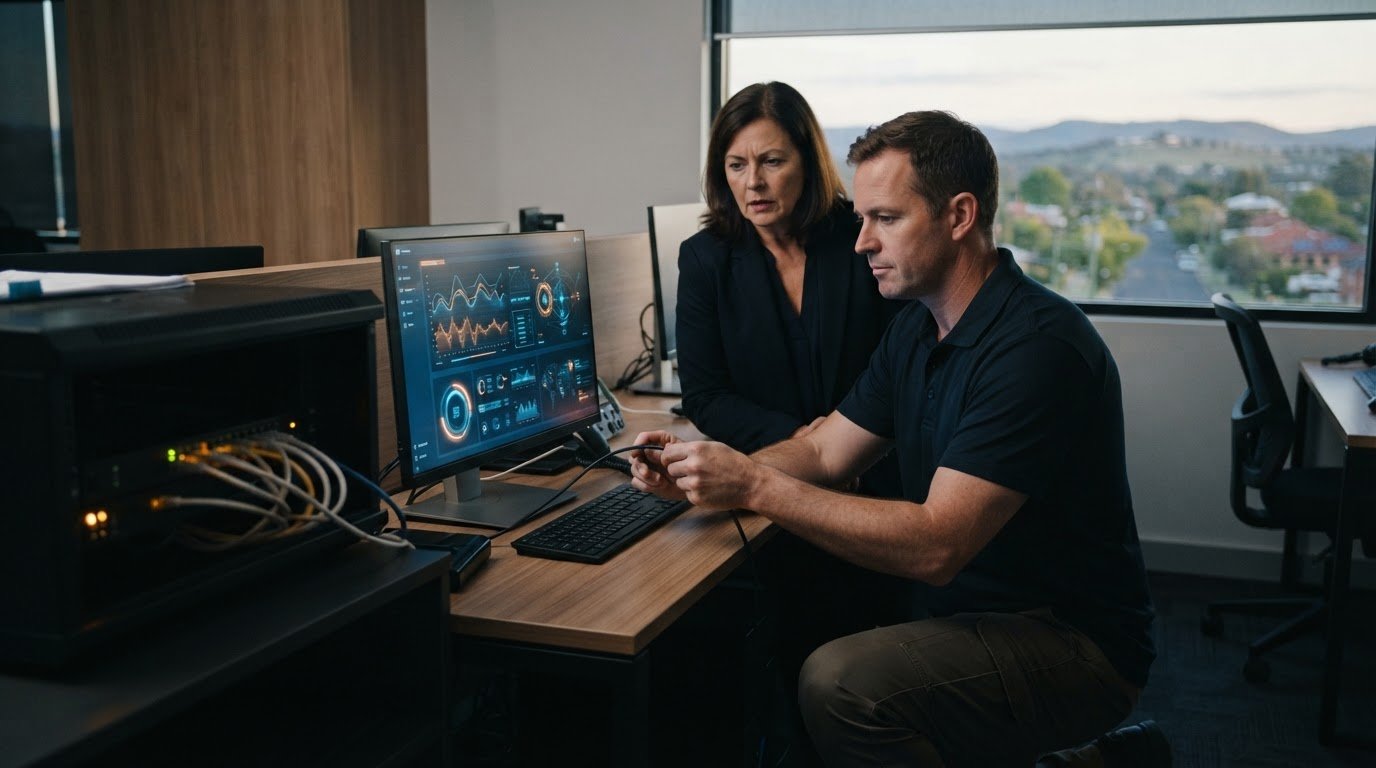
When a critical server locks up or your office network abruptly collapses, hitting the power switch is often the most dangerous reaction. Hasty manual reboots frequently turn recoverable software glitches into severe, irreversible database corruption. If point-of-sale terminals are offline or administrative workflows have ground to a halt, securing immediate emergency IT support Warwick business owners can rely on is your immediate operational priority.
We understand how stressful sudden technology blackouts are. Unplanned downtime halts daily sales, stalls customer bookings, and leaves you guessing whether attempting basic troubleshooting might wipe essential records. You shouldn’t have to tackle complex network or hardware failures without seasoned technical guidance on your side.
Follow this critical response checklist to stabilise server or network outages and secure immediate emergency IT support in Warwick. We will walk through the exact containment measures to take right now, how remote phone triage diagnoses the underlying fault, and what steps follow to safeguard your databases and restore full operational uptime.
Key Takeaways
- Document exact error prompts, blue screen codes, and hardware beep patterns before attempting any troubleshooting steps.
- Isolate physical hardware faults from operating system or software glitches to dramatically reduce diagnostic time.
- Determine whether your fault requires remote screen-sharing or on-site vehicle dispatch to secure the precise emergency IT support Warwick businesses rely on.
- Protect active accounting files and operational databases from corruption by disconnecting compromised machines from your local network immediately.
- Lean on established regional technical experience spanning over 25 years across the Darling Downs to restore stability without guesswork.
Emergency IT Triage: What to Do When Systems Fail
When a server fails or an office workstation crashes, taking the right first steps protects your vital operational records. Many local search results direct businesses to general electrical contractors, but resolving digital corruption and network crashes requires dedicated systems specialists. Before picking up the phone for emergency IT support Warwick organisations rely on, executing a calm, structured triage process will dramatically shorten your eventual downtime.
To understand how rapid recovery differs from routine backup retention during an active crisis, watch this brief overview:
Before you contact Aspire Computing for rapid remote assistance or mobile on-site dispatch, run through these foundational triage checkpoints:
- Document the fault: Note every exact error code, blue screen stop message, or pattern of hardware warning beeps.
- Isolate the machine: Sever network connections immediately to prevent potential threats from spreading across the local subnet.
- Halt power cycling: Do not repeatedly restart failing systems, which risks severe drive head damage and unrecoverable data loss.
- Request expert triage: Contact an established regional technician who can dial in remotely or arrange prompt Southern Downs dispatch.
Step-by-Step Initial System Containment
If you suspect a malware infection or sudden system failure, pull the physical Ethernet cable from the wall or workstation immediately, and disable Wi-Fi. Take clear photos of any error prompts, blue screen displays, or blinking chassis diagnostic lights with your smartphone. Quickly write down which team members were actively using core software, logging which invoices, client files, or databases were open when the disruption hit.
Common Containment Mistakes That Worsen Outages
When panic sets in, unguided troubleshooting often compounds the problem. Steer clear of these frequent operational missteps:
- Repetitive hard resets: Holding down the power button repeatedly can gouge spinning hard drive platters and corrupt SQL database indexes during unfinalised write cycles.
- Downloading free registry cleaners: Running unverified internet repair tools on unstable operating systems frequently deletes critical system dependencies.
- Dismantling hardware internally: Never permit non-technical office staff to open computer chassis, move internal cabling, or poke around power supplies.
Diagnosing Critical Business Outages: Hardware vs Software Checklist
Pinpointing the root cause of an outage immediately accelerates recovery. Generic cabling contractors might check wall sockets and patch panels, but resolving business downtime requires diagnosing the core computing environment. Separating physical equipment failure from logical operating system corruption enables targeted emergency IT support Warwick businesses can use to get back online fast.
Most commercial failures fall into three clear categories. Review this practical diagnostic checklist before booking technician assistance:
- Physical hardware faults: Silent power supplies, clicking storage units, swollen capacitors, or thermal shutdowns caused by failed cooling fans.
- Software and operating system errors: Blue screen kernel traps, corrupted Windows update cycles, conflicting drivers, or application database locks.
- Network infrastructure drops: Faulty managed switches, gateway router freezes, or severed local NBN connections halting endpoint communication.
Identifying Severe Hardware Failures
Listen closely to your workstation or storage enclosure. Repetitive, metallic clicking or grinding noises typically signal mechanical drive read/write head collisions. If you detect faint burning odours or notice stopped case fans during sudden shutdowns, heat buildup is likely triggering thermal failsafes on the motherboard. For ageing office workstations prone to component fatigue, planning scheduled PC hardware upgrades helps replace vulnerable parts before an unexpected mechanical breakdown stalls your operations.
Spotting Operating System and Application Crashes
Software faults present differently from sudden power cuts. A temporary application freeze leaves the mouse cursor responsive, while a fatal kernel crash forces a blue screen restart. If your team encounters sudden file permission locks across accounting software or notices modified file extensions paired with ransom notes, isolate the machine instantly. Malicious intrusions demand swift professional virus and malware removal to secure endpoints before the payload migrates across shared network drives.
If you’re unsure whether a failing machine needs an on-site component replacement or a fast remote registry repair, reaching out to Aspire Computing for remote IT support provides clear diagnostic clarity without the guesswork.
Remote Support vs On-Site Dispatch: Getting Help in Warwick
Selecting the proper service delivery model makes all the difference when downtime threatens your business. Some local providers rely purely on sending a technician in a van, but waiting for physical transport while sales halt is rarely efficient. Modern emergency IT support Warwick businesses rely on leverages a hybrid approach: rapid remote screen-sharing tools for immediate triage, backed by regional mobile dispatch when hardware hands-on repairs become unavoidable.
Understanding which delivery method suits your specific operational crisis helps restore productivity quickly while keeping service overheads manageable:
- Remote intervention: Best for running machines with stable internet access experiencing software glitches, permissions lockouts, or email delivery failures.
- On-site deployment: Required when equipment refuses to power on, switches drop offline, or physical hardware components require physical extraction.
When Remote IT Support Solves the Crisis
If your office workstation still boots into Windows and connects to the internet, remote assistance is the fastest path forward. Technicians use encrypted screen-sharing sessions to access your desktop within minutes of your call. They can reverse faulty security patches, resolve database concurrency locks, configure broken printer queues, and neutralise active malware processes without waiting for travel time down the New England Highway.
When On-Site Emergency Call-Outs Are Essential
Physical faults demand a technician at your premises. If an uninterrupted power supply (UPS) burns out during a storm, an essential network switch drops dead, or a server motherboard emits warning tones without sending display signals, remote access software is powerless. Aspire Computing bridges this gap by deploying experienced regional technicians from our Newtown depot across the Southern Downs, providing direct component replacement, physical drive cloning, and complete workstation reconstruction.
This balanced combination gives local enterprises the best of both worlds: instant phone and remote triage to arrest the damage, paired with dependable regional presence whenever physical intervention is necessary to restore your operations.

Safeguarding Critical Business Data During System Failures
Operational downtime is frustrating, but permanently losing client databases, transaction ledgers, or employee records can devastate a company. While physical machines can be swapped out, your operational records are irreplaceable. When equipment faults arise, reliable emergency IT support Warwick businesses depend on always puts data preservation ahead of rushed system resets.
Abrupt power outages or system lockups frequently catch open files midway through write operations. Initiating automated volume rebuilds or running disk repair commands without caution can easily write zeros across valid files. Protecting company records demands a careful, deliberate sequence:
- Freeze file systems: Never write new files, download software, or install patches to a drive exhibiting logical or mechanical errors.
- Air-gap local backups: Physically disconnect local external storage immediately to guard against power surges and malicious encryption routines.
- Create raw drive images: Always clone failing media at the block level before attempting file system repairs or data extraction.
Verifying and Protecting Offline Backups
If a workstation begins malfunctioning, immediately unplug any attached USB backup drives or external solid-state storage. This prevents unstable systems from overwriting clean historical snapshots with corrupted copies. Next, check your cloud backup dashboard using an unaffected secondary device or smartphone. Confirm the status of your latest automated sync, ensuring existing cloud points remain safely locked until on-site engineers evaluate the source machine.
Professional Recovery for Inaccessible Business Files
Generic consumer file recovery tools often do more harm than good on failing hardware. Running aggressive scans forces weak mechanical drive heads to thrash across degrading magnetic platters, permanently scouring away sectors that contained your business records. Recovering files from damaged drives requires specialized forensic imaging tools and cleanroom environments designed to extract data bit by bit.
If your accounting database disappears or a local storage volume stops mounting, avoid repeated software scans. Book dedicated data recovery services with Aspire Computing to preserve your vital records before hardware degradation becomes permanent.
Why Regional Warwick Businesses Trust Aspire Computing for Emergency IT
Technical emergencies require calm, capable partners who understand how regional enterprises function. While capital-city helpdesks place ticket queues behind corporate call centres, local businesses need direct answers and rapid technical intervention. Since 1999, Aspire Computing has delivered dependable emergency IT support Warwick managers count on to resolve unexpected disruptions quickly and reliably.
Our long-standing presence throughout the Darling Downs ensures you receive tailored, practical assistance from technicians who take personal accountability for your operational stability. We focus on getting your systems running smoothly, whether that means unravelling tangled network configurations or performing precision component diagnostics:
- Decades of regional support: Providing dependable PC, laptop, and network support across Queensland communities for over 25 years.
- Direct technical accountability: Speak directly with knowledgeable specialists who diagnose root causes without script-reading delays.
- End-to-end operational care: Comprehensive service offerings spanning hardware repairs, secure data backups, malware containment, and complete business continuity planning.
Local Experience Across the Darling Downs and Southern Downs
Established in 1999, Aspire Computing understands the unique operational conditions that affect Southern Downs enterprises. Regional firms frequently manage unpredictable weather events, storm-induced power flickers, and regional telecommunication drops along the highway corridor. Rather than routing your urgent inquiry through distant third-party operators, our team provides approachable, clear guidance backed by practical familiarity with local infrastructure challenges.
From Emergency Recovery to Long-Term Business Continuity
Resolving an immediate breakdown is only half the battle; preventing the same failure from striking next month is what protects long-term profitability. After stabilising your critical hardware and retrieving locked databases, we help you implement layered defences. This includes establishing verified automated data backups, updating outdated operating systems, and deploying robust cyber security protections. Partnering with experienced professionals for proactive IT support for business shifts your workplace away from stressful emergency fires toward continuous, resilient uptime.
When unexpected downtime threatens your sales, client records, or administrative workflows, contact Aspire Computing directly for prompt, professional assistance you can trust.
Restore Stability and Protect Your Operations Today
When unexpected technical failures strike, swift, methodical action makes the difference between an afternoon hiccup and catastrophic downtime. Isolating affected systems, documenting error screens, and resisting repetitive hard power cycles protects your core databases from severe corruption. With clear triage practices in place, you can quickly determine whether an issue needs immediate remote screen-sharing or dedicated hands-on equipment diagnostics.
Since 1999, regional businesses across Toowoomba, Warwick, and the Darling Downs have trusted our team to resolve challenging system emergencies. Led by experienced local technician John, we combine rapid remote intervention with dependable on-site troubleshooting to keep regional commerce moving. You don’t have to face sudden server crashes or network outages without dedicated guidance. For reliable, responsive emergency IT support Warwick businesses can count on, contact Aspire Computing for rapid IT support and restore your business operations with confidence.
Frequently Asked Questions
How quickly can an emergency IT technician assist my Warwick business?
Remote triage can begin within minutes of your phone call, allowing a technician to inspect errors via secure screen-sharing. If hardware failure requires an on-site visit, technicians travel directly down the New England Highway corridor from our Toowoomba depot to your Warwick facility. This tiered response ensures immediate diagnostic focus while coordinating physical dispatch when needed for critical emergency IT support Warwick organisations require.
What should I do first if my office server or main computer crashes?
Stop attempting repeated power resets immediately, and unplug the system’s network Ethernet cable. Photograph any error prompts, blue screen diagnostic text, or blinking chassis lights before touching anything else. If you suspect a virus or malware attack, isolating the machine from the local network prevents the issue from jumping to other office workstations. Once secured, contact an IT specialist for safe containment instructions.
Can you resolve my business IT emergency remotely without an on-site visit?
Yes, we resolve most operational issues remotely as long as the machine boots and retains an active internet connection. Technicians use secure screen-sharing tools to diagnose software crashes, reverse problematic updates, remove virus infections, and clear database locks. Remote support eliminates road travel delays, getting your staff back to work quickly. If physical hardware has failed completely, we transition immediately to on-site service.
What happens if our office network goes down due to an NBN failure?
We inspect your gateway router, local switches, and internal cabling to verify whether the outage is internal hardware failure or an external carrier drop. While regional line faults require telecommunications coordination, we help configure business continuity backups, such as 4G or 5G cellular failovers. This keeps local endpoints connected, printers functional, and essential local databases operational even when external internet connectivity drops across the Southern Downs.
How do I know if my computer problem is hardware or software related?
Listen to the physical chassis and observe how the system shuts down. Hardware failures usually show up as rhythmic clicking sounds, unspinning cooling fans, sudden silent blackouts, or distinct electronic burning smells. Software faults typically trigger blue screen error codes, frozen mouse pointers, slow application crashes, or operating system boot loops. Documenting these specific symptoms helps us identify the root cause swiftly during initial phone triage.
Can lost accounting or customer files be retrieved after a crash?
In most cases, lost business records and corrupted databases can be recovered if you avoid further disk writes. We utilise dedicated data recovery services to extract files from failed internal drives, corrupted partitions, and unstable storage units. Never run generic internet recovery tools, as they frequently overwrite your missing files. Power the affected machine down safely and let experienced recovery technicians handle the extraction process.
Do you provide emergency support for printers and local network peripherals?
Yes, we provide full support and repairs for office printers, scanners, and local networking hardware. A frozen network printer or disconnected label scanner can bring warehouse dispatch and point-of-sale desks to an abrupt standstill. We troubleshoot spooler errors, driver conflicts, and interface communication faults, providing prompt emergency IT support Warwick businesses rely on to keep customer-facing and back-office peripheral hardware running smoothly.

B.App.Sc., Cert. Computer Engineering PC Service and Repair
As the owner of Aspire Computing founded in 1999, Chaim Lee has been working for over 20 years as the Leading Computer Technician.
He has a life long interest in electronics, computing, science and technology. He has completed studies and gained qualifications in Applied Science, Computer Repair and Service, Microsoft Installation and Maintenance, Technical Writing, Workplace Training, and Technical Sales Training.

Write a Comment