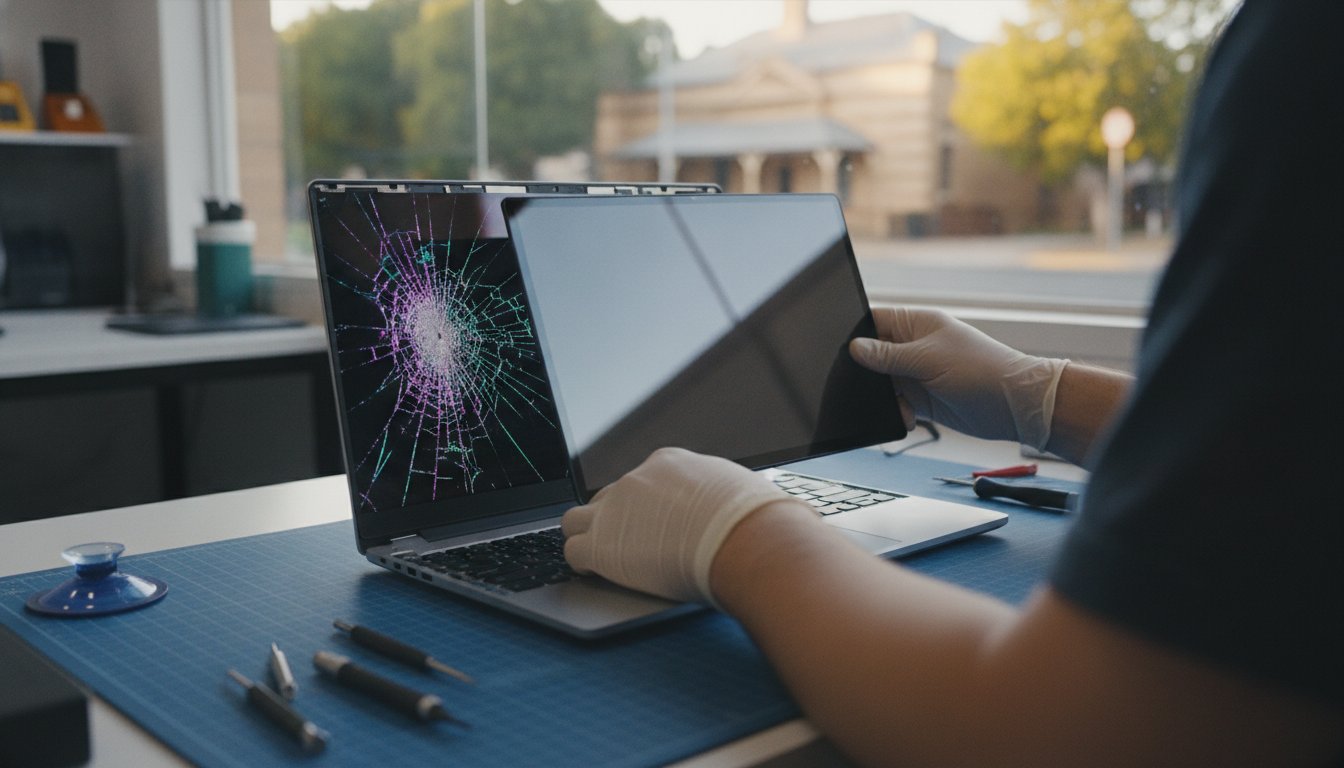
Laptop repairs for business users in Laidley

Same-day laptop repairs in Laidley may be possible for straightforward faults, but timing depends on the diagnosis, repair complexity and parts required. For laptop repairs for business users in Laidley, whether the issue can be resolved on-site or remotely can also affect turnaround.

A laptop problem can interrupt work, file access and communication, so it’s understandable to want a clear idea of how quickly support can help. This article explains what affects repair timing and what business laptop support may cover, from screen and battery issues to different brands and on-site service.

You’ll also learn how the repair process works, what information can help identify the issue and when remote troubleshooting may be suitable. This can help you understand the next step in getting your business laptop back to work.

Key Takeaways

  • Repair timing depends on the fault, the work involved and whether parts are needed, so understand what affects a same-day outcome.
  • Use the laptop’s symptoms and model details to help narrow down the repair, whether the issue involves performance, a screen or a battery.
  • On-site troubleshooting can help address business laptop problems where the device is used, while remote support may suit some software issues.
  • For faults that disrupt work or put files at risk, explore repair, data recovery or hardware upgrade support as the next step.

Do you offer same day computer repairs in Laidley?

Same-day computer repairs for business users in Laidley are most realistic when troubleshooting identifies a straightforward fault and the required parts are available. A screen replacement or complex hardware fault can take more work than a software tune-up, and while Aspire Computing is based in Toowoomba, we help clients across the wider region.

Same-Day Business Repair Options

For a business laptop that won’t start, note any error message, recent changes and whether power lights appear. These details help narrow down the fault and assess whether a same-day fix is practical. Troubleshooting may resolve a software issue, while hardware damage or a required part can extend the repair.

Compare local business support with options in Gatton or Ipswich by considering travel, on-site support, repair scope and expected turnaround, not location alone. Warranty and guarantee terms vary by repairer; an itemised invoice should identify the work and charges.

On-Site Troubleshooting and Workshop Drop-Offs

On-site troubleshooting lets a technician examine the computer in its usual work setting. This can help identify issues involving a monitor, printer, network connection or workstation setup. Dropping off a laptop may suit a machine that needs bench testing or a repair that’s difficult to complete at the business premises.

Before handing over a laptop, back up essential files, sign out of personal accounts and record the fault and any error messages. Explain which files or business programs are essential, and avoid sharing passwords unless access is necessary for the repair.

Computer upgrades and tune-ups can address slow performance, limited storage or outdated hardware. Before choosing an upgrade, identify the machine’s main bottleneck, such as low storage or a failing drive. This helps focus the work on a practical improvement rather than replacing parts without a clear need.

Laptop repairs across brands and models

Business laptops vary in design, components and repair access, so the brand alone won’t identify the fault. Record the manufacturer, model number and operating system before arranging troubleshooting. These details help narrow down whether the issue involves the screen, battery, charging port, storage or network.

For example, a laptop that powers on but shows no image needs different tests from one that won’t charge. Note any screen warning, unusual noises and when the problem began. If several computers share a network issue, record whether other devices also lose access. This can help distinguish a laptop fault from a wider connection problem.

Remote support can assist with software or account symptoms when the machine can connect to the internet. Hardware faults, such as a loose charging port, usually need physical inspection. A managed business setup may also involve user permissions, shared printers or network settings, so describe what changed and which devices are affected.

Before a repair, ask for a clear outline of the diagnostic steps, work proposed and any parts required. An invoice should describe completed work and charges; warranty or service guarantee terms depend on the repairer and job. Compare local options in Laidley with services in nearby suburbs by considering travel, on-site support, repair scope and turnaround, not distance alone.

Australia’s businesses often rely on laptops for email, documents and customer records, so explain which tasks are blocked. Back up important files where possible, and avoid sending passwords in plain text. If the issue affects multiple devices, list each affected model and symptom. For relevant laptop repair information, consider the repair support available for business machines.

Laptop repairs for business users in Laidley

Laptop screen and battery repairs

Laptop repairs in Laidley can address screen, battery, keyboard and motherboard faults, as well as other hardware problems. A technician assesses the symptoms and device before deciding which repair is suitable.

For a cracked screen, note whether the display is blank, flickering or visibly damaged. If the laptop still starts, describe what appears during startup and whether an external monitor shows an image. These observations help distinguish a display fault from a graphics or power issue.

Battery problems can show up as short running time, unexpected shutdowns or failure to charge. Record whether the laptop works with its charger connected, and note any charging light or warning message. A charger, charging port or battery can each affect power, so the symptom alone won’t identify the faulty part.

A keyboard fault may affect one key, a group of keys or the whole input area. Give examples, such as a stuck space bar or keys that stop responding after a spill. Motherboard problems can cause broader symptoms, including failure to start or several functions stopping at once. Diagnosis helps distinguish board faults from issues with memory, storage or power components.

Before repair, back up business files where possible and explain which programs or devices matter most. For example, tell the technician if the laptop needs to connect to a printer or access business files over the internet. Home users can describe the practical impact too, such as losing access to email or saved documents.

Ask for the fault assessment and proposed work to be explained before proceeding. A repair may involve replacing a damaged component, testing connections or checking related hardware. The laptop’s model, component condition and symptoms guide the repair approach. If the computer is still running, save current work and avoid repeatedly forcing restarts when errors appear. A clear description helps focus the assessment on the affected part and its impact on daily work.

On-site business laptop repairs

For a Laidley business, on-site troubleshooting brings support to the workplace, where the laptop’s setup can be assessed in context. A technician can examine the device and connected equipment, such as a printer, and help identify whether the fault lies with the laptop or its work environment.

Business laptop repairs in Laidley are handled by computer repair and IT support providers serving small businesses and home offices. On-site support suits faults that need physical inspection; remote assistance can address some software problems without moving the machine. Pickup and loan laptops are separate arrangements, while onsite and remote troubleshooting are the support routes relevant to these repairs.

Before a visit, note the affected user, laptop model, symptoms and work that’s blocked. Back up important files where possible, and record whether other devices share the problem. If it began after a software install, update or malware warning, include that detail. For a printer fault, note whether the laptop can still connect to the printer and internet.

On-site work may involve diagnosis, a hardware repair, malware removal or an agreed software install. The charge depends on the fault, repair steps and parts required; pricing is provided after a quote request. A guarantee is a separate matter from the repair itself, so read any written terms for its scope and conditions before approving work. A written summary of the diagnosis and completed steps also helps your business track the machine’s service history.

For work across Brisbane and the Lockyer Valley, consider how the support method fits the fault and workplace. If a laptop issue is disrupting business tasks, arrange business laptop support through the available repair channels.

Aspire Computing: PC and Laptop Repair

Aspire Computing can help Laidley businesses when a laptop fault interrupts everyday work or needs a clear diagnosis. Its PC and Laptop Repair service addresses business computer problems, while Data Recovery Services may suit cases where important files are inaccessible. Hardware Upgrades can help when a device needs an updated component, and Virus and Malware Removal addresses unwanted or harmful software.

On-site and remote support offer different ways to troubleshoot, depending on the fault and work involved. Before arranging assistance, note the laptop model, symptoms and any error messages. This helps explain the problem and identify what work may be needed.

For help with a business laptop issue, contact Aspire Computing or visit aspirecomputing.com.au.

Keep your business moving with a clear next step

A laptop fault is also a business continuity decision: which work needs to resume first, and what information must remain accessible? Before arranging laptop repairs for business users in Laidley, consider how the disruption affects your staff, customers and daily workflow. This keeps the next steps focused on the business outcome, not just the device.

Aspire Computing offers PC and Laptop Repair, Data Recovery Services and Hardware Upgrades. The right service depends on whether you need a device repaired, inaccessible files recovered or existing hardware upgraded. Start with the most pressing issue, then consider whether related support could help your team work more effectively.

Bring a concise description of the disruption and the result you need. This gives the support conversation a practical starting point and helps direct attention to the work your business relies on. You can contact Aspire Computing to discuss your laptop issue and take a considered next step. With a clear priority, it’s easier to move forward with confidence.

Frequently Asked Questions

Can I drop a computer or laptop in for repair?

Yes, Aspire Computing accepts in-person drop-offs for computer and laptop repairs. Bring the charger if the fault involves power, and note any error message or recent change. Keep a copy of essential files where possible. If the computer contains important business information, explain which files or programs are needed for daily work.

Can you fix my issue over the phone or remotely?

Remote IT support can assist with suitable software and computer issues without a drop-off. A fault involving a damaged screen, loose port or other physical component needs the device assessed. Before remote troubleshooting, have the affected computer nearby and describe what you see, including any error text. Don’t share account passwords in an ordinary message.

Do you charge a call-out fee?

The cost of on-site support depends on the case and is provided after a quote request. Factors include the fault, work involved, parts required and support method. Describe the issue and where the computer is used when requesting a quote. This helps clarify the proposed work before you decide how to proceed.

Do you offer on-site visits?

Yes, Aspire Computing provides on-site assistance for PCs, laptops and printers. For laptop repairs for business users in Laidley, an on-site visit can help assess a problem in the workplace, including issues involving connected equipment. Identify which tasks are disrupted and have the affected devices accessible, so troubleshooting can focus on the business need.

Do you service suburbs like Laidley, Minden, and Regency Downs?

Aspire Computing serves the Lockyer Valley, including businesses around Laidley, Minden and Regency Downs. For laptop repairs for business users in Laidley, support may be on-site or remote, depending on the issue and work required. When describing a local problem, include the suburb and whether the affected equipment is a laptop, desktop computer or printer.

How Can I Get My Computer Running Its Best?

Start by noting what feels slow, such as startup, opening files or printing, and whether the problem affects one program or the whole computer. Keep software and important files organised, and maintain a backup of business data. If performance remains poor, a Windows tune-up or hardware upgrade may address the cause more effectively than repeatedly restarting the machine.

Expert Laptop Screen Repair Toowoomba: A 2026 Guide to Fast Local Fixes

You’re in the middle of a busy morning in Toowoomba when a small slip turns your vibrant laptop display into a fractured web of glass and flickering lines. It’s a frustrating moment that stops your work day cold, and the thought of being without your computer for weeks is enough to cause anyone stress. You might feel tempted to just buy a new machine or worry about the high costs and privacy risks of sending your device away to a distant repair factory.

We believe that getting a professional laptop screen repair Toowoomba doesn’t have to be a complicated or anxious experience. This 2026 guide is designed to give you total clarity on the repair process, from understanding modern OLED and high-refresh-rate technology to ensuring your personal data stays right here in local hands. I’ll show you how a fast, expert fix can restore your display to its original crispness while saving you the expense of a full replacement. You will learn about local service options, what to expect during the repair, and how to get your productivity back on track without the hidden fees or shipping delays.

Key Takeaways

  • Learn how to distinguish between a simple cracked top glass and a complex internal OLED or Mini-LED failure to better understand your repair options.
  • Discover why 2026 display technologies and integrated touchscreens require specialized local expertise to ensure a precise and safe installation.
  • Apply the “50% Rule” to determine if a laptop screen repair Toowoomba is a smarter financial investment than purchasing a completely new machine.
  • Find out the essential safety steps to take immediately after a screen break to protect your data and prevent injury from sharp glass shards.
  • Understand the benefits of choosing a local expert with 25 years of experience to avoid the shipping risks and long wait times of national mail-in services.

Identifying Laptop Screen Damage: Cracked Glass vs. Internal Failure

Seeing a crack on your screen is stressful, but the actual damage might be more or less severe than it looks. Understanding the difference between a shattered top glass and a failing internal panel is the first step toward a solution. When you seek a laptop screen repair Toowoomba, knowing these details helps me provide a more accurate initial assessment. Modern screens are complex; they often involve several layers of modern display technologies that work together to produce the image you see.

To better understand how these components are replaced, watch this helpful video:

If the outer glass is smooth but you see “ink bleeds” or dark splotches, the internal LCD or OLED layer has likely ruptured. This is an internal failure. Conversely, if the glass is physically shattered but the image underneath is perfect, you’ve only damaged the digitizer or protective layer. Sometimes, flickering lines don’t mean the screen is dead at all. A loose or pinched video cable inside the hinge can cause horizontal lines that appear and disappear as you move the lid. Getting a professional laptop screen repair Toowoomba ensures that you don’t misdiagnose a simple cable issue as an expensive panel failure.

Common Symptoms of a Failing Display

Identifying the exact symptom helps determine if the repair is a simple part replacement or something more involved. Look for these specific signs:

  • Vertical or horizontal lines: These often indicate a failure in the panel’s gate drivers or a loose internal connection.
  • Dim or “ghost” images: If you can only see your desktop by shining a torch on the glass, your backlight or inverter has failed.
  • Bruising: These dark, spreading spots mean the liquid crystals are leaking, which requires a full panel replacement.
  • Dead Pixels: Small, static dots of colour that stay the same regardless of what is on the screen.

Is it the Screen or the Graphics Chip?

It’s a common fear that a black screen means the entire computer is dead. This isn’t always the case. You can perform a simple test at home: plug your laptop into a TV or external monitor via HDMI. If the image appears perfectly on the external screen, your motherboard and graphics chip are healthy. The problem is isolated to the laptop’s display assembly.

However, if the external monitor also shows lines or stays black, the issue might be a failing graphics chip or a software driver conflict. A computer repair Toowoomba specialist can pinpoint the exact failure by testing your hardware against known-good components.

Understanding Modern Laptop Display Technology in 2026

Laptop displays in 2026 are far more advanced than the basic LCD panels we used just a few years ago. When you’re searching for laptop screen repair Toowoomba, it’s helpful to understand the specific tech inside your device. We’ve seen a massive shift toward OLED and Mini-LED panels in mainstream models. These screens offer incredible contrast and brightness, but they also change the repair landscape. If your laptop features a high refresh rate, like 120Hz or 240Hz, the replacement part must match these specs exactly. Using a lower-spec screen can lead to driver conflicts or even hardware instability.

OLED, IPS, and High-Refresh Rate Screens

Creative professionals across the Darling Downs often choose OLED for its superior colour accuracy. For most small businesses and home offices in Toowoomba, IPS (In-Plane Switching) remains the reliable choice. It provides wide viewing angles and excellent longevity for daily office tasks. You might feel tempted to “upgrade” your screen type during a repair, but this is rarely feasible. The internal video cables and motherboard pin configurations are typically locked to a specific panel technology. We also consider your workspace. Matte finishes are ideal for reducing glare from bright windows, while glossy finishes are better for colour depth in controlled lighting.

Touchscreens and Digitizer Complexity

Touchscreen laptops add a significant layer of technical difficulty to any repair. In 2026, many manufacturers have moved to “fused” display assemblies. This design bonds the display panel and the touch glass into one thin unit. While this makes laptops thinner, it means a small crack in the glass often requires a full assembly replacement. The digitizer is the invisible layer that sits over the display to convert your touch into digital input; it’s the heart of any 2-in-1 notebook’s functionality. Replacing these bonded units requires precision tools to avoid damaging the delicate internal frame.

If you aren’t sure which technology your laptop uses, I can provide a clear assessment for your laptop screen repair Toowoomba to ensure you get the right part the first time. I’ll help you work through these technical choices so your computer feels like new again.

To Repair or Replace? Evaluating Your Laptop’s Value

Deciding whether to invest in a laptop screen repair Toowoomba or simply buy a new machine often comes down to simple maths and a bit of foresight. A common industry standard is the 50% Rule. If the cost of the repair exceeds half the price of a brand-new equivalent model, it’s time to weigh your options carefully. However, price isn’t the only factor. I always recommend assessing the health of your other components first. If your battery still holds a strong charge and your keyboard is in good shape, a new screen can easily add another three to four years of life to a quality machine.

High-end business laptops are almost always worth the investment. These machines are built with durable chassis and replaceable parts, unlike the “disposable” consumer models found at big-box retailers. A cheap new laptop might look tempting, but it often comes with a slower processor, less memory, and a lower-quality display than the premium unit you already own. Repairing a high-quality device ensures you keep the performance you’re used to without the hidden costs of downgrading to a budget-tier replacement.

The ROI for Small Business Laptops

For Toowoomba business owners, downtime is the biggest expense. Repairing your current device is often much faster than the hours spent migrating gigabytes of data, reinstalling software, and reconfiguring security settings on a new PC. There are also tax considerations; repairing an existing asset is typically treated as an immediate business expense rather than a long-term capital expenditure. While the laptop is on my bench, a simple hardware upgrade like a larger SSD can make a repaired unit feel even faster than it was when you first bought it.

Environmental and Sustainability Benefits

Choosing to repair also has a positive impact on the Darling Downs and Lockyer Valley regions by reducing local e-waste. Manufacturing a single new laptop has a significant carbon footprint and requires the extraction of rare earth minerals. By opting for a replacement panel instead of a whole new device, you’re directly supporting sustainable tech practices. At Aspire Computing, I focus on extending the utility of your hardware to keep functional electronics out of our local landfills for as long as possible. It’s a practical way to be environmentally conscious while keeping your office budget under control.

Expert Laptop Screen Repair Toowoomba: A 2026 Guide to Fast Local Fixes

What to Do Immediately After Your Laptop Screen Breaks

If you’ve just heard that sickening crunch of glass, take a deep breath. Your first priority is safety. Modern displays are made of extremely thin glass that can splinter into microscopic shards. If the impact was severe enough to dent the chassis, be mindful of potential battery punctures. Don’t try to ‘save’ the screen with sticky tape or superglue. These DIY fixes often leak into the bezel or damage the delicate webcams and sensors integrated into the lid. This can make your eventual laptop screen repair Toowoomba more expensive than it needs to be.

Shut the laptop down if you see smoke, smell something metallic, or if the device feels unusually hot. If the computer seems to be running fine but the screen is just a mess of colours, you can still save your work. Avoid the temptation to keep pressing on the glass to see if it ‘fixes’ itself; this usually just spreads the internal ink leaks and could cause more permanent damage to the underlying hardware. Keep the lid open if possible to avoid grinding glass into the keyboard.

Temporary Fixes and Workarounds

You don’t have to lose your day’s work just because you can’t see the desktop. Most laptops have an HDMI or DisplayPort output that allows you to turn the machine into a temporary desktop. Simply plug it into your TV or an office monitor. If you have remote desktop software like TeamViewer or AnyDesk already set up, you can access your files from another device entirely. This is also a perfect time to check your cloud sync status. If your files aren’t syncing, I can help you with professional data recovery to ensure your important documents are safe before the hardware repair begins.

Choosing Local Toowoomba Repairers vs. Mail-in

While national mail-in services might seem convenient, they come with significant risks. Shipping a delicate laptop through StarTrack or Australia Post exposes it to vibrations and temperature changes that can damage fragile 2026 OLED panels. When you choose a local expert in Newtown, you eliminate those shipping risks entirely. You get to speak directly with me about your concerns rather than dealing with a faceless web portal. A local service also allows for extra care; I can perform a virus and malware removal check or a general system tune-up while the laptop is already open on my bench.

If you’re worried about your data privacy or need a fast turnaround to meet a deadline, I’m here to help. You can contact me at Aspire Computing to discuss your specific model and get your display back to crystal clarity.

Professional Laptop Screen Repair at Aspire Computing Toowoomba

When you choose Aspire Computing for your laptop screen repair Toowoomba, you’re dealing with over 25 years of local history and hands-on expertise. I started this business in 1999 with a focus on providing honest, reliable technical support to the Darling Downs community. Unlike national franchises that often ship your device to a centralized warehouse, I handle your equipment personally. I’ve seen every type of display failure, from the early LCD panels to the sophisticated OLED technology of 2026, and I understand the specific needs of home offices and small businesses in our region.

My methodical approach ensures your device is restored to its original condition without any guesswork. Each repair begins with a detailed diagnostic to confirm the failure is isolated to the screen rather than the graphics chip or internal cables. Once identified, I provide a clear quote before any work begins. I source high-quality replacement panels for all major brands, including Dell, HP, and Apple, ensuring the colour accuracy and refresh rates match your original specifications. Precision installation is critical; I take the time to properly seat every connector and secure the bezel to prevent future light bleed or structural issues.

For small businesses in Toowoomba that cannot afford to leave the office, I offer on-site support options. If you’re managing a busy practice or a home-based consultancy, I can often assess the damage at your location to minimize your downtime. This personalized service is designed to take the stress out of technical failures, providing you with a fast, local solution that keeps your data secure and your hardware in top shape.

The Aspire Computing Advantage

You won’t have to deal with call centres or faceless web portals when you work with me. I provide personal service that focuses on accountability and clear communication. You can find me at my physical location at 46 Brigalow St, Newtown QLD 4350, where I’ve built a reputation for stability and trustworthiness. My pricing is transparent and straightforward; you won’t find any hidden “Geek” surcharges or unexpected fees added to your bill at the end of the day. It’s about providing dependable assistance that is both competent and convenient for every local customer.

Booking Your Screen Assessment

Getting your laptop back to crystal clarity is a simple process. To provide a fast and accurate quote, I just need your specific laptop model number, which is usually found on the bottom of the device. When you’re ready for the repair, please remember to bring your charger and any necessary login passwords so I can fully test the new display after installation. This ensures that every pixel and touch sensor is functioning perfectly before you take it home.

Contact Aspire Computing for a professional laptop screen repair Toowoomba assessment today.

Restore Your View with Local Toowoomba Expertise

A broken screen is a significant hurdle, but it doesn’t have to mean the end of your device. By accurately identifying the damage and applying the 50% rule, you can make a clear decision that protects your budget and the environment. We’ve explored how modern 2026 display tech requires a precise touch and why staying local is the safest way to handle delicate hardware. Choosing a laptop screen repair Toowoomba specialist ensures your data stays private and your computer returns to service faster without the risks of national shipping.

At Aspire Computing, I’ve been serving Toowoomba and the Darling Downs since 1999. I provide expert on-site and remote IT support for small businesses, alongside specialised hardware repairs for all major laptop brands. You don’t have to settle for a blurry view or a costly new machine when a professional fix is just around the corner in Newtown. I’m here to help you navigate the technical details and get your productivity back on track with a display that looks as good as the day you bought it.

Book Your Toowoomba Laptop Screen Repair with David today and experience the difference of 25 years of local experience. Your path to a crystal-clear display is simpler than you think.

Frequently Asked Questions

How much does laptop screen repair cost in Toowoomba?

The cost of a screen repair depends entirely on the specific model of your laptop and the display technology it uses. A high-end OLED panel in 2026 will have a different price point compared to a standard LCD screen. I provide individual quotes for every laptop screen repair Toowoomba to ensure you only pay for exactly what your machine requires without any hidden surcharges.

Can a cracked laptop screen be fixed or does the whole panel need replacement?

In almost all modern laptops, a cracked screen requires a full panel replacement rather than a simple glass fix. The display, backlight, and touch layers are typically bonded together at the factory into a single unit. Attempting to replace just the top glass usually results in damage to the delicate internal layers, so replacing the entire assembly is the only way to ensure a perfect result.

How long does a laptop screen replacement typically take at your Toowoomba shop?

The turnaround time for a screen replacement depends on whether the specific part for your model is currently in stock. If the panel is on the shelf, the physical installation is often completed within one to two business days. I always aim for a rapid turnaround to get you back to work as quickly as possible, and I’ll give you a clear timeframe when you book your assessment.

Is it worth fixing a 5-year-old laptop screen in 2026?

It is often worth fixing a five-year-old laptop if it’s a high-quality business model with a healthy battery and fast storage. I recommend applying the 50% rule; if the repair cost is significantly less than a new equivalent machine, extending the life of your current device is a smart choice. Repairing a premium older machine often provides a better experience than buying a cheap, budget-tier new laptop.

Will I lose my photos and files if I get my laptop screen repaired?

You won’t lose your photos or files during a screen repair because the storage drive remains untouched throughout the hardware swap. The repair is purely mechanical and involves the display assembly rather than your data. I prioritize your data privacy and security, so your personal information stays exactly where it belongs on your computer.

Can I still use my laptop with a cracked screen by connecting it to a TV?

Yes, you can continue to use your laptop by connecting it to an external monitor or TV via an HDMI or DisplayPort cable. This is a great temporary workaround for urgent deadlines while you wait for your laptop screen repair Toowoomba. It allows you to see your desktop clearly and back up any important files even if the main panel is completely dark or shattered.

Do you repair touchscreen laptops and 2-in-1 tablets?

I certainly repair touchscreen laptops and 2-in-1 tablets, though these units involve a more complex fused assembly. These displays integrate the touch digitizer and the visual panel into one thin component. I have the specialized tools required to handle these delicate precision installations for all major brands, ensuring your touch functionality is perfectly restored.

Does Aspire Computing provide a warranty on replacement laptop screens?

Every screen replacement I perform at Aspire Computing includes a professional warranty on the hardware and the installation. I source quality parts from trusted brands to ensure your new display is reliable, vibrant, and free from defects. This gives you long-term peace of mind that your repair is backed by over 25 years of local accountability and expertise.