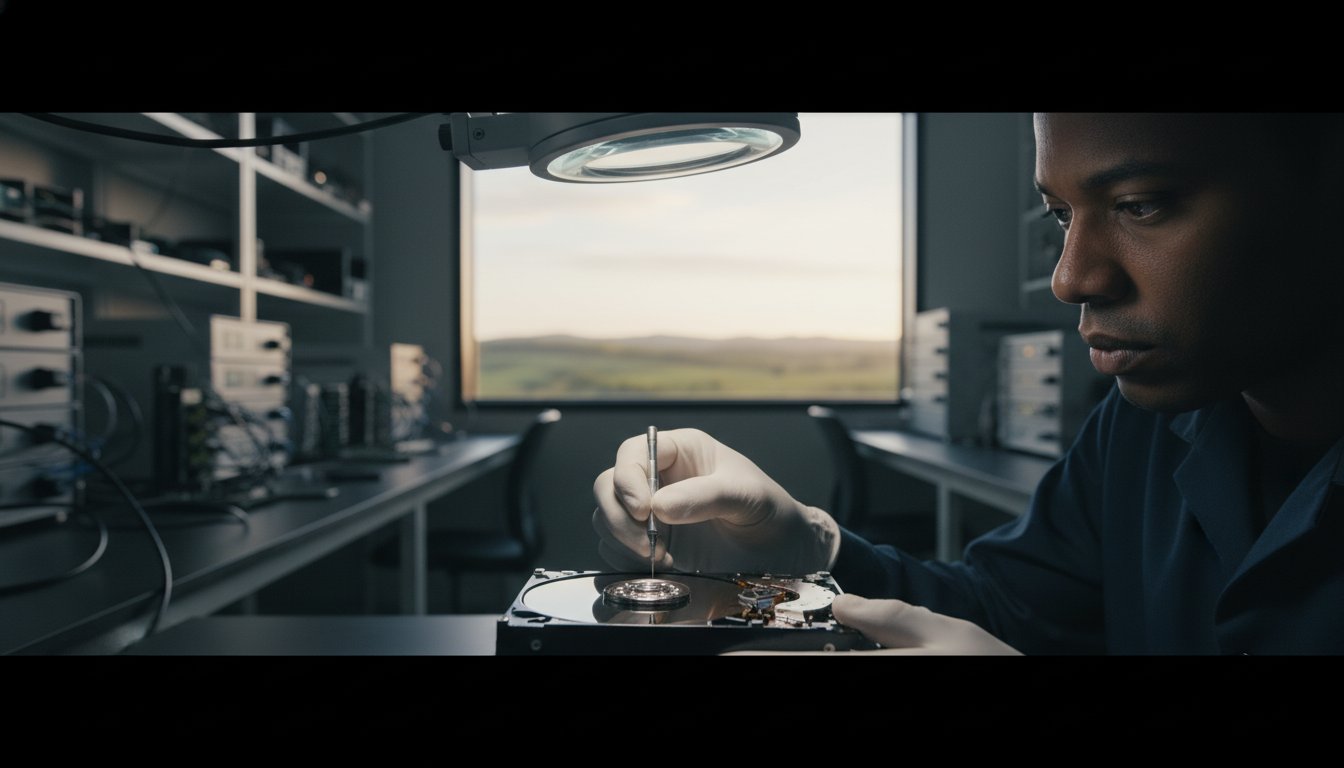
Imagine sitting at your desk in Toowoomba, ready to open that folder of family photos or your critical business records, only to hear a rhythmic, metallic clicking sound. That sinking feeling in your stomach is something we see often at Aspire Computing. With the annualized failure rate for hard drives sitting at 1.36 percent as of 2025, you aren’t alone in this crisis. If you’re currently staring at a blank screen, don’t panic. You can still achieve a successful data recovery from a failed hard drive Toowoomba without sending your device to a distant, overpriced corporate lab.
We understand the anxiety surrounding your privacy and the fear that your files are gone forever. It’s a heavy burden, especially since 60 percent of small businesses that suffer severe data loss shut down within six months. This guide promises to help you identify the exact type of failure you’re facing and the precise steps to take to protect your data. We’ll explore how local expertise provides the fastest path to recovery and why some DIY software can actually make things worse. You’ll learn how to distinguish between simple software glitches and physical damage, ensuring your important folders are back where they belong.
Key Takeaways
- Learn why a “failed” drive doesn’t mean your files are gone and why staying calm is your first step toward a successful recovery.
- Discover how to distinguish between logical file system errors and physical hardware damage to avoid making the situation worse.
- Understand why attempting data recovery from a failed hard drive Toowoomba with retail software can often lead to permanent data loss.
- See why working face-to-face with a local expert like Chaim Lee eliminates shipping risks and provides the personal reassurance you need.
- Explore our non-destructive diagnostic process designed to safely identify your recovery options without further risking your precious files.
Understanding Hard Drive Failure: Why Your Data is Likely Still There
Hard drive failure happens when the mechanical or electronic parts of your storage device stop working properly. It’s a stressful moment, but it doesn’t mean your files have vanished into thin air. If you’re currently seeking data recovery from a failed hard drive Toowoomba, the most important rule is simple: don’t panic. Most data remains physically on the internal platters even when the drive refuses to boot. In 2025, the annualized failure rate for hard disks was 1.36 percent, which means thousands of users face this exact issue every week. At Aspire Computing, we see these cases daily and know that with the right approach, your folders are usually still retrievable.
Your actions in the first five minutes after a crash are critical. If you hear a strange noise or your screen freezes, power the device down immediately. Don’t just shut down through Windows; unplug the power cable from the wall. This stops the read/write heads from physically scraping across the magnetic platters. This scraping, known as scoring, can grind away the actual magnetic film where your data lives, making it impossible to recover. By 2026, data recovery technology has advanced significantly. We now use AI-driven tools and machine learning to bypass damaged sectors and reconstruct files that older methods might have missed entirely.
Common Signs of a Failing Hard Drive
The most famous warning sign is the “Tick of Death,” a rhythmic clicking or grinding sound. This happens when the mechanical arm fails to find its position and hits the internal stop. You might also experience frequent Blue Screen of Death (BSOD) errors or sudden system freezes that require a hard restart. Another red flag is the “Cyclic Redundancy Check” (CRC) error. This occurs when the drive’s firmware detects that data has been corrupted or is unreadable, often because the physical storage medium is starting to degrade. If files start disappearing or folders take minutes to open, your drive is likely in its final stages of life.
The Difference Between HDD and SSD Failure
Traditional Hard Disk Drives (HDDs) usually suffer from mechanical issues, such as motor seizures or head crashes, because they have moving parts. Solid State Drives (SSDs) have no moving parts, but they often fail due to controller chip malfunctions or electrical surges. Recovering data from an SSD is often more complex and requires specialized digital tools to communicate directly with the memory chips. Sometimes, a drive might suffer from an “invisible” failure where the firmware, the internal software that runs the drive, becomes corrupted. This makes the drive appear physically dead to your computer, even though the data chips or platters are perfectly healthy.
Logical vs. Physical Failure: Diagnosing Your Drive in Toowoomba
Identifying the specific problem is the first priority. Logical failures happen when the drive is physically healthy but the file system is corrupted, accidentally formatted, or deleted. In these cases, we use a technique called “ghosting” or “cloning.” This creates a bit-for-bit copy of your drive onto our secure equipment. We then work on the copy, not your original hardware. This ensures that if something goes wrong during the scan, your original data remains untouched. While enterprise data recovery focuses on massive server arrays, the same principles of non-destructive cloning apply to your home or small business drive right here in Newtown. Understanding this difference is vital when starting data recovery from a failed hard drive Toowoomba.
Physical failure is more serious. This involves head crashes, motor seizures, or PCB (circuit board) damage. If your drive isn’t spinning or makes the clicking noises mentioned earlier, it’s likely a physical issue. Repairing these requires a clean room environment. A single speck of dust is larger than the gap between the read head and the platter. If dust gets inside, it acts like a boulder, causing permanent damage. If you suspect hardware damage, seeking professional Data Recovery Services is the only way to safely inspect the internal components without risking your files.
When is a Drive “Beyond Repair”?
People often worry their data is gone forever after a crash. A drive is truly beyond repair only when the magnetic platters have severe physical scoring. This happens when the read head physically touches and scrapes the surface. You should never open a hard drive case yourself. Doing so outside of a controlled lab introduces contaminants that can destroy your files in seconds. Professional diagnostics can often find hope where “free” internet software fails because we use hardware-level tools that bypass the operating system entirely.
Software Corruption and Malware
Sometimes, what looks like a hardware death is actually a sophisticated virus. Certain malware can lock the master boot record, making the computer think the drive has failed. This is why our process often bridges the gap between data recovery and Virus and Malware Removal. Ransomware is a particularly stressful example, as it encrypts your files and demands payment. If you see a ransom note, shut down immediately. Recovering from a failed hard drive Toowoomba is much more successful when we catch these infections before they overwrite your backup files. If you aren’t sure what’s wrong, feel free to talk to our local experts for a clear diagnosis.
Professional Recovery vs. DIY Software: The Risks
When your computer stops booting or your external drive disappears from the desktop, your first instinct might be to search for a quick fix online. You’ll find dozens of “free” tools promising instant results. However, attempting data recovery from a failed hard drive Toowoomba using consumer software can be a dangerous gamble with your most precious memories. Professional recovery is fundamentally different from clicking a ‘scan’ button on a downloaded app. Consumer software relies on your computer’s operating system to communicate with the drive. If the drive is physically failing, the OS will keep trying to read bad sectors, forcing the mechanical arm to work harder until it finally crashes for good.
Professional experts like Chaim Lee at Aspire Computing use hardware-based imagers rather than simple software. These specialized devices control the drive at a firmware level, skipping damaged areas and reducing the physical stress on internal components. This surgical approach is a key distinction highlighted in the Forbes Advisor’s guide to data recovery services, which notes that professional labs have tools that far exceed anything available to the general public. There’s also the issue of privacy. When you use a free online repair site, you don’t know where your data is stored or who has access to your private tax documents and family photos.
The Pros and Cons of DIY Data Recovery
DIY recovery has its place, but only under very specific conditions. If you’ve accidentally deleted a file on a perfectly healthy drive, software might work. But if the drive is showing any signs of failure, the risks usually outweigh the rewards.
- Pros: It’s a low-cost option for simple accidental deletions on functional hardware where no physical damage exists.
- Cons: You risk overwriting the very data you want to save. Installing recovery software on the failing drive is the most common way people destroy their own files permanently.
The “One Shot” rule is real in this industry. A failing drive often has a limited number of rotations left before the motor or heads give out completely. Spending those final rotations on a slow, aggressive software scan usually means the drive will be dead before a professional gets a chance to see it. This can turn a fixable $200 job into an unrecoverable disaster.
Why Clean Room Technology Matters
Hard drives are incredible marvels of engineering. The platters inside spin at 7200 RPM, while the read heads hover just nanometers above the surface. A single speck of dust is massive by comparison. If dust enters the drive casing, it acts like a piece of shrapnel. This is why we emphasize that if you hear a clicking or grinding noise, software will never fix the problem. You need specialized tools to bypass faulty internal components in a controlled, dust-free environment. If you’re facing data recovery from a failed hard drive Toowoomba, stop the software scans the moment you suspect a physical issue. Keeping the drive powered off is the best way to protect your chance of a successful recovery.
Why Local Toowoomba Data Recovery Beats National Lab Mailing
Many national companies claim to have a presence in our city, but they’re often just mailing addresses or drop-off points. When you need data recovery from a failed hard drive Toowoomba, you deserve to speak with the person actually performing the work. Mailing your drive across the country introduces unnecessary risks. Even with careful packaging, shipping a sensitive, failing mechanical device in a cardboard box is a gamble. Vibration and impact during transit can turn a minor head issue into a catastrophic platter scrape. By choosing a local expert, you eliminate these shipping risks entirely and keep your hardware in safe hands.
At Aspire Computing, we’ve been part of the community since 1999. Chaim Lee provides the face-to-face reassurance that big corporate labs simply can’t match. You can walk into our office in Newtown and explain exactly which folders are most important to you. This personal connection ensures your priorities are our priorities. National labs often have a queue system that can leave you waiting weeks just for an initial assessment. Because we’re local, our diagnostics often happen within 24 to 48 hours. This faster turnaround is essential for local businesses that need to maintain continuity.
Convenience for Toowoomba Suburbs
We serve the entire region, including Newtown, Darling Heights, Mount Lofty, and the surrounding Lockyer Valley. For small businesses that can’t afford to leave the office, we offer on-site pickup options. Being local means we understand the specific environmental factors that affect hardware here. We’ve seen how the frequent power surges in Queensland can fry a drive’s PCB. Our deep understanding of computer repairs Toowoomba allows us to diagnose these local issues quickly and effectively.
Personal Accountability and Privacy
Privacy is a major concern for our clients, especially those handling sensitive medical or legal data. When you use a national lab, your drive might be handled by dozens of anonymous technicians in a different state. With Aspire Computing, your data stays right here in Toowoomba. We provide a direct line of communication; you’ll never be stuck in a call center queue. This level of personal accountability is why local residents have trusted us for over 25 years. If you’re worried about your files, talk to our local experts today for a confidential consultation and get your data back safely.
- Talk directly to the technician handling your drive.
- Avoid the risk of your data being lost or damaged in the post.
- Benefit from same-day or next-day local diagnostics.
- Ensure your sensitive information never leaves the Toowoomba region.
The Aspire Computing Recovery Process: Your Path to Getting Files Back
We know that losing access to your files feels like a digital emergency. Our process for data recovery from a failed hard drive Toowoomba is designed to be methodical, transparent, and above all, safe for your data. We don’t believe in guesswork. Instead, we follow a structured path that keeps you informed at every stage, ensuring you feel in control of your information. Our goal is to move you from a state of panic to a state of relief as quickly as possible.
Our five-step method begins with a free initial consultation. You’ll talk directly to Chaim Lee about what happened and which specific files or folders you need most. Next, we perform a non-destructive diagnostic. This means we assess the drive’s condition using specialized equipment that doesn’t risk further damage to the internal platters. Once we identify the issue, we provide a clear quote and a list of recoverable files. You’ll know exactly what can be saved before we proceed. After your approval, we perform the secure recovery, transferring your data to a healthy new drive or secure cloud storage. Finally, we invite you to verify the data to ensure everything you expected is present and functional.
What Happens After Recovery?
Getting your files back is a huge relief, but it’s also a wake-up call. To prevent a repeat of this stress, we help you implement a robust Data Backup system. Whether it’s high-quality external drives or automated cloud file sharing, having a secondary copy is non-negotiable. For our local companies, we integrate these protection layers into a broader it support for business strategy. This ensures your continuity is protected against hardware failure, accidental deletion, or cyber threats. Our goal is to ensure you never have to face a data crisis again.
Ready to Recover Your Data?
Time is a critical factor when dealing with hardware failure. The longer a failed drive sits or is subjected to repeated boot attempts, the higher the risk of the magnetic surface degrading. Professional data recovery from a failed hard drive Toowoomba is most successful when the drive is handled early. Don’t wait until a minor mechanical issue becomes a permanent loss. You can find us on Brigalow St in Newtown for immediate, local assistance. We’re here to provide the expert help you need to get your digital life back on track. Contact Chaim Lee today for a local data recovery quote and let us help you protect and connect your technology once more.
Secure Your Files and Restore Your Peace of Mind
Facing a silent computer screen or a clicking drive is overwhelming, but your files are rarely gone forever. You now know how to spot the signs of failure and why powering down immediately is the most important step you can take. By choosing a local approach over national mailing labs, you protect your hardware from transit damage and keep your sensitive data within our community. Professional intervention ensures that a simple software glitch doesn’t turn into a permanent hardware disaster.
Aspire Computing has been a trusted part of the region since 1999. We specialize in helping home offices and small businesses with expert technical support that big corporate labs can’t replicate. When you need data recovery from a failed hard drive Toowoomba, our methodical, non-destructive process gives you the best chance of a successful result. Don’t let a hardware crash disrupt your life any longer. Talk to Chaim Lee at Aspire Computing for Expert Data Recovery and let us help you get your data back safely. Your precious files are worth the professional care we provide.
Frequently Asked Questions
How much does data recovery cost in Toowoomba?
Costs depend on the complexity of the failure and the parts required. Verified industry data for 2026 shows professional assessments are the only way to get an accurate quote. For example, some specialized providers start at $195 for simple issues and reach $990 for mechanical repairs. We provide a clear quote after our diagnostic so you aren’t hit with hidden fees. This transparency helps you decide if the recovery is viable for your budget.
Can you recover data from a hard drive that won’t spin?
Yes, we can recover data from a drive that doesn’t spin. This problem typically stems from a seized motor or a failed circuit board (PCB). These are physical hardware failures that require specialized tools to bypass or repair. It’s a complex process, but our technical expertise allows us to stabilize the drive long enough to extract your folders. Never try to “force” the drive to spin, as this causes permanent damage.
How long does the data recovery process usually take?
Local diagnostics usually take between 24 and 48 hours. The actual recovery time depends on the drive’s capacity and the health of the hardware. A simple logical recovery might finish in three days, while a failing physical drive could take five business days to image safely. Choosing a local expert means you don’t waste time on shipping, which often adds an extra 10 days to the total turnaround at national labs.
Is it possible to recover files after a factory reset or formatting?
Recovery is often possible after a format or reset if you stop using the device immediately. When you format a drive, the computer marks the space as “empty,” but the actual data remains until it is overwritten by new files. Successful data recovery from a failed hard drive Toowoomba depends on how much the drive has been used since the reset. We use deep-scan tools to reconstruct these lost file headers.
What should I do if my external hard drive is clicking?
You should unplug the drive from the wall or USB port right away. A clicking sound indicates the read/write heads are failing to find their position and are physically hitting the internal stop. Every click represents a risk of the head scratching the platter surface. Don’t try to run “fix-it” software you found online. These tools can’t fix mechanical parts and will only accelerate the drive’s total collapse.
Do you provide data recovery for small businesses in the Lockyer Valley?
Yes, we support small businesses throughout Toowoomba and the Lockyer Valley. We understand that data loss can halt your operations, so we offer flexible service options to get you back online. Our 25 years of experience means we’re familiar with the specific IT needs of local agricultural and professional firms. Whether you’re in Gatton or Withcott, we can arrange a secure way to assess your failing hardware.
Can you recover data from a water-damaged laptop?
Recovery is possible if the internal storage media hasn’t been destroyed by corrosion or short circuits. If your laptop gets wet, don’t try to turn it on or dry it with a hairdryer. These actions can fry the delicate electronics. We carefully remove the drive and clean the components using professional grade solutions. As long as the platters or memory chips are intact, we can usually retrieve your important documents.
Will my data be kept confidential during the recovery process?
We guarantee complete confidentiality for all recovered data. Your files stay right here in Toowoomba and aren’t sent to a massive, anonymous processing center. As a local business established in 1999, our reputation relies on the trust of our clients. Chaim Lee personally ensures that your sensitive business records or private family photos are handled with the highest level of security and professional ethics throughout the entire process.

B.App.Sc., Cert. Computer Engineering PC Service and Repair
As the owner of Aspire Computing founded in 1999, Chaim Lee has been working for over 20 years as the Leading Computer Technician.
He has a life long interest in electronics, computing, science and technology. He has completed studies and gained qualifications in Applied Science, Computer Repair and Service, Microsoft Installation and Maintenance, Technical Writing, Workplace Training, and Technical Sales Training.