
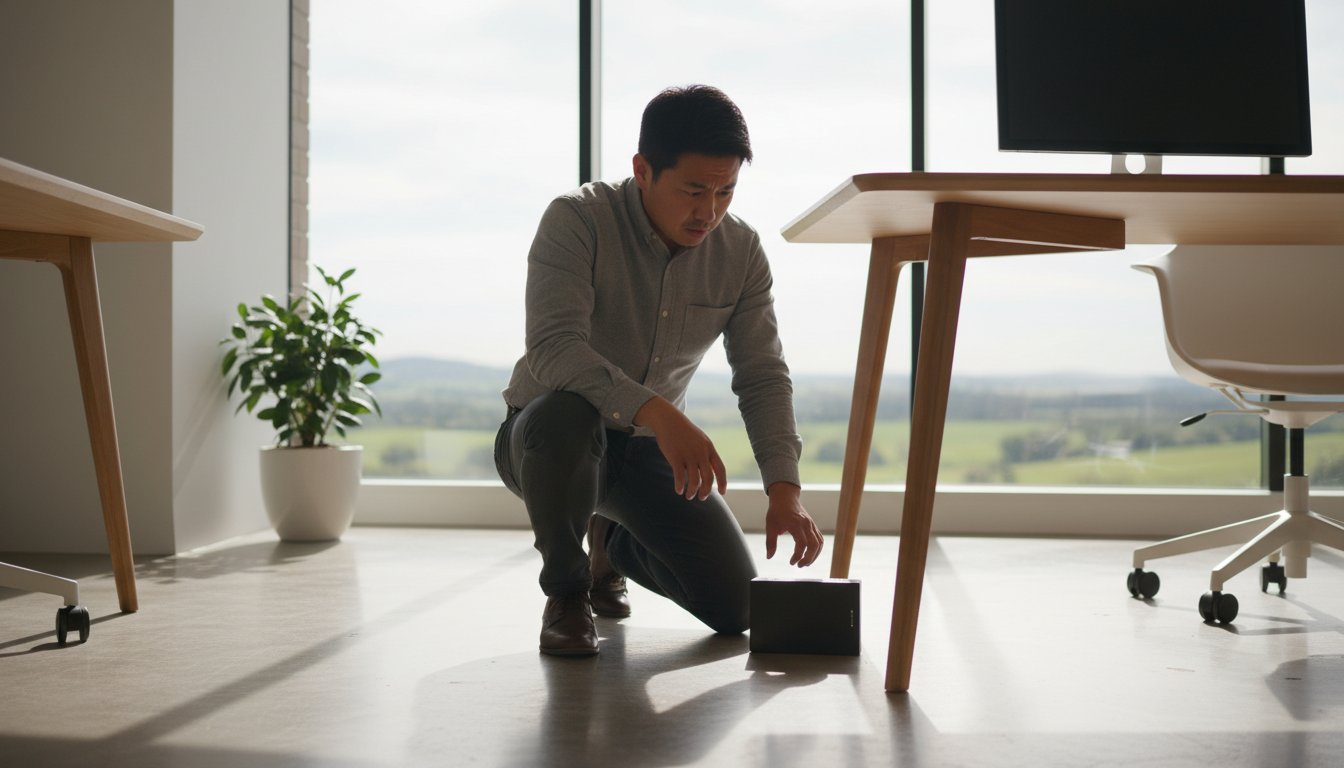
Last Tuesday at 2:15 PM, a Toowoomba small business owner watched their external drive slide off a desk and hit the floor with a sickening thud. The immediate urge is to plug it back in to see if it still works, yet that single action is the most common reason people fail to recover data from a dropped hard drive. When internal components like the read/write heads are displaced, even five seconds of power can cause permanent, physical scratches to the platters where your files live.
It’s natural to feel a sense of dread when your family photos or business records are suddenly at risk. You’re likely worried about a A$1,800 recovery bill or feeling confused by conflicting advice found on tech forums. We’ll provide a clear, professional path forward that maximizes your chances of a successful recovery while avoiding the common traps that lead to permanent loss. This guide includes a proven Stop/Go checklist to help you assess the damage and explains how to access reliable, local help right here in Toowoomba.
Key Takeaways
- Stop further damage immediately by learning the critical first steps to take—and what to avoid—to successfully recover data from a dropped hard drive.
- Understand the “head crash” phenomenon and why even a small 30cm drop can be as catastrophic for your files as a high-speed car crash.
- Separate fact from fiction by identifying dangerous DIY myths and knowing exactly when software recovery tools will help or cause permanent destruction.
- Explore the specialized environment of a Class 100 Cleanroom and the precision tools required to perform complex physical repairs like head swapping.
- Learn the benefits of choosing a local Toowoomba expert like Chaim Lee for a personalized, transparent recovery process rather than risking your drive in the mail.
What Happens Inside a Dropped Hard Drive?
Dropping your external drive or laptop is a heart-stopping moment. At Aspire Computing, we’ve helped hundreds of clients in Toowoomba and beyond deal with this exact scenario since 1999. It’s vital to stay calm and avoid the temptation to keep plugging the device in. While your drive looks like a solid metal box, it’s actually a high-precision mechanical device with tolerances measured in nanometres.
A standard hard drive platter spins at speeds between 5,400 and 7,200 RPM. When you drop a drive from just 30cm, the force exerted on the internal components is comparable to a high-speed car crash. This impact often leads to physical damage where the read/write heads collide with the platters. Understanding what happens when a drive fails helps you realize why “trying it one more time” can be a fatal mistake for your files.
To better understand this concept, watch this helpful video:
It’s important to distinguish between mechanical failure and logical corruption. Logical issues involve software bugs or accidental deletions where the hardware is still healthy. Mechanical failure means the physical hardware is broken. Trying to recover data from a dropped hard drive using “DIY” recovery software meant for logical issues can cause permanent data loss. This is because the software forces a physically broken drive to keep spinning, which grinds the read heads into the delicate platters.
The Anatomy of a Mechanical HDD
Inside the casing, circular platters store your files while an actuator arm moves the read/write heads across them. These heads don’t actually touch the surface; they float on a microscopic cushion of air thinner than a human hair. A drop breaks this delicate balance instantly. A “Head Crash” is the physical contact between the read head and the data platter. Once this contact occurs, the magnetic coating that holds your data is literally scraped away.
Common Symptoms After a Drop
If you hear a rhythmic ticking or knocking, you’re hearing the “Click of Death.” This means the actuator arm is hitting its mechanical stop because it can’t find the calibration data it needs. You might also encounter these symptoms:
- Whirring followed by silence: This often indicates a seized spindle motor that can’t spin the platters.
- The drive is “Not Recognized”: This happens when the Printed Circuit Board (PCB) or the internal interface is cracked.
- Grinding sounds: This is the most dangerous sign, indicating the head is actively destroying the platter surface.
If you notice these signs, power down immediately. At Aspire Computing, we focus on helping you protect and connect your digital life, and that starts with knowing when to stop before a A$300 repair becomes a multi-thousand dollar lab recovery.
Step-by-Step: How to Safely Assess a Dropped Drive
If you just dropped your external hard drive, the first thing you should do is stay calm. While your initial instinct is likely to plug the drive in to see if your files are still there, this is often the moment where permanent data loss occurs. To safely recover data from a dropped hard drive, you must follow a methodical assessment process before attempting any software recovery.
- Step 1: Unplug the drive immediately. If the drive was running when it fell, disconnect it from the power or USB port right away. Don’t try to “test” it yet.
- Step 2: Listen once for unusual noises. Connect the drive one time only. Listen closely for grinding, rhythmic clicking, or high-pitched beeping. If you hear these, unplug it within five seconds.
- Step 3: Visual inspection. Check the USB port for bent pins or internal movement. Look for cracks in the plastic casing that might indicate the force of the impact.
- Step 4: Determine data priority. Decide if the data is “Critical” (unreplaceable business files) or “Replaceable” (movies or backed-up photos). Professional recovery in Australia typically starts at A$400 and can exceed A$2,000 for severe mechanical failures.
- Step 5: Document the symptoms. Write down exactly what happened, including the height of the drop and the specific sounds you heard. This information is vital for a specialist.
The “One-Plug” Rule
Mechanical hard drives use a read/write head that hovers nanometres above spinning platters. A physical shock often causes these heads to touch the surface, leading to a head crash that destroys the magnetic coating where your data lives. Repeatedly power cycling the drive to “see if it works” acts like sandpaper on the platters. You should only plug the drive in once to listen for mechanical failure. If you hear anything other than a smooth whirring sound, the drive needs a clean-room environment to be salvaged safely.
Is it Just the Enclosure?
Sometimes you get lucky. External drives like the WD Passport or Seagate Expansion series use a plastic outer shell and a bridge chip to connect the internal drive to your USB port. A drop might snap the plastic or break the bridge chip while leaving the internal spinning drive unharmed. If the drive makes no unusual noises but isn’t showing up on your computer, you might be able to remove the internal drive and use a SATA-to-USB adapter. Only attempt this if the drive sounds perfectly healthy. If you’re worried about making the damage worse, it’s safer to talk to the experts at Aspire Computing before opening the casing. We’ve helped Toowoomba residents with these exact issues since 1999 and can help you determine the safest path to recover data from a dropped hard drive without risking your files.
Software Recovery vs. Physical Repair: Choosing the Right Path
Don’t panic if your drive hits the floor. While your first instinct might be to search for a quick digital fix, you need to stop and assess the situation. Choosing the wrong recovery method can turn a repairable drive into a paperweight in minutes. If you want to safely recover data from a dropped hard drive, you must distinguish between software errors and physical trauma.
The Dangers of Recovery Software
Tools like Recuva or SpinRite are excellent for finding a file you accidentally deleted, but they are dangerous for a dropped drive. Software forces the drive to work harder by repeatedly reading sectors to find bits of data. If the impact caused the read/write heads to bend, they will physically “sand down” the platters as they spin at 7,200 RPM. A four-hour deep scan on a clicking drive often destroys the magnetic layer where your files live. Software is for deleted files, not for dropped hardware.
- Mechanical Stress: Software doesn’t know the drive is broken and will push the hardware to its limits.
- Platter Scratching: Physical contact between the head and the platter causes “media rotation,” leading to permanent data loss.
- Heat Buildup: Damaged motors generate excessive heat during long scans, further warping internal components.
Debunking the Freezer Myth
You might see advice online suggesting you stick your hard drive in the freezer. This “hack” originated in the late 1990s when drive components had different thermal expansion properties. Today, this is a dangerous myth. When you take a cold drive out of the freezer, condensation forms instantly inside the head chamber. This moisture mixes with microscopic debris to create a “mud” that ruins the platters the moment they start spinning.
Avoid other common DIY “fixes” like tapping the side of the casing or trying to replace the PCB (Printed Circuit Board) yourself. Modern drives produced after 2014 use unique “adaptive” data stored on the controller chip. Swapping the board without transferring this specific code will stop the drive from ever calibrating correctly again.
The Cost of Professional Recovery
Opening a hard drive at home is a 100% guarantee of permanent data loss. A single speck of dust is like a boulder to a high-speed hard drive head. If your data is critical, a professional data-recovery service is the smartest move. In Australia, a professional lab recovery for a physically damaged drive typically costs between A$500 and A$2,000.
This price covers the use of a certified Cleanroom, specialized donor parts, and expert engineering time. Before you attempt to recover data from a dropped hard drive using home methods, weigh the value of your files against the cost of a professional. If those files are irreplaceable business documents or years of family photos, the lab is the only path that ensures your data’s continuity.
Professional Data Recovery: What Happens in the Lab?
If you’ve followed the safety steps but your device remains silent or makes a clicking sound, it’s time for professional intervention. Trying to recover data from a dropped hard drive through software when the hardware is physically broken often leads to permanent data loss. In a specialized lab, the recovery process moves from software work to delicate mechanical surgery.
The Cleanroom Advantage
Inside a standard hard drive, the read/write head hovers just 3 to 6 nanometres above the spinning platter. For comparison, a single human hair is roughly 50,000 nanometres wide. A microscopic speck of dust acts like a massive boulder in this environment; it can bridge the gap and cause a “head crash” that scrapes the magnetic coating right off the disk. This is why professional labs use Class 100 Cleanrooms. These environments maintain air quality where fewer than 100 particles exist per cubic foot, ensuring the platters stay pristine during the repair.
Specialized equipment also allows technicians to bypass failing firmware. At Aspire Computing in Toowoomba, we’ve acted as the first line of expert triage for local residents since 1999. Chaim Lee and the team assess the damage to determine if the drive requires this level of cleanroom surgery or if the data is accessible through advanced imaging tools.
What to Expect During the Process
The lab journey is methodical and transparent. It usually follows these steps:
- The Evaluation: Technicians inspect the internal components to provide a “recoverable or not” verdict. This usually happens within 24 to 48 hours of the drive arriving at the lab.
- Head Swapping: If the mechanical arm is bent, technicians source an identical donor drive. This donor must match the original model, firmware version, and often the same manufacturing site to ensure compatibility.
- Bit-by-Bit Imaging: Once the drive is temporarily stable, every bit of data is cloned to a secure server. Technicians don’t work on your original drive; they work on the clone to protect your files.
- The Target Drive: Your recovered files are returned on a new, healthy “Target Drive” or via a secure cloud link.
Privacy is a pillar of this process. Your sensitive information is handled under strict security protocols to ensure confidentiality. For a Toowoomba business, losing a decade of financial records or client files can cost upwards of A$10,000 in lost productivity and recreation time. Professional recovery isn’t just a technical service; it’s a vital investment in your business continuity.
If your drive is clicking or won’t spin, don’t risk a DIY disaster. Talk to the experts at Aspire Computing to protect your digital life today.
Local Data Recovery Services in Toowoomba
When your hardware hits the floor, your first instinct is often panic. Many users think they must mail their device to a faceless, distant laboratory in another state. This process is often slow and leaves you wondering who is actually handling your private information. Choosing a local expert means you can speak directly with Chaim Lee about your specific situation. We provide a personalized touch that large corporate labs simply cannot match.
Our “Aspire to Protect and Connect” philosophy drives everything we do for Toowoomba small businesses and home offices. We prioritize your business continuity and peace of mind. If you need to recover data from a dropped hard drive, having a local point of contact at 46 Brigalow St in Newtown makes the process transparent. You aren’t just a ticket number to us. You’re a neighbor who needs help getting back to work or saving precious family memories.
Why Toowoomba Trusts Aspire Computing
We’ve served the Darling Downs and Lockyer Valley since 1999. This 25 year history means we’ve seen every type of drive failure imaginable. One major benefit of our local service is the on-site triage. Before we ever suggest an expensive lab recovery, we perform a thorough assessment to see if a more cost-effective solution exists. We don’t just fix the current problem; we help you implement a robust data backup strategy to ensure this panic never happens again.
- Local expertise serving the community since 1999
- On-site triage to save you money on unnecessary lab fees
- Direct communication with the business owner, Chaim Lee
- Focus on long-term data protection for small businesses
Get Started Today
Don’t risk further damage by turning the drive on. Pack your device securely in an anti-static bag if you have one, then wrap it in at least 5 centimeters of bubble wrap. Place it in a sturdy box and bring it to our Newtown office. We offer a transparent “no data, no fuss” initial consultation. Our goal is to recover data from a dropped hard drive efficiently so you can resume your normal routine without a massive bill.
Contact us now for a professional data recovery evaluation. We’ll provide a clear quote in A$ so you know exactly what to expect before we begin. Visit us at 46 Brigalow St, Newtown, or call to discuss your recovery needs today. We’re here to help you get back on track quickly.
Get Your Data Back and Restore Your Peace of Mind
A mechanical failure doesn’t have to mean a permanent loss of your important files. The most critical step is to stop using the device immediately. Powering down your drive prevents the internal components from causing further physical damage to the platters where your information lives. While DIY software is tempting, it often complicates a physical recovery and can lead to permanent data corruption on a drive that’s been physically impacted.
Since 1999, Aspire Computing has provided reliable, local support to the Toowoomba community. Chaim Lee brings decades of technical expertise to every case, with a specific focus on small business continuity and hardware safety. If you need to recover data from a dropped hard drive, professional assessment in a controlled environment is the safest path forward. We’ve spent over 24 years helping locals navigate technology failures with calm, expert guidance. Don’t risk your precious memories or business records by waiting; we’re ready to help you protect and connect your digital world again.
Talk to the Toowoomba Data Recovery Experts at Aspire Computing
Frequently Asked Questions
Can I recover data from a clicking hard drive myself?
No, you shouldn’t attempt to recover data from a clicking drive at home. Clicking is a clear sign of mechanical failure where the read/write heads are likely hitting the platters. Every time you power the drive on, these heads can scrape the magnetic coating off the disks, making your files unrecoverable. Professional labs perform these repairs in a Class 100 cleanroom to prevent dust from causing further permanent damage.
How much does professional data recovery cost in Australia?
Professional services in Australia typically range from A$500 to A$2,500 depending on the severity of the damage. A basic logical recovery might cost around A$350, but to recover data from a dropped hard drive with physical issues, you should expect to pay between A$900 and A$1,800. This price covers the specialized labor, cleanroom use, and the cost of donor parts required to make the drive temporary functional.
Is it possible to recover data if the drive won’t spin at all?
Yes, it’s often possible to retrieve your files even if the drive appears completely dead. This symptom usually points to a seized spindle motor or a damaged Printed Circuit Board (PCB) caused by the impact of the drop. Our technicians use specialized equipment to bypass the damaged electronics or manually free the motor. We successfully recover data from about 80% of drives that exhibit no signs of power or movement.
How long does the data recovery process usually take?
The standard turnaround time is between 5 and 10 business days. We usually complete the initial evaluation within 24 to 48 hours to give you a definitive quote. If your drive requires rare donor parts from international suppliers, it might add 4 days to the schedule. Once the hardware is stabilized, the actual cloning process can take anywhere from 12 hours to 3 days depending on the drive’s capacity.
Does dropping an SSD cause the same damage as an HDD?
No, Solid State Drives (SSDs) are far more durable because they don’t have moving parts. While a 1-metre drop has a 95% chance of causing mechanical failure in a traditional hard drive, an SSD will usually survive the same fall without any data loss. However, a hard impact can still break the internal solder joints or the external SATA and USB connectors. If your SSD isn’t recognized after a fall, it likely has a physical circuit break.
What should I do if my dropped drive is still under warranty?
You need to prioritize your data over the hardware replacement. Opening the drive or even sending it to a standard repair shop will void your manufacturer warranty with companies like Seagate or Western Digital. Most Australian warranties don’t cover accidental damage like drops anyway. If the data is critical, we recommend seeking professional recovery first. We can often provide a report that helps you explain the situation to the manufacturer for a potential replacement.
Can I use a DIY head replacement kit from the internet?
We strongly advise against using DIY kits because they have a failure rate exceeding 90% for untrained users. Modern hard drives are engineered with microscopic tolerances where the heads fly just nanometers above the platters. Even a single speck of dust or a fingerprint can cause a catastrophic “head crash” that destroys your data forever. Professional recovery is a one-shot process, and DIY attempts often make professional success impossible.
Why is my computer freezing when I plug in the dropped drive?
Your computer freezes because the operating system is stuck in a loop trying to read corrupted sectors. When you recover data from a dropped hard drive, you’re dealing with hardware that can’t respond to standard commands. Windows or macOS will wait indefinitely for the drive to respond, which ties up the system’s resources and causes the hang. Unplug the drive immediately to prevent the damaged heads from further grinding into the platters.

B.App.Sc., Cert. Computer Engineering PC Service and Repair
As the owner of Aspire Computing founded in 1999, Chaim Lee has been working for over 20 years as the Leading Computer Technician.
He has a life long interest in electronics, computing, science and technology. He has completed studies and gained qualifications in Applied Science, Computer Repair and Service, Microsoft Installation and Maintenance, Technical Writing, Workplace Training, and Technical Sales Training.
