Imagine it’s 8:15 AM on a Tuesday morning here in Toowoomba. You sit down to pull up a client’s 2025 project files, but instead of your data, you’re met with a silent screen and a rhythmic clicking from your hard drive. It’s a hardware failure that could cost you weeks of work. Choosing between cloud backup vs local backup for business shouldn’t feel like a gamble with your livelihood. We understand the worry that comes with inconsistent NBN speeds or the rising cost of monthly subscriptions for your storage.
You probably agree that your digital records are the backbone of your company, and losing them isn’t an option. At Aspire Computing, we’ve been helping locals protect their data since 1999, so we know exactly what it takes to stay secure. This guide will show you how to build a bulletproof strategy using the 3-2-1 backup rule. We’ll compare the one-off costs of local hardware against the reliability of the cloud to help you make a confident decision for 2026. You’ll finish this article with a clear path forward and the peace of mind that your business is fully protected.
Key Takeaways
- Understand the critical trade-offs between speed and off-site security when deciding on cloud backup vs local backup for business.
- Learn how to leverage local hardware for lightning-fast data recovery and physical control without the need for an internet connection.
- Discover how automated cloud storage creates a vital “air-gap” to protect your Toowoomba office from physical site disasters.
- Evaluate the cost-benefit of one-time hardware purchases versus predictable monthly subscriptions to find the most efficient fit for your budget.
- See how implementing the industry-standard 3-2-1 Rule creates a bulletproof hybrid strategy for total business continuity.
What is the Difference Between Cloud and Local Backup for Business?
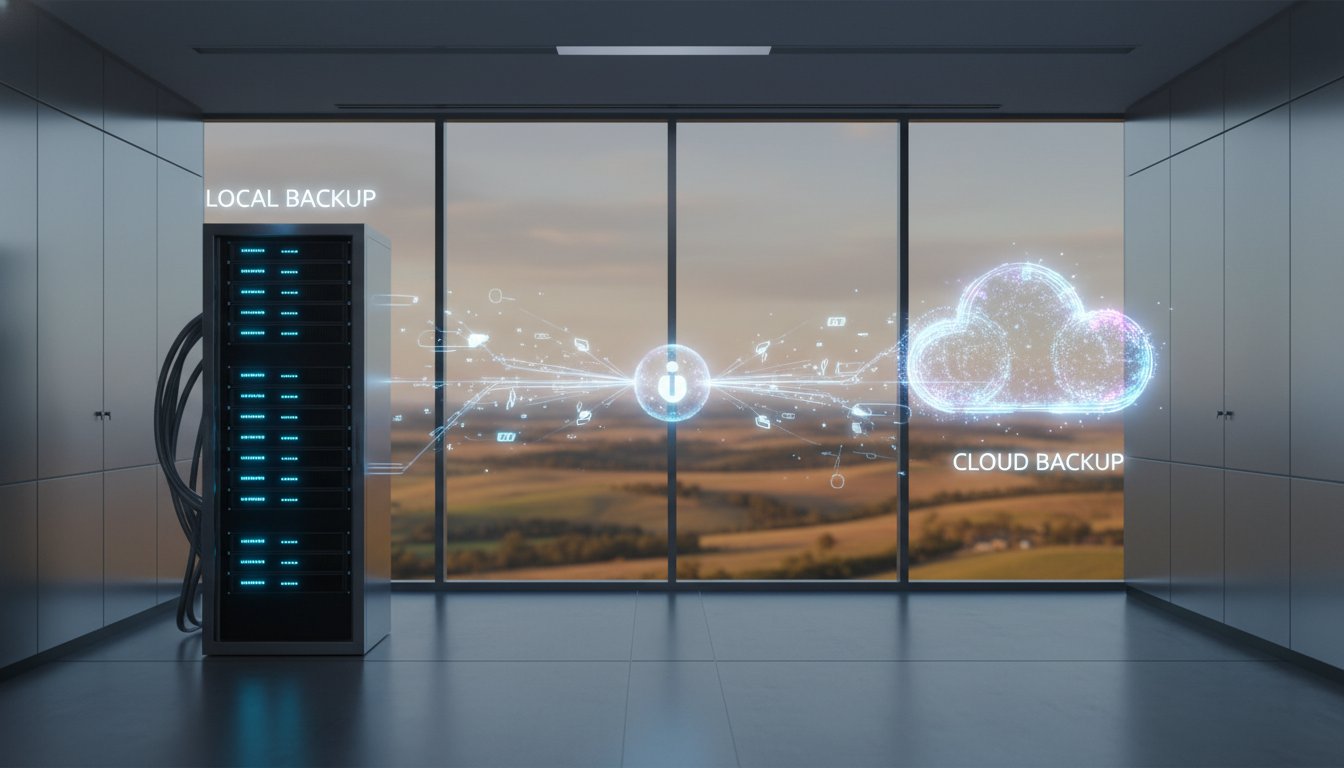
Local backup involves saving your files onto physical hardware located right in your office. This usually means using high-capacity external hard drives or a Network Attached Storage (NAS) unit connected to your internal network. Cloud backup works differently. It involves encrypting your data and sending it to a secure, off-site data centre via your internet connection. Understanding cloud backup vs local backup for business is the first step toward securing your company’s future.
The core purpose of any backup strategy is business continuity. Whether a server motherboard fails or a staff member accidentally deletes a critical folder, you need a way to get back to work fast. For Toowoomba small businesses in 2026, the biggest risk isn’t the technology itself. It’s the “set and forget” mentality. A 2025 industry report found that 20% of small business data restores fail because the backup system wasn’t monitored or tested. At Aspire Computing, we’ve seen that a backup is only useful if it actually works when the pressure is on.
The Role of Local Storage in 2026
Local storage has evolved significantly. By 2026, 20TB SSDs have become a standard tool for handling massive data loads in small offices. Local drives offer immediate accessibility. If you need to recover a 50GB database, pulling it from a drive on your desk is much faster than downloading it over the NBN. This makes local backup your best first line of defence for quick fixes and accidental file deletions. It provides a tangible sense of control because your data stays within your four walls.
Understanding the Modern Cloud Environment
Modern cloud solutions have moved far beyond being just a “drive in the sky.” In 2026, the focus is on automation and “Immutable Backups.” This technology ensures that once your data is written to the cloud, it cannot be changed or encrypted by ransomware. Cloud providers now manage data redundancy by mirroring your files across multiple global locations. This means even if a data centre faces a disaster, your business information remains safe and accessible from any internet connection. It’s a hands-off approach that provides professional-grade security without requiring on-site hardware maintenance.
Deciding on cloud backup vs local backup for business shouldn’t be about picking one over the other. Most resilient businesses now use a combination of both to ensure they stay connected and protected regardless of the situation.
Local Backup: Speed and Control with Physical Risks
Local backup remains a cornerstone of data strategy because it offers lightning-fast recovery speeds that the internet simply can’t match. When you’re comparing cloud backup vs local backup for business, the physical connection is the clear winner for performance. Restoring a 500GB database via a local USB 3.2 connection takes about 15 minutes, whereas the same task over a standard 50Mbps NBN connection could drag on for over 22 hours. This speed ensures your staff stays productive instead of waiting for progress bars to move.
The financial side is also attractive. You pay a one-time cost for hardware, such as a $450 high-capacity drive, rather than a monthly subscription that grows as your data expands. However, this control brings the “Toowoomba Factor” into play. Our region is prone to sudden power surges and severe summer storms. In early 2024, local businesses reported a 15% increase in hardware failures following heavy electrical activity. Without high-quality surge protection, your backup drive is just as vulnerable as the computer it’s protecting.
Physical proximity is a double-edged sword. While it’s convenient to have your data within arm’s reach, it means your primary data and your backup are in the same “blast zone.” If a fire, flood, or theft occurs at your office, you lose both copies at once. This makes local storage a risky solo strategy for total business continuity.
Hardware Options for Local Backups
- External Hard Drives: These are simple and portable, but they’re prone to mechanical failure if dropped. They’re best used for temporary snapshots rather than long-term archives.
- Network Attached Storage (NAS): A NAS acts like a private cloud within your office. It uses multiple disks to ensure that if one drive fails, your data remains safe.
- Drive Rotation: We recommend a 3-2-1 strategy. This involves taking a physical drive home or to a bank vault every Friday to ensure at least one copy is off-site.
The Hidden Maintenance Burden
The biggest threat to local storage isn’t technology; it’s people. Statistics show that 60% of data loss incidents in small businesses happen because someone forgot to plug in the drive or check if the software was actually running. Bit rot is a silent killer where the magnetic polarity of bits on a hard drive spontaneously flips over 3 to 5 years, resulting in corrupted files that won’t open.
Maintaining these systems requires a disciplined routine. If your hardware starts making strange clicking noises or your backups suddenly stop, don’t wait for a total crash. You’ll need a local expert for PC and laptop repair to diagnose the fault before the data becomes unrecoverable. It’s often safer to have a professional look at your setup to ensure your cloud backup vs local backup for business balance is configured correctly for your specific needs.
Cloud Backup: Off-site Security and Connectivity Challenges
When you weigh up cloud backup vs local backup for business, the biggest advantage is the physical “air-gap” between your office and your data. If a fire or flood hits your Toowoomba storefront, a local drive sitting on the desk is lost forever. Cloud storage keeps your files in a Tier 4 data center with 99.9% uptime. It’s the only way to ensure your business survives a total site disaster. We’ve seen too many cases where a local backup was plugged in during a power surge, frying both the computer and the backup simultaneously. Cloud storage eliminates that risk entirely.
Automation is the second big win. Humans are forgetful. In our experience since 1999, the number one reason backups fail is because someone forgot to plug in the drive or click “start.” Cloud systems run on a schedule you don’t have to think about. They also scale instantly. If your business grows and you suddenly need 5TB of extra space, you don’t need to go to the shops for a new hard drive. You just update your subscription and keep working.
Encryption and Cybersecurity
Your data is scrambled using AES-256 encryption before it even leaves your building. This means even if a hacker intercepted the transmission, they’d see nothing but gibberish. This level of protection is a vital part of a modern Cyber security strategy. Another benefit is cloud versioning. If ransomware hits your network at 10:00 AM, you don’t have to pay the ransom. You simply roll back your entire file system to the 9:55 AM version and get back to work.
Managing the Connectivity Hurdle
The main challenge for regional Queensland businesses is the NBN bottleneck. If you have a standard 50/20 Mbps connection, your upload speed is capped at 20Mbps. A massive 1TB initial backup could take days to finish. We manage this using three specific methods:
- Incremental Backups: After the first upload, the system only sends the tiny fragments of files that changed, which usually takes seconds.
- Off-Peak Scheduling: We set your largest uploads to happen at 2:00 AM so they don’t slow down your office phones or emails during the day.
- Local Caching: If your internet drops out for a day, the software stores the changes locally and pushes them to the cloud the moment you’re back online.
It’s about finding the right balance for your specific location. While the cloud backup vs local backup for business debate often focuses on speed, the security of having your data off-site usually outweighs the initial setup time. Don’t let a slow connection stop you from protecting your livelihood.
Direct Comparison: Cost, Recovery, and Reliability
Choosing between cloud backup vs local backup for business requires a clear look at your daily operations and your budget. A local backup system usually demands a high initial investment. You might spend $2,100 or more on a professional Network Attached Storage (NAS) unit and high-capacity enterprise drives. Cloud services flip this model. They offer a low entry cost with monthly subscriptions that scale as your data grows. While local ongoing costs are mostly limited to electricity and maintenance, cloud fees are consistent and predictable.
Reliability is where the two models diverge significantly. Leading cloud providers guarantee 99.9% uptime and store your data across multiple physical locations. Local hardware is vulnerable to the environment. Power surges, floods, or simple mechanical wear can stop a local drive. Most hard drives see a 2.5% failure rate within the first year, and that risk increases after year four. We’ve seen many businesses lose their primary data and their local backup simultaneously due to a single hardware fault.
The Speed of Recovery (The RTO Factor)
Recovery Time Objective, or RTO, measures how fast you can get back to work after a crash. Speed matters. If you need to recover a 50GB database from a local server, a 1Gbps office network can finish the job in roughly 8 minutes. Downloading that same 50GB file over a standard NBN 50 connection takes at least 2.5 hours. For a team of 10 employees, those two hours of downtime can cost over $950 in lost productivity. Aspire Computing helps local businesses evaluate their internet speed to ensure their recovery plan doesn’t leave them stranded for days.
Total Cost of Ownership (TCO)
The sticker price of a hard drive isn’t the total cost. You must account for drive replacements every 3 or 4 years to avoid hardware fatigue. Managing local backups also requires manual checks to ensure the data is actually there. Cloud pricing includes automated monitoring and “peace of mind” that your files are safe from local disasters like fire or theft. When you calculate the cost of a data crisis, the cheapest storage option often proves to be the most expensive mistake. We focus on building systems that offer continuity, not just storage.
Don’t wait for a hardware failure to test your recovery speed. Talk to the experts at Aspire Computing to design a backup strategy that protects your business continuity.
The Hybrid Solution: Implementing the 3-2-1 Rule
Choosing between cloud backup vs local backup for business does not have to be an “either/or” decision. In fact, relying on just one method is a gamble that rarely pays off when a real crisis hits. Since Chaim Lee established Aspire Computing in 1999, we have seen that the most resilient Toowoomba businesses use a hybrid approach. This strategy follows the 3-2-1 Rule: keep three copies of your data, store them on two different types of media, and keep at least one copy off-site.
A hybrid setup gives you the best of both worlds. You get the lightning-fast recovery speeds of a local backup for minor accidents, like a deleted folder. You also gain the absolute security of the cloud if your physical office faces a fire, flood, or theft. It is about building layers of protection. We call this our “Active Protection” model. It ensures your business continuity remains intact no matter what happens on the Darling Downs.
To get started, we recommend a simple data audit for your business:
- Inventory: List every location where your data lives, including desktop PCs, servers, and mobile devices.
- Volume: Calculate how many gigabytes of “mission-critical” data you generate daily.
- Retention: Decide how far back you need to be able to go (e.g., 30 days vs. 7 years for tax compliance).
- Accessibility: Identify who needs access to these backups during an emergency.
Managed Backup Services vs. DIY
The biggest danger with “DIY” backups is the lack of verification. Statistics show that 20% of small business data restorations fail because the backup drive was full or the software crashed months ago without anyone noticing. Chaim Lee and the Aspire team eliminate this risk through active monitoring. We provide the personal touch of a local expert you can actually call. If you ever find yourself in a bind and need Data Recovery Services, you won’t be talking to a bot. You will be talking to a professional who knows your system inside and out.
Step-by-Step Implementation
Step 1: Identify your mission-critical data. Focus on the core 15% of files that your business cannot function without for more than four hours.
Step 2: Set up a local Network Attached Storage (NAS) device. This allows for fast, daily snapshots of your work that can be restored in minutes over your local network.
Step 3: Sync that NAS to a secure, encrypted cloud provider. This creates your ultimate off-site safety net, fulfilling the final requirement of the 3-2-1 Rule.
Choosing the right cloud partner is a critical part of this step. For those wanting to understand what business-grade cloud infrastructure entails, you can find out more to see what leading providers offer.
At Aspire Computing, we “Aspire to Protect and Connect” your business. Don’t wait for a hard drive failure to realize your backup plan is incomplete. Talk to the experts at Aspire Computing today for a free backup health check and ensure your local and cloud strategy is 2026-ready.
Secure Your Business Continuity Strategy Today
Your data is the lifeblood of your daily operations. Deciding on cloud backup vs local backup for business doesn’t have to be a binary choice. Local backups provide the 1,000 Mbps recovery speeds needed for immediate uptime; cloud solutions offer the essential off-site protection against physical disasters. The most resilient 2026 strategies rely on the 3-2-1 rule to ensure your files remain accessible under any circumstances.
Since 1999, Aspire Computing has helped Toowoomba small businesses navigate these complex technical shifts. Chaim Lee provides the personal expert support you need to build a business continuity plan that actually works. We’ve spent over 25 years ensuring local companies don’t lose a single minute of productivity to hardware failure or cyber threats. You deserve an IT setup that’s both fast and bulletproof.
Aspire to Protect and Connect: Get Your Business Backup Audit Today
Let’s get your systems secured so you can focus on growing your business with total peace of mind.
Frequently Asked Questions
Is cloud backup safer than local backup for my business?
Cloud backup is generally safer because it keeps your data off-site and protected from physical threats like fire, theft, or floods. While a local drive offers fast access, it’s vulnerable to the same office disasters that might destroy your computers. By 2026, most professional cloud providers use AES-256 encryption and immutable storage, which prevents ransomware from deleting your backups. This ensures your business stays resilient regardless of what happens at your physical Toowoomba location.
How much does business cloud backup cost in Australia in 2026?
In 2026, Australian businesses typically pay between $10 and $50 per month for each terabyte of managed cloud storage. If you choose a fully managed service with active monitoring, the price often sits around $15 per month for 500GB of data. These costs have remained stable since 2024 because storage technology has become more efficient. Investing in a professional cloud backup vs local backup for business setup ensures you only pay for the capacity you actually use.
Will cloud backup slow down my office internet speed?
You won’t notice a slowdown if we configure your backups to run during off-peak hours or use bandwidth throttling. We typically set backup software to use only 20% of your total upload speed during business hours, which leaves plenty of room for Zoom calls and emails. With NBN speeds reaching 1,000 Mbps for many businesses in 2026, most offices can sync data in the background without any impact on daily operations or staff productivity.
Can I use a simple external hard drive for my business backup?
You can use an external drive for quick local copies, but it shouldn’t be your only protection. Statistics show that 20% of external hard drives fail within their first four years of use due to mechanical wear or accidental drops. Relying on a single $120 drive puts your entire company at risk if it fails at the same time as your main server. At Aspire Computing, we recommend using these drives only as a secondary layer in a broader strategy.
What is the 3-2-1 backup rule and why does it matter?
The 3-2-1 rule is the industry standard for data safety, requiring three copies of your data, stored on two different types of media, with one copy kept off-site. This strategy ensures that even if a hardware failure and a local fire happen simultaneously, your business remains operational. We’ve used this framework since 1999 to achieve a 100% recovery rate for our clients. It’s the most reliable way to evaluate your cloud backup vs local backup for business needs.
How long does it take to recover data from the cloud?
Recovery time depends on your internet speed and the volume of data, but a typical 100GB folder takes about 2 hours to download on a 100Mbps connection. For larger recoveries involving multiple terabytes, we often use “Instant Recovery” features that let you run virtual machines directly from the cloud while the data downloads. This 2026 technology reduces your downtime from days to minutes, keeping your team productive while the full restoration completes.
Do I need cloud backup if I already use Microsoft 365 or Google Drive?
You definitely need a separate backup because Microsoft and Google only guarantee the platform’s uptime, not your specific data. Their standard terms of service include a “Shared Responsibility Model,” which means you’re responsible if an employee accidentally deletes a file or a hacker wipes your inbox. Most default recycle bins only hold data for 30 days. A dedicated backup service ensures you can recover files from six months or six years ago without any hassle.
What happens to my local backup if there is a power surge or storm?
A severe power surge can physically destroy a local backup drive, even if it’s plugged into a standard surge protector. Lightning strikes can deliver over 20,000 volts through your building’s wiring, which often bypasses basic fuses and fries internal circuit boards. If your only backup is physically connected to your network during a storm, you could lose everything. This is why we always recommend a cloud component to ensure your data stays safe from local electrical events.
For a more holistic approach to business continuity, protecting your hardware from grid instability is just as important as your backup strategy. To see how commercial solar and battery systems can safeguard your operations against power-related disruptions, you can visit G-Solar & Electrical.

B.App.Sc., Cert. Computer Engineering PC Service and Repair
As the owner of Aspire Computing founded in 1999, Chaim Lee has been working for over 20 years as the Leading Computer Technician.
He has a life long interest in electronics, computing, science and technology. He has completed studies and gained qualifications in Applied Science, Computer Repair and Service, Microsoft Installation and Maintenance, Technical Writing, Workplace Training, and Technical Sales Training.