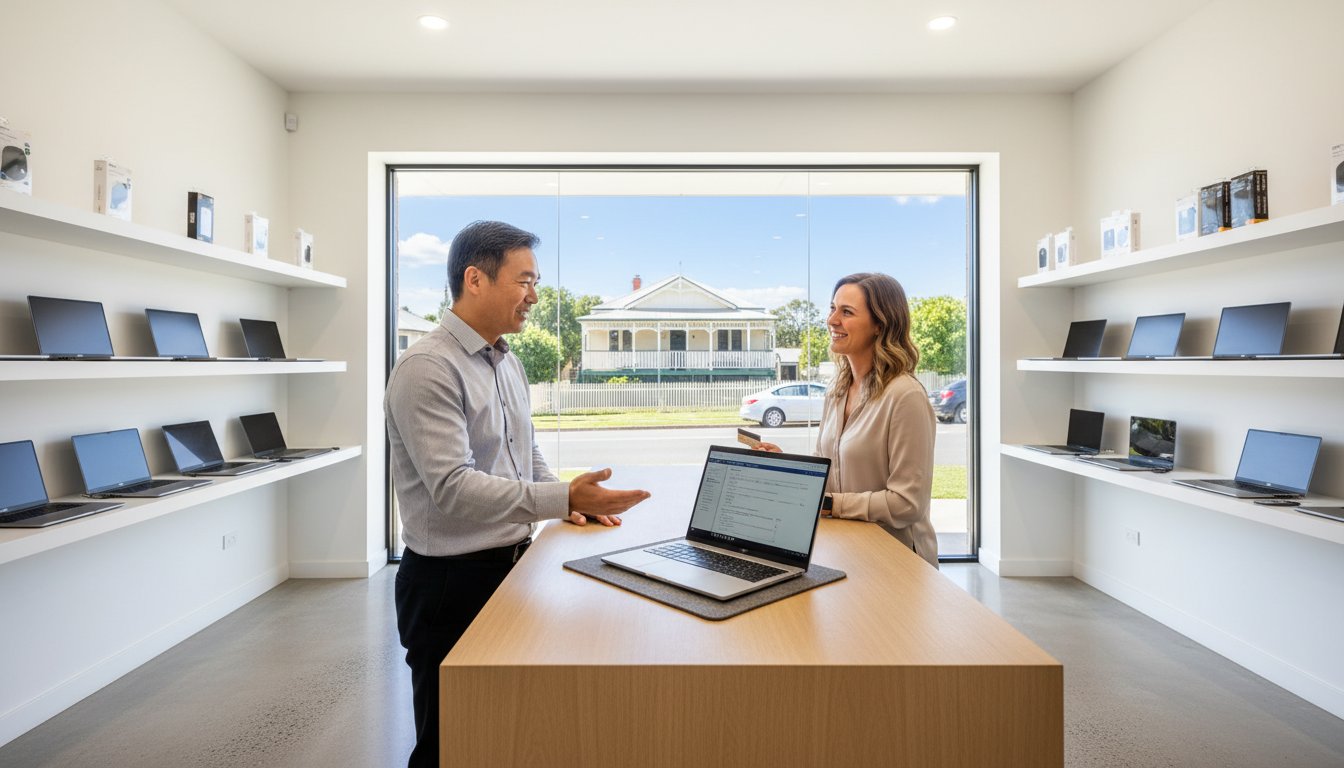
Imagine it’s a Tuesday morning in Toowoomba and your laptop screen suddenly freezes, right in the middle of an urgent project. You search for computer support near me, but you’re met with big box stores that treat you like a ticket number and quote impersonal, inflated prices. It’s frustrating to feel like your private data is just another file to a corporate technician who doesn’t know your name. The panic is real.

We understand that technology failures feel like a crisis, but please don’t panic. You deserve a local expert who prioritizes your data security and offers a clear explanation of what went wrong without the technical jargon. With 2026 Right to Repair laws now in effect, you have more power than ever to choose an independent expert who provides a fast return and quality assurance. This guide will show you how to identify a reliable technician who gets you back online quickly while keeping your files safe. You’ll learn exactly what to look for in a local partner, from transparent hourly rates to proven data recovery success.

Key Takeaways

  • Learn why physical proximity is crucial for hardware repairs and how to distinguish professional IT experts from basic consumer-grade help.
  • Determine whether on-site or remote assistance is best for your situation by comparing travel fees against hourly rates for computer support near me.
  • Discover how local experts provide better value and personal accountability than big-box chains that often include a hidden “franchise tax” in their pricing.
  • Follow a simple pre-session checklist to document error messages and secure your data, ensuring a faster return to work.
  • Understand the “Aspire to Protect and Connect” mission and how a dedicated local partner prioritizes your data security and business continuity.

Finding Reliable Computer Support Near You

When your screen goes dark or your system starts making grinding noises, your first instinct might be stress. However, the golden rule of tech support is simple: don’t panic. Panic leads to rushed decisions, like clicking on “scammy” pop-ups or taking your device to the first big-box store you see. Finding quality computer support near me isn’t just about finding the closest shop on a map; it’s about finding a local partner who takes personal accountability for your data and your time.

Proximity is vital because hardware issues and complex networking can’t always be solved over a phone call. Since the new Right to Repair laws took effect on January 1, 2026, local experts have better access to parts and tools than ever before. This means a local technician can often provide a faster return than a national franchise that has to ship your laptop to a central warehouse. Choosing a local expert means you’re dealing with someone who values their reputation in the community, not just a corporate ticket number.

To better understand this concept, watch this helpful video:

There’s a major difference between consumer-grade help and professional Technical support. While a hobbyist might “try” to fix a problem, a professional follows a methodical process to ensure your system’s continuity. Look for technicians who have been established for decades, like those serving the Toowoomba community since 1999. When checking online reviews, look for specific details. Red flags include a sudden influx of 5-star ratings over a single weekend or generic comments that don’t mention specific technical problems. Real reviews often mention the technician’s name and the specific problem they solved.

What Does “Computer Support” Actually Cover?

A comprehensive support provider handles more than just broken screens. At a professional level, this includes hardware diagnostics for PCs, laptops, and printers to find the root cause of failures. It also involves software optimization, such as Windows tune-ups and OS upgrades, to improve performance. Perhaps most importantly, it covers high-stakes tasks like virus removal and specialized data recovery services to protect your digital life.

Common Scenarios Requiring Immediate Professional Help

  • The Blue Screen of Death: If your computer fails to boot or crashes repeatedly, it’s often a sign of failing hardware or corrupted system files.
  • Physical Hardware Failure: Clicking noises from a hard drive or a fan that sounds like a jet engine require immediate attention to prevent permanent data loss.
  • Security Breaches: If you suspect a malware infection, disconnect from the internet immediately and seek professional help to secure your identity.

On-Site vs. Remote IT Support: Which Do You Need?

Modern tech help comes in two distinct flavors: the technician at your door and the cursor moving on your screen. When searching for computer support near me, you’ll find that most professional providers offer both delivery methods. Remote support is excellent for software glitches, while on-site visits are mandatory for physical failures. In 2026, hourly rates for reactive, break-fix support typically range between $125 and $200 per hour. Choosing the right delivery method ensures you aren’t paying for travel time when a quick remote session would suffice.

Security is a major concern for remote access. Professional technicians use encrypted sessions and one-time access codes to protect your privacy. You should always be able to see exactly what the expert is doing on your desktop. Remote help provides a fast return for software issues, but it has physical limits. It cannot fix a cracked motherboard, replace a failing power supply, or troubleshoot a severed network cable. Hardware issues always require a hands-on approach to ensure quality and safety.

The needs of a home user often differ from those of a local firm. Effective Small Business IT Support usually requires a hybrid model. While a home user might only need a quick email fix via remote login, a business requires stable local backups, server maintenance, and physical network security. Identifying whether your problem is digital or physical is the first step toward a working computer and a clear explanation of the solution.

When to Choose On-Site Support

Physical repairs require a hands-on approach. You cannot replace a laptop screen, swap a swollen battery, or perform hardware upgrades through a remote connection. On-site support is also the best choice for complex networking issues where physical cabling or printer hardware is the culprit. If your hard drive is making a grinding noise, stop using the device immediately and request a local visit to prevent permanent data loss.

The Benefits of Remote Assistance

Remote support offers an almost instant response for software-based frustrations. It eliminates travel wait times and the associated costs, making it a highly efficient option for “quick fixes.” This method is perfect for software training, email configuration, or clearing up minor malware infections. If you’re struggling with a Windows update or a software setting that won’t behave, remote help gets you back online without the need for an appointment window. If you’re unsure which service fits your situation, you can always talk to the experts at Aspire Computing for a professional recommendation.

Big Chains vs. Local Experts: Why Local Wins

When you search for computer support near me, you’re often presented with massive national chains that boast about their footprint. While these “big box” stores have recognizable names, they often come with a hidden “franchise tax.” This overhead covers national marketing and corporate management; costs that are eventually passed down to you. In contrast, a local expert operates with lower overhead and a much higher level of personal accountability. You aren’t just another ticket in a database; you’re a neighbor whose business keeps the shop running.

Personal accountability is the biggest differentiator. If a repair goes wrong at a national chain, you’re often stuck in a call center loop, explaining your problem to someone in a different time zone. At a local shop, you speak directly to the person who worked on your machine. This direct line of communication leads to a working computer and a clear explanation of what went wrong. You don’t have to navigate tiered support layers to get a straight answer about your data security.

Local knowledge also plays a critical role in troubleshooting. Toowoomba and the surrounding regions have specific infrastructure quirks. A local technician understands the regional NBN rollout patterns and how our local power grid behaves during a Darling Downs storm. This context allows for faster troubleshooting that a remote technician in a different state simply wouldn’t grasp. They know which suburbs have aging copper lines and which have reliable fiber, saving you hours of unnecessary diagnostic time.

The Aspire Computing Difference in Toowoomba

Chaim Lee has been a cornerstone of the local tech scene since 1999. This longevity provides a level of stability that national franchises can’t match. Whether you’re located in Newtown, the Darling Downs, or the Lockyer Valley, you’re receiving help from a technician who has seen every tech trend of the last 25 years. Our “No Fix, No Fee” philosophy isn’t a corporate gimmick. It’s a commitment to quality and assurance for our local community. We “Aspire to Protect and Connect” because we live and work in the same streets you do.

Why Small Businesses Prefer Local Tech Partners

For local firms, every minute of downtime is lost revenue. National chains often use tiered support where you must speak to junior staff before reaching a senior expert. Local partners offer direct access to senior technicians who design customized solutions for your specific workflow. This relationship is the foundation for proactive IT support for business. We focus on business continuity and data backup, ensuring your operations stay online even when hardware fails. You get an expert who knows your server room by heart, not a stranger following a script.

Checklist: Preparing for Your Computer Support Session

Before you reach out for computer support near me, a small amount of preparation goes a long way. Technicians bill for their time, so being organized helps minimize the hours spent on diagnostics. It also ensures that your most important files are prioritized during the repair process. Whether you need a quick fix for a laptop or a major hardware upgrade, following a methodical checklist keeps the process stress-free.

Before calling your technician, you must document the exact wording of every error message that appears on your screen. This single step can save thirty minutes of diagnostic billing. If your computer still boots, perform a quick manual backup of your most vital documents. Use a USB drive or a cloud service to secure files created in the last 14 days. If the system won’t start, don’t panic. Professional data recovery services can often retrieve files from drives that appear dead, provided you stop using the device immediately.

For those requesting an on-site visit in the Toowoomba area, please clear the physical workspace around your computer and printer. Technicians need room for tools and diagnostic equipment. Having a clean area allows the expert to focus entirely on the machine rather than shifting paperwork or tangled cables. It’s also helpful to have your internet router accessible in case the issue involves connectivity or network security settings.

Documenting the Issue

Use your phone to take clear photos of any “Blue Screen of Death” or pop-up warnings. Note exactly what you were doing when the failure occurred. Did you install a new printer on May 12, 2026? Did you download a new software package in the last 48 hours? These details are breadcrumbs that lead an expert to the solution much faster than a generic description. A working computer is the goal, and clear documentation is the fastest path to getting there.

Security and Access Preparation

Ensure you have your administrator credentials ready. Technicians cannot perform OS upgrades or deep system clean-ups without full access. Gather your original software license keys or subscription details for critical apps. Most importantly, identify which folders contain your “critical data.” This helps the technician ensure these areas are protected first during any virus removal or hardware swap. Securely gathering these details beforehand prevents delays during the actual session.

If you’re ready for a professional diagnostic and a fast return to productivity, contact Aspire Computing today to get started.

Aspire Computing: Your Trusted Toowoomba Tech Partner

When you search for computer support near me, you aren’t just looking for a technician; you’re looking for peace of mind. At Aspire Computing, our mission is encapsulated in four words: “Aspire to Protect and Connect.” This isn’t a marketing slogan. It’s our dual commitment to keeping your data secure and your devices functioning perfectly. Since 1999, we’ve served as a reliable anchor for the Toowoomba community, ensuring that technology remains a tool for progress rather than a source of stress.

We pride ourselves on clear, jargon-free communication. If your system is failing, the last thing you need is a lecture in technical terminology. We provide a working computer and a clear explanation of the solution. Our deep roots in the Darling Downs and Lockyer Valley mean we treat every client with the personal accountability you’d expect from a local business owner. Whether you’re a home user or a small business, our goal is to provide computer repairs in Toowoomba that are fast, effective, and transparent.

Our approach is methodical and user-friendly. We guide you logically from problem identification to a completed repair. Because we’re local, we understand the specific needs of our neighbors. We don’t just fix a problem and disappear; we build long-term relationships based on trust and quality assurance. This personal approach distinguishes us from larger, anonymous IT providers who lack a personal face and name.

Comprehensive Tech Solutions

Our expertise covers a wide spectrum of digital needs. We handle everything from routine virus and malware removal to high-stakes data recovery. We support PCs, laptops, and printers from all major manufacturers. If your hardware is beyond repair or simply needs an upgrade, we supply quality components and devices from trusted brands like Canon, Samsung, and Epson. We don’t believe in “one size fits all” fixes; we tailor our hardware recommendations to your specific usage patterns and budget.

Get Started Today

Booking a session or a comprehensive system health check is straightforward. These proactive checks are essential for business continuity, helping to identify potential hardware failures before they result in downtime. When you need professional computer support near me, we make the process as simple as possible. You can reach out to Chaim Lee and our team directly to discuss your specific issues. We offer the flexibility of both on-site visits and remote support sessions, depending on what your situation requires. If you’re currently facing a technology crisis, please remember the first rule we discussed earlier: don’t panic! We have the experience and the tools to get you back online quickly. Let us handle the technical frustrations so you can focus on what matters most.

Take Control of Your Technology Today

Choosing a local expert ensures personal accountability and specialized knowledge that national call centers can’t match. As discussed, proper preparation and understanding the difference between remote and on-site assistance can significantly reduce your downtime. Finding reliable computer support near me shouldn’t be a gamble with your private data. By prioritizing local experts who understand regional infrastructure, you gain a partner invested in your long-term success.

Since 1999, Chaim Lee has provided stability to the Toowoomba region as a dedicated owner-operator. Our expertise in Cyber Security and Data Recovery ensures your digital life is protected by a professional who knows your name. We focus on quality assurance and a fast return to productivity for every client. If you’re ready to move from tech frustration to total continuity, our team is ready to assist. Talk to the Experts at Aspire Computing to schedule your diagnostic or system health check. Remember, don’t panic when technology fails; reliable help is always within reach.

Frequently Asked Questions

How much does computer support usually cost in Toowoomba?

The hourly rate for reactive, break-fix IT support in 2026 typically falls between $125 and $200 per hour. For local businesses seeking managed services, pricing generally ranges from $110 to $175 per user per month for standard packages. These rates ensure you receive professional expertise and quality assurance rather than a temporary, low-quality fix. We recommend contacting us directly for a quote tailored to your specific hardware or networking needs.

Can you fix my computer remotely if it won’t turn on?

No, remote support requires your computer to boot into its operating system and maintain a stable internet connection. If your machine is completely unresponsive or won’t power up, it likely has a physical hardware failure. Issues like a faulty power supply, a dead battery, or motherboard damage require an on-site visit. We can perform a hands-on diagnostic to identify the broken component and get you back online quickly.

Do you provide IT support for small businesses or just home users?

We provide comprehensive support for both local small businesses and residential home users throughout the Darling Downs. Our business services focus on continuity, data backup, and cyber security to prevent costly downtime. Home users typically reach out for “quick fixes,” virus removal, or hardware upgrades. We treat every client with the same level of personal accountability, regardless of the size of the job.

How long does a typical computer repair take?

Most software-based repairs and standard hardware upgrades are completed within 24 to 48 hours. The timeframe can vary if specific replacement parts need to be ordered from our suppliers. Because we are a local Toowoomba business, we avoid the long shipping delays often seen with national chains. Our goal is always a fast return so you can resume your normal routine without unnecessary waiting.

Will I lose my files if my hard drive needs to be replaced?

Not necessarily, but it’s vital that you stop using the computer as soon as you suspect a drive failure. We specialize in data recovery services and can often migrate your important files to a new, faster drive. While no recovery is 100% guaranteed, our methodical approach prioritizes the safety of your documents and photos. We’ll always provide a clear explanation of the recovery chances before we begin the process.

Do you support Apple Macs or just Windows PCs?

Our primary focus and expertise are in repairing and optimizing Windows-based PCs and laptops. We handle hardware diagnostics, software troubleshooting, and system tune-ups for all major brands running Windows environments. If you have a specific hardware issue, it’s best to call and discuss the model. We’ll let you know immediately if we’re the right fit for your specific machine or if you need a different specialist.

Can you help with printer setup and troubleshooting near me?

Yes, we offer expert assistance with printer supply and repair for major brands including Canon, Samsung, and Epson. We can resolve wireless connectivity issues, driver conflicts, and physical hardware jams. When searching for computer support near me, residents in Toowoomba and the Lockyer Valley can rely on us for both on-site and remote printer troubleshooting. We ensure your home or office printing setup works reliably every time.

What happens if my computer cannot be fixed?

If a device is beyond economical repair, we’ll give you an honest assessment so you don’t waste money on a failing machine. We can help you select a new computer and perform a full data migration from your old device. Our “No Fix, No Fee” philosophy means you don’t pay for the repair attempt if the problem is unsolvable. We’re here to protect your interests and ensure you have a working technology solution.

Last Tuesday, a Toowoomba local named Mark spent A$1,499 on a new laptop from a national chain, only to find it struggled with his specific NBN setup and offered zero local after-sales support. It’s a frustratingly common story in the Darling Downs, where the sheer variety of computer retailers toowoomba hosts can lead to confusion rather than a solid investment. You shouldn’t have to feel like you’re gambling with your hard-earned money when trying to upgrade your home office or gaming rig.

We understand that the fear of buying a “lemon” is real, especially when big-box stores often leave you stranded the moment you walk out the door. Since 1999, we’ve seen how much a local expert who knows your name can change that experience. This guide will show you how to secure high-performance hardware backed by expert support that actually understands our regional network conditions. You’ll learn how to bypass technical jargon, find the best A$ pricing for 2026, and ensure you have a reliable local repair contact for total peace of mind.

Key Takeaways

  • Understand the 2026 tech landscape to effectively distinguish between high-volume national franchises and the specialized service of local independent experts.
  • Learn why choosing the right computer retailers toowoomba has to offer ensures you receive hardware backed by expert local support rather than distant call centres.
  • Identify the essential hardware benchmarks for 2026, including the RAM and SSD capacities required to maximize your NBN connection and software performance.
  • Follow a professional buyer’s checklist to audit your workflow and verify a retailer’s local repair capabilities before making a significant investment.
  • Discover how Chaim Lee and the Aspire Computing team leverage over 25 years of experience to provide a reassuring, local alternative for your technology needs.

The tech environment in Toowoomba has shifted significantly as we move through 2026. With a 14% increase in home-based businesses across the Darling Downs since 2024, the demand for reliable hardware is at an all-time high. Finding the right computer retailers toowoomba offers involves more than just picking the lowest price on a flyer. You need a partner who understands that a 20-minute drive from Highfields or Cambooya means your time is valuable and your tech must work the first time.

Most shoppers face a choice between national franchises and local independent specialists. While big-box stores rely on high-volume sales of consumer-grade machines, local experts like Aspire Computing have focused on durability and local support since 1999. It’s helpful to understand what to know about personal computers before walking into a showroom. This foundational knowledge helps you spot the difference between a cheap plastic chassis and a professional-grade workstation designed to last five years or more.

Choosing a “bargain” A$600 laptop often results in a “cheap” upfront cost that masks high long-term expenses. These entry-level units frequently use non-serviceable parts. If a single component fails, the entire motherboard often needs replacing, costing upwards of A$450. In contrast, business-grade hardware from reputable computer retailers toowoomba locals trust might cost A$1,200 but offers modular parts and a three-year onsite warranty. This saves you hundreds of dollars in repair bills and prevents the frustration of being without a computer for weeks.

Types of Tech Outlets in the Darling Downs

Big-box retailers serve a purpose for basic peripherals, but they often lack technical depth. Their staff are trained in sales, not system architecture. Specialist component shops are excellent for DIY builders who know exactly which GPU or RAM module they need, but they can be intimidating for beginners. Full-service IT partners provide the best balance. They combine hardware supply with expert setup, ensuring your data is migrated safely and your new system is protected from day one.

The “Don’t Panic” Approach to Tech Failure

When your computer stops responding, don’t panic. Start by checking the basics. Ensure the power cable is seated firmly and the monitor hasn’t been accidentally switched off. If the machine is truly dead, evaluate the age of the hardware. For a business in Toowoomba, downtime costs an average of A$120 per hour in lost productivity. Logic dictates that if your system is over four years old, a “quick fix” might just be a temporary bandage on a terminal problem.

  • Step 1: Identify if the issue is hardware (noises, smells, no power) or software (error messages, slow performance).
  • Step 2: Check your warranty status. Many business-grade machines have three-year coverage you might have forgotten.
  • Step 3: Consult a local expert to see if an SSD upgrade or RAM boost can save the machine for another two years.

If the estimated repair cost exceeds 55% of the price of a new 2026-equivalent model, or if the hardware is more than four years old, a replacement is the smarter financial move.

Big Box vs. Local Specialist: The Real Cost of Your Computer

When you walk into a massive electronics warehouse in the Bernoth Centre, the A$899 price tag on a shiny new laptop looks like a bargain. However, the sticker price is rarely the final cost of ownership. Leading computer retailers toowoomba like Aspire Computing often see clients who spent A$1,200 on a “deal” only to face weeks of lost productivity when a single component fails. Buying local isn’t just about the hardware; it’s about securing a safety net that big-box stores cannot provide.

The value of local expertise isn’t limited to technology; whether you’re buying a high-performance PC or a specialized bicycle from a retailer like Bikeline, the quality of service and long-term support makes all the difference.

Personal accountability changes everything when your technology fails. If your system crashes on a Tuesday morning, you don’t want to spend forty minutes on hold with a call centre in a different time zone. Since 1999, Chaim Lee has built Aspire Computing on the principle of being a visible, reliable expert. Dealing with a local face means your technician understands the specific needs of a Toowoomba home office or a Darling Downs agribusiness. You aren’t just a transaction or a support ticket number; you’re a member of the community.

Custom-configured PCs offer a level of value that off-the-shelf models can’t match. A standard “big brand” desktop often uses proprietary parts that are difficult to replace. A power supply failure in a custom build might cost A$125 to fix with a part kept in stock. In contrast, a proprietary part for a national retail brand could cost A$280 and take fourteen days to arrive from an overseas warehouse. Choosing a tailored system ensures your machine is built with high-quality, standard components that make future upgrades simple and affordable.

The Service Gap in National Retail

What happens when a big-box laptop breaks in Newtown? Usually, the retailer insists on mailing it to a central repair depot in Sydney or Brisbane. This process frequently takes fifteen to twenty-one business days. For a small business, three weeks of downtime is a disaster. Local specialists provide on-site assistance that keeps your operations moving. Aspire Computing bridges the gap between the initial purchase and long-term maintenance, ensuring your tech stays functional through our “Aspire to Protect and Connect” philosophy. If you need a quick fix or a hardware upgrade, a local shop can often return your device within forty-eight hours.

Warranties and Consumer Rights in Australia

National retailers often pressure customers to buy “Extended Warranties” for A$150 or more. Before you pay, it’s vital to understand your consumer rights when buying electronics. Under Australian Consumer Law (ACL), products must be of acceptable quality and fit for purpose regardless of a manufacturer’s limited warranty. These statutory protections mean many paid extensions are a poor investment. When evaluating computer retailers toowoomba, use this checklist for their repair policy:

  • Does the retailer perform repairs in-house or ship them away?
  • Is there a guaranteed turnaround time for business-critical hardware?
  • Do they provide loaner equipment while your machine is being serviced?
  • Is the technician who built the machine the same person who will fix it?

Local firms offer better business continuity because they prioritise local relationships. When a server goes down for a Toowoomba law firm, a local expert can be on-site in thirty minutes. A national chain simply can’t match that level of urgency or care. Investing in a local specialist means you’re buying a partnership, not just a plastic box.

Essential Hardware Specs for Toowoomba Users in 2026

Buying a new PC or laptop in 2026 requires a different mindset than it did just a few years ago. Software has become more demanding, and AI-integrated features in Windows 12 now require dedicated processing power. When you visit computer retailers toowoomba, don’t settle for the entry-level 8GB RAM models often found on clearance. By 2026, 16GB of RAM is the absolute baseline for smooth web browsing, while 32GB is the recommended standard for professionals and students who multi-task across dozens of browser tabs and office applications.

Storage speed is just as vital as capacity. Every new system should feature a Gen4 or Gen5 NVMe SSD. A 512GB drive is the minimum, but a 1TB SSD provides the necessary breathing room for high-resolution photos and system updates. If a drive fails or you need more space, your Australian Consumer Law rights protect you against products that don’t meet acceptable quality standards, ensuring you get a reliable solution from your local provider.

For printing and scanning, the focus has shifted toward sustainability and low running costs. We recommend Canon and Epson ink-tank systems for home offices because they eliminate expensive cartridges. For Toowoomba businesses with high print volumes, Samsung or Brother laser printers remain the gold standard for speed and text clarity. These units are built to handle 5,000 plus pages per month without constant paper jams or toner issues.

Optimising for Local NBN Conditions

Toowoomba’s NBN infrastructure varies significantly between suburbs like Mount Lofty and the newer estates in Glenvale. To get the most out of your plan, you must match your hardware to your connection type. A Wi-Fi 7 router is now the preferred choice for 2026, offering better penetration through the thick brick walls common in older Darling Downs homes. You should use internet speed tests to check your actual throughput before investing in high-end networking cards. High-quality routers also act as your first line of defence in cyber security, featuring built-in encrypted DNS and automatic firmware updates to block regional 0-day threats.

Business-Grade vs. Consumer-Grade Hardware

The price difference between a A$900 consumer laptop and a A$1,800 business-grade machine often comes down to internal build quality. Business-grade laptops feature reinforced metal hinges, spill-resistant keyboards, and screens with higher nit brightness for working near windows. In Toowoomba’s growing medical and legal sectors, hardware reliability is non-negotiable. Using “Home” editions of Windows can lead to A$200 plus in upgrade costs later because they lack the networking and security features required for professional domains.

For medical professionals at St Vincent’s or Toowoomba Hospital, we recommend devices with TPM 2.0 chips and biometric authentication. These features ensure patient data stays secure and compliant with Australian privacy regulations. When scouting computer retailers toowoomba, look for systems that offer on-site warranty support. It’s the best way to ensure business continuity if a component fails during a busy work week. Choosing the right specs today prevents the frustration of a slow, unreliable computer tomorrow.

The Toowoomba Computer Buyer’s Checklist: Avoiding Pitfalls

Buying a new machine from computer retailers toowoomba should be an exciting upgrade, not a source of technical headaches. Since 1999, we’ve seen many locals buy hardware that doesn’t actually fit their daily needs because they were swayed by a “special offer.” To ensure your investment serves you well for the next four to five years, you need a methodical approach. Don’t let the pressure of a showroom floor lead you to a hasty decision that results in a slow, cluttered system.

  • Step 1: Audit your current workflow and software requirements. Don’t guess what you need. If you run 2024 versions of professional software like Xero, AutoCAD, or even dozens of browser tabs, you need specific hardware. A minimum of 16GB of RAM is now the standard for smooth multitasking. 8GB often leads to system “swapping,” which puts unnecessary wear on your SSD and slows your work to a crawl.
  • Step 2: Verify the retailer’s local repair capabilities. Ask the salesperson exactly where the computer goes if a component fails. Many national chains ship units to a central hub in Sydney or Melbourne. This often leaves you without a tool for 14 to 21 days. Choose a retailer that offers in-house repairs right here in Toowoomba to minimize your downtime.
  • Step 3: Check for “bloatware” and pre-installed junk software. Manufacturers often get paid to pre-install trial versions of antivirus and productivity tools. These “junk” programs can slow boot times by 25% and create annoying pop-ups from your first hour of use. A clean system is a fast system.
  • Step 4: Ensure a data migration plan is included in the purchase. Moving 500GB of family photos or five years of business invoices isn’t always a simple “drag and drop” process. Professional migration ensures your browser bookmarks, passwords, and local files move safely without the risk of data loss.
  • Step 5: Confirm on-site setup availability for the Darling Downs region. If you live in Highfields, Cambooya, Wyreema, or Oakey, you need to know if the technician will travel to you. Many computer retailers toowoomba stop their service at the city limits. Getting your printer, local network, and Wi-Fi connected correctly at home saves hours of frustration.

Spotting Retail Scams and “Too Good to Be True” Deals

Watch out for refurbished units sold as brand new. Check the screw heads on the bottom of a laptop; if they’re scratched or shiny, the case has been opened. Avoid “gray market” software keys that cost A$10 to A$20, as these are often stolen volume licenses that Microsoft will eventually deactivate. The #1 red flag in a computer listing is a price tag more than 35% lower than the official manufacturer’s RRP without a clear, documented reason like a clearance sale.

Protecting Your New Investment

Standard factory settings aren’t enough to keep you safe from modern threats. We recommend a “Windows Tune-up” to remove manufacturer junk and install the latest security patches immediately. Active protection is far better than a basic, passive antivirus; it monitors for suspicious behavior in real-time. Pair this with a cloud backup solution to ensure your data stays safe even if the hardware fails. This approach helps us fulfill our mission to “Aspire to Protect and Connect” every client we serve.

Ready to get your new system running perfectly? Talk to the experts at Aspire Computing for a professional setup today.

Aspire Computing: Your Local Retail and Repair Alternative

Chaim Lee and the Aspire Computing team have been a cornerstone of the Darling Downs tech community since 1999. With over 25 years of hands on experience, we’ve guided locals through every major shift in technology. We don’t operate like the massive, impersonal computer retailers toowoomba residents often encounter in big-box shopping centers. Instead, we provide a dedicated service where you speak directly to the experts who will be working on your machine. Our core philosophy, “Aspire to Protect and Connect,” reflects our commitment to your digital safety and your ability to stay linked to what matters most.

We take a holistic approach to hardware supply. When you purchase a device through us, we don’t just hand over a box and wish you luck. Our process includes:

  • Strategic Sourcing: We select hardware based on reliability and performance metrics we’ve gathered over two decades.
  • Professional Setup: We configure your operating system, remove “bloatware,” and install necessary security patches before you take it home.
  • Seamless Integration: We ensure your new hardware connects perfectly with your existing printers, scanners, and network storage.
  • Ongoing IT Support: We provide a safety net for the life of your device, offering tune-ups that can improve performance by up to 30% on aging systems.

Whether you’re a student needing a reliable laptop for university or a retiree looking to stay in touch with family, we provide the reassurance that your technology will work when you need it. We’ve built our reputation on being approachable and professional, stripping away the confusing jargon to give you clear, actionable advice.

Beyond the Sale: Comprehensive Local IT Support

Technology problems can be incredibly stressful, but we’re here to tell you: don’t panic. Our support extends far beyond the initial purchase. We offer a mix of remote assistance for software glitches and on-site visits for physical hardware repairs. Our technicians frequently travel to areas like Newtown and across the Lockyer Valley to solve connectivity issues at the source. If your hardware fails or you lose access to vital files, our data recovery services are designed to retrieve your information quickly. You can visit the Aspire Computing homepage to book a free consultation and learn more about our active protection plans.

Tailored Solutions for Small Business and Home Offices

For small businesses, a computer isn’t just a tool; it’s the engine of your livelihood. We don’t just sell boxes. We build business continuity. In a 2023 survey of our long-term clients, 95% cited our “thorough and professional” approach as the reason they’ve stayed with us for over a decade. We understand that downtime costs money, so we focus on proactive maintenance to prevent crashes before they happen. Our hardware quotes are transparent and tailored to your specific budget in A$, ensuring you get the best value without unnecessary extras. We’ve helped hundreds of Toowoomba home offices transition to secure, cloud-based file sharing and robust backup systems. Contact Chaim today for a hardware quote that fits your needs and keeps your business moving forward.

Secure Your Digital Future with Local Expertise

Navigating the landscape of computer retailers toowoomba requires looking beyond the initial sticker price. You’ve seen how choosing 16GB of RAM and AI-ready hardware ensures your machine stays relevant through 2026 and beyond. While big-box retailers often push stock clearances, a local specialist focuses on your long-term productivity and hardware longevity. Aspire Computing has served the Darling Downs and Lockyer Valley since 1999, providing a reliable alternative to generic chain stores. Owner-operator Chaim Lee personally ensures that every PC meets high standards of performance and reliability. Don’t risk your hard-earned A$1,500 on a machine that won’t last two years. Instead, rely on a team with a 25-year track record of keeping our community connected and protected. We’ll help you find a computer that fits your lifestyle perfectly. Whether you need a high-performance workstation or a dependable home laptop, the right choice starts with expert advice and local accountability.

Talk to the Experts at Aspire Computing for Your Next PC

Frequently Asked Questions

Who are the best computer retailers in Toowoomba for small businesses?

The best retailers for small businesses are those that provide personalized service and business-grade hardware instead of basic consumer stock. While big-box stores offer convenience, local specialists like Aspire Computing provide tailored advice and ongoing support that national chains can’t match. Since 1999, we’ve helped hundreds of local firms find the right gear. Choosing local computer retailers toowoomba ensures you get equipment suited to the Darling Downs climate and specific business environment.

Is it better to buy a computer online or from a local Toowoomba shop?

Buying from a local shop is generally better because you receive immediate face-to-face support and avoid the risks of shipping damage. Local shops provide a 100% guarantee on setup and data migration, which online warehouses don’t offer. If a part fails, a local technician can often swap it the same day. Online purchases might save you A$50 initially, but the downtime during a mail-in warranty claim can cost a small business over A$1,200 in lost productivity.

How much should I expect to pay for a reliable business laptop in 2026?

You should budget between A$1,850 and A$2,700 for a high-quality business laptop in 2026. This price range ensures you get a device with at least 32GB of RAM and a 1TB SSD, which are the standard requirements for modern software. Investing in this tier typically gives you a 4-year lifecycle. Cheaper consumer models often fail within 18 months, leading to higher long-term costs and frustrating performance lags during your busy workday.

What happens to my data when I buy a new computer from a retailer?

Your data remains on your old device until it’s professionally migrated or securely wiped using industry-standard software. Most reputable computer retailers toowoomba offer a dedicated data transfer service to move your documents, emails, and photos to your new machine. We follow a 7-step security protocol to ensure no files are lost during the transition. It’s vital to verify that your retailer uses encrypted transfer methods to protect your sensitive business information.

Can a local Toowoomba technician help set up a computer I bought elsewhere?

Yes, local technicians can certainly help you set up hardware purchased from any source. We regularly assist clients who bought devices from interstate or national chains but need professional configuration. A standard setup takes about 90 minutes and includes installing security software, connecting printers, and optimizing system settings. This ensures your new investment works correctly from day one without the common errors that plague unconfigured systems. Don’t panic if the setup seems complex; we’re here to help.

Which computer brands have the best local repair support in Australia?

Dell, HP, and Lenovo currently offer the most robust local repair support across Australia through their on-site next business day warranty programs. These three brands maintain 95% parts availability in regional hubs, which is crucial for Toowoomba residents. Apple also provides strong support through authorized service providers in the region. Choosing these brands means you won’t have to wait 3 weeks for components to arrive from overseas if a hardware fault occurs.

Do Toowoomba retailers offer on-site installation for home offices?

Many local retailers provide on-site installation services for home offices within a 60km radius of the CBD. This service typically covers Wi-Fi range extension, dual-monitor setup, and secure VPN configuration for remote work. We’ve found that 82% of home office issues stem from poor network placement or outdated router firmware. A professional on-site visit fixes these problems immediately, ensuring your connection is stable for important video calls and large file transfers.

What is the difference between computer sales and managed IT support?

Computer sales involve a one-time transaction for hardware, while managed IT support is an ongoing partnership to maintain your entire technology environment. Sales get you the tools, but support provides 24/7 monitoring, security updates, and a professional helpdesk. About 75% of our business clients start with a single purchase and move to managed services to prevent unexpected downtime. It’s the difference between buying a car and having a dedicated mechanic keep it running perfectly every day.

What is Computer Support? A Complete Guide for Homes & Businesses

That dreaded spinning wheel. The sudden error message. The sinking feeling that your important files might be gone for good. When your computer slows down or breaks, it can bring your entire day to a halt, leaving you frustrated, worried about your data, and confused by technical jargon. This is precisely where professional computer support becomes essential-it’s not just about a quick fix, but about restoring your peace of mind and protecting what matters most.

But what does that support actually look like, and how do you find an expert you can trust in Australia? In this complete guide, we’ll demystify the world of IT help. We’ll walk you through what computer support is, the different types available for your home or business, and the clear signs that it’s time to call in a professional. By the end, you’ll have the confidence to choose the right expert to solve your tech problems for good and keep your devices running securely and smoothly.

Key Takeaways

  • The most effective computer support doesn’t just fix problems-it prevents them from happening in the first place.
  • Recognise the early warning signs of tech trouble, like slowness or strange pop-ups, before they turn into major disasters.
  • Discover which type of service is right for your specific issue, from on-site hardware repairs to quick remote software fixes.
  • Learn a simple, safe checklist of troubleshooting steps you can try yourself before you need to call in a professional.

The Two Faces of Computer Support: Proactive vs. Reactive

When your technology falters, getting the right help is crucial. The term for this assistance is broad, covering everything from fixing a printer to securing an entire network. At its core, this field of Technical Support is all about maintaining and repairing your digital tools. But not all support is created equal. The most effective approach doesn’t just fix problems-it prevents them from happening in the first place. This is the fundamental difference between a proactive and a reactive strategy for your IT.

To better understand the role of a support specialist, this short video offers a helpful overview:

Think of it like managing traffic flow. A proactive approach involves careful planning to ensure everything runs smoothly, much like the services detailed at acquiredawareness.com.au. A reactive approach, on the other hand, is like dealing with a major accident after it’s already brought everything to a halt. One is about prevention; the other is about emergency response. Both have their place, but proactive IT support clearly leads to less stress and disruption.

Proactive Support: Keeping Your Systems Healthy

Proactive computer support is all about prevention. Instead of waiting for a disaster, this model focuses on maintaining the health of your systems to stop issues before they start. The goal is to maximise performance and ensure business continuity, protecting your valuable time and data. This typically includes services such as:

  • Regular system health checks and performance tuning.
  • Automated data backups to protect against data loss.
  • Scheduled software updates and security patching.
  • Continuous security monitoring and virus scans.

By investing in prevention, you significantly reduce the risk of catastrophic failures and costly downtime, saving you money and stress in the long run. For a clear example of how IT consulting firms package these preventative services, you can visit Nanotek.

Reactive Support: Fixing Problems as They Happen

Reactive support is the traditional ‘break-fix’ model. When something goes wrong-your computer gets a virus, a critical piece of hardware fails, or a software program crashes-you call for help. This service is essential for dealing with the unexpected emergencies that can bring your work to a sudden halt.

While necessary, relying solely on a reactive model means you are always on the back foot. The situation is often urgent, stressful, and can lead to significant downtime while you wait for a technician. It’s the digital equivalent of an emergency room visit: vital when you need it, but not a substitute for a healthy lifestyle.

Common Signs You Need Professional Computer Support

It’s easy to ignore a computer that’s running a little slower than usual or an application that occasionally crashes. We often hope these minor frustrations will resolve themselves. However, these small symptoms can be early warnings of more significant underlying problems. Ignoring them can lead to critical data loss, costly hardware failure, or serious security breaches. Recognising these signs early is the key to a quick, affordable solution.

This section will help you self-diagnose common issues. If you notice any of these problems, seeking professional computer support is the most effective way to protect your device and data. Experts, often known as Computer Support Specialists, are trained to diagnose these exact issues before they escalate, saving you time, money, and stress in the long run.

Performance and Software Issues

Your computer’s performance is a direct indicator of its health. When software and system files become corrupted or your system is overworked, you’ll notice a clear decline in speed and reliability. Keep an eye out for these red flags:

  • Your computer runs extremely slowly, freezes, or becomes unresponsive.
  • Applications frequently crash, refuse to open, or behave unpredictably.
  • You see strange error messages, pop-ups, or the infamous ‘Blue Screen of Death’.
  • Everyday tasks like opening files or browsing the web take much longer than they used to.

Hardware and Startup Failures

Physical components can wear out over time or fail suddenly. These issues often present themselves with physical symptoms like noise or a complete inability to start up. Don’t ignore these critical hardware warnings:

  • The computer fails to turn on, gets stuck in a boot loop, or shuts down randomly.
  • You hear unusual clicking, grinding, or whirring noises coming from inside the case.
  • Peripherals like your printer, webcam, or external drives are no longer recognised.
  • Your laptop battery drains very quickly or no longer holds a charge at all.

Security and Network Problems

A secure and stable connection is essential for both work and personal use. Threats like viruses and malware can compromise your data, while network faults can bring your productivity to a halt. Contact a professional if you experience:

  • A sudden increase in pop-up ads or your web browser redirecting to strange sites.
  • Your antivirus software has expired, or you receive a warning that you have a virus.
  • You are unable to connect to the Wi-Fi, or your internet connection is unusually slow.
  • Your files have become inaccessible and you see a message demanding payment (ransomware).

Types of Computer Support Services Explained

When your technology fails, knowing what kind of help you need is the first step toward a solution. The term “computer support” covers a wide range of services, and understanding the specifics can save you time and stress. The role of professional Computer Support Specialists is diverse, encompassing everything from physical repairs to digital security. Let’s break down the main categories so you can identify exactly what you’re facing.

Hardware Repair and Upgrades

This is the hands-on side of IT support, dealing with the physical components of your devices. If you can touch it, it probably falls under hardware. Our goal is to get your equipment running smoothly, whether it’s a quick fix or a performance-boosting upgrade.

  • Fixing or replacing broken laptop screens, keyboards, and failing hard drives.
  • Upgrading components like RAM or switching to a Solid State Drive (SSD) to dramatically improve speed.
  • Resolving issues with peripherals, including printers that won’t connect or print correctly.

Software Troubleshooting and Support

Software issues can be just as disruptive as hardware failures. This type of support focuses on the operating system and applications you use every day. We ensure your digital environment is stable, efficient, and free from frustrating glitches.

  • Resolving errors within your Windows operating system that cause crashes or slowdowns.
  • Installing, configuring, and updating essential software applications for you.
  • Diagnosing and fixing conflicts between different programs that prevent them from running properly.

Virus Removal and Cybersecurity

In today’s connected world, protecting your digital life is crucial. Cybersecurity services are designed to defend your devices and data from malicious threats. It’s about cleaning up existing infections and preventing future ones from happening.

  • Detecting and completely removing malware, spyware, and viruses from your system.
  • Installing and configuring quality antivirus and anti-malware software for active protection.
  • Providing expert advice on safe browsing habits, strong password management, and avoiding online scams.

Data Backup and Recovery

Your files, photos, and business documents are invaluable. Data services focus on safeguarding this information and recovering it if the worst happens. A solid backup strategy provides peace of mind and ensures business continuity.

  • Setting up automated, reliable backup solutions to protect your files without you having to think about it.
  • Attempting data recovery from a failed hard drive or after an accidental deletion.
  • Ensuring you can get back up and running quickly after a data loss event.

Many modern IT providers offer these services as part of a comprehensive package. For instance, SolaaS LTD specializes in creating tailored IT and telecommunications solutions that cover these critical areas for businesses.

What is Computer Support? A Complete Guide for Homes & Businesses

Choosing the Right Help: On-Site vs. Remote Support

Once you’ve decided on an IT service model, the next step is understanding how you’ll receive help. Modern computer support is delivered in two primary ways: an expert technician can visit you in person (on-site support) or connect to your device securely over the internet (remote support). Both methods are highly effective, and the best choice simply depends on the nature of your problem.

At Aspire Computing, we want to provide a solution that is not only effective but also convenient for you. We offer the flexibility of both on-site and remote assistance to ensure your issue is resolved with speed and precision, giving you complete peace of mind.

When is On-Site Support Best?

Sometimes, a problem requires a physical presence. On-site support is the traditional, hands-on approach that is essential for issues that can’t be diagnosed or fixed through a screen. It also provides a valuable opportunity for face-to-face interaction.

  • Hardware Problems: Ideal for issues like a computer that won’t turn on, a broken laptop screen, or internal component failures that need direct diagnosis.
  • Network and Connectivity: Necessary for setting up a new internet connection, troubleshooting Wi-Fi dead spots, or physically connecting devices to your network.
  • New Equipment Installation: Perfect for correctly setting up a new computer, printer, or other peripherals to ensure they work seamlessly from day one.

The Convenience of Remote Support

For many software-related issues, remote support is an incredibly fast and efficient solution. Using secure, encrypted software, our technicians can view your screen and control your mouse and keyboard as if they were sitting right beside you, allowing for a quick fix without a call-out fee.

  • Software and System Issues: Excellent for resolving software errors, removing viruses and malware, performing system tune-ups, and installing new applications.
  • Speed and Cost-Effectiveness: As no travel time is involved, remote sessions can often be started sooner and are generally more affordable.
  • Security and Privacy: Your privacy is our priority. The connection is fully secure, and you can see everything the technician is doing on your screen in real-time.

Whether you need hands-on help at your home or office, or a quick remote fix to get you back on track, Aspire Computing has you covered. We’ll help you determine the best approach to get your technology working perfectly again. Contact our experts today for quality computer support tailored to your needs.

DIY vs. Calling an Expert: How to Know Your Limits

When your computer starts acting up, the first instinct for many is to try and fix it themselves. We get it. Sometimes a quick fix is all you need, and resolving a minor issue on your own can be empowering. However, it’s crucial to know the difference between a safe DIY attempt and a situation that requires professional computer support to avoid turning a small problem into a major disaster.

This honest guide will help you know when to try a few simple steps and when it’s time to call for help.

Safe First Steps You Can Try

Before you panic, running through a few basic checks can often resolve common glitches. These steps are safe and won’t make the problem worse:

  • Turn it off and on again: It’s a classic for a reason. A full restart can clear temporary errors in your system’s memory and is often the quickest fix.
  • Check your cables: Ensure everything from your power cord to your monitor and network cables is plugged in securely at both ends.
  • Run a virus scan: Use your existing antivirus software to run a full system scan to check for malware that might be slowing things down.
  • Restart your modem and router: If your internet is the issue, unplug your modem and router for 60 seconds before plugging them back in.

When to Stop and Call for Help

While the steps above are helpful, some symptoms are clear red flags. If you encounter any of the following, stop immediately and call an expert to prevent further damage:

  • You hear physical noises: Any clicking, grinding, or loud whirring sounds from your computer often signal a failing hard drive or fan. Power it down to prevent data loss.
  • You suspect data has been lost: If you can’t find important files or have been hit by ransomware, do not attempt a DIY recovery. You could accidentally overwrite the data for good.
  • You’re about to open the case: Unless you are experienced with hardware, avoid opening your computer or buying replacement parts. It’s easy to misdiagnose a problem or cause damage with static electricity.
  • The problem keeps coming back: If a simple restart only fixes the issue temporarily, it points to a deeper hardware or software problem that needs an expert diagnosis.

This principle of hiring specialists for critical tasks extends beyond just repairs. For many entrepreneurs and startups, building a professional online presence is just as vital as having functional hardware. If you’re considering a unique website that stands out, you can visit WebAssICT to see what custom-built solutions look like.

Finding a Trustworthy Local Provider

When you do need professional help, choosing the right partner is crucial. Look for a provider with a proven track record and positive local reviews. A local business understands the specific needs of your community and can offer a level of personalised service that larger, remote companies simply can’t match. It’s about building a relationship with an expert you can trust for reliable advice and support. For business and home users who value that peace of mind, Aspire Computing has served Toowoomba since 1999.

Stay Connected with Expert Computer Support

Navigating the world of technology doesn’t have to be stressful. Understanding the difference between proactive and reactive care is the first step towards a healthier digital life, while knowing when to call a professional-instead of getting lost in a frustrating DIY attempt-is key to protecting your time and data.

For homes and businesses across Toowoomba and the Darling Downs, you don’t have to face these challenges alone. Since 1999, Aspire Computing has delivered personalised, expert computer support with a local touch. We believe in making help accessible and effective, offering both convenient remote assistance and on-site visits to solve your issues quickly and get you back on track.

So when a tech problem arises, don’t panic. Let our team restore your peace of mind. Talk to our friendly Toowoomba experts for fast computer support and let us help you protect and connect your digital world.

Frequently Asked Questions About Computer Support

What’s the difference between computer support and IT support?

While often used interchangeably, IT support is a broad term covering all business technology, including networks, servers, and cloud systems. Computer support is more specific, focusing on the health and performance of your individual desktop or laptop. At Aspire Computing, we handle the full spectrum of IT needs for businesses but also provide expert, hands-on support for personal computers, ensuring your device runs smoothly, securely, and efficiently for your day-to-day tasks.

How much does professional computer support typically cost?

In Australia, the cost depends on the service model. A ‘break-fix’ service, where you pay to resolve a specific issue, typically costs between A$100 and A$180 per hour. For proactive ‘managed services,’ which offer ongoing monitoring and maintenance to prevent problems, businesses usually pay a flat monthly fee. This provides peace of mind and can be more cost-effective in the long run by avoiding expensive downtime and emergency repairs.

How long will it take to fix my computer?

The repair timeframe depends on the complexity of the issue. Simple software fixes or a system tune-up can often be completed within an hour or two. However, hardware problems, such as a failing hard drive or motherboard, may take longer, especially if we need to source specific replacement parts. We always provide a clear diagnosis and an estimated completion time upfront, so you are fully informed throughout the process.

Do you offer support for both Mac and PC computers?

Yes, absolutely. Our technicians are highly experienced in servicing both Windows-based PCs and Apple’s macOS devices. Whether you use a desktop, laptop, or an all-in-one from any major brand, we have the technical expertise to diagnose and resolve your issue. We are committed to providing quality, reliable computer support for all our clients, regardless of the operating system or hardware they prefer to use.

Is my data safe and confidential during a repair?

Protecting your data is our top priority. We adhere to strict privacy and confidentiality standards, ensuring your personal and business information is always secure. Before starting any significant repair, we will recommend and can assist with a full data backup to prevent any potential loss. You can have complete assurance that your files and sensitive information will be handled with the utmost care and professionalism by our trusted experts.

Is it better to repair my old computer or buy a new one?

This decision depends on the age of the computer, the cost of the repair, and your specific needs. If a machine is over five years old and requires an expensive repair, investing that money in a new computer is often the more practical choice. However, if the fix is affordable-like a memory upgrade or software optimisation-a repair can be a very cost-effective way to extend the life of your current device. We will always provide honest, practical advice to help you decide.